Top AI Meeting Note Takers for 2025
After testing the best 5 AI meeting note takers for Teams and client calls side-by-side, here are our top picks:
- HappyScribe - Top Pick
- Jamie
- Tactiq
- Fireflies
- Otter
| Criteria | AI Features | Languages | Exports/ integrations | Real-time recording |
|---|---|---|---|---|
| HappyScribe | AskAI | 120+ languages | Innovative, fast-growing | Eco-friendly |
| Jamie | Ask Jamie | 15+ business languages | Notion, HubSpot, & Google Docs (Direct Sync) | Yes |
| Tactiq | GPT-4 Summaries, "Ask Tactiq", & automated emails | Multi-language support (30+ languages) | Notion, Google Docs, PDF, & TXT | Yes |
| Fireflies | AskFred | 60+ languages | Salesforce, HubSpot, Slack, & Asana | Yes |
| Otter AI | Otter Chat | English, French, Spanish (Limited) | TXT, PDF, DOCX, & SRT | Yes |
These tools capture every detail with surprising accuracy and speed, freeing you up to actually participate. It streamlines team collaboration since nobody has to send out that dreaded "who took notes?" email.
Let’s look at the best software to use as your dedicated AI note taker for meetings.
How AI Meeting Note Takers Work
Here is the secret sauce behind your favorite AI note taker. It starts when the bot joins your call, acting as a sophisticated ai voice recorder to capture high-quality audio.
It doesn't just store files like a basic phone recording app. The system performs real-time transcription, turning spoken word into text instantly. The real magic happens during processing. The AI notetaker algorithms analyze that text to churn out concise summaries and specific action items, so you know exactly who needs to do what.
Finally, the AI notes taker syncs everything directly with your existing meeting software and meeting management software. It’s essentially call recording software with a brain, ensuring your AI meeting notes are organized and ready before you even close the tab.
And with a good AI meeting note taker, all of these processes usually happen in just a snap of a finger.
Best AI Meeting Note Takers In 2025
1. HappyScribe
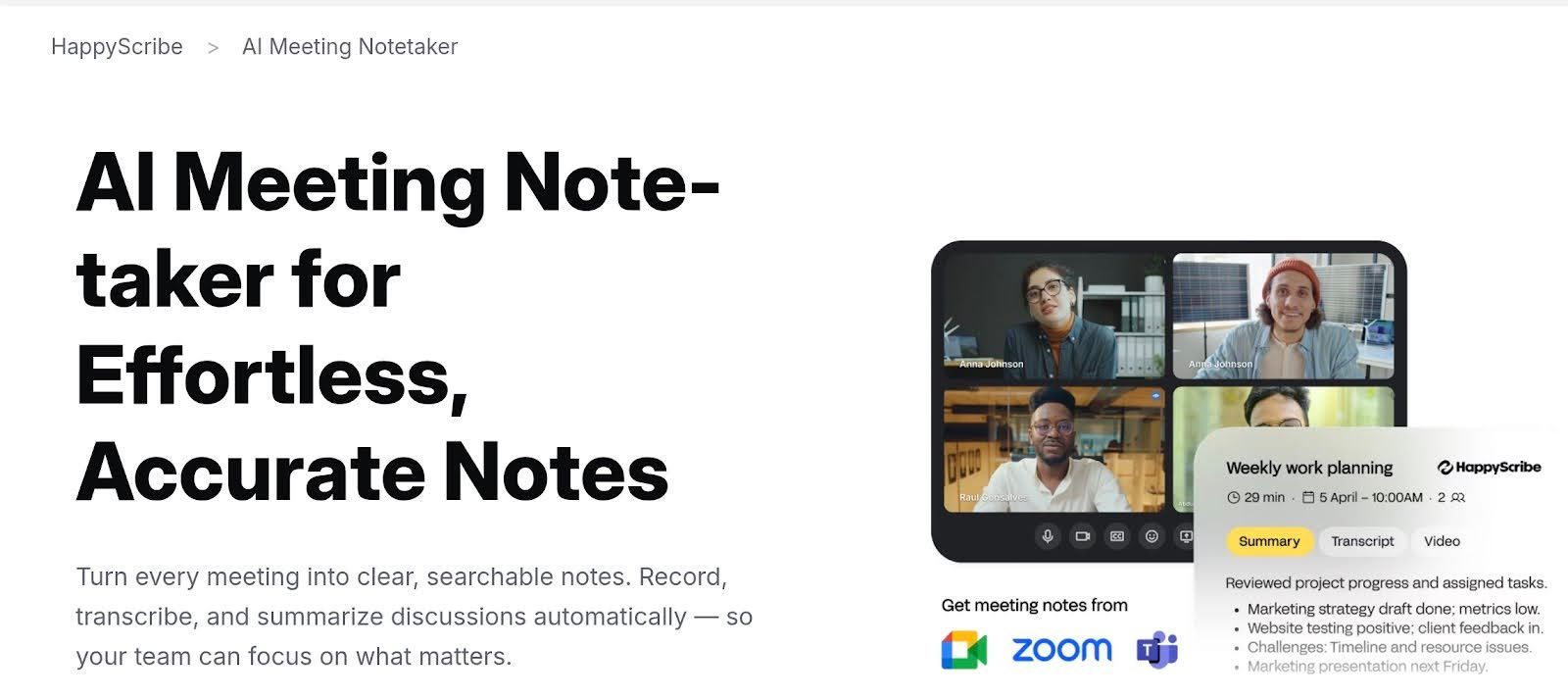
Emerging as the best AI meeting note taker, HappyScribe brings a refreshing European standard to the mix, standing out as AI transcription software that genuinely prioritizes keeping your data under lock and key.
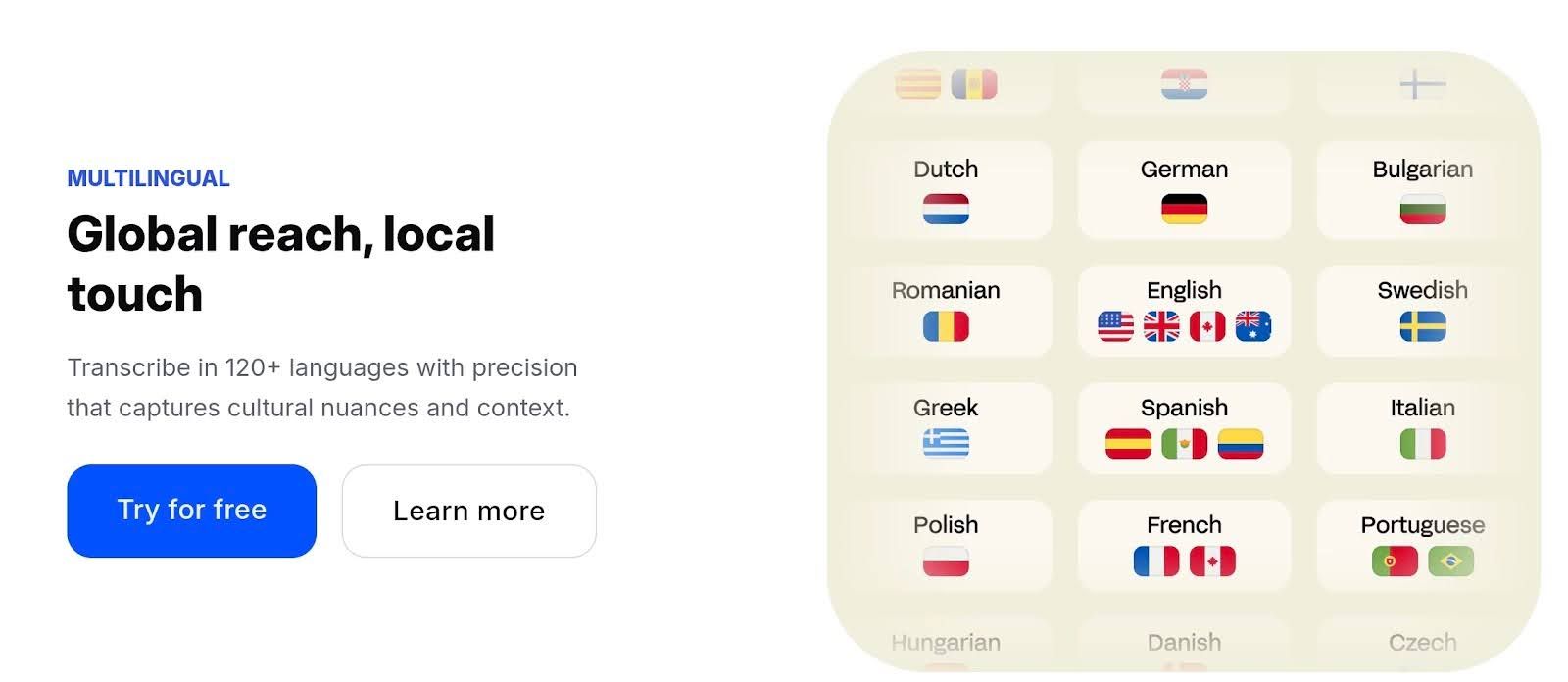
Based in Barcelona, this tool supports a massive list of over 120 languages, which we enjoyed exploring. It offers a level of polish that many audio transcription software competitors simply lack. For teams needing reliable automatic transcription software that values security as much as speed, this is the prime choice for AI transcription.
Key features:
- 120+ languages: HappyScribe has one of the widest language coverages today, making it perfect for podcasts and global teams.
- SOC 2 Type II / GDPR: it’s based in Europe, so it has a compliance-first approach when it comes to security that matters for client work and enterprise contracts
- AI Notetaker: auto-summaries and highlights that speed up review
- AskAI: it can create action items, articles, quizzes, and more out of your transcription
- Interactive editor: clean UI for fixing mistakes, adding timestamps, and exporting subs
- Human-made option: you can opt for human-reviewed transcripts when you want perfect accuracy
Meeting Transcripts
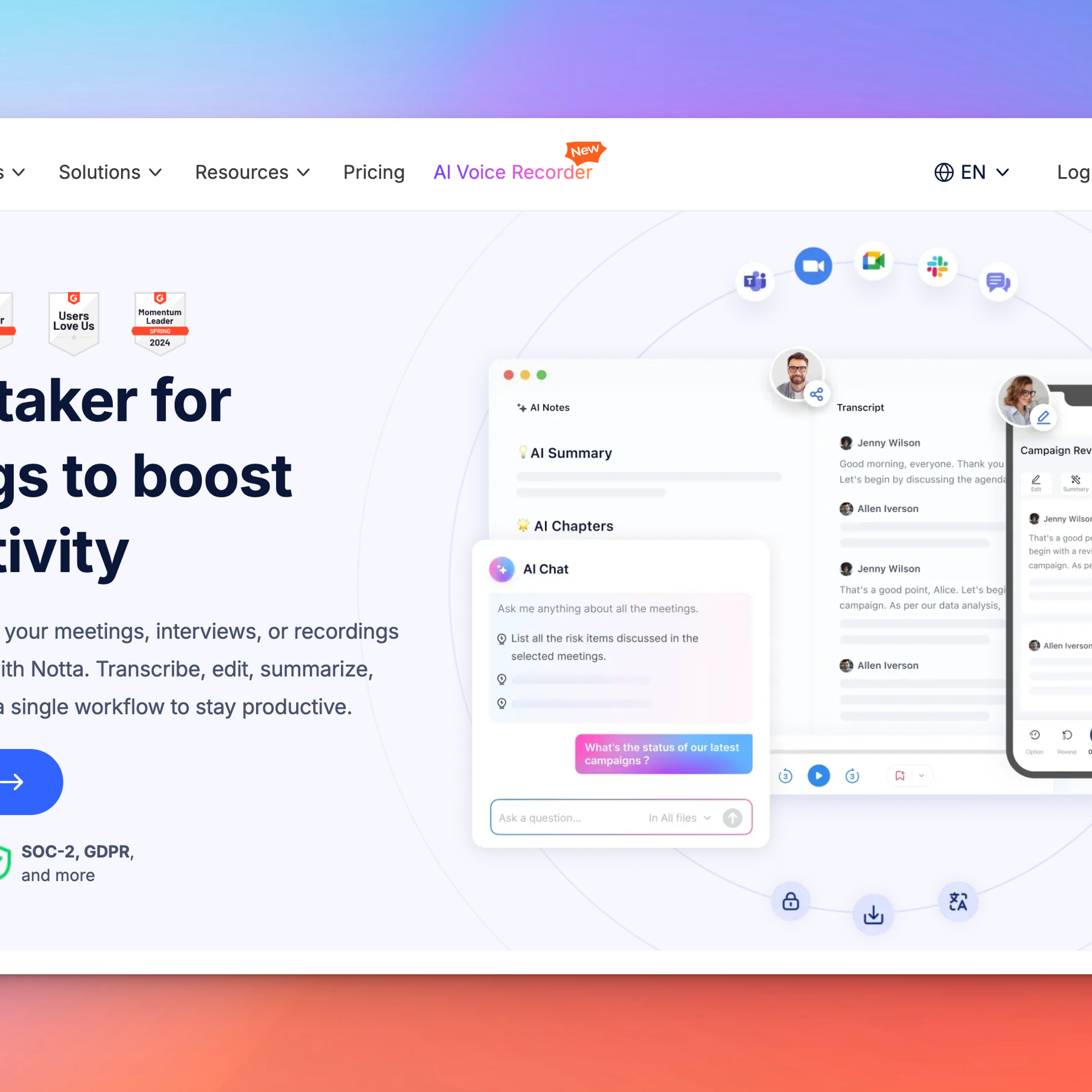
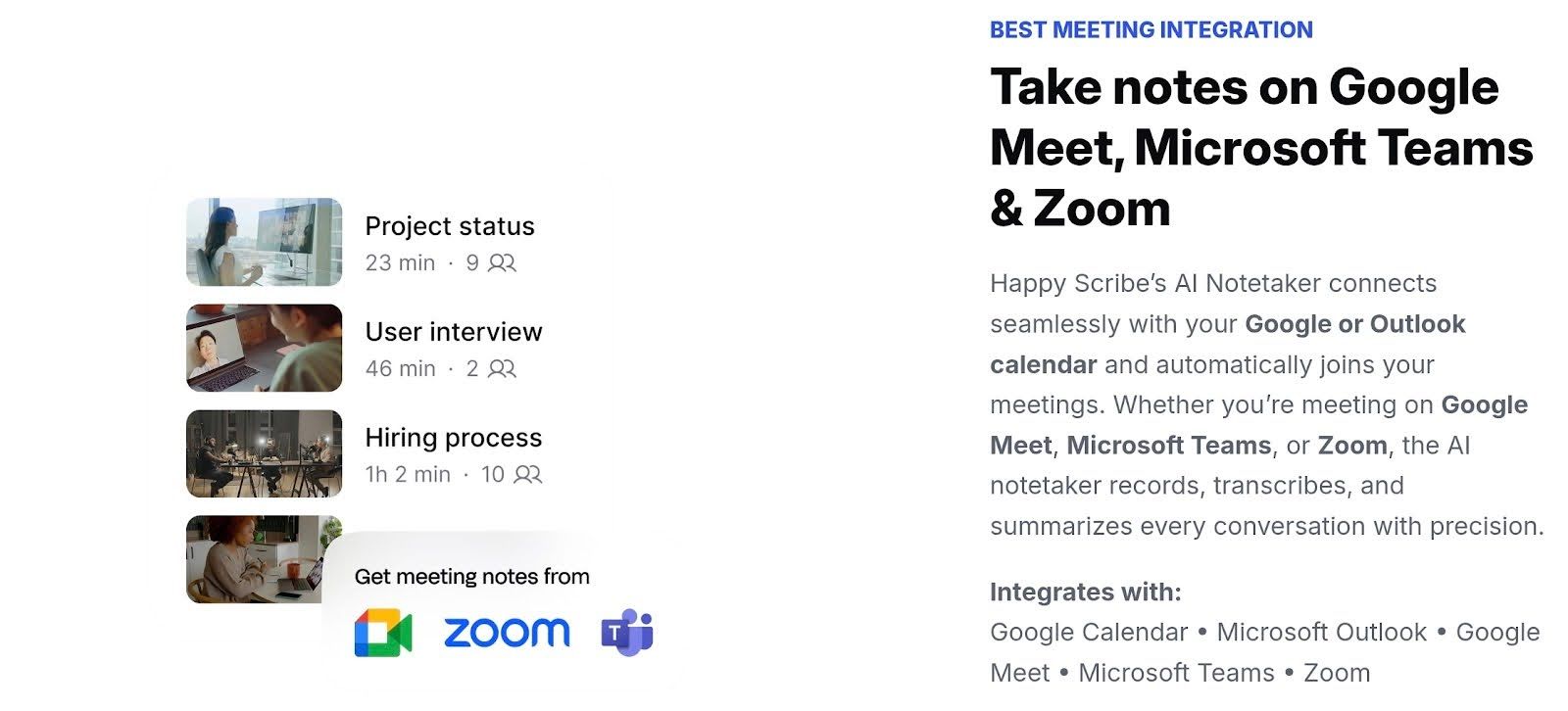
It wasn’t hard getting HappyScribe into our daily workflow. You just invite its dedicated AI Notetaker to your Zoom or Teams call, and it handles the real-time transcription while you focus on the conversation.
Once the meeting wraps, you aren't stuck reading a massive wall of text. You can use the "Ask AI" feature to chat with your transcript and pull out key details instantly. If you need to polish things up, the interactive editor lets you tweak the text manually until it’s perfect.
Team Workspaces
You can now stop emailing giant video files to your coworkers. HappyScribe cleans this up with shared workspaces. You basically build a central hub where the whole squad logs in to view, edit, and export transcripts together.
We loved how we can sort everything by client and project name, keeping the version control chaos completely out of your Slack DMs.
Pros
- 120+ languages and dialects
- Accurate speaker diarization
- GDPR-compliance and SOC II Type 2 certification for tight security
- Easy timestamps
- Interactive transcript editor
- Ask AI to help you summarize and create action items among other thigns
- It supports every file type you actually use, letting you download transcripts as Word docs, PDFs, or even time-coded subtitle files without a headache.
Cons
- This is strictly a documentation tool, not a sales coach. It won't give you complex charts on "sentiment analysis," which honestly keeps the interface much cleaner.
- The free version is great for a test drive. However, once you see how much time it saves, you will likely run out of free minutes and need to upgrade.
2. Jamie
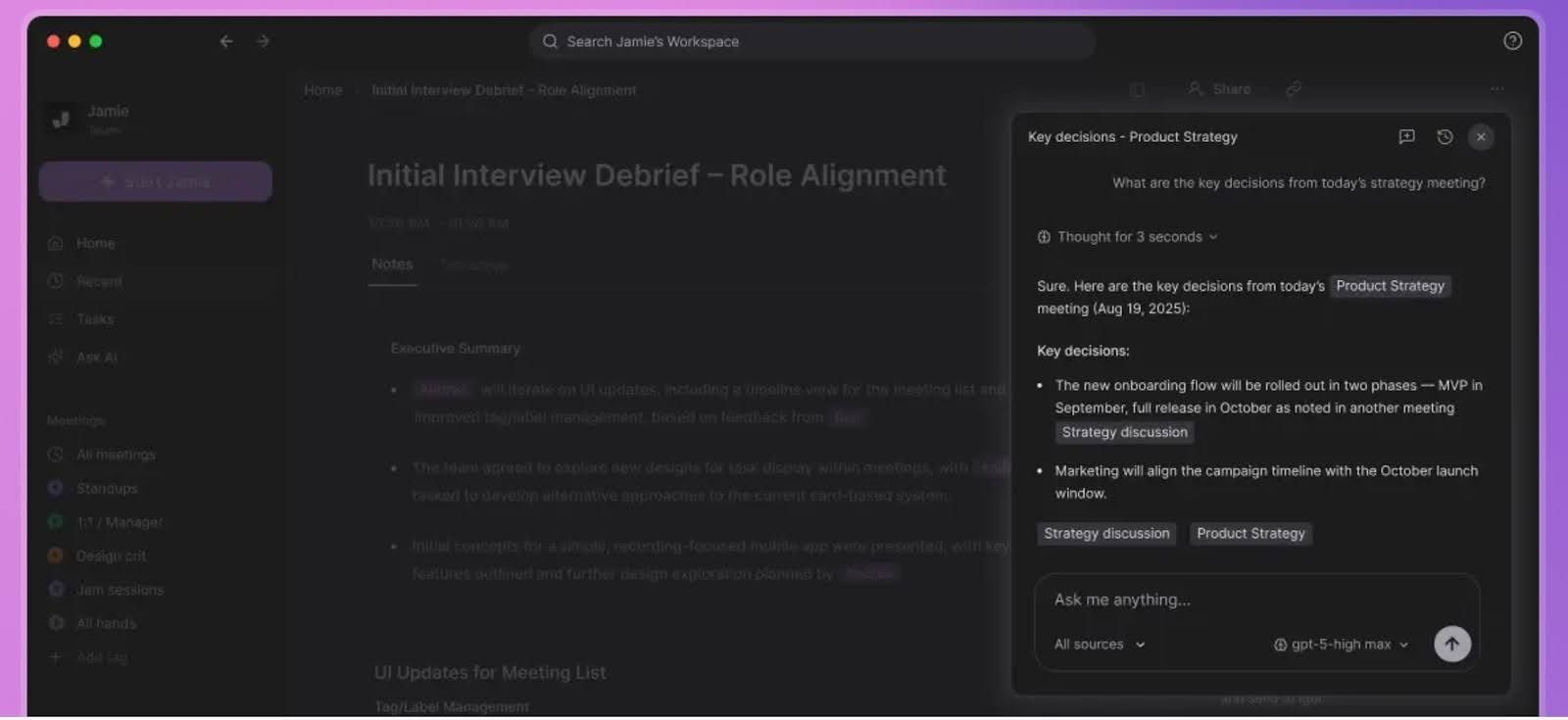
Ever felt that specific type of second-hand embarrassment when a clunky bot joins a client call uninvited? You might like Jamie.
This tool takes a different approach by living directly on your desktop rather than forcing its way into the meeting software. It listens to your system audio to generate notes, meaning no awkward "recording in progress" announcements disturb the vibe.
Key features:
- Native desktop app (macOS & Windows)
- System audio capture
- Multilingual transcription (15+ business languages)
- Automated meeting summaries
- Action item extraction
- Custom summary templates
- "Ask Jamie" AI chat assistant
- Offline/In-person recording mode
- GDPR compliance
Smart Summaries
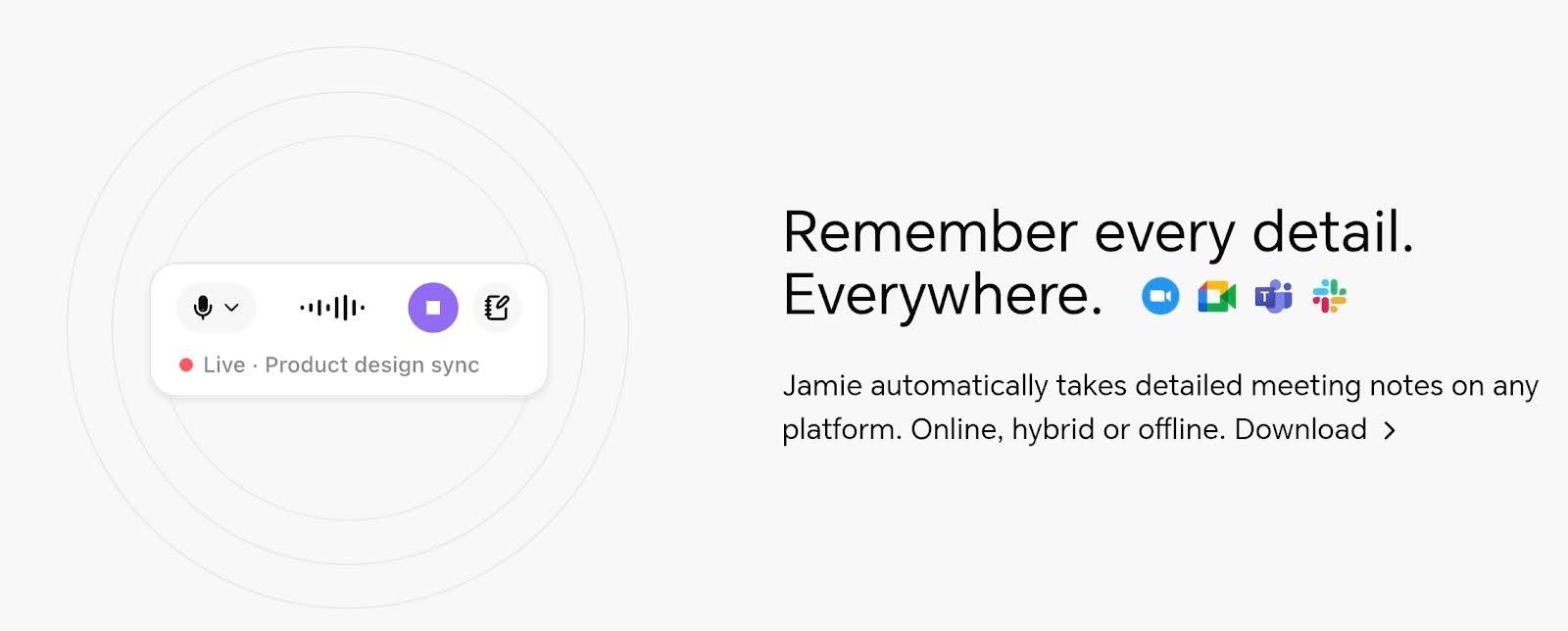
Jamie processes the conversation into a structured executive summary, pinpointing exactly who promised to do what, so you don’t have a pile of unorganized files on your desk. Instead, you get a clean, organized action plan instead of a chaotic wall of text, forcing everyone to actually stay accountable without you typing a single word.
Action Items
Jamie nails down accountability by listening for specific commitments and turning them into a concrete task list. It spots exactly who agreed to handle which item, giving everyone clear directions right away. You get a checklist populated with owners instantly, keeping your projects on track without the usual administrative scramble.
Pros
- No awkward bot joins the call
- Works with any platform (Zoom, Teams, and many more)
- Offline mode for in-person meetings
- Strict European privacy standards (GDPR)
- Highly customizable summary templates
- Native desktop app experience
Cons
- Audio-only (does not record video)
- Free plan is somewhat limited
- Requires desktop software installation
- No Android app available
3. Tactiq
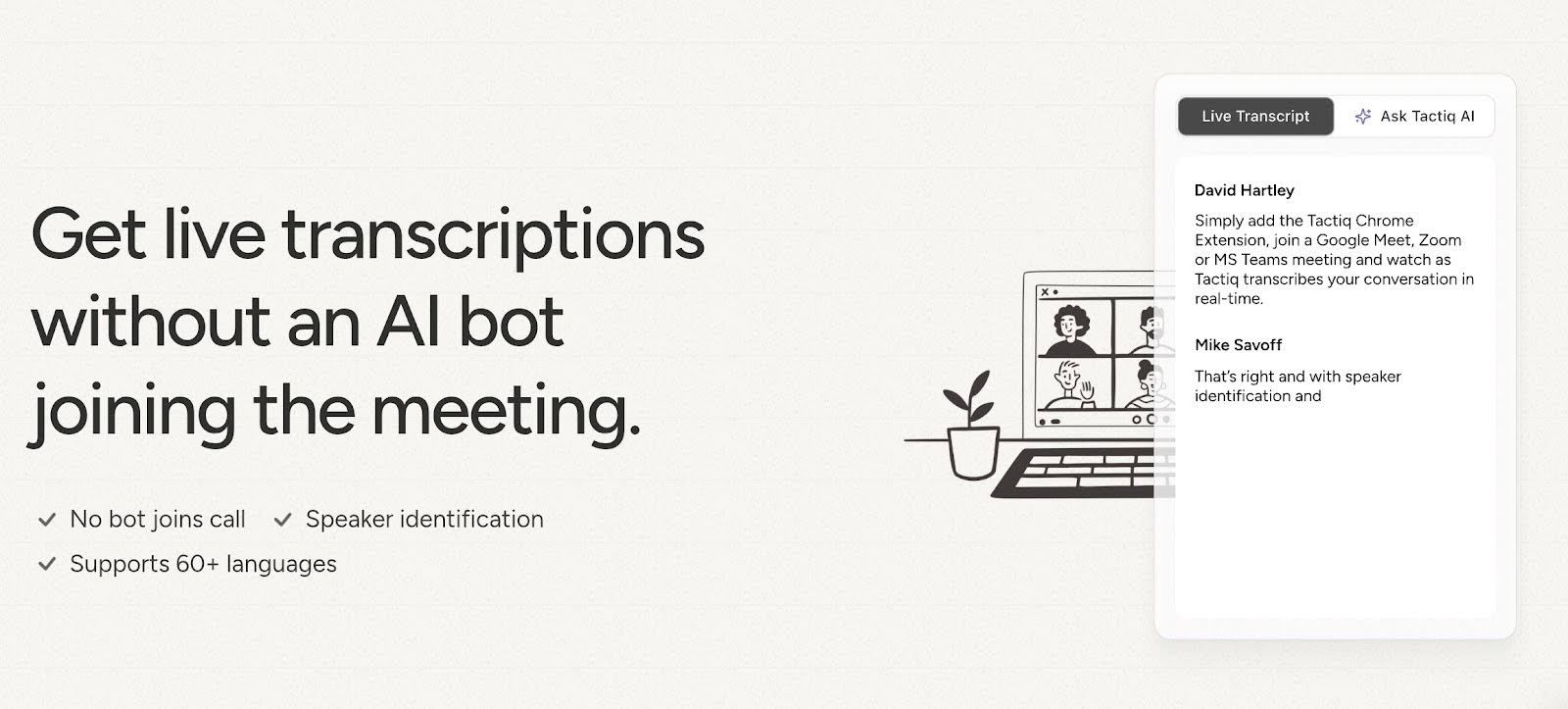
Tactiq lives where most of us work: right inside the web browser. This extension integrates seamlessly into the interface of Google Meet, Zoom, and Microsoft Teams to provide real-time transcription.
You literally see the conversation turn into text on the side of your screen as people speak. It uses powerful GPT-4 models to capture key insights and generate summaries instantly. You can stop multitasking and let it push every detail to Notion or Slack automatically.
Key features
- Browser extension for Chrome and Edge (no app download)
- Real-time transcription for Google Meet, Zoom, and MS Teams
- "Ask Tactiq" AI assistant
- Speaker identification
- Automated follow-up emails
- Direct integrations with Notion, Slack, HubSpot, and Salesforce
The browser extension
Tactiq keeps things light by living directly in your browser. You pin the extension to Chrome, and it sits there quietly until you actually need it.
The moment you join a call, a sidebar pops up and starts transcribing everything live. You don't have to toggle windows or mess with settings. If a client drops a crucial number, you just click that sentence to highlight it instantly.
It’s actually the laziest way to look hyper-organized, which is exactly my vibe.
Pros
- Lightweight browser extension
- Real-time live transcription
- GPT-4 powered summaries
- One-click export to Notion/Google Docs
Cons
- Browser-only (Incompatible with desktop apps)
- No video recording capability
- Unreliable speaker identification
4. Fireflies
I actually used Fireflies way before I started testing any of the other tools today. It was my staple because it was built like a tank. It doesn't try to dazzle you with a million unnecessary buttons, just captures the audio and syncs it perfectly with your CRM.
That’s the killer feature here. If you manage a sales team and you are tired of chasing people to update HubSpot or Salesforce, Fireflies just does it for them. It automates the boring admin work we all hate doing.
Key features:
- Automatic recording and transcription (Zoom, Google Meet, Teams, Webex)
- AI-generated summaries with action items
- "AskFred" AI assistant for meeting queries
- Native CRM integrations (Salesforce, HubSpot, Pipedrive)
- Collaboration integrations (Slack, Notion, Asana)
- Video recording & screen capture
- Multi-language support (60+ languages)
Call recording
Recording a call with Fireflies is delightfully boring because it just works. You can set it to auto-join every calendar event, or you can manually invite the bot to specific meetings if you are feeling exclusive.
It captures crisp audio and video, storing everything in the cloud like a personal vault. You never have to worry about hitting "record" in Zoom or begging the host for the file later. It handles the entire capture process on autopilot, so you can focus on the actual conversation.
Pros
- Works on all major video platforms (Zoom, Teams, Meet, Webex)
- Deep native CRM integrations (Salesforce & HubSpot)
- "Ask Fred" conversational AI assistant
- 60+ languages supported
- Mobile app for iOS and Android
- Robust conversation intelligence metrics
- Creates shareable audio "Soundbites"
Cons
- Video recording locked behind paid plans
- Speaker identification struggles with cross-talk
- Interface has a steeper learning curve
- No real-time transcription view (post-call only)
5. Otter AI
Otter is practically the household name in this space for a reason. It shines when you need real-time transcription that feels like a live script appearing before your eyes.
Otter joins your Zoom or Google Meet sessions and generates a searchable transcript instantly. Our team loved the collaborative aspect here because you can highlight key points and tag colleagues right in the live notes. It’s perfect if accuracy and speed are your top priorities, and the speaker identification is usually spot-on.
Key features:
- Real-time live transcription
- OtterPilot (auto-join bot)
- Automated meeting summaries
- "Otter Chat" AI assistant
- Speaker identification
- iOS and Android mobile apps
- Live keyword highlighting
- Zoom, Google Meet, & MS Teams integration
Team collaboration
Otter handles team updating by letting you create permanent groups. You add your team once, and every conversation automatically populates in a shared feed. It feels less like file management and more like a group chat.
You can tag specific colleagues or highlight text during the call, so everyone knows exactly what needs attention without a single follow-up email.
Pros
- Real-time live transcription view
- OtterPilot auto-join for Zoom, Meet, & Teams
- Collaborative highlighting during calls
- Searchable audio database
- Keyword-based summary generation
Cons
- Audio-only recording (no video)
- Can struggle with heavy accents or crosstalk
- Speaker identification requires manual training
Benefits Of Using AI Note Taking For Teams
Relying on human memory after a long week of back-to-back calls is a risky gamble that usually ends in forgotten tasks. Handing the clipboard to an AI assistant guarantees you capture every detail while freeing up your team to actually do the work they were hired for.
Accuracy
We all have that moment where we zone out thinking about lunch. An AI doesn't get hungry or tired. It captures the verbatim discussion without filtering it through human fatigue or bias. You get a perfect record of what was actually said, not just what someone thought they heard.
Accountability
It’s conveniently easy to "forget" a deadline when it was never written down. AI eliminates that gray area by tagging specific speakers to action items. When the transcript explicitly says Dave promised the report by Tuesday, there’s no room for debate. Everyone stays aligned on their specific responsibilities.
Organized Meeting Minutes
Scribbles on a notepad are usually useless to the rest of the team. These tools automatically format the chaos of conversation into structured, readable summaries with headers and bullet points. It transforms a scattered hour-long brainstorming session into a clean document that anyone can scan in seconds.
Faster Follow Ups
The worst part of any meeting is writing the recap email afterwards. AI handles this instantly, generating a summary and sending it out the moment you hang up. You keep the momentum going because the team gets the info immediately, rather than waiting three days for you to type it up.
How To Choose The Right AI Meeting Note Taker
Team Size
If you’re a freelancer or a small squad, you probably don't need much heavy enterprise platform. A simple browser extension usually does the trick perfectly fine.
However, massive organizations with hundreds of employees require robust AI note taking tools that offer centralized admin dashboards. You need a system that handles user permissions and shared workspaces so your team collaboration doesn't turn into a digital wild west.
Workflow Integrations
The shiny features don't matter if the software ignores your existing tech stack. Your chosen AI for meeting notes must play nice with the tools you already use daily, like Slack, HubSpot, or Asana.
The whole point is automation, so if you find yourself manually copy-pasting transcripts between tabs, you have chosen the wrong software. Look for native connections that sync data without you lifting a finger.
Budget
Free tiers are fantastic for testing the waters, but they almost always come with strict time limits or capped storage.
You have to be realistic about your call volume. If your sales team is on the phone six hours a day, those free minutes will vanish by Tuesday. Calculate the "per user" cost for unlimited access to ensure the tool scales without blowing up your quarterly finance report.
Security and Compliance
You’re literally recording confidential business strategy and client secrets, so you cannot skimp on safety here. European companies absolutely need GDPR compliance, while US enterprises should look for SOC 2 Type II certification.
Check if the AI note taking tools use your data to train their public models. If they do, your private meeting about next year's product launch might accidentally teach a chatbot how to run your business.
Final thoughts
You’re clearly ready to fire yourself from the role of designated note-taker. Smart move. Now, the decision just comes down to your specific workflow.
For an all-rounder, HappyScribe proved to be the best for most meeting needs, whether you’re a freelancer, a small team, or a big company. We especially love it for its strong protection of sensitive client data with strict privacy standards.
Otter.ai is the powerhouse for internal teams who need to collaborate and tag each other inside the transcript. Finally, for agile squads who hate installing clunky software and just want results, Tactiq is the easiest way to get started right inside your browser.
After testing the best 5 AI meeting note takers for Teams and client calls side-by-side, here are our top picks: HappyScribe, Jamie, Tactiq, Fireflies, and Otter.
Trying to frantically type every word during a client call is a surefire way to miss the actual point of the conversation. You simply cannot listen effectively while playing stenographer. An AI meeting note taker solves this problem by handling the call recording and transcription for you.
These tools capture every detail with surprising accuracy and speed, freeing you up to actually participate. It streamlines team collaboration since nobody has to send out that dreaded 'who took notes?' email.
Let’s look at the best software to use as your dedicated AI note taker for meetings.
How AI Meeting Note Takers Work
Here is the secret sauce behind your favorite AI note taker. It starts when the bot joins your call, acting as a sophisticated AI voice recorder to capture high-quality audio.
It doesn't just store files like a basic phone recording app. The system performs real-time transcription, turning spoken word into text instantly. The real magic happens during processing. The AI notetaker algorithms analyze that text to churn out concise summaries and specific action items, so you know exactly who needs to do what.
Finally, the AI notes taker syncs everything directly with your existing meeting software and meeting management software. It’s essentially call recording software with a brain, ensuring your AI meeting notes are organized and ready before you even close the tab.
And with a good AI meeting note taker, all of these processes usually happen in just a snap of a finger.
Best AI Meeting Note Takers In 2025
- HappyScribe
Emerging as the best AI meeting note taker, HappyScribe brings a refreshing European standard to the mix, standing out as AI transcription software that genuinely prioritizes keeping your data under lock and key.
Based in Barcelona, this tool supports a massive list of over 120 languages, which we enjoyed exploring. It offers a level of polish that many audio transcription software competitors simply lack. For teams needing reliable automatic transcription software that values security as much as speed, this is the prime choice for AI transcription.
Key features:
- 120+ languages: HappyScribe has one of the widest language coverages today, making it perfect for podcasts and global teams.
- SOC 2 Type II / GDPR: It’s based in Europe, so it has a compliance-first approach when it comes to security that matters for client work and enterprise contracts.
- AI Notetaker: Auto-summaries and highlights that speed up review.
- AskAI: It can create action items, articles, quizzes, and more out of your transcription.
- Interactive editor: Clean UI for fixing mistakes, adding timestamps, and exporting subs.
FAQs
What is the best AI meeting note taker?
There’s no single "perfect" tool, just the right one for your specific mess. When accuracy and privacy are the only things that matter, especially for external work, HappyScribe is the heavyweight we usually recommend. It’s just more polished and secure.
How does AI note taking work?
The bot essentially joins your call, records the audio, and types it out in real-time. The smart part happens immediately after, where the system scans that text to pull out dates, tasks, and decisions. HappyScribe adds a layer here where you can interactively edit the text to make sure it matches the audio perfectly.
Is there an AI tool for meeting minutes?
Absolutely. You can finally stop frantically typing bullet points. These tools parse the conversation and generate a structured summary for you. I’ve seen HappyScribe take a wandering, hour-long brainstorm and turn it into a clean list of next steps without anyone lifting a finger.
How accurate is AI transcription?
In a quiet home office, you are looking at near-perfect results. But toss in some heavy accents or a noisy coffee shop background, and generic bots start to fail. That is where premium engines like HappyScribe usually win out. They’re engineered to handle complex audio and diverse voices way better than the free alternatives.
Can I record client calls with an AI app?
Definitely, just make sure you ask for permission first. Transparency is key. Using a tool like HappyScribe is the smartest play here because it is fully GDPR compliant. You get the detailed notes you need without freaking out your legal department or accidentally violating privacy laws.
What is the best AI note taking app for teams?
If you just want to tag people in chat, Otter is fine. But if your team needs a centralized library where files don’t get lost in the shuffle, HappyScribe is the winner. Their shared workspaces ensure everyone is looking at the same version of the truth, so you aren't emailing Word docs back and forth like it's 2005.
Which AI tool is best for business meetings?
High-stakes meetings require reliability, not flashy features. If you live inside Salesforce, Fireflies is great. But for strategy sessions where the transcript needs to look professional enough for the board, HappyScribe is my go-to. The output is cleaner, accurate, and frankly, it just looks better when you share it with stakeholders.
What are the benefits of using AI note-taking for teams?
Relying on human memory after a long week of back-to-back calls is a risky gamble that usually ends in forgotten tasks. Handing the clipboard to an AI assistant guarantees you capture every detail while freeing up your team to actually do the work they were hired for.

André Bastié
Hello! I'm André Bastié, the passionate CEO of HappyScribe, a leading transcription service provider that has revolutionized the way people access and interact with audio and video content. My commitment to developing innovative technology and user-friendly solutions has made HappyScribe a trusted partner for transcription and subtitling needs.
With extensive experience in the field, I've dedicated myself to creating a platform that is accurate, efficient, and accessible for a wide range of users. By incorporating artificial intelligence and natural language processing, I've developed a platform that delivers exceptional transcription accuracy while remaining cost-effective and time-efficient.