AI subtitle tools have blown up because video is everywhere and nobody has time to rewatch. For creators, brands, and educators, sloppy captions mean lost viewers, missed messages, and SEO that fails to land.
Caption accuracy matters: it keeps content accessible, searchable, and professional.
HappyScribe is built for that kind of precision. Its transcription focuses on clean speaker labels and flawless accuracy, and its video translation features make multilingual publishing painless.
If you need reliable AI subtitles that actually match spoken lines, or straightforward video translation that keeps tone intact, HappyScribe is made to handle both the nitty-gritty of accuracy and the scale of global distribution.
Why AI Subtitles Matter
Accessibility: Subtitles make your videos usable for everyone, not just people who can hear. People who are deaf, hard of hearing, or in noisy places can follow along without missing a thing.
Better Retention and Engagement: Seeing words on screen helps people remember information better and longer. It keeps them paying attention and makes your video stick in their heads longer.
International Reach: A few translated subtitles, and suddenly your content works worldwide. Language barriers drop, and new audiences can finally enjoy what you made.
Search Visibility and SEO Benefits: Search engines can’t watch videos, but they can read subtitles. Good subtitles boost discoverability and help more people stumble across your content naturally.
What Makes HappyScribe Different
Focus on Accuracy‑Driven Transcription
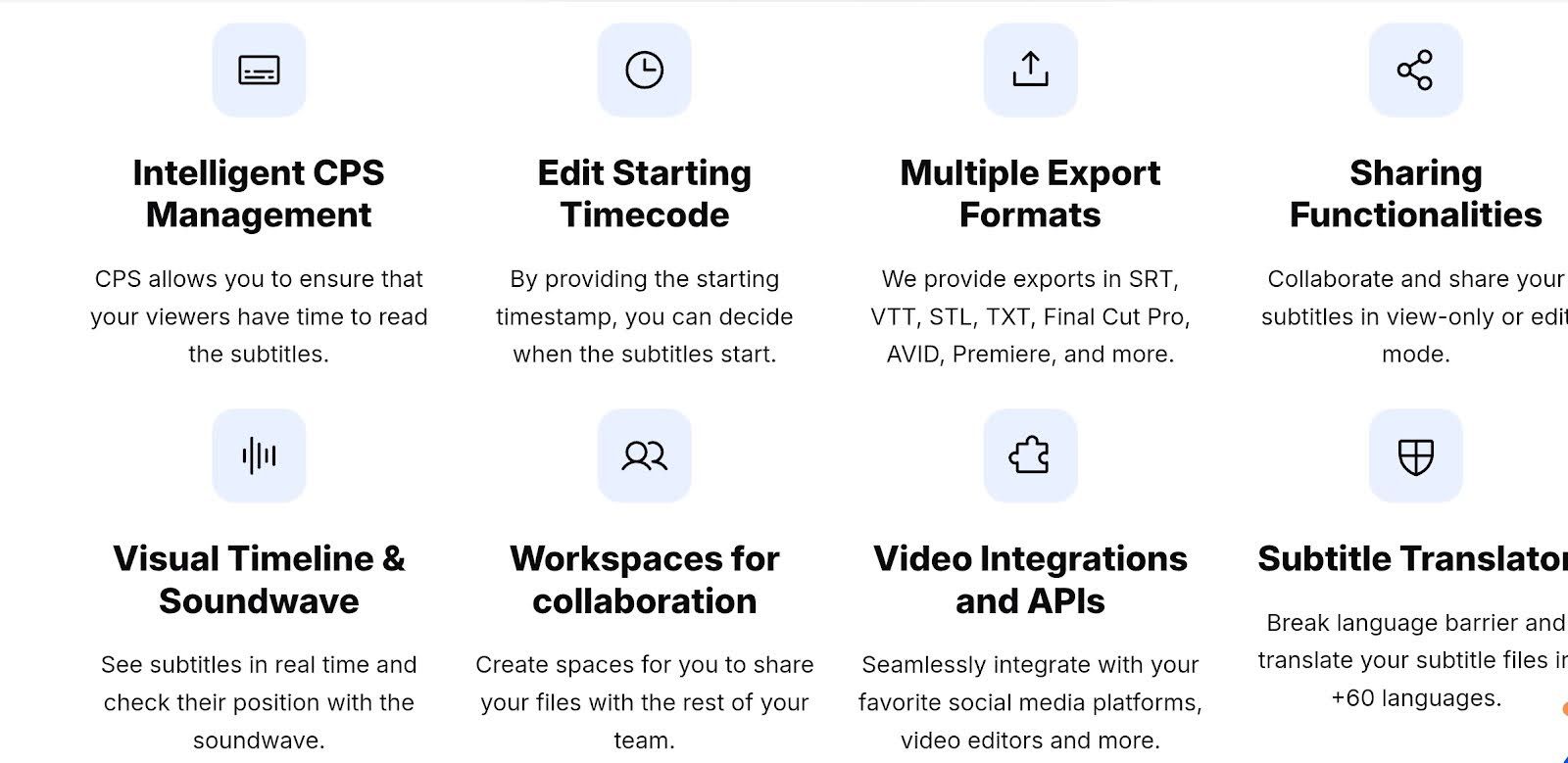
HappyScribe’s AI transcription is already solid, but when you choose its human-powered subtitling service, you can hit up to 99% accuracy. That makes it more than a basic transcription service, It’s a real video translator tool for anyone who cares about precision.
Human + AI Workflow
The platform blends AI speed with human oversight. First, AI generates your subtitles. Then, real editors can polish them. This two-tier system gives you the best of both worlds: a transcription service that’s fast yet reliable.
Support for Multiple Languages
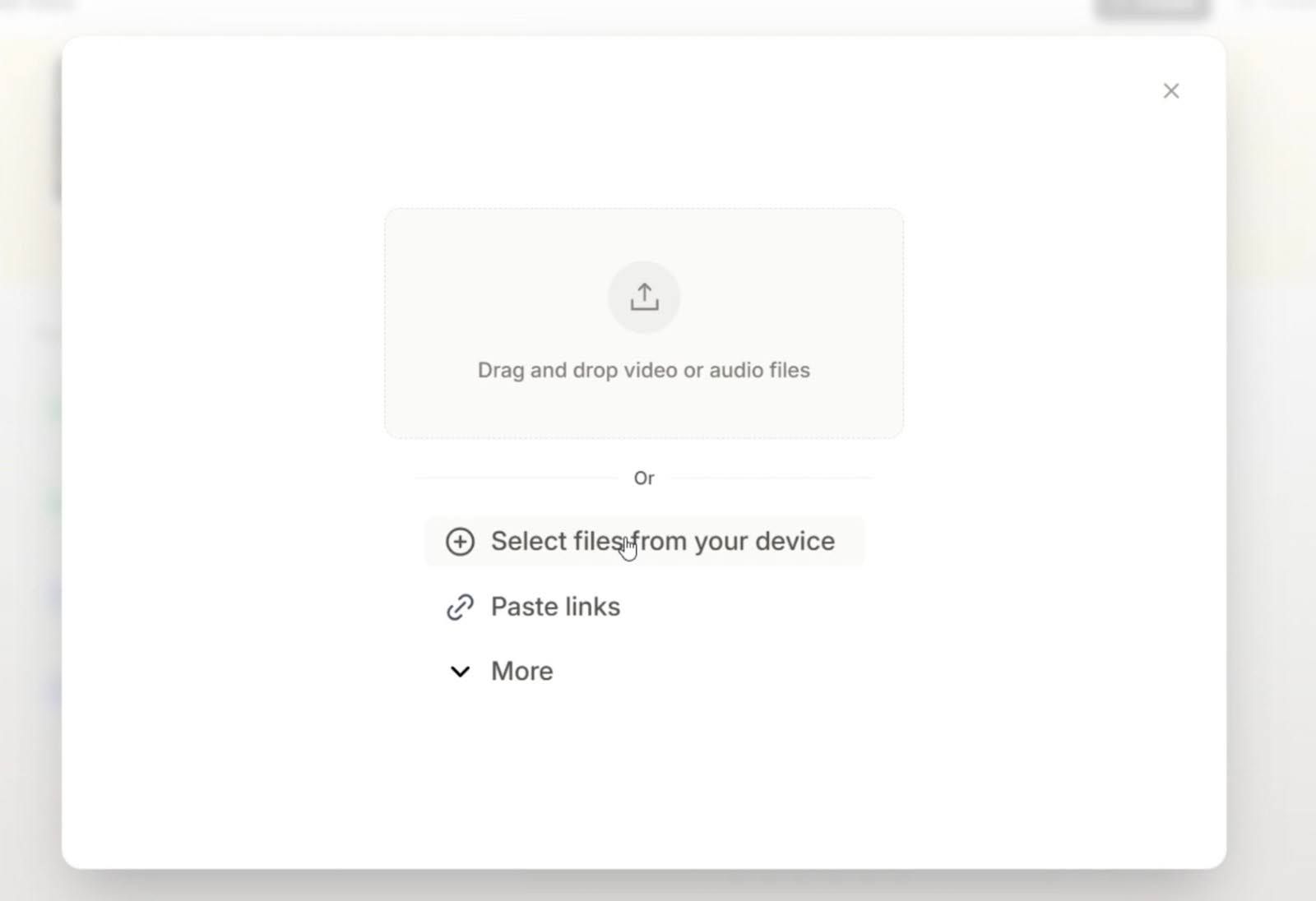
With support for over 150 languages, HappyScribe works pretty much like a best translation app for global creators. You can translate video to English, Spanish, or pretty much any language, making it a serious video translator for international projects.
Clean, Simple Subtitle Editor
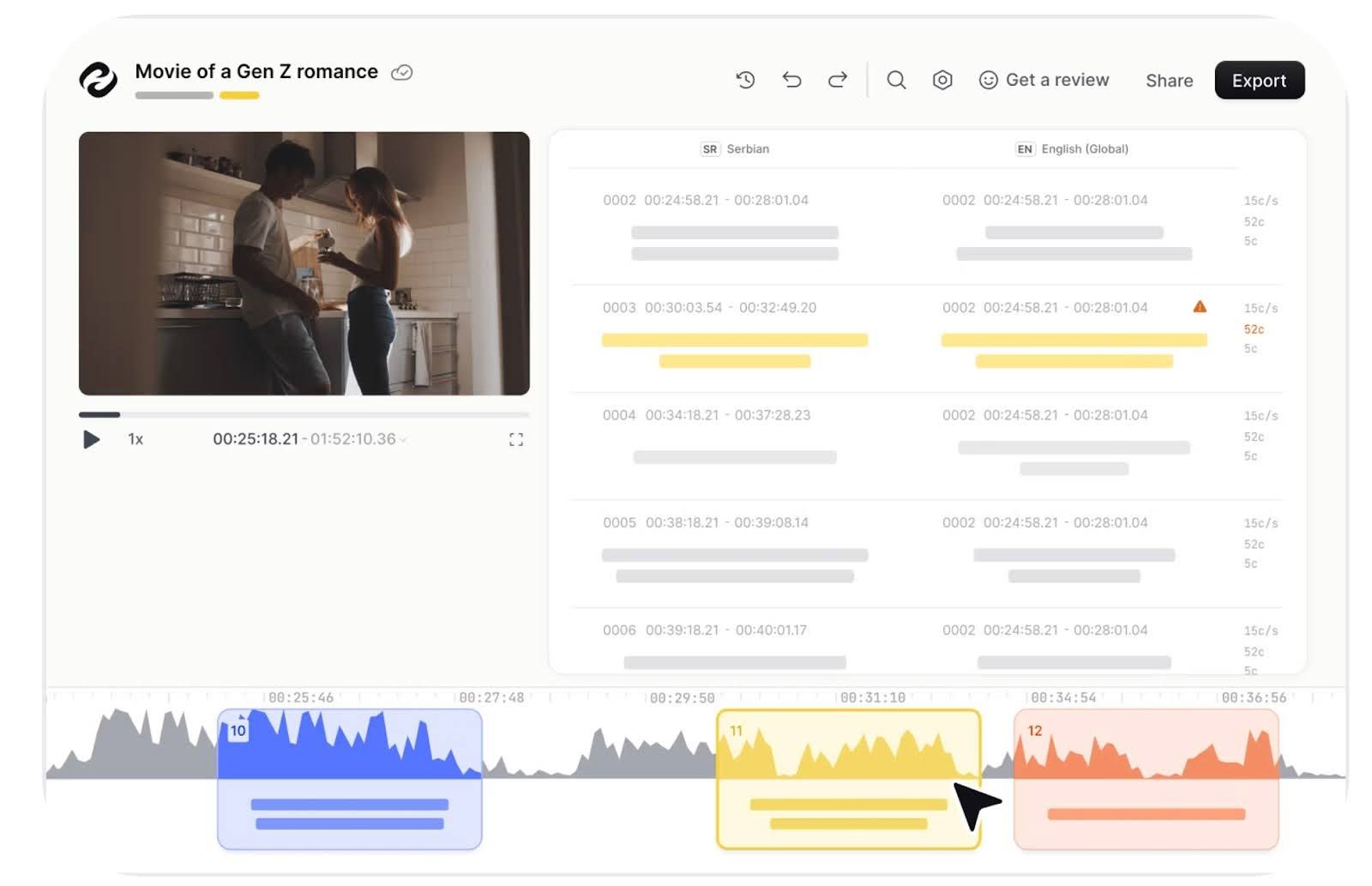
Editing captions doesn’t have to be a headache. HappyScribe’s subtitle editor is intuitive, lets you tweak timing and styling with ease, and helps you turn your raw AI transcription into polished subtitles.
Export Options for Platforms
Once your subtitles or translated captions are ready, Happy Scribe makes it simple to export them. Download SRT or VTT files or burn them into your video. You can drop your content on YouTube, Vimeo, or social media with no extra hassle: a huge win if you use it like the best translator app around.
How HappyScribe Handles Subtitle Accuracy
AI speech recognition models
HappyScribe runs modern speech-recognition models that spot spoken words fast and in many accents. Upload a file, pick the source language and the AI turns speech into time-stamped captions in seconds. It supports 150+ languages and handles common formats so you can get usable subtitles without wrestling with file types.
Punctuation and grammar handling
The system automatically inserts punctuation and cleans up run-on speech to make subtitles readable on screen. You’ll see tidy sentences and sensible breaks, not a single breathless wall of text. After the AI pass you can tweak phrasing in the online editor and adjust timing on the waveform for natural pacing.
Speaker identification
For multi-voice recordings HappyScribe’s speaker diarization separates and labels different speakers, so an interview won’t read like a single monologue. Labels and timestamps come through in transcripts and SDH options add speaker cues for accessibility. You can also edit or rename speaker tags in the editor after the automatic split.
Noise detection and clarity adjustments
When audio gets muddy, the HappyScribe will still try to spot words and keep speaker labels intact and accurate. Its processing copes with overlap, strong accents, and background hum so the result needs less cleanup. The visual waveform and timeline tools help you pinpoint noisy segments and nudge timing or text for clearer reading.
Optional human proofreading for higher accuracy
If you need publish-ready captions, you can add HappyScribe’s human proofreading: linguists tidy grammar, speaker tags, and tricky lines for near-perfect output. AI builds the first draft fast; people polish it to professional quality… useful for legal material, broadcast, or anything where a single typo matters.
AI Video Translation With HappyScribe
Translate subtitles between languages
HappyScribe handles subtitle translation with a steady, natural flow, so your captions read like they were written for that language in the first place. It keeps things smooth, matches the pacing of the video, and takes a lot of guesswork out of cross-language editing.
Convert audio or video from Spanish, French, German, etc. into English or vice versa
The tool can switch full audio or video tracks between languages (150+ language coverage!) without feeling stiff or machine-made. Upload the file, pick the output language, and it handles the heavy lifting while keeping the dialogue easy to follow.
Context-aware translation
Its translator pays attention to context, not just isolated lines. It follows the conversation, understands phrasing choices, and adjusts the translation so moments feel natural instead of literal. This gives your subtitles a smoother rhythm that makes sense in real viewing.
Preserving meaning, tone and timing
HappyScribe keeps the original vibe intact, such as the tone, intent, timing, all of it. Emotional lines stay emotional, sarcastic lines stay sarcastic, and everything lines up neatly with the speaker’s pacing. This helps the translated video feel like one cohesive piece.
Subtitle formatting for translated versions
The platform tidies up the translated captions so they look clean on-screen. Line breaks, timing, and spacing are adjusted automatically. It saves time in post-production and gives your final export a polished feel without extra manual fixing.
Using HappyScribe For Full Subtitling Workflow
Upload video or audio
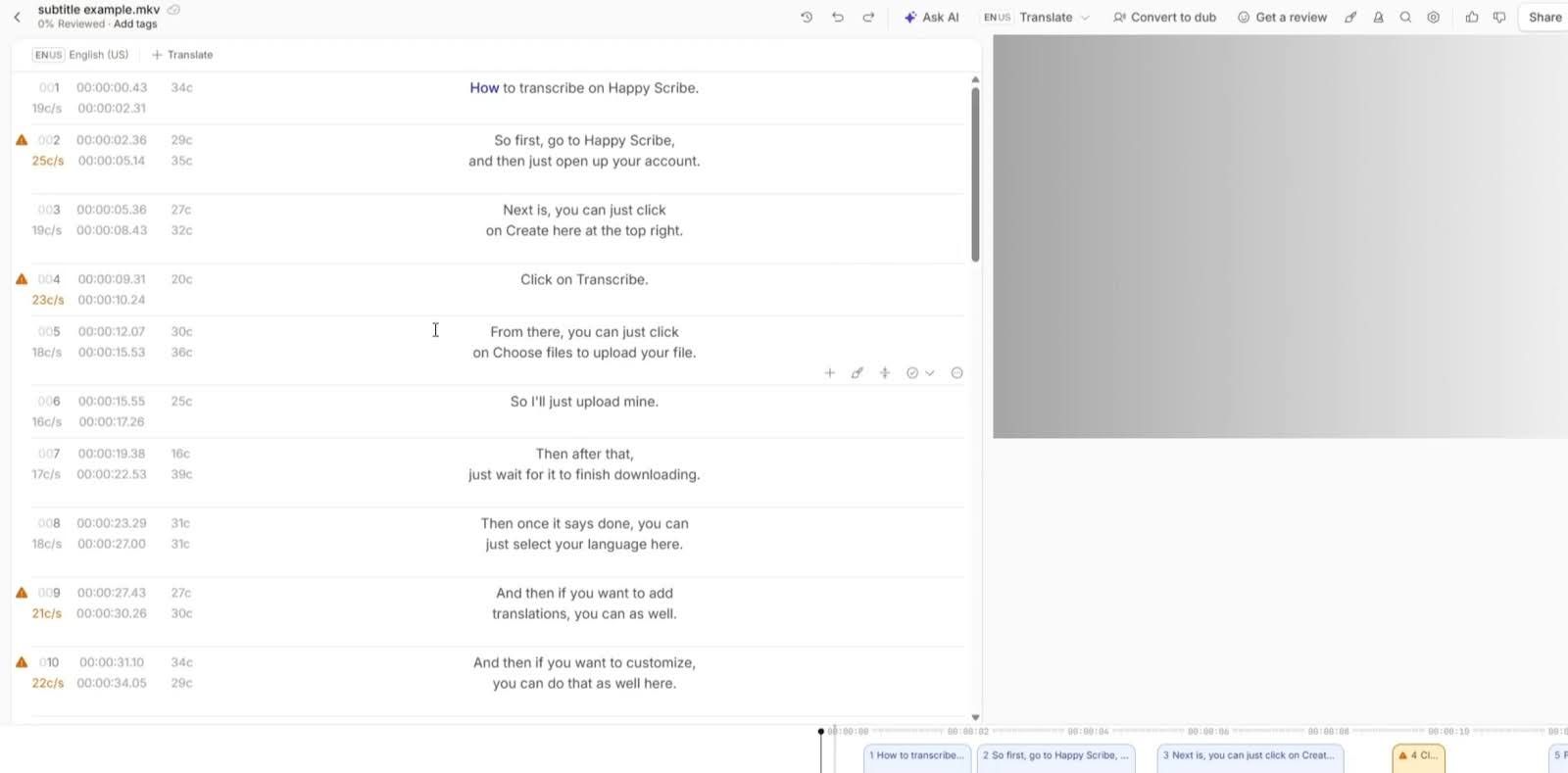
The whole thing starts with a simple upload. Just pick your file and toss it into HappyScribe. It reacts pretty quickly, even with longer recordings, so you’re not left wondering if it froze. Big or small files, it swallows them all without fuss, which makes the first step feel surprisingly painless.
Choose transcription or translation
After that, you get to decide what you actually want done with the video. Want plain subtitles? Cool. Need it translated? Also possible. The language list pops up right away, so you can choose what you need without clicking through some maze of menus.
Edit subtitles inside the editor
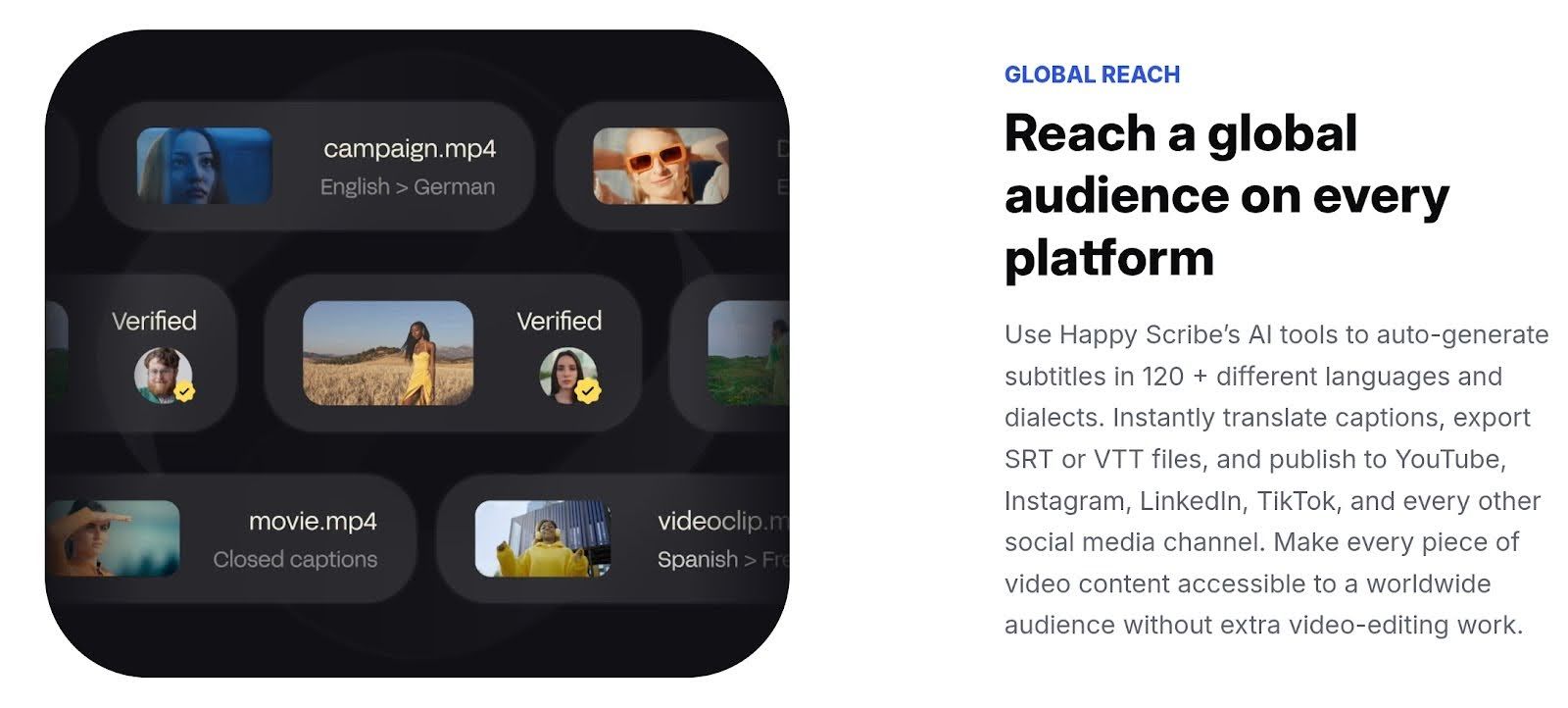
Once the text appears, you can jump into the editor and clean things up. It’s basically a tidy workspace where you can tweak phrasing, fix weird lines, and make everything sound the way you want. Nothing feels overcrowded, so you can move around and make changes without feeling lost.
Align timing
From there, you can sort out timing. The little timeline lets you slide each subtitle forward or back so it matches what’s happening on screen. It’s pretty hands-on. You make a change, the preview reacts instantly, which keeps everything clear and easy to control.
Export in SRT, VTT, or other common formats
When it all looks right, you just choose how you want to export it. Whether you need an SRT, a VTT, or one of the presets made for the big platforms, the options are already laid out. Hit export, and it gives you the file without dragging you through extra steps.
Who Should Use HappyScribe
Content creators
Creators who publish videos, reels, or social clips will love the quick caption generation. HappyScribe turns spoken bits into tidy subtitles you can tweak fast. It speeds up posting, helps non-native viewers follow along, and stops you from typing transcripts after every shoot.
Course creators and educators
Teachers and online instructors can convert lectures into searchable transcripts and polished captions. That makes lessons easier to study, repurpose, and index for students. You get editable text, clear timestamps, and a workflow that helps turn one class into multiple learning assets without extra grunt work.
Marketing teams
Marketing squads use it to localize campaign videos, craft caption-first social posts, and pull quotes for copy. Fast drafts let teams move quickly through review cycles. Editors can tweak tone, timing, and brand language so every clip reads like it came from the same playbook.
Podcasters
Podcasters benefit from accurate show notes, searchable transcripts, and captioned clips for socials. HappyScribe nails speaker turns and creates tidy text you can use for SEO, episode pages, or pull-quotes. It saves hours compared with manual transcription and keeps episodes discoverable.
Business or global teams needing accurate captions and transcripts
Global teams use transcripts for meetings, product demos, and training, especially when clarity matters. Transcripts speed up translation, compliance checks, and cross-border collaboration. Clean timestamps and speaker labels make long calls scannable and far less painful to review.
Common Use Cases
Turning YouTube videos into multiple language versions
This is where you get to stretch your reach without rerecording anything. Your video can be turned into versions for Spanish speakers, French learners, or viewers across Asia. Clean transcripts and quick translations make your content feel naturally at home in places you’ve never even marketed to.
Transcribing podcasts or interviews
Video and audio content becomes so much easier to work with once it’s on a page. Hosts can pull standout quotes faster, interviewees get a clear record of what they said, and teams can polish episodes without scrubbing through hours of audio. It keeps the workflow smooth and organized.
Creating subtitles for paid courses
You’ll love this if you’re a course creator because subtitles help learners stay engaged and improve comprehension. It also makes the course feel more premium. Automated captions speed up production, and polished transcripts help instructors package their lessons in a way students can revisit anytime.
Internal team meeting notes or summaries
Messy meeting recaps become a thing of the past. Teams walk away with a tidy summary that captures decisions, next steps, and any lingering concerns. It cuts down on miscommunication and lets everyone get back to actual work instead of decoding call recordings.
Repurposing video content into text
One recording can turn into blogs, captions, emails, or even long-form guides. It saves creators and marketers from rewriting everything from scratch. Pulling shareable snippets or turning a video into a full written resource becomes much easier with solid transcripts at the core.
Tips For Getting More Accurate AI Subtitles
Use Clean Audio
Good subtitles always start with clean audio. When a recording is crisp, the software doesn’t have to guess what you said, and that instantly cuts down on weird misheard lines or random words popping up out of nowhere.
A tidy recording also gives the transcription model a clearer map to follow, so your captions line up with your voice instead of drifting around. Even little things like choosing a quiet corner or stepping away from noisy fans help the AI latch onto your voice without wrestling with clutter in the background. Clean audio sets everything up for a smoother workflow later.
Speak Clearly
This is less about sounding like a radio host and more about giving your words enough space to land. When speech is rushed or too soft, transcription tools pick up fragments instead of full phrases. A steady pace helps your audio or video translator tool recognize patterns, and that pays off big time during fast scenes or long explanations.
There’s also a nice bonus: clear speech reduces the amount of subtitle editing because the text already resembles what you meant to say. Even if you’re recording something casual, a little clarity keeps the captions from turning into a guessing game.
Cut Background Noise
Background noise can throw an entire subtitle track off course.
Sounds like traffic, vents, appliance hums, and chatter trick the AI into thinking there’s more than one speaker or a new sentence starting. Muting all that extra sound, even the smallest things, gives the transcription tool fewer distractions and fewer opportunities to misinterpret pauses or tones.
You can trim noise with a basic filter or record in a quieter spot. These tiny adjustments tidy up the audio so the captions come out cleaner and more consistent on the first try.
Upload High-Resolution Files
Uploading a high-quality audio or video file makes a bigger difference than most people expect. High resolution gives the transcription system richer detail to work with, which leads to fewer missing words and smoother timing.
When the file is crisp, the software grabs the shape of each word more accurately and stays aligned even when people talk over each other. Low-resolution clips, on the other hand, flatten everything, so the model struggles to tell sounds apart. Delivering a polished file at the start saves a lot of cleanup later.
Do a Quick Manual Cleanup After AI Generation
Even the best tools benefit from a quick human pass. Manual cleanup lets you adjust timing, fix names, polish punctuation, and make sure the subtitles match the tone of the content.
It’s also the easiest moment to catch lines that sound slightly off or don’t line up with the video’s energy. This step doesn’t take long, but it adds a layer of polish that AI can’t always provide on its own. Once the subtitles feel natural and consistent, the entire video reads smoother and looks more professional.
Final thoughts
Ultimately, HappyScribe is a total game-changer for anyone dealing with video content. They’ve successfully leveraged smart AI to nail accuracy across a huge range of languages. We're talking 120+ here, meaning your message actually lands exactly as intended, globally.
The genius part?
It’s keeping the human in the loop: you still have full control to polish the timing, tweak the phrasing, and ensure the subtitles match your brand's style. This fusion of powerful automation and easy human control makes the usually dreadful process of subtitling completely smooth and professional.
Frequently Asked Questions
How accurate is HappyScribe?
HappyScribe nails caption accuracy better than most. Short pauses, clear speech, and crisp audio give it a serious edge. Even technical terms usually stay intact, which is why it’s trusted as a top transcription service. You’ll notice less fiddling with timestamps and fewer “wait, what did they just say?” moments.
If you’ve been hunting for best transcription software or an AI note taker for teams that just works, this one sits right at the top.
Does it support real-time subtitles?
Definitely, real-time subtitles are part of the package. Stream your video and see captions appear almost instantly. It’s great if you want to publish live events, webinars, or even just keep your YouTube video to audio accessible for viewers. For anyone looking at ai subtitles that don’t lag behind, this is a lifesaver.
Can I translate a full video into multiple languages?
Absolutely. From Spanish translation app needs to full multilingual projects, HappyScribe handles it. Translate video to English, or pick from dozens of other languages. It’s basically a full-on AI video translator. So if you’ve been hunting for the best translator app for global audiences, this checks all the boxes without giving you a headache.
Does it handle technical or complex vocabulary?
Yes, it’s surprisingly sharp on jargon. Medical, legal, or software talk? HappyScribe keeps it mostly intact. That’s why it’s often called a scribbing tool that’s smart enough for creators, teams, and professionals. Compared to regular ai transcription software, it cuts down errors in niche content that usually trips up other apps.
What subtitle formats are supported?
You’ve got options. SRT, VTT, TXT, you name it. Whether you’re uploading to YouTube, editing a tutorial, or just prepping content for internal teams, HappyScribe adapts without fuss. Perfect for anyone who’s tired of converting files manually or hunting for best transcription software that actually gets it.
Is there a human quality check option?
Yes, you can have a human review your transcript for that extra polish. It’s ideal if you’re aiming for perfection in caption accuracy. Pairing AI transcription with a human quality check gives you the best of both worlds: speed and reliability. A lifesaver if you’re producing high-stakes content or running a busy notetaker workflow.

André Bastié
Hello! I'm André Bastié, the passionate CEO of HappyScribe, a leading transcription service provider that has revolutionized the way people access and interact with audio and video content. My commitment to developing innovative technology and user-friendly solutions has made HappyScribe a trusted partner for transcription and subtitling needs.
With extensive experience in the field, I've dedicated myself to creating a platform that is accurate, efficient, and accessible for a wide range of users. By incorporating artificial intelligence and natural language processing, I've developed a platform that delivers exceptional transcription accuracy while remaining cost-effective and time-efficient.