AI transcription is on track to become a full-blown productivity staple in 2026. With note-taking apps, meeting intelligence, and speech-to-text tech evolving at lightning speed, choosing the best AI transcription software now matters more than ever.
And with every platform claiming to be “the best,” we went hands-on and tested HappyScribe, Rev, Sonix and Descript in real-world conditions:
- Accent-heavy calls
- Noisy clips
- Multi-speaker conversations
- Tight turnarounds
When an AI transcription software manages to hit every one of these marks, you’re looking at one of the best AI transcription options available today.
And after weeks of side-by-side testing and strict scoring, HappyScribe earned the top spot.
Each one follows a different philosophy, from human-led accuracy to hybrid workflows to pure AI speed, and those differences showed up fast in performance.
If you want a no-nonsense, results-driven look at what actually works (and what only markets well), this is the ultimate guide to the Best AI transcription tools heading into 2026.
Let’s dive in.
How We Compared HappyScribe, Rev, Sonix, and Descript
I tested four of today’s top-rated AI transcription tools: HappyScribe, Rev, Sonix and Descript by actually using them on the kinds of audio that make life inconvenient: messy calls, field recordings, and overlap-heavy interviews.
I ran the same files through each service, took notes in their editors, and timed exports. The goal was simple: see which tool delivers clean, usable transcripts without a fuss. Below are the criteria we used to score and compare them.
- Accuracy testing across accents, industry terms, and background noise: We fed each tool a mix of speakers with different accents, plus audio with music or chatter in the background. Accuracy was judged on word-for-word correctness, handling of jargon, and how many obvious errors remained after automated processing.
- Speed: Raw turnaround time matters when deadlines loom. We measured processing time from upload to finished transcript and noted how performance changed with long files or high concurrency.
- Pricing: Cost-per-minute, subscription tiers, and hidden fees were recorded. We compared the real cost of regular use for creators, teams, and enterprise customers.
- Editing workflows: A transcript is only as good as the editor you use to fix it. We evaluated how intuitive each editor is, keyboard shortcuts, correction speed, and features like search and instant playback sync.
- Language support: We cataloged available languages and dialects, plus how well each tool handled non-English audio. Bonus points were given for automatic language detection and high-quality translations.
- Integrations and export options: Compatibility with apps and file formats affects real workflows. We tested common exports (SRT, VTT, DOCX), cloud integrations, and API access for automation.
- Meeting note features: AI summaries, timestamps, speaker detection: Beyond plain text, modern tools promise smart notes. We judged the usefulness of auto-summaries, timestamp accuracy, and how reliably speakers are identified and labeled.
After running dozens of files and spending hours inside each editor, patterns became clear.
Some tools aced raw accuracy but lagged in editing ergonomics. Others were fast and cheap but needed more manual cleanup. I tracked this across file types and used consistent scoring to avoid bias.
The result: a practical ranking that reflects real-world use rather than marketing blurbs.
Read on to see what works for your needs.
| Tool | AI Accuracy | Languages | Human | Security |
|---|---|---|---|---|
| HappyScribe | 98% | 120+ | Yes | GDPR & SOC 2 Type 2 |
| Rev | 85% | 37+ | Yes | HIPAA & SOC 2 on Enterprise |
| Sonix | 95% | 40+ (53+ with dialects) | No | Secure encryption |
| Descript | High in English | Multiple but excels in English | No | Standard encryption |
1. HappyScribe - Top Pick and Best for Multilingual Transcription
Key Features:
- AI‑powered transcription
- 150+ languages supported
- No file size limits
- Multiple export formats
- AI meeting note taker
- Interactive transcript editor
- Speaker identification
- Auto‑save and version history
- Generative AI (“Ask AI”)
- Clean‑read and human transcription options
- Verbatim transcription (human service)
- Glossaries and style guides
- Secure and compliant (GDPR-compliant and SOC II Type 2- certified)
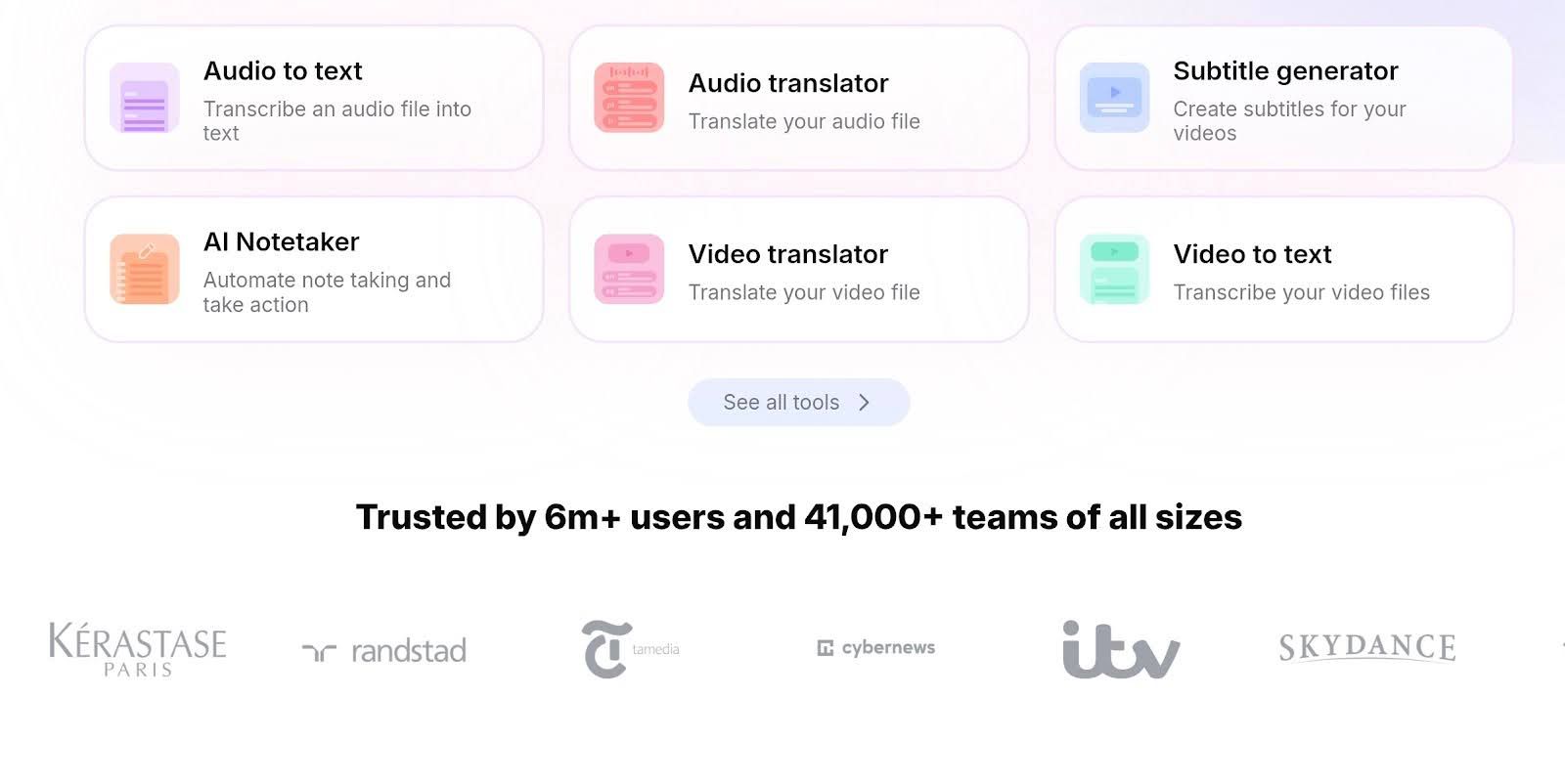
Speaker Diarization
HappyScribe’s speaker diarization is impressively precise. In my tests on panel discussions and a chaotic three-person podcast with everyone talking over each other, it still managed to tag each voice correctly, saving hours of manual clean-up.
I barely needed to edit anything.
But in case you have to, the editor also makes it super easy to rename speakers and fine-tune segments, so polishing the transcript doesn’t feel like a chore. It handles accents, quick interruptions, and even muddy audio like a pro, which means your transcripts come out surprisingly share-ready.
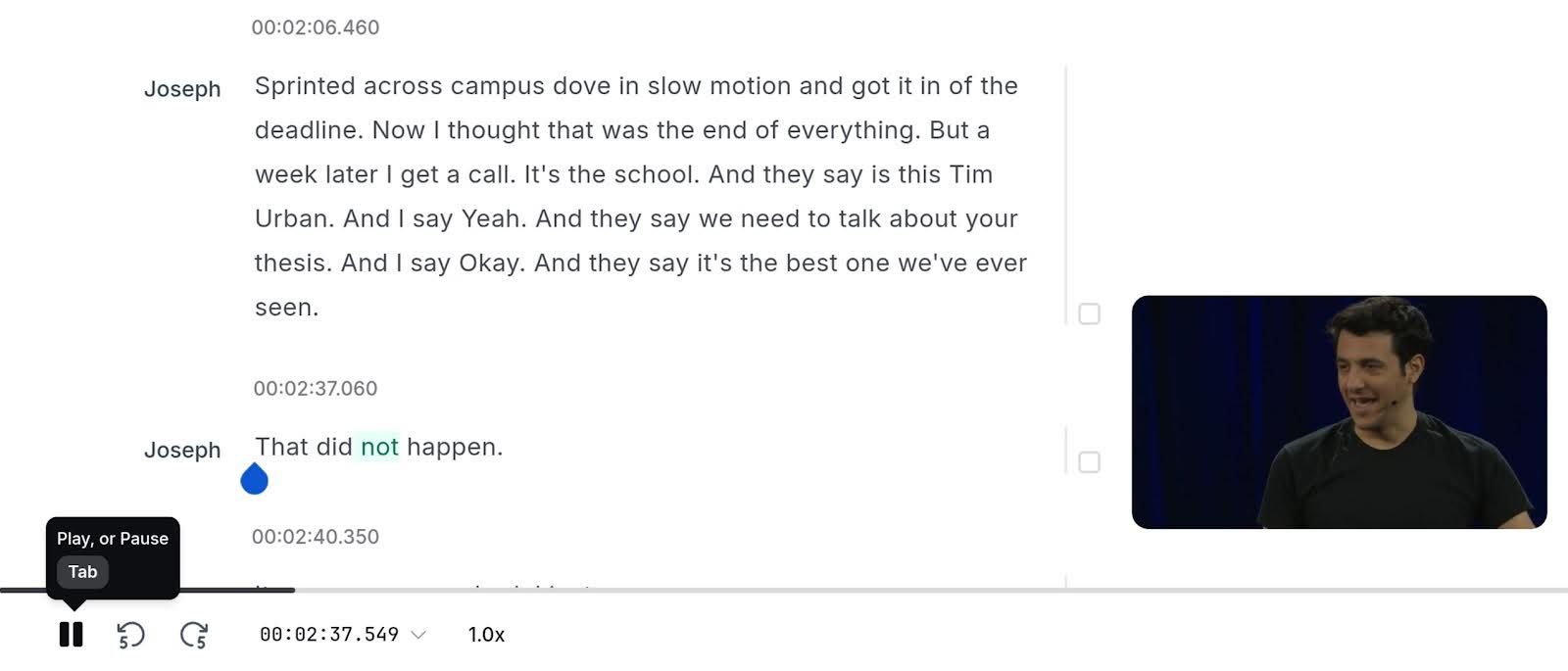
And for extra peace of mind, HappyScribe pairs all that tech with strong privacy safeguards, including SOC 2 and full GDPR compliance..
Multilingual Subtitling Tools
Upload a video, auto-generate time-coded subtitles in 150+ languages, tweak timing in the web editor, then export SRT, VTT or burn them straight into your video… all without leaving the browser.
One of the best moments when this AI meeting note taker shone for me was when I recorded a brainstorming meeting with four friends all in Catalan. HappyScribe was the only AI transcription tool that’s able to transcribe a whole 1-hour Catalan session with speed and accuracy.
The editor gives tight control: edit text, adjust timecodes, apply custom styling, and you can even invite collaborators to polish the file.

Need broadcast-level accuracy? Pick human-made subtitles or order proofreading for a higher-quality pass.
Accuracy and Performance
HappyScribe doesn’t only shine because of its 150+ language capability. It’s also about 98% accurate even without human intervention.
It generates your transcription in seconds, and is already very readable and formatted at that. The right punctuations are applied, and its AI can even clean the transcription up of unnecessary words and expressions not needed.
Want 100% accuracy and more?
You can also opt to get their human transcription services and proofreading service, which didn’t take too much time for me, too. But don’t expect it to be lightning-fast like the generated transcription.
Pros:
- 150+ languages and dialects, all accurate and natural
- Instant AI transcription that generates the transcript for you in seconds
- Advanced speech recognition
- Accurate speaker diarization even with muddy background noise and audio quality
- Cuts through noises and even different accents
- Powerful editor that’s also easy to use
- Wide export options
- You can share links for collaboration
- AskAI feature will summarize your transcript to create a blog post, quizzes, and more
- GDPR-compliant and Soc II Type 2 certified
- Human transcription for 100% accuracy
Limitations
HappyScribe offers truly fantastic speed and accuracy right out of the gate, though the 10-minute free trial definitely acts as a little tease. You'll notice that the final video exports with burnt-in subtitles will have a watermark unless you hop over to one of their paid plans.
This is a pretty standard incentive to upgrade, but it means the fully polished, unbranded experience is reserved for paying customers, which is worth keeping in mind if you're planning a big project.
Pricing
- The Free Plan
HappyScribe’s Free plan gives you unlimited AI meeting notes, a 10-minute free trial of features like AI transcription, Subtitling, and Translation
- Basic Plan ($17/month)
The Basic plan is great for small production needs, especially if you’re a freelancer. You’ll get 120 minutes of AI transcription, subtitling, and translation per month with $0.20 additional credits per minute. You’ll also have 20 AskAI uses, which is just right for weekly meetings for a month.
- Pro Plan ($29/month)
Serious content creators usually land here because the math works out better. The price bumps to $29, but your allowance shoots up to 600 minutes. You’ll also have 3 user seats and unlimited AskAI uses, so you can use this for your team.
- Business Plan ($89/month)
Agencies and large teams can't afford to run out of credits in the middle of a job. That is why the Business tier exists. You pay $89 monthly, and they hand you a massive 6,000 minutes. It’s built purely for volume, ensuring the workflow never stops even when you are dumping files into the queue all day long. You’ll also get 5 user seats and unlimited AskAI uses.
Ideal for:
- Content creators
- Freelancers
- Corporate teams
- Big budget projects
- Professionals
- Academia (students and researchers)
- Video editors
- Marketing agencies
2. Rev - Best in Human Powered Accuracy
If you've been working with transcription for a while, you know Rev is the name you hear when pure, unadulterated human-powered accuracy is the top priority, and honestly, they deliver on that promise.
I've sent them some seriously tricky audio (think panel discussions with overlapping speakers) and their turnaround has been reliable for clean results, though it definitely costs more than the purely automated options.
They do offer a hybrid AI-first option now, which I’ve tested a couple of times, and that only really shines if your source material is crystal clear to begin with, like studio-quality podcasting. For anything complicated or mission-critical, their human transcription services is still their undisputed strong suit.
Key features:
- Human transcription
- Automated AI transcription
- AI assistant and summarization
- AI notetaker for meetings
- Over 37 languages
AI Transcription and Human Touch
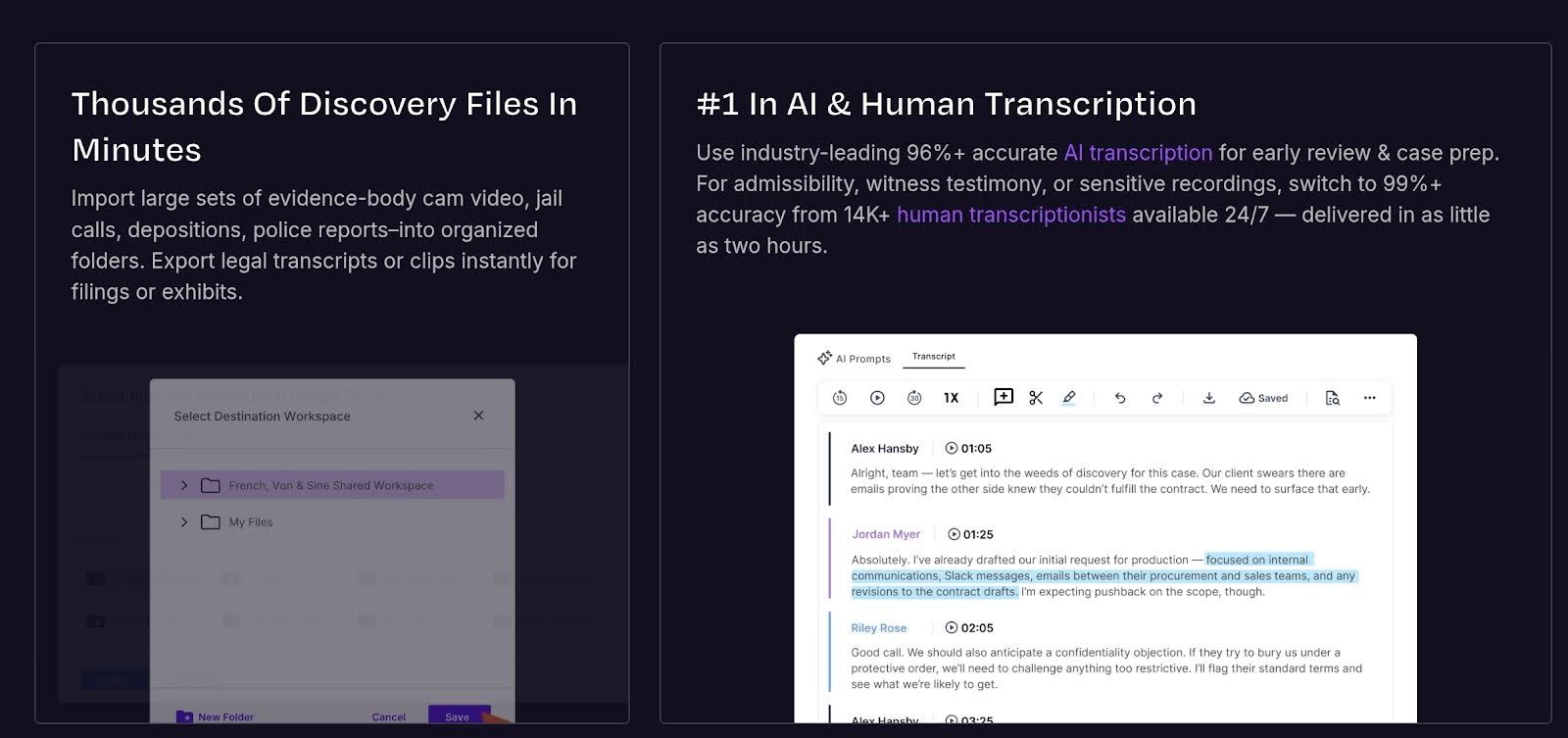
Okay, so the Automated AI Transcription from Rev is definitely a speed monster, and if you have a crystal-clear recording, it’s a perfectly functional, cheap option.
But let’s be real.
I've tested it, and with typical audio that has any background noise or complex terms, the final accuracy feels closer to 85%. You're going to spend time manually fixing misplaced commas, correcting specialized words, and sorting out who said what, even with decent quality files.
And that’s why their Human Transcription service remains the undisputed champion. That human-powered work guarantees you the rock-solid 96%-99% accuracy you need for client deliverables or anything official.
You get a perfectly clean file back quickly, proving that Rev’s AI is a nice starting point, but it's just not meant to replace the polish a real person gives it.
Pros
- The 99% human accuracy. This is the real clincher: when you absolutely need a perfect file for something crucial, like court transcripts or broadcast subtitles, their huge network of actual humans delivers a flawless product.
- Ultimate speed-vs-quality flexibility. You get to choose which accuracy level you want after you upload your file, letting you blast out an AI draft in minutes or pay for a human clean-up.
- The AI goes beyond just typing. Like Happyscribe, Rev’s AI automatically pulls out quick summaries and highlights key quotes from your transcripts.
- Online editor and collaboration tools. Once the text is generated, their web platform makes it incredibly easy to fix names, adjust timestamps, and share the file with your team right there.
- World-class global subtitle support. If your video needs to speak to more than just the English-speaking world, Rev provides 37 verified foreign language subtitles.
Limitations
We've covered all the great things Rev does, but obviously, nothing is perfect! Here are a couple of limitations you should know about before using them:
- The sticker shock on human service: While the quality is fantastic, the $2.00 per minute rate for human transcription makes it seriously expensive for anyone dealing with high volumes of content. If you're churning out lots of weekly interviews, that cost can add up really fast.
- Accuracy can be a bit limited: If you need that promised 99% accuracy, Rev’s human transcription is limited almost exclusively to English audio. You can get AI transcripts for other languages, but the guaranteed, professional-grade quality isn't available across the board yet.
Pricing
- Pro Plan ($1.99/min): If you absolutely need that 99% accuracy, you just have to bite the bullet and pay $1.99 per minute for the human experts.
- The Basic Deal ($9.99 monthly minimum): This package is really for solo users or small teams. You get a huge amount (20 hours of AI time) and a decent 15% discount on all human services if you pay the cheaper $9.99 per month annual rate.
- The Pro Discount Package (Starting at $20.99): If your team is uploading tons of content, this is the smart move. You get 100 hours of AI time and, critically, a huge 30% discount on human work. The $20.99 annual rate makes it worth the commitment.
- The Corporate Tier (Call for a Price): This is for huge organizations that need customized discounts, high AI volume, and things like HIPAA and SSO security.
Ideal for:
- Professionals
- Users with messy audio
- Company projects
- Strict accuracy needs
3. Sonix (Fast AI Transcription)
If you've used HappyScribe, you know they’re fantastic for offering that flexible "choose your own adventure" mix of AI and human services. But Sonix takes a completely different path.
Launched in 2017 by a team in San Francisco, they went all-in on perfecting the art of pure, automated speed, and you can feel that singular focus the moment you upload a file.
I’ve dropped hour-long interviews into their system and had a surprisingly clean draft ready to edit before I could even finish brewing a fresh cup of coffee. It’s the ideal workflow accelerator when you don't need a human transcription safety net and you just want the AI to be fast, sharp, and ready to work.
Key features:
- Rapid-fire AI: Drafts appear in minutes, often faster than you can brew a coffee
- AudioText editor: Click any word to instantly hear the audio, making edits a breeze
- Global translation: Swap your finished text into 40+ languages with a single click
Performance: Automated timecodes and multilingual support
If you have ever wasted an afternoon scrubbing through a timeline trying to find the exact moment someone said "synergy," you’re going to love this.
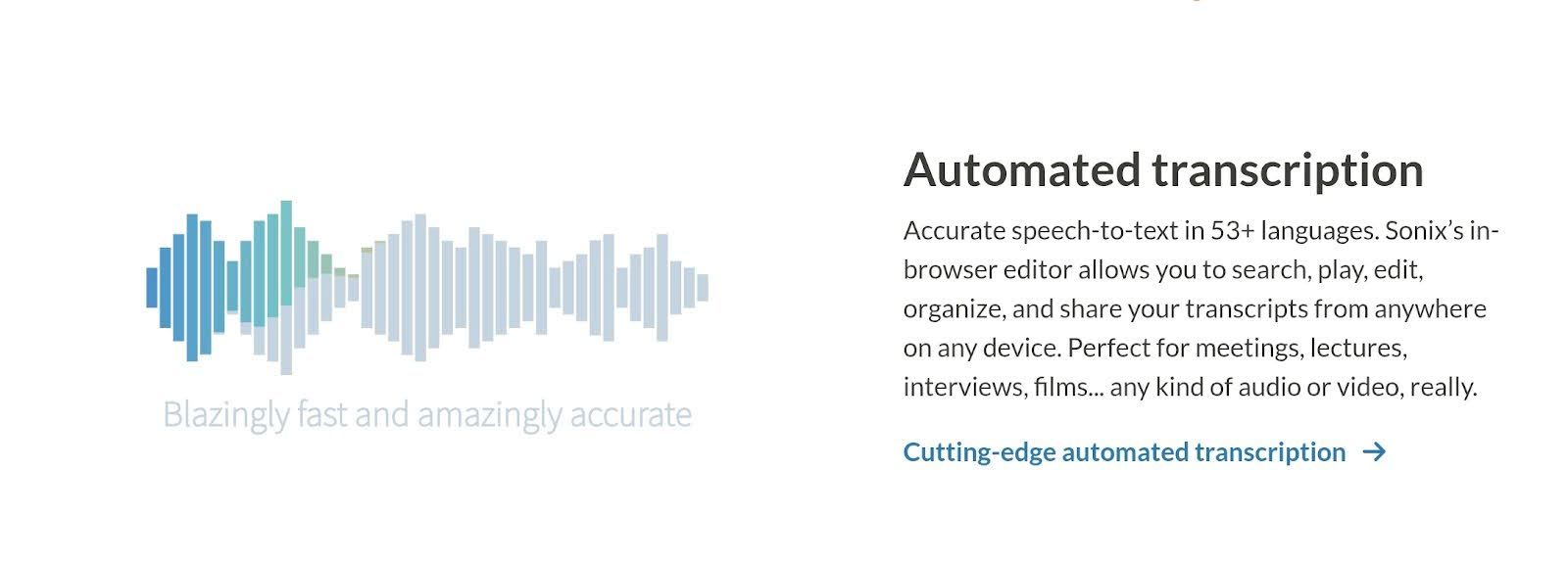
Like HappyScribe, Sonix doesn't just give you a timestamp every minute or so. It actually stamps every single word. This means you can click anywhere in the text, literally on any specific word, and the audio jumps instantly to that millisecond.
For those of us working with international content, Sonix is surprisingly versatile. It supports over 53 languages and dialects, so whether you have a recording in French, Spanish, or Mandarin, the AI is generally ready to roll.
It’s still machine translation, so you’ll want a native speaker to double-check it before you broadcast it to the world, but for getting a rough, workable draft in a foreign language, it is incredibly fast.
Accuracy
We love Sonix’s speedy transcription. But now let’s talk about accuracy.
On crisp, studio-quality recordings, Sonix is shockingly sharp, often hitting that 95-97% accuracy mark where you barely touch the keyboard. It captures full sentences and speaker changes surprisingly well for an automated tool. However, the "raw" reality kicks in when audio gets messy.
If you have overlapping voices or thick accents, the AI can take a bit of a nosedive. Not always, but it happens. You’re going to have to be the editor-in-chief on those files, but thankfully, their click-to-play interface makes fixing those inevitable glitches satisfyingly fast, turning a chore into a quick spot-check.
Pros
- Lightning-fast AI turnaround
- Interactive AudioText editor
- Supports 40+ languages
- Satisfactory security measures
Limitations
Sonix is software, plain and simple, so there is no "hire a human" safety net to catch you if the audio is a disaster. If your recording is full of crosstalk or echo, you are going to be the one doing the heavy lifting during cleanup.
That applies to the translation tools as well. They’re incredibly fast, but you still need a native speaker to verify the context if you’re putting your reputation in line.
Pricing
- Standard Plan ($10 per hour): Perfect for solo creators, this pay-as-you-go tier gives you a single user seat and 10GB of storage, but you skip out on the advanced AI analysis tools entirely.
- Premium Plan ($22/month + $5 per hour): This is the team player, allowing you to add multiple user seats and bumping your capacity up to 100GB of storage, plus you get the option to add powerful AI analysis for an extra $5 a month.
- Enterprise Plan (Custom Quote): Built for big operations needing 5+ user seats, this custom tier unlocks a massive 1TB of storage and offers the most advanced, customizable AI analysis options for deep content insights.
Ideal for:
- Video editors
- Podcasters
- Global teams
- Students
- Content marketer
4. Descript
If you hate staring at complex timelines, Descript could be for you. It completely flips the script by letting you edit audio and video exactly like you’re typing in a Word doc.
Just highlight a bad sentence in the transcript, hit backspace, and it cuts that clip from your media file instantly. It’s a cheat code for podcasters and creators who want to focus on storytelling without needing a degree in professional video editing.
Key features:
- Text-based audio and video editing
- Studio Sound AI audio enhancement
- Overdub and AI voice cloning
- One-click filler word removal
Overdub and voice cloning
We have all had that moment where we listen back to a recording and realize we got a name or date wrong. Overdub stops that from ruining your afternoon.
You basically let the Descript learn your voice, and then you can patch mistakes just by typing the correct words into the transcript. It generates new audio that sounds exactly like you and blends right in. You avoid the hassle of setting up your mic again, and the listener never knows the difference.
Transcription in video workflow
This speech to text software treats your video file exactly like a text document. You upload your footage, get a transcript, and then you just edit the words. If you delete an unwanted sentence from the text, it automatically cuts that scene from the video timeline.
You aren't fiddling with waveforms or dragging clips around anymore. It makes chopping up a rough draft feel as easy as editing an email.
Accuracy
For YouTube creators, Descript’s accuracy is exactly what you need to keep your workflow moving, even if it’s not winning any awards for perfection. It captures the conversation clearly enough that you can find and cut your bad takes instantly without re-watching hours of footage.
Sure, it will occasionally fumble a name or a mumbled word, so definitely proofread before you burn in those captions, but as a tool to speed up your edit, it gets the job done beautifully.
Pros
- Revolutionary text-based video editing
- Studio Sound for instant audio polish
- Overdub AI voice cloning
- One-click filler word removal
Limitations
It’s not all smooth sailing, though. Descript can definitely struggle under the weight of massive 4K video files, sometimes getting sluggish or laggy enough to break your creative flow. You should also know that while the English transcription is stellar, it handles other languages with way less precision.
Also, if you come from a background using heavy tools like Premiere Pro, the simplified interface might feel a bit restricting because you lose those granular controls for complex visual effects or color grading.
Pricing
- Hobbyist ($16/month): This is your entry point if you want outputs with no watermarks. For $16 a month (billed annually), you get 10 hours of transcription and can export clean, 1080p video.
- Creator ($24/month): This is the upgrade most people grab once they get serious. Paying $24 a month (billed annually) gives you 30 hours of transcription, unlocks 4K exports, and gives you unlimited access to the cool AI tools like Studio Sound.
- Business ($50/month): For teams and agencies, this $50/month tier (billed annually) is the way to go. It pushes your limit to 40 hours of transcription and adds advanced collaboration features so you aren't stepping on each other's toes during edits.
Ideal for: Content creators
Accuracy Breakdown
Best for clear audio: Sonix
If you recorded in a quiet studio with a decent mic, Sonix is absolutely the way to go. It tears through crisp files at lightning speed, often giving you a near-perfect transcript before you even finish your coffee.
Best for accented speakers: HappyScribe
This is where HappyScribe really shows off its muscles. Their impressive language support handles diverse accents and global dialects better than almost anyone else, making it the top pick for international interviews.
Best for technical or medical terminology: Rev
When you have a doctor discussing complex procedures or an engineer using heavy jargon, you really need Rev’s human service. That 98% accuracy guarantee ensures that complicated terms are actually spelled correctly, rather than just guessed at by a robot.
Best for noisy environments: Descript
If your recording sounds like it was made in a wind tunnel, Descript is a lifesaver thanks to its Studio Sound feature. It digitally scrubs out the background noise before transcribing, giving the AI a fighting chance to actually hear the words.
Final Verdict
After testing all four of these AI transcription tools with messy audio, clear recordings, different languages, and tight deadlines, the winner depends heavily on your specific needs, but HappyScribetakes the crown as the best all-rounder.
If you need a tool that can handle everything, from diverse accents to complex team projects, HappyScribe is the one you want in your toolkit. Its massive 150+ language support and rock-solid security make it the safest, most versatile bet for everyone from freelancers to corporate teams.
It’s the platform that grows with you, no matter how complicated your projects get.
The runners-up:
- Rev is your specialist for high-stakes accuracy. If you need a human guarantee, they’re still the best bet for precision.
- Sonix is perfect for those who just need a fast, clickable draft to scan through.
- Descript is the champion for creative video editors who want to cut footage as easily as editing a text doc.
But for a single platform that balances power, security, and global reach perfectly? HappyScribe is the one we’d recommend to just about anyone.

André Bastié
Hello! I'm André Bastié, the passionate CEO of HappyScribe, a leading transcription service provider that has revolutionized the way people access and interact with audio and video content. My commitment to developing innovative technology and user-friendly solutions has made HappyScribe a trusted partner for transcription and subtitling needs.
With extensive experience in the field, I've dedicated myself to creating a platform that is accurate, efficient, and accessible for a wide range of users. By incorporating artificial intelligence and natural language processing, I've developed a platform that delivers exceptional transcription accuracy while remaining cost-effective and time-efficient.