Sonix AI pops up when you want to transcribe files or edit captions for videos. It’s one of the options for transcription work, but you’d rather know for sure it’s the right tool for you before you sign up.
And that search for authenticity has brought you here. I have used Sonix as part of my work and can give you an all-inclusive tour of what you’re going to get: the good and the bad.
So let’s help you figure out if Sonix still holds up in 2026.
📌 In a nutshell: Is Sonix AI worth it in 2026?
Here's the short version: Sonix is a competent file transcriber and subtitle editor. If your work is all about uploading recordings and pulling insight from them, it works.
The trouble starts when you look for more. Sonix can’t take notes from calendar-synced meetings, and there's no free plan or human-review tier to fall back on.
- Sonix is best for: Occasional pay-per-use jobs, US clinical or legal recordings, and researchers running analysis at scale
- Sonix is not a great option for: Live online meetings, sensitive European participant data, or anyone who wants a free plan or a human-proofreading option for accuracy
Sonix’s core features: Ranked
Sonix is a file transcription tool at heart, but it has a few extra features worth noting. Here's what you're working with, in the order that actually counts.
1. Audio and video transcription
This is the core of Sonix, and it mostly runs well. You upload a file, and Sonix turns that into editable text in about five minutes per hour of audio, with word-level timestamps and automatic speaker labels.
The in-browser editor lets you click any word to jump to that moment, and you can trim the media by editing the transcript text. If you’re transcribing research interviews, you can add names and jargon to a custom dictionary, so it can give you clearer texts.
2. Subtitle and caption editor
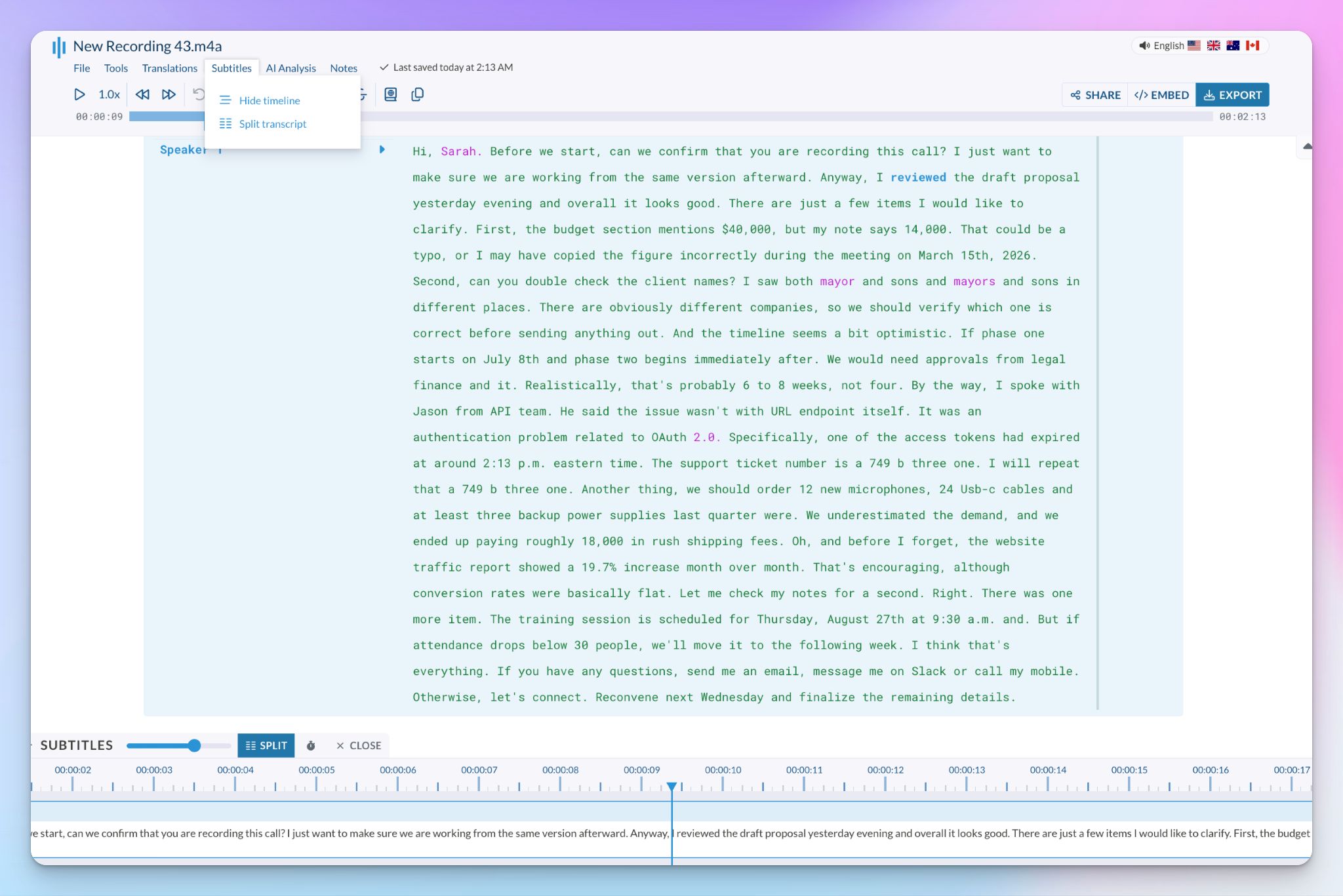
Sonix helps you build frame-perfect captions with a visual timeline, millisecond timing, full styling, burn-in for social, and SDH for accessibility, plus export to formats like SRT, VTT, and FCPXML.
It's capable, but the editor feels more complex than it should (more on that later).
3. AI translation
Transcripts are not the end of it. You can translate a finished transcript into 55+ languages in seconds, with timing and speaker labels preserved.
With a side-by-side view, you can track the original next to the translation, so you can verify as you edit and export multi-language subtitles from the same file.
Sonix at a glance
| Factors | What I found | Rating |
|---|---|---|
| Ease of use | Strong in-browser editor, but you can't start a transcript until you pick the language manually, and processing runs a touch slow | 🟢🟢🟢🟢🔴 |
| Security | SOC 2 Type II, HIPAA, and GDPR, with AES-256 encryption and a no-training policy. The catch is US-only data storage | 🟢🟢🟢🟢🔴 |
| Integrations | REST API, webhooks, Zoom, Teams, and Zapier. The "30+ integrations" on the marketing page run through Zapier or are just export formats that other tools accept | 🟢🟢🔴🔴🔴 |
| Customer support | Chat, email, and phone on paper. Support is generally responsive but can be delayed due to technical glitches | 🟢🟢🟢🔴🔴 |
Benefits of using Sonix
I came in skeptical, but a few things won me over fast. Here's where Sonix shines the most:
1. AI analysis that actually scales
This is the one that surprised me. Sonix pulls your files into an AI Workspace where you ask questions across a transcript or hundreds, and every answer cites back to the exact timestamp and speaker.
You could get this in other tools as well, but Sonix runs deep with chapters, thematic and sentiment scoring, topic detection, and entity extraction, with batch processing across a whole folder.
If you do qualitative research and you're sitting on a pile of interviews, this is one of the reasons to look at Sonix.
I would be remiss if I didn’t highlight an asterisk: the AI analysis is metered by duration of files and starts on the Core plan, so the free trial won't show you its best trick.
2. Pay-as-you-go that respects your wallet
It’s rare to find a transcription tool these days that’s not a subscription. Sonix still gives you a pay-as-you-go option at $10 per audio hour, and it prorates down to the second. If you upload and transcribe a 55-minute file, it won’t consume an hour of your usage.
For one-off work like a single podcast edit or a one-time batch of transcripts, that flexibility is useful. Since you're not locked into a monthly fee, it’s unlikely you'll get surprise bills every month.
3. HIPAA compliance for US clinical and legal work
If you transcribe patient sessions or case recordings in the US, this is a serious draw. Sonix is SOC 2 Type II and HIPAA-compliant and will sign a BAA for enterprise healthcare clients, putting it in a top-tier category for healthcare transcription tools.
But it comes with a catch. Sonix signs BAA on the “Sonix Medical Enterprise” plan, which is a custom plan best used by medical institutions. It will cost you a lot, but if compliance is non-negotiable for your work, Sonix lives up to that demand.
4. Smart editing touches that save real time
Sonix has a few quality-of-life features you only see when you start using them.
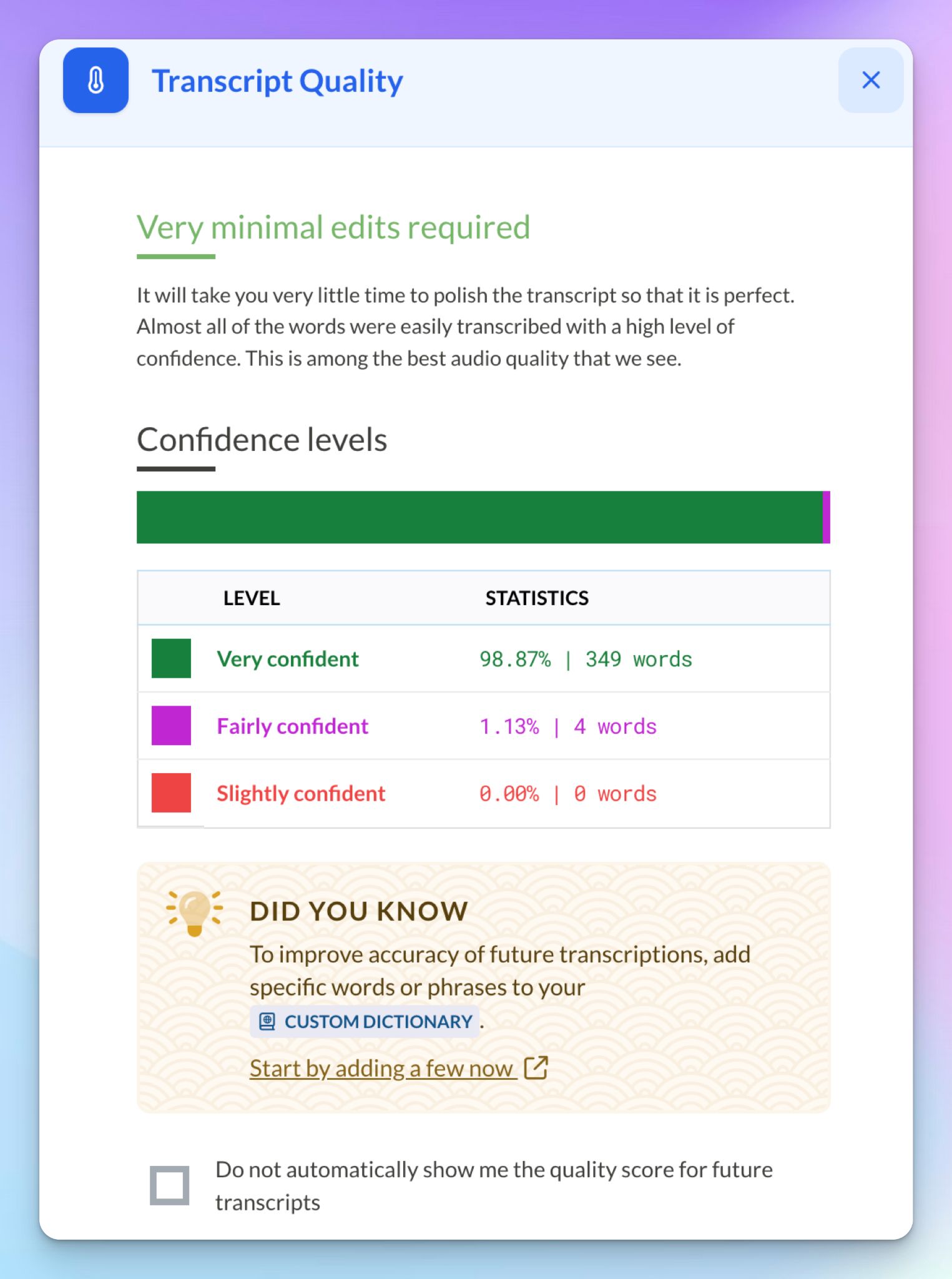
For example, transcript quality (under File) gives you a rundown of how many edits are required, and confidence coloring shades the words the AI wasn't sure about, so proofreading becomes easier. Both are time-savers for large audio.
You can also edit the media by editing the text: strike through a sentence, and it drops from playback, or highlight a passage, hit the scissors, and Sonix cuts you a shareable audio or video clip on the spot.
Drawbacks of Sonix: My honest experience
I wanted to like Sonix more than I did. A few things kept getting in the way, and I’m sure they’ll rub you the wrong way too.
1. Accuracy nosedives exactly where it costs you
Sonix advertises up to 99% accuracy, and that “up to” is doing a lot of heavy lifting. I have receipts.
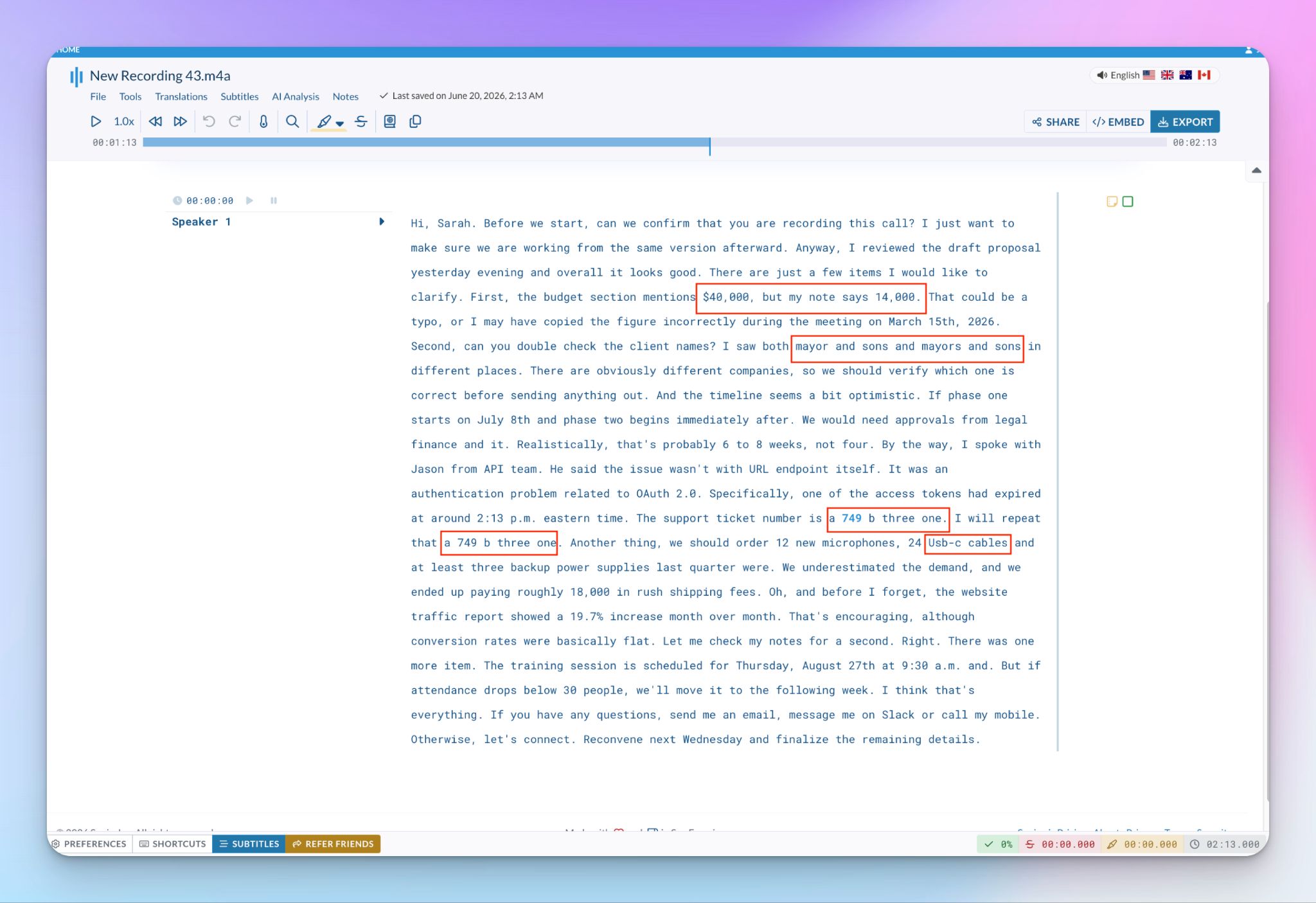
I ran a dense call full of figures and company names through it, and Sonix missed details you can't afford to lose. It turned a support ticket, "A749B31," into "a 749 b three one," lowercase and spelled out, so it's useless to paste anywhere. A "$40,000" figure came back as a bare "14,000" a few words later.
There’s more. The audio had two company names the speaker deliberately named apart, but "Mayor and Sons" and "Myers and Sons" collapsed into near-identical texts. Add missing commas, wrong spellings (Usb-c), and a few run-ons, and you're editing more than you're saving.
2. The best feature is locked behind a subscription
AI analysis is the reason to choose Sonix, and pay-as-you-go gets none of it. It’s the most compelling offer of Sonix, yet users who pay for it don’t get the headline feature. They also miss out on API, Zapier, and the ability to burn in subtitles.
You’d have to pay at least $25 per month to get a taste of AI analysis and integrations.
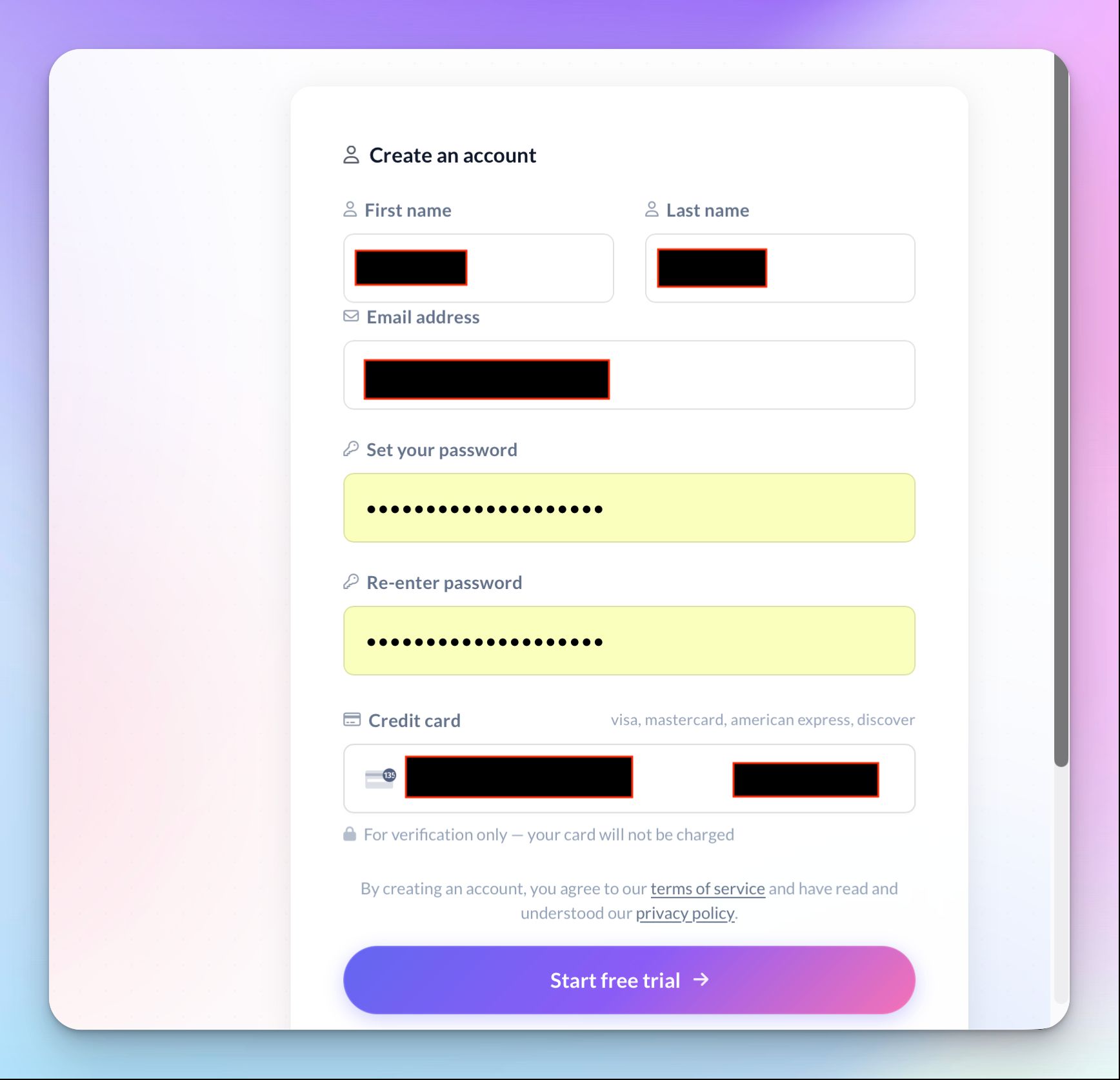
Then there's the 30-minute free trial. Sonix plasters "no credit card required" across its site, but when I signed up, it asked for my card anyway. A free trial that requires your card up front is a strange note to start on.
3. There's no real meeting note taker
If you run online calls, Sonix won't join them to take notes for you. It can't auto-join a Zoom, Meet, or Teams call the way a dedicated AI meeting note taker does, so you have to record meetings and upload the files later.
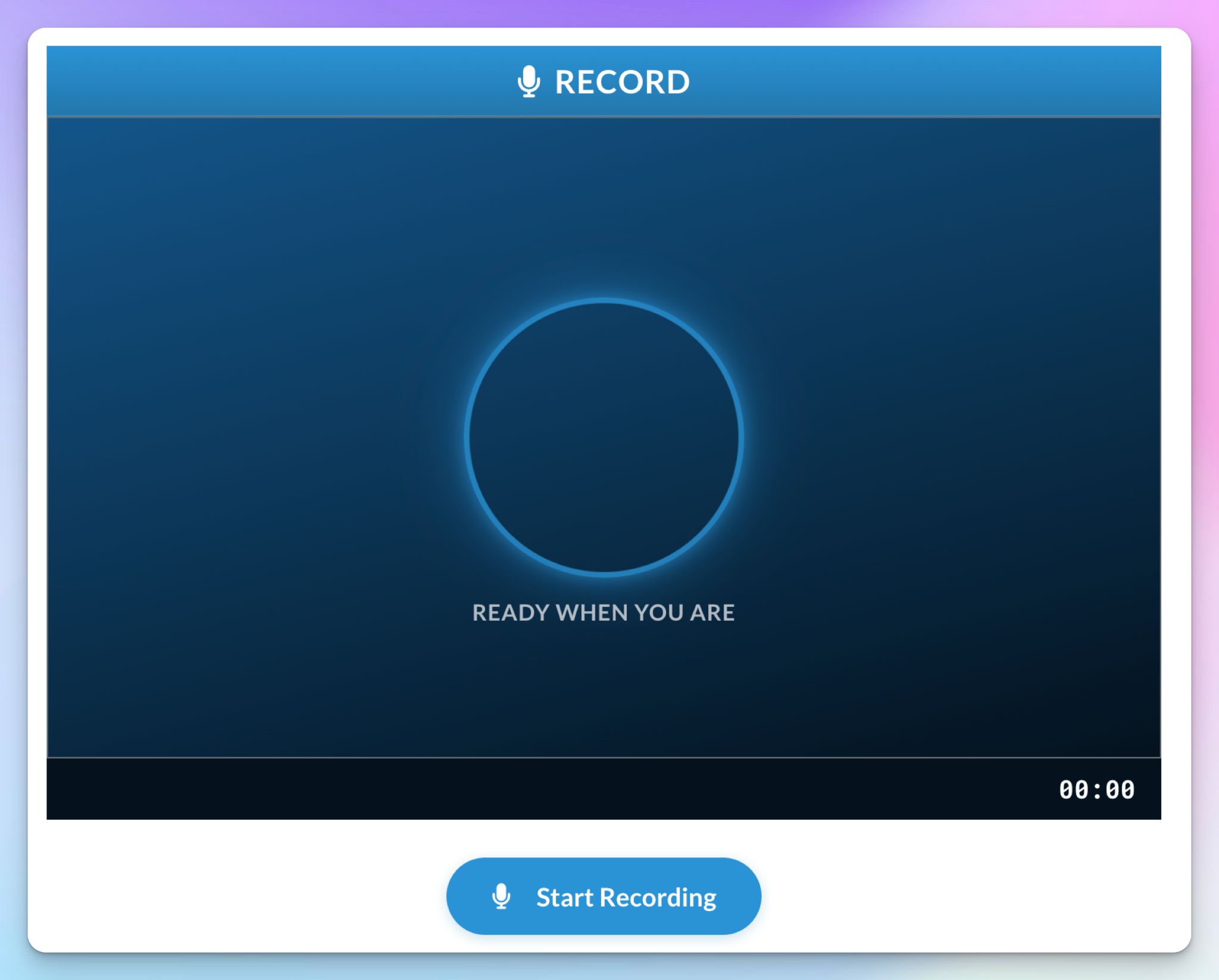
There's a web audio recorder inside Sonix, which I found accidentally because Sonix doesn’t really promote it. It’s a bot-free audio recorder useful for in-person conversations, but this isn't the tool for documenting scheduled meetings.
4. Your data lives on US servers
Sonix stores everything on AWS servers in the United States. Whether that’s fine depends on where you live or the regions you work with.
For US teams doing US-based work, it works. But if you handle EU participant data, that location pulls your files under US jurisdiction and the CLOUD Act, even with strong encryption in place. Sonix is GDPR-compliant and will sign a DPA, but it's friction you'd skip entirely with an EU-based platform.
5. The interface looks dated
Sonix works fine once you learn it, but it doesn't look like a 2026 tool. I know it’s a very subjective opinion, but I had to say it.
The subtitle editor is one of the places where you feel it. There's no audio waveform, so you can't quickly see where speech gets dense and needs cleanup, and the export formats are buried far enough down that you have to scroll to reach the one you want.
It's all functional, just not pleasant to interact with.
How much do you pay for Sonix in 2026?
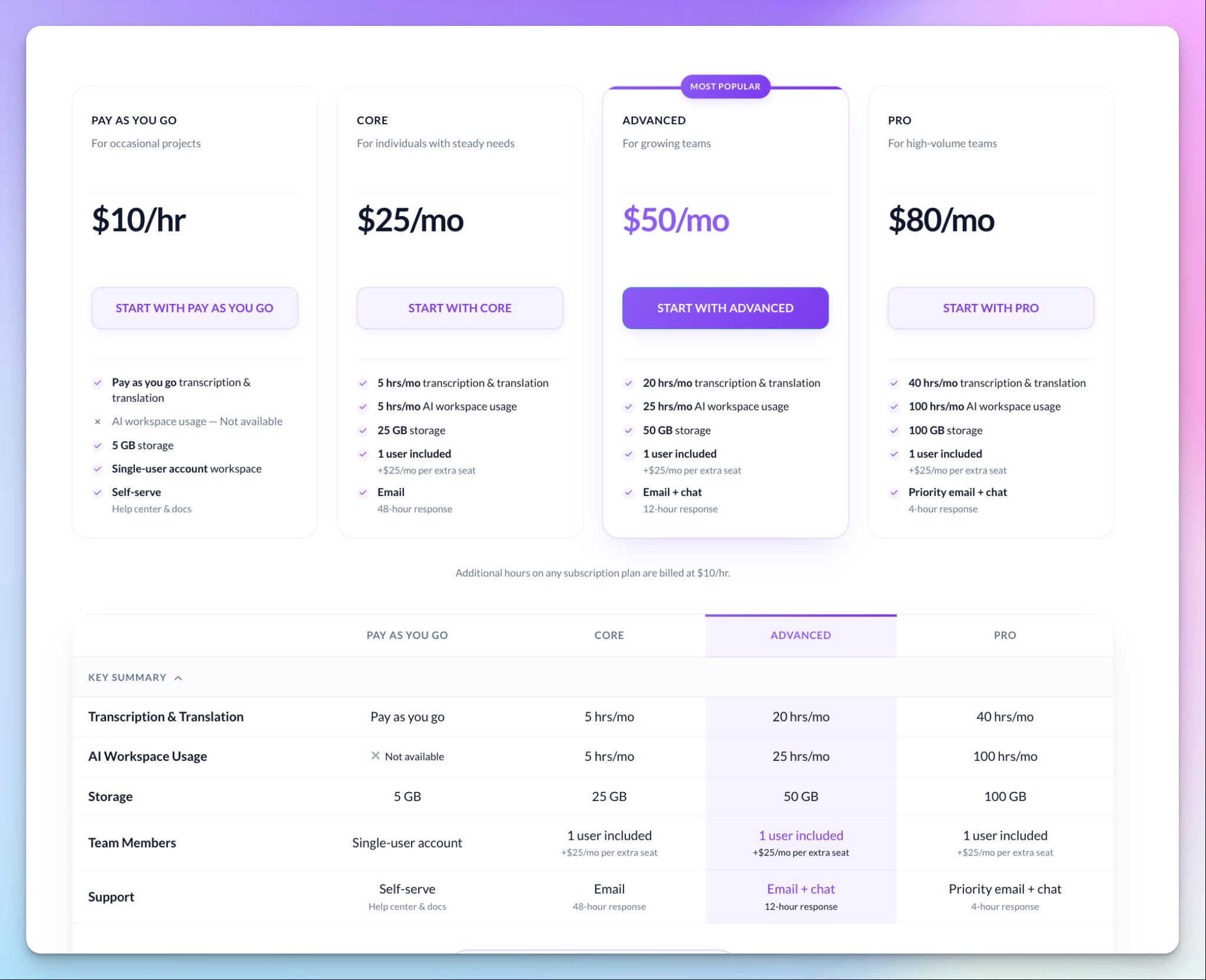
Sonix runs five tiers, and the pricing is transparent right up until you read the hours.
- Pay-as-you-go: $10 per audio hour, no subscription, no AI Workspace
- Core: $25/mo or $275/yr
- Advanced: $50/mo or $550/yr
- Pro: $80/mo or $880/yr
- Enterprise: Custom
The subscription plans are limited by hours. Core's $25 covers five hours a month. Advanced gets you 20, Pro gets 40, and once you're through them, you're back to paying $10 an hour.
AI translation isn't included either. It’s charged at the same rate as your transcription. You can’t search through all your transcriptions, for some reason, in the $25 plan, and to verify Sonix’s SOC 2 report, you’d have to be on the $80 per month plan.
The pay-as-you-go plan is the saving grace if file transcription is all you need. But if you’re paying $25, you’d find other tools offering the same at cheaper rates.
What do real users say about Sonix?
Sonix is generally well-liked for general file transcription, and the limitations show up when you ask more from it.
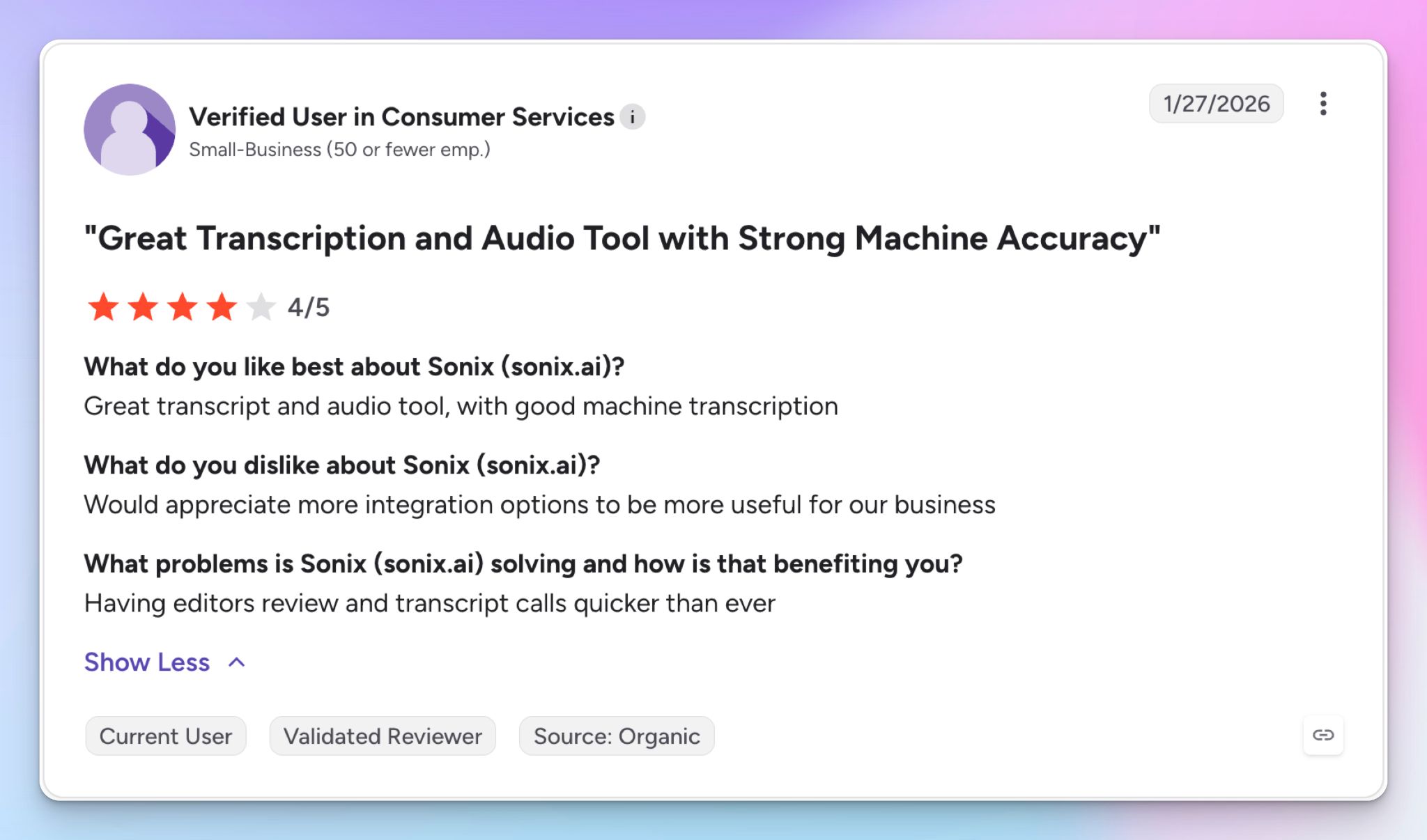
Source: G2
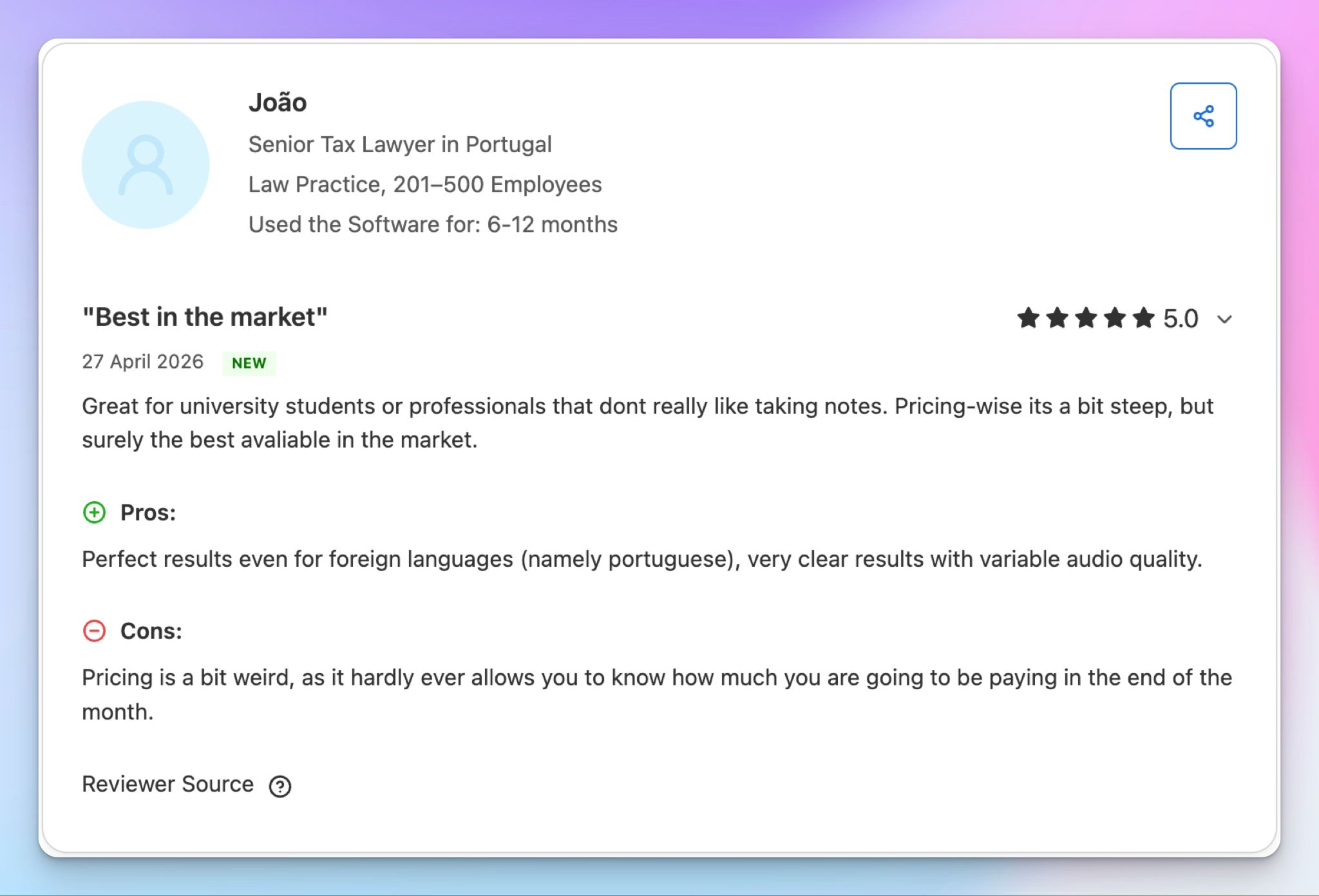
Source: Capterra
Some users do complain about system glitches and a lack of customer support:
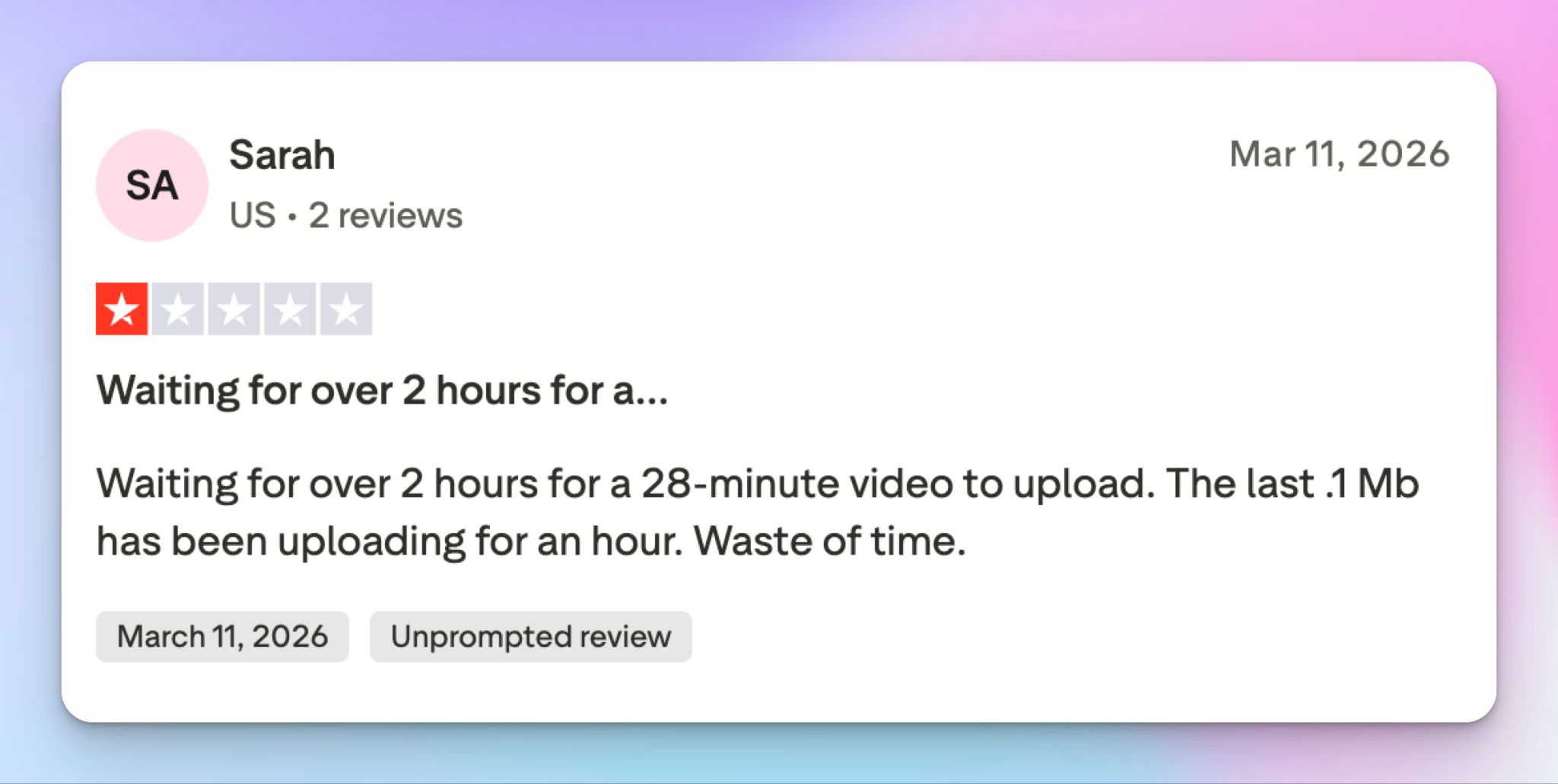
Source: Trustpilot
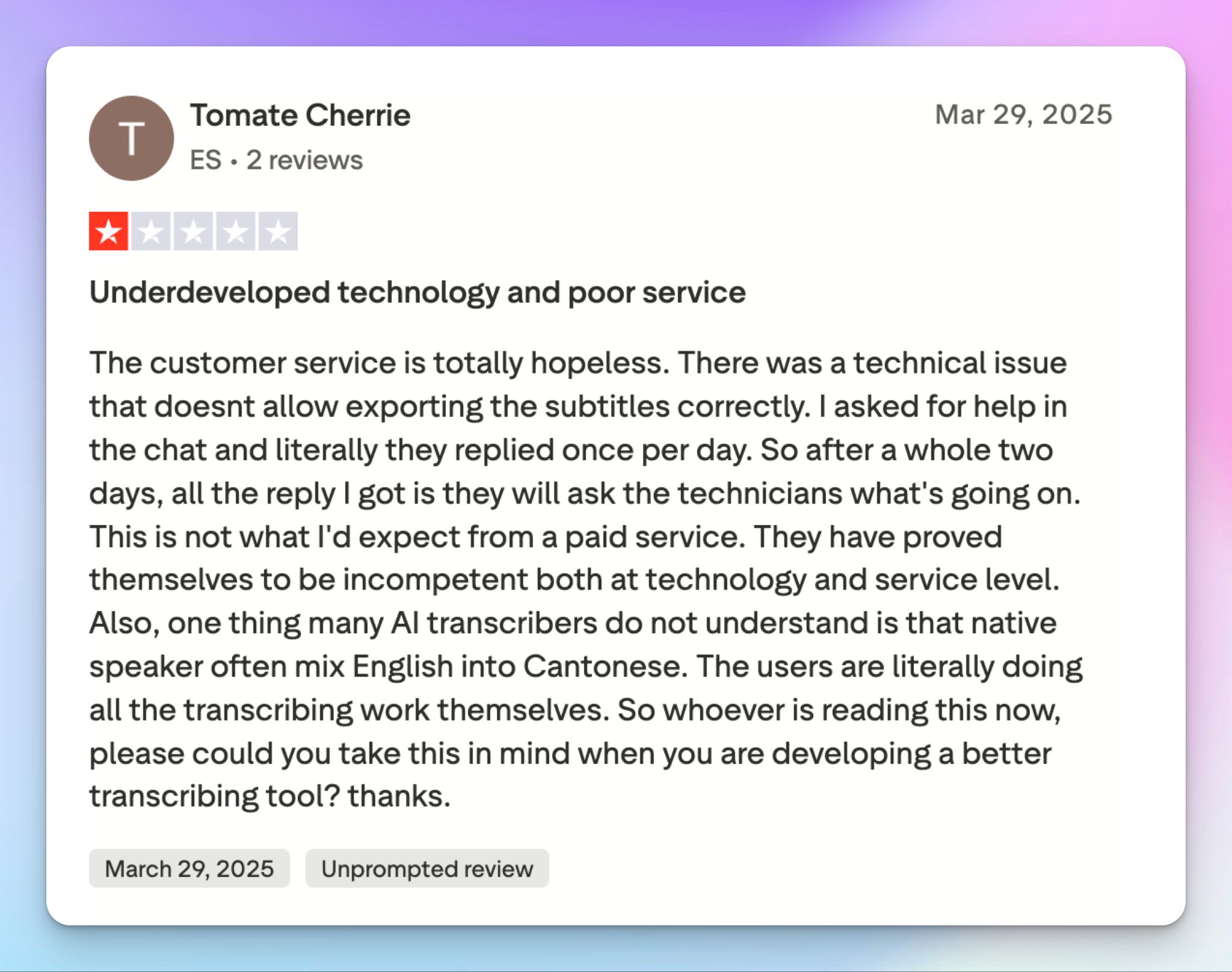
Source: Trustpilot
Best Sonix alternatives in 2026
Sonix is capable, but it might not be the best for you. If you want something that covers more of your workflow, these are the three I'd put in front of you.
| Factors | HappyScribe | Otter | Trint | Rev |
|---|---|---|---|---|
| Best for | All-in-one transcription plus live meeting notes | English-first meeting notes and collaboration | Journalists and newsrooms | Human-verified accuracy, legal work |
| Key features | AI + human transcription options, AI meeting note taker, 150+ languages, feature-rich editor, AI Chat | AI notetaker, live transcription, custom AI agents | Story Builder, live transcription | AI and human transcription, AI notetaker, and captions |
| Integrations | Zoom, Meet, Teams, Drive, Dropbox, Zapier, API, MCP, etc. | Zoom, Meet, Teams, Slack, CRM on top tiers | Zapier, API, AP ENPS, LiveU, Saga, Mimir, etc. | Zoom, Meet, Teams, Slack, JW Player, Brightcove, API, etc. |
| Security | SOC 2 Type II, GDPR, data stored in an ISO 27001-compliant EU data center | SOC 2, GDPR, US-hosted, HIPAA enterprise-only | ISO 27001, GDPR, EU or US residency, no HIPAA | SOC 2, HIPAA on top tiers, US-based |
| Price | Free tier with unlimited meetings. Paid starts from $8.50/mo annual, human transcription from $2/min | Free (300 min), Pro starts from $8.33/mo annual | Starts from $79/mo annual | Free tier, Paid plan starts from $25.49/mo annual, human transcription $1.99/min |
What's the best Sonix alternative for transcription and captioning?
HappyScribe. It clears the specific things that wore me down about Sonix, and it does it without trading away accuracy.
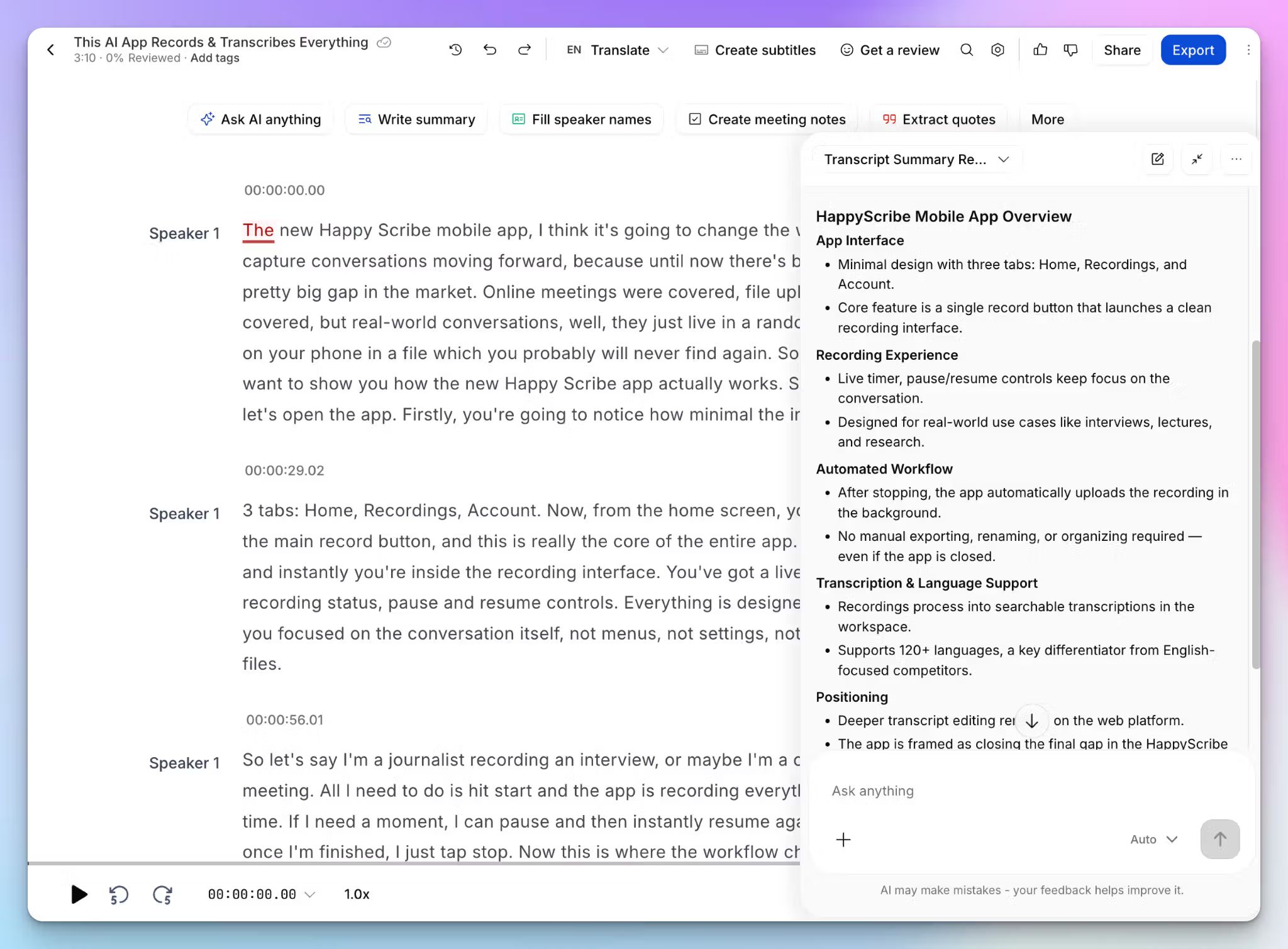
- EU data residency: Your files sit in an EU data center, which saves you a compliance review on European participant data
- A real meeting note taker:HappyScribe AI note taker joins your Zoom, Meet, and Teams calls and writes the notes, so you skip the record-then-upload routine Sonix makes you do
- A human expert tier: Send any file to a HappyScribe-vetted linguist for review when your transcripts have to be 99% accurate
- 150+ languages with auto-detection: Against Sonix's 54, and you never have to select the language by hand
- AI Chat on every plan: Ask your transcripts questions in plain language or link data to Claude and ChatGPT through MCP
HappyScribe vs Sonix
Choose Sonix if you need to transcribe healthcare data, run sentiment analysis, or want to pay by the hour for occasional tasks. For broader languages, live meetings, EU privacy, and captioning at a cheaper entry price, HappyScribe covers more ground in one place.
You can check our detailed breakdown of HappyScribe vs Sonix to judge for yourself.
FAQs about Sonix AI review
Is Sonix AI legit?
Yes, Sonix is a legitimate transcription service used by journalists, researchers, and enterprise accounts. It delivers on its core promise: automated speech recognition for uploaded audio files and video files. The main gripes from users are its pricing structure, transcription accuracy, and email support, not its credibility.
Is Sonix good for transcription?
For clean audio, yes. Sonix transcription is strong on single speakers and gives you speaker identification, structured summaries, and adjustable playback speed to review faster. The flaws come up on complex recordings. Dense calls with multiple speakers, accents, or background noise produce basic transcription errors that need significant editing, so budget review time before you trust the output.
How secure is Sonix?
Sonix is SOC 2 Type II and GDPR compliant, with AES-256 encryption and a no-training policy on your data. The catch is location. Everything sits on US servers, which adds friction for European participant data. If EU data residency is a priority, HappyScribe stores files in an ISO 27001-compliant EU data center while matching the same certifications.
How long does Sonix AI take for transcription?
Sonix is fast. It uses natural language processing to transcribe audio in roughly five minutes per hour of recording, so a 30-minute file is usually ready before your coffee cools. Larger video files can take longer to upload, which is the more common complaint, but the transcription step itself is quick.
Is Sonix AI free?
No. Sonix offers a 30-minute trial, not a free plan, and it asks for your card at signup. Paid access starts with pay-as-you-go at $10 an audio hour or the $25 standard plan. If you want a tool with a genuinely free tier, HappyScribe includes unlimited meeting transcription at no cost, which Sonix doesn't match.
What's the best Sonix AI alternative?
HappyScribe, for most people. Plenty of users love Sonix for file transcriptions, but if you need more than that, HappyScribe adds live meeting capture and meeting summary, a human-accuracy tier, broader language support, and easier editing tools, all in a more user-friendly interface. It also covers video subtitles and export options like SRT, VTT, and FCPXML. Other transcription services worth a look are Otter for English meetings and Trint for newsrooms.

Biplab Mazumder
Biplab is a content marketer and writer who helps high-growth brands scale content visibility across AI search channels. His works have been published in HubSpot, Freshworks, Atlassian, SurferSEO, etc. When he's not planning content strategy, he's testing AI content workflows and use cases.