Let’s start with the obvious. Yes, this is a review of HappyScribe, written by the team behind it. So you’re right to be skeptical. We get it.
When a company reviews its own product, the instinct is to assume it’ll only highlight the good parts and gloss over everything else.
But that’s not the goal here.
This review exists to help you decide if HappyScribe is actually worth your time and budget. We’ll walk through what it does well, where it could improve, and who it’s really built for.
From creators and educators to reporters and busy teams managing non-stop meetings, plenty of people rely on transcription tools. I’m here to walk you through where HappyScribe fits in.
What are HappyScribe’s core features?
Let’s talk about HappyScribe’s key features and how they can help you.
| What you can do with HappyScribe | How it helps |
|---|---|
| Transcribe audio or video | Upload interviews, lectures, podcasts, or meetings and get transcripts in minutes. Choose fast AI or accurate human transcription based on your needs. |
| Translate content | Convert transcripts or subtitles into 140+ languages (AI) or 130+ languages (human) to reach global audiences. Great for creators, researchers, and international teams. |
| Get automatic meeting notes | Connect your calendar and let HappyScribe join Zoom, Meet, or Teams calls. It records, transcribes, and delivers structured notes with action items. |
| Generate subtitles | Auto-create and edit subtitles for your videos. Translate them if needed, and export in formats like SRT or VTT for easy upload to YouTube, LinkedIn, and more. |
| Collaborate and stay organized | Share files with your team, organize projects, export in multiple formats, and integrate with cloud tools, within a GDPR and SOC 2 compliant workspace. |
AI + human transcription
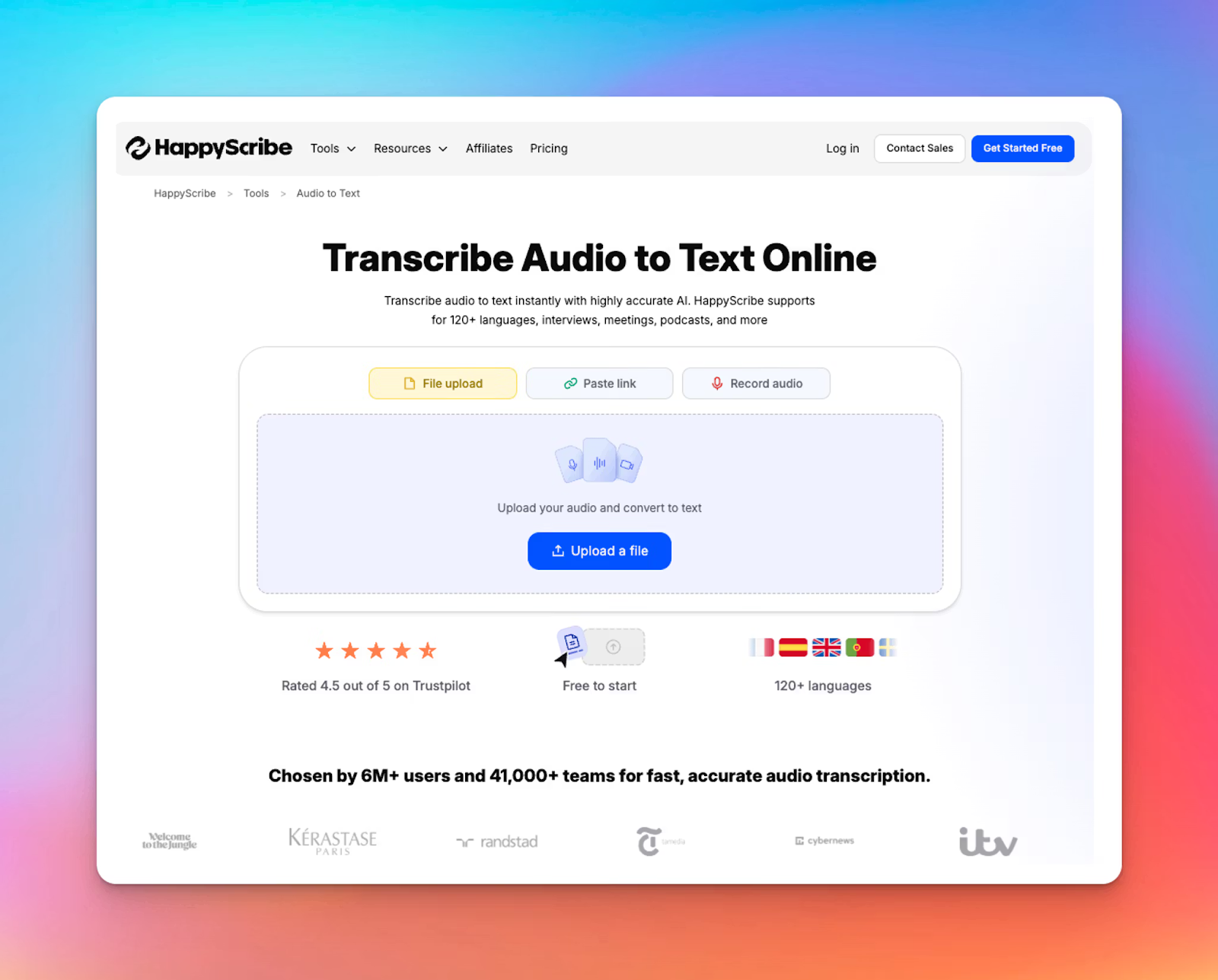
HappyScribe makes it simple to turn audio or video into text. You upload your file, whether it’s an interview, lecture, podcast, or meeting recording, and the tool creates a transcript within minutes.
It gives you two choices. You can go with fast AI transcription for quick drafts or choose human transcription when you need flawless accuracy for research, legal work, or publishing.
After the transcript is generated, you can review and improve it inside the built-in editor.
Speaker labels, timestamps and search tools help you navigate the content easily.
Once you are done, you can export the file in formats like TXT, DOCX, SRT, VTT or PDF.
Also read: 5 Best free audio transcription software in 2026
Audio and video translation
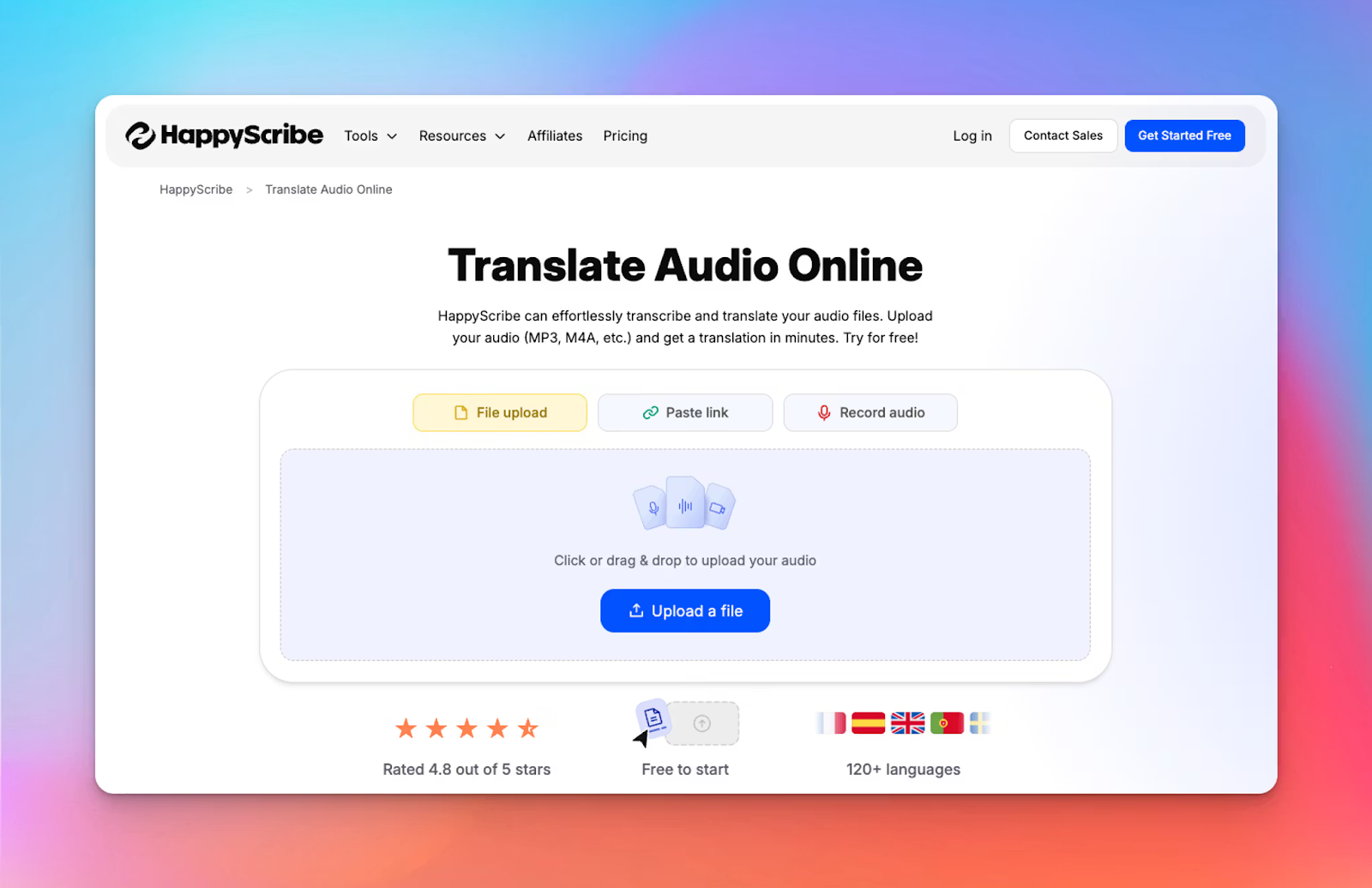
HappyScribe also helps you translate audio and video into other languages. With AI translation, HappyScribe supports more than 140 languages and dialects, and for human translation, it supports 130+ languages.
You can translate interviews, podcasts, training videos, or research materials, and export everything in formats like TXT, SRT or VTT.
For teams or creators who publish internationally, this removes a lot of manual work and helps content travel further.
Skydance used HappyScribe to process over 1,000 hours of multilingual footage and cut turnaround time by 75%.
Happy Scribe transformed our workflow, allowing us to focus on what we do best while knowing the transcription and translation were in expert hands.
AI notetaker for meetings

If you spend a lot of time in virtual meetings, HappyScribe’s AI notetaker can help you stay focused.
When you connect your calendar, HappyScribe joins your Google Meet, Zoom or Microsoft Teams calls automatically.
It records the conversation, identifies speakers, and produces accurate transcripts while you concentrate on the discussion.
After the meeting, you receive structured notes and summaries. Key points, follow ups, and action items are highlighted so you don’t have to dig through the entire transcript.
Since language detection works for more than 150 languages, it fits well for global teams and cross-border projects.
Subtitle and caption generator
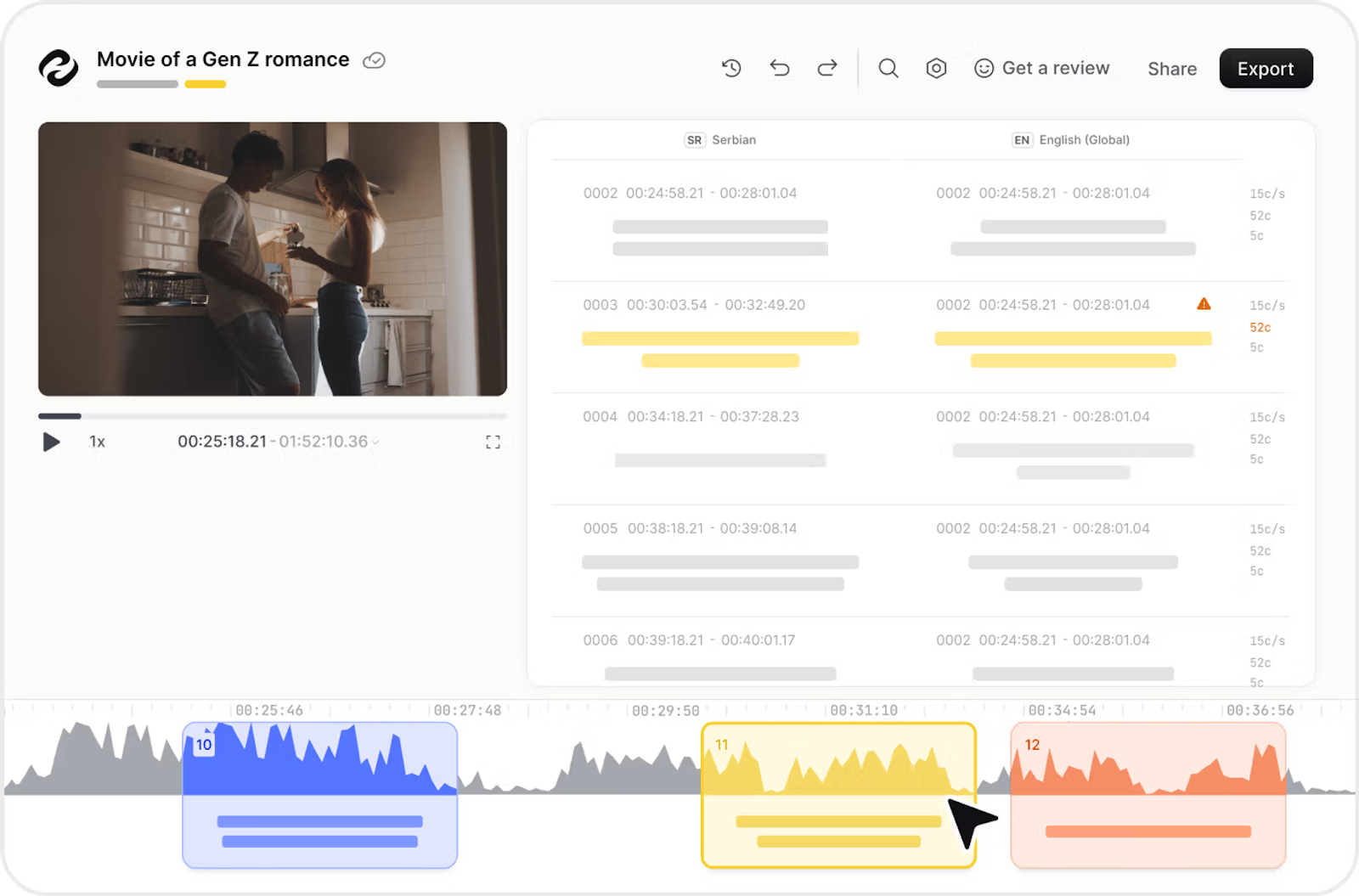
Working with video content? Use HappyScribe for subtitle creation! You upload your file, the tool creates auto subtitles, and you can refine them inside the editor. The process is quick and beginner-friendly.
It lets you export subtitles in formats like SRT or VTT and publish them on YouTube, TikTok, Instagram, or LinkedIn.
You can also translate subtitles to reach viewers in other languages.
Subtitled videos tend to hold attention better since many people watch on mute, and the added text improves search visibility and accessibility.
Did you know?
HappyScribe is trusted by 6M+ users and 41,000+ teams of all sizes!
YouTube video summarizer
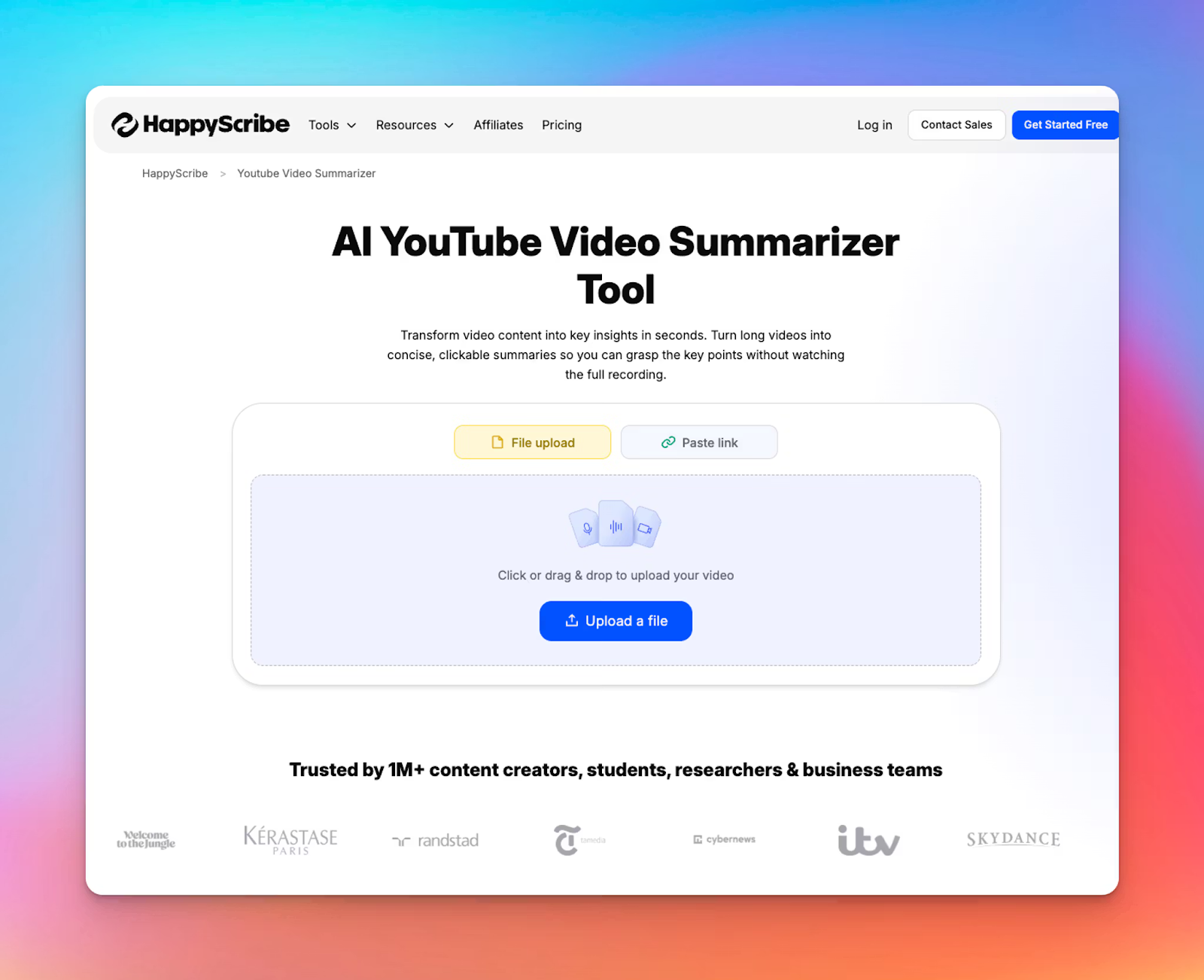
HappyScribe also works as a handy YouTube video summarizer; a great fit for long, information-heavy content.
Instead of giving you a vague or overly generic summary, it ties every key point back to the original transcript.
So if something feels unclear, you can instantly check the context.
The whole process is clean and simple: paste the YouTube link, generate a transcript, create your summary, and export it wherever you need.
Even with hour-long videos, it handles things smoothly without slowing you down.
Workflow and collaboration features
HappyScribe is designed to fit comfortably into real workflows. You can organize projects, share transcripts or subtitles with teammates or clients, and collaborate without juggling different tools. It works well for content teams, agencies, students, researchers, and educators.
The platform supports a wide range of export formats, which makes it easy to reuse content as blog posts, captions, study material, or client documentation.
On the security side, it follows GDPR and SOC 2 Type 2 standards, so it is prepared for situations where sensitive material is involved.
For teams that rely on multiple tools, HappyScribe integrates with cloud storage platforms and offers an API for automation.
Start using HappyScribe for free today!
How much does HappyScribe cost?
HappyScribe pricing plans are as follows:
1. Free
- Unlimited meeting recordings (60 min/recording)
- 10-min trial for transcription/subtitling/translation when you upload the file
- Limited recording history
- Human proofreading (from $2.00/min)
- 3 Ask AI uses
2. Pay-as-you-go: From $12/60 minutes
- Translate files between 70+ languages
- Automatic speaker detection for multi-voice recordings
- Record meetings on Google Meet, Zoom, and Microsoft Teams
- Collaborative editing for teams and clients
- Export in DOCX, TXT, SRT, and MP4 (watermarked)
- Integrate with YouTube, Vimeo, Google Drive, Box, and Dropbox
3. Lite: $9/month (0.15/minute)
- 60 minutes/month (AI transcription/subtitling/translation)
- Additional credits: $0.20/min
- Unlimited meeting recordings
- Human proofreading (from $2.00/min)
- 20 Ask AI uses
- 1 user seat
- Removes watermark from video exports
4. Pro: $29/month (0.05/minute)
- 600 minutes/month
- Additional credits: $0.20/min
- Unlimited meeting recordings/minutes per recording
- Human proofreading (from $2.00/min)
- Unlimited Ask AI uses
- 3 user seats (add seats: $29/month each)
- Export subtitles in multiple formats
- Customize Notetaker branding
5. Business: $89/month (0.01/minute)
- 6,000 minutes/month
- Additional credits: $0.20/min
- Unlimited meeting recordings/minutes per recording
- Human proofreading (from $1.90/min)
- Unlimited Ask AI uses
- 5 user seats
- Workspace roles/permissions management
- Unlimited Style guides and Glossaries
6. Enterprise:
- Contact for custom pricing and more support/features (everything in Business plan plus SSO/SAML, account management, premium support)
Optional add-on:
- Human-made services: Subtitling, translation, transcription (from $2.00/min, 99% accuracy, 4h+ delivery)
What makes HappyScribe budget-friendly for teams?
HappyScribe ends up being cost-efficient because it cuts down the hidden work that usually makes transcription and subtitling expensive.
Most teams spend far more time cleaning up transcripts, fixing captions, or re-formatting files than they realize. HappyScribe reduces that workload right away.
The AI handles the first 90 percent of the job, and the built-in editor makes the last bit of polishing much quicker, so you’re not paying for hours of manual cleanup.
It also helps you manage budgets when you’re working with multiple languages. Instead of outsourcing translation, transcription, and subtitling separately, you can do everything in one workflow. That means fewer vendors, fewer back-and-forth emails, and far less project management time.
For teams that produce content regularly, the savings compound. Faster turnaround means you can repurpose more videos, publish more often, and get more out of the same recording without increasing spend.
And because pricing is based on usage, you only pay for what you need, whether that’s AI transcription or a human-reviewed file for something important.
Who can use HappyScribe?
| Types of professionals | How they use HappyScribe |
|---|---|
| Content creators and media producers | Turn raw video into subtitles and captions quickly so editing and publishing feel less chaotic |
| Journalists and researchers | Convert interviews, field recordings, and expert conversations into clean text you can review and quote |
| Educators and students | Make lectures, tutorials, and study sessions searchable and easier to revisit |
| Businesses and marketing teams | Document meetings, build training materials, and turn audio or video into content that fits multiple channels |
| Podcasters and YouTubers | Create transcripts, show notes, and captions that improve discoverability and help repurpose episodes or videos into written formats |
How accurate is HappyScribe’s transcription?
HappyScribe delivers strong accuracy across both AI and human-made transcription.
The AI engine ensures 85-95% accuracy, giving you dependable results for interviews, calls, meetings, and multilingual recordings.
If you need something close to flawless, the human-made service pushes accuracy to 99%.
Skilled transcribers review every detail, resolve difficult audio, and make sure terminology is correct, so you walk away with a transcript that is publication ready.
Tamedia, Switzerland’s largest private media company, saves 3-4 hours per interview with HappyScribe’s AI transcription
The quality is now very good with HappyScribe, so adoption happened organically — journalists recommended it to their colleagues, and now it’s a standard tool in the newsroom.
Is HappyScribe easy to use?
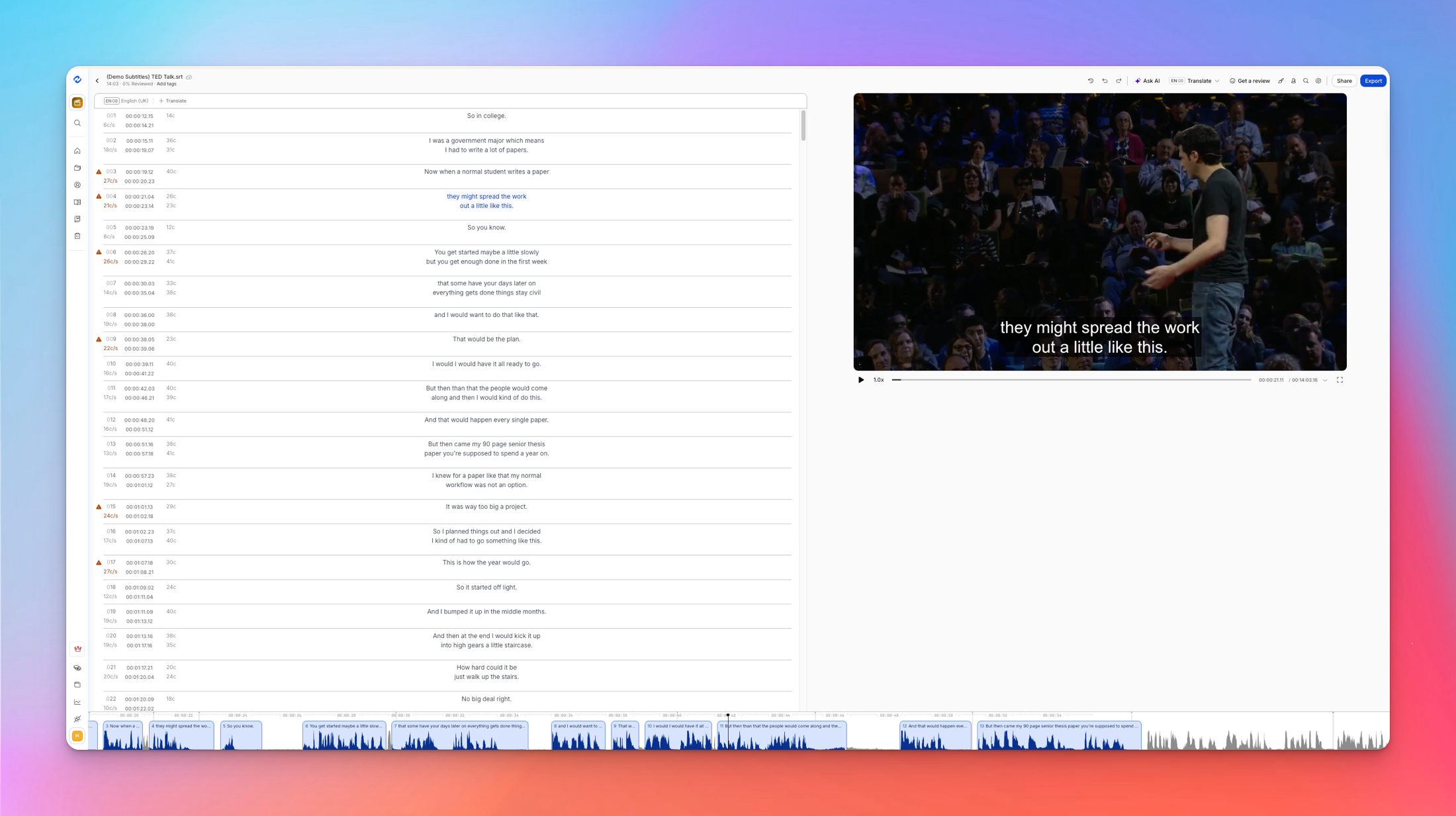
HappyScribe’s interface is clean, intuitive, and easy to get comfortable with, even if you’re new to transcription tools.
Uploading a file or pasting a link is straightforward, and you can choose what you need right away: transcription, subtitles, or translation.
Once your file is processed, you’re taken into a smart editor where the audio or video syncs with the text in real time.
As the content plays, the relevant lines of the transcript or subtitles are automatically highlighted, making it easy to follow along and spot any edits you want to make.
The editor includes just the right tools: you can fix transcription errors, add speaker labels and timestamps, adjust subtitle timing, and export in formats like TXT, DOCX, SRT, or VTT.
Everything feels lightweight and purposeful; you’re not dealing with clutter or unnecessary distractions.
However, the interface is more functional than flashy. If you’re looking for deep customization options for subtitle styling or video overlays, you might find those features limited. But for anyone focused on fast, accurate transcription or clean subtitles, the UI gets out of your way and helps you get the job done efficiently.
Let’s hear it from some of our users:
I love how easy HappyScribe is to use, making the initial setup a breeze. It handles a variety of accents effortlessly and provides quick, fuss-free service when adding subtitles to short videos. The AI-generated subtitles are impressively accurate, which saves me time and effort, especially when other apps fail to recognize my file types. I deeply appreciate the efficient download and save features of my final edits, ensuring a smooth workflow.
So what I like the most? First, it's so easy to use. You don't have to search just so you can use it. It helps me transcribe video to text, so I can create social media posts using text from videos.
Is HappyScribe safe?
HappyScribe follows strict security and privacy standards to protect user data. Its compliance, infrastructure, and internal processes are built to support sensitive workloads across journalism, research, legal, healthcare, and enterprise teams.
Compliance you can verify
HappyScribe meets globally recognised data-protection frameworks.
- SOC 2 Type 2: HappyScribe is SOC 2 Type 2 certified, which means its security controls are independently audited and continuously monitored. You’ll find full documentation in the Trust Center
- GDPR: The platform is fully compliant with the General Data Protection Regulation. It ensures EU users retain control over their personal data and that processing follows strict legal safeguards. You can request details about GDPR practices directly from the team
Dedicated security team
HappyScribe has an in-house security team that oversees monitoring, incident response, and ongoing training. Staff are trained regularly and on-call at all times for security-related events.
Infrastructure built for protection
- Cloud hosting: HappyScribe uses AWS and Heroku for its infrastructure rather than managing hardware internally. Both providers maintain strong physical and network-level protections and hold widely recognised compliance certifications
- EU-based data center: All data is stored in an EU Tier IV, PCI DSS, and ISO 27001 compliant data center with strict physical controls, including restricted access, surveillance, and 24/7 monitoring
Network and system security
HappyScribe’s network is segmented into protected zones and monitored continuously. Safeguards include:
- Private VPC with no public IPs
- Firewalls governing traffic flow
- IDS and IPS tools that detect and block threats
- IP filtering and HTTPS
- Encryption in transit (TLS) and at rest (AES-256)
DDoS mitigation services add another layer of protection against large-scale attacks.
Encryption everywhere
Data is encrypted when stored and when moving through the system. TLS protects information in transit, and AES-256 ensures secure storage. Passwords and user data follow best-practice encryption standards.
Secure development practices
Security is part of HappyScribe’s software lifecycle. The engineering team:
- Receives recurring training on vulnerabilities
- Reviews code for potential risks
- Uses SAST and DAST tools
- Updates dependencies to avoid known flaws
This creates a development process that catches issues early and reduces exposure to common threats.
What are users saying about HappyScribe?
TL;DR
What users love
✅ Easy-to-use interface with fast, accurate transcription and subtitle generation
✅ Great for handling multilingual projects, even across regional dialects
✅ Helpful collaboration tools for reviewing and downloading files with others
✅ Batch uploads save time when working with multiple video files
✅ Reliable translation features that simplify complex scripting workflows
What could be better
❌ Some users wish the free plan included more minutes
❌ Offline editing or review mode would make workflows more flexible
What users love
I had to translate Portuguese, Mexican Spanish, and Peruvian Spanish before creating my script from previous video interviews. Happy Scribe made it possible for me as a native English speaker to work on this month long project and charge according to how I was utilizing their features.
I use Happy Scribe for transcription, captions, and translations for videos. I love that it also allows collaboration for proofing, reviewing and downloading. The translation and conversion tools are fantastic!
Happy scribe is so easy to use, so fast, and amazingly quite accurate. I love how I can batch upload videos and have them subtitled and transcribed in minutes. I'm often surprised at how fast it's done.
What could be better
I'd appreciate more free minutes.
It would be great to have an offline review/fix option once the file is ready to help reduce WiFi necessity and device data use.
Can you connect HappyScribe with your tech stack?
Yes, absolutely! HappyScribe connects easily with the tools most teams already use.
You can import files directly from platforms like YouTube and Vimeo, or pull recordings from Google Drive, Box, and Dropbox.
If you need something more tailored, there’s a developer-friendly API that lets you automate transcription, subtitling, and translation inside your own systems so everything runs in one place.
So, should you give HappyScribe a try?
If you’re someone who works with interviews, research, video content, or multilingual projects, it really does take a lot off your plate.
But it’s not perfect, and it’s only fair to call that out. The AI transcripts aren’t flawless; they’ll get you most of the way there, but if accuracy is non-negotiable, you’ll still need to review or go with the human option. There’s no mobile app yet, which might be limiting if you’re often working away from your desk.
And while the free minutes are helpful upfront, this is a tool you’ll likely need to pay for if you’re using it regularly.
But as someone who uses HappyScribe on a daily basis, I’ll say this: it’s fast, easy to use, and surprisingly capable when it comes to transcription, translation, and subtitles. That too for an affordable price!
The editor is straightforward, the language support is strong, and being able to collaborate or batch-process files makes a real difference when you’re on a deadline.
So if your work involves a lot of spoken content and you want a tool that saves time without getting in the way, HappyScribe is genuinely worth a look.
Frequently Asked Questions
Is HappyScribe worth it?
If you regularly work with audio, video, or multilingual content, HappyScribe is absolutely worth considering. It offers fast transcription, solid translation features, and subtitle generation that saves a lot of time, especially for creators, researchers, and teams working across languages.
Is HappyScribe secure?
Yes, HappyScribe takes data security seriously. It’s GDPR-compliant and SOC 2 Type II certified, which means it meets high standards for protecting user data and handling sensitive information. Your files are encrypted and stored securely, and you can delete them anytime.
Is HappyScribe free to use?
HappyScribe offers a free trial with a limited number of transcription minutes; no credit card required. It’s enough to test the platform and get a feel for the features. After that, it’s a paid tool, with pricing based on the length of your audio or video files. For frequent use or larger projects, you’ll likely need to upgrade to a paid plan (starts at $9/month).
Is HappyScribe trustworthy?
Yes, HappyScribe is trusted by thousands of users across industries, from journalists and content creators to legal and academic teams. It’s transparent about what its AI can and can't do, and when you choose human transcription, your files are handled by carefully vetted professional linguists. On the security front, HappyScribe is GDPR-compliant, SOC 2 Type II certified, and uses encryption to keep your data safe. You’re also in full control of your files, with the ability to delete them at any time.

Rodoshi Das
Rodoshi is the Content Lead at HappyScribe, the privacy-first transcription and AI notetaker platform based in Barcelona. Shaping content strategies and building AI workflows excites her as much as exploring new SaaS tools. She specializes in product-led content that informs rather than sells, grounded in honest product benchmarking and low tolerance for empty marketing speak.