AI has changed the creator industry as a whole, but there's more to the story. Not all AI tools are built equal, and not everyone gets the best out of these apps.
For complex tasks like transcription, video editing, translation, and distribution, you need specialized tools that make your life easier and increase your output.
As we step into 2026, I’ve decided to compile a list of the best AI tools for content creators. This is a definitive guide for podcasters, influencers, video editors, and journalists who want to speed up high-quality content creation and go viral more frequently.
TL;DR
- HappyScribe: Best for all-in-one transcription, translation, and subtitling work for content creators
- Descript: Best for light video editing based on text inputs
- ElevenLabs: Best for AI voiceovers for podcasts
- Kapwing: Best for quick video edits for social media teams
- Sonix: Best for AI sentiment analysis of transcriptions
- Google Journalist Studio: Best for reporters researching large documents
- Buffer AI: Best for generating captions and new content ideas
- Canva Magic Media: Best for editing social media graphics for Canva users
- Repurpose.io: Best for scheduling content across apps
How I evaluated the AI tools for content creators
To keep this list useful, I tested AI tools against the core needs of modern creators: people who edit and publish fast, repurpose constantly, and work across multiple formats. These are the factors that were considered:
1. Accuracy across transcription, subtitles, and language outputs
As creators, you can’t afford to upload wrong transcripts or subtitles. Tools were judged on precision, timestamps, speaker detection, and multilingual performance.
2. Speed and ease of use in real workflows
If a tool slows you down with complex interfaces or long processing times, it’s out. I prioritized tools that save creators hours per week.
3. Support for cross-format content workflows
You might have to work across podcasts, YouTube videos, interviews, shorts, and reels. I looked for tools that handle audio and video smoothly and prepare files for any platform.
4. Pricing and long-term value
The best AI tools offer you consistent value over the years. I checked whether the cost matches the output quality, and whether plans are genuinely usable for small creators.
5. Integrations and export flexibility
A good AI tool shouldn’t trap you. I assessed how easily each one integrates with other tools, social platforms, and cloud drives.
Best AI tools for content creators in 2026: At a glance
| Tool | Best for | Starting price | What works well | Watch out for |
|---|---|---|---|---|
| HappyScribe | Fast, accurate transcription, subtitling, and translation for creators | Free trial; paid plan from $17/month | Supports 140+ languages, automatic transcripts/subtitles, human-verified option, export flexibility, and all-in-one workflow. Secure and scalable | No native mobile app |
| Overchat AI | All-in-one AI workspace for writing, image generation, and multi-model experimentation | Free tier; paid plans available | Access to multiple top AI models (GPT-4, Claude, Gemini, and more) in one place; supports blog posts, scripts, images, social content; reduces tool sprawl | Variety of models can overwhelm beginners; output quality varies by model |
| Descript | Video/podcast editing by editing text. Good for non-editors | Starts from $24/month | Text-based editing, built-in audio cleanup and voice cloning, fast edits for talking-heads | Stability issues on longer videos, credits for advanced features burn fast |
| ElevenLabs | AI-generated realistic voiceovers and multilingual dubbing | Free tier; paid plan from $5/month | Lifelike voice generation, voice cloning, and multi-speaker dialogue. Good for narration-heavy content | Less manual control over fine audio tweaks, higher cost for heavy use |
| HeyGen | AI avatar videos generated from a script, with no filming | Free tier; paid plan from $29/month | Photorealistic avatars and digital twins, script-to-video with natural gestures, 175+ language dubbing with lip sync, voice cloning | Credits disappear fast on avatar videos; free tier is watermarked and capped at 1-minute clips |
| Kapwing | Fast, collaborative video edits for social media teams | Free tier; Pro from $24/month | Browser-based, collaborative editing; AI smart cuts; auto-subtitles; good for rapid social video production | Longer videos or exports may get stuck; the free tier has watermarks |
| Sonix | High-accuracy transcription + AI analysis for interviews, journalism, podcasts | Pay-as-you-go; paid plan starts from $22/month + add-on costs | Solid accuracy even for noisy audio; AI tools to generate summaries and themes. Good for research-heavy content | Pricier than automated engines; billing can confuse new users |
| Google Journalist Studio | Investigative journalists handling large research archives | Free | Document upload and search, built-in transcription, fact-checking and data visualization tools | Steeper learning curve, limited support/community resources |
| Buffer AI | Creators needing AI-powered post creation | Free plan includes AI Assistant (up to 3 social channels) | Integrated scheduling + AI content generation, tone adjustments | Per-channel pricing adds up fast, and scheduling glitches |
| Canva Magic Media | Non-designers wanting quick AI visuals inside Canva workspace | Free tier; paid plan starts from $15/month | Instant AI-generated visuals, thumbnails, social graphics, video clips | Limited control over AI output, no iterative refinement |
| Repurpose.io | Creators automating cross-platform publishing and distribution | Free trial + plans start from $35/month | Automates cross-posting and repurposing, works with audio and video | Accounts sometimes disconnect without notice, poor customer support per reviews, no built-in analytics |
1. HappyScribe
Best for: Fast and accurate transcription, subtitle, and translation for content creators.
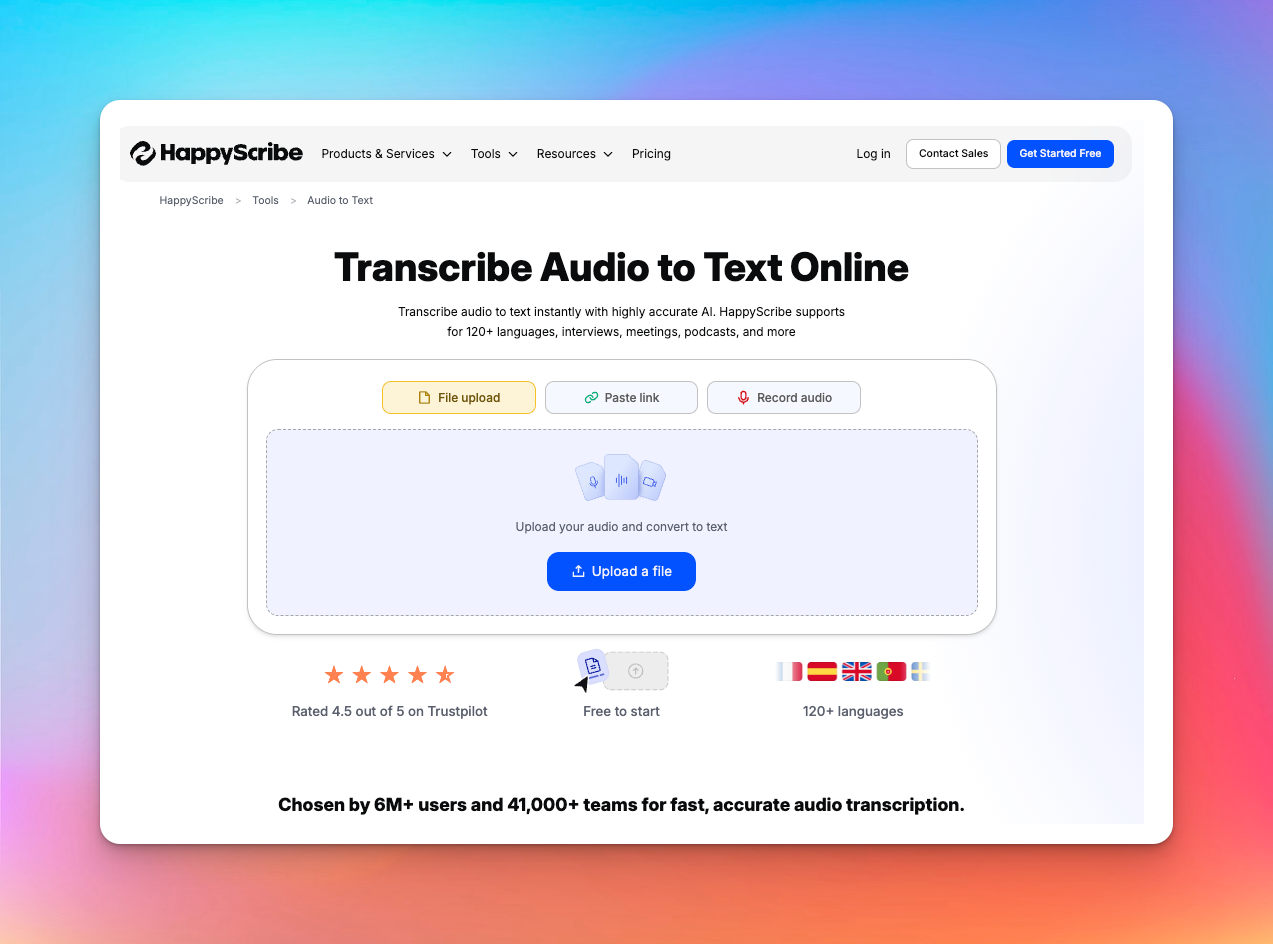
HappyScribe is the go-to AI tool for audio-to-text conversion in 2026. You can upload or paste links to audio and video files, and HappyScribe will give you accurate transcriptions in seconds.
The best part of HappyScribe is that it allows content creators to be more productive. Apart from transcription, you can also translate texts, mix audio, and generate subtitles for your videos.
HappyScribe’s best features for content creators
Fast AI transcription and up to 99% accuracy
HappyScribe’s AI transcription supports 140+ languages and generates transcripts in seconds. Just drop in a voiceover track or YouTube link and select “Machine generated”. It’s that simple.
And if you ever need near-perfect accuracy for published or journalistic work, HappyScribe lets you switch to a human-made transcript. The experts review your files to make sure you get 99% accurate transcripts in over 130 languages.
“Easy process and great transcript, exactly as I needed.”
Create and edit subtitles
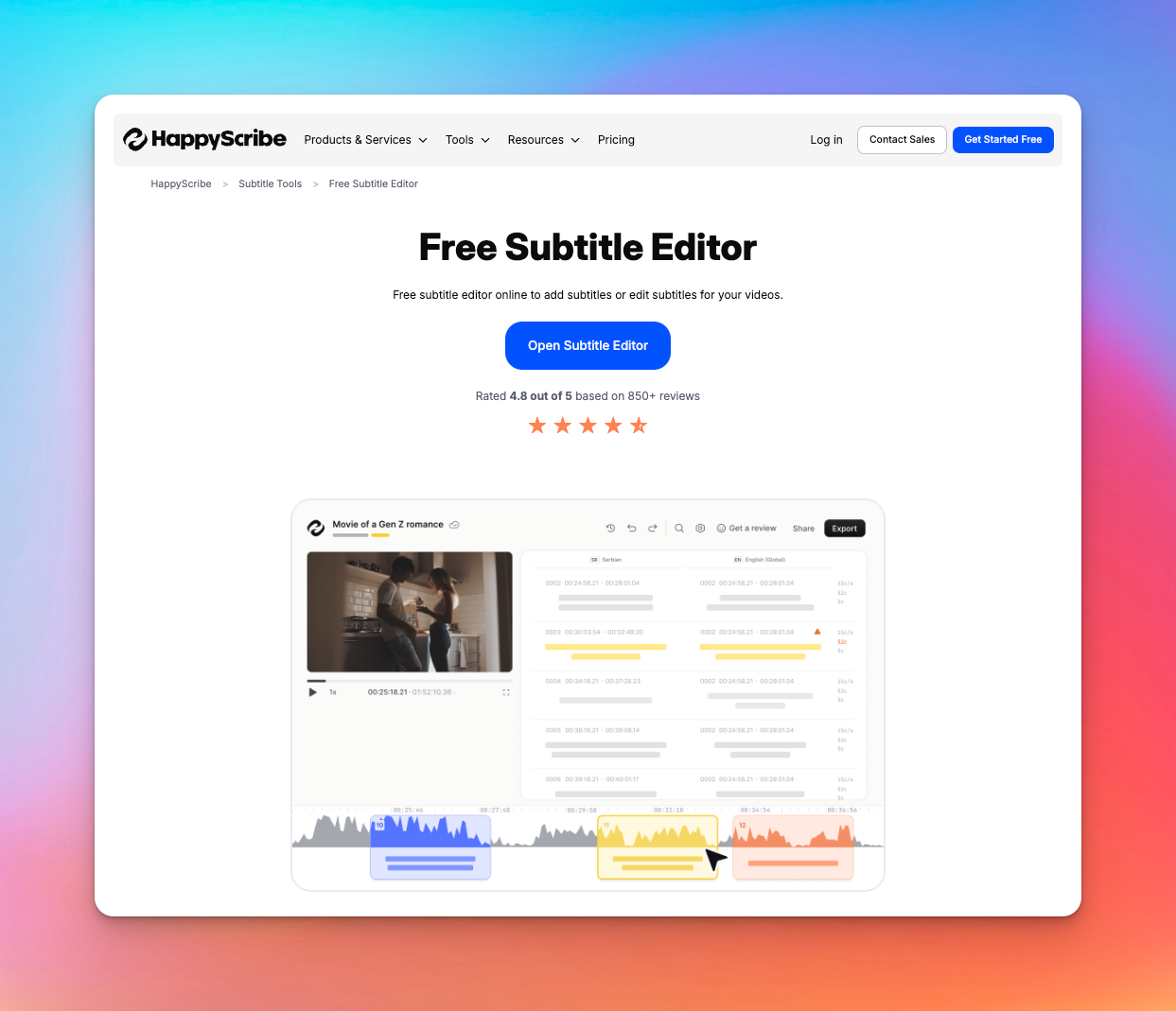
You have your transcripts sorted. But what if you’re making TikTok or YouTube videos and need to edit captions? HappyScribe turns your audio into timed captions and does it in 150+ languages.
You can generate subtitles, convert SRT and VTT files, add or burn subtitles into any video, and sync as well. Got something wrong? Simply edit the subtitles and adjust the time shift.
You get an all-in-one subtitle workflow that cuts that process from hours to minutes.
Translate audio and video
Creators who want to grow beyond one region know the pain of editing content for multiple markets. HappyScribe solves that by letting you translate your transcripts or subtitles into dozens of languages instantly.
This is especially useful for podcasters, educators, journalists, and YouTubers whose topics are globally relevant. You can publish multilingual subtitles on YouTube, offer translated transcripts on your website, or send localized versions to brand partners.
For this particular video editing project, I had to translate Portuguese, Mexican Spanish, Peruvian Spanish and Tagalog before creating a script from previous video interviews. I tried Premier, Descript, and Rev with limited results. With the help of HappyScribe and a team of native speakers made it possible for me to work on this month long multiple language project.
Get tasks done faster
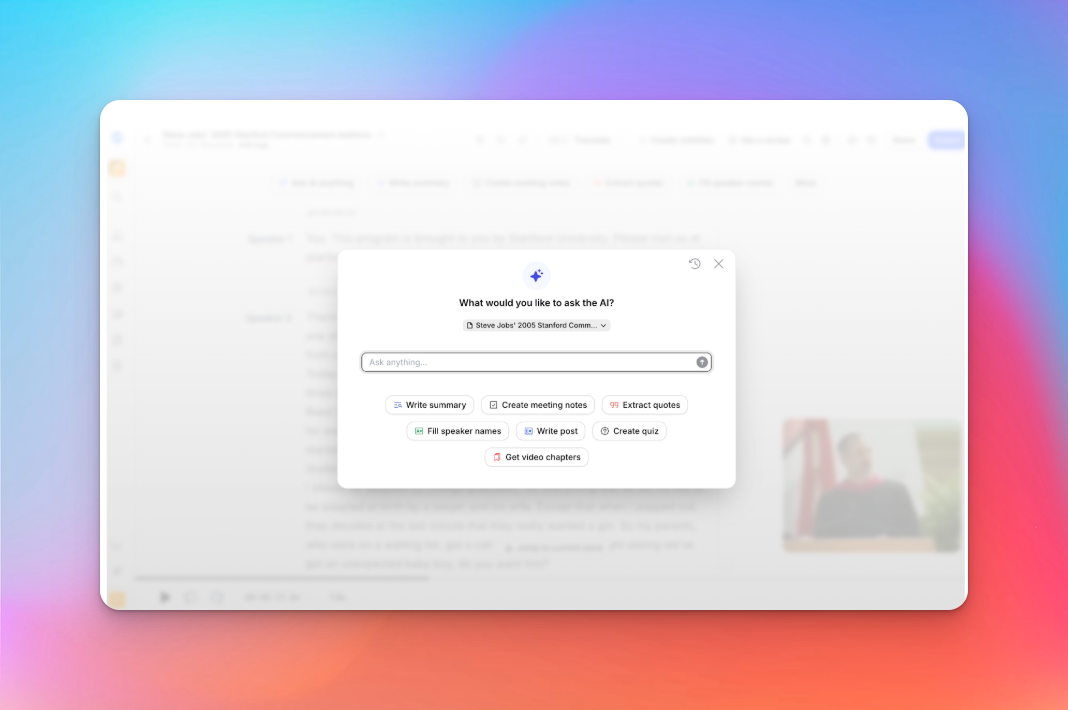
I struggle with juggling too many tools, so I look for ways to simplify my work.
HappyScribe reduces the friction by offering transcription, subtitles, translation, and collaboration all in one workspace.
You can upload from your computer, pull files from YouTube or Drive, and invite teammates to collaborate on the editor.
The user interface is deceptively simple. Instead of spending hours fixing captions or transcribing interviews, you get more time for editing, publishing, and actual creative work.
Affordable, secure, and scalable
HappyScribe is priced in a way that works for individual creators. If you publish occasionally, you can stay on light usage. If your output grows, you can move to a plan that scales with you.
You can get bulk discounts, a dedicated project manager, and rush delivery options for urgent projects.
On the security side, everything you upload is encrypted, handled under strict GDPR and SOC 2 TYPE II standards. You can control who has access to the files, and nothing gets shared without your consent.
All of these features make HappyScribe one of the few pro-level AI transcription tools that small creators can actually use long term.
I use HappyScribe extensively for our editorial work. In 2025 alone, I’ve already used almost 400 hours to produce transcripts for journalists and the newsroom, as well as SRT subtitles. I highly recommend it. It’s great that it offers an API — I rely on it for automations. I’ve tried cheaper alternatives, but their quality just doesn’t compare.
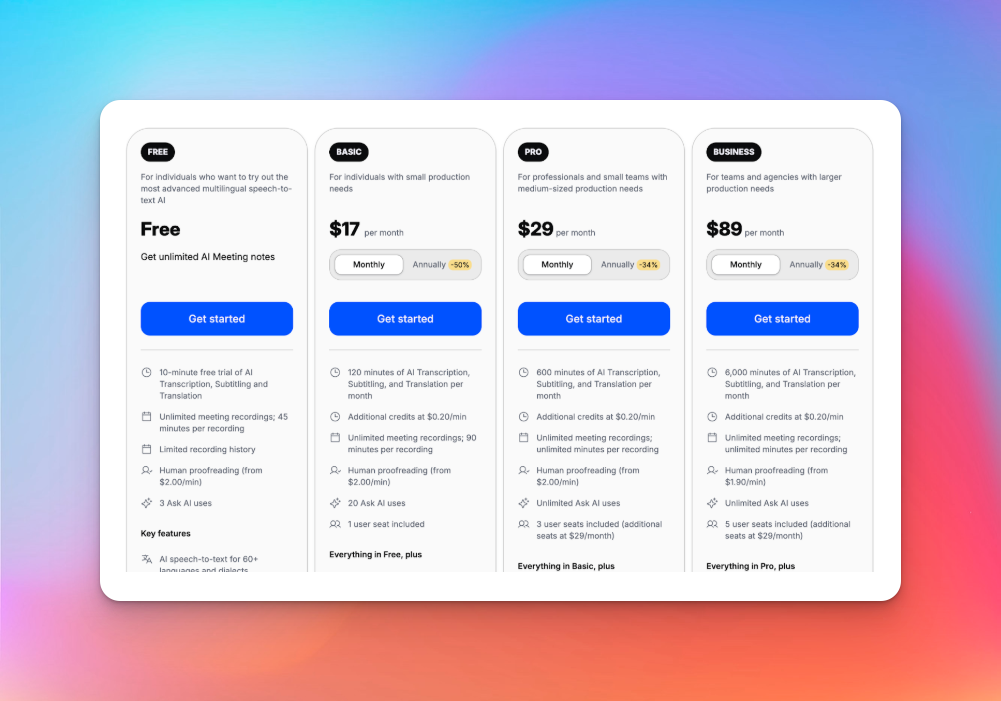
HappyScribe’s pricing
- Free
- Lite: $17/month
- Pro: $29/month
- Business: $89/month
- Enterprise: Contact sales to get tailored solutions directly
Pros
- Fast and accurate transcriptions, along with human-verified option
- Built-in subtitle generator and editor
- Translate texts right within your workflow
- Supports a large number of languages, file formats, and creator use cases
- All-in-one AI platform to boost productivity
- Easy to use and secure platform
- Affordable for content creators
Cons
- No mobile app yet
2. Overchat AI
Best for: Content creators who want an all-in-one AI workspace for writing, brainstorming, image generation, and multi-model experimentation
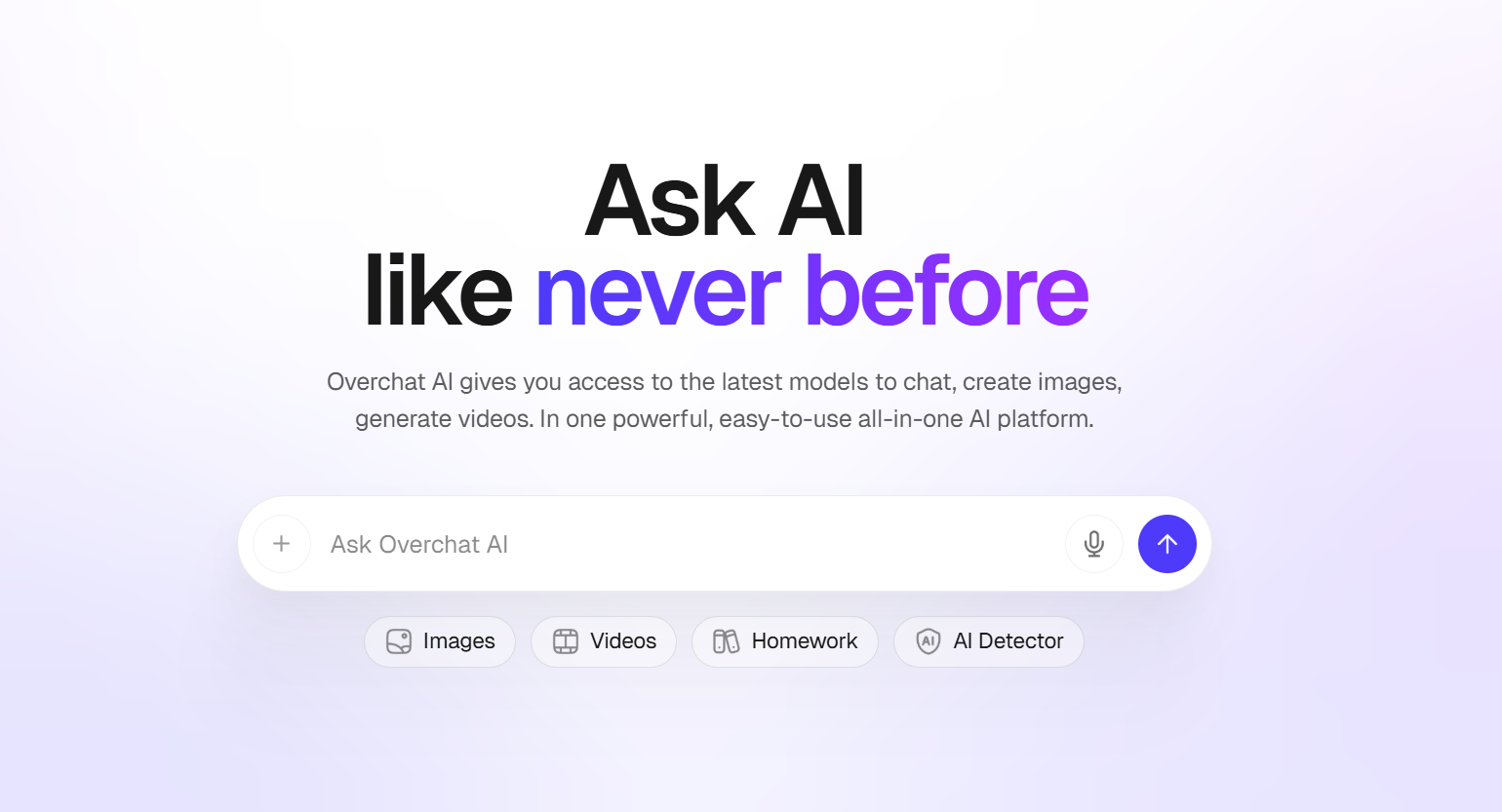
Overchat AI simplifies one of the most fragmented parts of modern content creation: working across multiple AI tools and models.
Instead of switching between different platforms for writing, brainstorming, image generation, and research, everything is brought together into a single interface. The platform lets you choose the best AI model for each task and handles the rest seamlessly.
You can create content faster, experiment with different outputs, and refine your ideas without constantly jumping between tools or subscriptions.
For creators looking to streamline their workflow and maximize efficiency, it’s a powerful all-in-one solution.
Why I added Overchat AI to the list
- Access to multiple top AI models (GPT-4, Claude, Gemini, and more) in one place
- Seamless switching between models depending on the task (creative writing, research, coding, etc.)
- Supports a wide range of use cases: blog posts, social media content, scripts, images, and more
- Eliminates the need for multiple subscriptions and tools, simplifying your workflow
- Clean, unified interface that reduces friction and speeds up content production
Things to remember about Overchat AI
- The variety of models can feel overwhelming for beginners at first
- Output quality may vary depending on which AI model you choose
- Some advanced features may depend on the pricing tier
- Requires stable internet connection for smooth multi-model usage
- Not as specialized as niche tools built for a single specific task (e.g., only video editing or only SEO writing)
3. Descript
Best for: Video creators who prefer text-based editing
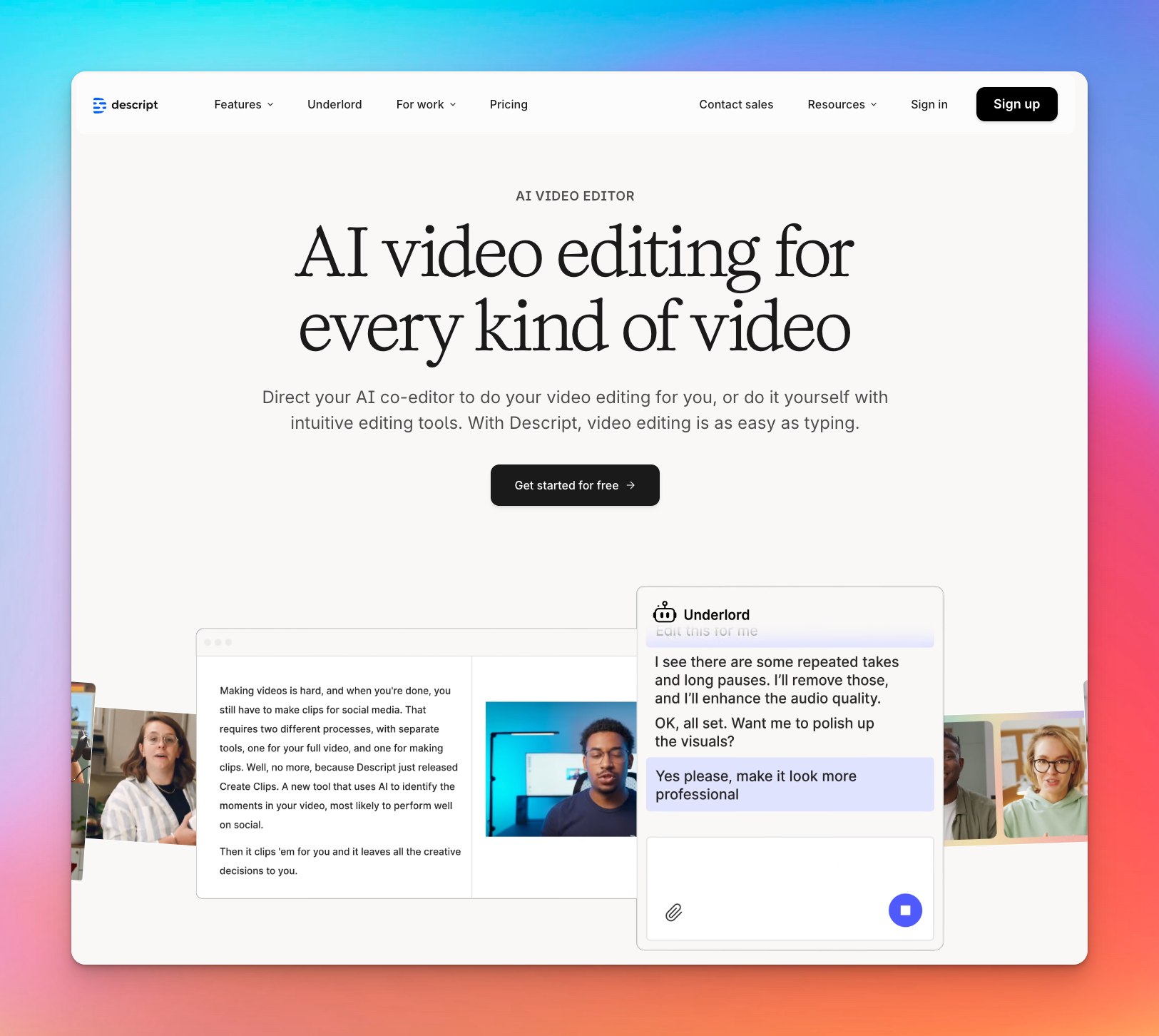
Descript has removed the barriers of video editing by letting you edit files the same way you edit a Google Doc.
You upload your recording, get transcripts, and then cut, move, or fix visuals.
It’s fast, intuitive, and removes most of the friction for people who don’t want to learn video editing from scratch.
Why I added Descript to the list
- Text-based editing that lets you edit your video by editing the transcript
- Underlord AI assistant handles bulk edits, script improvements, filler-word removal, and auto-layouts
- Studio Sound and voice cloning tools clean up audio or fix mistakes without re-recording
- Automatic transcription with strong accuracy and fast turnaround
- Multi-format publishing for full videos, clips, captions, translations, and eye-contact correction
Things to remember about Descript
- Descript still has stability issues on longer projects and might crash occasionally
- AI credits run out quickly if you use Studio Sound, Overdub, or heavy AI enhancements
- Traditional editing tasks feel underpowered and clunky compared to pro editors like Premiere or Final Cut
Also read:How does Descript fare against HappyScribe?
4. ElevenLabs
Best for: Podcasters needing hyper-realistic AI voiceovers and multilingual dubbing.
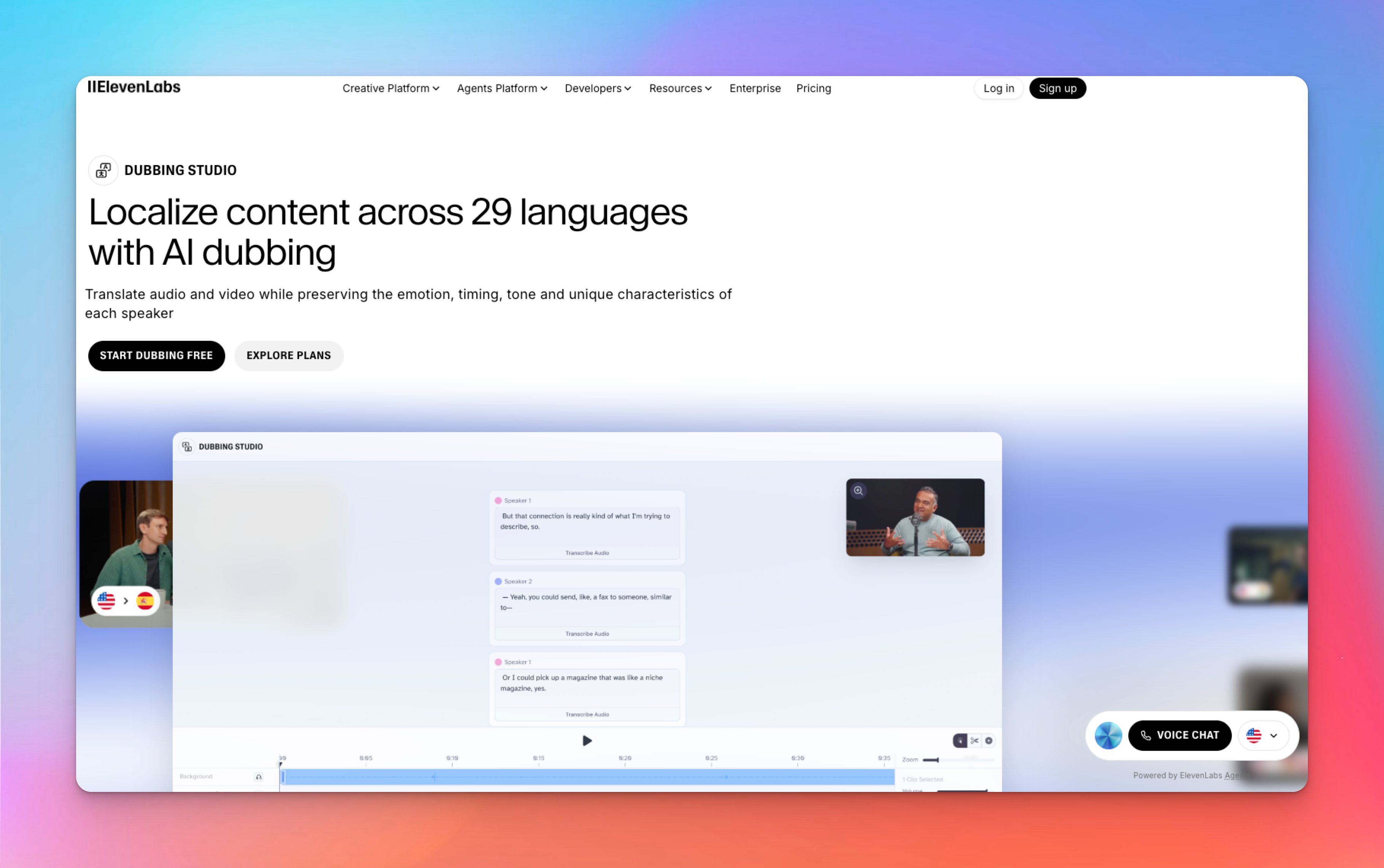
ElevenLabs is a popular AI tool for generating human-sounding voiceovers; the kind that carry emotion, pacing, and personality creators prefer. You can type a script, pick a voice (or clone your own), and instantly create narration that sounds broadcast-ready.
If you’re expanding into multiple languages, its dubbing engine preserves the tone of your voice while translating your content. In short, it gives creators studio-level audio without studio-level effort.
Why I added ElevenLabs to the list
- Emotion-driven speech with inline audio tags to control tone, pacing, and delivery.
- Fast, realistic voice cloning from just a few minutes of your recorded audio
- Multi-speaker dialogue mode for podcasts, skits, explainers, and storytelling.
- 30+ language AI dubbing that preserves your tonal characteristics and timing.
- API support for automated voice generation and custom creator workflows.
Things to remember about ElevenLabs
- Credit usage is complicated and adds up quickly if you regenerate clips to fix pronunciation or pacing.
- Limited fine-tuning. You might struggle to manually adjust tone, timing, and tonal consistency.
- Lower-tier plans limit your content distribution strategy. Jumping to Pro and Scale plans is expensive.
5. HeyGen
Best for: Creators who want polished talking-head videos without filming anything
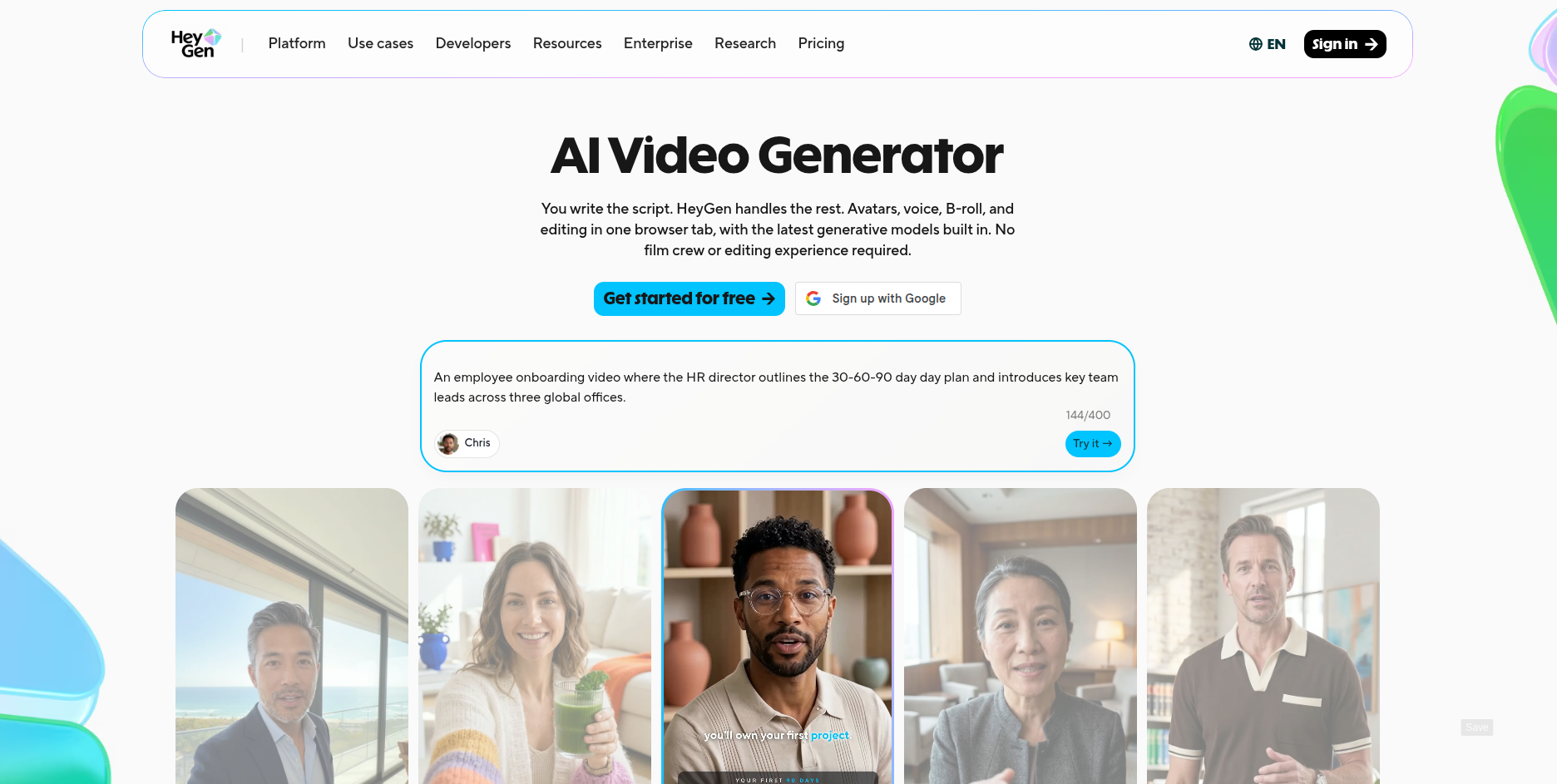
HeyGen turns your script into a finished video by generating an AI avatar that delivers it with lip sync, gestures, and tone. You don’t need a camera, lighting, or editing software. Type the script, pick an avatar — a stock presenter, or a digital twin built from your own photos or video — choose a voice, and HeyGen renders a clip that looks studio-shot.
If you regularly publish explainer videos, course modules, or tutorials and film every one of them yourself, HeyGen removes the slowest part of the process: getting on camera.
Why I added HeyGen to the list
- Photorealistic AI avatars, including custom digital twins built from your own photo or video
- Script-to-video generation with natural gestures, timing, and emotional tone, with no manual animation
- Video translation across 175+ languages, with lip-synced dubbing that keeps your delivery intact
- Voice cloning, plus a library of 300+ ready-made voices
- API access for teams automating video production at scale
Things to remember about HeyGen
- Everything runs on a credit system, and photorealistic avatar videos burn through credits fast
- The free plan caps you at three one-minute videos a month, all watermarked, so it works as a demo rather than a workflow
- Costs climb quickly above the Creator tier, especially if you’re automating video generation
6. Kapwing
Best for: Social media creators who need fast, collaborative editing

Kapwing brings video editing into the browser and makes it collaborative, the same way Canva did a few years ago.
Anyone on your team can jump into a project, leave comments, tweak edits, and publish social-ready videos without downloading heavy software or learning pro-level tools.
For brands and creator teams pushing out frequent content, it’s a simple way to move from idea to finished video in minutes.
Why I added Kapwing to the list
- Smart Cut automatically removes silences, filler words, and awkward pauses
- AI video generation from text prompts via Kai for quick social content
- Real-time collaborative editing with comments and instant updates to maintain business consistency
- One-click subtitles with 100+ styles for TikTok, Reels, Shorts, and YouTube
- Fully web-based; accessible on any device with no downloads or compatibility issues
Things to remember about Kapwing
- The web-based nature makes it glitchy under heavy workload and might cause your work to disappear or revert unexpectedly
- Exporting is still an issue, and you might experience delayed processing
- Free plan contains watermarks and limits video length, pushing most creators toward premium tiers
7. Sonix
Best for: High-accuracy transcription with deep AI content analysis
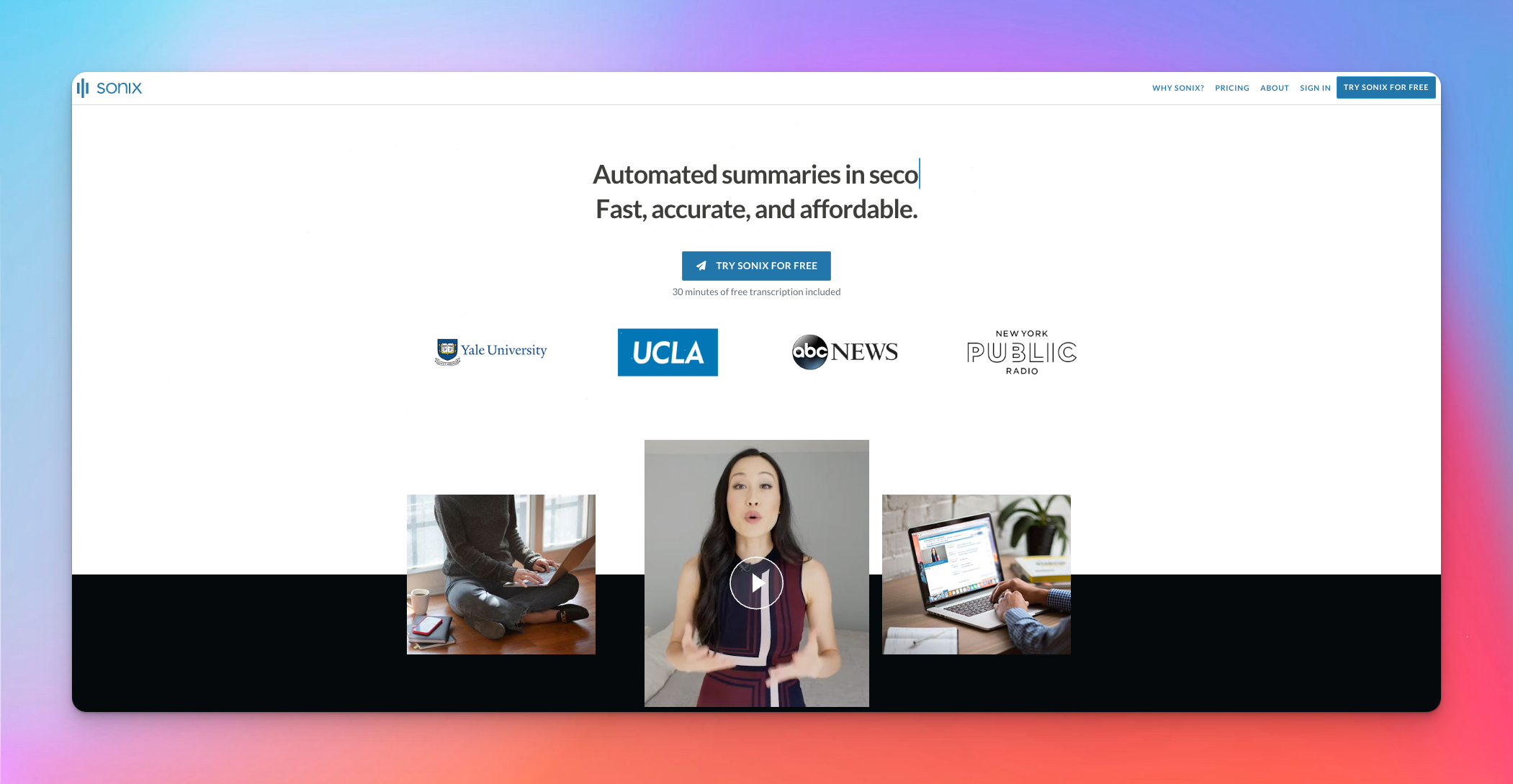
Sonix is built for creators who don’t want to compromise on transcription accuracy. It delivers consistent, high-quality speech-to-text across multiple speakers, accents, and noisy environments, then layers powerful AI analysis tools on top to help you extract insights and story angles.
If you're a journalist who deals with interviews or a podcaster turning episodes into articles, Sonix is worth a look.
Why I added Sonix to the list
- Consistent transcription quality even with unclear audio, accents, or cross-talk
- AI analysis features for summaries, themes, sentiment, entity extraction, and topic clustering
- Multi-speaker detection that separates voices for easier editing and review
- Translation support for 40+ languages to repurpose or localize content
- Wide integration support, including Zoom, Adobe Premiere, Dropbox, RingCentral, MaxQDA, Evernote, and Zapier
Things to remember about Sonix
- The pricing model is confusing and expensive. You pay per-hour charges on top of your monthly subscriptions
- Of late, Sonix’s transcription accuracy has dropped compared to earlier performance
- Transcription is sometimes slower than AI transcription tools like HappyScribe
Also read:Sonix vs HappyScribe: A head-to-head comparison
8. Google Journalist Studio
Best for: Investigative journalists handling large document sets and transcribing interviews
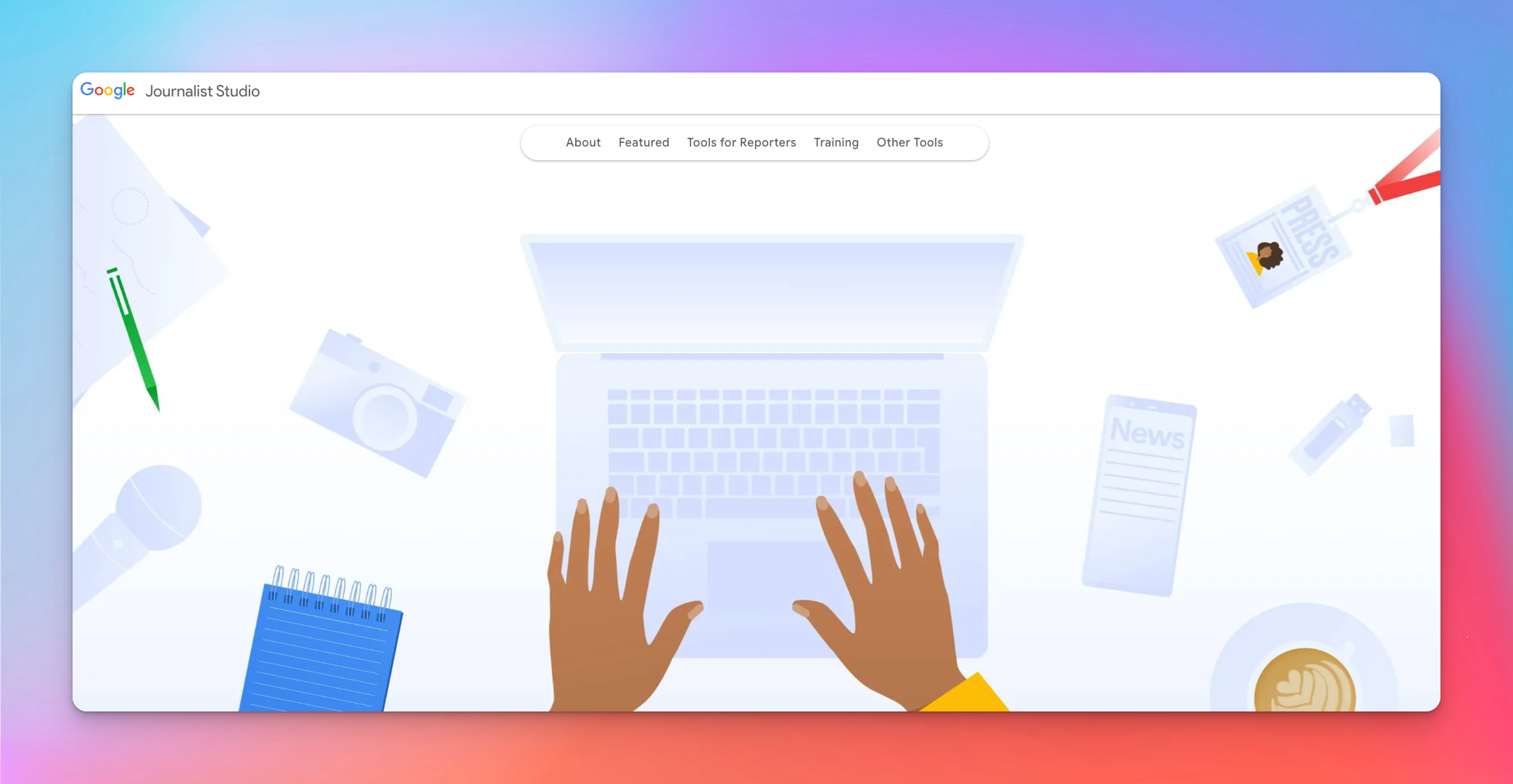
Google Journalist Studio bundles together Google’s research, AI, and search capabilities into one free toolkit built specifically for reporters. You can manage transcription, fact-checking, and document review in a single workspace.
Journalist Studio is especially useful for documentary crews who work through massive files, run long interviews, and need to verify information quickly.
Why I added Google Journalist Studio to the list
- Pinpoint’s AI-powered search quickly analyzes thousands of PDFs, images, and notes with entity detection
- Built-in transcription for audio and video files with searchable timestamps
- Whole host of collaborative research tools for sharing collections, comments, labels, and highlights
- No-code data visualizations using The Common Knowledge Project’s public datasets
- Real-time content insights and trend detection through GA4 and Google Trends
Things to remember about Google Journalist Studio
- Limited support resources for niche tools. Fewer guides, communities, and troubleshooting options compared to mainstream Google tools
- The full suite has a learning curve, especially for solo reporters or small teams
- Access and approval for generative AI tools can be slow
9. Buffer AI
Best for: Social media creators who want an AI assistant
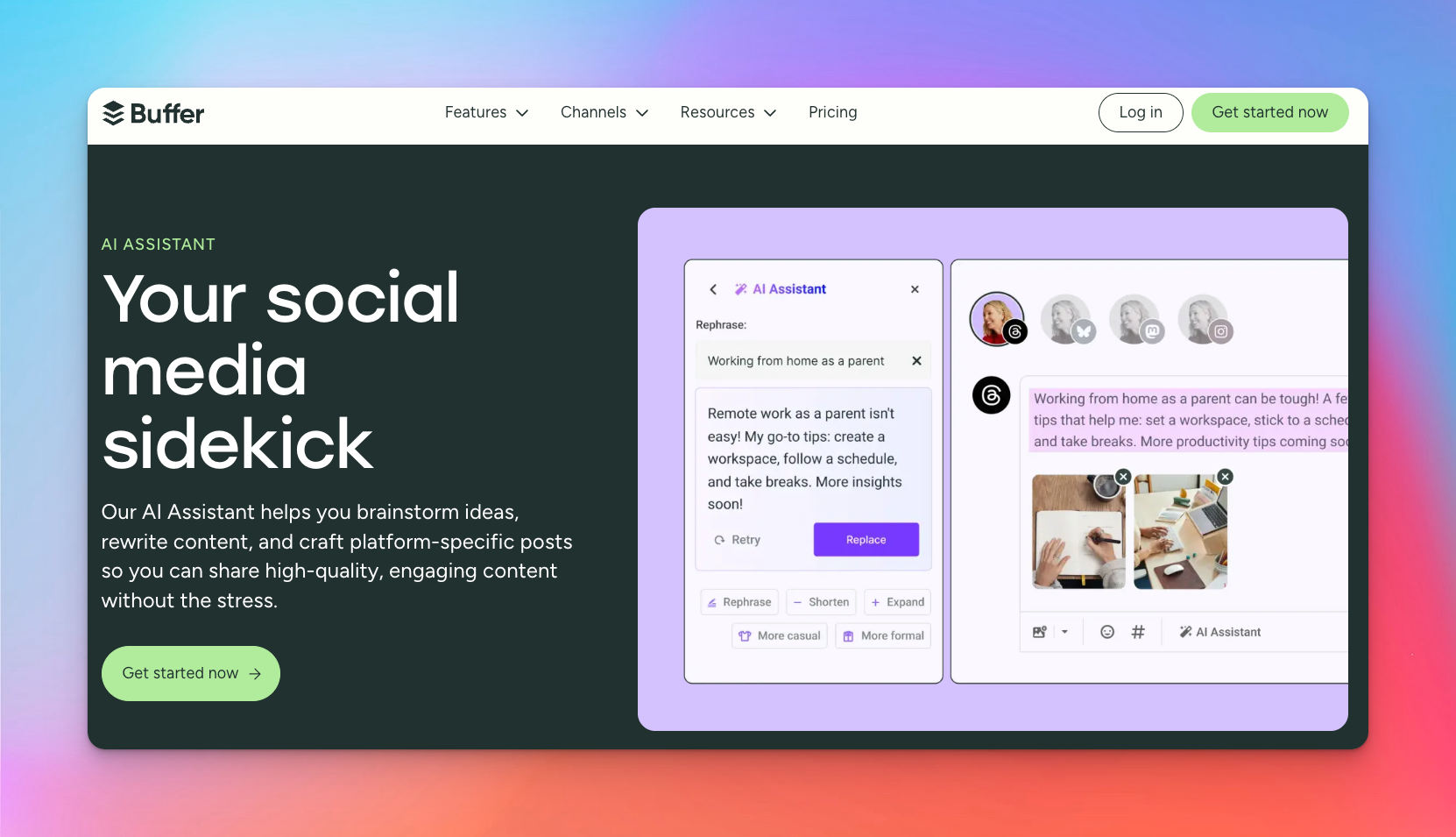
Buffer is popular among social media influencers, but what you might not know about is the Buffer AI assistant. It brings AI content creation directly into the place where creators already plan and publish their content.
Instead of drafting posts in a separate tool and copying them into a scheduler, you brainstorm, generate, edit, and publish from one dashboard. Buffer AI is especially useful for creators repurposing long-form content into short, scroll-friendly posts.
Why I added Buffer AI to the list
- Unlimited AI post generation even on the free plan
- One-click scheduling to 11 platforms, including Threads and Bluesky
- Adjustable tone and length controls for quick variations and A/B tests
- Built directly into Buffer’s composer and mobile app for unified workflows
Things to remember about Buffer AI
- Frequent glitches in scheduling force you to re-check content
- Per-channel pricing adds up if you manage several platforms, plus the feature packs are inconsistent across channels
- You might have to reconnect social accounts frequently
10. Canva Magic Media
Best for: Non-designers who need quick AI visuals

Canva Magic Media brings AI image and video generation directly into the Canva editor, so you can create visuals and drop them into your designs without using other apps.
Be it Instagram posts, YouTube thumbnails, cover art, or ad graphics, everything’s managed in the same workflow for speed and simplicity.
Why I added Canva Magic Media to the list
- Integrated workflow that lets you generate visuals from texts and place them into designs instantly
- Multiple output formats, including photos, vector-style graphics, and short AI video clips
- Style presets remove the need for heavy prompt engineering
- Works on mobile and desktop for fast, on-the-go social content creation
Things to remember about Canva Magic Media
- No iterative refinement. If you're an experienced editor, you'll be frustrated with the lack of control
- AI visuals still have quirks that need careful review
- Strict credit limits mean active creators run out quickly, even on Pro
11. Repurpose.io
Best for: Content creators automating cross-platform distribution

Repurpose.io automates the most time-consuming part of content marketing: distributing content everywhere.
Instead of downloading a video, resizing it, exporting different versions, and uploading them one by one, the platform handles all of that in the background.
You publish once, and Repurpose.io turns it into platform-ready versions for YouTube Shorts, TikTok, Reels, Stories, LinkedIn, Pinterest, and more.
For solo creators trying to stay active across multiple networks, it’s a huge time-saver.
Why I added Repurpose.io to the list
- Automated multi-platform publishing with set-it-and-forget-it workflows
- Automatic video resizing and reformatting for vertical, square, and horizontal outputs
- Custom branded templates for intros, outros, and overlays
- Audio support for converting podcasts into audiograms and short promotional clips
- Works with all major platforms, including Snapchat, Pinterest, and X
Things to remember about Repurpose.io
- Social accounts frequently disconnect without notifications, which might disrupt publishing
- Repurpose.io’s pricing might be prohibitive to smaller creators
- No editing tools or built-in analytics
Create your smart AI toolkit for 2026
Every tool on this list solves a different problem in the creator workflow.
Descript, Kapwing, and Canva are great for making visual edits. Sonix and Google Journalist Studio shine for investigative reporters while Buffer and Repurpose.io help you publish consistently across every platform.
But across all these workflows, every creator still relies on the foundations: clean transcripts, accurate subtitles, and fast translations. That’s where HappyScribe stands out. It’s the one tool that supports nearly every creator type, plugs into any workflow, and saves you time.
If you’re choosing just one AI tool to upgrade your content creation in 2026, HappyScribe is the most useful place to start.
Frequently Asked Questions
Can I use AI for content creation?
Yes. You can use artificial intelligence to brainstorm ideas, write blog posts, draft email campaigns, edit audio, and speed up your entire content creation process. Modern AI-powered tools help creators produce a polished piece of content faster, whether you’re managing content strategy, building a brand voice, or improving conversion rates across marketing campaigns.
Which AI model is best for content creation?
For general writing, ideation, and marketing content, large language models like GPT 5.1 remain the most versatile. If you need machine-learning accuracy for transcripts, subtitles, or auto dubbing, HappyScribe is a better fit. Creators usually combine models; one for writing and another for audio/video workflows, to move faster across the entire content creation process.
Which AI tool is best for social media content?
For social posts, Instagram reels, and short-form video, creators rely on AI marketing tools like Buffer AI and Kapwing’s AI video editing software. If your content includes spoken audio, interviews, or voiceovers, HappyScribe is the preferred option for fast transcription and subtitles.
What AI tools can content creators invest in to grow their audience and improve engagement?
Creators generally combine AI content creation tools across writing, video, and automation. ChatGPT for drafting marketing content, Buffer AI for scheduling, Canva for visuals, Kapwing for quick edits, and HappyScribe for turning audio or video into text that you can repurpose into blog posts, email campaigns, and marketing strategies to boost engagement. Together, these automation tools help you reach a wider audience across channels.
What are the best AI tools for content creators looking to boost productivity and streamline their workflow?
AI-powered tools like Descript, Kapwing, and Buffer can automate writing, editing, and publishing. For creators working with podcasts, interviews, or YouTube videos, HappyScribe is one of the most effective content creation tools for simplifying transcription, subtitles, and translation. It cuts hours from the content creation process and helps marketers publish faster with consistent brand voice.
Where can content creators find affordable AI tools for content planning, writing, and publishing?
Many platforms offer free or low-cost AI marketing tools. Canva offers free visual templates, and Buffer provides budget-friendly scheduling. For creators dealing with audio or video, HappyScribe’s starter plan is one of the most affordable options for accurate transcripts and subtitles. You can reuse them across blog posts, customer service scripts, and marketing campaigns.

Rodoshi Das
Rodoshi is the Content Lead at HappyScribe, the privacy-first transcription and AI notetaker platform based in Barcelona. Shaping content strategies and building AI workflows excites her as much as exploring new SaaS tools. She specializes in product-led content that informs rather than sells, grounded in honest product benchmarking and low tolerance for empty marketing speak.