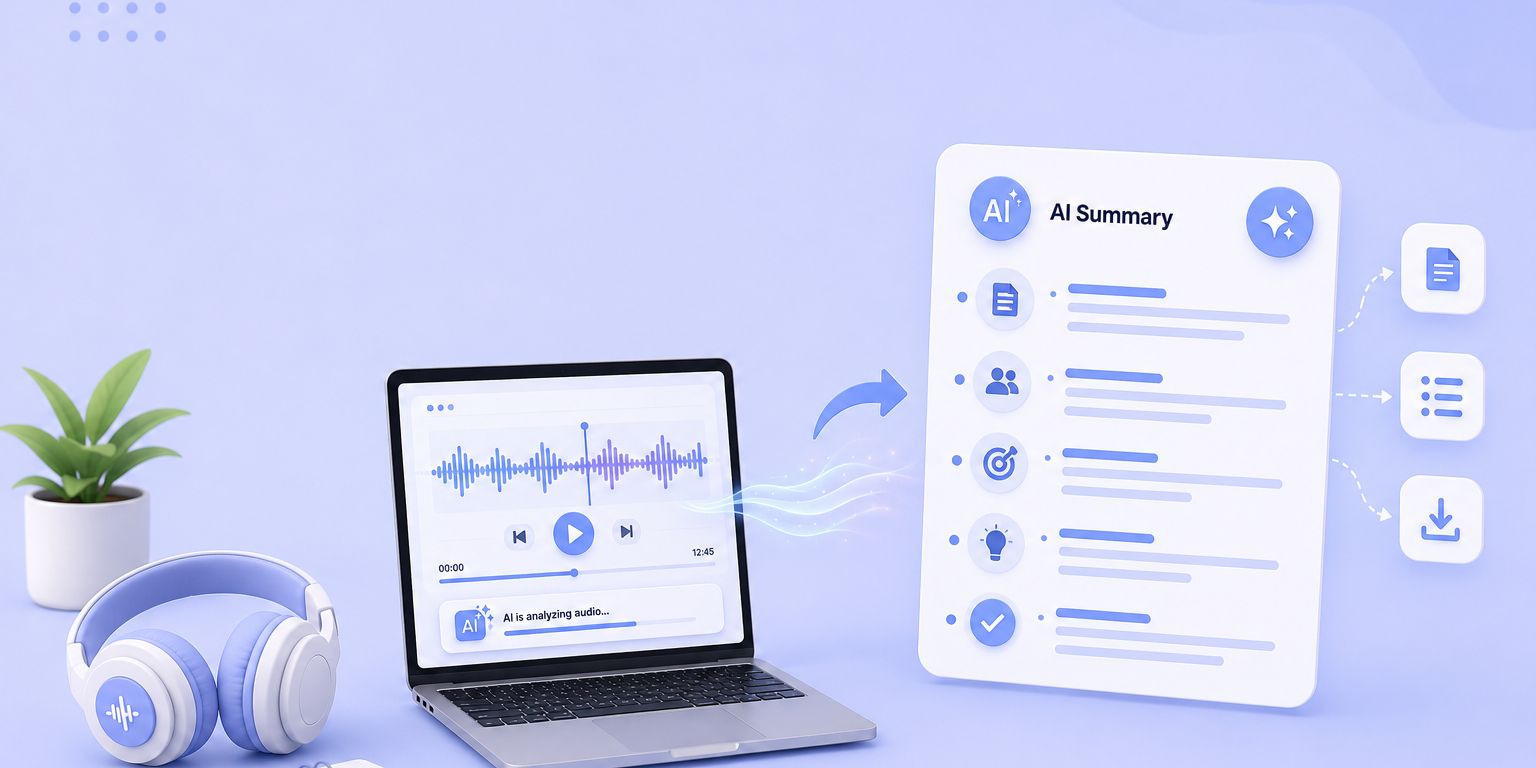
TL;DR ⏩
Based on my experience of testing and analyzing various free options, here are the best AI audio summarizer tools to help you out:
- HappyScribe: Best for professionals who want free and accurate audio summaries in 150+ languages, along with multiple file support and optional human proofreading
- ScreenApp: Best for solo creators and students who want to record and summarize low-stakes audio files straight from the browser
- GoTranscript: Best for researchers and legal teams that want free AI summaries with the option to escalate to human-verified transcription
- NoteGPT: Best for students who want to summarize lecture recordings and YouTube videos on a budget
- Read AI: Best for meeting-heavy teams that want live summaries pushed into Slack, Notion, or their CRM
Most audio summarizers will either give you a limited free trial or generate a transcript so inaccurate that you wish you had just listened to the audio by yourself. But those are the generic tools in the market. The best few handle difficult audio files, generate reliable notes and takeaways, and do all this without forcing you to pay first.
I tested over a dozen tools for this list, running each one through the same set of files: a noisy 45-minute interview in Spanish, a clean English podcast, and a multi-speaker team call. Only a few tools produced summaries I'd actually trust enough to use and share with others.
Below, I've broken down each AI audio summarizer tool by what it does well, where it falls short, and what you'll actually get on a free plan.
What are the best free AI audio summarizers? At a glance
| Category | HappyScribe | ScreenApp | GoTranscript | NoteGPT | Read AI |
|---|---|---|---|---|---|
| Best for | Fast and accurate multilingual summaries without paying for premium plans | Recording and summarizing low-stakes audio in the browser | Free AI summaries with human-verified escalation | Budget lecture and YouTube summaries for students | Live meeting recaps pushed into Slack, Notion, or a CRM |
| Key features | AI and human transcription, custom summary formats, AI Chat, 45+ format support | Screen and audio recording, meeting bot, AI chat, speaker labels | Free browser summarizer, human transcription escalation, and format options | Summaries plus study aids like mind maps, flashcards, quizzes | Live recaps, meeting analytics, Ada digital twin, file upload |
| Supported languages | 150+ | 100+ | 140+ | 100+ | 20+ |
| Security | SOC 2 Type II, GDPR, ISO 27001-compliant EU data center, AES-256 | SOC 2 Type II, GDPR, encrypted at rest and in transit | GDPR, HIPAA-ready, NDAs, AES-256 | SSL, uploads not stored | SOC 2 audited, no data training by default |
| Starting price | Free plan available. Paid plans from $8.50/month billed annually or $17/month billed monthly | Free. Paid plan starts from $30/month | Free summarizer. Paid plan starts from $0.20/min | Free. Paid plan starts from $9.99/month | Free. Paid plan starts from $19.75/month |
1. HappyScribe
Best for: Professionals who want free and accurate audio summaries in 150+ languages, along with rare file support and optional human proofreading
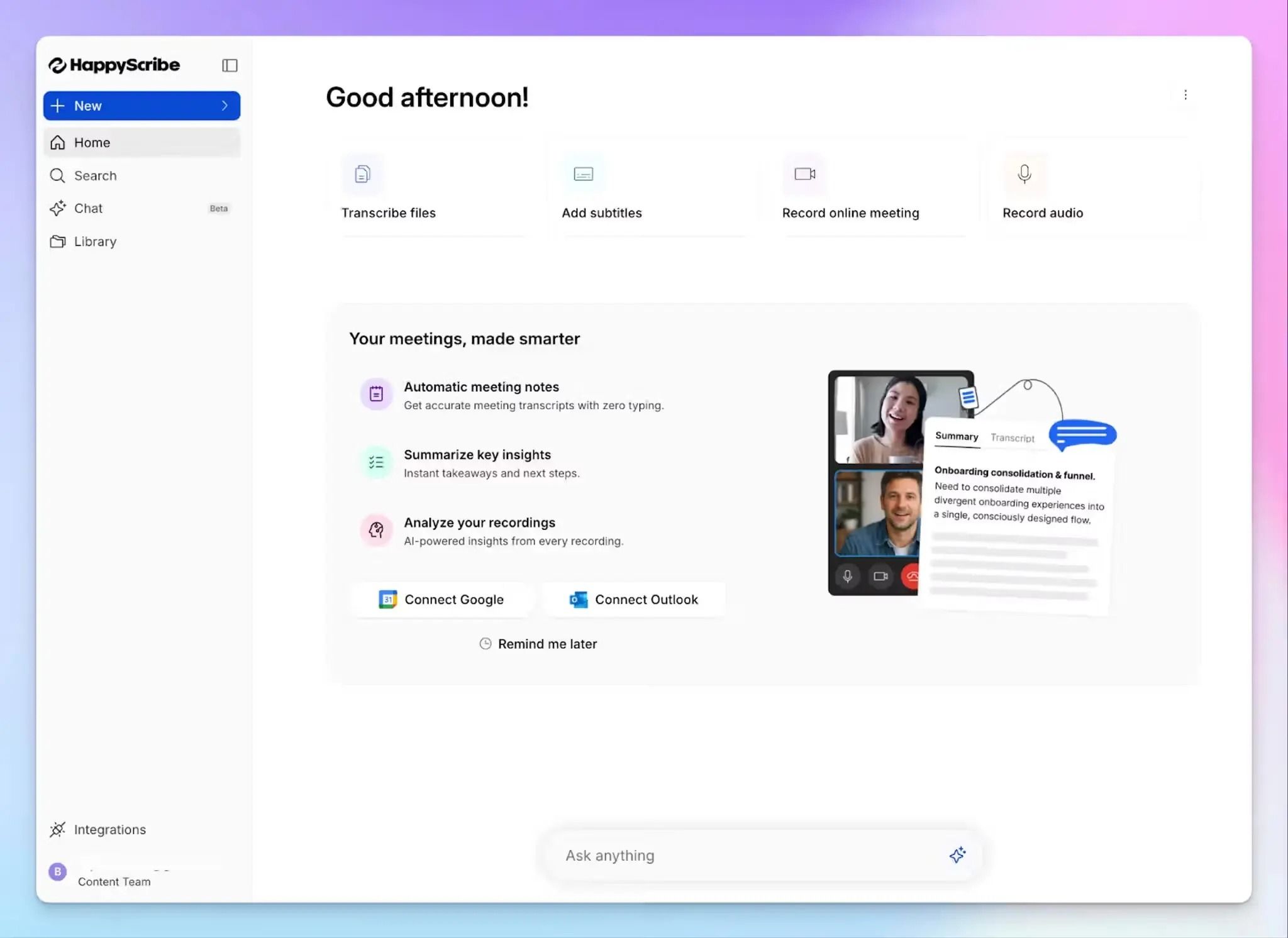
HappyScribe is one of the best audio summarizers you can use for free because it covers the full pipeline: upload your audio, get a transcript, and generate a structured summary, all inside one workspace.
Most free audio summarizers cut corners on either transcription accuracy or language coverage. HappyScribe doesn't compromise on either.
1. Summarize audio in 150+ languages with 95%+ AI accuracy
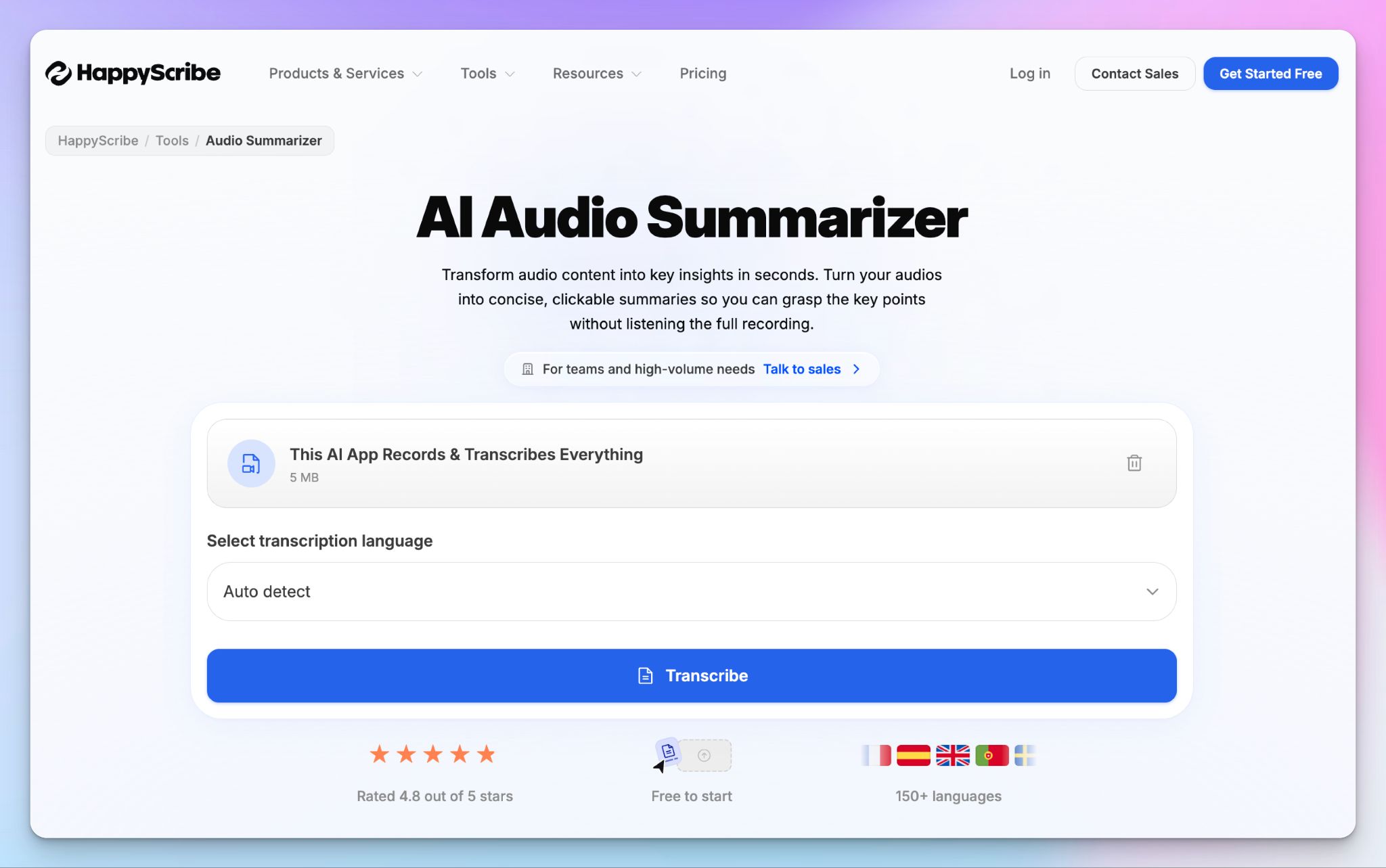
HappyScribe's AI audio summarizer processes recordings in over 150 languages and dialects, making it the most versatile option on this list. The AI engine detects the spoken language automatically and generates summaries without manual switching.
Be it a Swedish interview, a Japanese lecture, or a Swiss German podcast, the output is always contextually accurate. In my testing, the transcripts consistently hit 95%+ accuracy on clean audio, which is good enough to produce reliable summaries.
2. Multiple summary formats to suit different use cases
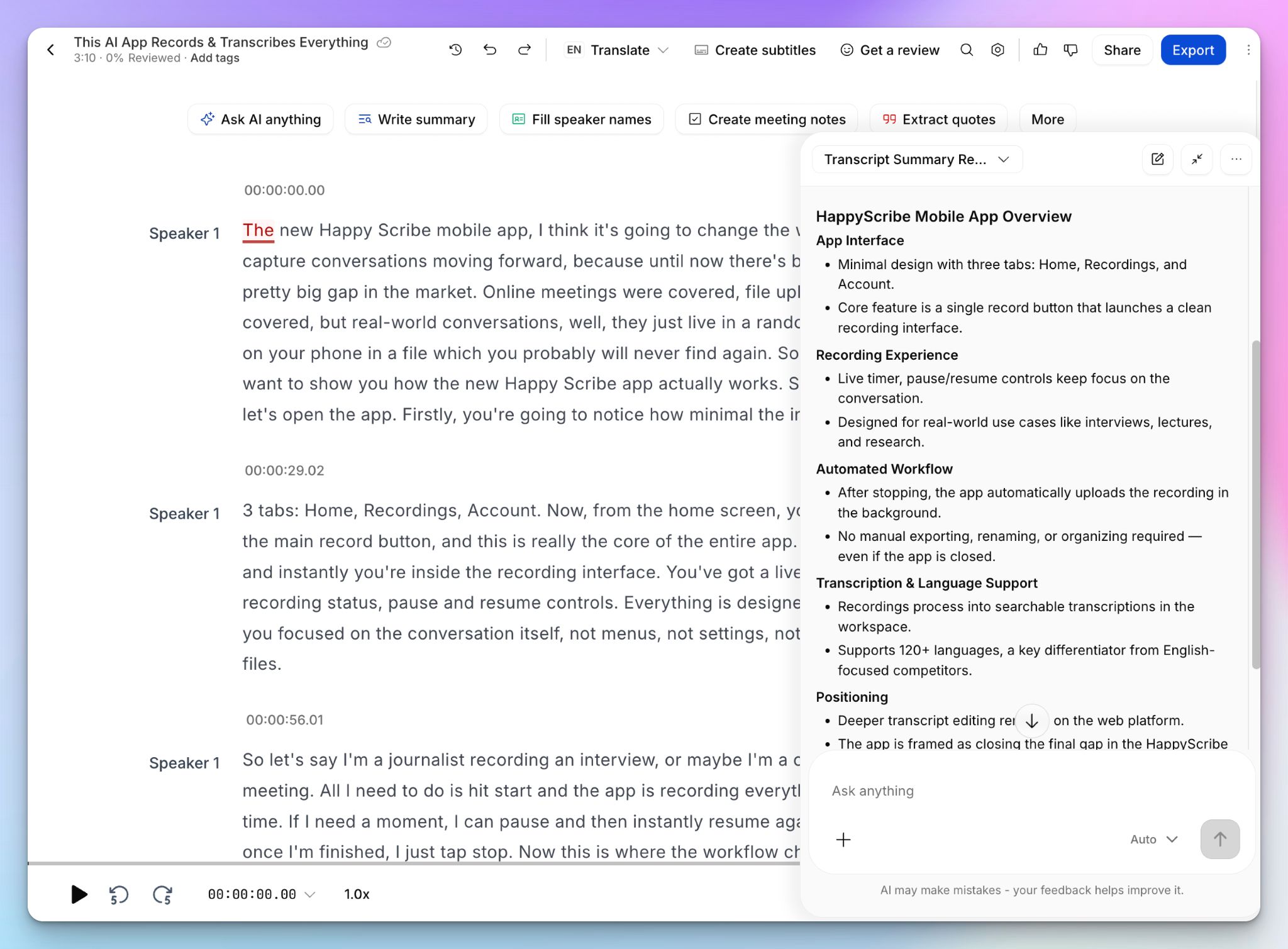
Not every recording needs the same treatment. A researcher summarizing a two-hour interview requires something different from a marketer pulling highlights from a webinar.
HappyScribe lets you format the output the way you want: you get timestamped paragraph summaries, bullet-point action items, meeting notes, video chapters, and speaker quotes.
3. Support for 45+ audio and video formats
HappyScribe accepts 30 audio formats (including MP3, WAV, M4A, AAC, FLAC, OGG, AMR, and WMA) and 16 video formats (MP4, MOV, AVI, MXF, and more). You can also import files directly from YouTube, Vimeo, Google Drive, Dropbox, or Box.
This is one of the widest lists of formats supported by audio summarizers in the market, so you don’t have to worry about unsupported file errors.
4. Human proofreading with 99% accuracy for high-stakes recordings
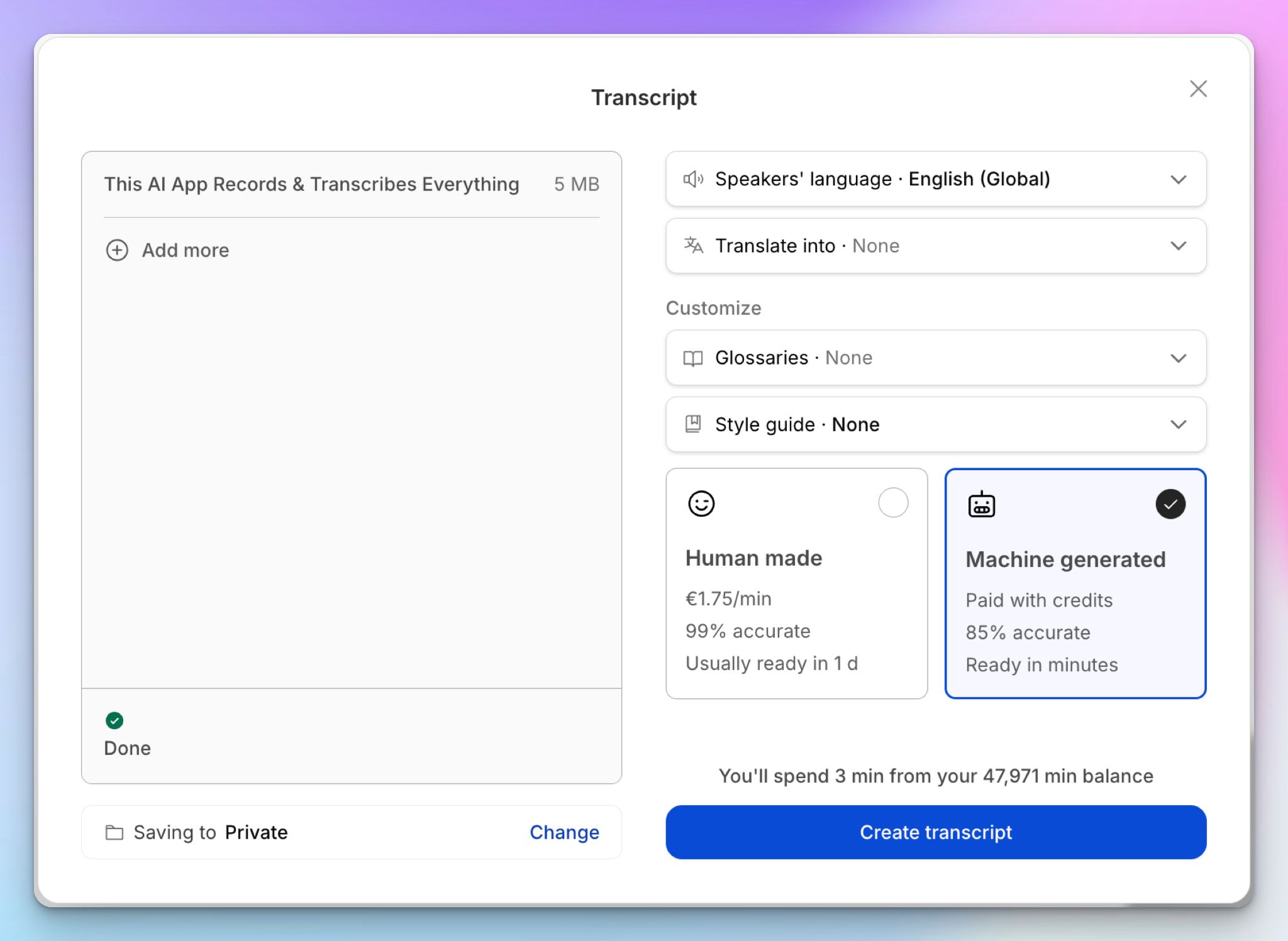
For recordings where accuracy is non-negotiable, HappyScribe offers human transcription services in 65+ languages. Expert human transcribers review your file and bring the transcript to 99% accuracy before you run the summarizer on it.
For legal interviews, compliance recordings, and research transcripts that require near-perfect precision, HappyScribe works like a charm.
5. Use AI Chat to ask questions about your transcripts
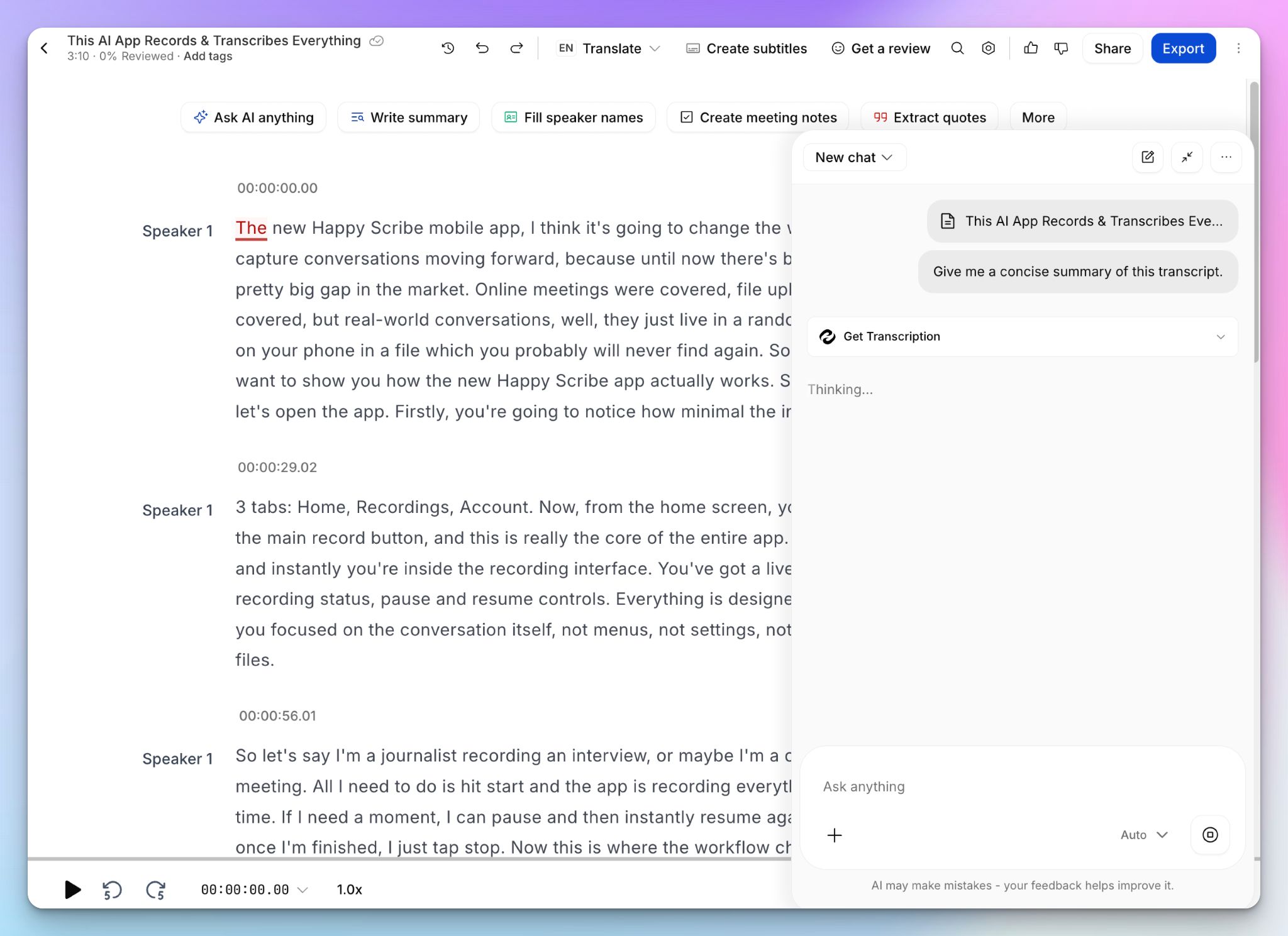
Once your file is transcribed, open HappyScribe's AI Chat and ask questions about the content. This sets the base for information retrieval, if you’re worried about a summary glossing over key facts.
Instead of manually scanning a long transcript, simply prompt the AI to extract specific details, identify key decisions, or pull relevant quotes. The free plan lets you analyze up to 3 files per month with AI Chat, while paid plans expand that limit.
HappyScribe's pricing
- Free: Unlimited meeting recordings (45 min each), AI transcription trial, 3 AI Chat analyses per month
- Basic: $8.50/month billed annually or $17/month billed monthly
- Pro: $19/month billed annually or $29/month billed monthly
- Business: $59/month billed annually or $89/month billed monthly
- Enterprise:Contact sales for a custom quote
- Human proofreading: From $2.00/min on all plans ($1.90/min on Business)
HappyScribe's pros
- Free, easy-to-use audio summarizer with 95% accurate transcripts in 150+ dialects
- Happyscribe works as a meeting note taker, human transcription service, and subtitle editor
- Clean, usable summaries out of the box, with multiple formats available for different use cases
- GDPR and SOC 2 Type II compliant note taker with an EU-based data center, making it one of the safest transcription tools in Europe
- The interactive transcript editor lets you edit text and play the synced media with the transcript
- Intuitive mobile apps on iOS and Android for on-the-go audio recordings
HappyScribe's cons
- Not ideal for real-time transcription
- Heavy usage requires a paid plan
What are users saying about HappyScribe?
I've been using it for a few days and I'm quite impressed about the accuracy and summary of each transcripton.
In a meeting with 25 people I recorded a talk on debt restructuring with my phone from the back of the room. The notes were concise, albeit not totally to the point, since this was not a formal meeting. The AI prompted narrative summary of less than 500 words nailed it though!
How to use HappyScribe's audio summarizer: a step-by-step guide
- Go to HappyScribe's audio summarizer and upload a file, paste a link, or record audio
- Log in to HappyScribe to upload files from YouTube, Vimeo, Google Drive, Dropbox, Wistia, or Box
- Select your transcription mode between Human made or Machine generated
- Once the transcript is ready, either click on the Summary tab on the top left or click on Write summary to open up the AI agent
- Review the summary and copy it or export the transcript as TXT, SRT, PDF, or DOCX
2. ScreenApp
Best for: Solo creators and students who want to record and summarize low-stakes audio files straight from the browser
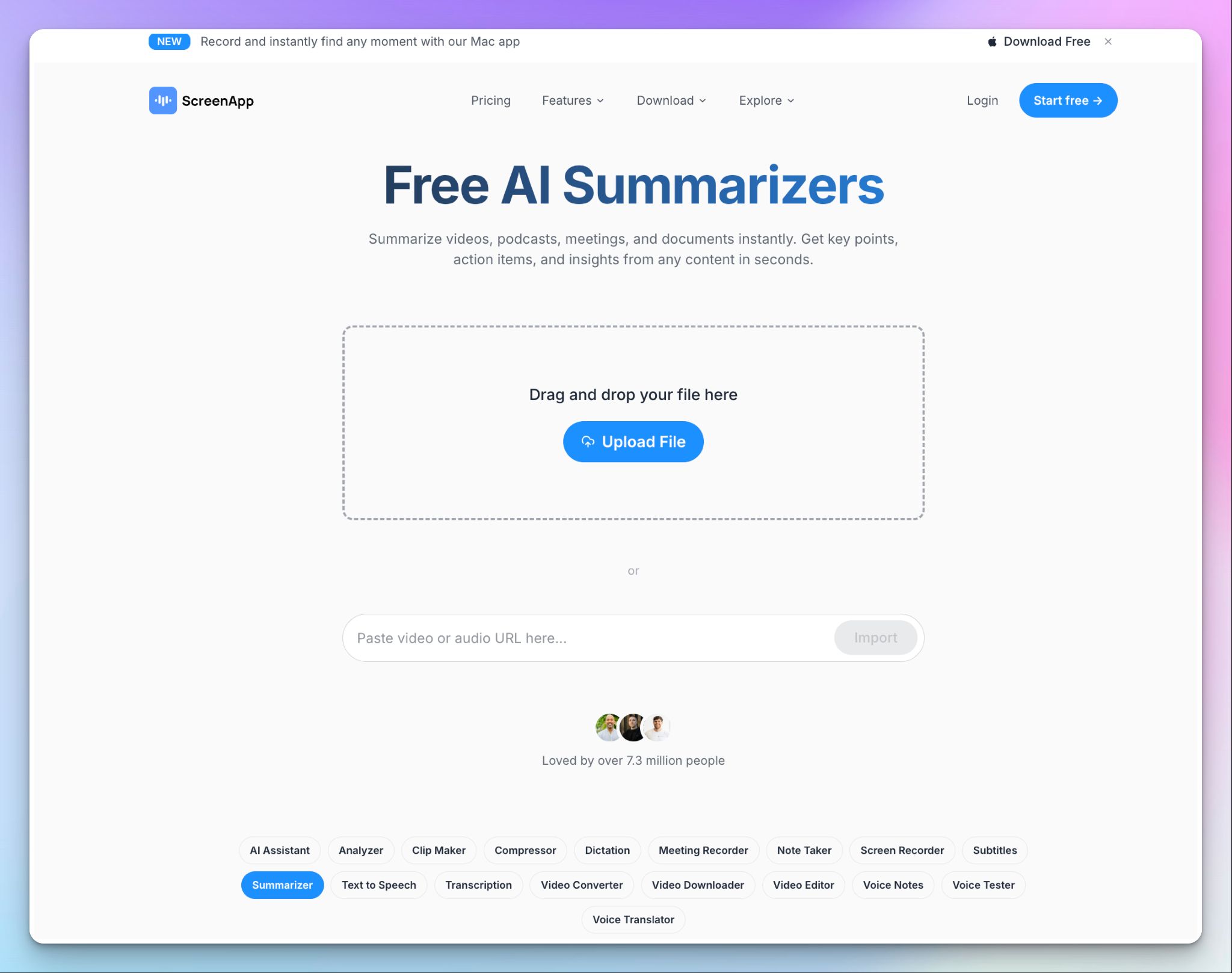
ScreenApp keeps summarization simple. Upload a file you already have or paste an audio or video link. Whether that's a screen recording, a lecture, or a meeting, ScreenApp processes the file quickly and gives you a summary with speaker labels.
Nothing needs installing, since the whole tool runs online, with an optional Chrome extension and mobile apps if you want to record on the move. You can upload MP3, WAV, and M4A for audio files.
ScreenApp's key features
- Decent transcription accuracy on clear audio, with speaker detection and timestamped chapters
- ScreenApp meeting bot auto-joins Zoom, Google Meet, and Teams calls to capture and summarize them
- AI chat to surface insights from your recording, alongside transcript translation into 100+ languages
ScreenApp's pricing
- Free: 3 recordings to try features
- Growth: $30/month
- Business: $69/month
- Enterprise: Starts from $199/month
ScreenApp's pros
- Go from recording to summary quickly, with no setup or downloads to slow you down
- One workspace that records your screen and meetings, and summarizes files you already have
- Summarization is accessible on the web, via a Chrome extension, and iOS and Android apps
ScreenApp's cons
- ScreenApp spreads across 300+ tools and its plans bundle a lot you may never use, while the summarizer struggles for development attention
- It has limited audio file support for an audio summarizer
- The free plan isn’t very generous, capping you at 3 recordings before you hit a paywall
📚 Also read:
3. GoTranscript
Best for: Researchers and legal teams that want free AI summaries with the option to escalate to human-verified transcription
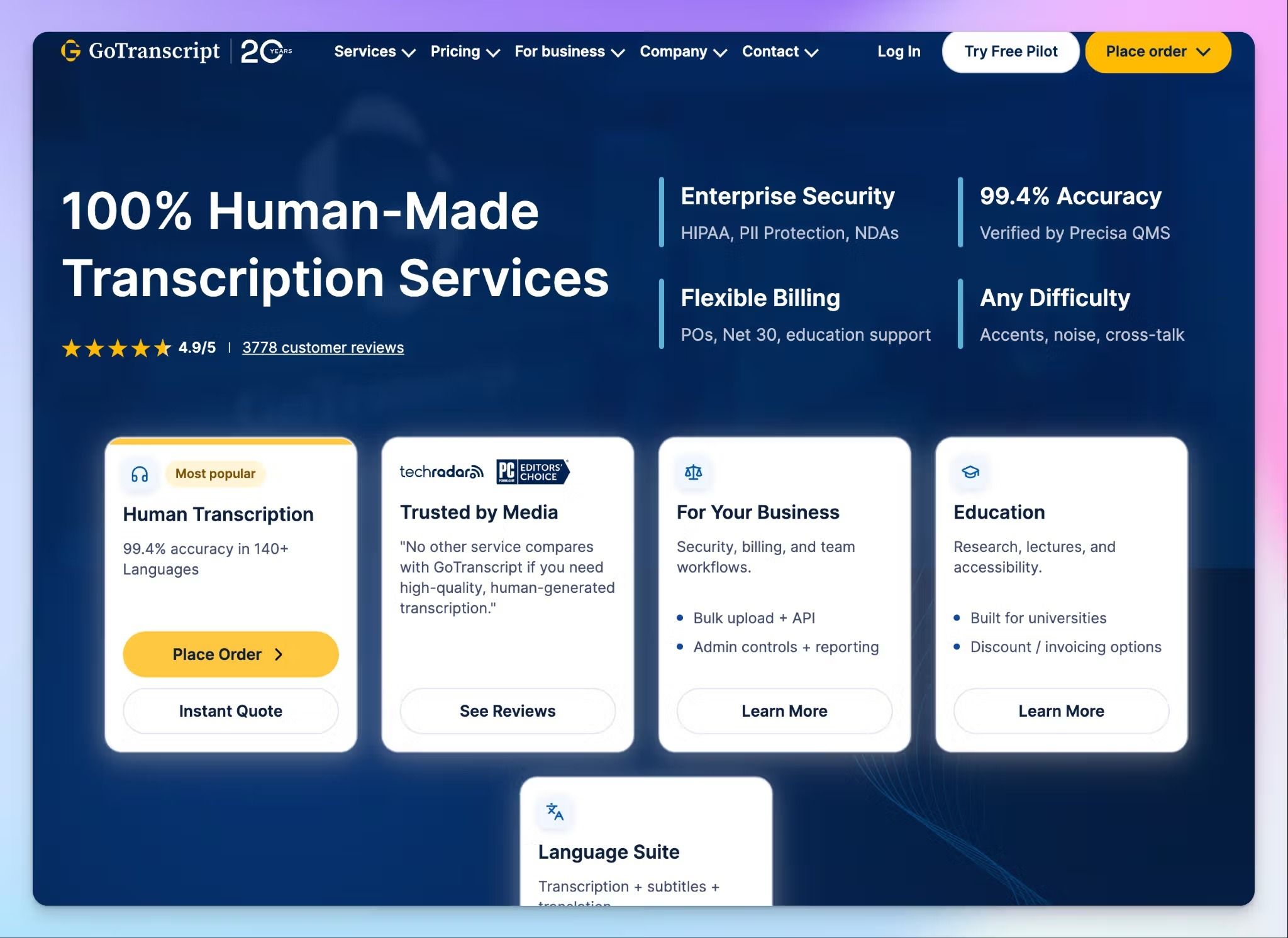
GoTranscript has run a human transcription service since 2005, and that experience shapes how it handles summaries. The audio summarizer works entirely from files you upload, which suits people who already have recordings and want them condensed.
GoTranscript earns its place due to flexibility and escalation. For a quick internal review, the automated summary does the job, and in my testing, it processed files without errors. When a summary needs to be flawless, you can hand the same file to GoTranscript's human team for transcript accuracy.
GoTranscript's key features
- Upload MP3, WAV, AAC, FLAC, M4A, OGG, WMA, ALAC, AIFF, and OPUS files for free in the browser and get a summary in minutes
- You can select between summary length, summary style, and whether to include timestamps, keywords, and speaker labels
- Order human transcription in 140+ languages with speaker identification when a file needs verbatim, near-perfect accuracy
- GoTranscript’s AI analyzes audio content to adapt summary formats and topics to highlight
GoTranscript's pricing
- Audio summarizer: Free
- Human transcription: starts from ~$1.20/min (5-day) to ~$2.75/min (rush) for English
- AI transcription: $0.20/min (pay-as-you-go) or $0.01/min (subscription)
GoTranscript's pros
- The summarizer is free to use, so you can test it on a real recording before paying anything
- GoTranscript’s human transcription service is consistent with transcript accuracy and is backed by NDAs and HIPAA agreements on request
- Export summaries and transcripts across a broad range of document and subtitle formats
GoTranscript's cons
- GoTranscript audio summarizer doesn’t support online links and is fairly slow. A 2-hour lecture takes around 30 minutes to finish summarizing
- The AI toolset is fairly basic and has formatting issues and awkward phrasing
- GoTranscript is expensive for advanced tasks, unless you can afford clean audio and delayed delivery
📚 Also read:
4. NoteGPT
Best for: Students who want to summarize YouTube videos and lecture recordings, and are on a budget
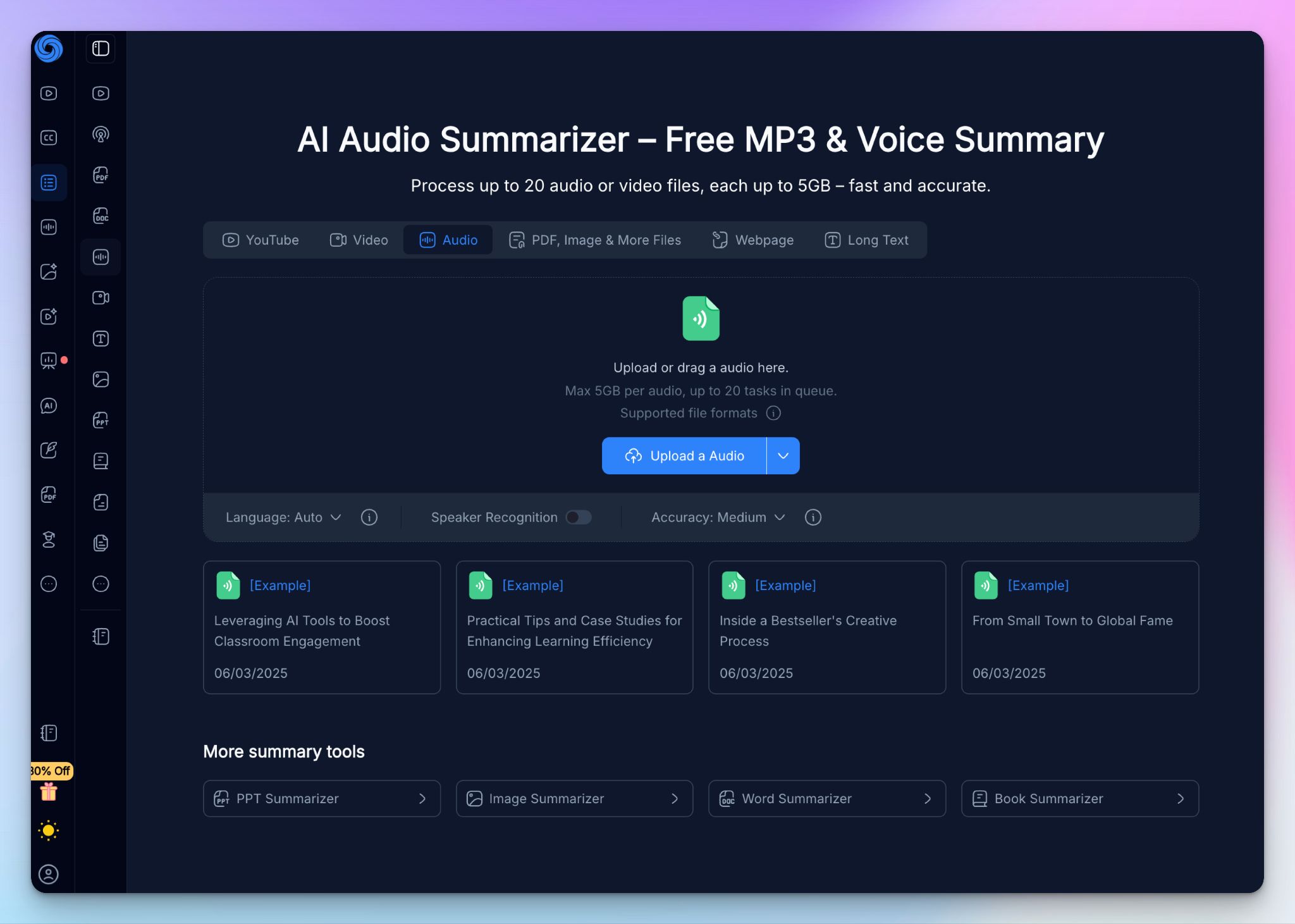
NoteGPT is another no-nonsense audio summarization tool. You upload an audio file or paste a link, and within moments, it hands the recording back for you to scan the content. The free summarizer is unusually generous in the segment.
Where it goes beyond a standard summarizer is the study layer built on top. The same recording can become a mind map, a set of flashcards, or a quiz, which is why it has found a following among students and researchers working through lectures and seminars. In my testing, it was quick and capable of clear single-speaker audio, though dense information exposed its limits.
NoteGPT's key features
- Upload MP3, M4A, MPGA, and WAV files up to 5GB, paste an audio URL, and queue up to 20 files at once for bulk summarization
- You can generate a timestamped transcript and a summary with key points, timeline of events, and tables in minutes, then translate the output into other languages
- NoteGPT audio summarizer helps students and researchers turn audio transcripts into mind maps, infographics, flashcards, quizzes, and presentations
- Chat with the AI about a transcript to pull specific answers, and keep your summaries organized
NoteGPT's pricing
- Free: 15 quotas/month
- Pro: $9.99/month
- Unlimited: $29/month
- Max: $99/month
NoteGPT's pros
- The free tier is useful for real audio work rather than a teaser, so you can test summarization before paying
- NoteGPT’s summaries and key points are fast and easy to read on clean, single-speaker audio like lectures and podcasts
- The study extras, especially flashcards and mind maps, make it a popular summarizer in academia
NoteGPT's cons
- NoteGPT’s quota system is confusing, and once you start using it at scale, it stops being value for money
- Summary quality leans heavily on audio clarity, so anything with multiple speakers, technical terms, or background noise can degrade the output significantly
- Like ScreenApp, NoteGPT spreads itself thin across dozens of tools, so its audio summarizer doesn’t get the same development focus as a dedicated tool would
📚 Also read:
5. Read AI
Best for: Meeting-heavy teams that want live summaries pushed into Slack, Notion, or their CRM
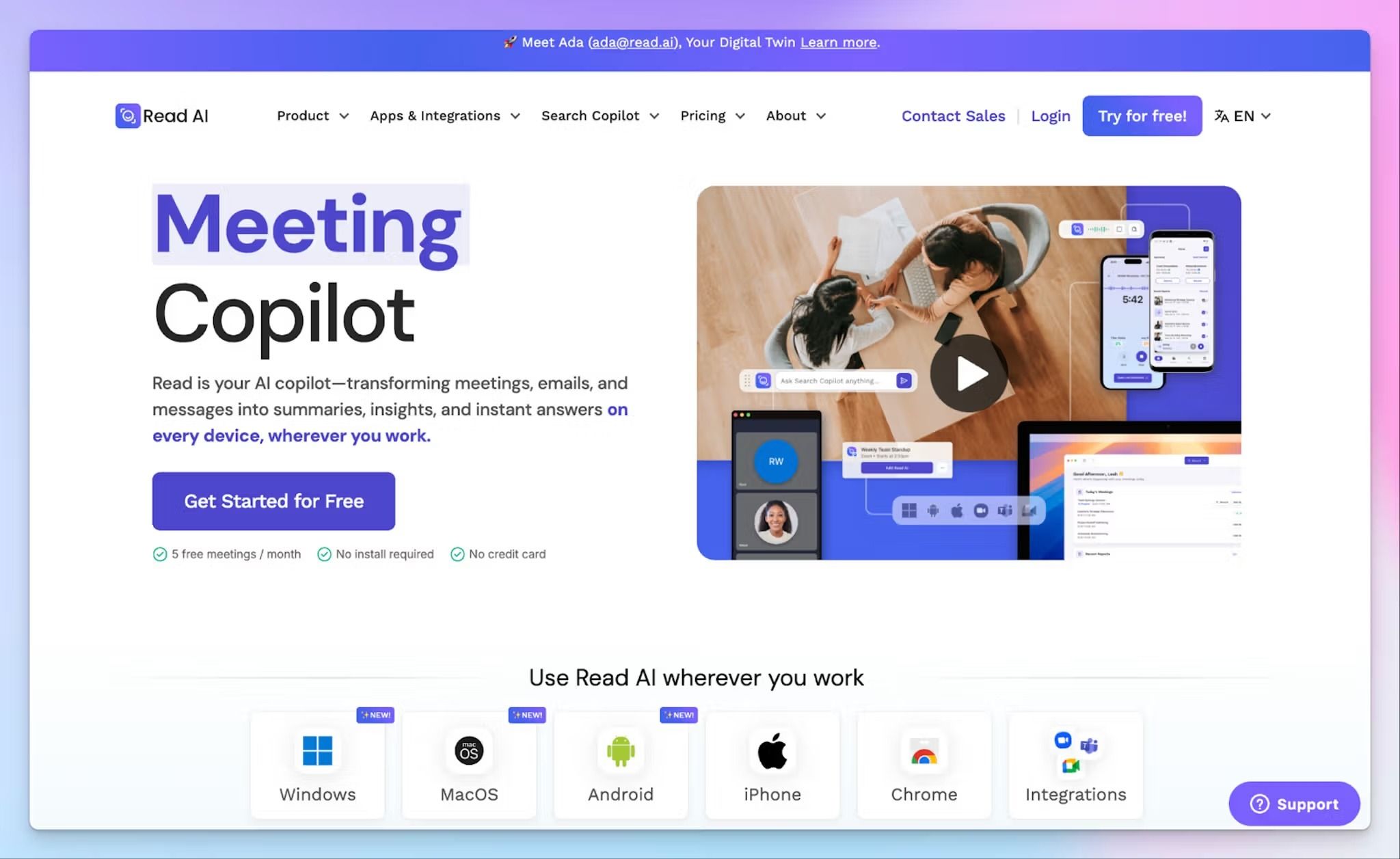
Read AI is built around live meeting capture, but it’s not too shabby when it comes to audio summarization. To summarize a recording, you have to open the Reports page and upload a file from your device.
In my testing, the live meeting recaps were the strongest output, while uploaded files worked but felt like a secondary use of the tool.
Read AI's key features
- Let the Read assistant auto-join scheduled calls or record computer audio directly through the desktop app to produce a report with summary
- Upload an existing audio or video file to the Reports page to generate the same recap, complete with speaker identification and audio playback
- You can track meeting analytics, including meeting score, sentiment, filler words, and average words per minute, alongside speaker coaching to sharpen how you present
- Ask the AI assistant to search across your past meetings and push recaps to Slack, Zapier, or webhooks automatically
Read AI's pricing
- Free: 5 meeting reports/month
- Pro: $19.75/month
- Enterprise: $29.75/month
- Enterprise+: $39.75/month
Read AI's pros
- Live recaps are fast and detailed, with automatic speaker detection good enough for regular audio files
- Read AI’s engagement and coaching metrics give you a read on how meetings actually land, which offers more than a basic summary
- Ada works as a digital twin to help you schedule meetings, manage calendars, and surface data from your workspace
Read AI's cons
- Free file uploads are limited to 5/month, and beyond that, you have to rely on monthly credits. It's a weak fit if you have a backlog of recordings
- Read AI’s meeting bot is invasive and hard to turn off. At the same time, it isn’t reliable enough to join meetings on time, forcing users to look for reliable Read AI alternatives
- Language support is capped at 20+ languages, and the mobile app has stability issues
Which free audio summarizer is best for you?
The right free audio summarizer comes down to the kind of audio you work with and how much the stakes demand accuracy. For instance, a quick lecture recap and a legal interview point you toward very different tools.
👉 ScreenApp suits solo creators who want to record their screen or a call and summarize it quickly.
👉 GoTranscript fits compliance and legal teams who want a free AI summary now, with the option to escalate the same file to human transcribers.
👉 NoteGPT works for students who want to turn lecture recordings into summaries and study aids.
👉 Read AI is built for meeting-heavy teams who want live call recaps pushed straight into Slack, Notion, or their CRM.
👉 HappyScribe is the strongest all-rounder, summarizing anything from a noisy interview to a clean podcast in 150+ languages. It pairs AI summaries with optional human proofreading and broad format support, so one tool handles what the others do only in part.
If you regularly work across languages and need summaries accurate enough to be trusted for serious work, HappyScribe covers that. It’s a Europe-based transcription platform with strong security measures to make sure your data stays private and secure.
And since the free plan lets you record and test the summarizer before paying anything, it costs nothing to find out whether it fits the way you work.
FAQs on the best free audio summarizer for MP3, meetings, and podcasts
How does an AI audio summarizer work?
A free AI audio summarizer works in two steps. It runs audio transcription to convert audio to text across common audio file types, then an AI-powered model pulls the key insights and key concepts into concise summaries. You upload your audio file in one of the supported audio formats, it processes the entire recording in just a few minutes, and you get a full summary back.
Is there a genuinely free audio summarizer?
Yes. Several tools offer free access with no trial wall, letting you summarize audio material within monthly limits. HappyScribe, GoTranscript, and NoteGPT all let you turn voice memos and podcast audio files into a comprehensive summary at no cost, though each caps the maximum file size or number of uploads.
How accurate are free audio summaries?
That depends on audio quality more than price. Clean recordings produce accurate transcriptions and reliable summaries, while noise and overlapping speakers weaken the output. HappyScribe's AI summarizes audio content at 95%+ accuracy on clear audio, with the option to upgrade the entire file to human review.
Can AI summarize a long podcast or a multi-hour recording?
Yes. Most tools handle lengthy audio files or long recordings, including full podcast episodes, educational videos, and other video content, though free tiers often limit length or file count. If you regularly summarize long audio, check the maximum file size and whether the tool offers full audio playback alongside the summary before you commit.
Are my audio files private when I use a free summarizer?
This varies by tool, so check before uploading sensitive audio material. Some store your input audio upload or train on it, while others do neither. HappyScribe is SOC 2 Type II and GDPR compliant with EU-based storage, which suits private interviews and client calls.
Can I summarize audio in other languages for free?
Yes. Many free AI audio summarizer tools offer multi-language support. HappyScribe leads here with support for multiple languages, covering 150+ for transcription and 80+ for translation, so you can summarize a recording in another language without switching tools.

Biplab Mazumder
Biplab is a content marketer and writer who helps high-growth brands scale content visibility across AI search channels. His works have been published in HubSpot, Freshworks, Atlassian, SurferSEO, etc. When he's not planning content strategy, he's testing AI content workflows and use cases.