![5 Best Transcription Software in Europe [2026]](/sanity-images/ejgwz1gl/redesign/c45ce3c10d82a3c8bf23130ab6a5ef5e75a5828f-1536x1024.jpg?auto=format&w=1536.0&rect=0,128,1536,768&h=768)
Transcription software processes some of the most sensitive content your business produces: client calls, internal strategy sessions, journalist interviews, and research conversations.
For European teams, that creates a real compliance problem. Most of the transcription tools are built and hosted in the US, which means your audio and the text it produces can end up on servers outside the EU, processed under frameworks that don't align with GDPR.
Regulators have already shown they are willing to take action. In 2023, Italy became the first country in the world to ban ChatGPT over opaque data processing practices, and followed up the next year with a €15 million fine. The rules are real, and enforcement is only getting stricter.
But compliance alone doesn't make a transcription tool worth using. You still need accurate transcripts, strong support for European languages, and a workflow that doesn't slow your team down.
Over the last few weeks, I tested 10+ transcription tools available to European teams, explored their free plans where available, and reviewed user feedback on G2, Reddit, Capterra, and Trustpilot. I also spoke with colleagues and professionals who use these tools in real work settings.
Here are the best transcription software in Europe.
TL;DR ⏩
- HappyScribe: Best for market researchers, journalists, and professionals in European teams that need accurate multilingual transcription, strong EU privacy protections, and optional human review
- Trint: Best for newsrooms and media teams that want transcription combined with an editorial workflow
- Amberscript: Best for regulated industries that require compliance certifications and optional human-reviewed transcripts
- Klang AI: Best for public sector, legal teams, and EU-first organizations prioritizing strict data sovereignty
- Gladia: Best for developers building voice apps or AI products that need scalable speech-to-text APIs
How did I evaluate the best transcription software in Europe?
1. Transcription accuracy and European language support
I tested how well each tool handles diverse accents, fast speakers, and domain-specific vocabulary across multiple European languages. A transcript that needs heavy editing after every file defeats the purpose of using one in the first place.
2. Privacy and GDPR compliance
I reviewed each tool's data storage location, encryption standards, AI training policies, and compliance certifications. Tools that were vague about where data lives or whether it's used to train AI models didn't make the list.
3. File format flexibility
Real workflows involve messy audio, from recorded calls, voice memos, video interviews, to old MP3s. I looked at how many file formats each tool accepts and whether it handles both audio and video without requiring extra conversion steps.
4. Ease of use and turnaround time
I looked at how quickly transcripts are delivered and how much manual effort the tool still demands afterward in editing, formatting, exporting, or sharing. Speed is important, but not at the expense of accuracy.
5. Reliable customer support
When transcription becomes part of your daily workflow, support quality becomes critical. I looked for tools with clear documentation and responsive teams that don't leave you waiting when something goes wrong.
📚Also read:
What are the best transcription software in Europe? At a glance
| Category | HappyScribe | Trint | Amberscript | Klang AI | Gladia |
|---|---|---|---|---|---|
| Best for | Journalists, researchers, media teams, and European businesses that need multilingual, human + AI transcription with strong EU privacy | Journalists and media teams that want transcription combined with an editorial workflow | Regulated industries that require compliance certifications and optional human transcription | Public sector, legal teams, and EU-first organizations prioritizing data sovereignty | Developers building voice apps or AI products that require speech-to-text APIs |
| Language support | 150+ languages and dialects with automatic detection | 50+ | 90+ | 17 | 100+ |
| Privacy and compliance | GDPR compliant, SOC 2 Type II, EU-based data storage, AES-256 encryption | EU hosting and ISO 27001 available on Business plan | GDPR compliant with ISO 27001 and ISO 9001 certification | EU-only infrastructure, data stored in France, ISO 27001 and AI Act compliant | EU and US infrastructure options with compliance-ready deployment |
| Workflow features | AI transcription with optional human review, built-in editor, subtitles, translation, custom glossary, collaboration tools | Story Builder, live transcription, quote clipping, subtitle creation | Verbatim options, rush human transcription, anonymization tools | Searchable transcripts, summaries, speaker identification | Real-time streaming transcription, custom vocabulary, named entity recognition |
| Pricing (starting) | Free plan available; paid plans from $8.50/month | From $100/month per seat | From €19/month | Free plan available; paid plans from €20/month | Starter plan pricing starts from $0.61/hr |
1. HappyScribe
Best for: Journalists, researchers, media teams, and European businesses that need accurate, multilingual transcription with EU-grade privacy and optional human review
Barcelona-based HappyScribe is the best transcription tool for European teams that can't afford to compromise on accuracy, language coverage, compliance, or data privacy.
Whether you're converting a recorded interview, a video call, a podcast, or a field recording, HappyScribe handles the full transcription workflow.
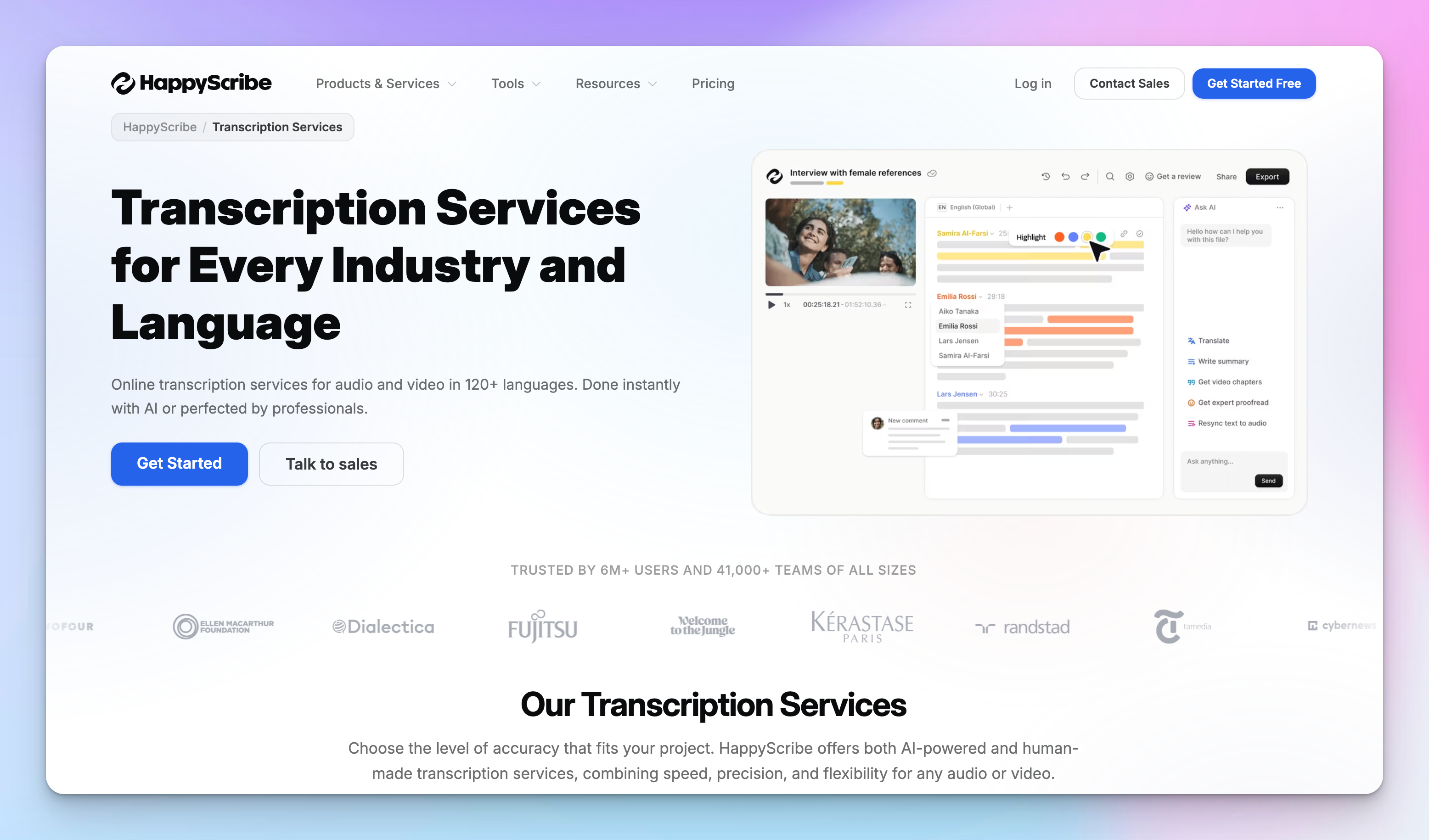
Upload your file, get a clean transcript in minutes, edit directly in the browser, and export in whichever format your workflow needs. No extra steps, no conversion tools, no waiting around.
It covers both audio to text and video to text in one place, which means you won’t have to switch between separate tools for different file types.
HappyScribe's key features
1. GDPR compliance, EU data storage, and granular privacy controls
For European teams handling sensitive audio, HappyScribe is GDPR- and SOC 2 Type II-compliant, with all data stored in an EU-based Tier IV data center that is PCI DSS- and ISO 27001-compliant. Every file is encrypted in transit and at rest using AES-256 encryption.
You can opt out of anonymized AI training, request permanent deletion of any file, and control exactly who can view or access your transcripts. Your data never leaves protected EU infrastructure.
2. Superior transcription across 150+ languages and dialects
HappyScribe supports transcription in 150+ languages and dialects, with automatic language detection that kicks in the moment you upload.
It handles diverse accents, fast speakers, and background noise without requiring clean studio-level audio to produce a usable transcript.
For European teams, that kind of language coverage is crucial. Most transcription tools do English well and everything else passably. HappyScribe holds up across French, German, Spanish, Italian, Dutch, Portuguese, and well beyond, making it a reliable choice for multilingual teams and cross-border workflows.
3. AI transcription and human review in one place
For speed, HappyScribe's AI transcription delivers 95%+ accurate results in minutes.
For content where every word is critical, such as legal recordings and research interviews, you can order human-reviewed professional transcripts from native linguists with up to 99% accuracy, delivered within 24 hours.
Most tools make you choose one or the other. HappyScribe gives you both, under the same roof, on the same file.
4. Handles any audio or video format
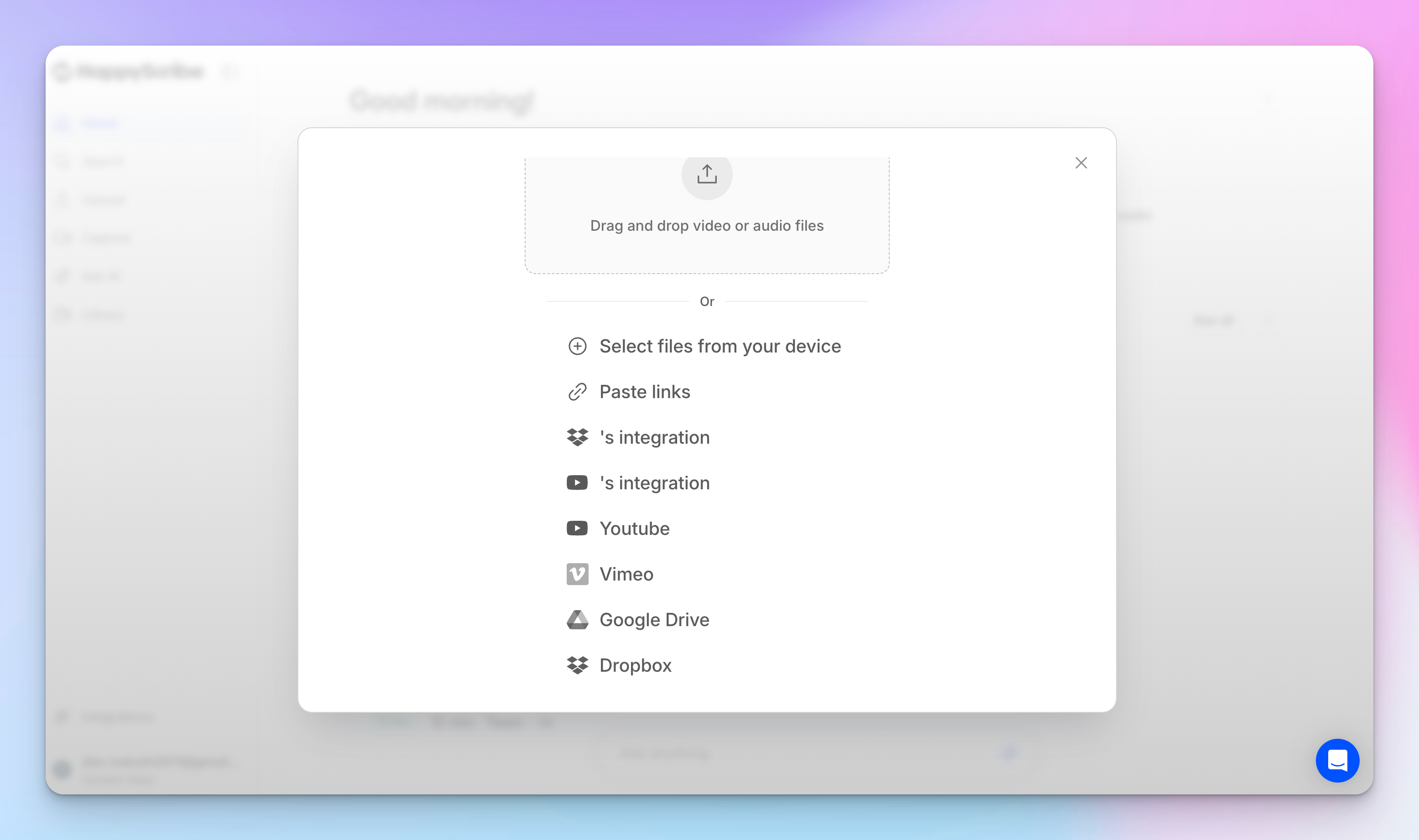
HappyScribe accepts 45+ audio formats including MP3, WAV, M4A, AAC, FLAC, and OGG, as well as video formats including MP4, MOV, AVI, MKV, and WebM.
You can upload directly from your computer, import from Google Drive, Dropbox, or YouTube, or paste a link from Zoom, Vimeo, or TikTok.
No file conversion required before uploading. Whatever format the recording came in, HappyScribe takes it as-is.
5. Built-in transcript editor and flexible export
Once your transcript is ready, you can edit, highlight, search, and correct it directly in HappyScribe's online editor without downloading anything first.
Speaker labels, timestamps, and formatting are all adjustable in the same interface.
When you're done, export to TXT, DOCX, PDF, SRT, VTT, or 10+ other formats, whether you need a clean document, a subtitle file, or both.
HappyScribe's pricing
- Free: First 10 minutes of AI transcription free, no credit card required
- Basic: $8.50/month (billed annually) or $17/month (billed monthly)
- Pro: $19/month (billed annually) or $29/month (billed monthly)
- Business: $59/month (billed annually) or $89/month (billed monthly)
- Enterprise:Contact sales for tailored solutions
HappyScribe's pros
- Play audio and video alongside the transcript in the editor, so you can verify context without switching tabs
- Translate content into 80+ languages and generate subtitles for videos
- Verbatim and clean read options, so you can choose between capturing every word or a more polished, readable version
- Custom glossaries and style guides keep terminology consistent across all your transcriptions
- Collaboration features let you share transcripts via secure links with view-only or editing access, plus comments and highlights
- API access for teams that need to automate transcription at scale or integrate it into existing pipelines
- NDA available for sensitive projects handled through the human transcription service
- Connect your transcripts to AI tools using HappyScribe’s MCP server
- Integrate HappyScribe with your existing tech stack using Zapier
- Get customer support from real humans, not chatbots
HappyScribe's cons
- Free plan limited to 10 minutes of transcription
- Human transcription adds cost and turnaround time
What are real-life users saying about HappyScribe?
I've been using HappyScribe for almost a year now and have had a really good experience with it. For me, it's been more user-friendly and accurate than other transcription tools I've tried. I mainly use it to transcribe videos for research and to help templatize scripts, and it saves me a lot of time. The interface is straightforward, the transcripts are usually very accurate, and editing inside the platform is simple. Overall, it's been a reliable tool for my workflow, and I appreciate how easy it makes turning spoken content into usable text.
HappyScribe is fast, effortless, and accurate—getting straight to the point every time. It makes transcription and subtitling a breeze. Truly grateful for such a reliable tool!
How to transcribe audio or video using HappyScribe: A step-by-step guide
Step 1: Upload your audio or video file from your computer, YouTube, Zoom, Google Drive, or Dropbox. HappyScribe supports many formats, including MP3, WAV, M4A, MP4, MOV, AVI, MKV, and more.
Step 2: Choose the language and transcription type. The AI can automatically detect the language, or you can select it manually from 150+ supported languages. Then choose AI transcription for fast results or human transcription for higher accuracy.
Step 3: Review, export, and share your transcript. Your transcript is generated in minutes. Edit it in the online editor, then export or share it in formats like DOCX, PDF, TXT, SRT, or VTT.
2. Trint
Best for:Journalists, broadcasters, and media production teams that need a full editorial workflow built around transcription
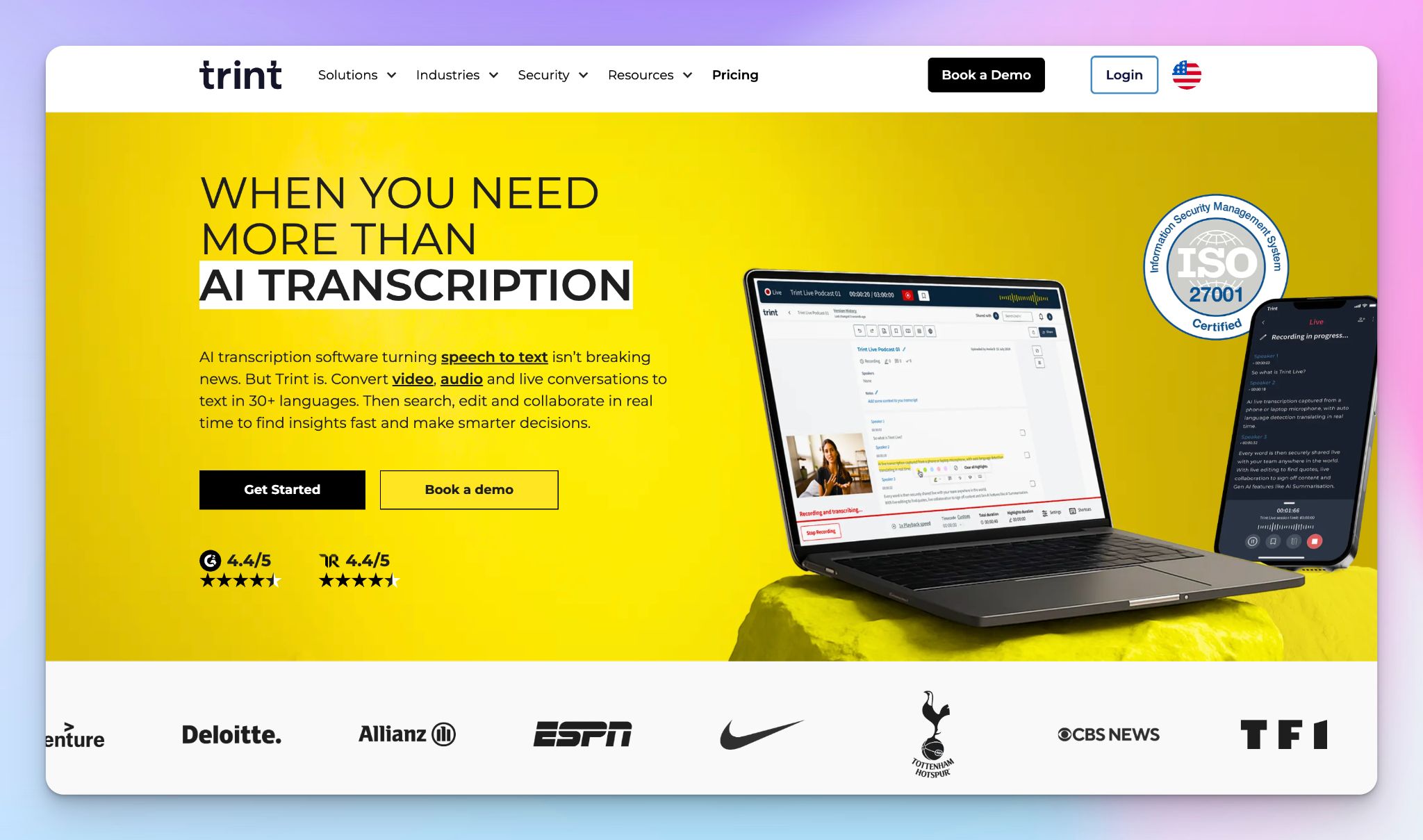
Trint was founded by Emmy Award-winning journalist Jeff Kofman, and that origin shows in every feature.
It is built for media professionals who need to move from raw audio to publishable content fast, without switching between multiple tools.
Where most transcription tools stop at producing a text file, Trint wraps an editorial layer around the transcript: search, highlight, and clip quotes, then stitch them into a structured draft using Story Builder.
Trint's key features
- Transcribes audio and video in 50+ languages with unlimited files on all paid plans
- Translates transcripts into 70+ languages directly within the platform
- AI-powered summaries generate key takeaways from any transcript in seconds
- Caption Editor creates video subtitles in one click from the transcript
- Live transcription from mobile and desktop apps for capturing press conferences, speeches, and interviews in real time
Trint's pricing
- Pro: $100/month per seat (individuals)
- Team: $90/month per seat (2 to 5 members)
- Business: Custom pricing
- 7-day free trial available
Trint's pros
- Unlimited transcription and translation on all paid plans with no minute caps
- Story Builder assembles highlighted quotes from multiple transcripts into a structured draft
- Every word in the transcript is synced to the exact moment in the source file for fast verification
- Live transcription available from desktop, mobile, and microphone
- EU-based server and ISO 27001 certification available on the Business plan
Trint's cons
- No free plan; starting price of $100/month per seat is among the highest on this list
- EU data storage and ISO 27001 certification are locked to the Business plan only
- Built primarily for media and newsrooms, less suited for research or corporate transcription workflows
📚Also read:
3. Amberscript
Best for: Teams in regulated industries that need a transcription tool with strong compliance credentials and a choice between AI speed and human precision
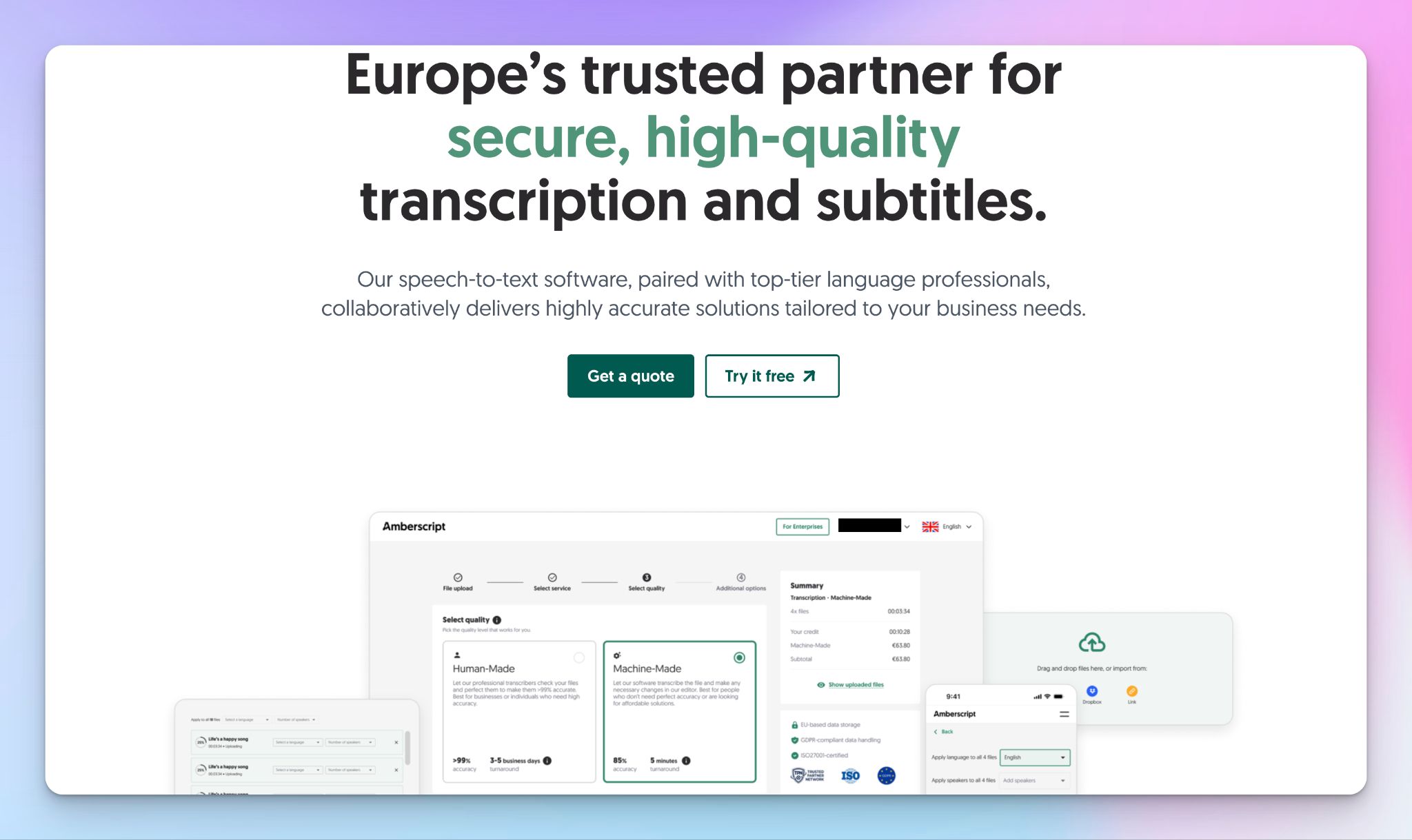
Amsterdam-based Amberscript is built for organizations that take data security seriously. It comes with GDPR compliance, ISO 27001 and ISO 9001 certification, and the TPN badge for content security.
Amberscript offers both automatic AI transcription and human-made transcription on the same platform, so you can choose based on what the file demands.
Amberscript's key features
- AI transcription converts audio and video to text in minutes, with human-made transcription available at over 99% accuracy for legal, medical, academic, and high-stakes content
- Files stored exclusively in Europe, with GDPR compliance and ISO 27001 and 9001 certification across both AI and human services
- Human transcription available in 18+ languages, with AI transcription supporting a broader range of languages and dialects
Amberscript's pricing
- Starter: €19/month (5 hours/300 minutes)
- Pro: €29/month (10 hours/600 minutes)
- Power: €49/month (25 hours/1,500 minutes)
- Human-made transcription available from €1.85/minute
Amberscript's pros
- Three transcription styles available for human-made transcripts: verbatim, clean verbatim, and clean read, so the output matches your exact use case
- Rush order option available for urgent human transcription projects
- Rush orders and anonymization available as add-ons for human transcription projects
Amberscript's cons
- AI plan minutes are capped monthly, so high-volume users will hit limits quickly
- Human transcription covers 18+ languages, which is narrower than some competitors
- No free plan; AI plans start at €19/month with no trial option listed
📚Also read:
4. Klang AI
Best for: European researchers, journalists, legal teams, and public sector organizations that need accurate transcription with strict EU data sovereignty
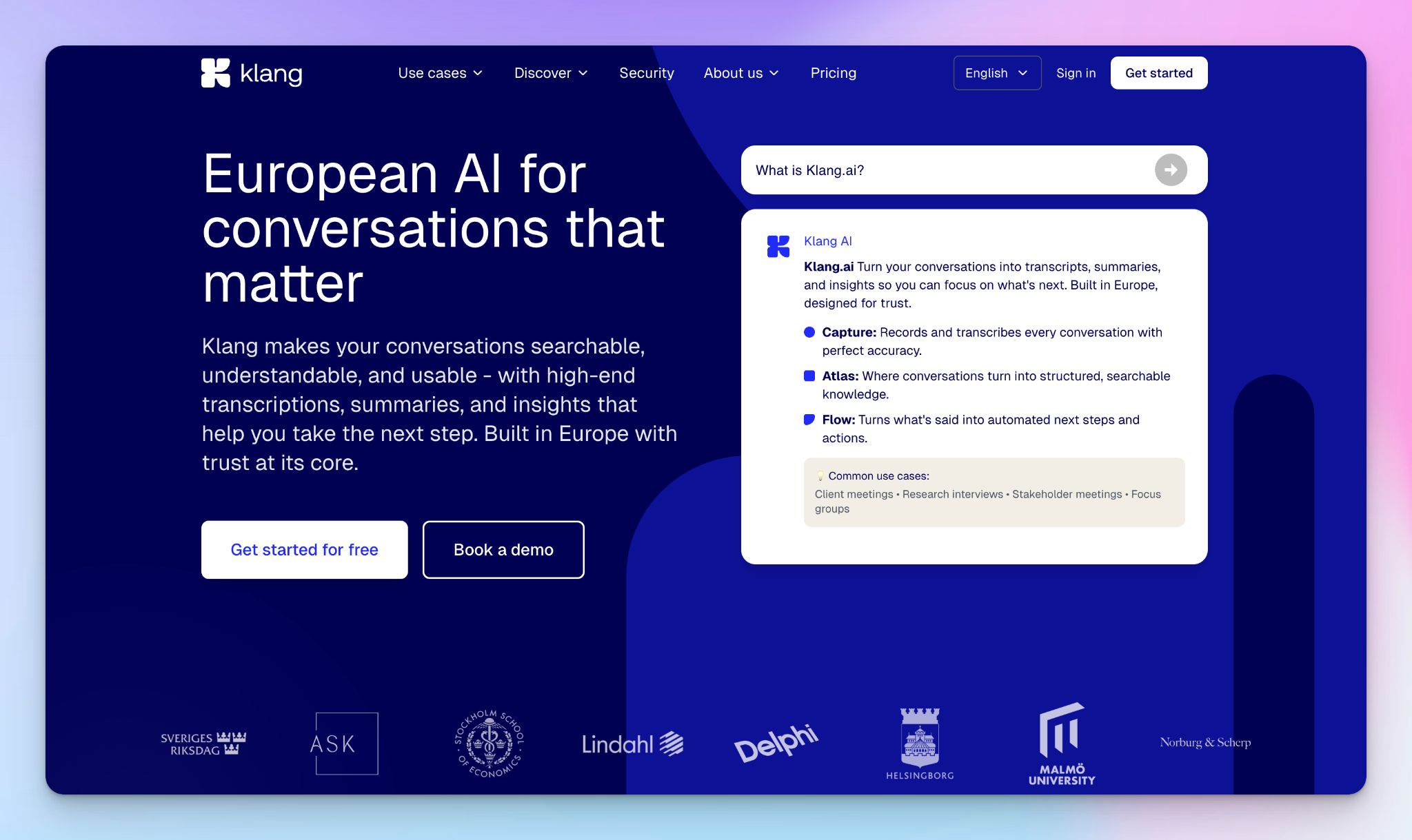
Klang.ai is a Swedish transcription platform built entirely within the EU.
You upload audio or video files, get back an accurate, searchable transcript, and stay within a data environment governed by European law. All data is stored on Scaleway servers in France. Klang never trains on customer data, and deletion is permanent.
It’s useful for public sector bodies, legal teams, and anyone handling sensitive recordings.
Klang AI's key features
- Upload any common audio or video format, including long multi-hour files, or record directly via browser, mobile app, or connected meeting platforms
- Transcription in multiple languages, including Swedish, Danish, and Norwegian, with speaker identification, playback sync, and suggested edits for faster review
- AI-powered summaries and built-in search across all transcripts
- Export to TXT, Word, Excel, SRT, and VTT; translation available on Pro and above
- All data processed and stored in France on Scaleway servers; ISO 27001, ISO 42001, and AI Act-compliant, with BYOK encryption available for enterprise customers
Klang AI's pricing
- Freemium: Unlimited transcription, 1 export per month, forever
- Pro: €20/month per person; 7-day free trial
- Team: Price on demand (5+ users)
- Enterprise/on-premise: Custom pricing
Klang AI's pros
- Swedish company, French servers, no exposure to US data laws
- Never trains on customer data; deletion is permanent and verifiable
- Free plan includes unlimited transcription
Klang AI's cons
- No human transcription option for critical content
- Not suited for teams working across a wide range of European languages
5. Gladia
Best for: Developers and technical teams that need to embed accurate, multilingual transcription into their own products and workflows via API
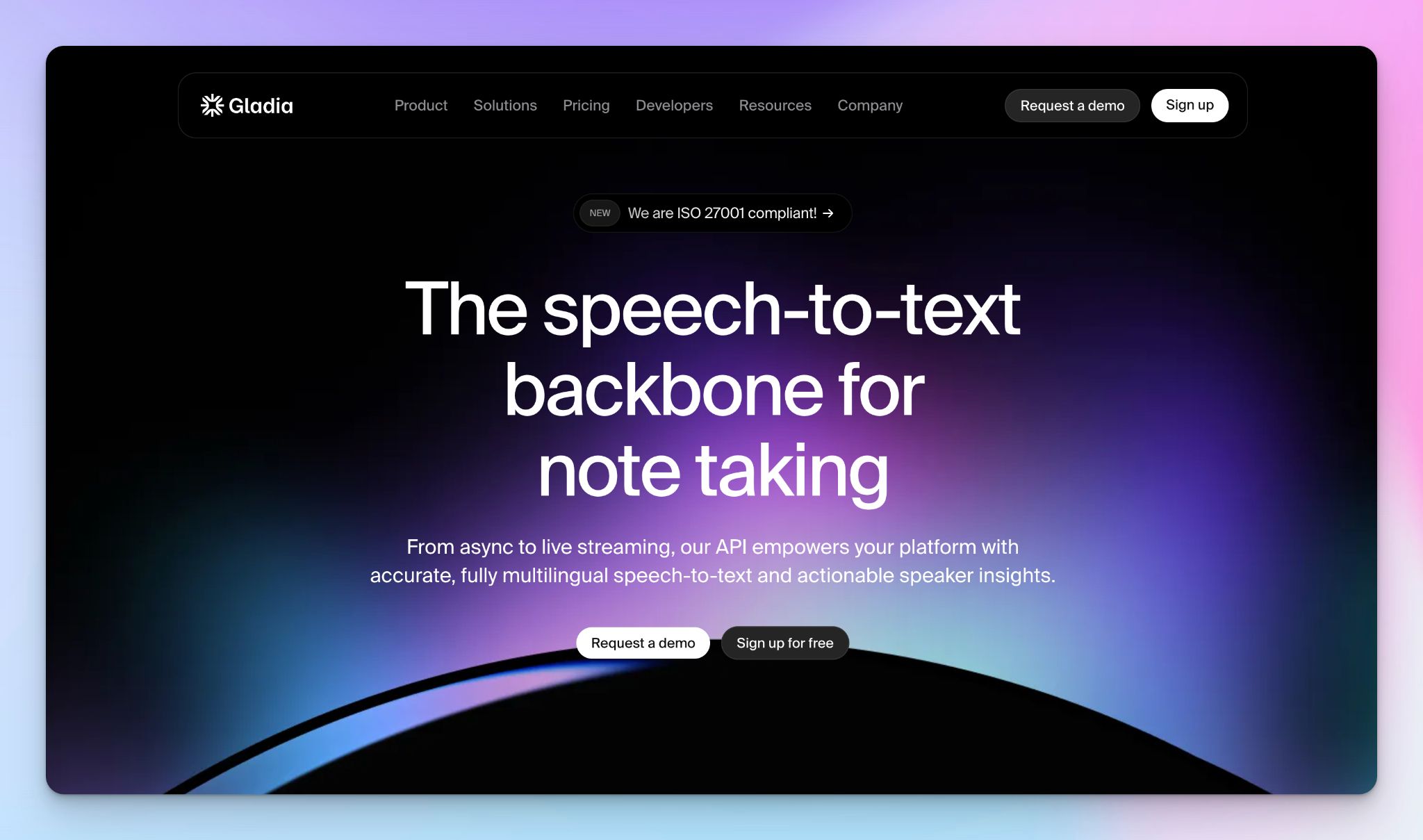
Gladia is a Paris-based speech-to-text API platform. If you need to log in and transcribe a recording, this is not the right fit. But if your team is building a voice application, a meeting assistant, a contact centre tool, or a media pipeline that needs production-grade transcription, Gladia is worth a serious look.
Its core model, Solaria-1, supports 100+ languages, handles code-switching mid-conversation, and delivers real-time transcription with under 300ms latency.
Gladia's key features
- Solaria-1 supports 100+ languages, with automatic language detection and code-switching support for mid-conversation language changes
- Real-time streaming transcription delivers results in under 300ms latency, with partial transcripts available in under 103ms
- Async speech-to-text available for long-form recordings and batch processing with no hallucinations
- Custom vocabulary and named entity recognition let teams train the model on brand names, jargon, and domain-specific terms
- EU and US-based infrastructure with dedicated deployment options and compliance certifications
Gladia's pricing
- Starter: Async $0.61/hr, Real-time $0.75/hr
- Growth: Async from $0.20/hr, Real-time from $0.25/hr
- Enterprise: Custom pricing
Gladia's pros
- EU-based infrastructure available with dedicated deployment options for compliance-sensitive teams
- PII redaction built in, useful for teams handling personal data under GDPR
- Scales to unlimited parallel streams with pay-as-you-go pricing
Gladia's cons
- API-only; no consumer interface, so non-technical users cannot use it without developer support
- No human transcription option for accuracy-critical content
- Not suited for individual professionals or small teams without technical resources
So, which transcription software in Europe should you choose?
The five tools on this list all do transcription well. The difference is in the details.
👉 If you are a journalist or broadcaster with a heavy editorial workflow, Trint is a reliable option.
👉 If your team works in a regulated industry and needs third-party compliance credentials like ISO 9001 and TPN, Amberscript is useful.
👉 If you are building a voice product and need a developer API with deep European language support, Gladia is a good pick.
👉 If you are a European-first team that handles sensitive content and wants maximum data sovereignty at an accessible price, Klang AI stands out.
👉 If you need the most accurate transcription across the widest range of European languages, with the option to bring in human reviewers for your most sensitive content, HappyScribe is the strongest all-rounder. It supports 150+ languages, handles all file types, provides seamless exports, and stores your data in the EU by default.
FAQs on the best transcription software in Europe
What is the best transcription software in Europe for GDPR compliance?
Choosing the right transcription software for European teams means balancing transcription accuracy, multilingual support, and data privacy. HappyScribe is the best transcription tool for most use cases. It offers highly accurate AI transcription across 150+ languages, EU-based storage, and SOC 2 Type II compliance. Its advanced features include speaker labeling, custom glossaries, and seamless integration with your tech stack using Zapier. For strict data sovereignty, Klang AI stores all customer data on French servers. For regulated industries, Amberscript holds ISO 27001 and ISO 9001 credentials. The right transcription software should keep your data within EU infrastructure by default.
Does HappyScribe offer both AI and human transcription?
Yes. HappyScribe offers human and AI transcription on the same platform, which sets it apart from most other services in the transcription industry. Its accurate AI transcription handles background noise, multiple speakers, and diverse accents without needing clear audio, with 95%+ accuracy. AI generated transcripts are ready in minutes, while human verification adds precision (up to 99% accuracy) for professional contexts like legal recordings, sales calls, and transcription for media companies.
Which transcription tools support multiple languages and multiple speakers?
If your team works across borders, multilingual support and speaker identification are non-negotiable. HappyScribe leads the field with 150+ languages, automatic transcription, and speaker labeling, making it one of the best AI transcription tools for teams working with audio or video files. Its AI powered transcription handles multiple speakers well and can highlight key points across long spoken conversations. Gladia supports 100+ languages with real time transcription and code-switching for mid-conversation language shifts. Klang AI covers 17 languages including Nordic languages, while Amberscript offers human transcription services in 18+ languages for high quality transcription of complex multilingual content.
What's the difference between automatic transcription software and manual transcription?
Automatic transcription software uses AI powered technology to turn audio recordings and video files into text in minutes, removing what used to be a tedious task from your workflow. Tools like HappyScribe offer automated transcription that handles background noise, multiple speakers, and long audio or video files without human input. Manual transcription remains slower and more expensive but delivers stronger results for detailed analysis, thematic analysis, and complex content like legal call summaries. The best AI transcription tools today bridge this gap: HappyScribe combines accurate AI transcription with optional human review, so you get the level of accuracy your project demands.
What are the best free online audio to text transcription tools with timestamps?
If you need to upload audio and get a timestamped transcript without paying upfront, HappyScribe is the best starting point. Its free plan includes 10 minutes of AI transcription with speaker identification, audio playback sync, and editing features, no credit card required. It also supports subtitle formats like SRT and VTT for video editing workflows. Klang AI offers a free tier with unlimited transcription, though exports are capped at one per month. Both tools handle common audio and video formats without file conversion and store customer data within EU infrastructure.
What are the best AI meeting transcription services with a free trial or free plan?
For teams that need reliable meeting transcription software without committing upfront, HappyScribe and Klang AI are the strongest options. HappyScribe's free trial delivers AI powered transcription with timestamps, speaker labeling, key takeaways, and collaborative features across audio or video. Klang AI's free tier includes unlimited transcription and connects directly to Google Meet, Microsoft Teams, and Zoom; ideal for automatic meeting notes and key points extraction from spoken conversations. Trint offers a 7-day free trial with its full editorial workflow including an AI assistant and real time transcription. For teams that need valuable insights from sales calls or sentiment analysis, HappyScribe's paid plans add call summaries, detailed analysis, Ask AI, and seamless integration with your existing stack.

Rodoshi Das
Rodoshi is the Content Lead at HappyScribe, the privacy-first transcription and AI notetaker platform based in Barcelona. Shaping content strategies and building AI workflows excites her as much as exploring new SaaS tools. She specializes in product-led content that informs rather than sells, grounded in honest product benchmarking and low tolerance for empty marketing speak.