


HappyScribe vs Otter: Which AI meeting assistant wins on accuracy, languages, and trust
Otter is one of the most popular AI note takers in the market, but the success it enjoys today was built years ago. Back when I first used Otter in 2022, it was already ahead of competitors, albeit with a smaller feature set.
4.6 on G2 4.7 on Trustpilot


 SOC 2 Type II
 GDPR compliant

But we’re in the middle of 2026, and meeting workflows look a lot different now. HappyScribe AI note taker is built for today’s users, and it goes note-to-note against Otter in every use case and then some.
I’ve tested both the tools more times than I’d love to admit, and I can tell you this is no David vs Goliath story.
If you’re bored with Otter or wondering if you’re missing out on features from newer note takers, I have the answer for you.
Here’s how HappyScribe and Otter stack up against each other:
HappyScribe vs Otter at a glance
| Feature | HappyScribe | Otter |
|---|---|---|
| Best for | Transcription and meeting notes, with a human-accuracy option | Real-time transcription on English-heavy video calls |
| Transcription accuracy | Clean on names, numbers, and codes, plus a 99% human-verified option | Solid on clean audio, slips on names, numbers, and multi-speaker calls |
| Meeting note taker | Auto-join by calendar or link, bot-free in-person recorder | Auto-join, bot-free audio recording, real-time transcription |
| Language support | 150+ AI, 60+ human, auto-detect on upload | Six languages, one at a time, no auto-detect |
| Compliance and consent | SOC 2 Type II, GDPR, EU residency, training control | SOC 2 Type II, US-hosted, consolidated consent lawsuit |
| HIPAA | Not offered | Enterprise add-on with a signed BAA |
| AI features and agents | Cited AI Chat across your library, plus MCP | AI Chat plus sales, recruiting, and SDR agents |
| Integrations | Meetings, storage, video platforms, Zapier, REST API, MCP | Meetings, Slack, CRM stack. API and webhooks are Enterprise-only |
| Human expert tier | 60+ languages from $2.00/min | None |
| Free plan | Unlimited AI meeting notes | 300 minutes a month, only three lifetime file uploads |
| Starting price | $8.50/month billed annually | $8.33/user/month billed annually |
What does HappyScribe do?
Barcelona-based HappyScribe is an all-in-one meeting management and transcription platform. Set up the AI meeting note taker, and it’ll join your calls and capture notes for you.
But that’s just the start. You also get access to human transcription for serious work, subtitles, translation, and an AI assistant.
HappyScribe is built for creators, researchers, and business teams who would rather not stitch four separate tools together for documentation. It stores data in Europe to make sure your files are not subject to overseas surveillance issues.
This is not a dig at Otter, I’m just giving you a rundown of HappyScribe.
What does Otter do?
Otter is a meeting assistant that has grown well past transcription. It auto-joins Zoom, Google Meet, and Microsoft Teams, transcribes in real time, and gives you a summary with action items.
Otter’s AI Chat scans your meeting history to answer your questions, and its agents for sales, SDR, and recruiting are fine-tuned for specific tasks.
It's a US-based platform built for teams that run back-to-back calls and rely heavily on real-time transcription.
HappyScribe vs Otter: Meeting notes and workflows
HappyScribe's meeting workflow
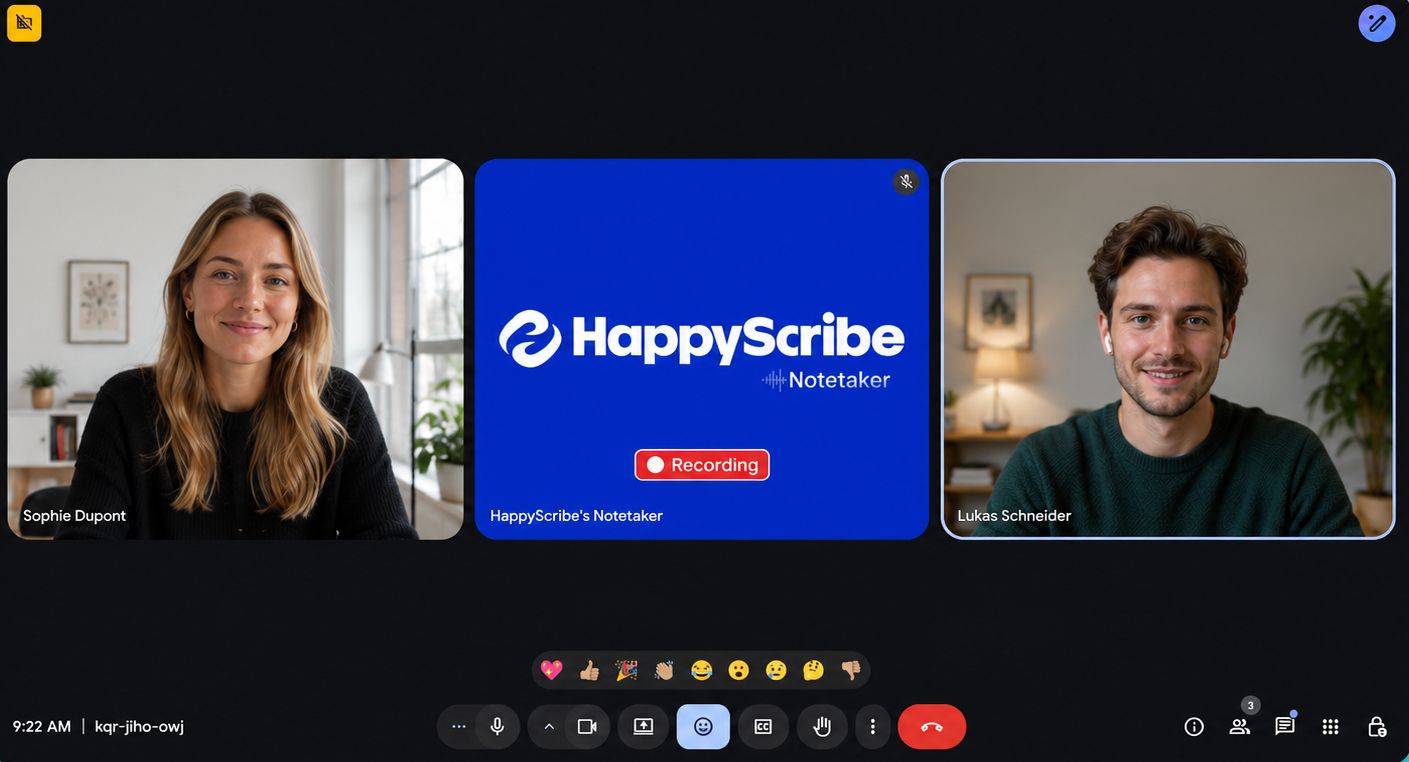
Connect your Google or Outlook calendar with HappyScribe AI meeting note taker, and it auto-joins Zoom, Meet, and Teams calls to take notes.
When I have impromptu meetings outside my calendar, I paste the meeting link directly. HappyScribe bot announces itself to gather consent (great for compliance), and the in-call controls let you pause or remove mid-call if someone objects.
You can also rebrand the bot with a name and logo so it looks like a part of your team.
But a lot of my meetings happen off-screen. HappyScribe’s mobile app captures in-person conversations with no bot in the room, so a cafe chat gets recorded and transcribed the same way a Zoom call does.
Otter's meeting workflow
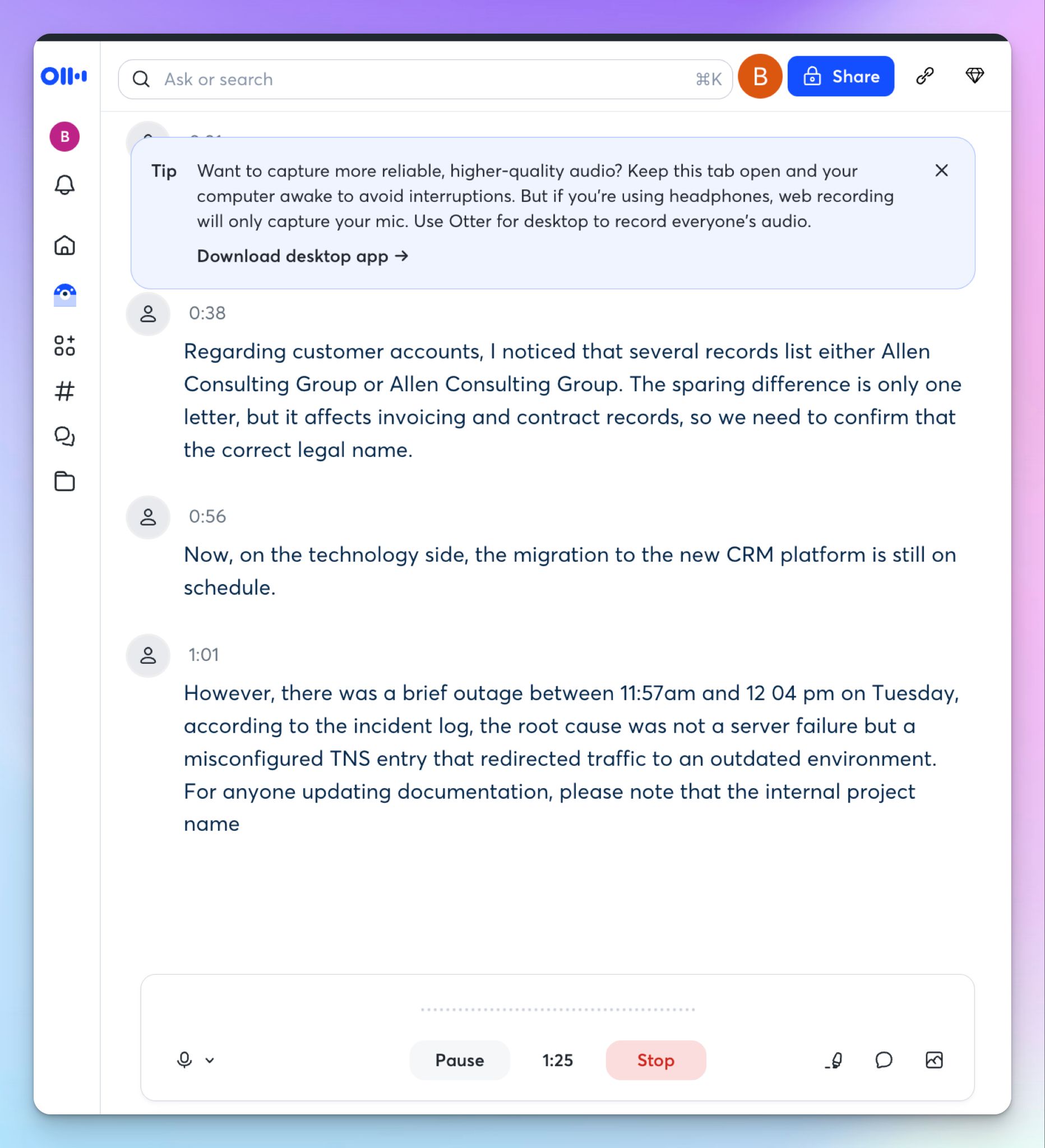
Otter is strong here, and I won't pretend otherwise. Its notetaker auto-joins Zoom, Meet, and Teams from your calendar, and the real-time transcription is a boon for meetings where you’re struggling to follow topics.
You can record bot-free with the desktop app and Chrome extension, or capture on mobile, so in-person meetings are covered too.
Otter’s limits are in edge cases.
Concurrent meetings are gated to paid tiers, and only Enterprise users get to access video replays and customize the notetaker.
📌 Verdict:
This one's a real contest. Both HappyScribe and Otter cover meeting auto-join and bot-free capture. Otter adds real-time transcription but loses points on intrusive meeting bot. You can choose either for meeting notes, so the decision comes down to other factors.
HappyScribe vs Otter: Transcription accuracy
To actually test accuracy, I ran the same meeting file through both tools. It was loaded with details you’d expect in your daily meetings.
HappyScribe's accuracy
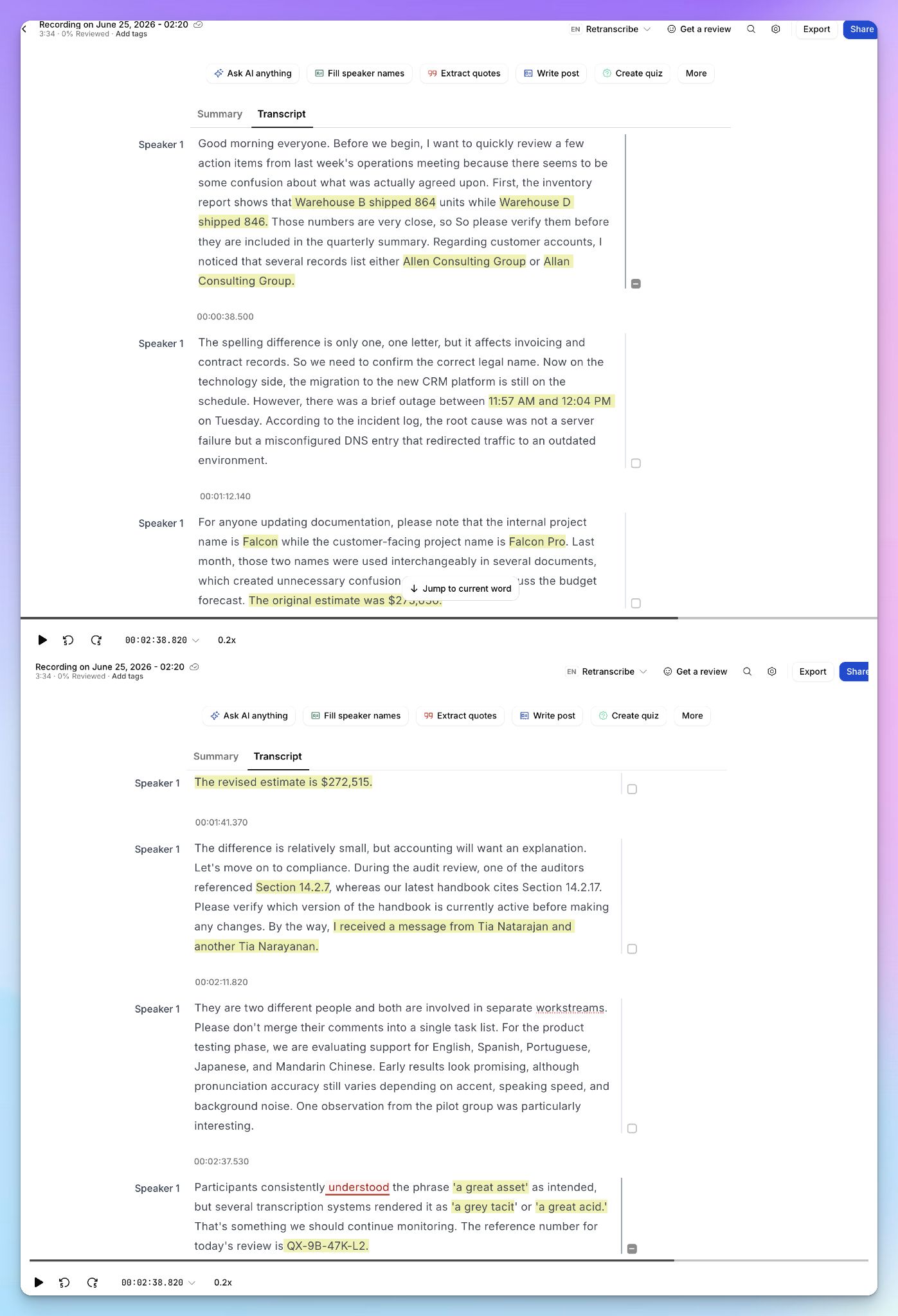
As you can see from the image, HappyScribe’s transcript is easy to follow, with proper speaker labels, timestamps, and paragraph breaks.
My audio had a reference code, and it came through formatted as "QX-9B-47K-L2." The two similar names were kept separate, and a tricky self-referential line survived, where the speaker was describing how transcription tools mishear the phrase "a great asset."
When a transcript has to be perfect for research, media, or legal cases, you can send it to a human expert from the same editor.
Otter's accuracy
Otter is quick and reliable on clean, single-speaker audio, which is what most demos show. But mine was a real call.
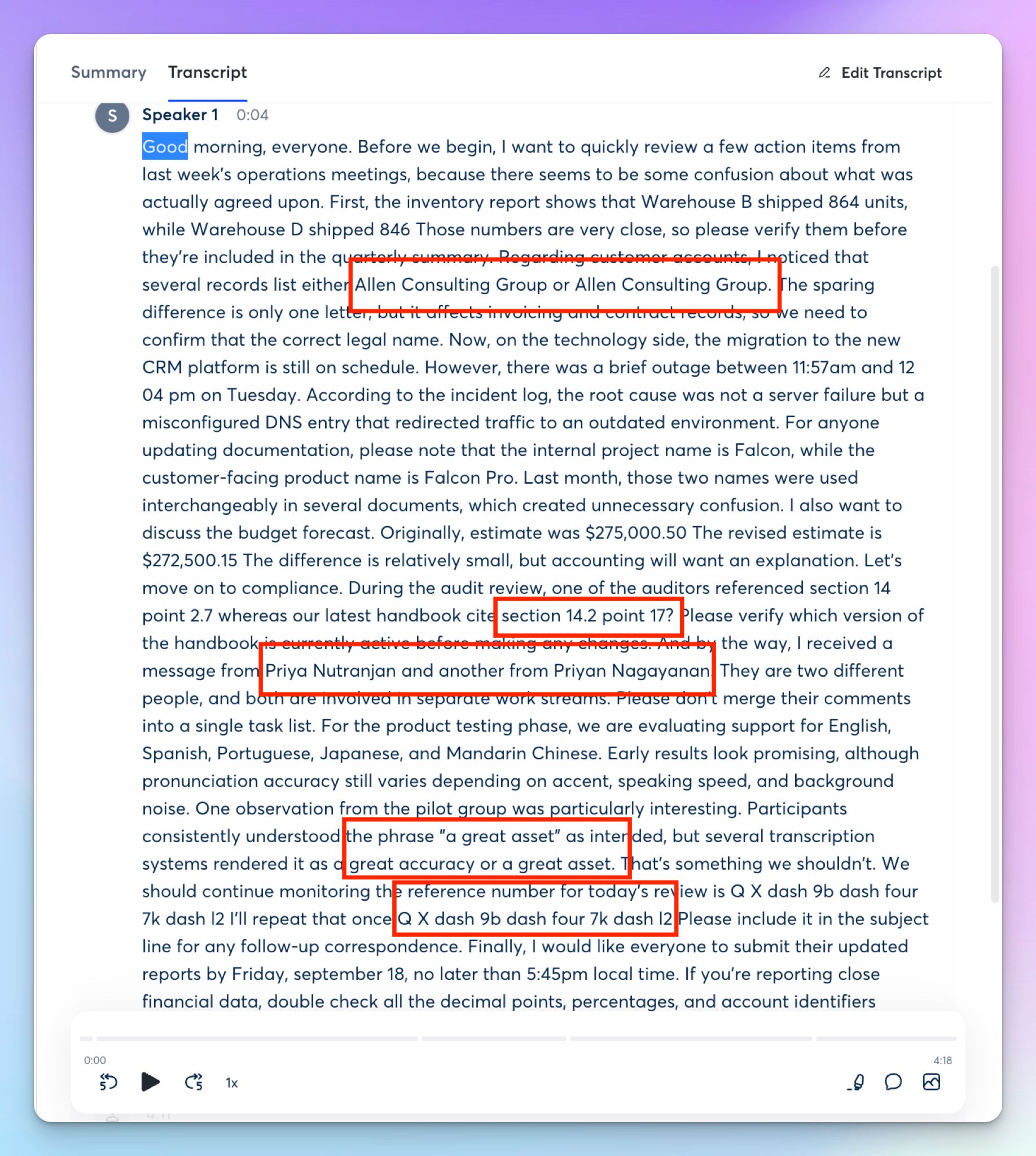
On that same file, Otter transcribed the reference code as "Q X dash 9b dash four 7k dash l2," spelled out and impossible to paste. The surnames “Natranjan” and “Narayanan” were picked wrong, and the sentence about mishearing "a great asset" was mistranscribed as "a great accuracy or a great asset."
Otter’s raw transcript is also a wall of text with no paragraph breaks, so you have to re-read every line to verify it, which defeats the point of AI notes.
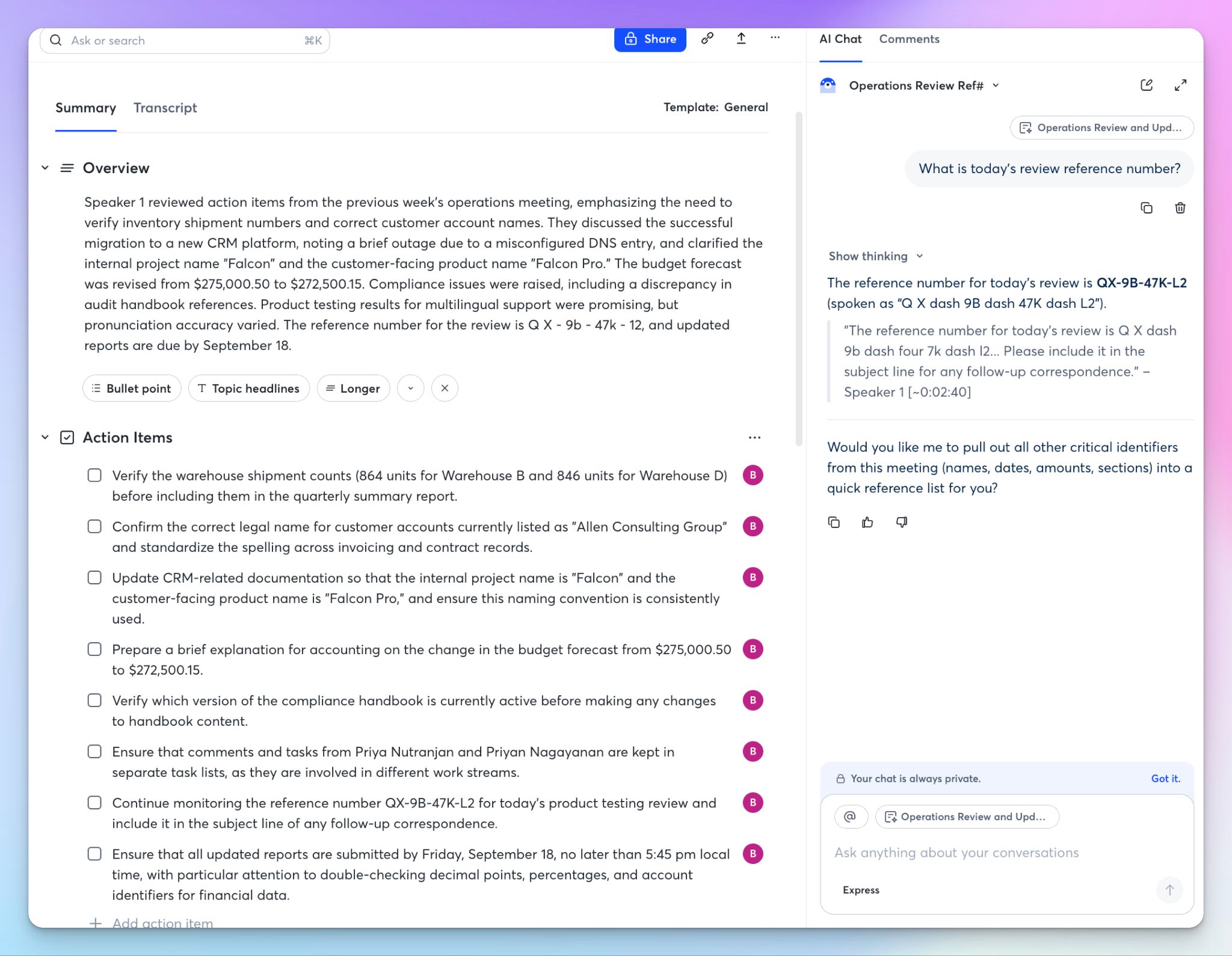
The worst part is that Otter's own AI Chat surfaced the correct reference code, cited to the speaker and timestamp. So you get more accurate results when you chat with the AI instead of checking your transcript.
But the AI Chat is capped at three questions per chat and 20 a month on the free plan, so that accuracy hits a limit pretty fast.
📌 Verdict:
HappyScribe wins on pure transcription accuracy and readability. It keeps names and references intact where Otter loses them, and its human-expert tier reaches a 99% accuracy that Otter can't match.
HappyScribe vs Otter: Compliance, security, and data consent
HappyScribe's compliance
HappyScribe is built in Barcelona, which is a hub of language and localization in Europe.
It's SOC 2 Type II certified and GDPR compliant, and it stores your files in a Tier IV, PCI DSS, and ISO 27001-compliant EU data center, with AES-256 encryption in transit and at rest.
On higher tiers, SSO and granular access controls let you keep staff out of sensitive files.
Two things make this the section that decides the matchup for a lot of readers. Your data sits inside the EU, so transcripts stay under European law and out of reach of overseas requests. And you can opt out of anonymized AI training from your settings, which is off by default for enterprise accounts.
The one box HappyScribe doesn't tick is HIPAA, so US medical recordings are the case where it isn't the right fit.
Otter's compliance and security
Otter covers the security basics. It's SOC 2 Type II certified with TLS and AES-256 encryption, and HIPAA is available as an Enterprise add-on with a signed BAA. It hosts your data in the US, with SSO and SCIM reserved for Enterprise.
The bigger concern is the ongoing lawsuits.
Otter is the lead defendant in a consolidated class action (In re Otter.AI Privacy Litigation) over allegations that its bot records meeting participants, including non-users, without consent and trains on what they said.
Otter denies any interception and points to the terms and conditions. No judge has ruled, and a motion-to-dismiss hearing is set for July 15, 2026.
Read that defense closely, because consent becomes your job. In an all-party-consent state like California or Illinois, bringing Otter into a call without a clear yes from everyone could put you on the hook, not only Otter.
Users also report Otter bot staying in a call after the host left, which makes it a risky tool for sensitive discussions.
📌 Verdict:
HappyScribe wins for anyone handling European data or wary of the consent exposure. Otter earns the pick only where US HIPAA is the hard requirement that its Enterprise tier offers.
HappyScribe vs Otter: Language support
HappyScribe's language support
HappyScribe transcribes and translates in 150+ languages and dialects with AI, and 60+ with its human experts.
That range covers well past the usual English, Spanish, and French meetings and files and enters into rarer territory like Swiss German, Galician, Macedonian, Javanese, and Uzbek.
Upload a file, and HappyScribe detects the language for you, so you can run multilingual transcription and translation from the same place.
Otter's language support
Otter transcribes in only six languages: English, Spanish, French, German, Japanese, and Chinese. It handles one language at a time, has no automatic detection, and can't reprocess a file into another language later.
Ten years in, that's a narrow offering for anyone working across borders.
📌 Verdict:
HappyScribe wins, and it isn't close. It covers 25x the languages, detects them on upload, and extends human accuracy to 60+, where Otter's best work is limited to only a handful.
HappyScribe vs Otter: AI features and agents
HappyScribe's AI features
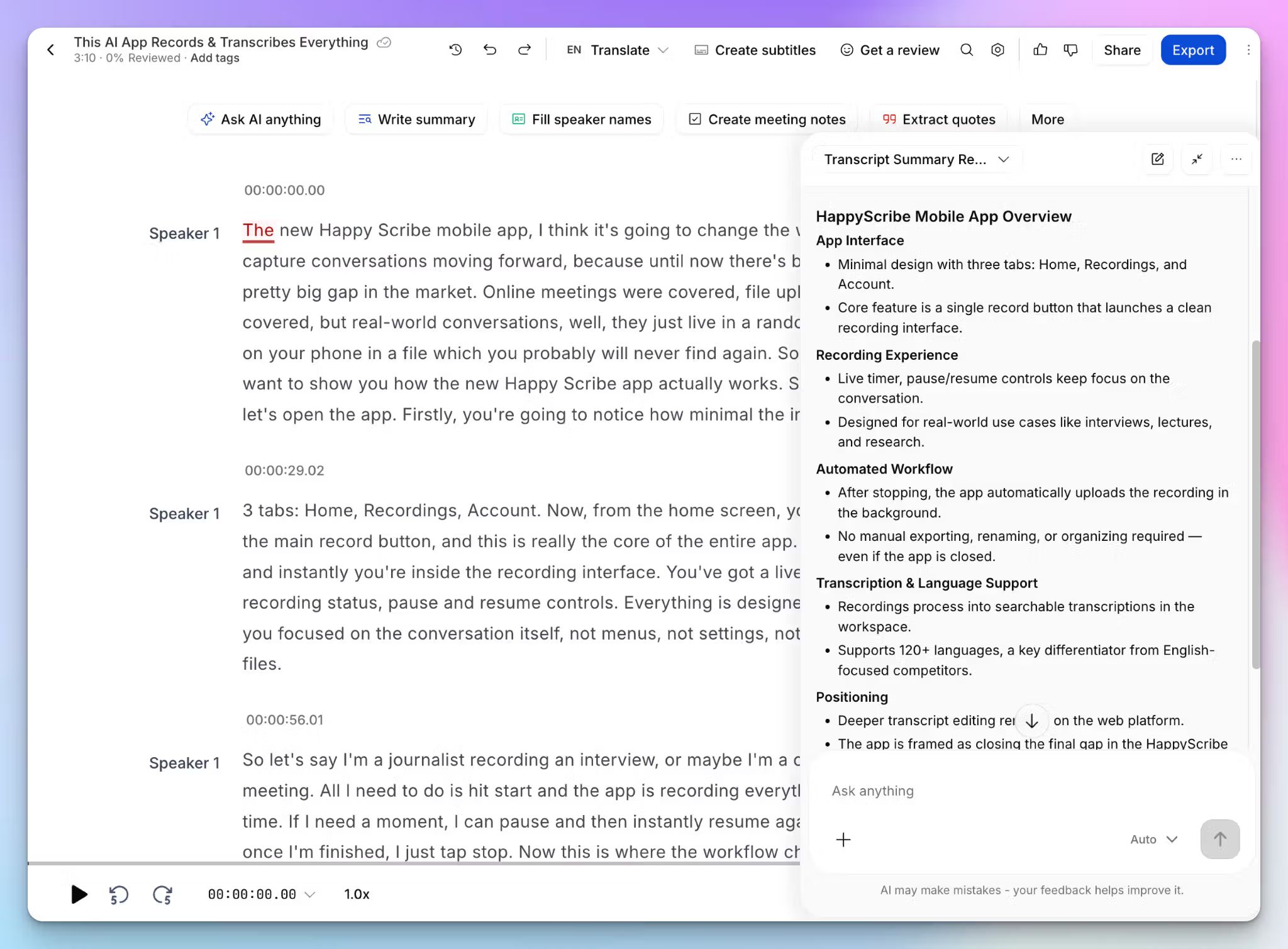
HappyScribe's AI Chat lets you ask your transcripts questions in plain language and get answers with citations. It works on a single file or across your whole library, so you can pull a decision from a call weeks ago or prep for an upcoming meeting. The same chat also writes summaries, finds action items, and extracts quotes.
You can also connect your transcription and meeting data to Claude and ChatGPT through the MCP server, so your notes flow into the AI tools you already use.
Otter's AI features
Otter goes deeper on agents, and this is where it leads. Its AI Chat runs across your meeting history, and it adds role-based agents for sales, recruiting, education, media, and inbound SDR work.
The sales agent pulls CRM context from Salesforce and HubSpot into pre-call briefs and flags moments live, while the SDR agent runs demos and books meetings from your site.
The catch is access. AI Chat is capped by tier, and the agentic tasks are built for organizations, so the depth pays off only if you use it at scale.
📌 Verdict:
This one splits by need. HappyScribe is for daily use, since its cited AI Chat spans your whole library and connects with your other AI tools. Otter wins for sales and recruiting teams who'll use its conversation-intelligence depth.
HappyScribe vs Otter: Integrations
HappyScribe's integrations
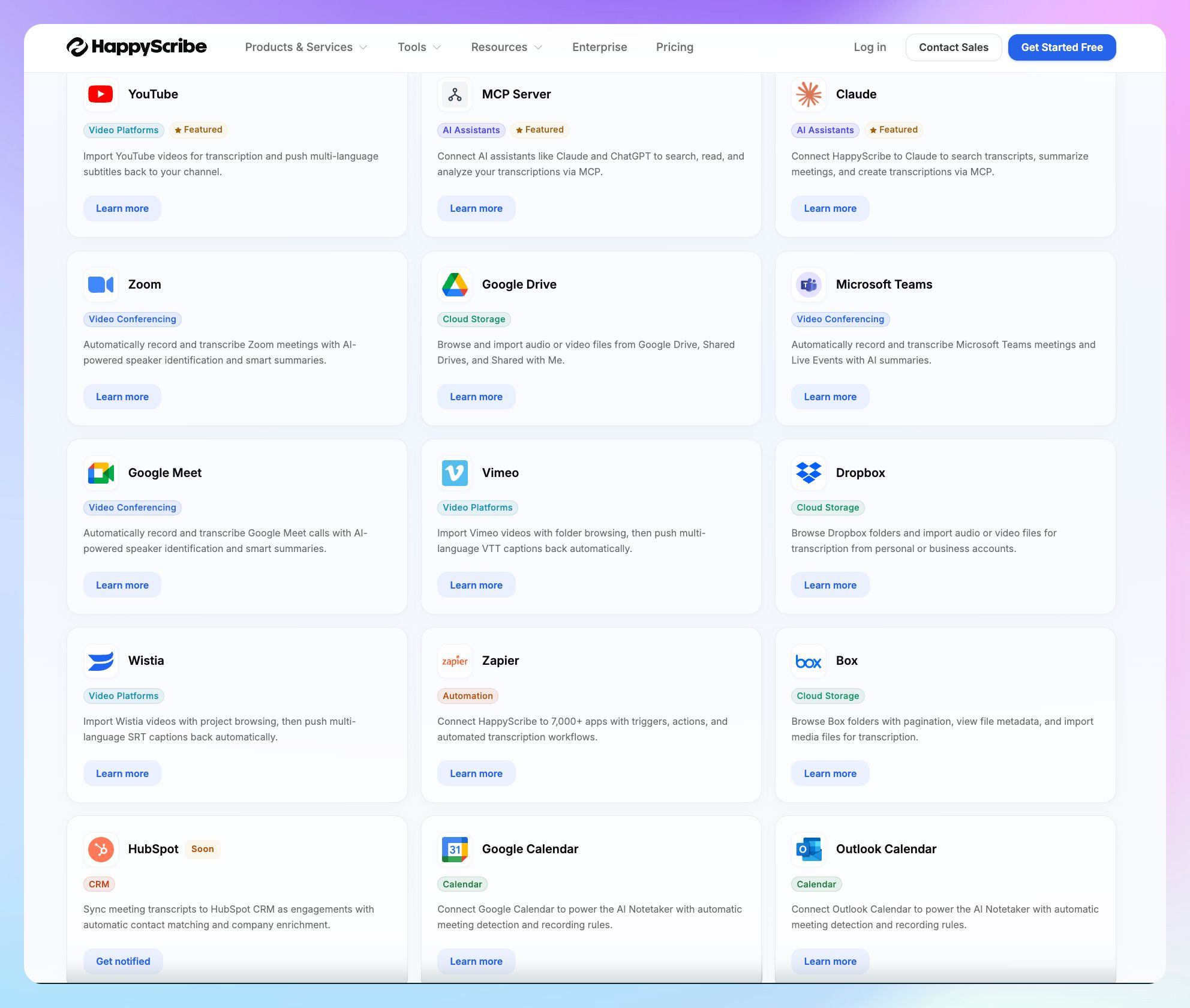
HappyScribe connects to the tools around transcripts, subtitles, and meetings.
It syncs with your Google and Outlook calendars, joins Zoom, Google Meet, and Teams calls, imports files from Google Drive, Dropbox, and Box, and pulls video from YouTube, Vimeo, and Wistia. HappyScribe also pushes finished subtitles back to those video platforms, so the workflow runs both ways.
Zapier extends it to thousands more apps, and HubSpot integration is on the way. For custom work, a REST API and the MCP server link your data to other tools.
Otter's integrations
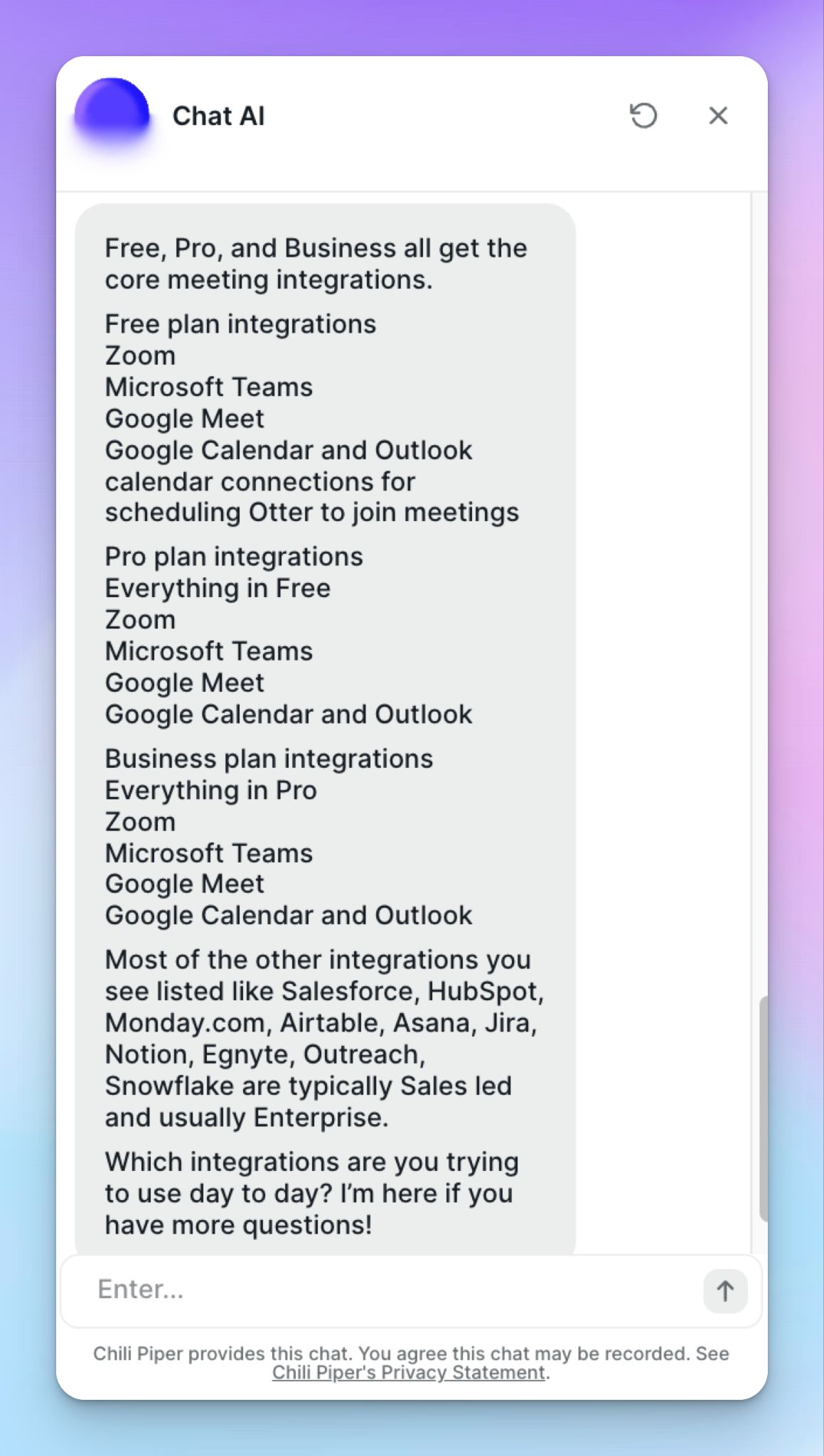
Otter is wired into the sales and operations stack. It joins Zoom, Meet, and Teams calls from your calendar, posts to Slack, connects data with an MCP server, and pushes call notes into CRMs on paid tiers.
Zapier, Salesforce, and HubSpot are available in Pro, while advanced integrations like Zoho, Monday, Egnyte, Snowflake, Airtable, Notion, and Jira are managed through sales teams for Enterprise customers. Otter also reserves the API for Enterprise.
📌 Verdict:
HappyScribe suits content and media work, with bidirectional subtitle push and an open API plus MCP server. Otter reaches deeper into the CRM and data stack, if you're on the plan that unlocks it. Pick one depending on how your notes connect to other tools.
HappyScribe vs Otter: Pricing
HappyScribe's pricing
AI transcription plans
- Free: Unlimited meeting recordings (45 mins per recording), 10-minute trial of file transcription, subtitling, and translation
- Basic: $8.50/month (billed annually) or $17/month (billed monthly)
- Pro: $19/month (billed annually) or $29/month (billed monthly)
- Business: $59/month (billed annually) or $89/month (billed monthly)
- Enterprise: Contact sales for tailored solutions
Human transcription service: Starts from $2.00/min. Extra discount for Business users
Otter's pricing
- Basic: Free, with 300 transcription minutes/month and three lifetime file imports
- Pro: $8.33/month (billed annually) or $16.99/month
- Business: $19.99/month (billed annually) or $30/month
- Enterprise: Custom pricing
You need the Enterprise plan for video replays, and HIPAA is a paid add-on on top of your plan.
📌 Verdict:
The cheapest paid plans are similar, so the free tier might decide it for you. HappyScribe's free plan gives unlimited AI meeting notes, where Otter caps you at 300 minutes a month and three lifetime file imports. Since Otter’s usage cap doesn't roll over, the cost climbs with your team and your usage.
What are customers saying?
HappyScribe customer reviews
What users love
Having several telephone calls needing to be transcribed, this program made it extremely east. Accuracy, I would say is over 95%! Best software ever with a reasonable price.
It makes transcribing recorded videos (in my case, podcasts) simple and smooth, and the whole process feels easy and straightforward. It is capable of doing quite accurate diarisation and splitting the conversation to the various speakers.
What could be better
I do wish I had more credits, but I understand why we get limited. A website as great as this needs the funding to be able to keep being up.
I love most part of this platform but I wish that the pricing of this platform was more moderate. Other than this, I also wish that there was more integration tools available for this platform. The mobile app doesn't feel as powerful as the desktop web version.
Otter customer reviews
What users love
What I like most about Otter.ai is that it automatically takes notes during meetings, so I can focus on the conversation instead of writing everything down.
I appreciate that Otter automatically connects with us for our content sprints every week via Zoom calls. I can extract verbatim quotes for LinkedIn carousels and TikTok scripts without having to re-watch. This saves me an average of three hours per week with a searchable transcript.
What could be better
Otter.ai has been used to help capture and transcribed 10 interviews for me (academic background needing transcription for qualitative analysis).
Otter has consistently failed to capture or transcribe 32% of the material. These were all on Zoom thank God and I could get the info. But Otter.ai had one job, and in my world 68% is not passing. What a waste of time, effort and money
If you create an account on your work email your colleagues will be spammed by Otter. If you create an account and link it to your Google account but later remove it from your Google account Otter will continue to try and join your meetings. This is highly suspicious.
The transcript output in the API is very very hard to work with.
HappyScribe works best when
✅ Your work spans many languages across the globe and you want them transcribed reliably
✅ You need near-perfect accuracy for research or legal work, and want a human-expert tier to format documents
✅ You run online meetings and want to control how they're captured, from a pasted link to a bot-free in-person recorder
✅ You handle EU research participant data and want GDPR compliance with European residency, minus the consent issues
✅ You need an AI assistant to find decisions, quotes, patterns, and insights with proper citation across your meetings and files
✅ You want transcription, subtitles, and translation in one workspace, with a free tier of unlimited AI meeting notes
HappyScribe doesn't work well when
❌ You transcribe US medical or clinical recordings that require HIPAA compliance
❌ You need real-time live captioning for online discussions
❌ You want role-based sales agents that can be deployed to specific teams
Otter works best when
✅ You run back-to-back English video calls and want real-time transcription on your screen
✅ You want role-based agents for sales, recruiting, or media that draft follow-ups and push insights to your CRM
✅ You need US HIPAA compliance and have the budget for Otter's Enterprise tier
✅ You work in sales and operations and want native ties to Salesforce, HubSpot, and Snowflake
✅ You capture occasional, single-user meetings that work within the free plan
Otter doesn't work well when
❌ You need near-perfect accuracy for your meeting and file transcripts, and can’t afford to guesstimate phrases, numbers, and facts
❌ You work across many languages, and don’t want to be tied to the six languages Otter supports
❌ You handle EU participant data and want it stored in Europe
❌ You join sensitive online discussions and don’t want a meeting bot violating consent and privacy rules
Final verdict: HappyScribe vs Otter
Choose Otter if your week is wall-to-wall video calls in English, real-time captioning you absolutely need, and its sales and recruiting agents fit how your team works.
Choose HappyScribe if you want better accuracy on complex audio, a human tier for when transcripts have to be perfect, rare language support, and EU data residency without the consent risks hanging over recordings.
For researchers, media teams, and anyone whose work crosses borders, HappyScribe covers more ground in one workspace, and usually for less.
Why Choose HappyScribe?
-
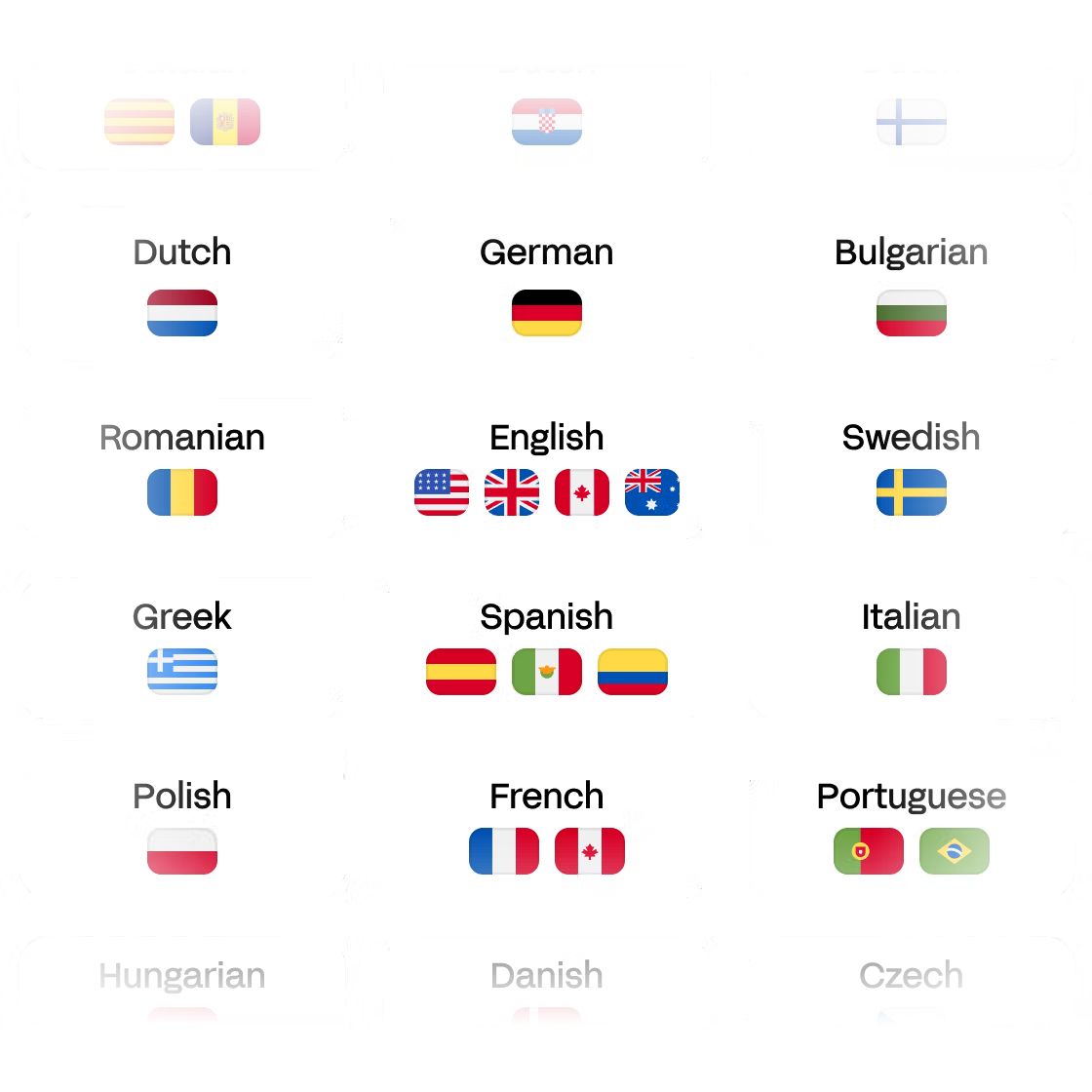
Transcribe 150+ languages
HappyScribe is your partner for transcribing any language from audio to text. We've got the biggest language variety!
Languages -
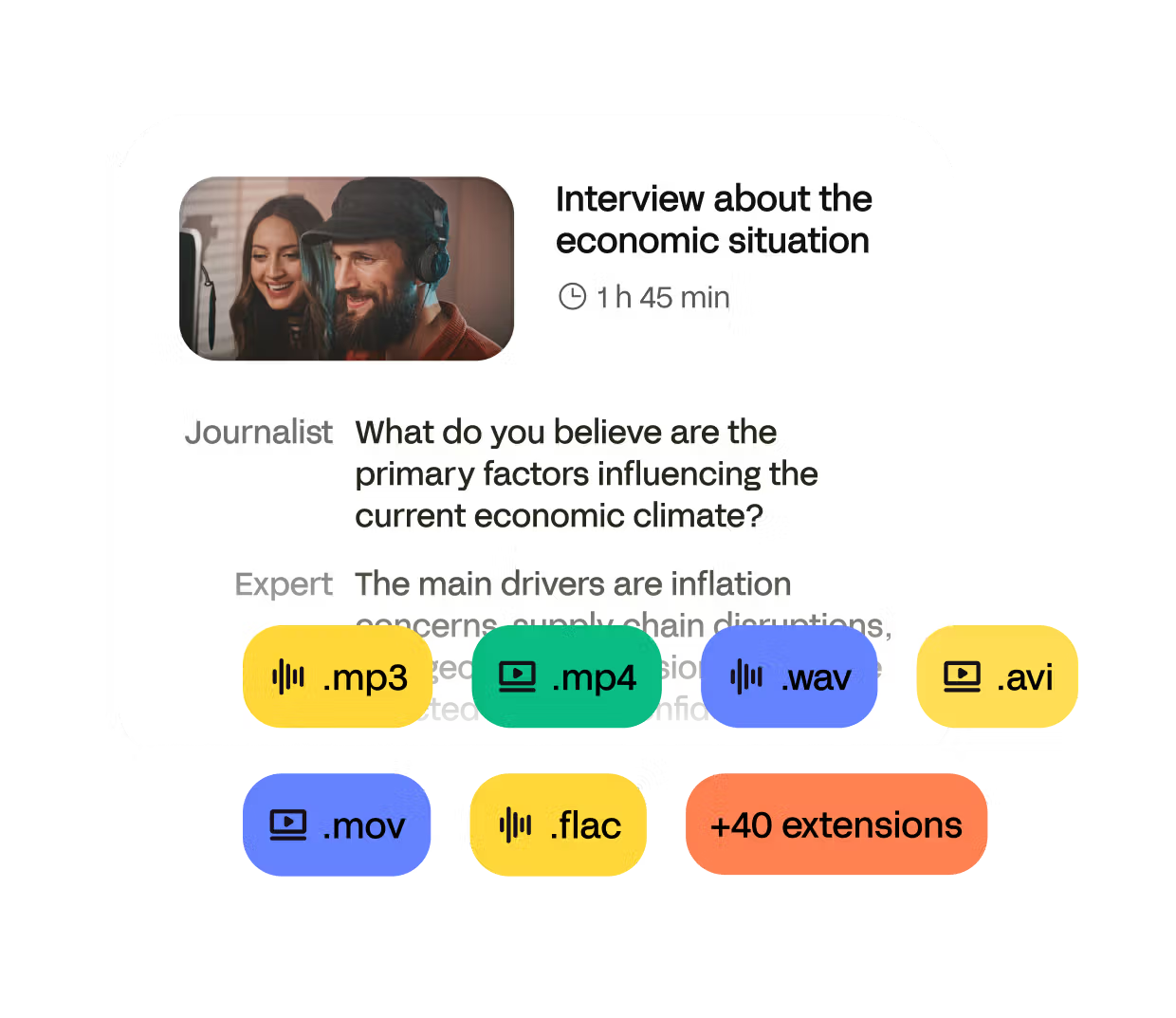
Work on 45+ audio formats
Convert any MP3, WAV, FLAC and more into text. HappyScribe goes beyond simple .txt file exports and offers full transcription workflows.
Formats -
Secure and confidential
Your audio transcripts are safeguarded with SOC 2 and GDPR security measures, for optimal data protection.
Security