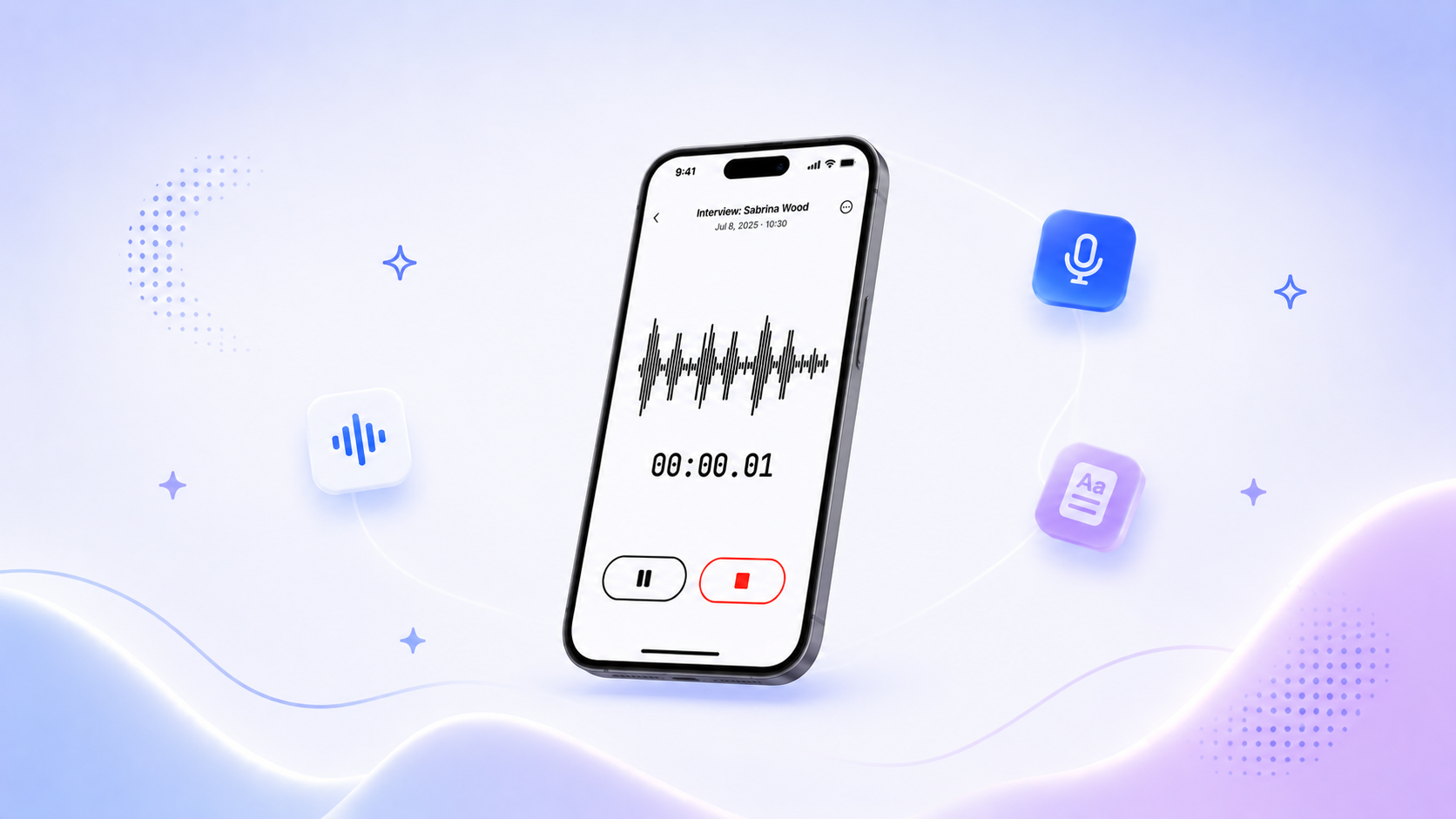
Your team has hundreds of conversations a year. Customer calls. Interviews. All-hands. Strategy meetings. Fieldwork. The kind of context your AI assistant should be able to reach for when you ask it a question.
Most of the time, it can't. It works from whatever you paste into the prompt, or from a notetaker's summary, or from a hand-typed recap of the meeting from last Tuesday. The actual transcript, the one with the quote that would settle the argument, sits in a tab nobody opens.
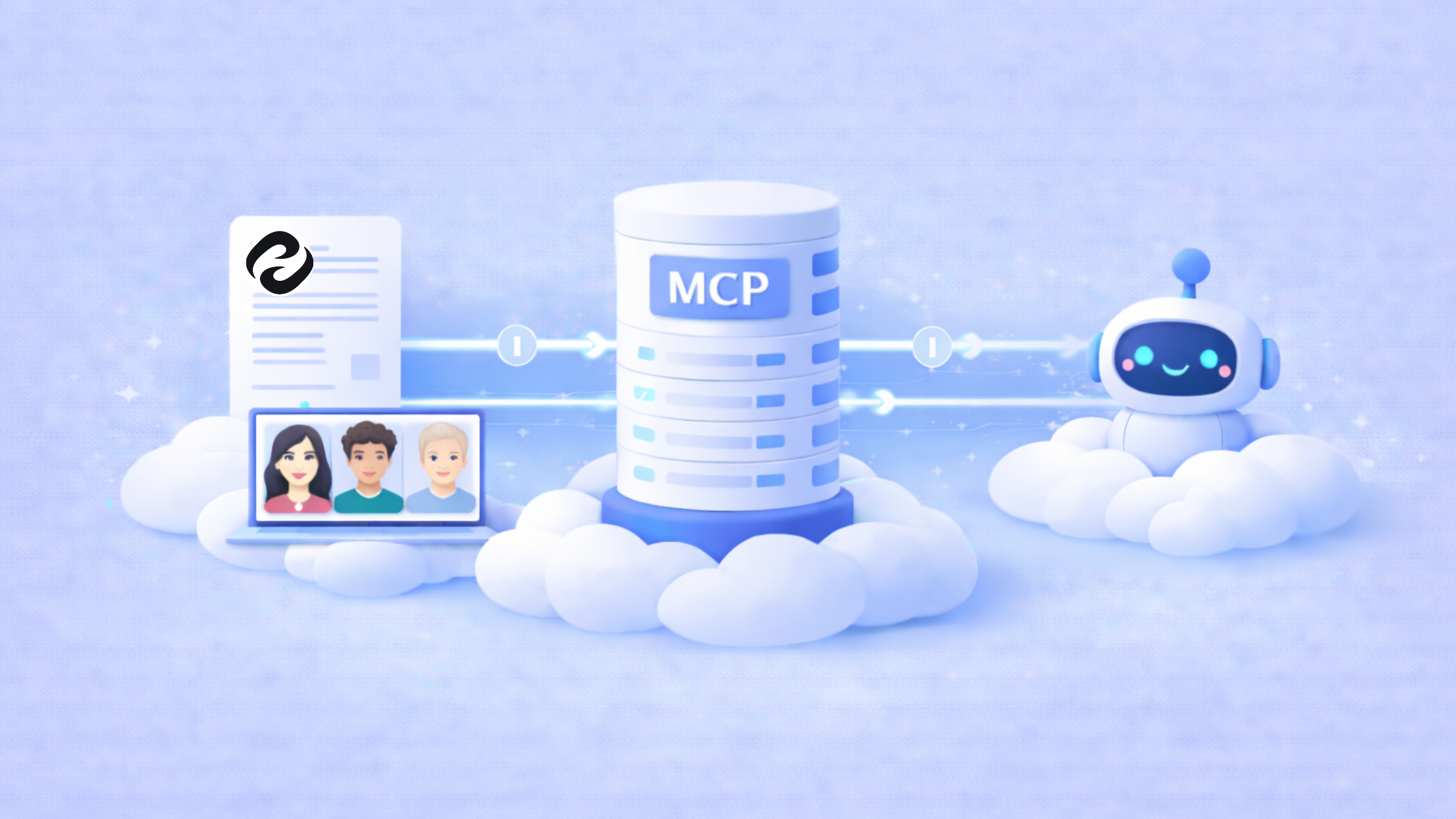
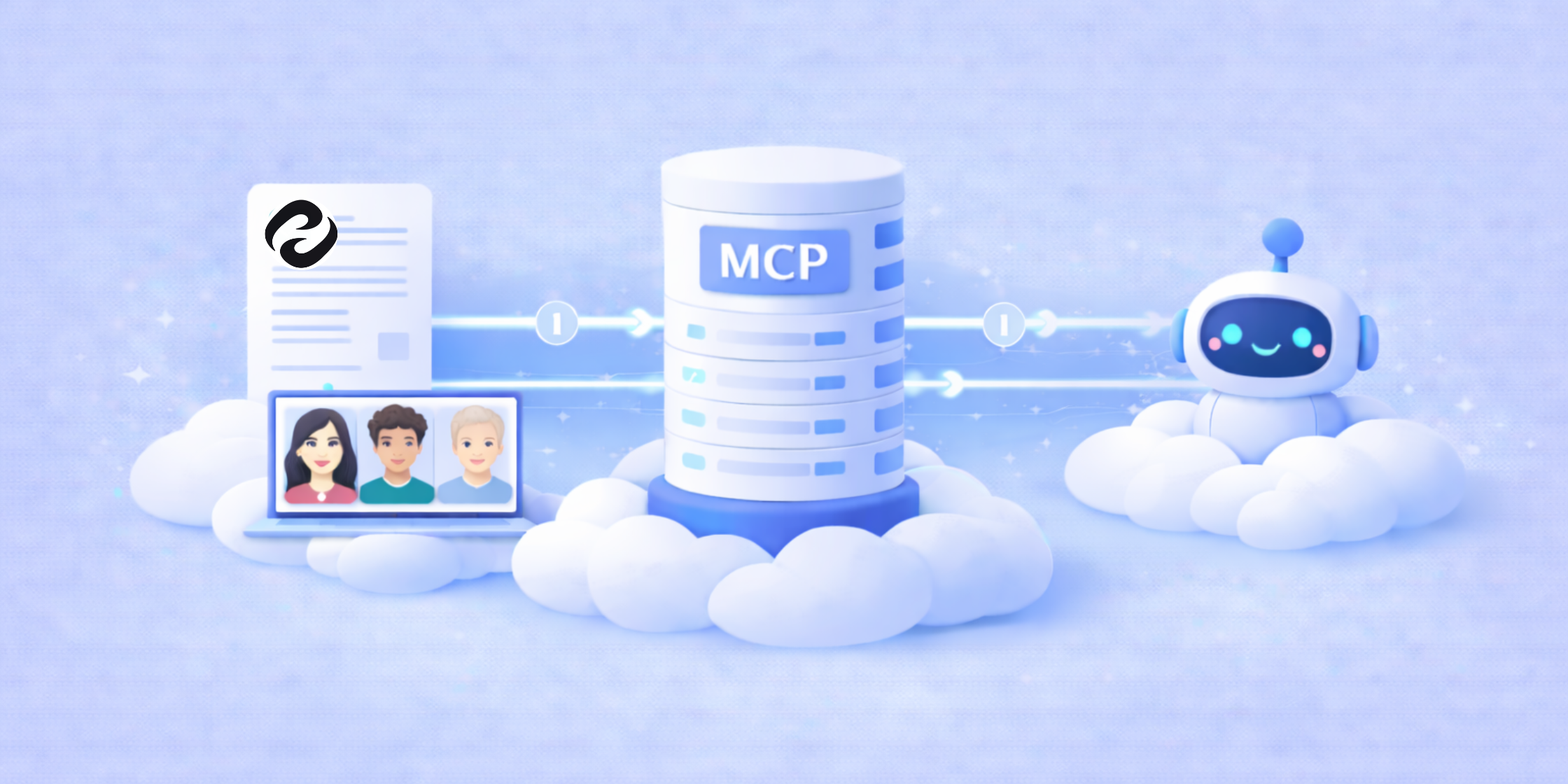
The HappyScribe MCP Server connects your transcription library directly to Claude, ChatGPT, Copilot, and any other MCP-compatible AI tool. From that point on, your AI works from the real thing. Verbatim. With speakers attached. In whichever language the conversation actually happened in.
What is MCP?
Model Context Protocol (MCP) is an open standard that lets AI assistants connect to outside services. Think of it as a universal plug between your AI tools and the data they need to be useful.
HappyScribe's MCP Server exposes your transcription library to any MCP-compatible AI assistant. That includes Claude, ChatGPT, Claude Desktop, Copilot, Gemini, and Perplexity. Meetings, interviews, fieldwork, subtitles, translations, all of it becomes queryable from inside the tool your team already lives in.
What you can do with it
Once connected, your AI has the whole library to work from.
Search and retrieve
Search any transcript by keyword, speaker, topic, or date. Pull exact quotes with timestamps and a link back to the moment in the editor. Ask a question that crosses hundreds of meetings, and get an answer in one shot.
Summarize and analyze
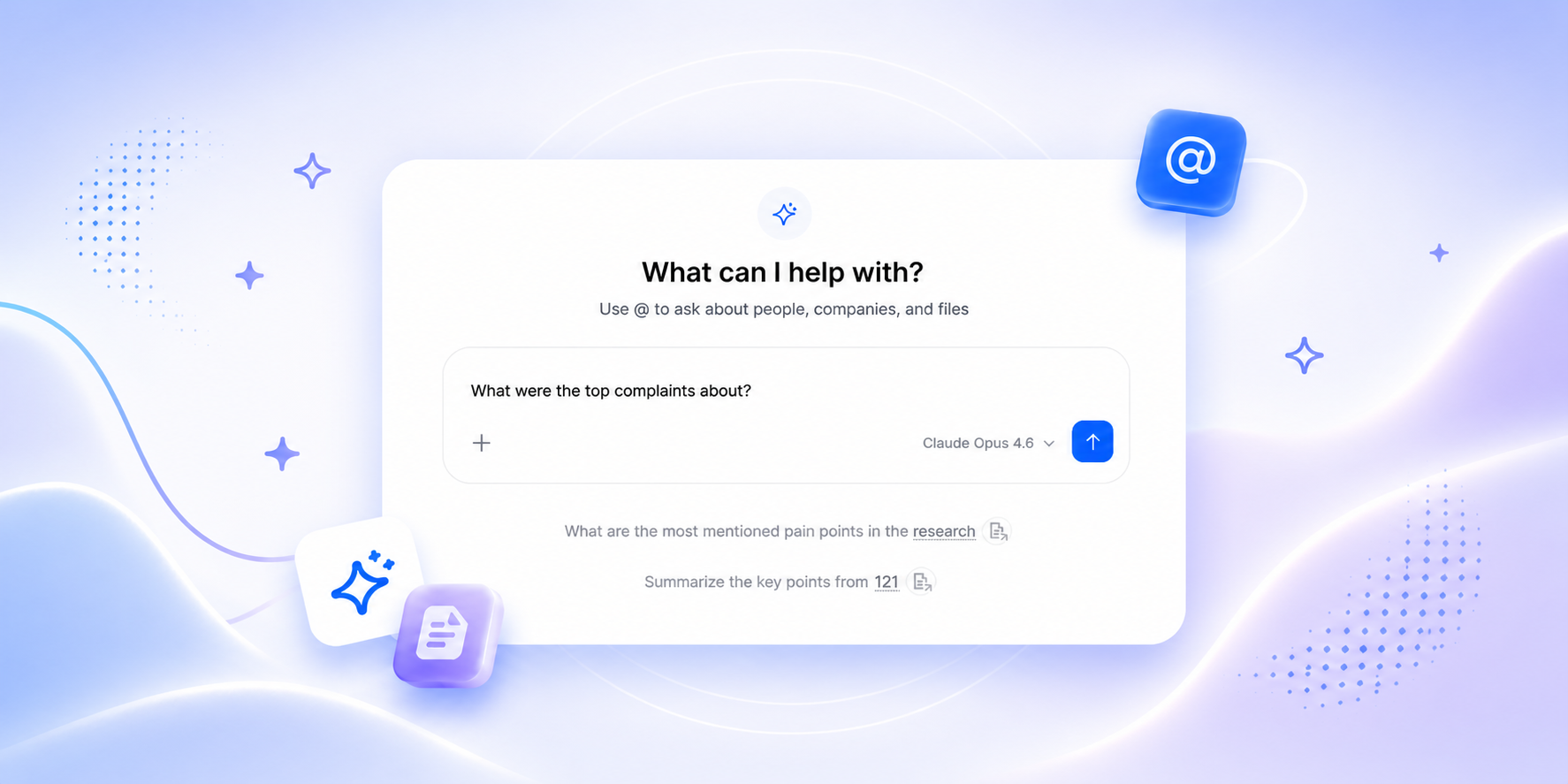
Summarize any recording without opening HappyScribe. Spot themes across a dozen meetings, or 50. Ask the kind of cross-file question you'd never bother to ask if it meant scrolling through transcripts: "What did our customers say about pricing in the last 10 calls?"
Create and transcribe
Upload audio, video, or a URL and transcribe it without leaving your AI assistant. Pick AI-only if you need it fast, or AI plus Human proofreading if you need to cite from it.
Edit and refine
Let your AI assistant clean up the transcript directly: fix mistakes, restructure, refine. This is experimental, still in MVP. Useful if you're building an AI-first review workflow, or just want to polish a long recording without opening the editor.
Knowledge and people
Explore the people-and-companies graph across recordings. Check recording status, calendar events, conversation metadata. Your library starts behaving like a knowledge source, not a file dump.
Built for any team that records anything
If you use HappyScribe and you work with an AI assistant, this is for you. A few of the places it's landed hardest so far:
Business leaders running on meetings
If you run on meetings, you already know the problem. Notes get written, then nobody reads them. Now your AI assistant can read them for you. "What action items came out of last week's all-hands?" comes back with timestamps and links straight to the moment. "Show me every mention of the Q2 roadmap across leadership meetings this quarter" is one prompt.
Cross-source reasoning, the new aha moment
Here's the use case we didn't see coming, but the one early users keep coming back to. You drop a candidate interview transcript and the job description into the same AI conversation. The agent reads both, compares what the candidate said to what the role asks for, and gives you a recommendation you can actually defend. Or you cross-reference a customer call with open Linear tickets, and the AI tells you what you promised them. The transcript stops being a document you open. It becomes a source the AI can reason from, alongside everything else in your stack.
Sales and customer success
If your sales calls are in HappyScribe, you can ask your AI what the top objections were this quarter and get them back with the quotes and the timestamps. Beats scrolling through 60 hours of call recordings to find the three you actually needed.
How it works
One OAuth flow. That's it.
Connect HappyScribe MCP to your AI assistant
- Open your AI assistant's settings (Claude.ai Connectors, Claude Desktop config, ChatGPT Developer Mode).
- Add the HappyScribe MCP server URL: https://www.happyscribe.com/mcp
- Sign in to HappyScribe and authorize access.
- Start prompting. Your library is in.
Claude on claude.ai
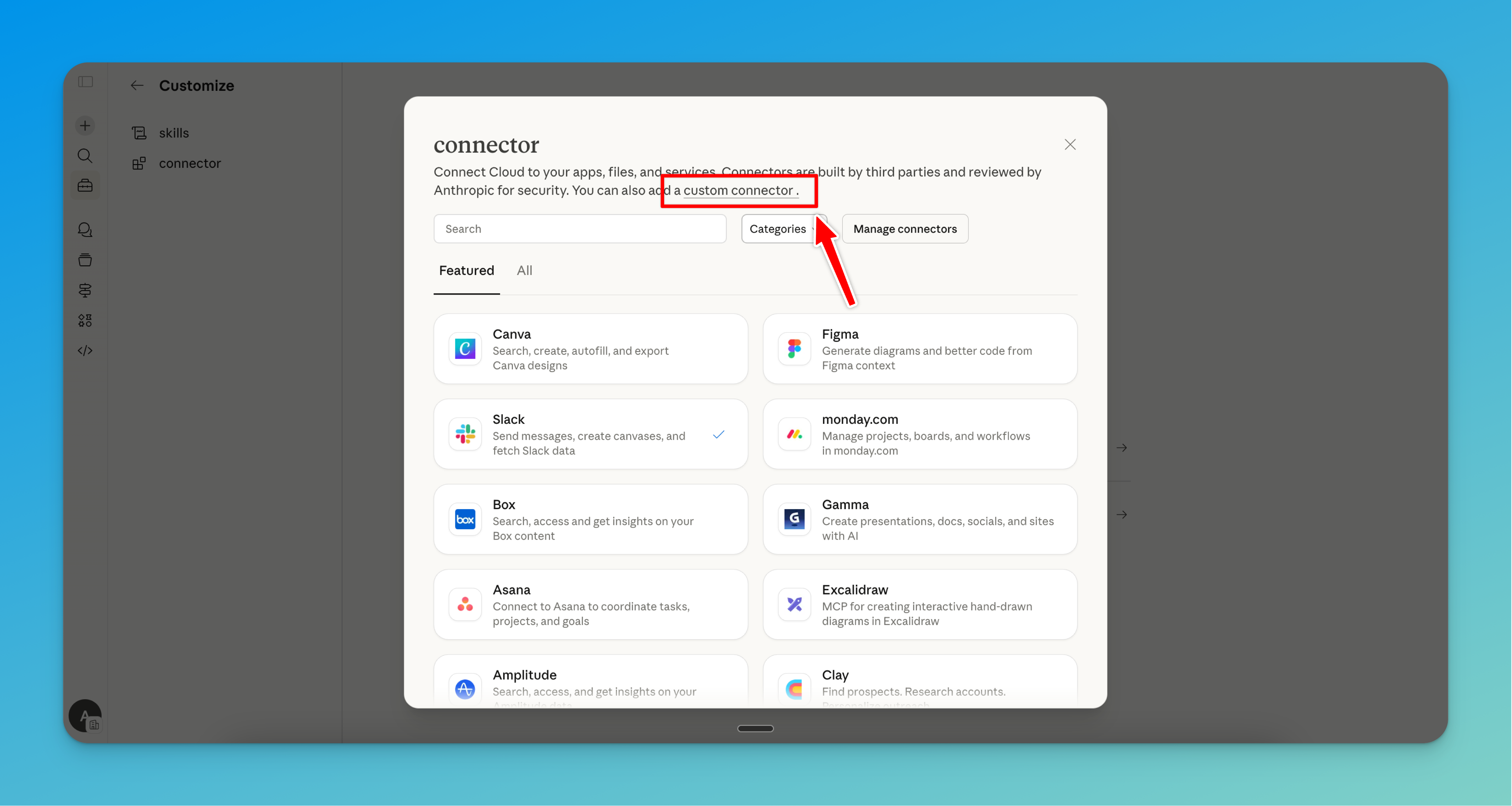
Step 1: Go to Customize, then Connectors. Then click on "Add your tools" and "Custom Connector"
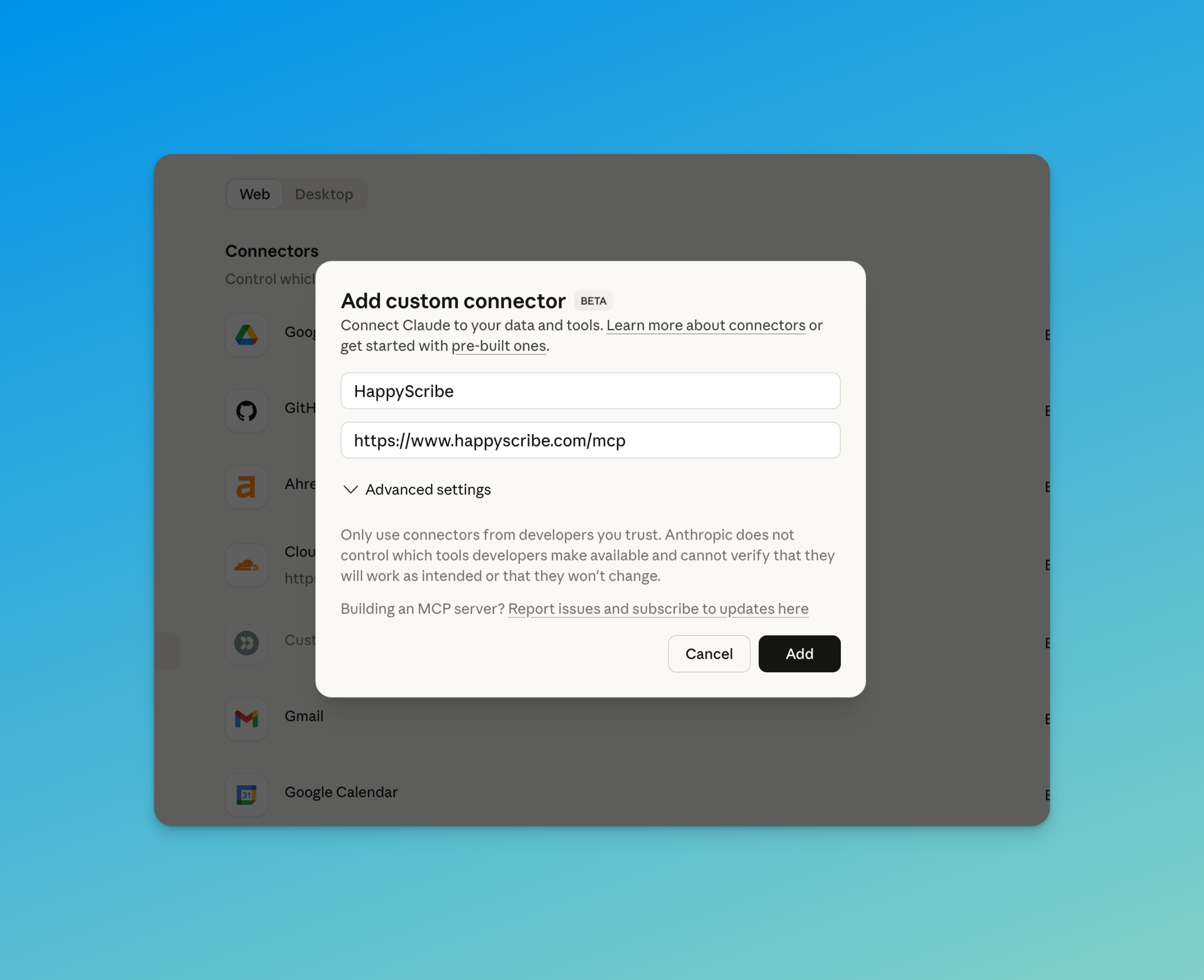
Step 2: Enter "HappyScribe" as the name and paste the server URL: https://www.happyscribe.com/mcp
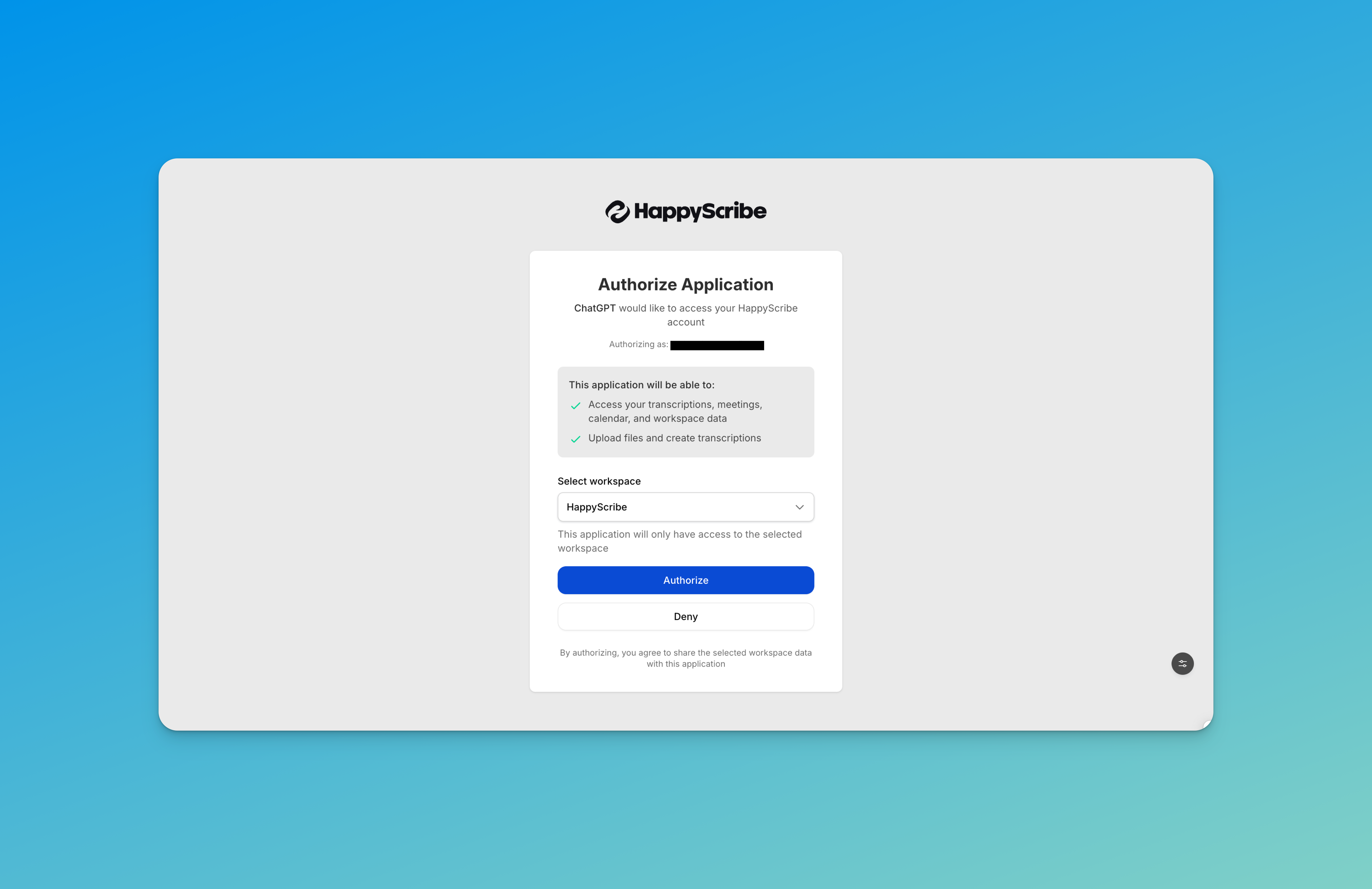
Step 3: Sign in to your HappyScribe account and authorize access. You are ready to go!
ChatGPT
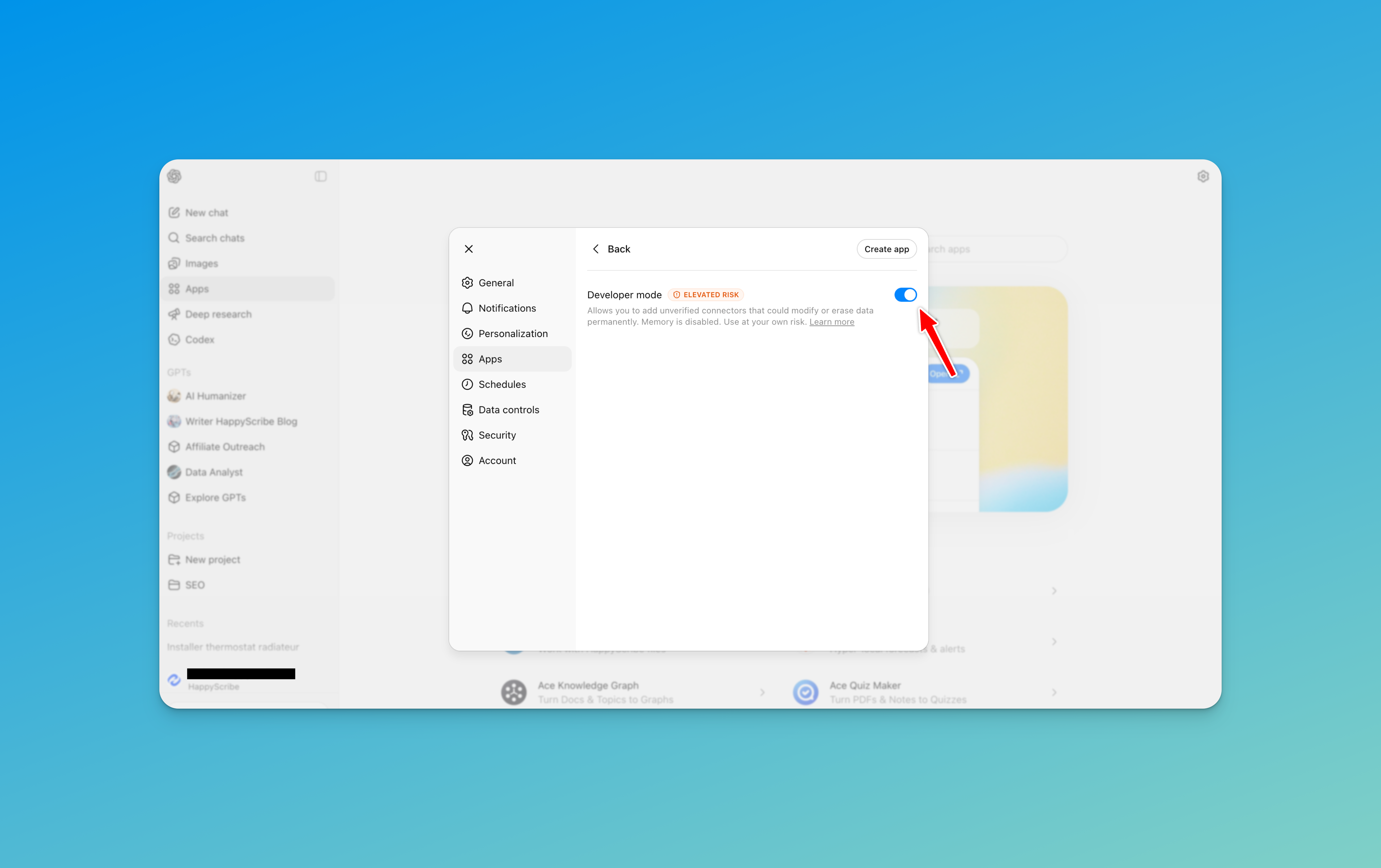
Step 1: Go to Apps, then Settings. Click on Advanced Settings and enable Developer Mode.
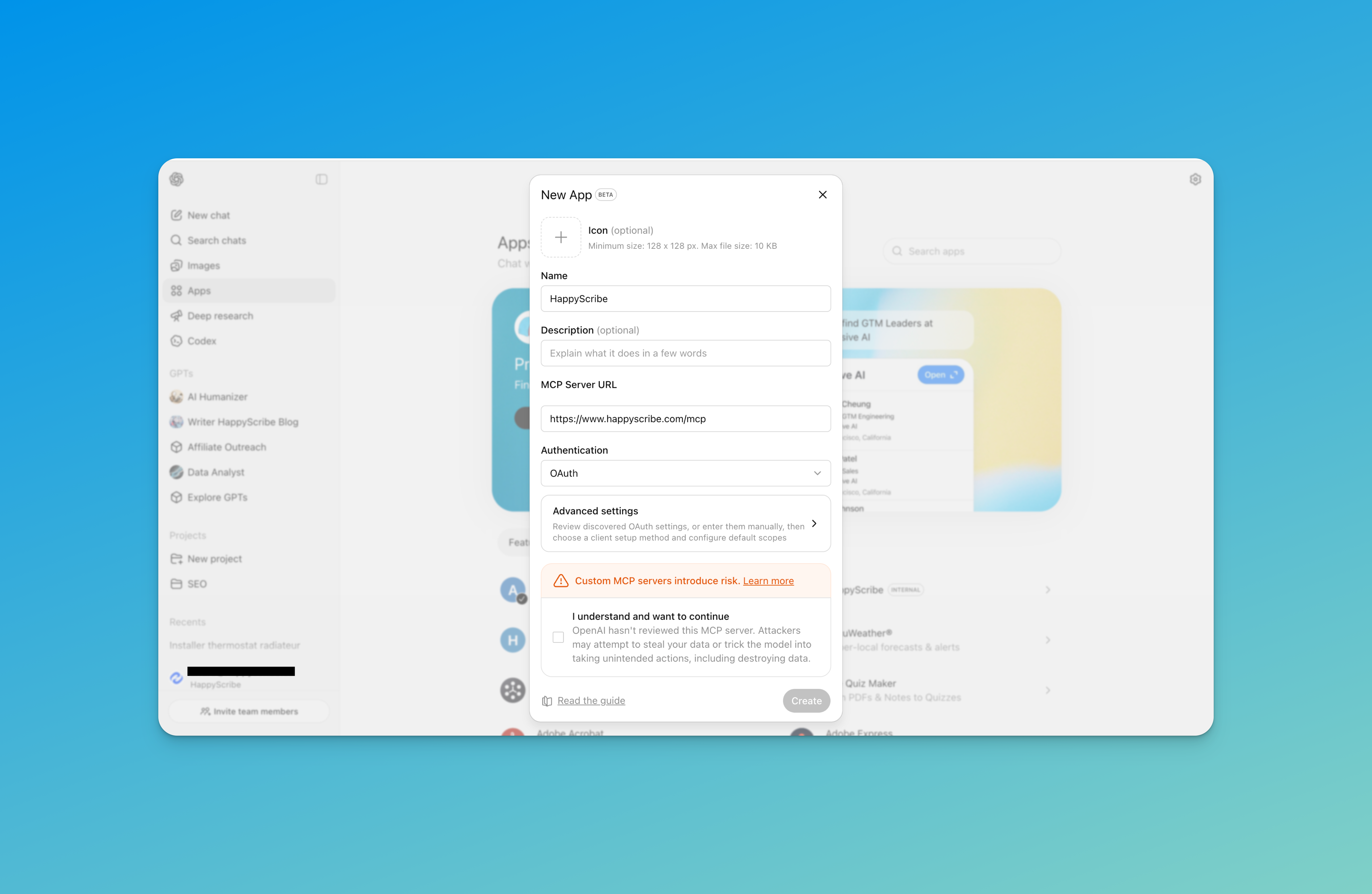
Step 2: Click "Create" to add a new connector. Enter "HappyScribe" as the name and paste the server URL: https://www.happyscribe.com/mcp
Step 3: Authorize your account when prompted.
Claude Desktop
Step 1: Open the Claude Desktop app. Click on the Claude menu and select Settings, then go to the Developer tab.
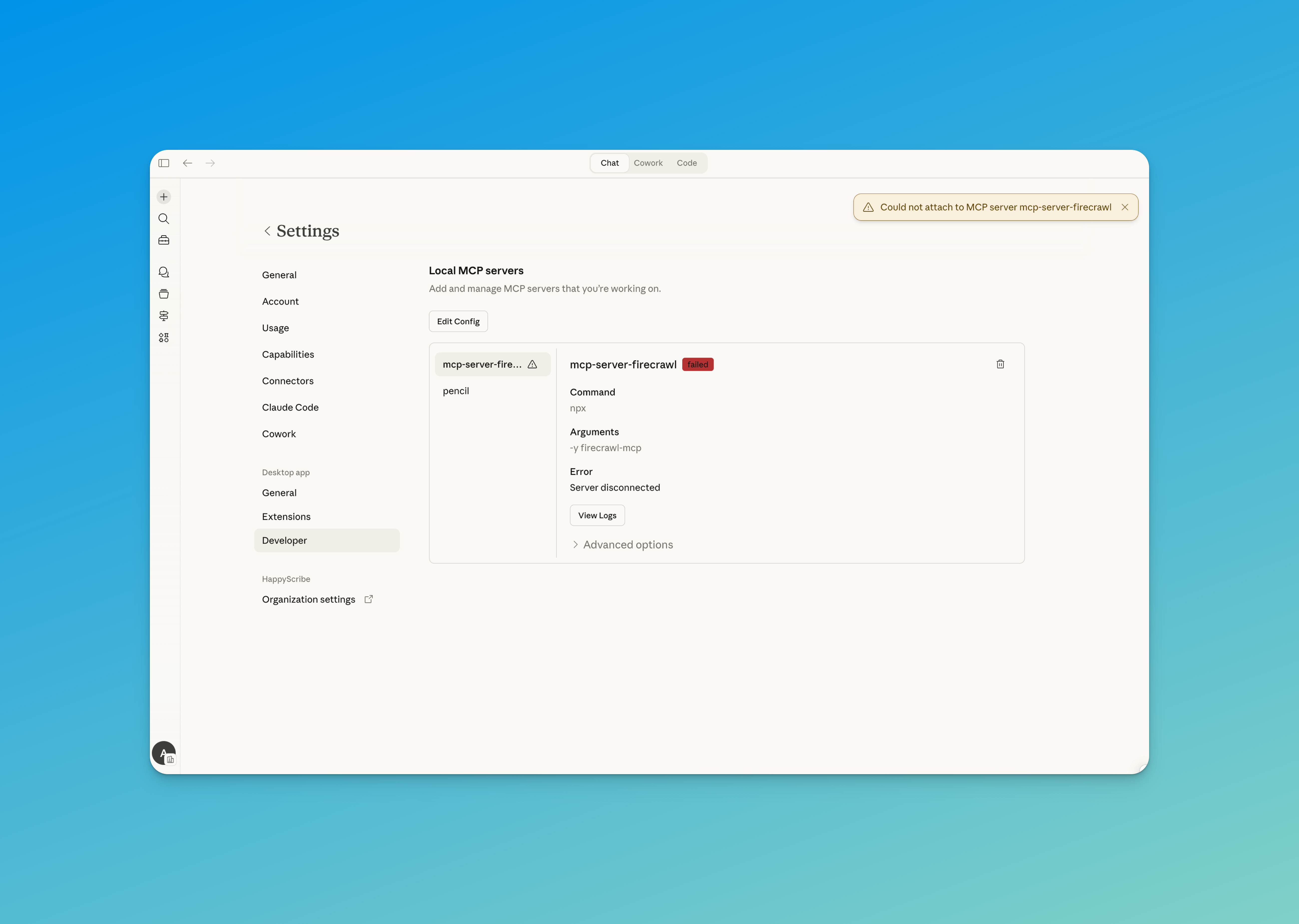
Step 2: Click "Edit Config" to open the configuration file and add the HappyScribe MCP server:
    {
  "mcpServers": {
    "happyscribe": {
      "type": "http",
      "url": "https://www.happyscribe.com/mcp"
    }
  }
}
Available on every plan
The MCP Server is on every plan, including free. The OAuth flow, security, and library access are identical at every tier. Free accounts can read 3 files per month through MCP, which is the same fair-use cap the rest of the product uses on free. Paid plans remove the cap.
Security and privacy
Authentication is OAuth 2.0. You choose which account connects, and you can revoke access at any point.
Access happens on demand. Your AI only reads a transcript when you explicitly ask for one in the prompt. Nothing is preloaded or pulled in the background.
Conversations aren't logged on our side. HappyScribe doesn't store the prompts you exchange with your AI assistant.
Your privacy policy still applies. The same protections that cover your HappyScribe account cover MCP access too.
The compounding part
The other thing worth saying. Every conversation you run through HappyScribe makes the library a little better at understanding your organization. Who your speakers are. What words you use that no general model has heard. What the context behind a meeting actually is. If you switch transcription tools, you start that work over. If you stay, the library keeps getting more useful in the background.
That's the reason it sits on top of verbatim, speaker-attributed, multilingual capture rather than a meeting-summary stream. Your AI needs a source it can cite, in the language the meeting actually happened in. That's what we built.
Try it now
If you already have a HappyScribe account, you can connect today. A few prompts to try when you do:
- "Show me my recent transcriptions."
- "Summarize my last 3 meetings."
- "Search my transcripts for mentions of Q1 targets."
- "Compare this candidate interview to the job spec and flag the three biggest gaps."
Ready to plug it in? Head to the setup guide and add HappyScribe to your AI in under two minutes.

André Bastié
Hello! I'm André Bastié, the passionate CEO of HappyScribe, a leading transcription service provider that has revolutionized the way people access and interact with audio and video content. My commitment to developing innovative technology and user-friendly solutions has made HappyScribe a trusted partner for transcription and subtitling needs.
With extensive experience in the field, I've dedicated myself to creating a platform that is accurate, efficient, and accessible for a wide range of users. By incorporating artificial intelligence and natural language processing, I've developed a platform that delivers exceptional transcription accuracy while remaining cost-effective and time-efficient.