![6 Best GDPR-Compliant AI Note Takers [2026]](/sanity-images/ejgwz1gl/redesign/cbcf7d4578a263f58cd2c1576ebdb26e226c714f-1536x1024.jpg?auto=format&w=1536.0&rect=0,0,1536,1024)
Less than two years ago, OpenAI was fined €15 million by Italy for processing user data without a valid legal basis. Companies like OpenAI could absorb the fine, but not many businesses can do the same without hurting the bottom line today.
That’s why if you’re in the EU, have EU-based teams, or process EU customer data, you must use a GDPR-compliant AI note taker for professional tasks.
But that hasn’t been the norm.
AI note takers process a massive amount of user data, but our research shows that not all tools take security and data sovereignty seriously. From a lack of user control to shady data processing terms, many users are stuck using tools that don’t follow GDPR completely.
But reading through the privacy policies of every tool and vetting them is a chore. So I did the work for you.
I researched and narrowed down the five best GDPR-compliant AI note takers for people who take data privacy seriously without compromising on quality. Let’s dive in!
TL;DR ⏩
- HappyScribe: Best for European teams looking for GDPR-compliant and accurate meeting notes, translation, and subtitling across 150+ languages and dialects
- MeetGeek: Best for HR managers and team leads who need conversation analytics and are looking to cut down on meeting fatigue
- Fellow: Best for enterprise teams looking for granular access controls and privacy
- Grain: Best for product and customer success teams that want to turn meetings into shareable video clips
- Jamie: Best for consultants who need bot-free meeting notes with decent accuracy
- Amber Notes by AmberScript: Best for highly regulated European industries that need in-person recordings and strong accuracy without additional features
How did I evaluate the top GDPR-compliant AI note takers?
While researching European AI note takers, I prioritized tools that have data security and user privacy baked into the products and not as a mere license to operate in the EU.
1. Data sovereignty and absolute local storage
I checked if these tools guarantee 100% data storage and processing within the European Economic Area (EEA). If a tool processes your data in the US but claims to store it in the EU, it fails the GDPR test, which is why tools like Fireflies don’t feature in the list.
2. Proactive and explicit consent mechanisms
Transparency and consent are core tenets of GDPR. I looked for features that notify attendees about recordings and give them options to not proceed if they don’t agree to be recorded. This not only sets a privacy-respecting precedent between attendees but also protects you legally.
To put that in perspective, Otter AI is currently fighting a class action lawsuit for snooping on users without consent.
3. Zero data training and AI model isolation
Your private meetings shouldn’t become training fodder if you don’t want that. I carefully reviewed vendor terms to confirm that these tools respect user preferences on AI training.
This is the primary reason why Notta doesn’t make the cut, as it uses Japanese customer data for training without any option to opt out.
4. Granular deletion and the right to be forgotten
A fully compliant tool must allow you to instantly and permanently erase all audio, transcripts, and metadata associated with a meeting. I tested how easily you can execute hard deletions, as tools that make it difficult are in direct violation of the law.
5. Transcription accuracy without compliance trade-offs
A highly secure platform is just the start. You still need accurate meeting notes, an easy-to-use dashboard, and collaboration features for it to work.
I evaluated each tool's ability to handle diverse accents and complex industry jargon accurately while maintaining strict adherence to all EU privacy regulations.
What are the best GDPR-compliant AI note takers? At a glance
| Feature | HappyScribe | MeetGeek | Fellow | Grain | Jamie | Amber Notes |
|---|---|---|---|---|---|---|
| Best for | European teams that need GDPR-compliant, accurate notes and translations | Team leads who want analytics and AI voice agents | Enterprise teams looking for admin-level recording controls | Product and CS teams looking for shareable meeting clips | Consultants who need bot-free notes | Regulated industries looking for in-person recordings |
| Key features | Customizable and transparent bot, Ask AI chat, and file transcriptions | AI voice agents, meeting health scores, agentic workflows | Botless recording, 50+ integrations, Ask Fellow AI chat | Custom AI templates, CRM syncing, video clippings | Speaker memory, Ask AI chat, local audio capture | Dedicated mobile app, Ask Amber chat, and regional vocabulary |
| Supported languages | 150+ languages and accents | 60+ global languages | 90+ languages | 100+ languages | 100+ languages | 99+ European languages and dialects |
| Meeting platform integration | Google Meet, Microsoft Teams, Zoom, and in-person meetings | Google Meet, Microsoft Teams, Zoom | Google Meet, Microsoft Teams, Zoom, Slack Huddles | Google Meet, Microsoft Teams, Zoom | Platform agnostic, captures system audio directly | Google Meet, Microsoft Teams, Zoom, and in-person meetings |
| Security | GDPR, SOC 2 Type II, AES-256 encryption, Tier IV, PCI DSS, and ISO 27001-compliant EU data center | GDPR, SOC 2 Type II, US/EU data residency option | GDPR, SOC 2 Type II, HIPAA, AES-256, AWS Canada Central | GDPR, SOC 2 Type II, AWS US-based servers | GDPR, Frankfurt servers, AES encryption | GDPR, ISO 27001, ISO 9001, EU-based servers |
| Starting price | Free plan with unlimited meeting recordings. Paid plan starts from $8.50/month (billed annually) or $17/month (billed monthly) | Free plan. Paid plan starts from $15.99/month | Free plan. Paid plan starts from $11/month | Free plan. Paid plan starts from $18/month | Free plan. Paid plan starts from €25/month | Free plan. Paid plan starts from €20/month |
1. HappyScribe
Best for: Best for European teams looking for GDPR-compliant and accurate meeting notes, translation, and subtitling across 150+ dialects
Barcelona-based HappyScribe AI note taker is one of the best GDPR-compliant note takers for people who value privacy and transcription quality. You not only get a ‘made in Europe’ tool but also advanced speech recognition to document meetings and generate insights.
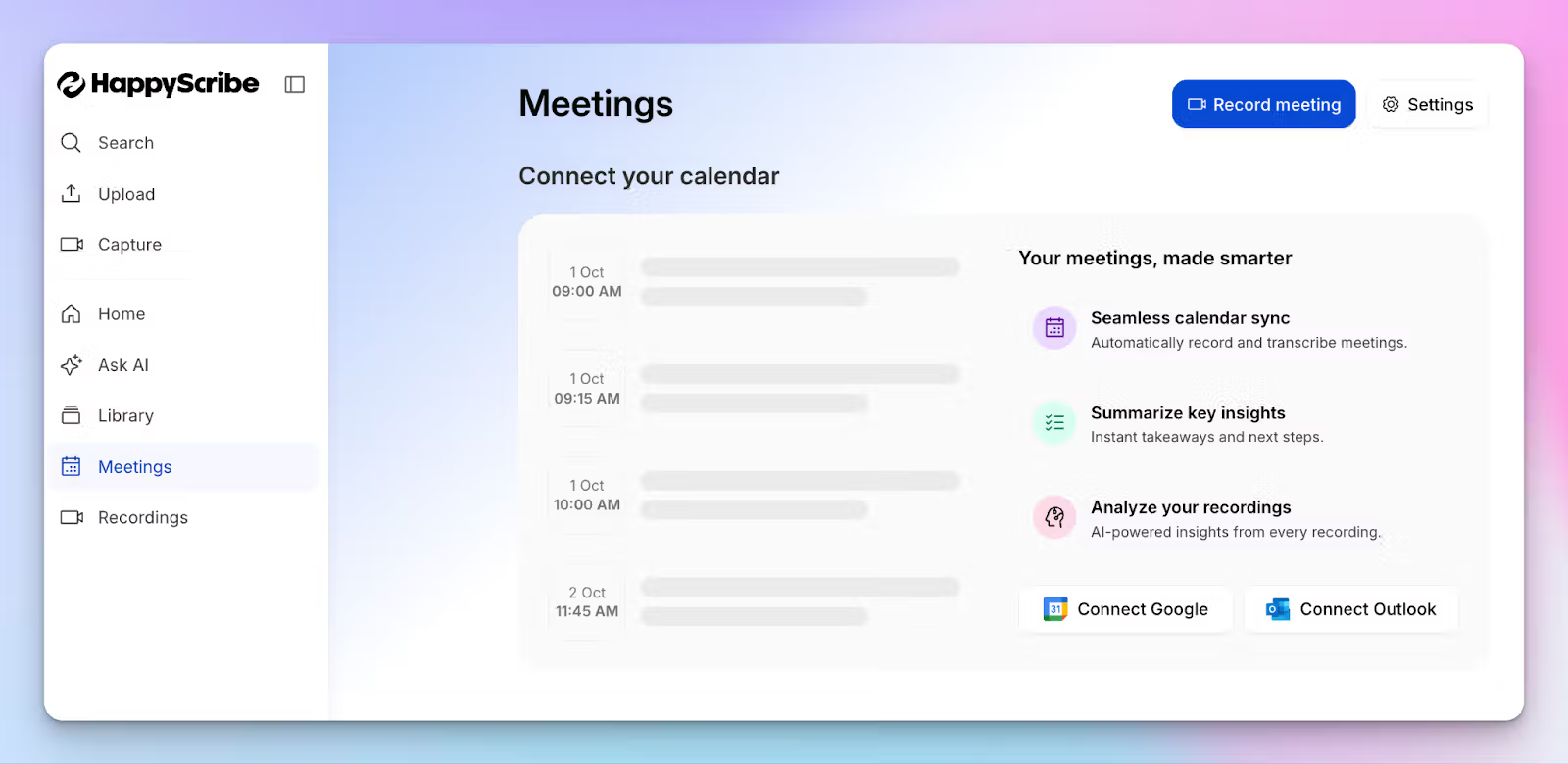
Simply connect your Google or Outlook calendar to allow HappyScribe to auto-join scheduled calls or paste the meeting link to invite the bot manually. Either way, you control how HappyScribe works for you.
HappyScribe’s key features
1. GDPR-compliance, data encryption, and EU storage
Security and privacy are at the core of HappyScribe. It’s GDPR-compliant and SOC 2 Type II certified, which means the security practises have been audited by an independent farm.
Since HappyScribe stores all data in the EU, and the facility is Tier IV, PCI DSS, and ISO 27001 compliant, you don't have to worry about CLOUD Act risks.
All of your data is encrypted in transit and at rest with AES-256 block-level encryption. If you want, you can easily delete your account and files, and they’ll be removed from HappyScribe servers.
Not sure if you want HappyScribe to train on anonymized data? You can opt out anytime from settings. The level of transparency and control makes HappyScribe the pick of the AI note takers.
2. Customizable and transparent meeting bot that you control
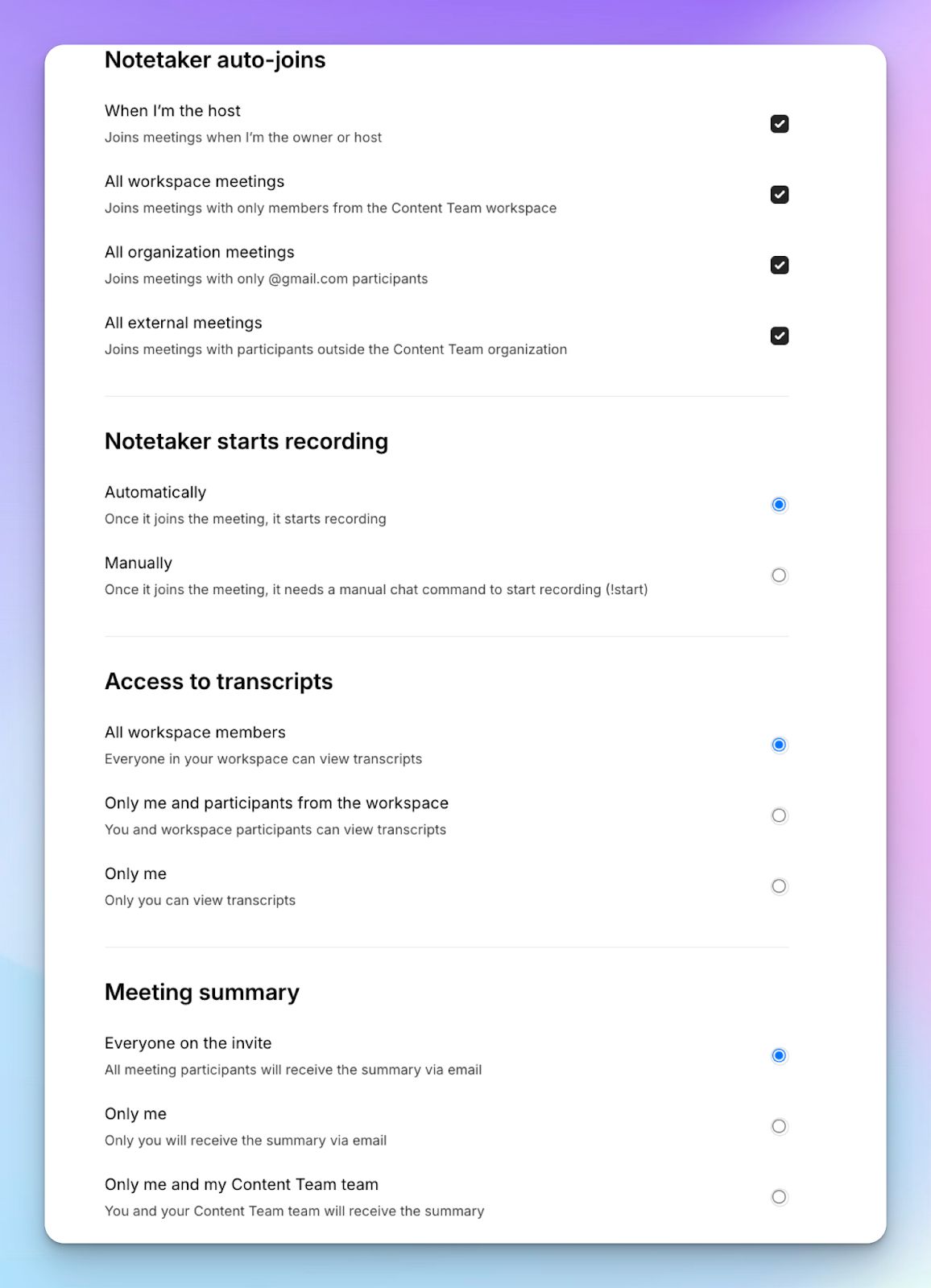
If you rely on a bot that joins calls uninvited, it creates awkward moments with clients. It’s also illegal to record users without consent in the EU.
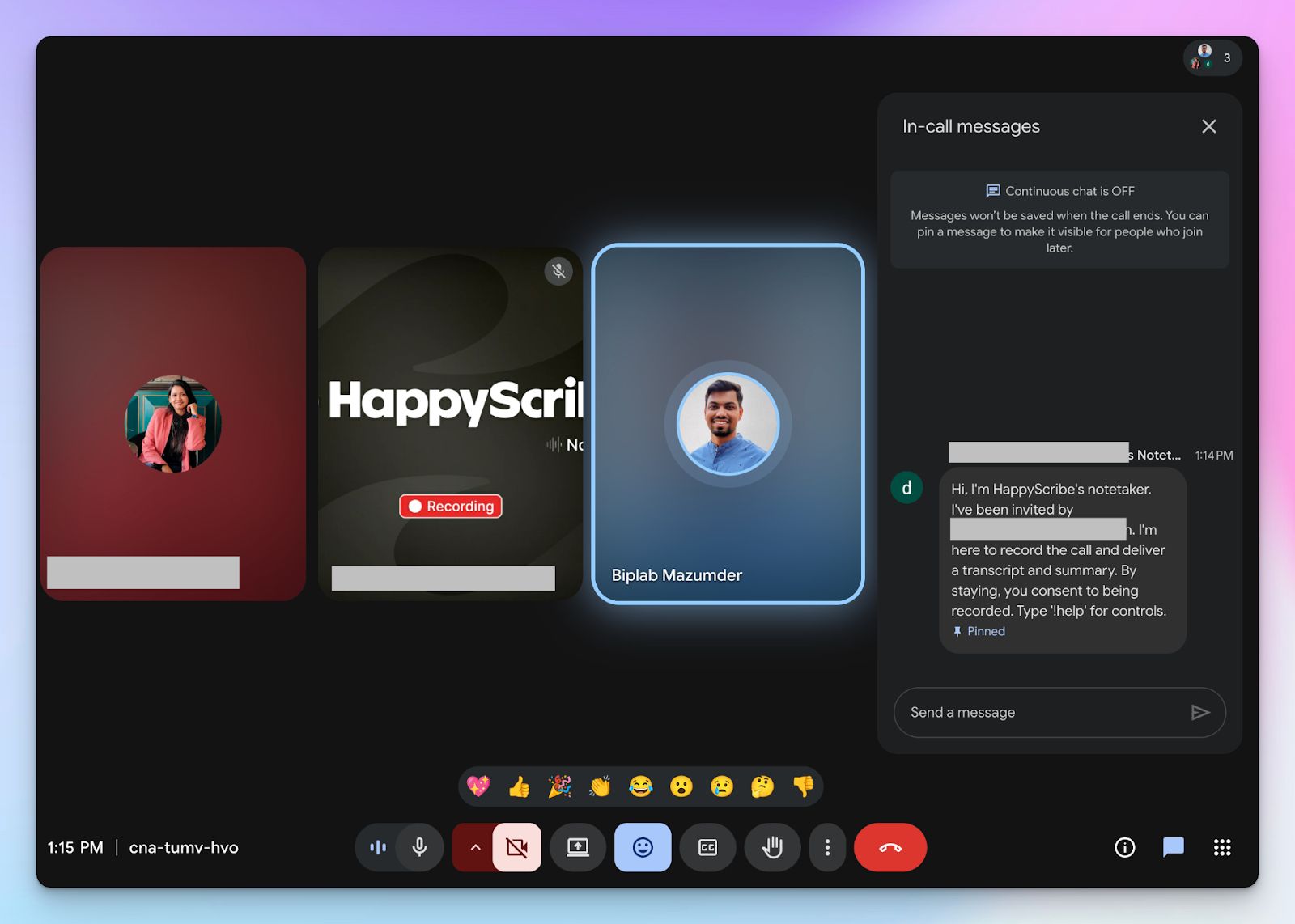
HappyScribe features a transparent note taker that you can configure to join only the specific meetings you select. It announces itself clearly so attendees can provide active consent and pause, resume, and remove the note taker by typing “!help” in chat.
You also get the flexibility to record in-person meetings without a bot. However, the user is responsible for acquiring consent in that case.
3. Get 95%+ accurate meeting notes in 150+ languages and accents
A highly secure platform offers no value if the transcription is garbled. HappyScribe handles complex crosstalk and diverse regional dialects with a finely tuned AI engine.
From Icelandic to Swiss German, you get meeting notes delivered with over 95% accuracy in 150+ global languages and accents. You can also customize vocabulary and style guides to make sure the AI gets your specific industry jargon right every time.
4. Ask AI chat for meeting insights, video chapters, and email drafts
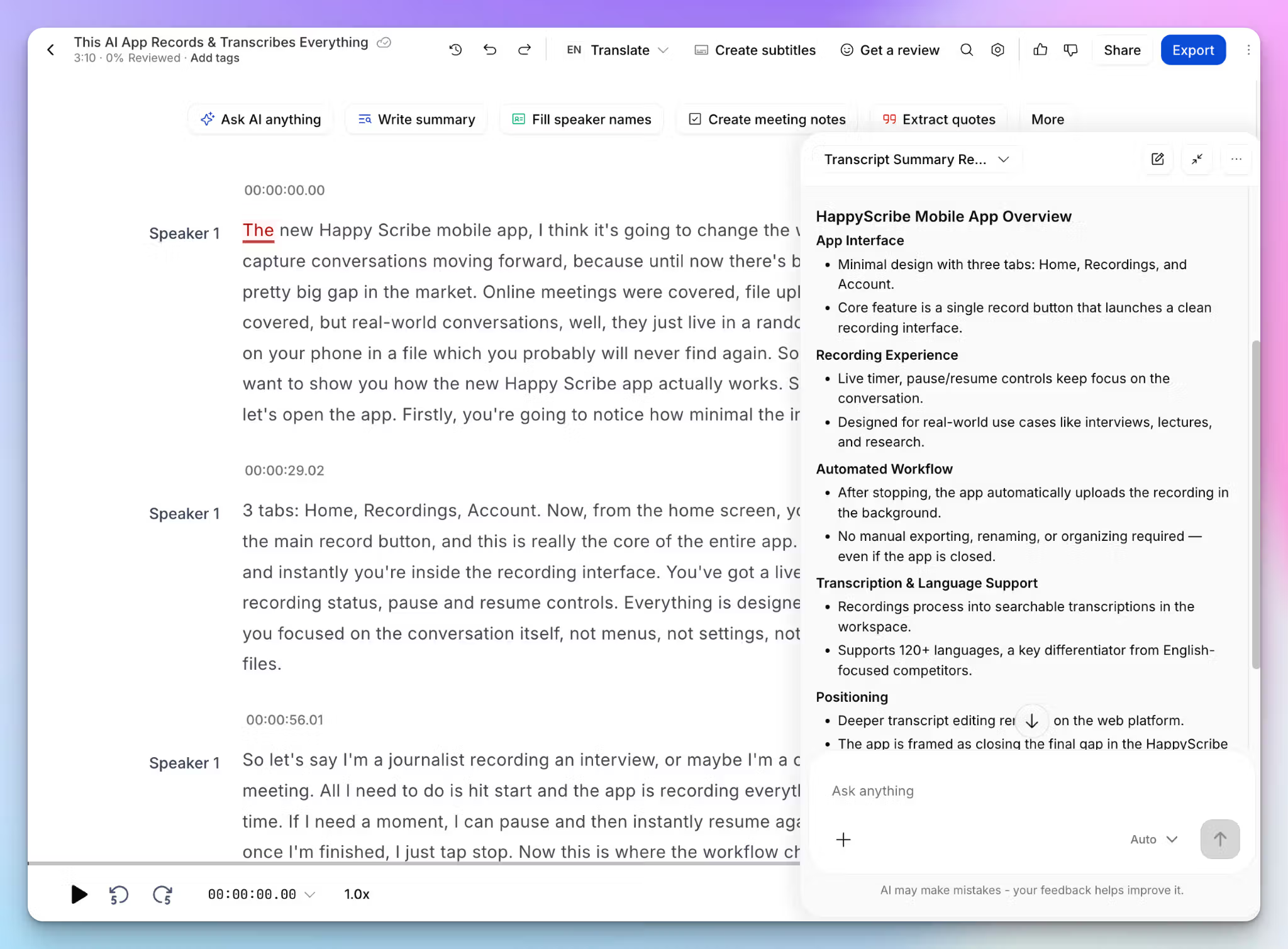
Rather than reading through a massive wall of text, you can chat directly with your previous meeting notes. You can have back-and-forth with the chatbot to get clarity on decisions or pull up meeting agendas.
And that’s not it. You can ask AI to generate timestamped video chapters, highlight specific speaker quotes, and edit speaker labels. Looking to draft a follow-up email or an internal post based on the meeting? The AI chatbot can do that as well.
5. Generous free tier and simple upgrades for users
You should not have to bypass compliance just to test an AI note taking tool. HappyScribe gives you a generous free tier that includes unlimited meeting recordings, capped at 45 minutes for each meeting. You can try the AI chat, translation, and subtitling features to see the exact value before paying a single cent.
All plans feature the same GDPR security standard, and Enterprise users get additional SSO/SAML login. When you upgrade, you get affordable plans and bulk discounts for large orders.
HappyScribe’s pricing
- Free: Unlimited meeting recordings (45 mins/recording)
- Basic: $8.50/month (billed annually) or $17/month (billed monthly)
- Pro: $19/month (billed annually) or $29/month (billed monthly)
- Business: $59/month (billed annually) or $89/month (billed monthly)
- Enterprise:Contact sales to get tailored solutions directly
HappyScribe’s pros
- Ideal for researchers, business leaders, journalists, content managers, and busy professionals who want high-quality meeting notes
- Customizable meeting note taker with granular user control and a bot-free option for offline meetings
- GDPR and SOC 2 Type II compliance, along with EU data residency for security and privacy
- Transparent and flexible billing for users, along with a free tier
- Create and edit subtitles and translate meeting notes to collaborate with global teams
- Upload and transcribe files and pre-recorded meetings from your device, YouTube, Vimeo, and Dropbox
- Fast and intuitive mobile apps for on-the-go recordings
HappyScribe’s cons
- Not ideal for real-time transcriptions
What are users saying about HappyScribe?
HappyScribe is fast, effortless, and accurate—getting straight to the point every time. It makes transcription and subtitling a breeze. Truly grateful for such a reliable tool!
Very user friendly software. Transcriptions are accurate even with non-native speaker English recordings.
How to use HappyScribe’s AI note taker? A step-by-step guide
1. Link your Google or Outlook calendar or paste the meeting link to invite the HappyScribe note taker. For in-person meetings, you can record audio without a bot.
2. Select Meetings in the left sidebar and then check the options at the right to customize when the notetaker should join and who should receive the email summary.
3. Click on the Settings button at the top right to select when the notetaker should start recording and who can view the meeting transcription.
4. During an online call, the notetaker must be admitted by the meeting host to start recording. You can chat with the notetaker to control it.
5. And that's it! The meetings should be saved in your Workspace files or in the Private section, depending on your privacy settings.
2. MeetGeek
Best for: Best for HR managers and team leads who need conversation analytics and are looking to cut down on meeting fatigue
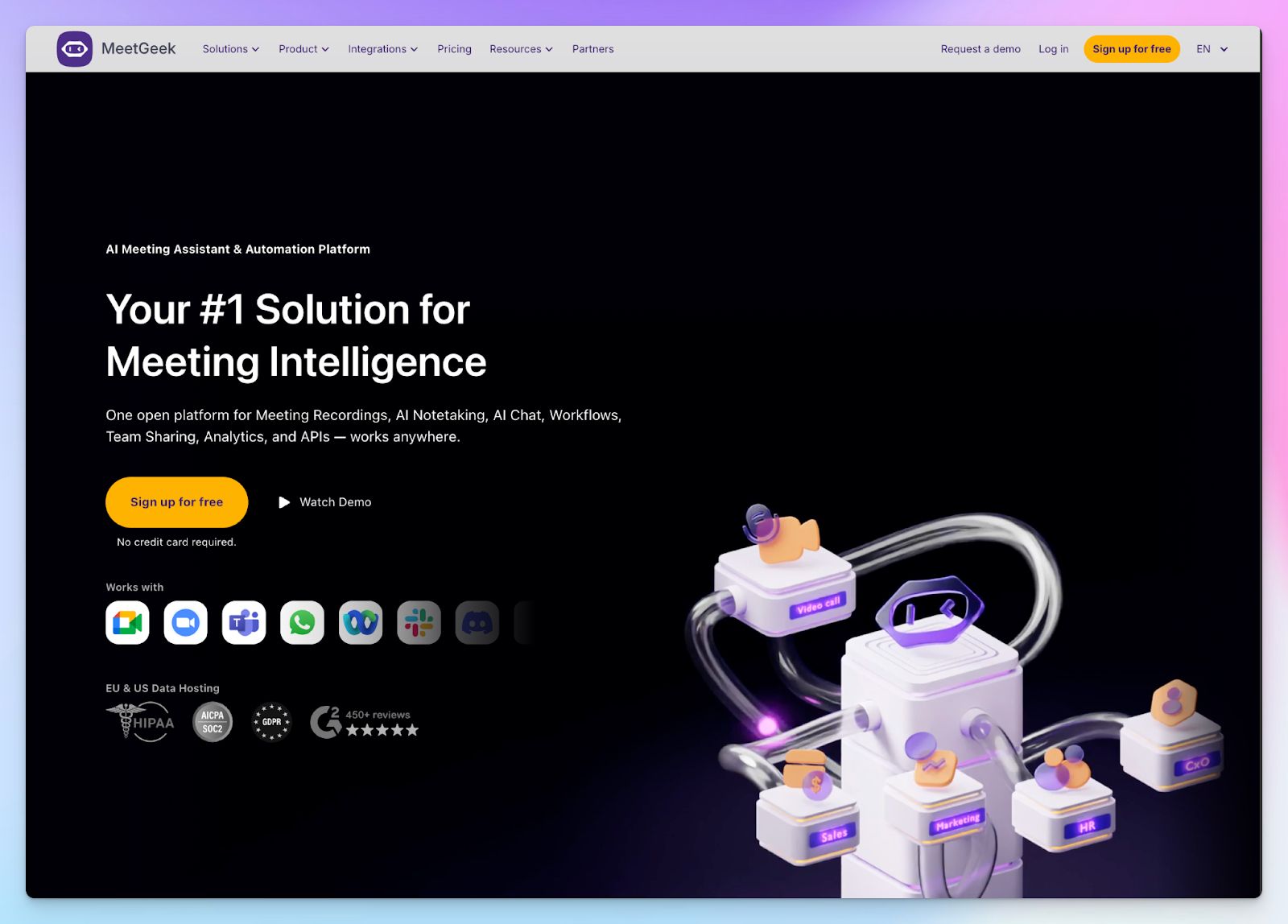
If you evaluate GDPR compliance closely, you will notice a massive difference between US companies that add European servers as an afterthought and meeting assistants built natively in the EU.
MeetGeek falls securely into the latter category. Based in Romania, it’s designed around strict data minimization and active consent controls for teams.
Beyond simply transcribing calls, MeetGeek analyzes sales meetings by engagement and sentiment to tell you exactly how your meetings went. This allows managers to track speaker distribution, engagement level, and coaching points.
MeetGeek’s key features
- Delegate voice agents to conduct routine screening interviews and preliminary sales calls on your behalf
- MeetGeek offers both US and EU data residency options with SOC 2 Type II certification
- You can generate meeting health scores that evaluate participant engagement, efficiency, and communication balance
- Extensive integration options, including Pipedrive, Aircall, n8n, Greenhouse, Salesforce, and MCP servers
MeetGeek’s pricing
- Basic
- Pro: $15.99/month
- Business: $27/month
- Enterprise: Custom pricing
MeetGeek’s pros
- MeetGeek’s mobile apps can capture in-person conversations and offline interviews without a bot
- Recruiters and sales reps can deploy voice agents to run multiple preliminary calls simultaneously to scale their outreach faster
- MeetGeek supports AI speech recognition across 60+ global languages
- Save hours of manual data entry by enabling custom agentic workflows to route specific action items to other tools
MeetGeek’s cons
- MeetGeek’s AI summaries occasionally struggle to highlight action items from European dialects, forcing many users to look for MeetGeek alternatives
- The free tier restricts you to only three hours of transcription per month, so active users hit the paywall almost immediately
- MeetGeek’s UI is busy and can be overwhelming for new users
💡 Also read:
3. Fellow
Best for: Enterprise and global teams that need GDPR-compliant meeting notes with granular admin controls and botless recording
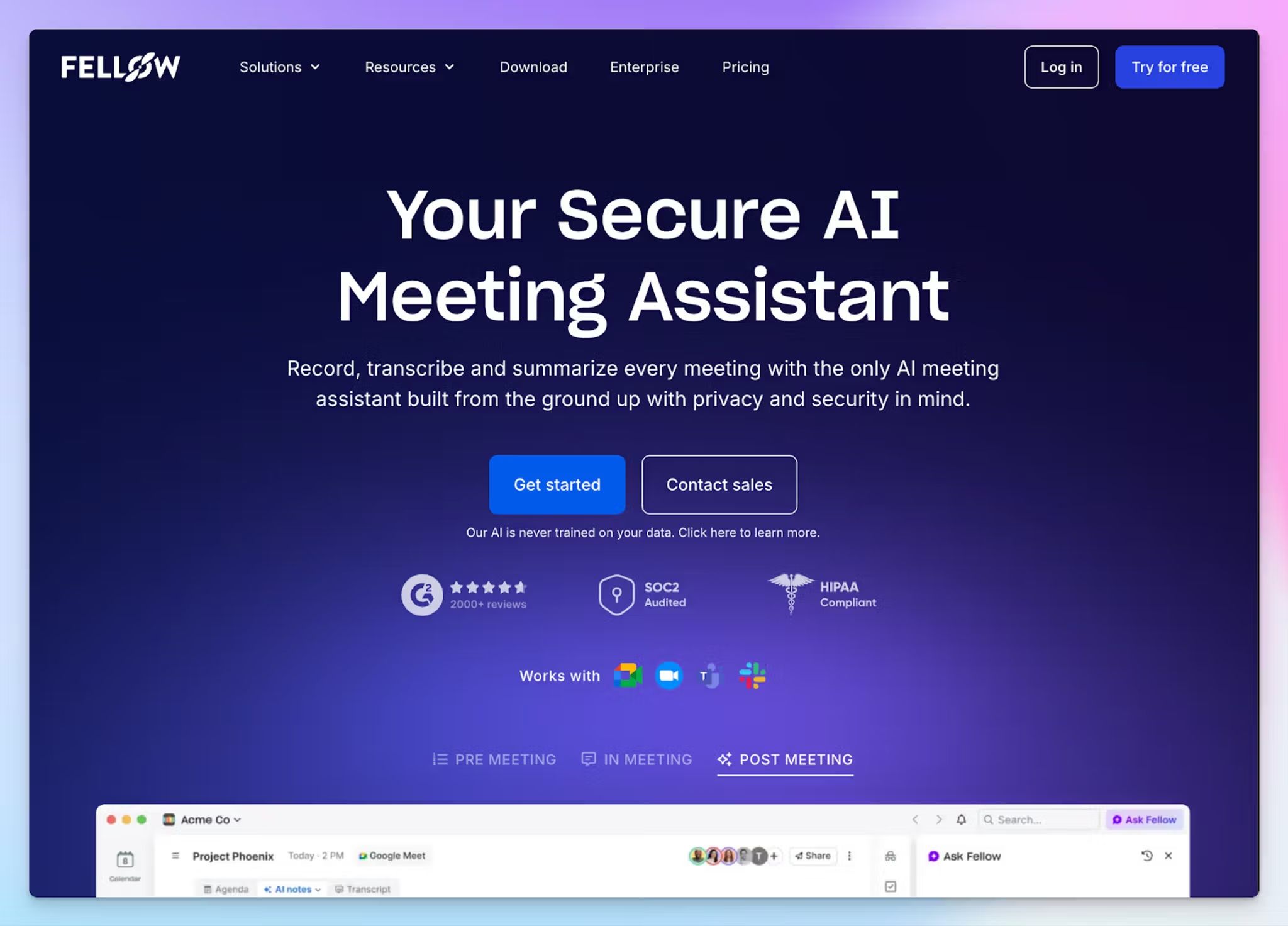
Fellow is a privacy-first AI meeting assistant that is SOC 2 Type II certified, GDPR compliant with Data Processing Agreements available, and HIPAA ready.
Fellow never trains its AI models on your meeting data; it's a documented, enforceable policy. It integrates directly into Zoom, Google Meet, Microsoft Teams, and Slack Huddles without sending a visible bot into the meeting, which is especially useful for sensitive client and executive calls.
Fellow’s key features
- Granular admin controls to set organization-wide recording policies by meeting type, attendee list, or keyword
- Offers HIPAA compliance with AES-256 encryption and a dedicated Data Protection Officer
- 50+ enterprise integrations including Claude, Salesforce, HubSpot, Asana, Slack, and Zapier, with an Ask Fellow AI chat assistant for querying past meetings
Fellow’s pricing
- Free plan available
- Team: $11/month
- Business: $11/month
- Enterprise: $25/month (billed annually)
Fellow’s pros
- Bot and botless recording flexibility
- Admin-level governance: set who can record, what, and who can access
- Supports 92 languages with automatic detection
Fellow’s cons
- The free plan is restricted to 5 recordings and 5 AI meeting notes lifetime per user
- Botless meeting recording mode requires the desktop app
📌 Also read:
4. Grain
Best for: Product and customer success teams that want to turn meetings into shareable video clips
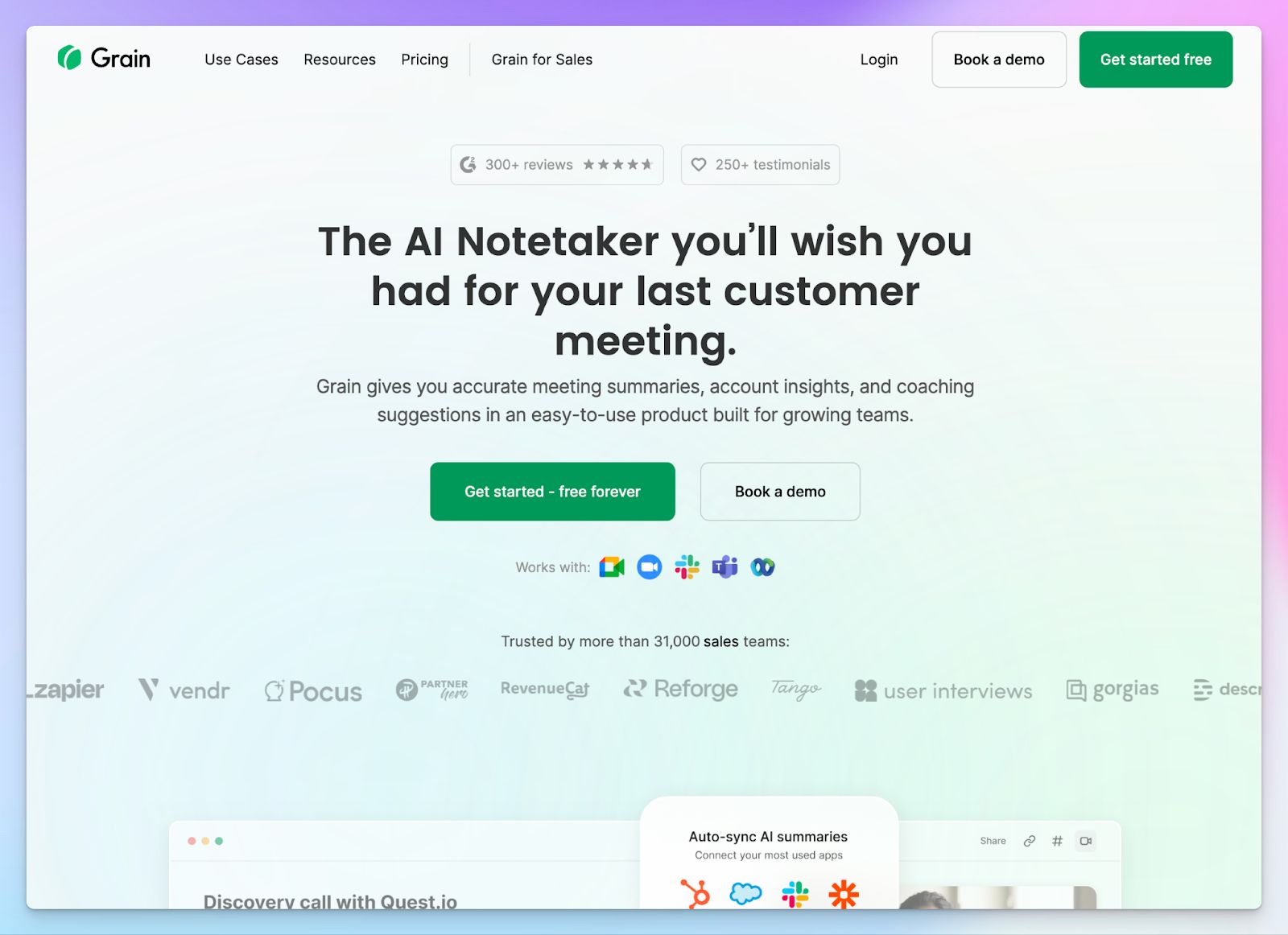
If your compliance team is comfortable relying on the EU-U.S. Data Privacy Framework rather than demanding absolute local EU storage, Grain is a good choice. It meets GDPR and SOC 2 Type II standards, though it hosts your data on US-based AWS servers.
What gets Grain a place in the list is its video clippings and live notepad. You can easily share these short snippets across your organization, so your product and sales teams hear feedback directly from the source.
Grain’s key features
- Custom AI meeting templates that automatically extract frameworks like SPICED or MEDDIC from your conversations
- Strict GDPR and SOC 2 Type II compliance with data hosted on a dedicated AWS virtual private cloud
- Automatic CRM syncing to push meeting data directly into Salesforce, HubSpot, Aircall, Slack, and MCP servers
- Desktop capture app supports bot-free recording on macOS devices
Grain’s pricing
- Free
- Starter: $18/month
- Business: $39/month
- Enterprise: Custom pricing
Grain’s pros
- You can join notes and meeting clips to create playlists for stakeholders
- Sales managers and account executives can track deeper insights for coaching and trend spotting
- Grain lets you organize insights by customer or topic automatically, so you never lose track of project history
Grain’s cons
- Grain stores meeting data exclusively on US servers, which is an inherent risk to European data sovereignty
- It restricts bot-free capture to macOS devices and English-language meetings only
- Grain lacks native translation capabilities, forcing European teams to use other tools for cross-border meetings
5. Jamie
Best for: Best for consultants who need bot-free meeting notes with decent accuracy
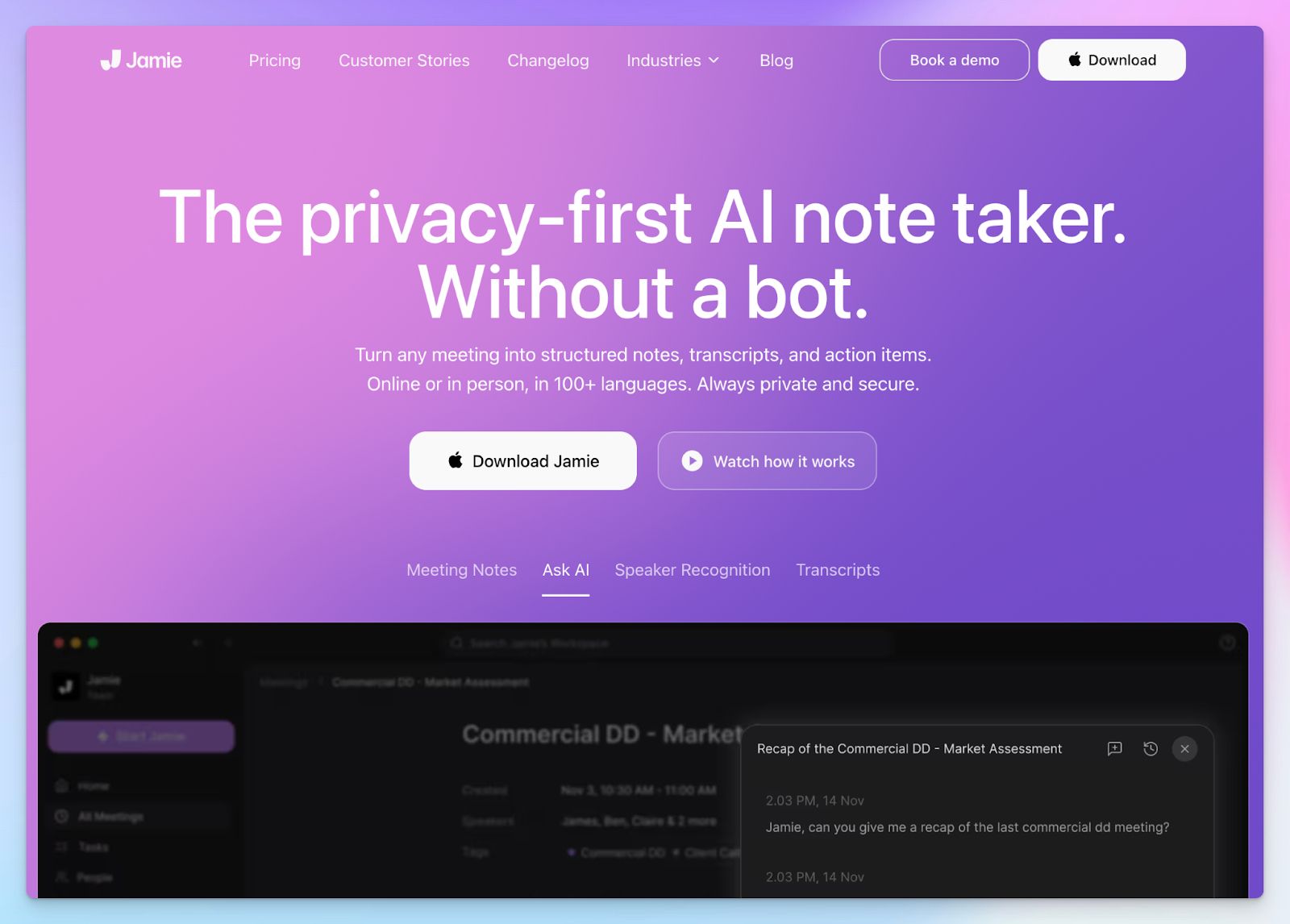
If you regularly handle sensitive NDAs or high-stakes client calls, a visible AI bot joining your meeting can distract the attendees. Germany-based Jamie solves this by capturing your system audio locally on your macOS or Windows device.
Jamie stores and processes everything exclusively in Frankfurt and permanently deletes the raw audio file the second your transcription finishes.
Given Jamie’s bot-free nature, it’s important to remember that you’re responsible for informing others about data processing; otherwise, you violate GDPR articles 5(1)(a) and 13.
Jamie’s key features
- Recognize recurring voices and label them consistently across future meetings using the built-in speaker memory
- Jamie lets you search your archive of past meetings to extract decisions and updates using the Ask AI chat assistant
- Record audio locally on macOS and Windows devices without a visible bot joining your Teams meetings
- Integrate meeting notes with Asana, Notion, Attio, Salesforce, and HubSpot
Jamie’s pricing
- Free
- Plus: €25/month
- Pro: €47/month
- Team: €39/month (minimum two users)
- Enterprise: Custom pricing
Jamie’s pros
- Jamie’s bot-free and offline meeting captures are useful for consultants, legal, and finance teams
- Easy-to-use UI and intuitive dashboard to get to tasks faster
- Jamie’s mobile and desktop apps are well-designed, which helps in team adoption
Jamie’s cons
- Jamie only captures audio and deletes it after processing, so stakeholders can’t verify information
- Jamie’s transcript generation is slower than competitors, forcing users to look for better Jamie alternatives
- Although Jamie’s free tier supports meetings up to 30 minutes, the timer gets cut off earlier, causing you to lose context
💡 Also read:
6. Amber Notes by AmberScript
Best for: Best for highly regulated European industries that need in-person recordings and strong accuracy without additional features
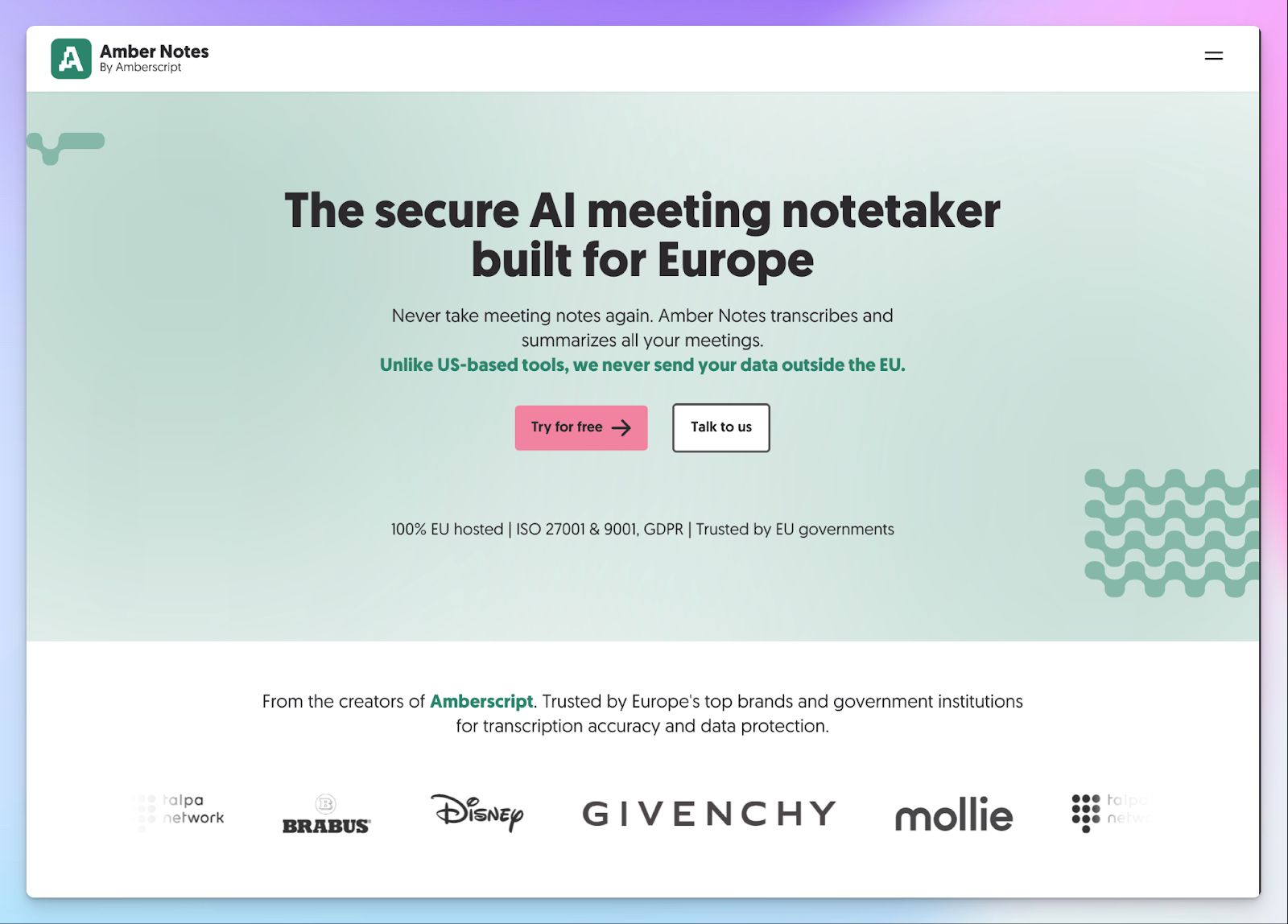
If your organization operates in a highly regulated sector like healthcare or government, trusting a US-based tool might not pass your compliance audit.
Amber Notes, built by the Dutch transcription company Amberscript, solves this by offering transcriptions designed entirely around European customers. It stores your data exclusively on EU servers and never routes your sensitive conversations overseas.
Amber Notes’ key features
- Amber Notes transcribes complex regional vocabulary accurately across 99+ European languages and dialects
- Host your data securely on EU-based servers with GDPR and ISO 27001 and ISO 9001 certifications
- Capture offline discussions and in-person client meetings using the dedicated mobile app
- Ask Amber chat specific questions about meetings in natural language and extract insights and action items
Amber Notes’ pricing
- Free
- Pro: €20/month
- Business: €16/month (minimum 5 users)
Amber Notes’ pros
- Amber Notes is backed by AmberScript’s strong ASR engine for accurate transcripts
- It’s built specifically to meet EU compliance standards of regulated industries like legal, governmental, education, and healthcare
- Well-designed and lightweight mobile app for on-the-go meetings
- You can translate meetings in 50 languages in real time
Amber Notes’ cons
- Amber Notes focuses on audio transcription, so you cannot extract visual presentation slides or shareable video clips
- The platform lacks deep CRM and project management integrations, which adds manual data entry work
Choosing the right GDPR-compliant AI note taker
You wouldn’t want to pick any GDPR-compliant tool without knowing if it works for you.
👉 If your product team wants to clip and share video feedback, Grain offers a solid solution.
👉 Sales teams can deploy AI voice agents to automate preliminary calls using MeetGeek.
👉 Enterprise teams looking for strict access control can check Fellow
👉 You can capture discreet local audio for consulting clients with Jamie.
👉 Amber Notes serves government agencies requiring offline mobile recordings.
👉 If you need an all-in-one platform to handle high-volume multilingual meetings securely across your entire organization, HappyScribe is the safest bet.
It delivers 95%+ accurate transcripts in over 150 languages while keeping your data strictly within EU data centers. Your compliance team gets absolute peace of mind thanks to GDPR and SOC 2 Type II certifications and granular deletion controls. You also get complete control over a transparent bot, so you never record a client without active consent.
With HappyScribe, you don’t have to choose between advanced AI capabilities and legal compliance.
FAQs on the best GDPR-compliant AI note takers
1. What is the best GDPR compliant AI note taker?
When evaluating AI note taker apps for European compliance, HappyScribe stands out as the best GDPR compliant AI note taker. Unlike many AI tools that rely on US servers, Barcelona-based HappyScribe stores your data entirely in the EU. You get 95%+ accurate AI meeting notes across multiple languages without risking data sovereignty. It eliminates manual note taking and also provides a highly secure AI meeting assistant that protects your private conversations from going overseas.
2. What is the best AI note taker for Europe?
Barcelona-based HappyScribe stands out as the best option in Europe because it adheres strictly to local privacy laws and offers extensive language support. Whether you host internal meetings or external client calls, its natural language processing engine handles complex European dialects effortlessly. You receive accurate AI meeting notes and AI-generated summaries while keeping your data safely in European servers. It’s the ideal AI meeting solution for GDPR-aware teams.
3. What's the most secure and accurate AI note taker?
HappyScribe is the most secure AI note taker that offers GDPR and SOC 2 Type II certifications for granular controls along with ISO 27001 compliant EU data center. It securely captures virtual meetings with over 95% transcription accuracy and allows you to access searchable notes instantly. You get the full benefits of advanced AI features and AI transcription without sacrificing the privacy of your sensitive data.
4. Is recording meetings without consent illegal?
Yes, recording an AI meeting without explicit consent violates GDPR and other strict privacy laws. You must notify participants before you initiate any video recording or audio capture. HappyScribe solves this compliance headache by using a transparent bot for your scheduled meetings. It clearly announces its presence so attendees can opt out before the tool serves you AI-generated notes and AI summaries.
5. What's the best AI assistant for Google Meet?
If your team relies heavily on Google Meet, HappyScribe is an exceptional meeting AI assistant that connects seamlessly. While some platforms focus only on English, HappyScribe delivers value through robust translation and accurate meeting summaries in over 140 dialects. You can easily highlight key points and extract key moments from meetings. It also offers a generous free AI note taker tier so you can test its post-meeting summaries before upgrading.
6. Is it safe to use AI note takers for confidential business meetings?
Yes, but only if you choose an enterprise-grade AI meeting platform with strict data encryption. For highly sensitive workflows or sales teams handling multiple meetings, you need a tool that guarantees absolute privacy. As a GDPR-compliant European AI notetaker, HappyScribe ensures your note taking process is completely secure. It gives you granular privacy controls to protect your key insights and AI summaries from external parties. You get perfectly structured AI summaries that you can share with your team without any of the security risks.

Biplab Mazumder
Biplab is a content marketer and writer who helps high-growth brands scale content visibility across AI search channels. His works have been published in HubSpot, Freshworks, Atlassian, SurferSEO, etc. When he's not planning content strategy, he's testing AI content workflows and use cases.