![5 Best Bot-Free AI Meeting Note Takers for Microsoft Teams [2026]](/sanity-images/ejgwz1gl/redesign/734af8ad2e64733b12de1b72ae135f795bb58432-1672x941.jpg?auto=format&w=1672.0&rect=0,53,1672,836&h=836)
TL;DR ⏩
Based on my research, here are the best bot-free AI meeting note takers for Microsoft Teams:
- HappyScribe: Overall best bot-free AI note taker for Microsoft Teams for researchers, journalists, and teams that want 95%+ accurate meeting notes in 150+ languages and EU-grade security
- Tactiq: Best for Chrome users who want bot-free live transcription for Teams meetings without installing a desktop app
- Bliro: Best for sales teams that want bot-free meeting notes with automatic CRM updates and GDPR compliance without consent requirements
- Jamie: Best for professionals who want a polished bot-free desktop app with strong speaker recognition across online and in-person meetings
- Krisp: Best for remote teams that want bot-free meeting notes combined with noise cancellation and real-time accent conversion on Microsoft Teams
Most AI note takers join your Microsoft Teams call as a visible participant. That's fine for internal syncs, but it gets awkward on client calls, interviews, and any meeting where a recording bot changes how people talk.
Bot-free AI note takers solve that by capturing audio directly from your device. No extra name in the participant list, no "bot has joined" notification, no one adjusting their tone because they spotted a recorder.
The catch with bot-free AI note takers is that not all of them work well with Teams. I tested a range of meeting assistants inside Microsoft Teams to find the ones that live up to the demands of busy professionals.
Recording users without consent is illegal in several regions. It’s always a good idea to inform others and acquire consent before you start recording conversations.
How did I evaluate the best bot-free AI meeting note takers for Microsoft Teams?
1. How the tool captures audio without a bot
Not all bot-free tools work the same way. Some capture system audio through a desktop app. Others use a browser extension that reads live captions from the Teams web client. A few offer both.
The difference shows up inside Teams specifically. If a tool depends on a browser, it won't work in the Teams desktop app, which is how most organizations run Teams. I tested each tool across various use cases to make sure you get the most bang for your buck.
🧠 Did you know?
According to Microsoft, the number of meetings per week has increased 153% since early 2020 for the average Teams user.
2. Outlook calendar integration and Teams-specific setup
An AI meeting note taker that requires you to manually start recording before every call defeats the purpose. I looked at whether each tool connects to Outlook (not just Google Calendar), whether it auto-detects Teams meetings, and how much setup is involved before the recording works.
I also tested what happens when you're a guest in someone else's Teams meeting. Some tools only work when you control the meeting settings, which limits their usefulness for external calls.
3. Transcription accuracy with overlapping speakers and accents
Teams calls tend to have more audio compression than Zoom or Google Meet, which affects how well AI models process speech. I ran each tool through calls with fast talkers, overlapping speakers, and mixed accents to mimic real-world scenarios.
Speaker identification was part of this, too. If a tool can't tell who said what in a five-person standup, the notes lose most of their value. Granola misses out here because it can’t identify separate speakers on desktop.
4. Data handling and compliance posture
Bot-free doesn't automatically mean private. Some tools share user data to train third-party AI models and don’t even inform users about it. I discarded Fireflies from contention because it’s fighting a lawsuit for unauthorized user profiling.
I reviewed where each tool stores meeting transcripts, whether audio files are retained after processing, and what the default AI training policy looks like. I also checked for SOC 2 Type II, GDPR, and ISO 27001 certifications. If the compliance documentation was vague or paywalled, I flagged it.
What are the top bot-free AI meeting note takers for Microsoft Teams? At a glance
| Category | HappyScribe | Tactiq | Bliro | Jamie | Krisp |
|---|---|---|---|---|---|
| Best for | Researchers, journalists, and multilingual teams looking for accurate Teams notes and data compliance | Chrome users who want lightweight live transcription | Sales teams with CRM-heavy workflows | Professionals who want a polished desktop app | Remote teams in noisy environments |
| Key features | Bot-free and bot-assisted recording, AI Chat, file transcription, translation, and subtitles | Chrome extension with real-time transcription, AI workflows, and custom AI prompts | System audio capture, CRM sync with Salesforce, HubSpot, SAP, and Dynamics 365, AI coaching, voice-based meeting prep | Speaker Memory across sessions, customizable summary templates | Noise cancellation on both sides, real-time accent conversion, AI pre-meeting agent |
| Languages | 150+ languages and dialects | 60+ languages | 50+ languages | 100+ languages | 16 languages |
| Security | SOC 2 Type II, GDPR, and ISO 27001, PCI DSS-rated EU data center | SOC 2 Type II, ISO 27001, GDPR, and HIPAA | GDPR, ISO 27001, EU servers | GDPR, EU data residency. Not SOC 2 Type II certified | SOC 2 Type II, GDPR, HIPAA on Enterprise |
| Starting price | Free (unlimited recordings). Paid from $8.50/month (billed annually) or $17/month | Free (10 meetings/month). Paid plan starts from $2/month | Custom pricing | Free (10 meetings/month). Paid plan starts from €25/month | 7-day free trial. Paid plan starts from $16/month |
1. HappyScribe
Best for: Market researchers, journalists, business professionals, and teams that want 95%+ accurate meeting notes in 150+ languages and EU-grade security
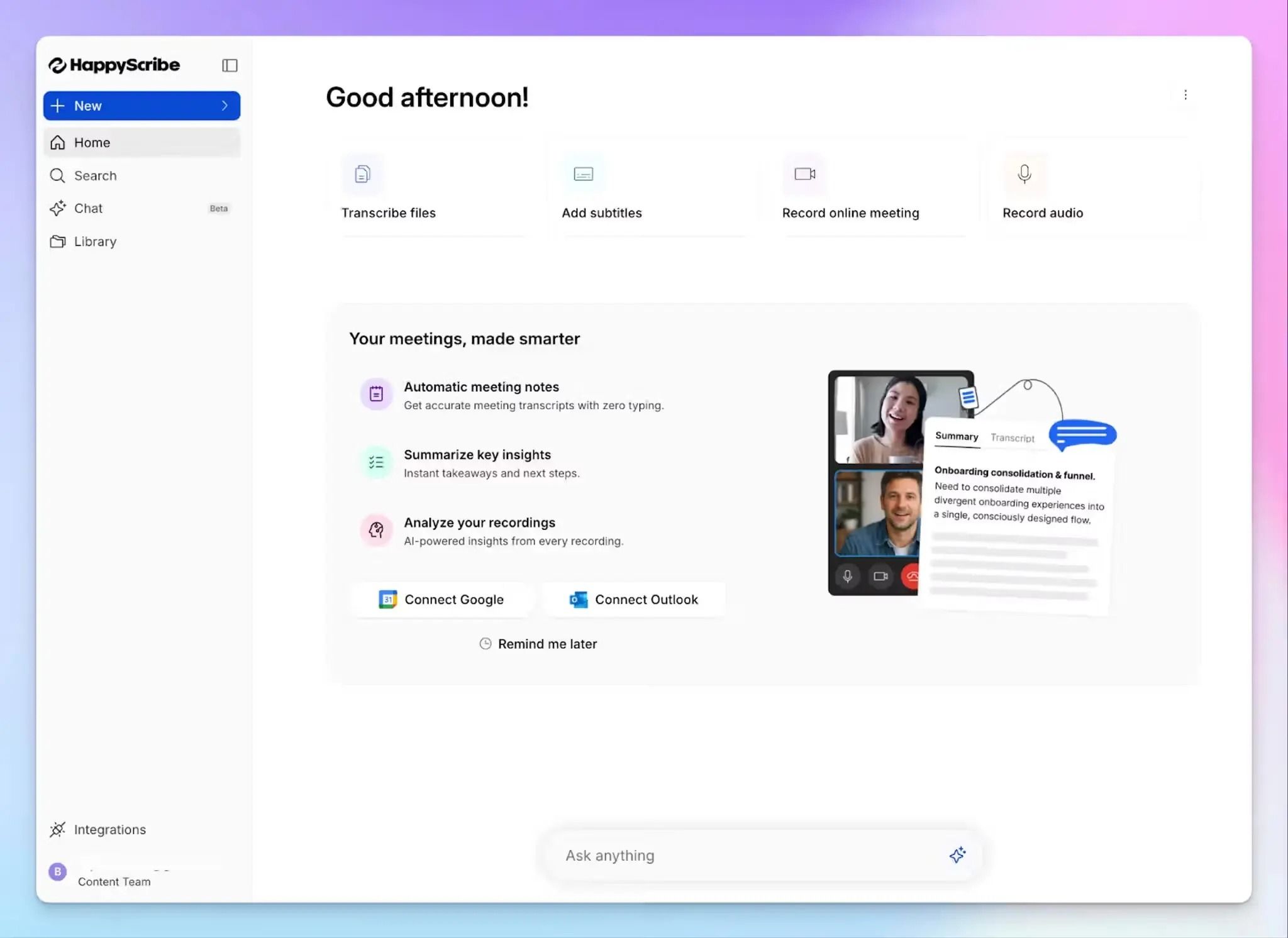
HappyScribe AI meeting note taker is built for users who want full control over how their Microsoft Teams meetings are captured. Whether you prefer recording without a bot, letting one auto-join from your calendar, or capturing in-person conversations, every method produces accurate transcripts, AI summaries, and action items.
Barcelona-based and SOC 2 Type II certified, HappyScribe stores all data in an EU Tier IV data center.
HappyScribe's key features
1. Bot-free Teams note-taking, along with a bot-assisted option for flexibility
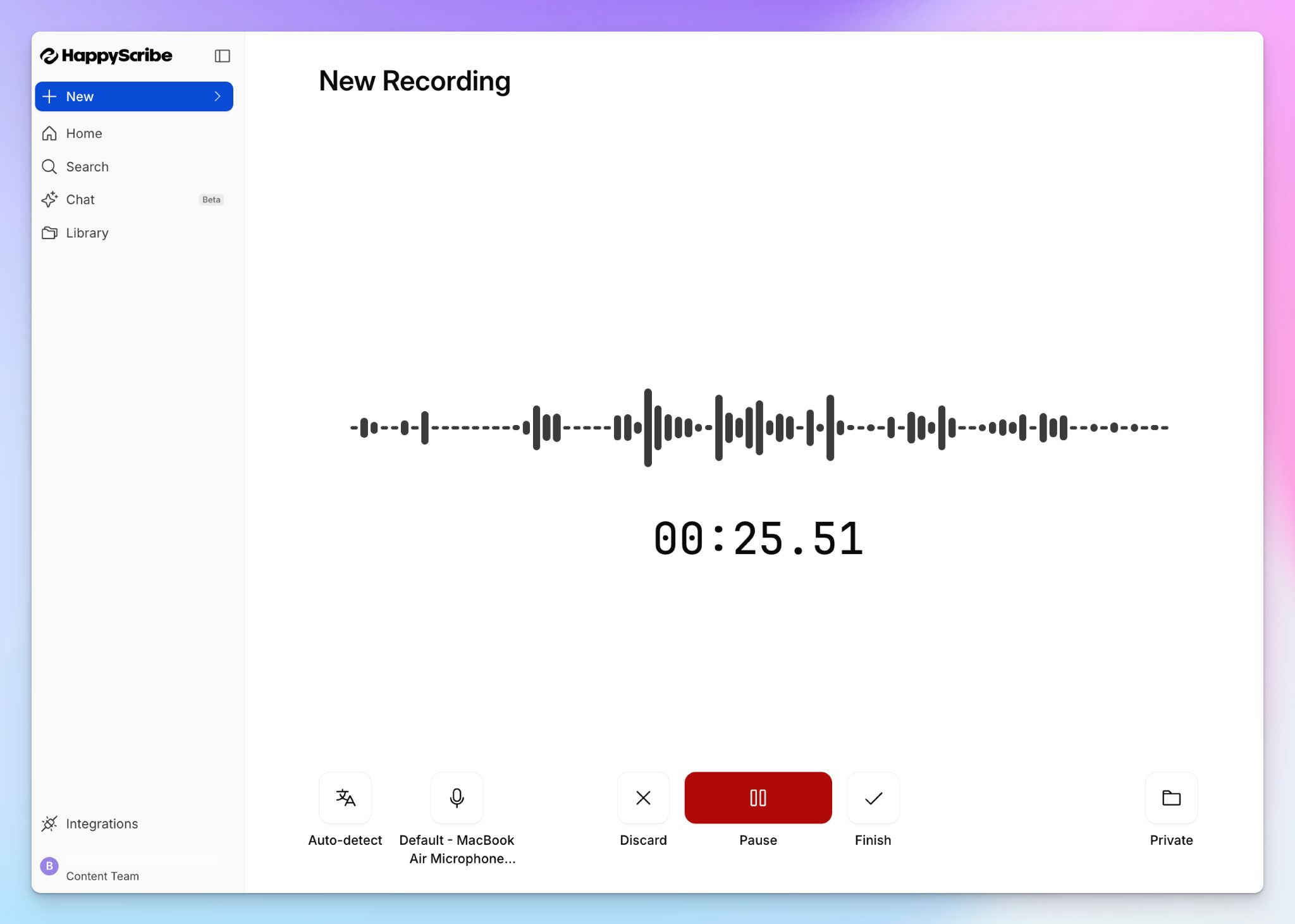
Open HappyScribe's audio recorder, hit record, and carry on with your Teams meeting. No bot appears in the participant list, and no one gets interrupted by notifications. It’s best for Teams meetings where a visible recorder changes the dynamic.
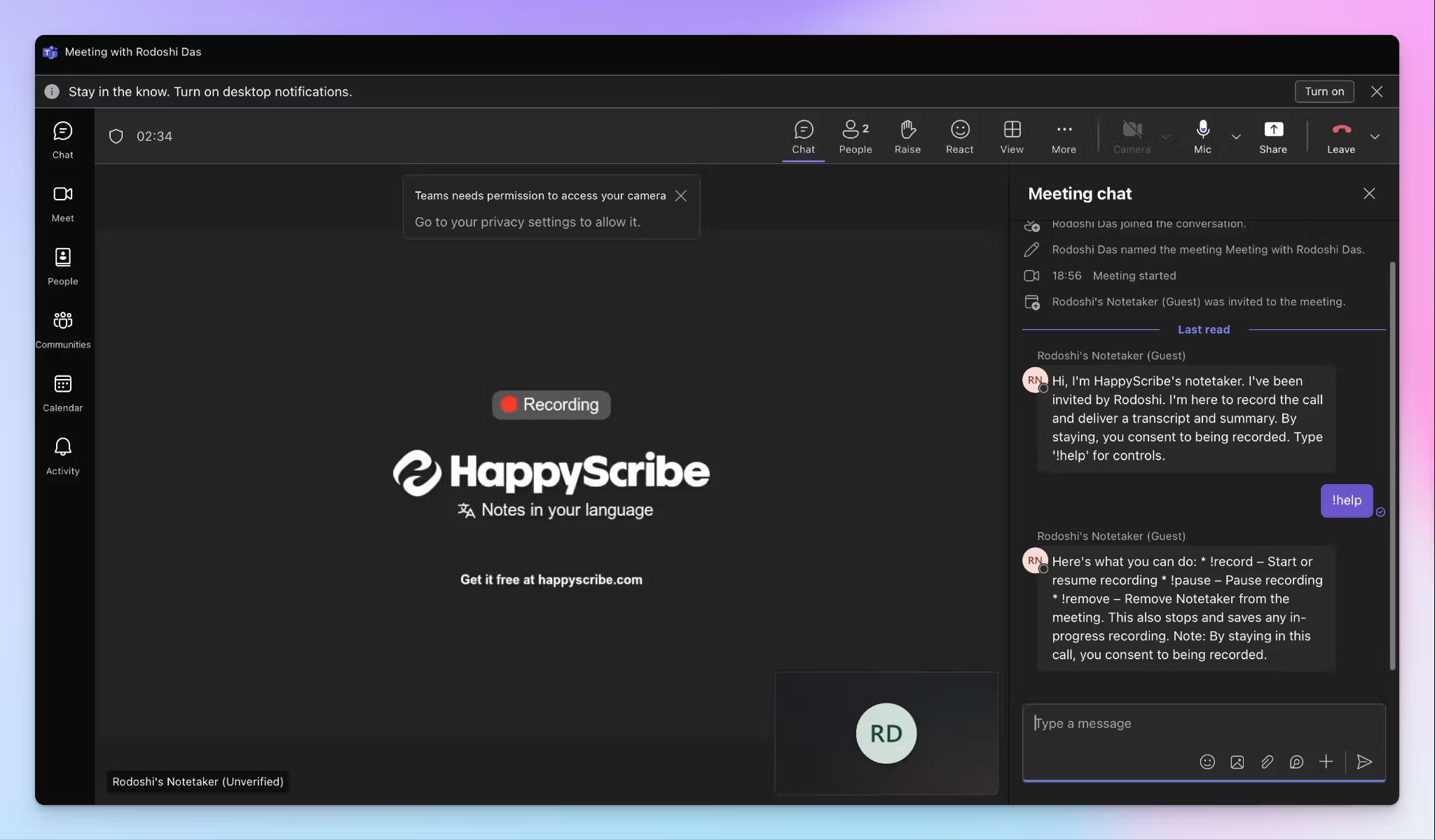
When you prefer automatic capture, connect your Google or Outlook calendar, and HappyScribe AI note taker auto-joins scheduled Teams calls. You can configure which meetings the bot joins, when it starts recording, and who receives the post-meeting summary. During the call, anyone can type "!help" in the Teams chat to pause, resume, or remove the bot entirely.
For conversations that happen away from the screen, HappyScribe iOS and Android apps let you record in-person meetings directly from your phone.
2. Generate 95%+ accurate Teams meeting notes in 150+ languages and dialects
Most AI note takers struggle when Teams calls involve overlapping speakers, quick switches, or regional accents. HappyScribe's ASR engine is fine-tuned for these conditions and delivers structured meeting notes and action items with over 95% accuracy.
From Catalan to Swiss German to Japanese, you get clean transcripts across 150+ languages and dialects. You can also add custom glossaries to make sure the AI handles your industry-specific terms correctly from the first session.
3. Use AI Chat to ask questions and find insights across meetings and files
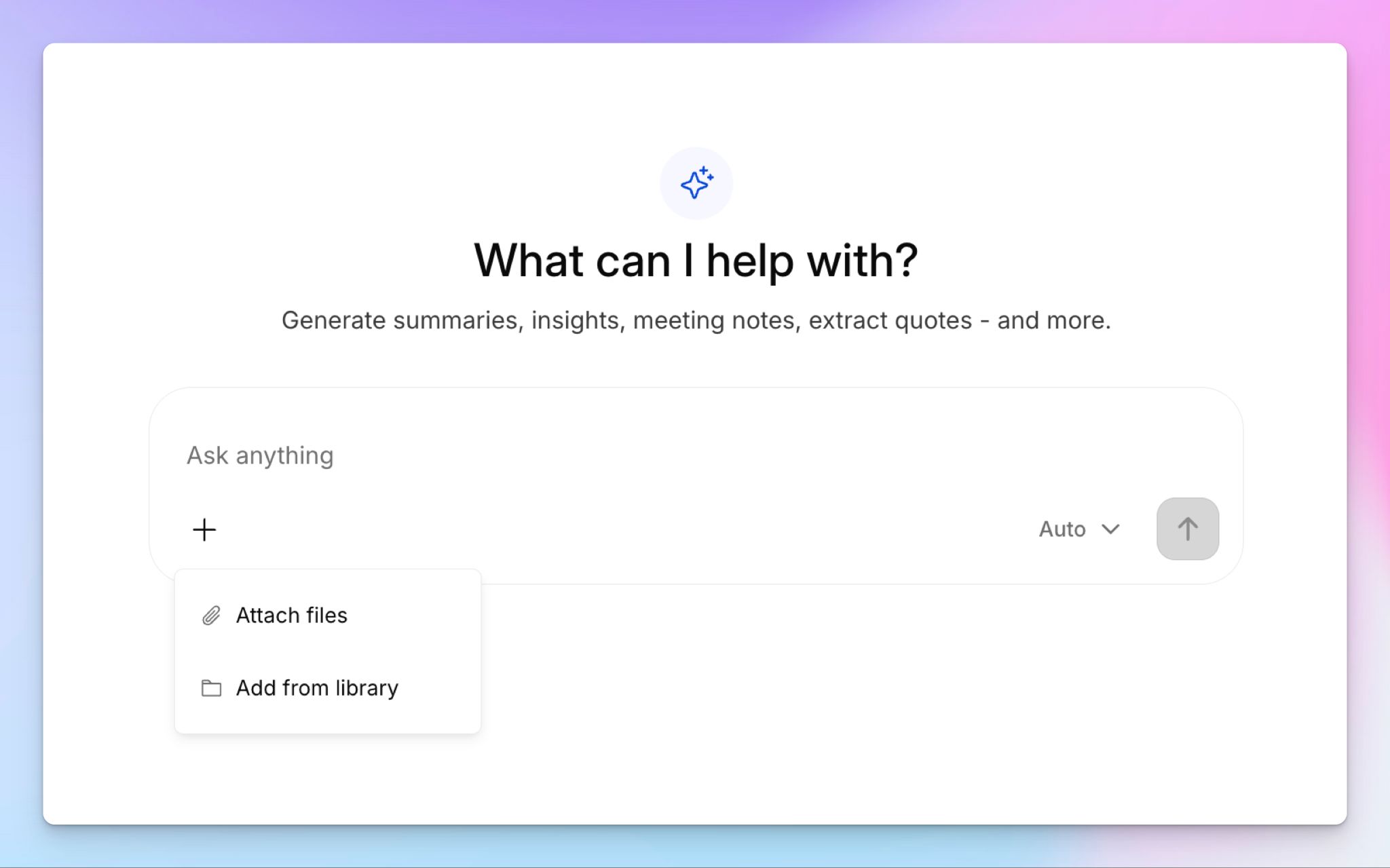
Rather than scrolling through large transcripts, why not chat with your meeting notes directly? Use AI Chat to find a specific speaker's quote, surface key decisions, generate timestamped video chapters, or draft a follow-up email based on what was discussed.
AI Chat works across your entire meeting library, so tracking a decision made three weeks ago takes seconds. It also connects to AI tools like ChatGPT and Claude via the MCP server, so your meeting data flows directly into your existing workflows.
4. Transcribe pre-recorded meeting files, translate notes, and add subtitles, all in one place
HappyScribe does more than capture live Teams calls. You can upload pre-recorded video and audio files from your device, Box, Google Drive, or Dropbox, and get the same quality of transcript and summary.
Need to share a Teams recording with a team in another country? Translate meeting notes into 80+ languages directly inside HappyScribe. You can also generate subtitles for any video file and turn it into a shareable internal asset.
5. Fast and easy-to-use platform, backed by European security
If you’re coming from Microsoft Office apps, you’ll feel the change right away. You can find past meetings, transcripts, and files in the dashboard without clicking through layers of menus, which improves team adoption.
On the security side, all data is stored in a PCI DSS and ISO 27001 certified EU data center, making it one of the best bot-free AI note takers in Europe. You can opt out of anonymized AI training from settings at any time, and when you delete a file, it's permanently removed from HappyScribe's servers.
HappyScribe's pricing
- Free: Unlimited meeting recordings (45 mins per recording)
- Basic: $8.50/month (billed annually) or $17/month (billed monthly)
- Pro: $19/month (billed annually) or $29/month (billed monthly)
- Business: $59/month (billed annually) or $89/month (billed monthly)
- Enterprise:Contact sales for tailored solutions
HappyScribe's pros
- Joins and takes notes in Teams calls reliably through calendar sync or manual invite, with a genuine bot-free alternative that doesn't sacrifice note quality
- Connects to your broader tech stack through API and Zapier integrations, with SSO and SAML login available for enterprise teams
- Offers templates to structure meeting summaries the way you want
- 95%+ transcription accuracy across 150+ languages with mixed accents and crosstalk
- SOC 2 Type II and GDPR-compliant with EU data residency, so your Teams recordings aren't stored on US servers
- Generous free plan for AI note-taking with unlimited recordings and affordable paid plans for teams to scale
- Responsive customer support from real humans, not chatbots
HappyScribe's cons
- Not ideal for real-time transcription during live calls
What are users saying about HappyScribe?
In a meeting with 25 people I recorded a talk on debt restructuring with my phone from the back of the room. The notes were concise, albeit not totally to the point, since this was not a formal meeting. The AI prompted narrative summary of less than 500 words nailed it though!
Having several telephone calls needing to be transcribed, this program made it extremely east. Accuracy, I would say is over 95%! Best software ever with a reasonable price.
How to use HappyScribe's bot-free AI note taker on Microsoft Teams: a step-by-step guide
- Log in to HappyScribe and click on Record audio.
- Give necessary permissions and press Start recording. No bot joins the Teams call.
- You can change the language, pick the audio source, and the storage folder.
- Once you’re done, you save the recording, and the transcript will be ready in seconds.
For bot-free note-taking via the mobile app, download the apps from the Play Store or App Store.
2. Tactiq
Best for: Chrome users who want bot-free live transcription inside Microsoft Teams without installing a desktop app
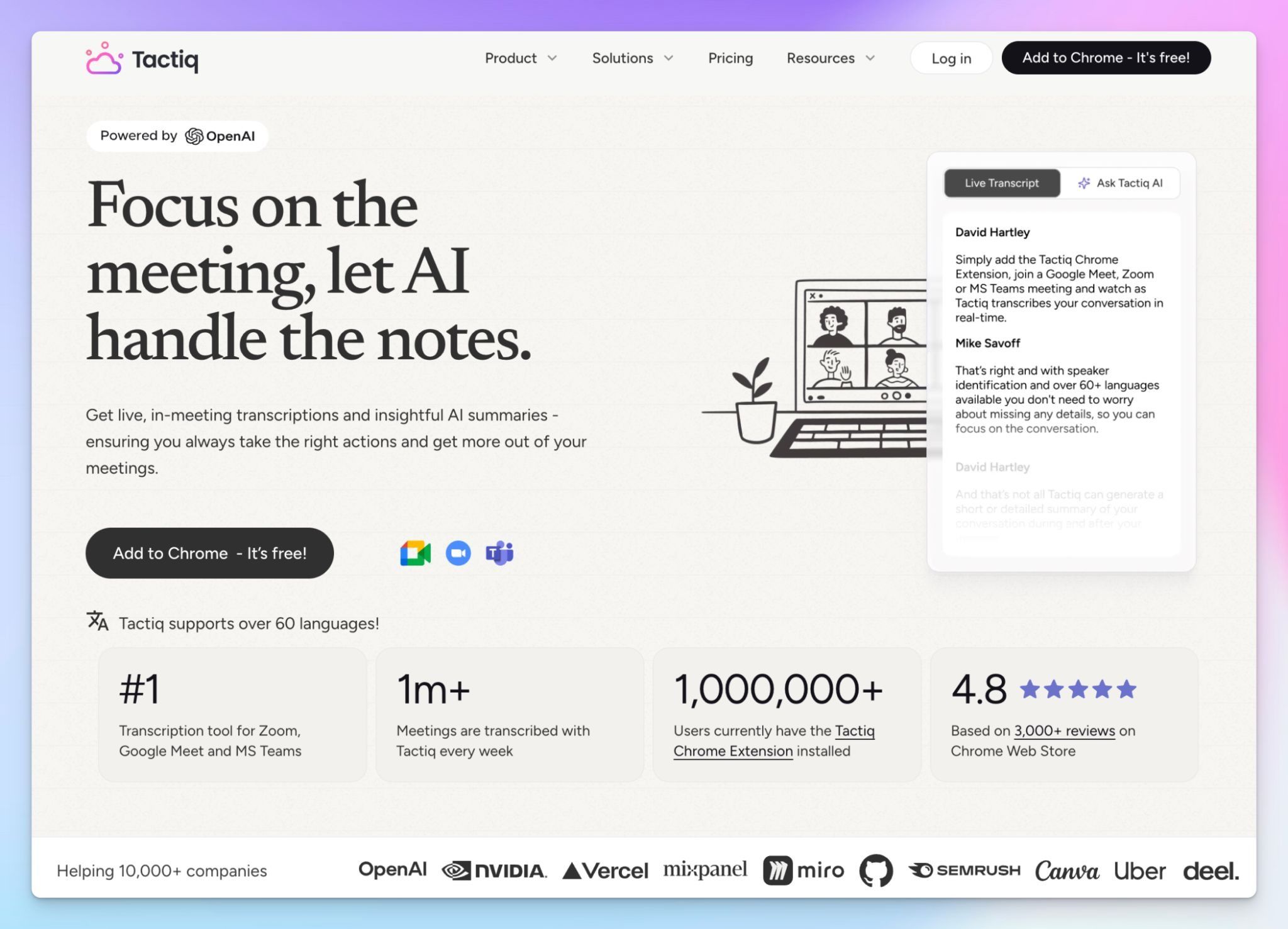
Tactiq offers a Chrome extension that captures live captions from Teams directly inside your browser. There's no bot, no desktop app to install, and no audio recording stored.
That lightweight approach is what makes Tactiq popular with freelancers and small teams who do most of their work in a browser. You install it once, join a Teams meeting, and the transcript appears in real time. After the meeting, you can run AI prompts to generate summaries, action items, or follow-up emails.
Tactiq's key features
- Transcribe Microsoft Teams meetings in real time via the Chrome extension, with support for 60+ languages and automatic language detection
- Advanced AI Workflows let you extract key insights from transcripts and push them directly to Slack, HubSpot, Linear, Notion, and other tools
- With custom AI prompts, you can shape how post-meeting outputs are formatted, so different meeting types produce different summaries
- Tactiq doesn't record or store audio from your meetings. The transcript is captured as text only, which simplifies data minimization for compliance-conscious teams
Tactiq's pricing
- Free: 10 meetings/month with 5 AI credits
- Pro: $12/month
- Team: $20/month per user
- Business: $40/month
- Enterprise: Custom pricing
Tactiq's pros
- The Chrome extension installs in seconds and works immediately. No onboarding, no calendar integration required, no admin setup
- Tactiq is SOC 2 Type II, ISO 27001, GDPR, and HIPAA compliant, with no audio ever recorded or stored
- You can ask AI questions in real time, so you’re up-to-date with what’s being discussed in meetings
Tactiq's cons
- Tactiq only works in Chromium browsers, so if you run Teams meetings in the desktop app or use Safari and Firefox, it won't capture anything
- The live transcription UI via extension is clumsy, and the confusing AI credit system makes it expensive for heavy users
- Tactiq’s accuracy is inconsistent, and since it doesn’t support media playback to verify notes, many users look for Tactiq alternatives with better feature sets
📚 Also read:
3. Bliro
Best for: Sales teams that want bot-free meeting notes with automatic CRM updates and GDPR compliance without consent requirements
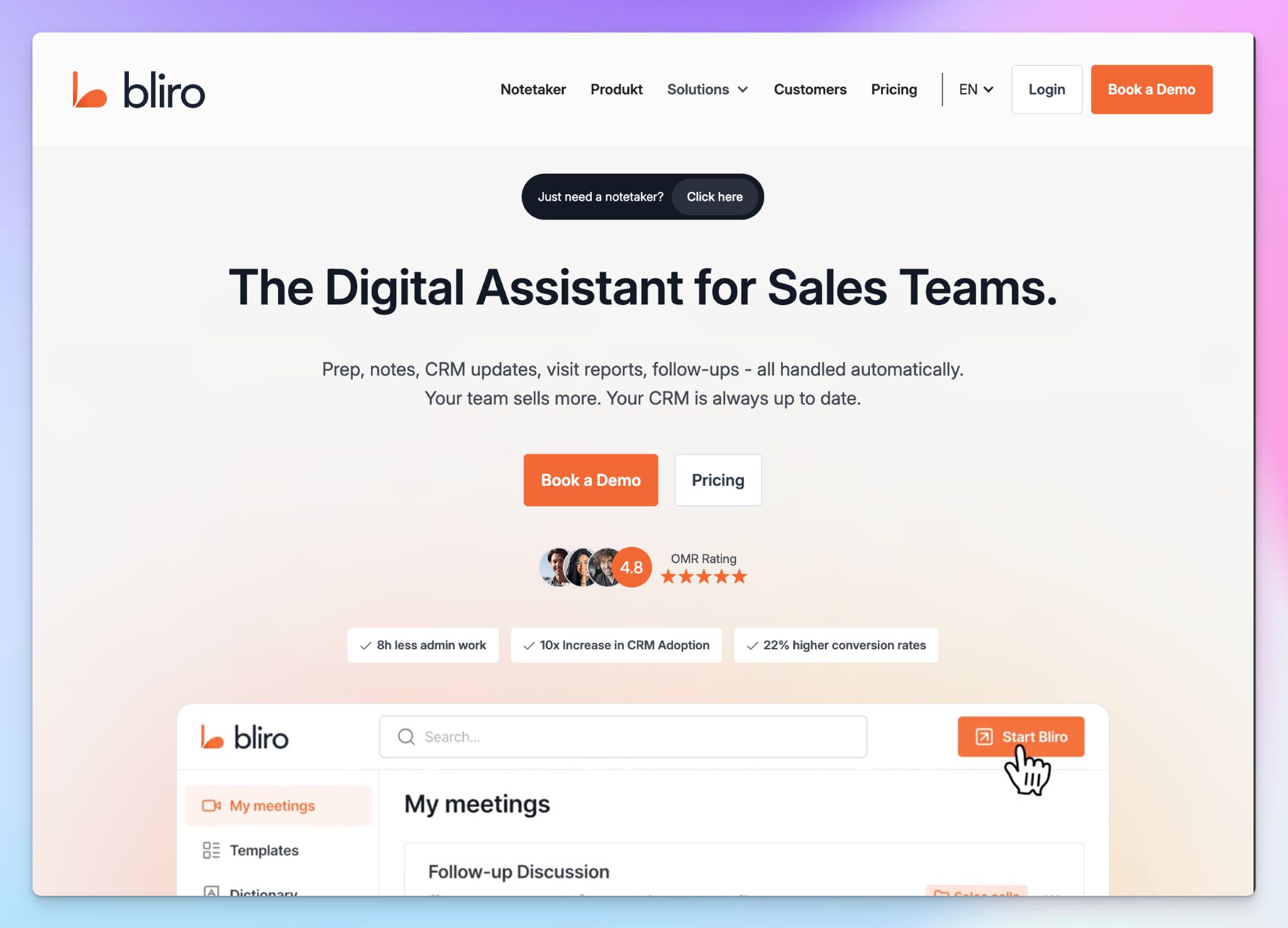
Bliro is a Munich-based AI meeting assistant built for sales workflows. It captures system audio from your device in real time and pushes transcripts into your CRM. No bot joins the call, and no audio or video is ever recorded or stored.
What sets Bliro apart from other bot-free tools is its approach to consent. By discarding the audio stream immediately, Bliro argues that it’s designed to be GDPR-compliant by default, reducing consent friction for sales teams running dozens of calls on Teams.
Bliro's key features
- Transcribe Teams meetings via system audio on Windows, Mac, or iOS with no bot and no audio stored after processing
- Automated CRM sync pushes meeting data into Salesforce, HubSpot, SAP, and Microsoft Dynamics 365
- Bliro’s AI coaching analyzes conversations against your company's playbooks and provides feedback anonymously, so reps improve without manual ride-alongs
- Voice-based meeting prep lets you call Bliro as a phone contact before a meeting to get briefed on the customer, the deal status, and recommended talking points
Bliro's pricing
- Custom pricing
Bliro's pros
- Works with any meeting tool or softphone via system audio, so it captures Teams, Zoom, Google Meet, and phone calls without separate integrations
- All data is processed and hosted on European servers (AWS Frankfurt), which is a strong fit for organizations with strict EU data residency requirements
- The voice-based assistant for pre-meeting prep is a unique feature on this list to help busy sales reps sell better
Bliro's cons
- Bliro’s pricing is completely opaque. You have to get in touch with them to start your evaluation. Generally speaking, Bliro costs more than most tools here
- When it comes to auto-joining Teams and taking notes, Bliro is not always reliable, and frequent product updates make the UI more unstable
- Bliro is built for sales teams, so if your use case is general meeting notes for product, marketing, or research workflows, you may find some features as overkill
4. Jamie
Best for: Professionals who want a polished bot-free desktop app with strong speaker recognition across online and in-person meetings
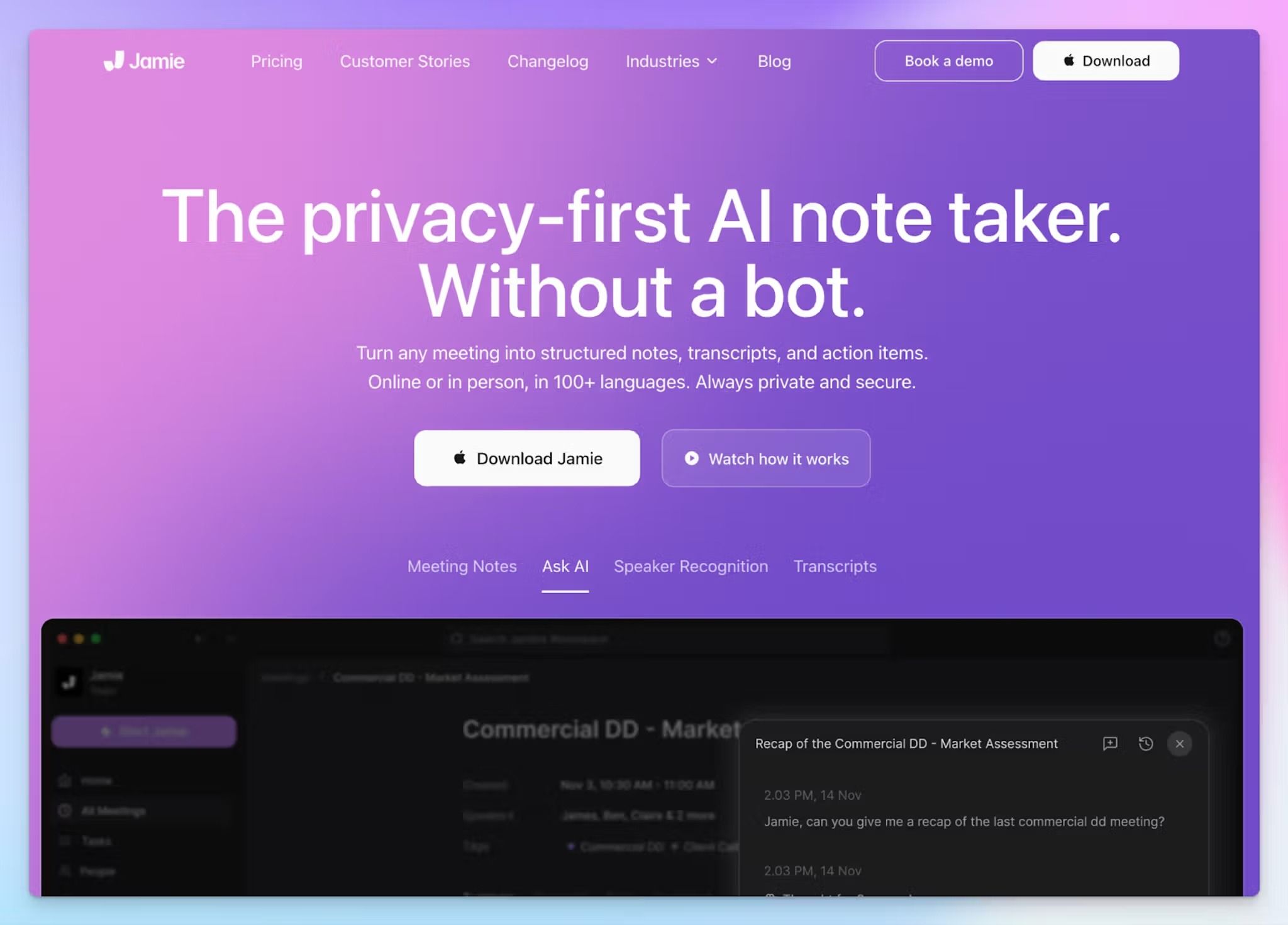
Jamie is a Berlin-based AI note taker that captures system audio directly from your Mac, Windows, or iPhone. You press record, run your Teams meeting, and get a summary with speaker labels and action items a few minutes after the call ends.
Jamie's strength is simplicity. The apps are well designed, and the Speaker Memory feature learns voices over time so it can identify returning participants across future meetings without you relabeling them each time.
Jamie's key features
- Transcribe online and in-person meetings on Mac, Windows, or iPhone in 100+ languages with automatic language detection
- Customizable templates let you define how summaries are structured for different meeting types, from standups to client calls
- Integrates meeting data with OneNote, Notion, HubSpot, Salesforce, Attio, and Asana without manual entry
Jamie's pricing
- Free: 10 meetings/month (30-min limit)
- Plus: €25/month
- Pro: €47/month
- Team: €39/month (minimum 2 users)
- Enterprise: Custom pricing
Jamie's pros
- The app UI is neatly designed. It’s useful for users who prefer easy-to-adopt desktop apps rather than web UI
- GDPR-compliant with EU data residency and audio permanently deleted after transcription, which is a strong baseline for privacy-conscious teams
- Ask Jamie AI questions to extract insights and decisions from past meetings
Jamie's cons
- Jamie doesn't record or store audio, which means you can't play back a meeting to verify what was said
- Jamie is not SOC 2 Type II certified, limiting its viability for enterprise teams with strict vendor security requirements. Users in those environments often look for Jamie alternatives with stronger compliance credentials
- The free plan caps you at 10 meetings with a 30-minute limit per recording. The paid plans scale up steeply from there
5. Krisp
Best for: Remote and hybrid teams that want bot-free meeting notes combined with noise cancellation and real-time accent conversion on Microsoft Teams
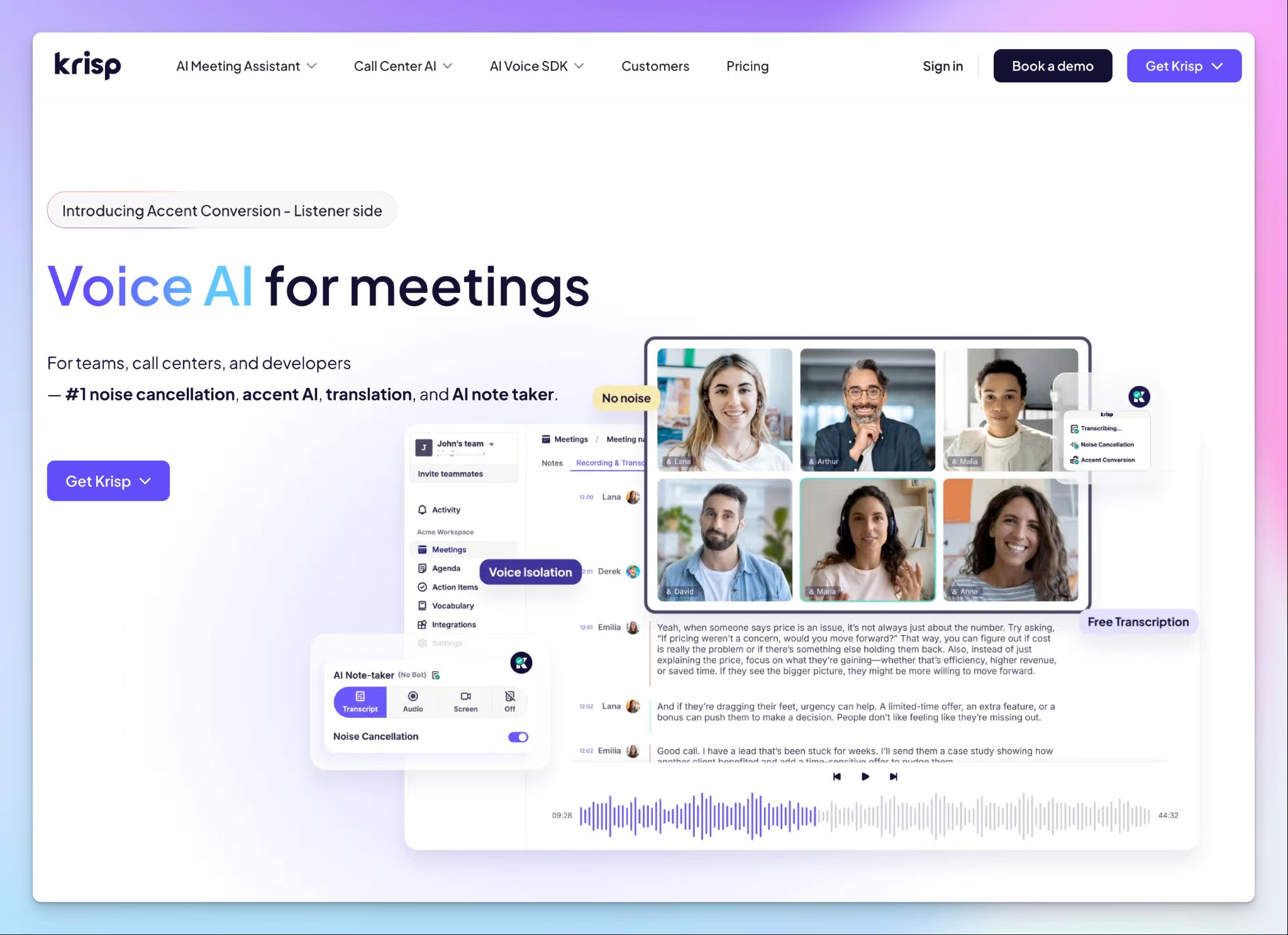
Krisp started as a noise cancellation tool and has evolved into a full AI meeting assistant. It captures audio from your device while also cleaning up background noise, echo, and crosstalk in real time. If your team takes calls in noisy environments, Krisp solves two problems at once.
You select Krisp as your speaker and microphone in Teams, toggle the note taker on, and the tool handles Teams recording, transcription, and summaries in the background. It works both as a bot-free note taker and a bot-assisted automated note taker.
Krisp's key features
- With real-time accent conversion, you can adjust how you sound to listeners and how others sound to you on the listener side
- Noise cancellation can remove background noise, echo, and nearby voices from both sides of the call in real time, so transcripts start from cleaner audio than any other tool on this list
- AI agent builds smart agendas before meetings and surfaces suggestions from previous conversations, so you're briefed before the call starts
- Krisp’s custom glossary supports up to 750 workspace-level terms with industry-specific starter kits, so your jargon is identified correctly from the first session
Krisp's pricing
- Free: 7-day trial
- Core: $16/month
- Advanced: $30/month
- Enterprise: Custom pricing
Krisp's pros
- Works at the audio level, so it captures Teams, Zoom, Google Meet, Slack Huddles, and phone calls across Mac, Windows, Linux, iOS, and Android
- Natively connect your meeting data with a wide range of tools, including Pipedrive, Affinity, HubSpot, Slack, and Salesforce
- Krisp is SOC 2 Type II and GDPR compliant, with HIPAA support for Enterprise clients
Krisp's cons
- Krisp’s AI summaries are functional but basic compared to competitors. It lags behind on templates and note flexibility
- Krisp doesn’t have a true free plan, so you must upgrade within 7 days
- Krisp supports 16 languages for transcription, prompting users to look for Krisp alternatives with wider language coverage
Which bot-free AI note taker for Microsoft Teams should you choose?
Every tool on this list captures Microsoft Teams meetings without a bot. But the right pick depends on what your workflow needs most after the call ends.
👉 Tactiq is for Chrome-first users who want lightweight, real-time transcription inside Microsoft Teams without installing a desktop app.
👉 Bliro is the pick for sales teams that need bot-free meeting notes pushed directly into Salesforce, HubSpot, or Dynamics 365 with no audio ever stored.
👉 Jamie is for professionals who want a polished desktop app with speaker memory and clean AI summaries across online and in-person meetings.
👉 Krisp is for remote and hybrid teams that need noise cancellation and accent conversion built into their meeting note taker on Teams.
👉 HappyScribe is the strongest all-rounder for bot-free meeting notes on Microsoft Teams. It combines 95%+ accurate transcription across 150+ languages, bot-assisted and bot-free recording, translation, and EU-hosted data in a single platform.
If your team runs multilingual Teams calls, needs compliance documentation that passes strict audits, and doesn't want to juggle multiple tools, HappyScribe covers it all from one workspace.
Start with the free plan to record unlimited Teams meetings and test it across real calls before committing to a paid tier.
FAQs on bot-free AI note taker for Microsoft Teams
Is there a free AI note taker for Teams?
Yes, HappyScribe offers a generous free plan that lets you capture meetings on Microsoft Teams with unlimited recordings (up to 45 minutes each). You get AI-generated notes, meeting transcripts, and a meeting recap after every call without paying anything. There's no time limit on the free plan, so it's a permanent free plan you can use for all your meetings.
Tactiq also has a free tier, but it caps you at 10 meetings per month with only 5 AI credits. Jamie's free plan has the same 10-meeting limit with a 30-minute recording cap.
Can I record Teams meetings without a bot?
Yes, you can. Bot-free AI meeting assistants capture meeting audio directly from your device, rather than joining as a meeting participant. You start a recording manually or configure the tool to auto-join meetings from your Outlook calendar. The result is the same: meeting transcription, summaries, and action items without anyone on the call knowing you're recording.
Most bot-free tools work for video calls and in-person recording. HappyScribe, for example, captures audio through its browser recorder or mobile app, so you can record both virtual meetings and face-to-face conversations. The audio quality depends on your device and environment, but tools like Krisp improve it with built-in noise cancellation.
Is 123 Notetaker AI free?
123 Notetaker AI does offer a free plan with limited AI features. The tool provides basic meeting transcription and can summarize key points from your calls. For a more complete solution that covers scheduled meetings, meeting insights, and the ability to share meeting notes with your team, consider a tool like HappyScribe that offers a stronger free tier with broader functionality.
What's the best bot-free AI note taker for Microsoft Teams meetings?
HappyScribe is the best AI note taker for Microsoft Teams if you want a single platform that handles meeting transcription in 150+ languages, works without a bot, and stores data in the EU. It's a strong fit for sales calls, research interviews, and customer success teams that need accurate notes without disrupting the meeting discussion.
For specific use cases, other tools work as well. Tactiq is ideal if you work in the browser and want lightweight live transcription. Bliro is built for sales teams that want meeting insights pushed directly into their CRM. Jamie offers polished app UI with speaker recognition for follow-up meetings. Krisp is the pick for remote teams that need noise cancellation to improve audio quality before transcription. Each tool improves your team's productivity in different ways, so the right choice depends on your workflow.
Does Microsoft Teams have an AI bot?
Yes. Microsoft Teams includes Copilot, an AI assistant that can summarize key points, list action items, and answer questions about the meeting discussion during and after calls. It works for internal meetings and virtual meetings hosted on Teams.
Copilot requires a Microsoft 365 Copilot license, which is a paid add-on to your existing subscription. It captures meeting content natively without third-party tools, but it only works within the Teams ecosystem. If you need features like in-person recording, multilingual transcription, or the ability to push notes into a CRM, a dedicated AI meeting assistant like HappyScribe or Krisp gives you more flexibility for upcoming meetings across platforms.
What's the most secure bot-free note taker for Teams?
HappyScribe is the most secure option on this list. It holds SOC 2 Type II, GDPR, ISO 27001, and PCI DSS certifications, and stores the entire conversation (transcripts, summaries, and video recording if applicable) in an EU Tier IV data center. You can use AI-powered search to find key moments across past meetings, and there's no manual note-taking required. The business plan includes SSO and SAML for enterprise teams.
Bliro takes a different approach by never storing meeting audio at all. It discards the recording immediately after transcription, which simplifies GDPR compliance. Krisp offers on-device English transcription so your meeting audio never leaves your machine, and it holds SOC 2 Type II certification with HIPAA support on the Enterprise plan.

Biplab Mazumder
Biplab is a content marketer and writer who helps high-growth brands scale content visibility across AI search channels. His works have been published in HubSpot, Freshworks, Atlassian, SurferSEO, etc. When he's not planning content strategy, he's testing AI content workflows and use cases.