TL;DR ⏩
Based on my research, here are the best AI note takers for focus groups:
- HappyScribe: Best for research teams that need accurate, speaker-labeled transcripts from online and in-person groups in 150+ languages, ready for coding
- Rev: Best for research agencies whose clients follow the live transcript and need human-verified quotes for the final report
- Sonix: Best for healthcare and pharma teams that transcribe recorded patient or physician groups under HIPAA
- Dovetail: Best for enterprise insight teams that compare themes across many focus groups and share findings with stakeholders
- ATLAS.ti: Best for academic researchers who code every speaker’s contribution and compare groups by participant traits
There’s no way to sugarcoat this: focus groups are tricky for AI note takers. You have 10 speakers bouncing off each other's ideas for an hour, and you want all of it timestamped with speaker labels. Accuracy is the holy grail, and a lot of note takers simply aren't built for user research.
I compared AI transcription tools and research platforms against what focus group recordings demand. Some well-known names didn’t make my list. For example, Otter fell short on language coverage for multilingual market research. NVivo Transcription promises 90% accuracy only on quality recordings, and focus groups rarely give you those.
Here’s what I looked for in AI note takers for focus groups:
- Accurate speaker attribution in fast-paced discussions, plus custom vocabulary, so every quote goes to the right participant
- Capture that fits how you run sessions, whether that’s a Google Meet call or a facility room with a table mic
- Timestamps that link each theme back to the audio, because AI-generated summaries alone aren’t research evidence
- Clear privacy terms, since focus group data often includes personal details that fall under GDPR or HIPAA
If you run frequent focus groups, here’s how the five tools compare:
What are the best AI note takers for focus groups? At a glance
| Category | HappyScribe | Rev | Sonix | Dovetail | ATLAS.ti |
|---|---|---|---|---|---|
| Best for | Accurate speaker-labeled transcripts for coding, in any language | Back-room observers and human-verified quotes | Recorded clinical and pharma groups under HIPAA | Comparing themes across many groups | Speaker-level coding by participant traits |
| Key focus group features | Flexible capture method, speaker editing, team collaboration, AI Chat, human-made transcripts, QDA exports | Live collaborative transcript, human transcription, cited multi-file analysis, clips | Custom vocabulary, confidence coloring, NVivo export, verbatim by default | Segment tagging, theme and sentiment tracking, highlight reels, Slack and Teams queries | Focus Group Coding, respondent variables, on-device sentiment, Code-Document Table |
| Supported languages | 150+ | English and Spanish on Essentials, 37+ on Pro | 54+ | 82 | 30+ for Desktop auto transcription |
| Session capture | Zoom, Google Meet, Microsoft Teams, mobile app for in-person group discussions, file upload | Zoom, Google Meet, Microsoft Teams, Webex, mobile app | File upload only | Calendar sync, Zoom and Google Meet imports, live mic transcription | Transcript import (TXT, DOCX, VTT) or Desktop auto transcription |
| Security and privacy | SOC 2 Type II, GDPR, ISO 27001-compliant EU data center, no AI training without opt-in | SOC 2 Type II, HIPAA and SSO on Unlimited, trains its own AI by default | SOC 2 Type II, HIPAA and BAA on Enterprise, US data storage, no AI training | ISO 27001, SSO and redaction on Enterprise, paid HIPAA add-on | GDPR, AES-256 encryption, AI processing in the US or Europe |
| Starting price | Free plan available. Paid plans from $8.50/month billed annually or $17/month | Free plan available. Paid plans from $29.99/user/month | Pay as you go at $10/hour. Plans from $25/month | Free plan available. Enterprise is custom | $107/seat for students, $628/seat commercial (billed annually) |
1. HappyScribe
Best for: Research teams that want accurate, speaker-labeled transcripts ready for coding with EU-grade security and privacy
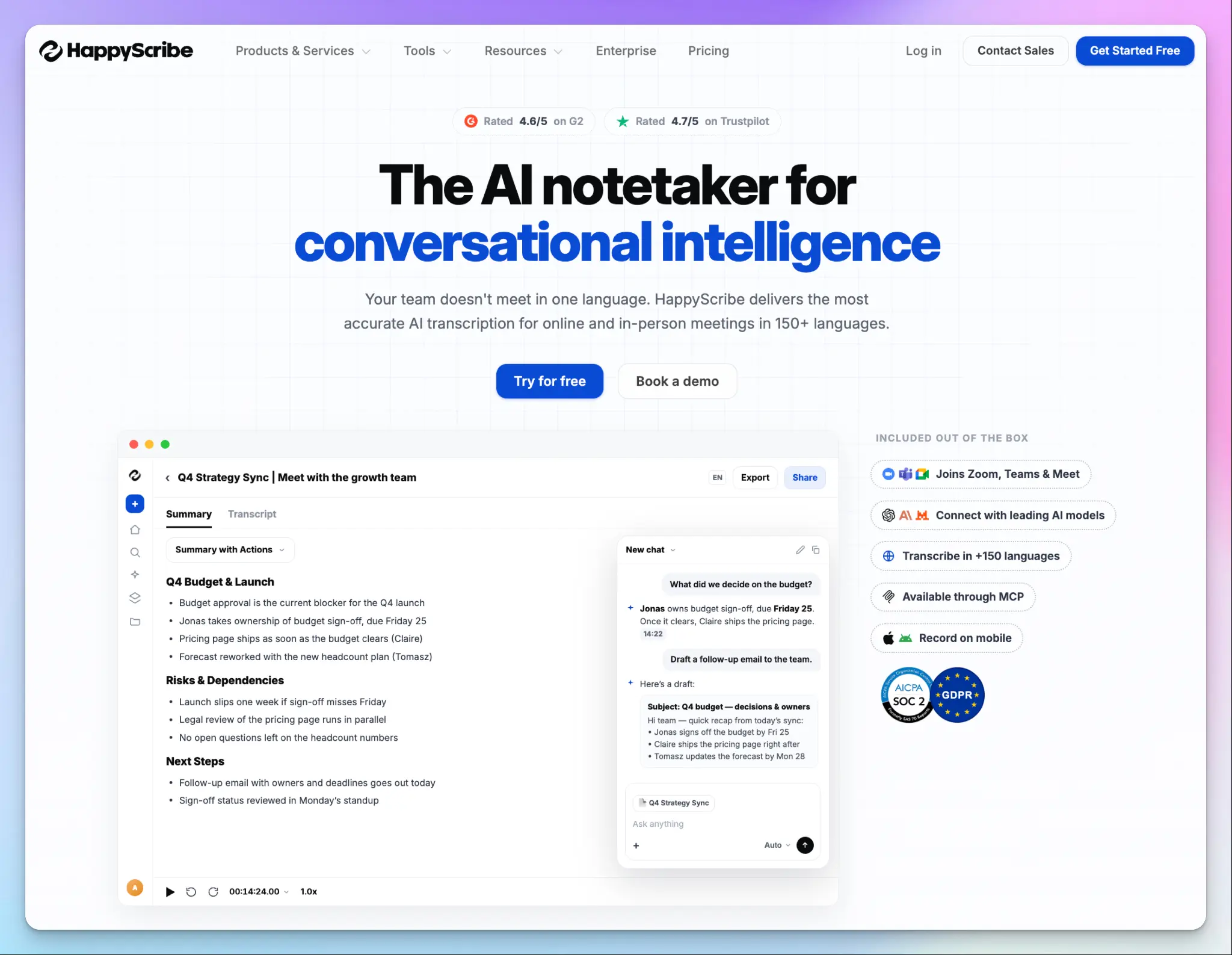
HappyScribe is a European AI meeting note taker that joins your online focus groups and records in-person sessions on your phone. You can also upload the recordings you already have.
Most note takers prioritize AI summaries and integrations, but HappyScribe focuses on the foundation. It gives you clean-read and verbatim transcripts with speaker labels that you can verify against the audio and bring into your qualitative analysis tool.
HappyScribe’s key features for focus groups
1. Capture every focus group format with speaker labels you can trust
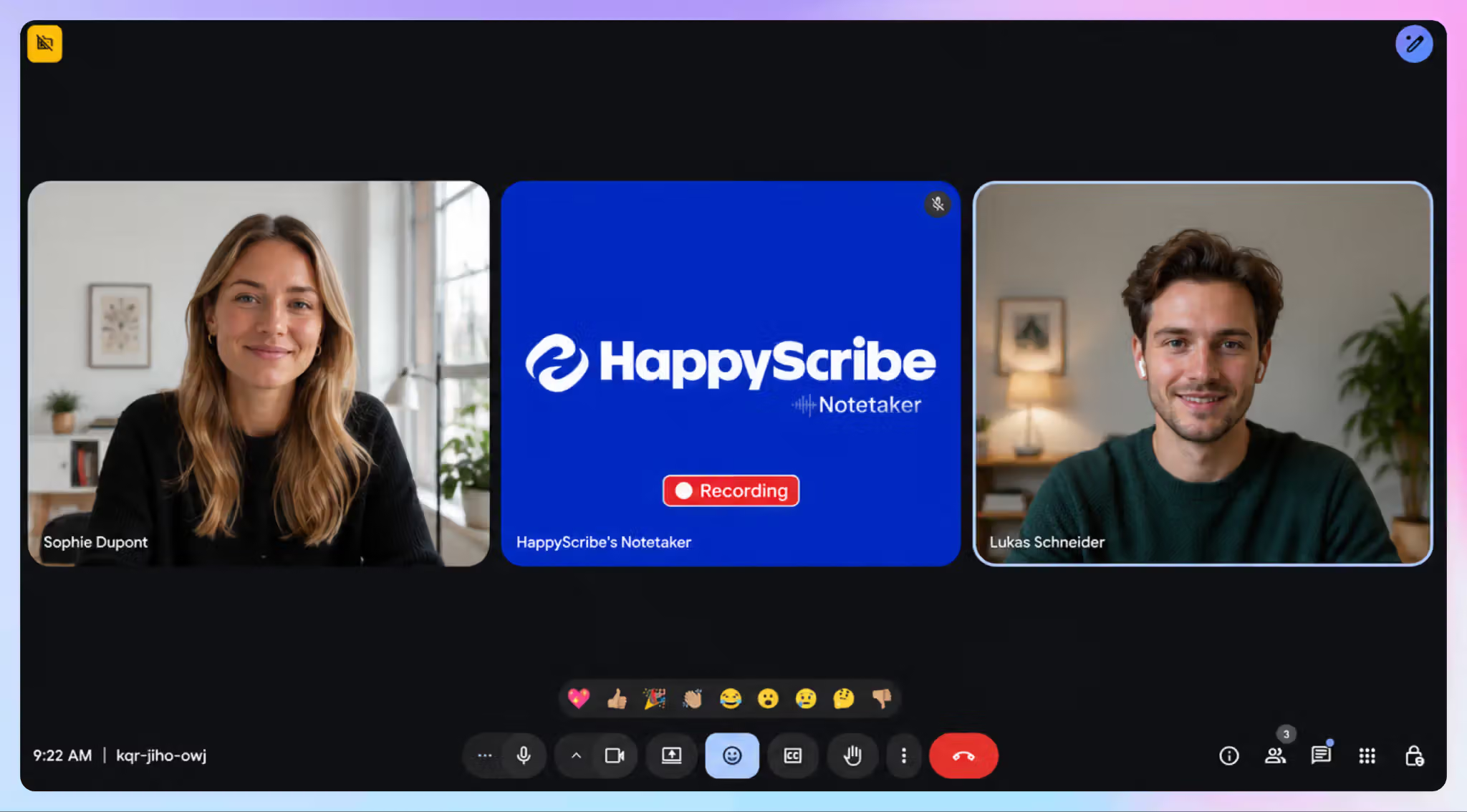
Connect your calendar, and the notetaker joins your Zoom, Google Meet, or Microsoft Teams sessions. For in-room groups, the mobile app records without a bot or an internet connection. You can upload facility recordings as files.
HappyScribe detects each speaker automatically. After the session, rename the labels to Moderator, P1, and P2 to keep participants anonymous and your labels consistent. With a custom glossary, you can keep brand and product names right in every transcript.
2. Run multilingual market research in 150+ languages with up to 99% accuracy
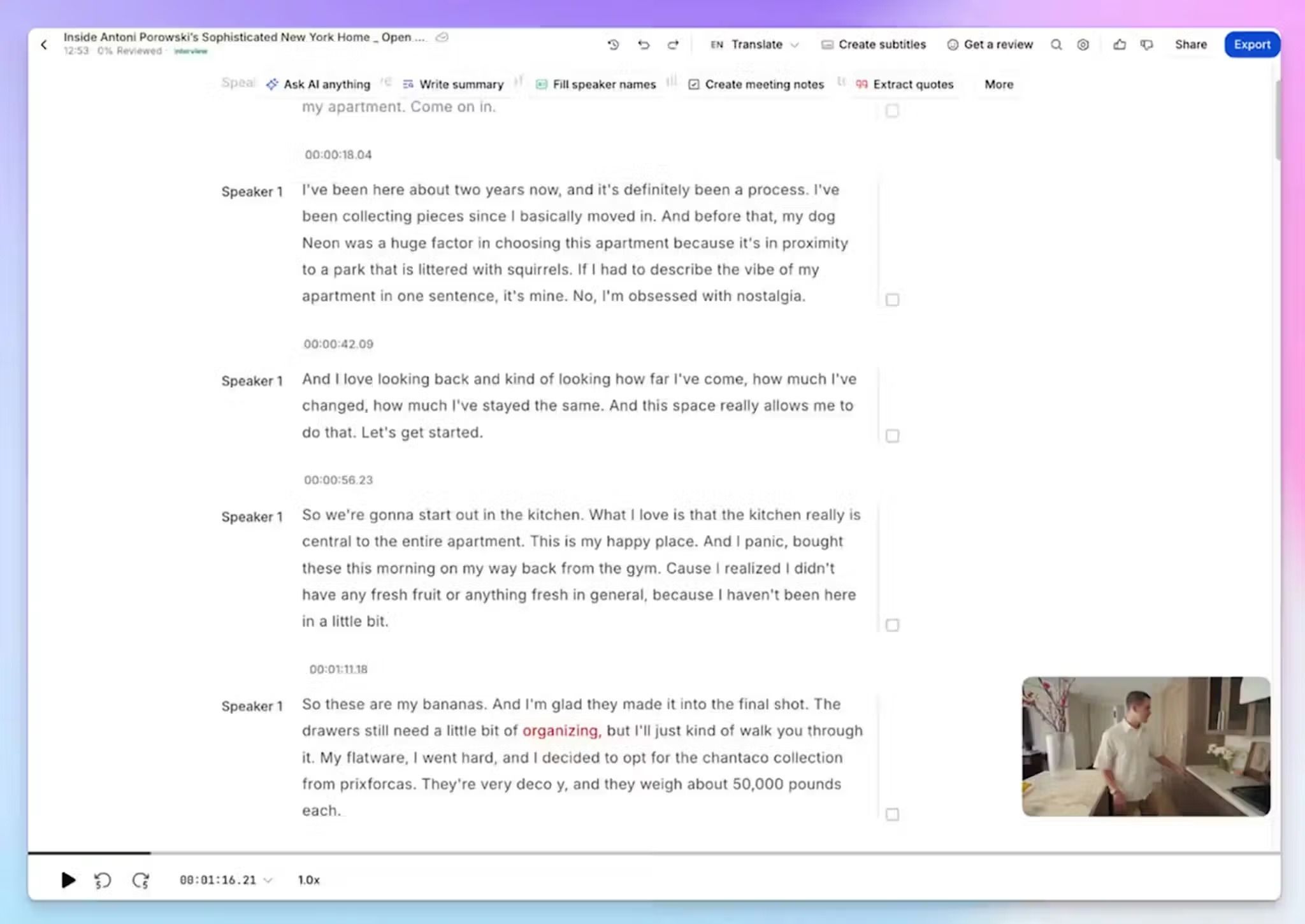
Multi-country studies used to require separate vendors for every market. HappyScribe changes that. You can transcribe 150+ languages and dialects and translate into 80+ languages in one workspace. Run a group in Madrid and one in Munich, then read both in English to compare themes.
When a quote has to be exact for a client report, you can send the file to human transcription for up to 99% accuracy in 60+ languages. HappyScribe-vetted linguists work under NDAs, so your session details stay confidential.
3. Ask questions across multiple focus group sessions
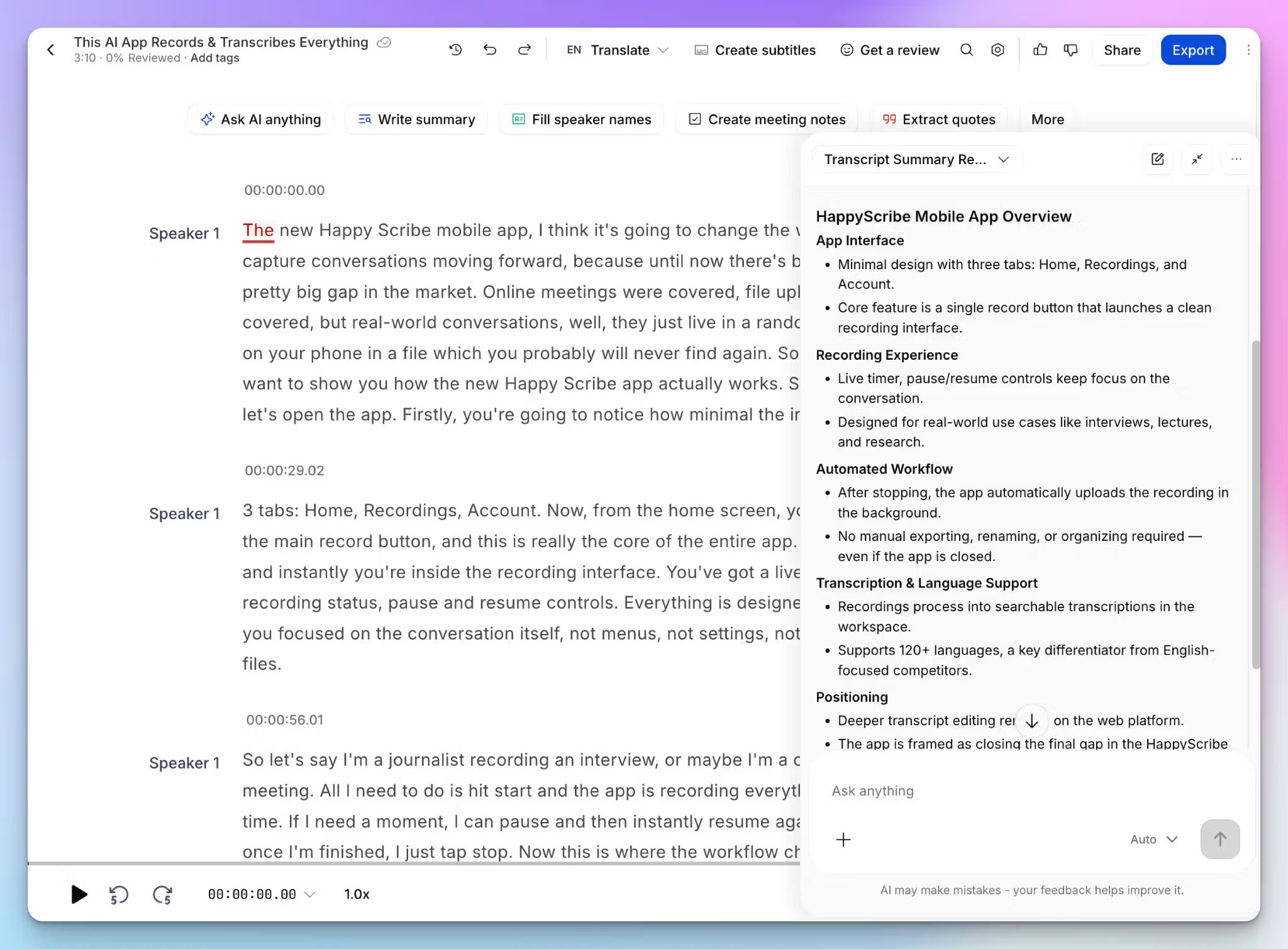
With AI Chat, you can ask how Group B reacted to the new pricing or which concerns came up in every session. Each answer cites timestamped quotes, so you can replay the moment and check tone before a finding goes into your report.
For manual coding, export DOCX or TXT files with speaker labels and timestamps for NVivo or ATLAS.ti, or use the dedicated MAXQDA export.
4. Keep participant data private
Focus group recordings are full of personal details. HappyScribe is SOC 2 Type II certified and GDPR compliant. Your data sits in a Tier IV, PCI DSS and ISO 27001-compliant EU data center and stays encrypted in transit and at rest.
HappyScribe doesn’t train its AI on your recordings unless you opt in. Enterprise plans add SSO and retention controls, and the Trust Center has the DPA and security documents your ethics board will ask for.
HappyScribe’s pros
- Multilingual transcription service with support for 150+ languages and up to 99% accuracy with human proofreading
- Highlight key quotes, collaborate with team members, and export only the highlights, with timecodes inline, for your client report
- Create and edit subtitles for the clips you share with stakeholders. It’s a useful feature for global collaboration and accessibility
- Connect your transcripts to other tools via Zapier and Claude to build a customer research repository
- Support comes from real people and not bots
HappyScribe’s cons
- Not ideal for live transcription during sessions
- Free and Basic plans cap recordings at 45 and 90 minutes, so longer focus groups need Pro or above
What are users saying about HappyScribe?
HappyScribe solves one of my biggest challenges in qualitative research: turning hours of conversations into usable, analyzable information. Without it, I would have to spend a significant amount of time listening back to recordings, taking notes, organizing quotes, and trying to identify patterns across interviews. HappyScribe removes much of that manual work and gives me a much better starting point for analysis.
Source: G2
I mainly use it to transcribe videos for research and to help templatize scripts, and it saves me a lot of time. The interface is straightforward, the transcripts are usually very accurate, and editing inside the platform is simple.
Source: Trustpilot
HappyScribe’s pricing
AI transcription and meeting notes
- Free: Unlimited meeting recordings, up to 45 minutes each
- Basic: $8.50/month billed annually or $17/month billed monthly
- Pro: $19/month billed annually or $29/month billed monthly
- Business: $59/month billed annually or $89/month billed monthly
- Enterprise:Contact sales for custom pricing
Human services: Starts from $2.00/minute
How to use HappyScribe AI note taker for focus groups
- Sign up for free and connect Google Calendar or Outlook, so the notetaker joins your online sessions.
- For in-person groups, open the HappyScribe mobile app and tap record. Upload facility recordings, or import them from Google Drive, Box, or Dropbox.
- Add brand and product terms to a glossary before the session and edit speakers in the transcript editor after it.
- Ask AI Chat to analyze and extract insights, then click Export in the top-right corner.
2. Rev
Best for: Research agencies and law firms that want client teams on the live transcript and human-verified quotes for the final report
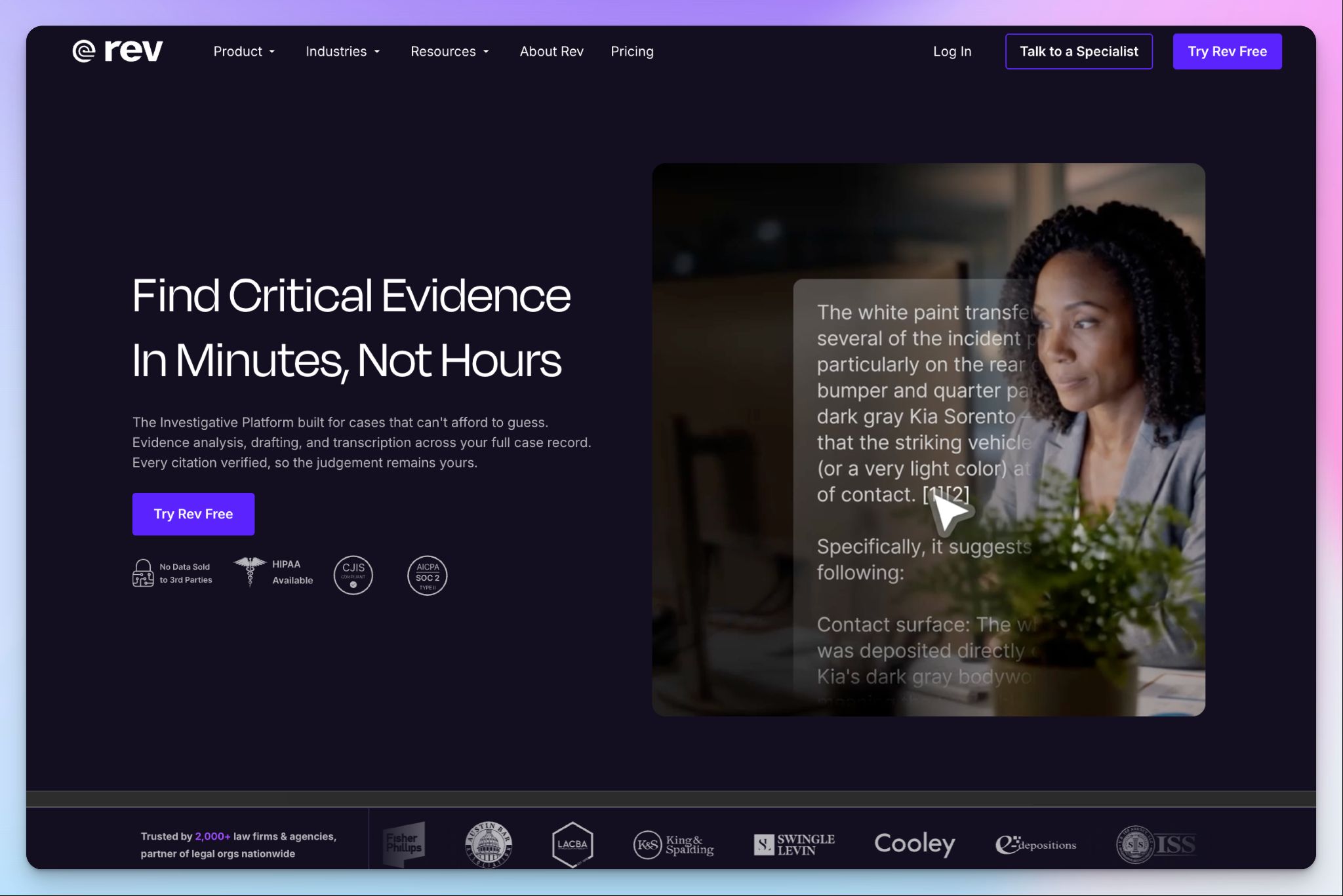
Rev made its name on human transcription, and that’s still why research agencies keep it around. When a quote has to be exact, a 99%+ accurate human transcript is a safer bet than an AI draft.
But Rev now sells itself as an investigative platform for legal teams, with research as a side market. Our Rev review found the human tier still reliable, though its AI falls short.
Rev’s key features for focus groups
- Rev Notetaker joins Zoom, Google Meet, Microsoft Teams, and Webex calls and transcribes in real time. Client observers in the back room can follow and collaborate on the live transcript
- Send crosstalk-heavy sessions to human transcribers for 99%+ accuracy in 12 hours or less. Get the verbatim add-on, and it captures every filler and nonverbal cue
- Ask one question across your focus group sessions, and Rev answers with citations to the exact timestamped moment. With research templates, you can pull quotes and themes across the full dataset
- You can clip key moments with the video and transcript in one file, then add them to your client presentation
Rev’s pricing
- Free
- Essentials: $29.99/user/month
- Pro: $59.99/user/month
- Unlimited: Custom pricing
- Human transcription: Starts from $1.99/minute
Rev’s cons
- Rev trains its own AI on anonymized customer files by default, and only Enterprise and Unlimited customers can opt out. That’s a hard sell to an ethics board, and a common reason teams look for better Rev alternatives
- The Essentials plan only transcribes English and Spanish. Multi-country studies need Pro for 37+ languages, which doubles the per-seat price
- At $1.99/minute, human transcription for a 90-minute group costs about $179, before verbatim or rush add-ons
📚 Also read:
3. Sonix
Best for: Healthcare and pharma teams that transcribe recorded patient or physician focus groups under HIPAA

Sonix is a transcription platform built for recorded files, not live calls. In my Sonix review, I found it better suited to US clinical recordings and research teams running analysis at scale.
Accuracy is the part to watch. In my testing, Sonix garbled figures and near-identical company names on a dense call. Its own research page also admits crosstalk produces merged or misattributed lines, and it advises a verification pass before coding.
Sonix’s key features for focus groups
- Upload custom vocabularies for drug names and therapeutic areas. Across a folder of patient sessions, AI analysis can flag potential adverse events and pull recurring themes
- Sonix transcripts have confidence coloring for the words Sonix wasn’t sure about, so you can jump straight to fixing weak spots. Click any line, and the recording jumps to that moment
- Rename speakers to participant codes like P01 once, and the codes carry into every export. The NVivo export format lets you autocode by speaker and filter a group down to one participant
- Sonix keeps fillers and false starts by default, with word-level timestamps. Discourse analysts get verbatim without paying a surcharge
Sonix’s pricing
- Pay As You Go: $10/hour
- Core: $25/month
- Advanced: $50/month
- Pro: $80/month
- Enterprise: Custom pricing
Sonix’s cons
- Sonix doesn’t join a live call, so you record each session and upload it later. If you run groups online, these Sonix alternatives save you the extra step
- HIPAA compliance and a signed BAA only come with Enterprise, so clinical teams have to go through sales before the first upload
- Pay As You Go has no AI workspace, and every extra seat on a subscription costs $25/month
📚 Also read:
4. Dovetail
Best for: Enterprise insight teams that compare themes across many focus groups and share findings with stakeholders
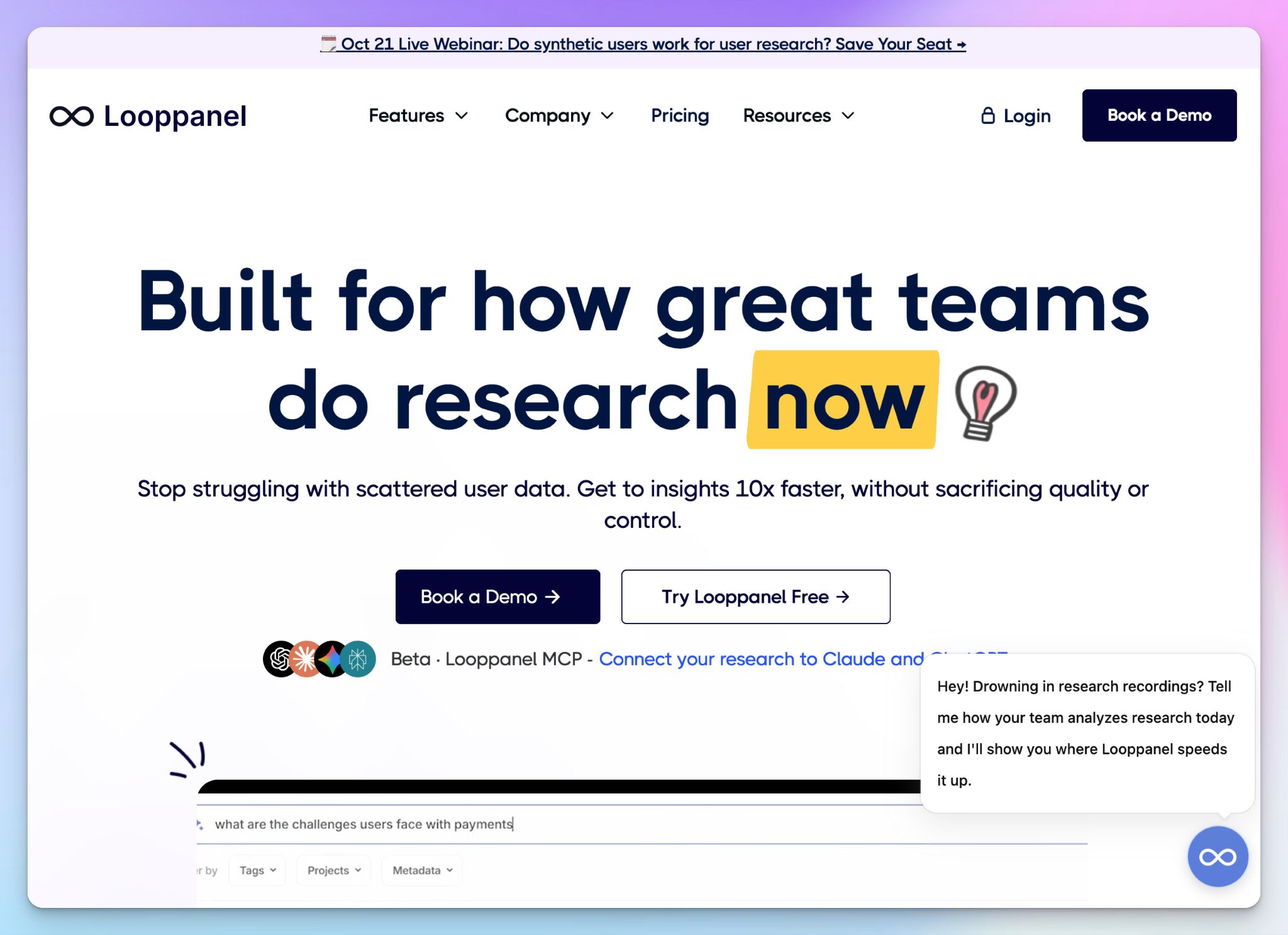
Dovetail is primarily a research repository, with meeting transcription built into its project workspace. It already made our list of AI note takers for market researchers, and its real value for focus groups shows up after the sessions end. That’s when you need to compare what all the groups said and get the findings in front of stakeholders.
Dovetail is built for insight teams running continuous research across many studies. If you run a handful of focus groups a year, you’ll pay enterprise prices for features you won’t use.
Dovetail’s key features for focus groups
- Calendar sync pulls your recorded calls in automatically, and Dovetail transcribes them in 82 languages with speakers separated. You can also import Zoom and Google Meet recordings directly
- Tag each session by segment, then track themes and sentiment across customer groups. You can see how Group A reacted to a concept next to Group B
- For message testing, Dovetail surfaces the exact phrases participants use to describe their problems. You can take that language straight into positioning and campaign copy
- Turn key moments into highlight reels and AI-written briefs. Stakeholders can ask questions about the research in Slack or Teams instead of waiting on a readout
Dovetail’s pricing
- Free
- Enterprise: Custom pricing
Dovetail’s cons
- The free plan covers one project, and Dovetail sells no self-serve paid tier. Running several studies at once means a custom Enterprise contract
- Custom vocabulary and translation are Enterprise-only, so brand names and multi-country groups are difficult to run on the Free plan
- Before you can fix a misattributed speaker, you have to name every participant in the transcript. With more people in a group, the work adds up
5. ATLAS.ti
Best for: Academic and mixed-methods researchers who code every speaker’s contribution and compare groups by participant traits
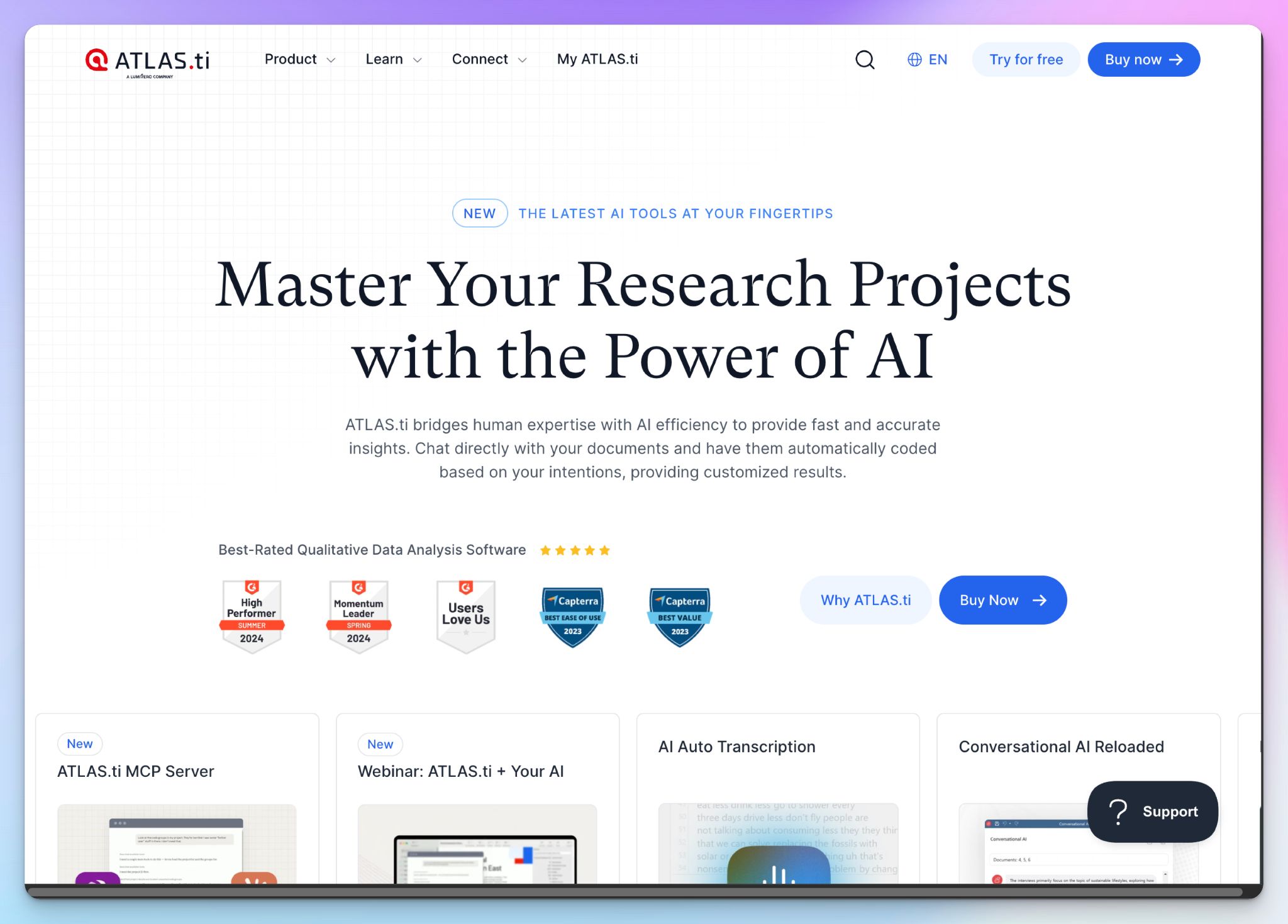
ATLAS.ti is a qualitative research analysis tool, so it picks up where the other tools stop. Import a TXT or DOCX transcript with speaker names, and it codes each speaker automatically. You can also keep the session video synced to the transcript as you code.
Its Focus Group Coding is the most focus-group-specific feature here. But if you don’t plan to code transcripts yourself, ATLAS.ti is overkill.
ATLAS.ti’s key features for focus groups
- You can code a focus group by letting ATLAS.ti read speaker labels like “@Alex:” and code every contribution to that speaker in one pass. You can also add traits like age group to each label and code those speaker units with extra codes
- Import respondent characteristics from a spreadsheet, then filter every table by them. Its query tool can pull every positive comment from one speaker by combining speaker and opinion codes
- Sentiment analysis tags each segment as positive, negative, or neutral, and it runs on your device. Opinion mining goes further and links each sentiment to aspects like price or packaging
- The code document table shows how often each theme appears across sessions or participant groups. Click any cell to read the quotations behind the number
ATLAS.ti’s pricing
- Student: $107/seat (billed annually)
- Educational: Starts from $336/seat (billed annually)
- Government and non-profit: Starts from $433/seat (billed annually)
- Commercial: Starts from $628/seat (billed annually)
- Auto transcription: Starts from $19 (120 minutes)
ATLAS.ti’s cons
- Coding features and auto transcription only run on Desktop, while real-time collaboration is a Web feature. Teams can end up switching between versions mid-project
- Focus group coding won’t work on PDFs, and it needs consistent speaker labels throughout
- Minutes for research interview transcripts are sold as separate packages, and the free trial doesn’t include any
Which AI note taker is best for focus groups?
The right tool depends on where you find it difficult to manage your focus groups, whether that’s capturing the conversation or making sense of it afterward.
👉 Choose Rev if clients with big budgets watch from the back room and need human-verified quotes for the final report.
👉 Choose Sonix if you run recorded patient or physician groups and need a BAA for HIPAA-covered studies.
👉 Choose Dovetail if your insight team compares themes across many groups and shares findings with stakeholders.
👉 Choose ATLAS.ti if you code every speaker’s contribution yourself and compare groups by participant traits.
👉 Choose HappyScribe if you need accurate, speaker-labeled transcripts from every session, in any language your study runs in.
Each of these tools comes with a catch. Rev trains its own AI on your files by default, and anything beyond English and Spanish needs Pro. Sonix can’t join a live session, and HIPAA sits behind Enterprise. Dovetail’s free plan stops at one project, and anything beyond is an enterprise contract. ATLAS.ti needs a clean, speaker-labeled transcript before its focus group coding can start.
HappyScribe gives you an accurate transcript, whether the group met online or in a facility room. Rename the speakers to participant codes, and the labels stay consistent across every session. No other tool on this list transcribes 150+ languages, and you can send crosstalk-heavy sessions to human linguists for up to 99% accuracy.
Integrate your interview transcripts with ChatGPT and Claude to ask questions across your sessions. When you’re ready to code, just export the transcript to NVivo or ATLAS.ti.
For focus groups that demand both flexibility and reliability, HappyScribe is the safest place to start.
FAQs on AI note takers for focus groups
Is there an AI program that will take notes in a focus group?
Yes. An AI note taker joins your session on a meeting platform like Zoom or records in the room. It turns the discussion into focus group transcripts, meeting summaries, and key points. Most tools are built for two-voice customer calls, though. With multiple participants talking over each other, speaker identification counts for more than the summary. HappyScribe is an AI-powered tool that labels every speaker, so your note-taking ends with a codable transcript.
Is AI note taker legal for focus groups and user interviews?
Yes, with consent. Some US states require everyone’s agreement, and GDPR needs a lawful basis for recording EU participants. Academic research also needs ethics approval covering video recording storage. For consumer focus groups, mention AI transcription in your consent form, and check whether the vendor trains AI models on your focus group discussions. HappyScribe doesn’t unless you opt in.
How do you analyze focus group data with AI?
Start with an accurate transcription that labels every speaker, then let AI speed up the analysis process. AI summaries and an AI research assistant like HappyScribe’s AI Chat pull key points across sessions. From there, run thematic analysis for identifying themes and sentiment patterns. Check each finding against the timestamped audio before it goes into your report. Move to ATLAS.ti for complex coding and mixed methods support, with qualitative data and quantitative data side by side. Human expertise then turns your focus group data analysis into actionable insights.
What is the best AI tool for group discussions?
HappyScribe is the best focus group note taker for most market research teams. It labels speakers across overlapping voices, so you can follow group dynamics, and it covers 150+ languages. Send crosstalk-heavy files to human linguists for up to 99% accurate transcription. Your whole team can highlight important points. For focus group analysis built on coding, pair it with ATLAS.ti. For HIPAA-covered clinical groups, choose Sonix.
How much does focus group transcription cost?
Human transcription services charge around $2 per minute, so a 90-minute group costs about $180. Automated transcription costs far less. HappyScribe’s free tier covers recordings up to 45 minutes, and Pro removes the cap from $19/month billed annually.

Biplab Mazumder
Biplab is a content marketer and writer who helps high-growth brands scale content visibility across AI search channels. His works have been published in HubSpot, Freshworks, Atlassian, SurferSEO, etc. When he's not planning content strategy, he's testing AI content workflows and use cases.