Key takeaways ➡️
- AI meeting note takers with Claude connectors give Claude direct access to your meeting history, so you stop pasting transcripts into chats
- Most connectors are read-only. HappyScribe is the only connector that lets Claude fix the transcript itself, from a misheard word to the wrong speaker
- Timestamped quotes let you check Claude’s answer against the source before you act on it
- Free plans vary widely. Fathom and HappyScribe connect for free, while Fellow needs a paid plan
Claude can’t take meeting notes, but it can do the next best thing: extract outcomes once you feed it the raw transcript.
Claude connectors make that happen. They connect Claude to your meeting data stored in an AI note taker. Instead of digging through files, you simply ask Claude to perform tasks based on the conversations.
The catch is that most connectors only let Claude read. I compared seven on what Claude can actually do with your meeting notes, including the one connector that lets Claude correct the transcript.
What does a Claude connector do?
A Claude connector links Claude to an app you already use. For meeting notes, that app is your AI note taker.
Connectors run on the Model Context Protocol (MCP), an open standard Anthropic released in November 2024. It gives AI assistants a secure, permission-based way into external tools and data. Every note taker in this list supports it.
Once you connect one, you stop pasting transcripts every time you want to use Claude for meetings. You simply ask it about your calls, and it pulls the answer from your meeting history.
Here’s the part people often skip: Claude draws from whatever the transcript says. If your note taker heard “Acme” as “Acne,” every answer repeats the mistake. Accurate Claude insights start from accurate meeting transcripts.
Where do Claude connectors differ?
Any of these connectors will get your meetings into Claude. Look past the setup, and they start to look very different.
- Permission: Most connectors are read-only. Claude can look at your meetings, but can’t change anything. That protects your data, but it also means a mistake in the transcript stays there. Only a select few connectors can rename meetings, edit agendas, or even fix the transcript from Claude
- Grounding: Claude can get things wrong. A timestamp shows you where in the meeting the answer came from, so you can check it before you act on it
- Scope: One meeting rarely tells you much. Patterns show up across months of calls, so look at how many meetings Claude can reason across a single question
How do the top AI meeting note takers compare on Claude connectivity?
| Tool | What Claude can change | Timestamped quotes | Bot-free capture | Free plan access |
|---|---|---|---|---|
| HappyScribe | Transcript text, speakers, summaries, and folders | Yes, with quote verification | Yes | Yes |
| Fellow | Agendas only | Not documented | Desktop app | No, paid plans only |
| Fireflies | Nothing, read-only | Yes, on every sentence | Desktop app | Yes |
| Fathom | Nothing, read-only | Not documented | Mac app (beta) | Yes |
| Otter | Nothing, read-only | Not documented | Desktop app | Yes, last 25 conversations |
| Tactiq | Nothing, read-only | Yes, with a link to the moment | Browser extension | Search and list only |
| Granola | Nothing, read-only | Not documented | Yes | Yes, last 30 days of notes |
1. HappyScribe
Best for: Multilingual teams that want Claude working from the most accurate meeting record, with the tools to verify and correct it
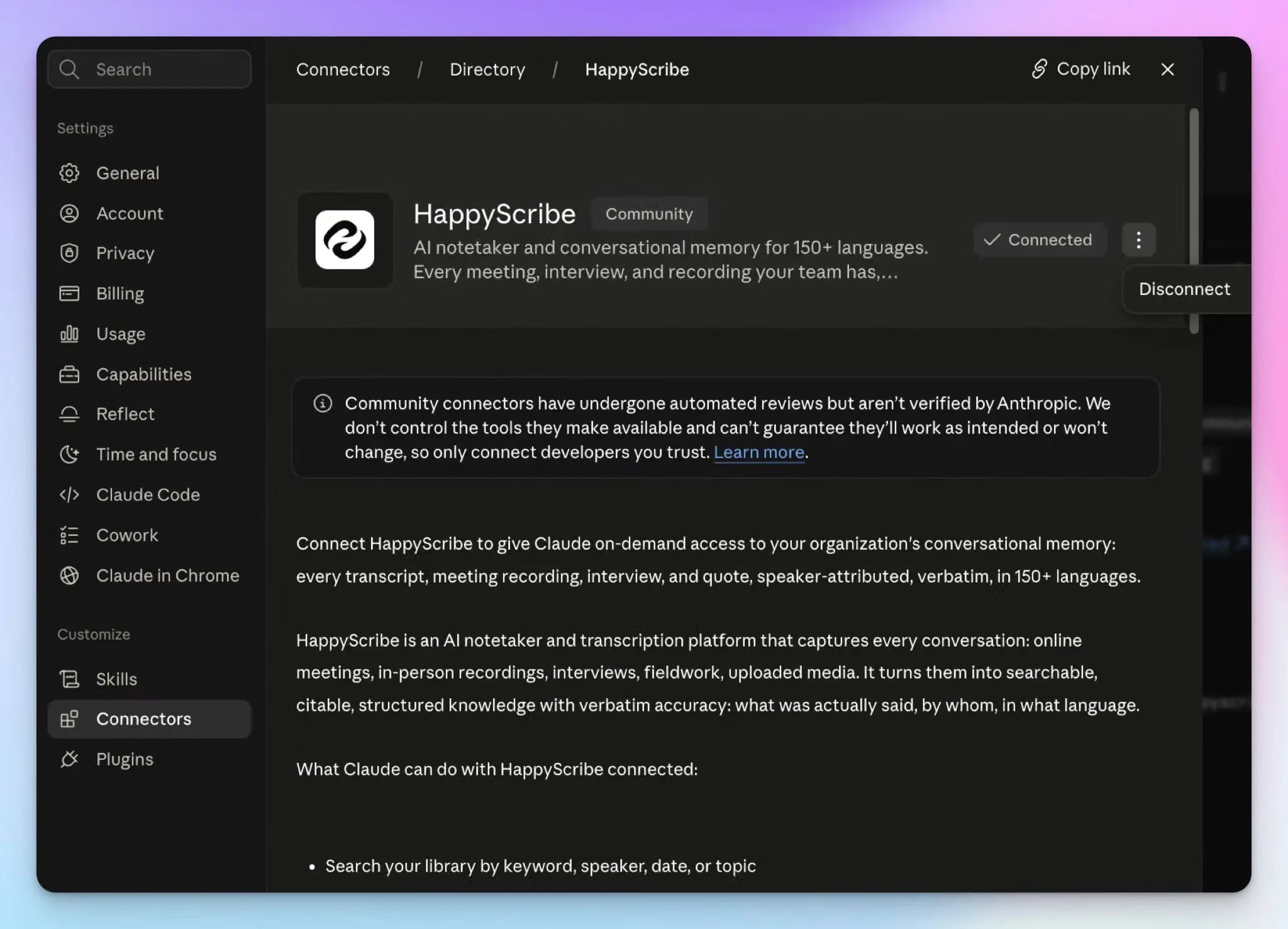
HappyScribe’s Claude connector lets Claude read your meetings and edit them. On paper, the connector offers up to 42 tools, and 18 of them can edit something in your workspace. That’s what you need when you’re working with advanced meeting workflows at enterprise scale.
HappyScribe is a community connector in Claude’s directory. Even though it doesn’t carry the verified badge, it’s screened by Anthropic’s system. You sign in through OAuth, and Claude only reaches the folders your account can already open.
- Claude can search your library by keyword, speaker, or date, and answer questions from up to 50 transcripts at once. It can also pull the calendar event behind a recording and look up the people and companies that come up across your calls
- Before a quote or action item goes to a client, Claude can verify it against the transcript. Where your workspace allows it, Claude can also listen to the audio at that moment or pull a video frame from a screen share
- When the transcript is wrong, just ask Claude to fix it. It can replace a misheard word, reassign speakers across a time range, or retranscribe the file. Then it can regenerate the summary from the corrected text
- You can also transcribe a YouTube video or public URLs without leaving Claude. To keep future meetings consistent, Claude can apply a summary template and file transcripts into folders and projects
Some of these tools depend on your plan and account settings, so check which ones your connection shows. Summary templates, for example, need the Pro plan or above. Free plans also get a lower monthly file read limit than paid plans.
Why HappyScribe?
The connector is only as good as the transcripts behind it. HappyScribe is a meeting assistant that covers your entire meeting lifecycle to lessen your workload and make you more productive.
Here’s why users rate it 4.6 on G2 and 4.7 on Trustpilot:
- 95% AI accuracy across 150+ languages and dialects; one of the best in the industry
- Bot and bot-free capture for flexibility and easy-to-use mobile apps
- Works across Zoom, Google Meet, Microsoft Teams, and in-person calls, even offline
- Add custom glossaries, use meeting summary templates, and extract insights with AI Chat
- SOC 2 Type II certified and GDPR-compliant note taker, backed by European-grade security
2. Fellow
Best for: Teams that want Claude to turn past meetings into the next agenda, with admin control over every tool
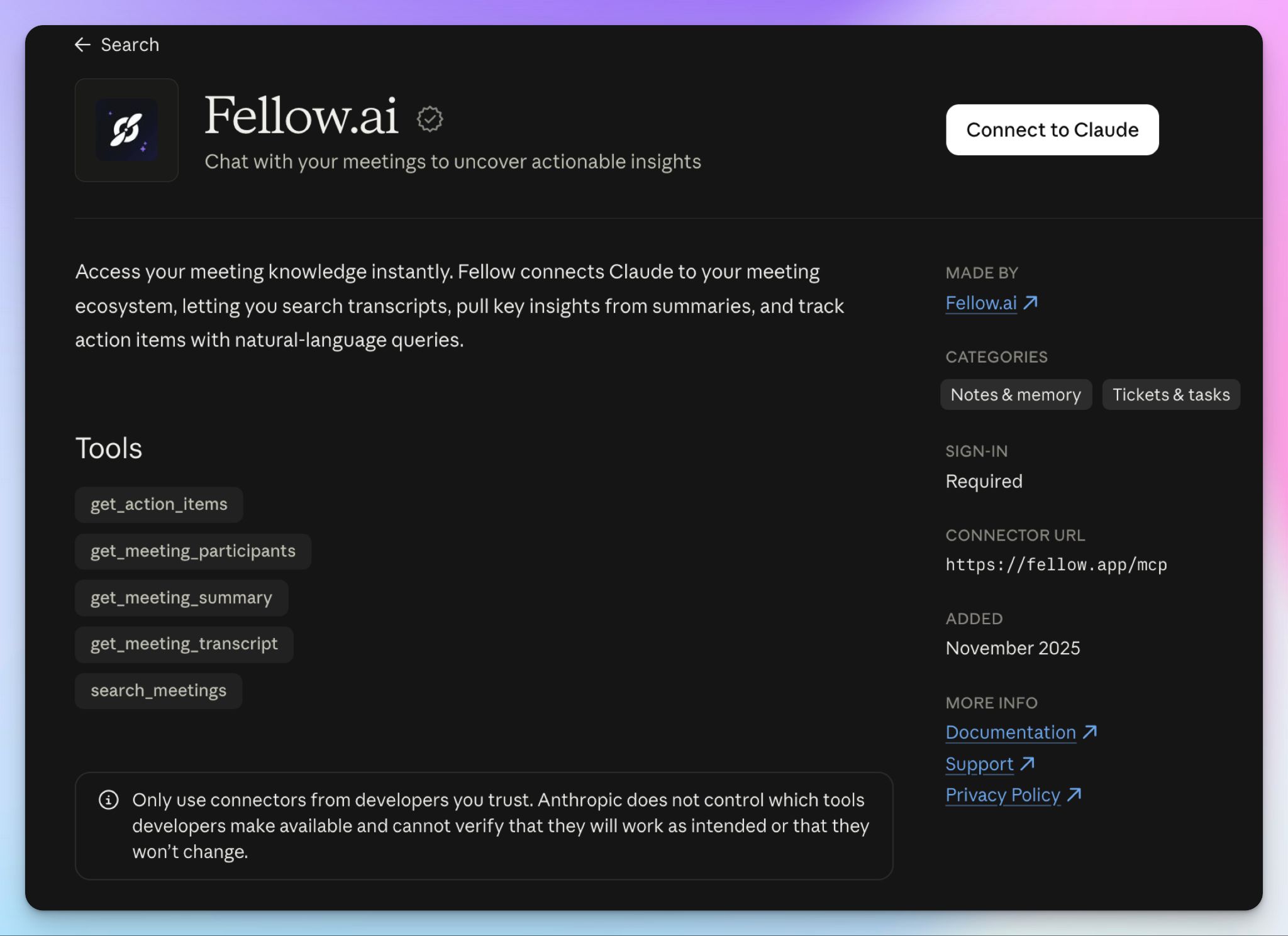
Fellow’s Claude connector is built around meeting prep. Claude reads your past calls, then writes the meeting agenda for the next one straight into Fellow. If your team runs on recurring meetings with shared agendas, Fellow could be an option.
- Claude can search meetings and pull summaries, transcripts, and participants. A dedicated action items tool filters by status, assignee, and date, so you get a direct answer to “what’s still open from this week?”
- Claude can write, edit, and rename agendas, and set a default agenda template for a whole meeting series
- Admins switch each tool on or off, and every change lands in the workspace audit log. You also approve write access yourself before Claude can edit anything
What are Fellow’s Claude connector limitations?
- Claude’s edits stop at the agenda, which is why some teams look at Fellow alternatives. It can’t correct the transcript, so if you find a misheard name or wrong number, you have to switch tabs and fix it yourself
- The connector needs a paid Fellow plan, and a workspace admin has to switch on MCP before anyone can connect
- The Team plan caps you at 10 AI notes per user each month, which leaves Claude a thin library to search
3. Fireflies
Best for: Sales and customer success teams that want Claude to spot patterns across a large library of recorded calls
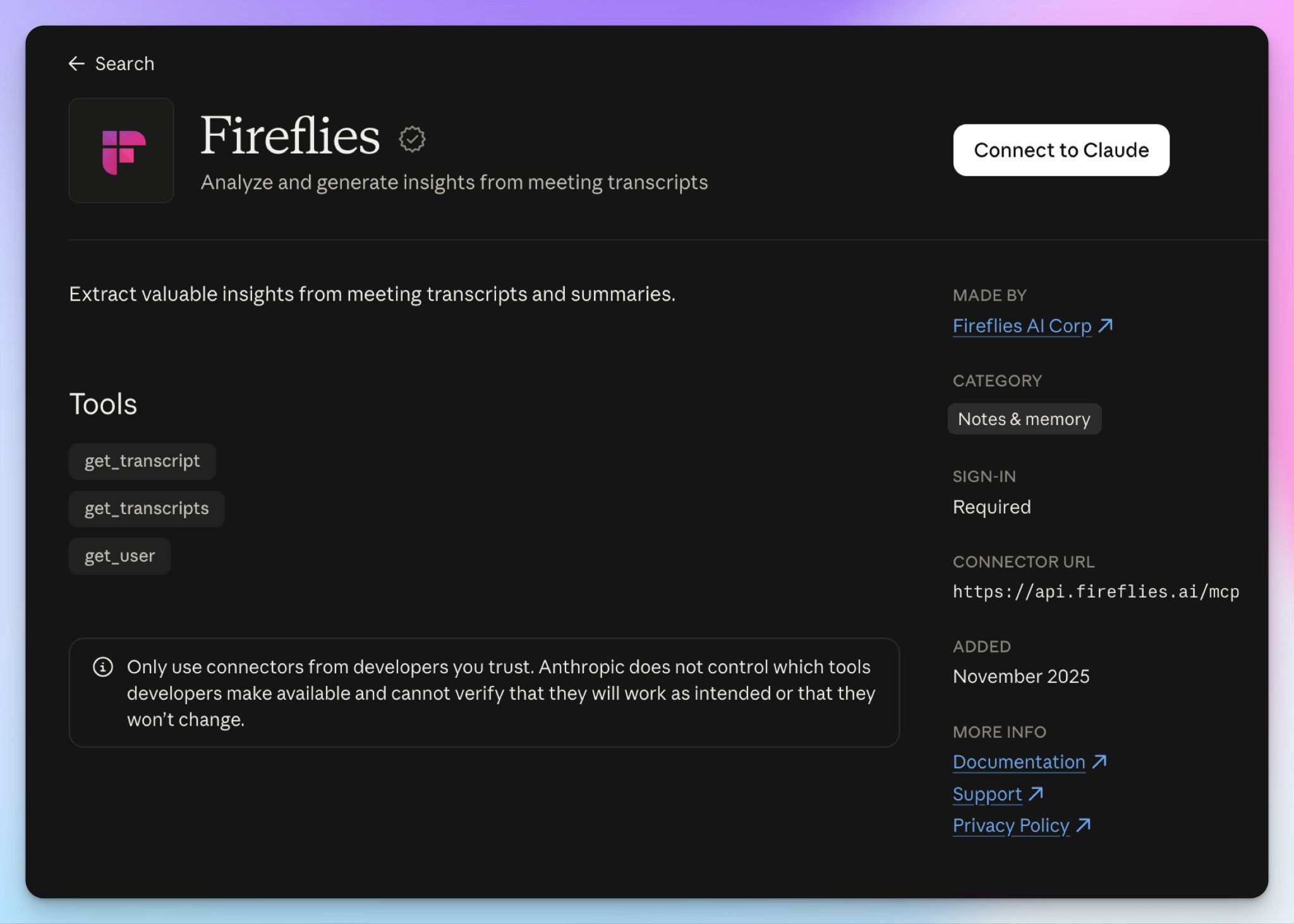
Fireflies’ Claude connector is built for search at scale. You ask about a quarter’s worth of calls, and Claude pulls the transcripts that answer the question.
- Claude can search transcripts by keyword, date, participant, and channel, and pull up to 50 meetings in one request
- Sales call transcripts come back with speaker names and a timestamp, so you can trace a quote to the exact moment
- On paper, other AI tools can share, rename, or move meetings and create soundbites via MCP server, though Fireflies’ Claude connector documents only three read-only tools
- In Claude Cowork, you can schedule a prompt to run on repeat, like a Monday digest of last week’s customer calls
What are Fireflies’ Claude connector limitations?
- In our Fireflies AI review, Fireflies merged two speakers into one and mangled a reference code. Claude can only work with what the transcript captured, which is why some teams look at Fireflies alternatives for more reliable notes
- Fireflies’ Zero-Day Retention policy stops at the connector. Once a transcript reaches Claude, Anthropic’s terms govern it
📚 Also read:
4. Fathom
Best for: Individuals and small teams who want Claude on a free plan, with meetings they can pull up by person or team
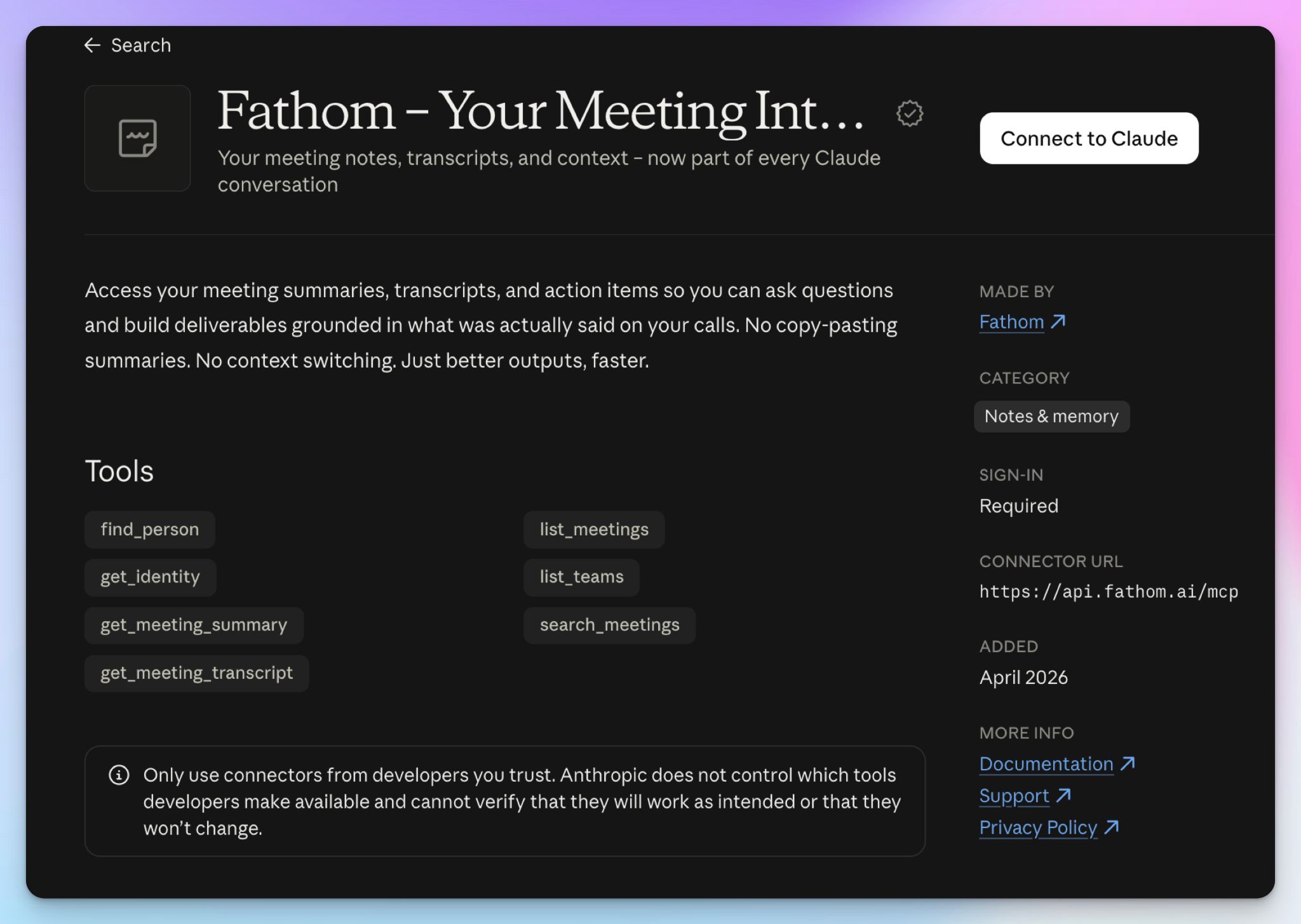
Fathom's Claude connector works on every plan, including the free one. Fathom's free plan records and transcribes without limits, so even a free account can build a meeting history worth handing to Claude.
- Claude can search your meetings and pull AI summaries and full transcripts, limited to meetings you already have permission to view in Fathom
- A dedicated person lookup lets Claude find a contact across your recorded calls, and Claude can list your teams to browse meetings beyond your own
- Each of the seven tools has its own switch in Claude's connector settings, so you can narrow what Claude can reach
What are Fathom's Claude connector limitations?
- Claude can read your Fathom meetings but can't change anything in them, so a wrong name or speaker stays wrong in every answer. Check out some Fathom alternatives for more accurate notes
- Fathom can't transcribe uploaded files; Claude only sees meetings Fathom captured live
5. Otter
Best for: English-speaking Otter teams who want quick lookups of past calls inside Claude
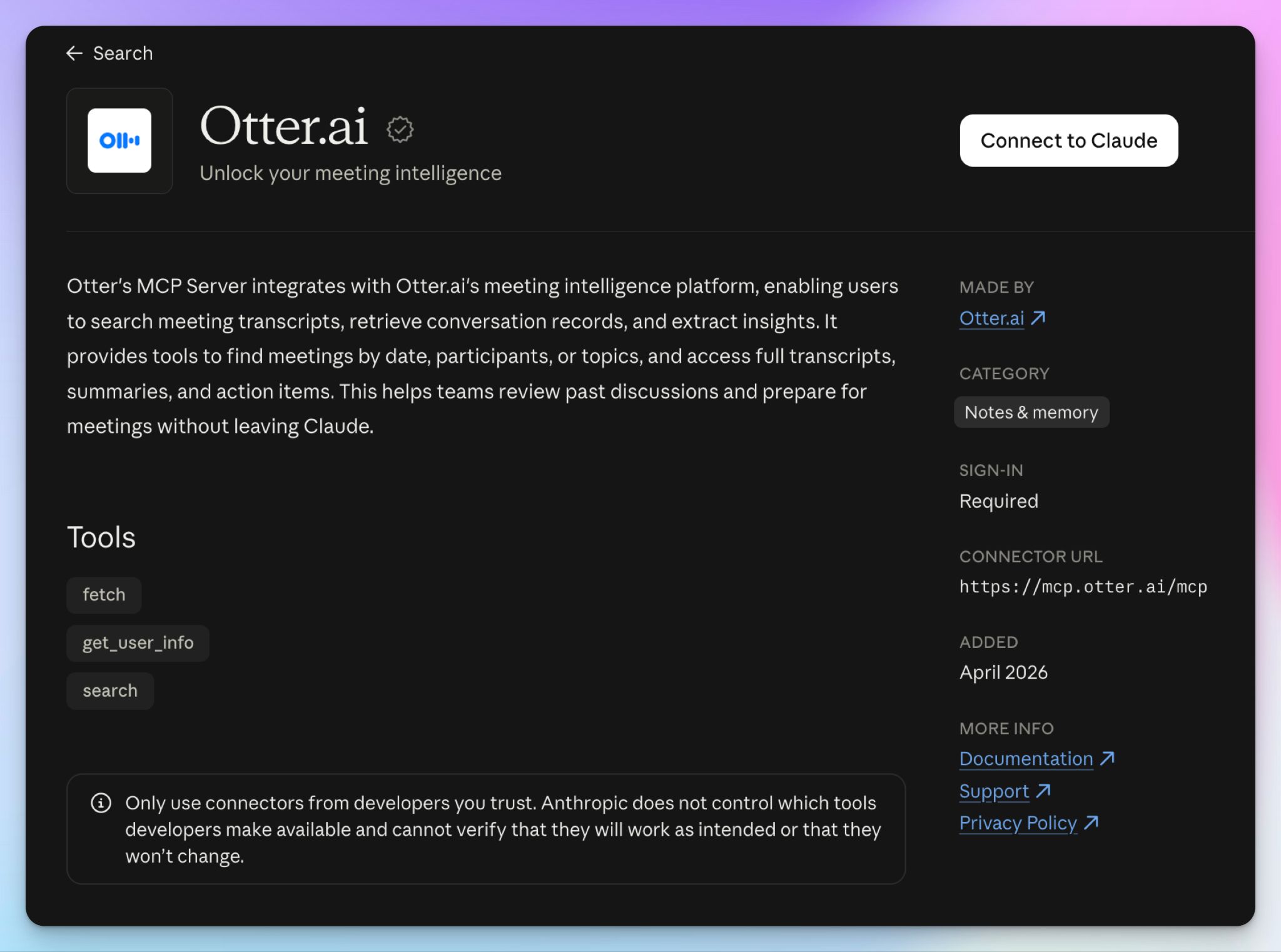
Several note takers, including HappyScribe, use multiple AI models within the platforms. Otter recently switched to Claude for LLM analysis, and its Claude connector brings that relationship full circle. It connects your Otter meetings to your Claude chats, and it keeps things simple, with three tools.
- Claude can search your Otter meetings by date, participant, or topic, then fetch the full transcript, summary, and action items
- Paste an Otter conversation link into Claude, and it pulls that meeting directly, as long as you recorded it or someone shared it with you
- On Enterprise, IT teams can set what Claude can query and review a log of every request it makes
- The connector works on Otter's free Basic plan
What are Otter's Claude connector limitations?
- Claude reads Otter's raw transcript, and that's where the errors are. In our Otter AI review, it mangled a reference code and turned a surname into one that doesn't exist. Claude can't fix either through the connector, which is why some teams look at Otter alternatives for reliability
- On the free plan, Otter keeps only your 25 most recent conversations, each capped at 30 minutes, so Claude has a short history to search
- Otter transcribes in six languages, so meetings in any other language never reach Claude as usable text
📚 Also read:
6. Tactiq
Best for: Teams that want Claude to trace meeting quotes to a speaker, timestamp, and source
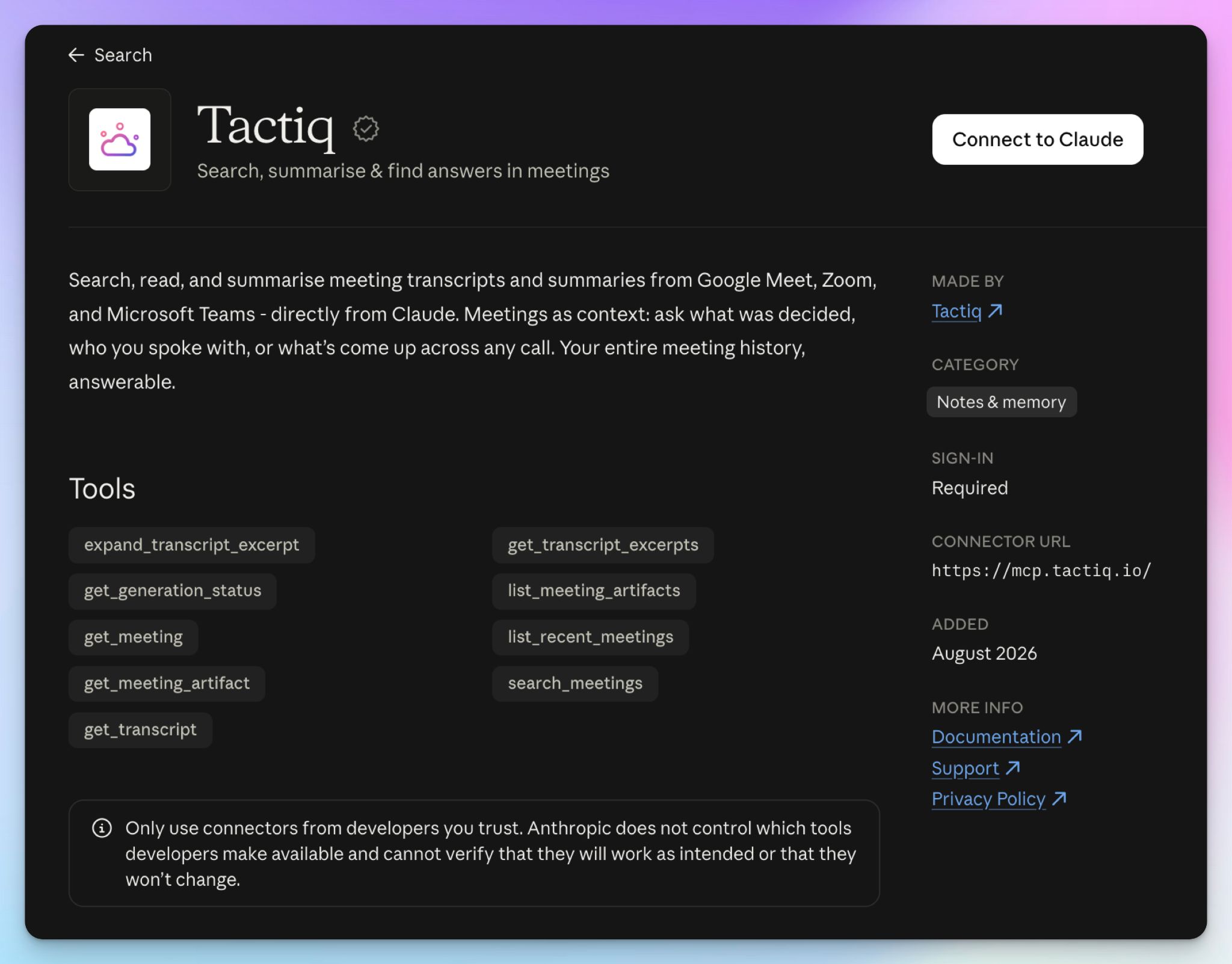
Tactiq’s connector is built around proof. Instead of handing Claude a full transcript every time, Tactiq serves your meetings in layers, from basic meeting details down to the raw transcript, so Claude only reads as deep as your question needs.
- Claude can search and list your meetings by topic, participant, or date on any Tactiq plan
- When Claude quotes a meeting, you get the speaker, the timestamp, and a link that opens the transcript at that exact moment
- Claude can widen any excerpt for more context, or read the action items and drafts Tactiq already generated
- Tactiq captures Zoom, Google Meet, and Microsoft Teams calls from your browser, without any bot
What are Tactiq’s Claude connector limitations?
- Tactiq doesn’t store audio, so a timestamp only leads back to the transcript. If the transcript is wrong, there’s no recording to check it against, which is why some teams look at Tactiq alternatives
- On the Free and Pro plans, Claude can only search and list meetings. Reading summaries and transcripts needs Tactiq’s Team plan or higher
- Capture runs through a browser extension, so calls taken in desktop apps never reach Claude
7. Granola
Best for: Product and sales professionals who write their own meeting notes and want Claude to build on them
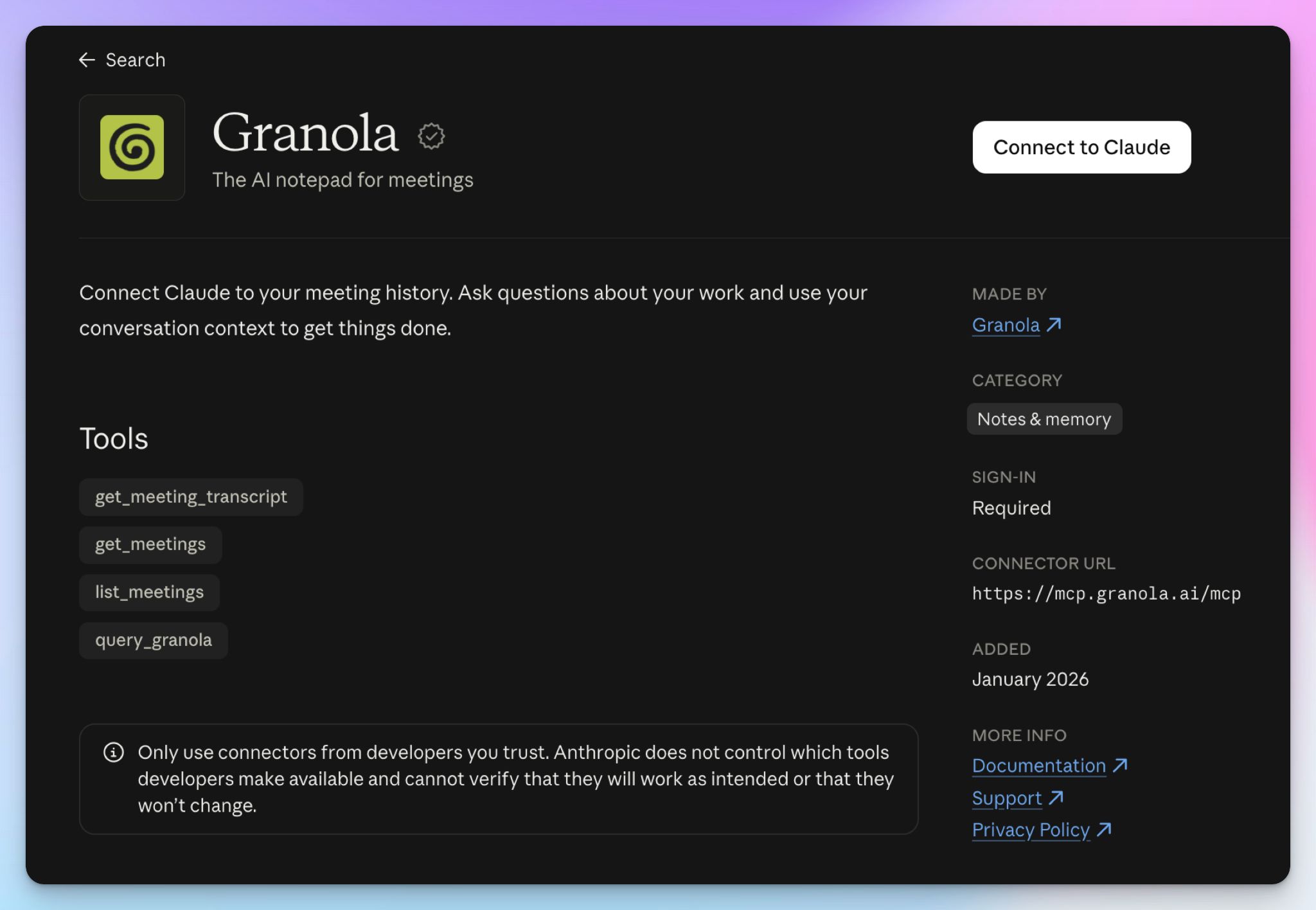
Granola is a notepad first, and it launched its Claude connector early this year. You jot down notes during the call, Granola fills them in from the transcript, and those enhanced notes are what Claude reads first.
- Claude can list your meetings and read your full notes on every plan, including the free Basic plan
- On Business and Enterprise, Claude can also search your meetings, browse folders, and pull raw transcripts
- Claude can pull screenshots of screens shared during a meeting, so slides and demos come along with the notes
- On Enterprise, the connector stays off until an admin turns it on, and admins decide whether Claude can reach personal notes, shared workspace notes, both, or neither
What are Granola’s Claude connector limitations?
- Granola deletes audio after transcription, so neither you nor Claude can check a note against what was actually said. That’s one reason some teams look at Granola alternatives
- One of Granola’s search tools returns Granola’s own AI answer, not the raw text, so Claude can end up summarizing a summary
- On the free plan, Claude only reaches your personal notes from the last 30 days, and it can’t open transcripts
How do you use HappyScribe with Claude?
Connecting HappyScribe to Claude takes about a minute. Open HappyScribe’s page in the Claude directory and click Connect to Claude.
If you’d rather do it manually from Claude chat:
- Expand the left sidebar and click on Customize > Connectors
- Search for HappyScribe and click the Connect to Claude button
- Sign in to your HappyScribe account and approve access
- Back in the chat, open + > Connectors and make sure HappyScribe is toggled on
On a Team or Enterprise plan, an owner adds HappyScribe for the organization first. After that, each member connects their own account.
What can you do with HappyScribe’s Claude connector?
Go from discovery calls to personalized follow-ups in minutes
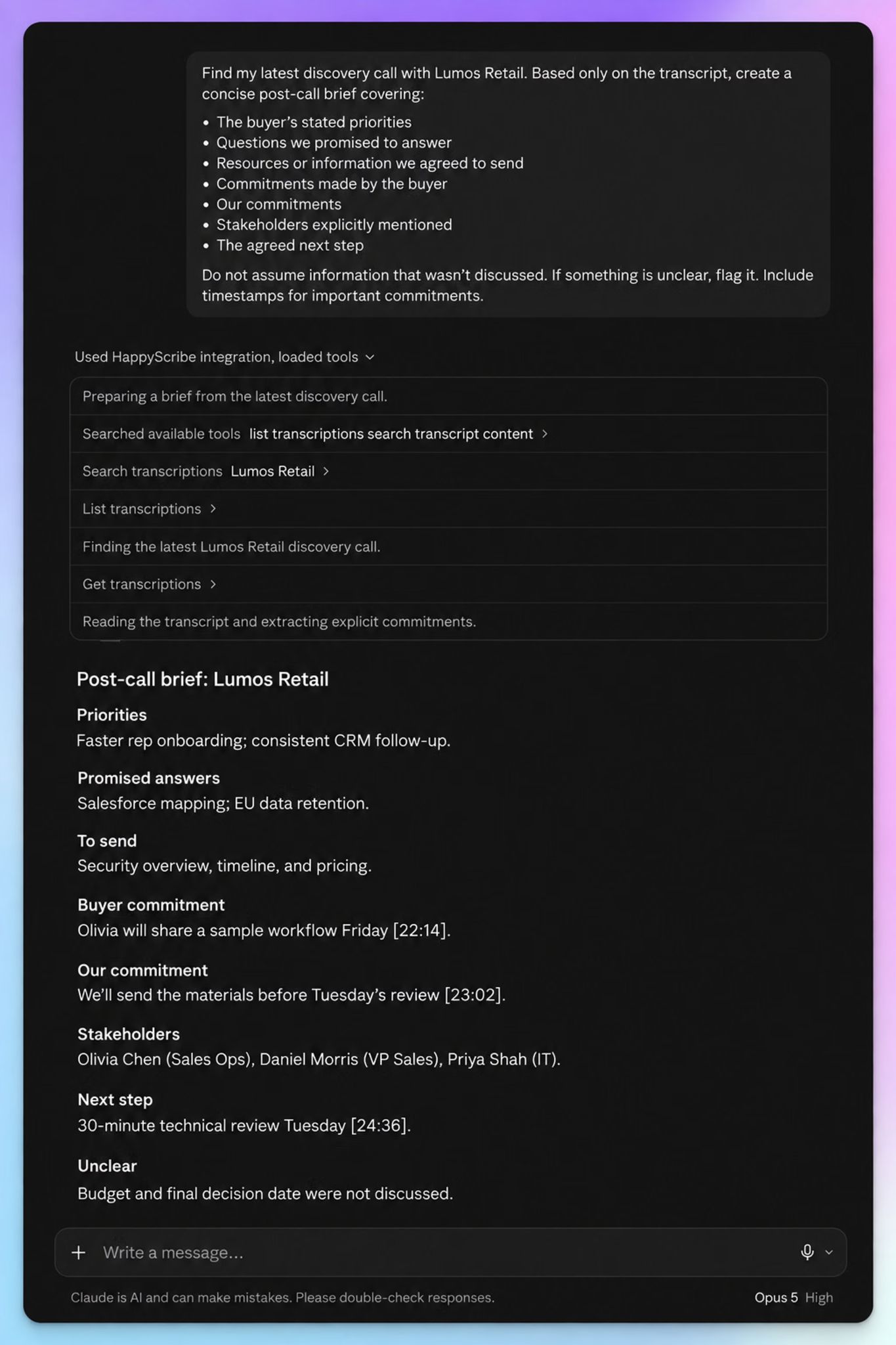
You can use Claude to turn discovery calls into sales follow-ups by asking for a post-call brief first. It should cover the buyer’s priorities and what each side promised, with a timestamp on every commitment. Then have Claude draft the email in the buyer’s own words. If the transcript misheard a product name, Claude can fix it in HappyScribe before the email goes out.
Spot objections across your pipeline
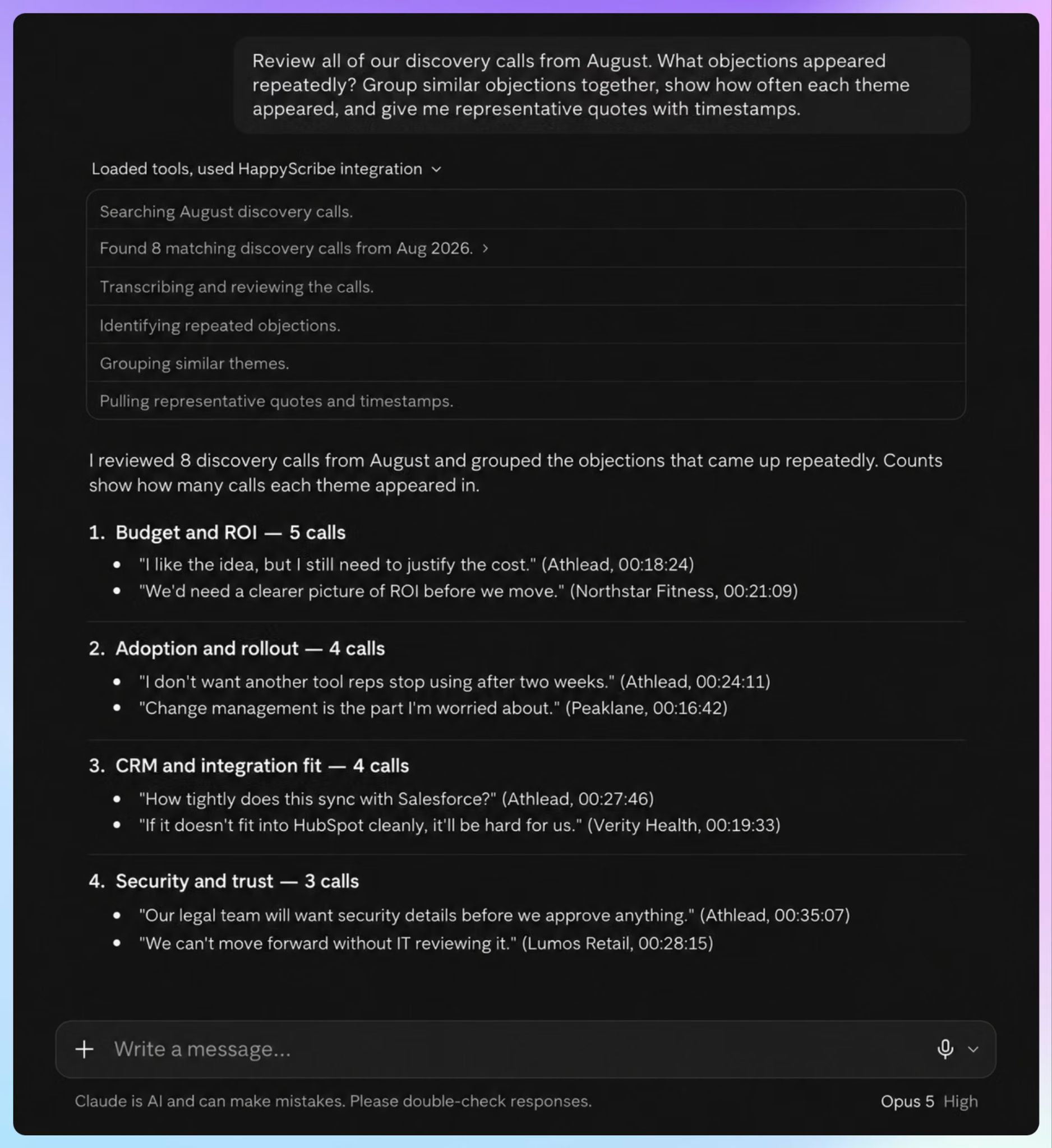
Point Claude at a month of discovery calls, up to 50 transcripts in one question, and ask which objections keep coming up. Claude groups similar objections and backs each one with the prospect’s exact words and a timestamp.
Sales managers can also ask where a rep moved past a pain point without a follow-up question. You can analyze sales calls with Claude for coaching and deal reviews, too.
Build a customer database and research repository
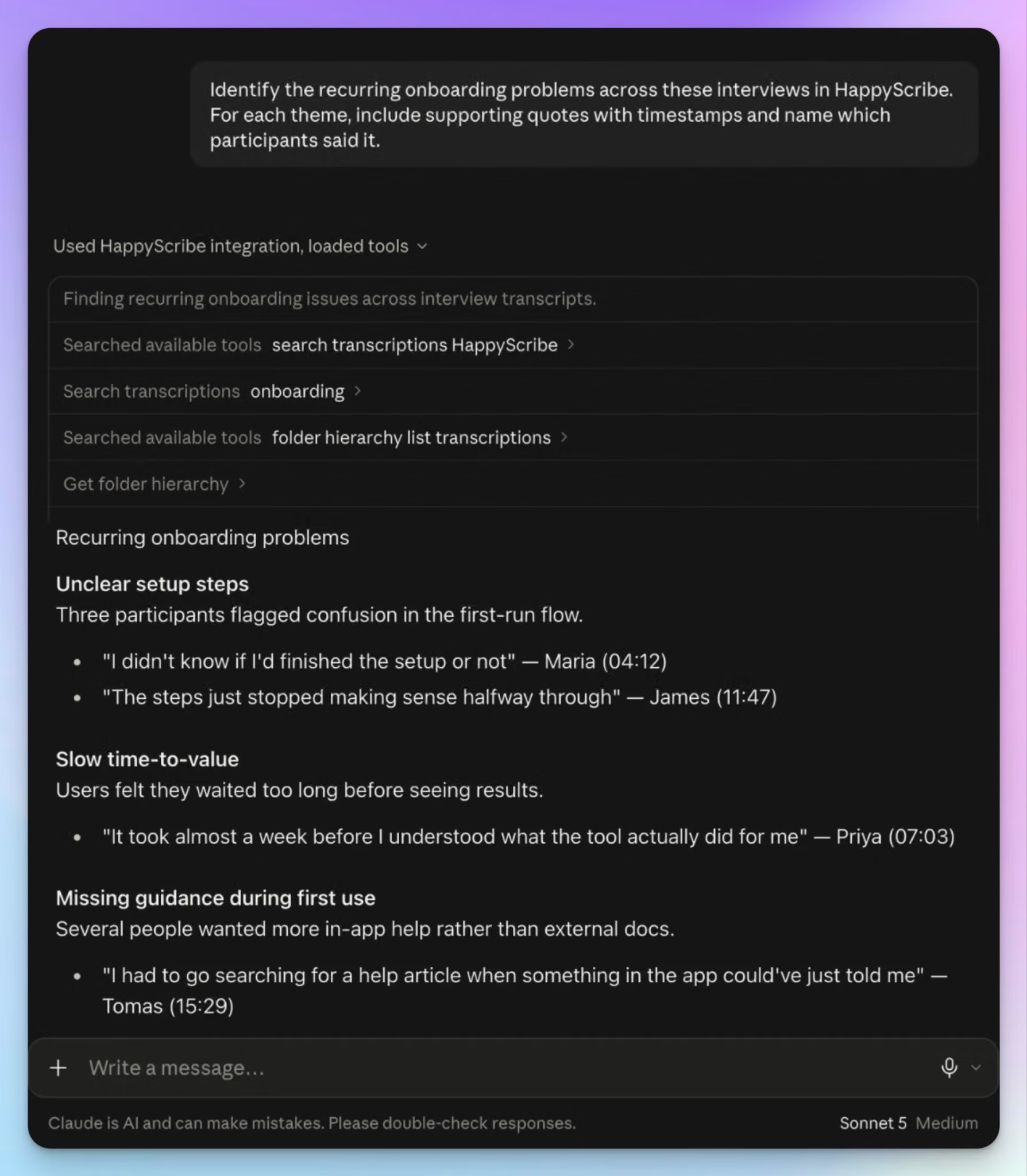
Sort your interviews into folders by project or customer segment, and Claude can file new transcripts for you. Ask for recurring themes with supporting quotes, or for the interviews that contradict the dominant theme. Every finding traces back to a timestamp you can open. This way, you can use Claude to build a customer research repository.
Turn lectures into study guides
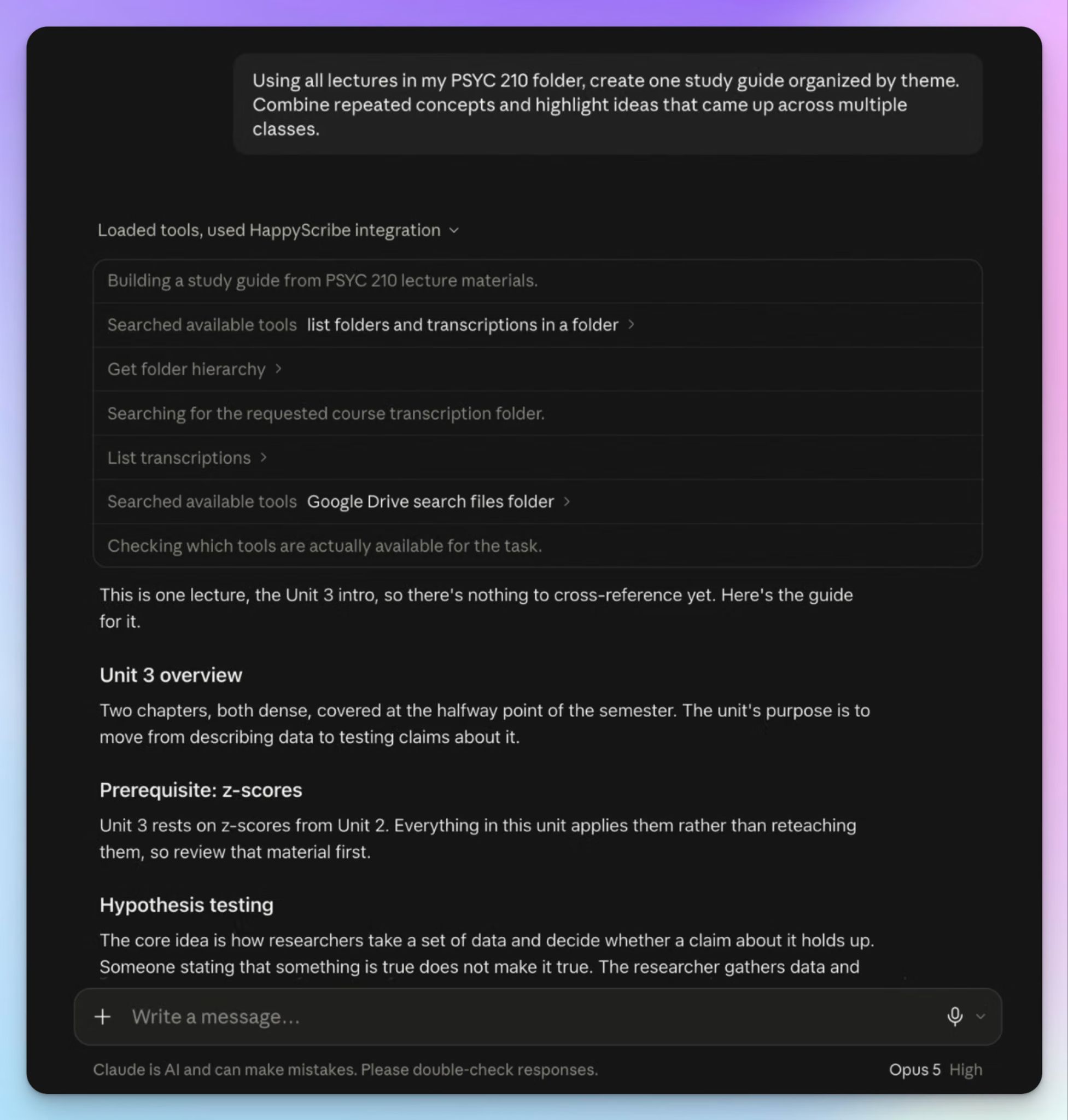
Ask Claude for a study guide “based only on the material covered,” and it rebuilds the lecture around concepts instead of the order it was taught. Run it on a whole course folder before exams, and it flags the ideas your lecturer kept coming back to.
Teachers can turn recorded lectures into study guides with Claude as well, and build review sheets from what they actually taught.
Which AI meeting note taker with a Claude connector should you choose?
Every connector here gets your meetings into Claude. Pick the one that matches what you want Claude to do next.
👉 Choose Fellow if Claude should write your next meeting agenda
👉 Choose Fireflies if you search a large library of sales calls
👉 Choose Fathom if you want Claude on a free plan
👉 Choose Otter if your English-speaking team already uses Otter
👉 Choose Tactiq if you want bot-free notes from a browser extension
👉 Choose Granola if taking your own notes during calls is important to you
👉 Choose HappyScribe if Claude should not only read the meeting record but also fix it directly
Each of the six competitors comes with a catch. Fellow’s edits stop at the agenda, while Tactiq and Granola keep no audio to check a quote against. None of them lets Claude correct a transcript other than HappyScribe.
In its segment, HappyScribe offers the widest range of tools and capabilities for Claude to work with. All you have to do is use an AI note taker that provides Claude with accurate meeting transcripts.
FAQs about AI meeting note takers with Claude connectors
Does Claude have a meeting note taker?
No. Claude AI can’t join a call or record audio, so it has no built-in AI notetaker. It works from the transcript once the meeting ends. To fill that role, connect a note taker like HappyScribe to Claude. Your notetaker captures the call, and Claude handles the rest. You can ask it to summarize meeting notes, pull key points into bullet points, or draft follow-up emails from what was discussed, which saves you valuable time.
What is a Claude connector?
A Claude connector links Claude to an app you already use, like your note taker or calendar. Connectors run on the Model Context Protocol (MCP), an open standard Anthropic released in 2024 for connecting AI agents to outside tools. You add them from the Connectors section of your Claude settings. These MCP connections only reach data your account can already open, and they follow your organization’s admin settings. Most connectors also work in Claude Code.
Is there a Claude connector that will take notes at a meeting?
No connector makes Claude join a call. A connector brings in what your AI notetaker already captured. HappyScribe records Zoom, Google Meet, and Microsoft Teams calls with or without a visible bot, and Claude reads the transcript afterward. Other tools cover different jobs. Fellow’s connector pulls meeting summaries and open action items from your Fellow workspace, and Claude can draft the agenda for your next meeting. Tactiq connects to Claude AI without a server URL.
What is the best note-taking app for Claude AI?
The best note-taking app gives Claude AI an accurate record, because Claude repeats whatever the transcript says. HappyScribe is the only one in our comparison that lets Claude fix the transcript itself, from a misheard name to the wrong speaker. It transcribes 150+ languages and has a free plan for individual users. Its SOC 2 Type II and GDPR compliance also suits regulated industries. Claude can review a whole week’s meetings through it, or transcribe YouTube videos without leaving the chat.
Can ChatGPT take notes during a meeting?
Yes. ChatGPT’s record mode captures meeting audio on paid plans and turns it into notes. It works best in English, and it can join upcoming meetings on schedule once you connect Google Calendar.
Like any AI notetaker, it can create a false sense of accuracy. Its notes aren’t a complete record of your decisions. AI scans a transcript fast, but it can mistake a passing comment for a commitment. After most meetings, review the open questions yourself before you send anything. A misheard figure can cost real money, and a missed promise is easy to forget.

Biplab Mazumder
Biplab is a content marketer and writer who helps high-growth brands scale content visibility across AI search channels. His works have been published in HubSpot, Freshworks, Atlassian, SurferSEO, etc. When he's not planning content strategy, he's testing AI content workflows and use cases.