![5 Best AI Note Takers for User Research [2026]](/sanity-images/ejgwz1gl/redesign/85e2b21aacfbfc0b453c1845a2a5f5cc10a3e375-1672x940.jpg?auto=format&w=1672.0&rect=0,0,1672,940)
TL;DR ⏩
Based on my research, here are the best AI note takers for user research:
- HappyScribe: Best for researchers who need EU-grade security and quotable transcripts from any session, in 150+ languages
- Grain: Best for small research teams that share interview clips with stakeholders who missed the session
- Looppanel: Best for English-language moderated studies, with AI notes sorted under each discussion guide question
- Dovetail: Best for research teams whose findings need to sit next to support tickets and sales calls
- Condens: Best for research teams that want a curated insights library stakeholders can explore on their own
User research is only as good as the data behind it, and getting reliable data has been a struggle for years. We tend to go for “popular” cookie-cutter note takers and expect to get reliable research notes.
When researchers asked Microsoft Copilot to analyze five published studies, 58% of the quotes it produced were fabricated on average. They sounded plausible, but no participant had said them.
Standard AI note takers are built for meeting notes and follow-up items where accuracy and research workflows aren’t priorities. But you have a few tools that can help you with that.
I dived into AI note takers built for user research and these were my criteria:
- Transcripts you can quote word for word, including accented English and research interviews in other languages
- A way into the session that suits your participant, whether that’s a bot on Zoom, Google Meet, or Microsoft Teams, or a recorder with no visible participant
- AI meeting summaries you can verify against the transcript and the recording
- Controls for participant consent and data retention, since consent requirements for research interviews change by country
Five tools made the cut. Some record the session, and others are where your recordings go next.
What are the best AI note takers for user research? At a glance
| Category | HappyScribe | Grain | Looppanel | Dovetail | Condens |
|---|---|---|---|---|---|
| Best for | Quotable transcripts from any session, in any language | Sharing interview clips with stakeholders | English-language studies run from a discussion guide | Research next to support tickets and sales calls | A curated insights library for stakeholders |
| Key features | Bot and bot-free recording, offline mobile app, AI analysis with timestamped quotes, human-made transcripts, Zapier, MCP | Video clips, Stories, live notepad, Slack, and Productboard sharing | AI notes by guide question, auto-tagging, notes for unmoderated tests, read-only MCP | Channels, cited Chat, silence detection, AI agents | Live notes, usability test templates, AI clustering on a whiteboard, stakeholder dashboard |
| Supported languages | 150+ | 100+ (17 at top accuracy) | English (96 on Enterprise) | 75 | 86 |
| Meeting platform integration | Zoom, Google Meet, Microsoft Teams, browser recorder, mobile app for in-person sessions | Zoom, Google Meet, Microsoft Teams, Webex, and desktop capture | Zoom, Google Meet, Microsoft Teams | Imports from Zoom and Google Meet, mic-only live transcription | Imports from Zoom, Microsoft Teams, and Google Drive |
| Security | SOC 2 Type II, GDPR, ISO 27001-compliant EU data center | SOC 2 Type II, US hosting, SSO on Enterprise | SOC 2 Type II, GDPR, SSO and PII redaction on Enterprise | SOC 2 Type II, ISO 27001, US, EU, or APAC hosting on Enterprise | SOC 2, GDPR, EU or US hosting |
| Starting price | Free plan available, paid plans from $8.50/month billed annually or $17/month billed monthly | Free plan, Starter $19/month | Solo $49/month | Free plan, Enterprise custom pricing | Lite €15/month |
1. HappyScribe
Best for: Researchers who need reliable transcripts in 150+ languages, flexible capture methods, AI analysis, and European data security in one place
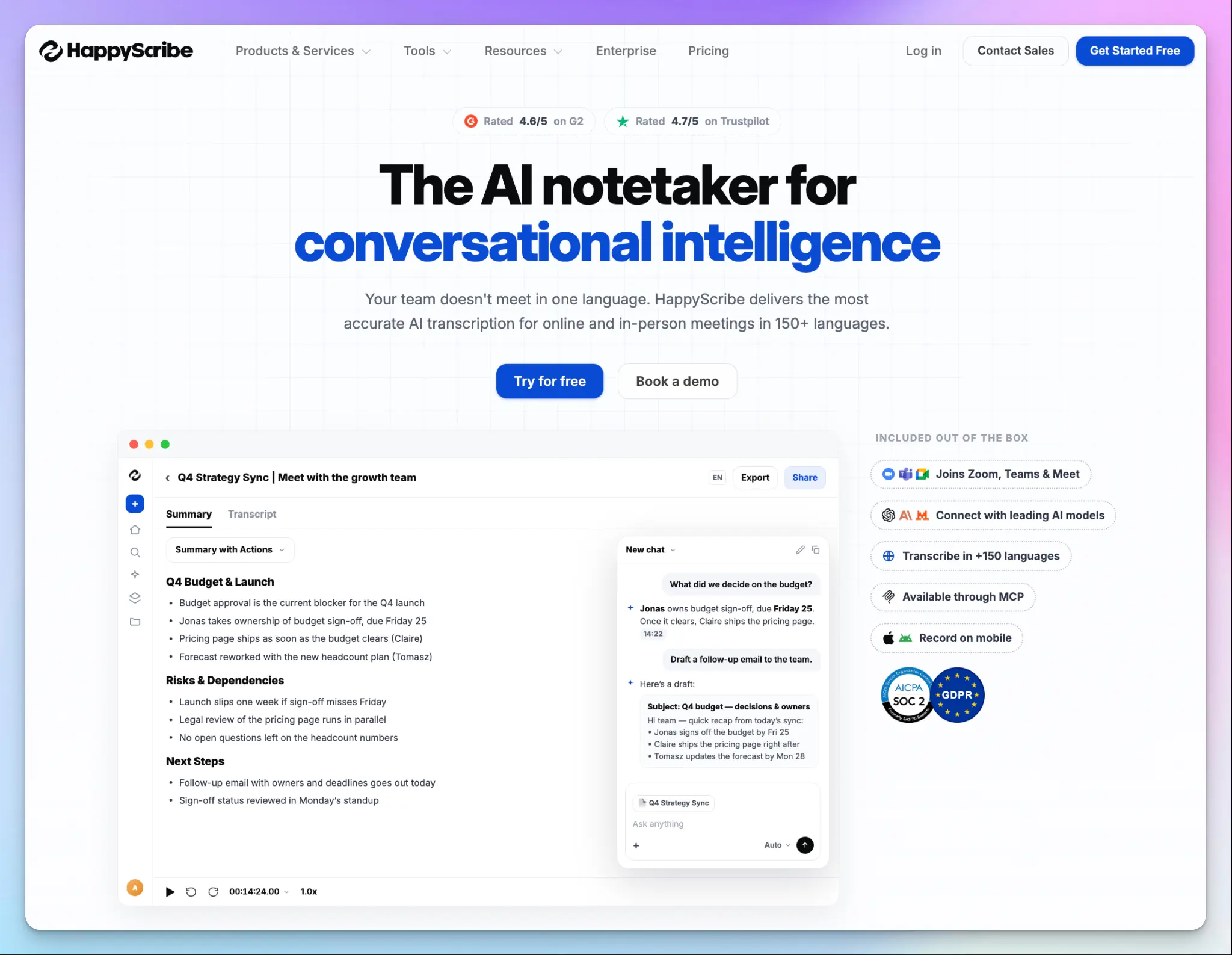
HappyScribe is a Barcelona-based AI note taker that records research interviews on Zoom, Google Meet, Microsoft Teams, and in person. You can turn every session into a transcript with speaker labels, summaries, and a recording you can replay.
For user research, that recording is the point. Generic note takers ask you to trust the summary, but HappyScribe focuses on accuracy and ease of use. You can check every quote against what the participant said, and forward your files to an expert transcriber if needed.
HappyScribe’s key features for user research
1. Record every session your way: bot, bot-free, or offline on mobile
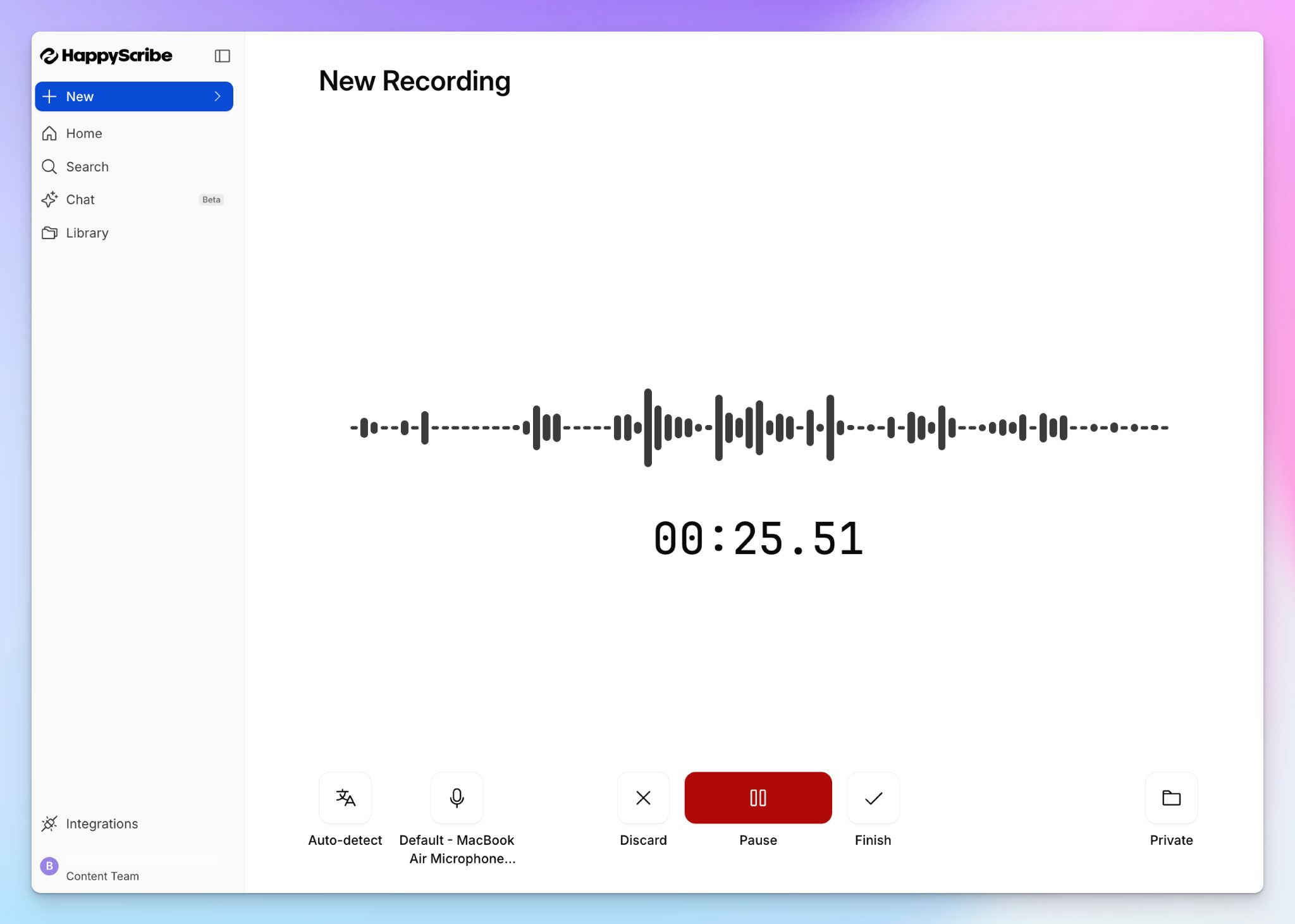
People have their preferences, and you want to make them feel comfortable in interviews. HappyScribe gives you three ways to record, so you can choose per session.
Connect your calendar, and the meeting bot joins scheduled calls on Zoom, Google Meet, or Microsoft Teams to take notes. This is the way to go for sensitive conversations that need clear consent and compliance.
If a visible participant would make someone guarded, and you’ve already collected consent, use HappyScribe web recorder or mobile app to record without a bot. For field visits and in-person usability tests, the mobile app can record without internet and upload once you’re back online.
2. Get accurate speaker labels and timestamped quotes in 150+ languages
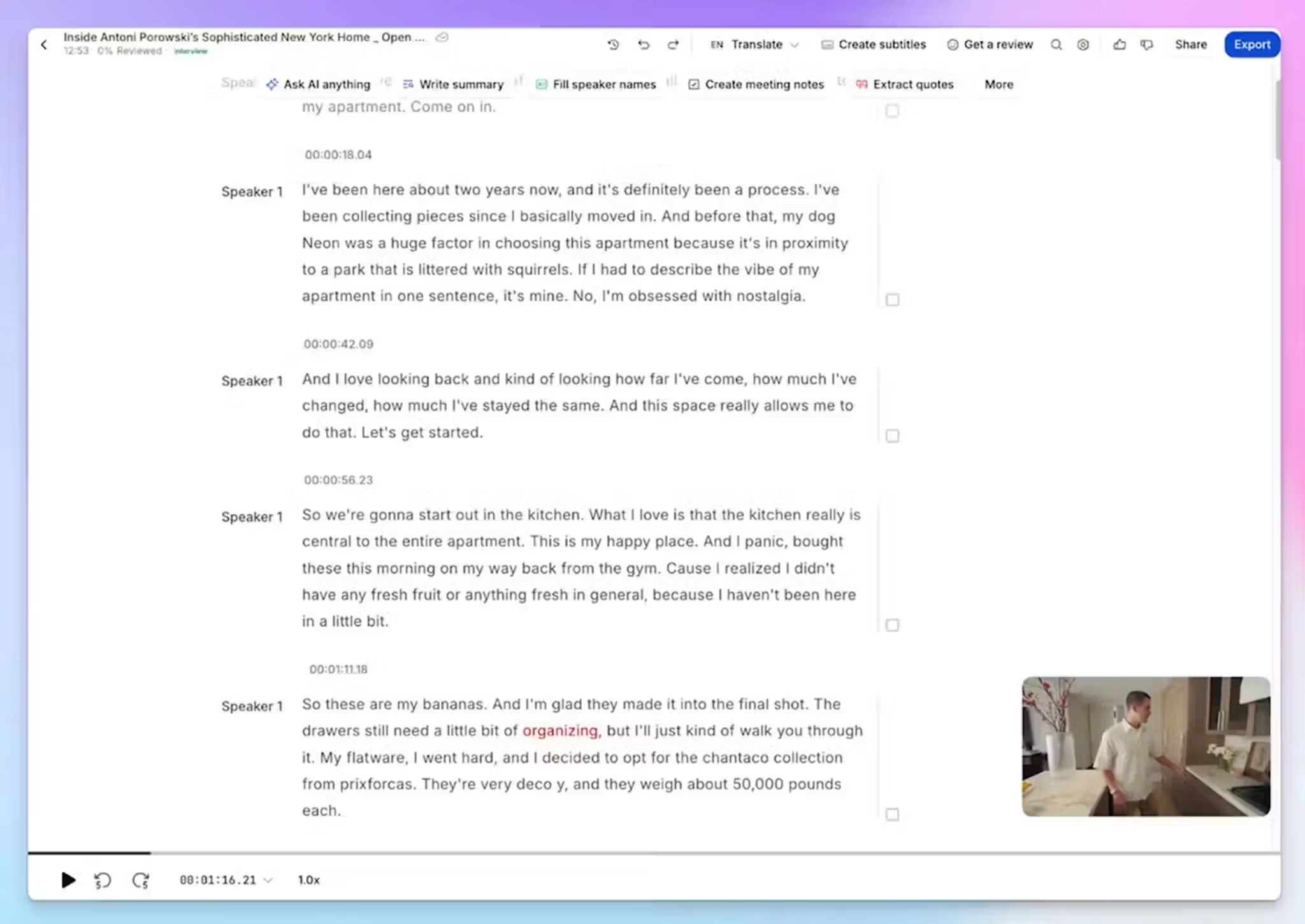
Most AI note takers struggle with accented English and anything outside it. HappyScribe transcribes 150+ languages and dialects at 95%+ accuracy and detects the language on its own. But that’s not all.
It labels each speaker, and lets you rename the labels to moderator and participant. Every line carries a timestamp, so you can jump to the exact moment in the recording. Something’s not right? Fix it in the editor.
3. Extract insights and run thematic analysis with AI Chat
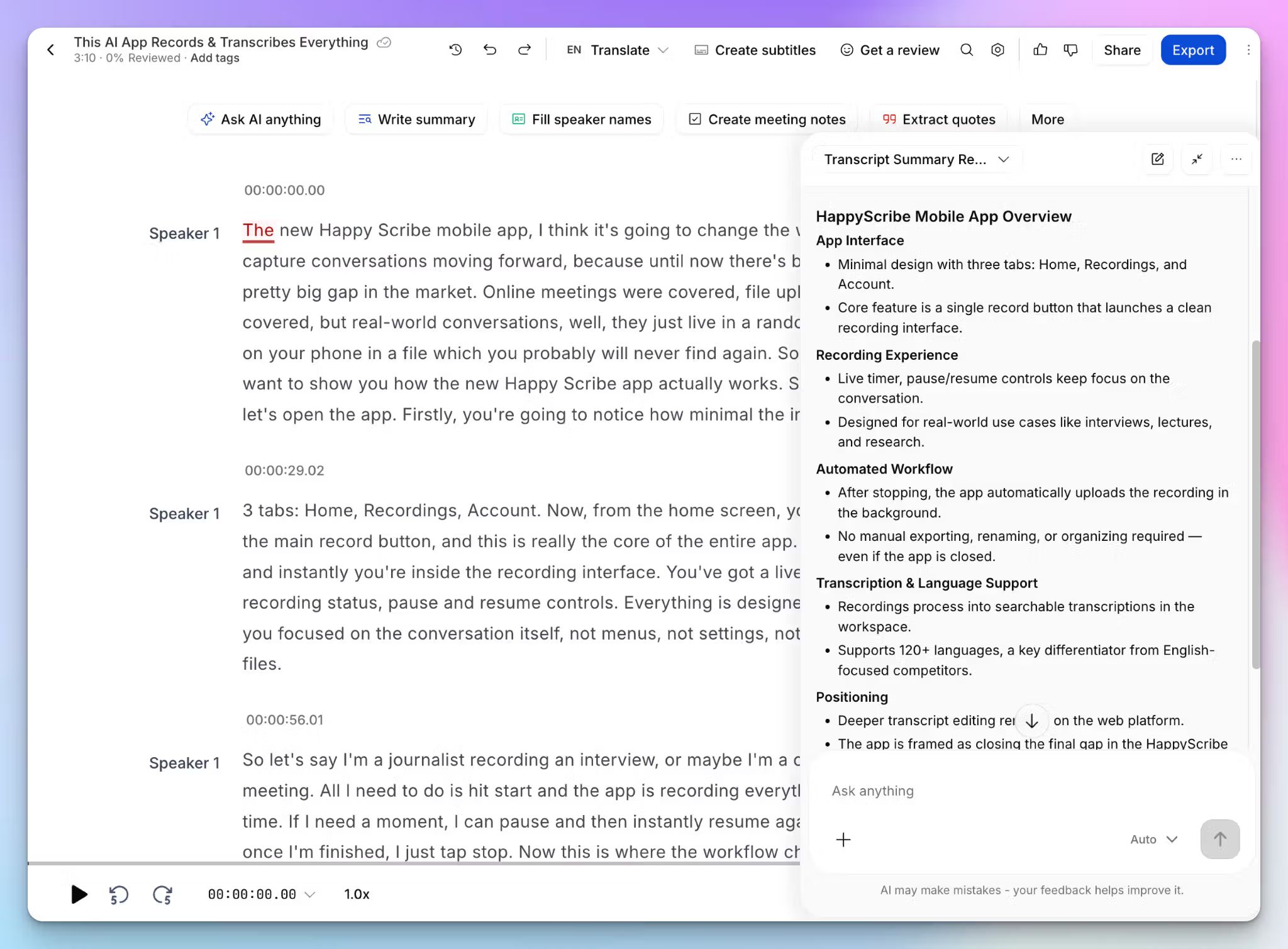
HappyScribe AI Chat works like Claude or ChatGPT, but with deeper context for your research tasks and files. And you can switch between models!
Ask about one session, a study folder, or your whole workspace:
- Which onboarding steps confused participants? Quote them and name who said it
- What themes came up in more than three interviews in this folder?
- Which participants disagreed with our pricing assumption?
- How do new users describe the dashboard compared with long-time users?
Every answer cites the transcript with a timestamp, so you can verify a quote before it reaches your readout. The interpretation is still yours.
4. Order human-made transcripts and connect Zapier or MCP
Some interviews carry your whole finding, and 95% isn’t enough for those. Send them to HappyScribe’s human transcribers for 99% accuracy. A sensible pattern is AI transcription for the full study and human-made transcripts for the sessions you’ll quote.
Your research doesn’t have to live in HappyScribe either. The API helps you build workflows for bulk tasks, and Zapier pushes transcripts to Dovetail, Notion, Airtable, or Miro. The MCP server connects your interview transcripts to Claude and ChatGPT, so you can build a customer research repository.
HappyScribe’s pros
- You can delete a participant’s session on request, set retention windows, and opt out of AI model training
- Old studies aren’t stranded. Upload past recordings or import them from Google Drive, Box, Dropbox, Vimeo, and YouTube
- Translate transcripts into 80+ languages and edit subtitles to improve research accessibility without switching tools
- The free plan includes unlimited recordings, so you can run a pilot study before paying
- HappyScribe is a GDPR-compliant and SOC 2 Type II certified note taker, and your data is securely stored in an ISO 27001-compliant European data center
HappyScribe’s cons
- Not ideal for real-time transcription during live sessions
What are users saying about HappyScribe?
As a management student conducting qualitative research and managing group projects, Happy Scribe saves me hours of manual transcription work. The AI automatic transcription accuracy is surprisingly high, especially when dealing with clean audio, and it handles multiple accents well.
Source: G2
I mainly use it to transcribe videos for research and to help templatize scripts, and it saves me a lot of time. The interface is straightforward, the transcripts are usually very accurate, and editing inside the platform is simple.
Source: Trustpilot
HappyScribe’s pricing
AI transcription and meeting notes
- Free: Unlimited meeting recordings, up to 45 minutes each
- Basic: $8.50/month billed annually or $17/month billed monthly
- Pro: $19/month billed annually or $29/month billed monthly
- Business: $59/month billed annually or $89/month billed monthly
- Enterprise:Contact sales for custom pricing
Human services: Starts from $2.00/minute
How to use HappyScribe’s AI note taker: a step-by-step guide
- Sign up for free and connect your Google Calendar or Outlook, so the notetaker joins scheduled sessions on Zoom, Google Meet, or Microsoft Teams.
- For in-person sessions and bot-free recording, use the HappyScribe mobile app or start the web audio recorder.
- Add product names and terms to a glossary, and create transcripts folders to organize research
- Open AI Chat to ask questions across interviews or connect the transcripts via Zapier and the MCP server
- Select Human made for the interviews that need near-perfect accuracy and formatting
2. Grain
Best for: Small research teams that want to share interview clips with stakeholders who missed the session
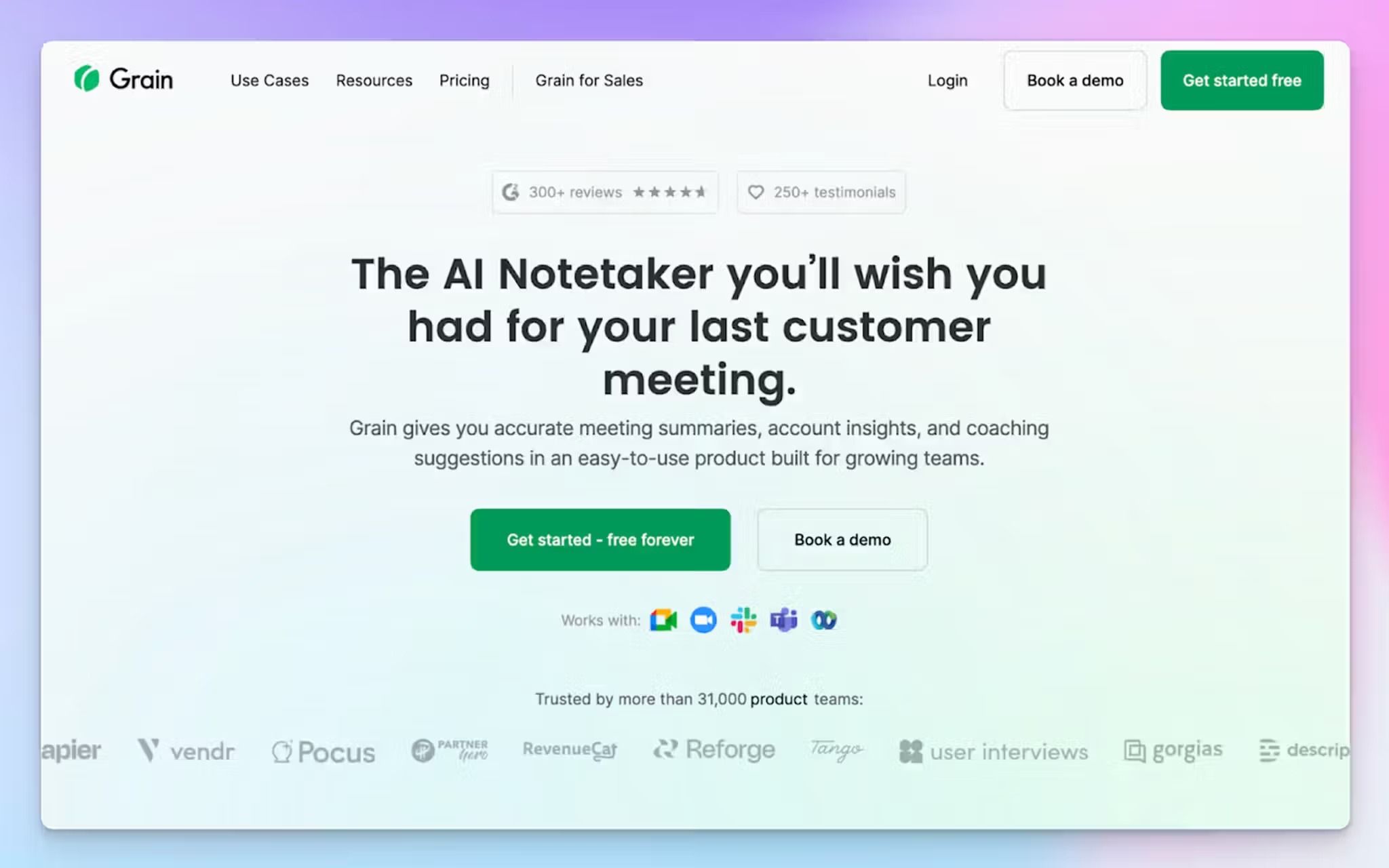
Grain is a general meeting recorder, and its paid plans lean toward sales teams. Researchers can still use it because it puts the participant’s voice in front of people who skipped the session. And only the people who record need a paid seat, so viewers cost nothing.
Grain sits second because it records the session itself, unlike the repositories at the end of this list. It’s focused on clips and notes, so you’ll need to pair it with a repository once you code a full study.
Grain’s key features for user research
- Highlight any line in the transcript to create a summary or to cut a video clip, then share it by link with people who don’t have a Grain account
- Stories are advanced playlists that stitch clips from multiple meetings into one reel and organize them in sections. You can embed a story in Notion or Confluence
- During a call, Grain’s notepad in the desktop app lets you bookmark key moments with a note or a tag, so they’re easy to find afterward
- Highlights go straight to Slack and Productboard, and the Business plan syncs meetings to Salesforce and HubSpot
Grain’s pricing
- Free
- Starter: $19/month
- Business: $39/month
- Enterprise: Custom pricing
Grain’s cons
- Grain supports 100+ languages, but only 17 offer reliable accuracy. In the rest, punctuation and proper nouns slip, which hurts when you quote a participant. It’s a common reason teams look at Grain alternatives
- Grain can’t translate interview notes, so if you’re running a global project, you need another tool to collaborate with stakeholders
- The free plan transcribes at a lower accuracy, adds watermarks to all clips and downloads, and doesn’t allow uploads
3. Looppanel
Best for: Researchers who want AI-assisted tagging and notes organized for visibility and quick access
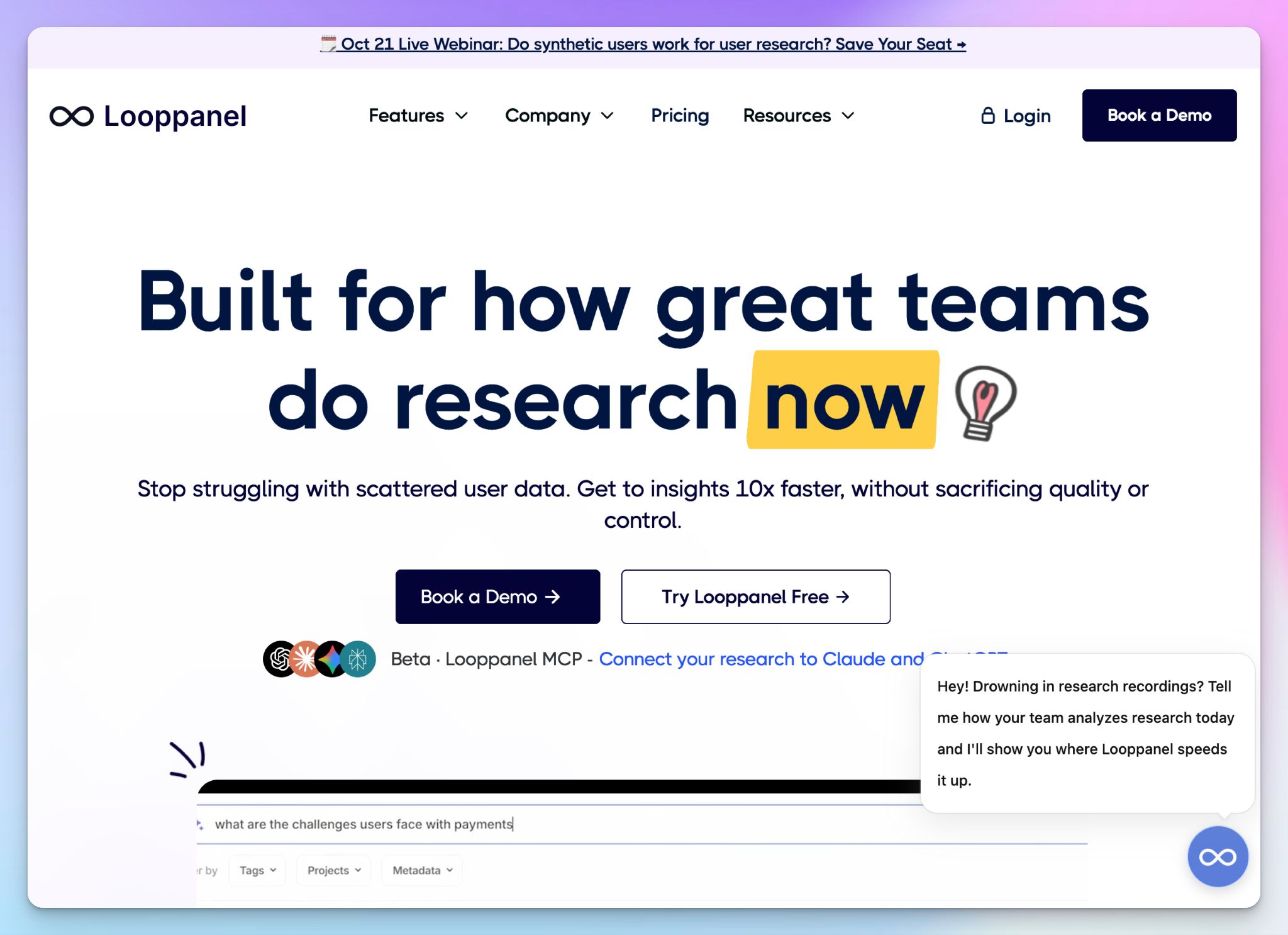
Looppanel is built only for user research, and it starts from your discussion guide. Paste the guide into a project, and AI notes are filed under the question each answer belongs to.
After a round of interviews, you don’t have to reread every transcript. Simply open one question and see how every participant answered it. For moderated studies with a fixed guide, Looppanel gives you a head start on synthesis.
It ranks below Grain because it records fewer kinds of sessions. The notetaker joins Zoom, Google Meet, and Microsoft Teams calls as a visible participant, with no bot-free or in-person option.
Looppanel’s key features for user research
- Question View, Looppanel’s analysis layout, lines up every participant’s answer to the same question across files. Looppanel also builds an affinity map by question and theme, so you skip the copy-pasting into Miro
- AI meeting transcripts now work on single-speaker recordings, so unmoderated usability tests get the same notes and analysis as interviews
- It can suggest themes using your guide as context, and every insight cites the transcript and video clip behind it. You can rename or delete tags before anything reaches a report
- You can build research repositories and update knowledge base with auto-enriched data and granular search
Looppanel’s pricing
- Solo: $49/month
- Pro: $395/month
- Enterprise: Contact sales
Looppanel’s cons
- Multi-language transcription and translation are Enterprise only, and AI notes only work in English. On Solo and Pro, Looppanel fits English-language studies
- Solo gives you one editor and search within a single project. Ask AI, search across projects, MCP, and reels start on Pro at $395 a month
- AI notes depend on how you write the guide. Vague follow-ups like “Why?” or repeated questions get misfiled, so you’ll still review where each note went
4. Dovetail
Best for: Research teams that need findings, support tickets, and sales calls data in one place for comprehensive visibility
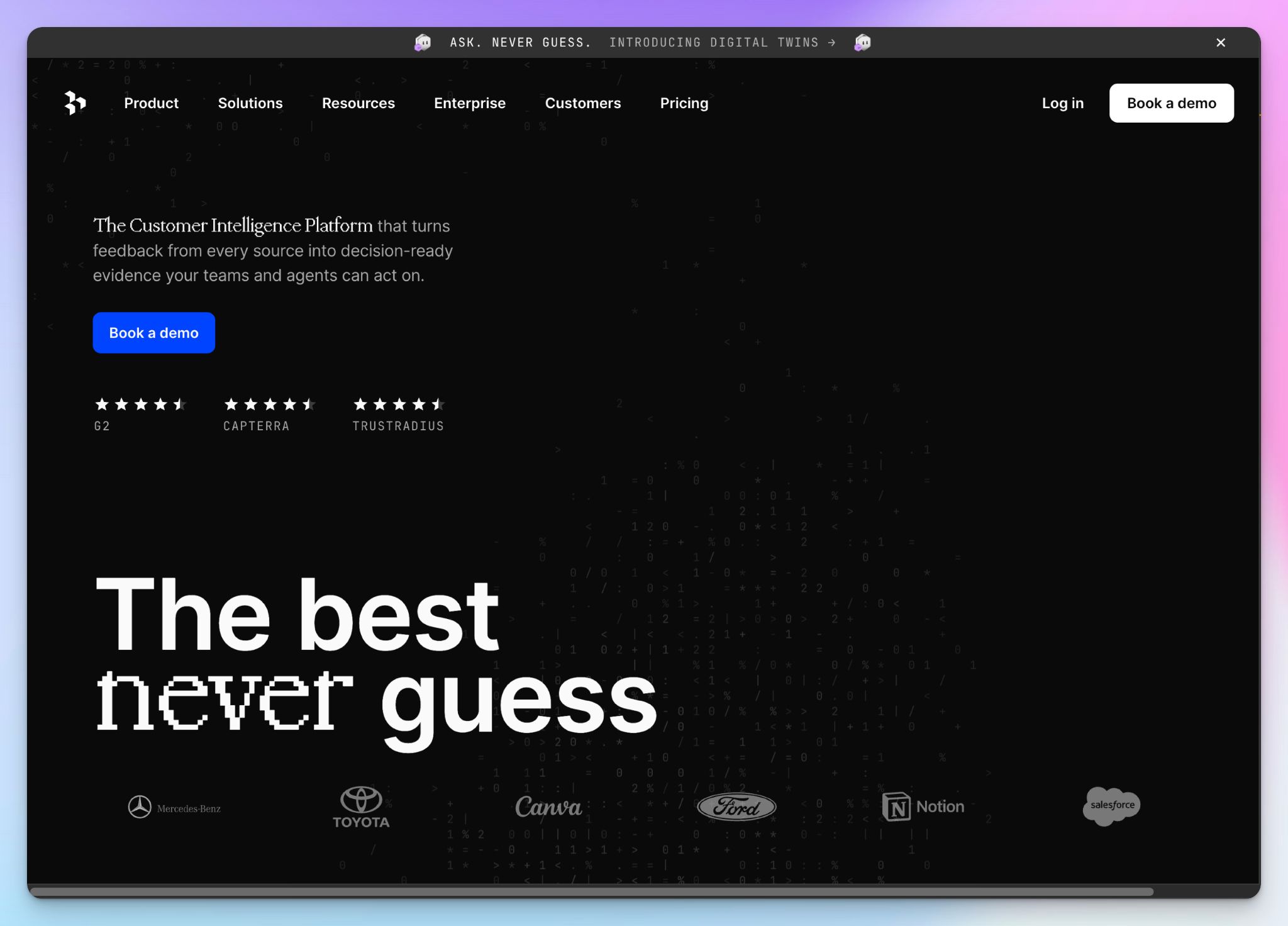
Dovetail started as a research repository and now calls itself a customer intelligence tool. Your interviews sit beside support tickets, sales calls, NPS surveys, and app reviews, and AI scans data across all of them.
For a research team, that’s the reason to pick it. A pain point from five interviews carries more weight when Dovetail Channels finds it in hundreds of tickets, sorted by the accounts and revenue behind them.
It ranks fourth because it isn’t really a note taker. Dovetail imports Zoom and Google Meet recordings after the call.
Dovetail’s key features for user research
- Lets you transcribe and translate interviews in 75 languages. On Enterprise, you can set the tags, fields, and action item prompts, so every session in a study gets the same structure
- For usability tests, Dovetail flags silences to show where participants hesitated or gave up
- Dovetail Chat answers questions across a project and plays the clip behind each answer. Stakeholders get unlimited viewer seats at no extra cost
- You can run AI agents on a schedule or when new data arrives, then send evidence-backed briefs to Slack, Microsoft Teams, or email
Dovetail’s pricing
- Free
- Enterprise: Contact sales
Dovetail’s cons
- The free plan includes one project and one channel. There’s no self-serve paid plan after that, so growing past it means a sales call
- Live transcription records only your microphone, so it’s built for in-person sessions. Remote interviews have to be recorded elsewhere and imported, and Dovetail lists only Zoom and Google Meet for automatic imports
- Channels 2.0 is still in beta, and the newest features lean toward revenue and product teams more than researchers
5. Condens
Best for: Research teams that want a curated insights library that stakeholders can explore on their own
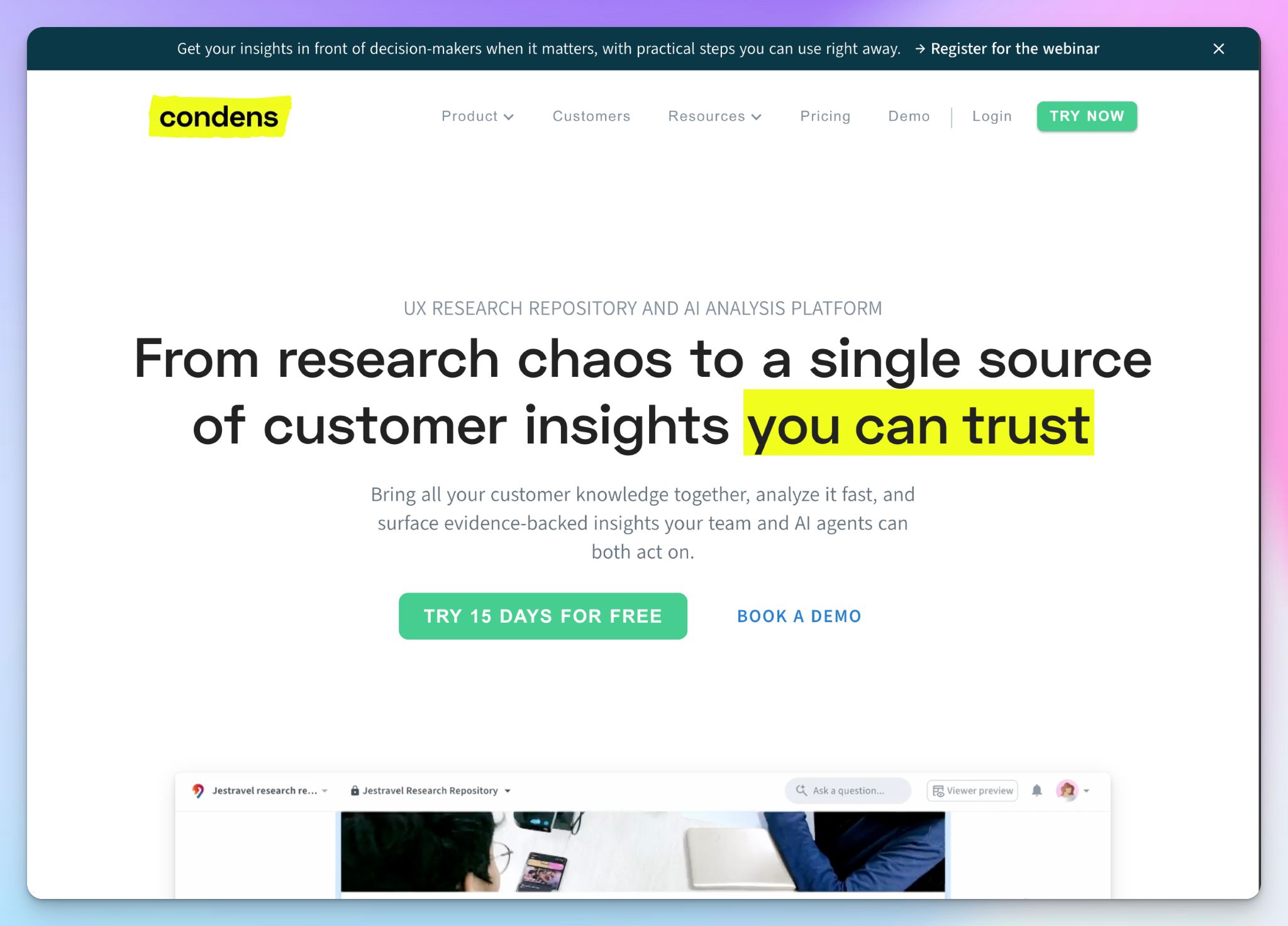
Condens is a research repository built for the team that runs the studies. Where Dovetail mixes interviews with tickets and client calls, Condens keeps the focus on your sessions and the findings you publish from them.
With Condens, stakeholders don’t have to dig through raw transcripts. They open an Insights Magazine, a homepage of published findings, and can ask questions from Slack or Microsoft Teams.
It ranks last because it’s the most specialized pick. Condens doesn’t record sessions, and its stakeholder features start on a €500-a-month plan.
Condens’ key features for user research
- Live notes run in a browser tab next to any call or in-person session, and every note is timestamped. Upload the recording later, and the notes will line up with it
- With usability test templates, you can track task success, time on task, and ease-of-use ratings per participant, then turn them into charts that can be filtered by tasks
- Condens AI suggests tags and clusters highlights on a whiteboard, and every sticky note opens the quote or video clip behind it. Transcription is unlimited on every plan
- Higher plans blur faces and names and anonymize voices. You can choose EU or US hosting on every plan
Condens’ pricing
- Lite: $15/month
- Business: $500/month (billed annually)
- Enterprise: Contact sales
Condens’ cons
- The Lite plan gives you one contributor and no viewers, so stakeholders can’t see your work. Business is sold yearly only, at €6,000 a year for five contributors
- Live notetaking, global search, and the participant pool all start on Business, which makes the jump from €15 to €500 hard to avoid
- Condens doesn’t record sessions, so every study needs a second tool for capture. That’s one more subscription and one more place where your participants’ data lives
Which AI note taker is best for user research?
The right pick depends on how you run your sessions and how often your findings get challenged.
👉 Choose Grain if building playlists and sharing interview clips with stakeholders is critical to the project.
👉 Choose Looppanel if you run English-language moderated studies from a fixed discussion guide.
👉 Choose Dovetail if your findings need to sit next to support tickets and sales calls.
👉 Choose Condens if you want a curated insights library your stakeholders can browse on their own.
👉 Choose HappyScribe if you need quotable transcripts from any session, in any language.
Every tool on this list can summarize an interview but the difference shows up when you record a session or quote a participant. Grain gives only 17 languages its top accuracy, and it can’t translate. Looppanel’s AI notes work in English only. Dovetail and Condens don’t record online calls, so you need a second tool before analysis even starts.
HappyScribe records your sessions with or without a bot, and on your phone, in 150+ languages. AI Chat answers questions across a whole study with timestamped quotes.
If a repository already runs your research, Zapier can push the transcripts into Dovetail or Notion. And none of the other four offer human-made transcripts at 99% accuracy.
When every quote in your readout has to trace back to a real participant, the decision is easy.
FAQs about best AI note takers for user research
What is the best AI note taker for user research?
HappyScribe is the best AI note taker for user research when you need transcripts you can quote. It records with or without a bot, or in person through its AI note taker app, with multi language support for 150+ languages. Its AI summaries cite timestamped quotes, so your research insights trace back to a participant. Grain suits teams that share clips, while Dovetail and Condens work better as repositories. Direct integration with research repositories is still rare, so check which AI note taking tool exports to Notion or Confluence before you commit.
Can you trust AI note takers for research interviews?
Yes, as long as you verify what they produce. Machine learning models still struggle with background noise, accents, and crosstalk. An AI-generated summary can also miss nuance or invent a quote that no participant said. Pick an AI tool with reliable speaker identification and answers grounded in your own transcripts, then check key quotes against the recording. Summary quality depends on the transcript underneath it. For quotes headed into a readout, HappyScribe’s human-made transcripts reach 99% accuracy.
Is AI note taking better than manual note taking?
For research interviews, yes, because you can focus on the participant instead of your notepad. Manual note taking pulls attention away from follow-up questions, and manual notes rarely capture exact wording. These tools capture notes automatically, then turn the post call transcript into key points and structured notes that teammates can read. It shifts the note taking process from capturing to interpreting. Keep your own notes for body language and context, since data analysis and interpretation are still your job.
Is there a free AI note taker for user research?
Yes. HappyScribe’s free plan includes unlimited recordings of up to 45 minutes each, so small teams can hit record on a pilot study before paying. Grain and Dovetail also offer a free tier, though Grain doesn’t allow uploads and Dovetail limits you to one project. Notion AI’s meeting summaries need its Business plan. Compare which AI features each free plan includes before you commit to one.
Can you use an AI note taking app for lectures and research papers?
Yes. The same AI note taking app that records interviews also handles lecture transcription. Recording lectures, group study sessions, or YouTube videos gives you a searchable transcript, and AI chat can generate summaries and explain concepts you missed. HappyScribe imports YouTube videos directly, exports transcripts as Word files you can open in Google Docs, and lets you organize notes into folders by course or project. For research papers, cite the transcript, not the AI summary.

Biplab Mazumder
Biplab is a content marketer and writer who helps high-growth brands scale content visibility across AI search channels. His works have been published in HubSpot, Freshworks, Atlassian, SurferSEO, etc. When he's not planning content strategy, he's testing AI content workflows and use cases.