![Best AI Note Takers for Product Managers [2026]](/sanity-images/ejgwz1gl/redesign/dbeacc16fdcddc1f2ac43cf3063d144e67816fe9-1672x941.jpg?auto=format&w=1672.0&rect=0,53,1672,836&h=836)
TL;DR ⏩
Based on my testing and research, here are the best AI note takers for product managers:
- HappyScribe: Best for product managers who want accurate meeting notes in 150+ languages, with a recording and timestamped insights connecting to other tools
- Circleback: Best for product teams that want feature requests and action items turned into Linear issues right after every meeting
- Grain: Best for product teams that turn user interviews into short video clips to share customer evidence with stakeholders
- Granola: Best for product managers who jot rough notes during user interviews and want bot-free capture
- Notion AI: Best for product teams already on Notion Business who want meeting notes next to their PRDs and roadmaps
Did you know that 45% of product teams don't trust AI-generated outputs at work?
For better or worse, meetings are a major part of product teams, and I’ve seen people struggle to trace decisions back to the meeting notes. The reason is simple: not all AI note takers are built for the use cases and demands of product managers.
I took help from a colleague and ran these tools through stand ups, sprint reviews, and user interviews, and some well-known names didn't make my list.
Otter fell short on language coverage, Fireflies offered more value to sales teams, and Fellow’s busy interface and learning curve weren’t worth recommending.
The five tools below passed on what product work needs:
- Accurate transcripts of product terms and multilingual user interviews
- A recording you can replay to track what was decided
- Clear meeting action items that connect to the tools your team already uses
- Team features and controls that scale across squads
If you want an AI note taker built for product teams, read on.
What are the best AI note takers for product managers? At a glance
| Catgeory | HappyScribe | Circleback | Grain | Granola | Notion AI |
|---|---|---|---|---|---|
| Best for | Accurate, verifiable meeting notes across languages | Turning action items into Linear issues after meetings | Sharing customer evidence as video clips | Solo PMs who want bot-free capture | Teams already on Notion Business |
| Key features | AI Chat with timestamped quotes, glossaries, summary templates, Zapier, MCP | Automations, Ask Circleback, person and company summaries | Video clips and highlights, templates, MCP | Enhanced rough notes, Recipes, Granola Chat | Meeting-type summaries, Notion Agent, Custom Agents |
| Supported languages | 150+ | 100+ | 100+ (17 at full accuracy) | 32 | 16 (speaker labels in English only) |
| Meeting platform integration | Zoom, Google Meet, MS Teams, plus mobile app for in person meetings | Zoom, Google Meet, MS Teams, plus mobile and Apple Watch apps | Zoom, Google Meet, MS Teams, plus desktop capture | Any meeting app through device audio, plus iOS, Android and Apple Watch apps | Any meeting app through the Notion desktop app |
| Security | SOC 2 Type II, GDPR, data stored in ISO 27001-compliant EU data center, SSO on Enterprise | SOC 2, GDPR, HIPAA and SSO on Enterprise | SOC 2 Type II, US data hosting, SSO on Enterprise | SOC 2 Type II, HIPAA and SSO on Enterprise | SOC 2 Type 2, ISO 27001, GDPR, SAML SSO on Business |
| Starting price | Free plan available. Paid plans start from $8.50/month billed annually or $17/month billed monthly | Free plan available. Paid plans start from $18/user/month | Free plan available. Paid plans start from $19/user/month | Free plan available. Paid plans start from $14/user/month | Free plan available. AI Meeting Notes start from $24/user/month |
1. HappyScribe
Best for: Product managers who want accurate meeting notes in 150+ languages, with timestamped insights they can connect to other tools
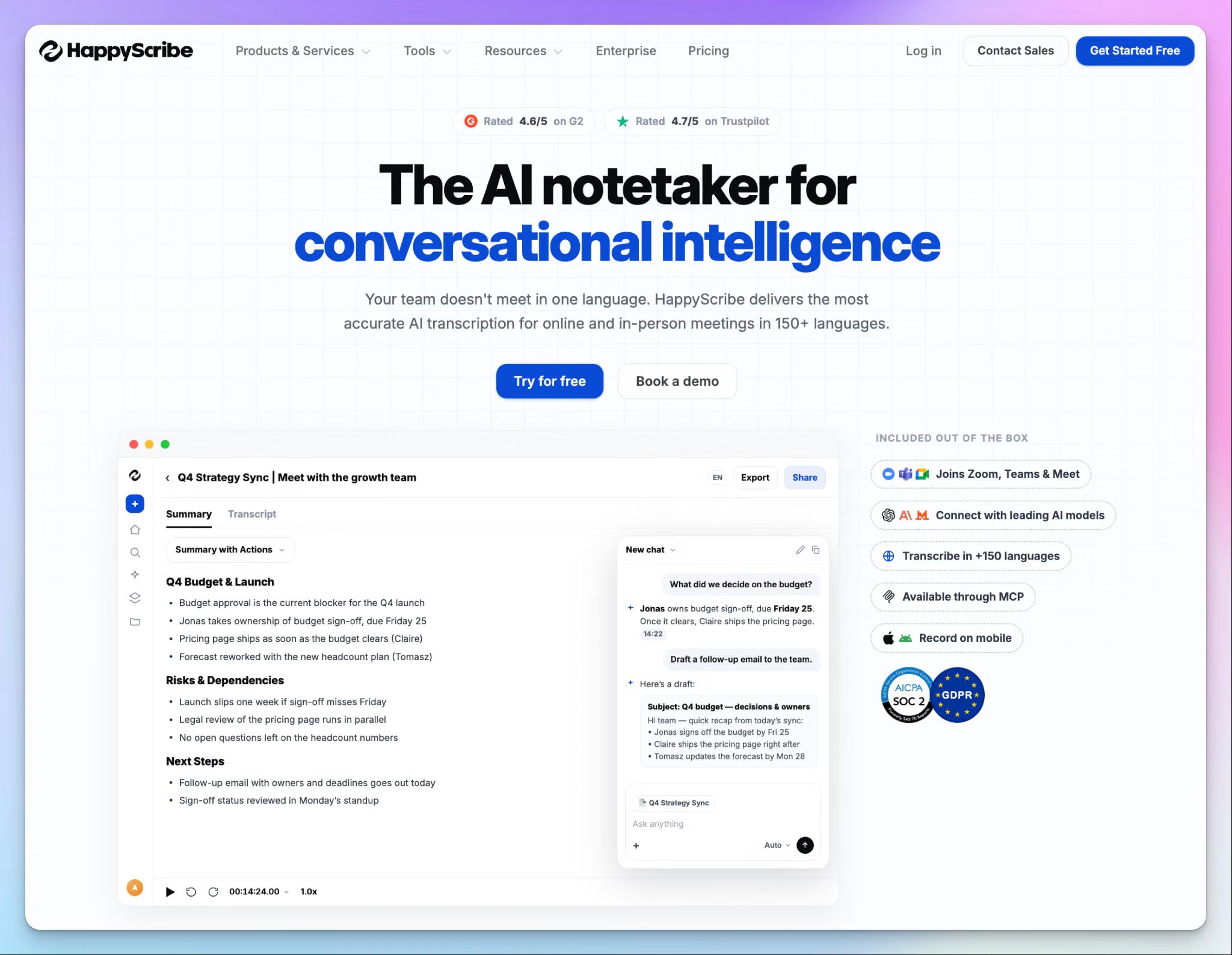
HappyScribe is a Barcelona-based AI meeting note taker that joins your Zoom, Google Meet, Microsoft Teams and in-person meetings. It turns every conversation into a transcript, a summary, and a list of action items.
For product managers, the value is in the proof. A lot of popular AI note takers prefer you trust the summary instead of going through the raw transcript. HappyScribe keeps the recording behind every decision, so you can replay the moment before it goes into a PRD or a stakeholder update.
HappyScribe's key features for product teams
1. Turn every meeting into decisions, owners, and next steps
Within minutes of a meeting ending, HappyScribe sends a properly formatted meeting summary to your inbox. It pulls out action items with owners and dates, so nobody leaves sprint planning wondering who picked up the API ticket.
If the default format doesn't fit your team, you can build a custom summary template. Short on time? Just pick project status, kick-off, retro, brainstorm, or some other pre-built template.
Meeting templates apply across your workspace, so every product manager gets the same structure.
2. Know who said what, with product names spelled right
User interviews are only useful when you know who said what. HappyScribe identifies speakers with 95%+ accuracy, so a customer's complaint doesn't end up attributed to your designer.
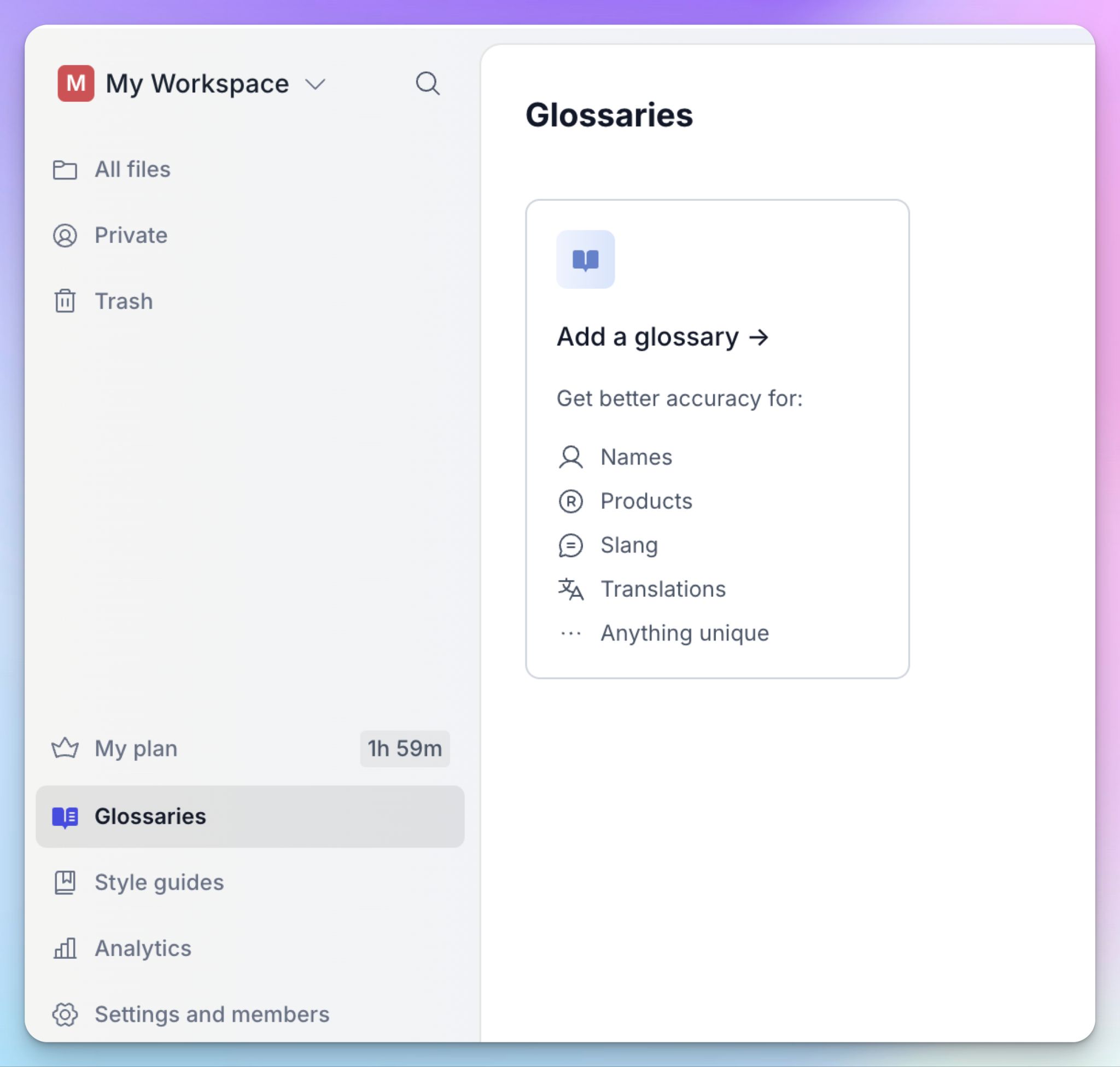
Product vocabulary is where most transcripts go wrong. With custom glossaries and style guides, your codenames, feature names, and acronyms come out right in every transcript and summary.
HappyScribe detects 150+ languages and dialects, so you can run an interview in German and read the summary in English.
3. Query your meeting history and get timestamped answers
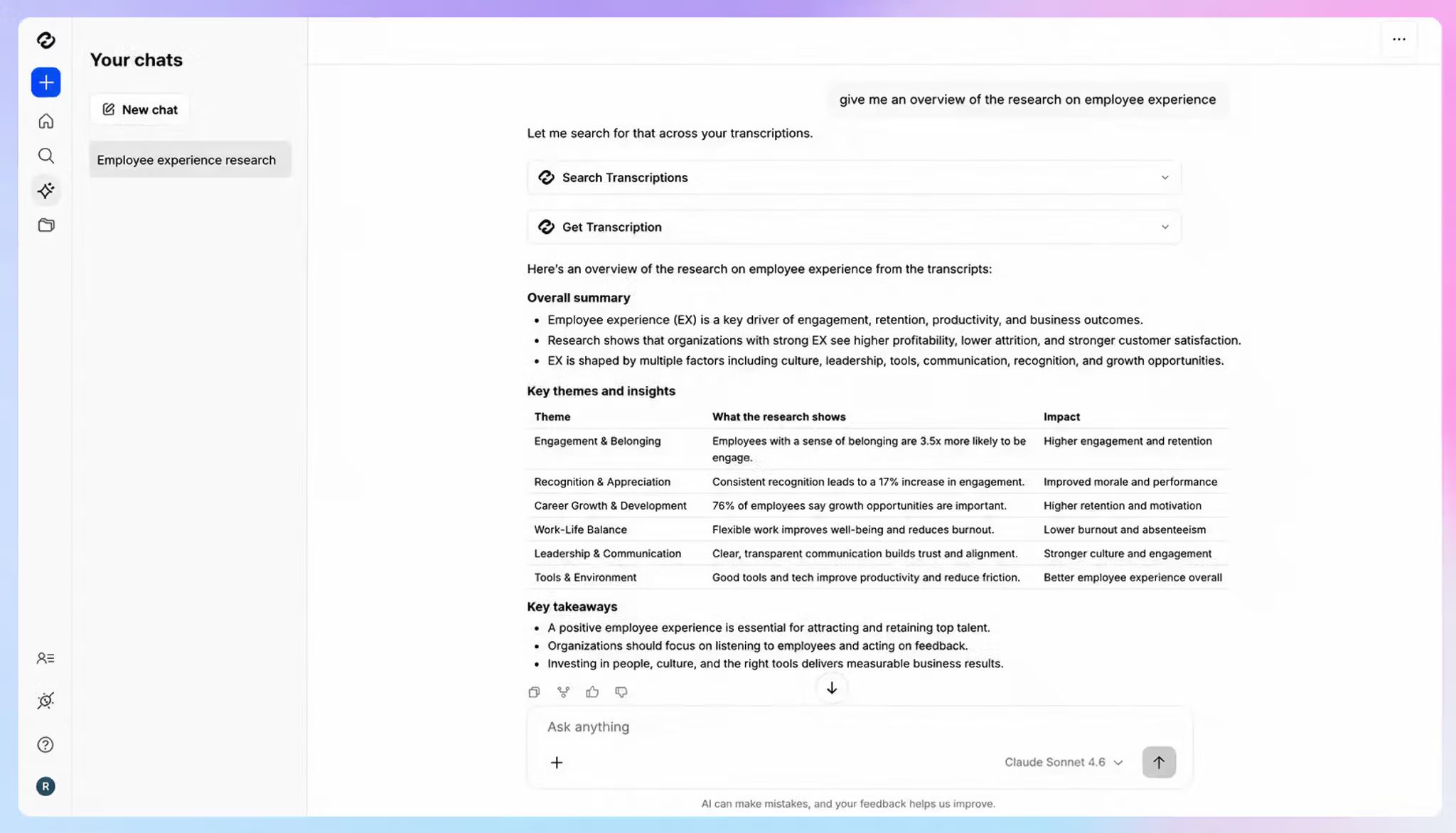
When meetings and action items pile up, it’s hard to make sense of what’s important. You can simply ask AI Chat questions across all your meetings, like "What did customers say about onboarding last month?" or “Did marketing confirm the changes on Monday?”
Every answer is cited with timestamped quotes that you can verify against the audio.
That changes how you deal with pushback. When a stakeholder questions a roadmap call, you don't have to argue from memory anymore. HappyScribe gives you the receipts.
4. Send insights into the tools your product team already uses
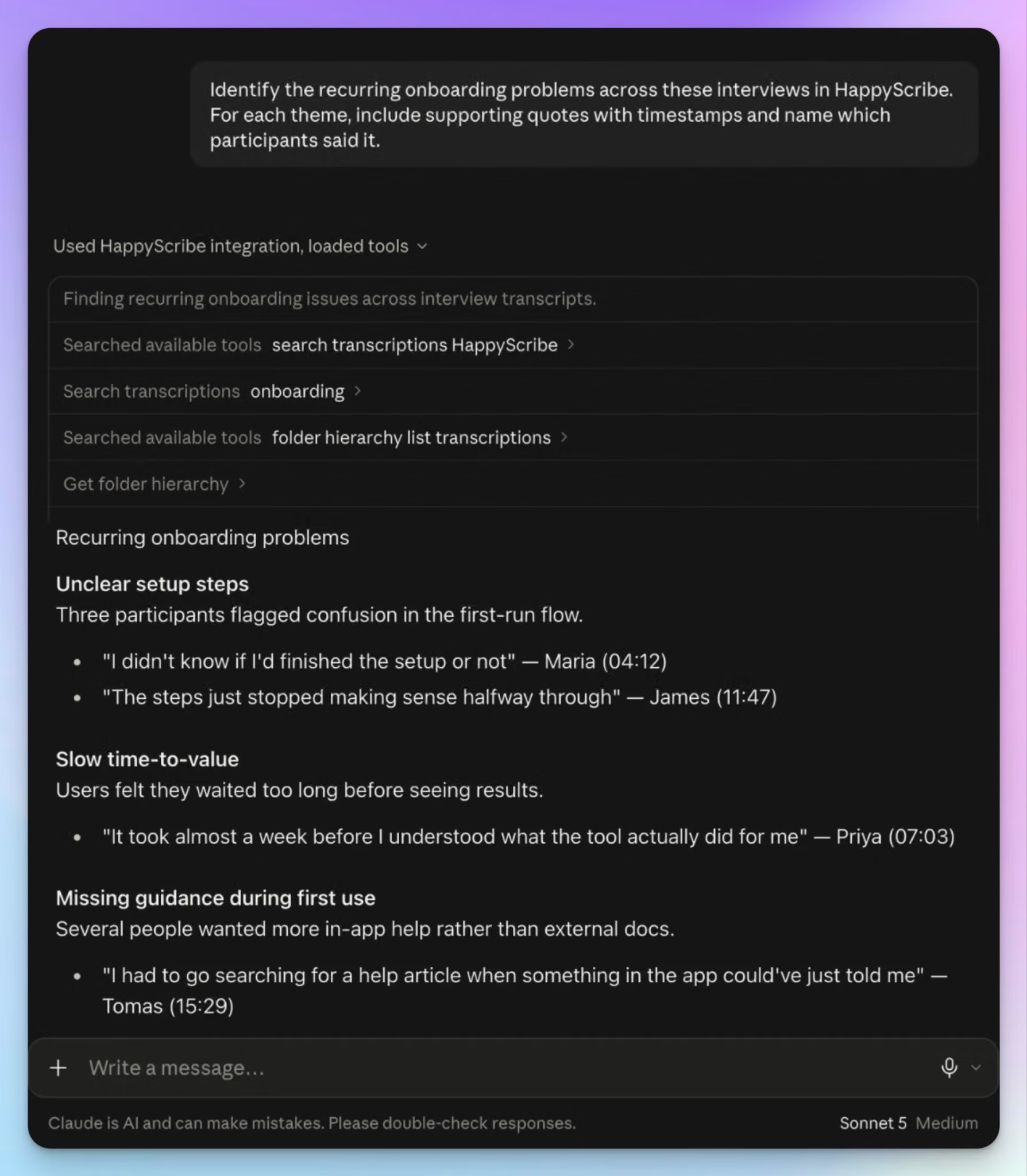
With HappyScribe API, webhooks, and Zapier, you can push summaries into Linear, Notion, or Slack after every meeting. All your team members can access the decisions and action items in real time.
HappyScribe's MCP server also connects your meeting history to Claude and ChatGPT. You can turn an archive of user interviews into raw material for PRDs and research synthesis, as we showed in our guide to building a customer research repository with Claude.
HappyScribe's pros
- You can record in-person user interviews and usability sessions with the HappyScribe mobile apps, with no bot in the room and without internet
- When a customer quote has to be exact for a PRD, you can send the file to human transcribers for up to 99% accuracy without leaving your workspace
- HappyScribe's free plan includes unlimited meeting recordings, so you can pilot it across a full sprint before paying
- Create and edit subtitles for meetings and video files in the same platform
- Support comes from real people and not bots
HappyScribe's cons
- Not ideal for live transcription during calls
What are users saying about HappyScribe?
Great product - very accurate and detailed. It picks up even fait conversation in a large group with non-native English speakers. Love the summaries and AI chat function. And it has strict privacy protection to boot.
Source: Trustpilot
In my day-to-day as an executive producer, I manage multiple projects simultaneously (from campaigns for multinationals, so missing a detail in a meeting is a risk I cannot afford. HappyScribe has radically changed the way I work. What sets it apart from other tools is not just the transcription, but the ability of its 'AI Notetaker' to understand the context and structure the key information.
Source: G2
HappyScribe's pricing
AI transcription and meeting notes
- Free: Unlimited meeting recordings, up to 45 minutes each
- Basic: $8.50/month billed annually or $17/month billed monthly
- Pro: $19/month billed annually or $29/month billed monthly
- Business: $59/month billed annually or $89/month billed monthly
- Enterprise:Contact sales for custom pricing
Human services: Starts from $2.00/minute
How to use HappyScribe's AI meeting notetaker
- Sign up for free and connect your Google Calendar or Outlook calendar so the notetaker joins scheduled calls on Zoom, Google Meet, or Microsoft Teams.
- For in-person user interviews, open the HappyScribe mobile app and tap record.
- Add your product terms to a glossary, and set up a summary template with sections for decisions and next steps.
- Open a finished transcript and use AI Chat to pull quotes and decisions, or connect Claude or ChatGPT from the Integrations page.
2. Circleback
Best for: Product teams that want feature requests and action items turned into Linear issues right after every meeting
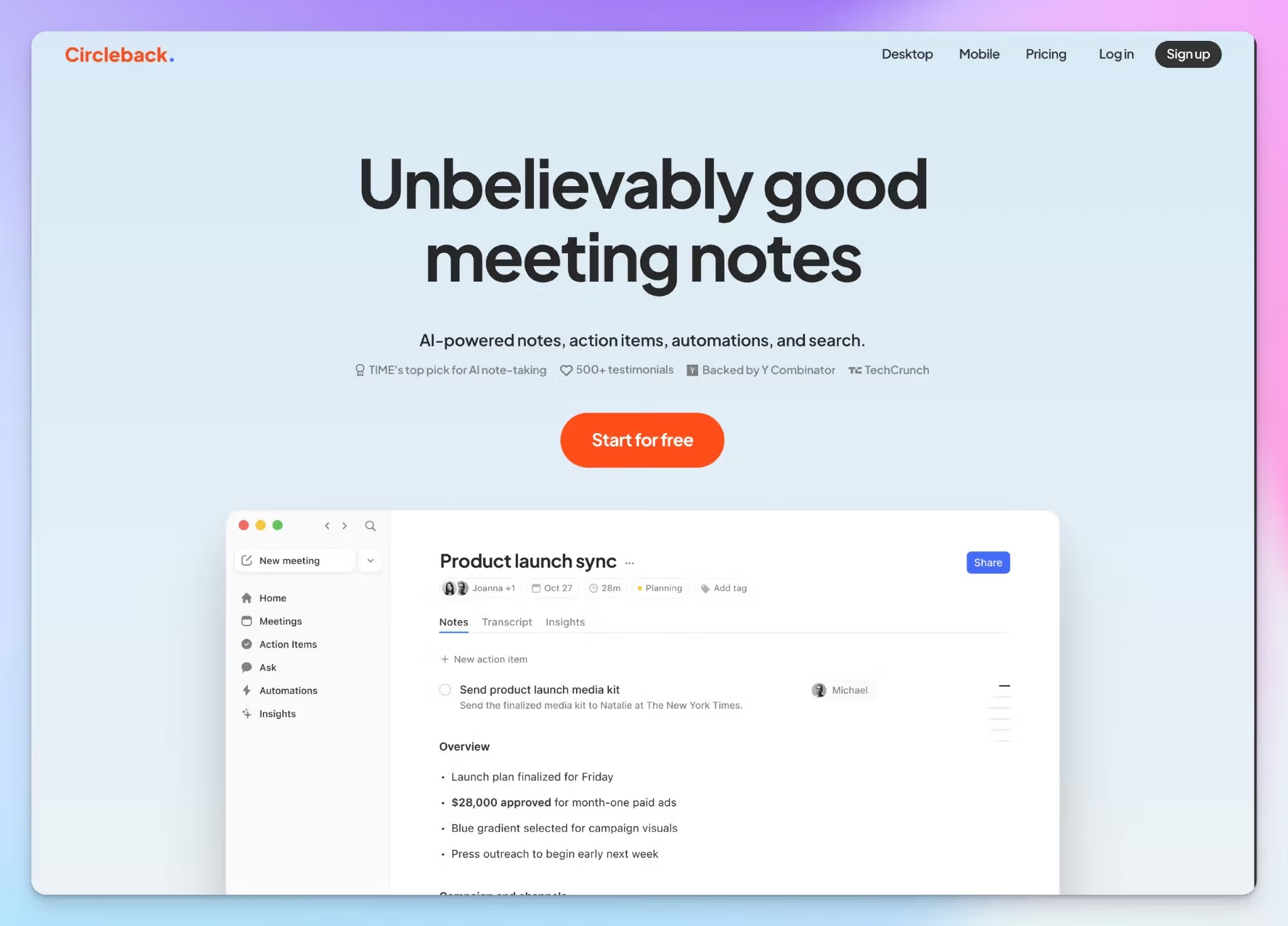
Circleback is a Y Combinator-backed note taker built on a simple idea: the work shouldn't wait for someone to write up the meeting. It captures action items, assigns owners, and sends them to the apps your team already uses.
For product managers, the feature requests from a customer call can land in your next cycle before you've closed the Zoom tab. It works across Zoom, Google Meet, Microsoft Teams, and Slack huddles, and the mobile and Apple Watch apps cover in-person meetings.
Circleback's key features for product teams
- With Circleback automations, you can update Notion databases and push action items to Slack or monday.com after each meeting. You can limit each automation to certain meeting types, like planning meetings or customer demos
- Ask Circleback to search and update Linear, Asana, or PostHog using context from your meetings
- Person and company summaries draw on every meeting and email you have access to, so you can catch up on a customer before a discovery call
- You can transcribe meetings in 100+ languages, with each speaker identified by name
Circleback's pricing
- Free
- Pro: $18/user/month
- Business: $29/user/month
- Enterprise: $35/user/month (billed annually)
Circleback's cons
- Transcript accuracy is hit or miss with Circleback. For meetings with multiple speakers and accents, you’d want to take a few minutes to verify the notes
- Recordings stay for one year on Pro and two years on Business, so the audio behind older decisions eventually disappears. If you need a lasting record, compare these Circleback alternatives
- Key features like admin roles and free viewers start at Business, while SSO and HIPAA compliance are Enterprise only
3. Grain
Best for: Product teams that turn user interviews into short video clips to share customer evidence with stakeholders
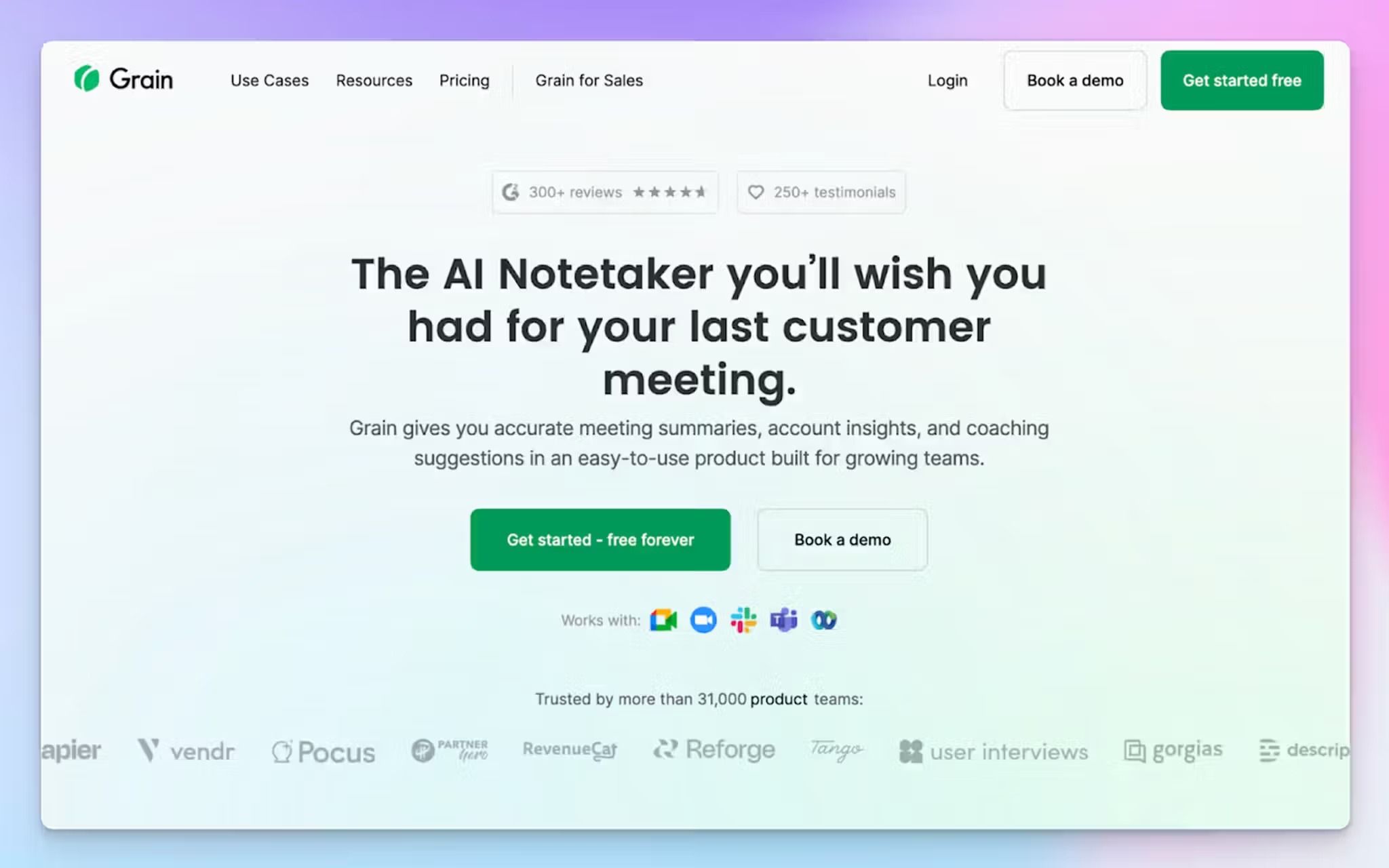
Grain's biggest strength is showing, not telling. Instead of summarizing what a customer said about your pricing page, you can share a 30-second clip of them saying it. For product managers, that's often the fastest way to get engineering and leadership to take a problem seriously.
Grain's Starter plan is built for product, design, and UX research teams, while the Business plan leans toward sales and customer success. You can capture meetings with a bot or through the desktop app on Mac and Windows, which also covers in-person conversations.
Grain's key features for product teams
- Highlight any moment in a transcript to create a video clip, then group clips into stories and playlists for roadmap reviews
- Send product ideas and feedback to Productboard during Zoom meetings, or share highlights in Slack
- Ask Grain questions about meetings over time, with meeting minutes and action items linked to the exact moment in the recording
- You can upload audio and video files from past user interviews and connect Grain to Claude through the MCP server to pull customer insights
Grain's pricing
- Free
- Starter: $19/user/month
- Business: $39/user/month
- Enterprise: Contact sales
Grain's cons
- Grain supports 100+ languages, but there’s a catch. Only 17 get the highest accuracy tier. In the rest, product names and proper nouns are more likely to come out wrong
- Grain stores data in US servers, skips ISO 27001 certification, and doesn’t offer translation, forcing many users to look for European alternatives to Grain
- Workspace-level Zapier, the workspace API, and advanced MCP access sit on the $39 Business plan, which is built for sales teams
📚 Also read:
4. Granola
Best for: Product managers who jot rough notes during user interviews and want bot-free capture
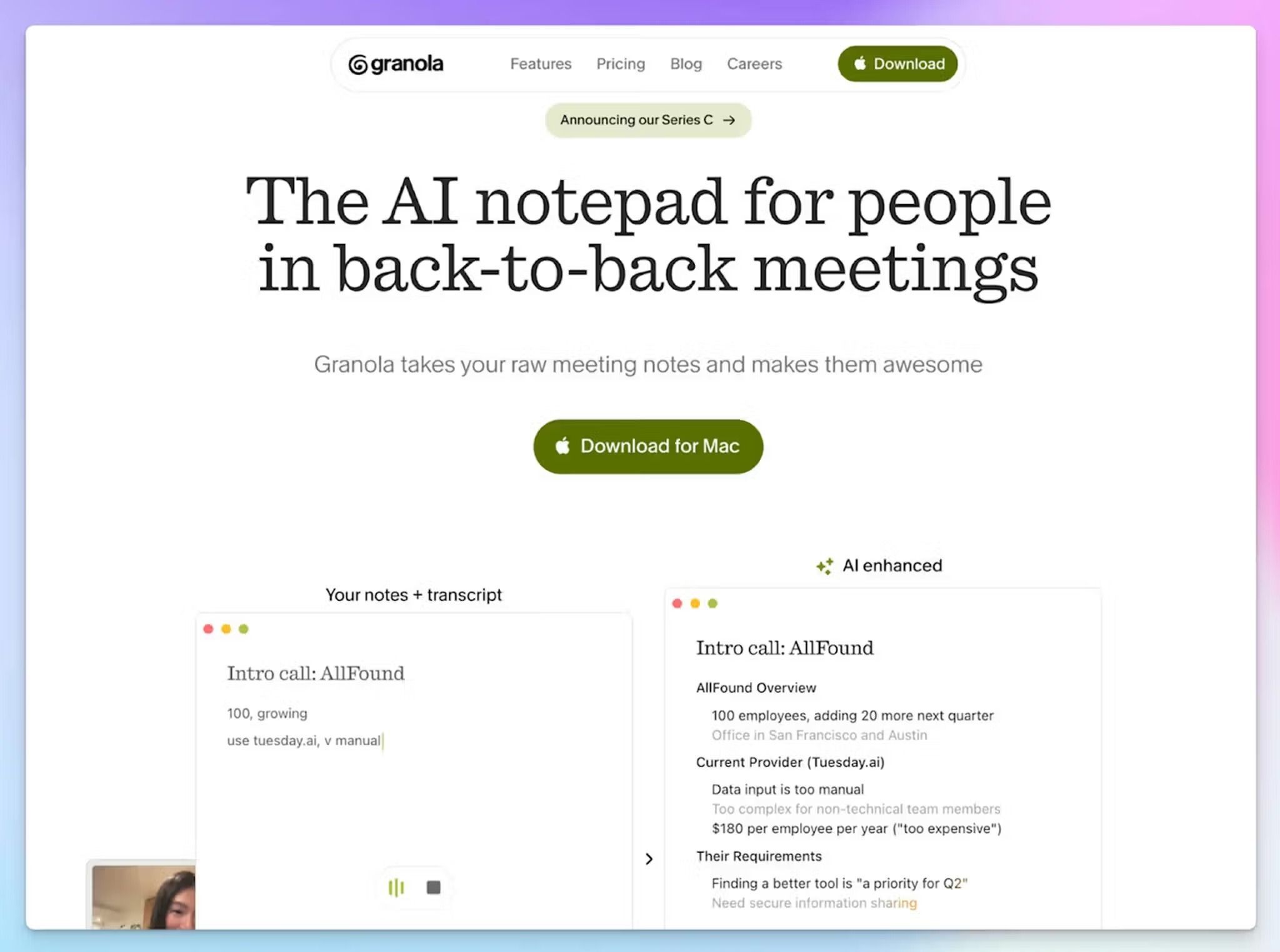
Granola is more of an AI notepad than a meeting bot. You can type rough notes during the call, and Granola fills in the rest from the transcript when the meeting ends. Nothing joins the call, so you can focus on interviews and conversations.
For product managers, Granola goes further than tidy notes. You can generate a spec from a user interview, pull every feature request from last month's calls, or turn a planning meeting into tickets.
Granola's key features for product teams
- Capture meetings from your computer's audio on Mac and Windows, or use the iOS, Android, and Apple Watch apps to take notes during in-person meetings
- You can use note templates and Recipes, which are saved prompts that run after standups, planning sessions, or sprint retros
- Ask Granola Chat questions across all your meetings, with inline citations, to draft a PRD or rewrite a summary for leadership
- Connect Granola to tools you use so you can send notes to Notion and Slack, and push action items to Linear or Jira through Zapier
Granola's pricing
- Basic: Free
- Business: $14/user/month
- Enterprise: $35/user/month
Granola's cons
- Granola deletes your audio after transcription, so you can't replay a meeting to check a quote or a decision. That's the biggest reason product teams look at Granola alternatives
- Speaker attribution gets unreliable in larger meetings, which makes sprint reviews and cross-team calls harder to follow. Granola doesn’t support speaker labels for the Teams web client
- Granola faces a class action alleging it records people without consent. If your meetings involve sensitive data, you might want to read up on the case
📚 Also read:
5. Notion AI
Best for: Product teams already on Notion Business who want meeting notes next to their PRDs and roadmaps
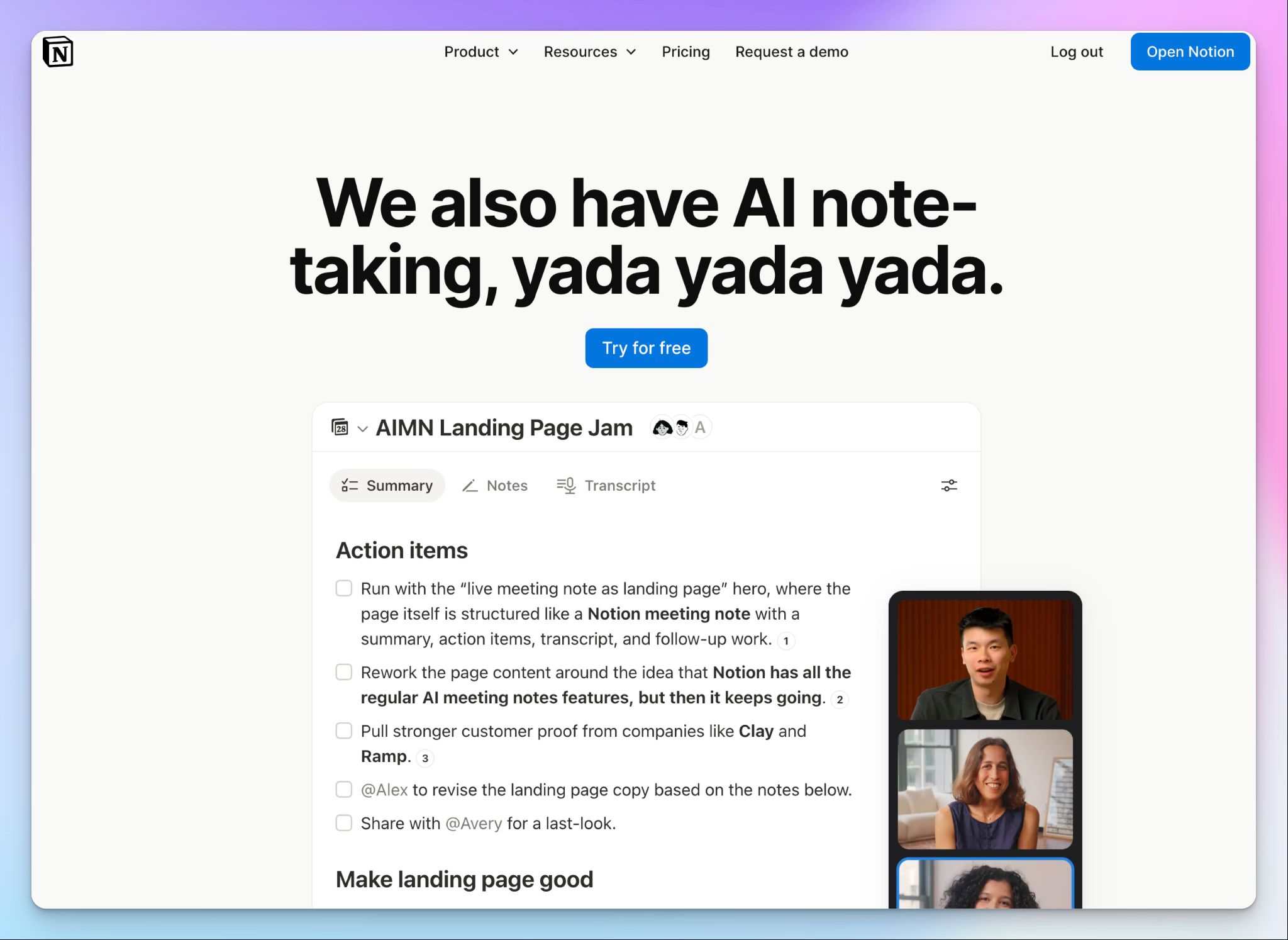
Among other things, Notion AI can transcribe meetings and create notes from them. Every meeting note lives in the same workspace as your specs, roadmaps, wikis, and project databases, so decisions don't get stranded in another app.
It’s a natural fit if your product team already runs on Notion. You can ask Notion AI to turn a transcript into a PRD draft, and the note stays linked to the project it shaped. If your team works outside Notion, though, it's hard to justify switching just for meeting notes.
Notion AI's key features for product teams
- Start AI notes from any page or from your calendar, and Notion structures the summary around the meeting type, like a standup or team meeting
- Every point in the summary links to the exact line in the transcript, so you can check what was actually said
- Ask Notion agent to draft a PRD from the transcript or turn action items into tasks in your project databases
- You can also set up custom agents that watch a Slack channel for bugs and feature requests, route them to the right team, and file tickets
Notion AI's pricing
- Free: Limited AI trial
- Plus: $12/user/month (limited AI trial)
- Business: $24/user/month
- Enterprise: Contact sales
Notion AI's cons
- Unless you join via Notion Calendar, you have to start transcribing manually from the desktop app, so it's easy to miss the start of a meeting. That's a common reason teams look at Notion AI alternatives for meetings
- Transcription covers only 16 languages, and speaker labels only work in English, which rules it out for global user interviews
- Notion’s speaker labels are unreliable in group meetings like sprint reviews, and you need the Business plan to use AI notes at all
Which AI note taker is best for product managers?
The right AI note taker depends on where your product decisions happen, and how often you need to prove them later.
👉 Choose Circleback if you want action items turned into Linear issues the moment a meeting ends.
👉 Choose Grain if you share customer calls with design and leadership and want clips as evidence.
👉 Choose Granola if you take your own notes during user interviews and prefer no bot joining the call.
👉 Choose Notion AI if your team already runs on Notion Business and wants meeting notes next to its PRDs.
👉 Choose HappyScribe if you need accurate meeting notes across languages, with a recording behind every decision.
Every tool on this list can summarize a meeting. The difference shows up a couple of weeks later, when someone questions a decision.
By then, Granola has already deleted the audio. Circleback's recordings expire unless you pay for Enterprise. Notion AI only labels speakers in English, and Grain saves its best accuracy for only 17 languages.
HappyScribe keeps the recording behind every decision, and AI Chat takes you straight to the moment it was made. It detects your product terms right in 150+ languages and records bot-free in-person interviews on your phone. And you can start for free.
For product managers who need to prove what was decided, HappyScribe is the easiest call on this list.
FAQs on best AI Note takers for product managers
Which is the best AI tool for product managers?
HappyScribe is one of the best AI tools for product managers who need to track what was decided in product meetings. Its core capability includes full recording behind every summary, searchable transcripts across multiple meetings, and reliable speaker identification. Ask AI Chat a question, and it takes you to the exact moment someone said it. With 150+ languages, translation, and subtitles, one tool covers your user interviews worldwide.
How much does an AI note taker cost?
Most AI note takers cost between $14 and $39 per user per month, and most offer a free tier. Plans with CRM updates, admin controls, or SSO usually cost more. HappyScribe's free plan includes unlimited recordings of up to 45 minutes each. Paid plans start at $8.50/month billed annually, so you can test it on real meetings before you're committed.
Can AI help in product management tasks?
Yes. AI helps most with the admin that follows every meeting. An AI meeting assistant writes meeting summaries, pulls out action items and drafts the follow up, which cuts manual documentation time significantly. The real problem it solves is alignment. When engineering, design and stakeholders read the same notes, collaboration gets easier. Many tools also send decisions straight into project tools like Linear, Notion or Jira.
Is AI note taker legal?
Yes, AI note takers are legal in most places, as long as you follow consent laws. Some US states require every participant to agree before you record, and GDPR adds rules in Europe. In online meetings, a visible bot joining the call lets everyone know they're being recorded. For internal meetings and conference rooms, tell people before you start. Laws vary by location, so check the rules wherever your meetings happen.
What are some useful note-taking tools for product teams?
The most useful AI note-taking tools for product teams are HappyScribe, Circleback, Grain, Otter and Notion AI. HappyScribe is the strongest all-rounder for accurate, multilingual AI meeting notes. Circleback turns action items into Linear issues, while Grain turns user interviews into shareable video clips. Granola suits PMs who like typing live notes. Otter is another option if you need automatic transcription on Zoom and Google Meet in English, Japanese, Spanish or French.

Biplab Mazumder
Biplab is a content marketer and writer who helps high-growth brands scale content visibility across AI search channels. His works have been published in HubSpot, Freshworks, Atlassian, SurferSEO, etc. When he's not planning content strategy, he's testing AI content workflows and use cases.