A couple of years back, granola was just a snack, but now it’s a popular AI note taker as well. It’s a shiny new meeting productivity app that has captured the meetings (and the attention) of people and businesses.
Design is a big part of the Granola AI experience, and it does a great job of drawing new users in. But I’m no newbie. I took a moment to appreciate its look, then used it daily in my meetings to see how well it works.
If you’re wondering if Granola is all style or if there’s some substance to it, this review will help. Here’s everything Granola does for your meetings, plus the fine print most users miss before they subscribe.
📌 In a nutshell: Is Granola AI worth using for meetings?
Here's the short version: Granola is a well-designed note-taking app, and the user experience is nice. You’ll appreciate the enhanced versions of notes, recipes, and bot-free meetings.
The trouble starts underneath. Sign-up requirements throw you a curveball, speaker names take per-platform setup, and the transcripts often miss numbers and codes. There's no audio or video to verify notes against.
👍 Best for: Solo users on internal calls who like to add manual inputs and work within a Google Workspace or Microsoft 365 account
👎 Not a great fit: Enterprise users running client calls, Microsoft Teams-heavy meetings, multilingual work, and anyone who needs peace of mind about note accuracy
Things I like about Granola AI (and you probably will too)
A few things won me over fast, and most of them come down to how the app treats your own thinking.
Beautiful workspace design to bring order to chaotic meetings
Granola looks like a notes app purpose-built for Mac. Except you’ll feel the same using it in Windows, iPhone, and Android.
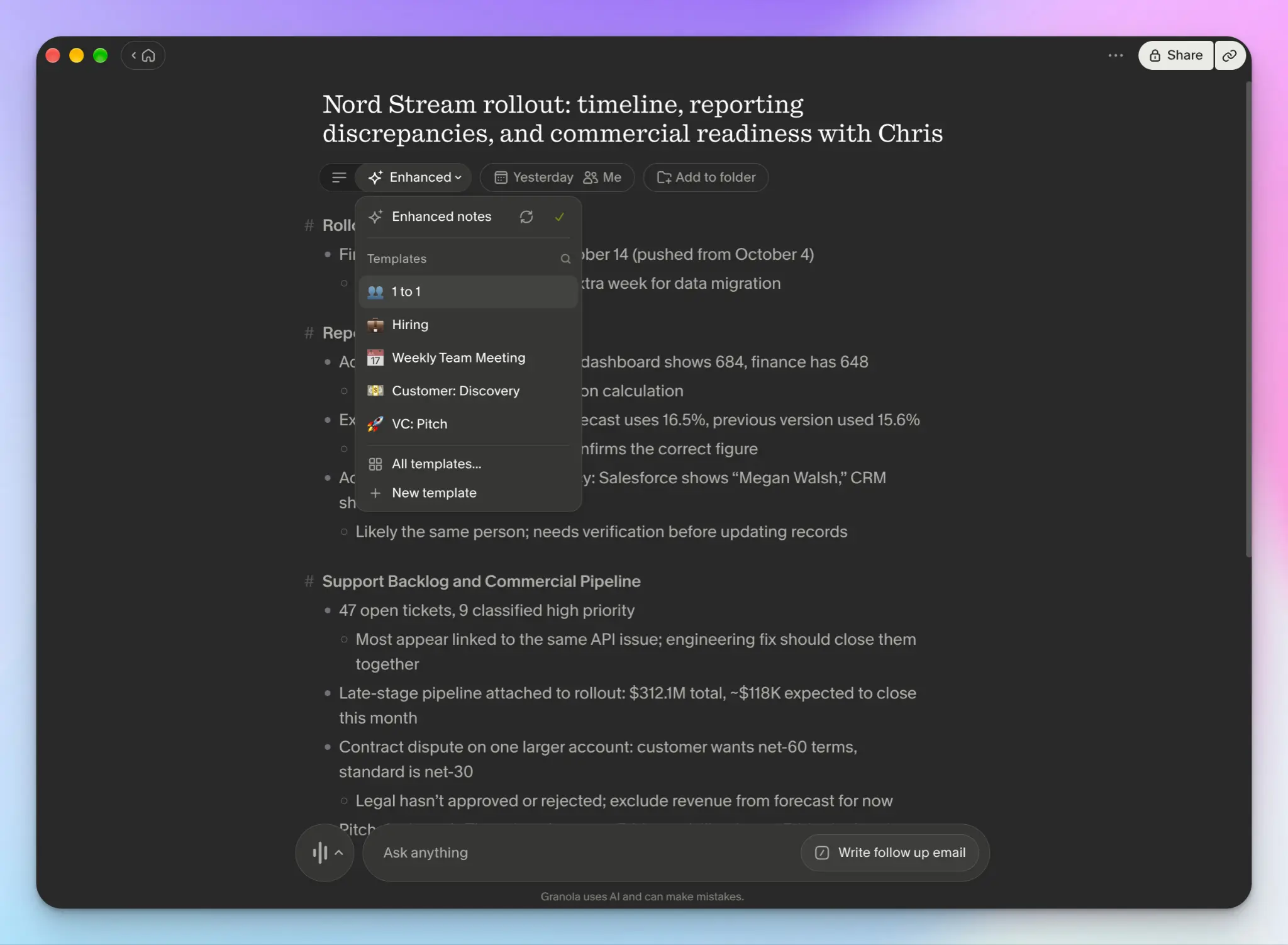
Open the app, and your upcoming meetings sit right at the top. You can organize meetings into folders, edit attendees, and fiddle with the “Enhanced” option to shape notes into templates. Granola has plenty.
One of the last meetings I recorded before writing this review was a 1:1, and I could switch to another template with ease.
But my favorite UI touch is rather small. Whatever you type during the meeting gets highlighted in the enhanced version of the notes. You always know which words are yours.
Works on all types of calls and platforms
Granola isn't tied to one videoconferencing platform. That’s one of its biggest sells.
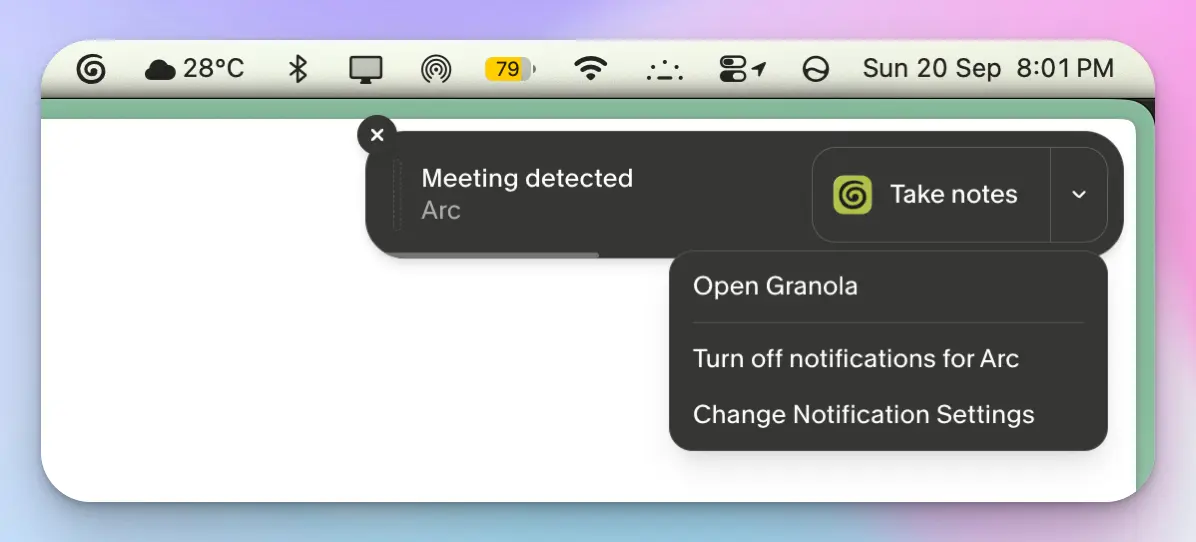
It captures Zoom, Google Meet, and Microsoft Teams calls from device audio, and it works on FaceTime and in-person conversations as well.
For meetings away from your desk, you get iPhone and Android apps, plus an Apple Watch app if you want to record a walking one-on-one.
About the Granola Apple Watch app: Once you start recording, you can’t use any other feature of the watch, like checking the time or reading a text. Every time you do that, the app stops recording, and you have to start again.
Legacy meeting note takers like Otter AI added different capture methods years later. Granola was built for the bot-free experience from day one, and it’s such a relief not to worry about platform availability. But it still has some dependency for bot-free recording to work flawlessly, which I'll come back to.
Chat is the default, so you're not scanning long transcripts
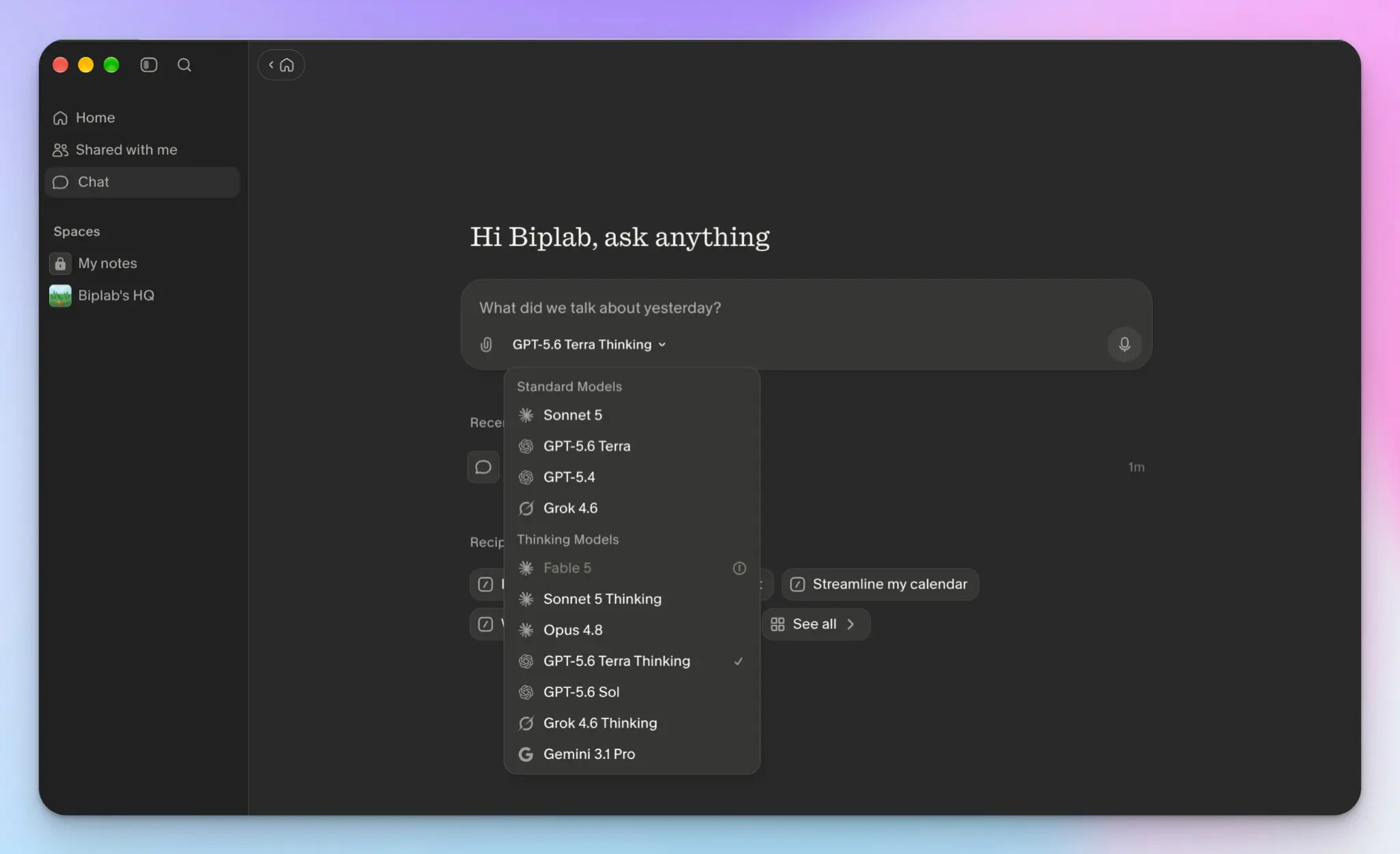
Granola wants you to chat with meetings to find answers. It’s familiar, and it’s simple.
Chat is front and center, and it already knows the meeting you're looking at. You can ask, “What were the objections raised by Jim from Scranton last week?” and it’ll scour your meeting history to find the right answers. You can also ask across meetings instead of one at a time.
Recipes galore, and you can remix them
Recipes are saved prompts you run against your notes, written for specific jobs like a follow-up email or a pipeline update. The library is deep enough that I found something close to what I wanted most times I looked.
In my Fireflies AI review, I covered how useful the AI skills were for repetitive tasks. Recipes are similar in that sense, minus the agentic capabilities.
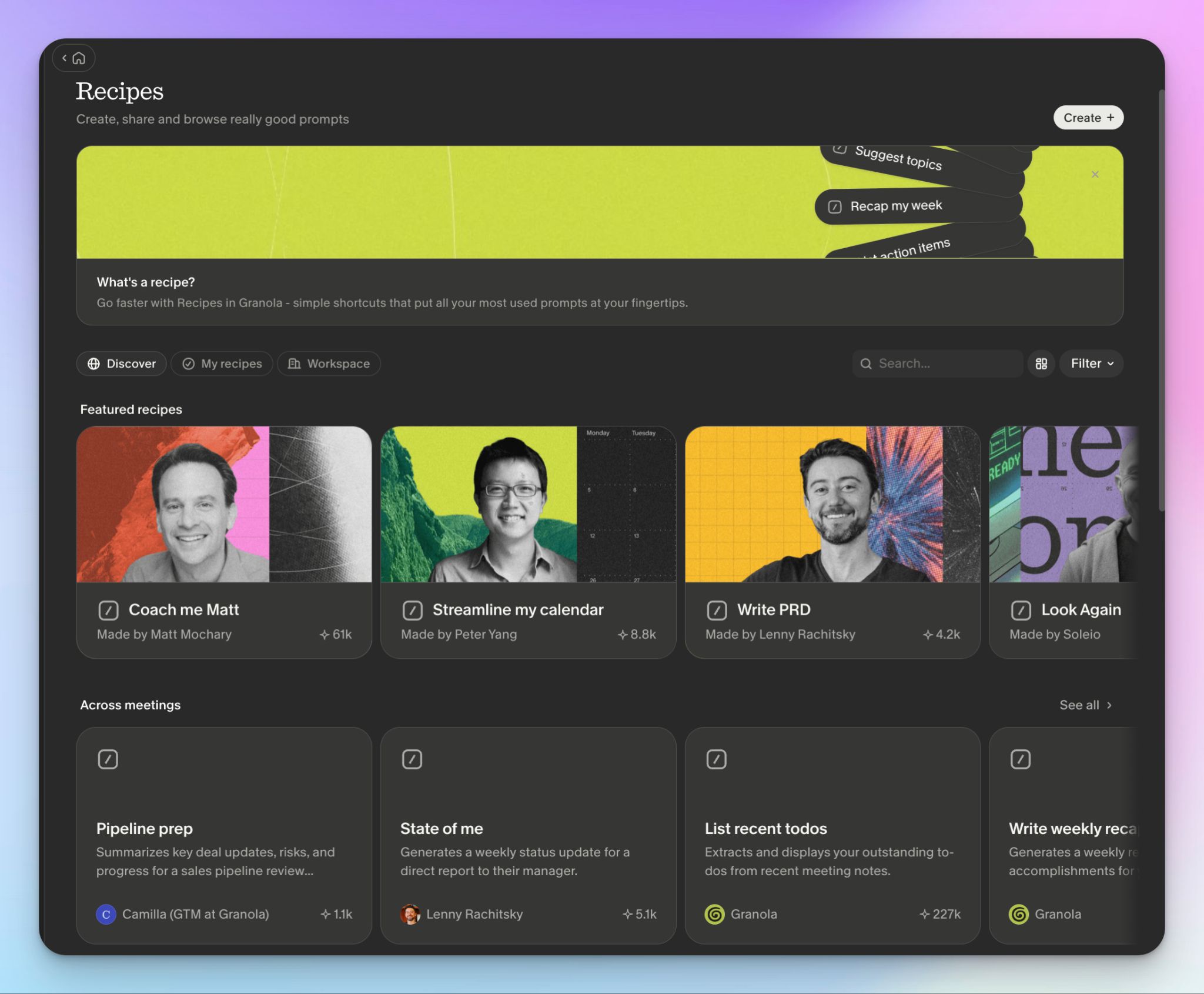
The better part is remixing. For example, you can take Lenny Rachitsky’s “State of me” recipe and mix it with Granola’s “Prep my day” to build something for yourself. Your only limitation is your creativity.
Granola at a glance
| Factors | What I found | Rating |
|---|---|---|
| Ease of use | Well-designed apps once you're inside, though sign-up and speaker tag setup take more work than they should | 🟢🟢🟢🟢🔴 |
| Security | GDPR and SOC 2 certified, HIPAA for Enterprise. But it’s currently fighting a wiretap lawsuit | 🟢🟢🟢🔴🔴 |
| Integrations | Strong coverage through MCP, the API, and CRM tools, with most of it on paid plans | 🟢🟢🟢🟢🔴 |
| Customer support | Responsive and well-documented support | 🟢🟢🟢🟢🔴 |
Where Granola falls short: My honest experience
I like this app. That's what makes the next part frustrating to write, because most of the problems are not upfront, but you’ll definitely face them.
Signing up is harder than it should be
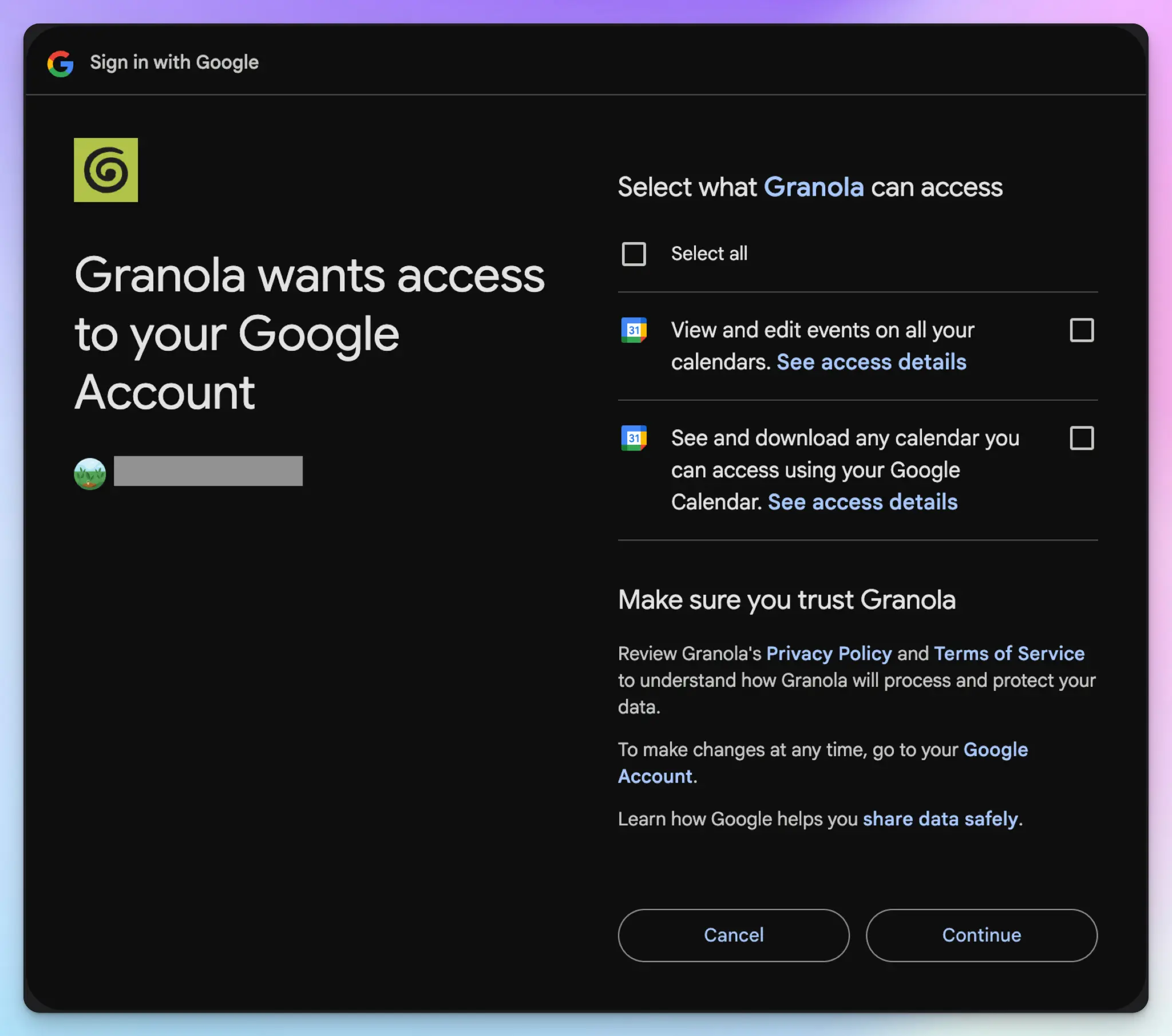
Granola gives you two ways in: Google or Microsoft. That's the list.
There's no email sign-up. Not with a work address, not with an Outlook address. The only personal email that works is Gmail.
There's no web sign-in either. You download the app, or you don't use Granola.
Then there's the calendar. Granola NEEDS access to all calendar data during setup, otherwise it won’t let you proceed. Sure, all meeting note takers would prefer you connect calendars so they can help with meetings, but not all of them make it a condition of signing up.
Open the app settings later, and there’s a good chance the calendar toggle is switched off anyway.
Bot-free capture depends on a chain of permissions
Granola doesn't join your call, so it listens to your device instead. That works, but only if you jump through hoops and agree to some questionable privacy choices.
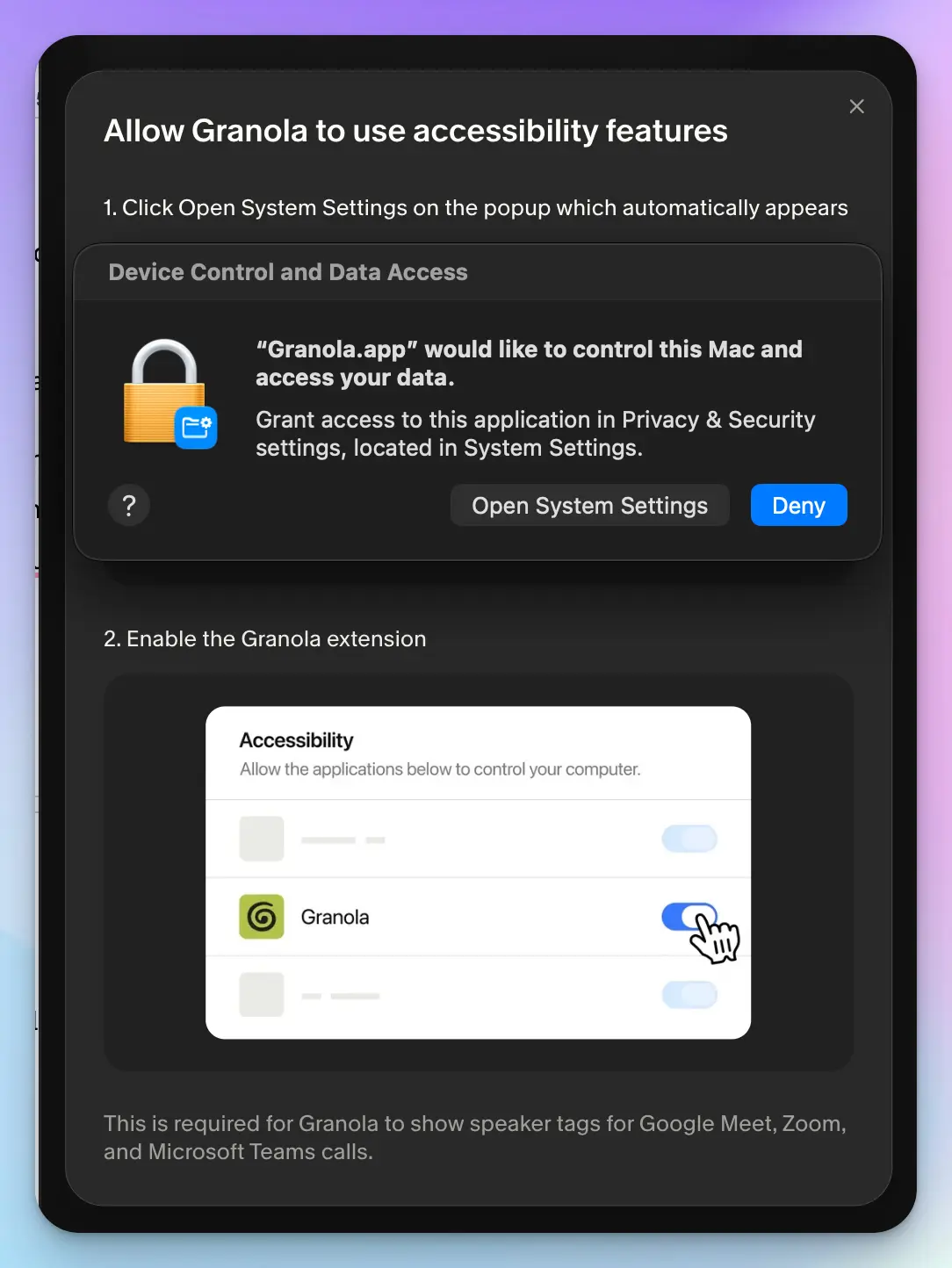
Take speaker names. Out of the box, your transcript shows “Me” and “Them”, which correspond to your microphone and your system audio. To see actual names, and here’s a new thing, you need to set up speaker tags per platform.
- Google Meet needs the Granola browser extension installed in desktop Chromium browsers (no Safari or Firefox) in the same browser profile you use for calls
- Zoom needs the Zoom desktop app plus macOS “Device Control and Data Access” accessibility granted to Granola. Granola can’t add speaker tags for Zoom calls in Windows or in the Zoom web client
- If you use Microsoft Teams for meetings, you're completely out of luck with Granola
Granola transcripts get things wrong, and there's nothing to check against
Accurate transcripts enable meeting tools to extend their capabilities. Granola is reliable when you don’t have noise, overlapping speech, or tricky words. Throw it in real-world tests, and you’ll always have some inaccuracies along the way.
In one of my meetings, the pipeline figure was $312,000. Granola wrote $312.1M. The reference code was NS-840-B17, and it logged NS-40-B17. Two account owners came up, Megan Walsh and Meghan Wells, and Granola never picked up “Meghan”.
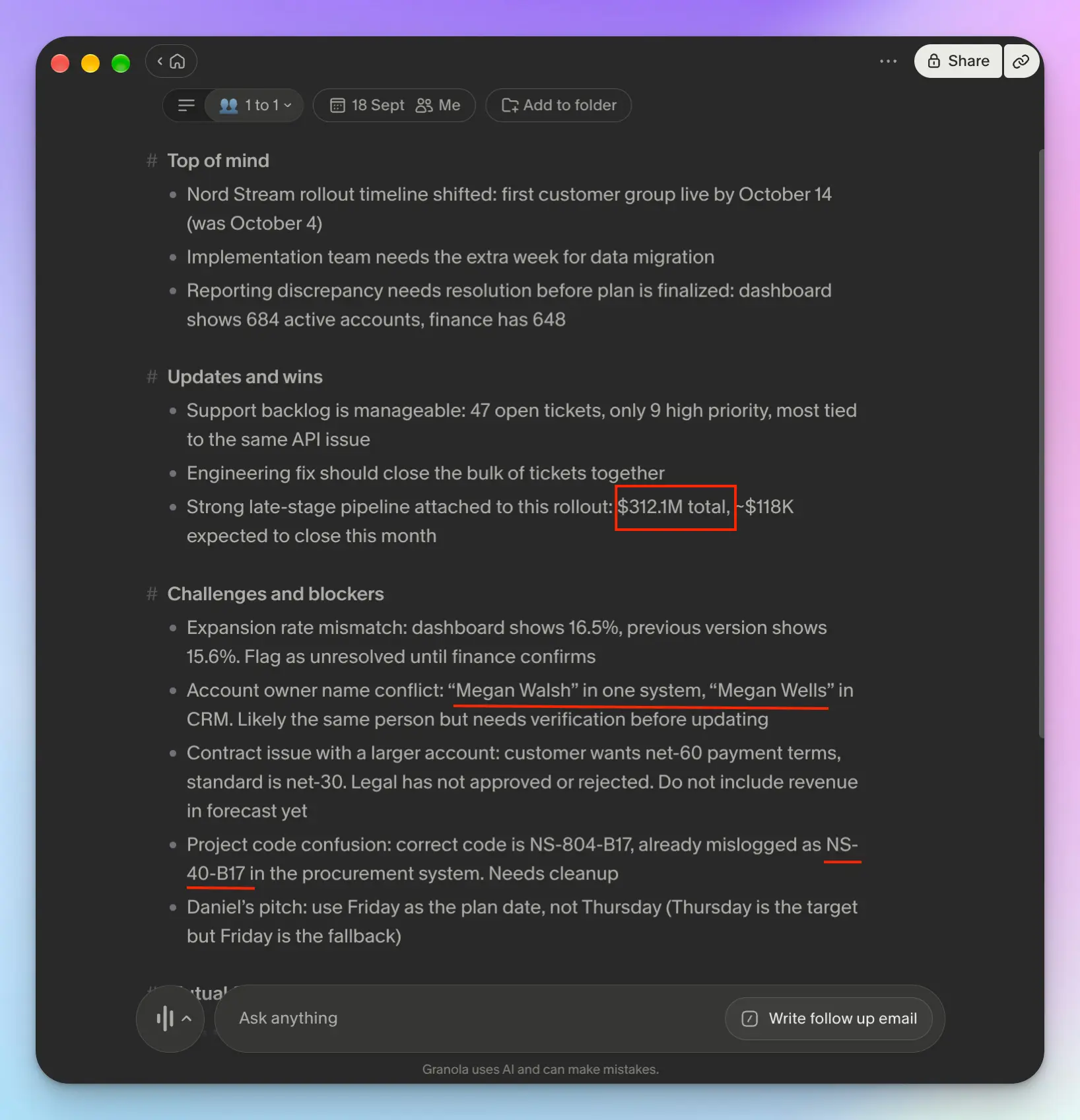
This is where the missing recording starts to hurt. Granola doesn't record or save audio or video, and its own docs say there's no way to access audio from your meetings.
As a privacy stance, that's defensible. In practice, it removes your only way to check. Most note takers let you replay the moment when a figure looks wrong, or check non-textual cues like hesitation or emphasis. Granola gives you nothing.
All of these ultimately impact decision-making. Without reliable speaker attributions, accurate transcripts, and media playback, you’re making calls on a hunch.
Invisible by design, and now it's in court
Granola's best feature is that nobody else can tell it's running. That's also the centerpiece of a lawsuit.
On July 30, 2026, a proposed class action was filed against Granola in the Northern District of California, Chamberlain v. Granola, No. 3:26-cv-07926. The complaint argues the invisibility is deliberate, and it quotes Granola's own line saying other people in the room won't know it's there. It also alleges Granola uses captured conversations to train its models by default.
Granola does offer a chat notification and a video watermark so participants can tell it's recording. Neither is switched on by default, and Granola says it doesn't configure those settings for customers.
These are allegations. The case is early, and lawyers writing about it point out that the federal wiretap claim faces a real hurdle, since one-party consent means only you have to agree. I mentioned this angle in my Zoom My Notes review as well.
What it means for you is simple. A visible bot announces itself, but Granola doesn't. If you record clients or candidates, or you work in a state where everyone has to consent, say it out loud at the start of the call.
Granola pricing: What you actually get
Granola keeps pricing simple, and I appreciate that after using meeting tools that often meter credits and minutes.
- Basic: Free
- Business: $14 per user per month
- Enterprise: From $35 per user per month
There's no annual discount upfront, but Enterprise users can talk to the sales team to switch billing to annual.
Granola’s free plan is generous because meetings are unlimited. The limit is time. You can only open notes from the last 30 days, and everything older gets locked out of your reach until you pay. You can export a CSV of titles and summaries before you go, though it won't include your transcripts.
The other thing worth knowing is what sits behind the Enterprise wall. Org-wide auto-deletion, usage analytics, and admin control are all part of $35 a seat, so the granular controls cost two and a half times the regular plan.
What real users say about Granola AI
People love Granola’s usability and looks. For private, internal meetings, it’s just clean enough not to cause trouble.
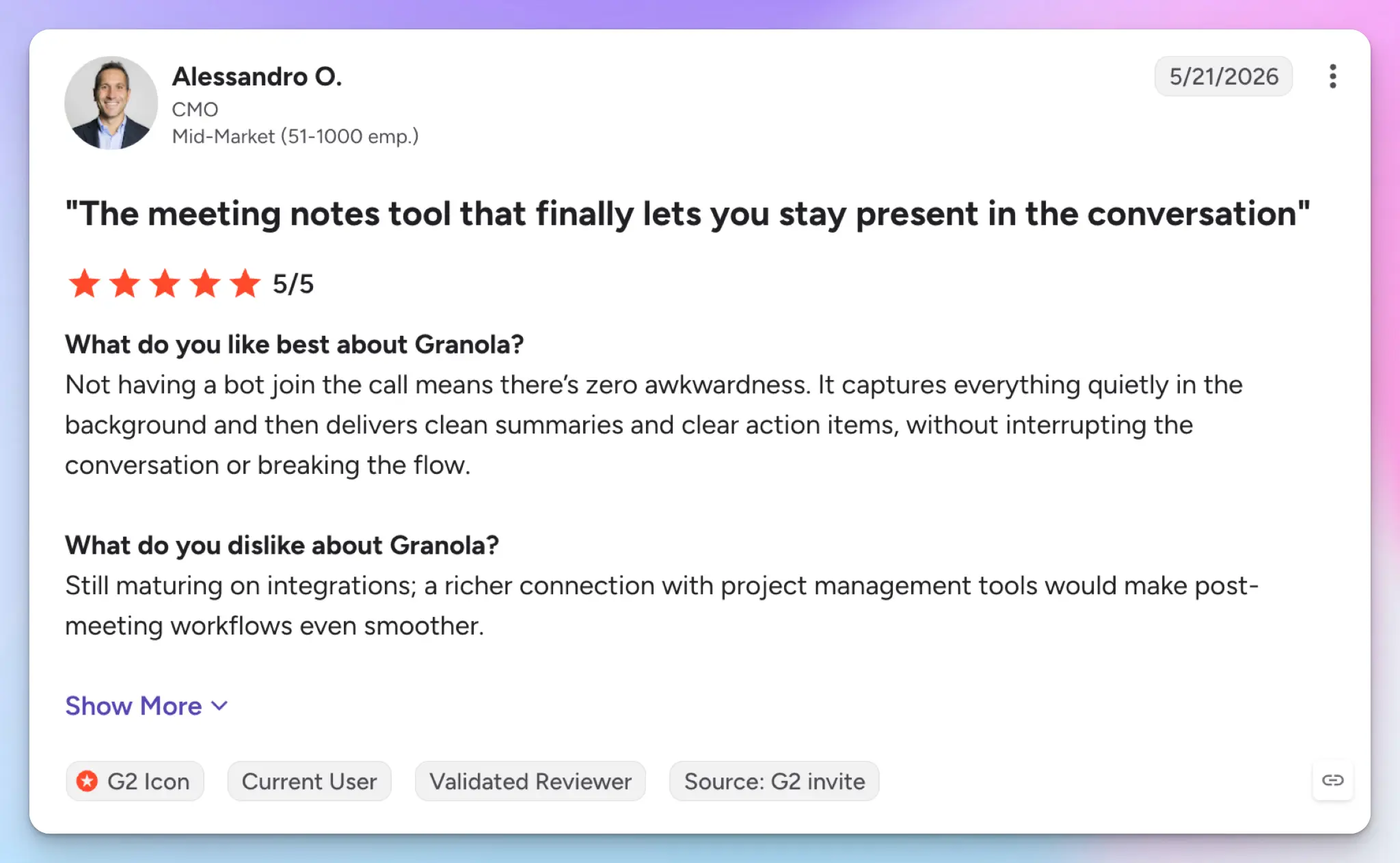
Source: G2
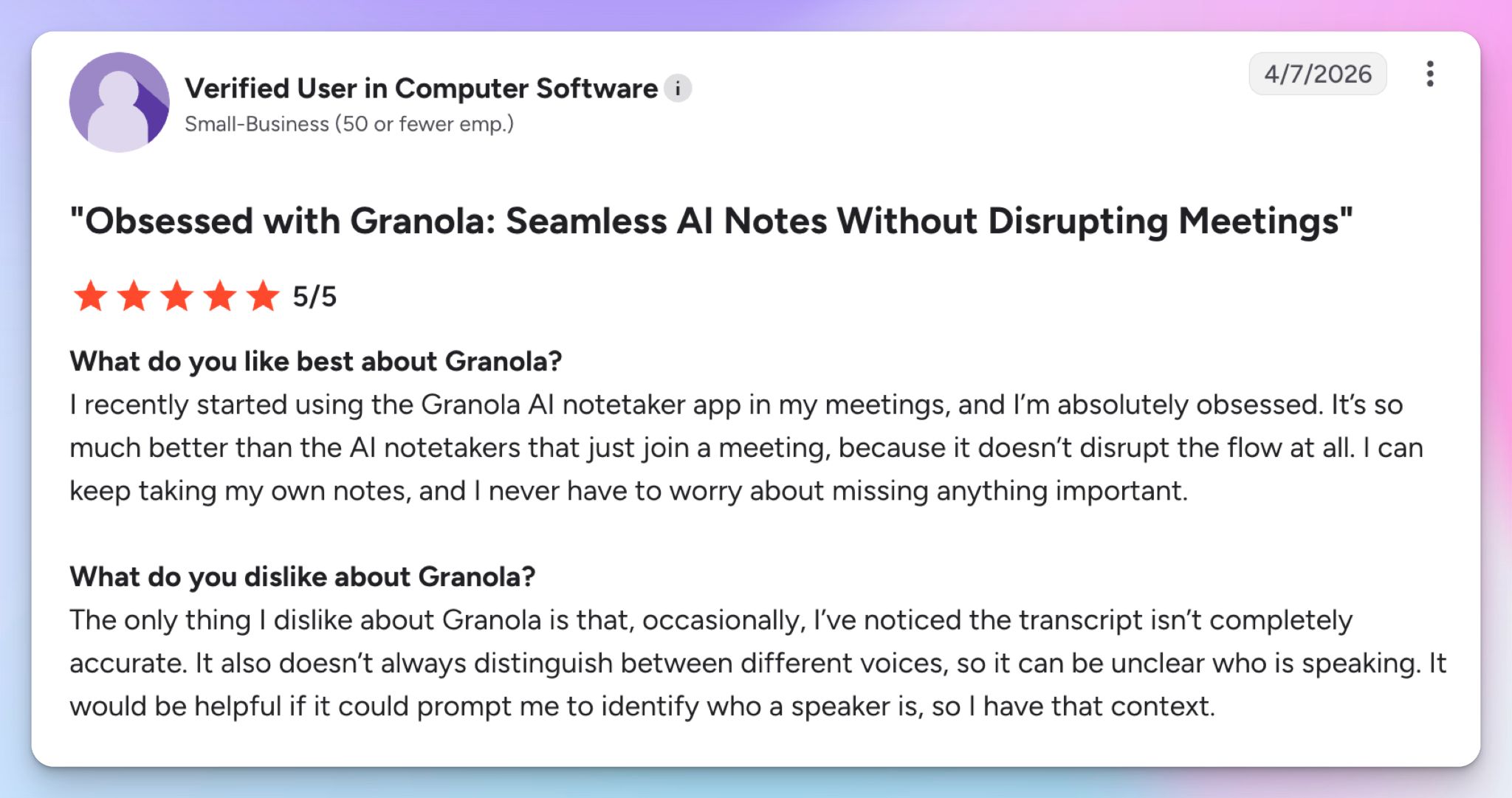
Source: G2
The convenience does come at a price. Granola was never known for accurate notes, and the unreliable recorder only adds to the problem.
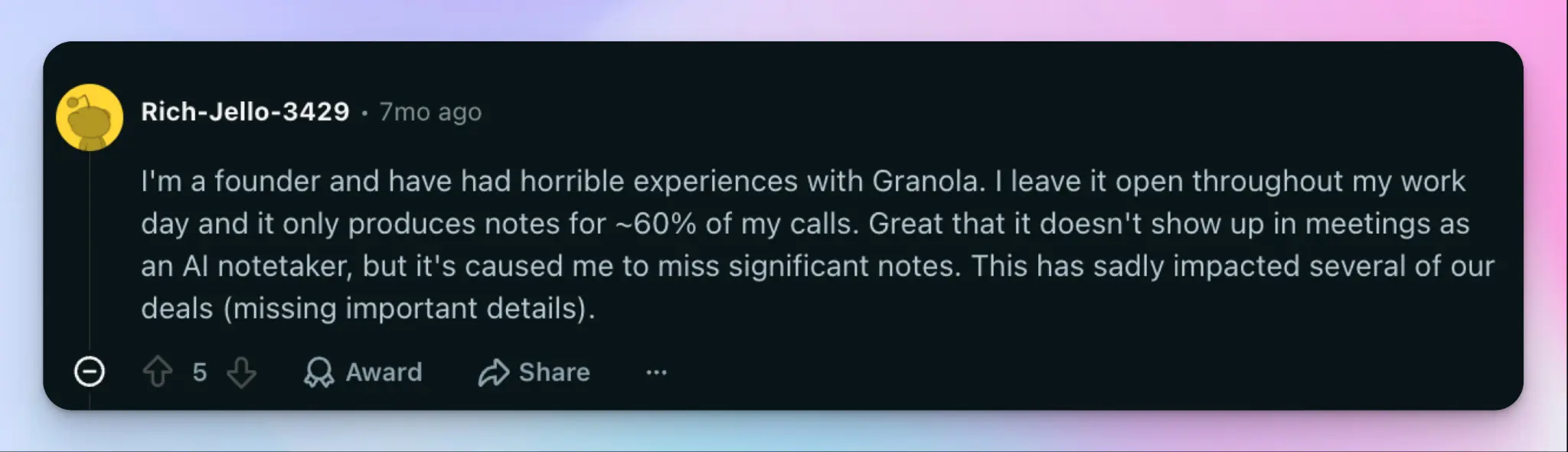
Source: Reddit
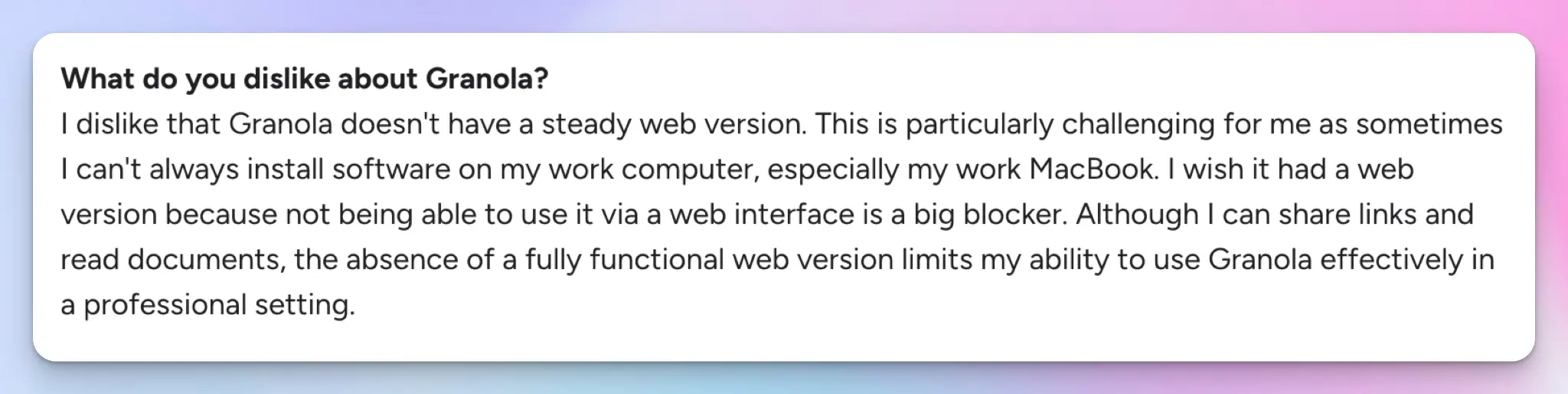
Source: G2
What's the best Granola alternative?
HappyScribe is my pick for the best Granola AI alternative because it addresses the fundamental shortcomings of Granola without trading its usability. I ran the same meeting through both to be sure.
HappyScribe got the name confusion right, and it also accurately picked up the numbers and codes.
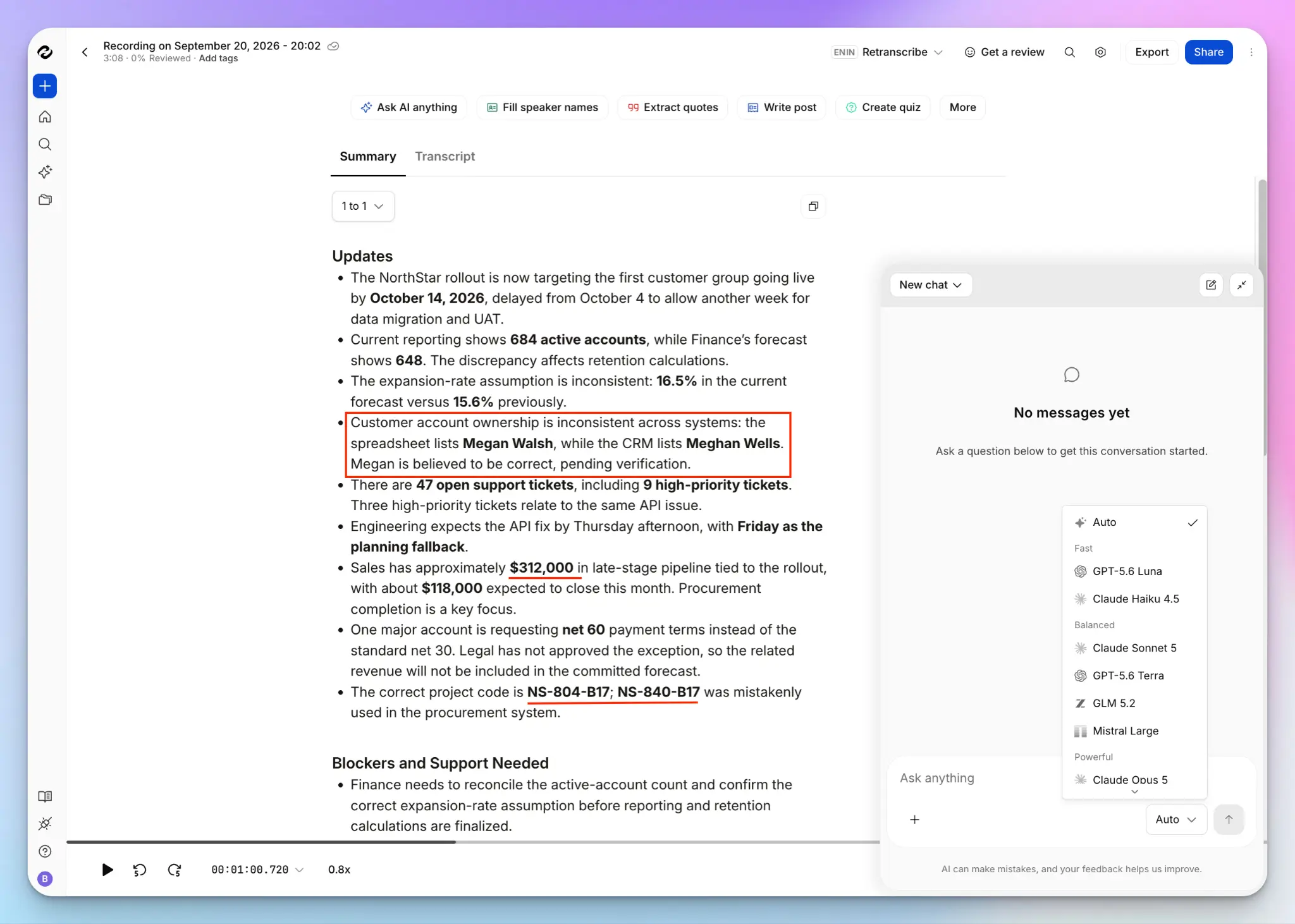
You also don't have to be limited to one capture style. For regulated industries and enterprise teams, transparency and compliance are a major part of meetings. Invite the bot when you want everyone to see that the call is being recorded, or record bot-free from the desktop and mobile apps for impromptu calls.
One thing Granola stays ahead in is with desktop app support. HappyScribe’s desktop app is in active development, so it’s not available to the public as of writing this review.
You might wonder why I didn’t consider other tools. I did.
- tl;dv left 181,874 meetings readable by any signed-in user, which is a bit odd to recommend in a section about privacy
- Fellow has no EU data residency, and a bot that sometimes joins calls when it shouldn't
- Jamie doesn’t offer meeting playback, and it also doesn’t have SOC 2 Type II security
HappyScribe vs. Granola AI at a glance
| Feature | HappyScribe | Granola |
|---|---|---|
| Meeting capture method | ✅ Transparent bot for Meet, Teams, and Zoom. Bot-free meetings via web and mobile apps | ☑️ Bot-free only |
| Transcript accuracy | ✅ Clean on codes and numbers. 90%-95% on tests. 99% human-verified option | ❌ 85%-90% on test. No human-verified transcript option |
| Speaker identification | ✅ Reliable and editable speakers without extra setup | ❌ Me and Them by default, and speaker tags need to be set up for Meet and Zoom. No speaker labels for Teams meetings |
| Language support | ✅ 150+ languages and dialects | ☑️ 31 languages on desktop, only 17 languages on mobile |
| Security and compliance | ✅ SOC 2 Type II, GDPR, ISO 27001 compliant EU data residency, AI training opt-out | ❌ SOC 2 Type 2, US storage only, training on by default. Ongoing consent and wiretap lawsuit |
| Meeting playback | ✅ Configurable video and audio recordings you can replay from any timestamp | ❌ No audio or video kept at any point |
| File transcription | ✅ Upload meeting recordings and files from device, YouTube, Drive, Vimeo, Dropbox, and Box | ❌ Not offered |
| Apps and integrations | ✅ iOS and Android apps, desktop app in development, plus Zapier, REST API, and MCP for Claude and ChatGPT | ✅ Desktop, iOS, and Android apps plus Notion, Slack, HubSpot, Zapier, API, and MCP |
| Cheapest paid plan | ✅ $8.50/month billed annually | ☑️ $14 per user/month, with annual billing only on Enterprise |
Choose Granola if working on a desktop app is important to you. It's a lovely product for low-stakes calls. But if your meetings involve clients, candidates, or figures you'll act on, HappyScribe offers a more reliable experience across the board.
FAQs about Granola AI
Is Granola AI safe to use?
Granola is secure on paper. It's SOC 2 certified and GDPR compliant, your notes are private by default, and you choose who to share notes with. Enterprise-grade security like org-wide deletion controls sits on the enterprise plan. The risk is consent. Granola doesn’t join as a bot participant, so nobody else sees a recorder in the call. AI model training is also enabled by default on lower-tier plans, so your meeting data feeds their AI models unless you opt out. Announce it on client calls.
Is Granola AI really free?
There's a free basic plan with unlimited meeting notes, but you can only open notes from the last 30 days. Older notes stay locked until you upgrade to the business plan at $14 per user per month, or the enterprise plan from $35.
The free tier works for testing Granola across a week of back-to-back meetings. It stops working as your archive grows, since recurring meetings from last quarter sit out of reach. HappyScribe's free plan keeps unlimited meeting notes available to you.
Are Granola AI's meeting notes trustworthy?
They're readable, but you can't verify them. Granola transcribes system audio and your microphone together, then blends your manual notes with AI-generated notes into clean bullet points in real time. The AI notes are easier to scan than a raw transcript.
The problem is checking. While testing Granola for review, it missed pipeline figures and reference codes. Since there's no audio or video meeting record kept, you can't replay the moment. For actual calls where a number drives a decision, use an AI note-taking app with playback.
What are the best Granola AI alternatives?
HappyScribe is the best alternative to Granola AI. It covers online and in-person meetings, keeps the recording so you can check note quality against what was said, supports 150+ languages, and connects to Claude, ChatGPT, and other AI tools through MCP.
Jamie suits European teams that want bot-free capture with EU hosting. Notion AI fits teams whose notes already live alongside their project management tools. Each takes a few clicks to set up once you connect your Google Calendar.

Biplab Mazumder
Biplab is a content marketer and writer who helps high-growth brands scale content visibility across AI search channels. His works have been published in HubSpot, Freshworks, Atlassian, SurferSEO, etc. When he's not planning content strategy, he's testing AI content workflows and use cases.