![5 Best AI Note Takers in the UK [2026]](/sanity-images/ejgwz1gl/redesign/aa0ea7b9d099cb38f02a0567d699fcb69a46a417-1536x1024.jpg?auto=format&w=1536.0&rect=13,131,1523,761&h=768)
Post-Brexit, the UK operates under its own data protection framework, which closely mirrors EU GDPR but is enforced by the ICO and carries its own territorial scope. The AI note taker your team adopted during a busy quarter is not exempt from that.
The ICO collected roughly £5.6 million from just six cases in H1 2025, with two-thirds of those penalties issued specifically for UK GDPR breaches.
Beyond compliance, UK meetings have their own challenges. Regional accents vary widely from Glasgow to Cardiff, and the workflows used by British businesses might differ from what a San Francisco product team imagines.
I’ve tested the tools in my meetings, reviewed their privacy and trust documentation, and spoken with users to shortlist the five best AI note takers in the UK that meet these needs. Scroll down to read what I found.
TL;DR ⏩
- HappyScribe: Best overall AI note taker for UK teams and professionals who need accurate, multilingual meeting notes with file transcriptions, translation, EU-grade security, and full control over their data
- Sembly: Best for cross-functional teams and project managers who need structured meeting intelligence and client-ready documents after every call
- Grain: Best for sales, customer success, and product teams that need shareable video clips and automatic CRM syncing from every customer call
- Fireflies: Best for teams that run high volumes of meetings across multiple platforms and want conversational analytics and wide integrations
- Granola: Best for consultants and individual professionals who want clean, private meeting notes without a bot joining the call
How did I evaluate the best AI note takers in the UK?
Most of the tools UK teams reach for first were built for a different market entirely. Filtering the list down to five meant ruling out several popular names.
1. UK GDPR compliance and data handling transparency
UK GDPR applies to any tool processing personal data of UK residents, regardless of where that tool is headquartered. Rather than requiring strict UK data residency, which very few tools offer as a feature, I focused on whether vendors could demonstrate a lawful basis for data transfers, maintain clear DPAs, and give users meaningful control over deletion and access.
I removed tools that hid these details in legalese or made compliance contingent on an enterprise contract.
2. Consent transparency and participant rights
Recording a meeting without clearly notifying attendees is a UK GDPR violation. I looked at how each tool handles participant consent, whether the bot announces itself, and whether attendees can pause or stop the recording mid-call.
The right to erasure extends to everyone on the call, so I also tested how easily recordings and transcripts can be permanently deleted.
3. Transcription accuracy across UK accents
Here’s where many well-marketed tools fall apart. Most AI note takers are trained predominantly on American English, which creates a discernible gap when your attendees are from Birmingham, Liverpool, Belfast, Glasgow, or Cardiff.
Otter AI, for instance, struggles with non-standard accents and limited language coverage, which is why it doesn’t appear on this list. I tested each tool across a range of UK regional accents and assessed how well it handled domain-specific vocabulary common in the UK’s professional contexts.
4. AI training policies and data use
Security certification tells you a tool's controls have been audited. What you need to look for is whether the tool uses your meeting data to train its AI models. I reviewed each tool's privacy policy and DPA separately to establish the default training stance and how easy the opt-out process is in practice.
Notta is a good example of what not to do. Its AI training opt-out isn't available to Pro or Business Japanese users, which means teams using Notta have no straightforward way to prevent their meeting content from feeding the model.
What are the best AI note takers in the UK? At a glance
| Category | HappyScribe | Sembly | Grain | Fireflies | Granola |
|---|---|---|---|---|---|
| Best for | UK teams looking for accurate, multilingual notes, file transcription, and EU-grade security | Project managers who turn meeting content into structured deliverables | Customer-facing teams who clip highlights and sync CRM records automatically | High-volume teams wanting a searchable archive across platforms with wide integrations | Individuals and consultants who want private, bot-free notes |
| Key features | EU data center, 95%+ accuracy, transparent bot, AI chat, file transcription, translation, subtitling | AI Artifacts, Semblian 2.0 multi-meeting search, role-aware outputs, proxy attendance | Video clipping, CRM auto-sync with SPICED framework, Ask Grain AI, live notepad | Notebook Channels, Soundbites, Tasks Feed, AskFred, 100+ language support | Bot-free device capture, hybrid note-taking, Ask Granola chat, shared folders |
| Supported languages | 150+ languages and dialects | 48 languages | 100+ languages | 100+ languages | 10 languages on desktop, 17 on iPhone |
| Meeting platform integration | Zoom, Google Meet, Microsoft Teams, in-person meetings, and file uploads | Zoom, Google Meet, Microsoft Teams, Webex, file uploads | Zoom, Google Meet, Microsoft Teams, Webex | Zoom, Google Meet, Microsoft Teams, Webex, dialers | Any platform via device audio capture, in-person via iPhone |
| Security | GDPR, SOC 2 Type 2, AES-256 encryption, and ISO 27001, Tier IV EU data center | GDPR, SOC 2 Type 2, HIPAA, EU-US DPF | SOC 2 Type 2, AWS virtual private cloud | GDPR, SOC 2 Type 2, HIPAA, AES-256 | GDPR, SOC 2 Type 2, AWS US-based servers |
| Starting price | Free plan with unlimited meeting recordings. Paid plan starts from $8.50/month (billed annually) or $17/month (billed monthly) | No free version. Paid plan from $17/month | Free plan (20 meetings). Paid plan from $19/month | Free plan (800 mins). Paid plan from $18/month | Free plan (30-day history). Paid plan from $14/month |
1. HappyScribe
Best for: UK teams and professionals who need accurate, multilingual meeting notes with file transcriptions, translation, EU-grade security, and full control over their data
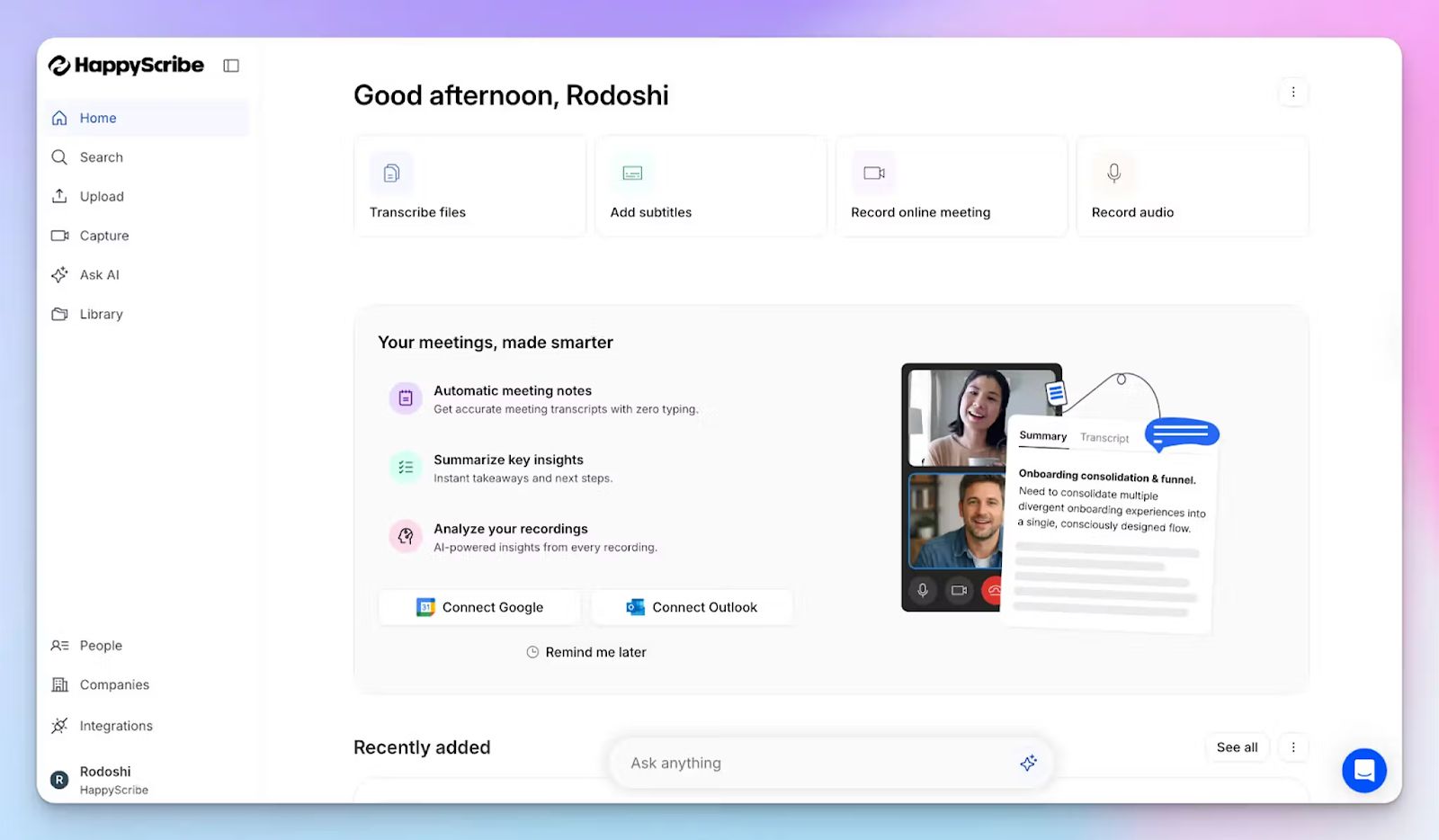
Barcelona-based HappyScribe AI note taker is built with European privacy law at its core, which is important for UK teams in a post-Brexit world. While many US-built note takers have retrofitted compliance as an afterthought, HappyScribe has security certifications, consent controls, and an EU data center baked into the product.
Connect your Google or Outlook calendar, and HappyScribe auto-joins your scheduled calls. You can also paste the meeting link and invite the bot manually. Don't want a bot in meetings? You can record audio directly from your device for a clean, bot-free experience.
HappyScribe's key features
1. GDPR and SOC 2 Type 2 compliance, along with an EU data center
HappyScribe holds a verified SOC 2 Type 2 certification and is fully GDPR-compliant, which means it covers both EU and UK GDPR obligations under a single framework.
All of your data is stored and processed in an EU-based data center that's Tier IV, PCI DSS, and ISO 27001-certified, so it won't fall under US CLOUD Act jurisdiction. Every file is encrypted at rest and in transit with AES-256 block-level encryption, making it one of the best AI note takers in Europe.
You can opt out of anonymized AI training from settings at any time, and when you delete a file, it's permanently removed from HappyScribe's servers.
2. Generate meeting notes with 95%+ accuracy in 150+ languages and dialects
UK meetings are rarely a single-accent affair. HappyScribe's AI is fine-tuned to handle crosstalk, fast speakers, and regional variation, from Scottish English and Welsh-accented speech to the full range of dialects common in British workspaces. Across 150+ global languages and accents, it delivers structured notes and action items with 95%+ accuracy.
You can also add custom glossaries and style guides to make sure the AI handles your specific industry terms accurately.
3. Transparent meeting bot that you control
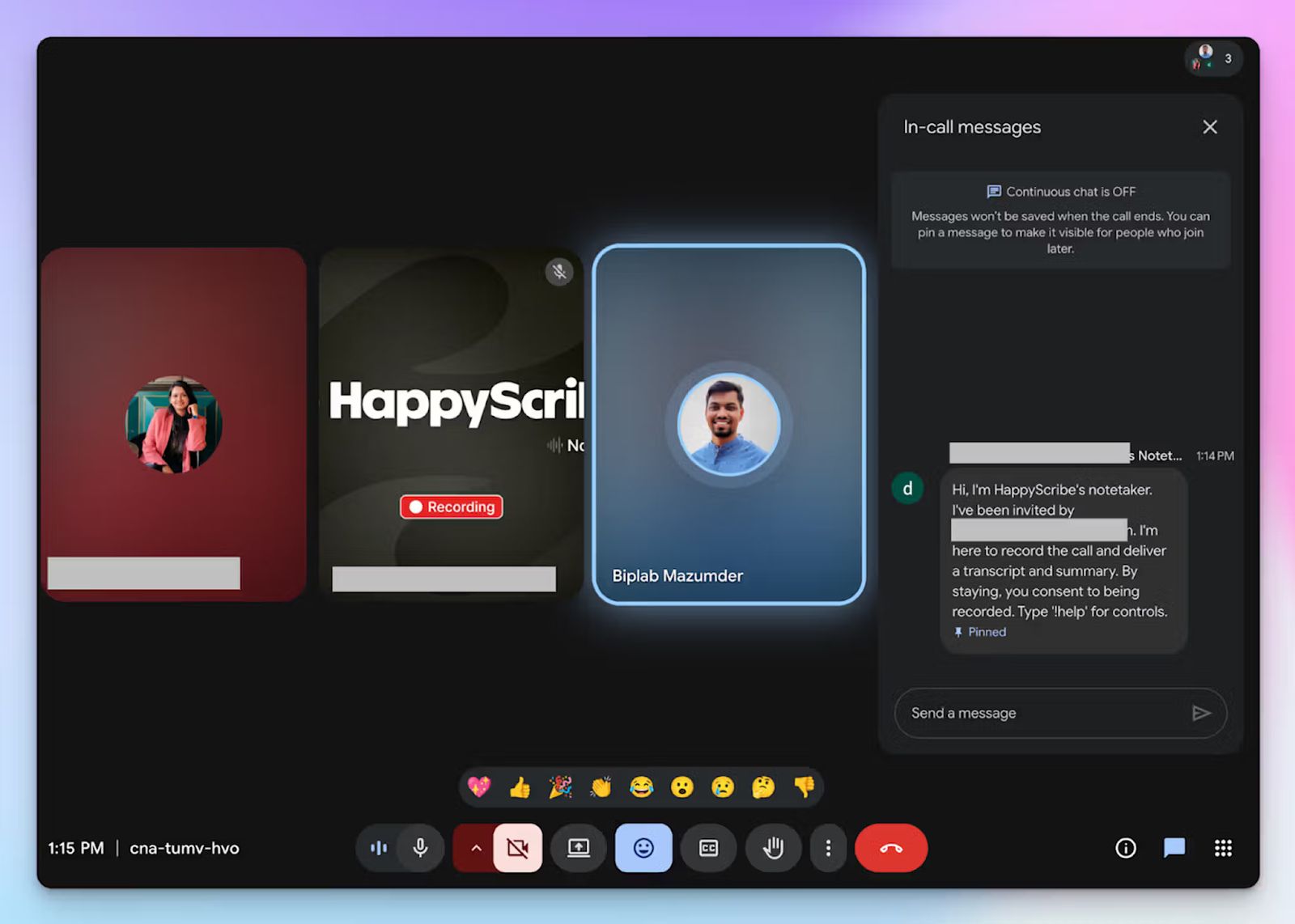
If a bot silently joins a client call without a clear announcement, it's a potential UK GDPR violation. HappyScribe's bot announces itself clearly when it joins, securing active consent from attendees in advance. Anyone on the call can type "!help" in chat to pause, resume, or remove the bot entirely.
You can configure exactly when the bot joins, what it records, and how notes are shared after the meeting. For in-person meetings where a visible bot isn't appropriate, the bot-free recording option lets you capture audio directly from your device instead. Just make sure you acquire consent from attendees beforehand.
4. AI Chat for meeting summaries, speaker quotes, video chapters, and email drafts
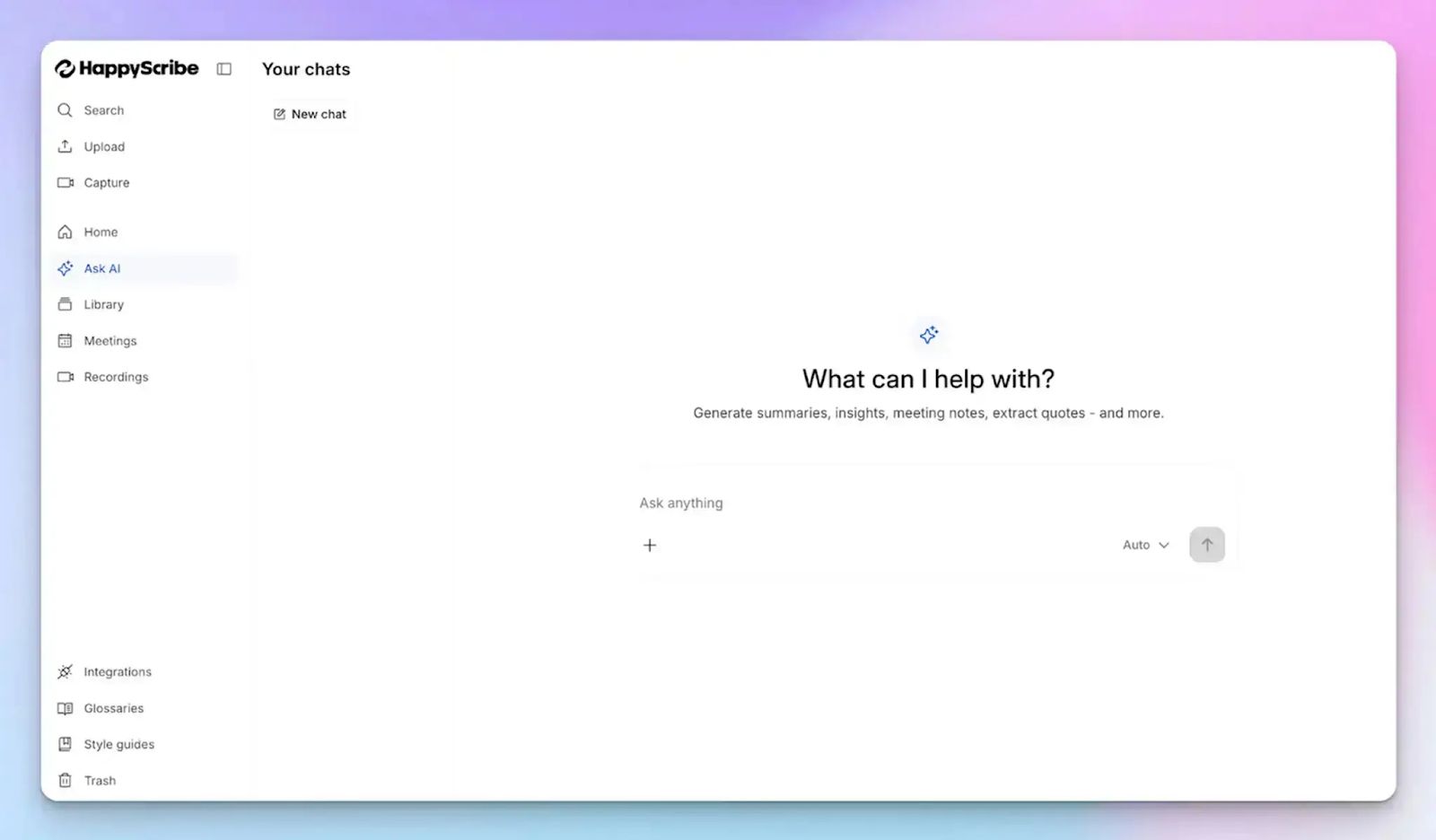
Rather than scrolling through large transcripts, you can chat directly with your meeting notes. Use the AI Chat to find a specific speaker's quote, surface key decisions, generate timestamped video chapters, or draft a follow-up email based on what was discussed, all in the same place.
It connects to AI tools like ChatGPT, Claude, and Microsoft Copilot via the MCP server, so your meeting data can feed directly into your tech stack.
5. Meeting productivity tools like file transcripts, translation, and subtitling
HappyScribe does more than capture live meetings. You can upload pre-recorded video and audio files from your device, YouTube, Box, Vimeo, Dropbox, or Google Drive and get the same structured transcript and summary output.
Translation into 80+ languages makes it practical for UK teams working across borders, and the built-in subtitle generator means you can turn any video recording into a shareable asset without switching tools.
HappyScribe's pricing
- Free: Unlimited meeting recordings (45 mins per recording)
- Basic: $8.50/month (billed annually) or $17/month (billed monthly)
- Pro: $19/month (billed annually) or $29/month (billed monthly)
- Business: $59/month (billed annually) or $89/month (billed monthly)
- Enterprise:Contact sales for tailored solutions
HappyScribe's pros
- HappyScribe is GDPR compliant and SOC 2 Type 2 certified with a dedicated EU data center
- 95%+ accurate transcripts across 150+ languages and dialects, including a wide range of UK regional accents
- Transparent, configurable meeting bot with active consent controls and a bot-free capture option
- Upload and transcribe pre-recorded files from your device, YouTube, Vimeo, Dropbox, and Google Drive
- AI Chat turns meeting transcripts into summaries, quotes, follow-up emails, and video chapters
- Enterprise-ready with SSO, SAML, and granular file-sharing permissions
- iOS and Android mobile apps coming soon
- Responsive customer support from real humans, not chatbots
HappyScribe's cons
- Doesn't offer real-time transcription during meetings
What are users saying about HappyScribe?
Accurate and fast transcription, great summaries and detail. Massive time saver!
I tried HappyScribe with the free trial and was immediately impressed. The transcription accuracy is excellent, even with background noise and different accents. The interface is intuitive and easy to use, and the ability to download the transcript in multiple formats is a great plus. Highly recommended for anyone who needs a reliable and flexible transcription tool.
How to use HappyScribe's AI note taker: a step-by-step guide
- Link your Google or Outlook calendar to let HappyScribe auto-join scheduled meetings. For ad hoc calls, paste the meeting link to invite the bot manually.
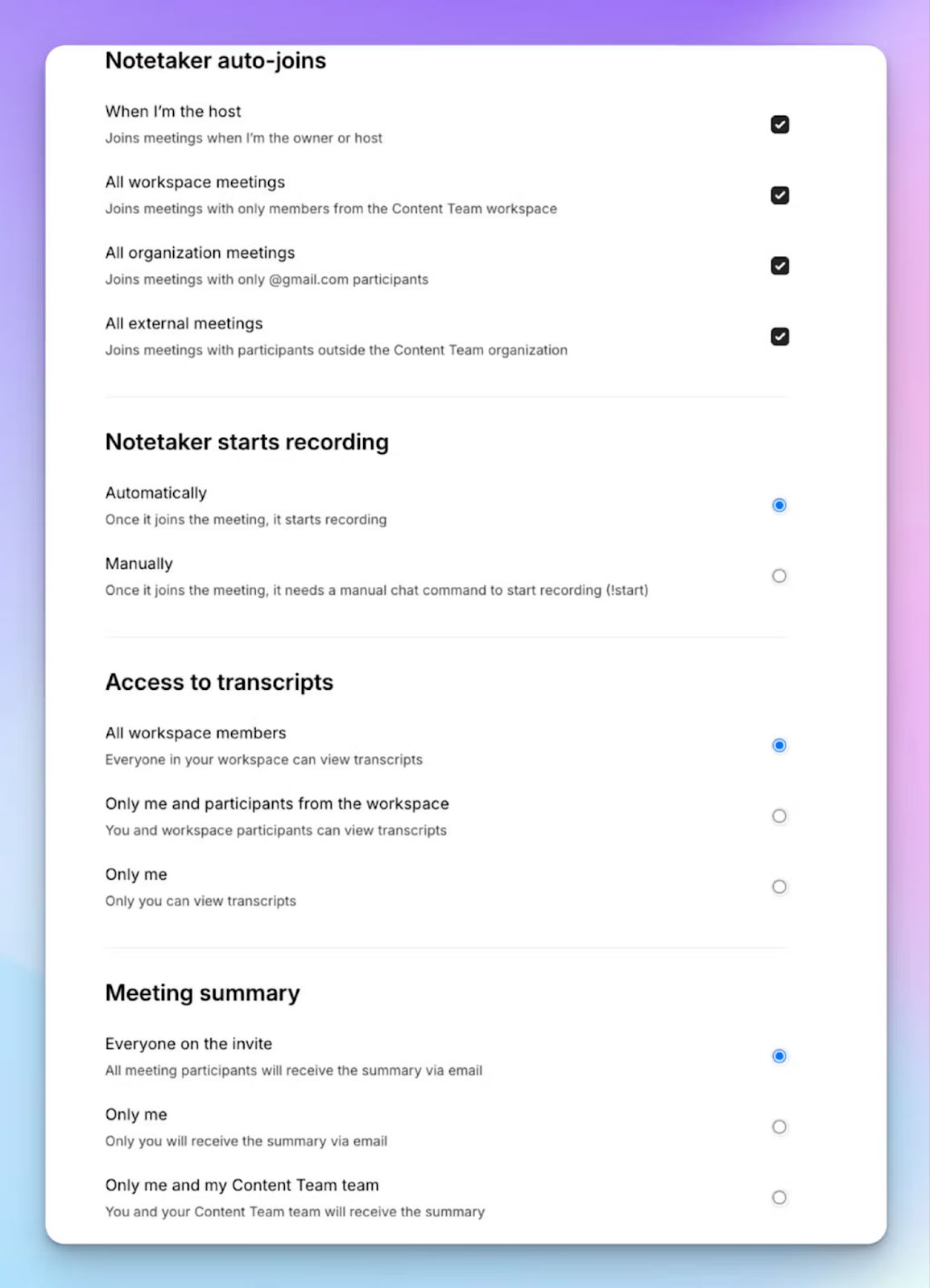
- Select Meetings in the left sidebar and customize when the note taker joins and who receives the email summary.
- Click Settings at the top right to choose when recording starts and who can view the transcript.
- During the call, the host allows the bot to begin recording. Type "!help" in chat to pause, resume, or remove it at any point.
- Once the meeting ends, notes and transcripts are saved in your Workspace or Private section, depending on your privacy settings.
2. Sembly
Best for: Cross-functional teams and project managers who need structured meeting intelligence and client-ready documents after every call
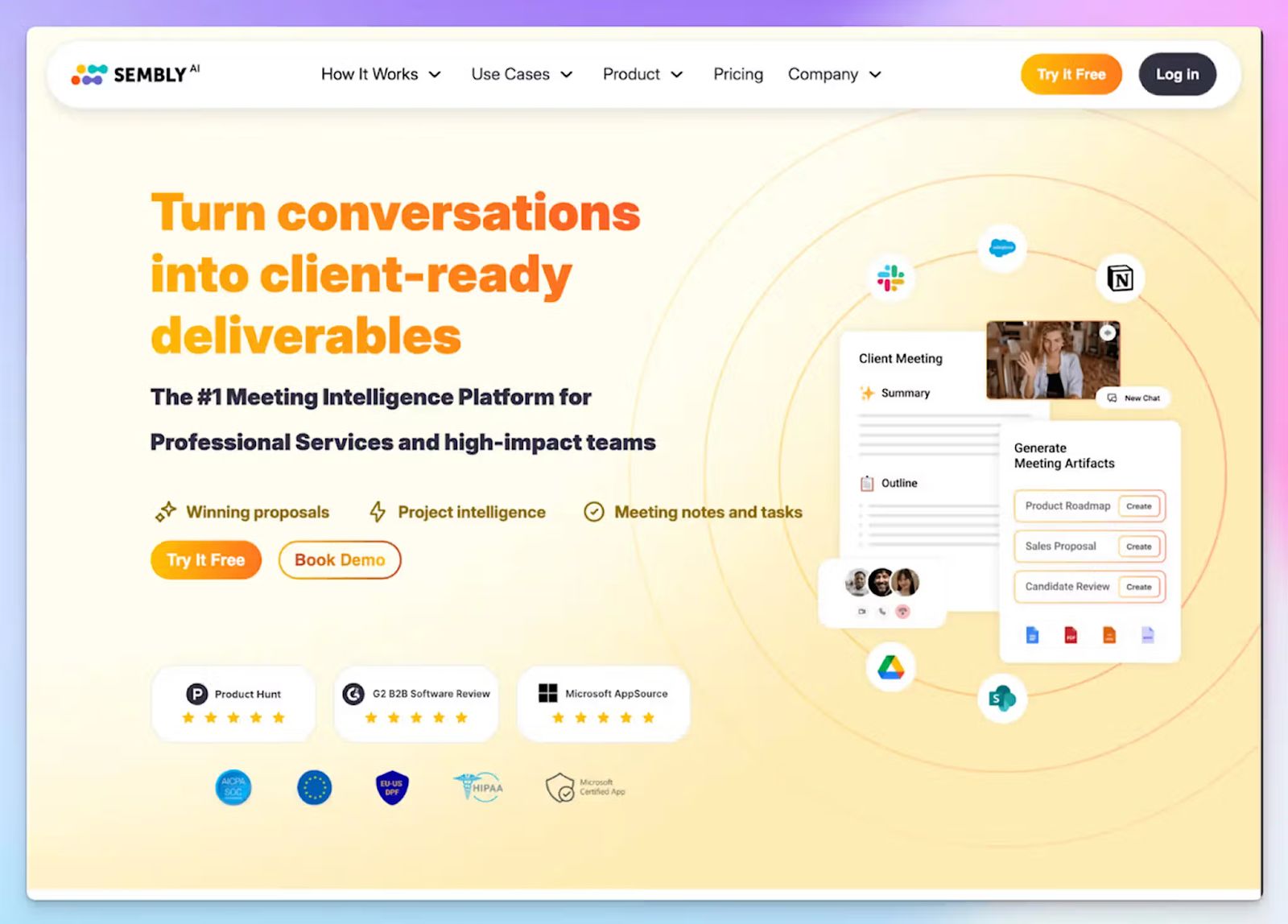
Sembly fits the list because it does more than transcribe. It converts meeting content into structured deliverables, such as consulting proposals, project plans, board packs, and more.
Sembly works across Zoom, Google Meet, Webex, and Teams calls, and holds SOC 2 Type 2, HIPAA, and GDPR certifications, which make it a credible option for UK teams in regulated industries.
Sembly's key features
- Semblian 2.0 lets you search your entire meeting history as a single database, surfacing risks and recurring themes across multiple calls rather than individual recordings
- With AI Artifacts, you can generate complete, structured documents from a single prompt, which is useful for sharing and preparing for the next meetings
- Sembly categorizes content into decisions, actions, issues, and risks, which can be routed to Slack, Asana, HubSpot, Salesforce, Linear, Jira, Attio, Pipedrive, and other tools
- Role-aware personalization lets you set your job function in settings, so a project manager and a sales executive get different post-meeting outputs
Sembly's pricing
- Basic: $17/month
- Pro: $29/month
- MAX: $39/month
- Enterprise: Custom pricing
Sembly's pros
- The proxy attendance feature lets you set up Sembly agent to join meetings and take notes when you’re unavailable
- With “Glance View”, you can quickly review notes and meeting summaries without taking a deep dive
- You can run both bot-assisted and bot-free meetings
Sembly's cons
- Sembly doesn’t have a free plan anymore, so if you’re looking for a free AI note taker, Sembly can’t help you
- Long meetings occasionally get split into fragments, which breaks summaries and notes
- At 48 languages, Sembly’s coverage is narrower than most tools on this list, which might push multilingual teams to consider Sembly alternatives
📚 Also read:
3. Grain
Best for: Customer success, product, and sales teams that need shareable video clips and automatic CRM syncing from customer calls
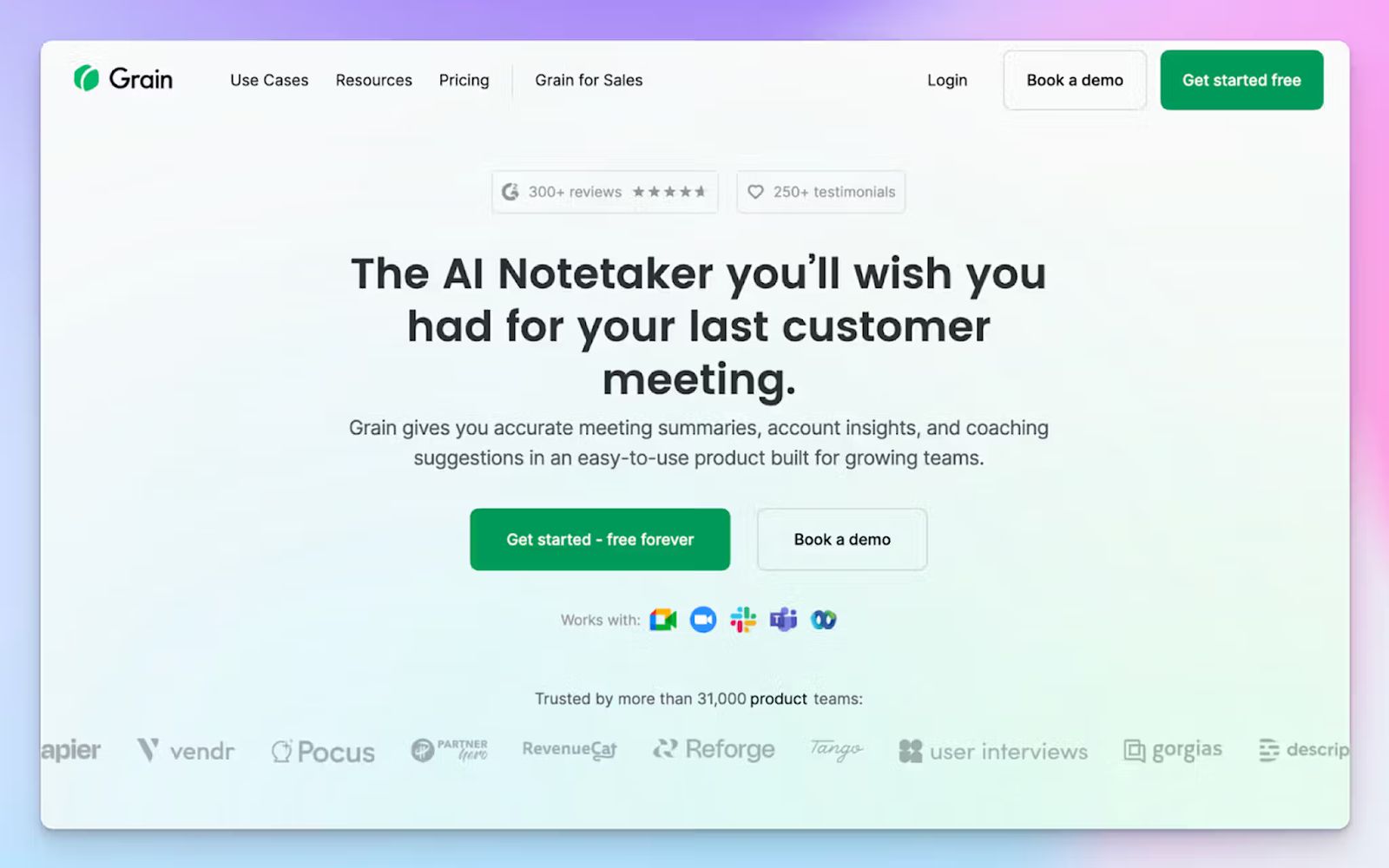
Grain earns its place here because it helps UK customer-facing teams capture what was said, clip the moments that matter, and get that context into their CRM without manual data entry.
The tool is built for sales, customer success, and product teams, and it records across Microsoft Teams, Zoom, Google Meet, and Webex. It also has a SOC 2 Type 2 certification, and stores data on AWS infrastructure within a dedicated virtual private cloud.
Grain's key features
- You can highlight any moment in a transcript and instantly create a shareable video clip, which can be pushed to Slack or email
- Notes auto-sync to CRM contact and deal records in HubSpot and Salesforce, including SPICED framework analysis, so reps don't have to log calls manually
- Ask Grain AI lets you search across any recording and get answers, generate follow-up emails, or extract specific takeaways without scrubbing through the full video
- Grain has a live notepad so you can enrich AI-generated notes with your own context during a meeting
Grain's pricing
- Free: 20 meetings for personal users
- Starter: $19/month
- Business: $39/month
- Enterprise: Custom pricing
Grain's pros
- The clip-and-share workflow is faster than most comparable tools, which saves time for managers, product teams, and sales reps
- Apart from bot-assisted recording, you can record bot-free meetings with Grain’s desktop app
- You can set up topic trackers so Grain can spot trends and notify you about meeting takeaways
Grain's cons
- Grain can only join one meeting at a time, so teams running concurrent calls will find it limited
- Bot-free capture works only for meetings in English via the Mac app
- Meetings with strong regional accents lack accuracy, which is why some look for Grain alternatives that handle multilingual calls more reliably
4. Fireflies
Best for: Teams that run high volumes of meetings across multiple platforms and want conversational analytics and wide integrations
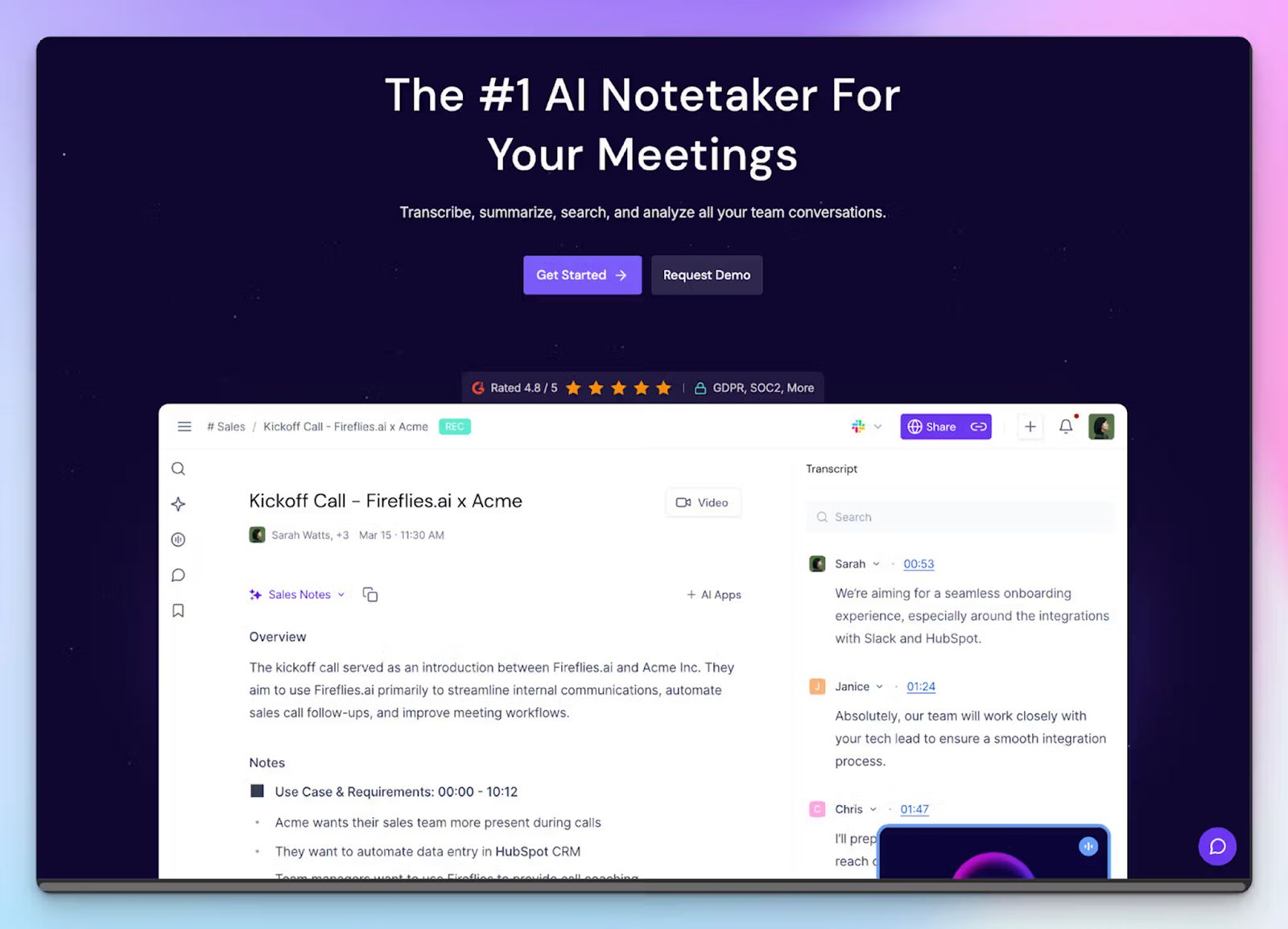
Fireflies is the workhorse pick on this list. With support for over 100 languages, a broad integration library, and a reasonable free tier, it’s useful for capturing every conversation within the company.
Fireflies holds SOC 2 Type 2, GDPR, and HIPAA certifications and stores data in a virtual private cloud using AES-256 encryption.
Fireflies' key features
- Fireflies’ Notebook organizes all meetings into searchable channels, with custom views for your meetings and granular search by transcript content, host, participant, or date
- With Soundbites, you can clip key moments either by selecting the transcript or automatically via Magic Soundbites and stack them into playlists
- The Tasks Feed auto-generates action items from every meeting, assigns them to the right attendees, and lets you push them to other project tools without leaving Fireflies
- Use AskFred to search across any past meeting and get answers, generate follow-up emails, or extract specific moments
Fireflies' pricing
- Free: 800 minutes of storage, limited AI features
- Pro: $18/month
- Business: $29/month
- Enterprise: $39/month (billed annually)
Fireflies' pros
- Fireflies works across video conferencing tools and a range of dialers, which makes it practical for teams that have high-volume calls scattered across platforms
- Deep sales analytics, topic tracking, and file transcriptions are useful for larger teams that want to track company-wide conversational metrics
- Fireflies integrates with a wide range of tools such as Greenhouse, Notion, Airtable, Slack, Affinity, Keragon, and Linear
Fireflies' cons
- Fireflies joins every calendar meeting by default unless configured otherwise, and disabling it mid-call takes multiple steps, which might be disruptive
- Accuracy drops noticeably with heavy regional accents and technical terminology. That’s a real limitation for UK teams, and a common reason teams look for Fireflies alternatives
📚 Also read:
5. Granola
Best for: Consultants and individual professionals who want clean, private meeting notes without a bot joining the call
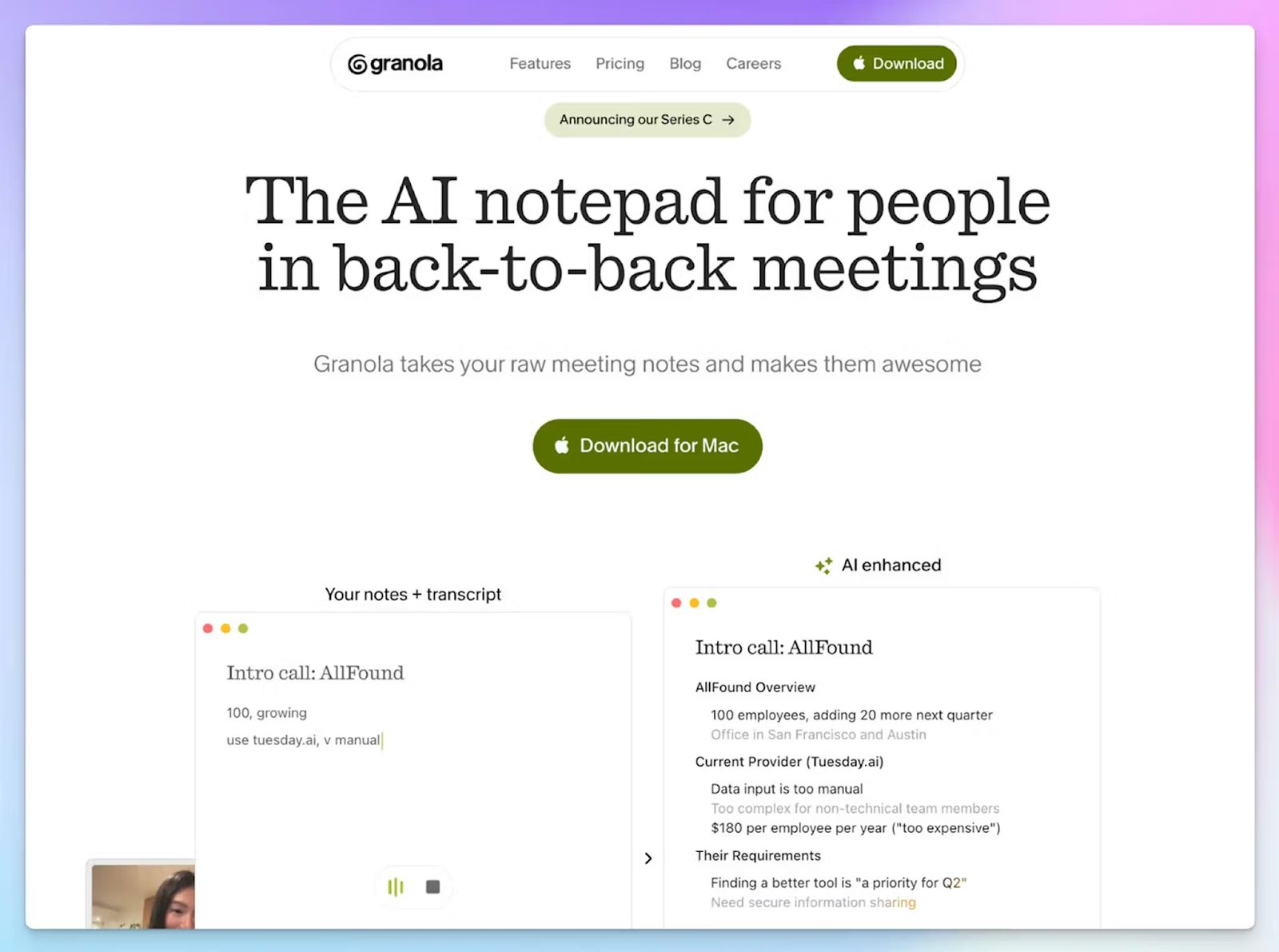
Granola wraps up the list with a hybrid approach to meeting note-taking. Rather than sending a bot into your meeting, it captures audio directly from your device in the background. You jot rough notes during the call, and Granola fleshes them out using the transcript.
For UK professionals handling sensitive client conversations, this is an important distinction. Granola holds SOC 2 Type 2 certification and is GDPR compliant, though data is stored on AWS servers in the US.
Granola's key features
- Ask Granola lets you search across past meeting conversations, extract action items, or draft follow-up emails directly from the transcript
- The human-in-the-loop model gives you the flexibility to add your own insights to make AI notes more precise and actionable
- Granola connects to HubSpot, Attio, Affinity, Slack, Notion, and Zapier on Business plans, and supports MCP integration with Claude, ChatGPT, and Cursor
Granola's pricing
- Basic: Free (30-day meeting history)
- Business: $14/month
- Enterprise: $35/month
Granola's pros
- The bot-free capture is seamless and removes awkwardness. Having said that, it’s always better to ask for recording permission from attendees
- Granola is easy to set up, thanks to zero calendar complexity and an intuitive UI across apps
- Granola has Windows, macOS, and iPhone apps that are stable and well-designed
Granola's cons
- Speaker identification on desktop is limited. It only labels attendees as "Me" and "Them" without persistent names across meetings
- Since audio isn't stored after transcription, there's no playback to verify accuracy, which rules it out for sales coaching use cases
- Some of Granola’s security features are paywalled behind the Enterprise tier. Teams handling sensitive meetings should check their plan settings carefully, or consider Granola alternatives with stricter defaults
Which AI note taker in the UK should you choose?
The right pick depends entirely on what your team does after a meeting ends.
👉Sembly works best for project managers and consultants who need structured deliverables straight from their calls.
👉Grain is the natural fit for customer-facing teams who need to clip moments, share highlights with colleagues, and keep CRM records updated.
👉Fireflies suits teams running high volumes of calls across multiple platforms who want a searchable archive, task tracking, and a wide integration library.
👉Granola is worth considering for consultants who handle sensitive conversations and don't want a visible bot on the call.
👉HappyScribe is the strongest all-round choice for UK teams. It's the only tool on this list that combines EU-based data storage, verified SOC 2 Type 2 and GDPR certifications, and 95%+ transcription accuracy across 150+ dialects.
Whether you're running a multilingual client call, transcribing a pre-recorded interview, or generating subtitles for internal videos, HappyScribe handles all in one place. The transparent bot controls mean you stay on the right side of UK GDPR without any additional configuration, and the free tier gives you enough room to test it properly before committing.
FAQs on the best AI note takers in the UK
1. What is the best AI note taker for UK teams?
HappyScribe is the strongest AI note taker for UK teams. It combines smart notes with EU-grade security, multi-language support across 150+ languages and dialects, and a transparent bot that announces itself before recording. Unlike many AI meeting assistants built for US workflows, HappyScribe handles UK regional accents well and covers both online and in-person meetings. Its free plan includes unlimited recordings capped at 45 minutes per session, and paid plans unlock full AI features, including AI summaries, AI Chat, file transcription, and translation.
2. Are AI note takers legal to use in the UK?
Yes, AI note-taking tools are legal to use in the UK, provided you follow UK GDPR and the relevant consent laws. You must inform all meeting participants that the call is being recorded or transcribed before it begins. This applies whether you're using a bot-based AI meeting assistant or a bot-free tool that captures audio directly from your device. Failing to notify attendees is a UK GDPR violation, not a grey area. Most reputable AI notetaker tools, including HappyScribe, build consent controls directly into the product so your entire team stays compliant by default.
3. Which AI note takers are compliant with UK GDPR?
UK GDPR compliance depends on how a tool handles data transfers, participant consent, and deletion rights. Tools that store data on US servers without a lawful transfer mechanism, or that make compliance features contingent on an enterprise contract, carry real risk for UK teams. HappyScribe is one of the few AI note-taking tools that meet GDPR obligations, with data stored in an ISO 27001-certified EU data center and a verified SOC 2 Type 2 certification. Fireflies and Grain also hold GDPR certifications but store data on US-based servers. Granola is GDPR-compliant but similarly relies on US-based AWS infrastructure.
4. Do AI note takers work with UK regional accents?
Many AI note-taking tools are trained predominantly on American English, which creates accuracy gaps for speakers from Glasgow, Birmingham, Belfast, or Liverpool. The best AI note takers for UK teams are explicitly fine-tuned for regional accents and dialects. HappyScribe handles a wide range of UK accents with 95%+ accuracy and supports 150+ languages, which makes it practical for multilingual teams across the UK. Grain and Fireflies also support meetings in multiple languages, though accuracy drops with strong regional accents and technical terminology. If your meetings regularly involve diverse UK accents, accent handling should be a key criteria.
5. What is the best free AI note taker in the UK?
HappyScribe offers one of the most generous free plans available: unlimited recordings with a 45-minute cap per session, AI summaries, and AI Chat, all with no credit card required. It's a useful free AI note taker that doesn’t limit usage with a restricted trial. Fireflies also has a free version with 800 minutes of storage, though advanced AI features consume extra credits. Granola's free plan gives you unlimited meetings but limits meeting history to 30 days. Grain's free tier covers 20 meetings on personal emails. For teams that want unlimited transcripts and AI features without paying from day one, HappyScribe's free plan is the most practical starting point.
6. Can AI note takers be used for in-person meetings in the UK?
Yes. Several AI note-taking tools support in-person meetings, though the approach varies. HappyScribe lets you record audio directly from your device without a bot, so you can capture offline conversations, client meetings, and interviews without a visible AI assistant joining a call. Granola works the same way, capturing device audio in the background across any meeting format. Fireflies and Grain both offer mobile apps for in-person capture, though Grain's bot-free desktop capture is currently limited to Mac devices and English only. For in-person meetings in the UK, the key legal requirement is the same as for online calls: you should inform attendees that the meeting is being recorded before it starts. Automated notes and meeting recaps can be generated after the session, with no manual effort needed to document the key points.

Biplab Mazumder
Biplab is a content marketer and writer who helps high-growth brands scale content visibility across AI search channels. His works have been published in HubSpot, Freshworks, Atlassian, SurferSEO, etc. When he's not planning content strategy, he's testing AI content workflows and use cases.