![5 Best Free AI Note Takers You Must Try [2026]](/sanity-images/ejgwz1gl/redesign/e6c1ba60b70c3854c694f3498b7f20c8b5e098f9-1536x1024.jpg?auto=format&w=1536.0&rect=30,0,1474,1024)
I recommend free AI note takers when someone says, “I’m curious… but I’m not paying yet.”
If that’s you, I get it. Subscriptions add up fast. And with AI tools, it’s hard to know what’s actually useful until you run it in a real meeting.
The good thing is that most AI note takers now offer a free plan. There are limits, sure. But that’s usually enough to answer the big question…does this actually save me time?
I test AI note taking tools regularly for work, and I almost always start with the free tier. I use them in real calls. I look at how clean the transcript and summaries are and how much editing I still need to do.
After testing a long list of free AI meeting assistants that way, I’ve narrowed it down to five free AI note takers that feel genuinely useful even without upgrading.
Here’s where I’d start.
TL;DR
- HappyScribe: Best for teams that want accurate, multilingual notes, strong privacy, and a dependable free plan with unlimited meeting recordings
- Fathom: Best for unlimited call recording and transcripts with Slack and Notion integration
- Tactiq: Best for Chrome users who want bot-free live transcription
- tl;dv: Best for teams that want to turn long meeting recordings into a browsable library of short, shareable moments
- Otter: Best for real-time transcription with AI summaries
What’s my process for evaluating the best free AI note takers?
I signed up for each tool and stayed on the free plan the whole time. No upgrades or free trial of Pro plans. The goal was to see what a new user gets on day one.
I ran the tools through my day-to-day meetings, not demo calls.
That means short internal syncs, longer conversations that run over, calls where people talk fast, and the occasional messy meeting where someone has a bad mic.
If the tool supports uploads, I tested that too, because a lot of meeting notes start from recordings.
Here’s what I paid attention to:
- Transcript quality: Is it accurate enough to trust without spending time fixing it? Does it handle names, jargon, and accents reasonably well?
- Summary quality: Does it pull out decisions, action items, and key points, or does it just give a vague paragraph?
- Free plan limits: How quickly do I hit the cap? Meeting length limits and monthly minutes are more important than a long feature list
- Workflow: Is it easy to join, find the notes later, and share them with someone else?
- Consistency: Does it hold up across different calls, or only when the audio is perfect?
If a tool felt restrictive right away on the free plan, it didn’t make the list. The ones I’ve included in this article stay useful even with the usual free-tier limits.
What are the best free AI note takers?
| Category | HappyScribe | Fathom | Tactiq | tl;dv | Otter |
|---|---|---|---|---|---|
| Free plan | Unlimited meeting recordings with 45 mins per recording, AI summaries | Unlimited recordings and meeting transcripts, limited advanced AI summaries | 10 transcripts per month, 5 AI credits | Unlimited recordings, AI notes for up to 10 meetings | 300 transcription minutes per month, 3 lifetime file imports |
| Key features | AI meeting summaries, Ask AI across meetings, glossary and style guide, subtitle and translation | Instant AI summaries, searchable transcripts, clips and highlights, CRM integrations | Real-time transcription via Chrome extension, AI summaries | AI summaries, timestamped highlights, searchable video library, multi-meeting reports | Live transcription and summary; Otter AI Chat, slide capture, mobile and web apps |
| Languages supported | 140+ languages and accents with auto detection | 30+ languages | 60+ languages | 30+ languages | 4 languages (English, Spanish, French, Japanese) |
| Recording mode | Bot auto-joins Zoom, Google Meet, Teams, paste link to capture impromptu meetings, browser-based bot-free recording, supports file uploads | Meeting bot joins Zoom, Google Meet, Teams | Bot-free Chrome extension for live capture | Bot joins Zoom, Google Meet, Teams | Bot joins Zoom, Google Meet, Teams, limited uploads on free plan |
| Security and compliance | GDPR compliant, SOC 2 Type II certified, encrypted storage, EU data hosting | SOC 2 Type II, HIPAA, GDPR | SOC 2 Type II, ISO 27001, GDPR, HIPAA | SOC 2, GDPR, encrypted storage | SOC 2 Type II, references GDPR |
1. HappyScribe
Best for: Teams that want accurate, multilingual notes with strong privacy and a dependable free plan
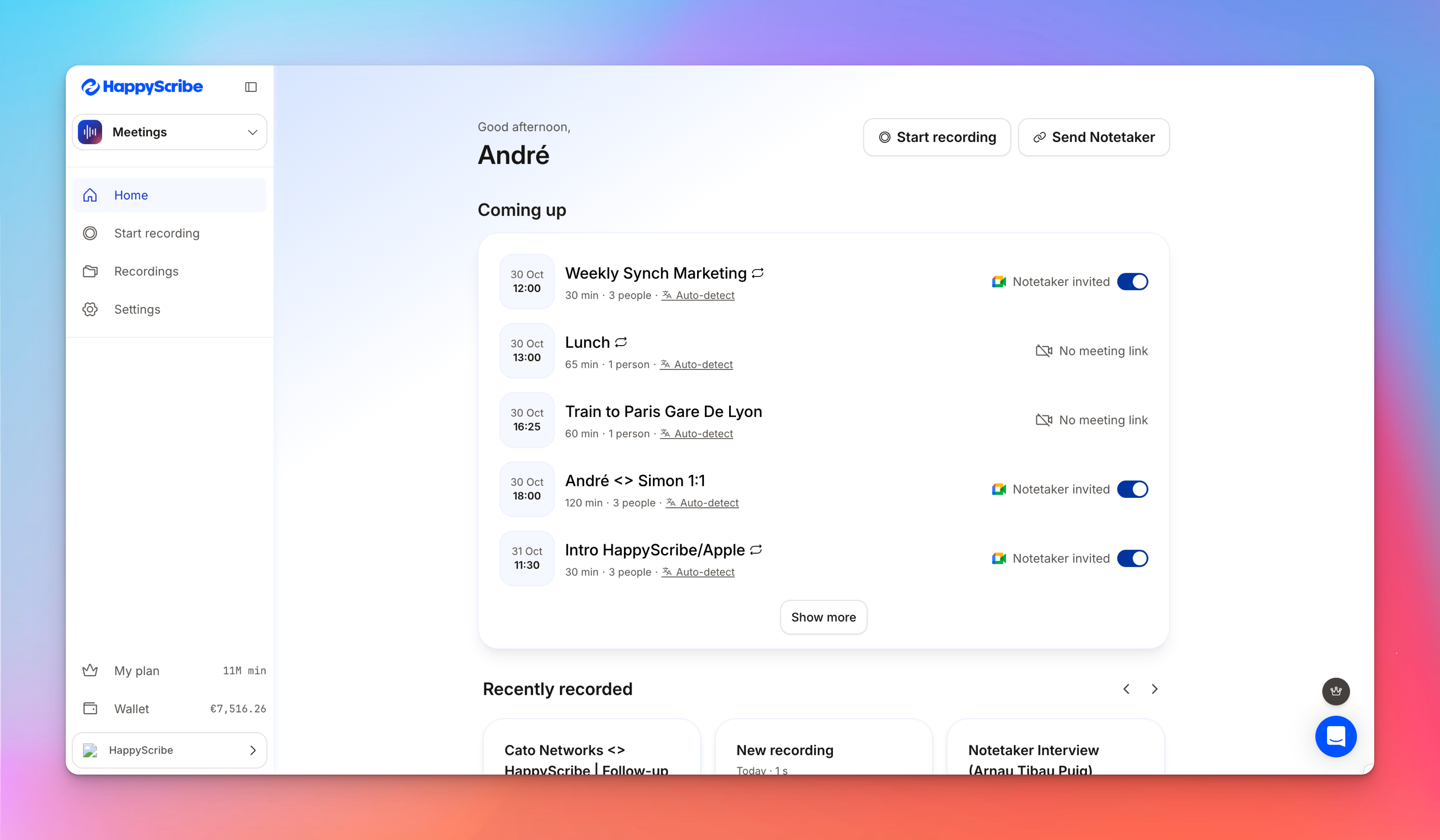
HappyScribe’s AI meeting note taker is built for people who want to join a call, focus on the conversation, and have an accurate transcript and summary ready moments after the call ends.
Along with meeting notes, HappyScribe also preserves the meeting audio and video, in case you want to revisit it later.
On the free plan, you get unlimited meeting recordings with a 45-minute limit per recording.
You can run it during discovery calls, internal meetings, standups, interviews, or classes without having to monitor a strict monthly quota.
HappyScribe also fits the messy reality of how meetings happen:
- You can connect Google Calendar or Outlook Calendar so the notetaker auto joins scheduled meetings on Google Meet, Microsoft Teams, and Zoom
- For last-minute calls, you paste the meeting link into HappyScribe and start recording
- If your team prefers a bot-free setup, you can record directly in the browser and generate notes from that recording afterward
Have pre-recorded audio and video files of meetings? Upload them, and HappyScribe will turn them into actionable meeting notes.
HappyScribe’s key features
Generous free plan
The free AI notetaker is designed for regular use, not just a one-time test.
Unlimited meetings with a comfortable 45-minute per-call limit ensure you can keep it running through a normal week and see how it performs across different types of conversations.
Get 95%+ accuracy in 140+ languages and dialects
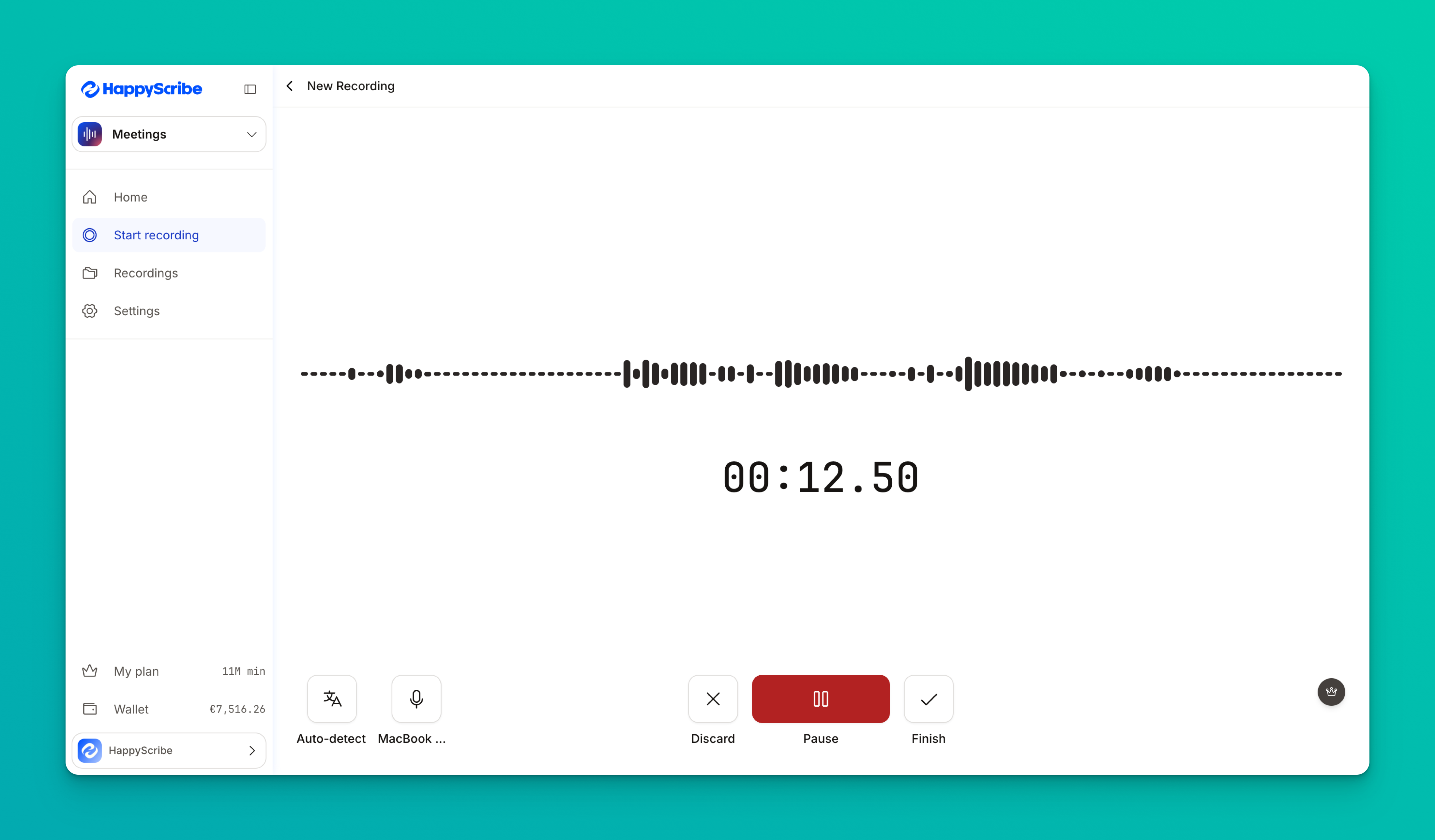
If your meetings jump between accents or switch languages mid-thread, HappyScribe holds up. It supports 140+ languages and accents, so you can run calls with global teammates without forcing everyone into one default language.
HappyScribe can automatically detect the language being spoken and generate notes in that same language.
And with 95%+ accuracy, you won’t have to spend much time on editing notes after the meeting. You can simply do a quick review and share with stakeholders.
Keep your notes secure
HappyScribe takes your privacy seriously. All files you upload are fully encrypted and stored securely in EU-based servers, so your data never leaves protected hands.
The platform is GDPR-compliant and SOC 2 Type II certified, which means it meets some of the strictest global standards for data security and user privacy.
You can request permanent deletion of your files at any time. Your data is always yours.
Ask AI for summaries and key insights
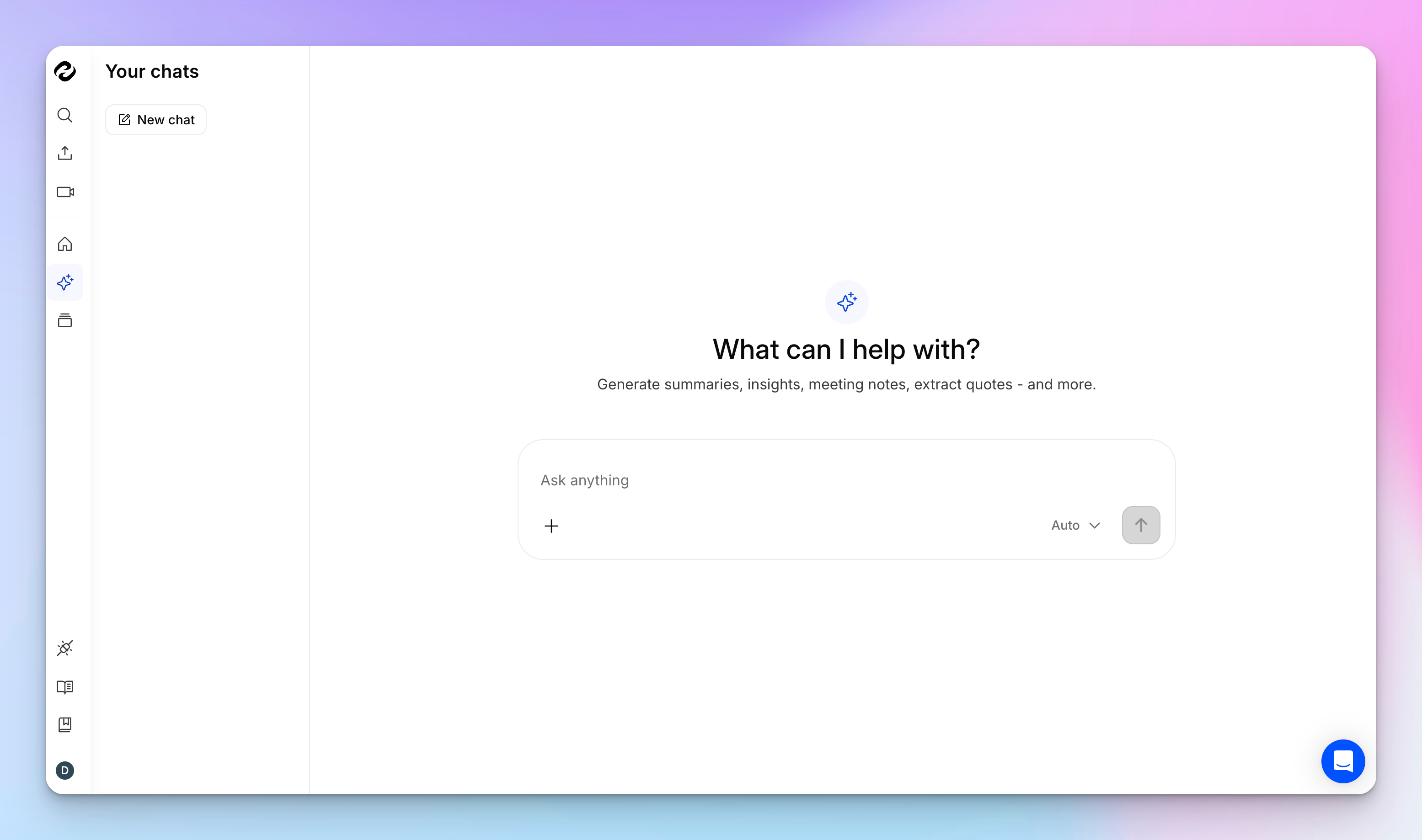
HappyScribe lets you chat with your notes. You can ask it questions about all of your meetings, pull out action items, break the recording into video chapters, highlight the best quotes, or even draft a follow-up email.
You can keep going back and forth until you’ve got the exact info you need to push the project ahead.
Use across your favourite video conferencing tools
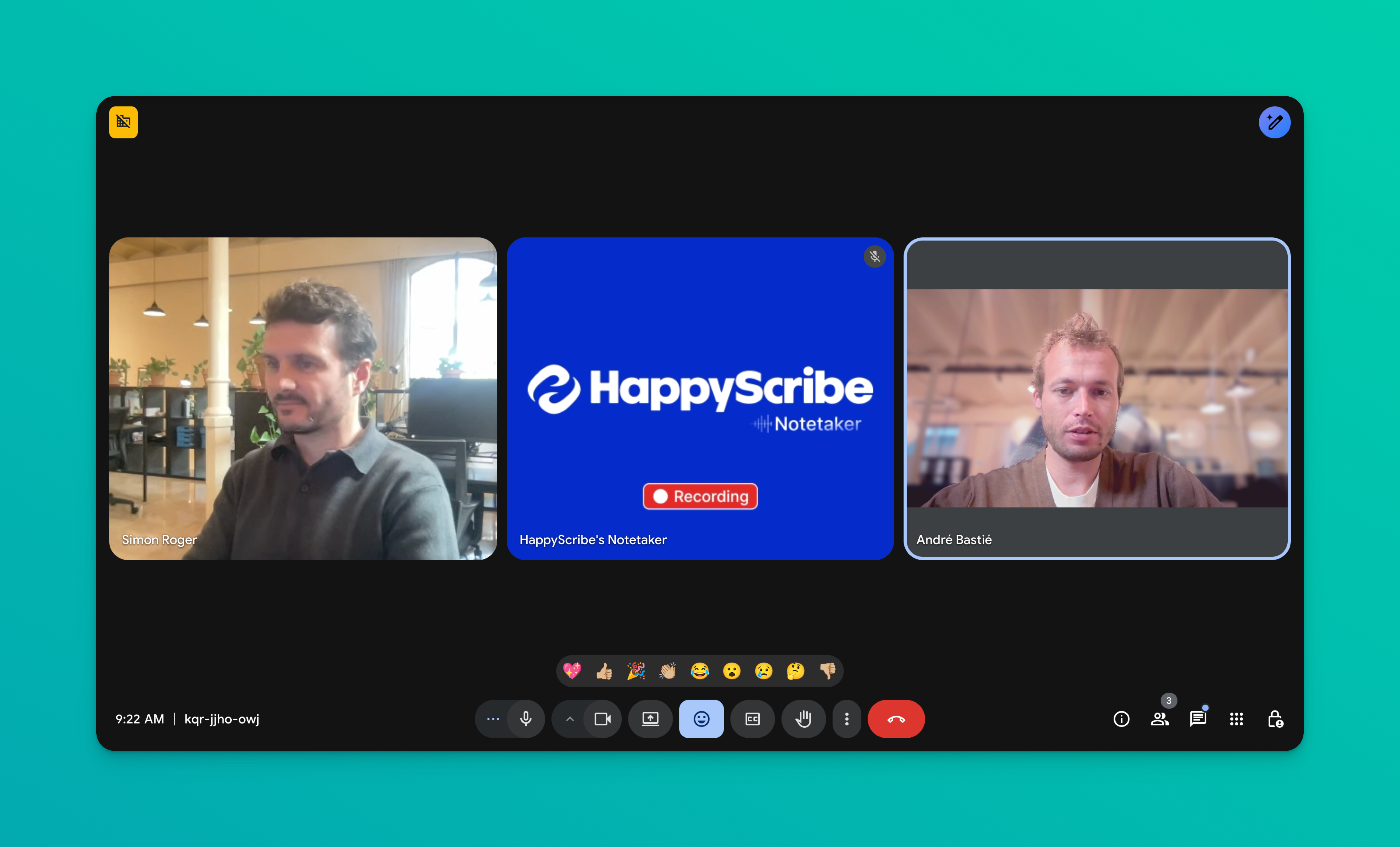
HappyScribe’s AI notetaker connects to your Google or Outlook calendar and automatically joins meetings on Google Meet, Microsoft Teams, Zoom, and Webex.
If your meetings take place across different apps, you’d love how flexible HappyScribe is.
HappyScribe’s pros
- Ask AI lets you query all your meetings at once, so you can pull insights across conversations without manual search
- Add a glossary and style guide so key terms, names, and brand language stay consistent
- Generate subtitles and translate content for global teams and multilingual deliverables
- Auto-detect speakers and assign labels so notes stay clear and follow-ups stay easy
- Send AI summaries to your inbox or preferred workspace within minutes
- Pause, resume, or remove the AI Notetaker anytime during a meeting and maintain full control over capture
- Integrates with HubSpot, YouTube, Vimeo, Google Drive, Dropbox, and Box
- Useful for market researchers, journalists, business leaders, content managers, students, and other professionals who are knee-deep in meetings all day
HappyScribe’s cons
- Doesn’t offer real-time meeting transcription
HappyScribe’s pricing
- Free: Unlimited meeting recordings (45 mins/recording)
- Basic: $8.50/month (billed annually) or $17/month (billed monthly)
- Pro: $19/month (billed annually) or $29/month (billed monthly)
- Business: $59/month (billed annually) or $89/month (billed monthly)
- Enterprise: Contact sales to get tailored solutions directly
What are real-life users saying about HappyScribe?
HappyScribe is fast, effortless, and accurate—getting straight to the point every time. It makes transcription and subtitling a breeze. Truly grateful for such a reliable tool!
How to use HappyScribe’s AI note taker: A step-by-step guide
1. Link your Google or Outlook calendar or paste the meeting link to invite the HappyScribe note taker. For in-person meetings, you can record audio without a bot.
2. Select Meetings in the left sidebar and then check the options at the right to customize when the notetaker should join and who should receive the email summary.
3. Click on the Settings button at the top right to select when the notetaker should start recording and who can view the meeting transcription.
4. During an online call, the notetaker must be admitted by the meeting host to start recording. You can chat with the notetaker to control it.
5. And that's it! The meetings should be saved in your Workspace files or in the Private section, depending on your privacy settings.
2. Fathom
Best for: Unlimited call recording and transcripts with Slack and Notion integration
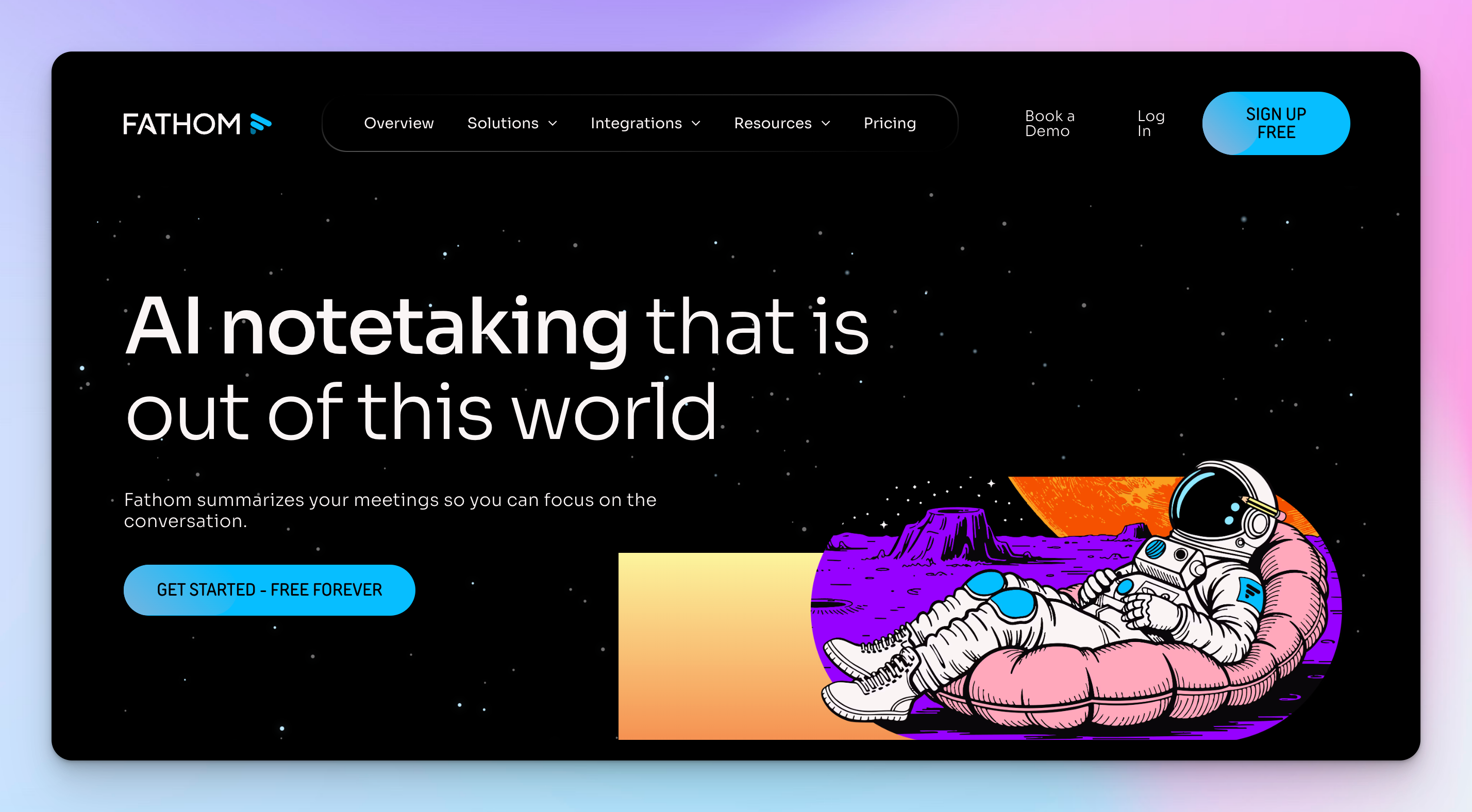
Fathom fits people whose workday is built around live conversations. You can jump from one call to the next, then lean on Fathom later when you need to remember what was agreed or why a decision was made.
It turns your meetings into a searchable trail you can return to when you’re replying to a client or syncing with your team.
Fathom’s key features
- Records and transcribes your calls on Zoom, Google Meet, and Microsoft Teams so you can stay focused on the conversation
- Generates AI summaries, highlights, and action items right after each meeting, then emails them to you
- Lets you search across recordings, create clips and playlists, and resurface specific quotes from past calls
- “Ask Fathom” assistant lets you query past meetings in natural language and pull time-stamped answers
- Integrates with tools like HubSpot, Salesforce, Slack, Notion, and Asana to push summaries and call details into your existing workflows
Fathom’s pricing
- Free: Unlimited recording and transcription
- Team: $19/month per user
- Business: $29/month per user
Fathom’s pros
- Generous free tier for recording and transcription, which makes it low-risk to try for regular meetings
- Summaries land fast after the call so follow-ups, recaps, and CRM updates are easier to do while context is fresh
- Works well for sales, CS, and founder calls because you can highlight key parts of the conversation and share them with stakeholders
- Good fit if you want one tool to handle recording, transcription, summarizing, and basic coaching metrics in the same space
Fathom’s cons
- Free plan gives unlimited recordings and transcripts, but advanced AI features and unlimited rich summaries are locked behind paid plan
- Free tier currently includes only a small number of fully powered AI summaries per month
3. Tactiq
Best for: Chrome users who want bot-free live transcription
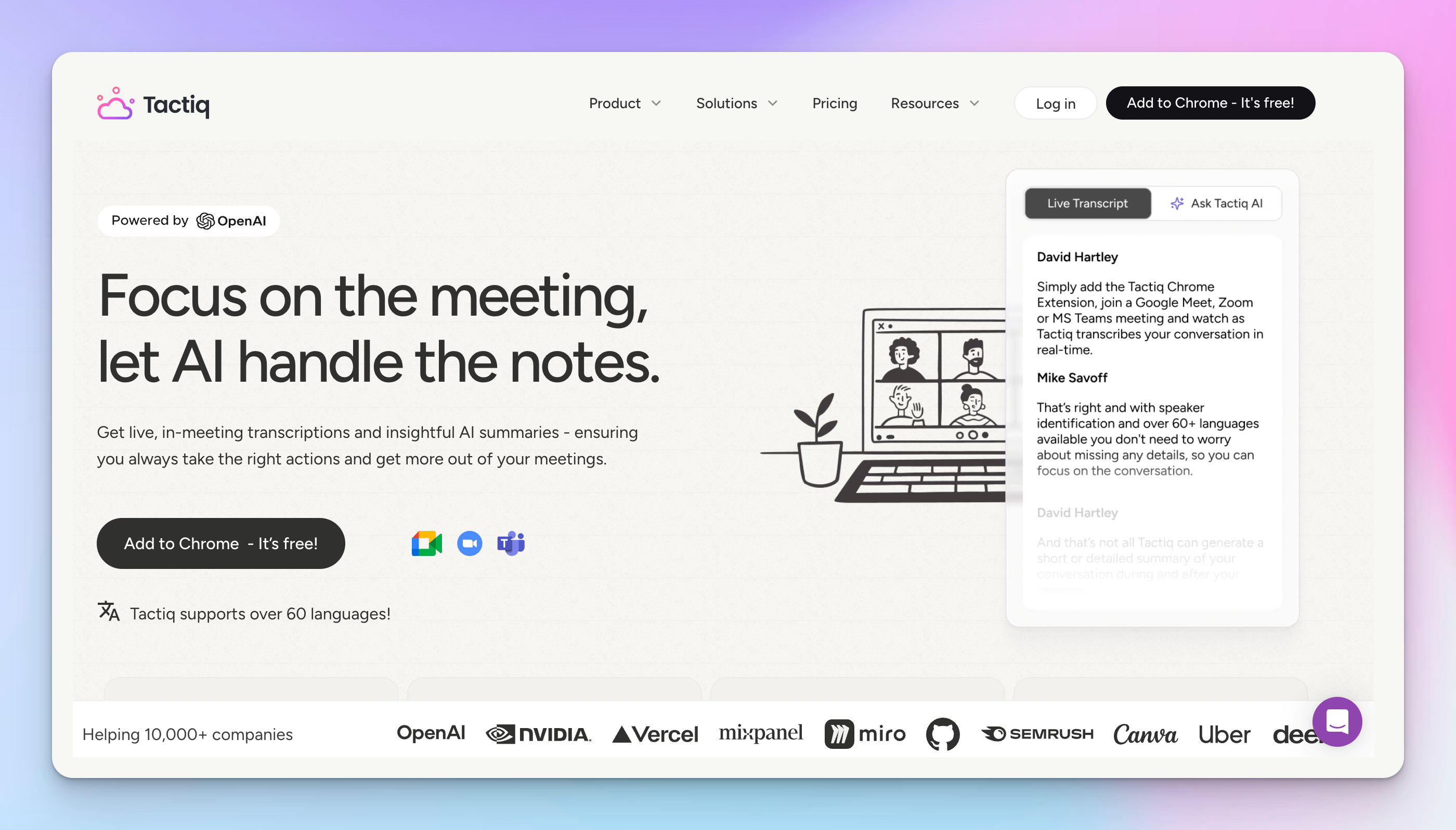
Tactiq feels like a live caption pad that sits next to your meeting. It doesn’t offer unlimited meeting notes on the free plan, but you get 10 meetings per month, which works well for solopreneurs or small teams.
The text appears while you talk, so you always know what has been captured and where you might want to refine things after the call.
It suits people who primarily use Chrome and prefer a discreet setup instead of a separate bot that joins meetings.
Tactiq’s key features
- Chrome extension that gives you in-meeting, real-time transcription for Google Meet, Zoom, and Microsoft Teams
- Generates summaries, action items, and answers to custom questions from your transcript
- Supports over 60 languages, which helps if your team runs multilingual meetings
- Enterprise-grade security with ISO 27001, SOC 2 Type II, GDPR and HIPAA compliance
Tactiq’s pricing
- Free: 10 transcripts/month with 5 AI credits
- Pro: $12/month per user
- Team: $20/month per user
- Business: $40/month per user
- Enterprise: Custom pricing
Tactiq’s pros
- Save custom AI questions as reusable prompts for future meetings
- Good fit for multilingual teams that switch between languages in the same project
- Built-in workflows and integrations to send notes to tools like Slack, Notion, Linear, and HubSpot
Tactiq’s cons
- Weaker accuracy for heavy accents; it can be hit-or-miss for diverse audio
- Doesn’t record or store audio/video, so you have to rely solely on text
Also read: Best AI Note Takers for Content Managers
4. tl;dv
Best for: Teams that want to turn long meeting recordings into a browsable library of short, shareable moments
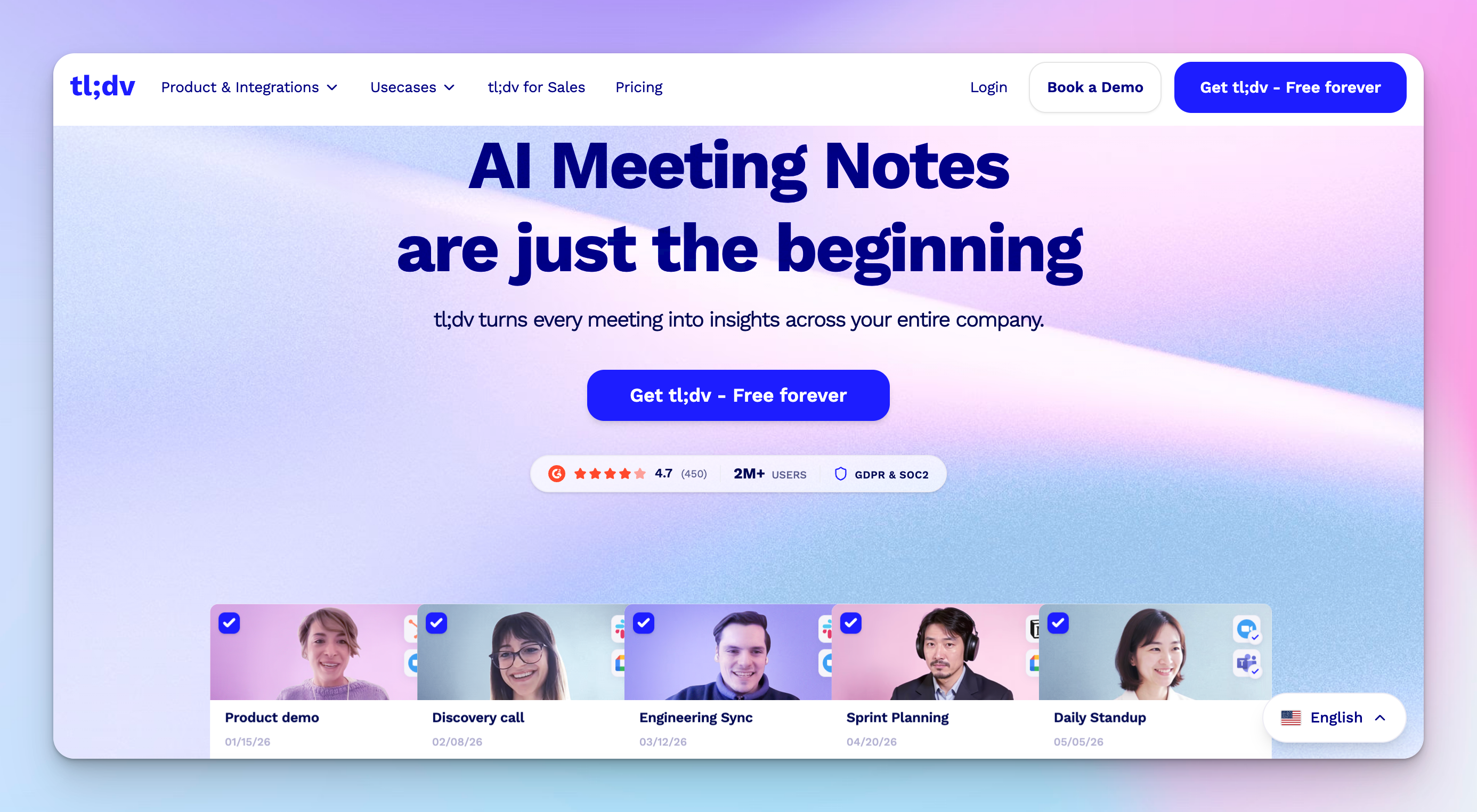
tl;dv is built for teams that keep coming back to their calls long after the meeting ends.
You get a video-first library where every interview or standup turns into timestamped moments you can share, tag, and reuse.
It works well if you care as much about async catch-up and coaching as you do about basic transcription.
tl;dv’s key features
- Records and transcribes meetings on Zoom, Google Meet and Microsoft Teams, either from your calendar or on demand
- Automatically generates AI summaries, meeting notes, and moment-level summaries right after each call
- Supports transcription and translation in 30+ languages
- Lets you tag timestamps, clip highlights, and organize everything in a searchable video library
- Connects to Slack, email, calendars, and CRMs
Tl;dv’s pricing
- Free: Unlimited recording with AI meeting notes for up to 10 meetings
- Pro: $29/month per user
- Business: $98/month per user
- Enterprise: Custom pricing
tl;dv’s pros
- Free tier covers day-to-day recording, transcription, and AI note generation, so small teams can use it seriously without paying right away
- You can jump straight to timestamped moments or AI recaps instead of replaying full meetings
- Search across past calls feels like a lightweight knowledge base, which is handy when you need a specific quote or topic from older meetings
- Multi-meeting AI reports and Ask tl;dv help you answer bigger questions like what was discussed with a customer across several calls
tl;dv’s cons
- Free plan still limits how many full AI meeting notes, Ask tl;dv queries, and multi-meeting reports you can run, so heavy users hit caps quickly
- Advanced sales analytics, CRM integrations, and longer-term video access sit in the higher-priced tiers, which are expensive for smaller teams
5. Otter
Best for: Real-time transcription with AI summaries
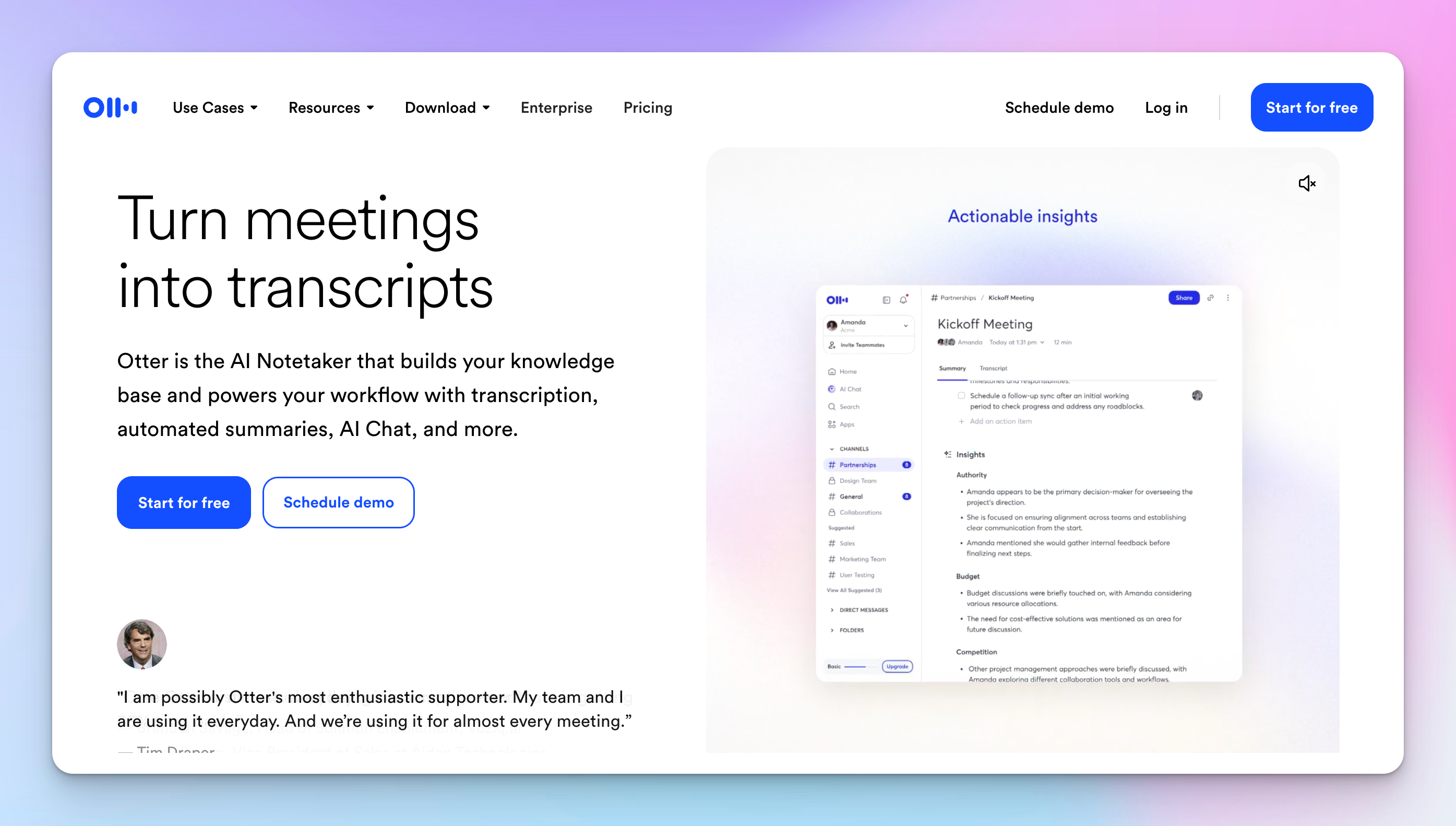
Otter AI is for people who like seeing their notes take shape while they talk.
You hook it up to your calendar, let the AI assistant join your calls, and walk away with a transcript you can share with anyone who missed the meeting.
Otter’s key features
- Generates AI summaries and action items that you can review once the meeting ends
- Offers Otter AI Chat to ask questions about a meeting and get answers based on the transcript
- Captures screens and slides during calls and ties them to the transcript timeline
- Supports web, desktop, and mobile apps so you can record meetings and voice notes on the go
Otter’s pricing
- Basic: 300 monthly transcription minutes, 3 lifetime audio/video file imports
- Pro: $16.99/month per user
- Business: $24/month per user
- Enterprise: Custom pricing
Otter’s pros
- Offers a generous free plan
- Has a simple user interface, which shortens the learning curve for new users
- Useful for participants who find it difficult to follow fast-paced conversations
Otter’s cons
- Otter sometimes auto-joins meetings without explicit permission, which can lead to serious privacy issues
- Language support is very limited
Improve your meeting productivity with HappyScribe
If you are testing the waters, here’s how the free plans stack up:
👉HappyScribe gives you unlimited meeting recordings with a 45 minute limit per call. That is enough to run it across real discovery calls, team syncs, interviews, or classes without obsessing over a monthly minute cap. You also get AI summaries, Ask AI (3), multilingual support across 140+ languages and accents, and strong privacy standards from day one.
👉Fathom offers unlimited recording and transcription on its free plan, which is generous. The catch is that advanced AI summaries and richer features are limited unless you upgrade. It is strong if you mainly want a searchable archive of your calls.
👉Tactiq includes 10 transcripts per month with a small batch of AI credits. Good for lighter usage, especially if you use Chrome and prefer a bot-free setup. You will hit limits quickly if meetings are a daily thing.
👉tl;dv allows unlimited recording and AI meeting notes for up to 10 meetings on the free tier. It is useful if you want a video library with timestamps and clips. Heavy users will notice caps on advanced AI reports and queries.
👉Otter provides 300 monthly transcription minutes on the free Basic plan. That works for shorter calls, though language support is limited, and the minute cap can feel tight if you are in back-to-back meetings.
All five tools let you experiment without paying. They are good entry points. But when I look at what feels sustainable on a free plan, HappyScribe stands out:
- Unlimited recordings with a practical per-call limit
- Strong accuracy across accents and languages
- AI chat that works across meetings
- GDPR compliant and EU data residency
- No setup friction when you just want to run it in real work
When your goal is to test an AI note taker in meetings and see whether it genuinely saves you time, HappyScribe gives you the most room to do that without forcing an upgrade in week one.
Start free. Run it in your next few calls. You will know pretty quickly if it earns a permanent spot in your workflow!
FAQs on the best free AI note takers
What is HappyScribe AI note taker?
HappyScribe AI note taker is a meeting notes tool that turns live calls into transcripts, summaries, and action items you can use right away. You connect it to your calendar or drop in a meeting link, and it records meetings on Zoom, Google Meet, and Microsoft Teams. After the call, you get structured notes you can search, share, and query with Ask AI across meetings. You also get the original recording. HappyScribe supports 140+ languages and accents, handles multilingual calls better than most, and is built with privacy in mind, including GDPR compliance and SOC 2 Type II certification.
Does HappyScribe have a free plan for meeting note taking?
Yes. HappyScribe’s free plan gives you unlimited meeting recordings with a 45 minute cap per recording. That’s a practical setup because you can test it on real calls without hitting quota.
You can use the free plan to:
- Run on scheduled meetings via Google Calendar or Outlook
- Record ad hoc calls by pasting a meeting link
- Upload pre-recorded audio or video files and generate notes
If you are comparing free tiers, this is one of the more usable ones for consistent testing, not a one-off trial.
Which AI can generate notes for free?
Most popular AI note taker tools have a free option, but the experience varies a lot based on limits. If your goal is free notes you can keep using, these are the best options:
- HappyScribe: Unlimited recordings with a 45-minute per recording cap
- Fathom: Unlimited recordings and transcription
- tl;dv: Free recording and AI notes with meeting count limits
- Otter: 300 transcription minutes per month, plus limits on imports
- Tactiq: 10 transcripts per month with a small number of AI credits
Is there a free AI note taker without bot?
Yes. HappyScribe works as a bot-free AI note taker and AI meeting assistant. Skip calendar auto-join and either record in the browser or upload a meeting recording, then generate the transcript and summary without inviting any bot into the call. Tactiq is also bot-free. It runs as a Chrome extension that captures live transcription inside your browser, with a limited number of transcripts on the free plan.
Can AI note takers extract key insights and meeting recaps?
Yes. HappyScribe offers useful summaries, and you can use Ask AI to extract key insights from what was discussed, especially when you need quick meeting recaps you can share right after the call.
Can I use a free AI note taker for virtual meetings, video calls, and phone calls?
Yes. HappyScribe works well for virtual meetings across different meeting platforms (Zoom, Google Meet, Microsoft Teams). It also handles recordings you upload, which is handy when notes start from pre-recorded video calls or phone calls. On the free plan, you get unlimited video recordings with a 45-minute limit per meeting, so you can test it across real conversations without tracking a tiny monthly quota.

Rodoshi Das
Rodoshi is the Content Lead at HappyScribe, the privacy-first transcription and AI notetaker platform based in Barcelona. Shaping content strategies and building AI workflows excites her as much as exploring new SaaS tools. She specializes in product-led content that informs rather than sells, grounded in honest product benchmarking and low tolerance for empty marketing speak.