![5 Best tl;dv Alternatives for AI Meeting Notes [2026]](/sanity-images/ejgwz1gl/redesign/64033bfcdce2b8c73d12e58025e2650df485512b-2240x1260.png?auto=format&w=2240.0&rect=0,70,2240,1120&h=1120)
If you’re here, chances are you are not fully convinced by tl;dv. And I agree with you. Although it's a great AI meeting note taker, tl;dv is not without its faults.
It’s not a great fit if you want near-perfect transcription accuracy, or work in a language not supported by tl;dv.
I was tired of being nickel-and-dimed for simple features, which pushed me to look for tl;dv alternatives for note taking.
To build this list, I tested the free versions of tools to see how they perform in real meetings. I also spoke to current users and analyzed feedback on G2, Reddit, and TrustPilot to ensure these recommendations hold up in practice.
TL;DR
- HappyScribe: Best for accurate meeting notes and file transcriptions for daily meetings without restrictions
- Fireflies: Best for teams that need a central intelligence hub across platforms
- Krisp: Best for privacy-conscious users who want transcripts without inviting a bot
- Otter: Best for teams who want a dedicated chat assistant for their meeting notes
- Avoma: Best for sales teams who need a CRM-first assistant to automate data entry
Why users are looking for tl;dv alternatives
While finalizing the best tl;dv alternatives, I considered the general grievances users raised against the platform. These are the most popular reasons people consider switching from tl;dv:
1. tl;dv meeting bot is intrusive
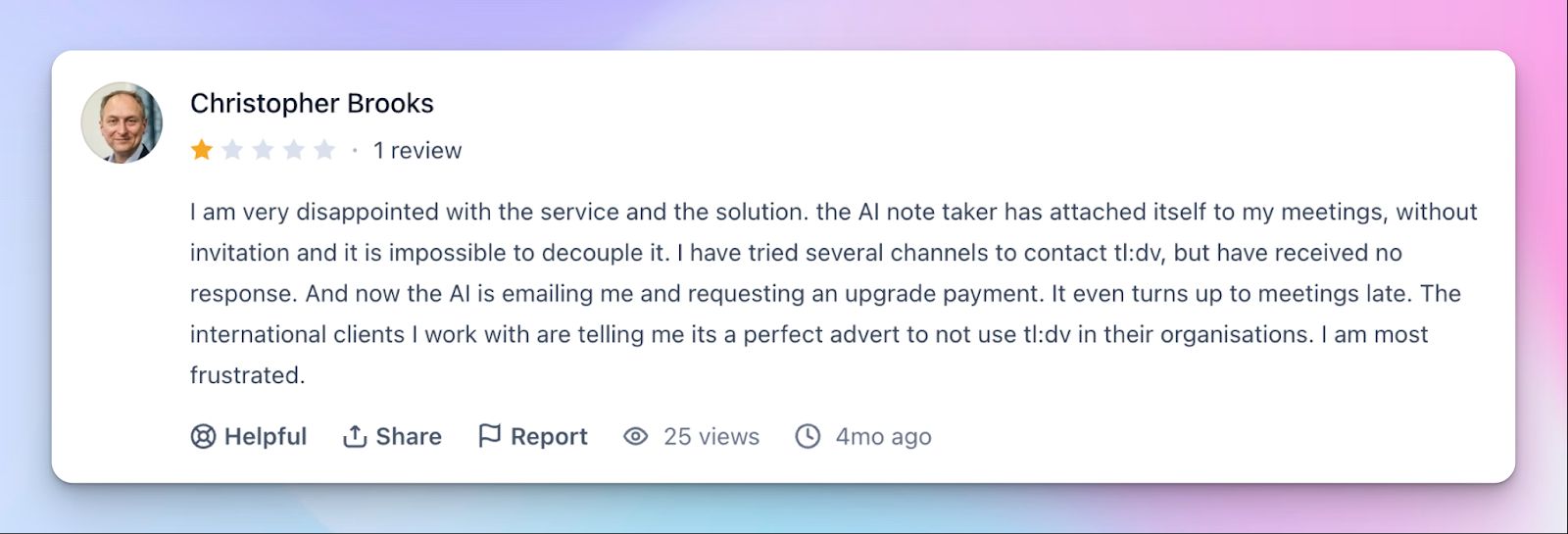
The recording bot has a habit of joining calls you did not invite it to. This forces you to kick it out manually or apologize to clients who were not expecting to be recorded. For consultants like Christopher, this was a deal breaker.
2. Transcription accuracy is inconsistent
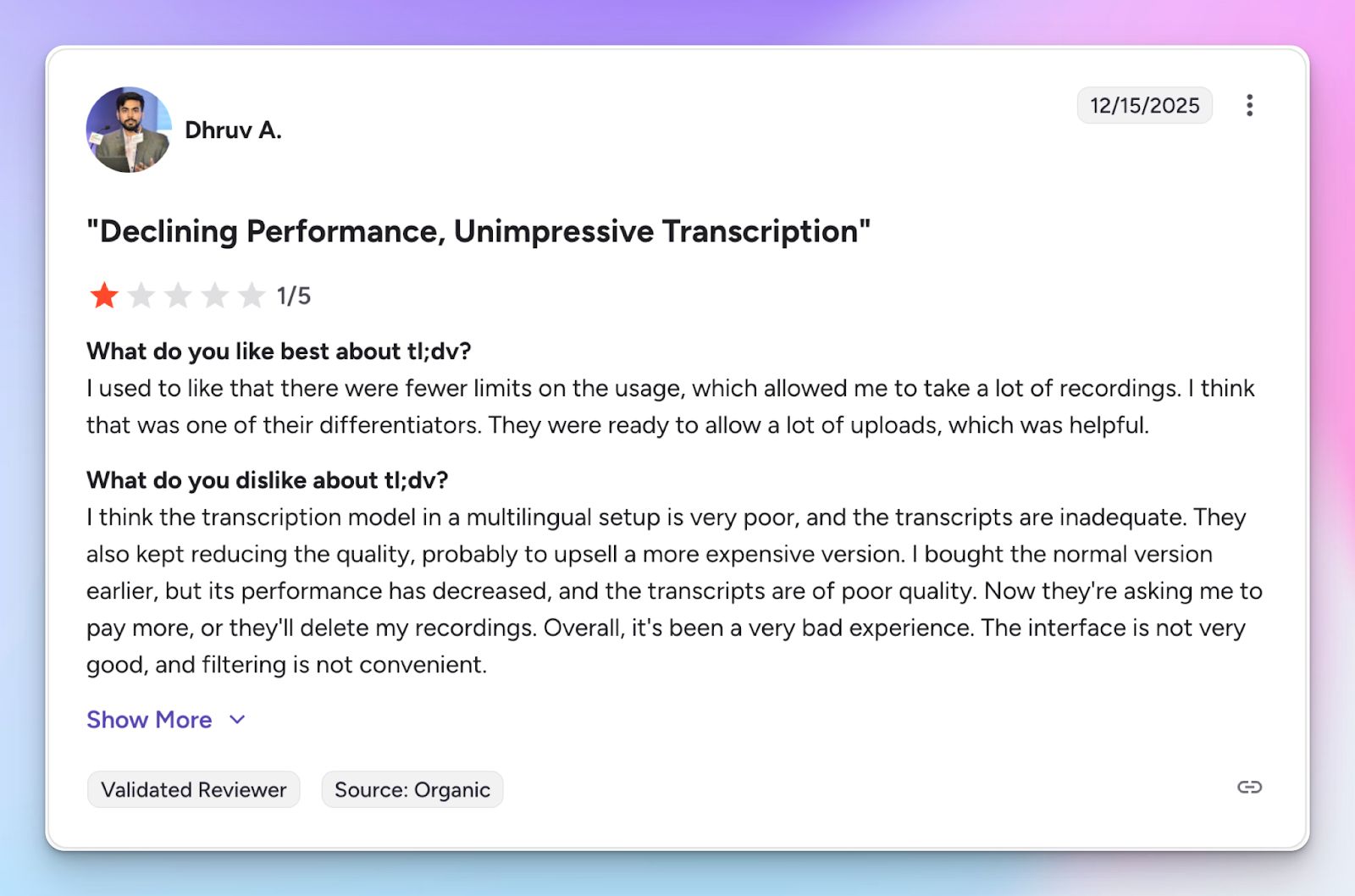
tl;dv’s core offering is note taking, and it often falls short on that front. Transcription quality is a real issue, and I found many users being unhappy with the output, just like me.
3. Basic features are paywalled
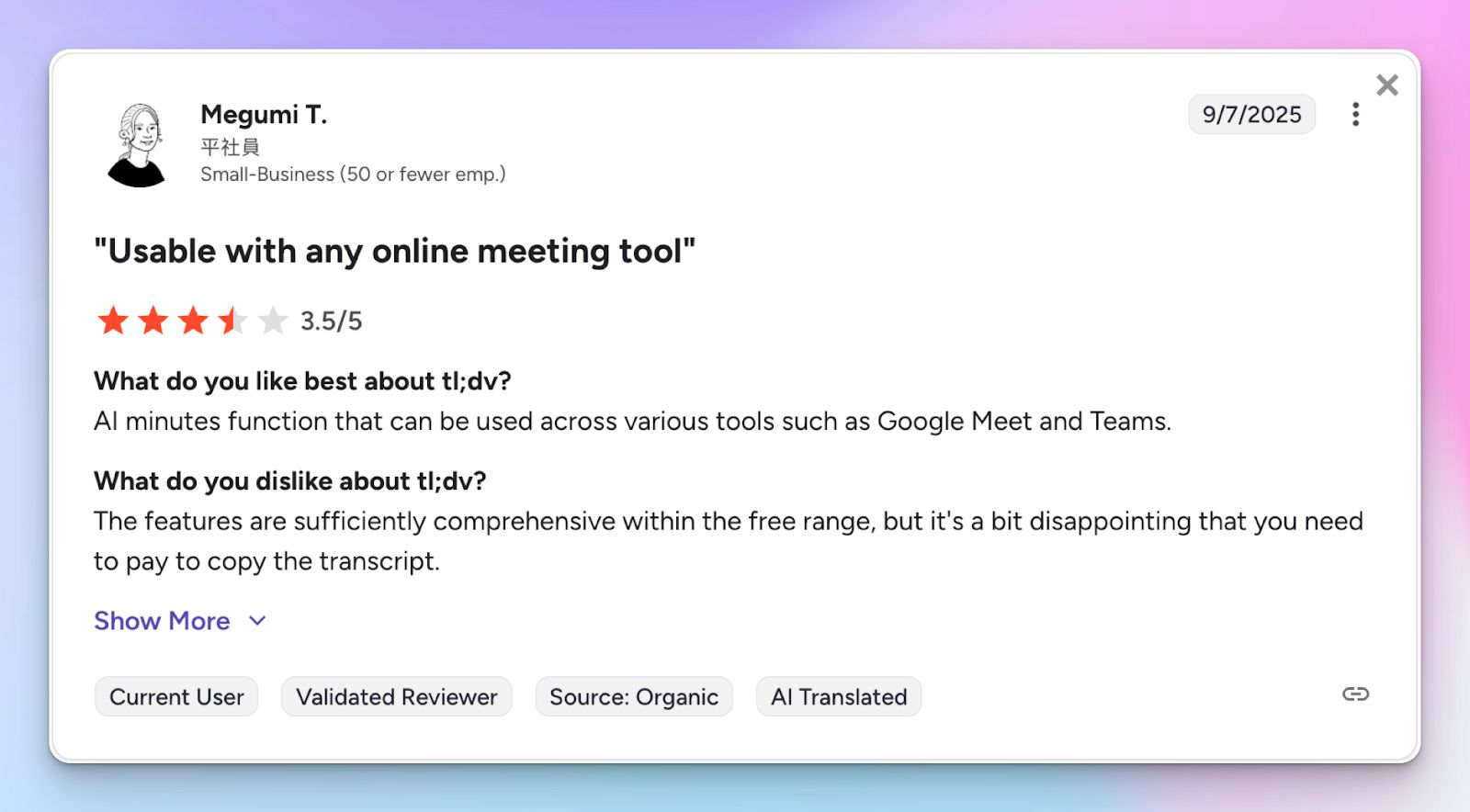
This one bugged me the most, and I wasn't the only one. tl;dv cuts corners to maintain the free plan, but it ends up putting standard features behind premium plans. Many paid features in tl;dv are offered for free in better alternatives.
4. Buggy platform
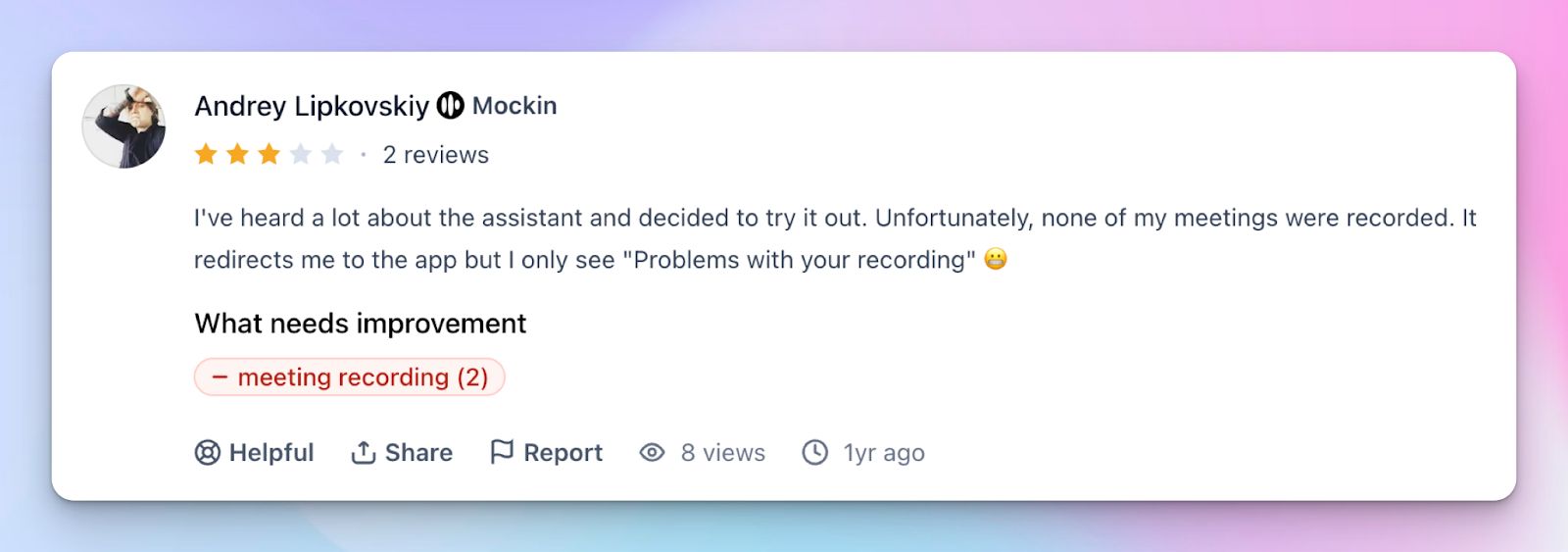
Even founders can't browse around tl;dv without running into problems. Overall, the platform decides on quirks that break existing workflows or make simple tasks more difficult to achieve.
5. Slow customer support team
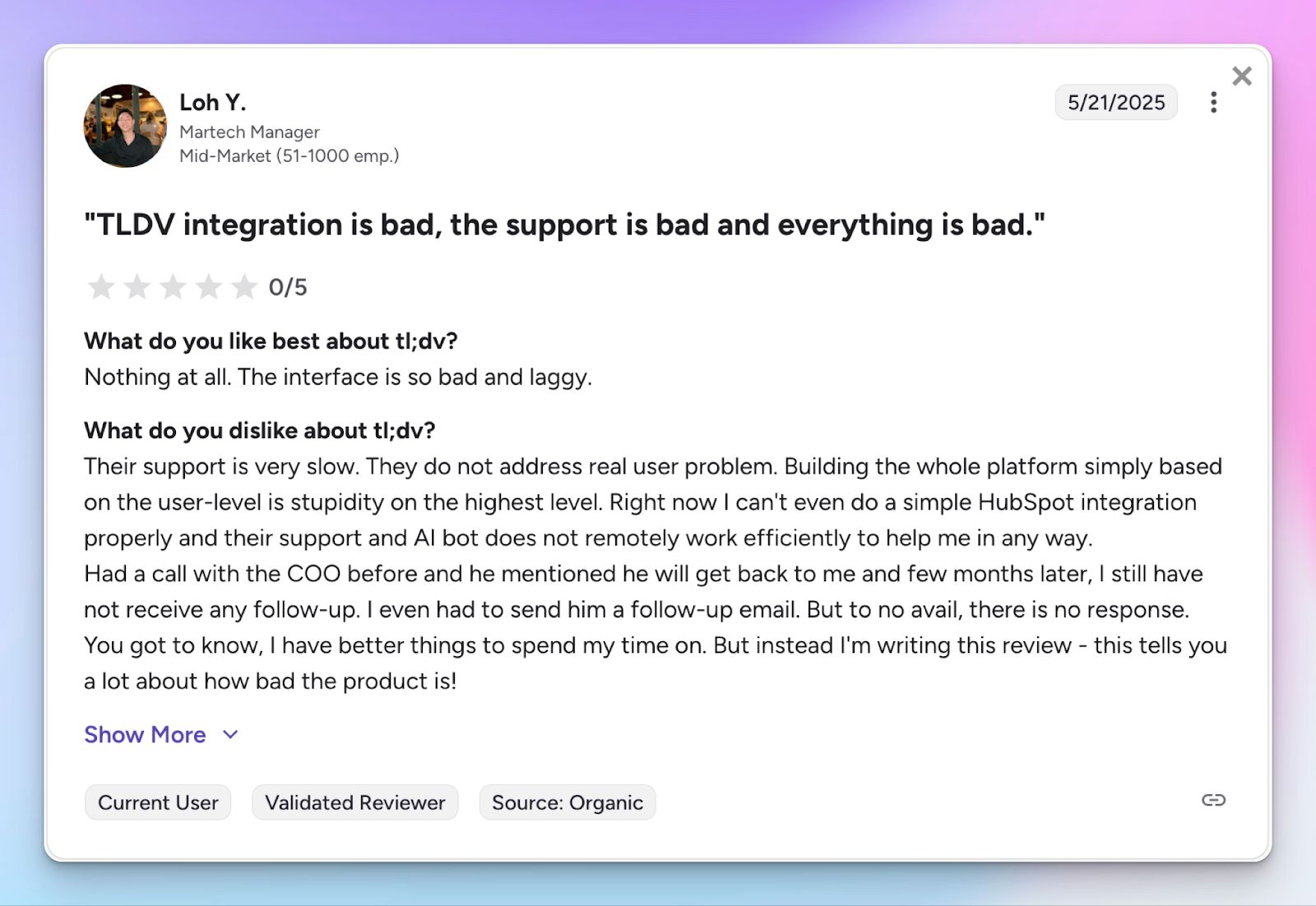
tl;dv customer support lacks the fast and transparent services you expect from a meeting note taker. When you run into issues with your meetings or files, it's frustrating to turn to tl;dv support for any solution.
Top 5 tl;dv alternatives at a glance
| Feature | HappyScribe | Fireflies | Krisp | Otter | Avoma |
|---|---|---|---|---|---|
| Best for | Accurate notes and file transcriptions for daily meetings | Central intelligence hub across platforms | Privacy-conscious users wanting bot-free transcripts | Teams wanting a chat assistant for notes | Sales teams needing CRM-first data entry automation |
| Key features | 95% accuracy, file transcripts, AI insights, subtitles, and translation | Shared workspace, Ask Fred AI, sentiment analysis | Bot-free recording, noise cancellation, accent AI | OtterPilot chat, slide capture, keyword analytics | CRM sync, agenda templates, topic detection |
| Supported languages | 140+ languages and accents | 100+ languages | 16 languages | English, Spanish, French, Japanese | 75+ languages |
| Platform integration | Zoom, Teams, Meet plus any file upload | Zoom, Meet, Teams, Webex, Dialpad, and more | Universal | Zoom, Meet, Teams | Zoom, Meet, Teams, and popular CRMs |
| Security | SOC 2 Type II, GDPR, EU data residency | SOC 2 Type II, GDPR | SOC 2 Type II, HIPAA, local processing options | SOC 2 Type II, GDPR, CCPA, HIPAA | SOC 2 Type II, GDPR |
| Pricing | Free (45 min/rec) / Basic: $17/month | Free / Pro: $18/month | Free trial (7 days) / Pro: $16/month | Free / Pro: $16.99/month | Startup: $29/month (free trial only) |
1. HappyScribe
Best for: Accurate meeting notes and file transcriptions for daily meetings without restrictions
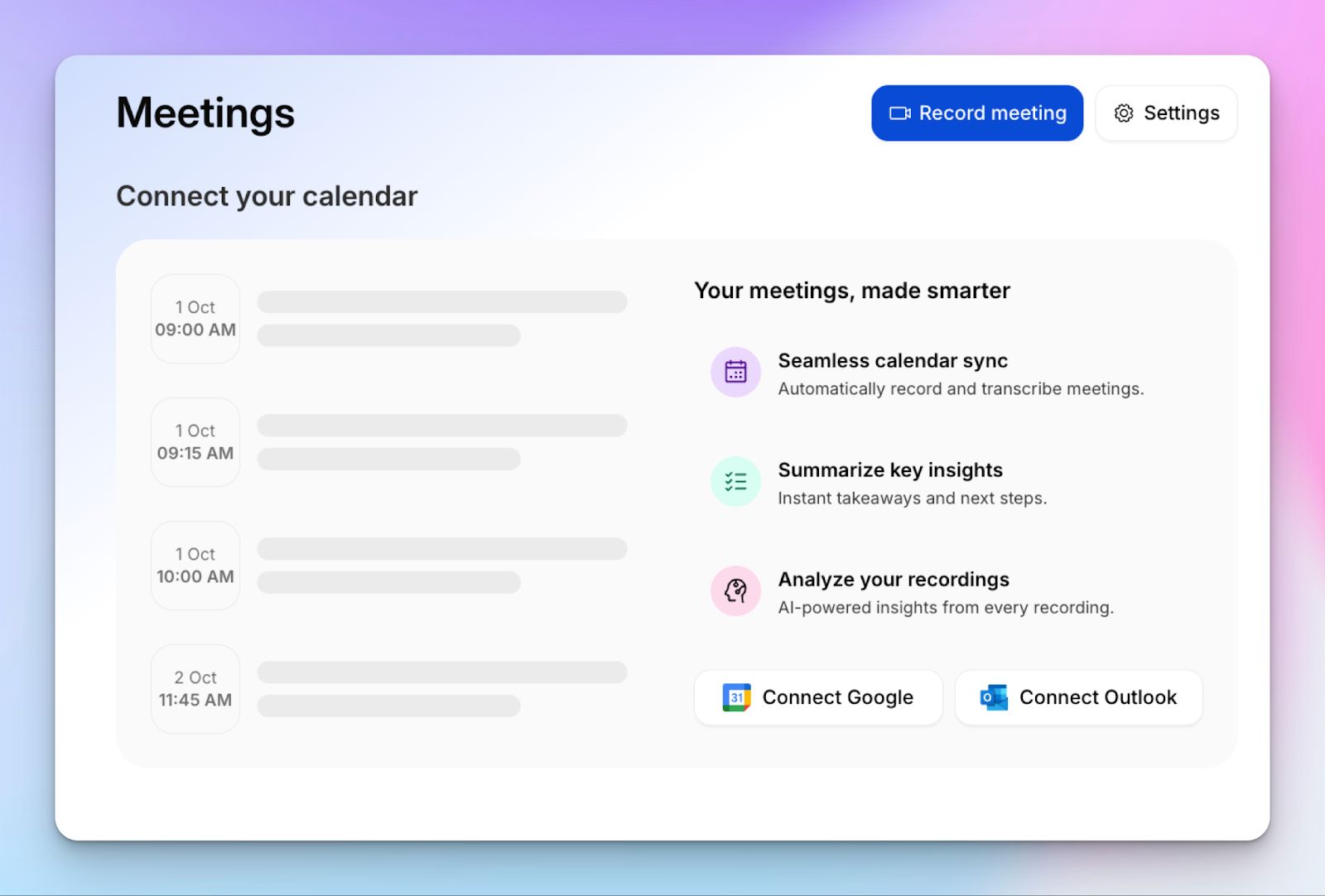
HappyScribe AI note taker is one of the best tl;dv alternatives because it addresses the shortcomings of tl;dv and improves on the services already offered by tl;dv. It’s easy to use and supports file transcriptions without relying on complex integrations.
HappyScribe vs tl;dv
| Category | HappyScribe | tl;dv |
|---|---|---|
| Platform versatility | Supports 40+ audio and video formats. HappyScribe records Meet, Zoom, and Teams meetings and transcribes pre-recorded files, phone calls, and in-person meetings. | Limited to virtual meetings on Zoom, Google Meet, and Microsoft Teams. tl;dv cannot process pre-recorded files, phone calls, or in-person recordings. |
| Language support | AI transcription supports 140+ languages and accents for global teams. | tl;dv supports transcription and translation in 30+ languages only. |
| Accuracy and quality options | AI transcription provides 95% accuracy. | tl;dv’s AI transcription hovered around 90% accuracy in tests. |
| Feature availability in all tiers | All HappyScribe users get a high-quality ASR engine for note taking, one-click transcript copying, file uploads, and access to recordings. | tl;dv requires the “Whisper” add-on for higher accuracy and restricts transcript copying and meeting recordings to the Pro tier after two days. |
| Security and compliance | SOC 2 Type II certified with GDPR compliance. HappyScribe supports SSO, offers NDAs for sensitive projects, and encrypts data in transit and at rest. | SOC 2 Type I compliant with GDPR compliance and EU data storage. tl;dv sends data to Anthropic for AI processing. |
HappyScribe’s key features
1. Take meeting notes in 140+ languages and accents with 95% accuracy
HappyScribe shines where tl;dv falls short: language coverage and accuracy. Compared to tl;dv’s modest 30-language support, HappyScribe helps global teams by transcribing in 140+ languages and accents.
Since it supports broader use cases, the AI engine is tuned to pick up unique accents and noisy audio. While tl;dv struggles with 85-90% accuracy, HappyScribe’s AI gives you around 95% accurate notes, which is ideal for daily meetings.
2. Consistent and customizable meeting bot
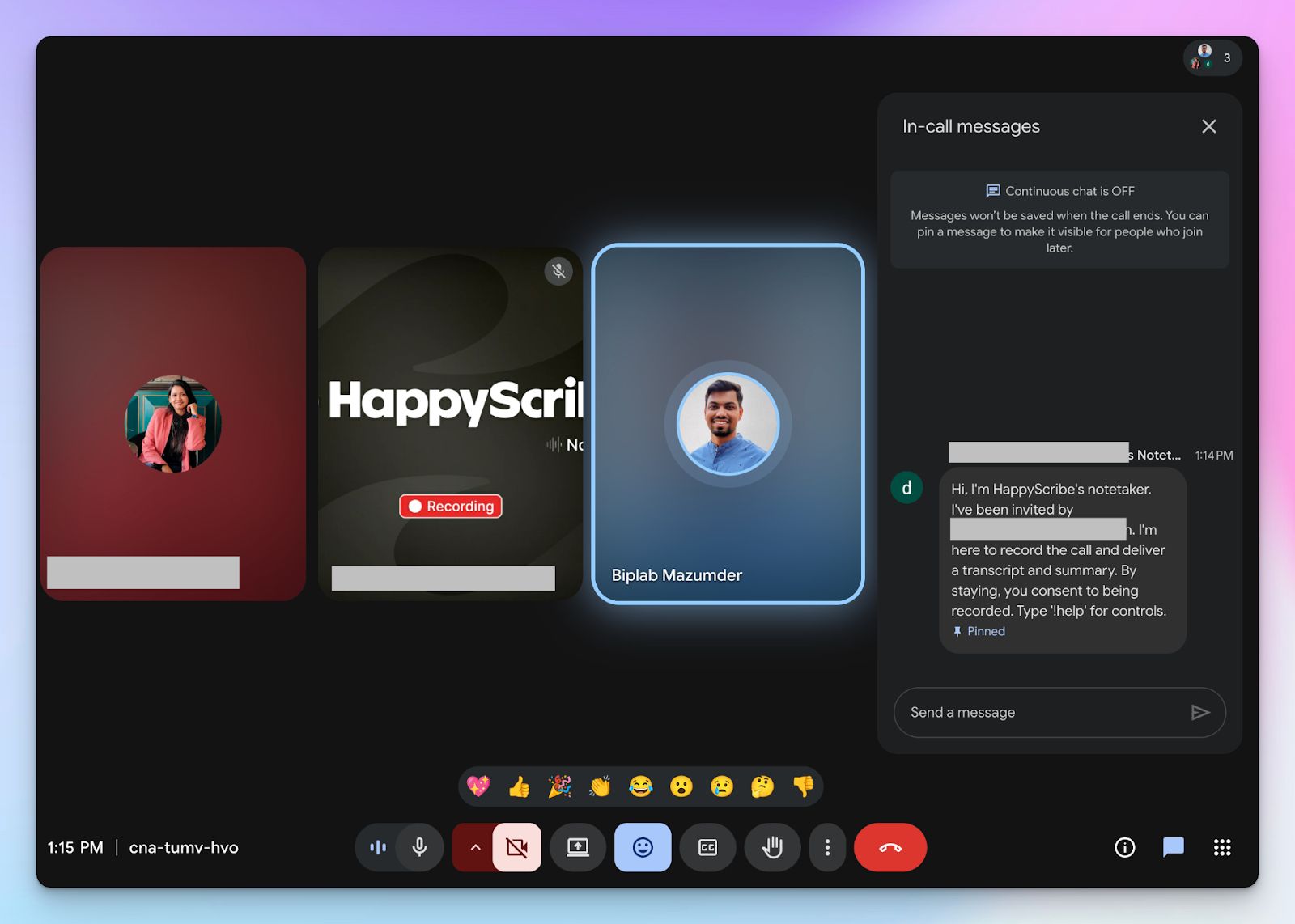
Another thing that stands out for HappyScribe is how customizable and transparent the AI note taker is. Unlike tl;dv, the note taker announces itself to the participants and explains how to use it. If you’re in Europe or generally prefer privacy and transparency, you’ll like HappyScribe.
You can customize the look of the HappyScribe note taker as well, including the name and color scheme to match your company branding.
3. Translate notes and create video subtitles
HappyScribe lets you create, edit, and burn in subtitles in videos, which tl;dv can’t do. If you plan to edit video and mix audio before posting on company Slack channels or LinkedIn, HappyScribe is the way to go.
And that’s not it. You can also translate the transcripts in the same dashboard and share with stakeholders in other countries. Given the wide language and accent coverage (140+), HappyScribe is more effective in translating content across markets than tl;dv.
4. Work with popular video conferencing tools
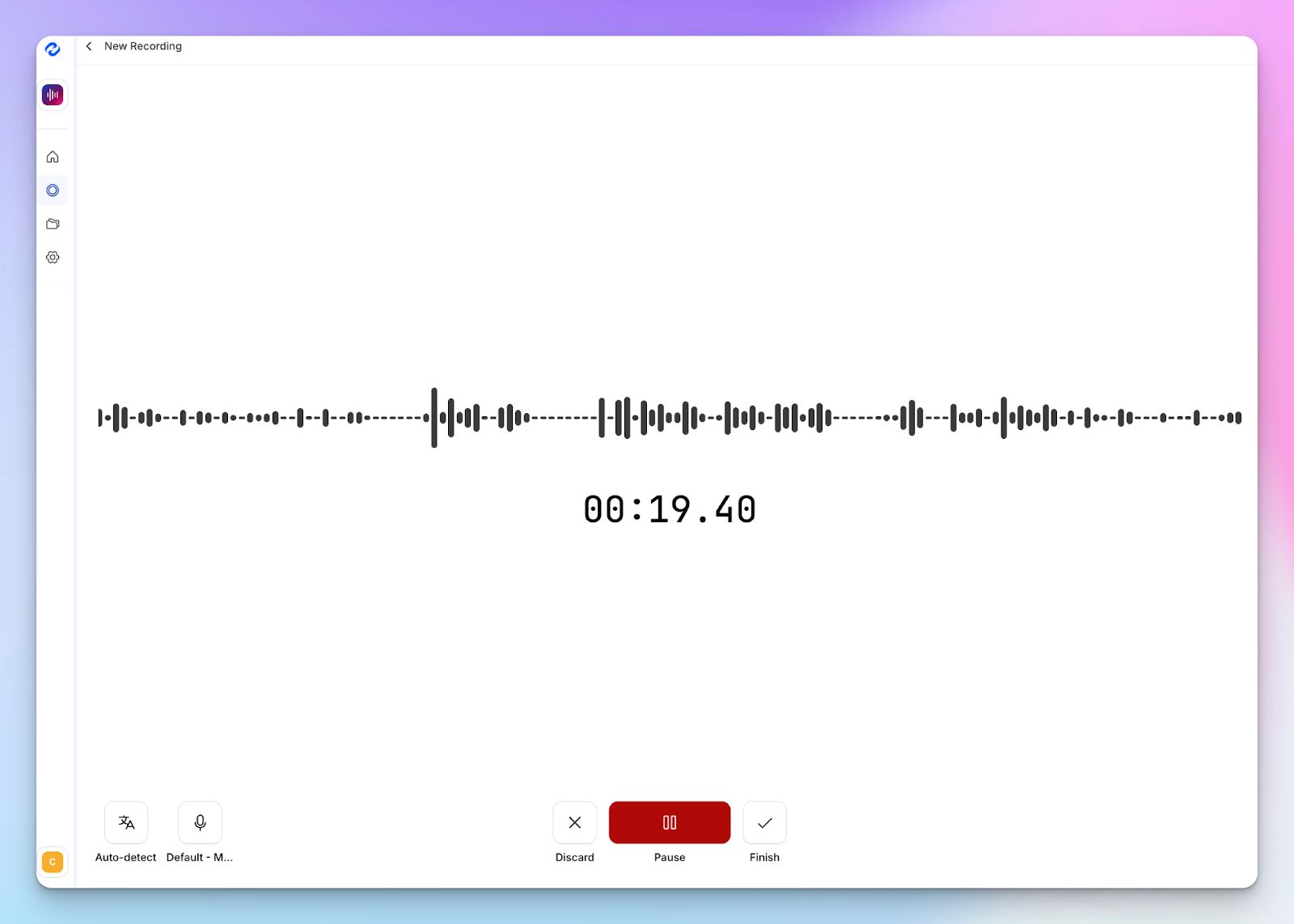
tl;dv has native support for Microsoft Teams, Google Meet, and Zoom, but HappyScribe goes beyond that and effectively supports any source of audio for note taking.
Be it a Webex or a RingCentral call, you can use the HappyScribe audio recorder to transcribe and sum up meeting notes without a bot. Even for pre-recorded Zoom, Meet, or Teams meeting files, tl;dv forces you to integrate Zapier, whereas HappyScribe does the transcription directly.
5. Ask AI for video chapters, quotes, and post drafts
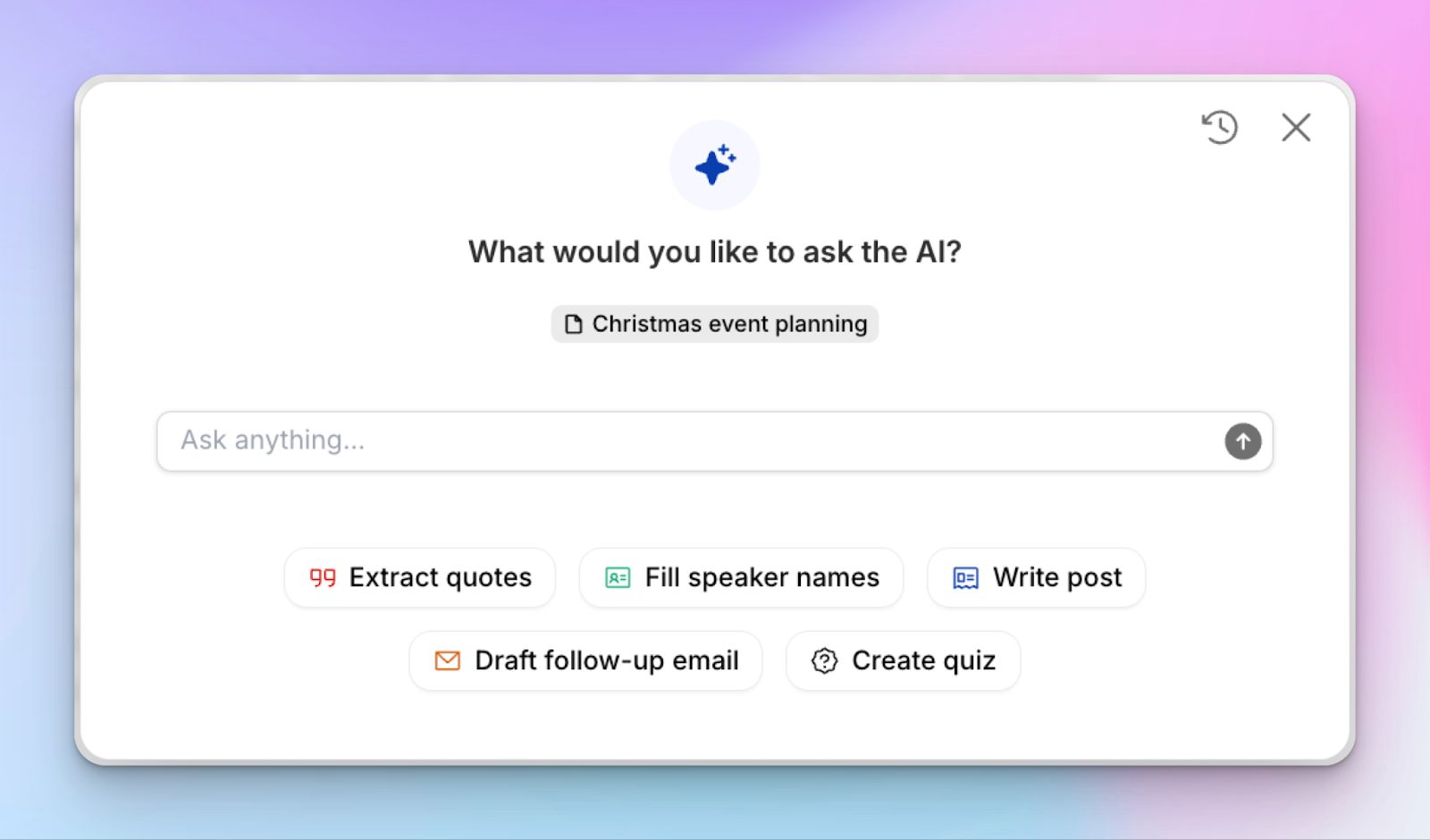
Once you have meeting transcripts, you can ask HappyScribe AI to create objective summaries, extract quotes for tracking decisions, and even find timestamped video clips. Ready to share the meeting decision with an announcement? Simply ask AI to write a post draft that you can edit and copy easily.
HappyScribe’s pros
- Consistent transcripts and AI meeting notes with 95% accuracy
- HappyScribe supports 140+ languages and accents for transcription and translation
- Ask AI for video chapters, quotes, follow-up emails, and post drafts
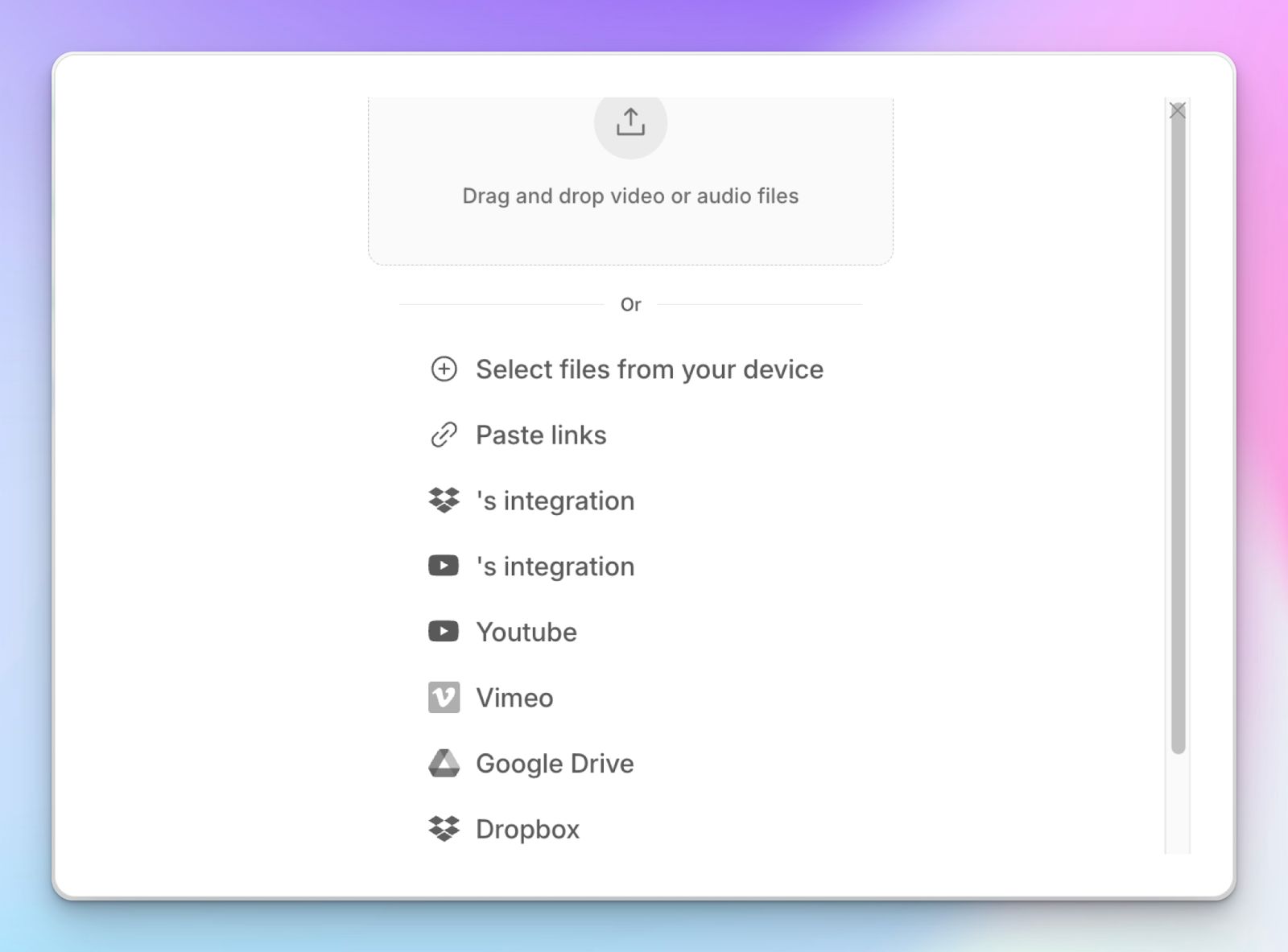
- Upload and transcribe video files and pre-recorded meetings from your device, YouTube, Vimeo, and Dropbox
- GDPR and SOC 2 Type II compliance, along with EU data residency for security and privacy
- Generous base plan for individuals and scalable plans for enterprise customers
HappyScribe’s cons
- HappyScribe is not ideal for live call transcriptions
HappyScribe’s pricing
- Free: Unlimited meeting recordings (45 mins/recording)
- Basic: $8.50/month (billed annually) or $17/month (billed monthly)
- Pro: $19/month (billed annually) or $29/month (billed monthly)
- Business: $59/month (billed annually) or $89/month (billed monthly)
- Enterprise:Contact sales to get tailored solutions directly
What are real users saying about HappyScribe?
Very user friendly software. Transcriptions are accurate even with non-native speaker English recordings.
How to use HappyScribe’s AI note taker? A step-by-step guide
1. Link your Google or Outlook calendar or paste the meeting link to invite the HappyScribe note taker. For in-person meetings, you can record audio without a bot.
2. Select Meetings in the left sidebar and then check the options at the right to customize when the notetaker should join and who should receive the email summary.
3. Click on the Settings button at the top right to select when the notetaker should start recording and who can view the meeting transcription.
4. During an online call, the notetaker must be admitted by the meeting host to start recording. You can chat with the notetaker to control it.
5. And that's it! The meetings should be saved in your Workspace files or in the Private section, depending on your privacy settings.
2. Fireflies
Best for: Best for teams that need a central intelligence hub across platforms
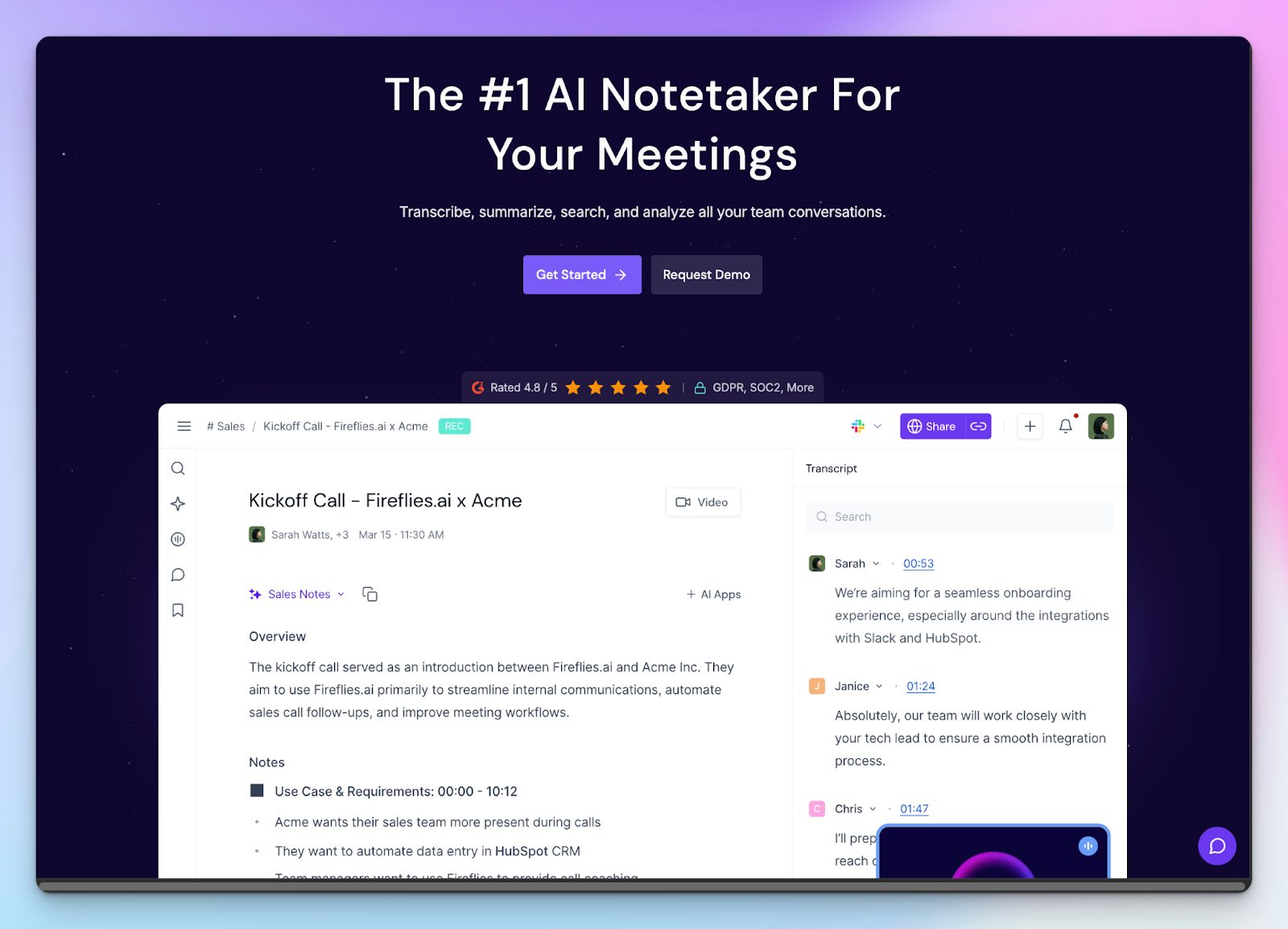
Fireflies is built for teams that live in meetings across different platforms and languages. Instead of optimizing for one workflow, it acts as a central meeting hub that turns discussions into a knowledge base. If your calendar includes Zoom for one hour, Webex for the next, and a client dial-in after that, Fireflies is designed to keep everything in one place.
Where Fireflies earns its spot as a tl;dv alternative is scale and flexibility. As an AI note taking tool, it supports far more meeting platforms and covers a much wider range of languages. For growing teams, agencies, and customer-facing roles, the analytics is more contextual once you move beyond solo use.
Fireflies vs tl;dv
| Category | Fireflies | tl;dv |
|---|---|---|
| Native platform support | Zoom, Meet, Teams, Webex, GoToMeeting, Dialpad, and more | Zoom, Meet, and Teams |
| Language support | 100+ languages | 30+ languages |
| Team collaboration | Shared workspace, comments, clips, and playlists that function as a team knowledge hub | Limited collaboration. Focuses on individual sharing and third-party integrations for general tasks |
| Conversational intelligence | Granular metrics, custom topic tracking, sentiment analysis, and DIY coaching for RevOps teams | Limited sentiment analysis depth and no revenue intelligence |
Fireflies’ key features
- Fireflies automatically records meetings and generates searchable transcripts with speaker labels
- You can use a shared workspace with comments, soundbites, playlists, and smart filters
- Ask Fred AI assistant with conversation intelligence answers questions across all recorded meetings, including talk time ratios and sentiment indicators
Fireflies’ pricing
- Free: $0/month
- Pro: $18/month
- Business: $29/month
- Enterprise: $39/month/seat (billed annually)
Fireflies’ pros
- Unlike tl;dv, Fireflies works across a wide range of meeting platforms beyond Zoom and Meet
- Thanks to a wide language support, Fireflies is ideal for international and multilingual teams
- Feature-packed collaboration and knowledge management tools, which tl;dv lacks
- Well-developed desktop and mobile apps, along with a strong AI app ecosystem
Fireflies’ cons
- Fireflies’ transcription quality struggles with weak audio or heavily accented speeches
- It’s being actively developed, so the UI changes can disrupt existing workflows
- Support and billing issues are common with Fireflies
3. Krisp
Best for: Privacy-conscious users who want transcripts without inviting a bot
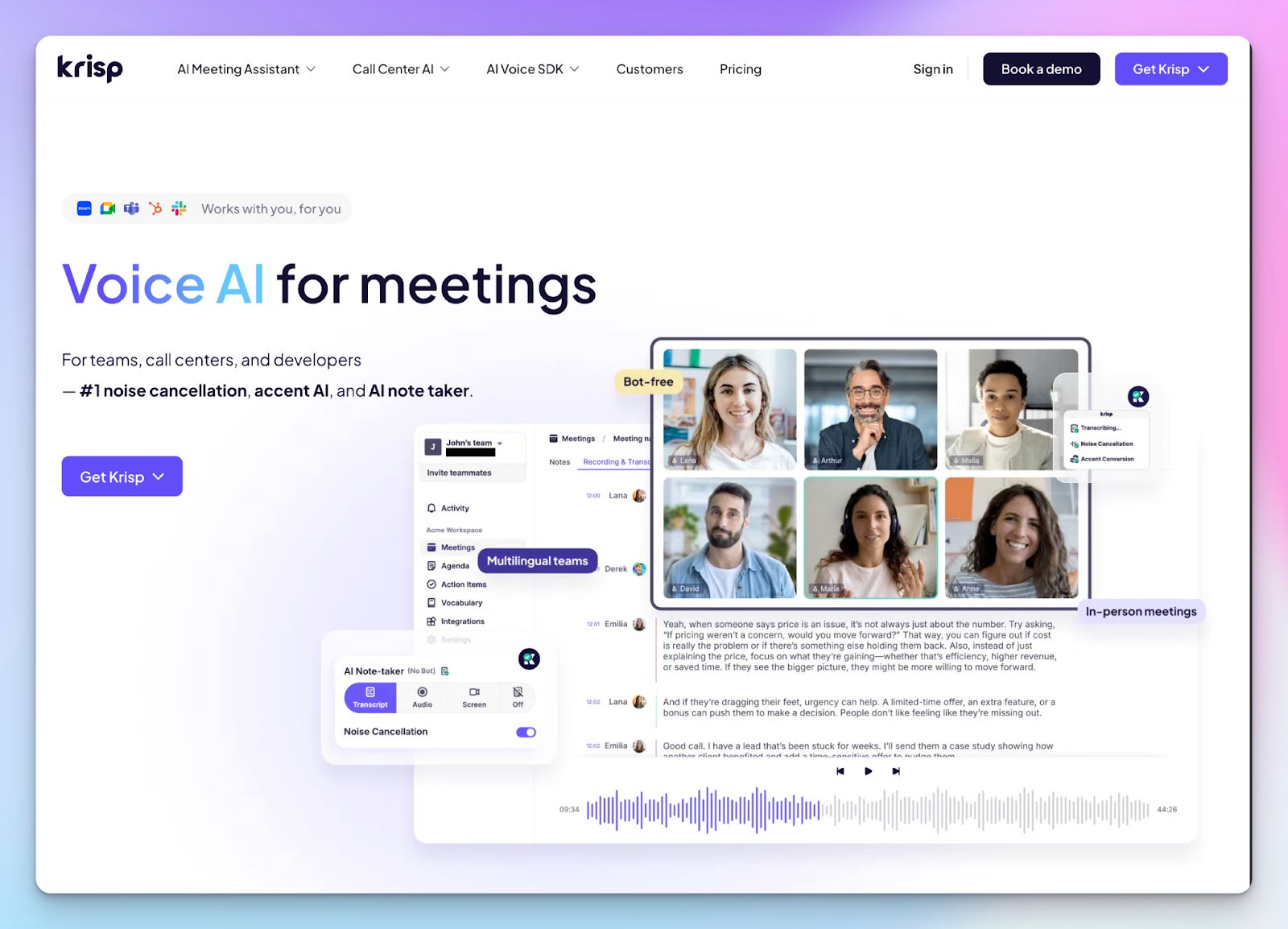
If you’re not fond of meeting bots, Krisp is your best alternative. Unlike tl;dv, which relies on a bot joining your call, Krisp can transcribe and summarize meetings from Zoom, Slack Huddles, WhatsApp, or even a phone call bridged to your computer, without anyone else knowing. Krisp might run into consent issues depending on regions, so communicate that with attendees.
Regardless, Krisp is the simpler choice if you handle sensitive client calls where a visible recording bot feels intrusive. While you won't get a video replay, you get a clean, noise-cancelled transcript that works even when you have a bad connection.
Krisp vs tl;dv
| Category | Krisp | tl;dv |
|---|---|---|
| Recording method | Bot-free, on-device recording | Bot joins the call as a participant |
| Platform support | Universal. Krisp works with any app that uses audio | Limited to Zoom, Google Meet, and Microsoft Teams |
| Output format | Audio and text transcript only | Video, audio, and text transcript |
| Privacy focus | Local processing options for noise cleanup and meeting notes | Cloud-based processing via bots and integrations |
Krisp’s key features
- Bot-free transcription captures meeting notes without an intrusive participant joining the call
- Bi-directional noise cancellation removes background noise from your mic and other participants' voices for cleaner transcripts
- Krisp’s AI meeting assistant generates summaries, action items, and discussion points automatically after the call
- Thanks to the AI accent conversion, you can neutralize heavy accents in real-time for transcription accuracy
Krisp’s pricing
- Free trial: 7 days
- Pro: $16/month
- Business: $30/month
- Enterprise: Custom pricing
Krisp’s pros
- Works on absolutely any platform that uses a microphone, unlike tl;dv’s limited integrations
- Industry-leading noise cancellation to make sure transcripts aren't ruined by coffee shop noise
- Lightweight app that doesn't require cloud integrations for basic tasks
Krisp’s cons
- It is an audio-only tool, so you lose the ability to rewatch video context or screen shares
- Since many Krisp feature runs locally on your device, it can consume system resources during long calls
- The free plan is for a 7-day trial only
Also read:Best AI note takers for journalists
4. Otter
Best for: Teams who want a dedicated chat assistant for their meeting notes
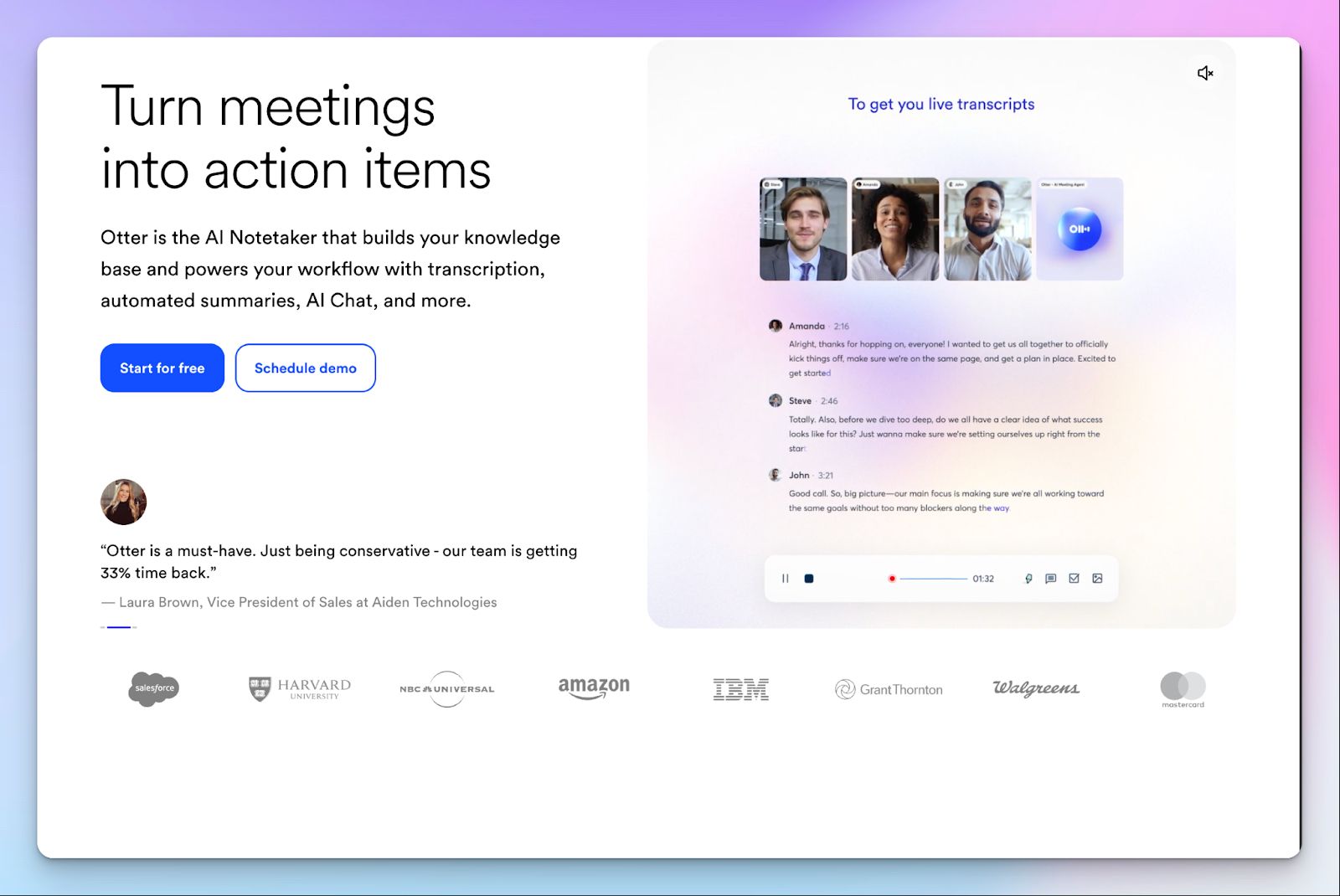
Otter was one of the first big names in AI transcription, and it remains a reliable tl;dv alternative if you prefer to skim notes instead of rewatching clips.
While tl;dv focuses heavily on the video experience, Otter treats your meetings more like a collaborative document. Its standout feature is OtterPilot, which doesn't just record the meeting but allows you to chat with the AI in real-time and refer to slides and screenshots from meetings.
If you’re a content manager who documents meeting notes and highlights key notes, Otter is more intuitive than tl;dv's timeline-based interface.
Otter.ai vs tl;dv
| Category | Otter.ai | tl;dv |
|---|---|---|
| Primary format | Real-time text collaboration and chat | Video recording and meeting intelligence |
| Live interaction | Otter Chat enables Q&A with AI during the meeting | No live AI chat; focuses on post-meeting analysis |
| Free plan limits | 300 monthly minutes; 30 minutes per conversation | Unlimited recordings and transcripts |
| Language support | English, Spanish, French, Japanese | 30+ languages |
Otter’s key features
- OtterPilot automatically joins meetings to record and transcribe so you can focus on the discussion
- Automated slide capture grabs images of shared slides and inserts them into the transcript for visual context
- Keyword analytics generate a word cloud and summary keywords to help you grasp the main topics at a glance
Otter’s pricing
- Free
- Pro: $16.99/month
- Business: $30/month
- Enterprise: Custom pricing
Otter’s pros
- Otter is reliable for users who prefer reading and highlighting text over watching video replays
- Unlike tl;dv, Otter’s real-time transcription allows you to see notes appear as people speak, which is great for accessibility
- Collaborative features let multiple users highlight and comment on the live transcript simultaneously
- Stable mobile apps that work well for recording in-person conversations and interviews
Otter’s cons
- The free plan is very restrictive, with a hard 30-minute cap per conversation
- Language support is significantly more limited than tl;dv, primarily focusing on English, Spanish, French, and Japanese
- Otter does not record video for non-enterprise plans, so you lose non-verbal cues and context
5. Avoma
Best for: Sales teams that need a CRM-first assistant to automate data entry
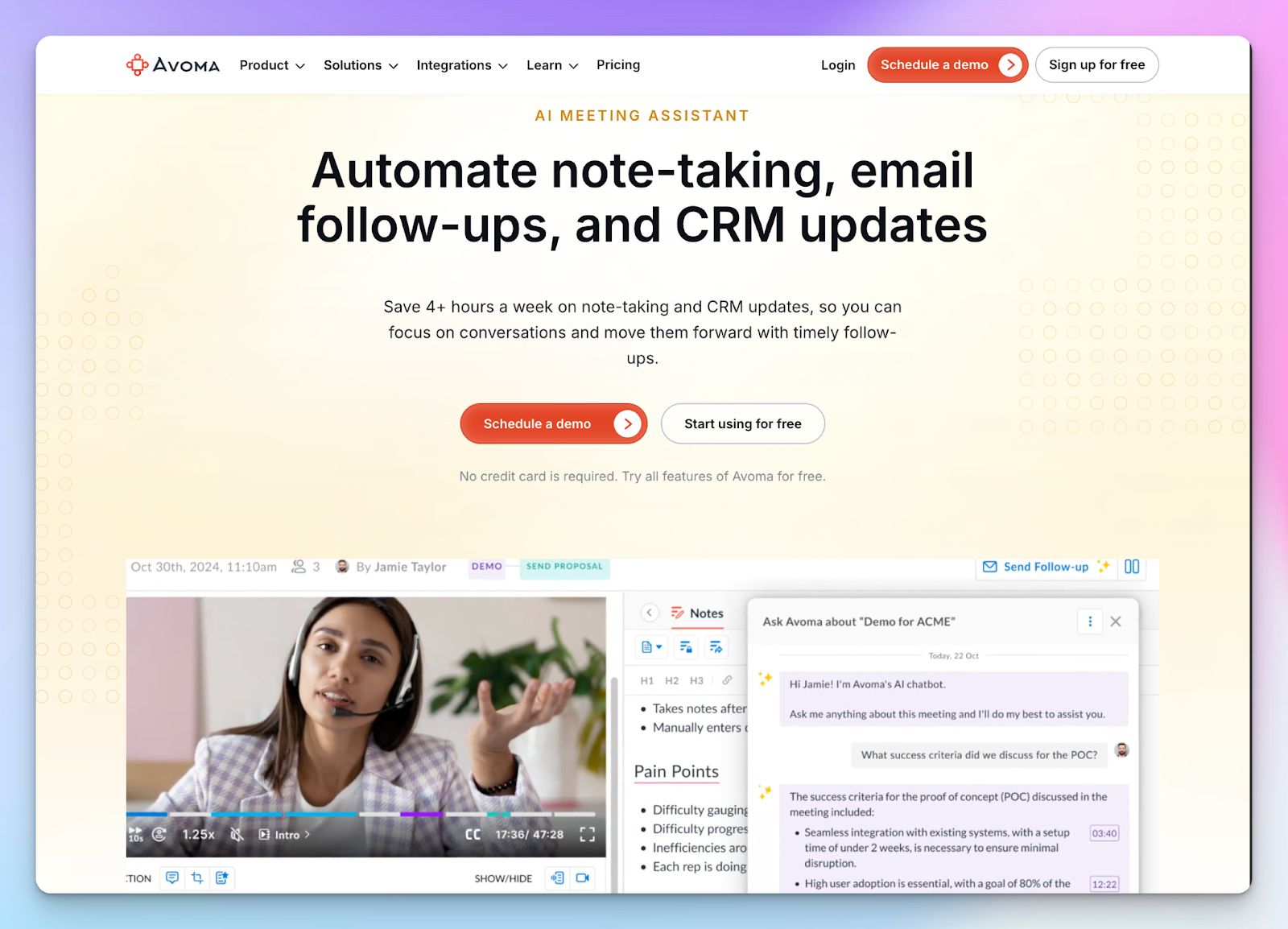
Avoma is the best tl;dv alternative if you want to eliminate the manual work of updating your CRM after every call. While tl;dv is a fantastic generalist tool for recording and clips, Avoma is purpose-built for revenue teams. From scheduling and agenda preparation to updating fields, it manages the entire meeting lifecycle for business leaders.
If you need your meeting notes to flow directly into specific CRM properties, Avoma handles it better than tl;dv’s integrations.
Avoma vs tl;dv
| Category | Avoma | tl;dv |
|---|---|---|
| Primary focus | Real-time transcription and full meeting lifecycle management | Recording, transcribing, and video clip creation |
| CRM integration | Deep, two-way sync with custom field mapping | One-way sync of notes and links |
| Meeting prep | Built-in agenda templates and scheduling | No native scheduling or agenda tools |
| Cost | Higher price point; core features are split across tiers | More affordable with a generous free tier |
Avoma’s key features
- CRM-synced notes automatically update your deal records in Salesforce and HubSpot, so you don't have to copy-paste data
- Smart agenda templates help you prepare for meetings and ensure you cover all required questions during the call. This is not something you get with tl;dv
- With topic detection, you can automatically categorize parts of the conversation into buckets like pain points or next steps
- Unlike tl;dv, Avoma’s conversation intelligence tracks speaker ratios and sentiments to help sales managers coach their teams
Avoma’s pricing
- Startup: $29/month
- Organization: $39/month
- Enterprise: $39/month (minimum 10 seats)
- Add-ons: $25-$34/month/seat
Avoma’s pros
- It covers the before and after of meetings better than tl;dv by including scheduling and agenda tools
- The deep CRM integration saves sales reps hours of manual data entry every week, which isn’t as advanced in tl;dv
- Structured note-taking templates ensure every rep asks the right qualification questions
- Avoma acts as a single source of truth for the entire sales cycle, not just the recording
Avoma’s cons
- Significantly more expensive than tl;dv, especially if you need the advanced CRM features
- The interface can feel overwhelming for non-sales users who just want a simple transcript
- You cannot effectively use it for free, as Avoma only has a free trial
Which tl;dv alternative is right for you?
Choosing the best alternative depends on your current bottleneck. If you need a private, bot-free experience, Krisp is the clear winner, but for sales teams that live and die by their CRM, Avoma offers the deep integration you need to automate data entry.
If your team works with English speakers, Otter gives you a reliable experience, while Fireflies is a strong contender if you need a centralized hub for sales intelligence.
However, if you want accurate notes without the platform restrictions or language barriers, HappyScribe is the most balanced choice. It combines high-accuracy transcription for over 140 languages and accents with the flexibility to handle both live meetings and pre-recorded files. You get the professional features of a dedicated transcription tool with the ease of an AI note taker.
FAQs on the best tl;dv alternatives for AI note taking
What are free tl;dv alternatives for AI note taking?
HappyScribe offers a generous free plan with unlimited meeting recordings up to 45 minutes each, including speaker recognition and AI generated meeting summaries, and it's suitable for both small teams and large orgs. Fireflies and Otter also have free forever plans with basic transcription and collaboration features, though with minute limits. These beat tl;dv's paywalls for key points and highlighting.
Which AI note taker bot doesn’t join meetings?
Krisp is a bot-free option as a meeting recorder that works via your device's microphone on any platform. It provides clean transcripts with noise cancellation without alerting meeting participants. For similar privacy with advanced features, consider HappyScribe's customizable bot that announces itself transparently.
What is the best AI note taker for Zoom?
HappyScribe stands out for Zoom with extensive language support (140+), 95% accuracy, and file uploads for pre-recorded calls. Fireflies and Otter integrate natively too, offering collaboration features and meeting insights. All handle speaker recognition well for seamless Zoom notes.
What is the best AI note taker for Microsoft Teams?
HappyScribe excels for Teams with its user-friendly interface, meeting documentation, task management from transcripts, and support for any audio source beyond native integrations. Avoma adds CRM sync for sales, while Fireflies provides broad platform coverage for sprawling teams.
What is the best AI note taker for Teams?
For Microsoft Teams, HappyScribe delivers reliable transcription with a generous free plan and key features like subtitles and AI summaries. Otter offers real-time chat for highlighting key points during calls. Fireflies brings strong meeting insights across platforms if you need more than basic notes.
Which tl;dv alternative is good at video recording?
Fireflies handles video recording across many platforms like Zoom and Webex, with clips and playlists for easy sharing. HappyScribe supports video recording, video file uploads, and subtitle creation, and is ideal for post-production. Otter focuses on text but captures slides for context clues.
Which tl;dv alternative covers more languages?
HappyScribe leads with extensive language support for 140+ languages and accents, perfect for global teams. Fireflies covers 100+ languages next. This beats tl;dv's 30+ language support.

Biplab Mazumder
Biplab is a content marketer and writer who helps high-growth brands scale content visibility across AI search channels. His works have been published in HubSpot, Freshworks, Atlassian, SurferSEO, etc. When he's not planning content strategy, he's testing AI content workflows and use cases.