![Best AI Note Takers for Business Leaders [2026]](/sanity-images/ejgwz1gl/redesign/180a00a45ee21cf3161f6d72bbc8b1ff0d1f2d40-1536x1024.png?auto=format&w=1536.0&rect=0,128,1536,768&h=768)
Today, I’m just in and out of meetings…is something you might say a lot. After a point, all these meetings start to mesh together, and you lose track of the key items and decisions taken.
We spoke with hundreds of business leaders across industries to figure out ways to get the best out of each meeting, from morning kickoff to EOD handoff.
Based on our research and interviews, here are the absolute best AI note takers that business leaders use to run efficient meetings. We'll guide you through the evaluation process, our picks, features of each tool, and tips to choose the right one. Let's jump in.
TL;DR
- HappyScribe: Best for business leaders looking for an accurate, fast, and easy-to-use AI notetaker for diy meetings
- Otter AI: Best for fast and reliable meeting notes in English
- Fireflies.ai: Best for RevOps that require meeting intelligence
- Jamie: Best for bot-free meeting assistant
- Krisp: Best for noise cleanup and private meetings
What should you look for when evaluating AI note takers for business leaders?
1. Accurate meeting recaps
First and foremost, you need summaries that clearly capture what was decided and what happens next, without forcing you to go through the entire transcript.
Look for tools that reliably identify decisions and follow-ups, because that is where generic note takers fail.
2. Ease of use
The whole reason for tech is to simplify our lives and help us do more. On that front, pick a meeting note taker with simple onboarding and predictable UI patterns. This way, you spend less time training people and more time getting outcomes.
Simpler tools may lack advanced customization upfront, but good ones strike a balance between user experience and features.
3. Multilingual capability
If you work across regions, language support directly affects the quality of your notes. Evaluate how well the tool handles transcription and summaries in the languages your global teams actually use.
Having said that, regional dialects and underrepresented accents might not be as accurate, so work that into your expectations.
4. Searchable meeting history
Meetings stack up with time, and so do the notes and hundreds of agenda items in them. What you want is a searchable database so you can find past decisions and quotes without hunting through calendars.
Advanced indexing improves recall, but it can increase storage costs, so confirm how long data is retained and how pricing scales.
5. Privacy and security
Business meetings need the best security. Period.
Make sure the AI note taking app meets compliance needs, including encryption at rest and in transit, SOC 2 or ISO certifications, and clear data residency options. If you’re based in Europe, local data centers are non-negotiable.
Ask about admin controls, audit logs, and the vendor’s policy for model training on customer data, because the features upfront might require trade-offs at the backend.
6. Collaboration and export features
Your note taker should integrate with the apps you already use, so teams can assign tasks, push minutes to project tools, and export to common formats. Evaluate native integrations, API availability, and export formats like DOCX, PDF, and CSV so you can automate workflows.
Did you know?
54% of meeting attendees leave meetings without a clear idea of next steps?
What are the best AI note takers for business leaders?
| Category | HappyScribe | Otter AI | Fireflies.ai | Jamie | Krisp |
|---|---|---|---|---|---|
| Best for | Accurate, multilingual meetings at scale | Fast meeting notes in English | Revenue and customer-facing teams | Bot-free, privacy-first meetings | Noise cleanup plus AI notes |
| Key features | AI notes, human review, summaries, customization, data security | Live transcription, summaries, slide capture | Meeting intelligence, analytics, and live assist | Bot-free capture, summaries, Ask AI | Noise cancellation, transcription, summaries |
| Supported languages | 140+ languages | 4 | 100+ languages | 99+ languages | 16+ languages |
| Collaboration features | Email summaries, sharing, and repurposing | Searchable notes, integrations | Team workspaces, analytics, and integrations | Sharing notes via docs and tools | Shared workspaces, action items |
| Meeting platform integration | Zoom, Google Meet, Webex, Microsoft Teams | Zoom, Google Meet, Microsoft Teams | Video platforms and dialers | Online, hybrid, in-person | Any conferencing and voice apps |
| Security and privacy | GDPR, SOC 2 Type II, EU data centers | GDPR, SOC 2 Type II, HIPAA | GDPR, SOC 2 Type II, HIPAA | EU hosting, audio deletion, privacy-first | Enterprise-grade compliance options |
| Pricing | Free plan. Paid plan starts from $8.50/month (billed annually) or $17/month (billed monthly) | Free plan. Paid plan starts from $16.99 | Free plan. Paid plan starts from $18 | Free plan. Paid plan starts from €25 | Free trial only. Paid plan starts from $16 |
1. HappyScribe
Best for: Business leaders looking for an accurate, fast, and easy-to-use AI notetaker for daily meetings
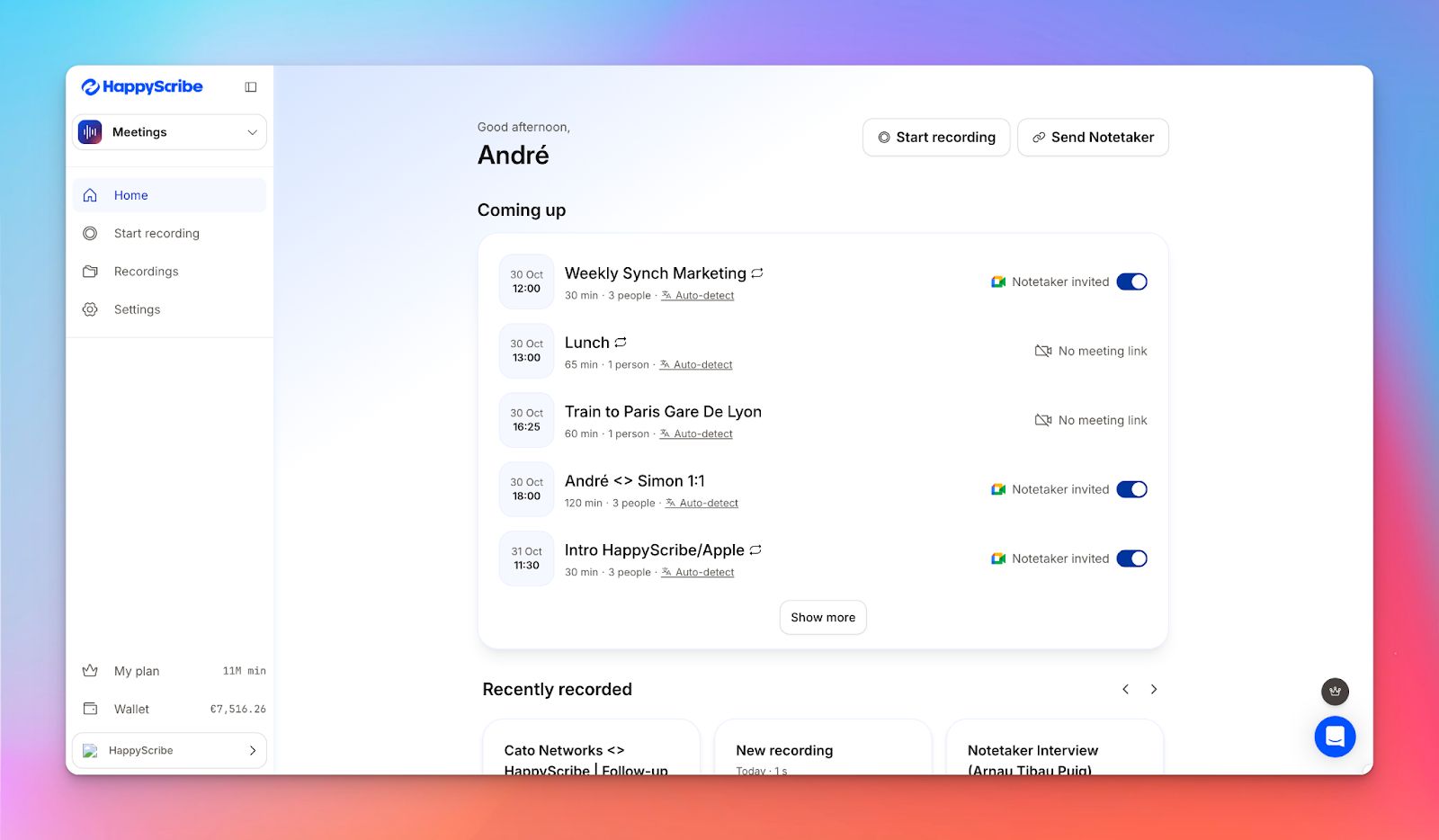
HappyScribe AI note taker is the recommended tool for meeting note-taking, not only because we use it every day at work, but also because of thousands of real users vouching for it.
HappyScribe ticks all the boxes you want in your meeting note taker: it's easy to run and use, supports 140+ languages, and is 99% accurate. The extra features help you run several meetings a day without losing track of what's being discussed.
HappyScribe’s key features
Here are some features that make HappyScribe the best AI note taker:
1. Take notes in 140+ languages
HappyScribe supports 140+ languages, which is more than most notetakers cover today. Be it dialects of English and Spanish or underrepresented languages like Galician, Khmer, Zulu, and Lao, you can go into meetings knowing that HappyScribe is equally competent in all the languages.
2. Get up to 99%+ accuracy
HappyScribe’s AI transcribes meetings with up to 95% accuracy. While this is good enough for daily brainstorming sessions, you might want to be as accurate as humanely possible for key boardroom meetings and webinars.
HappyScribe lets you rope in human experts to review your meeting transcripts so your notes come up with 99% accuracy.
3. Customize your note taker
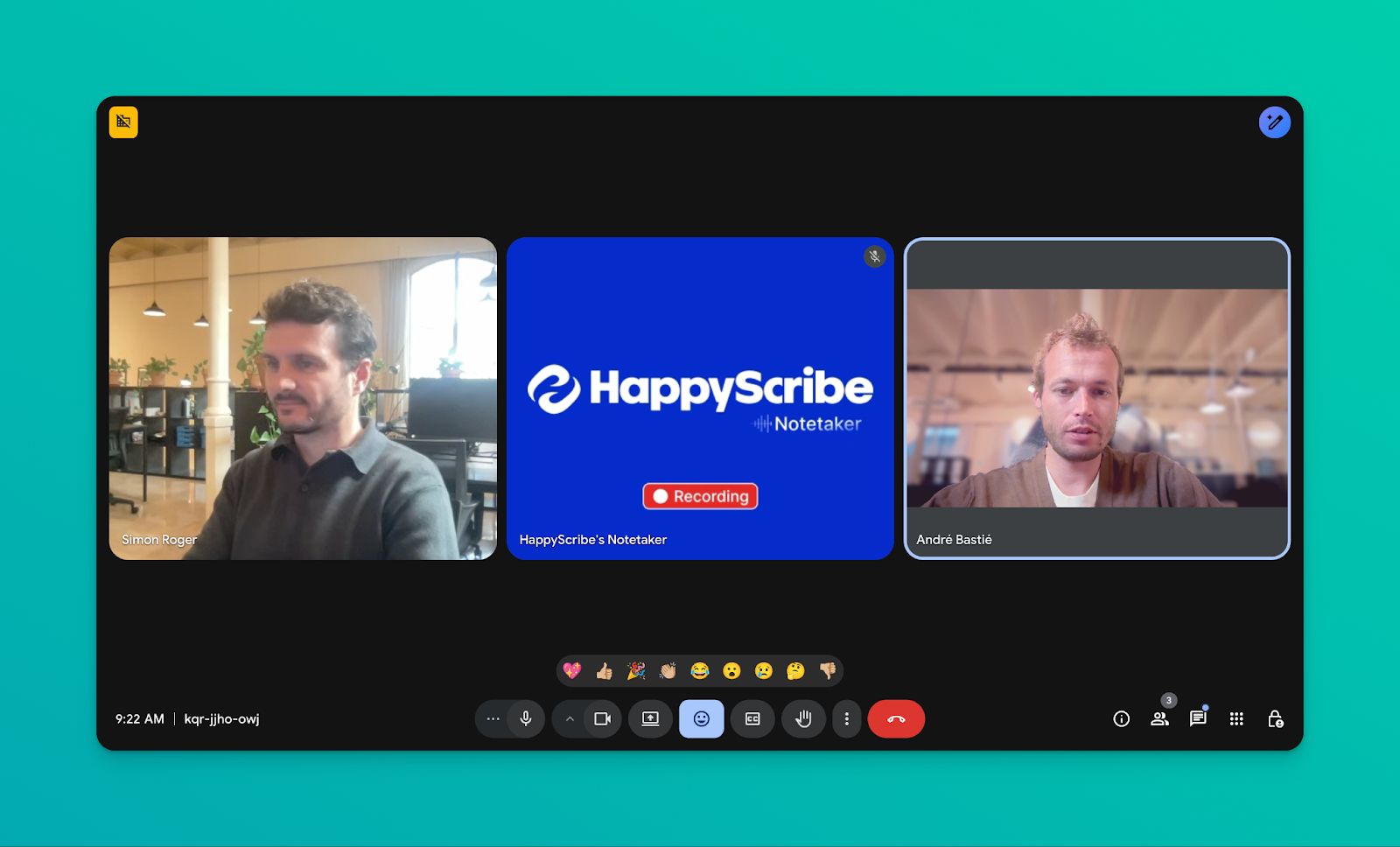
Want to make the HappyScribe notetaker look like a part of your company? You can customize the notetaker name, logo, background color, and chat messages to maintain brand consistency in all your meetings.
4. Generate summaries, action items, and key insights
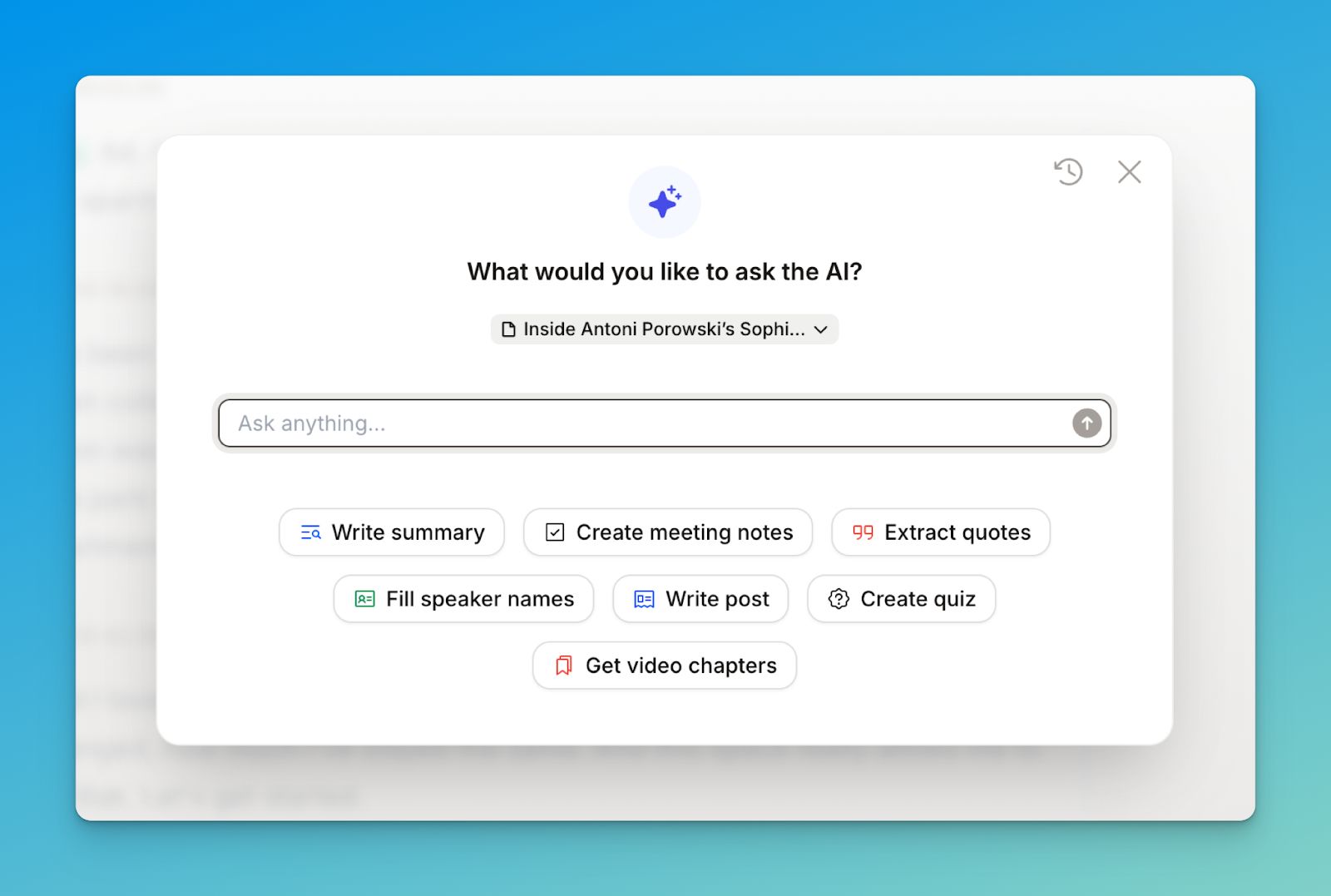
HappyScribe AI note taker goes beyond meeting notes. You can ask the AI to surface quotes, write objective meeting summaries, create a quiz to gamify the learning, and get video chapters to find the right clips.
All of these help you get more out of your meeting notes and help you make smarter decisions.
5. Repurpose meeting notes
Once you have a transcript ready, HappyScribe AI can write posts based on what was discussed in the meeting. If you have to email the stakeholders, send a Slack summary or write a post within the company wiki, HappyScribe simplifies the work for you.
6. Work across multiple video conferencing tools
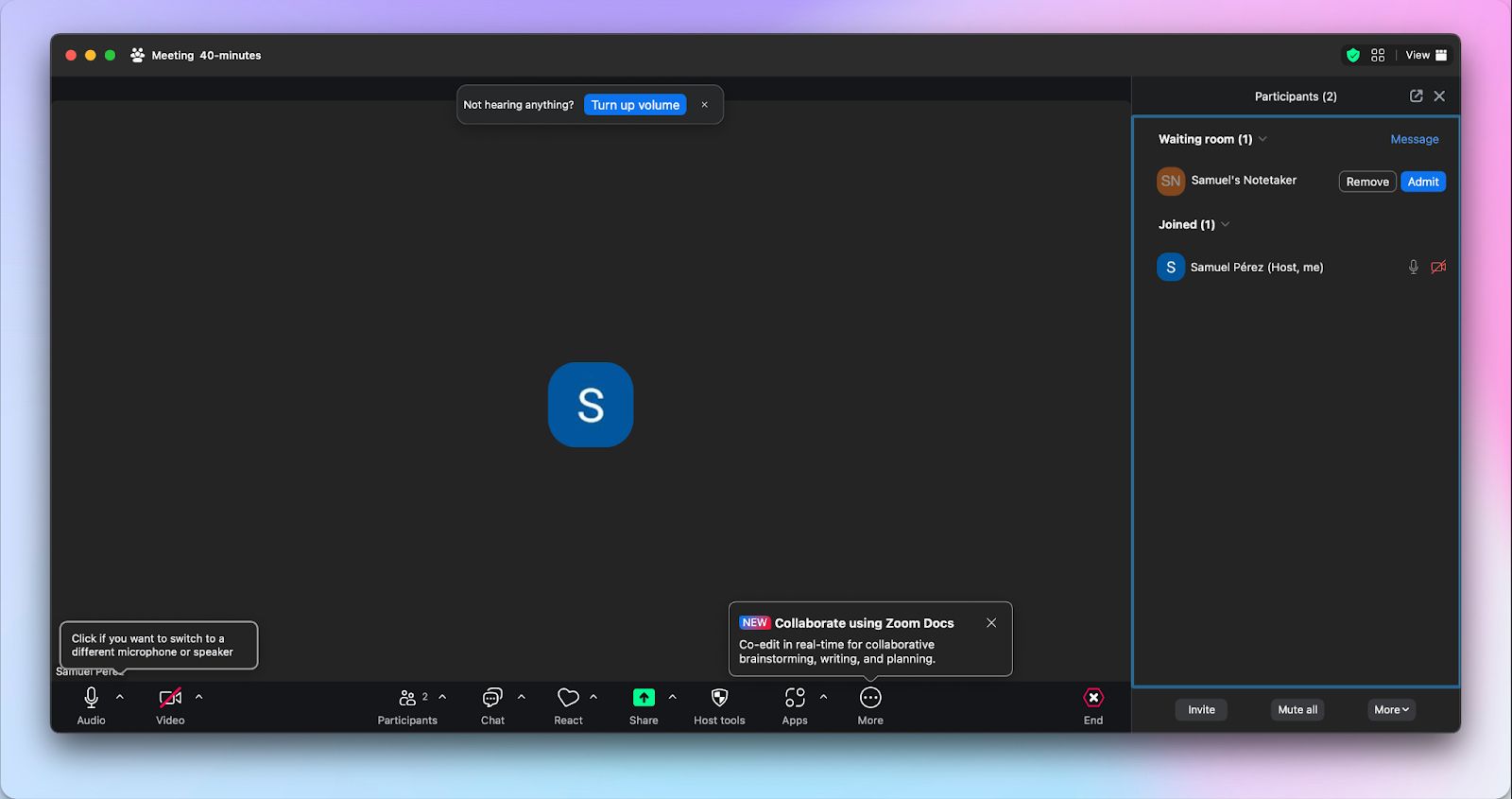
HappyScribe AI notetaker works seamlessly in Google Meet, Zoom, Microsoft Teams, and even Webex. You can integrate it with your Google or Outlook calendar and let the tool automatically join meetings without any hassle.
HappyScribe’s pros
- AI-powered meeting notes and summaries are delivered to your inbox after finishing a meeting
- Up to 99% accuracy and 140+ language support
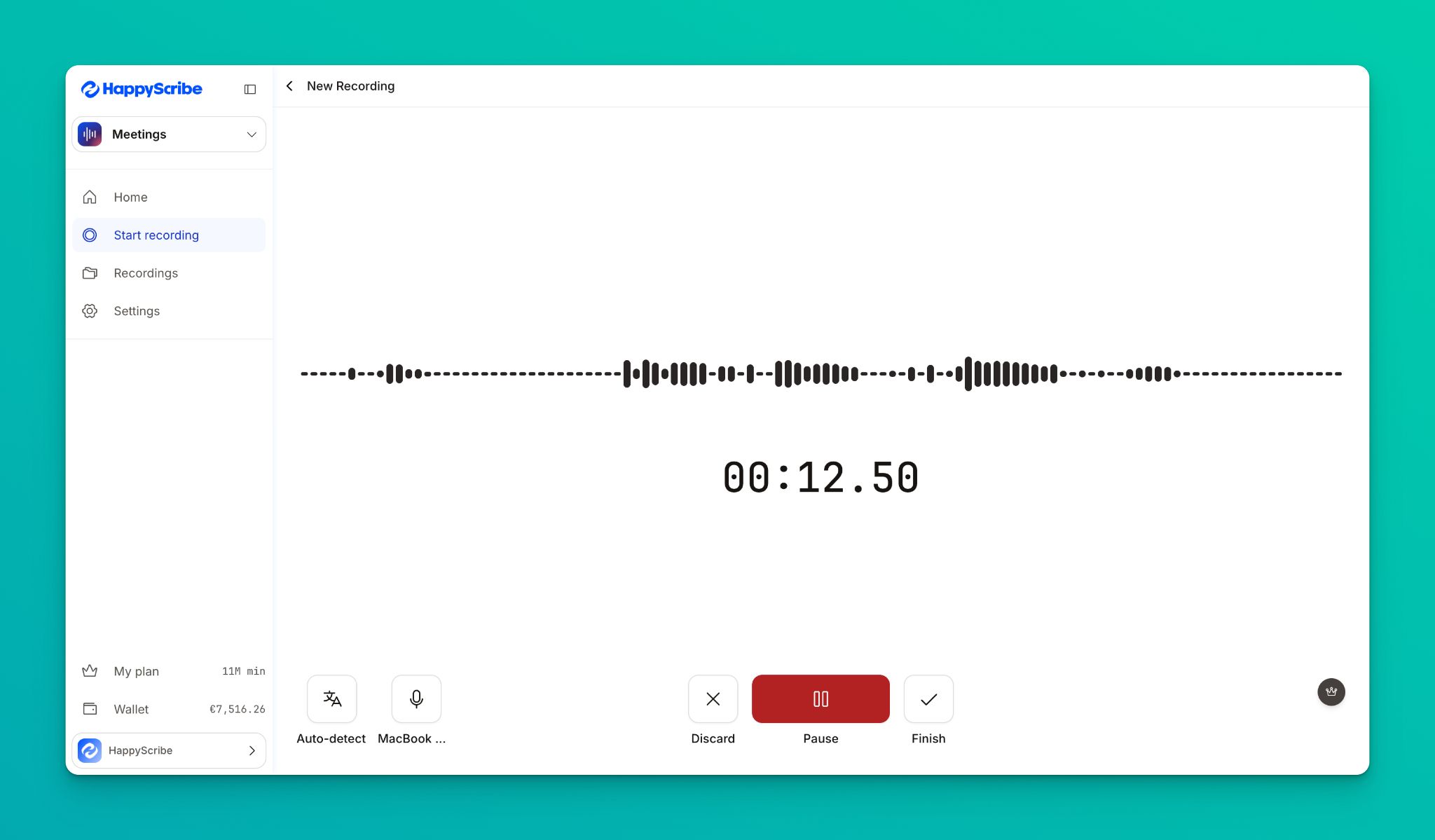
- Record in your browser or let HappyScribe auto-join with calendar integrations
- GDPR and SOC 2 Type II compliance, encryption in transit and at rest, and EU-based data centers for secure, private meetings. Perfect for European business leaders
HappyScribe’s cons
- Primarily web-based; no mobile app yet
- Built for meeting recording and post-meeting notes. Not ideal for live transcription
HappyScribe’s pricing
- Free: Unlimited meeting recordings (45 mins/recording)
- Basic: $8.50/month (billed annually) or $17/month (billed monthly)
- Pro: $19/month (billed annually) or $29/month (billed monthly)
- Business: $59/month (billed annually) or $89/month (billed monthly)
- Enterprise:Contact sales to get tailored solutions directly
What are real-life users saying about HappyScribe’s AI note taker?
The best of all the systems I have tested so far! I have tried many systems in the past to convert speech to text. I recently did an initial test with Happyscribe and I have to say, it worked sensationally well. And that was with German. It really makes work easier!
How to use HappyScribe’s AI note taker: A step-by-step guide
1. Link your Google or Outlook calendar to let HappyScribe auto-join meetings. If you prefer flexibility, you can paste the meeting link to manually invite the notetaker.
2. Select Meetings in the left sidebar and then check the options at the right to customize when the notetaker should join and who should receive the email summary.
3. Click on the Settings button at the top right to select when the notetaker should start recording and who can view the meeting transcription.
4. During a call, the notetaker must be admitted by the meeting host to start recording. You can chat with the notetaker to control it.
5. And that's it! The meetings should be saved in your Workspace files or in the Private section, depending on your privacy settings.
2. Otter
Best for: Business leaders looking for fast and dependable meeting notes in English
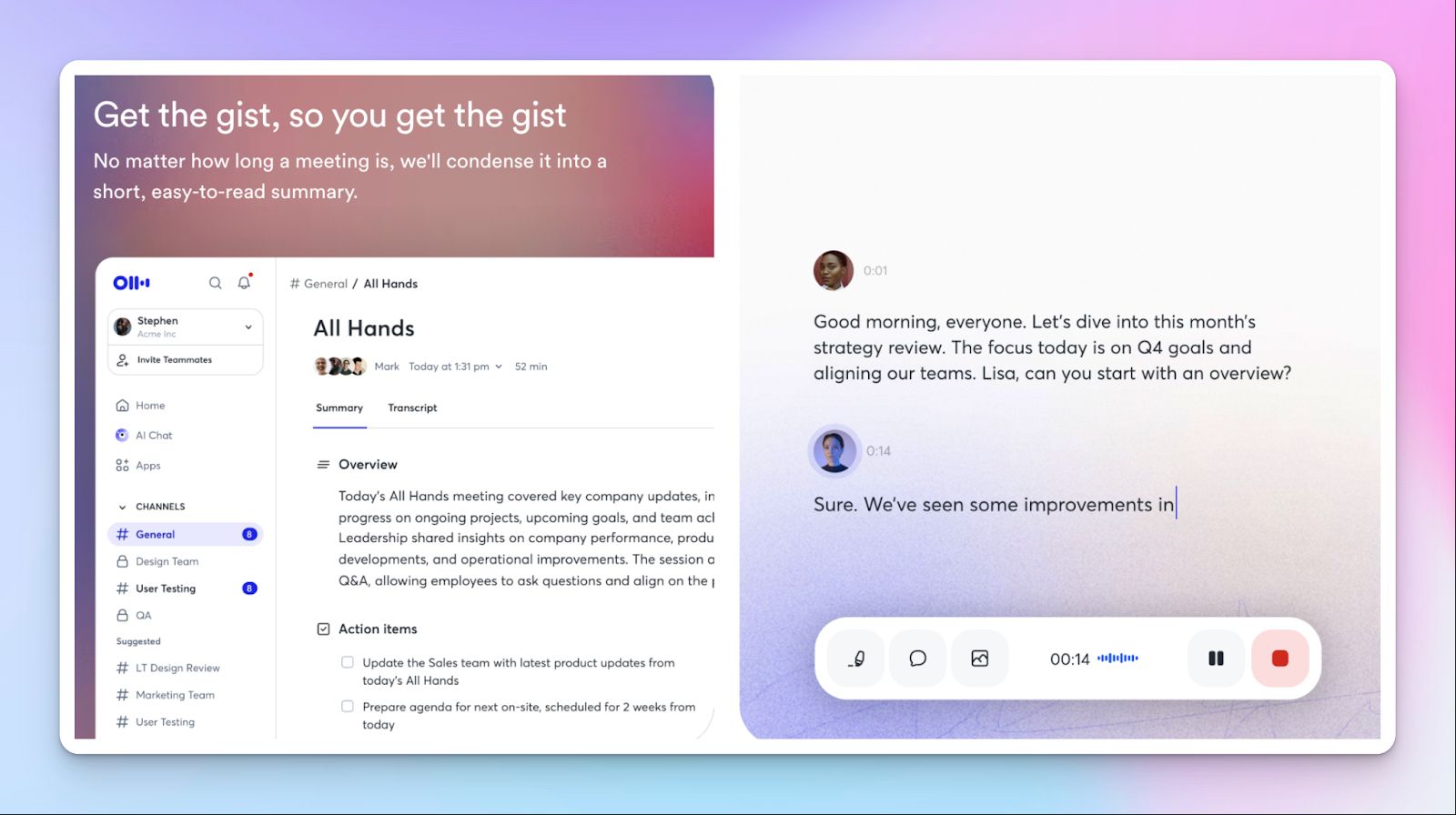
Otter AI is a popular transcription tool that doubles up as a meeting note taker. Similar to HappyScribe, it automatically records, transcribes, and summarizes meetings across Zoom, Google Meet, and Microsoft Teams.
Thanks to features like live transcription, post-meeting summaries, and slide capture, you can easily review what happened during the meeting without replaying the call.
Otter AI key features
- Calendar-based AI meeting agent with automatic join and recording
- Real-time transcription with editable, searchable meeting archive
- Slide and screen content captured alongside transcripts
- AI-generated summaries and action item lists after each meeting
- Integrations with tools like Notion, Google Docs, Asana, Slack, Jira, and Salesforce
Otter AI pricing
- Basic: Free
- Pro: $16.99/month
- Business: $30/month
- Enterprise: Custom pricing
Pros
- Simple interface makes onboarding easy
- Automatic calendar joining reduces missed or forgotten recordings
- Otter saves time by producing summaries fast and making them searchable
- Performs well for English-language meetings with clear audio
Cons
- Otter's accuracy falters in noisy calls or when accents vary across speakers
- Pricing and minute limits become restrictive for heavy meeting volume
- Otter only supports a limited number of languages: English, French, Spanish, and Japanese
3. Fireflies.ai
Best for: Revenue teams that run high call volumes and want meeting intelligence
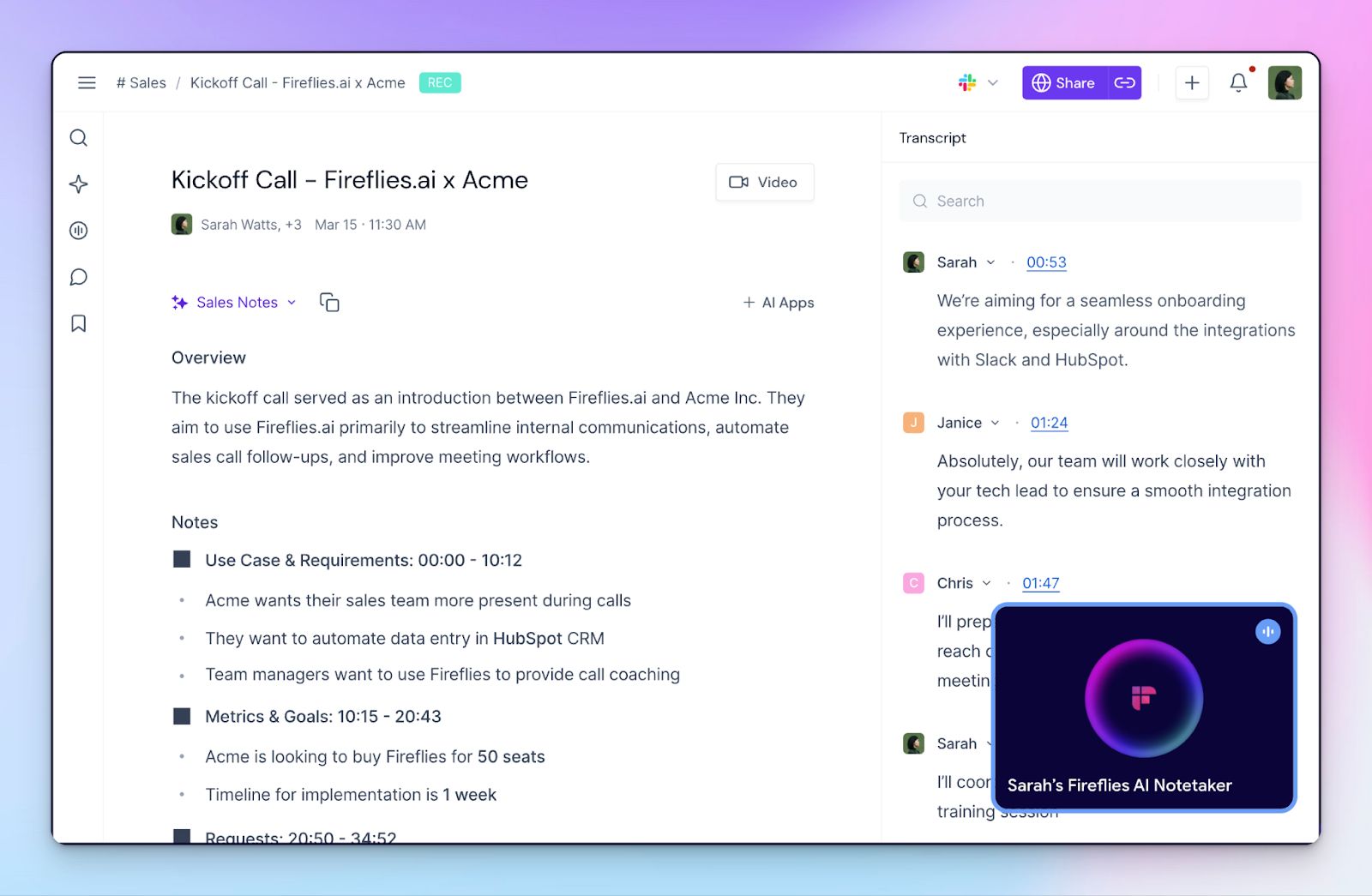
Fireflies is an AI meeting note taker built for teams that treat calls as data. You can use it to record, transcribe, and summarize meetings across video platforms, dialers, and uploaded files, and then turn those conversations into a searchable knowledge base.
Where Fireflies stands out is in depth. Beyond post-meeting summaries, it layers in real-time conversation analytics and workflow automation that support sales, customer success, and support teams.
Fireflies.ai key features
- Auto-join AI notetaker for video meetings and dialers
- High-accuracy transcription with speaker recognition and multi-language support
- AI summaries, action items, and searchable meeting history
- Live Assist and a desktop app for real-time notes and guidance
- Conversation intelligence with sentiment signals and integrations
Fireflies.ai pricing
- Free: Free
- Pro: $18/month
- Business: $29/month
- Enterprise: Custom pricing
Pros
- Well-developed desktop and mobile apps for on-the-go meetings
- Powerful search functions make it easy to revisit specific moments from past calls
- Deep integrations across CRMs, dialers, and collaboration tools
- Fireflies is suited for high-volume sales and customer-facing teams
Cons
- Fireflies’ interface can feel clunky for first-time users
- It has occasional speaker labeling issues on long or complex calls
- Advanced features are gated behind higher pricing tiers
4. Jamie
Best for: Founders who want a bot-free AI note taker
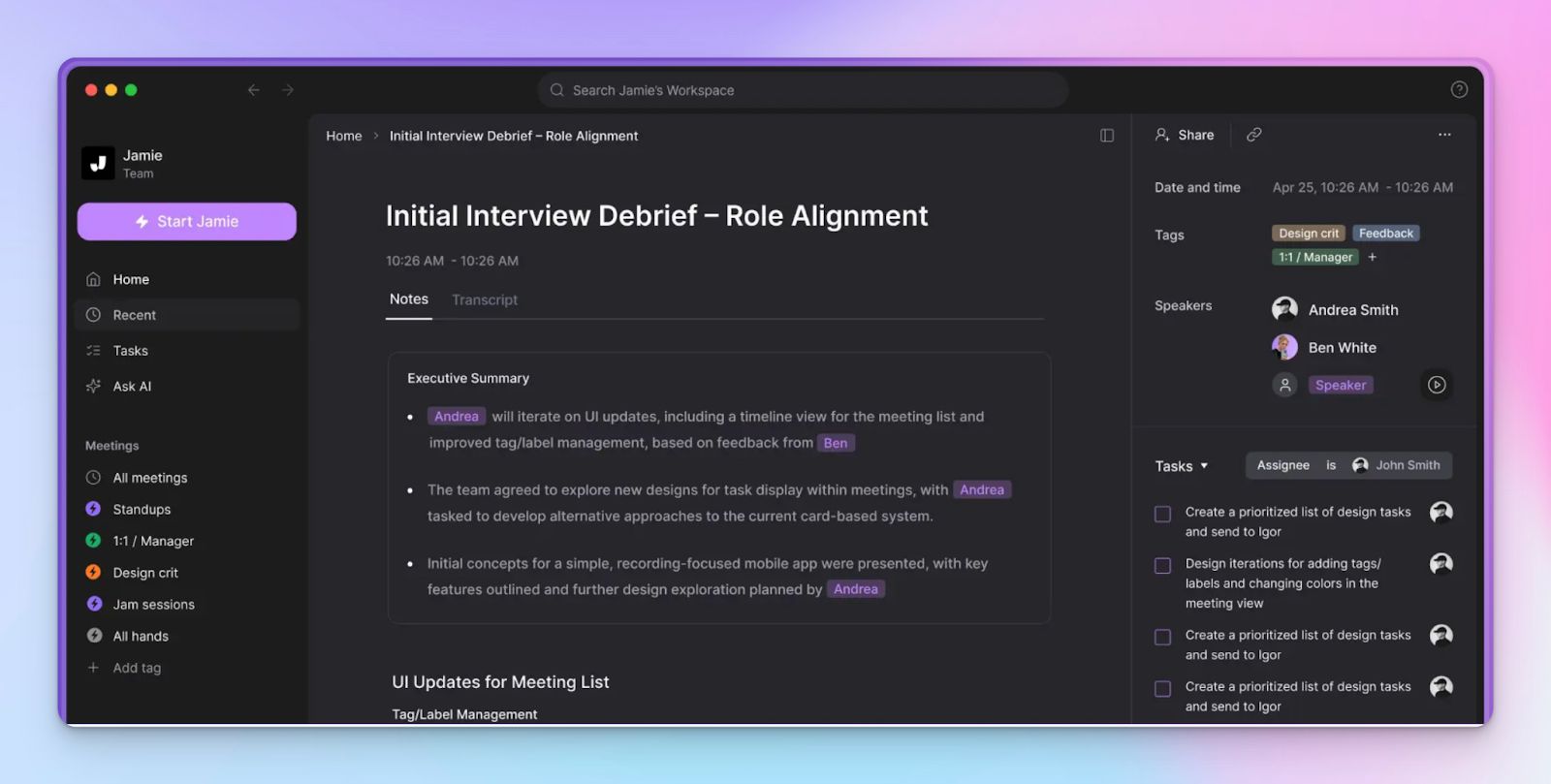
Jamie is a personal AI note taker that runs quietly in the background and captures meetings without adding a bot to the call. It works across online, hybrid, and in-person conversations, which means you do not need to change how meetings are run or explain a recording bot to guests.
Privacy is a core differentiator here. Notes, AI transcripts, and action items are generated after each meeting, then synced into your existing tools, so follow-ups stay organized.
Jamie key features
- Bot-free meeting capture across online, hybrid, and in-person meetings
- Ask AI to search through past meetings and find key decisions
- Integrations with Notion, Google Docs, OneNote, and HubSpot
- EU-based data hosting with strict privacy and security controls
Jamie pricing
- Free: €0/month
- Plus: €25/month
- Pro: €47/month
- Team: €39/user/month
- Enterprise: Custom pricing
Pros
- Strong summaries and action items that reduce review time
- Clear privacy claims with EU data residency and audio deletion
- Jamie has a simple interface that works well for small or executive teams
- The macOS and Windows apps are designed well
Cons
- No video recording for full meeting replays
- Summaries improve over time as terminology is learned
- Jamie's transcriptions take a while to process
5. Krisp
Best for: Remote teams looking for noise cancellation and AI notes in one tool
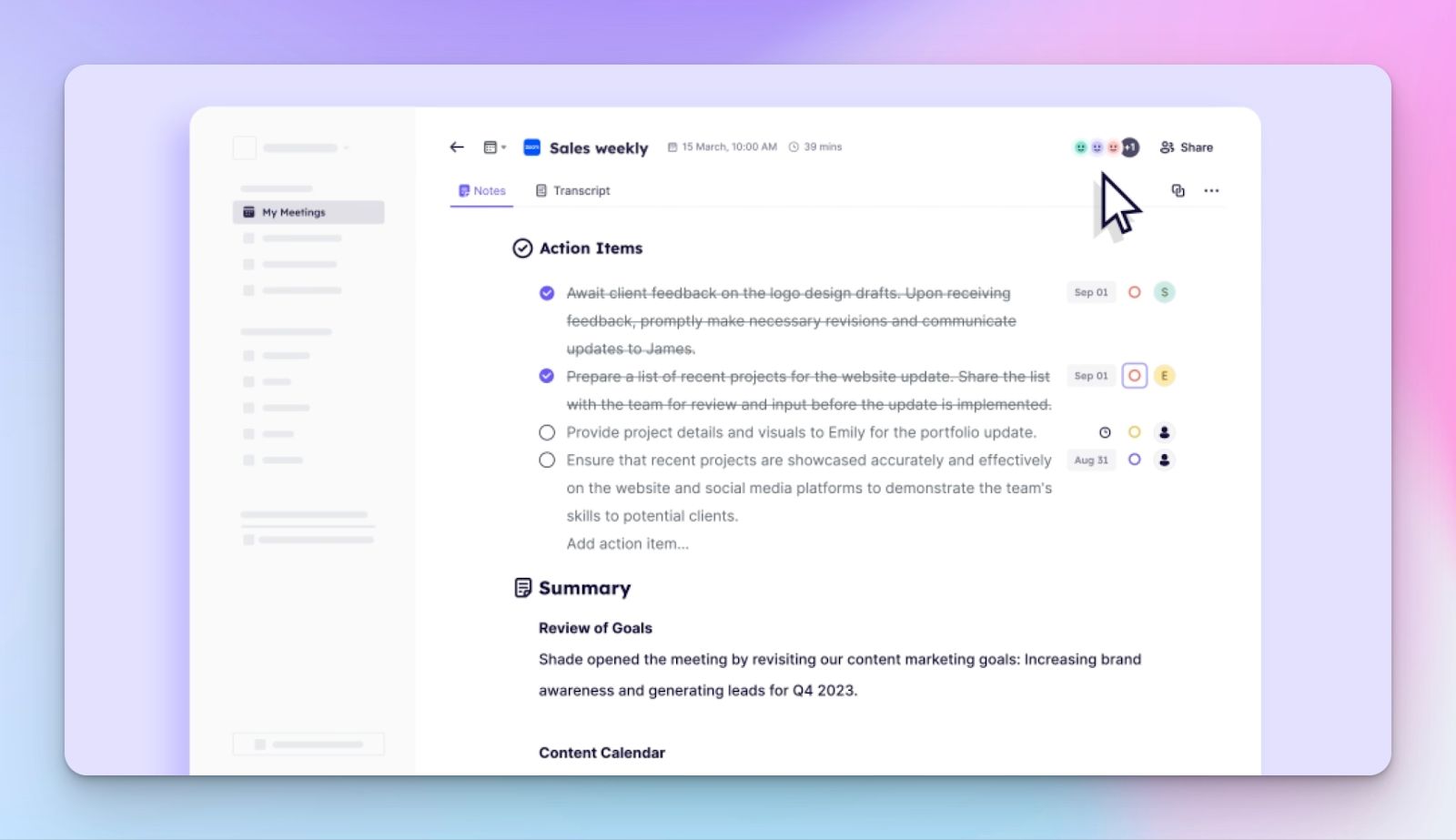
Krisp is a meeting assistant that combines noise cancellation, recording, transcription, and summaries in a single app. You can run it bot-free for privacy or use a bot when needed, which makes it flexible across client calls and internal meetings.
What differentiates Krisp is its audio quality. Noise cancellation and accent conversion run alongside transcription and summaries, which help global teams stay focused.
Krisp key features
- AI meeting notes with short or detailed summaries and action items
- Transcription and recording with speaker identification and timestamps
- AI noise cancellation and real-time accent conversion
- Integrations with tools like Pipedrive, HubSpot, Salesforce, Slack, and Zapier
Krisp pricing
- Free trial: 7 days
- Pro: $16/month
- Business: $30/month
- Enterprise: Custom pricing
Pros
- High-quality noise cancellation feature to improve call clarity immediately
- Krisp has a simple setup and broad compatibility with meeting and voice apps
- It combines recording, transcription, and summaries in one workflow
- Offers real-time meeting transcription
Cons
- Krisp’s transcription might require editing for long or highly technical meetings
- Performance depends on device quality and system resources
- Most team-ready features require paid plans
Tips to choose the right AI note taker for business leaders
Each of these AI tools solves a slightly different problem, and the right choice depends on how meetings function in your day-to-day work.
If your priority is speed and simplicity in English-only meetings, Otter works well. If meetings are tightly tied to revenue or customer conversations, Fireflies is built for that environment. If privacy and discretion matter most, especially in executive conversations, Jamie and Krisp stand out.
However, you miss out on something or the other with each tool. HappyScribe takes a broader approach.
It combines high accuracy, support for 140+ languages, and an interface that stays easy to use even when your meeting volume increases. You can rely on AI for everyday calls, then add in a human layer for accuracy.
If you want one AI note taker that scales with your business and works across teams and languages, HappyScribe is the most flexible choice.
FAQs on the best AI note taker for business leaders
1. What are the best AI note taker tools?
The best AI note takers depend on your workflow. HappyScribe works well for accurate, multilingual note taking across multiple meetings. Otter suits fast English notes, Fireflies fits sales teams, Jamie focuses on privacy, and Krisp combines note taking with noise cancellation.
2. Are AI note takers legal?
Yes, AI note takers are legal in most regions, but you must follow consent laws. Many tools notify participants automatically. For regulated teams, choose AI powered tools like HappyScribe that support GDPR and strong data controls.
3. What are some European AI note taker tools?
HappyScribe and Jamie are European note taker tools with EU data hosting and GDPR compliance. They are often preferred for internal team meetings where privacy and data residency matter.
4. How do AI note takers improve team’s productivity?
AI meeting assistants reduce manual note taking by capturing key points, summaries, and follow up tasks automatically. This helps the entire team stay aligned and focus on decisions instead of documentation.
5. Can AI note takers replace manual note taking?
For most teams, yes. AI transcription and summaries handle routine meetings reliably. Tools like HappyScribe also allow human review when accuracy is critical, which makes them suitable for high-stakes meetings.
6. Are AI note takers useful for teams and project management?
Yes. AI meeting notetakers help teams track decisions, assign tasks, and share notes across tools used for project management. It’s useful when multiple team members attend different meetings.

Biplab Mazumder
Biplab is a content marketer and writer who helps high-growth brands scale content visibility across AI search channels. His works have been published in HubSpot, Freshworks, Atlassian, SurferSEO, etc. When he's not planning content strategy, he's testing AI content workflows and use cases.