![5 Best Sembly AI Alternatives for AI Meeting Notes [2026]](/sanity-images/ejgwz1gl/redesign/3373926c48ed361bb256cc1305c7a52accaeaf58-1600x900.jpg?auto=format&w=1600.0&rect=0,50,1600,800&h=800)
Sembly AI offers AI notes, insights, meeting stats, and everything in between. But the fact that you’re here means it’s not doing a great job for you.
People looking for Sembly AI alternatives for meeting notes often complain about the lack of transcript accuracy and pricing. During my weekly syncs, I had to manually edit notes to add missing contexts and make sure the recordings didn’t fail. If you’re in the same boat, then this is the list for you.
To find the best Sembly AI alternatives, I tested the top meeting assistants on real calls to see how they perform under pressure. I also spoke with ex-users of Sembly and analyzed online reviews. Let's dive in.
TL;DR ⏩
- HappyScribe: Best for fast and accurate AI meeting notes in 140+ languages, along with translation, subtitling, and affordable plans for growing global teams
- Grain AI: Best for product and customer success teams that want to clip and share exact video moments
- Read AI: Best for managers and executives who want cross-platform intelligence across meetings, emails, and messages
- tl;dv: Best for sales teams and market researchers who want to build shareable meeting highlights and analyze objection handling
- Avoma: Best for enterprise sales teams that need full pipeline management and AI coaching
Why users are looking for Sembly AI alternatives
People who look for Sembly AI alternatives complain about these issues the most:
1. Buggy recording bot and accuracy issues
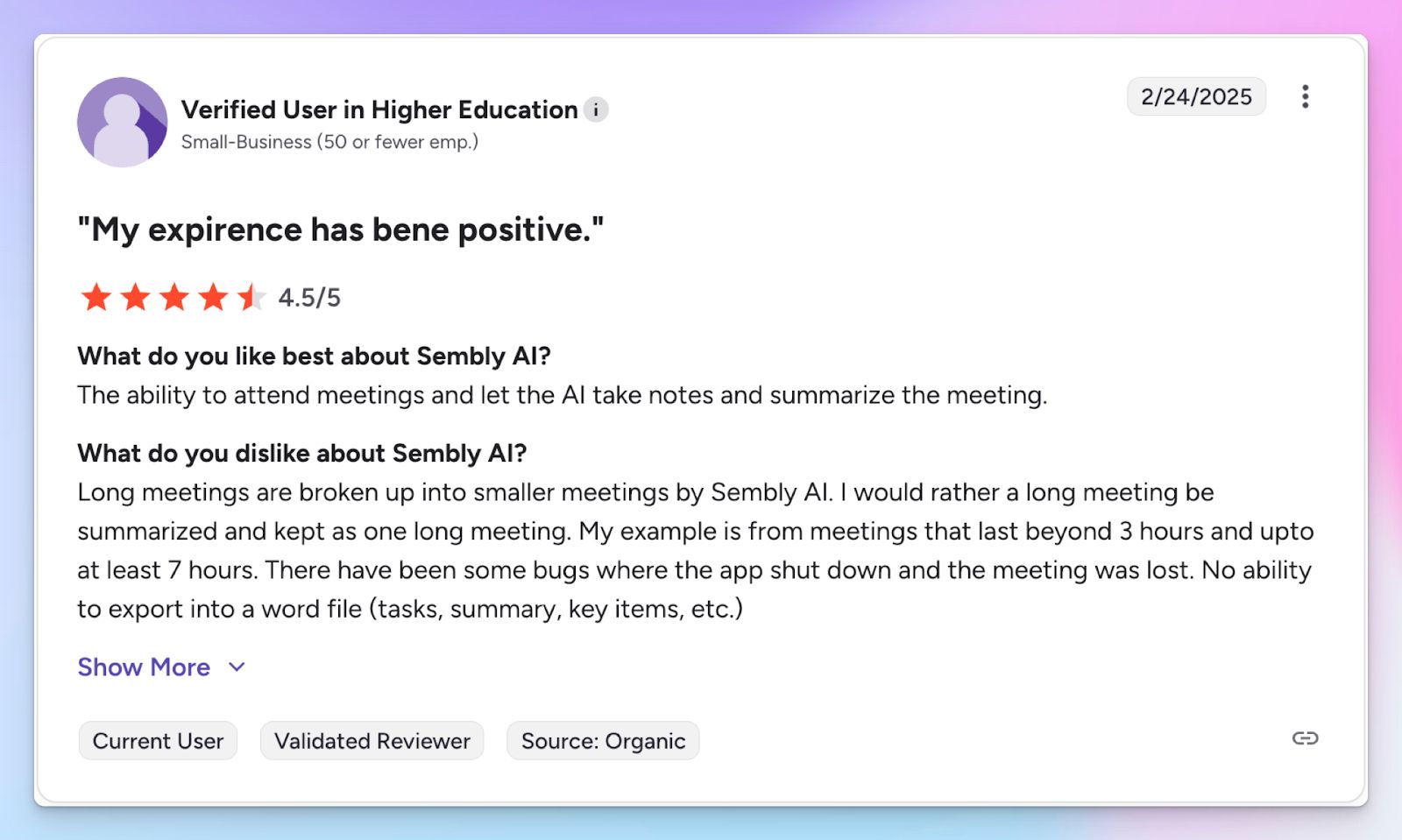
Based on my experience (and several others’), Sembly AI struggles to maintain consistent accuracy when conversations are non-linear. Factors like crosstalk and noise make the notes unreliable, and you’re stuck editing speaker labels and timestamps.
And that’s not it. Sembly’s recording bot can be buggy. There have been multiple instances where it appears to record but fails to save the session or crashes midway. Even if you have it scheduled, the bot might fail to join crucial meetings.
2. Sembly doesn’t offer a free tier
If anyone wants to evaluate the platform over time, Sembly makes it incredibly difficult. As of March 2026, Sembly removed its free Personal plan and transitioned old users to a highly restrictive "Basic free trial."
This means you cannot use Sembly for occasional meetings without eventually hitting a paywall. You are forced to upgrade to a paid subscription just to keep your workspace active.
3. Limited language support
While Sembly AI allows you to run meetings in several languages, the support is limited. It misses out on popular languages like Serbian, Albanian, Swahili, and Bengali.
So if you have meeting participants from diverse cultures or plan to collaborate with global stakeholders, it’s difficult to keep using Sembly for meetings.
4. No real value for money or unique feature
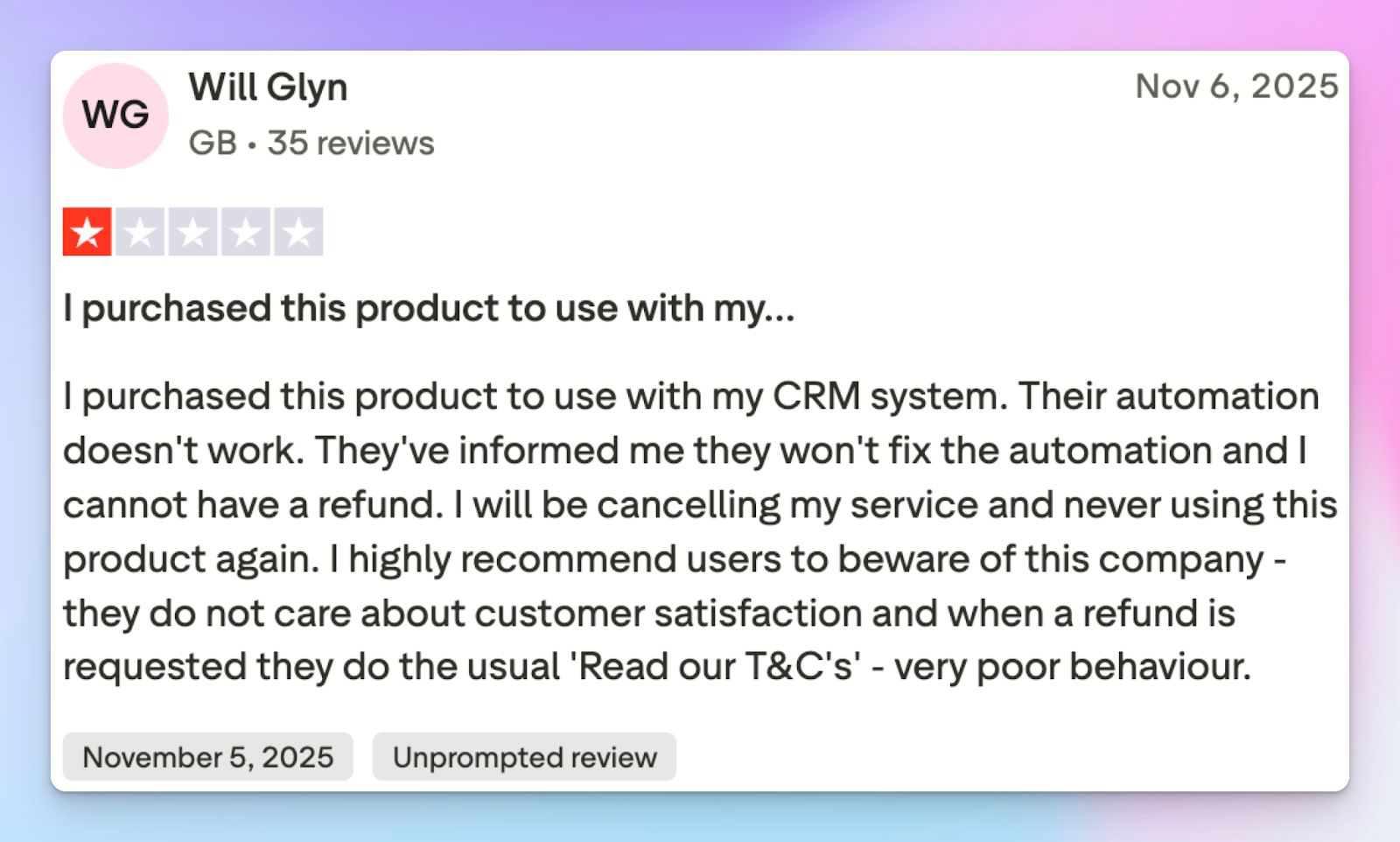
Sembly AI does a bit of everything, but it does not excel in any specific area to justify its pricing. The tool charges a premium when you start adding team members, making it expensive for growing businesses.
With no free tier and the basic plan starting at $17/month, Sembly lacks the value-for-money angle and pushes users to look for better deals elsewhere.
Sembly AI alternatives at a glance
| Category | HappyScribe | Grain | Read AI | tl;dv | Avoma |
|---|---|---|---|---|---|
| Best for | Fast, highly accurate meeting notes, translation, and subtitling for global teams | Product & CS teams looking to clip and share exact video moments | Managers/execs looking for cross-platform intelligence across channels | Sales & UX researchers building shareable video highlight reels | Enterprise sales teams looking for full pipeline management |
| Key features | 95%+ accuracy, bot-free offline recorder, subtitle editor, and translates notes into 80+ languages | Highlight clipping tool, MEDDIC/SPICED templates, global transcript search | Ada the digital assistant, real-time engagement metrics, cross-channel Readouts | Multi-meeting insights, AI coaching, and a conversational intelligence dashboard | 2-way CRM sync, Augmented Notes, AI-powered pipeline dashboards |
| Supported languages | 140+ languages and accents | 130 languages | 16 languages | 30+ languages | 75+ languages |
| Meeting integrations | Zoom, Google Meet, Microsoft Teams, Webex, and in-person 1:1 meetings | Zoom, Google Meet, Microsoft Teams | Zoom, Google Meet, Microsoft Teams, Webex | Zoom, Google Meet, Microsoft Teams | Zoom, Google Meet, Microsoft Teams, Webex, dialers |
| Security & Privacy | GDPR, SOC 2 Type II, strict EU data residency | GDPR, SOC 2 Type II | GDPR, SOC 2 Type II, HIPAA | GDPR, SOC 2 Type II, EU-hosted | GDPR, SOC 2 Type II, HIPAA |
| Starting price | Free plan with unlimited meeting recordings. Paid plan starts from $8.50/month (billed annually) or $17/month (billed monthly) | Free tier; Paid plans from $19/month | Free tier; Paid plans from $19.75/month | Free tier; Paid plans from $29/month | No free plan; Paid plans from $29/user/month |
1. HappyScribe
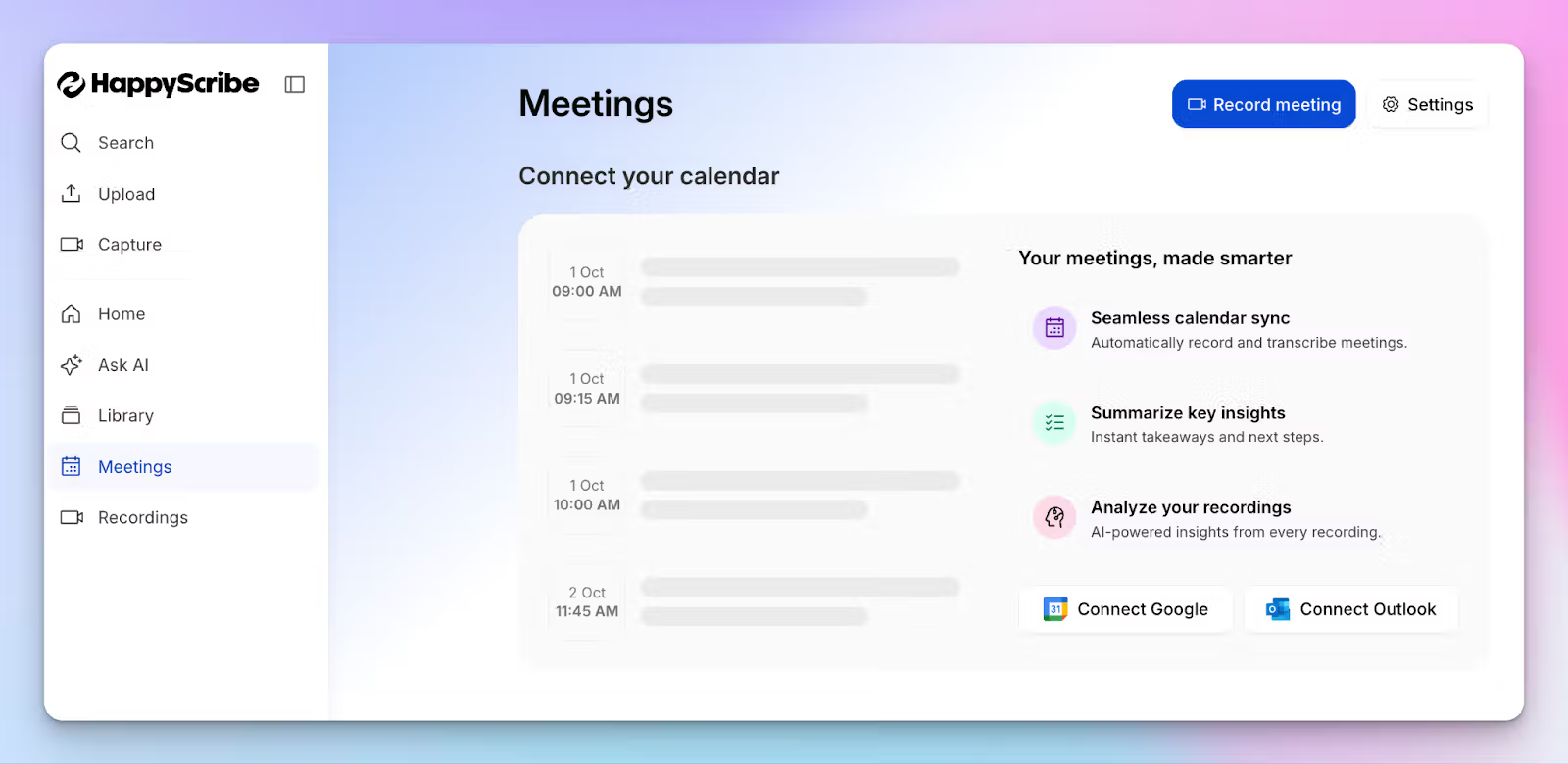
HappyScribe AI note taker is overall the best alternative to Sembly AI because it addresses the shortcomings of Sembly while offering more features and affordable plans.
You can link Google or Outlook calendar to allow HappyScribe to auto-join scheduled meetings or simply paste the meeting link to invite the bot.
Where Sembly tries to be a generalist AI agent, HappyScribe is focused on four core tasks: meeting note-taking, AI insights, transcript translation, and meeting video subtitling.
HappyScribe vs Sembly AI
| Category | HappyScribe | Sembly AI |
|---|---|---|
| Transcription accuracy | HappyScribe achieves 95%+ accuracy across 140+ languages to handle heavy accents easily | Sembly is limited to 48 languages and struggles with crosstalk and jargon |
| Global meeting management | HappyScribe lets you translate meeting notes and transcripts in 80+ languages to align with global teams | Sembly doesn’t offer meeting translation, so cross-border meetings are difficult to manage |
| Media capabilities | HappyScribe includes a professional subtitle editor, video and audio trimming, and file converters for content repurposing | Sembly offers meeting summaries and sentiment analytics |
| Value and testing | HappyScribe provides a generous free tier, allowing unlimited meeting recordings up to 45 minutes each | Sembly restricts new users to a 7-day Basic trial with tight recording limits |
HappyScribe’s key features
1. Quickly generate 95% accurate meeting notes in 140+ languages and accents
Global businesses require nuance. When attendees drop technical acronyms or speak with regional dialects, Sembly’s basic AI engines guess and fail.
HappyScribe has been developed from the ground up to help global multilingual teams. From Mandarin and Vietnamese to Catalan and Danish, you can generate 95%+ accurate meeting notes in 140+ languages and dialects.
Once a meeting finishes, you receive a structured document with precise speaker labels and action items so you can jump into tasks. You can also create custom glossaries and style guides to make sure HappyScribe always gets your industry jargon right.
2. Translate meeting notes and edit subtitles for video files
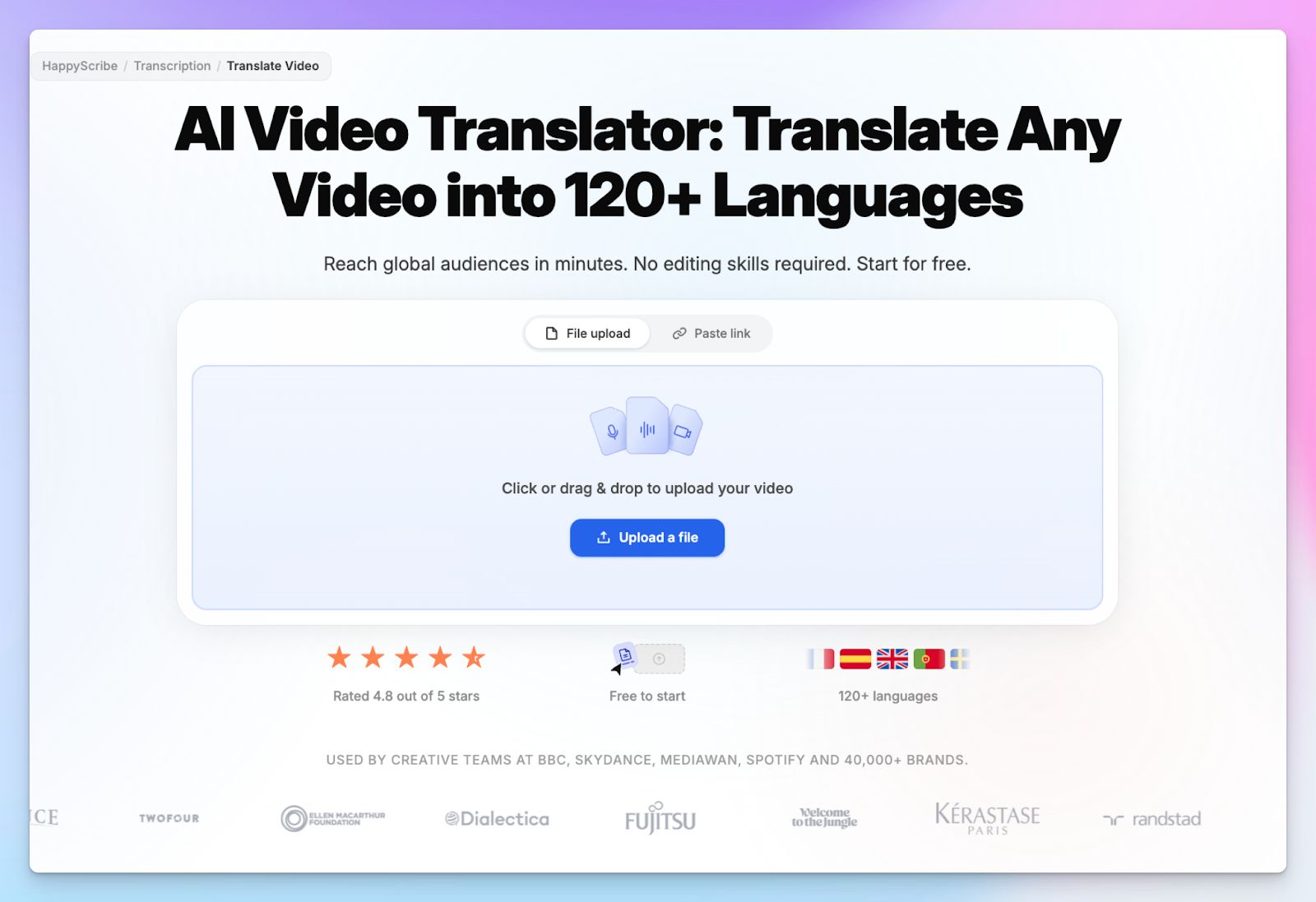
Sembly AI doesn’t have native workflows to translate meeting notes or edit subtitles, but HappyScribe does. If you want to share insights with stakeholders sitting in other parts of the world, HappyScribe lets you translate your notes and action items into 80+ languages.
It also features a dedicated subtitle editor where you can adjust timing and fix layouts. You can generate and burn captions directly onto your video files to create accessible internal training materials or client presentations.
3. Generous free plan for individual users
While Sembly locks basic features behind trials and paid upgrades, HappyScribe prioritizes accessibility so you can validate the tool in your daily work.
It lets you record an unlimited number of meetings entirely for free, capped at 45 minutes each. You also get to test the Ask AI chatbot, file upload capabilities, and transcription accuracy before you ever need to consider a paid subscription, making HappyScribe one of the best free AI note takers.
4. Record in-person meetings bot-free, from any device
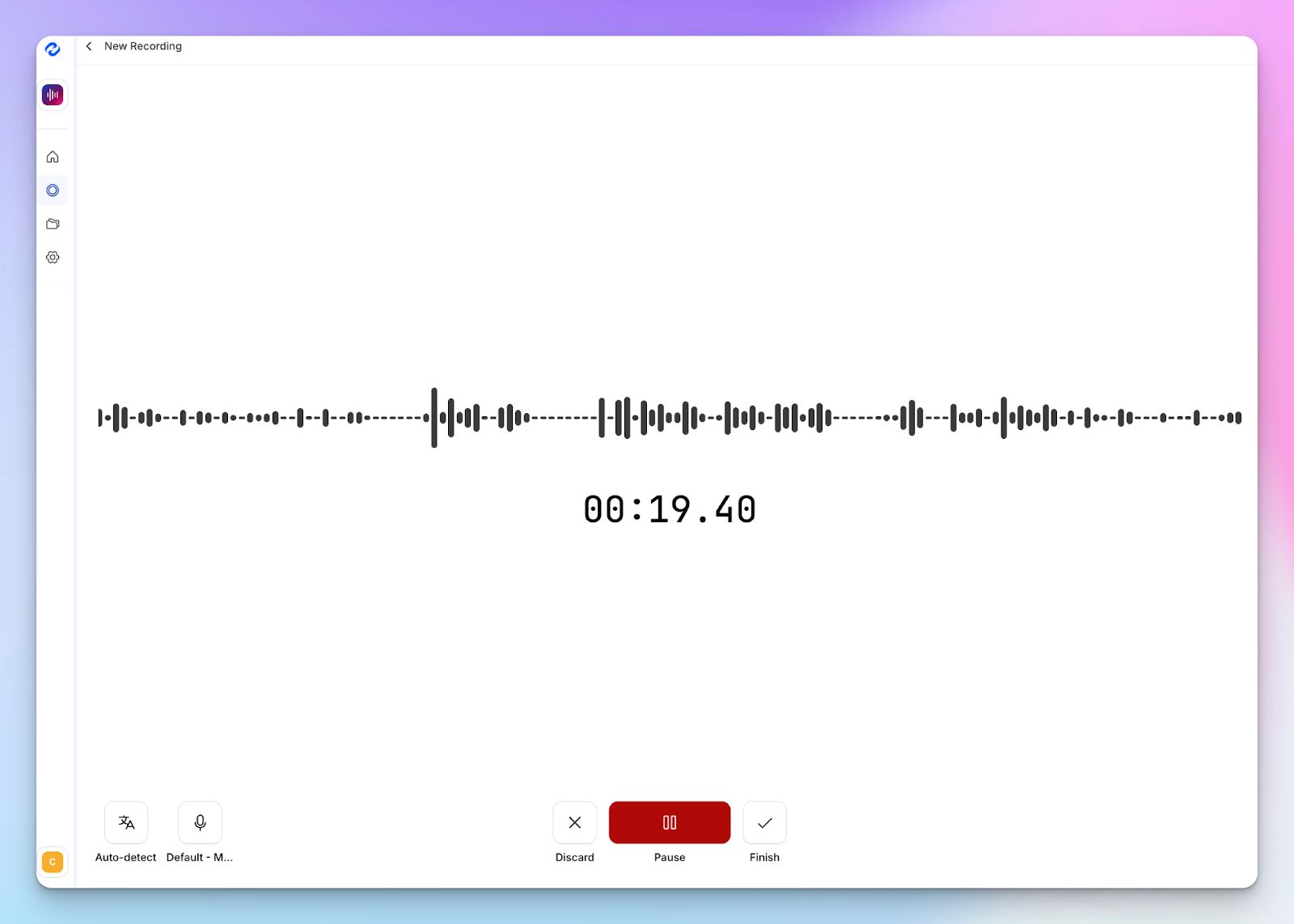
Not every crucial business decision happens on a Zoom call. When you sit down for a confidential one-on-one or a coffee shop chat, a visible AI bot breaks the natural flow of conversation.
HappyScribe offers a secure web-based audio recorder that works directly from your phone or laptop browser. You can capture the entire discussion and generate meeting agendas without distractions.
HappyScribe’s pricing
- Free: Unlimited meeting recordings (45 mins/recording)
- Basic: $8.50/month (billed annually) or $17/month (billed monthly)
- Pro: $19/month (billed annually) or $29/month (billed monthly)
- Business: $59/month (billed annually) or $89/month (billed monthly)
- Enterprise:Contact sales to get tailored solutions directly
HappyScribe’s pros
- Ask AI conversational chatbot for multi-meeting insights, speaker quotes, video chapters, follow-up emails, and post drafts; all in one place
- HappyScribe is a GDPR-compliant AI note taker, along with SOC 2 Type II certification and EU data residency for security and privacy
- Customizable meeting note taker with granular user control and a bot-free option for offline meetings
- Transparent and affordable billing for users, along with a free tier
- Generate subtitles and translate meeting notes to collaborate with global teams
- Upload and transcribe files and pre-recorded meetings from your device, YouTube, Vimeo, and Dropbox
HappyScribe’s cons
- Not ideal for real-time transcriptions
What are users saying about HappyScribe?
It was surprisingly accurate to work with HappyScribe, it even picked up the accent of the audio. Outstanding compared to other machine transcription services.
I have tried many systems in the past to convert speech to text. I recently did an initial test with Happyscribe and I have to say, it worked sensationally well. And that was with German. It really makes work easier!
How to use HappyScribe’s AI note taker? A step-by-step guide
1. Link your Google or Outlook calendar or paste the meeting link to invite the HappyScribe note taker. For in-person meetings, you can record audio without a bot.
2. Select Meetings in the left sidebar and then check the options at the right to customize when the notetaker should join and who should receive the email summary.
3. Click on the Settings button at the top right to select when the notetaker should start recording and who can view the meeting transcription.
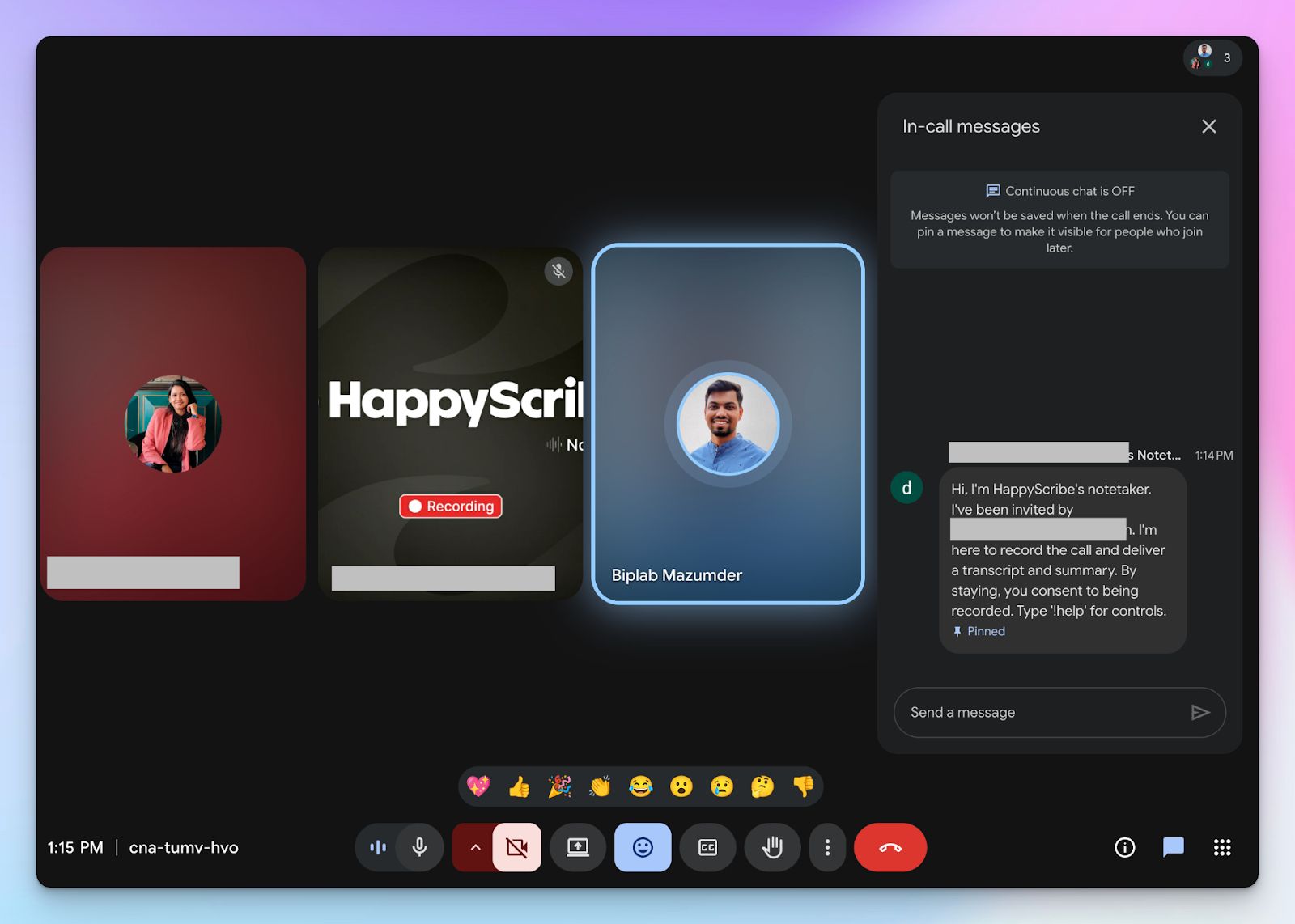
4. During an online call, the notetaker must be admitted by the meeting host to start recording. You can chat with the notetaker to control it.
5. And that's it! The meetings should be saved in your Workspace files or in the Private section, depending on your privacy settings.
2. Grain
Best for: Product and customer success teams that want to clip and share exact video moments from customer calls
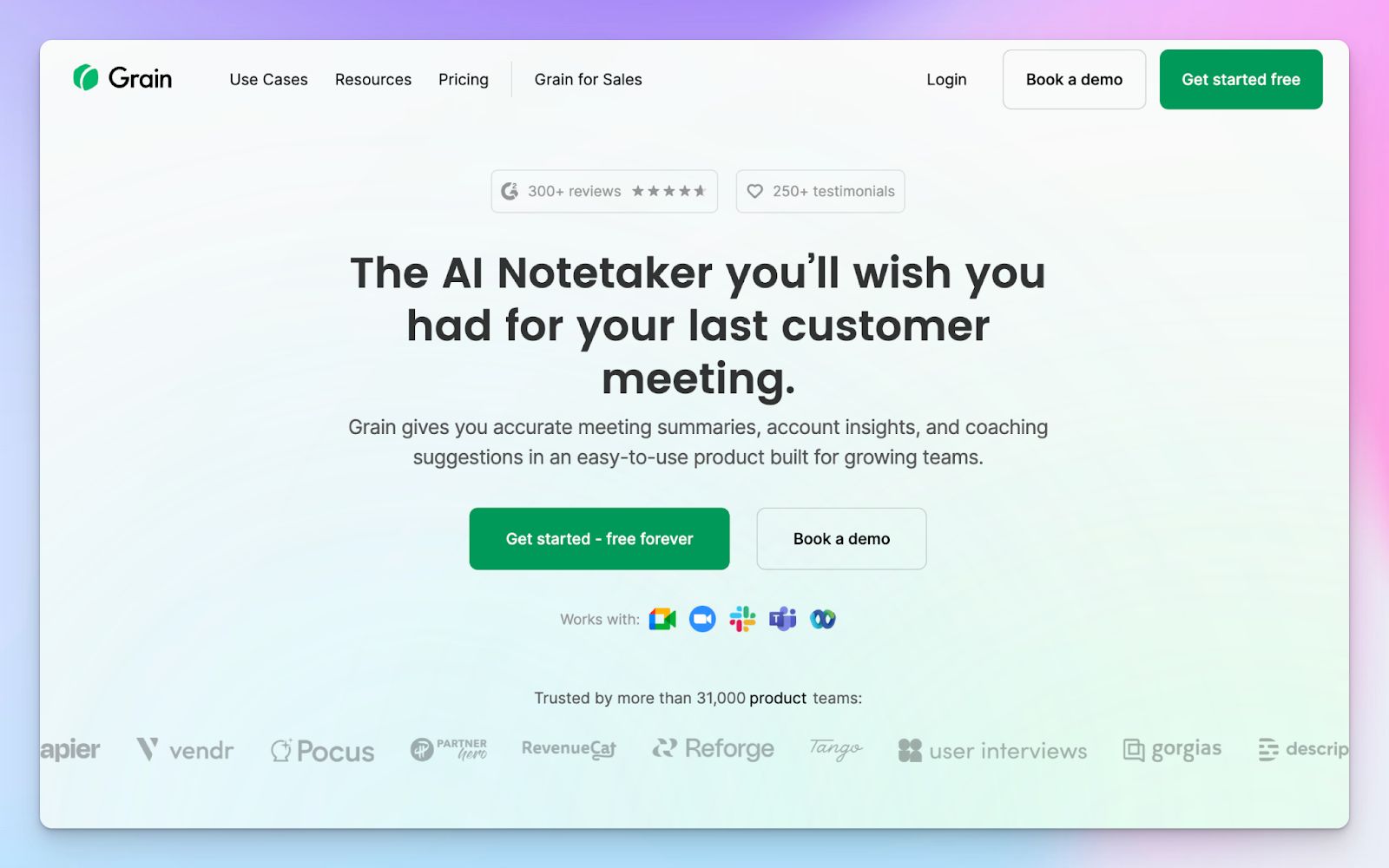
If you are tired of Sembly’s generic text summaries, Grain AI is built around the idea that showing is better than telling. It allows you to highlight critical moments during a call and instantly generate shareable video clips without downloading any files.
This makes Grain incredibly valuable for product and support teams who need to share customer feedback with the rest of the company. It offers deeper sentiment analysis than Sembly and customizes metrics according to use cases.
Grain vs Sembly AI
| Category | Grain AI | Sembly AI |
|---|---|---|
| Meeting clips | Grain creates shareable highlight clips and stitches them into stories | Sembly limits video playback to Pro and above, and relies on text-based summaries |
| Note customization | Uses Company Context settings and custom templates for tailored outputs | Uses pre-built AI templates optimized to create standard artifacts |
| Free plan limitations | Offers unlimited meeting recordings but strictly restricts file uploads | Sembly restricts all recording capabilities after a short basic trial |
| Sales coaching | Grain provides dedicated AI coaching and team interaction insights | Sembly focuses heavily on task extraction and project management tracking |
Grain’s key features
- Grain’s highlight clipping tool turns lengthy meeting moments into easily shareable playlists and stories for cross-functional teams
- You can use customizable AI note templates tailored to specific sales frameworks like MEDDIC or SPICED to extract precise insights
- Global transcript search and smart tags help you locate specific keywords and discussions across your entire meeting history
- With a dedicated deal dashboard, sales managers can aggregate call insights and track momentum across multiple conversations
Grain’s pricing
- Free
- Starter: $19/month
- Business: $39/month
- Enterprise: Custom pricing
Grain’s pros
- Grain lets you connect meeting data with Salesforce, HubSpot, Productboard, Aircall, Zapier, and MCP servers to eliminate manual data entry
- Grain has a clean and intuitive interface, which makes it easy for new users to adopt
- You can automate email follow-ups based on meeting topics
Grain’s cons
- Grain lacks native multi-language translation provided by several competitors
- Pricing can escalate quickly for growing teams compared to meeting notes-only tools
- Grain’s bot-free capture is limited to macOS devices and English-language meetings only
3. Read AI
Best for: Managers and executives who want cross-platform intelligence across meetings, emails, and messages
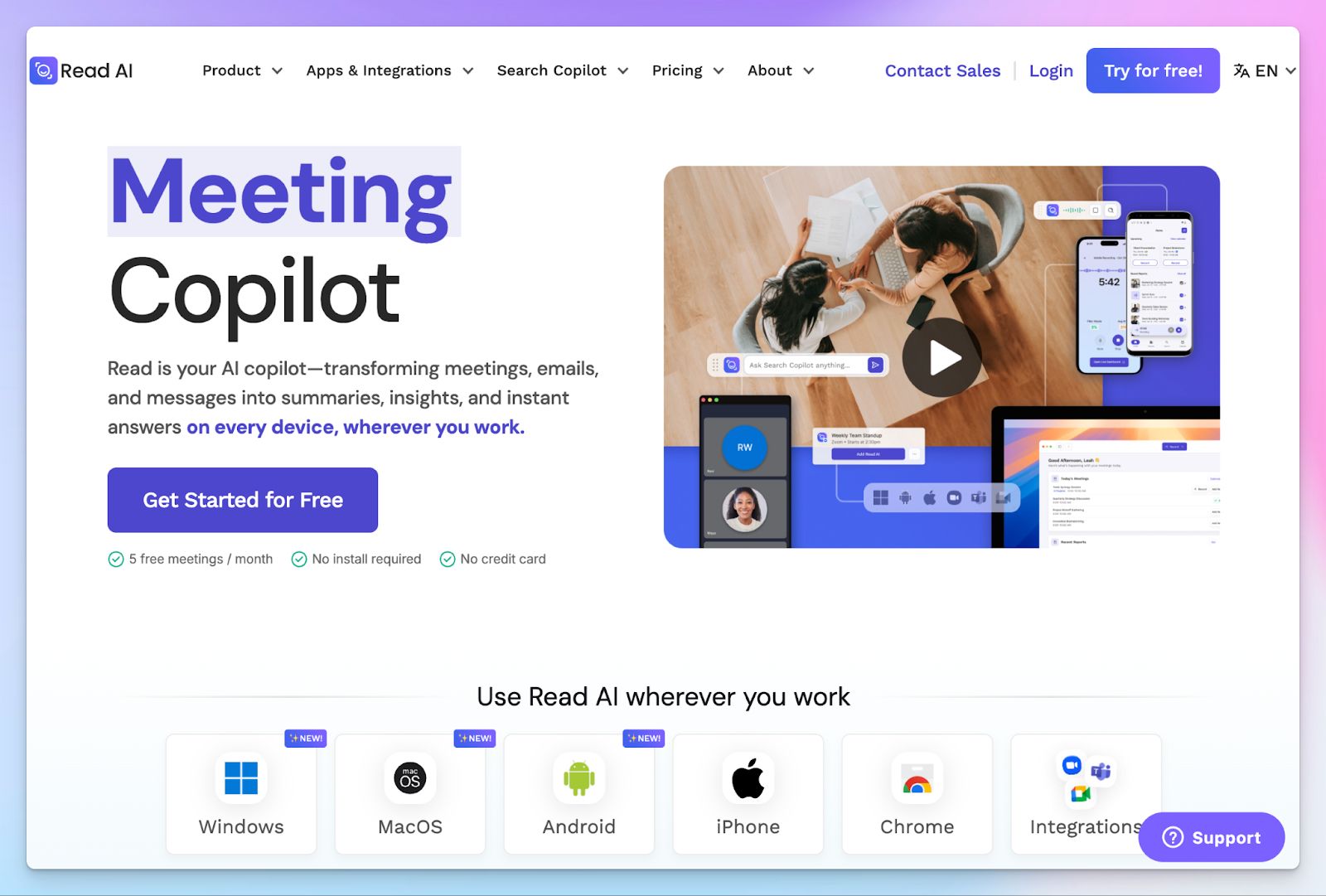
If you find Sembly AI’s meeting-only focus too restrictive for your daily workflow, Read AI takes a much broader approach. It acts as a workspace copilot that connects directly to your email, messages, and meetings so you can extract project context without having to piece together fragmented conversations manually.
This makes Read AI a solid note taking option for business leaders who need to track decisions across multiple channels. The Monday briefing email is a clever automation to summarize tasks and kick off the week.
Read AI vs Sembly AI
| Category | Read AI | Sembly AI |
|---|---|---|
| Cross-channel search | Pulls insights from meetings, Slack, Teams, and Gmail into a single search assistant UI | Sembly is more limited. It strictly searches within your past meeting transcripts and extracts tasks |
| Meeting metrics | Provides advanced real-time metrics for talk time, engagement, bias, and charisma scores | Relies on post-meeting sentiment analytics and standard talk-time ratios |
| Free plan limitations | Offers a free tier strictly limited to 5 meetings per month (maximum 1 hour each) | Restricts all recording capabilities after a short 7-day basic trial |
| Video playback | Read AI offers summarized meeting clips, but puts meeting playback features behind its Enterprise tier | Sembly limits video playback to Pro and above |
Read AI’s key features
- Ada, the digital twin, learns your behavior to proactively schedule meetings, resolve calendar conflicts, draft emails, and suggest CRM updates on your behalf
- Real-time meeting dashboard displays live metrics like talk time, meeting timer, and participant engagement scores to encourage balanced conversations
- With smart folders, you can automatically organize your meeting reports by project, client, or recurring series to eliminate manual filing
- Get a head start on your day by using the Readouts feature to automatically summarize long Gmail or Microsoft Teams conversations into daily updates
Read AI’s pricing
- Free
- Pro: $19.75/month
- Enterprise: $29.75/month
- Enterprise+: $39.75/month
Read AI’s pros
- Read AI saves you time by summarizing hour-long meetings into 2-minute video recaps
- Real-time engagement dashboard helps meeting hosts adjust their pacing and include quiet participants instantly
- You can integrate Read AI data with a wide range of tools, including Slack, Asana, Jira, Linear, Notion, and Salesforce
- Desktop app allows for bot-free capture of in-person discussions and Slack Huddles
Read AI’s cons
- Audio and video playback are strictly locked behind the expensive Enterprise tier
- Read AI only supports 16 languages, which limits its usefulness for truly global multilingual teams
- The sheer volume of cross-platform data and metrics can feel overwhelming if you just want simple meeting notes
4. tl;dv
Best for: Sales teams and UX researchers who want to build shareable meeting highlights and analyze objection handling
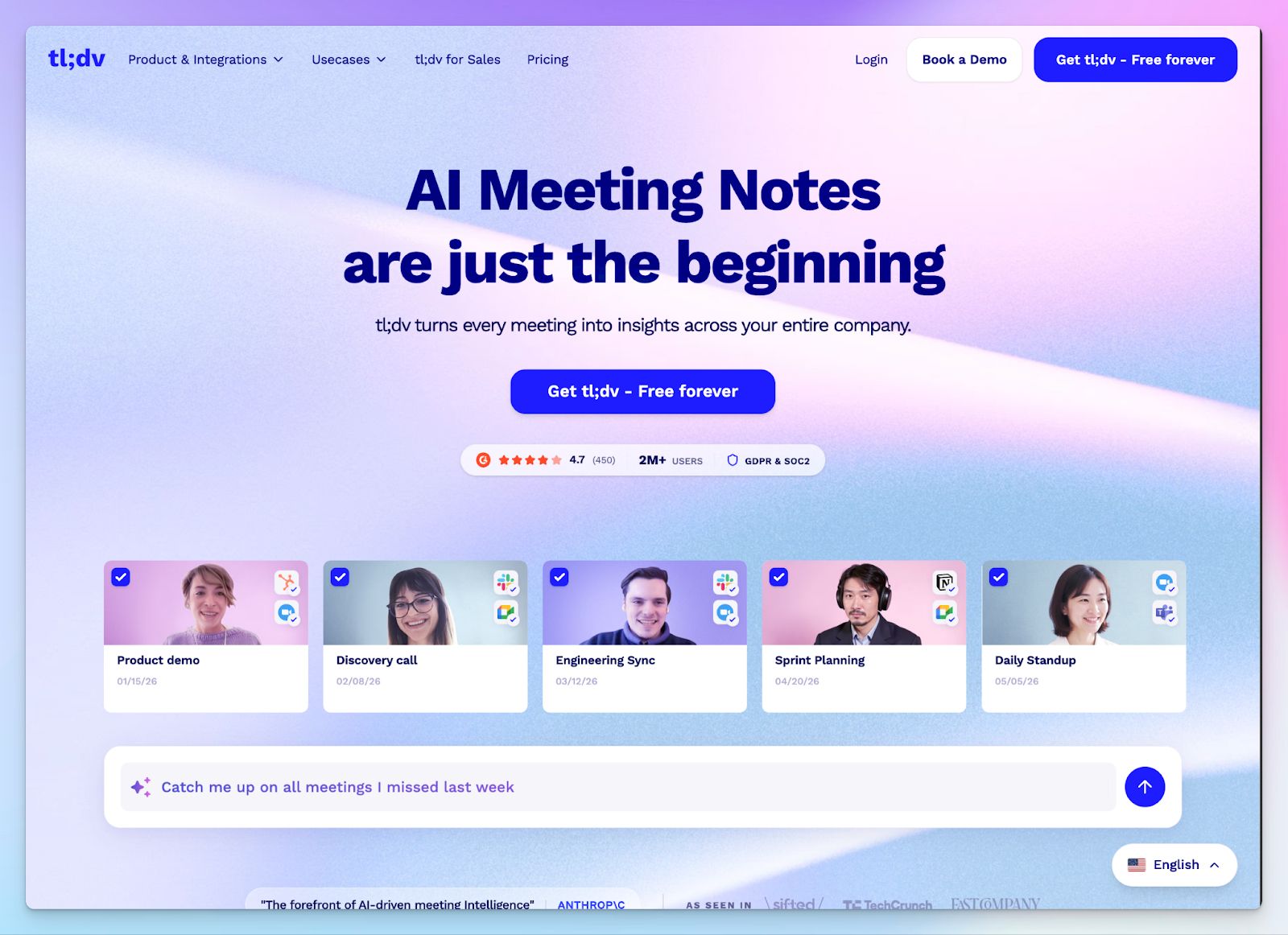
While Sembly captures meetings to generate notes and tasks, tl;dv operates like a lightweight version of Gong. It allows you to timestamp live moments during the call and stitch those moments into a video playlist, making it a powerful tool for market researchers and product teams.
You can search a specific keyword or competitor name, and the platform will pull every instance it was mentioned across months of customer calls.
tl;dv vs Sembly AI
| Category | tl;dv | Sembly AI |
|---|---|---|
| Sales coaching | Offers dedicated sales coaching and methodology playbooks to evaluate rep performance | Operates as a generalist project assistant without specialized departmental playbooks |
| Video evidence | Allows you to highlight live calls and edit multiple clips together into shareable video reels | Limits video playback to Pro tiers and focuses primarily on text artifacts |
| Free plan recording | Offers unlimited recordings on the free tier, but requires unarchiving them after 3 days | Restricts all recording capabilities after a short 7-day basic trial |
| Multi-meeting insights | Tracks competitor mentions and aggregates deal intelligence across your entire library | Confines search primarily to individual meeting transcripts and extracted tasks |
tl;dv’s key features
- AI meeting minutes automatically cluster your notes by specific topics, so stakeholders can skim the exact sections relevant to their department
- With advanced AI coaching, you can evaluate rep performance based on custom sales frameworks like MEDDIC or SPICED
- tl;dv’s multi-meeting intelligence generates insights from hundreds of past customer conversations into a single structured report
- Conversational intelligence dashboard tracks competitor mentions and objection handling patterns across your entire meeting library
tl;dv’s pricing
- Free
- Pro: $29/month
- Business: $39/month
- Enterprise: Custom pricing
tl;dv’s pros
- tl;dv supports automatic language detection, so you can switch languages mid-call without losing transcription accuracy
- You can create compelling visual evidence of customer feedback through stitched video clips
- With the live timestamping tool, you can bookmark critical moments during a call to instantly generate shareable video highlight reels
- tl;dv integrates with diverse tools, including Airtable, Notion, Zoho, Trello, HubSpot, Salesforce, and Slack
tl;dv’s cons
- Business plan pricing jumps significantly to $39/month if you want access sales coaching tools
- tl;dv’s meeting bot is unreliable and intrusive, which might create awkward moments in meetings
- Transcription accuracy falls sharply with background noise and underrepresented accents
5. Avoma
Best for: Enterprise sales teams that need full pipeline management and AI coaching
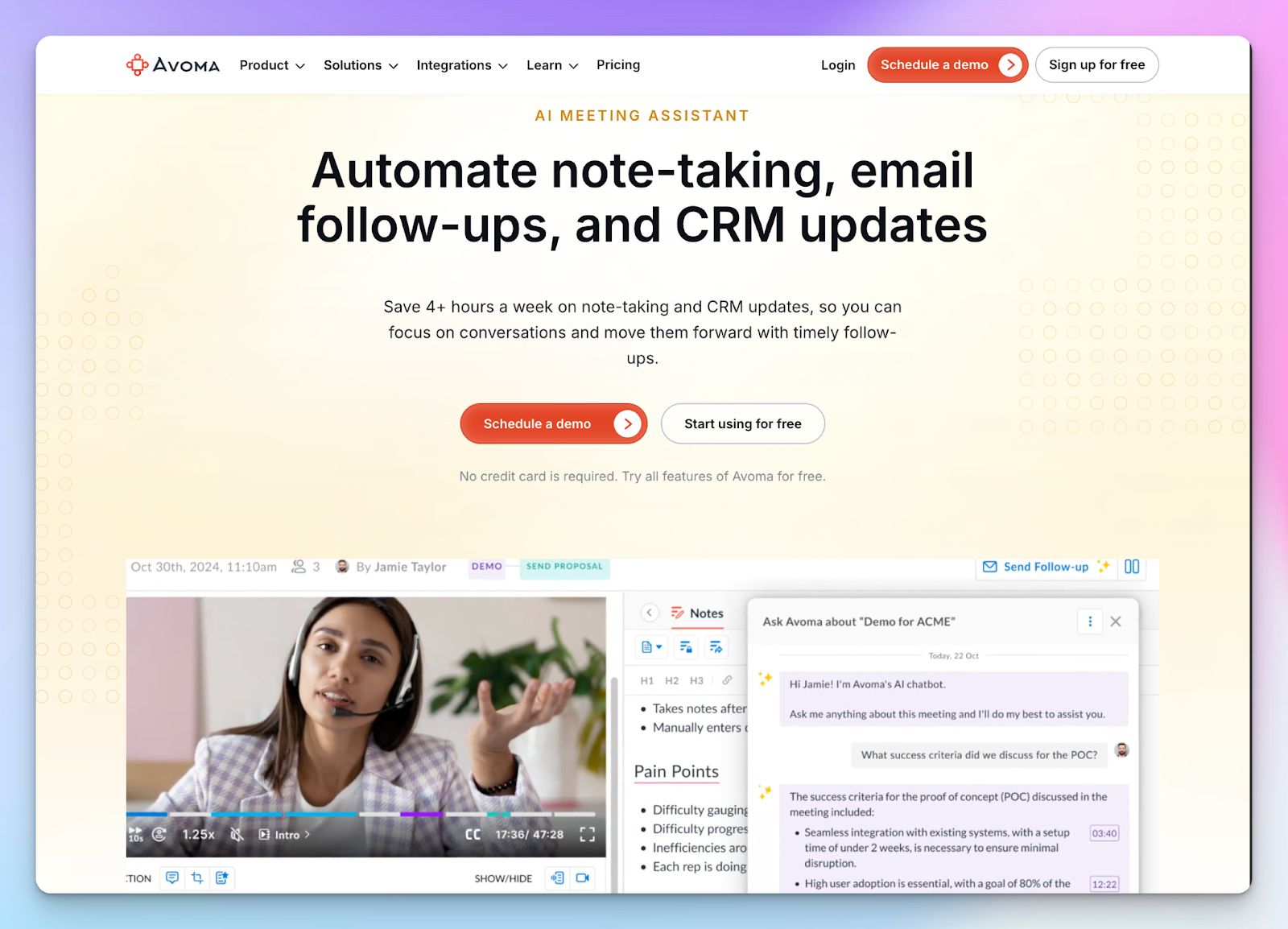
If you run a serious revenue operation, standard note takers like Sembly simply lack the firepower you need. Avoma bridges the gap between basic transcription and enterprise revenue intelligence by providing end-to-end pipeline visibility.
Avoma listens to your sales calls and updates your CRM based on frameworks like MEDDIC, BANT, and Sandler. Your reps save hours of manual data entry every week so they can focus on actually selling.
Avoma vs Sembly AI
| Category | Avoma | Sembly AI |
|---|---|---|
| Revenue intelligence | Automatically updates CRM fields with meeting data and tracks deal risks | Operates as a generalist meeting assistant |
| Supported languages | Avoma supports 75+ languages for meeting transcription | Sembly supports 40+ languages |
| Call analytics | Generates dedicated coaching scorecards and pipeline risk alerts | Provides basic meeting statistics and general post-call sentiment |
| Pricing structure | Requires a significant investment for advanced sales features | Offers cheaper basic plans but delivers less value |
Avoma's key features
- With the 2-way CRM integration, you can automatically sync data to Salesforce, HubSpot, Pipedrive, Outreach, Copper, and Zoho to eliminate manual entry
- With Augmented Notes, you can track keyword variations, sentiment shifts, and upsell opportunities in real time and categorize notes with templates
- Identify at-risk deals instantly using AI-powered pipeline dashboards that track buyer engagement and momentum
- You can filter and search your entire organization's conversation history to track specific competitor mentions and market trends
Avoma’s pricing
- Startup: $29/user/month
- Organization: $39/user/month
- Enterprise: $39/user/month (billed annually; minimum 10 seats)
- Conversation Intelligence add-on: $35/month
- Revenue Intelligence add-on: $35/month
- Lead router add-on: $25/month
Avoma's pros
- AI coaching scorecards help sales managers train new reps faster based on actual call performance
- Avoma centralizes team scheduling, lead routing, and conversation intelligence into one platform
- With the Revenue Intelligence add-on, RevOps leaders get clear visibility into deal health and pipeline risks before things break down
Avoma's cons
- Avoma’s modular pricing is deceptively expensive, requiring pricey add-ons just to unlock coaching features
- The meeting recording bot is not reliable, with users frequently reporting late joins and random mid-call drops
- While Avoma is good for Enterprise sales, it’s overkill for individuals or teams outside of sales
💡 Also read:Best Otter AI alternatives for AI meeting notes
Which Sembly AI alternative is right for you?
Choosing the best Sembly AI alternative depends on what you or your team struggles with the most.
👉 If your customer success and product teams want to clip shareable video moments and use custom sales frameworks, Grain and tl;dv are solid solutions.
👉 Managers and executives who want cross-platform intelligence across meetings, emails, and messaging channels can rely on Read AI.
👉 Avoma serves enterprise sales teams needing full pipeline management, including sales call coaching.
👉 If you need a reliable, highly accurate platform to capture and translate high-volume multilingual meetings, HappyScribe is the most reliable choice.
Your main issue with Sembly AI might simply be the buggy recording bot and the lack of transcript accuracy. HappyScribe is based in the EU and delivers 95%+ accurate transcripts in over 140 languages, bypassing the generic technical failures of Sembly. You get a bot-free web recorder for offline conversations, professional subtitling tools, and translation capabilities to keep global stakeholders perfectly aligned.
FAQs on the best Sembly AI alternatives for AI note taking
1. Who are the competitors of Sembly AI?
The main competitors to Sembly AI include HappyScribe, Grain, Read AI, tl;dv, and Avoma. Choosing the right meeting transcription tool depends on whether you need simple automated meeting notes, advanced sentiment analysis, or deep integration with other business tools. For example, Avoma is great for large sales teams looking for specific collaboration features, while HappyScribe is the best AI meeting assistant for highly accurate transcription across multiple languages, offering unmatched multilingual support.
2. Which AI is best for generating notes?
The best AI meeting assistant depends entirely on your workflow. If you want pristine audio quality processing with 95%+ accuracy and flawless speaker identification, HappyScribe is the top choice. For tracking team performance and generating cross-platform AI summaries, Read AI is excellent, though it comes with a steeper learning curve. Alternatively, Grain is better if you prioritize clipping key points from the entire recording rather than reading the full transcript.
3. Is Sembly AI free?
No, Sembly AI no longer offers a permanent free tier. New users are currently restricted to a short 7-day basic trial. This is one of the few downsides for small teams hosting regular virtual meetings. To access more advanced features, unlimited recording time, and full collaboration tools, you must upgrade to a paid tier or an enterprise plan. This strict paywall pushes many users to seek alternative meeting tools like HappyScribe that offer a generous free plan.
4. Which Sembly alternative does not use a bot?
HappyScribe is the ideal solution if you want to record a meeting without an intrusive bot joining the call. It offers a secure, web-based audio recorder that is perfect for sensitive discussions or in-person syncs. Unlike Sembly's bot, which can sometimes crash and disrupt your meeting efficiency, HappyScribe captures the conversation discreetly while still providing fast transcription and precise note-taking.
5. What is the best free alternative to Sembly AI?
HappyScribe offers one of the most generous free tiers, allowing you to generate automated meeting notes with high accuracy. You get unlimited recordings (capped at 45 minutes each), excellent speaker identification, and robust multilingual support without paying a dime. It works seamlessly alongside platforms like Google Meet, Zoom, and Microsoft Teams, significantly boosting your overall meeting efficiency.
6. How do Sembly alternatives handle data privacy?
Sembly’s top alternatives offer highly secure AI meeting assistants, especially when handling real-time transcription data across Zoom and Microsoft Teams. HappyScribe, for instance, ensures strict EU data residency, GDPR compliance, and SOC 2 Type II certification. Whether the platform is running sentiment analysis, syncing with project management tools, or if you simply want automated note taking, top-tier tools ensure your data is secure and private. They might also provide secure data transfers to your other project management tools that you use.

Biplab Mazumder
Biplab is a content marketer and writer who helps high-growth brands scale content visibility across AI search channels. His works have been published in HubSpot, Freshworks, Atlassian, SurferSEO, etc. When he's not planning content strategy, he's testing AI content workflows and use cases.