


![5 Best AI Meeting Minutes Generators [2026]](/sanity-images/ejgwz1gl/redesign/ec7cbd86bf504fd81287165f8a636507c01e51f7-1672x941.jpg?auto=format&w=1672.0&rect=0,0,1672,941)
TL;DR ⏩
Based on my testing and research, here are the best AI meeting minutes generators:
- HappyScribe: Best for researchers and professionals that want structured meeting minutes in 150+ languages, with the recording and transcript behind every decision
- Sembly AI: Best for project and operations teams that want risks and issues flagged in their minutes automatically
- Notion AI: Best for teams already on Notion Business who want minutes saved next to their project docs
- Circleback: Best for teams that want action items from the minutes pushed straight into their CRM or project tools
- Krisp: Best for people who take calls in noisy places and want minutes from any meeting app
Say you’re back from a week off and missed three project meetings. Before your first call, you need to know what the team decided and which tasks now have your name on them.
Good meeting minutes answer both questions in a couple of minutes of reading. To find out how well AI note takers handle this, I tested each tool on how clearly its minutes presented decisions and assigned tasks.
I ran each tool through weekly team syncs and a few board-style reviews, then compared the minutes it sent after the call.
Five tools passed on what good minutes need:
- Decisions and action items separated from the discussion, with an owner on each task
- Templates for different meeting types, from board meetings to standups
- A recording or transcript behind the minutes, so you can check what someone said
- Speaker labels and language coverage that work well in mixed-language meetings
One note before you start: record only with everyone's consent, because the rules differ by country and US state. Our guide to AI meeting note taker security covers consent laws in detail.
If you want minutes your team can act on the same day, read on.
What are the best AI meeting minutes generators? At a glance
| Category | HappyScribe | Sembly AI | Notion AI | Circleback | Krisp |
|---|---|---|---|---|---|
| Best for | Structured minutes across languages, backed by the recording | Minutes with risks and issues flagged | Minutes stored next to Notion project docs | Action items pushed into CRMs and project tools | Bot-free minutes from noisy calls |
| Key features | Minutes templates, AI Chat with timestamped answers, glossaries, PDF and DOCX export, MCP | Risk and issue detection, custom notes templates, multi-meeting chat | Custom summary instructions, transcript citations, default meetings database | Automations, Ask Circleback, custom AI insights | Copy Meeting Minutes, noise cancellation, custom vocabulary |
| Supported languages | 150+ | 40+ | 16 (speaker labels in English only) | 100+ | 16 |
| Meeting platform integration | Zoom, Google Meet, Microsoft Teams, plus mobile apps for in-person meetings | Zoom, Google Meet, Microsoft Teams, Webex (beta), plus microphone recording | Any meeting app through the Notion desktop app, plus mobile for in-person | Zoom, Google Meet, Microsoft Teams, Slack huddles, plus mobile and Apple Watch apps | Any meeting app through the desktop app, plus mobile for in-person |
| Security | SOC 2 Type II, GDPR, ISO 27001-compliant EU data center, SSO on Enterprise | SOC 2 Type II, GDPR, HIPAA | SAML SSO on Business, zero data retention with LLM providers on Enterprise | SOC 2, GDPR, HIPAA and SSO on Enterprise | SOC 2 Type II, GDPR, HIPAA and SSO on Enterprise |
| Starting price | Free plan with unlimited meeting recordings. Paid plans from $8.50/month (billed annually), or $17/month (billed monthly) | Free trial only. Paid plans from $17/month | AI Meeting Notes from $24/member/month on Business | Free plan available. Paid plans from $18/user/month | 7-day free trial. Paid plans from $16/user/month |
1. HappyScribe
Best for: Researchers, business professionals, sales teams, and journalists who want structured meeting minutes from every meeting, online or in person, in 150+ languages
HappyScribe is a Barcelona-based AI meeting note taker that joins your Zoom, Google Meet, and Microsoft Teams calls. A few minutes after the meeting ends, the minutes land in your inbox, with every decision written down and every task assigned.
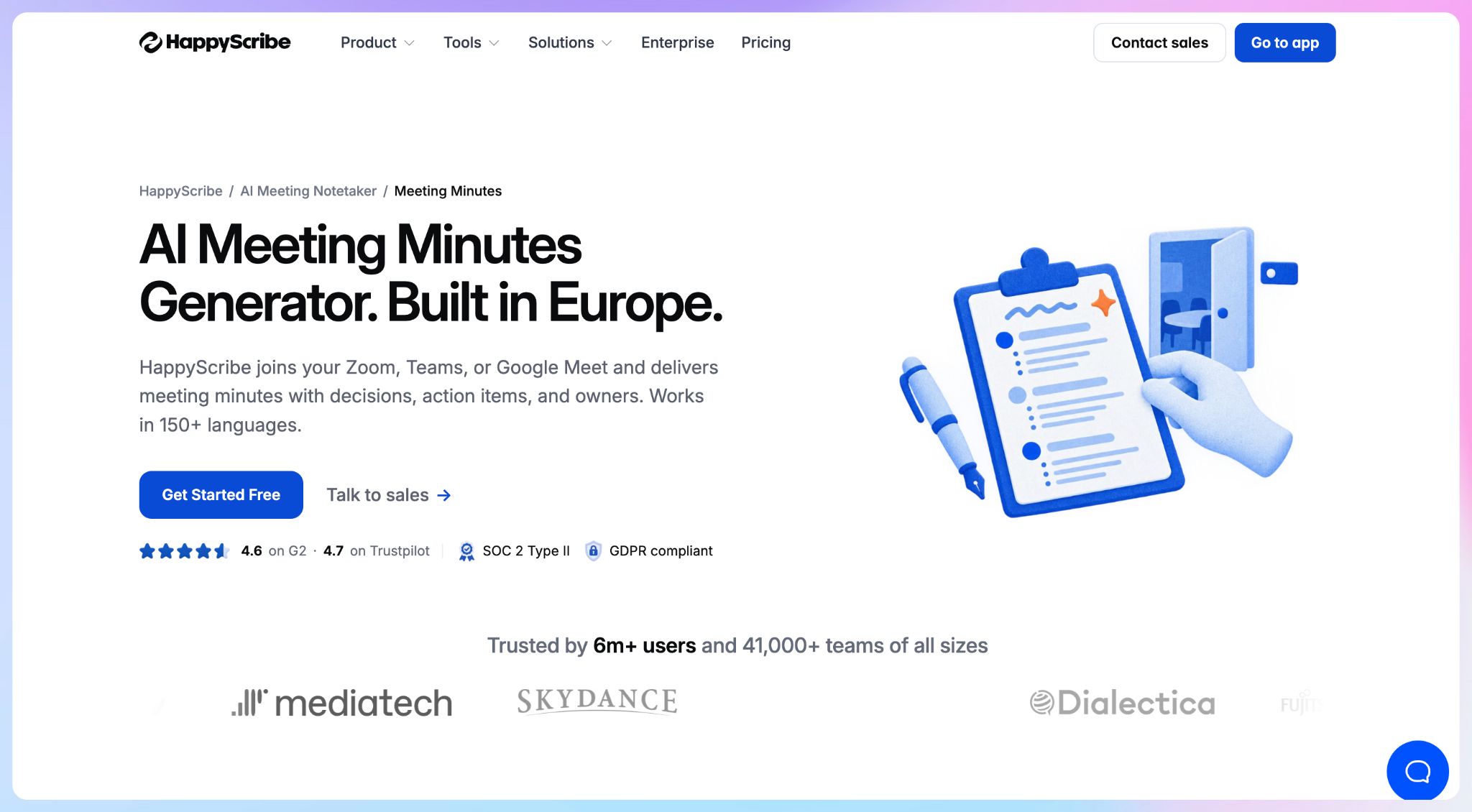
For minutes, the value is in the proof. HappyScribe keeps the recording and transcript behind every summary, so when someone disputes what was agreed, you can play back the exact moment.
HappyScribe's key features for meeting minutes
1. Get structured minutes with an owner on every task
HappyScribe separates decisions from the discussion and lists each action item with an owner and a due date, if mentioned. If you missed the call, you can read the meeting summary in two minutes and know what you need to do.
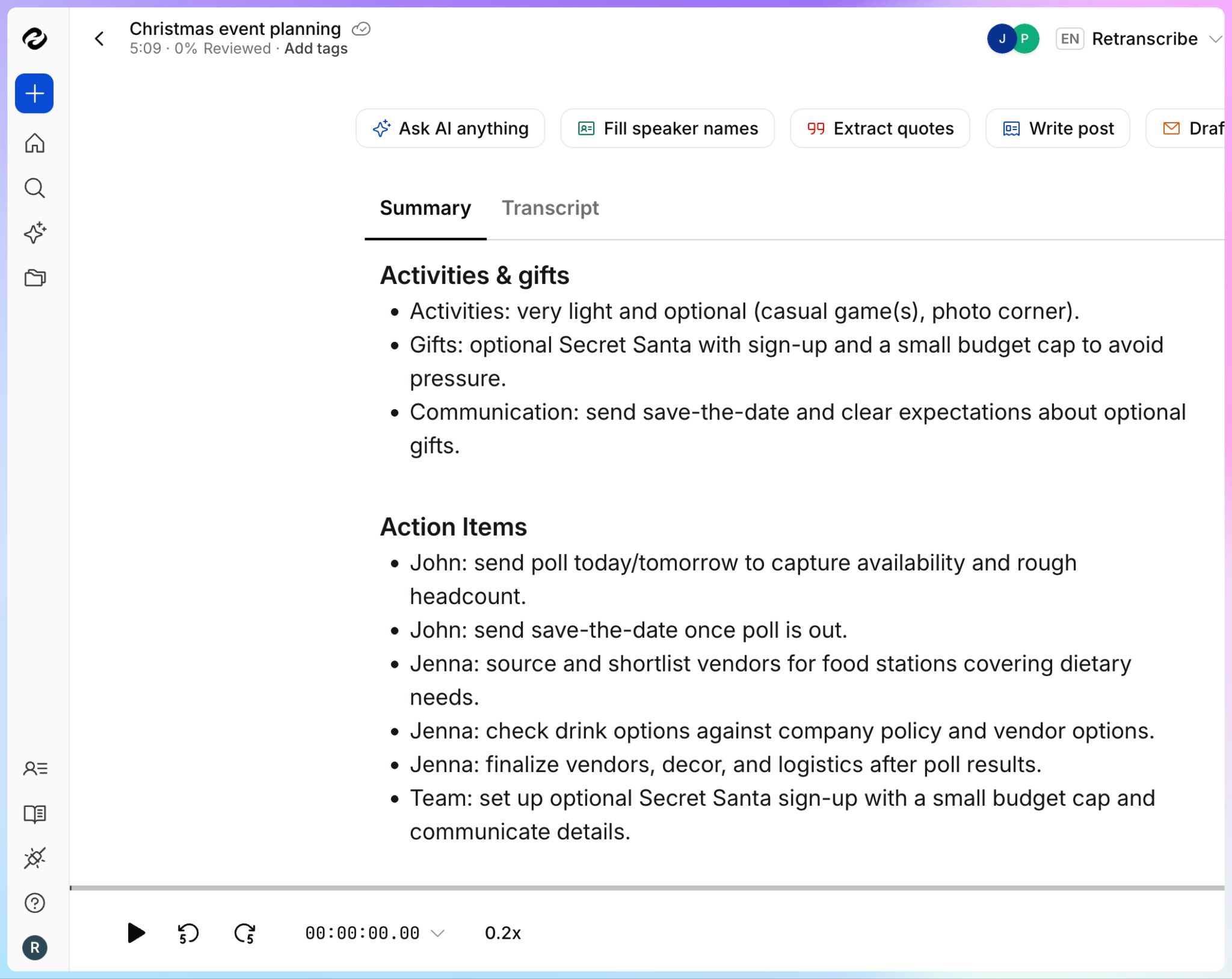
You can edit the minutes before sharing them and export them as a PDF or DOCX file for your records.
2. Match the minutes format to each meeting type
A board meeting and a standup need different minutes. HappyScribe lets you build custom summary templates, or start from pre-built ones for project status and kick-off meetings.
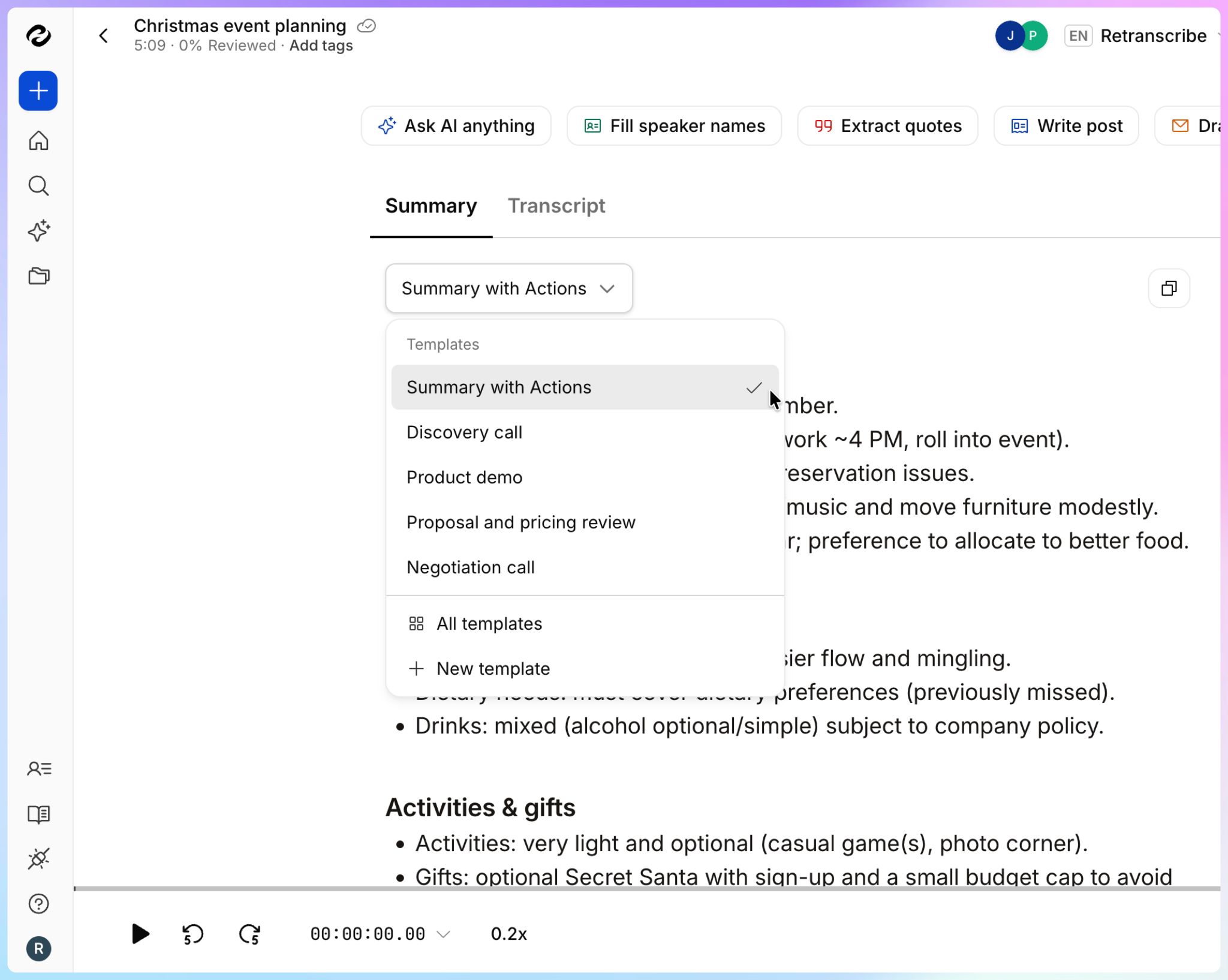
Templates apply across your workspace, so board meeting minutes follow the same structure whoever ran the meeting. Your standup notes can use a shorter format built around blockers and next steps.
3. Capture minutes with a bot or without one
Connect Google Calendar or Outlook, and the notetaker joins scheduled calls on its own. Attendees can type "!help" in the meeting chat to pause or remove the bot.
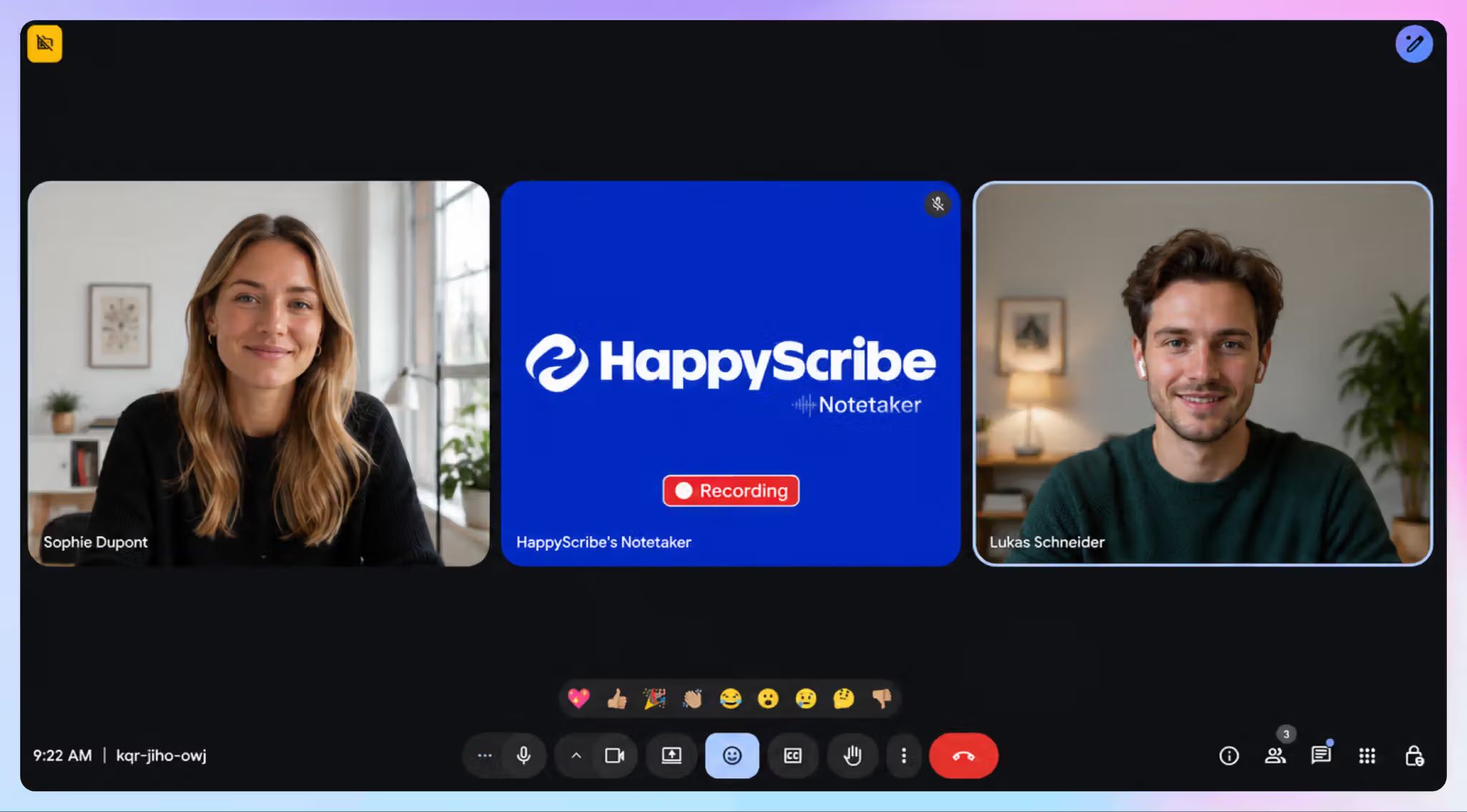
For in-person meetings, the HappyScribe mobile apps for iOS and Android record with no bot in the room. You can also upload an older recording and get minutes from the file.
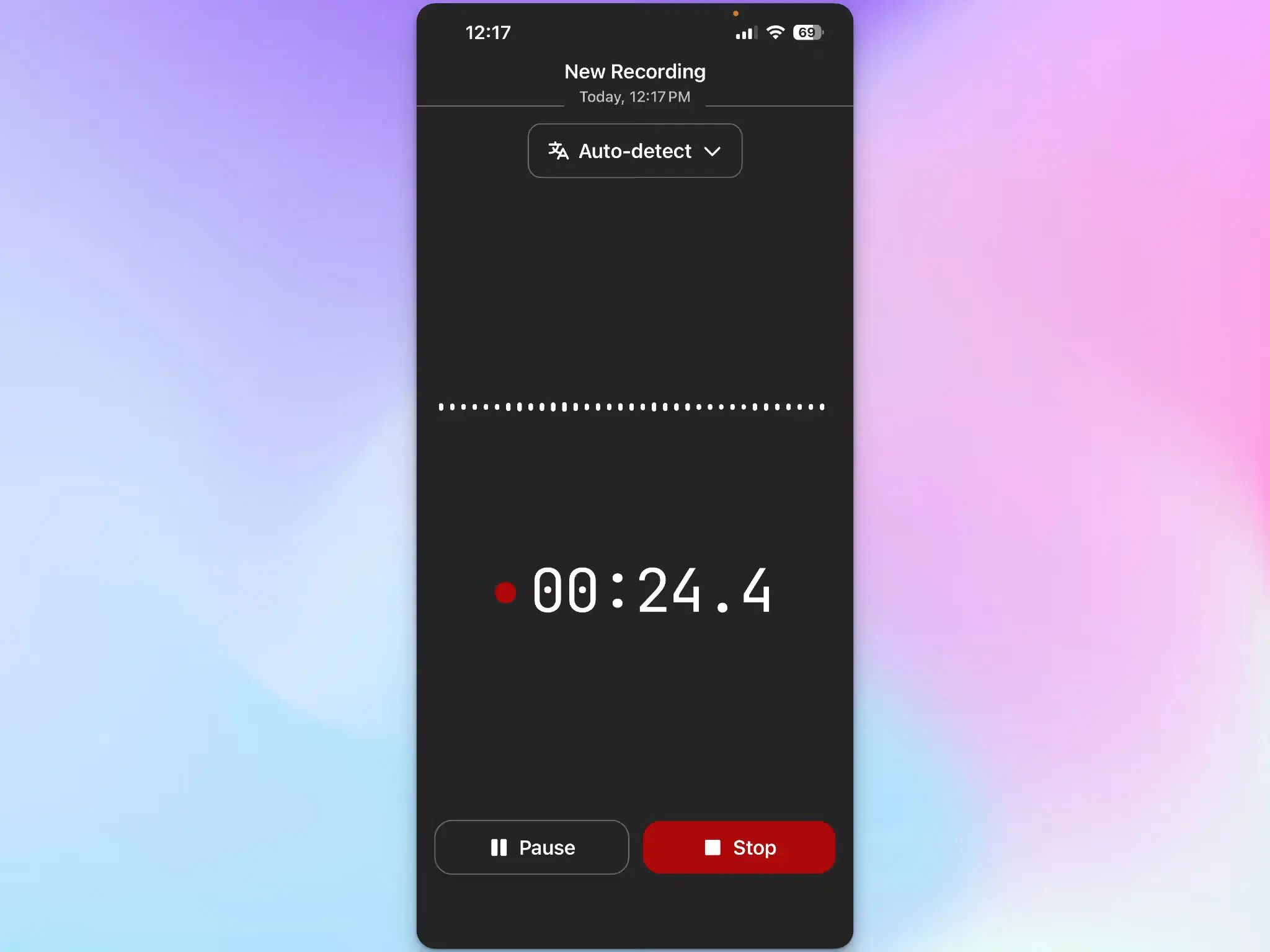
Not sure which recording mode you should use? Our guide to bot-based vs. bot-free note takers explains when each option fits best.
4. Check any line of the minutes against the recording
Minutes are only useful if you can trust them. HappyScribe identifies speakers with 95%+ accuracy, so a commitment doesn't end up attributed to the wrong person.
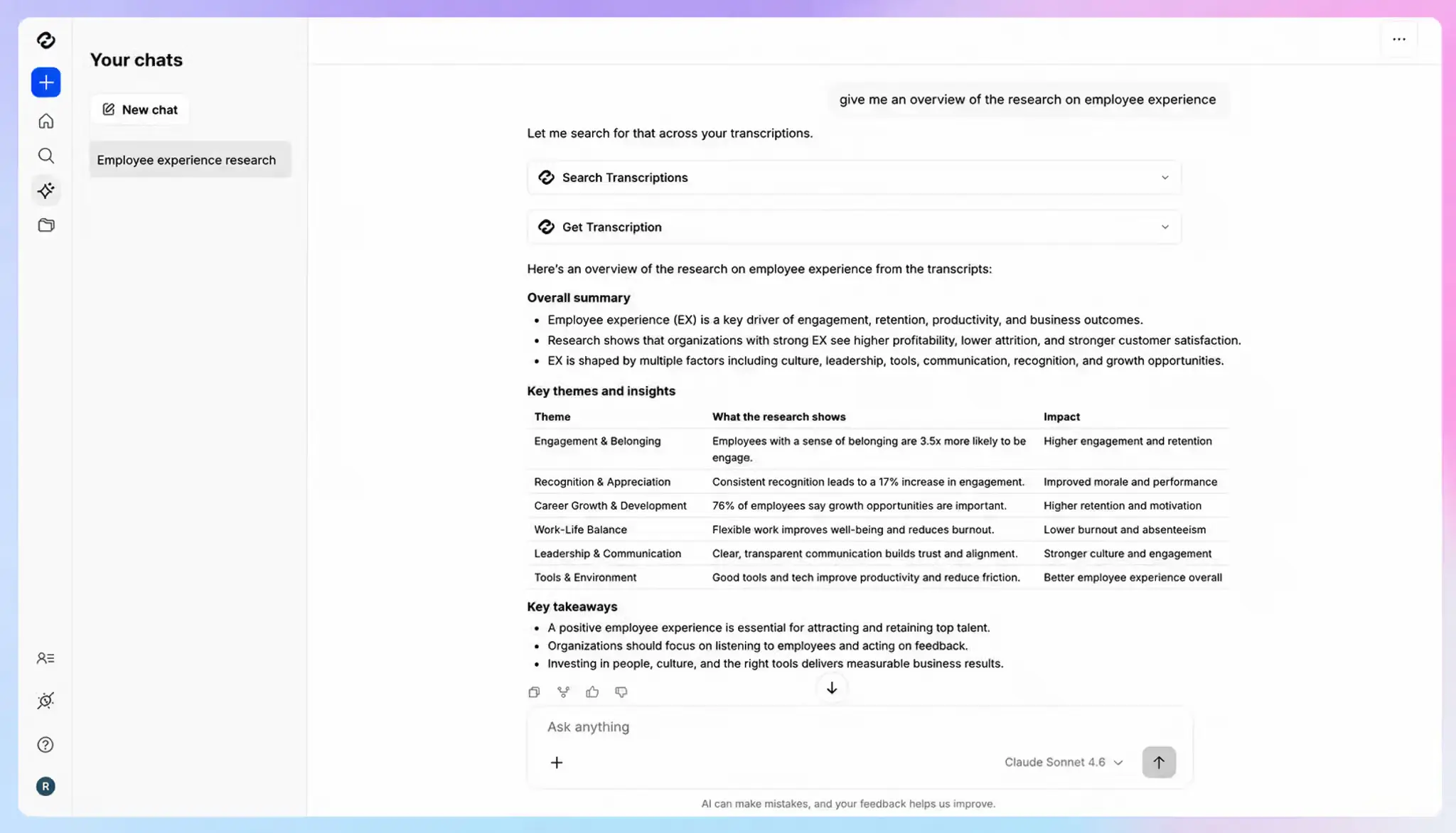
Ask AI Chat a question like "When did we approve the Q3 budget?" across all your meetings, and each answer comes with a timestamped quote you can play back. Custom glossaries keep project codenames and client names spelled right in every set of minutes.
5. Write minutes in 150+ languages and translate them
HappyScribe detects 150+ languages and dialects and keeps up when speakers switch languages mid-call. You can then translate meeting transcripts into 80+ languages for offices that work in another language.
HappyScribe's pros
- The free plan includes unlimited meeting recordings of up to 45 minutes each, so you can test the minutes on real meetings before paying
- For board minutes or compliance records that must be exact, you can send a file to human transcribers for up to 99% accuracy without leaving your workspace
- Through Zapier, minutes flow into tools like Slack and Notion after each meeting
- Connect HappyScribe to Claude and ChatGPT to search transcripts, summarize meetings, and create transcriptions via MCP
- HappyScribe is SOC 2 Type II certified and stores data in an ISO 27001-compliant EU data center, and one toggle opts your meetings out of AI training
- Enterprise admins get SSO and granular file-sharing permissions
- Support comes from real people and not bots
HappyScribe's cons
- Not ideal for real-time transcription during live calls
What are users saying about HappyScribe?
The automated 'Action Items' sections are lifesavers. They separate the important from the anecdotal, allowing me to assign tasks to my team immediately.
Source:G2
I love the agility and quality of HappyScribe, especially the quality of the summaries. I really appreciate that there are always new features, which makes it really suitable for a business.
Source:G2
HappyScribe's pricing
- Free: Unlimited meeting recordings, up to 45 minutes each
- Basic: $17/month billed monthly, or $8.50/month billed annually
- Pro: $29/month billed monthly, or $19/month billed annually
- Business: $89/month billed monthly, or $59/month billed annually
- Enterprise:Contact sales for custom pricing
How to generate meeting minutes with HappyScribe
- Sign up for free and connect your Google Calendar or Outlook calendar, so the notetaker joins scheduled calls on Zoom, Google Meet, or Microsoft Teams.
- Pick a summary template for the meeting type, or create your own with sections for decisions and action items.
- For in-person meetings, open the HappyScribe mobile app and tap record.
- When the minutes arrive, open AI Chat to check any decision against the recording.
- Export the minutes as a PDF or DOCX file, or share the link with attendees.
2. Sembly AI
Best for: Project and operations teams that want risks flagged in their minutes automatically
Sembly AI reads a meeting the way a project manager does. Beyond tasks and decisions, it pulls out what you'd track as a project lead, then groups the minutes by category with timestamps.
It's a good fit if you run project reviews or steering committees. Sembly joins calls on the major meeting platforms, with Webex in beta.
Sembly AI's key features for meeting minutes
- Automatic risk, issue, and event detection pulls problems out of the discussion, so they don't get buried in a long summary
- Custom meeting notes templates keep recurring formats consistent, like sprint reviews or client check-ins
- Multi-meeting AI chat lets you ask about decisions across a collection of related meetings
- Consent tracking and retention settings are helpful if you need a paper trail for every recorded meeting
- Mixed-language meetings work in 40+ languages, so speakers can switch languages mid-call
Sembly AI's pricing
- Basic: $17/month (one user)
- Pro: $29/user/month
- MAX: $39/user/month (minimum three users)
- Enterprise: Contact sales
Sembly AI's cons
- There's no free plan, only a free trial, so you can't keep Sembly for occasional meetings without paying
- Basic covers a single user with no video capture and five hours of uploads, so you'll need Pro as soon as a second person joins. It pushes users to look for Sembly AI alternatives
- Meeting history is capped at one year on Basic and two years on Pro, which is short for minutes you may need at an audit. Teams that keep records longer should compare enterprise note takers with retention controls
📚 Also read:
3. Notion AI
Best for: Teams already on Notion Business who want minutes saved next to their project docs
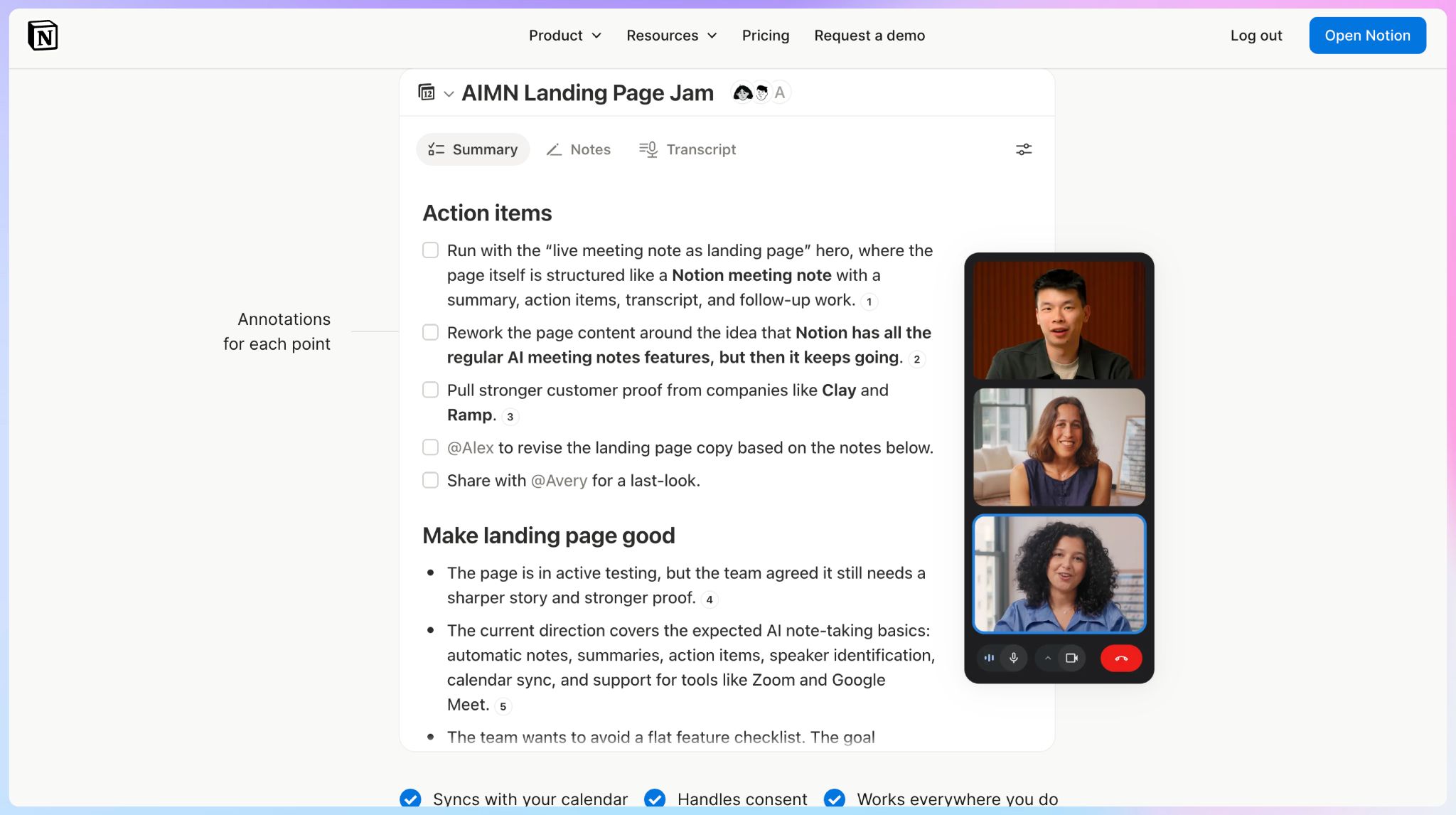
Notion AI's meeting notes live inside the workspace your team already uses. Type /meet on any page or start from a calendar event, and the transcript and summary land as a block on that page, with the page's permissions.
Nothing joins the call. The Notion desktop app captures your microphone and system audio, so it works with any meeting platform.
The catch is that minutes are one feature in a much larger product. If your team doesn't already run on Notion, it's hard to justify switching for minutes alone.
Notion AI's key features for meeting minutes
- Custom summary instructions define your minutes structure, and you can set one as the default for every new meeting
- Each point in the summary carries a citation that jumps to the matching line in the transcript
- A default meetings database files every set of minutes in one place, and notes can auto-share with workspace members who attended
- Workspace owners can enforce an automatic consent message that plays at the start of each transcription
Notion AI's pricing
- Free: Limited AI trial
- Plus: $12/member/month (limited AI trial)
- Business: $24/member/month
- Enterprise: Custom pricing
Notion AI's cons
- Speaker labels are unreliable in group calls and in-person meetings, which hurts when your minutes have to show who committed to what. That’s a key reason you might look for a Notion AI alternative for meeting notes
- Transcription covers 16 languages, and speaker labels work in English only
- You need the Business plan to use AI Meeting Notes, and uploads accept audio files only, so MP4 and MOV recordings won't go through
4. Circleback
Best for: Teams that want action items from the minutes pushed straight into their CRM or project tools
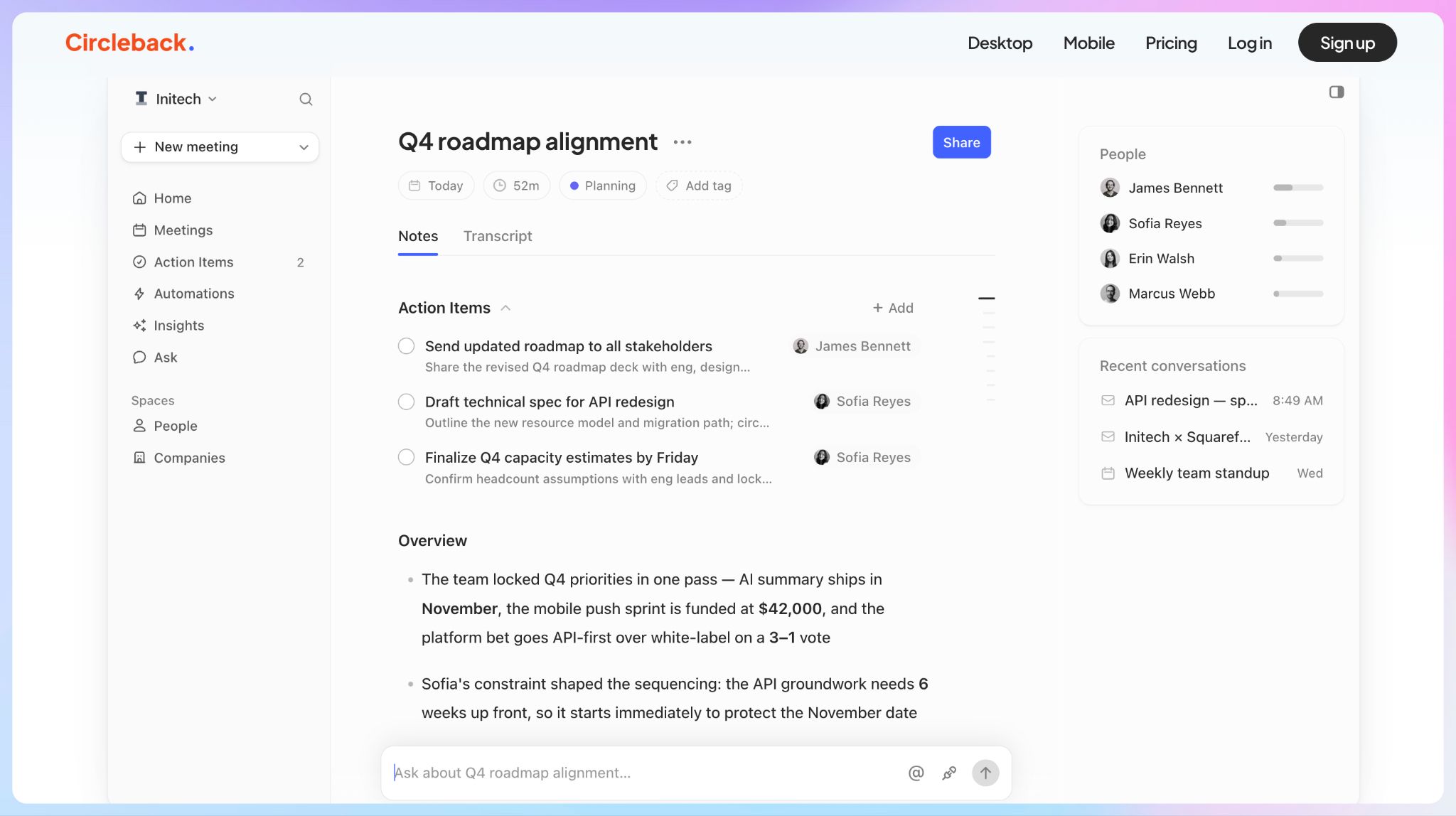
Circleback is a Y Combinator-backed note taker built for the work that happens after a meeting. Its notes list every action item with an owner, so you don't have to rely on anyone's memory for follow-ups.
You can record with a bot or with the bot-free desktop app, and Circleback also works in Slack huddles. The mobile and Apple Watch apps cover conversations away from your desk.
Circleback's key features for meeting minutes
- Automations update tools like HubSpot and Linear after each meeting, with webhooks for anything else
- Ask Circleback searches across every meeting you've recorded
- Custom AI insights pull the same details out of every meeting, like budget mentions or blockers
- Transcripts cover 100+ languages, with each speaker identified by name
- API and MCP access are included even on the free plan
Circleback's pricing
- Free
- Pro: $18/user/month
- Business: $29/user/month
- Enterprise: Custom pricing
Circleback's cons
- The free plan keeps meetings and recordings for 30 days, which is too short if you need a minutes archive. You might look for Circleback alternatives if the free plan feels too limiting
- Recordings expire after one year on Pro and two years on Business, so the audio behind older minutes eventually disappears unless you pay for Enterprise
- Admin roles and enforceable settings start on Business, while SSO and HIPAA compliance are Enterprise only
5. Krisp
Best for: People who take calls in noisy places and want minutes from any meeting app
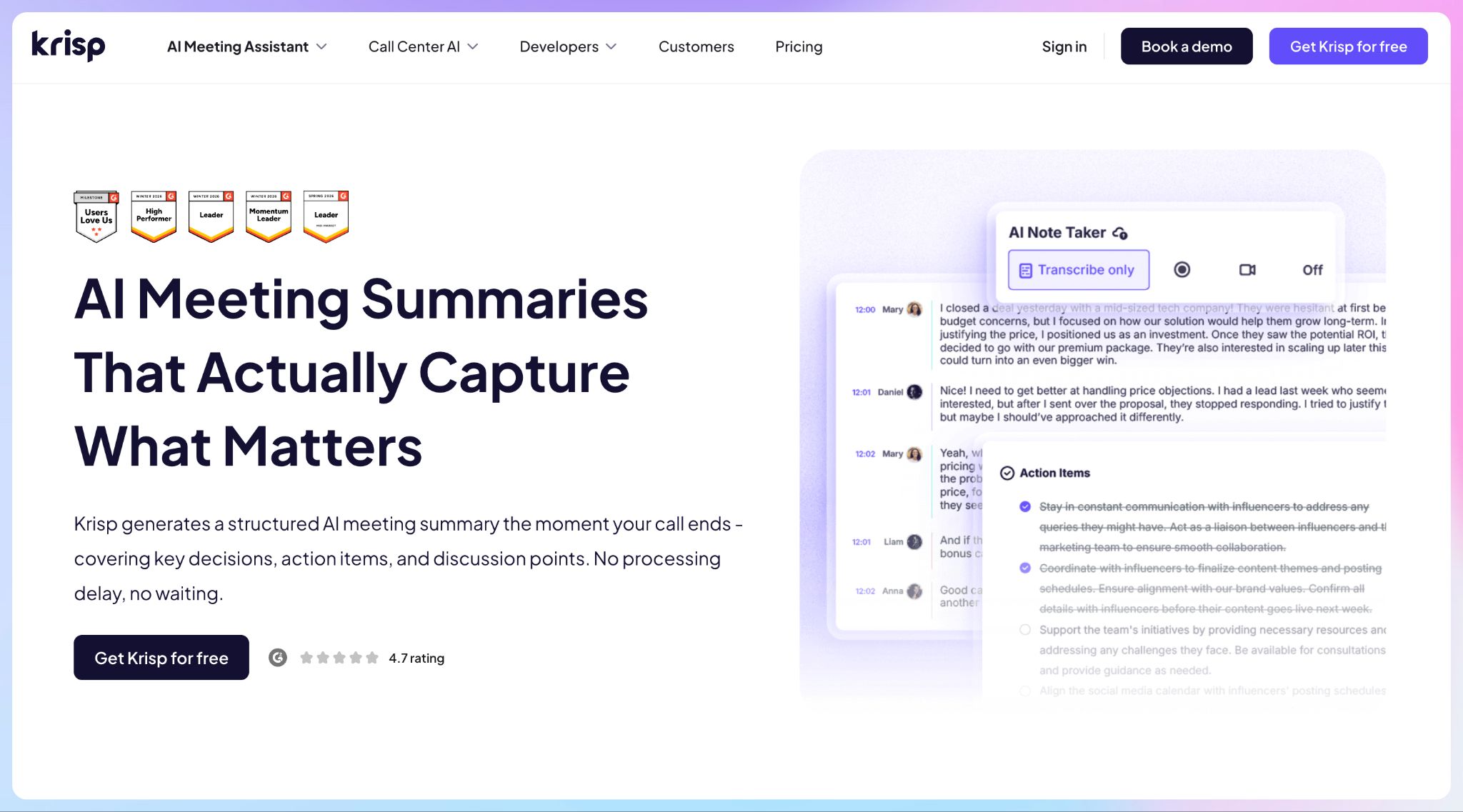
Krisp builds its meeting assistant around noise cancellation. It strips background noise during the call, which gives the transcript cleaner audio to work from.
The desktop app records from any meeting app without a bot, though you can send one if you prefer, and the mobile app records in-person conversations. Krisp is a practical pick if you often join calls from coworking spaces or a busy home.
Krisp's key features for meeting minutes
- Copy Meeting Minutes turns the AI summary into a minutes template you can paste into any doc
- Accent conversion runs for up to one hour a day on Core, which helps if your team spans several accents
- Custom vocabulary and meeting templates keep recurring minutes consistent
- Integrations cover HubSpot, Slack, and Notion through native connections, plus Zapier and MCP for everything else
- Every paid plan includes unlimited uploads of recorded meetings
Krisp's pricing
- Free trial: 7 days
- Core: $16/user/month
- Advanced: $30/user/month
- Enterprise: Custom pricing
Krisp's cons
- Transcripts and summaries cover 16 languages, which rules Krisp out if your team works in other languages
- There's no free plan after the trial, and Salesforce sync starts on the $30 Advanced plan
- SSO and a choice of data center location are Enterprise only, so teams on Core or Advanced can't pick where their minutes are stored
📚 Also read:
Which AI meeting minutes generator should you choose?
Every tool on this list can turn a meeting into minutes. The right pick depends on where your minutes go next, and how often someone will check them against the recording.
👉 Choose Sembly AI if you run project reviews and want risks flagged automatically.
👉 Choose Notion AI if your team already runs on Notion Business and meets mostly in English.
👉 Choose Circleback if you want action items in your CRM or project tool the moment a meeting ends.
👉 Choose Krisp if you take calls from noisy places and want minutes with no bot in the room.
👉 Choose HappyScribe if you need minutes your team can trust in any language, with the recording behind every decision.
Each alternative asks for a trade-off. Sembly has no free plan, Notion AI labels speakers in English only, Circleback's recordings expire quickly, and Krisp covers only 16 languages.
HappyScribe keeps the recording behind every set of minutes, and AI Chat takes you to the moment a decision was made. It works in 150+ languages and can record in-person meetings from your phone, with your data stored in the EU.
For teams that need minutes or summaries people can act on and verify later, HappyScribe is the strongest meeting minutes generator on this list. And you can start for free!
FAQs on AI meeting minutes generators
What is an AI meeting minutes generator?
It’s an AI meeting note taker built for formal minutes. It records the call on your video conferencing platform and uses artificial intelligence to separate decisions and action items from the rest of the meeting discussions.
A general AI meeting assistant usually gives you a loose summary of the meeting content. A minutes generator lets you build templates around your meeting agendas, so minutes for board reviews and internal team meetings follow the same format every time.
Shortly after the call ends, you get a first draft with key takeaways and clear summaries of the key topics, ready to review and share.
Can AI replace a human note taker for meeting minutes?
For routine internal meetings, AI handles note taking well and keeps a complete record of every word. A human note taker still adds value where tone, body language, or side conversations shape the outcome.
For board minutes or records that may come up in legal proceedings, use both. HappyScribe lets you send a file to human transcribers for up to 99% accuracy in the same workspace, and some organizations keep a dedicated note taker for these meetings with AI generated notes as a backup.
Whichever you choose, inform participants before you record, because consent rules differ by country and US state.
How accurate are AI-generated meeting minutes?
Minutes are only as reliable as the meeting transcripts behind them. Accurate transcripts depend on audio quality, speaker identification, and how well the tool handles names and jargon.
In noisy environments, Krisp’s noise cancellation helps, and a headset mic improves the audio input on any app. HappyScribe identifies speakers with 95%+ accuracy, and custom glossaries keep project codenames spelled right.
Check the key points against the recording before you share notes with your team.
Can AI meeting minutes generators work in multiple languages?
Yes, but language coverage varies widely. HappyScribe transcribes 150+ languages and keeps up when speakers switch mid-call, while Circleback covers 100+, Sembly AI 40+, and Notion AI and Krisp 16 each.
If you run client calls or sales calls across regions, check whether speaker labels work beyond English. Notion AI labels speakers in English only, which makes it harder to show which meeting participant committed to a task.
How do AI meeting minutes fit into your post-meeting workflow?
Minutes become useful once they reach the tools your team works in. Circleback and Krisp push action items into CRM tools like HubSpot, and HappyScribe connects to Slack and Notion through Zapier, which keeps things organized after every call.
For team collaboration, Circleback sends tasks to project management tools like Linear. Searchable transcripts and AI chat, which most tools on this list offer, help you organize insights and return to the meeting context for future reference.
Sales teams that want to analyze sentiment or track talk patterns need conversation analytics, which is a separate category from minutes generators.
Which AI meeting minutes generator has a free tier?
HappyScribe and Circleback both offer a free tier. HappyScribe’s free plan includes unlimited meeting recordings of up to 45 minutes each, while Circleback’s free plan keeps meetings for 30 days only.
Sembly AI and Krisp offer only free trials, and Notion AI requires the Business plan. Notion AI also accepts audio uploads only, so video files won’t go through.
Core features like transcripts and summaries come with both free and entry-level paid plans, but advanced features such as SSO often require enterprise pricing. Compare plans before you commit your meeting data to a single meeting note taker or transcription tool.

Rodoshi Das
Rodoshi is the Content Lead at HappyScribe, the privacy-first transcription and AI notetaker platform based in Barcelona. Shaping content strategies and building AI workflows excites her as much as exploring new SaaS tools. She specializes in product-led content that informs rather than sells, grounded in honest product benchmarking and low tolerance for empty marketing speak.