![5 Best Offline Meeting Recorders [2026]](/sanity-images/ejgwz1gl/redesign/1fa5da5b1d756926b4fe663ee918a47cbe76a561-1672x941.png?auto=format&w=1672.0&rect=0,53,1672,836&h=836)
TL;DR ⏩
Based on my experience, the best offline meeting recorders are:
- HappyScribe: Best for multilingual teams that want to record in-person meetings securely with EU data hosting
- Plaud Note Pro: Best for professionals who want a dedicated hardware recorder that runs all day without a phone or Wi-Fi
- Meetily: Best for privacy-conscious teams that need transcripts and summaries to stay on their own laptop
- Notta: Best for teams that want to keep sensitive meetings local and send everything else to the cloud
- MacWhisper: Best for solo Mac users who want offline transcription for a one-time fee
An offline meeting recorder captures a conversation with no Wi-Fi or signal and turns it into notes afterward.
The catch is that offline covers two very different setups. Some tools record without signal and transcribe once you reconnect. Others keep the whole job on your device, so the audio never leaves it.
The first kind usually handles far more languages, while the second gives you tighter control over your data.
I tested both types and I’m here to share my experience.
Before we proceed, here’s a quick heads up: whichever offline recorder you pick, tell the room that you're recording. Consent laws vary by country and state.
What are the best offline meeting recorders? At a glance
| Feature | HappyScribe | Plaud Note Pro | Meetily | Notta | MacWhisper |
|---|---|---|---|---|---|
| Best for | Multilingual teams that want to record in-person meetings securely with EU data hosting | Professionals who want a dedicated hardware recorder for all-day sessions | Privacy-strict teams that need everything processed on their own laptop | Teams that split meetings between local and cloud processing | Solo Mac users who want offline transcription for a one-time fee |
| Key features | Offline mobile recording, browser recorder, AI Chat across meetings, translation into 80+ languages, human proofreading, Claude and ChatGPT connectors | 4-mic array, 64GB storage, up to 50 hours of recording | Local Whisper transcription, local or BYOK summaries, open-source core, MCP and CLI on Pro | Desktop Privacy Mode, Notta Memo recorder, bilingual transcription, Notta Brain | On-device Whisper and Parakeet models, meeting auto-detection, batch transcription, CLI |
| Offline capability | Records on iOS and Android with no signal; transcribes in the EU cloud after upload | Records to the device with no phone or Wi-Fi; transcribes in the cloud after sync | Records and transcribes fully offline after setup | Privacy Mode transcribes locally after setup; Memo records offline and syncs later | Records and transcribes on the Mac; AI summaries need an API key or local model |
| Languages | 150+ languages and dialects | 112 languages | Multilingual Whisper models with auto-detection, or Parakeet for 25 languages | 5 offline (11 on macOS 26+); 58 in the cloud | 100 languages |
| Security | SOC 2 Type II, GDPR, ISO 27001 and PCI DSS-rated EU data center, encryption in transit and at rest | SOC 2 Type II, GDPR, HIPAA, ISO 27001/27701; EU data center in Frankfurt | Data stays on device; self-described GDPR and HIPAA compliance by design | SOC 2 Type II, ISO 27001, GDPR, HIPAA; hosted on AWS | On-device processing |
| Starting price | Free plan with unlimited recordings (45 min each). Paid from $8.50/month (billed annually) or $17/month | $189 for the device, with 300 free minutes/month. Paid subscription starts from $17.99/month | Free Community Edition. Paid plans start from $10/user/month | Free plan available. Pro from $13.49/month; Memo $149 | Free tier. Pro €64 one-time per license |
1. HappyScribe
Best for: Multilingual teams that want secure recordings during in-person meetings and prefer EU data hosting
HappyScribe's offline recorder is the HappyScribe mobile app for iOS and Android. The phone already in your pocket becomes the recorder, so there's no extra hardware to buy.
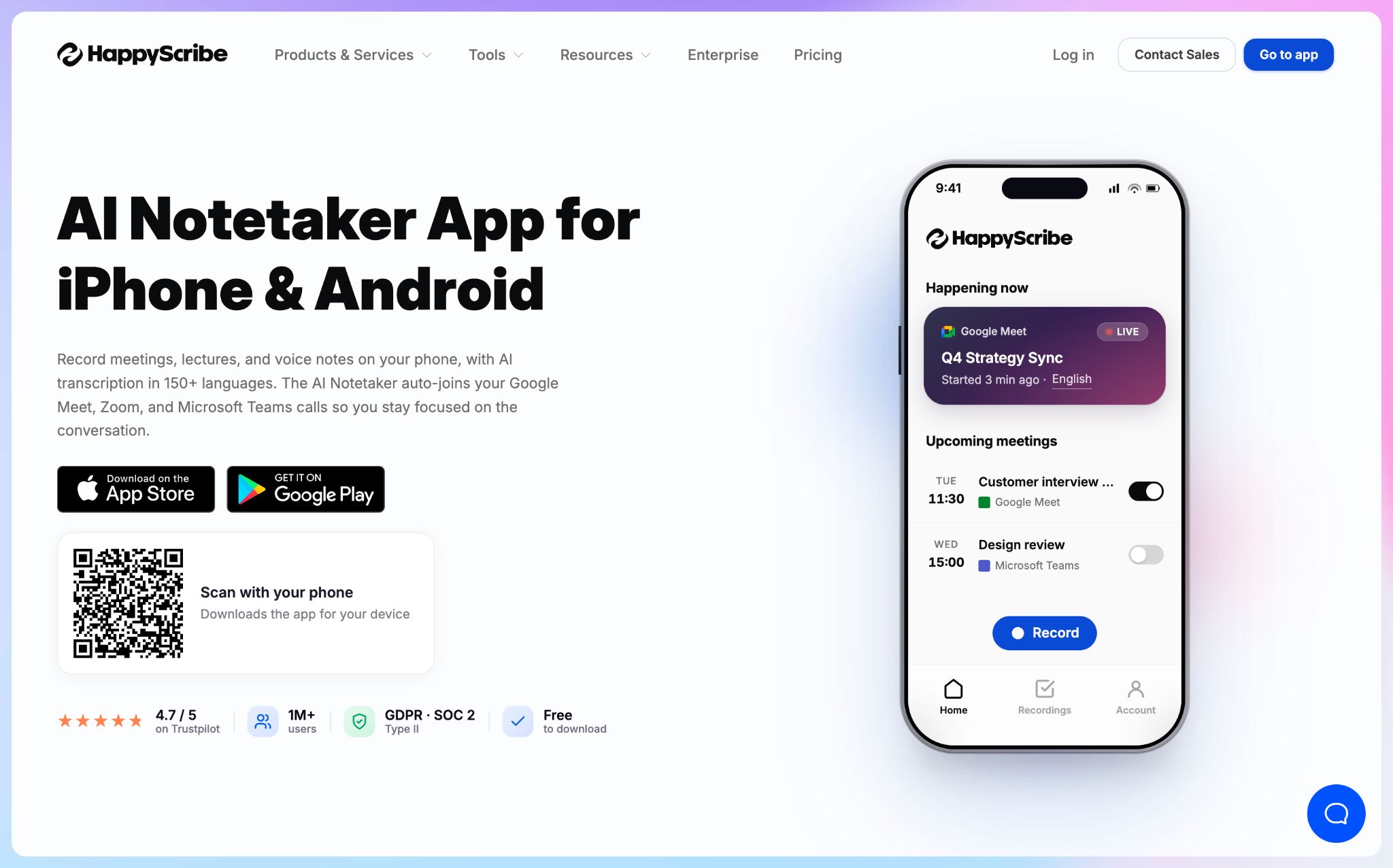
When you're back online, the recording uploads to the cloud and the AI meeting note taker transcribes it on HappyScribe's EU servers.
HappyScribe's key features
1. Record in-person meetings offline on iOS and Android
Tap Record and the app keeps capturing when the screen locks or you switch apps. You can pause and resume if the meeting breaks, and it works on every HappyScribe plan, including the free one.
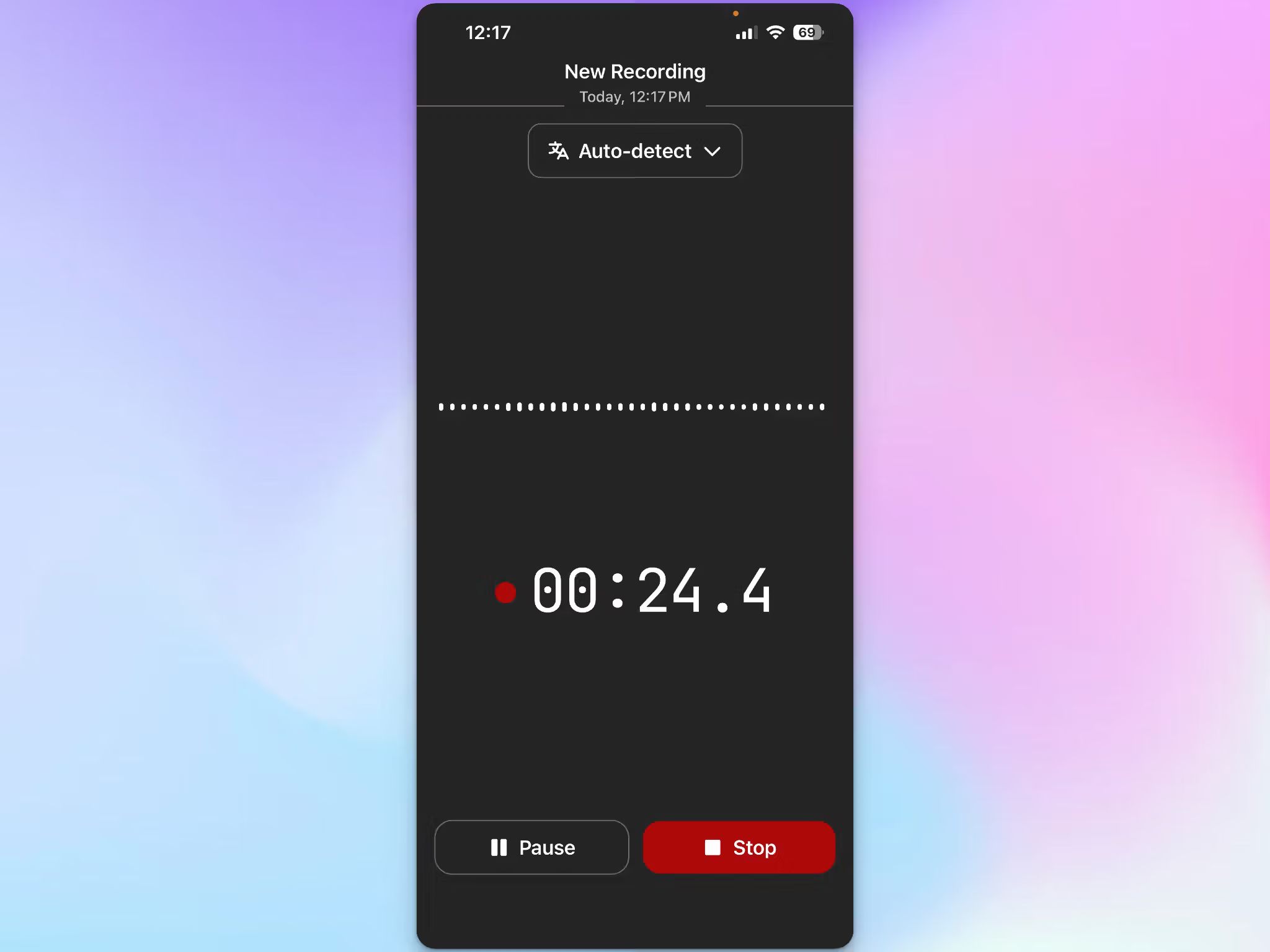
The file uploads in the background once you reconnect, and the upload survives a weak connection or the app closing, so a recording made in a basement or on a train still lands in your workspace.
Check out the full setup in our guide on how to take notes during in-person meetings.
2. 95%+ accuracy across 150+ languages and dialects
HappyScribe detects the spoken language automatically. Coverage runs to over 150 languages and dialects at 95%+ accuracy, and it holds up with regional accents and speakers working in their second language.
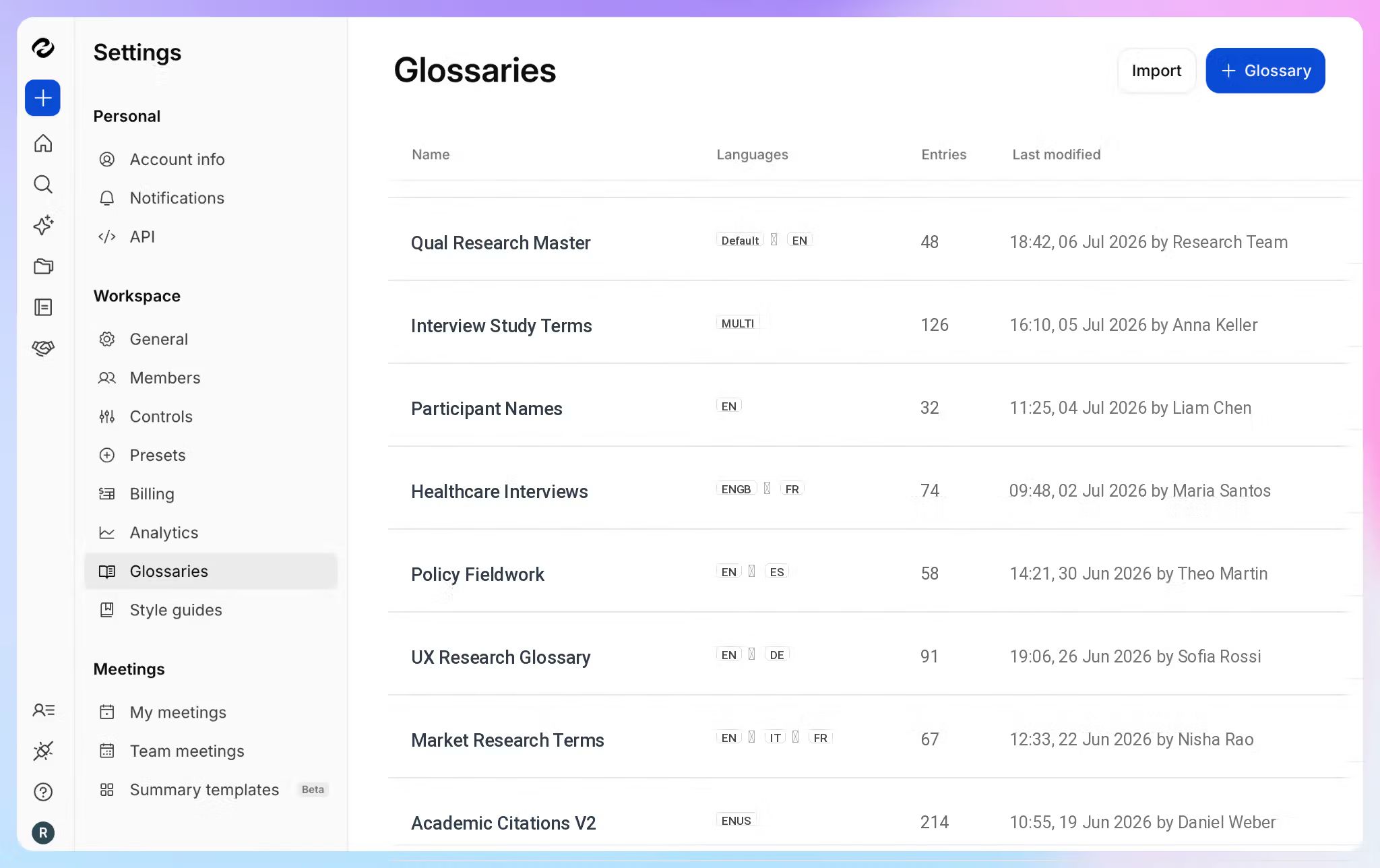
Custom glossaries close the gap on the words generic models miss. Add client names and internal acronyms once, and they come through spelled correctly in every meeting transcription after that.
3. Translation into 80+ languages, with human review when it counts
A transcript in Portuguese doesn't help a colleague in Warsaw. HappyScribe can translate transcripts into 80+ languages from the same workspace, so everyone reads the meeting in their own language.
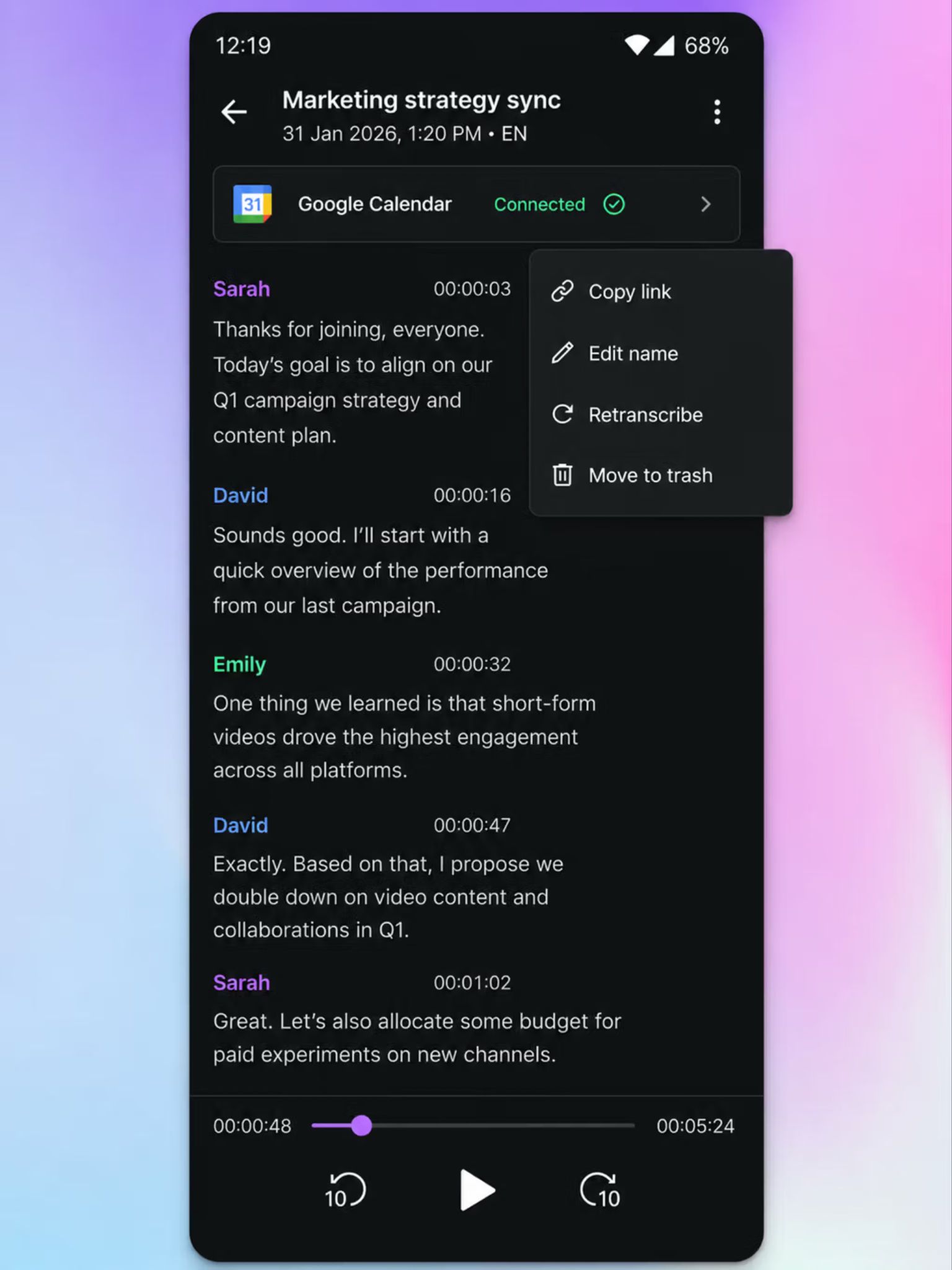
For a file that has to be exact, such as a legal recording or a research interview, you can send it to professional proofreaders for up to 99% accuracy without switching vendors.
4. EU data hosting with audited security
Recordings and transcripts sit in a Tier IV EU data center that is ISO 27001-certified and PCI DSS-rated, encrypted with AES-256.
HappyScribe is GDPR-compliant and SOC 2 Type II-certified, and the security setup is the same on the free plan as on Enterprise.
Opting out of AI training takes one toggle in settings. Delete a file, and it's permanently removed from HappyScribe's servers.
5. AI Chat across every meeting you've recorded
HappyScribe’s AI Chat answers questions about a single file or a whole folder. Ask what a client pushed back on across three site visits, and it returns the exact quotes.
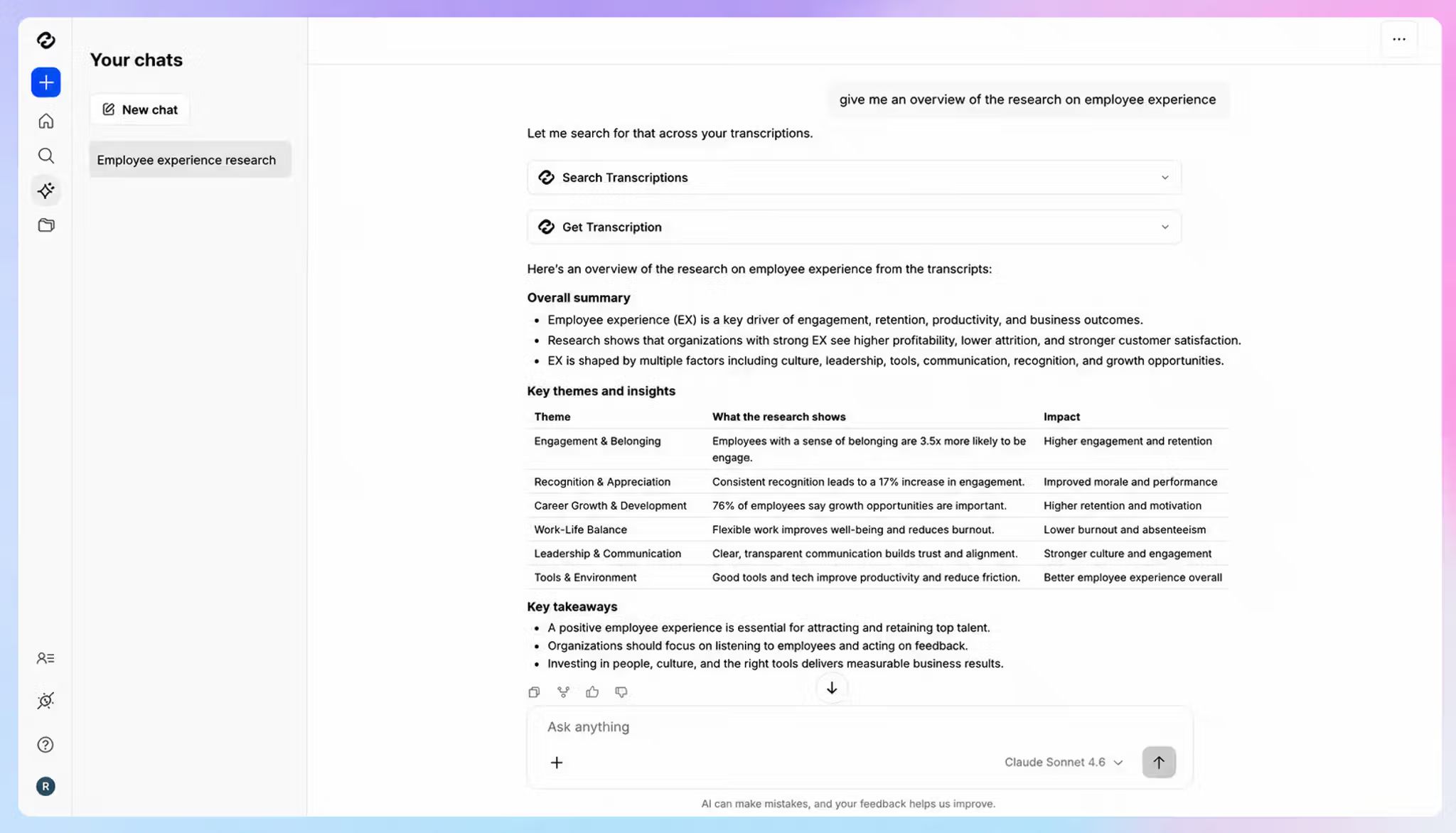
That turns months of offline recordings into something you can search in plain language, without reopening a single transcript.
HappyScribe's pricing
- Free: Unlimited meeting recordings (45 mins/recording)
- Basic: $8.50/month (billed annually) or $17/month
- Pro: $19/month (billed annually) or $29/month
- Business: $59/month (billed annually) or $89/month
- Enterprise:Contact sales
HappyScribe's pros
- HappyScribe's offline meeting recorder app is useful for journalists, field sales teams, field researchers, and professionals conducting in-person meetings
- Speaker labels and timestamps you can tap to jump straight to that moment in the audio
- Meeting summaries with action items land in your inbox after each meeting
- The notetaker auto-joins Zoom, Google Meet, and Microsoft Teams for the meetings that do happen online
- Native connectors for Claude and ChatGPT let you use Claude for meeting analysis or ChatGPT for meeting follow-ups, querying up to 50 transcripts at once with timestamped quotes
- The MCP server connects your transcript library to other MCP-compatible tools like Cursor and Claude Code
- Connect meetings to your own systems through the API and Zapier
- SSO with SAML and granular file-sharing permissions on Enterprise
- Support from real people rather than chatbots
HappyScribe's cons
- Not built for real-time transcription during live calls
What are users saying about HappyScribe?
Even during trilingual conversations (English, Latvian, Polish), the recording tool accurately detects speech and catches obscure terminology. [...] Since I use it primarily for offline meetings rather than Zoom or video calls, it has been an absolute game-changer.
Read the full G2 review here
One of the newer features I'm really enjoying is the app. When I'm in a spontaneous but important conversation, or I need to capture details from an impromptu meeting, I can pull out my phone, open the app, and record with complete confidence that everything will be captured and summarized for me to review later.
Read the full G2 review here
How to record an offline meeting with HappyScribe
- Download the HappyScribe app from the App Store or Play Store and sign in. Before the meeting, add names and technical terms to a glossary on the web.
- Place your phone flat near the center of the table and tap Record. It works with no signal and keeps going even when the screen locks.
- Tap Stop when the meeting ends, then name the recording and tap Save.
- Reconnect to Wi-Fi or mobile data later. The file uploads in the background, and the transcript follows within minutes.
- Open the file on the web to review speaker labels or ask AI Chat what was decided.
2. Plaud Note Pro
Best for: Professionals who want a dedicated physical recorder for all-day sessions without a phone or Wi-Fi
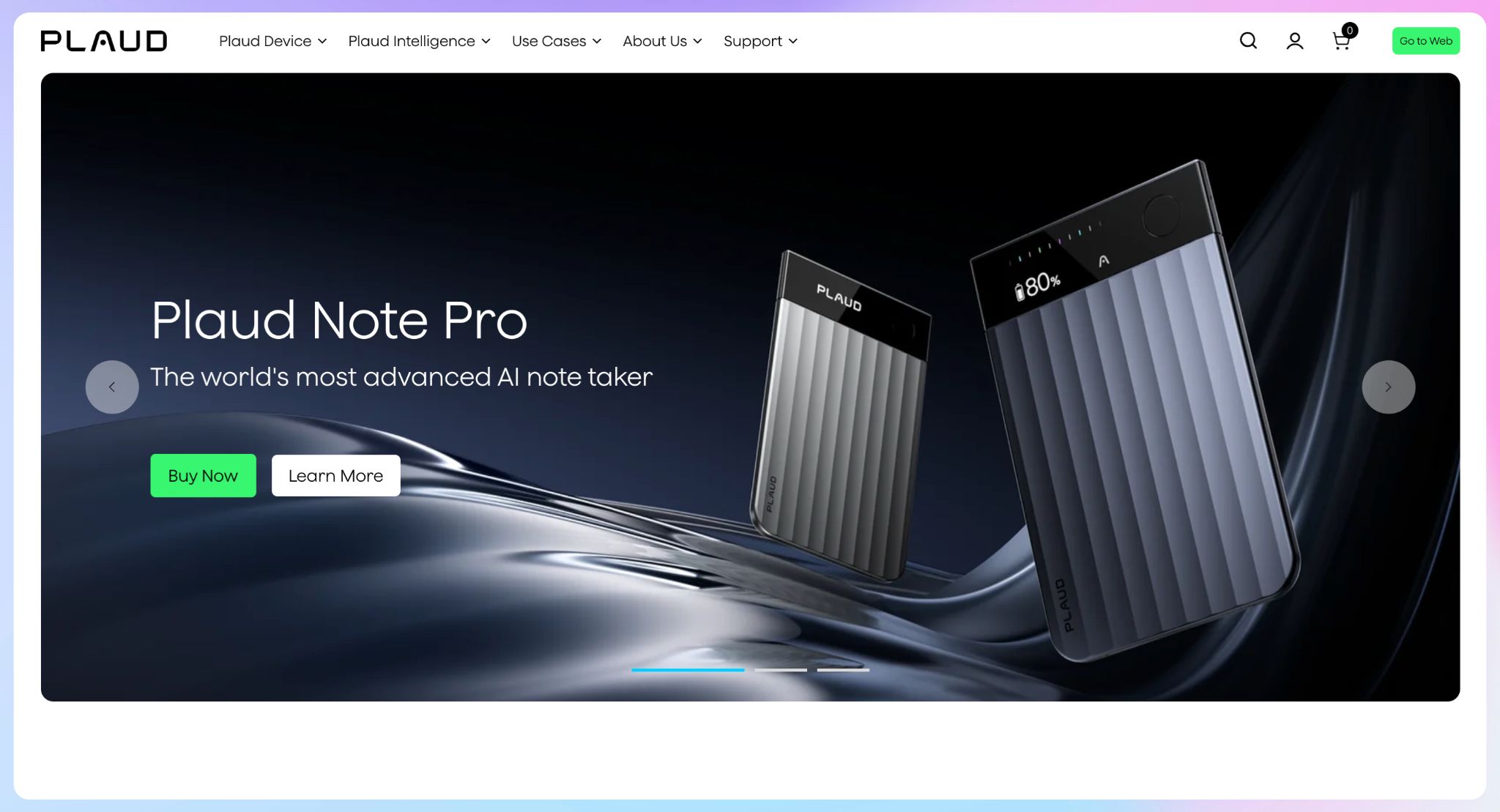
Plaud Note Pro is a credit-card-sized AI meeting recorder that clips magnetically to the back of your phone or sits on the table.
It captures a meeting with no phone or signal nearby, and it has a long battery life and pickup range.
Once you're back online, recordings sync to the Plaud app for transcription and summaries. If your meetings happen in places where pulling out a phone feels wrong, such as a client's office or a site walk, the hardware earns its place.
Plaud Note Pro's key features
- Four MEMS microphones pick up voices from up to 16.4 ft, with AI beamforming to track the active speaker
- 64GB of local storage and up to 50 hours of continuous recording in Endurance mode (30 hours in Enhance mode)
- Dual-mode capture switches automatically between in-person meetings and phone calls
- Short-press to highlight a moment, or add photos and typed notes to give the AI summary more context
- Ask Plaud lets you ask questions across recordings
Plaud Note Pro's pricing
- Device: $189 one-time, includes the Starter plan
- Starter: Free, 300 transcription minutes/month
- Pro: $17.99/month (1,200 minutes/month)
- Unlimited: $29.99/month
Plaud Note Pro's pros
- One long-press starts recording, and an AMOLED display shows recording status at a glance
- EU users get a Frankfurt data center and EU-hosted AI subprocessors
- No training on your data unless you opt in
Plaud Note Pro's cons
- Transcription covered for 112 languages
- Unlimited transcription is a monthly subscription on top of the hardware, so the device is only the entry fee
- Each person who records needs their own device, which gets expensive when you roll AI note takers out across an enterprise
3. Meetily
Best for: Privacy-conscious teams that need transcripts and summaries to stay on their own laptop
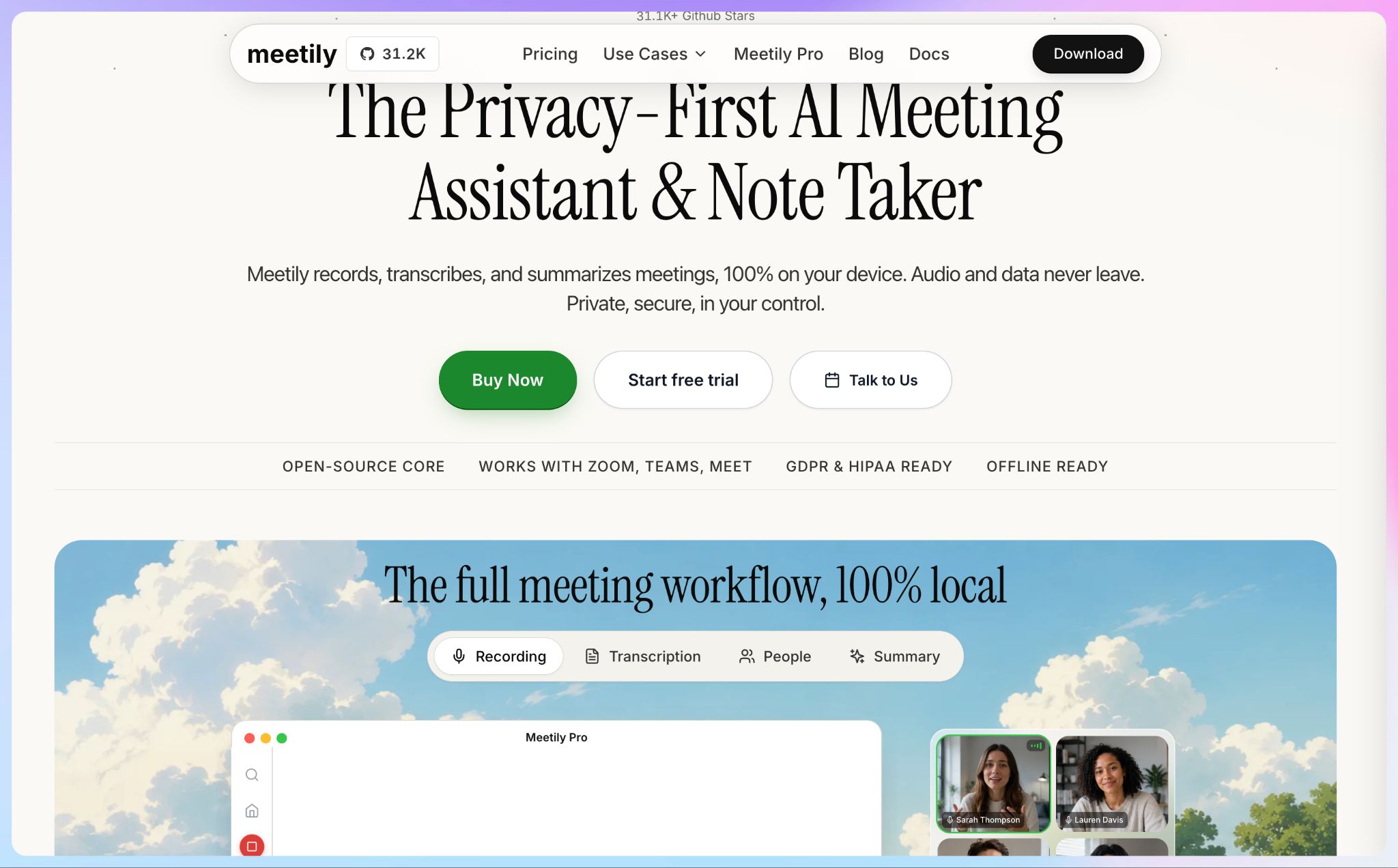
Meetily sits at the far end of the offline spectrum. It's an open-source desktop app that captures and transcribes meetings entirely on your own machine, with no bot and no cloud upload.
Of all the bot-free note takers I tried, it's the one to pick when company policy bans cloud processing outright.
The trade-off is that you become the infrastructure. Accuracy depends on which Whisper model your laptop can handle, and the minimum spec is 8GB of RAM with a 4-core CPU.
Meetily's key features
- Local transcription with Whisper models, from tiny to large-v3, with GPU acceleration
- Summaries process through local models via Ollama, or your own API key for Claude, OpenAI, Groq, and others, in which case only the transcript text leaves the device
- Captures system audio from Zoom, Teams, Google Meet, Discord, and any other call app
- Imports audio and video files in 10 formats for retranscription
- Pro adds speaker diarization, PDF and DOCX exports, meeting auto-detection, and access through an MCP server, webhooks, a CLI, and a local API
Meetily's pricing
- Community Edition: Free and open source (MIT license)
- Pro: $10/user/month (billed annually)
- Enterprise: Custom pricing
Meetily's pros
- Transcribes in real time as the meeting runs; the text is ready the moment the call ends
- Enterprise deployments can self-host on Azure, AWS, GCP, or on-premises, with a European data residency option
- 14-day Pro trial available
Meetily's cons
- A Pro license covers one device only
- It's desktop-only on macOS and Windows; Linux users have to build it from source
- No mobile app yet, so it can't help you take meeting notes on an iPhone in a room without a laptop
4. Notta
Best for: Teams that want to keep sensitive meetings local and send everything else to the cloud
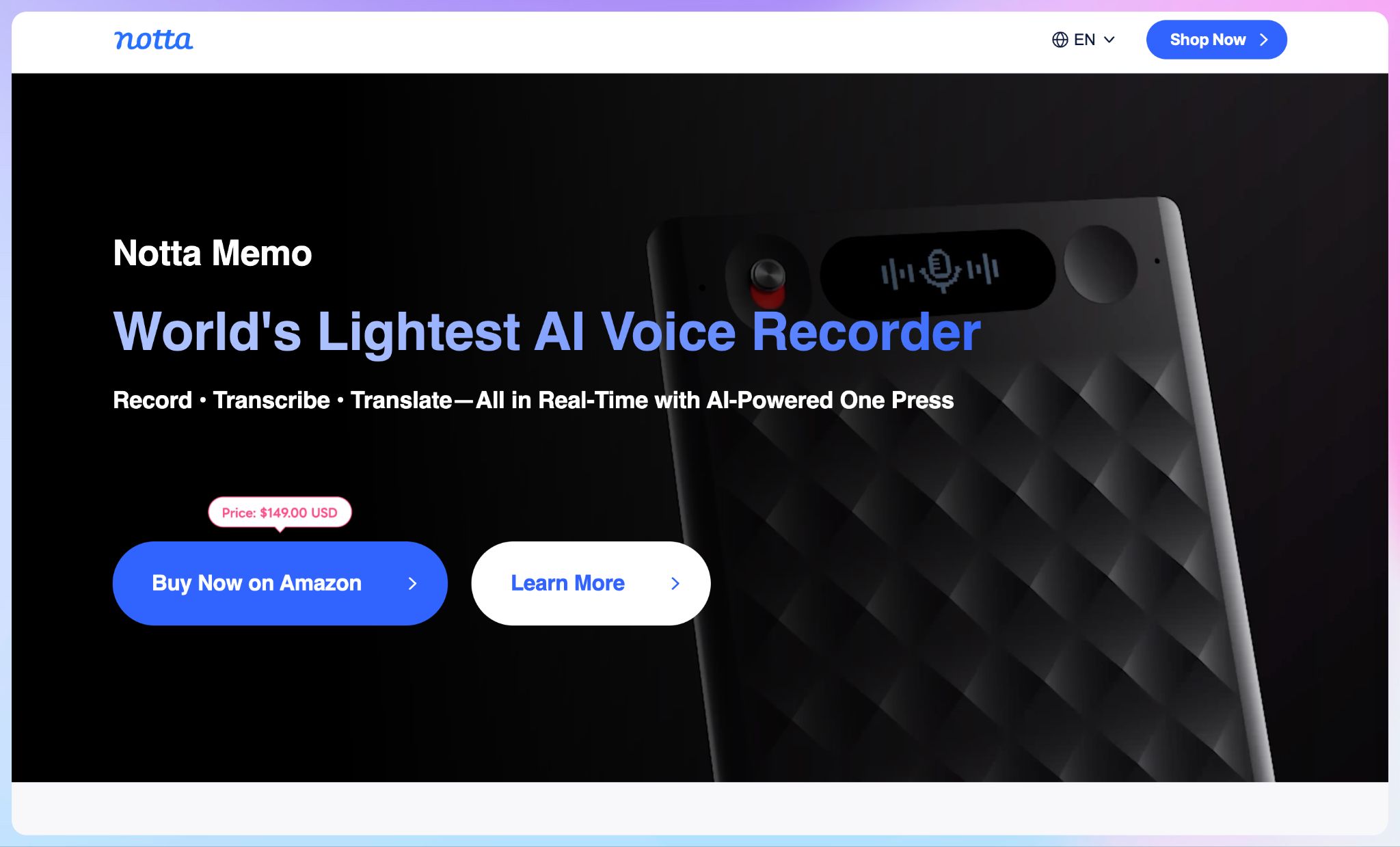
Notta covers both meanings of offline in one account: local transcription on the desktop and a pocket recorder for in-person meetings.
You choose local or cloud processing per meeting. It suits teams where only some conversations are confidential, such as a legal meeting in the morning and a routine standup in the afternoon.
Notta's key features
- Privacy Mode transcribes on your Mac or Windows machine and keeps recordings in a local folder, with no cloud minute limits
- Notta Memo, a card recorder, stores up to 30 hours of audio offline and syncs it to the cloud once it's back on WiFi
- Notta Brain answers questions across meetings and builds documents from them
Notta's pricing
- Free: 120 transcription minutes/month
- Pro: $13.49/month
- Business: $27.99/user/month
- Enterprise: Custom pricing
- Notta Memo: $149 one-time purchase
Notta's pros
- Memo's call-recording mode captures phone calls through vibration when attached to the back of a phone
- CRM sync with Salesforce, HubSpot, Pipedrive, and Zoho CRM on Business
- SOC 2 Type II and ISO 27001 certified
Notta's cons
- Privacy Mode's default offline model covers only a limited number of languages
- Notta itself recommends switching back to cloud transcription when you need higher accuracy
- The free plan caps each conversation at 3 minutes, which pushes lean teams testing on real meetings toward AI meeting note takers for small businesses with longer free recordings
5. MacWhisper
Best for: Solo Mac users who want offline transcription for a one-time fee
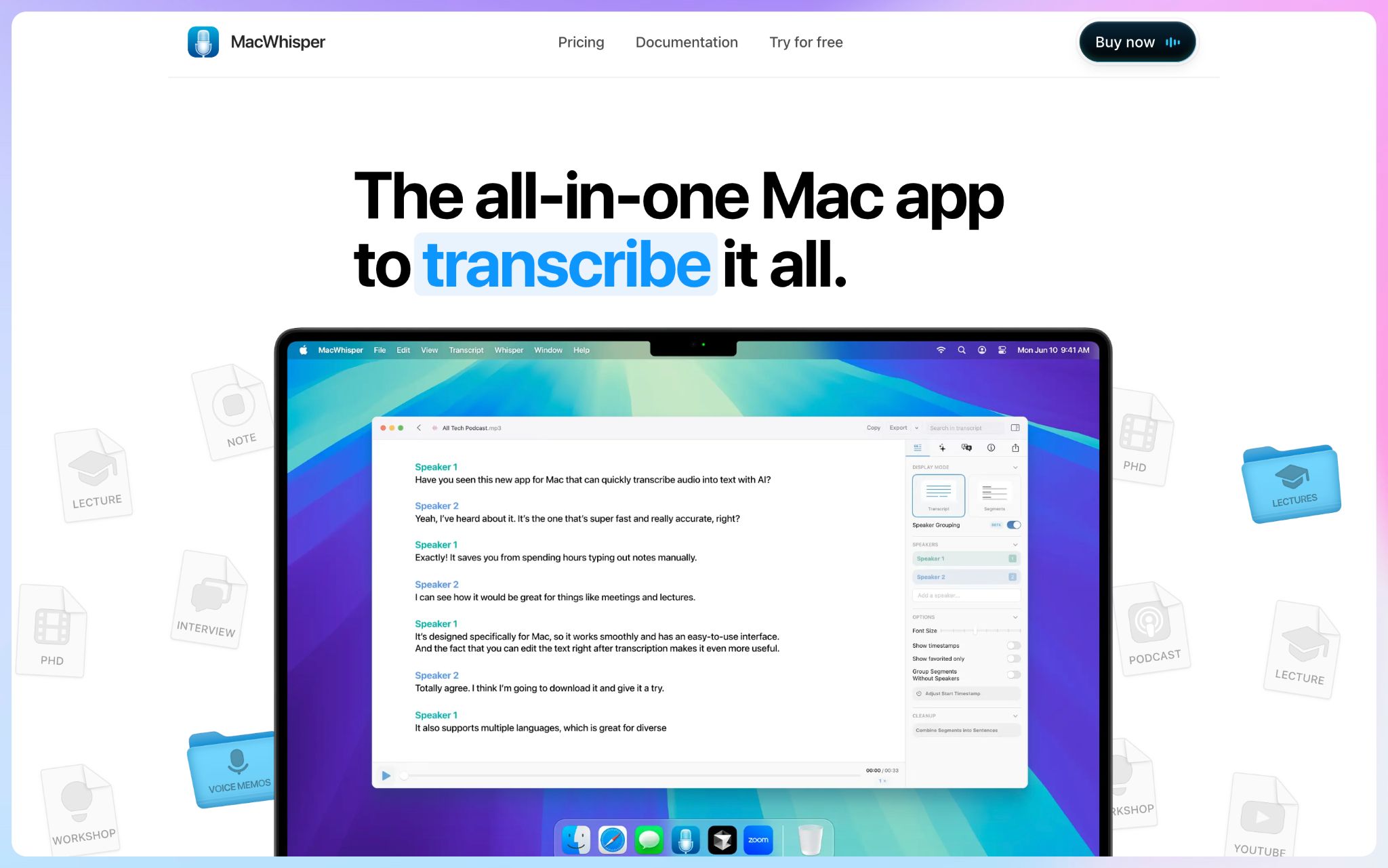
MacWhisper is a Mac transcription app from Good Snooze, a small developer in the Netherlands. It started as a tool for transcribing audio files, and meeting recording was added later.
Everything runs on your Mac, and the paid tier is a one-time purchase. The catch is that it behaves like a toolkit you set up and tune yourself, which suits a technical solo user more than a team that wants notes to just show up.
MacWhisper's key features
- Offers a choice of Whisper and NVIDIA Parakeet models, plus Qwen3-ASR on M-series Macs running macOS 26
- Auto-detects and records meetings in Zoom, Teams, Webex, Skype, Chime, and Discord, with automatic start and end detection
- Records from the Mac's microphone or any connected input device for in-person sessions
- Speaker recognition with local models on M-series Macs (Pro)
- Pro integrations with Notion, Obsidian, Zapier, Make, and n8n, plus a CLI for scripts and AI agents
MacWhisper's pricing
- Free: Core transcription, with some models limited to Pro
- Pro: €64 one-time license with lifetime updates
MacWhisper's pros
- Parakeet transcribes at up to 300x realtime on M-series Macs
- The free tier is permanent rather than a time-limited trial
- MDM deployment support for IT teams rolling it out across Macs
MacWhisper's cons
- Summaries and action items require your own API key for a provider like OpenAI or Anthropic, or a local model through Ollama or LM Studio
- Medium and Large models need more than 8GB of RAM, and performance on older Intel Macs can be poor
- There's no Windows or Android version, so mixed-device teams need a second tool, like the ones in this roundup of AI meeting note takers for Android
Which offline meeting recorder should you choose?
Every tool on this list keeps recording when the connection drops. The right pick depends on where the transcription is stored, how secure the setup is, how accurate the transcription is, and how many languages your meetings run in.
👉 Choose Plaud Note Pro if you want a physical recorder and you're happy paying for hardware plus minutes.
👉 Choose Meetily if your company policy says no audio leaves the laptop and someone on the team can handle the setup.
👉 Choose Notta if only some meetings are confidential and your offline conversations run in English or East Asian languages.
👉 Choose MacWhisper if you're a solo Mac user who wants private transcripts for a one-time payment.
👉 Choose HappyScribe if your meetings run across languages, need accurate transcripts, and you want European data hosting.
HappyScribe is the strongest starting point for multilingual teams. The mobile app records with no signal, and the transcript comes back at 95%+ accuracy in 150+ languages and dialects. Everything is stored in an ISO 27001-certified EU data center, and the free plan covers unlimited recordings, so you can test it on your next in-person meeting before paying anything.
FAQs on offline meeting recorders
What is an offline meeting recorder?
An offline meeting recorder is meeting recording software that can capture audio without an internet connection. Some tools, like HappyScribe's mobile app, record offline and run AI transcription once you reconnect. Others, like Meetily, keep transcript generation on your device so raw audio never leaves it. Either way, you get searchable transcripts and meeting notes from in-person sessions, not just online meetings.
Can an AI meeting recorder work without a bot joining the call?
Yes. A bot free recorder captures meetings from your phone, laptop, or a dedicated device instead of sending a visible bot into Zoom, Microsoft Teams, or Google Meet calls. Meetily and MacWhisper record system audio locally, while HappyScribe's app handles in-person sessions. HappyScribe's meeting bot can also automatically join virtual meetings from your Google Calendar when you want one AI notetaker across both formats.
How do I get clear audio when recording an in-person meeting?
Place your phone or local recorder flat near the center of the table, away from air vents and other background noise. Before the meeting, add client names and acronyms to a glossary so the transcription engine spells important details correctly. Clean meeting audio also improves speaker identification and your meeting summaries.
Which offline meeting recording app handles multiple languages best?
HappyScribe covers the most ground, with AI transcription in 150+ languages and dialects at 95%+ accuracy, plus translation into 80+ languages. Plaud Note Pro supports 112 languages and MacWhisper 100, while Notta's offline Privacy Mode handles only 5 (11 on macOS 26+). If your meetings switch between languages, pick a meeting recording app that auto-detects the spoken language so you don't need a complex setup per session.
How do I keep offline meeting recordings data secure?
It depends on where processing happens. Fully local tools like Meetily and MacWhisper keep raw audio on your laptop, but you manage the models and hardware. Cloud tools add convenience: HappyScribe stores files in an ISO 27001-certified EU data center with AES-256 encryption, SOC 2 Type II certification, and one-toggle AI training opt-out. Your team can securely access searchable transcripts, generate summaries, and draft follow up emails directly from HappyScribe.
What's the best meeting recording app for sales calls and demos?
For sales calls and sales demos, the best meeting recording app is one that works offline for field visits and can also record Zoom and other live meeting platforms. HappyScribe does both, with meeting intelligence that pulls key takeaways and follow ups into meeting recaps. Its free plan includes core features with a 45-minute recording length, and you can use Zapier to send transcripts to Google Drive, your CRM, or other tools.

Rodoshi Das
Rodoshi is the Content Lead at HappyScribe, the privacy-first transcription and AI notetaker platform based in Barcelona. Shaping content strategies and building AI workflows excites her as much as exploring new SaaS tools. She specializes in product-led content that informs rather than sells, grounded in honest product benchmarking and low tolerance for empty marketing speak.