![Best SOC 2 Type 2-Compliant AI Note Takers [2026]](/sanity-images/ejgwz1gl/redesign/fdaa83a0516e10b6b2dc5bdbeb485ddf5690644e-1185x813.jpg?auto=format&w=1185.0&rect=0,110,1185,593&h=593)
AI note takers process massive amounts of sensitive data, so it’s only natural to ask if they’re safe. Some of the tools proudly flaunt the GDPR badge, but that’s for data privacy in the EU. If you want to know the note taker you use for client meetings is truly safe, check whether it’s SOC 2 Type 2 certified.
SOC 2 Type 2 is the AICPA-defined auditing standard that verifies a service organization's security, availability, processing integrity, confidentiality, and privacy controls over a period of time. It’s not self-declared; it's independent proof that the day-to-day security processes are working as claimed.
But implementing such a strict standard is easier said than done. Many AI meeting assistants skip this or manage only a SOC 2 Type 1 certificate, which isn’t good enough.
But don’t worry. I’ve looked past marketing flyers and tested the security standards of popular tools, and the results were surprising. Here's a list of the best SOC 2 Type 2-compliant AI note takers for businesses that are serious about user data.
TL;DR ⏩
- HappyScribe: Best for global teams looking for GDPR and SOC 2 Type 2 certified meeting notes in 150+ languages, along with translation, subtitling, bot-free recordings, and control over meeting data
- Sonix: Best for media professionals and legal teams that need secure transcription for pre-recorded audio and video files
- Sembly: Best for account managers and cross-functional teams that need file transcriptions, meeting reports, and deep insights
- Grain: Best for product and customer success teams that need to extract video clips and sync meeting data with other AI tools
- Avoma: Best for enterprise sales managers and RevOps teams that need to automate CRM data entry and extract deal intelligence from customer calls
How did I evaluate the best SOC 2 type 2-compliant AI note takers
While vetting the market, I prioritized tools that treat enterprise security as a baseline rather than a paid add-on. Here is the strict criteria I used to filter the list:
1. Verified SOC 2 Type 2 attestation
I verified active reports through official vendor trust centers (Vanta/Drata) or accredited CPA firms. Any tool with a lapsed audit or a certification that only covered a fraction of its product infrastructure was immediately disqualified. Many users look for Jamie alternatives because it doesn’t have a SOC 2 Type 2 certificate.
2. Data encryption and access controls
A valid certificate requires strict internal controls. I prioritized tools offering AES-256 encryption in transit and at rest. I also evaluated enterprise-grade features like role-based access permissions, comprehensive audit logs for admin visibility, and deletion protocols that permanently wipe data rather than just hiding it.
3. AI training and privacy policies
SOC 2 Type 2 dictates how a vendor secures your data, not whether they use it to train their own AI models. For this, I reviewed Data Processing Agreements (DPAs) and privacy policies separately. Tools that feed your confidential meetings into their AI models without a clear, accessible opt-out mechanism are a liability and were scored accordingly.
Otter didn’t make the list because of shady AI training processes, prompting users to look for Otter AI alternatives.
4. Transcription and meeting performance
Compliance is just the first step; the note takers have to fare well in meetings. I tested each tool's core functionality across real meetings, evaluating transcription accuracy against heavy crosstalk, diverse regional accents, and complex domain-specific vocabulary. I also assessed the quality of the AI summaries and action items.
What are the best SOC 2 type 2-compliant AI note takers? At a glance
| Criteria | HappyScribe | Sonix | Sembly | Grain | Avoma |
|---|---|---|---|---|---|
| Best for | Global teams requiring secure, multilingual notes, translation, subtitling, and bot-free recordings | Media professionals and legal teams focused on secure transcription for pre-recorded files | Account managers and cross-functional teams seeking meeting reports and deep insights | Product and customer success teams extracting video clips and syncing CRM data | Enterprise sales and revenue teams automating CRM entry and deal intelligence |
| Key features | EU data storage, 95%+ accuracy in 150+ languages, AI insights, API, MCP server | Web-based editor, 44+ file formats, strict zero-training policy | Semblian 2.0 multi-meeting agent, custom KPIs, Glance View | Video clipping, Live Notepad, Ask Grain AI | 2-way CRM syncs, Smart Trackers, Ask Avoma AI Copilot |
| Supported languages | 150+ languages and dialects | 50+ languages and dialects | 48 languages | 130+ languages | 60+ languages |
| Meeting platform integration | Zoom, Microsoft Teams, Google Meet, in-person | Zoom, Meet, Teams, etc (Uploads only; no live bot) | Zoom, Google Meet, Webex, Microsoft Teams | Zoom, Google Meet, Microsoft Teams, Webex | Zoom, Google Meet |
| Security | SOC 2 Type II, GDPR, AES-256, and Tier IV, PCI DSS, ISO 27001 EU data center | SOC 2 Type II, AES-256 encryption | SOC 2 Type II, GDPR, HIPAA, EU-US DPF, dedicated tenant storage | SOC 2 Type II, AWS virtual private cloud | SOC 2 Type II, GDPR, AWS virtual private cloud |
| Starting price | Free plan with unlimited meeting recordings. Paid plan starts from $8.50/month (billed annually) or $17/month (billed monthly) | $10/hour (pay-as-you-go), Subscription starts from $22/month + add-on required | No free plan. Paid plan starts from $17/month | Free plan. Paid plan starts from $19/month | No free plan. Paid plan starts from $29/user/month |
1. HappyScribe
Best for: Global teams looking for GDPR and SOC 2 Type 2 certified meeting notes in 150+ languages, along with translation, subtitling, bot-free recordings, and control over meeting data
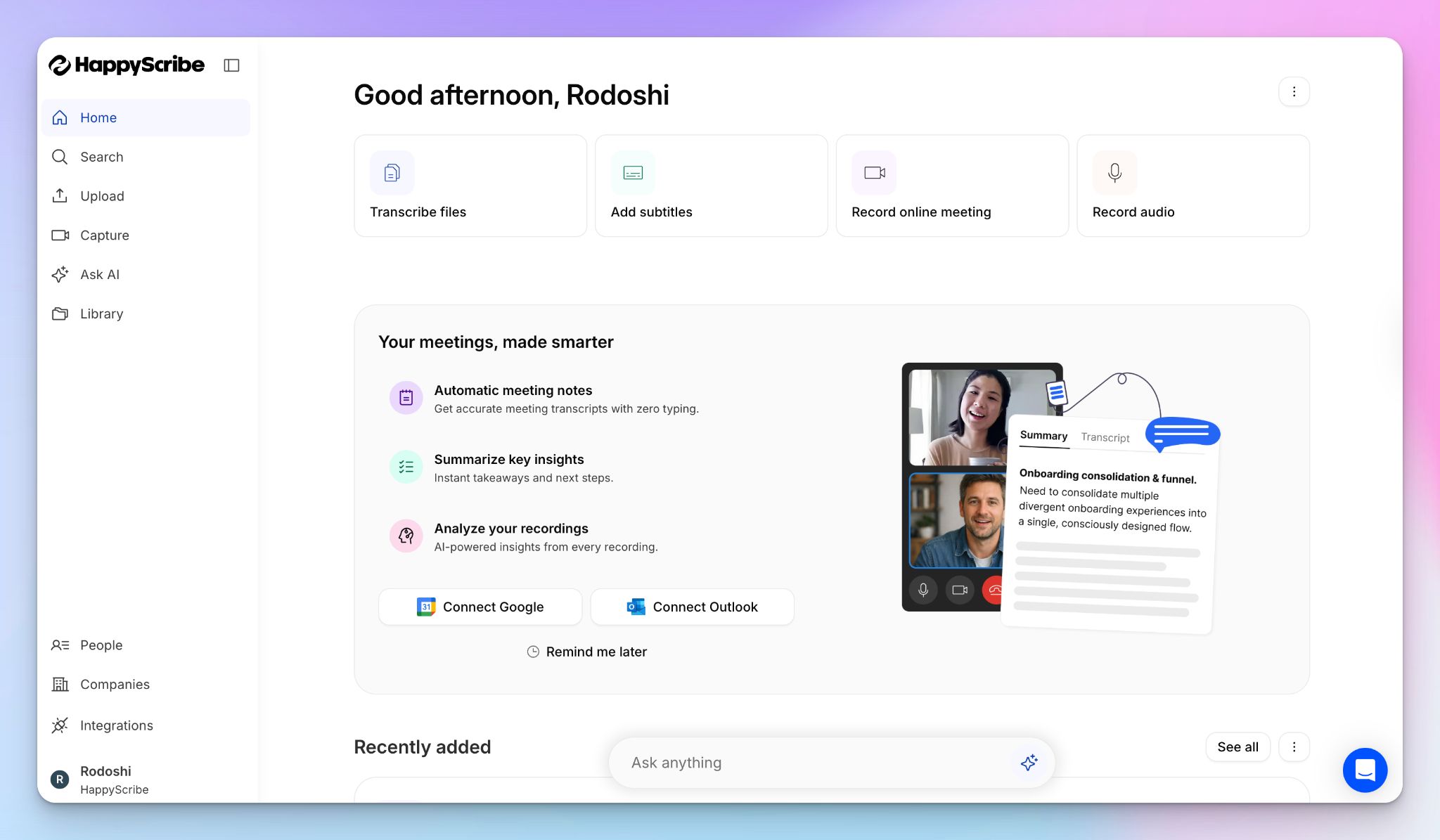
Barcelona-based HappyScribe AI note taker is one of the best SOC 2 Type II-compliant AI meeting assistants for businesses that value security and data sovereignty.
Simply connect your Google or Outlook calendar to let HappyScribe auto-join scheduled meetings or paste meeting links manually. HappyScribe works with Zoom, Teams, Google Meet, and in-person meetings to make sure work goes uninterrupted.
Whether you are running a confidential client review or an internal strategy session, HappyScribe makes sure your data remains strictly yours.
HappyScribe’s key features
1. GDPR and SOC 2 Type 2 compliance, along with EU data storage
HappyScribe holds a verified SOC 2 Type II certification and has completed a third-party penetration test in 2025. Since it’s a GDPR-compliant note taker, users have full control over data privacy and consent.
All your sensitive meeting data is stored, processed, and protected exclusively in an EU-based data center that is Tier IV, PCI DSS, and ISO 27001-compliant. Every file utilizes AES-256 block-level encryption in transit and at rest.
But more importantly, HappyScribe lets you explicitly opt out of anonymized AI training, ensuring your private corporate strategy never becomes public AI training data.
2. Generate 95%+ accurate meeting notes in 150+ languages and dialects
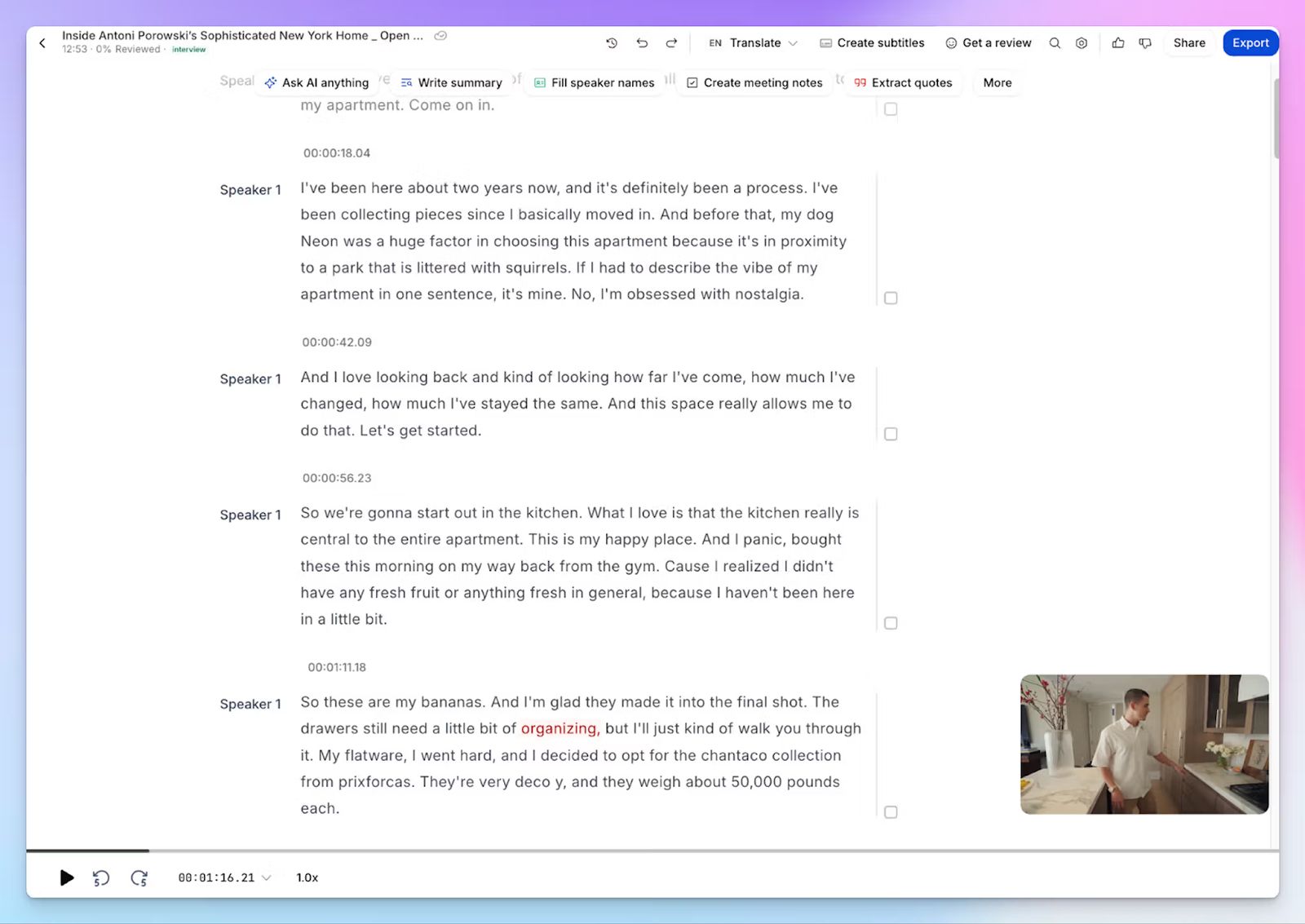
Once you know the platform of your choice is secure, you can focus on the core tasks. HappyScribe's ASR engine is fine-tuned to handle crosstalk, noise, fast speakers, and complex domain-specific jargon. It delivers 95%+ accuracy across 150+ global languages and accents.
From Icelandic to Swiss German, you get neatly structured notes, decisions, and action items without requiring tedious manual edits. If you’re still not sure about transcription accuracy, you can replay the audio or video recording to verify the notes.
3. Customizable and transparent meeting bot that you control
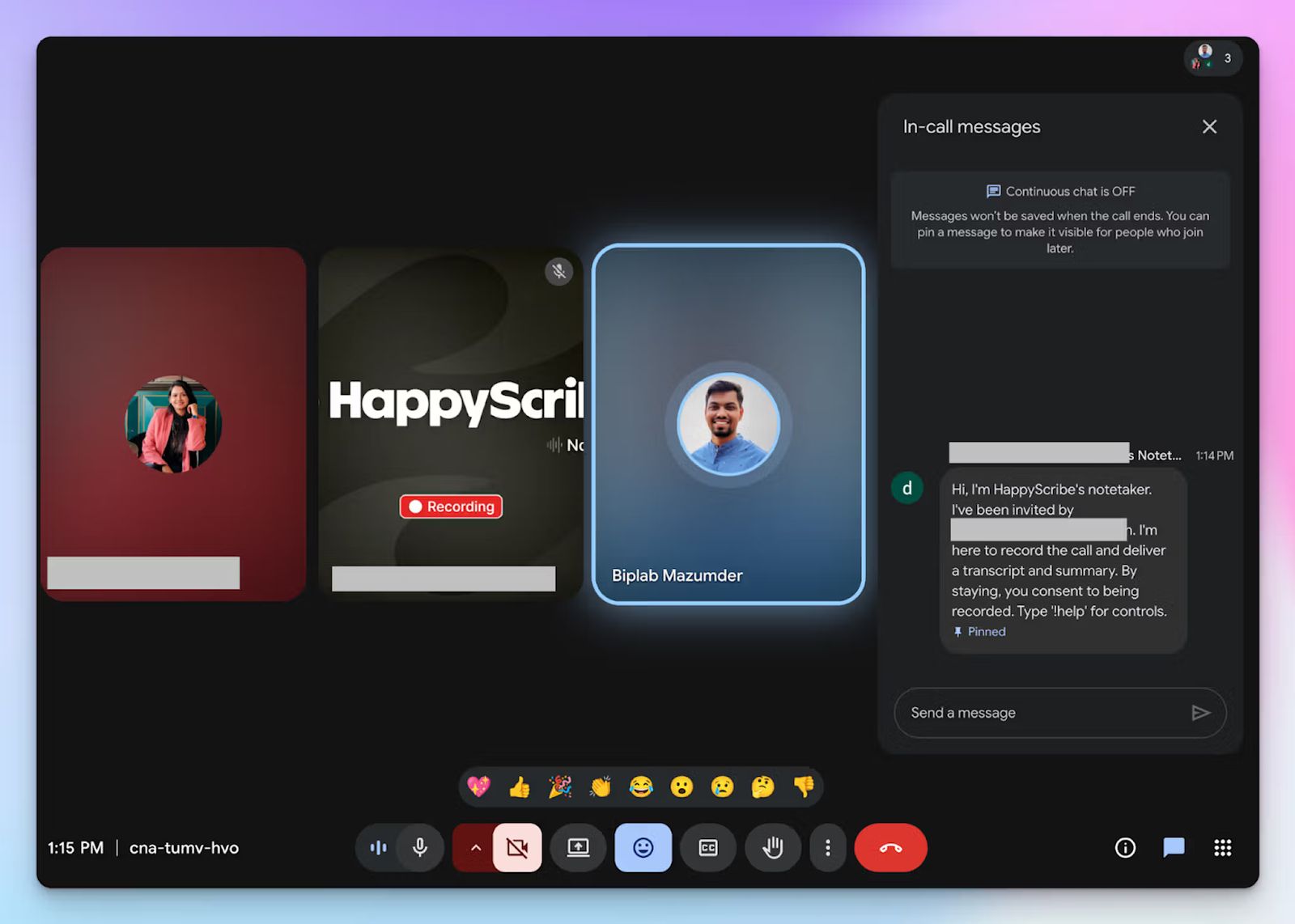
Privacy-conscious users tend to prefer full control over the meeting bot. If that’s something important to you, you’ll like HappyScribe.
It offers a transparent note taker that announces its presence clearly, securing active consent from all attendees. You dictate when it joins, what it records, and how it behaves after the meeting ends. You can customize the look of the bot and the message it shows depending on your company policies.
If you’re joining an in-person meeting or don’t want to disturb the conversation with a visible bot, you can simply record audio from your device without a bot.
🕵️♀️ Did you know? 60% of meetings are ad hoc, which means most teams don’t have time to schedule meetings via calendar.
4. Generous free tier and simple upgrade options for users
HappyScribe offers a genuinely useful free tier featuring unlimited meeting recordings capped at 45 minutes each, making it one of the best free AI note takers. You can test the transcription accuracy, explore the AI chat, and review the internal sharing settings before committing.
When you’re ready to deploy the tool across your organization, the plan upgrades are transparent, flexible, and scalable for teams of any size.
5. Ask AI for cross-meeting insights, video chapters, and email drafts
Instead of manually scrubbing through hours of secure recordings, you can chat with HappyScribe’s AI to extract quotes, cross-check decisions, and highlight recurring objections. The AI instantly generates timestamped video chapters, custom follow-up emails, and shareable summaries.
To fit seamlessly into your enterprise tech stack, HappyScribe offers SSO and SAML logins for granular access control alongside API, MCP server, and Zapier integrations.
HappyScribe’s pricing
- Free: Unlimited meeting recordings (45 mins/recording)
- Basic: $8.50/month (billed annually) or $17/month (billed monthly)
- Pro: $19/month (billed annually) or $29/month (billed monthly)
- Business: $59/month (billed annually) or $89/month (billed monthly)
- Enterprise: Contact sales to get tailored solutions directly
HappyScribe’s pros
- SOC 2 Type II and GDPR compliance with a dedicated EU data center, making HappyScribe one of the best AI note takers in Europe
- Upload and transcribe files and pre-recorded meetings from your device, YouTube, Box, Vimeo, and Dropbox
- 95%+ accurate transcripts and summaries across 150+ languages and dialects
- Custom glossaries and style guides to make sure jargons remain consistent across meeting notes
- Generate subtitles for videos and turn your meetings into shareable internal assets
- Translate meeting notes into 80+ languages
- Enterprise-ready infrastructure featuring SSO, SAML, and granular file-sharing permissions
- iOS and Android mobile apps are coming soon
- Get fast and helpful support from real humans, not bots
HappyScribe’s cons
- Doesn’t yet offer real-time transcription
What are real-life users saying about HappyScribe’s AI note taker?
I tried HappyScribe with the free trial and was immediately impressed. The transcription accuracy is excellent, even with background noise and different accents. The interface is intuitive and easy to use, and the ability to download the transcript in multiple formats is a great plus. Highly recommended for anyone who needs a reliable and flexible transcription tool.
I've been using HappyScribe for almost a year now and have had a really good experience with it. For me, it's been more user-friendly and accurate than other transcription tools I've tried. I mainly use it to transcribe videos for research and to help templatize scripts, and it saves me a lot of time. The interface is straightforward, the transcripts are usually very accurate, and editing inside the platform is simple. Overall, it's been a reliable tool for my workflow, and I appreciate how easy it makes turning spoken content into usable text.
How to use HappyScribe’s AI note taker? A step-by-step guide
1. Link your Google or Outlook calendar or paste the meeting link to invite the HappyScribe note taker. For in-person meetings, you can record audio without a bot.
2. Select Meetings in the left sidebar and then check the options at the right to customize when the notetaker should join and who should receive the email summary.
3. Click on the Settings button at the top right to select when the notetaker should start recording and who can view the meeting transcription.
4. During an online call, the notetaker must be admitted by the meeting host to start recording. You can chat with the notetaker to control it.
5. And that's it! The meetings should be saved in your Workspace files or in the Private section, depending on your privacy settings.
2. Sonix
Best for: Media professionals and legal teams that need secure transcription for pre-recorded audio and video files
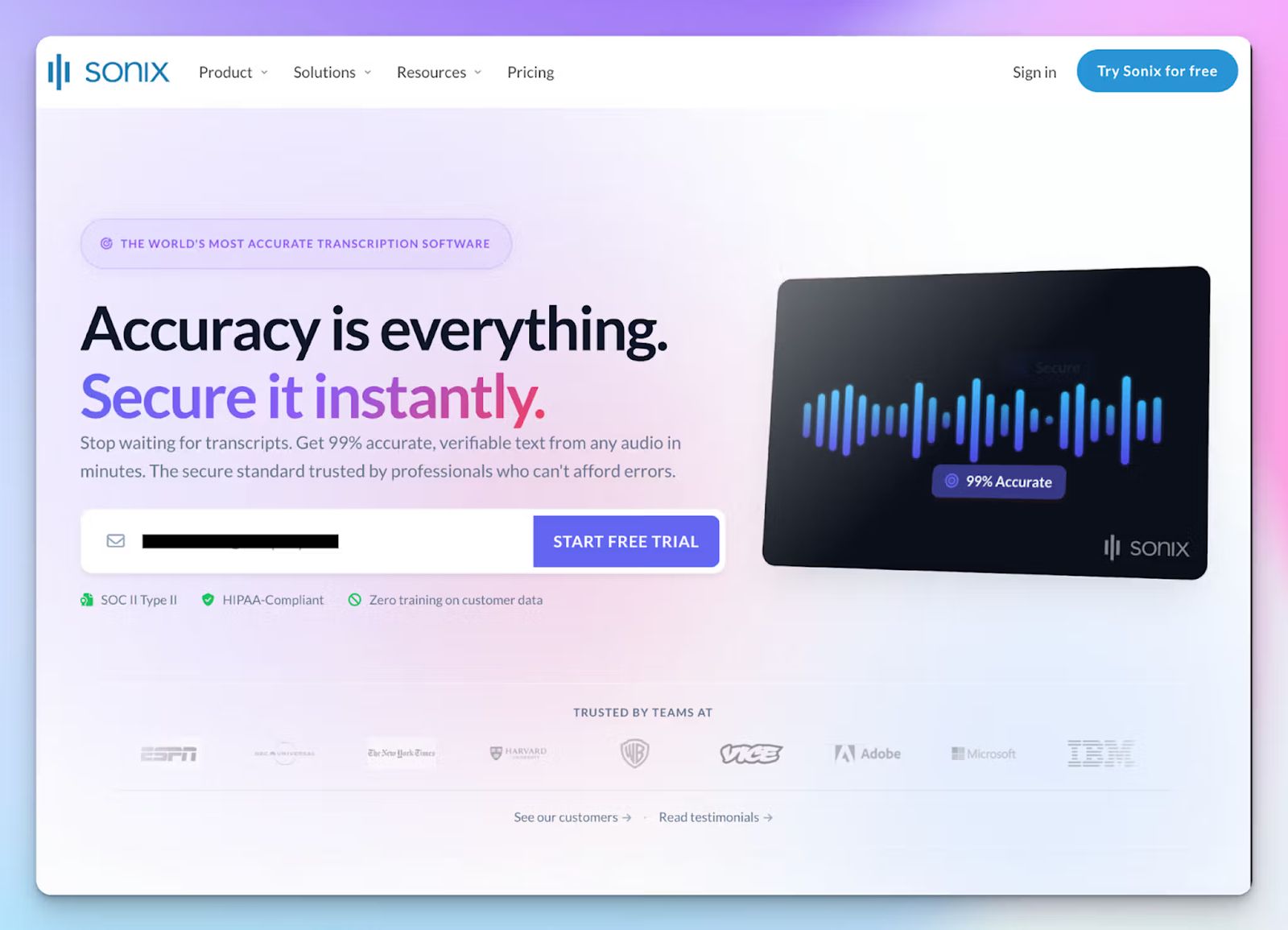
Sonix approaches the AI note taker market from a different angle. Instead of deploying a meeting bot to join your daily syncs, it focuses on transcribing and translating pre-recorded media files.
Once you upload a file or sync a cloud recording, Sonix generates a transcript inside an interactive web-editor. From there, your team can search for keywords, fix timestamps, and export the finished document directly into your video editor.
Sonix's key features
- Maintains a verified SOC 2 Type II certification, utilizes AES-256 encryption, and continuously monitors over 100 internal security controls using Drata
- The web-based editor lets you edit video footage by editing the transcript
- Generate transcripts and translate texts in 50+ global languages and dialects
- From Salesforce, MaxQDA, Atlas.ti, to Clio, Avid Media Composer, and Zapier, Sonix integrates with a wide range of industries
Sonix's pricing
- Standard: $10/hour (pay-as-you-go)
- Premium: $22/month + $5 AI analysis add-on + $5/hour of transcription and translation add-on
- Enterprise: Custom pricing
Sonix's pros
- The interactive web editor is highly intuitive for reviewing text, leaving comments, and editing timestamps
- Sonix supports 44+ audio and video file formats to speed up file editing workflows
- Strict enterprise security protocols, including a firm zero-training policy on customer data
Sonix's cons
- Sonix functions as an upload-and-transcribe tool rather than a live AI meeting assistant for your calls
- The hybrid pricing model charges hourly consumption rates on top of monthly user fees, making Sonix expensive for high-volume teams
🤔 Interesting to note: Only 12% employees think new information flows quickly between teams.
3. Sembly
Best for: Account managers and cross-functional teams that need file transcriptions, meeting reports, and deep insights
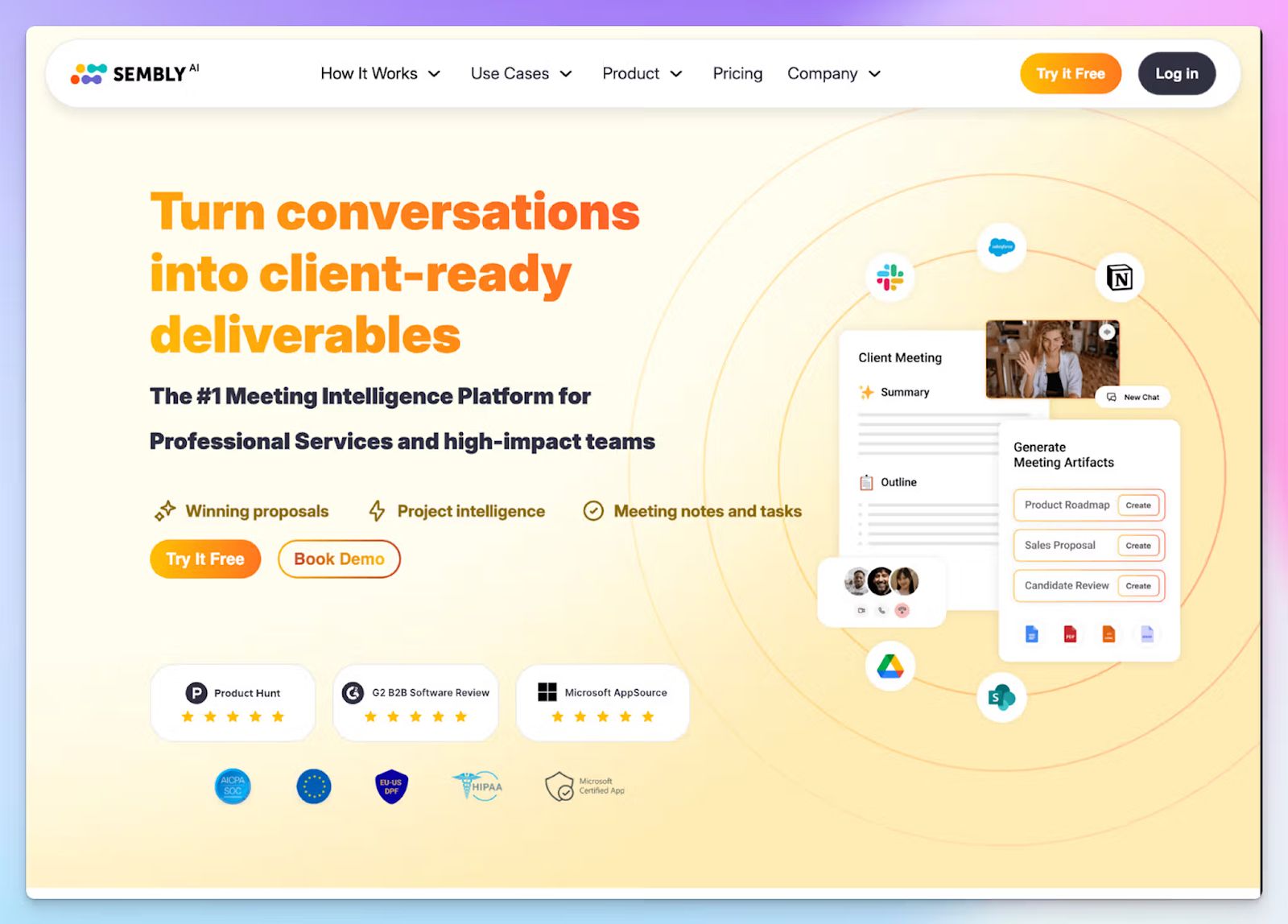
Sembly AI functions as a dedicated meeting assistant that captures live calls across Zoom, Google Meet, Webex, and Microsoft Teams. It holds a verified SOC 2 Type II certification and complies with GDPR, HIPAA, and EU-US DPF standards.
Once a meeting concludes, Sembly breaks down the conversation into structured summaries, decisions, and risks. You can set it up to follow up with team members and push that data directly into your workflow systems.
Sembly’s key features
- Semblian 2.0 is a multi-meeting agent that spots trends over time, surfaces insights, runs tasks, and follows up on projects with AI artifacts
- Sembly lets you set up and track custom KPIs such as sentiments, deal health, team dynamics, and meeting effectiveness across sales, HR, IT, and customer support
- Upload video files to transcribe meeting notes and use the “Glance View" to quickly review past meeting summaries
- Sembly integrates with a wide range of tools, including Slack, Trello, HubSpot, Jira, Close CRM, Wrike, etc.
Sembly's pricing
- Basic: $17/month
- Pro: $29/month
- Max: $39/month
- Enterprise: Custom pricing
Sembly’s pros
- Sembly lets you run meetings with and without a visible bot
- For organizations with strict infrastructure requirements, it offers dedicated tenant storage within its private cloud and custom VPN connectivity options to restrict network access
- Sembly routes specific meeting insights to different departments automatically using advanced integration filters
Sembly’s cons
- Language support caps at 48 languages, falling short for global teams needing broader dialect coverage
- Sembly’s more useful features, including custom SSO, HIPAA, and deeper analytics, are locked behind premium plans, forcing users to look for Sembly alternatives
📚 Also read:Best Read AI alternatives for AI meeting notes
4. Grain
Best for: Product and customer success teams that need to extract video clips and sync meeting data with other AI tools
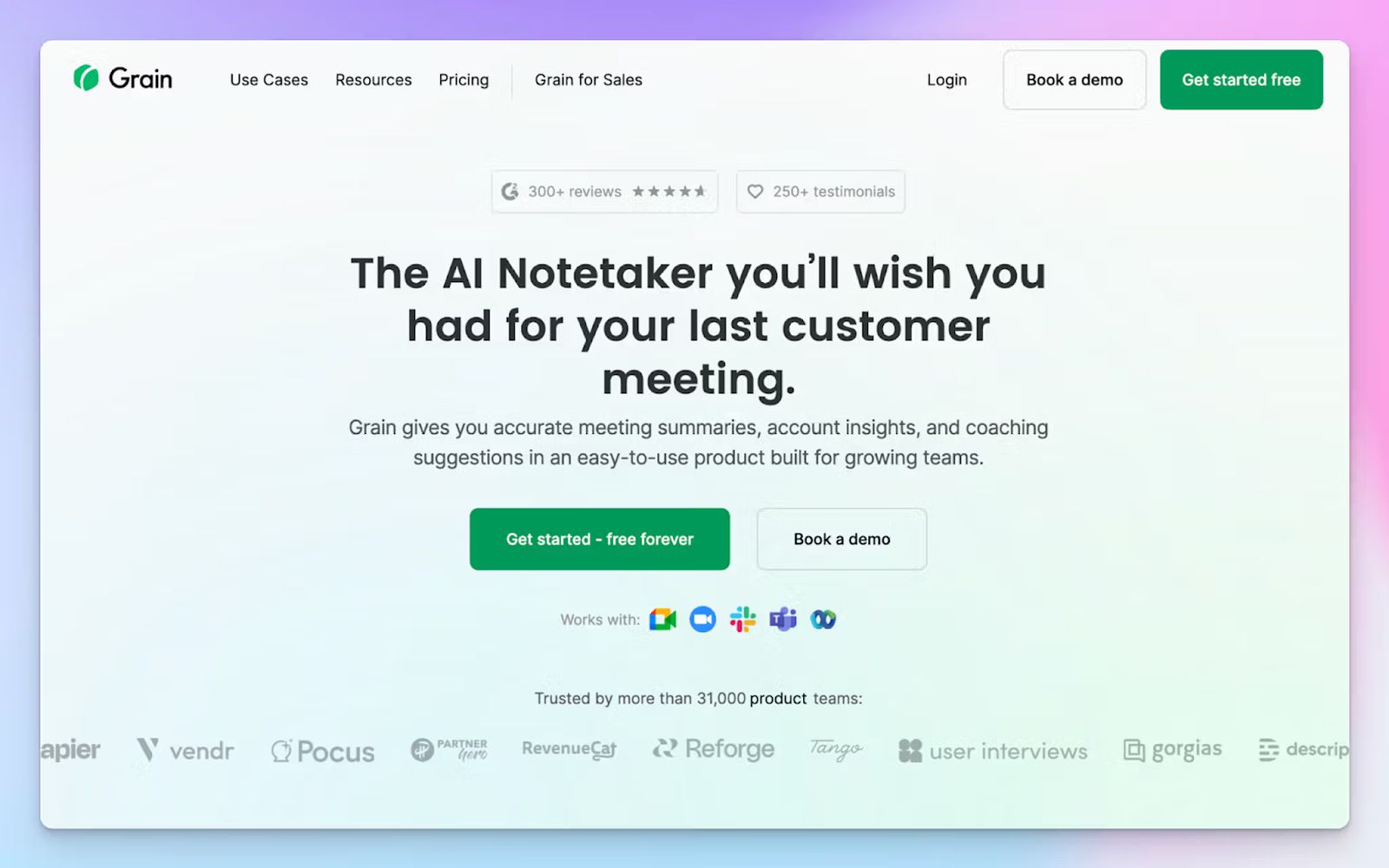
Grain combines meeting note-taking with conversation intelligence to give teams a holistic idea about meeting health. It records calls across Google Meet, Zoom, Teams, and Webex, and organizes the data into a searchable video library where product teams and account executives can review client sentiment.
After a sales demo or interview, Grain maps the conversation against the SPICED framework. It identifies deal risks and pushes the updated contact records into your sales pipeline to eliminate manual data entry.
Grain's key features
- Grain lets you clip meeting highlights and create libraries and playlists to keep sales and customer success teams aligned with contexts and sentiments
- Live Notepad works alongside automated transcripts during meetings so you can enrich notes with custom data
- Ask Grain AI to generate follow-ups and reports based on past meeting insights and next steps
- Grain connects with Aircall, Salesforce, HubSpot, Slack, Productboard, and other AI tools via the MCP server
Grain's pricing
- Free
- Starter: $19/month
- Business: $39/month
- Enterprise: Custom pricing
Grain's pros
- Verified SOC 2 Type II certification with AWS infrastructure hosted within a virtual private cloud
- Desktop app allows users to record in-person meetings without a visible bot
- With pre-built workflows, sales, product, and HR teams can track specific meeting metrics
Grain's cons
- Grain lacks built-in translation capabilities for meeting notes
- The bot-free desktop capture is only available to Mac users for now
- Grain struggles with accents and underrepresented languages, forcing many users to look for Grain alternatives for meetings
5. Avoma
Best for: Enterprise RevOps teams that need to automate CRM data entry and extract deal intelligence from customer calls
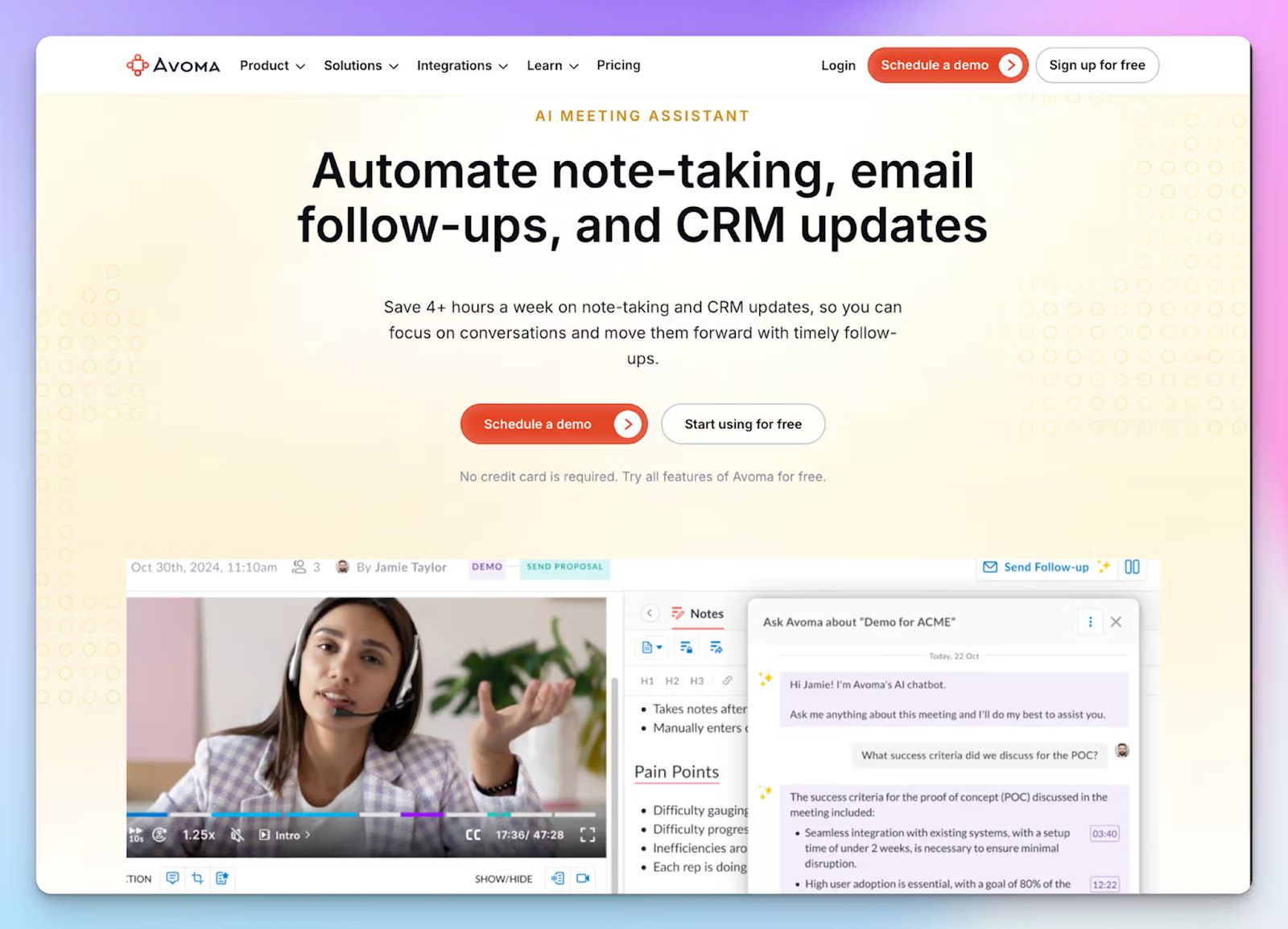
Security features like SOC 2 Type 2 matter more to enterprise teams that have massive workflows to manage. Avoma fits the bill by catering to large revenue teams.
It joins sales calls across platforms like Zoom and Google Meet to capture conversation data and map it against sales frameworks like MEDDIC and SPICED. Avoma maintains verified SOC 2 Type 2 and GDPR certifications and utilizes AWS infrastructure protected by a virtual private cloud to secure enterprise data.
Avoma's key features
- Native integrations execute 2-way syncs with Salesforce, HubSpot, Dialpad, Salesloft, Zoho, Pipedrive, and Copper CRMs
- With Smart Trackers, you can monitor competitor mentions and pricing objections across all sales conversations
- The Ask Avoma AI Copilot functions as a live answer assistant during calls to retrieve details from past meetings
- With a native lead router for inbound calls, representatives can instantly book handoff meetings
Avoma's pricing
- Startup: $29/user/month
- Organization: $39/user/month
- Enterprise: $39/user/month (billed annually)
- Conversation Intelligence add-on: $35/month
- Revenue Intelligence Add-on: $35/month
- Lead router add-on: $25/month
Avoma's pros
- Administrators can configure granular access controls to restrict forecast data and target metrics to specific team roles
- Avoma generates custom coaching scorecards to help sales leaders evaluate rep performance on discovery and closing metrics
- Unlimited view-only seats allow external stakeholders to read transcripts and add comments without utilizing a paid license
Avoma's cons
- Advanced conversation and revenue intelligence are paywalled as add-ons, increasing the overall cost
- Avoma’s UI has a steep learning curve for users who need a basic transcription tool
- Avoma transcripts lack accuracy when attendees have accents or background noise
📚 Also read:Best alternatives to tl;dv for AI meeting notes
How to choose the right SOC 2 Type 2-compliant AI note taker?
Data security isn't a feature you want to compromise on. All five SOC 2 Type 2 compliant AI note takers in the list serve different workflows, so it comes down to what your team wants to achieve or overcome.
- Choose Sonix if your media or legal team needs an interactive web editor for pre-recorded video files
- Sembly works for project managers who need reports and follow-up tasks based on meetings and push data into Monday.com or Jira
- Choose Grain if your product researchers need to clip video highlights to share customer feedback via Slack
- Pick Avoma if you run a large revenue team that needs advanced deal intelligence and wants to map conversations against sales frameworks
- Choose HappyScribe if you need an enterprise-grade meeting assistant that handles accurate meeting notes in 150+ languages, file transcripts, translation, and AI analysis
HappyScribe gives you full control over your meeting data without locking you into bloated enterprise contracts. Thanks to verified SOC 2 Type II compliance, a zero-training privacy option, and an EU-based data center, HappyScribe is one of the most secure AI note takers today.
FAQs on the best SOC 2 Type 2 compliant AI note takers
1. What is the most secure AI note taker?
HappyScribe is one of the best AI note takers for teams that treat security as a baseline rather than an afterthought. It holds a verified SOC 2 Type 2 certification, stores all meeting data exclusively in an EU-based data center, and gives users a clear opt-out from AI training. More broadly, the most secure AI note taker tools encrypt data with AES-256, offer bot-free recordings that capture system audio without sending a visible AI meeting bot into your calls, and give users control over how their data is used. For businesses running virtual meetings with sensitive stakeholders, these features cover compliance from every angle.
2. Is SOC 2 Type 2 important for meeting note takers?
Yes, especially if your team handles confidential client calls, legal discussions, or internal strategy sessions. AI note taker tools process everything said in your online meetings, which makes them a significant security surface. SOC 2 Type 2 certification means an independent auditor has verified that the vendor's security controls work consistently over time, not just on paper. HappyScribe, for example, pairs its SOC 2 Type 2 certification with GDPR compliance and an EU-based data center, so teams that run sensitive virtual meetings have independent proof of security at every layer. Without that certification, you're trusting a vendor's word alone.
3. Who needs SOC 2 Type 2 compliance?
Any team that records and stores sensitive conversations needs it. This includes sales teams that capture meeting audio across customer calls, legal and HR teams handling confidential discussions, and enterprises managing an entire meeting history across multiple meetings. Project management tools and AI notetakers that generate notes, meeting summaries, and raw transcripts are especially at risk if they lack proper certification, since a single breach can expose months of conversation data. For teams that need multilingual support and free AI meeting notes to get started, HappyScribe offers SOC 2 Type 2 compliance alongside a genuinely useful free tier.
4. What is SOC 2 Type 2 compliance?
SOC 2 Type 2 is an auditing standard defined by the AICPA. It evaluates whether a service organization's controls around security, availability, confidentiality, and privacy have been operating effectively over a defined period, typically six to twelve months. Unlike Type 1, which is a point-in-time snapshot, Type 2 provides ongoing proof. For AI notetakers that process video calls and generate actionable insights from sensitive conversations, it’s the most credible security benchmark available.
5. Are GDPR and SOC 2 Type 2 the same?
No. GDPR is a data privacy regulation that governs how organizations collect, store, and process personal data belonging to EU residents. SOC 2 Type 2 is a security auditing standard that verifies whether a vendor's internal controls are working as intended over time. An AI notetaker can be GDPR-compliant without being SOC 2 Type 2 certified, and vice versa. For the best AI meeting experience with full data protection, look for tools that satisfy both, particularly if your whole team operates across regions. HappyScribe, for instance, holds both certifications and stores data exclusively in EU-based infrastructure.
6. Which AI note takers are SOC 2 Type 2 compliant?
Several AI note-taking tools carry verified SOC 2 Type 2 certifications. HappyScribe, Sonix, Sembly, Grain, and Avoma all meet this standard. Among them, HappyScribe stands out for teams that need extensive language support across 150+ languages, cross-meeting search, multilingual support for global calls, and the ability to highlight key moments and key points without a bot joining the call. It offers free AI meeting notes on its free tier, and the flexibility to capture meeting audio from in-person or virtual meetings without an AI meeting bot.

Biplab Mazumder
Biplab is a content marketer and writer who helps high-growth brands scale content visibility across AI search channels. His works have been published in HubSpot, Freshworks, Atlassian, SurferSEO, etc. When he's not planning content strategy, he's testing AI content workflows and use cases.