![5 Best Sonix Alternatives for AI Meeting Notes [2026]](/sanity-images/ejgwz1gl/redesign/b52f3a72523f29e2a9398502d92d79f2d4886995-2240x1260.png?auto=format&w=2240.0&rect=0,0,2240,1260)
When I speak with professionals who switch AI note takers, a few types of complaints come up more than others. For Sonix, it’s the pricing.
First, you pay a standard monthly fee to access all the features, then you pay by the hour to actually transcribe your files. Users also struggle with the lack of a live meeting bot to automatically join and capture scheduled calls.
These recurring issues push teams to look for better Sonix alternatives for note taking. I’ve put together this list so you can evaluate your options and find the right fit without the hassle.
I tested the free versions of the top tools in the market to see their real performance. I also spoke to current users and analyzed hundreds of customer reviews across G2, Reddit, and Trustpilot.
Let's dive into the results!
TL;DR ⏩
- HappyScribe: Best for accurate and secure meeting notes, bot-free recording, translation, subtitling, and affordable plans for global teams
- Trint: Best for journalists and newsroom teams turning live broadcasts into published stories
- Otter: Best for users who want a polished mobile app and real-time transcription in English
- Descript: Best for content creators who want to extract shareable video clips and summaries from meetings
- Notta: Best for consultants looking for a built-in meeting scheduler and quick notes
Why users are looking for Sonix alternatives
While finalizing the best Sonix alternatives, I found that these are the most common reasons people consider switching:
1. Sonix doesn’t always pick up different accents and speakers
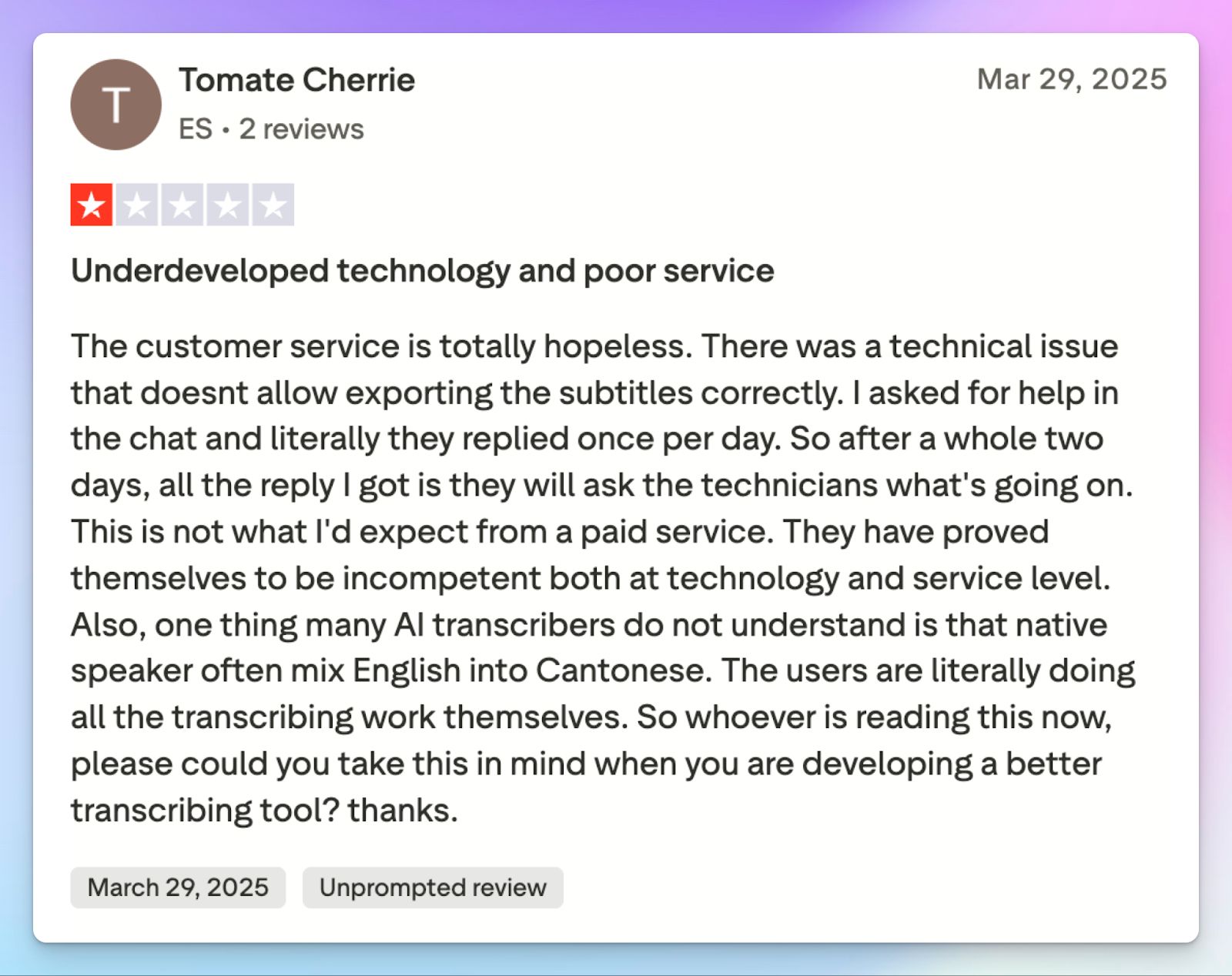
Sonix is serviceable when you have clear, studio-quality audio. But the transcription quality takes a nosedive when your meetings include natural conversations or non-US accents.
Sonix AI also struggles to identify speakers accurately during fast-paced discussions. Users frequently report the system over-identifying speakers or merging paragraphs incorrectly, which forces you to spend hours manually editing the text.
2. Not ideal for real-time online meeting transcripts
If you rely on back-to-back virtual meetings, Sonix will slow down your daily workflow. It’s an upload-based platform that does not offer an automated bot to join your scheduled Zoom or Google Meet calls.
To get a transcript, you must record your conversations in the cloud or offline and manually upload the media files to the dashboard for processing. This extra step defeats the purpose of using an AI meeting assistant to save time.
For example, Zoom takes about double the duration of recording to process the video on the cloud. Once that’s done, Sonix starts transcribing, which, according to Sonix, typically takes about as long as the duration of the file. So, if you have a 30-minute Zoom call, you’d need to wait as long as 90 minutes to access the transcript, which is simply not good enough today.
3. Shady billing practices
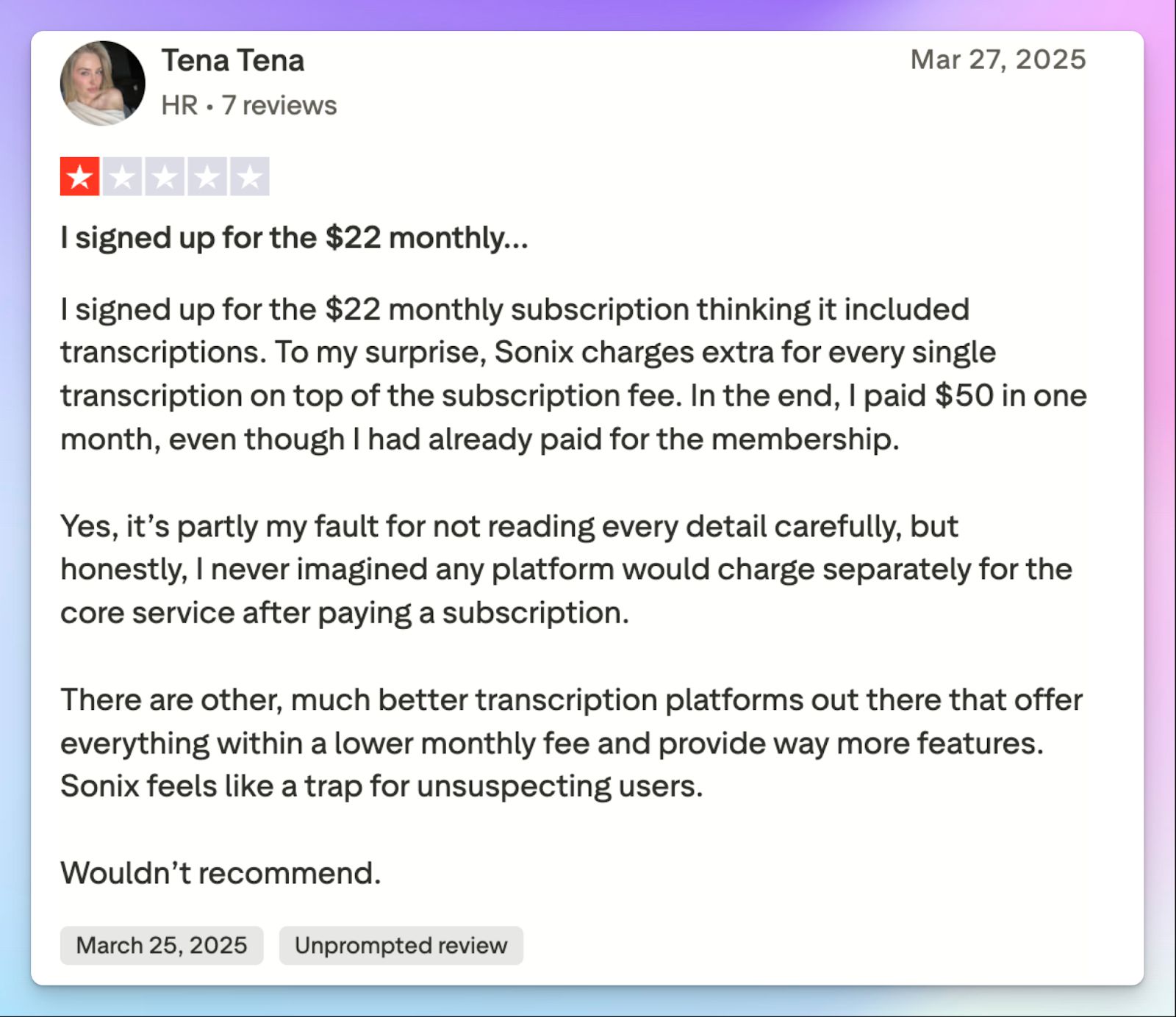
Sonix uses a hybrid billing structure that often catches teams off guard. Teams pay a standard monthly subscription of $22 just to keep accounts active and access premium features.
On top of that, you still have to pay an hourly rate for every file you transcribe. High-volume users find this model unclear and way too expensive to sustain everyday workflows.
4. No free plan and extremely limited free trial
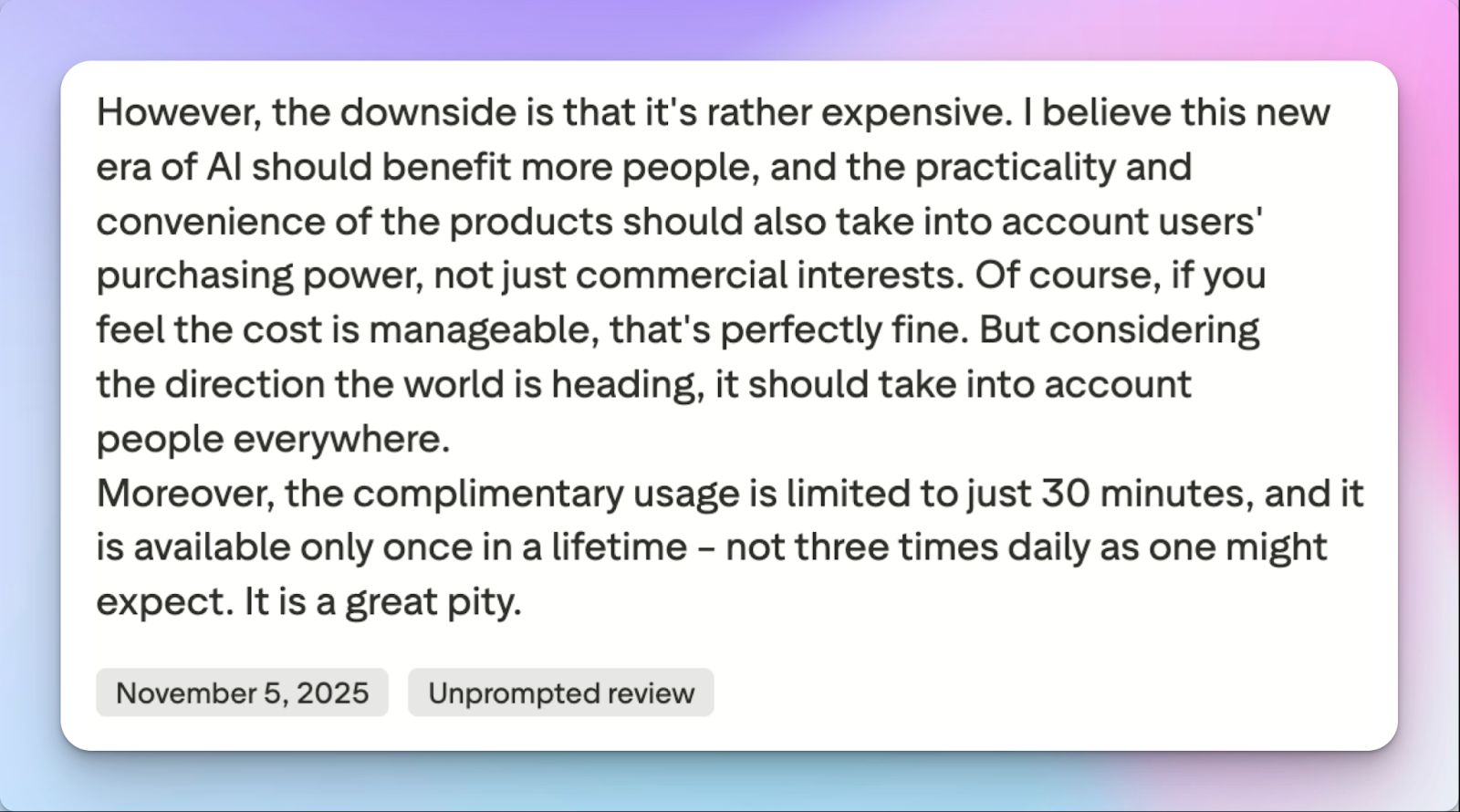
You should be able to evaluate a tool thoroughly to see if it fits your needs. Sonix makes this difficult by offering a highly restrictive free trial capped at just 30 minutes of transcription.
Once you use those minutes, you hit a hard paywall. The platform lacks a generous free tier to handle occasional meetings, forcing you to opt for an hourly rate or a platform+hourly rate combo.
5. Unhelpful customer support team
Given the unique pricing models of Sonix, billing confusion is common. Despite that, users often express frustration over slow response times and unhelpful replies when trying to resolve subscription charges or cancel their accounts.
If you are trying to finalize a project under a strict deadline, you can’t wait days for support. Teams eventually switch to find a platform backed by a responsive, human support team.
Top 5 Sonix alternatives at a glance
| Category | HappyScribe | Trint | Otter | Descript | Notta |
|---|---|---|---|---|---|
| Best for | Global teams that need accurate AI notes, secure file transcription, and transparent billing | Journalists and newsroom teams turning live broadcasts into published stories | Teams that want real-time meeting notes | Video creators who want to extract automated summaries | Consultants looking for a built-in meeting scheduler and quick notes |
| Key features | Automated and bot-free capture, Ask AI insights, 95%+ accuracy, subtitle, translation | Real-time newsroom collaboration, Story Builder, Bulkscribe, and custom vocabulary | AI chat, automated action items, and presentation slide capture | Text-based video editing, Underlord AI assistant, audio cleanup | Native appointment scheduler, bilingual transcripts, and visual mind maps |
| Supported languages | 140+ languages and accents | 50+ languages | 4 languages | 30+ languages | 50+ languages |
| Meeting platform integration | Zoom, Google Meet, Microsoft Teams, and in-person meetings | LiveU, AP ENPS, Avid (Native), and Zoom cloud uploads | Zoom, Google Meet, Microsoft Teams | Descript Rooms and built-in screen recorder | Zoom, Google Meet, Microsoft Teams, Webex |
| Security | GDPR, SOC 2 Type II, ISO 27001-certified EU data residency | ISO 27001, GDPR, US, and EU data storage | SOC 2 Type 2, GDPR | SOC 2 Type II, GDPR, CCPA | SOC 2 Type II, ISO 27001, GDPR, CCPA |
| Starting price | Free plan with unlimited meeting recordings. Paid plan starts from $8.50/month (billed annually) or $17/month (billed monthly) | Starts from $100/month | Free. Paid plan starts from $16.99/month | Free. Paid plan starts from $24/month | Free. Paid plan starts from $13.49/month |
1. HappyScribe
Best for: Best for 95%+ accurate and secure meeting notes, bot-free recording, translation, subtitling, and affordable plans for global teams
HappyScribe AI note taker is the best Sonix alternative and for good reasons. While Sonix forces you to adopt a meeting record-upload-transcribe workflow, HappyScribe lets you be in control of your meetings. It also doesn’t force you to pay separate bills for one plan.
Any professional or global team that values flexibility, transparency, and accuracy will find HappyScribe a lot more useful than Sonix.
HappyScribe vs Sonix
| Category | HappyScribe | Sonix |
|---|---|---|
| Meeting capture | HappyScribe offers an automated bot to join scheduled virtual calls and generate instant summaries, along with a bot-free option for offline meetings | Sonix relies entirely on manual file uploads after you record meetings locally or in the cloud |
| Pricing structure | Transparent monthly subscription with predictable costs, which saves you money every month | Confusing hybrid model requiring a monthly platform fee plus an hourly transcription rate |
| Language and accuracy | Delivers over 95% accuracy across 140+ global languages and regional accents | Accuracy drops noticeably during natural crosstalk and multiple accents |
| Free tier | Generous free plan allowing unlimited meeting recordings up to 45 minutes each | Highly restrictive free trial capped at a lifetime limit of just 30 transcription minutes |
HappyScribe’s key features
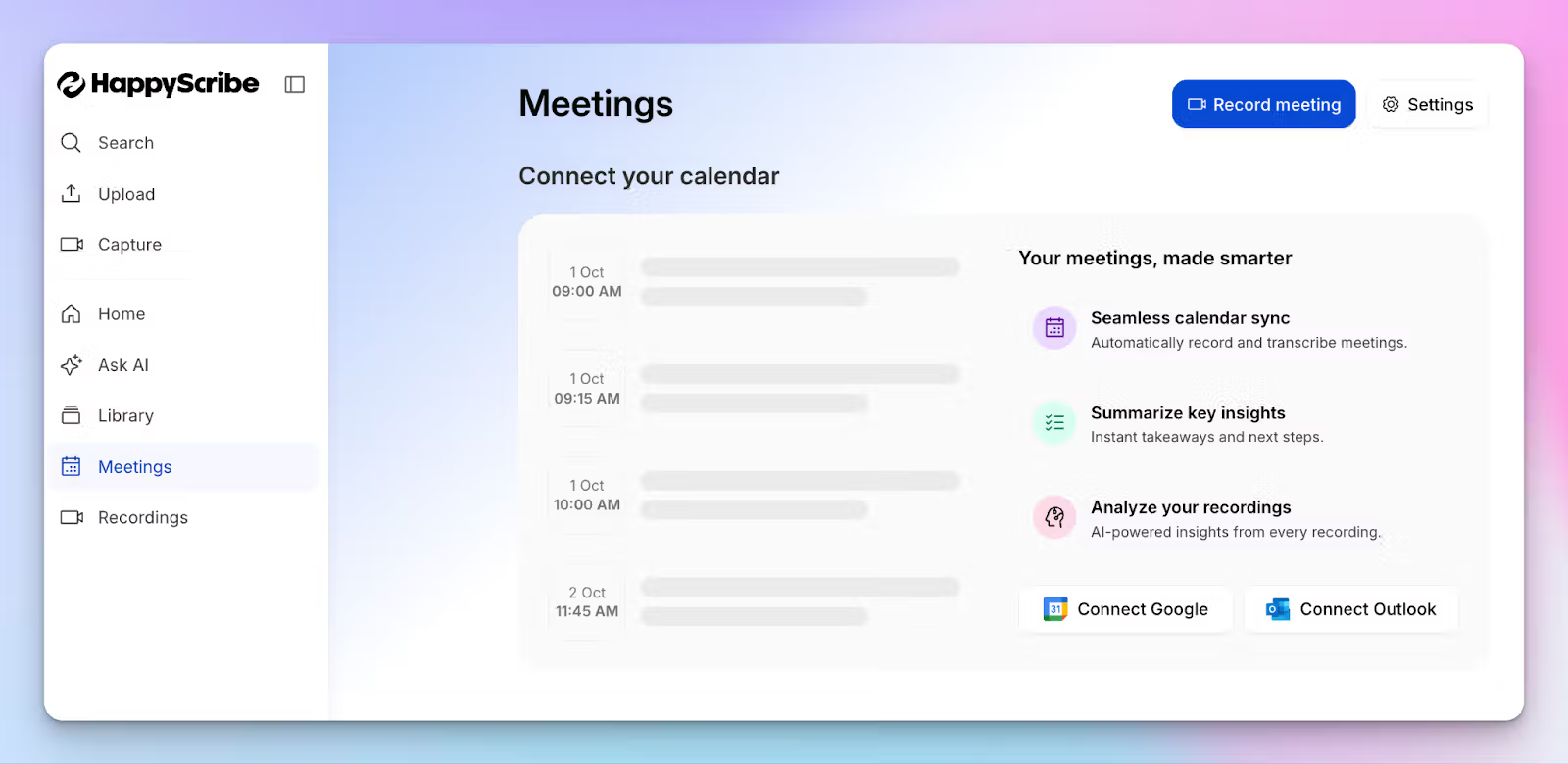
1. Record online meetings with HappyScribe AI note taker
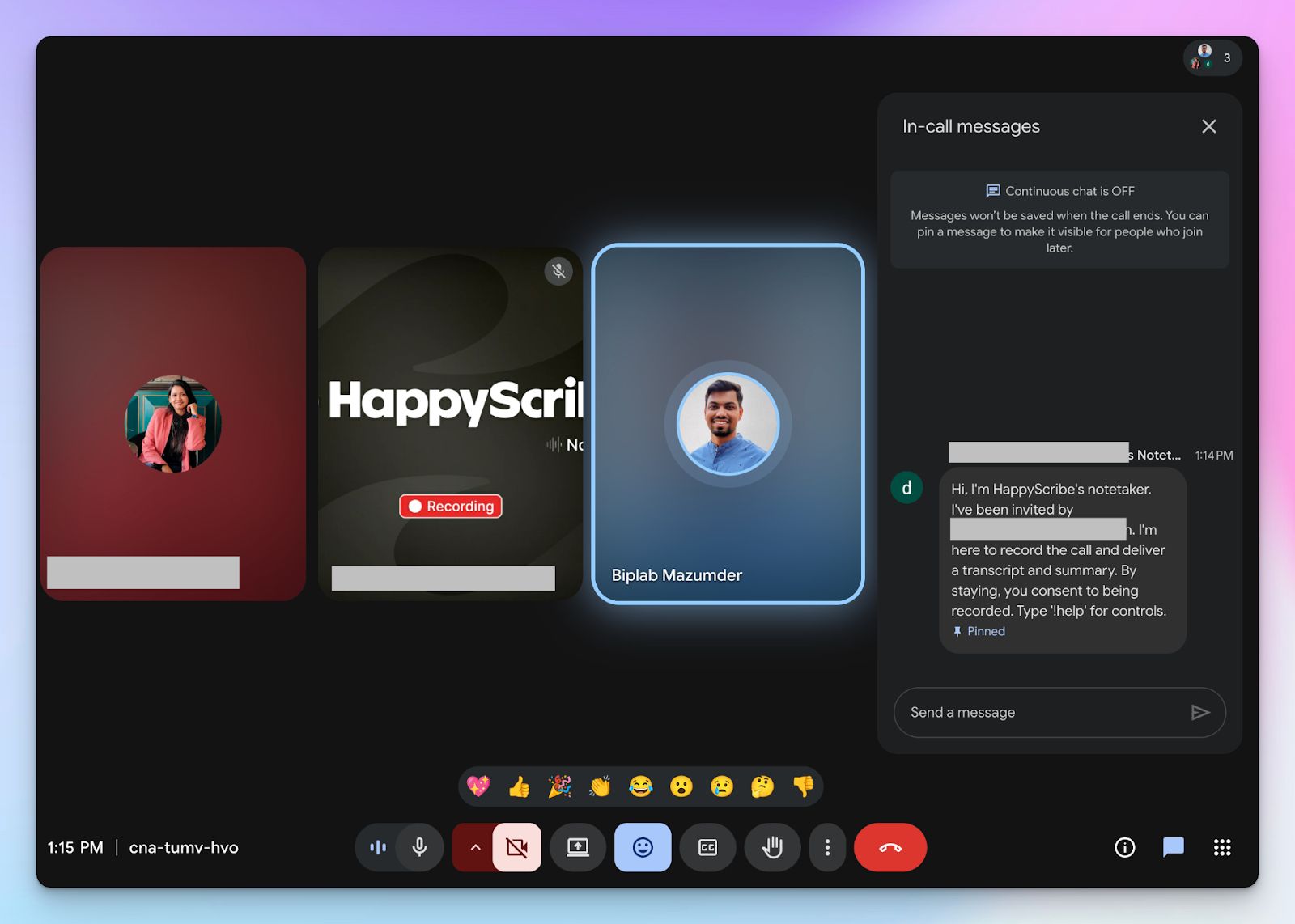
For online meetings, you can paste the meeting link in HappyScribe, and the bot will join the conversation to record and transcribe.
Don’t want to manually add a meeting link every time? Simply connect your Google or Outlook calendar, and HappyScribe will auto-join scheduled calls.
Be it Zoom, Webex, Microsoft Teams, or Google Meet, you control how the bot behaves. Simply tweak the settings to customize the note taker and what it does after the meeting ends.
Now, compare that with Sonix. It forces you to manually record each online meeting, store them in a device or cloud, and upload the file before starting real work.
2. Record bot-free in-person meetings on any device
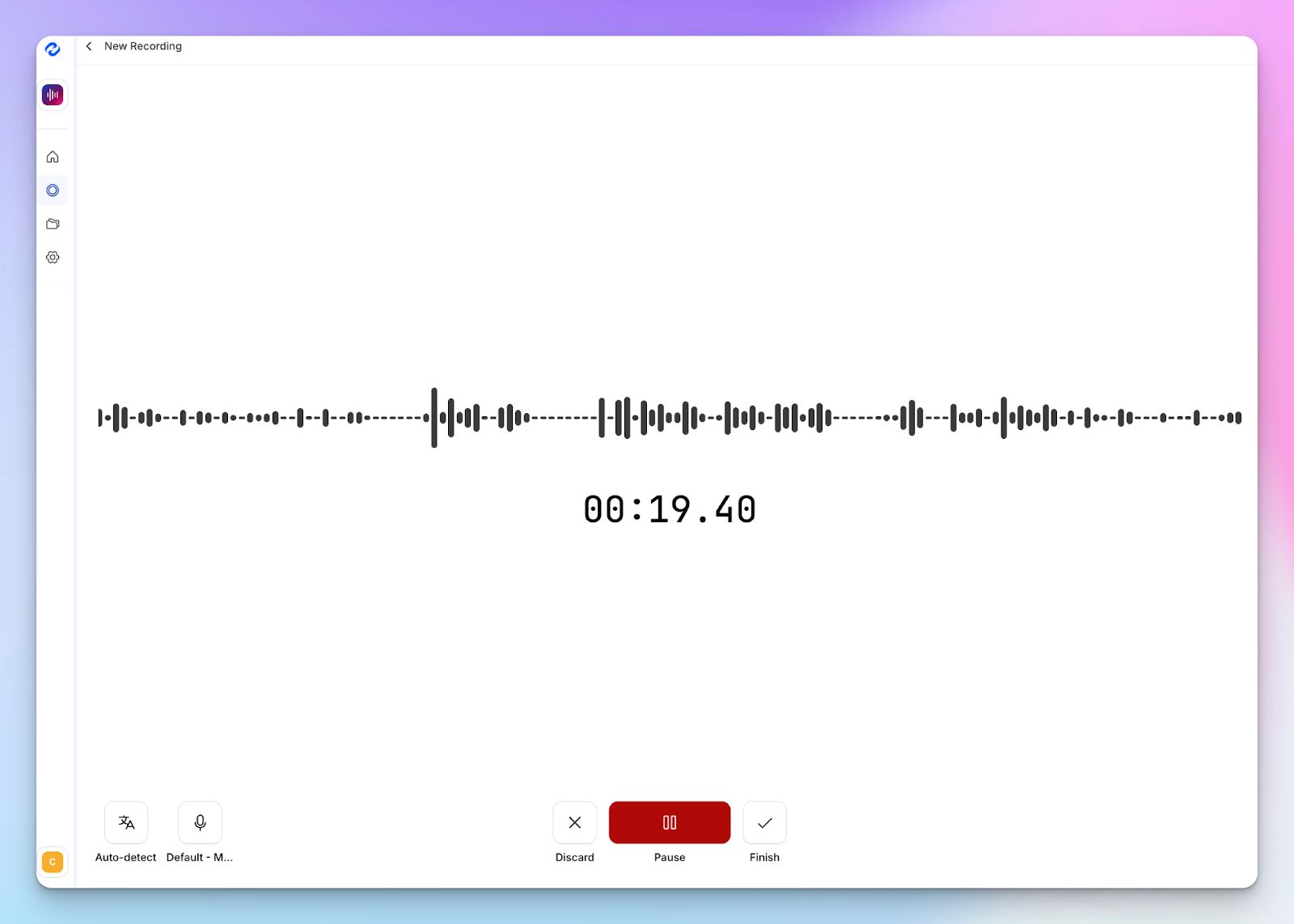
Since Sonix doesn’t have a live recording feature, you also can’t record in-person calls. HappyScribe doesn’t have such issues.
If you’re attending a 1:1 with the boss or an in-person team presentation, HappyScribe can record the meeting audio without inviting the bot and generate transcripts in seconds.
The web-based recorder works directly from your mobile or desktop, and the bot-free nature keeps conversations focused without making anyone feel uncomfortable.
3. Get 95% accurate meeting notes in 140+ languages and accents
If your client calls involve multiple stakeholders talking over each other, you need a transcription engine that keeps up.
HappyScribe handles crosstalk and diverse dialects with a highly tuned AI engine. You get meeting notes delivered with over 95% accuracy in 140+ languages and dialects, along with proper formatting and speaker labels.
From Vietnamese to Slovenian, HappyScribe makes sure you spend your post-meeting time acting on decisions rather than fixing contexts.
4. Generous free plan and simple upgrades for users
Sonix doesn’t have a free plan for individual users. It limits new users to only 30 minutes, which cuts evaluation short just when you are getting familiar with the interface.
In contrast, HappyScribe gives you a generous free tier that includes unlimited meeting recordings up to 45 minutes each. You can also try AI chat, translation, and subtitling to see the value before paying a single cent.
Once you do decide to upgrade, the pricing remains completely transparent. You choose a predictable monthly tier without worrying about hidden fees.
5. Ask AI conversations for meeting insights and video chapters
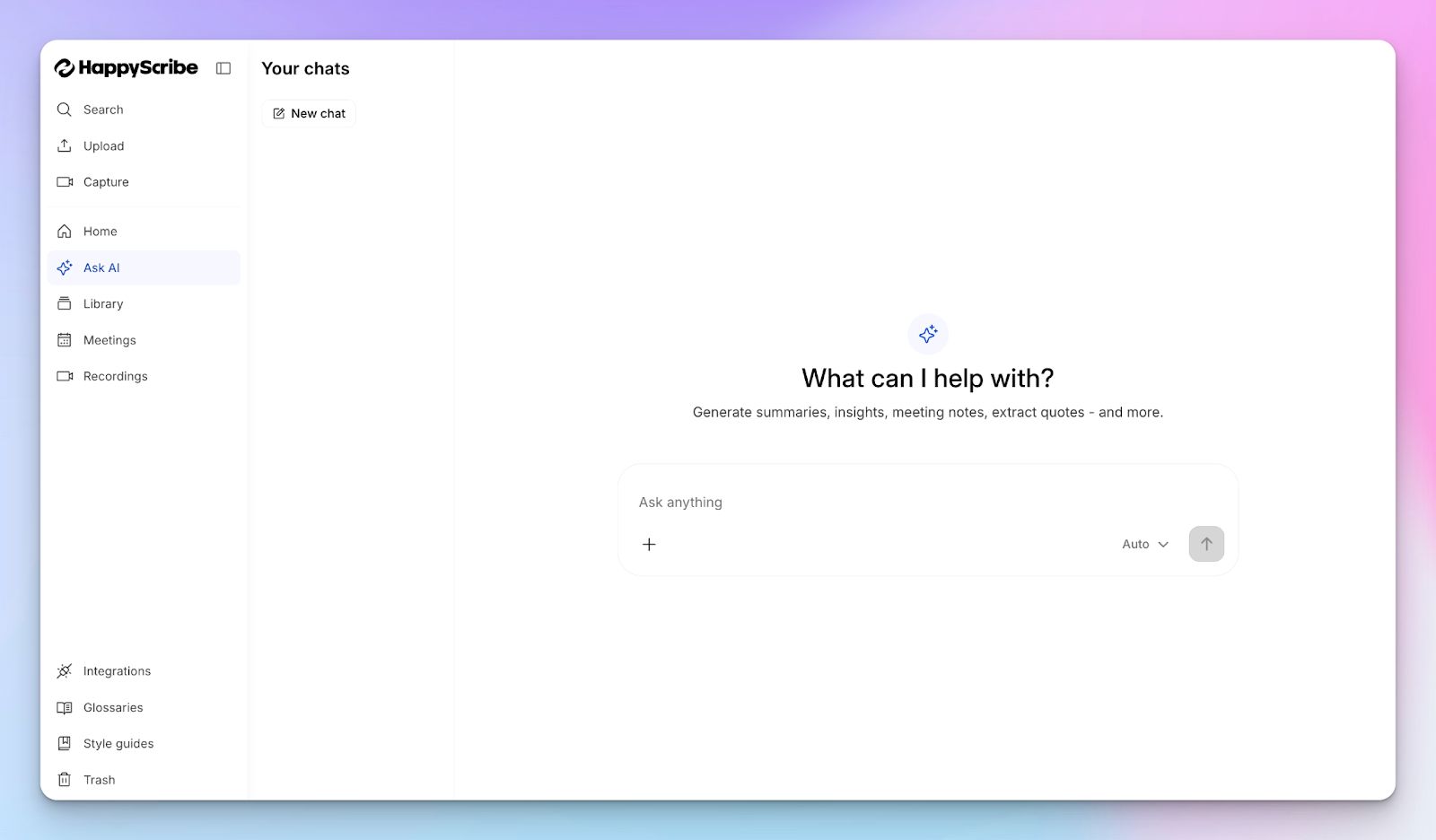
HappyScribe features an interactive AI assistant that acts as your personal meeting researcher. You can chat directly with your notes to extract speaker quotes, generate timestamped video chapters, or draft follow-up emails.
Where Sonix runs AI analysis on one file at a time, HappyScribe surfaces insights from past meetings and contextualizes action items for you to work on.
HappyScribe’s pricing
- Free: Unlimited meeting recordings (45 mins/recording)
- Basic: $8.50/month (billed annually) or $17/month (billed monthly)
- Pro: $19/month (billed annually) or $29/month (billed monthly)
- Business: $59/month (billed annually) or $89/month (billed monthly)
- Enterprise:Contact sales to get tailored solutions directly
HappyScribe’s pros
- Quickly generate AI meeting notes with over 95% accuracy and in 140+ languages and accents
- Customizable meeting note taker with granular user control and a bot-free option for offline meetings
- Ask AI for meeting insights, quotes, follow-up emails, and a deep search across all your meetings
- GDPR and SOC 2 Type II compliance, along with EU data residency for security and privacy
- Transparent and flexible billing for users, along with a free tier
- Create and edit subtitles and translate meeting notes to collaborate with global teams
- Upload and transcribe files and pre-recorded meetings from your device, YouTube, Vimeo, and Dropbox
HappyScribe’s cons
- It’s not ideal for real-time transcriptions
What are real users saying about HappyScribe?
HappyScribe is fast, effortless, and accurate—getting straight to the point every time. It makes transcription and subtitling a breeze. Truly grateful for such a reliable tool!
I was using descript to generate subtitles to my educative video, but man the transcription was full of mistakes..HappyScribe is way better! I corrected just a couple of my words that was hard to pronounce in my french canadian english :D And whe I have question, they answer quickly, Thanks you for this great service that saves me precious time!
How to use HappyScribe’s AI note taker? A step-by-step guide
1. Link your Google or Outlook calendar or paste the meeting link to invite the HappyScribe note taker. For in-person meetings, you can record audio without a bot.
2. Select Meetings in the left sidebar and then check the options at the right to customize when the notetaker should join and who should receive the email summary.
3. Click on the Settings button at the top right to select when the notetaker should start recording and who can view the meeting transcription.
4. During an online call, the notetaker must be admitted by the meeting host to start recording. You can chat with the notetaker to control it.
5. And that's it! The meetings should be saved in your Workspace files or in the Private section, depending on your privacy settings.
2. Trint
Best for: Journalists and newsroom teams turning live broadcasts into published stories
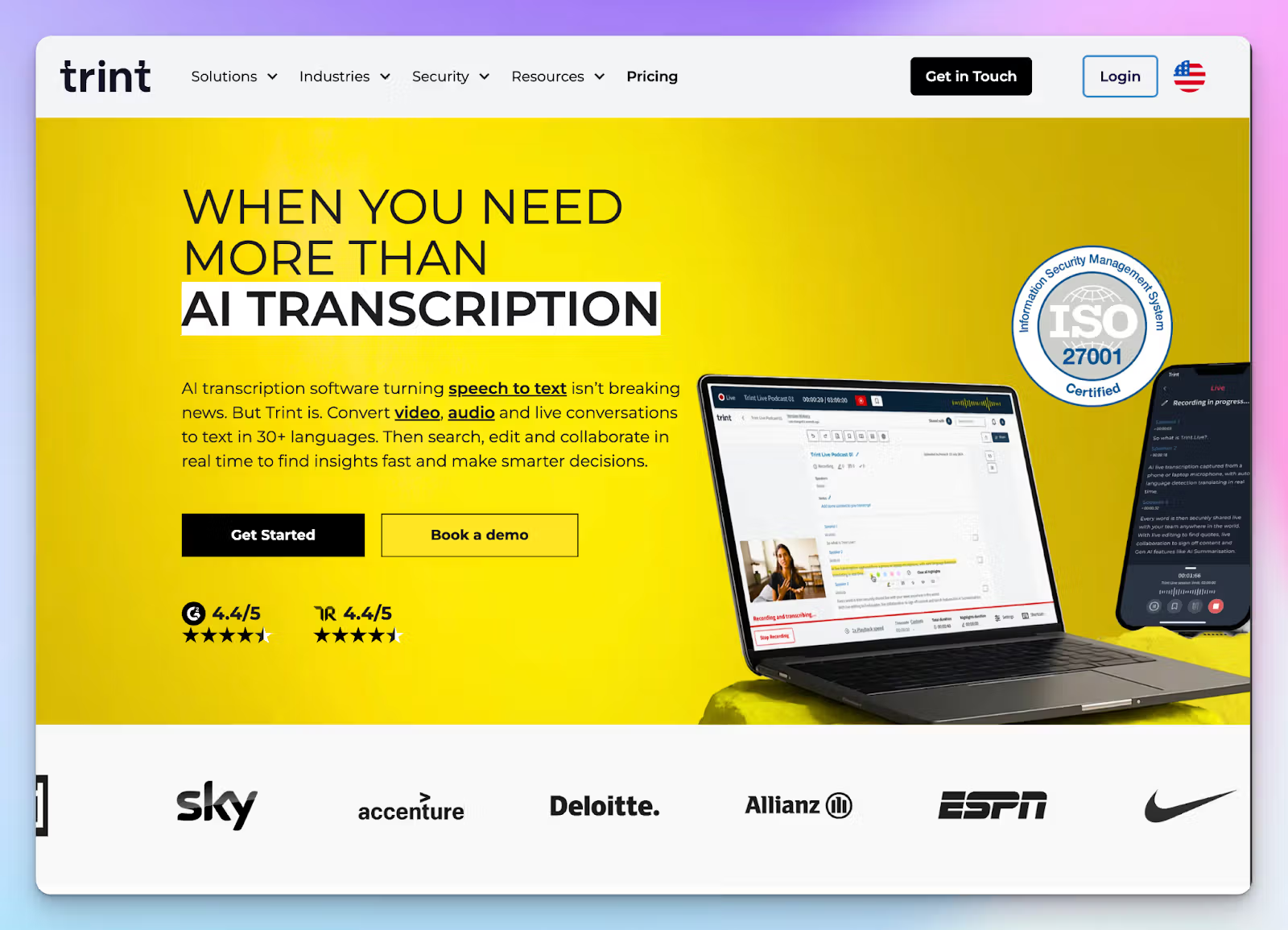
While Sonix makes you wait for transcripts, Trint jumps into the action immediately. It’s specifically engineered for fast-paced media studios where breaking a story first is critical.
With Trint, your team can transcribe a press conference or a live broadcast in real time. Editors sitting in different locations can jump into the same document, highlight key quotes, and verify statements while the speaker is still talking.
As an AI note taker for journalists, Trint bypasses the traditional upload workflow that slows down Sonix users.
Trint vs Sonix
| Category | Trint | Sonix |
|---|---|---|
| Core workflow | Real-time transcription and live newsroom collaboration | Post-meeting manual file uploads and individual editing |
| Mobile capability | A dedicated mobile app to record and transcribe field interviews instantly | Strictly web-based platform requiring a laptop or desktop browser |
| Integration support | Primarily integrates with news tools like LiveU, AP ENPS, Mimir, and Avid | Supports diverse tools like Loom, Zapier, Salesforce, Box, and Avid Media Composer |
| Price positioning | Premium enterprise pricing built for professional media organizations | Hybrid subscription and hourly rate model for general users |
Trint’s key features
- Unlike Sonix, Trint Live lets you record and transcribe virtual and offline meetings with granular audio control
- With Story Builder, you can drag highlighted soundbites directly into a rough cut script so you can create new narratives easily
- Native integrations with production tools like LiveU, Saga, AP ENPS, Octopus Newsroom, and Mimir
- If you have lots of pre-recorded meetings, the Bulkscribe feature processes large batches of files simultaneously, which is easier than Sonix
Trint’s pricing
- Pro: $100/month (individuals)
- Team: $90/month (2-5 team members)
- Business: Custom pricing
Trint’s pros
- Trint maintains ISO 27001 and GDPR compliance and offers both US and EU data storage options for strict control
- With the custom vocabulary builder, you can train Trint to recognize niche industry terms and unique brand names
- The mobile app works offline, so you never lose a field interview due to bad cell reception
- Translate completed English transcripts into 50+ global languages with side-by-side viewing
Trint’s cons
- Trint lacks a virtual meeting bot to automatically join and record your daily calendar events
- The subscription plans are significantly more expensive than alternatives, making it a difficult recommendation for small teams or startups
💡 Also read:
3. Otter
Best for: Teams that want a dedicated chat assistant for their real-time meeting notes
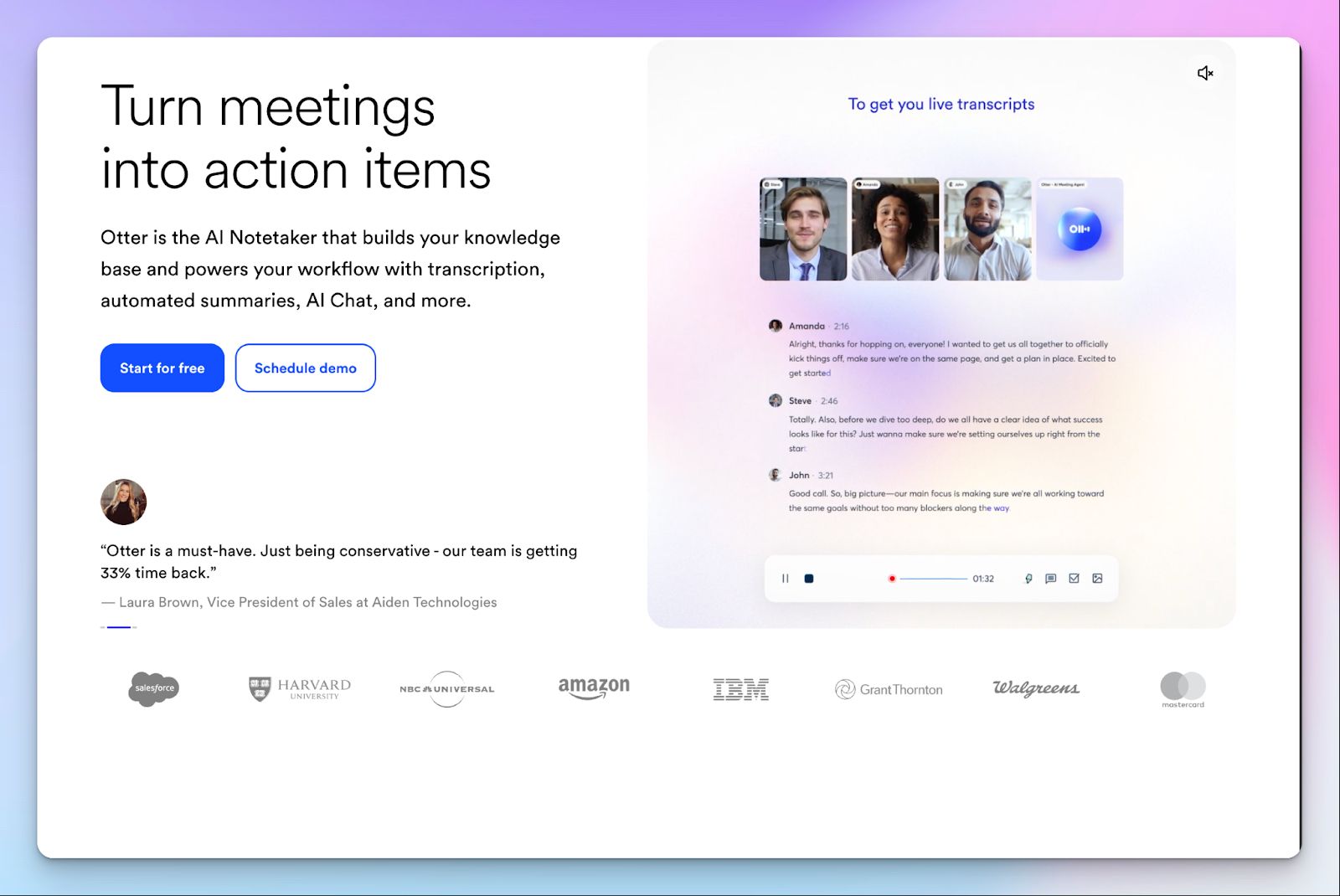
Otter is another Sonix alternative that cuts down the time needed to generate notes.
OtterPilot joins your scheduled calls, displays real-time transcription, and highlights insights and action items.
You can deploy one of the customized Otter agents for sales, recruiting, media, or education to get even more precise services. Compared to Sonix, Otter is simpler to use without skimping on core features.
Otter vs Sonix
| Category | Otter | Sonix |
|---|---|---|
| Core workflow | Real-time live transcription and interactive AI chat | Post-meeting manual file uploads and individual editing |
| Live meeting capture | Otter lets you set up a bot to auto-join scheduled meetings and record bot-free as well | Strictly relies on local or cloud recordings uploaded for it to start working |
| Collaboration | Otter notes, AI chat, team channels, and wide integration support | Sonix lacks automatic insights and specialized workflows for different jobs |
| Free tier | Otter's free plan offers 300 minutes per month | Restrictive free trial capped at just 30 transcription minutes for life |
Otter’s key features
- Unlike Sonix’s upload-only approach, Otter gives you both bot and bot-free options to transcribe your Zoom calls
- During a live call, you can use Otter AI Chat to ask questions about the ongoing meeting or command the bot to write a follow-up email
- If a presenter shares a screen, Otter automatically captures the presentation slides and inserts them directly into your meeting notes for visual context
- Otter’s action items dashboard automatically extracts tasks from your conversations and centralizes them, saving you from manually digging through transcripts
Otter’s pricing
- Free
- Pro: $16.99/month
- Business: $30/month
- Enterprise: Custom pricing
Otter’s pros
- You get instant access to live transcripts and can highlight key quotes during your meetings instead of waiting for media files to process, as you do with Sonix
- You can train Otter to recognize custom vocabulary, acronyms, and specific names relevant to your industry, so the AI spells complex jargon correctly
- Otter’s mobile app is neatly designed and syncs well with your web dashboard
- You can integrate Otter directly with tools like Slack, RingCentral, Airtable, Salesforce, Monday, Outreach, etc, to speed up collaboration
Otter’s cons
- Otter only supports English, Spanish, Japanese, and French, making it highly restrictive for international teams
- Otter’s speech detection isn’t reliable, especially if you have an accent or background noise
💡 Also read:
4. Descript
Best for: Teams that want to extract shareable video clips and meeting summaries from their recorded meetings
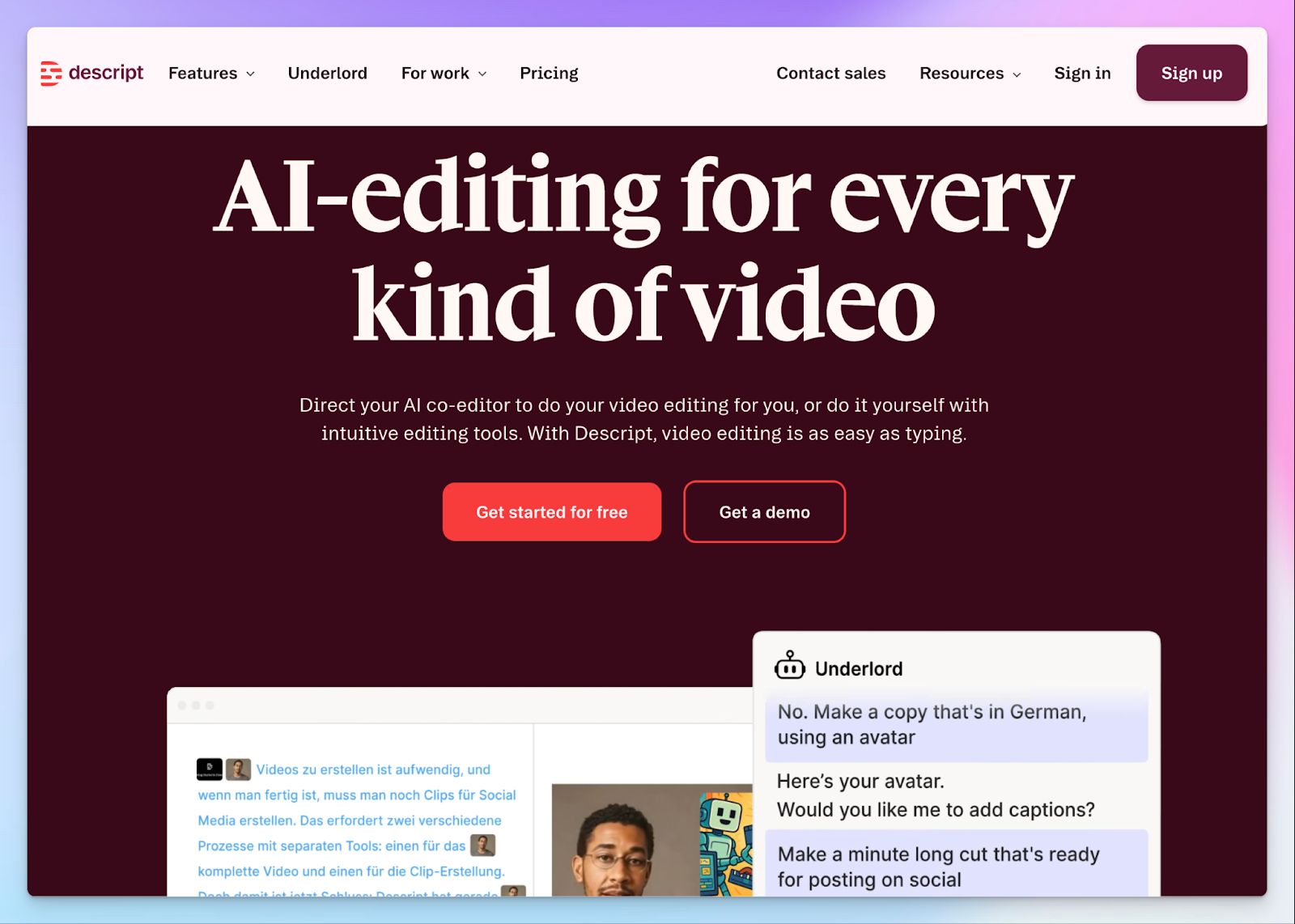
If you’re a content creator looking for an AI note taker, Descript might work well for you. While Sonix operates as a transcription tool that also does video editing, Descript is all about editing video, voice, and text inside an interactive workspace. It offers the AudioText editor of Sonix, but in a more polished and functional UI.
However, this heavy focus on media editing means Descript lacks a live meeting bot to join scheduled calls automatically.
Descript vs Sonix
| Category | Descript | Sonix |
|---|---|---|
| Core workflow | Generates AI summaries, removes filler words, and creates shareable video clips from text | Generates transcripts for documentation and sharing |
| Audio cleanup | Studio Sound automatically fixes echoes and bad microphone quality | Requires clear, high-quality audio upfront to deliver accurate text |
| Actionable insights | Built-in agentic AI extracts key points and formats them into readable notes | Relies on basic text analysis without an interactive AI co-editor |
| Supported languages | Descript can detect and transcribe in 30+ languages | Sonix can detect and transcribe in 50+ languages |
Descript’s key features
- The Underlord AI assistant is an all-encompassing Descript expert that surfaces insights, edits clips, fixes texts, translates videos, and makes them social media-ready
- Descript offers an integrated audio screen recorder so you can capture product demos or presentations directly into your transcription workspace
- If you want to remove filler words like "um" and "uh" from both the written transcript and the underlying audio track, Descript does that for you
- Record remote interviews with up to 10 guests locally in 4K resolution with Descript Rooms, ideal for podcasting and video chats
Descript’s pricing
- Free
- Hobbyist: $24/month
- Creator: $35/month
- Business: $65/month
- Enterprise: Custom pricing
Descript’s pros
- Descript’s multitrack edits let you mute or adjust a single speaker's audio track to remove crosstalk from your interviews
- You can fix mispronounced words and awkward pauses by typing the correct word into the transcript and cloning your voice without recording again
- For better video recordings, you can fix your gaze towards the camera, add a green screen, and even use Underlord templates for brand colors
- From captions and templates to AI avatars, speech, and media generation, Descript lets you run complex media strategies
Descript’s cons
- Descript does not offer a live automated meeting bot, so you can’t capture scheduled Zoom or Google Meet calls automatically
- The interface is heavily optimized for podcast creators, which poses a steep learning curve if you want simple meeting notes
- Descript’s audio accuracy is inconsistent, and the AI might get contexts and accents wrong
💡 Also read:
5. Notta
Best for: Consultants looking for a built-in meeting scheduler and quick notes
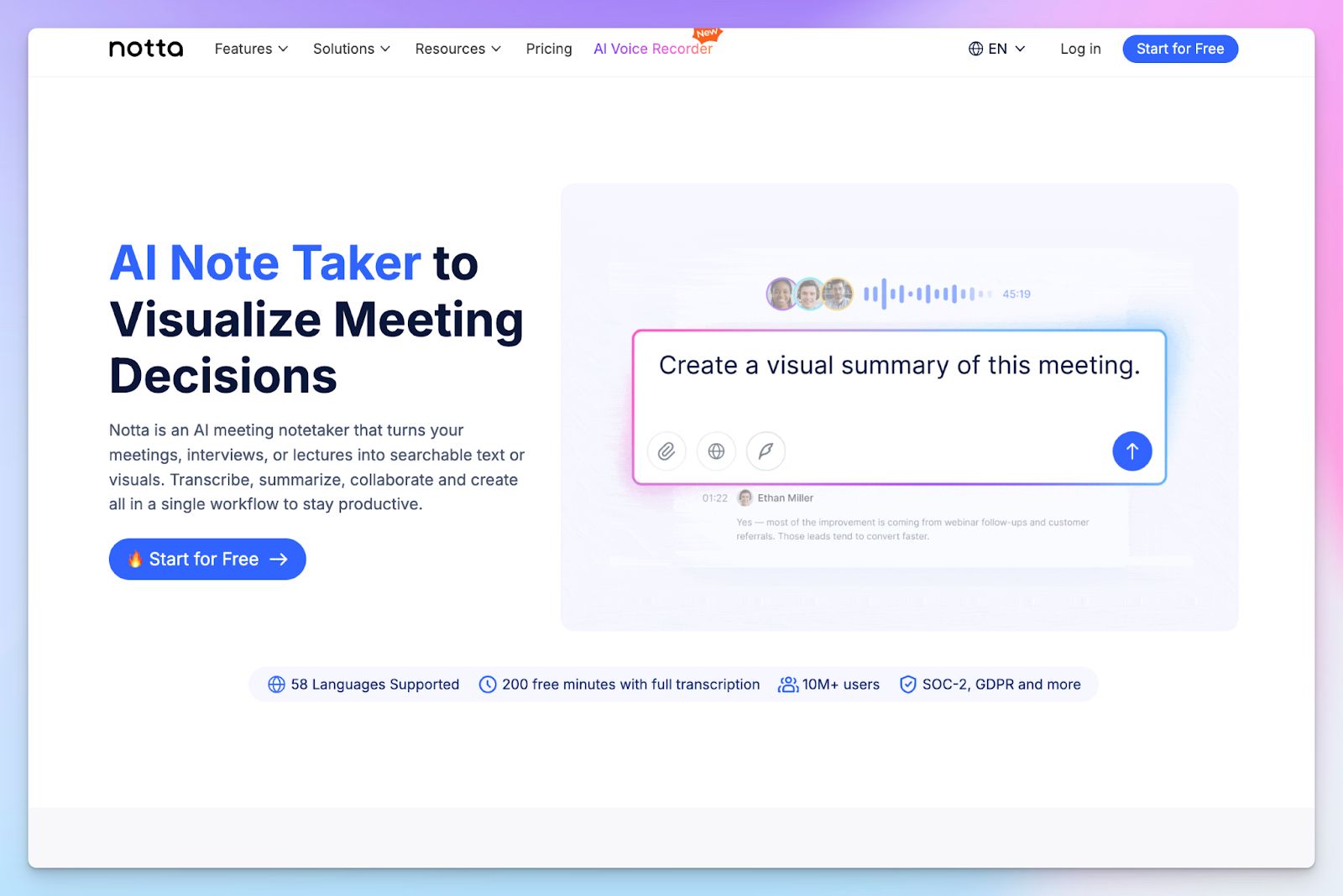
Notta gets in as a Sonix alternative because of its speed and polished features. Sonix waits for you to upload files, but Notta goes ahead with end-to-end meeting management: from scheduling to transcription and AI insights.
Instead of paying for a separate tool like Calendly, you can send clients a free Notta scheduler link. When they pick a time, the platform automatically creates a Google Calendar event and schedules the Notta bot to join the call.
Notta vs Sonix
| Category | Notta | Sonix |
|---|---|---|
| Core workflow | Front-end meeting scheduling and live automated transcription | Post-meeting manual file uploads and basic text editing |
| Meeting capture | Deploys an automated bot to join calendar events across Zoom and Meet | Strictly relies on manual file uploads from your local drive or cloud |
| Visual deliverables | Automatically generates mind maps and tables from transcripts | Generates standard text documents without visual formatting capabilities |
| Free tier limits | Extremely restrictive limit of 3 minutes per recorded conversation | Restrictive free trial capped at a lifetime limit of 30 transcription minutes |
Notta’s key features
- You can select two supported languages before a call starts to generate a completely bilingual transcript without confusing the AI engine
- Notta Brain is your AI assistant to extract insights from meeting transcripts and files and highlight action items
- Automatically translate your live conversations into 50 languages directly on your screen while the speaker is talking
- Notta pushes your meeting notes and action items directly into Salesforce, Notion, ClickUp, or Slack through native automated workflows
Notta’s pricing
- Free
- Pro: $13.49/month
- Business: $27.99/month
- Enterprise: Custom pricing
Notta’s pros
- You do not need to pay for external scheduling tools because the native booking page handles your calendar management automatically
- When reviewing long meetings, you can toggle the "Skip silence" feature and adjust playback speed to breeze through audio gaps
- Notta’s mobile app allows you to record in-person offline interviews, bookmark key moments, and sync data across devices
- Notta sells an AI Audio recorder hardware for professional work
Notta’s cons
- Notta’s free plan is practically unusable for real business workflows because it abruptly stops transcribing after just 3 minutes of conversation
- The AI engine struggles to maintain accuracy and correct speaker identification when participants talk over each other or have heavy background noise
- Notta trains AI on Japanese user data, and you don’t have an option to opt out unless you’re an Enterprise customer
💡 Also read:
Which Sonix alternative is right for you?
The right Sonix alternative depends on what slows down work the most.
👉If you need live newsroom collaboration, Trint fits the bill
👉When your workflow requires real-time transcriptions for English meetings, Otter is a solid choice
👉Video creators will appreciate Descript for multimedia editing
👉Notta works well for consultants needing a built-in scheduler
👉If you want to avoid confusing hybrid pricing and generate accurate notes across diverse accents, HappyScribe is the smartest switch from Sonix
With HappyScribe, you gain the flexibility to capture automated live online meetings or record offline in-person conversations securely without strict minute limits.
FAQs on the best Sonix alternatives for AI note taking
1. What are Sonix alternatives for transcription?
The best alternatives to Sonix depend heavily on your workflow. For global teams looking for high accuracy across multiple languages, HappyScribe is a standout choice for processing both audio files and video files. Other popular automated transcription services include Trint for news content creation, Otter for live meeting transcription, and Descript for multimedia editing.
2. Is Sonix free?
No, Sonix does not offer a permanent free plan. It only provides a highly restrictive 30-minute free trial for basic transcription. Once those minutes run out, you are forced into a confusing pricing structure that combines a monthly subscription (like a basic plan, business plan, or enterprise plan) with additional pay-as-you-go hourly transcription fees. The best alternative is HappyScribe, which offers a generous free tier for users and is great for extracting action items and summaries.
3. What are the best free Sonix alternatives?
HappyScribe is one of the best free alternatives because it does not lock you behind an aggressive paywall. You can upload audio and video for AI-powered transcription without paying a cent. It allows you to test an industry-leading AI model, access collaboration features, and try out advanced features and AI features while keeping unlimited meeting recordings free.
4. What is the best app for transcribing audio to text?
The best app depends on your audio quality. While many transcription tools require clear audio to function, HappyScribe easily handles challenging audio. It excels at filtering out background noise and identifying multiple speakers during natural crosstalk. With built-in translation services and support for multiple languages, it is vastly superior for real-world recordings.
5. What is the best Sonix AI alternative for meeting notes?
HappyScribe is the best overall Sonix alternative for generating AI meeting notes. It provides an intuitive interface and unmatched multilingual support (140+ languages and dialects) for diverse teams. Whether you need standard AI transcription or deeper insights, HappyScribe delivers predictable value without making you pay for an unlimited subscription just to read your notes.

Rodoshi Das
Rodoshi is the Content Lead at HappyScribe, the privacy-first transcription and AI notetaker platform based in Barcelona. Shaping content strategies and building AI workflows excites her as much as exploring new SaaS tools. She specializes in product-led content that informs rather than sells, grounded in honest product benchmarking and low tolerance for empty marketing speak.