![5 Best Wispr Flow Notetaker Alternatives for Meetings [2026]](/sanity-images/ejgwz1gl/redesign/93d9122f1334b3167374ea7c872ad36a85053c87-2048x1152.jpg?auto=format&w=2048.0&rect=0,64,2048,1024&h=1024)
TL;DR ⏩
Based on my experience of using it for over a month, here are the best Wispr Flow Notetaker alternatives:
- HappyScribe: Best for multilingual teams that want accurate meeting notes on any device, with AI insights, file transcription, and EU-grade security
- Jamie: Best for finance and consulting firms that want bot-free meeting notes with EU-hosted data
- Superwhisper: Best for users who want dictation and meeting recording in one app, with on-device processing
- Granola: Best for solo users who type their own notes during internal calls and prefer stable desktop apps
- Fireflies: Best for sales teams that want CRM autofill, with free dictation in the same app
Wispr Flow made its name in voice typing, but it doesn’t want to be defined by that anymore. In August 2026, we got introduced to the Wispr Flow Notetaker that records meetings without a bot.
If you already use Flow, meeting notes in the same app sounds like an easy win. So I used it in my calls to see how the new tool works.
My conclusion is that Wispr Flow Notetaker is still raw, and you might have to look for a more reliable alternative, at least for now.
Wispr Flow Notetaker isn’t the best AI note taker for multilingual or mobile teams because:
- It transcribes only 21 languages, which is below the industry standard. Notable omissions include Indonesian, Norwegian, Thai, Catalan, Finnish, and Romanian
- It's desktop only, with no mobile app for transcription on iOS and Android, and no file upload, so you can't record meetings on the go or upload recorded audio
- Windows users only got Notetaker mid-September, and it needs 16 GB of RAM and an x64 processor, so ARM and Snapdragon laptops are out. The apps are not fully optimized, so you might face jittery meetings
- The free plan caps your meetings every week, and unlimited Notetaker is a paid add-on on the Growth plan
For AI meeting notes that work across devices and languages, I tested the alternatives. Here are the best five:
Top 5 Wispr Flow Notetaker alternatives at a glance
| Category | HappyScribe | Jamie | Superwhisper | Granola | Fireflies |
|---|---|---|---|---|---|
| Best for | Multilingual teams that want accurate meeting notes on any device, with file transcription and meeting intelligence | Finance and consulting firms that want bot-free notes with EU-hosted data | Users who want dictation and meeting recording in one app, with on-device processing | Solo users who type their own notes during internal calls | Sales teams that want CRM autofill, with dictation in the same app |
| Key features | 95%+ accurate notes, bot and bot-free capture, file uploads, AI Chat, human proofreading up to 99% | Bot-free capture on desktop, agentic workflows, CRM sync, pre-meeting consent emails | Dictation in any app, meeting mode, local models, bring your own API key | AI-enhanced personal notes, Recipes, Briefs, MCP, Apple Watch recording | Fireflies Talk dictation, CRM autofill, soundbites, AI skills, voice agents |
| Supported languages | 150+ | 99+ | 100+ | 32 | 100+ |
| Meeting platform integration | Zoom, Google Meet, and Microsoft Teams, plus mobile app recording for in-person meetings | Any call platform through bot-free desktop capture, plus in-person on iPhone | Zoom, Teams, Slack, and Discord through system audio | Zoom, Google Meet, and Microsoft Teams, plus in-person on mobile | Zoom, Google Meet, Microsoft Teams, and more on desktop |
| Security | SOC 2 Type II, GDPR, EU data residency in an ISO 27001-compliant data center | ISO 27001, DORA, GDPR, data stored in Frankfurt | On-device processing, SOC 2 Type II and HIPAA on Enterprise | SOC 2 Type II, GDPR, HIPAA on Enterprise, US data storage | SOC 2 Type II, GDPR, HIPAA with a BAA on Enterprise |
| Starting price | Free plan with unlimited recordings. Paid from $8.50/month billed annually | Free plan. Paid from €25/month | Free plan. Pro at $8.49/month | Free plan. Paid from $14/user/month | Free plan. Paid from $18/month |
1. HappyScribe
Best for: Multilingual teams that want reliable meeting notes on any device, with file transcription and European-grade security
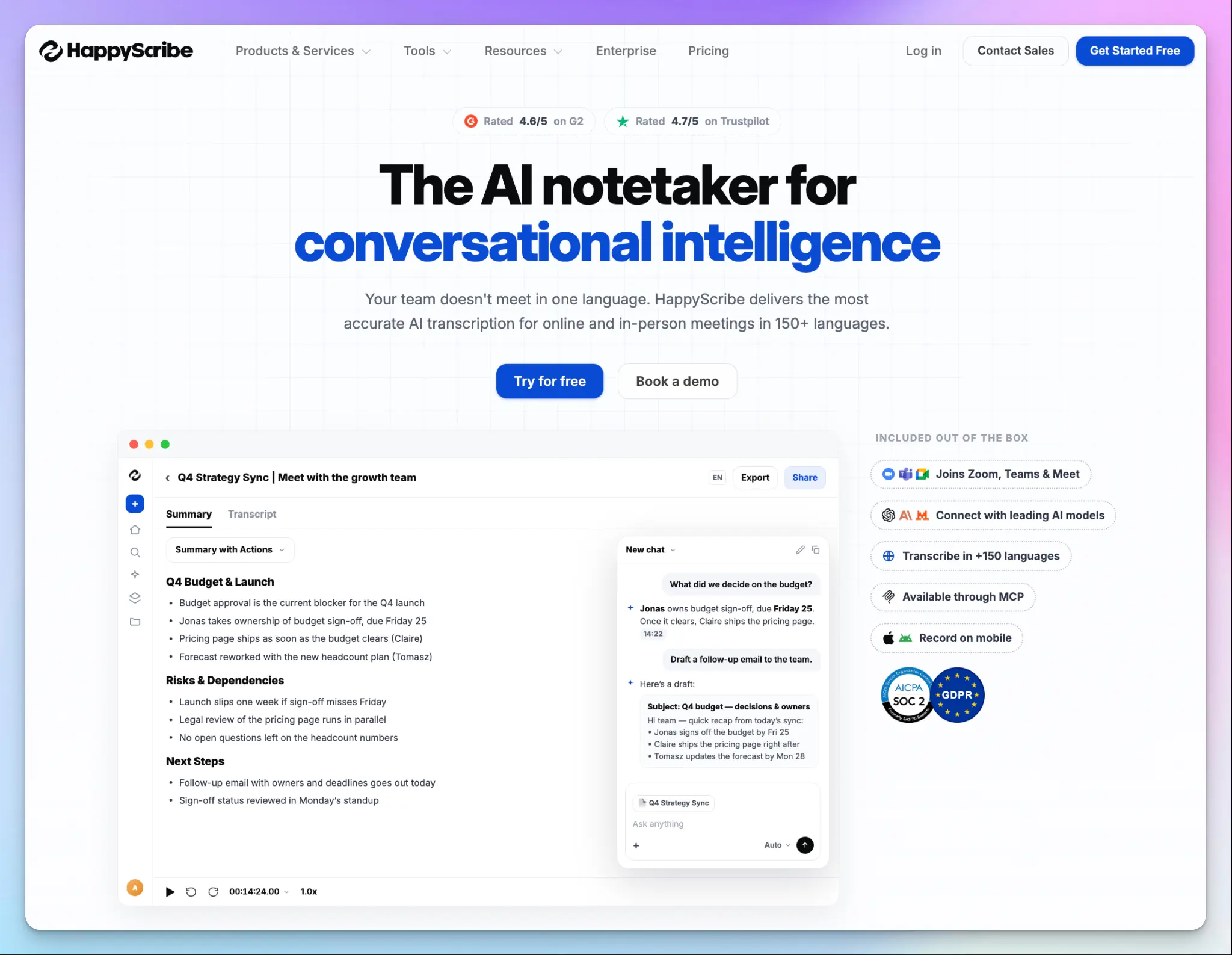
Wispr Flow Notetaker is limited to your laptop, but HappyScribe is a meeting note taker that works wherever your meetings happen. A bot can join your video calls, or your phone can record in-person conversations. If the meeting has already happened, you can upload the recording as well.
HappyScribe is also the only tool on this list that pairs AI meeting notes with professional human transcribers for legal and research work.
HappyScribe vs. Wispr Flow Notetaker
| Category | HappyScribe | Wispr Flow Notetaker |
|---|---|---|
| Language coverage | 150+ languages and dialects across the world | 21 languages only |
| Recorded files | Upload audio and video, or import from other platforms | No file transcription |
| Where you can record | Meeting bot, bot-free iOS and Android apps, and a browser-based recorder | Mac and Windows desktop app only |
| Free plan | Unlimited meeting recordings, up to 45 minutes each | A weekly meeting cap and limited history |
HappyScribe's key features
1. Generate meeting notes in 150+ languages with 95%+ accuracy
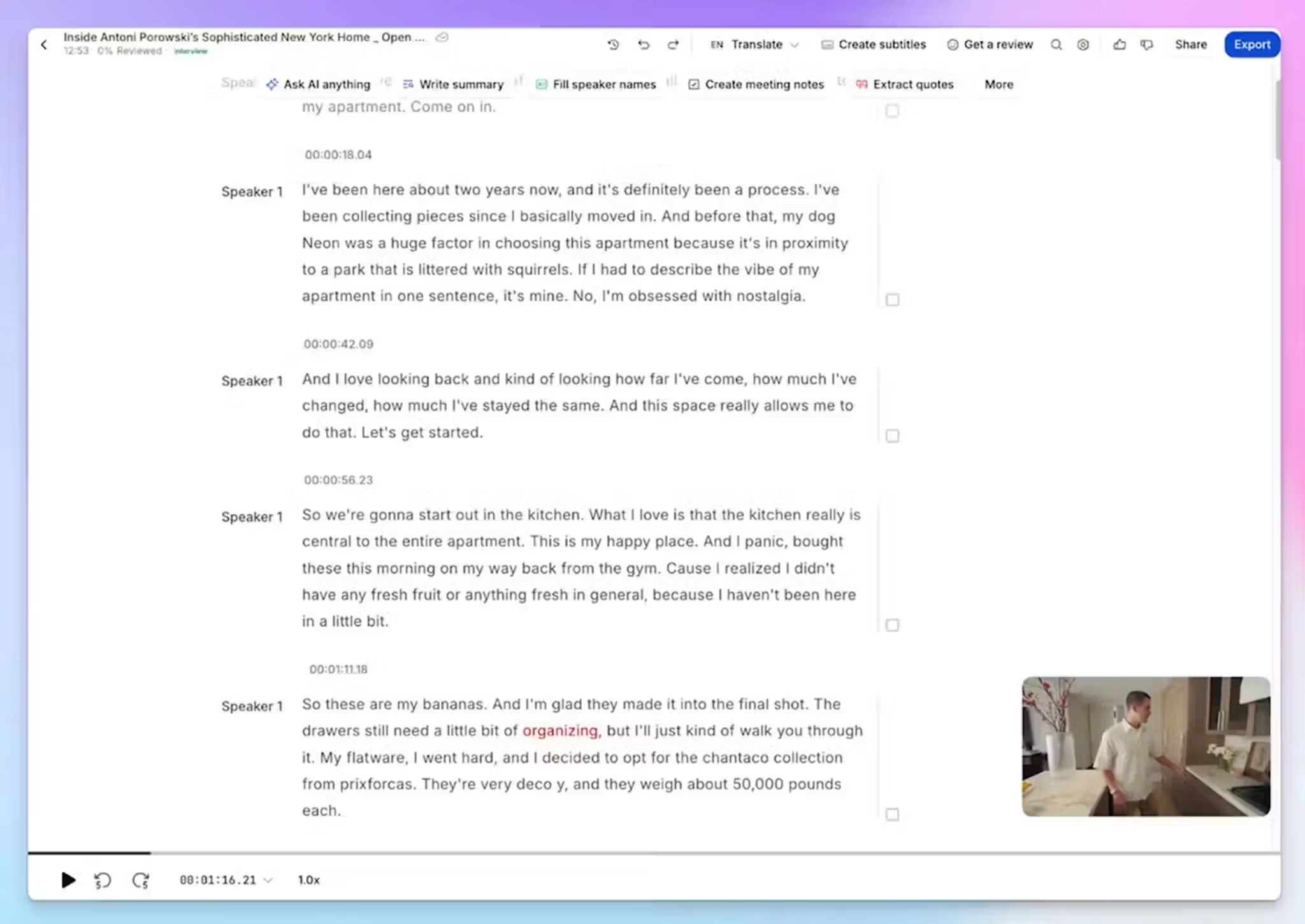
HappyScribe transcribes meetings in 150+ languages and dialects at 95%+ accuracy. Every language Wispr leaves out, from Indonesian and Vietnamese to Catalan and Greek, works in the same notetaker.
If your standup runs in Finnish and your client calls run in Norwegian, you won't have to switch tools or settle for mixed results.
2. Record meetings on any device, with or without a bot
Connect your Google or Outlook calendar, and the HappyScribe notetaker joins your Zoom, Google Meet, or Microsoft Teams calls on its own. Wispr Flow Notetaker occasionally fails to detect calls, so you have to manually trigger it.
If you’re joining an in-person meeting, the HappyScribe mobile apps can record without a bot. A browser-based recorder covers your laptop, so there's nothing to install and no system requirements to check.
3. Transcribe recorded audio and video files
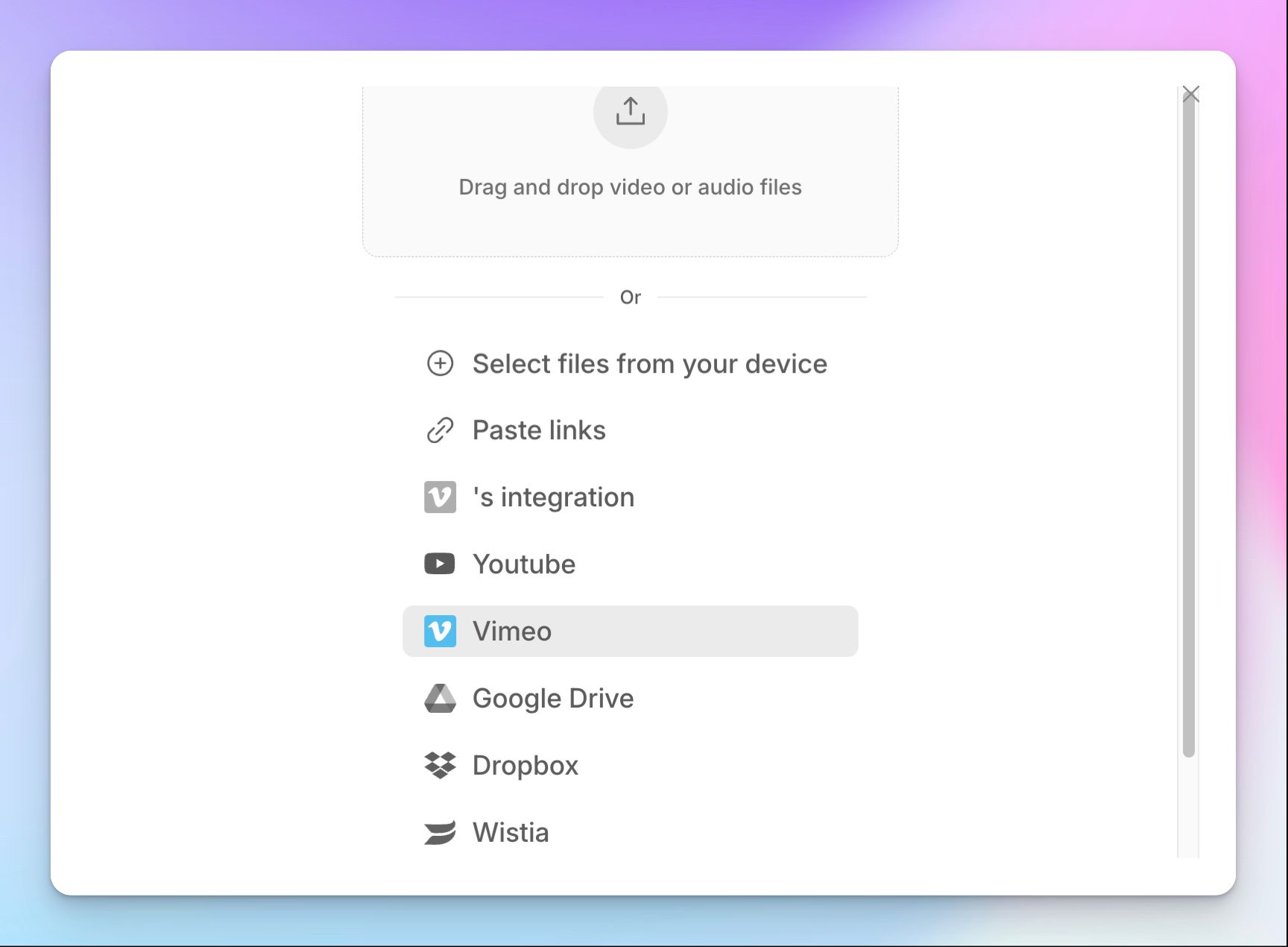
Wispr only transcribes what it records live. With HappyScribe, you can upload recorded audio or video, or import it from YouTube, Vimeo, Google Drive, Box, or Dropbox.
Your old user research interviews and webinars get the same summaries and AI Chat insights as your scheduled calls. The free plan covers unlimited meeting recordings and a trial of file uploads so you can test it before committing to bulk transcription work.
4. Ask questions across your meetings with AI Chat
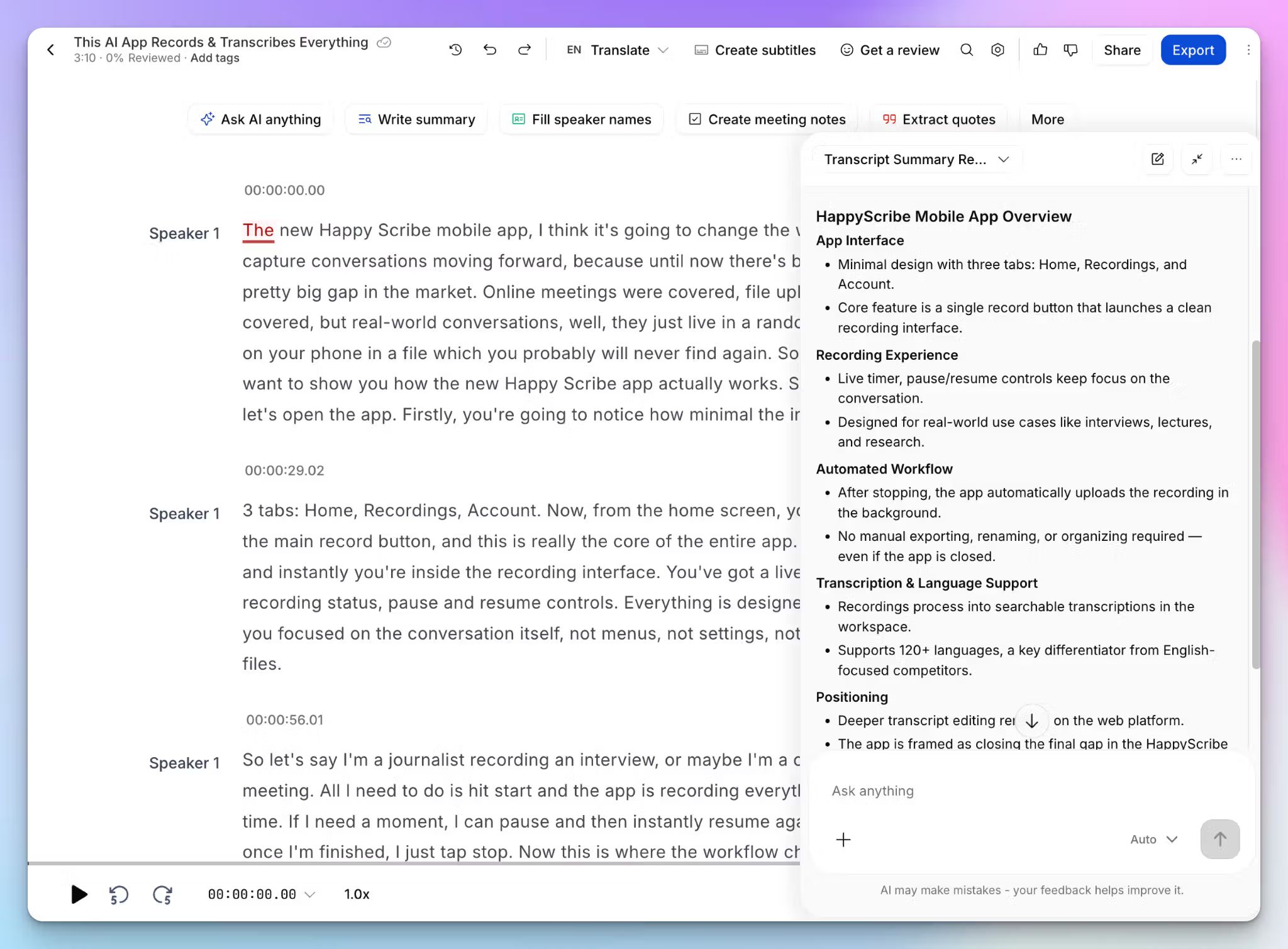
HappyScribe AI Chat finds decisions and action items across your transcripts, then drafts follow-up emails from what was actually said. Ask questions about past objections, highlights, or even next steps, and it will surface them for you.
On the Pro plan, you can choose the model behind it, including Claude and ChatGPT. If you'd rather stay in your own assistant, the MCP server brings your meeting history into Claude or ChatGPT, the same way Wispr's MCP does.
HappyScribe's pros
- SOC 2 Type II certified and GDPR-compliant note taker, storing all your data in a Tier IV, PCI DSS, ISO 27001-compliant EU data center
- Use pre-built templates or create your own to shape your meeting summaries according to meeting types and goals
- Connect your notes to other apps via Zapier and MCP, or build your own workflow with HappyScribe API and webhooks
- Send files to professional transcribers for up to 99% accuracy when every word counts
- Translate transcripts into 80+ languages and generate subtitles from the same file
- Responsive support from real people, not bots
HappyScribe's cons
- Not ideal for real-time transcription
What are users saying about HappyScribe?
I use HappyScribe for meetings to take notes, and I love how it helps me organize my notes. It allows me to focus on the meeting instead of worrying about writing down what people say or the action items. I really like that it's organized and very user-friendly.
Source: (G2)
I’m very happy with HappyScribe. It does exactly what I need, and the meeting summaries work really well. Works like a charm!
Source: (Trustpilot)
HappyScribe's pricing
- Free: Unlimited meeting recordings, up to 45 minutes each
- Basic: $8.50/month billed annually or $17/month billed monthly
- Pro: $19/month billed annually or $29/month billed monthly
- Business: $59/month billed annually or $89/month billed monthly
- Enterprise:Contact sales
How to use HappyScribe's AI note taker
- Sign up for free and connect your Google or Outlook calendar, or paste a meeting link to invite the notetaker.
- For in-person meetings, record from the HappyScribe mobile app or the browser recorder without a bot.
- Click Transcribe files at the top of your dashboard to upload recorded audio, or import it from YouTube, Vimeo, Dropbox, Google Drive, or Box.
- Open the transcript in the interactive editor to check speaker labels and timestamps as you listen, or ask AI Chat for next steps.
2. Jamie
Best for: Finance and consulting firms that want bot-free meeting notes with EU-hosted data
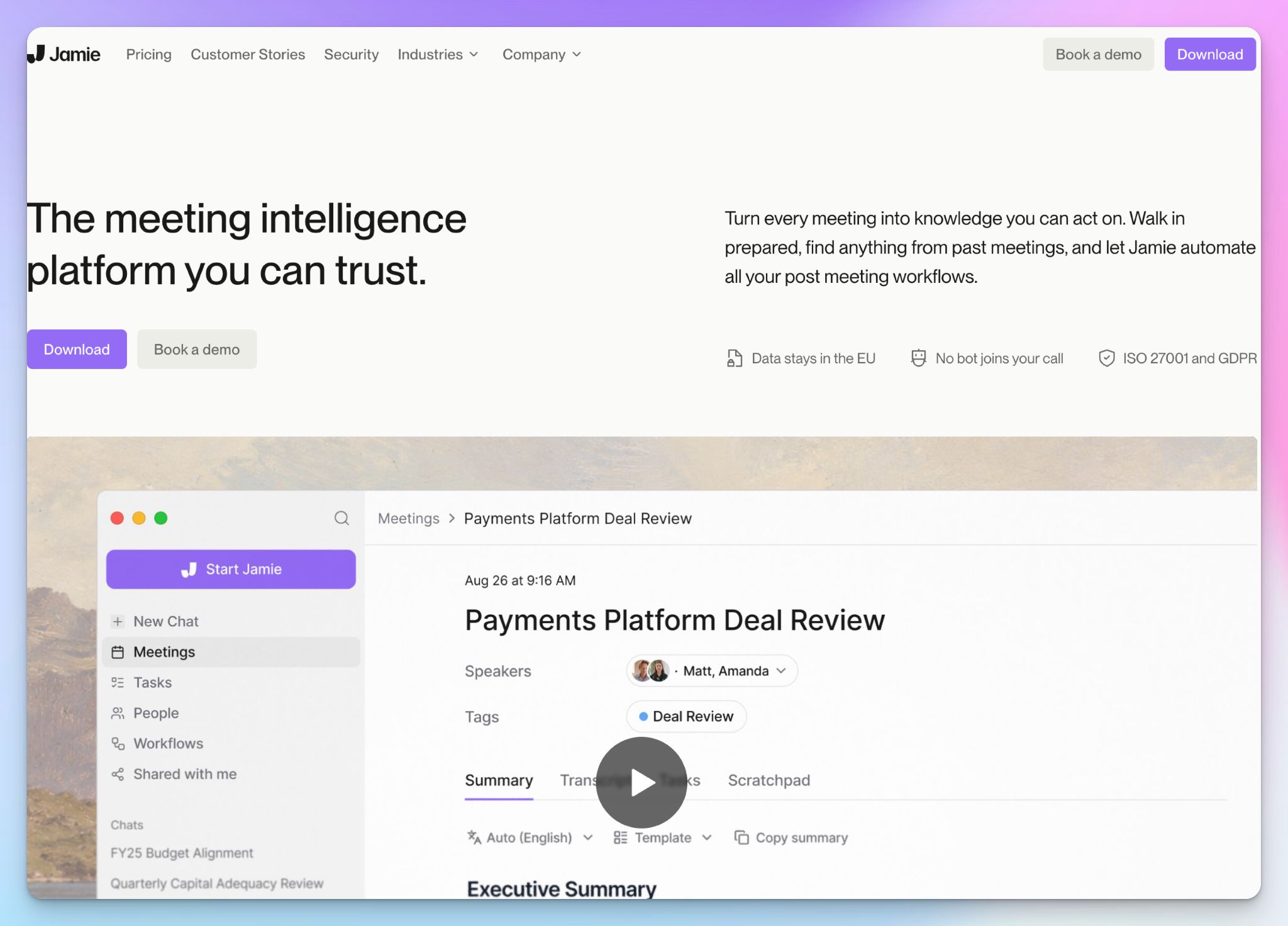
If you’ve already used Wispr Flow Notetaker, you might find it similar to Jamie and Granola. Jamie started in Cologne as a bot-free note taker for individuals but has since repositioned itself as a meeting intelligence platform. It’s now more focused on private equity firms.
But if you're a solo user on a budget, you'll outgrow Jamie’s free plan quickly.
Jamie vs. Wispr Flow Notetaker
Wispr Flow Notetaker is built for your meetings. Jamie is built for your firm's meetings.
With its new agentic workflows, you describe what should happen after a call, like filing notes in your CRM, and Jamie builds the workflow for you.
Consent works differently too. Wispr leaves it to you to tell participants they're being recorded, while Jamie can email attendees before the meeting to let them know.
Jamie's key features
- Record online and in-person meetings without a bot on Mac, Windows, and iPhone, with Android in beta
- You can transcribe meetings in 99+ languages, and its speaker memory recognizes returning participants from earlier calls
- Your data is stored in Frankfurt, and Jamie deletes the audio once the transcript is ready. It's also ISO 27001 certified and DORA compliant
- Push notes and tasks to Salesforce, HubSpot, Attio, or Dynamics 365, or query your meetings from Claude through MCP on the Pro plan
Jamie's pricing
- Free
- Plus: €25/month
- Pro: €47/month
- Team: €39/user/month
- Enterprise: Custom pricing
Jamie's cons
- The free plan stops at 10 AI notes a month, each capped at 30 minutes, which pushes many users toward Jamie alternatives
- Jamie’s speaker labels tend to get unreliable in larger meetings, especially when people talk over each other
- It still doesn’t have SOC 2 Type II certification for security processes, and agentic workflows are too new, so some teams will be waiting on both
- The speaker memory feature processes biometric data, which could be tricky for European users under GDPR
📚 Also read:
3. Superwhisper
Best for: Users who want dictation and meeting recording in one app, with the option to process data on the device
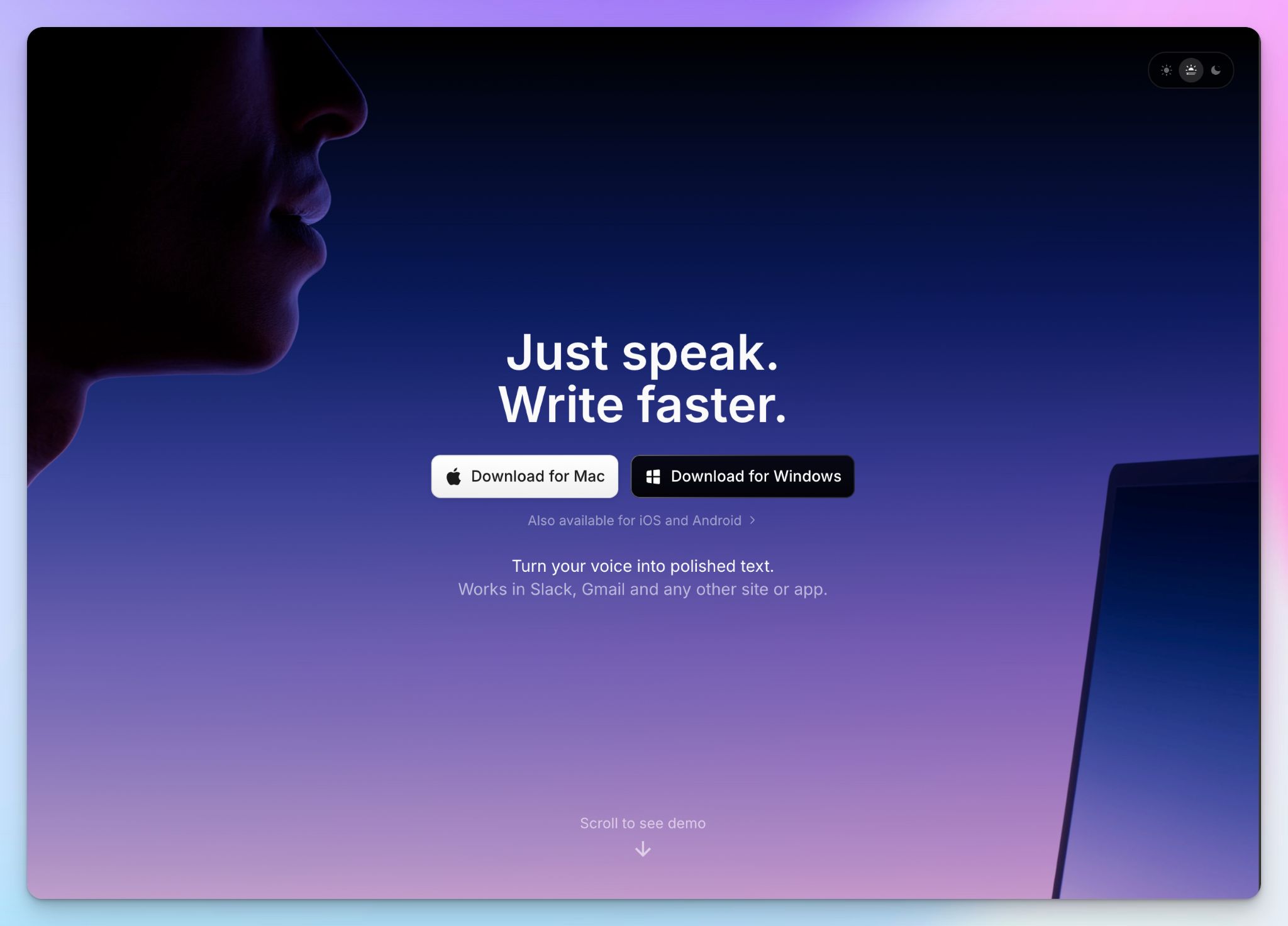
If you want to switch from Wispr’s Notetaker but don’t want to lose its dictation features, you might want to check out Superwhisper. It's a dictation app first, with a meeting mode on top.
Superwhisper covers both jobs if your calls are short with clear audio, but teams that need named speakers in their notes might find it too light for their work.
Superwhisper vs. Wispr Flow Notetaker
Wispr Flow’s Notetaker is cloud-based, while Superwhisper became popular with on-device models. The local models transcribe your dictation and meetings on your device, even offline, so your voice data stays on your laptop.
The catch is the summary. Meeting mode doesn't carry speaker labels into its AI summary or action items, so you'll have to check the transcript to see who committed what.
Superwhisper's key features
- Record system audio from Zoom, Teams, Slack, or Discord without a bot, in 100+ languages
- Switch between modes for messages, email, notes, and meetings, each with its own tone and AI model
- You can transcribe recorded audio and video files, including MP3, MP4, and MOV, which Wispr Notetaker can't do
- Bring your own API key for OpenAI or Anthropic models, or run local models through Ollama
Superwhisper's pricing
- Free
- Pro: $8.49/month
- Pro Lifetime: $249.99 one-time
- Enterprise: Custom pricing
Superwhisper's cons
- Getting speaker labels into a meeting summary takes a multi-step workaround that includes editing configuration files
- Offline models run best on Apple Silicon Macs. Intel Macs can still run smaller on-device models, but cloud models work better for performance.
- The best of Superwhisper is dependent on your device and technical expertise, and running it can be intense on hardware
📚 Also read:
4. Granola
Best for: Solo users who like typing their own notes during internal calls and want AI to fill in the rest
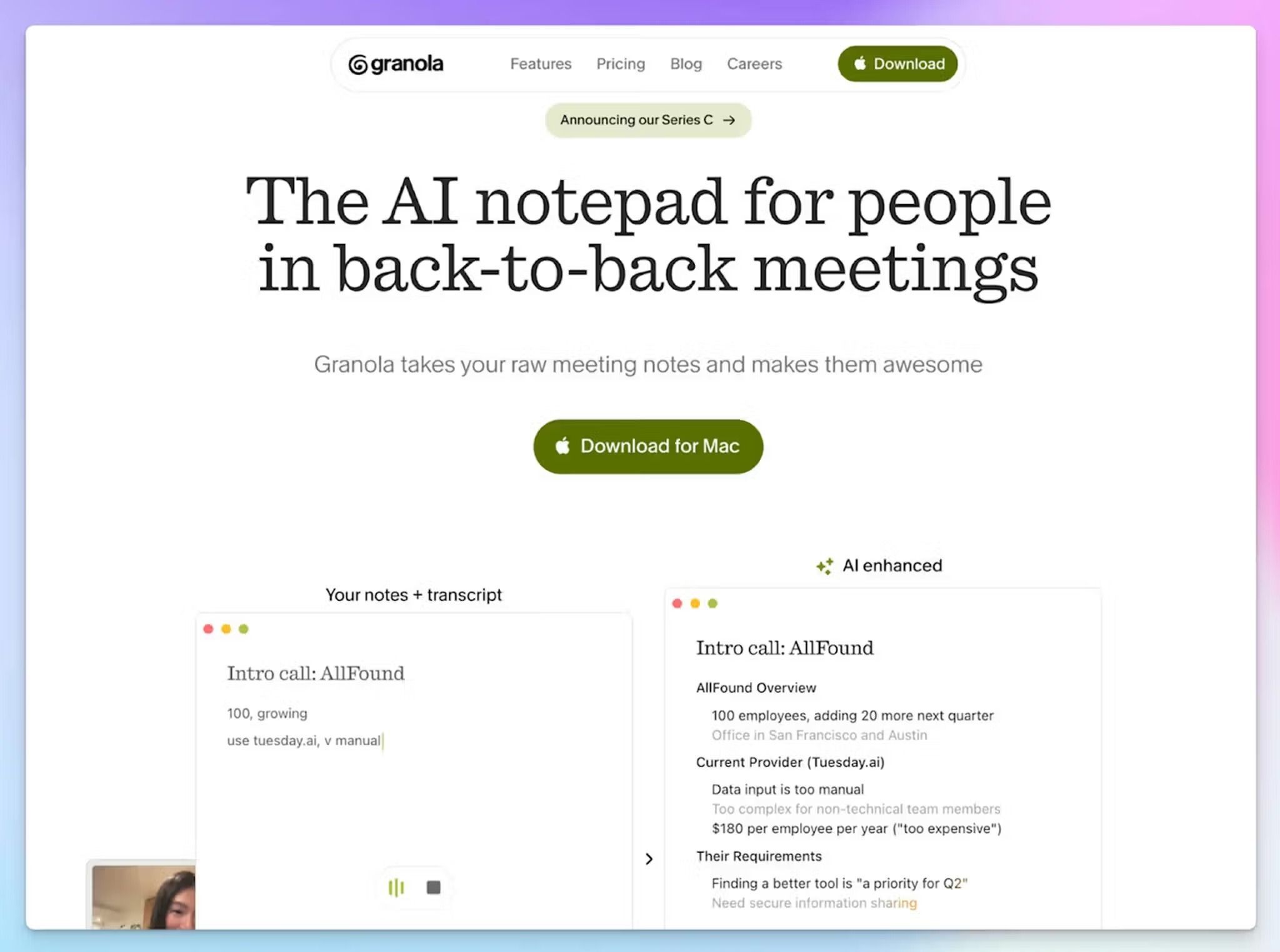
Granola is the tool Wispr Flow Notetaker is most clearly built to replace. Wispr even imports your Granola history in one click. Both record bot-free from your desktop, and both pair your own notes with an AI summary.
So why look at Granola at all? It goes where Wispr doesn't yet, onto your phone and your wrist. It sits lower on this list because of what's happening in court.
Granola vs. Wispr Flow Notetaker
Granola runs on Mac, Windows, iPhone, and Android, and its Apple Watch app records walking one-on-ones. Wispr Notetaker is desktop only. Granola also covers 32 languages to Wispr's 21.
The catch is the same invisibility Wispr sells. A proposed class action, Chamberlain v. Granola, alleges that Granola records participants without notice and trains its models on their conversations by default. These are allegations, and the case is at an early stage.
Granola's key features
- Type rough notes during the call, and Granola expands them into a structured summary with your own words highlighted
- Run Recipes, which are advanced prompts for tasks like follow-up emails or pipeline updates, across one meeting or many
- On the Business plan, Briefs show who you're meeting and what you discussed last time as you join a call
- You can connect your notes to Claude or ChatGPT through MCP, or push them to Notion, Slack, and HubSpot
Granola's pricing
- Basic: Free
- Business: $14/user/month
- Enterprise: $35/user/month
Granola's cons
- Speaker labels take extra setup, which pushes many users toward Granola alternatives. Google Meet needs a browser extension and Zoom needs accessibility permissions on Mac, while Microsoft Teams calls don't get names at all
- Granola doesn't keep any audio, so you can't replay a moment to check a figure or a name. When I tested it for my Granola AI review, a $312,000 pipeline figure came out as $312.1M
- You can’t sign up without giving your calendar access, and the free plan locks notes older than 30 days
5. Fireflies
Best for: Sales teams that want CRM autofill and shareable call clips, with free dictation in the same app
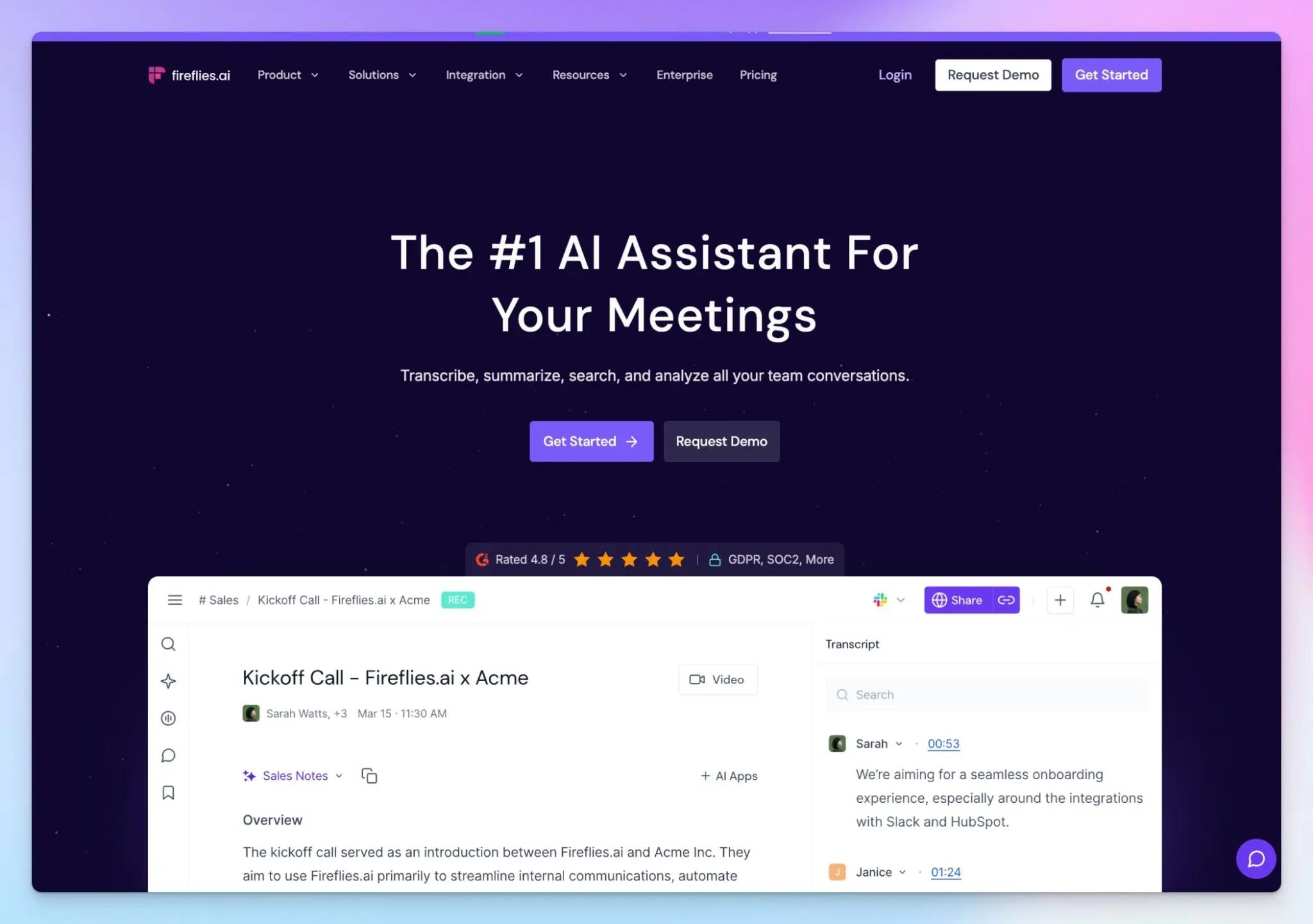
If Wispr's dictation is what you'd miss most, Fireflies just made the switch easier. Its new Fireflies Talk dictation tool is free on every plan, and it sits next to one of the most mature meeting platforms for sales teams.
If you only want clean notes from internal calls, though, you may find Fireflies heavier than you need.
Fireflies vs. Wispr Flow Notetaker
Wispr Flow caps free dictation at 2,000 words a week on desktop. So far, Fireflies Talk has no cap, works in 90+ languages, and keeps your dictations on your device.
The bigger difference shows up after you record a sales call. Wispr's Notetaker is built for one person's notes, while Fireflies fills in your CRM and drafts the follow-up email before you've closed the tab.
Fireflies' key features
- Record with a bot that auto-joins your calendar meetings, or go bot-free with the Mac and Windows desktop app, Chrome extension, or iOS and Android apps
- Autofill Salesforce, HubSpot, Pipedrive, and other CRMs, and score calls against BANT, MEDDIC, or SPICED
- You can clip key moments into soundbites, create playlists for team members, and download meeting video and audio on paid plans
- Run 200+ AI skills to speed up smaller tasks, or send voice agents to handle discovery calls and candidate screenings
Fireflies' pricing
- Free
- Pro: $18/month
- Business: $29/month
- Enterprise: $39/month (billed annually)
Fireflies' cons
- The raw transcript is not super accurate. The free plan caps storage at 400 minutes per team and limits AI summaries, which pushes many users toward Fireflies alternatives
- Speaker labels are hit and miss. When I tested it for my Fireflies AI review, it filed a two-person call under a single speaker
- Fireflies faces a proposed class action, Cruz v. Fireflies.AI Corp., which alleges its speaker recognition feature creates voiceprints without participants' consent
Which Wispr Flow Notetaker alternative should you choose?
If you like what Wispr Flow Notetaker promises but don’t want to sacrifice reliability, here are some alternatives depending on your use cases.
👉 Choose Jamie if your firm wants org-wide meeting intelligence and needs EU-hosted notes.
👉 Choose Superwhisper if you want dictation and meeting recording in one platform, with transcription running on your device.
👉 Choose Granola if you're a consultant who likes typing your own notes on internal calls and prefers a polished desktop app.
👉 Choose Fireflies if your sales team needs CRM autofill, shareable call clips, and dictation like Wispr Flow
👉 Choose HappyScribe if you want accurate meeting notes in 150+ languages on any device, meeting intelligence, and EU-grade security
Some of the alternatives come with their own limitations. Jamie's free plan stops at 10 notes, Superwhisper's summaries leave out speaker labels, Granola keeps no audio and is exposed to an ongoing lawsuit, and Fireflies locks multilingual meetings behind its Business plan.
HappyScribe captures meetings with or without a bot and transcribes your recorded files too. You get the widest language coverage on this list and AI insights to drive decisions, all packed within an easy-to-use platform.
FAQs on best Wispr Flow Notetaker alternatives for meetings
What is a better alternative to Wispr Flow Notetaker for meetings?
HappyScribe is the best Wispr Flow alternative for meetings. It transcribes 150+ languages to Wispr Flow Notetaker's 21, records on your phone or in the browser, and handles uploaded files too. Custom vocabulary keeps names and jargon correct, and human proofreading gives you higher accuracy when every word counts. If dictation is your priority, Superwhisper adds a meeting mode, and you can turn on speaker identification in its advanced settings.
Is there a free version of Wispr Flow Notetaker?
Yes. Notetaker is included in Wispr Flow's free tier, with speaker identification and MCP access. The catch is a weekly meeting cap, and unlimited Notetaker is a paid add-on on the Growth plan. Pure dictation tools like Apple Dictation are free as well, but they don't do meeting transcription.
What are some good alternatives to Wispr Flow Notetaker for phones?
Wispr Flow Notetaker runs on Mac and Windows only, so you'll need a cross-platform tool. HappyScribe records in-person meetings on iOS and Android, and every meeting transcription becomes searchable, editable text across your devices. Granola and Fireflies also have iOS and Android apps, while Jamie records on iPhone with Android in beta.
Is the new Wispr Flow Notetaker safe?
Wispr Flow is SOC 2 Type II and ISO 27001 certified, and Notetaker doesn't create voiceprints. It's closed source and relies on cloud processing, though. Transcripts stay on Wispr's servers with no opt-out, and model training is on by default for Free and Pro. If you want your audio data to stay on your device, pick a tool with offline processing. For local Whisper transcription, MacWhisper runs Whisper models on your machine, although it's Mac only. Handy is a free, open source alternative for Mac, Windows, and Linux.
What are some European alternatives to Wispr Flow Notetaker?
HappyScribe and Jamie are the strongest European picks. Barcelona-based HappyScribe is GDPR compliant and SOC 2 Type II certified, with EU data residency available. It serves professionals, content creators, and global enterprises in 150+ languages. Cologne-based Jamie stores meeting data in Frankfurt and deletes the audio once your transcript is ready.

Biplab Mazumder
Biplab is a content marketer and writer who helps high-growth brands scale content visibility across AI search channels. His works have been published in HubSpot, Freshworks, Atlassian, SurferSEO, etc. When he's not planning content strategy, he's testing AI content workflows and use cases.