![5 Best Tactiq Alternatives for AI Meeting Notes [2026]](/sanity-images/ejgwz1gl/redesign/57bb409b5c62a02a2fa6d147933f26518699f378-1600x900.jpg?auto=format&w=1600.0&rect=0,50,1600,800&h=800)
Tactiq is a Chrome extension that transcribes your meetings without sending a bot into the call. That's the whole pitch, and for users who mostly attend Google Meet calls, it's enough.
After testing Tactiq across a mix of meeting types, I understand why users look for Tactiq alternatives for note taking. The notes are inconsistent enough to warrant a manual review, but since Tactiq doesn’t store audio, there’s no way to go back and verify what was actually said.
The credit-based AI model doesn’t help either.
After running a bunch of tests and going through user feedback, I’ve put together a list of five tools that solve what Tactiq cannot, so you can save time and pick one that suits you.
TL;DR ⏩
- HappyScribe: Best overall Tactiq alternative for multilingual teams that want 95%+ accurate AI meeting notes in 150+ languages, audio and video playback, file transcription, and an easy-to-use tool
- Granola: Best for solopreneurs and small teams who want bot-free AI meeting notes with a live notepad on Mac and Windows
- Fathom: Best for individuals who want a free AI note taker with unlimited recordings and audio playback across Zoom, Google Meet, and Teams
- Leexi: Best for sales teams and consultants in Europe who want secure AI meeting notes with CRM automation and VoIP call transcription
- Notta: Best for global teams that need transcriptions with file upload support and a usable free plan
Why users are looking for Tactiq alternatives
1. Tactiq’s transcription accuracy is unreliable
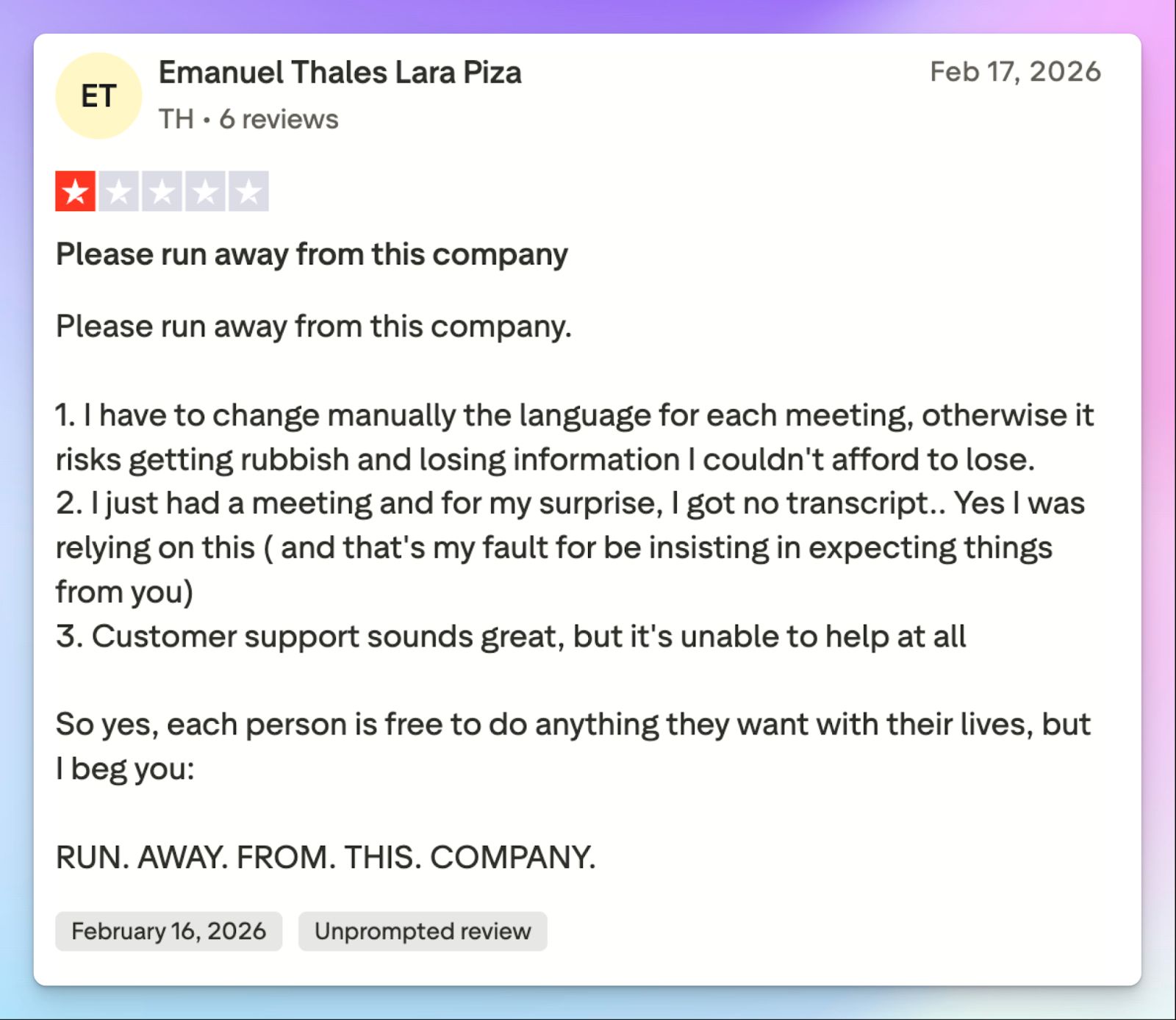
Tactiq's transcripts haven’t been super reliable for my meetings. Language handling is a particular weak point. You have to constantly check if the tool detects your language, and even after that, it’s not guaranteed that the notes will appear in your dashboard. This has been a common issue across the board.
Tactiq supports around 30 languages, which is not a lot given the competition. Despite focused language support, it struggles with transcription accuracy, and you end up editing transcripts more than you use them.
2. Tactiq doesn't offer media playback
Tactiq captures text in real time and doesn’t save the audio. Since there's no playback, you can't verify a transcript after the fact. For anyone who stores meeting records as a reliable source of truth, that combination is difficult to work around.
💡 Fun fact:
Meetings are the single biggest barrier to productivity for knowledge workers, which makes accurate, verifiable notes even more important
3. Tactiq has a clunky UI and unresponsive customer support
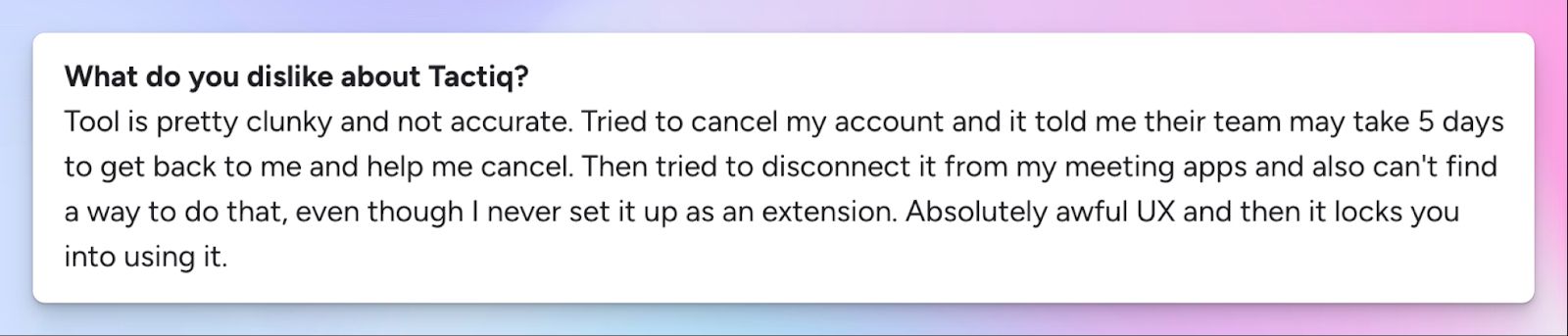
Tactiq’s Chrome extension UI can be complex unless you know your way around floating browser extensions. The real-time transcription might distract you from focusing on the meeting itself. I could imagine someone looking for a no-fuss note taker would ironically struggle with it compared to tools that have dedicated recording dashboards. And that’s not all.
Cancelling a Tactiq account requires contacting support and waiting days for a response. Disconnecting it from my meeting apps was just as difficult.
4. Expensive pricing with a confusing AI credit system
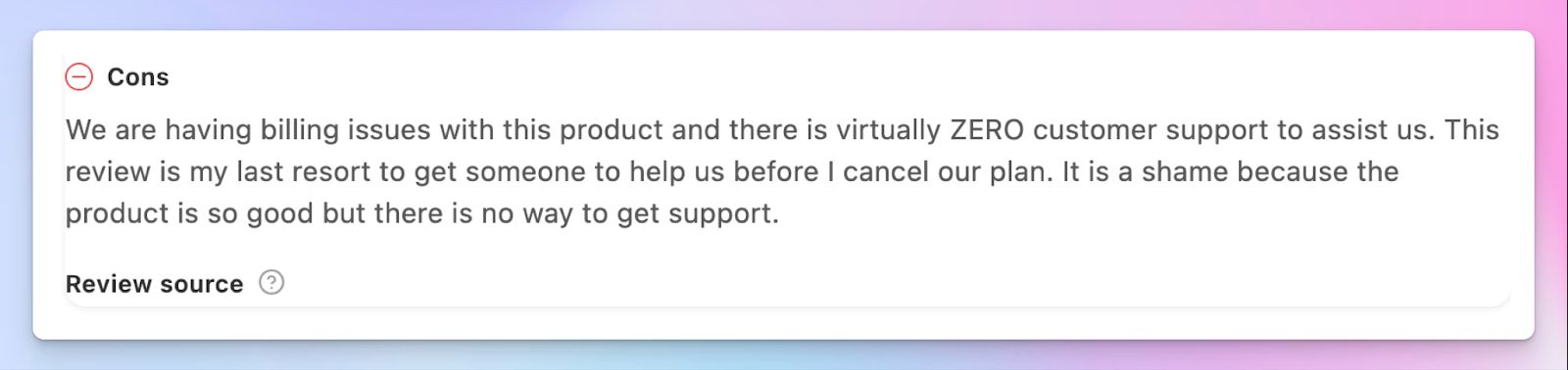
The free plan gives you 5 AI credits per month. According to Tactiq, each meeting uses 1 AI credit for all AI-powered tasks, so you only get 5 meetings with all the cool features. Billing is not as transparent if you want to cancel or modify your plan, which ties back to a lack of customer support.
Top 5 Tactiq alternatives at a glance
| Category | HappyScribe | Granola | Fathom | Leexi | Notta |
|---|---|---|---|---|---|
| Best for | Global teams that want multilingual AI notes, file transcription, and audio playback | Solopreneurs who want a bot-free AI notepad on Mac and Windows | Individuals who want a free note taker with unlimited recordings | Sales teams in Europe who want CRM automation and VoIP call transcription | Global teams that need file upload support and bilingual transcription |
| Key features | 95%+ accuracy in 150+ languages, bot or bot-free recording, file upload, subtitle editor, translation in 80+ languages | Hybrid notepad with AI-enhanced summaries, Granola Chat, customizable templates | Unlimited free recordings, audio playback, Ask Fathom, coaching hub, highlight clips | VoIP transcription, CRM auto-fill, AI scoring and coaching, EU-grade security | Notta Brain’s visual summaries, bilingual transcription, and file upload |
| Supported languages | 150+ languages and dialects | 10 languages on desktop | 28 languages | 100+ languages | 58 languages |
| Meeting platform integration | Zoom, Google Meet, Microsoft Teams, in-person | Zoom, Google Meet, Teams, Slack Huddles via desktop audio | Zoom, Google Meet, Microsoft Teams via bot | Zoom, Google Meet, Teams, Aircall, Ringover, Teams Phone | Zoom, Google Meet, Microsoft Teams, Webex |
| Security | GDPR, SOC 2 Type II, and an ISO 27001, EU-based data center | SOC 2 Type II, GDPR. Data stored in the US on AWS | GDPR, HIPAA, SOC 2 Type II | SOC 2 Type II, ISO 27001, EU AI Act, GDPR. Data stored in France | SOC 2 Type II, ISO 27001, GDPR, HIPAA, CCPA |
| Starting price | Free plan with unlimited meeting recordings. Paid plans start from $8.50/month (billed annually) or $17/month (billed monthly) | Free plan with limited meeting history. Paid plans from $14/month | Free plan with unlimited recordings. Paid plans from $20/month | No free plan. Paid plans from $15/month | Free plan with 200 minutes/month. Paid plans from $13.49/month |
1. HappyScribe
Best for: Global teams that want 95%+ accurate AI meeting notes in 150+ languages, audio and video playback, file transcription, and an easy-to-use platform
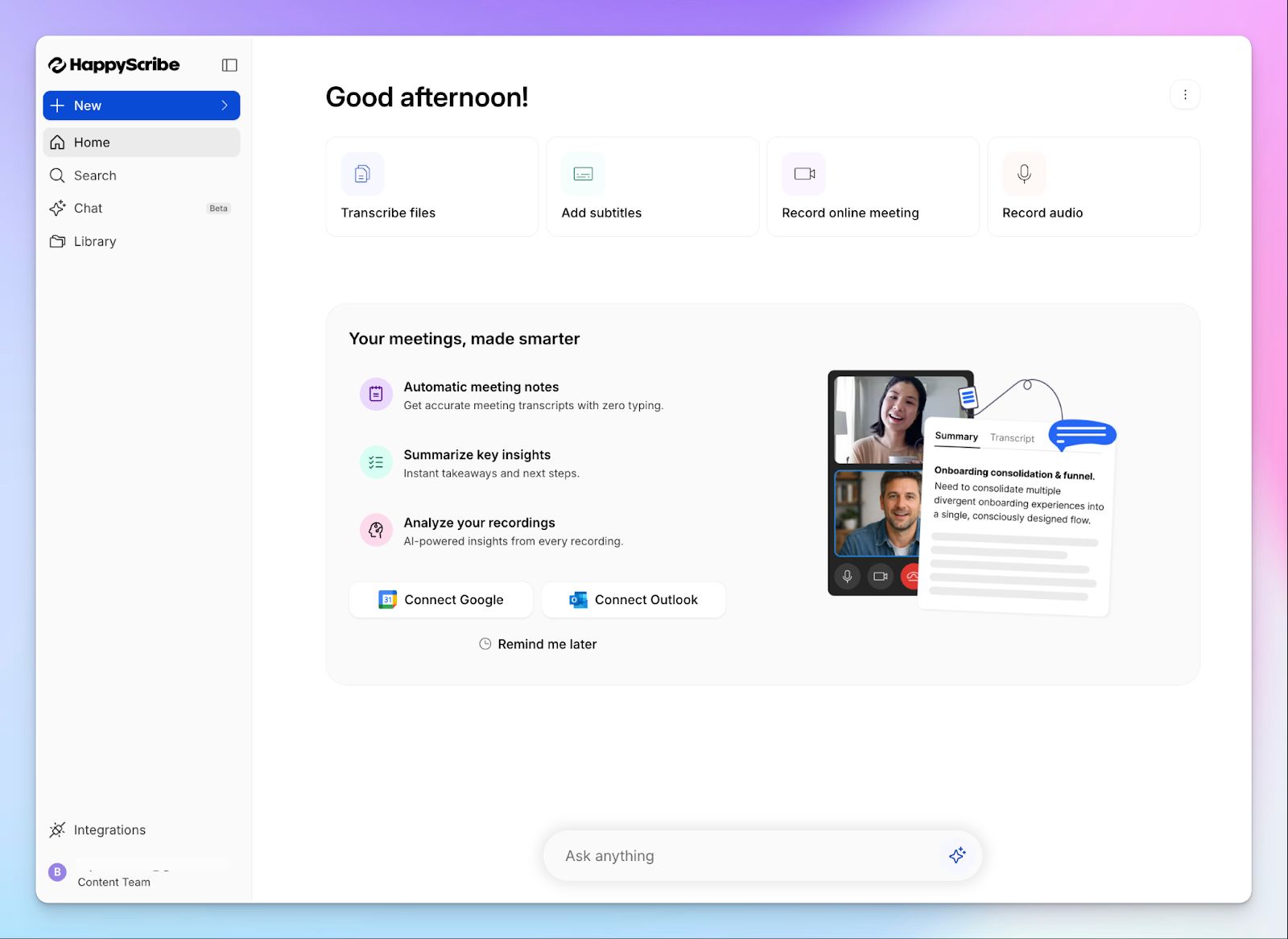
HappyScribe AI note taker is the best overall option to fix Tactiq's limitations. Where Tactiq depends on Chromium browsers to run, HappyScribe works across platforms, stores your recordings, and gives you a clean workspace to manage everything, from online meeting notes to file transcripts.
Connect your Google or Outlook calendar to let HappyScribe auto-join scheduled calls, or paste the meeting link manually. It works across Google Meet, Zoom, and Microsoft Teams, and handles in-person conversations.
HappyScribe vs. Tactiq
| Category | HappyScribe | Tactiq |
|---|---|---|
| Transcription accuracy | 95%+ accuracy across 150+ languages with automatic speaker detection | Inconsistent accuracy, particularly with non-standard accents and multiple speakers |
| Media playback | Full audio and video playback synced to the transcript on all plans | No audio stored after processing, so transcripts can’t be verified |
| Platform availibility | Works in any browser and on any device | Works inside Chromium browsers only |
| Pricing model | Transparent free tier with unlimited meeting recordings. No AI credit system | AI features are gated behind a monthly credit limit that runs out quickly |
HappyScribe's key features
1. Generate 95%+ accurate meeting transcripts in 150+ languages and dialects
Tactiq supports around 30 languages and struggles when accents or crosstalk enter the picture. In contrast, HappyScribe covers 150+ languages and dialects at 95%+ accuracy, with automatic speaker detection even when multiple people are talking at once.
Be it Filipino, Finnish, or French, join meetings knowing that HappyScribe will capture every decision and key point.
If your meetings involve clients or colleagues across different markets, you can also build custom glossaries so the AI gets your industry-specific terms right from the first session.
2. Play audio and video recordings to verify notes and key points
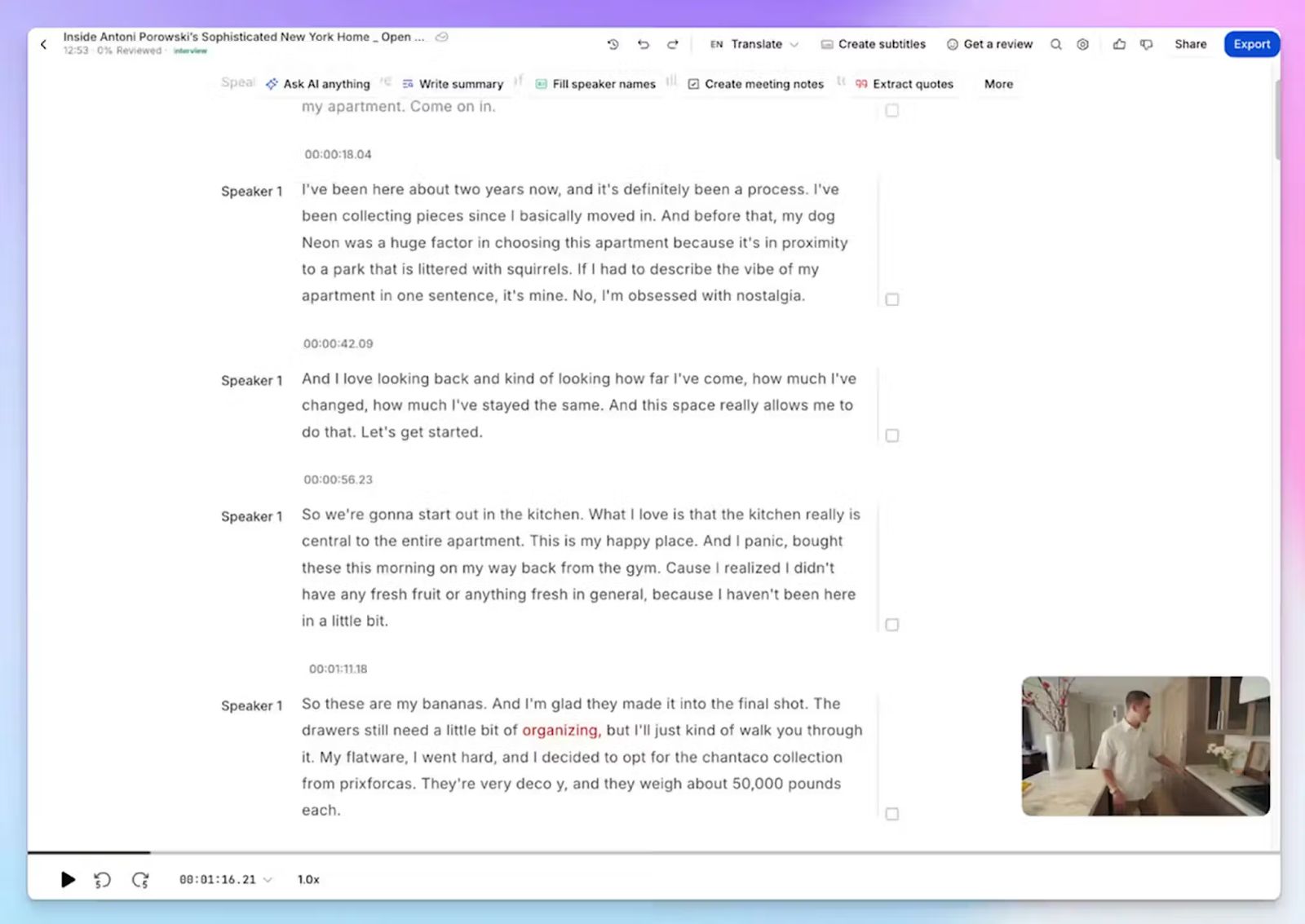
This is one of the fundamental issues with Tactiq. Since it doesn’t store audio, an incomplete transcript leaves you with no fallback. HappyScribe retains the full meeting recording and syncs it to the transcript, so you can click any line and hear exactly what was said at that moment.
For client calls, legal discussions, or any meeting where delivery contexts matter, media playback makes your notes reliable enough to act on.
3. Run bot-assisted scheduled meetings and bot-free note taking for in-person meetings
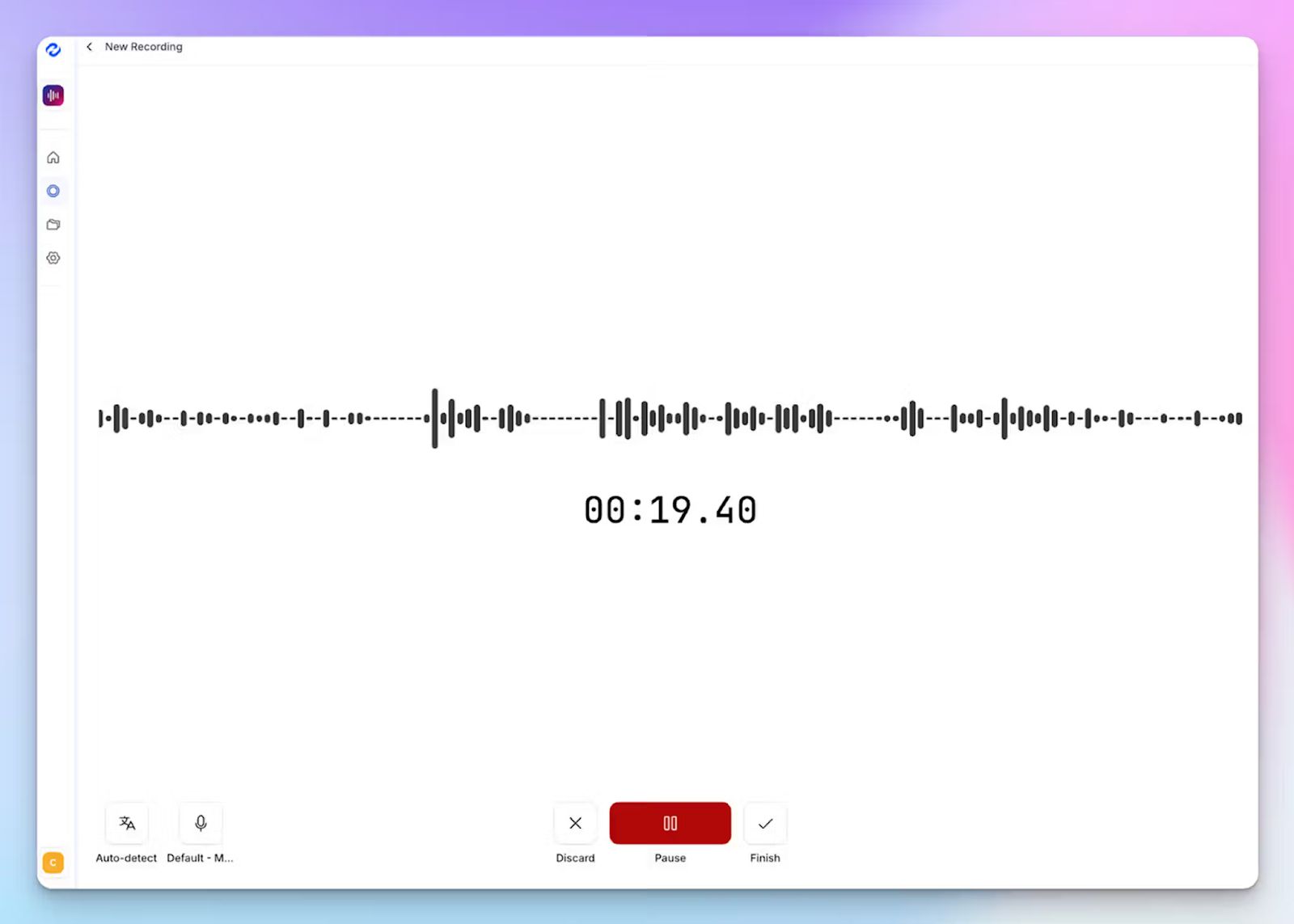
Tactiq is built for browser-based calls. The moment your meeting moves in-person, it stops working. HappyScribe gives you both modes from a single platform.
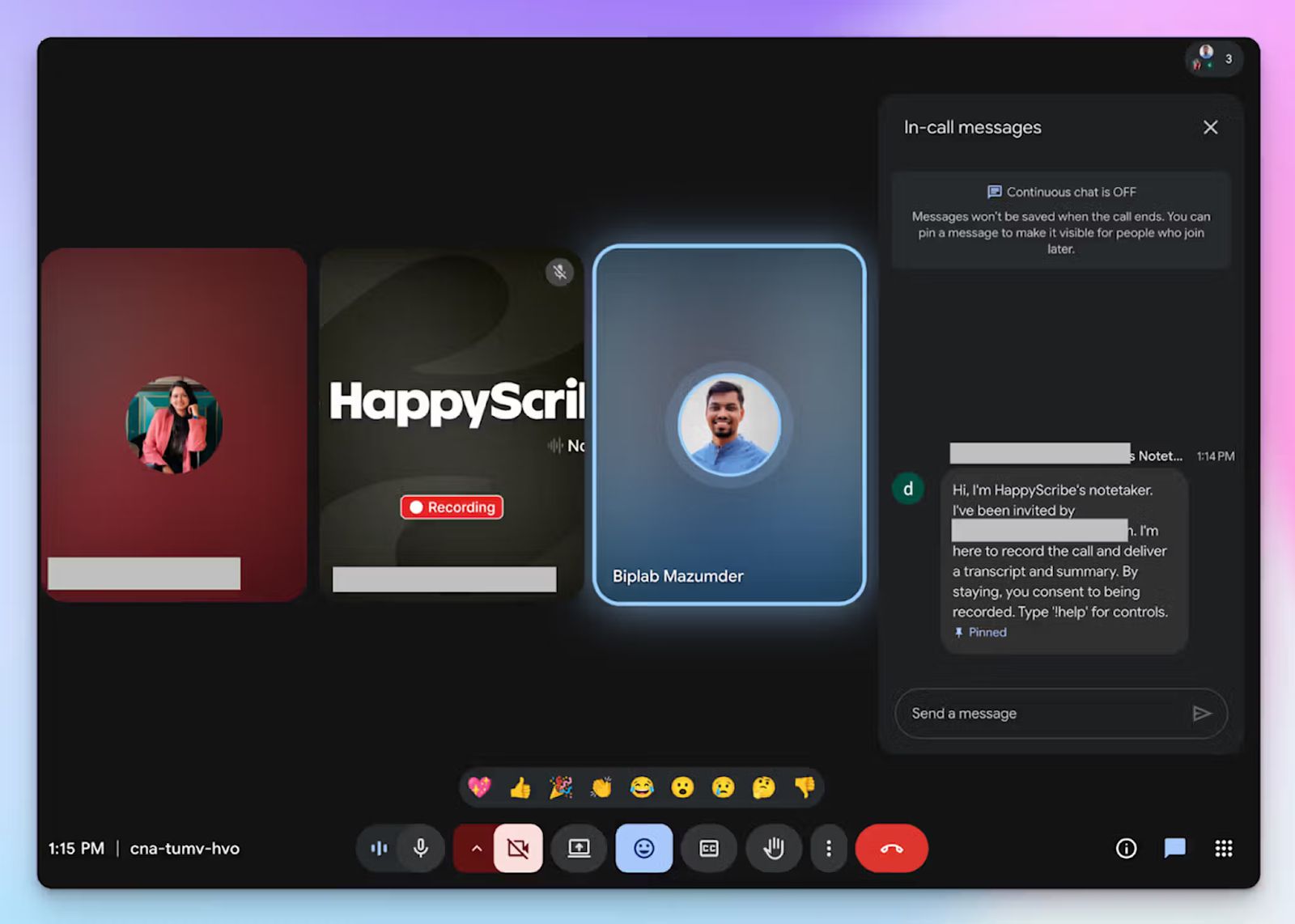
For online meetings, a transparent calendar bot joins your calls automatically, announces itself to attendees, and handles consent clearly. You can customize its name, appearance, and compliance message, and control it mid-call by typing "!help" in the chat.
For in-person meetings, client lunches, or any conversation where a visible bot would be out of place, HappyScribe's audio recorder captures the session silently, making it one of the best bot-free note takers in the market.
4. Upload pre-recorded meeting files to generate transcripts and notes
HappyScribe lets you upload audio and video files directly from your device, Google Drive, Dropbox, Box, or Vimeo, and generate the same high-quality notes you would get from a live meeting.
That means you can bring your entire meeting archive, past and future, into one organized workspace rather than managing different tools for different recording types.
5. Easy-to-use UI with responsive customer support from real humans
Tactiq's floating Chrome extension can be distracting mid-meeting, and as I highlighted earlier, getting support or even cancelling your account is harder than it should be. HappyScribe's dashboard is purpose-built for meeting workflows, which means recordings, transcripts, summaries, and AI chat are all in one place without sifting through tabs.
When something does go wrong, you reach a real person. HappyScribe's support team operates in extended CET hours, and the response time reflects that.
HappyScribe's pricing
- Free: Unlimited meeting recordings (45 mins/recording)
- Basic: $8.50/month (billed annually) or $17/month (billed monthly)
- Pro: $19/month (billed annually) or $29/month (billed monthly)
- Business: $59/month (billed annually) or $89/month (billed monthly)
- Enterprise:Contact sales for tailored solutions
HappyScribe's pros
- Generous free tier with unlimited meeting recordings (capped at 45 minutes each) and trial of AI chat, translation, and subtitling services
- GDPR-compliant and SOC 2 Type II certified, with all data stored in a Tier IV, PCI DSS, and ISO 27001-certified EU data center, making it one of the most secure AI meeting assistants available
- Use the AI Chat to surface insights from past meetings, extract speaker quotes, and draft follow-up emails without switching tools
- Connect meeting data to your existing stack via Zapier, API, and HappyScribe's MCP server
- Translate meeting notes into 80+ languages, so stakeholders across markets stay aligned in their own language
- iOS and Android apps are coming soon
HappyScribe's cons
- Not suited for real-time transcription during live calls
What are real users saying about HappyScribe?
I tried HappyScribe with the free trial and was immediately impressed. The transcription accuracy is excellent, even with background noise and different accents. The interface is intuitive and easy to use, and the ability to download the transcript in multiple formats is a great plus. Highly recommended for anyone who needs a reliable and flexible transcription tool.
HappyScribe is fast, effortless, and accurate, getting straight to the point every time. It makes transcription and subtitling a breeze. Truly grateful for such a reliable tool!
How to use HappyScribe's AI note taker? A step-by-step guide
- Link your Google or Outlook calendar or paste the meeting link to invite the HappyScribe note taker. For in-person meetings, you can record audio without a bot.
- Select Meetings in the left sidebar and check the options on the right to customize when the note taker should join and who should receive the email summary.
- Click the Settings button at the top right to select when the note taker should start recording and who can view the meeting transcription.
- During an online call, the note taker must be admitted by the meeting host to start recording. You can chat with the note taker to control it mid-call.
- The meeting will be saved in your Workspace files or in the Private section, depending on your privacy settings.
2. Granola
Best for: Solopreneurs and small teams who want bot-free AI meeting notes with a live notepad on Mac and Windows
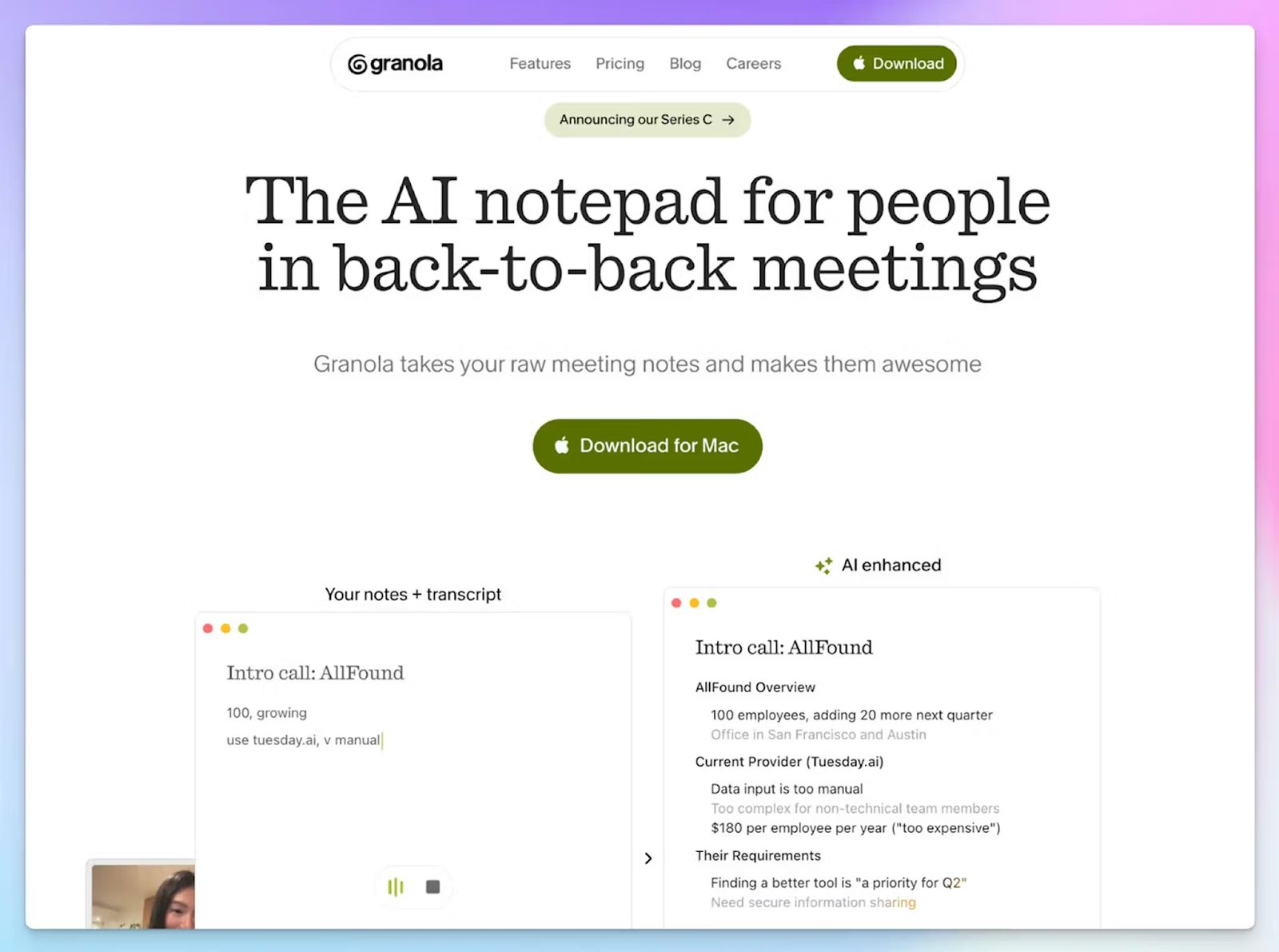
If you're leaving Tactiq because of Chrome browser lock-in or the AI credit issues, Granola solves both. As a bot-free AI note taker, it works similarly to Tactiq, but opts for an app-based dashboard instead of a browser extension.
Granola works across Zoom, Google Meet, Teams, and Slack Huddles on Windows and macOS, and turns notes into clean, AI-enhanced summaries.
Granola vs. Tactiq
| Category | Granola | Tactiq |
|---|---|---|
| Note generation | Hybrid. Your typed keywords combined with AI-enhanced summaries post-call | Fully automated real-time transcription. No user input during the meeting |
| Platform dependency | Desktop app for Mac and Windows. It works across any platform that outputs audio | Chromium-based browser calls only |
| AI access | AI chat and Recipes on all plans | AI features are gated behind a monthly credit allowance |
Granola's key features
- The notepad approach lets you jot down keywords during the call, and the AI builds a structured summary from those inputs combined with the transcript
- You can ask Granola Chat questions across your entire meeting history and use the pre-built Recipes from experts to extract specific insights in one click
- With customizable note templates, you can set a format for recurring meeting types or use one of the auto-generated ones to save time
Granola's pricing
- Basic: Free (limited meeting history)
- Business: $14/month
- Enterprise: $35/month
Granola's pros
- It auto-detects calendar meetings, so you never have to manually trigger a recording before a call
- Granola Chat goes beyond keyword search, letting you ask nuanced, contextual questions with source citations from past meetings
- Thanks to a clean, minimalist interface, you can quickly switch between Granola notes and tools across meetings
Granola's cons
- Granola doesn’t store audio files, so an inaccurate transcript leaves you with nothing to verify against
- You don’t get to upload older meeting recordings to generate notes or summaries
- Language support on desktop is limited to 10 languages only, which makes it a poor fit for multilingual teams. If that's a priority, a dedicated Granola alternative will serve you better
📚Also read:
3. Fathom
Best for: Individuals and small teams who want a free AI note taker with unlimited recordings and audio playback across Zoom, Google Meet, and Teams
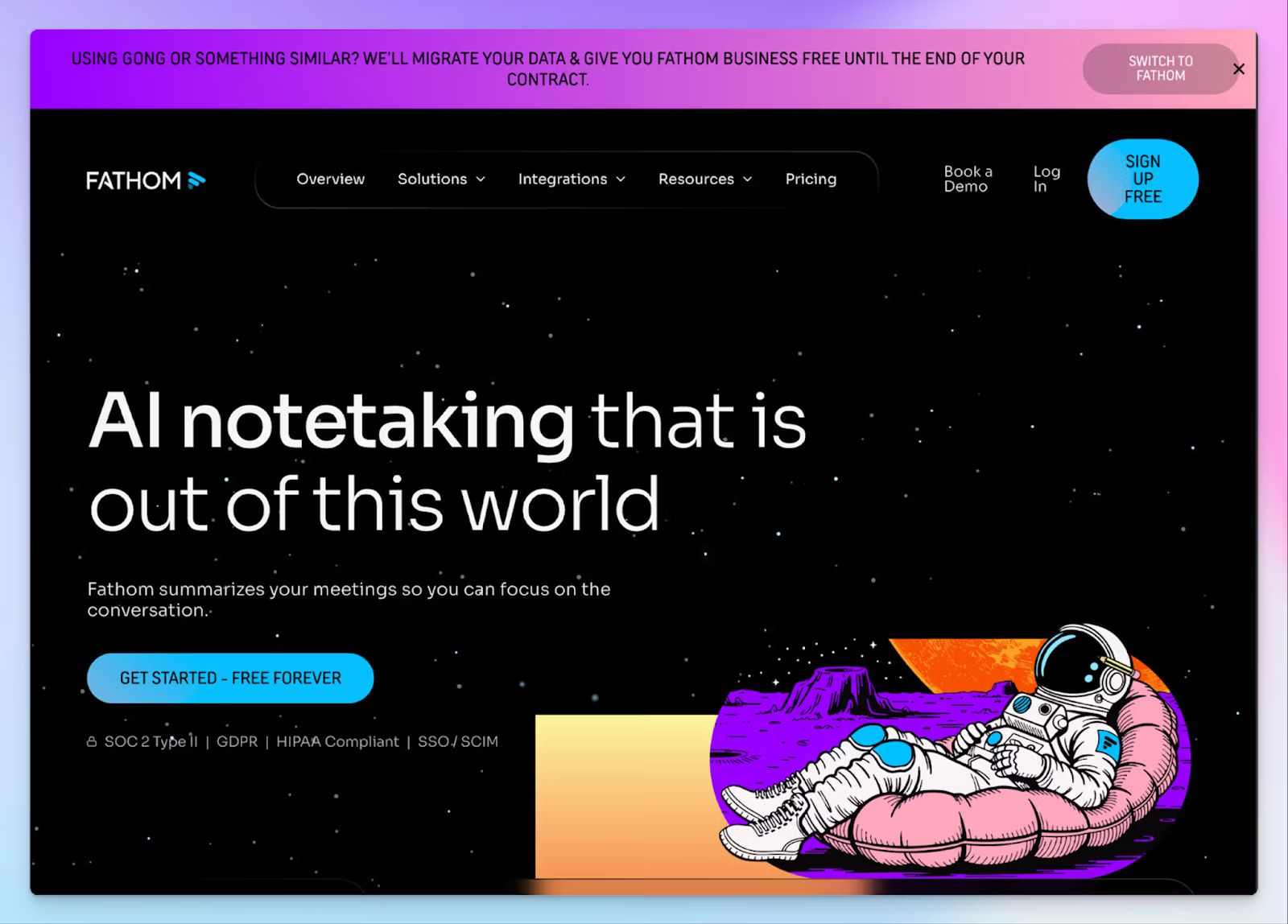
Fathom addresses two of Tactiq's core gaps directly: it stores the full meeting recording synced to the transcript, and it doesn't gate basic functionalities behind premium tiers. The free plan includes unlimited recordings and transcription with no monthly cap on storage.
Where it differs from Tactiq is in approach. Fathom joins as a visible bot participant, so it works independently of your browser.
Fathom vs. Tactiq
| Category | Fathom | Tactiq |
|---|---|---|
| Recording and playback | Full audio recording synced to transcript on all plans | No audio stored. Transcript can't be verified after the fact |
| Free plan depth | Unlimited recordings and transcription. Advanced AI summaries capped at 5 per month | 10 transcriptions per month. AI features are gated behind 5 credits per month |
| Platform support | Zoom, Google Meet, Microsoft Teams via bot | Zoom, Google Meet, Teams via Chromium browsers only |
Fathom's key features
- Ask Fathom lets you find specific decisions, quotes, or action items across your entire meeting history and generate follow-up emails directly from the results
- Fathom’s new coaching hub lets sales managers build AI scorecards, grade calls against custom criteria, and flag specific moments with timestamps for rep coaching
- You can highlight clips to mark key moments during a call and share them with teammates who missed the meeting
Fathom's pricing
- Free
- Premium: $20/month
- Team: $19/month (minimum 2 users)
- Business: $34/month (minimum 2 users)
Fathom's pros
- The free plan is one of the most generous in the category, with no recording time limits and no expiry on stored transcripts
- Fathom is super-fast when it comes to generating post-meeting summaries, and it’s easy to edit or fix errors
- Integrates directly with HubSpot, Salesforce, Asana, Twine, Pylon, and Zero to push meeting notes and action items without manual data entry
Fathom's cons
- Fathom's bot joins as a visible participant, which can disrupt the flow of sensitive or external client calls where discretion matters
- Language support is limited to 28 languages, making it a poor fit for multilingual teams
- There's no support for in-person meetings or pre-recorded file uploads, which pushes many users toward a Fathom alternative with broader recording flexibility
📚 Also read:
4. Leexi
Best for: Sales teams and consultants in Europe who want secure AI meeting notes with CRM automation and VoIP call transcription
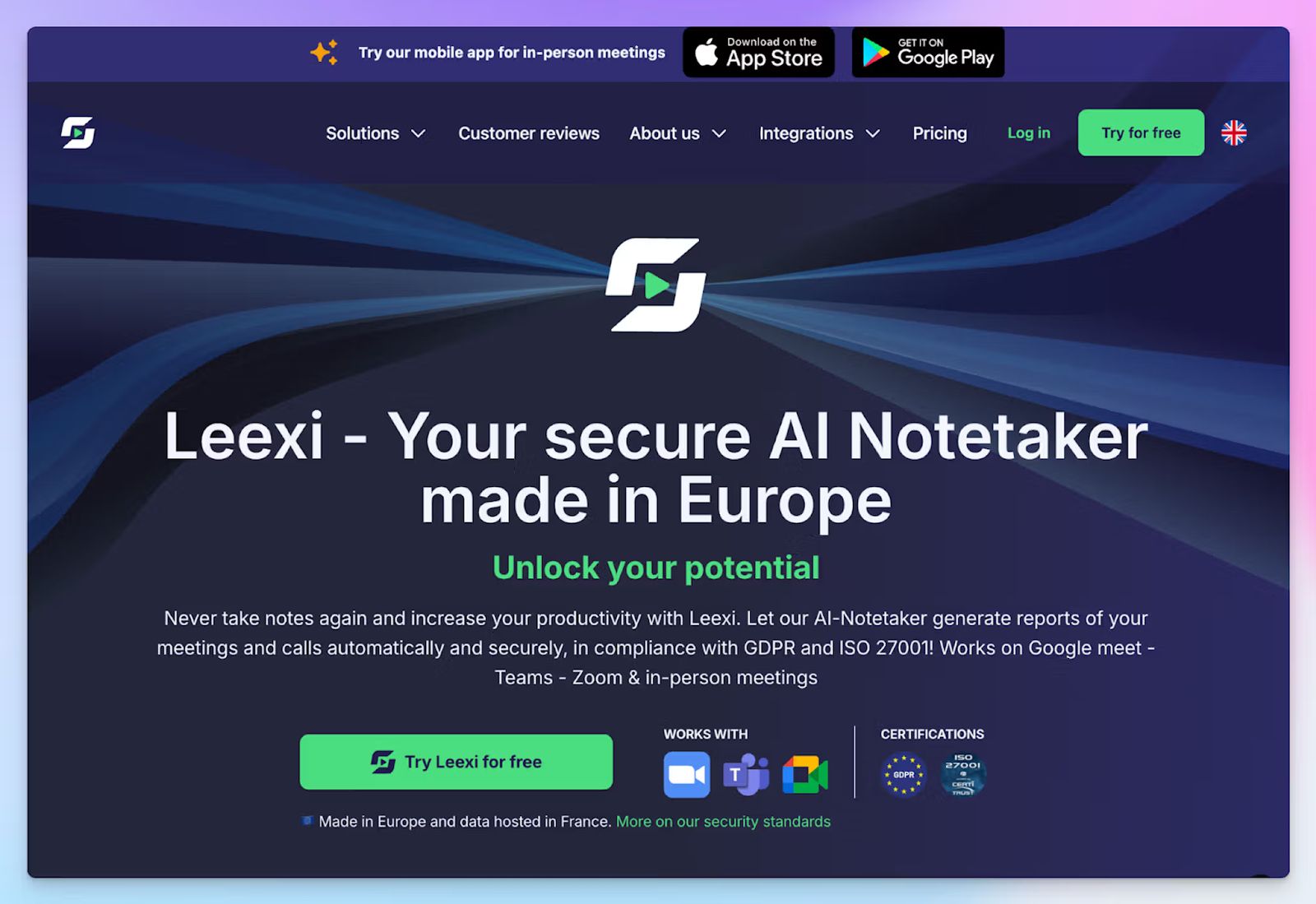
If your Tactiq meetings revolve mostly around sales, you might like Leexi. It covers more ground than Tactiq by transcribing not just video meetings, but also VoIP calls via Aircall, Ringover, and Teams Phone. As a result, reps don't have to switch tools depending on how a conversation happens.
As a European AI note taker, Leexi focuses a lot on security as well. It offers ISO 27001 certification and stores user data in France.
Leexi vs. Tactiq
| Category | Leexi | Tactiq |
|---|---|---|
| Call coverage | Video meetings and VoIP calls via Aircall, Ringover, and Teams Phone | Video meetings via browser only. No VoIP support |
| Recording and storage | Full audio and video recordings are stored for up to 2 years on paid plans | No audio stored after processing |
| Security | EU AI Act and ISO 27001 certified. Data stored in France with E2E encryption | SOC 2 Type II. Data stored on US-based infrastructure |
Leexi's key features
- Ask Leexi lets you ask questions across your meeting history, though it's capped at 100 questions per 35-minute call on the AI-Meeting plan
- The Business plan auto-fills CRM fields in Salesforce, HubSpot, Pipedrive, Zoho, and others directly from the meeting summary, so reps don't have to log calls manually
- Leexi's AI scoring and coaching feature analyzes rep performance and surfaces personalized recommendations to improve sales techniques
Leexi's pricing
- Starter: $15/month
- AI-Meeting: $29/month
- Business: $49/month
- Enterprise: Contact sales
Leexi's pros
- Leexi transcribes in 100+ languages with automatic language detection, meeting summaries, and collaboration features on all plans
- SOC 2 Type II, EU AI Act, and GDPR-compliant data storage in France, which makes it one of the best transcription tools for European teams
- The mobile app lets you capture in-person meetings and play back recordings in the app
Leexi's cons
- Leexi doesn’t have a free plan. The Starter tier caps usage at 20 hours per month, which makes it restrictive even as a trial
- Ask Leexi is paywalled behind the AI-Meeting plan, and even then, the question limit per call is inadequate for serious users
- Leexi’s transcription accuracy struggles beyond French and English, and it doesn’t let you transcribe pre-recorded files, which pushes teams with complex workflows toward Leexi alternatives
5. Notta
Best for: Global teams that need transcriptions with file upload support and a usable free plan
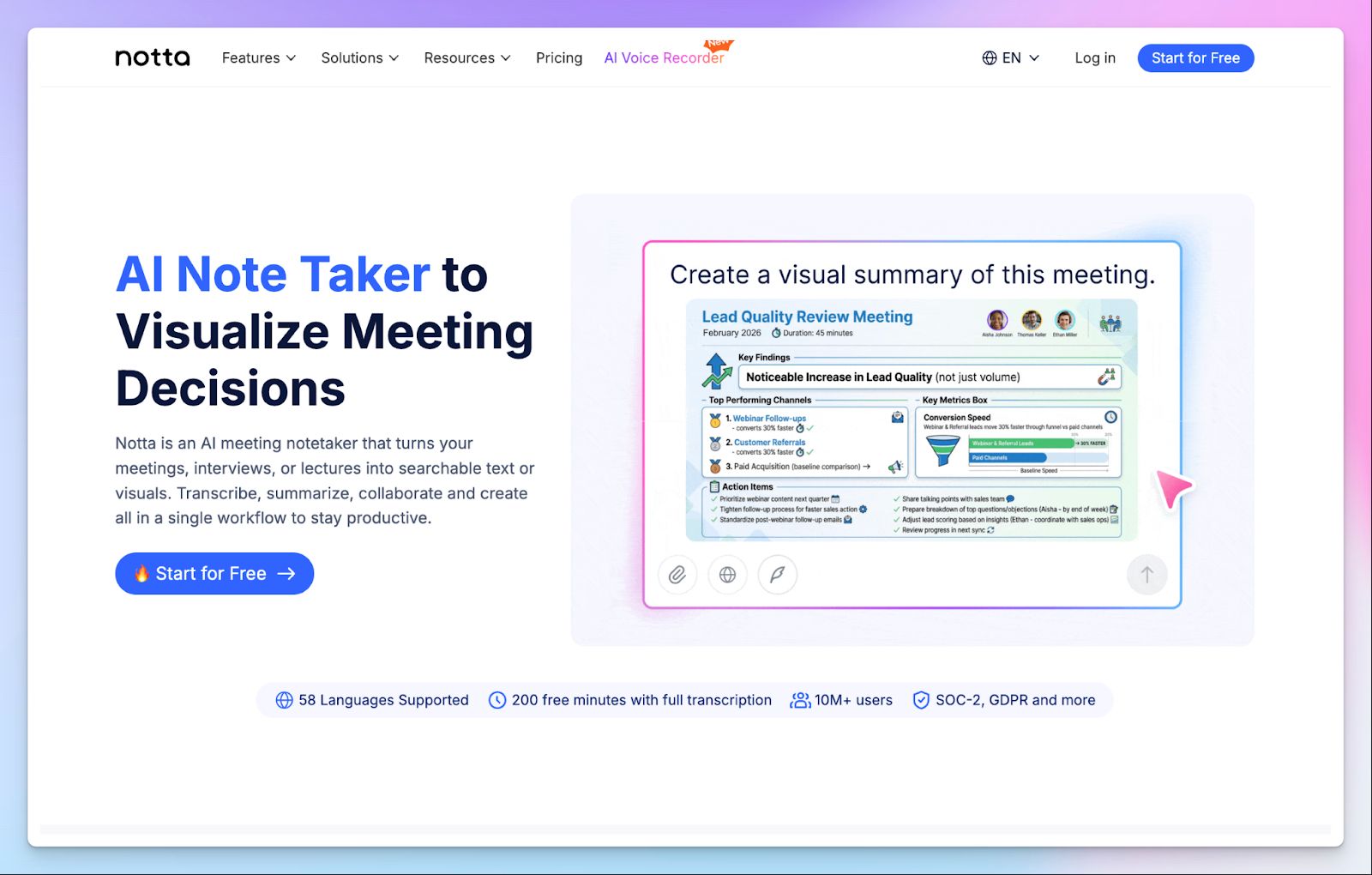
Notta takes a different angle from Tactiq. While Tactiq AI transcribes what's happening live in your browser, Notta handles both live meetings and post-meeting documents in the same workspace.
If you're switching because Tactiq can't help you with data points or bilingual translation, Notta solves that immediately.
Notta vs. Tactiq
| Category | Notta | Tactiq |
|---|---|---|
| Meeting scheduler | Schedule meetings with stakeholders and create multiple booking pages | No native support for meeting scheduling |
| Free plan | 200 minutes per month. 3 minutes per file | 10 meeting transcripts. 5 AI credits per month |
| Language support | 58 languages with bilingual transcription support | 30+ languages |
Notta's key features
- Notta Brain turns your meeting transcripts into AI-generated infographics, slides, and visual summaries. It’s useful for teams that repurpose meeting content for async updates
- Bilingual transcription lets you capture meetings with speakers from different regions, with both languages transcribed in a single session
- With custom AI summary templates, you can standardize the structure and tone of your post-meeting notes
Notta's pricing
- Free: 200 minutes/month
- Pro: $13.49/month
- Business: $27.99/month
- Enterprise: Contact sales
- Monolingual Translation (add-on): $10/month
- Bilingual Transcription & Translation (add-on): $15/month
- Notta Brain (add-on): $12.99/month
Notta's pros
- Notta is one of the better options for multilingual teams that need reliable notes across different accents
- File uploads support a wide range of formats, including MP3, MP4, WAV, MOV, and PDF, so you can consolidate meeting records without format restrictions
- Notta is SOC 2 Type II, ISO 27001, GDPR, HIPAA, and CCPA-compliant across all plans
Notta's cons
- The free plan caps individual file transcription at 3 minutes, which is too short to be useful for anything beyond a quick test. Most flagship features are now add-ons
- Speaker identification struggles in meetings with multiple participants, which is made worse by the unstable browser UI
- Notta trains AI on Japanese user data with no way to opt out of it other than subscribing to the Enterprise plan, which pushes users to look for a Notta alternative with better privacy
📚 Also read:
Which Tactiq alternative should you choose?
Tactiq AI works well enough if your work happens inside Chrome and you only need a quick transcript of your Google Meet calls. But the moment you need to verify a note or record in-person, it runs out of steam.
👉 If you're leaving Tactiq because of browser dependency and want a bot-free desktop app that enhances your own notes, Granola is a natural next step.
👉 If you have occasional online calls and want a free plan with unlimited recordings and audio playback, Fathom is the most straightforward upgrade.
👉 If your work is sales-heavy and you need CRM automation, VoIP transcription, and European data compliance in one tool, Leexi is built for that workflow.
👉 If you need file upload support for pre-recorded calls and bilingual transcription languages, Notta covers the gaps.
👉 If you want the strongest all-round replacement for Tactiq, choose HappyScribe. It's the only tool on this list that combines 95%+ accurate transcription in 150+ languages with audio and video playback, bot-free in-person recording, pre-recorded file upload, and an EU-hosted security stack, without gating any of it behind a credit system.
Every other AI note taking tool on this list solves one or two of Tactiq's gaps well. HappyScribe removes all of them at once. Start with the free plan to record unlimited meetings and see the difference before spending a cent.
FAQs on the best Tactiq alternatives for AI note taking
1. What is the best free Tactiq alternative?
HappyScribe is the best free Tactiq alternative for busy professionals who attend multiple meetings across video conferencing platforms. Its generous free plan includes unlimited meeting recordings with AI-generated summaries, speaker identification, and the ability to transcribe meetings in 150+ languages, all in just a few clicks. Unlike Tactiq's credit-based plans, HappyScribe doesn't cap your AI summaries. Fathom is another strong pick if you primarily need free live transcription and unlimited recordings for virtual meetings on Zoom, Google Meet, and Microsoft Teams.
2. Which Tactiq alternatives work for in-person meetings?
Tactiq only works inside a Chromium browser, so in-person meetings are completely outside its scope. HappyScribe's web-based audio recorder captures in-person conversations without a bot, which makes it one of the most flexible AI meeting assistants for teams that mix online and offline meetings. Leexi's mobile app also supports in-person recording with automatic AI transcription and searchable transcripts after the session ends. Granola handles in-person meetings through its iPhone app.
3. Is there a Tactiq alternative that works without a Chrome extension?
Yes. Few Tactiq AI alternatives don't rely on a Chrome extension at all. HappyScribe works through a calendar-connected bot for virtual meetings and a browser-based recorder for in-person use, with no extension to install. Granola is a desktop app for Mac and Windows that captures system audio directly. Fathom joins calls as a bot participant across Zoom, Google Meet, and Microsoft Teams, also without a Chrome extension. If you want to transcribe meetings without browser dependencies, any of these three removes that constraint immediately.
4. Is Tactiq safe?
Yes, Tactiq is safe to use, but it’s not totally without flaws. Tactiq holds SOC 2 Type II attestation, ISO 27001 certification, and is GDPR and HIPAA-compliant. It uses OpenAI's enterprise API, which doesn't train models on your data. One consideration worth flagging is that Tactiq stores transcripts but no audio, so there's no source recording to audit if a transcript is inaccurate. Data is hosted on Google Cloud in the US, which may be a concern for teams with strict data residency requirements. If European data hosting is a priority, HappyScribe stores all data in an EU-based data center and holds GDPR, SOC 2 Type II, and ISO 27001 certifications.
5. How does tl;dv compare to Tactiq AI for meeting notes?
tl;dv and Tactiq serve different use cases. Tactiq focuses on live transcription inside a browser without meeting bots, while tl;dv records virtual meetings via a bot, stores video, and lets you clip and share key moments as short highlights. For teams that need searchable transcripts with video playback and async sharing across group meetings, tl;dv offers more depth. Tactiq is lighter and faster to set up, but it can't store recordings or produce deeper, actionable insights. Neither tool handles file uploads, which is where alternatives like HappyScribe cover the gap with full AI transcription, key insights, and audio playback across all meeting types.
6. Is Tactiq good enough for sales teams, or are there better options?
Tactiq can summarize meetings and generate follow-up drafts, but it falls short for serious sales workflows. It doesn't auto-fill CRM fields, has no native integration for deal tracking, and its AI summaries are gated behind a credit system that runs out quickly across multiple meetings. Among the AI tools built specifically for sales, Leexi and Fathom offer more capable automated meeting summaries with CRM automation and actionable insights from every call. For teams operating across multiple languages and video conferencing platforms, HappyScribe functions as a full AI meeting assistant with 95%+ accurate AI transcription in 150+ languages, helping sales and customer success teams stay organized with structured notes and key discussion points after every call.

Biplab Mazumder
Biplab is a content marketer and writer who helps high-growth brands scale content visibility across AI search channels. His works have been published in HubSpot, Freshworks, Atlassian, SurferSEO, etc. When he's not planning content strategy, he's testing AI content workflows and use cases.