![5 Best Leexi Alternatives for AI Meeting Notes [2026]](/sanity-images/ejgwz1gl/redesign/c76d8cf931e21543cadc68c5ed1bd1ee293374c3-1600x900.jpg?auto=format&w=1600.0&rect=0,50,1600,800&h=800)
Leexi is a European note taker popular for its security and language support. But we’re in 2026, and you should ask more from your meeting notes.
People looking for Leexi alternatives for AI meeting notes often flag its expensive plans. In our testing, we also found that Leexi notes are error-prone and require manual edits.
To build a list of absolute best Leexi alternatives, we tested several other tools, discarded many that didn’t meet our standards, spoke to business users, and analyzed online feedback.
If you’re someone who’s looking to switch from Leexi, this is the list for you.
TL;DR ⏩
- HappyScribe: Best overall Leexi alternative for 95%+ accurate AI meeting notes in 150+ languages, file transcription, translation in 80+ languages, subtitles, European security, and affordable plans for global teams
- Noota: Best for recruiters looking for a free plan to screen candidate interviews, along with flexible browser recording
- tl;dv: Best for product and customer success teams looking to extract bite-sized video clips and for sales teams to track insights
- MeetGeek: Best for managers and team leads looking for conversation analytics and collaboration workflows to improve meeting performance
- Meetily: Best for developers and privacy-focused professionals looking for a local, open-source transcription tool
Why users are looking for Leexi alternatives
While finalizing the best Leexi alternatives, we found these to be the main reasons people look for a way out:
1. Leexi struggles with accents and speaker identification
We noticed this issue right away during our testing. Leexi is fine if everyone speaks with a standard English accent in a quiet room. The transcription accuracy drops off a cliff when your meetings include natural crosstalk or different dialects. The AI gets confused by overlapping voices, which forces you to spend a few extra minutes correcting the speaker labels.
2. You can't upload pre-recorded meeting files
You'll hit a wall with Leexi if you want to generate notes from older recordings. It’s good for scheduled online meetings, but you can't drag a file into the dashboard to get a transcript. This limits company-wide conversation intelligence, so you’d have to find another tool to upload files.
3. “Ask Leexi” chat limitations
An AI chat assistant is supposed to act like a smart research partner, but we found the Ask Leexi feature to be paywalled behind premium plans.
But upgrading to $29/month doesn’t help either. Ask Leexi is limited to only 100 questions/35-minute calls, which is not only difficult to track but also limiting for teams.
4. No free plan, and the paid plans are expensive for what Leexi offers
You should get to test a platform to see if it fits your needs. Since Leexi doesn’t have a free tier, we can’t recommend it to users who only need a few meeting notes every month.
The $15/month Starter plan offers only 20 hours of meetings and skimps on most key features. To get reasonable value out of Leexi, you have to move to the $29/month AI-Meeting plan, and even that supports only two custom prompts. Overall, Leexi isn’t value for money, prompting many users to look for better AI meeting assistants.
Top 5 Leexi alternatives at a glance
| Criteria | HappyScribe | Noota | tl;dv | MeetGeek | Meetily |
|---|---|---|---|---|---|
| Best for | Global teams looking for secure AI notes, pre-recorded file transcription, translation, and affordable plans | Recruiters and sales teams seeking flexible browser recording and a free plan | Product and customer success teams looking for bite-sized video clips and sales insights | Managers aiming to track conversation analytics and coach team performance | Developers and privacy-focused professionals seeking a local open-source tool |
| Key features | 95%+ accuracy, file uploads, customizable bot or bot-free recording, video subtitle editor | 50+ AI report templates, AI scorecards, Chrome extension, VoIP dialer | Native video clipper, AI playbooks, concurrent recording for up to 3 meetings | Tracks 100+ behavioral data points, automated sharing to team folders, context-aware summaries | Local system audio capture without a bot, Whisper or Parakeet models, open-source MIT license |
| Supported languages | 150+ languages and dialects | 80+ languages and dialects | 30+ languages | 60+ languages | 90+ languages and dialects |
| Meeting platform integration | Zoom, Google Meet, Microsoft Teams, Webex, and in-person meetings | Zoom, Google Meet, Microsoft Teams, Webex, Aircall, Ringover | Zoom, Google Meet, Microsoft Teams | Zoom, Google Meet, Microsoft Teams, and in-person | Agnostic system audio capture for Zoom, Discord, Microsoft Teams |
| Security | GDPR, SOC 2 Type II, AES-256 encryption, and Tier IV, PCI DSS, ISO 27001-certified EU data center | GDPR, CCPA, HIPAA, EU AI Act compliant | GDPR, SOC 2 Type II, EU AI Act compliant, private hosting options | SOC 2 Type II, GDPR, HIPAA compliant, EU hosting options | 100% local on-device storage, HIPAA and GDPR compliant |
| Starting price | Free plan with unlimited meeting recordings. Paid plan starts from $8.50/month (billed annually) or $17/month (billed monthly) | Free plan available; Pro from $29/month | Free plan available; Paid plans offered | Free plan available; Paid plans start from $15.99/month | Free Community version; Pro from $10/month (billed yearly) |
1. HappyScribe
Best for: Global teams looking for accurate and secure AI meeting notes, file transcription, translation, European security, and affordable plans
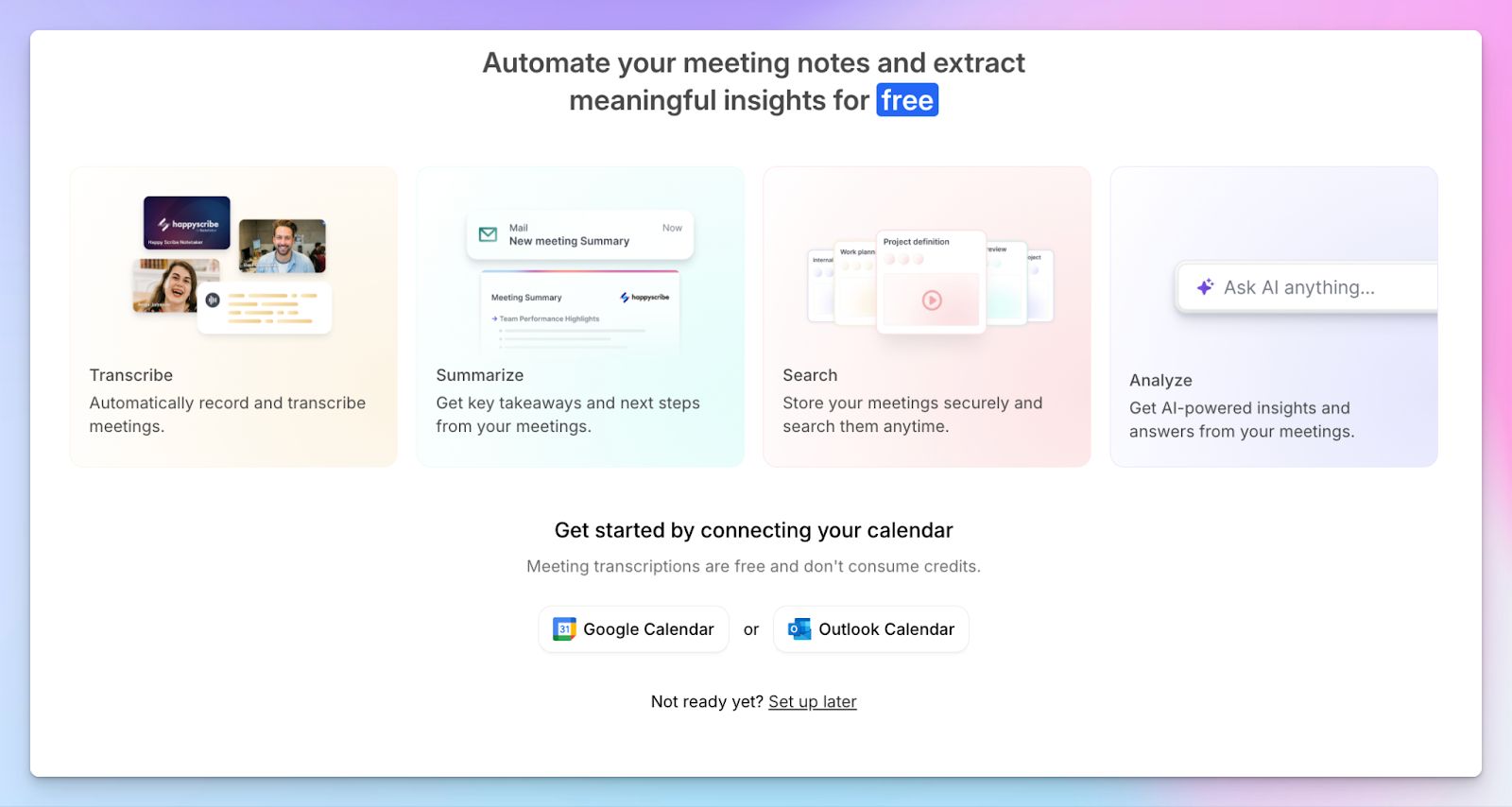
HappyScribe AI note taker is one of the best Leexi alternatives because it not only offers all the standard functionalities but also addresses the shortcomings of Leexi.
Setting up and using HappyScribe is straightforward. You can connect your Outlook or Google Calendar to let it auto-join your meetings or paste the meeting link manually.
Similar to Leexi, HappyScribe offers GDPR and SOC 2 Type II compliance, AES-256 encryption, granular data controls, SSO, and a Tier IV, PCI DSS, and ISO 27001-certified EU data center, making it one of the best European note takers.
Business leaders, project managers, international agencies, and remote teams handling sensitive client calls will get the absolute best out of HappyScribe.
HappyScribe vs. Leexi
| Category | HappyScribe | Leexi |
|---|---|---|
| Free plan access | Offers a generous free tier with unlimited meeting recordings | No free plan. Paid starter plan is limited to 20 hours of meetings/month |
| Language and accuracy | HappyScribe delivers 95% accuracy across 150 languages and dialects | Leexi's accuracy drops with overlapping voices and non-standard dialects |
| Video subtitling and translation | HappyScribe translates transcripts into 80+ languages and features a dedicated subtitle editor | Transcribes calls but lacks native post-meeting translation and video subtitling tools |
| File transcription | Allows you to upload pre-recorded audio and video files to generate high-precision notes | Leexi can’t generate notes from older, pre-recorded files |
HappyScribe's key features
1. Generate 95%+ accurate meeting notes in 150 languages and dialects
A transcript has zero value if you spend hours fixing names. HappyScribe processes over 150 languages and dialects by preserving context clues and speaker labels.
From Swiss German and Icelandic to Lao and Korean, you get reliable summaries that you can trust and act on. If you coordinate with global teams, HappyScribe helps you stay aligned on complex action items.
2. Upload files to generate transcripts and meeting notes
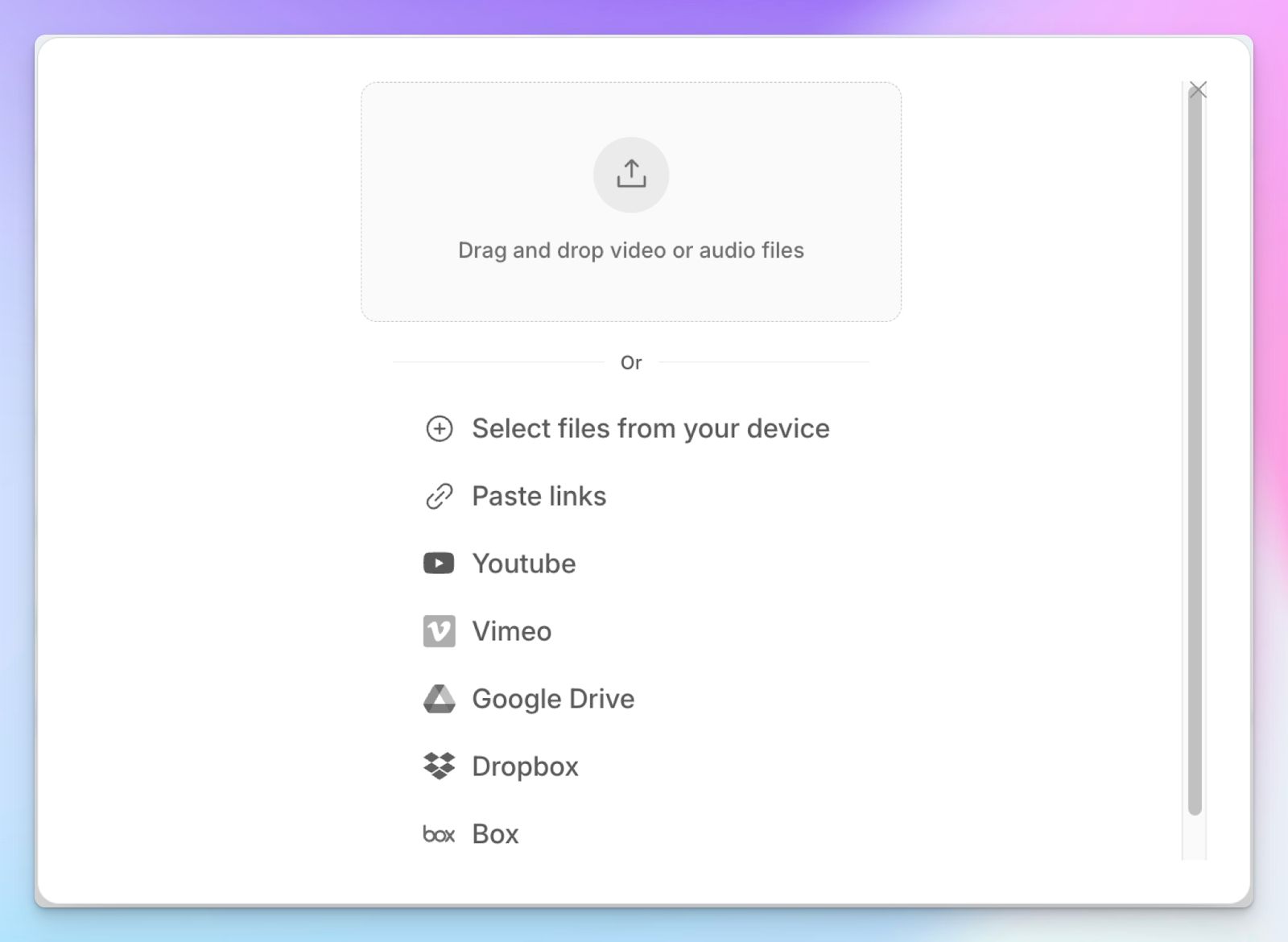
You'll run into situations where a client shares a pre-recorded video call. Leexi doesn’t let you generate notes from those older recordings, but HappyScribe does.
Simply upload your media files from your device, Vimeo, Google Drive, or YouTube, and generate the same high-precision notes you’d get from online meetings. Ideal for documenting old town halls or podcast interviews in minutes.
3. Customizable meeting bot and bot-free recording for flexibility
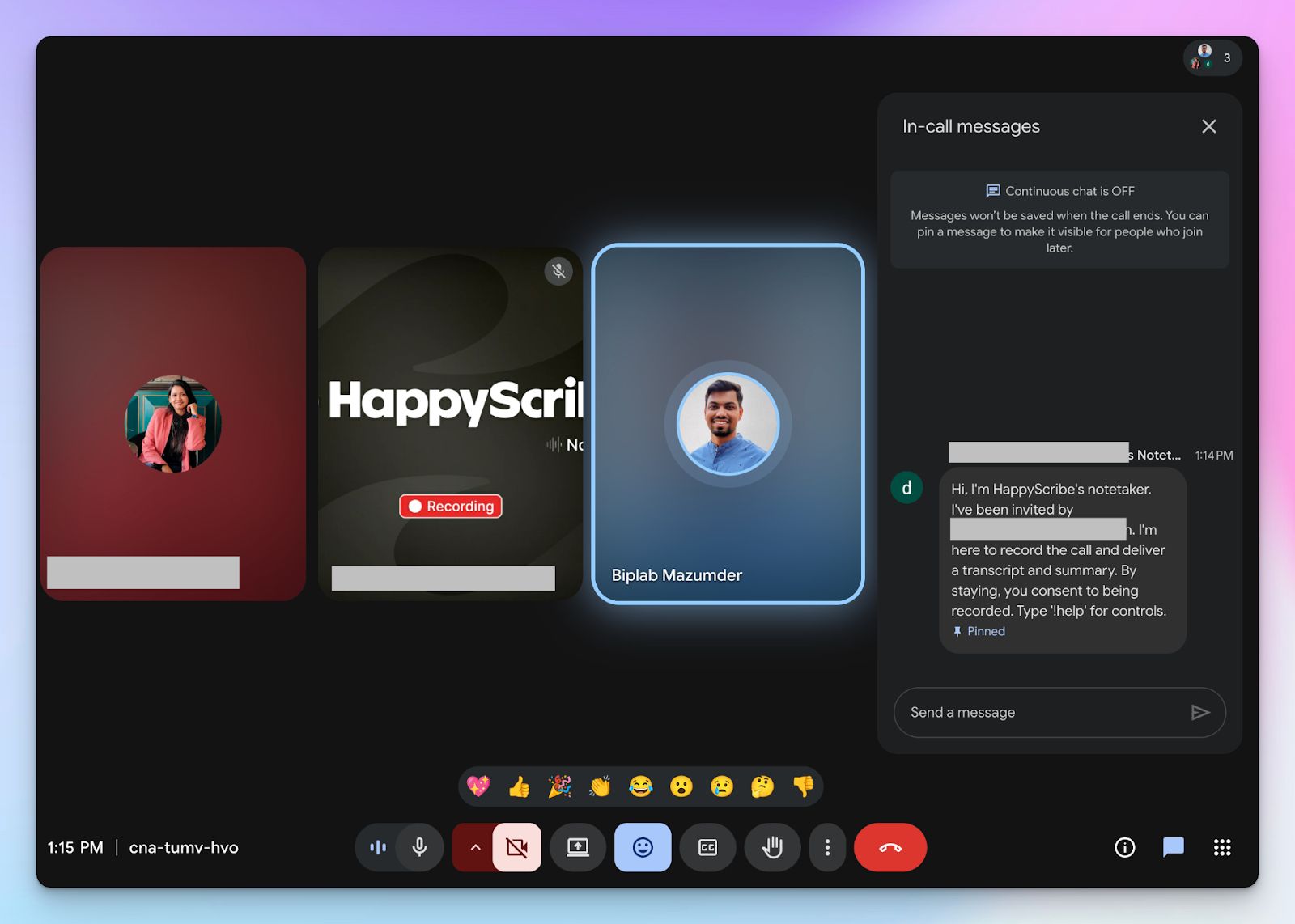
Leexi focuses on the meeting bot for compliance, but your clients might feel uncomfortable with an uninvited bot joining a private strategy call. The solution is somewhere in the middle.
With HappyScribe, you can configure the bot to join specific calendar events, share summaries with specific attendees, or save notes in specific folders. You can customize the look of the note taker and the message it displays to attendees. You can pause, resume, or remove it by typing “!help” in the chat.
And if you prefer a subtle approach for in-person chats, HappyScribe’s web-based audio recorder allows you to capture ad-hoc conversations without an intrusive bot.
4. Translate meeting notes and add subtitles to video recordings
Sharing insights across borders is an undeniable advantage, but you don’t get that with Leexi. HappyScribe lets you translate your transcripts into dozens of languages so you can collaborate with stakeholders worldwide.
Looking to turn meetings into internal training material? Simply create and edit subtitles for your video files before distributing them to your global workforce. This level of localization bridges communication gaps for large teams.
5. Affordable plans along with a generous free tier
You shouldn't have to guess if a tool fits your needs before paying. Unlike Leexi, HappyScribe offers a generous free tier with unlimited meeting recordings, making it one of the best free AI note takers in the world.
Once you decide to scale your usage, the paid upgrades offer transparent pricing. You get access to premium tools without the restrictive hour limits found on Leexi's Starter plan.
HappyScribe's pricing
- Free: Unlimited meeting recordings (45 mins/recording)
- Basic: $8.50/month (billed annually) or $17/month (billed monthly)
- Pro: $19/month (billed annually) or $29/month (billed monthly)
- Business: $59/month (billed annually) or $89/month (billed monthly)
- Enterprise: Contact sales to get tailored solutions
HappyScribe's pros
- Ask AI conversational chatbot for multi-meeting insights, speaker quotes, video chapters, follow-up emails, and post drafts; all in one place
- Translate content into 80+ languages and generate subtitles for videos
- Connect your transcripts to AI tools like ChatGPT, Claude, Gemini, and Copilot using HappyScribe’s MCP server
- Integrate HappyScribe with your existing tech stack using Zapier
- HappyScribe is a GDPR-compliant AI note taker, along with SOC 2 Type II certification and EU data residency for security and privacy
- HappyScribe’s mobile app (iOS and Android) is coming soon
- Get customer support from real humans, not chatbots
HappyScribe's cons
- Not ideal for real-time transcriptions
What are real users saying about HappyScribe?
Transcript was much more accurate than the guaranteed 85%. It was more like 98%. And it was really inexpensive and fast. I could not ask for a better experience.
A superb product with an exquisite interface and an overriding focus on excellent customer service! Such a joy to find enterprises like this that meet all of our requirements so completely
How to use HappyScribe’s AI note taker? A step-by-step guide
1. Link your Google or Outlook calendar or paste the meeting link to invite the HappyScribe note taker. For in-person meetings, you can record audio without a bot.
2. Select Meetings in the left sidebar and then check the options at the right to customize when the notetaker should join and who should receive the email summary.
3. Click on the Settings button at the top right to select when the notetaker should start recording and who can view the meeting transcription.
4. During an online call, the notetaker must be admitted by the meeting host to start recording. You can chat with the notetaker to control it.
5. And that's it! The meetings should be saved in your Workspace files or in the Private section, depending on your privacy settings.
2. Noota
Best for: Recruiters and sales teams looking for a free plan and flexible browser recording
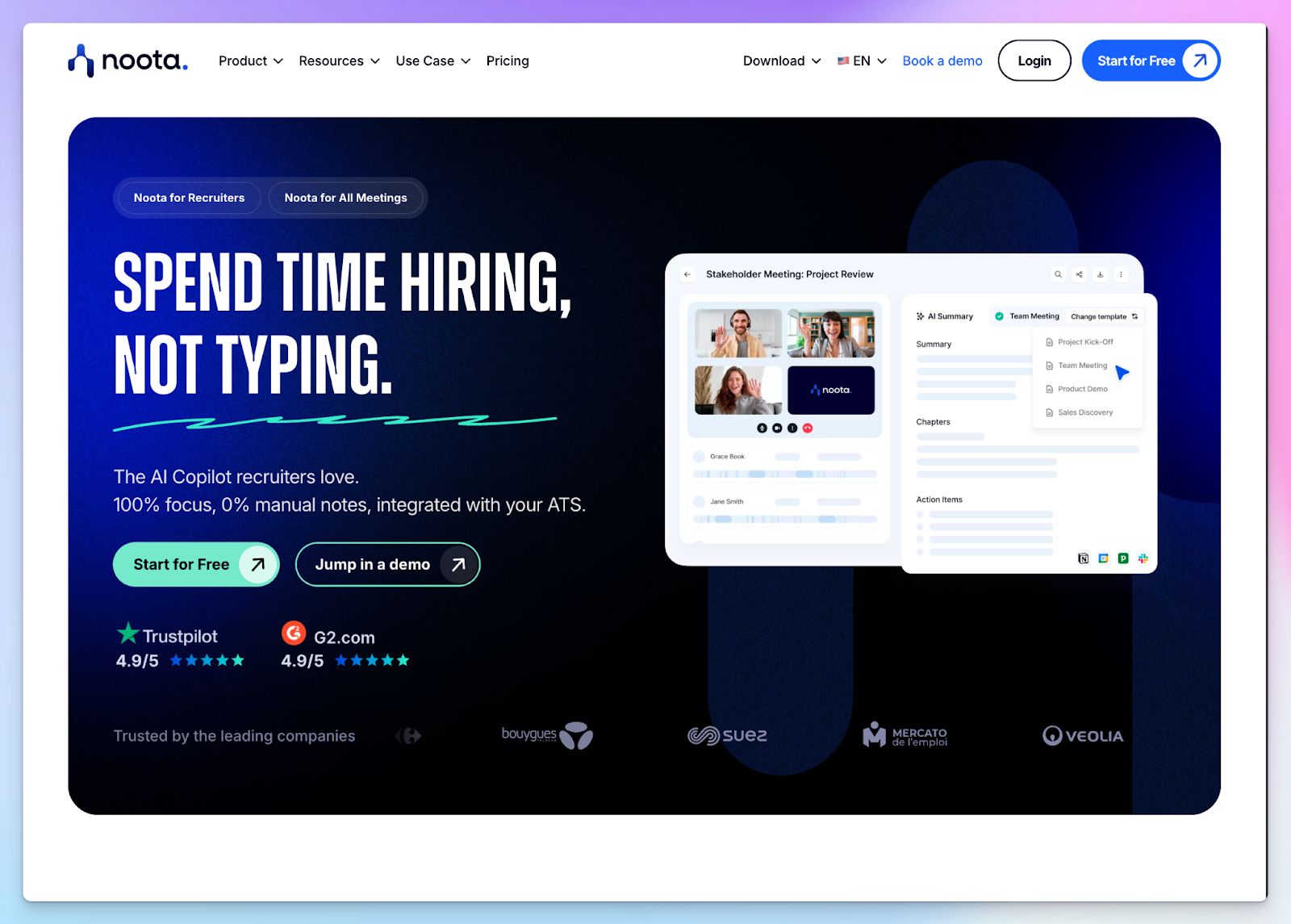
If you’re a recruiter and not happy with the limited features of Leexi, Noota might work for you. It acts as a dedicated co-pilot for hiring teams by connecting to your HR stack, capturing your conversations, and turning them into structured candidate profiles.
Compared to Leexi, Noota’s AI chat insights are more powerful and accessible to users.
Noota vs. Leexi
| Category | Noota | Leexi |
|---|---|---|
| Free plan access | Offers a free tier with 300 minutes of monthly transcription | Requires a paid subscription to generate notes |
| Call recording flexibility | Features a Chrome extension and VoIP dialer to capture impromptu browser calls | Relies mostly on live bots joining scheduled video conferences |
| Post-meeting templates | Provides over 50 AI report templates to structure your meeting notes | Limits users to just 2 custom prompts on the $29/month plan |
| Candidate evaluation | Features built-in AI scorecards to rank candidates based on structured data | Relies on generic meeting summaries without specialized hiring templates |
Noota's key features
- Noota integrates directly with platforms like Bullhorn, Workable, Greenhouse, BambooHR, and SmartRecruiter to log interview data and update candidate profiles without manual data entry
- It features a multi-meeting memory, letting you ask the AI questions across your entire workspace to find specific decisions
- You can rank candidates objectively using AI scorecards that track the specific skills and responses mentioned during the interview
Noota's pricing
- Free
- Pro: $29/month
- Business: $49/month
- Enterprise: Custom pricing
Noota's pros
- Noota has adopted strong security measures, including GDPR, CCPA, HIPAA, and EU AI Act compliance
- From ATS to CRM, productivity, and VoIP, Noota supports one of the widest sets of integrations
- Noota fares well in multilingual transcription with strong support for French
Noota's cons
- Noota’s feature set feels overwhelming for users who only want simple notes
- It doesn’t offer translation, and editing meeting notes is a chore
- Transcription clarity drops if your audio recording is muffled or distant
💡 Also read:
3. tl;dv
Best for: Product and customer success teams looking to extract bite-sized video clips and sales insights
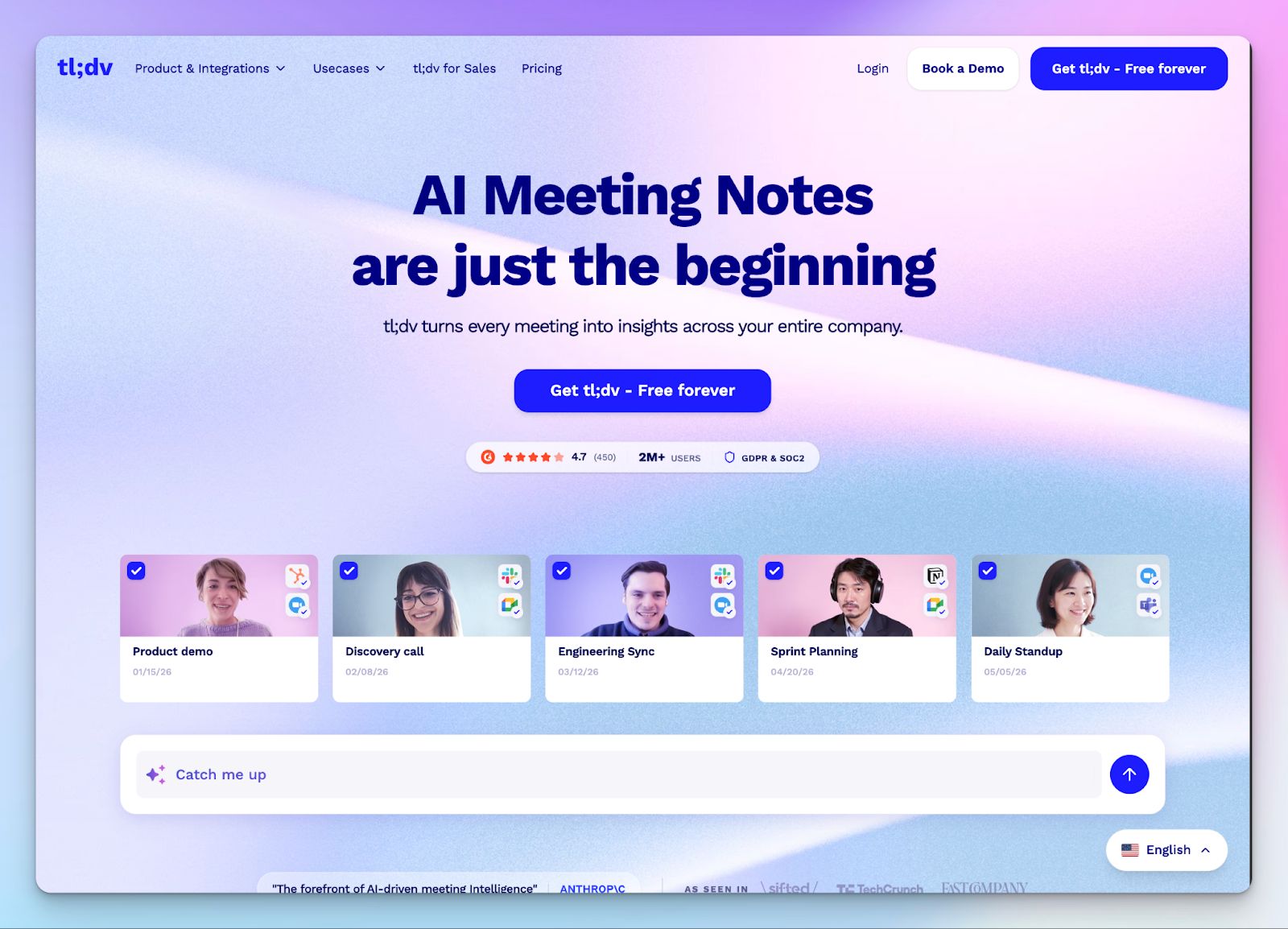
tl;dv is worth checking out if you’re not happy with Leexi’s AI insights or lack of sales coaching. You can highlight meeting moments, create video clips, and share Loom-like highlights to keep teams aligned.
Unlike Leexi, you can use the free tier of tl;dv to record unlimited meetings, but some of the advanced features, including sales coaching, are locked behind premium plans.
tl;dv vs. Leexi
| Category | tl;dv | Leexi |
|---|---|---|
| Meeting documentation | Features a native video clipper to extract and stitch highlights into shareable reels | Functions primarily as a text-based note taker without native video clipping tools |
| Sales intelligence | Includes AI playbooks (MEDDIC, BANT) and tracks specific objection handling | Focuses on basic talk-to-listen ratios and standard meeting summaries |
| Concurrent recording | Allows you to record up to 3 overlapping meetings simultaneously on premium tiers | Limits users to a single active meeting bot per account |
| Free plan access | Provides unlimited meeting recordings and transcripts on the free tier | Requires a paid subscription to access any meeting notes |
tl;dv’s key features
- The Ask tl;dv chatbot indexes your workspace files to surface decisions from past conversations
- Connect your meeting data to your existing workflow using HubSpot, Salesforce, Monday, Salesloft syncs, and Zapier
- Sales managers can set up automated playbooks to track preferred sales methodologies during live calls and coach sales reps to close better
tl;dv’s pros
- Support product and customer success teams with bite-sized video clips from hour-long recordings
- Speed up analysis by setting up AI reports that aggregate conversation data and trends over a period of time
- tl;dv is compliant with GDPR, SOC 2 Type II, and EU AI Act, and can host your data privately on request
tl;dv's cons
- tl;dv struggles to differentiate speakers when there is heavy background noise or crosstalk
- The meeting bot can feel intrusive to external guests who receive automated signup prompts
- On the free tier, tl;dv archives video recording after 72 hours, pushing people to look for tl;dv alternatives
4. MeetGeek
Best for: Managers and team leads looking for conversation analytics and collaboration workflows to improve meeting performance
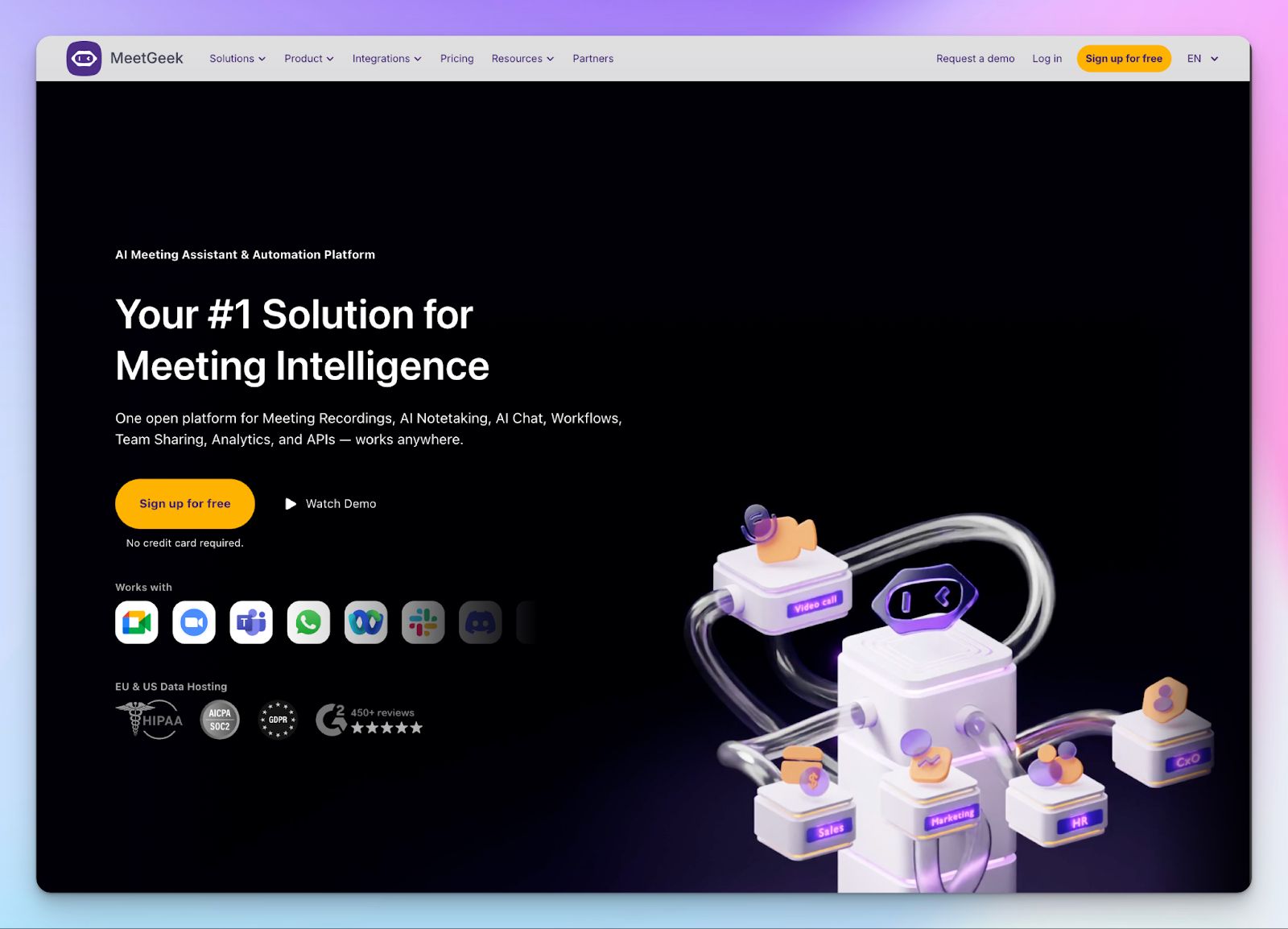
If your company has a broken meeting culture, Leexi won’t fix it. But MeetGeek takes a different approach to help you understand how your team actually communicates. It tracks sentiment, engagement, and speaker distribution to identify areas for improvement and coaching.
MeetGeek gives you a free tier to capture 3 hours of calls per month without an upfront commitment. You can record both in-person discussions using the mobile app and capture browser meetings without a visible bot.
MeetGeek vs. Leexi
| Category | MeetGeek | Leexi |
|---|---|---|
| Meeting analytics | Tracks over 100 data points, including sentiment, engagement, and speaker distribution | Focuses on basic talk time ratios without deep behavioral analytics |
| Automated sharing | Routes specific meeting notes to designated team folders based on custom rules | Requires you to manually forward summaries or push them to external platforms |
| Workflow automation | Connects to thousands of apps via Zapier, n8n, and Make alongside native database syncs | Limits integrations to a smaller set of standard platforms |
| Free plan access | Offers a free tier with 3 hours of monthly transcription | Requires a paid subscription to generate any meeting notes |
MeetGeek's key features
- You can apply specific templates to sales calls, interviews, or team syncs to generate context-aware summaries
- MeetGeek lets you analyze conversations to track participant engagement, sentiment trends, and team performance over time
- It connects your meeting data to thousands of external tools like RingCentral, Aircall, Pipedrive, Affinity, Zoho, ClickUp, Zapier, n8n, and others
- Ask the AI chat to pull next steps, company reports, and personalized takeaways based on your past meeting performances
MeetGeek's pricing
- Basic: Free
- Pro: $15.99/month
- Business: $27/month
- Enterprise: Custom pricing
MeetGeek's pros
- Delivers deep conversation intelligence with customizable KPIs to help coach your team
- Strong data privacy with SOC 2 Type II, GDPR, and HIPAA compliance, alongside an EU data hosting option for the transcription software
- MeetGeek has solid platform availability, thanks to mobile apps (iOS and Android), a macOS app, and a Chrome extension. The Windows app is coming soon
MeetGeek's cons
- The meeting bot is not always reliable and tends to spam other attendees post-call, pushing users to look for MeetGeek alternatives
- Transcripts might have errors as MeetGeek struggles to identify speakers when multiple people talk over each other in a busy room
- The free plan deletes your audio files after one month and meeting transcripts after three months; you're forced to upgrade for long-term storage
5. Meetily
Best for: Developers and privacy-focused professionals looking for a local, open-source transcription tool
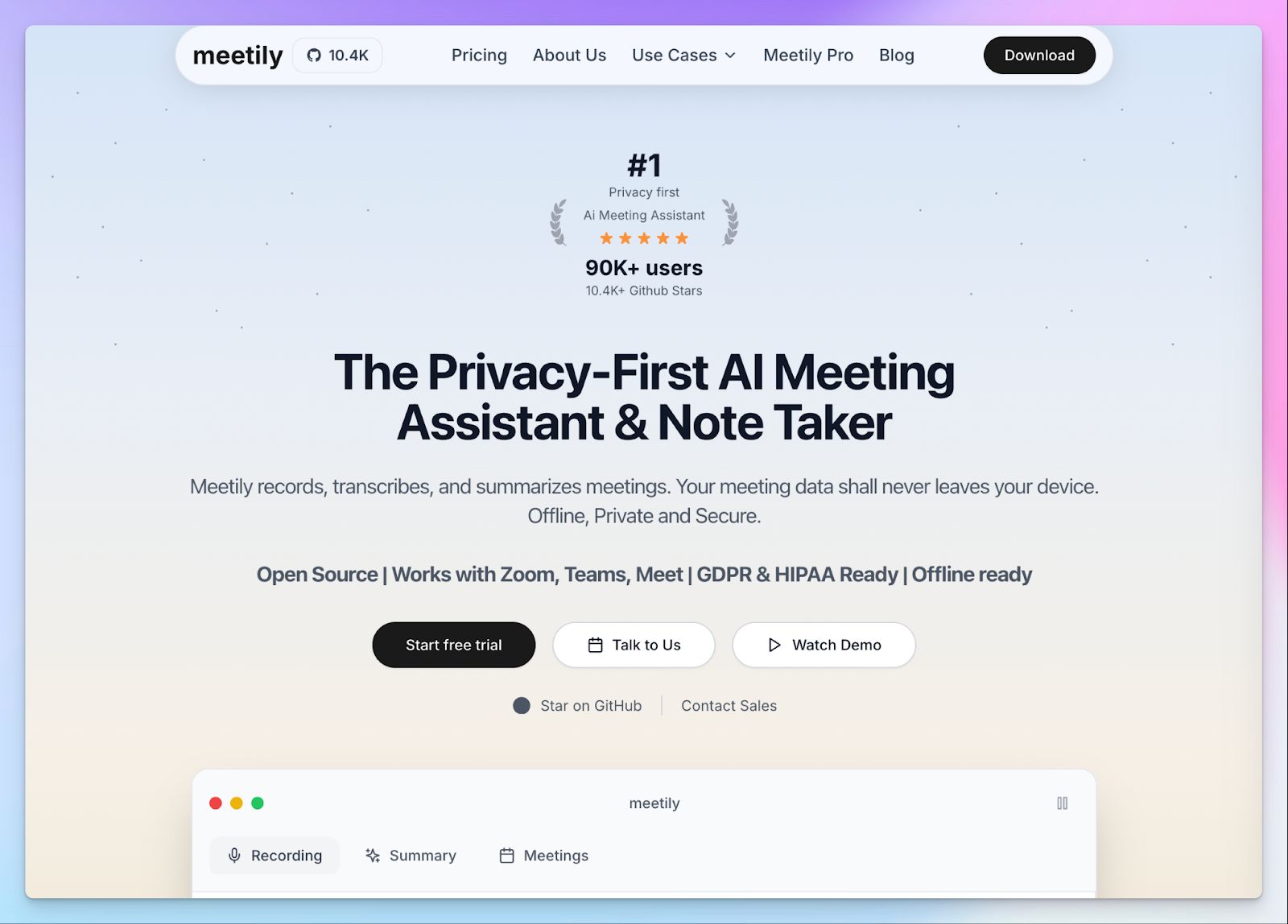
Leexi emphasizes security, but its AI insights are still powered by subprocessors. If you want something more private and local, Meetily might be worth checking out.
It runs a local open-source architecture and processes every audio file right on your device to keep your meetings off the cloud. You don't need to invite a bot to your strategy sessions, as Meetily captures your system audio straight from your device.
Meetily vs. Leexi
| Category | Meetily | Leexi |
|---|---|---|
| Data storage | Processes and stores all meeting audio locally on your hard drive | Uploads and stores your meeting transcripts on third-party cloud servers |
| Bot presence | Captures system audio without a visible bot joining the call | Requires an active bot participant to join scheduled video conferences |
| AI flexibility | Lets you run local LLMs or plug in your API keys for Claude and Groq | Locks you into a proprietary AI model without custom key support |
| Free plan access | Offers a free Community Edition with local transcription | Requires a paid subscription to generate any meeting notes |
Meetily's key features
- The platform captures system audio straight from your Windows or macOS device to transcribe calls across Zoom, Discord, and Microsoft Teams
- You can run Whisper or Parakeet models locally on your machine to ensure zero data leaves your hardware
- Pro users get access to extra formats like PDF and DOCX, alongside custom AI model connectors
- Thanks to the open-source MIT license, developers can audit the code and self-host the application
Meetily's pricing
- Community: Free
- Pro: $10/month (billed yearly)
- Enterprise: Custom pricing
Meetily's pros
- Keeps all meeting data on your device and ensures strict HIPAA and GDPR compliance
- Meetily prevents awkward guest interactions by recording system audio without a visible meeting bot
- Gives developers transparency and control through an open-source MIT license
Meetily's cons
- Running local AI models requires decent computer hardware and technical know-how
- Meetly doesn’t support basic features like speaker identification, AI chat, and calendar integrations, but they remain on the product roadmap
- Quality of local summarization lags behind other alternatives
💡 Also read:
Which Leexi alternative should you choose?
Finding the right Leexi alternative comes down to what matters most to you and your team.
👉Noota works best for recruiters looking to automate candidate screening and update ATS.
👉Sales and product teams looking to capture video highlights and refine sales metrics will find tl;dv useful.
👉MeetGeek works best for managers aiming to set up conversation analytics, collaboration strategies, and sales coaching.
👉If you’re a developer looking for a local open-source, on-device meeting note taker, Meetily might interest you.
👉If you want accurate notes, speaker identification, file transcription, and affordable plans, HappyScribe is the best choice.
HappyScribe combines high-accuracy transcription in 150 languages with offline file uploads, giving you the flexibility to run meetings the way you want. You get to choose between bot-free in-person meetings and bot-assisted scheduled meetings, all of which are backed by strong European security standards.
FAQs on the best Leexi alternatives for AI note taking
1. What can I use instead of Leexi?
Several tools cover what Leexi offers and go further. HappyScribe is best for global teams that need accurate transcription, file uploads, and translation. Noota suits recruiters who need AI scorecards and ATS integrations. tl;dv works well for customer-facing teams that want to capture key moments from calls and share video highlights. MeetGeek brings powerful features for meeting management, task management, and sentiment analysis, while Meetily is designed for individual professionals who prefer local, on-device processing.
2. What's the best free alternative to Leexi?
HappyScribe is the best free alternative to Leexi. Unlike Leexi, which requires a paid plan from the start, HappyScribe offers a free tier with unlimited meeting recordings, including recurring meetings. You get all the features you need to get started: automatic summaries, actionable insights, transcription, and note taking, all set up in just a few clicks. Connect your calendar, and HappyScribe handles the rest. It’s user-friendly, fully compliant with GDPR and SOC 2 Type II, and easy to scale to the pro plans when you need more advanced features.
3. What's the best AI meeting assistant in Europe?
HappyScribe is one of the strongest AI meeting assistants built for European teams. It’s fully compliant with GDPR and SOC 2 Type II, stores data in an ISO 27001-certified EU data center, and supports transcription and note taking across 150+ languages. Whether you need easy integration with your existing tools, automatic summaries of customer interactions, or translation for global follow-up, HappyScribe handles it all without complex workflows.
4. Is Leexi better than Otter AI?
It depends on what you need. Leexi is better suited for European businesses that prioritize security and compliance, since it is fully compliant with GDPR and offers EU data residency. Otter AI is more user-friendly and accessible for small businesses and individual professionals on a budget, with a more generous free plan. That said, both tools produce fairly basic summaries and struggle with identifying speakers at specific moments in a conversation. Users who need more advanced features, such as file transcription, a dedicated business plan, or integrations with other platforms, may want to consider alternatives like HappyScribe or MeetGeek.
5. What are some accurate and secure meeting note takers?
Here are some tools that combine accuracy with strong security standards:
- HappyScribe: 95%+ accuracy across 150+ languages, GDPR and SOC 2 Type II compliant, with EU data residency and specific features like file transcription and subtitle editing
- MeetGeek: Tracks key insights such as sentiment analysis and engagement across customer interactions, and is HIPAA and GDPR compliant
- tl;dv: Captures key moments from calls and is SOC 2 Type II and GDPR compliant
- Meetily: Stores everything locally on your device for users who need maximum privacy
All of these save time by eliminating manual note taking and support easy integration with other platforms.

Biplab Mazumder
Biplab is a content marketer and writer who helps high-growth brands scale content visibility across AI search channels. His works have been published in HubSpot, Freshworks, Atlassian, SurferSEO, etc. When he's not planning content strategy, he's testing AI content workflows and use cases.