TL;DR ⏩
Based on my research, here are the best AI note takers for coaches:
- HappyScribe: Best for coaches who want accurate session records in 150+ languages and one tool for every client call, from discovery to renewal
- CoachRocks: Best for solo coaches who want a coaching-native assistant for session prep and feedback on their own coaching
- Granola: Best for executive coaches whose clients work inside companies that block meeting bots
- Avoma: Best for coaches who sell programs through discovery calls and want every call logged in their CRM
- Hedy: Best for coaches who want question prompts during a live session and on-device privacy
Your client finally names the thing they’ve circled for weeks, but you’re looking down at your notepad.
Most coaches live with that trade-off. Then the call ends, and you’re the salesperson and marketer of your practice.
In ICF’s 2025 Global Coaching Study, 54% of coaches called better technology a priority, yet only 19% invested in new AI tools in the past year.
The right AI note taker handles both. It captures the session, so you can focus on client conversations, then turns notes into follow-up emails and content.
Here’s what I looked for in AI note takers for business coaches:
- Capture for any session, from a Google Meet or Microsoft Teams call to an in-person intensive
- 90-95% transcript accuracy, plus human review for words you’ll quote back to a client
- Memory and conversational intelligence across past sessions with the same client, so you walk in prepared
- Help with business tasks like follow-up emails and CRM syncs, since running a coaching business is not a walk in the park
I also checked how each note taker handles client data, since recording client meetings has legal strings attached.
Here’s how my five compare as an AI note taker for coaches:
What are the best AI note takers for coaches? At a glance
| Category | HappyScribe | CoachRocks | Granola | Avoma | Hedy |
|---|---|---|---|---|---|
| Best for | Flexible and accurate session records and business follow-ups in one tool | Coaching-native prep and ICF-aligned feedback | Coaches whose clients block meeting bots | Discovery calls logged in your CRM | Live question prompts with on-device privacy |
| Key features | Bot and bot-free capture, summary templates, offline mobile app, AI Chat, human-made transcripts | Discovery-call prep, ICF-aligned feedback, follow-up emails | Bot-free notepad, Recipes, pre-meeting briefs | CRM sync, AI follow-ups, scorecards on add-on | Live prompts, client Topics, on-device speech recognition |
| Supported languages | 150+ | English | 31 on desktop, 17 on mobile | 70+ | 30+ |
| Meeting platform integration | Zoom, Google Meet, MS Teams, browser recorder, mobile app | Zoom, Google Meet, Teams, browser recorder, uploads | Any platform via device audio | Zoom, Google Meet, Teams, Webex, mobile app | Any platform via device audio |
| Security | SOC 2 Type II, GDPR, ISO 27001-compliant EU data center | AES-256 encryption, GDPR-ready, DPA on request | SOC 2 Type II, GDPR, HIPAA on Enterprise | SOC 2, SSO, and HIPAA on Enterprise | GDPR, on-device processing, EU data residency |
| Starting price | Free plan, paid from $8.50/month billed annually or $17/month | 30-day free trial, then $14/month | Free plan, paid from $14/user/month | 14-day free trial, then $29/user/month | Free plan, Pro from $12.99/month |
1. HappyScribe
Best for: Coaches who want verifiable session records in 150+ languages, human-made transcripts for mentor review, and one tool from discovery call to renewal
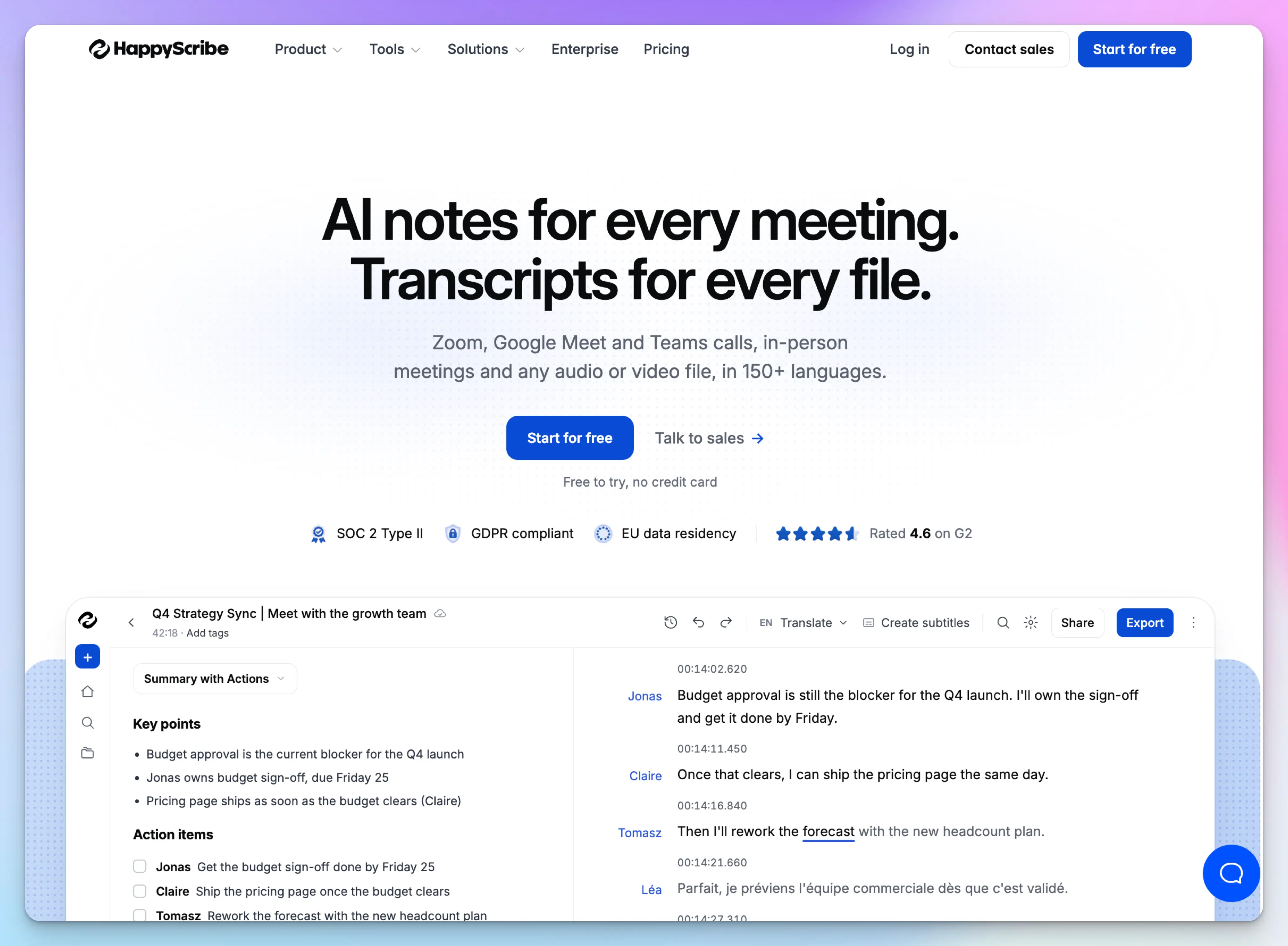
HappyScribe is a European AI meeting assistant that records coaching sessions that happen on Zoom, Google Meet, Microsoft Teams, and in person.
It ranks first because it covers both halves of your week. You stay with your client during the session, and the notes become part of your coaching playbook after it.
HappyScribe’s key features for coaches
1. Record every coaching session your way
Connect Google Calendar or Outlook, and the AI notetaker joins your scheduled video calls. Your client sees it in the call, so consent stays out in the open.
When a bot feels wrong for a sensitive session, switch to the browser recorder and capture audio from your own device.
For in-person intensives, tap record in the HappyScribe mobile app, even offline. Already record sessions in Zoom? Upload the video files, or import them from Google Drive, Box, or Dropbox.
2. Generate transcripts and notes you and your mentor coach can review
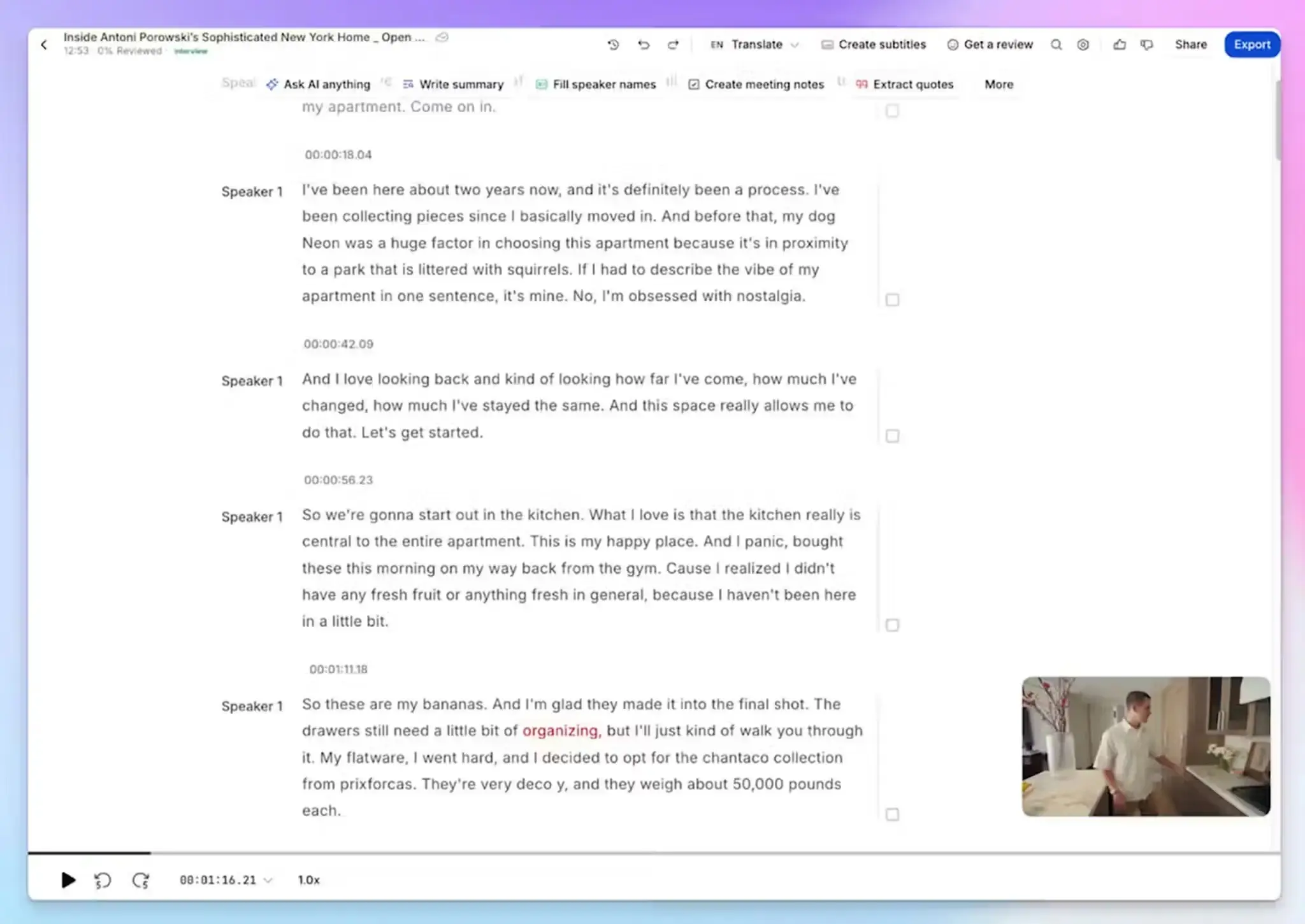
HappyScribe labels the speakers in a transcript, and you can rename them as you like. Every line carries a timestamp, so you can jump to key moments in the recording.
That record supports your professional development as well. ICF portfolio applications ask for a word-for-word transcript that labels each speaker. From April 2027, ACC and PCC candidates go through mentor coaches who review recordings instead, while MCC keeps the transcript rule.
HappyScribe AI transcripts reach 95%+ accuracy. For a session you’ll need to submit, you can order a human-made transcript with the verbatim option for 99% accuracy.
3. Ask AI Chat about any client across past sessions
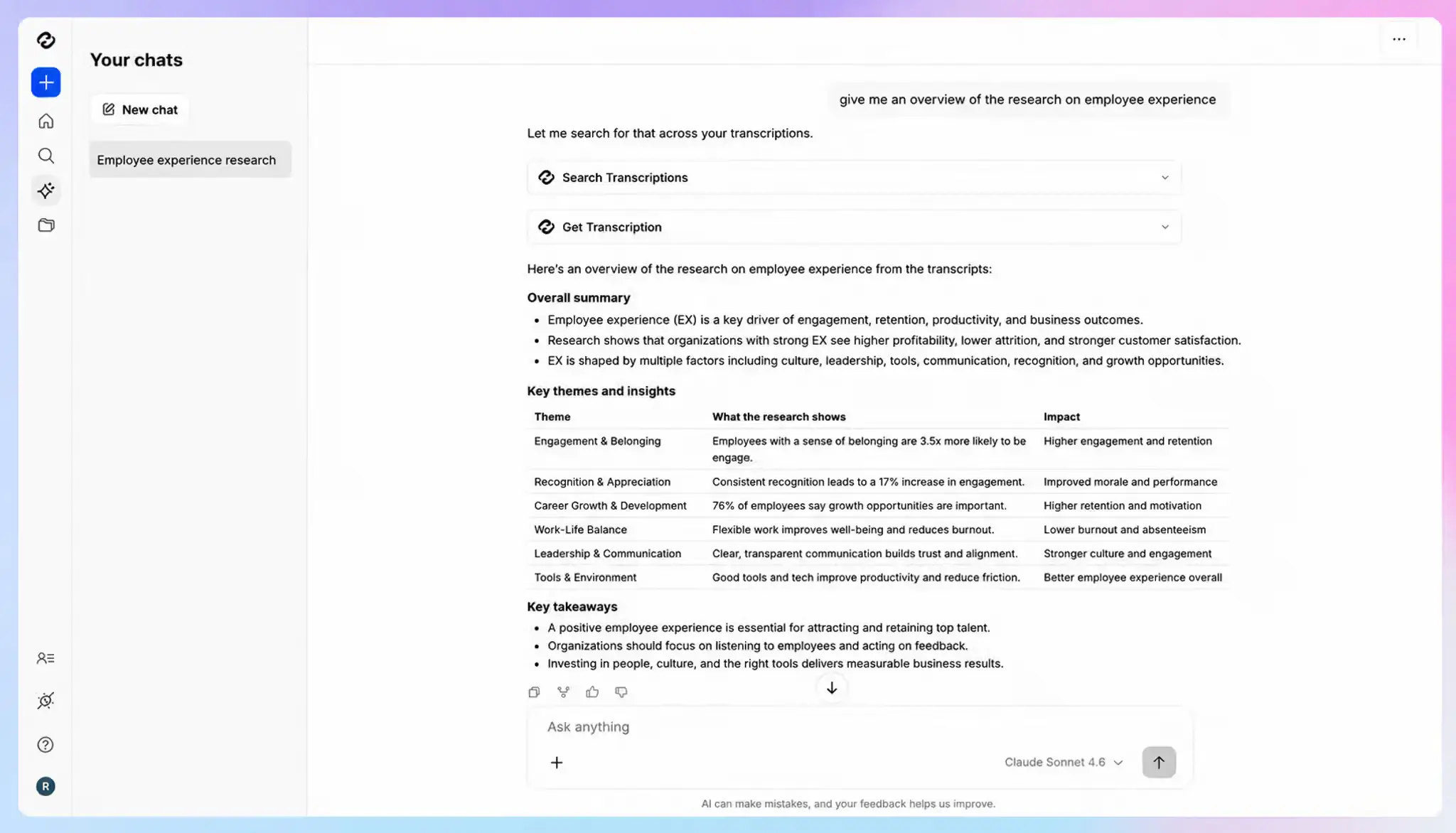
HappyScribe can identify recurring themes and behavioral patterns over time and produce personalized session agendas for upcoming meetings.
Organize client sessions into folders, and ask AI Chat questions across all of them. Before the next session with the client, try:
- What did Sarah commit to in our last three sessions?
- Which themes keep coming up when she talks about her team?
- Draft an agenda for Thursday based on what’s still open
Every answer cites the transcript with a timestamp, so you can verify it before you raise it. The interpretation stays yours.
4. Turn coaching calls into business work
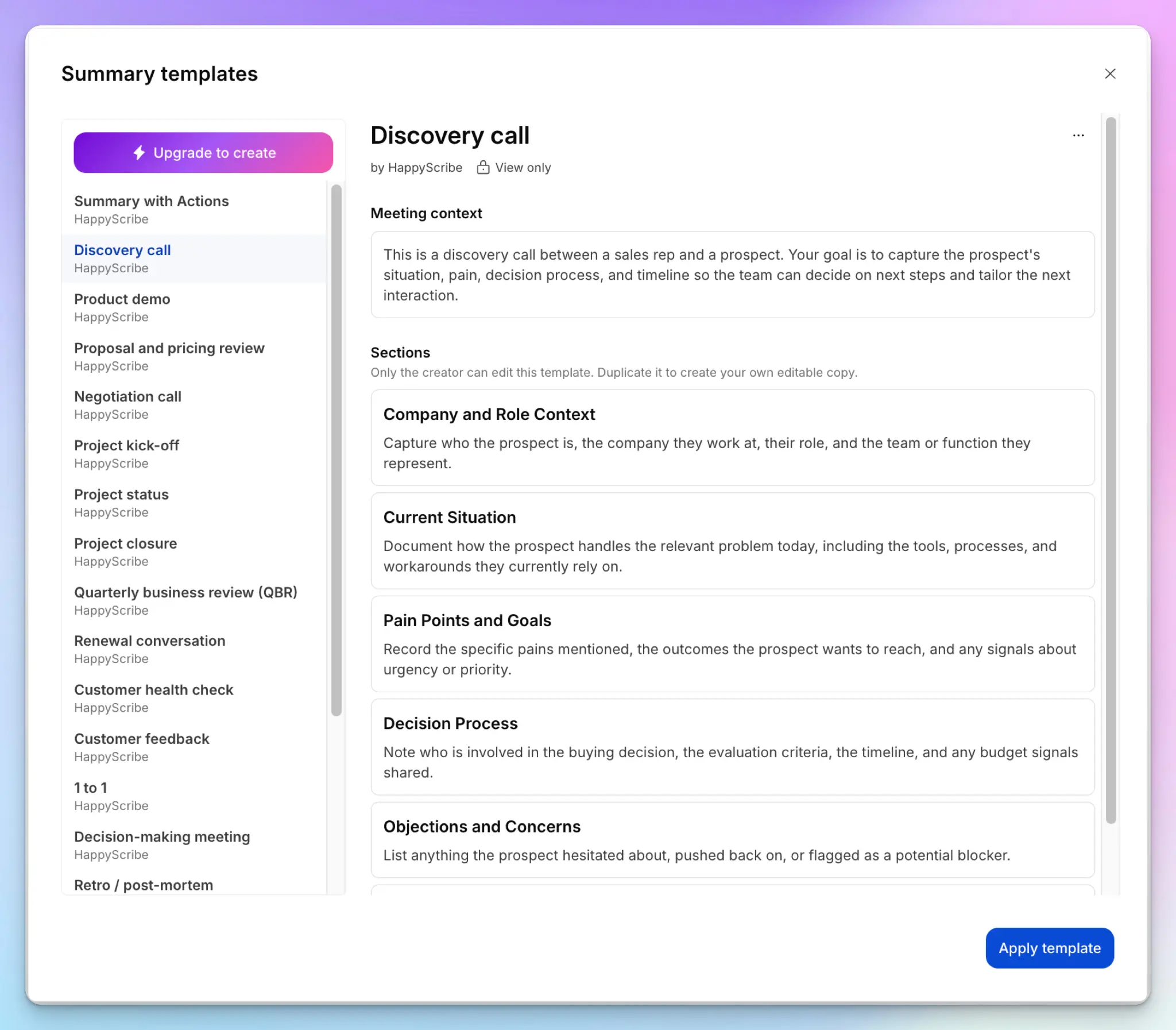
Your workday doesn’t end with the coaching call. Pick a summary template for each stage of your client calls, from first contact to renewal:
- Discovery call for prospects before they sign
- Proposal and pricing review when you pitch a package
- 1 to 1 for regular sessions, with blockers and follow-ups
- Renewal conversation when a program ends
Paid plans let you build your own template too.
One click also turns a session into a follow-up email and a webinar recording into a blog post. With Zapier, you can send session notes and action items to your CRM, Notion, or Asana, so you skip manual data entry. You can also connect your HappyScribe sessions to Claude and ChatGPT.
HappyScribe’s pros
- Coach international clients in their language, since HappyScribe transcribes 150+ languages and translates notes into 80+
- Create and add subtitles to course and workshop videos without paying for another tool
- You can delete a client’s session on request, and keep your content out of AI training by default
- HappyScribe is a SOC 2 Type II-certified and GDPR-compliant AI note taker with an ISO 27001-compliant EU data center
- The free plan includes unlimited recordings up to 45 minutes each, which fits discovery calls
HappyScribe’s cons
- Not ideal for real-time transcription during coaching sessions
What are users saying about HappyScribe?
I run a sales consulting business and record almost every call: client sales team sessions, coaching calls, closing calls and internal meetings. The notetaker joins my Zoom calls automatically, so I never have to remember to hit record or upload anything. Transcripts are ready a few minutes after the call ends, and accuracy in English is very good.
Source: G2
We run client calls in both Danish and English, and HappyScribe handles both well enough that we can rely on the transcripts afterwards. The custom glossary helps a lot: client names, product names and internal terms come out spelled correctly, so we spend less time fixing transcripts.
Source: G2
HappyScribe’s pricing
AI transcription and meeting notes
- Free: Unlimited meeting recordings, up to 45 minutes each
- Basic: $8.50/month billed annually or $17/month billed monthly
- Pro: $19/month billed annually or $29/month billed monthly
- Business: $59/month billed annually or $89/month billed monthly
- Enterprise:Contact sales for custom pricing
How to use HappyScribe’s AI note taker for coaching sessions
- Sign up for free and connect Google Calendar or Outlook, so the notetaker joins your scheduled coaching calls.
- For in-person or bot-free sessions, record with the HappyScribe mobile app or the browser recorder.
- Create a folder for each client, and add program names to a customglossary.
- Open AI Chat to prep your next session, or connect Zapier and the MCP server.
- Select Human made with the verbatim option for sessions your mentor coach will review.
2. CoachRocks
Best for: Solo coaches who want a coaching-native assistant for session prep and feedback on their own coaching
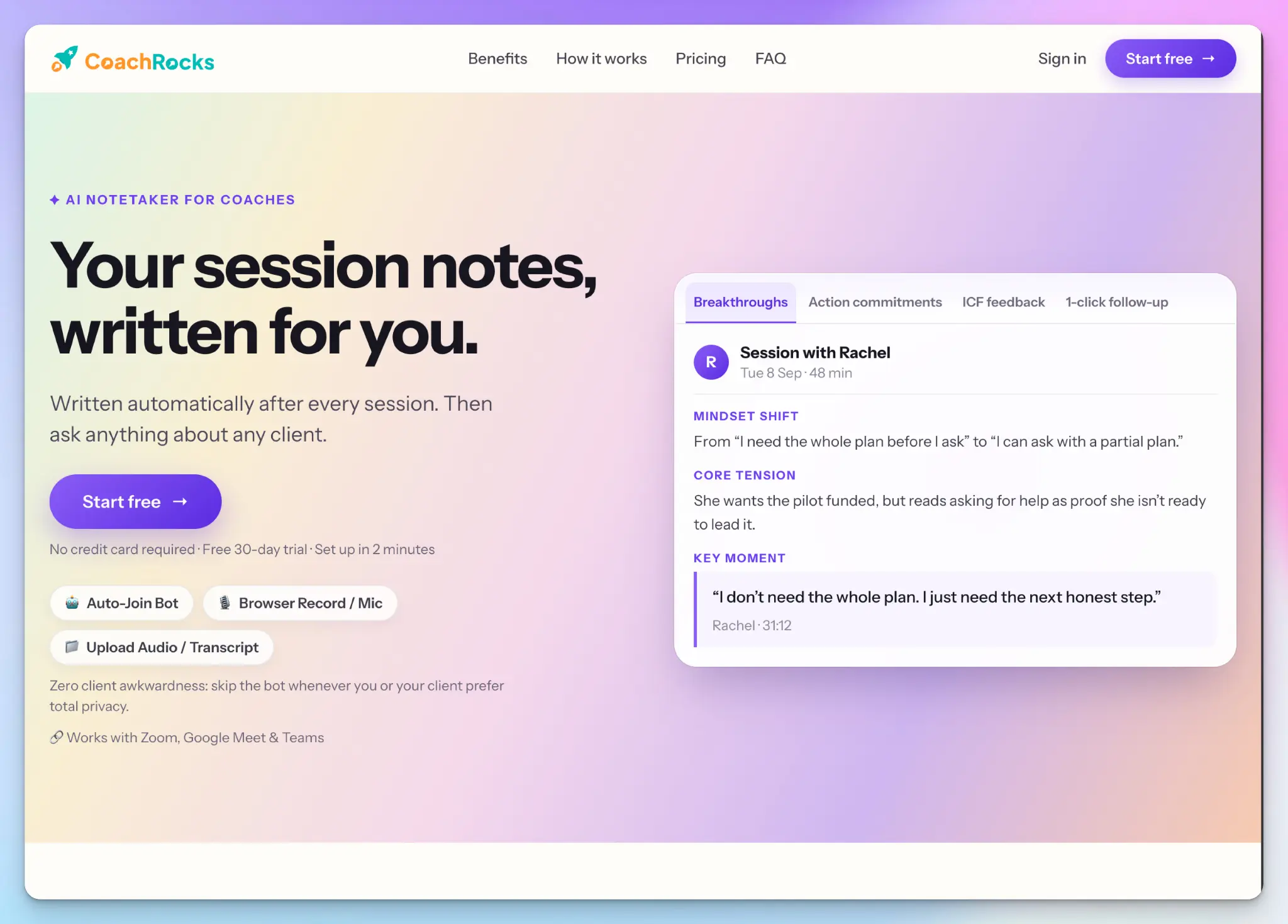
CoachRocks is a tool built for coaching rather than meetings in general. Its notes read like a coach’s notes, with breakthroughs and client commitments in place of meeting minutes.
It ranks second because it fits the coaching workflow out of the box, but you get fewer ways to store and verify the record.
CoachRocks’ key features for coaches
- You can paste a prospect’s LinkedIn profile or intake form before a discovery call, and CoachRocks drafts a prep brief with their likely pain points and questions to ask
- After each session, you get a summary with action items and a follow-up email in your tone to review before sending
- ICF-aligned feedback checks your coaching against ACC or PCC markers and cites the transcript line behind each one
- Capture can be bot-based or bot-free, since you can skip the bot and record in your browser. Ask its AI to answer questions about a client across every past session
CoachRocks’ pricing
- Starter: $14/month
- Coach: $25/month
CoachRocks’ cons
- The Coach plan caps you at 60 session analyses a month, and bot sessions and recording uploads come out of the same pool
- Recordings are deleted after analysis, so you can’t replay a key moment or share the audio with your mentor coach
- CoachRocks is purpose-built for coaches, so if you have broader meeting workflows and integrations, you’ll find it limited
📚 Also read:
3. Granola
Best for: Executive coaches who work with clients inside companies that block meeting bots
Granola is an AI notepad that captures audio from your device, so there’s no bot disruption. You jot a few words during the session, and Granola builds structured notes by combining them with meeting transcripts.
It ranks third because it solves the bot problem, not the record. As my Granola review found, there’s no audio to go back to once the session ends, and the ongoing consent lawsuit might force you to reconsider.
Granola’s key features for coaches
- Granola runs on Mac, Windows, iPhone, Android, and Apple Watch, so video calls and in-person sessions are all stored in the same dashboard
- Recipes are saved prompts you run in one click. The built-in “Coach me Matt” recipe gives leadership coaching feedback on your own transcript, based on the Mochary Method
- Granola’s multi-meeting recipes and Chat work across folders and the people view, so you can ask about every session with one client
- On the Business plan, you also get pre-meeting briefs and follow-up emails, and notes sync to Notion or HubSpot
Granola’s pricing
- Basic: Free
- Business: $14/user/month
- Enterprise: $35/user/month
Granola’s cons
- The Basic plan only shows notes from the last 30 days, a common reason people look at Granola alternatives
- With no audio to replay, you can’t review tone or pacing, and a lot of a coaching session lives there
- Setting up speaker labels is unusually complex in Granola, and the labels slip in group calls, so team coaching transcripts can blur who said what
4. Avoma
Best for: Coaches who sell programs through discovery calls and want every call logged in their CRM
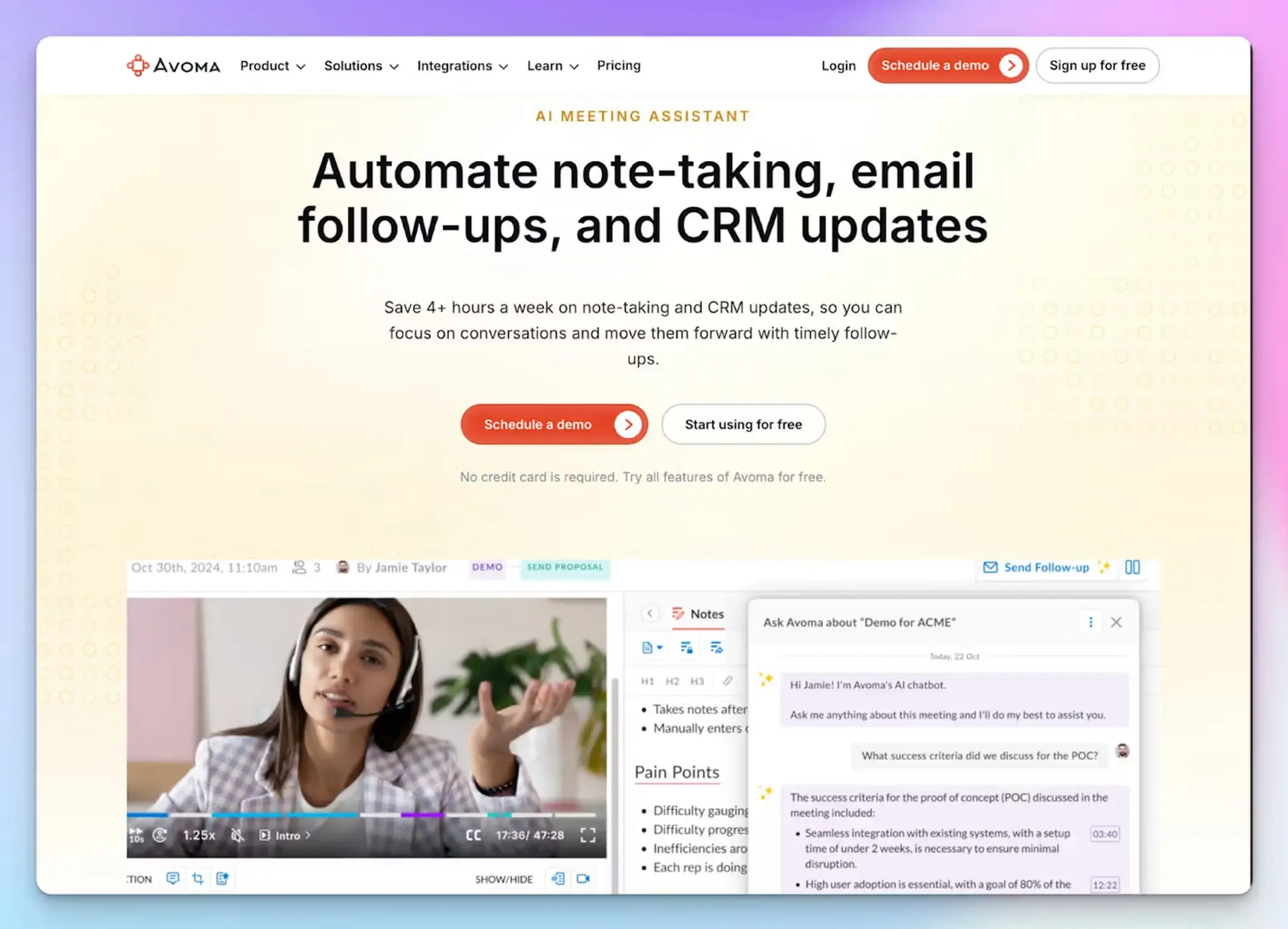
Avoma is an AI meeting assistant built for sales teams, which covers a major part of the coaching business. You can set up your discovery calls and renewal conversations to go straight into your CRM without manual data entry.
It ranks fourth because its coaching tools are built for managers who coach sales reps. You can point them at your own calls, but the rest of the platform assumes a revenue team.
Avoma’s key features for coaches
- After sales calls, Avoma saves notes to HubSpot, Pipedrive, Zoho, or Salesforce and drafts an AI follow-up email
- With the Conversation Intelligence add-on, you can build a scorecard for your own coaching rubric and score yourself on each call. Every score links to the moment behind it
- The same add-on lets Ask Avoma answer questions across all your conversations, like what a client committed to last month
- Viewers are free, so an assistant or co-coach can review recordings without a paid seat. The mobile app records in-person meetings as well
Avoma’s pricing
- Startup: $29/user/month
- Organization: $39/user/month
- Enterprise: $39/user/month (billed annually)
- Conversation Intelligence add-on: $35/user/month
Avoma’s cons
- There’s no free plan. After the 14-day trial, your account switches to view-only until you pay for a recording seat
- Scorecards and AI coaching need the Conversation Intelligence add-on, which more than doubles the cost of one seat, making it suitable for teams with large budgets
- Avoma’s transcripts and AI summaries are inconsistent when you deal with accents or background noise, so review them before a client sees them
5. Hedy
Best for: Coaches who want question prompts during a live session and on-device privacy
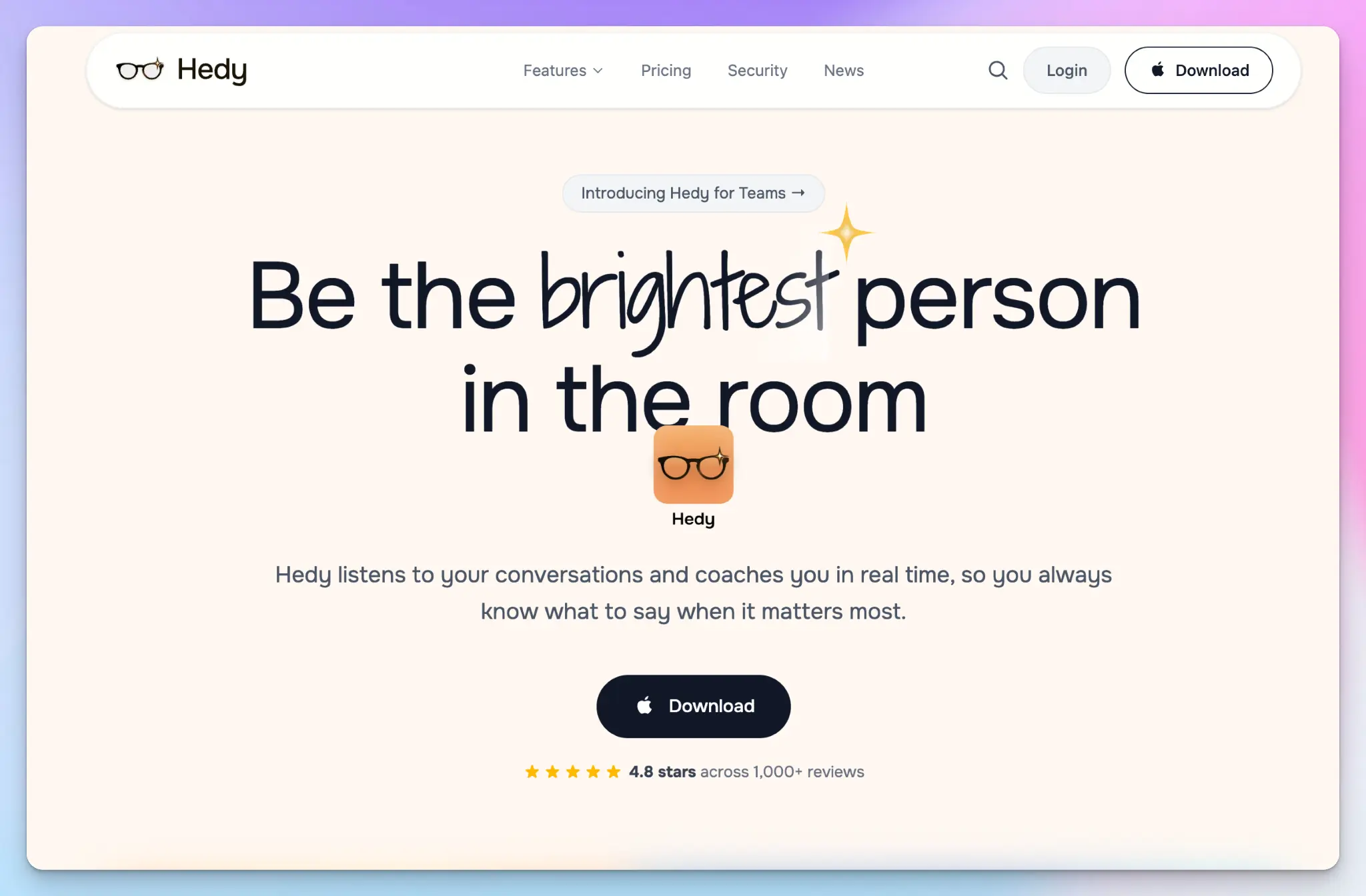
Hedy is built to help you during the session rather than after it. In its Coaching & Mentoring mode, it listens in the background and suggests questions while your client talks.
Hedy ranks last because it’s the most specialized pick. Live prompts help coaches who are still sharpening their questioning, but they compete with your client for your attention.
Hedy’s key features for coaches
- Real-time insights arrive one to three at a time, like a deeper question or a thread from an earlier session. Quick actions add prompts for goal clarification and action planning
- Create a topic for each client, and Hedy carries context across their sessions. The recaps preserve your client’s commitments and add your to-dos
- Hedy’s speech recognition runs on-device by default, and the optional local AI processing can keep the whole session on your device, even offline
- Hedy works on your phone for in-person meetings and on Mac or Windows for video calls. The Pro plan adds Zapier, MCP, and API access
Hedy’s pricing
- Free
- Pro: $12.99/month or $299 one-time
- Team: $12.99/seat/month
Hedy’s cons
- Live suggestions cover only the first 30 minutes of a session on the free plan and 120 minutes on Pro, which leaves most of a half-day intensive without prompts
- The free plan includes one topic, so it’s good enough to cover one active client
- Hedy’s AI transcription is weak outside English, which can impact your decision-making
📚 Also read:
Which AI note taker is best for coaches?
The right pick depends on where your sessions happen and how much business work follows them.
👉 Choose CoachRocks if you want a coaching-native assistant that preps discovery calls and reviews your coaching against ICF markers.
👉 Choose Granola if your clients’ companies block meeting bots and you’re happy to work from notes without audio.
👉 Choose Avoma if your coaching business runs on discovery calls and you have a large budget for conversation and revenue intelligence.
👉 Choose Hedy if you want question prompts during live sessions and on-device privacy.
👉Choose HappyScribe if you want session records your mentor coach can review, and one tool for every client call, from discovery to renewal.
Every tool here summarizes a session, but the difference shows up around your calls. CoachRocks deletes recordings after analysis, and Granola keeps no audio at all. Avoma puts its coaching features behind an add-on, and Hedy’s live prompts stop at 120 minutes.
HappyScribe keeps the recording behind every summary, whether the session ran on Zoom or across a table. AI Chat remembers each client across past sessions, and templates carry them from discovery calls to renewal. It’s also the only tool here with human-made transcripts, up to 99% accurate and verbatim when your mentor coach needs them.
You run the practice as well as the sessions, and HappyScribe helps you do both.
FAQs about AI note takers for coaches
What is the best AI note taker for coaches?
HappyScribe is the best AI note taker for coaches who need records they can verify. It records sessions online and in person, and it transcribes uploaded files too. Every session becomes meeting summaries with the recording behind them. The AI Chat answers questions about any past meeting with a client, and human-made meeting transcripts reach up to 99% accuracy for mentor reviews. Initial setup takes a few minutes, and HappyScribe has the most generous free plan among the tools.
What is the best AI tool for coaching?
The best AI tool for coaching is an AI note taker like HappyScribe, which records your sessions and handles the admin around them. That admin is what most AI meeting assistants solve. They capture notes from the meeting content and highlight action items from transcripts, so you can keep eye contact with your client. HappyScribe also connects your meeting data to a general AI assistant like Claude or ChatGPT through its MCP server. If you want live question prompts instead, Hedy’s real-time insights help you track client progress during a session.
How much do AI note takers cost for coaches?
Most AI note taking tools cost $13 to $30 a month for one coach. HappyScribe has a free tier with unlimited recordings, and paid plans start at $8.50 a month billed annually. Hedy Pro costs $12.99 a month for unlimited sessions, and CoachRocks starts at $14. Avoma, built for sales meetings, starts at $29 a month, and meeting intelligence features like call scoring cost $35 more. Enterprise teams that need SSO and admin controls pay more.
Is it legal to use an AI note taker?
Yes, in most places, if you follow consent rules. US federal law needs only one person’s consent, but about a dozen states require everyone on the call to agree. Rules on recording a conversation without consent also vary by country. A bot joining the call signals that you’re recording, but you should still ask. Add an AI clause to your coaching agreement, and confirm with your client before recording calls. For sensitive sessions, Hedy’s granular privacy settings allow local-only storage, so client data isn’t uploaded.
Can AI notes replace a coach’s own session notes?
Not fully. AI meeting notes capture what was said, but you still take notes on what you noticed, like tone or a shift in energy. Jot those down in your own words, or record voice notes right after the session. AI analysis can surface recurring themes across your coaching notes. Still, review AI summaries before you send key takeaways or key points to a client. In HappyScribe, Zapier handles connecting notes to other tools, like project management tools for task creation.

Biplab Mazumder
Biplab is a content marketer and writer who helps high-growth brands scale content visibility across AI search channels. His works have been published in HubSpot, Freshworks, Atlassian, SurferSEO, etc. When he's not planning content strategy, he's testing AI content workflows and use cases.