Key takeaways ⏩
- Most rollouts fail on rules, not the tool. Name owners across IT, HR, and legal before anyone hits record
- Audit the note takers your teams already use, then close personal accounts once the approved tool goes live
- Write a one-page recording policy that covers consent and the meetings you never record
- Lock sharing, auto-join, and retention at the company level, then pilot with one team for 30 days
- Expand team by team and test transcript quality in every language your offices use
- HappyScribe gives you SSO across workspaces and retention controls with notes in 150+ languages
“So we deployed an ai notetaker company wide about four months ago. Made basically every mistake possible.”
This is how a Reddit user opened their story of an org-wide note taker rollout. If you just want the lessons and not the costly learning curve, you’re in the right place.
This guide walks you through a rollout that works for a company of any size. It covers who owns what, what goes into your recording policy, and which settings to lock before the first invite.
If your company spans countries and languages, you'll find that covered too.
Why company-wide AI note taker rollouts fail
IT often gets blamed for governance decisions that should involve HR and legal. The Reddit post is the story we see all too often: no set rules on what gets recorded (someone recorded a termination conversation), people choosing their own sharing settings, skipping admin training, and managers spending weeks answering questions about access and permissions.
Their verdict was that the tool worked fine. The deployment process created mayhem.
The second problem is that your company probably has note takers running already. Employees sign up with a work email and connect their calendar, and the bot starts joining calls. In a fintech's audit shared on Reddit, compliance found five unapproved meeting tools. One of them was a browser extension that trained on customer data.
The legal pressure is real as well. In August 2026, a federal judge let the core privacy claims against Otter.ai move forward, and Granola now faces a similar class action over alleged consent violations.
Now, let me walk you through the seven steps to successfully roll out an AI notetaker across your company.
Step 1: Assign owners and audit the tools already in use
A rollout touches several teams, so name an owner for each part before you pick anything:
- IT owns the setup and access
- HR and legal own the recording rules
- A business sponsor owns adoption and the budget
Keep this split clear and write the owners into your policy so the question doesn't come up later.
Next, find out what's already running. Send a five-minute form that asks each person:
- Which AI note taker they use and on which plan
- Whether they signed up with a work or personal email
- Whether their meetings include customer or candidate data
Then cross-check the answers against expense reports and the third-party apps connected in your Google Workspace or Microsoft 365 admin console. Self-reported lists tend to miss free accounts.
This audit tells you which teams to pilot with and which accounts to close once the approved tool goes live.
Step 2: Write the recording policy
Your policy decides what the note taker captures and what happens to the records. Keep it to one page so people actually read it.
Decide which meetings get recorded
Not every meeting deserves a transcript. For example, HR and legal conversations create risk and give you little to reuse. Set a default for each meeting type:
| Meeting type | Default | Who sees the notes |
|---|---|---|
| Customer and partner calls | Record with notice | Account team |
| Internal team meetings | Team decides | Attendees |
| One-on-ones | Off unless both agree | The two attendees |
| HR, legal, and performance | Never record | Not applicable |
| Board and finance | Off by default | Executive group |
If your board does want a record, compare AI note takers for board meetings built for formal minutes.
Set the consent standard
Recording laws follow the people on the call, not your headquarters. US federal law needs one party's consent, but more than a dozen states require everyone's consent. We cover the details in our guide on whether it's legal to record a client meeting. For participants in the EU, GDPR adds transparency rules on top.
The simplest company standard is to treat every call as all-party. Add a line to external calendar invites, give a verbal notice at the start, and stop recording if anyone objects. Your invite footer can be as short as this: "This call may be transcribed by our AI note taker. Let us know if you'd prefer we don't."
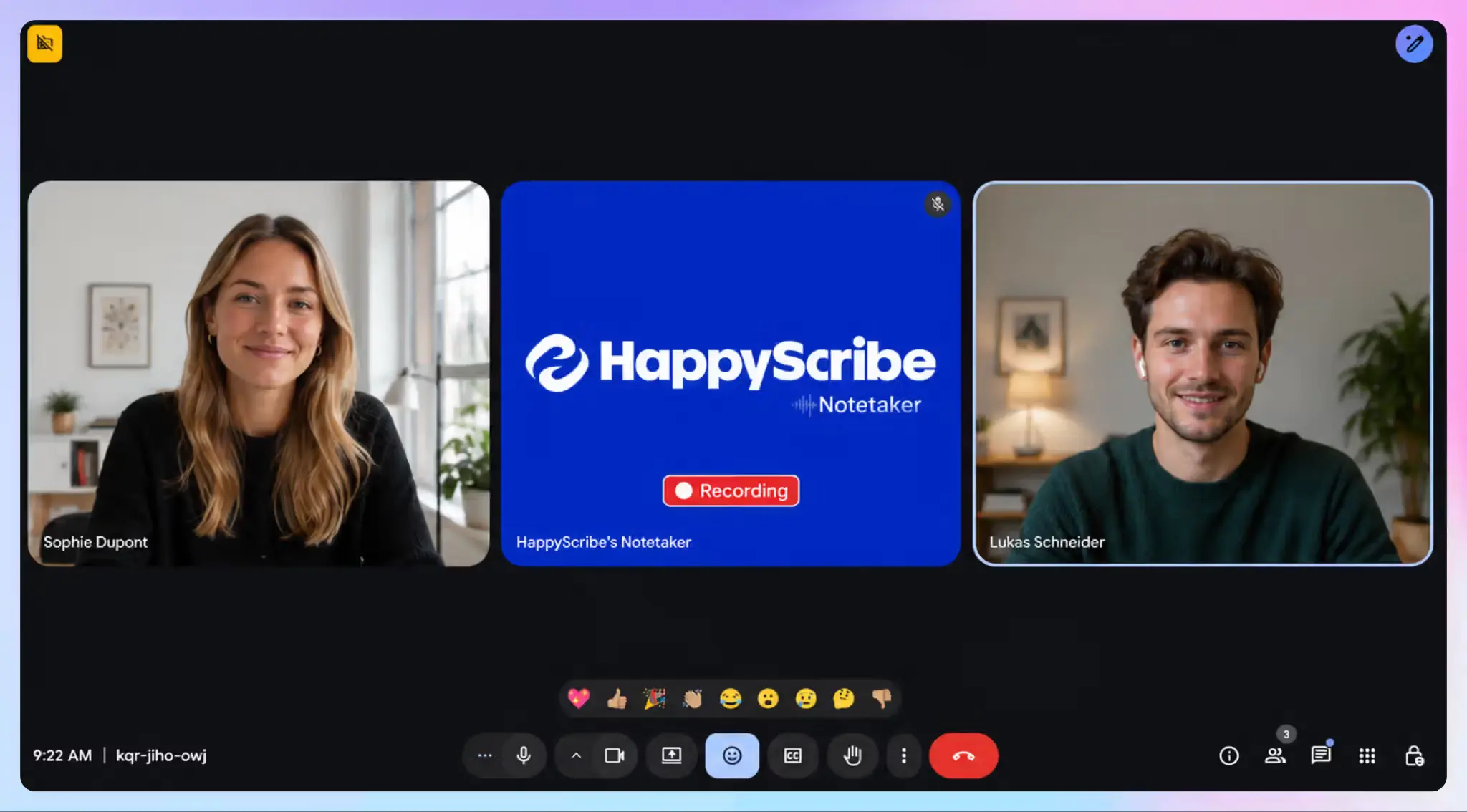
A visible bot signals that recording is happening, but it isn't consent on its own. Keep that in mind when you weigh bot-based vs. bot-free AI note takers for different teams.
Plan for the legal exposure
Transcripts are business records. In a lawsuit, non-privileged meeting notes can be requested in discovery like any email. Privilege is less settled, so keep note takers out of calls with counsel unless legal approves. We’ve gone over whether lawyers can use AI note takers without risking privilege to explain why.
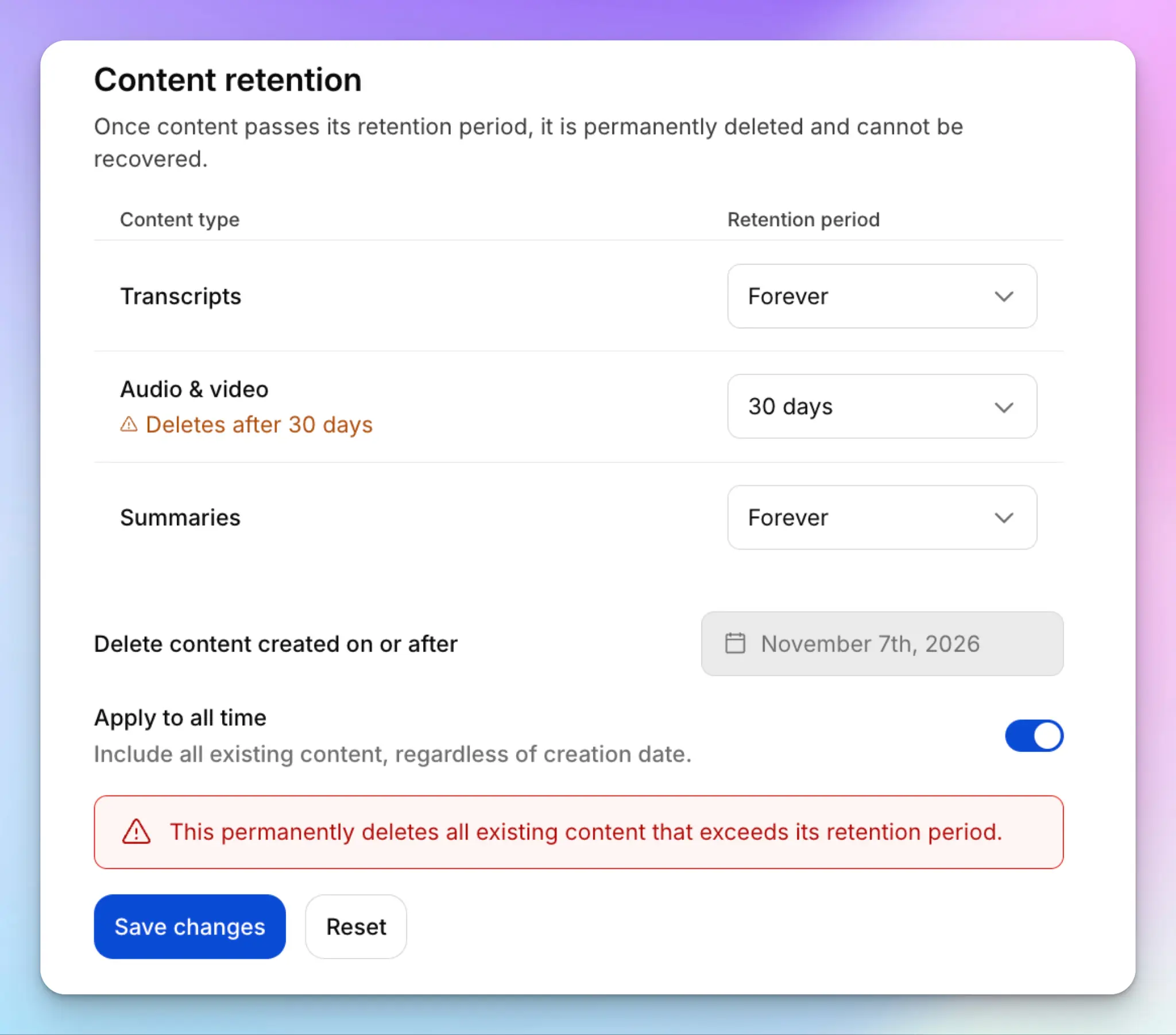
Your retention rules need an exception too. When litigation is pending, legal must be able to pause automatic deletion.
The UK has its own consent framework. If you have people in Germany, France, or other countries with works councils, talk to them before deployment. Employment lawyers suggest that works council consultation may be required before an AI note taker goes live.
Step 3: Configure the defaults before anyone signs in
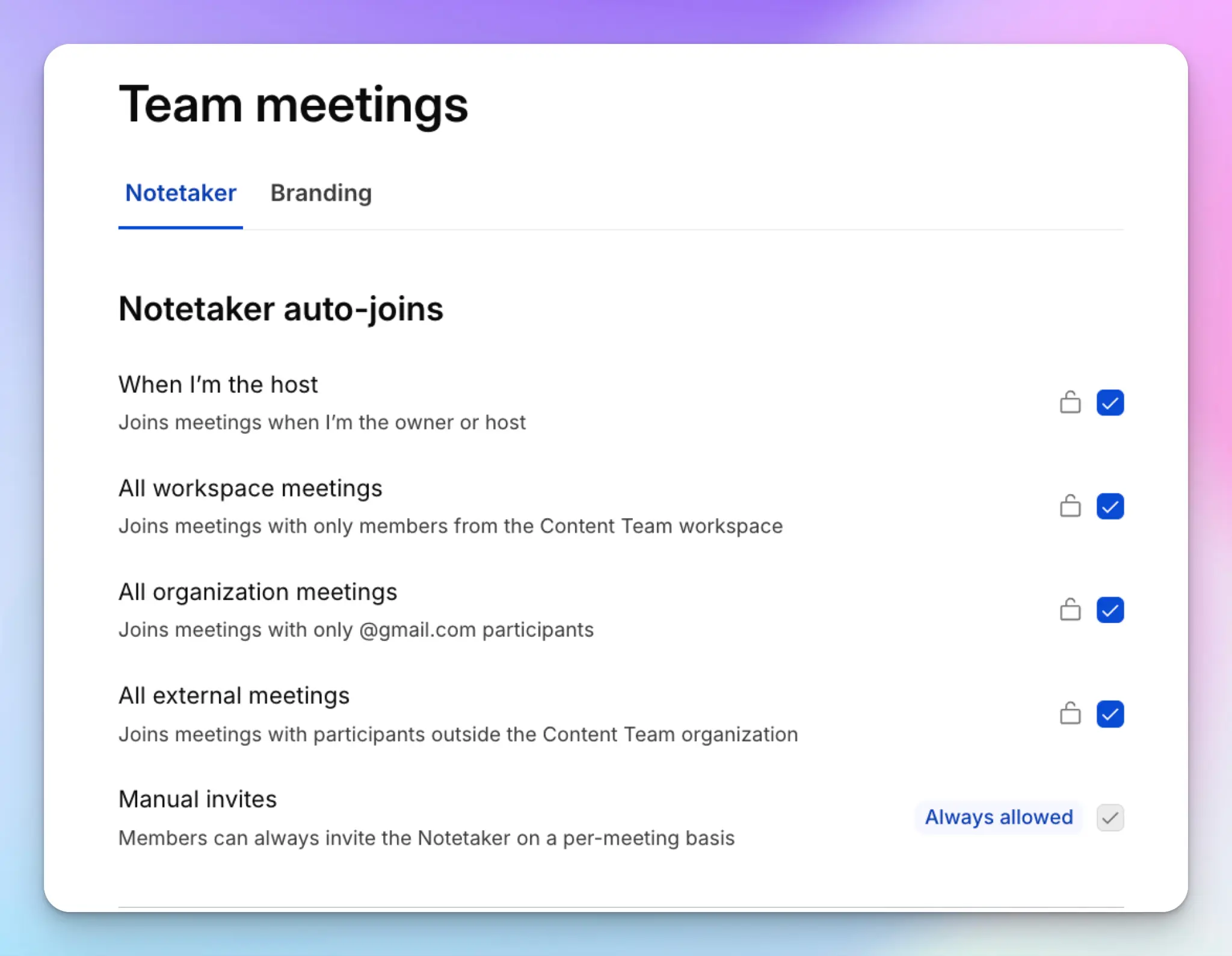
Most rollout problems come from settings people choose on their own. Lock these at the company level before the first invite goes out:
- Sharing: Notes stay private to attendees by default, with no public links
- Auto-join: Decide whether the note taker joins every calendar event or only the ones people pick based on attendees and meeting type
- Retention: Set separate windows for recordings, meeting transcripts, and summaries. Audio carries the most risk, so it gets the shortest window
- Access: Require SSO and add the note taker to your offboarding checklist, so leavers lose access the day they go
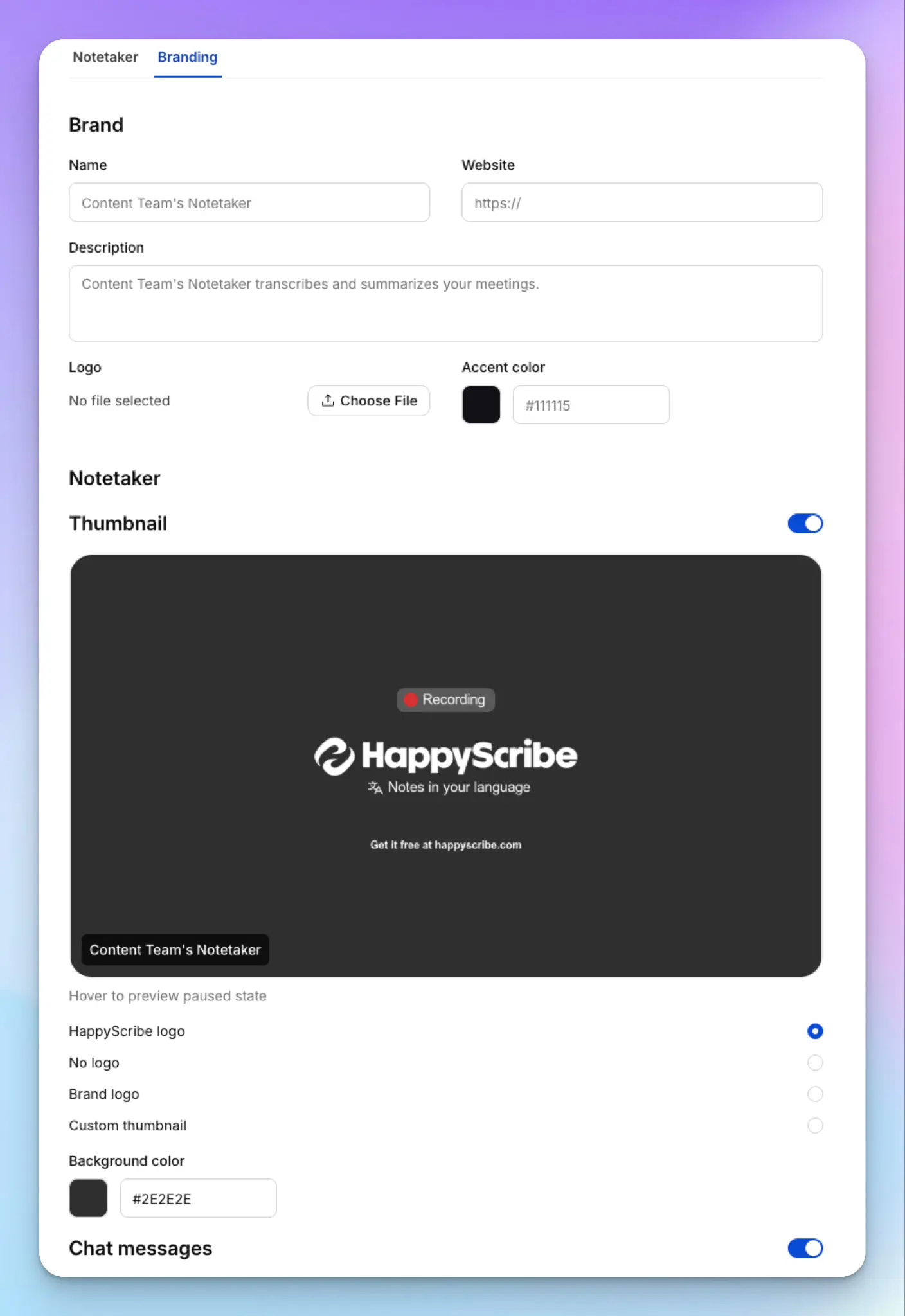
- Branding: Give the note taker your company name and a welcome message, so participants know whose tool is in the room
- Vocabulary: Add product names, client names, and internal acronyms to a custom glossary
Also, decide which capture mode applies where. A bot works well for scheduled video calls. But sensitive client calls need a way to record meetings without a bot.
Test each setting with two or three accounts before the pilot. A wrong setting you catch on day one costs far less than one you find after 50 people start recording.
Step 4: Pilot with one team for 30 days
Pick one meeting-heavy team with real stakes, such as customer success or sales. Their calls involve outside participants, so your consent process gets tested early.
Before you start, agree on what success looks like:
- Most of the team's external calls get captured
- No recordings of meetings on the never-record list
- Support questions taper off by the final week
Ask the pilot team to flag anything confusing, from the invite wording to who received a summary. Fix the defaults and update the policy before you expand.
Step 5: Announce it and train your people
Lead the announcement with what changes for employees, not with features. A short email does the job:
Subject: Our approved AI note taker
Starting [date], [tool] is our company note taker. Use it for customer calls and team meetings where notes help. Don't record HR, legal, or performance conversations. Your notes are private to attendees unless you share them. Please disconnect any personal note takers from your work calendar by [date]. Questions? Ask in [channel].
Then address the fear before it spreads. Many employees assume a note taker exists to monitor them. Tell them who can see their notes and whether anyone reviews their calls.
Train three habits:
- Remove the note taker when someone asks you to stay on after the meeting
- Read the summary before you share it, since AI can misattribute who said what
- Skip meetings that don’t need a record. Pick a lean meeting productivity stack to reduce fatigue and enforce compliance.
Run a separate session for admins. They'll field the permission questions, so they need to know the settings better than anyone. Ask people to export any customer call notes they need before you close their old accounts.
Step 6: Expand by team, language, and location
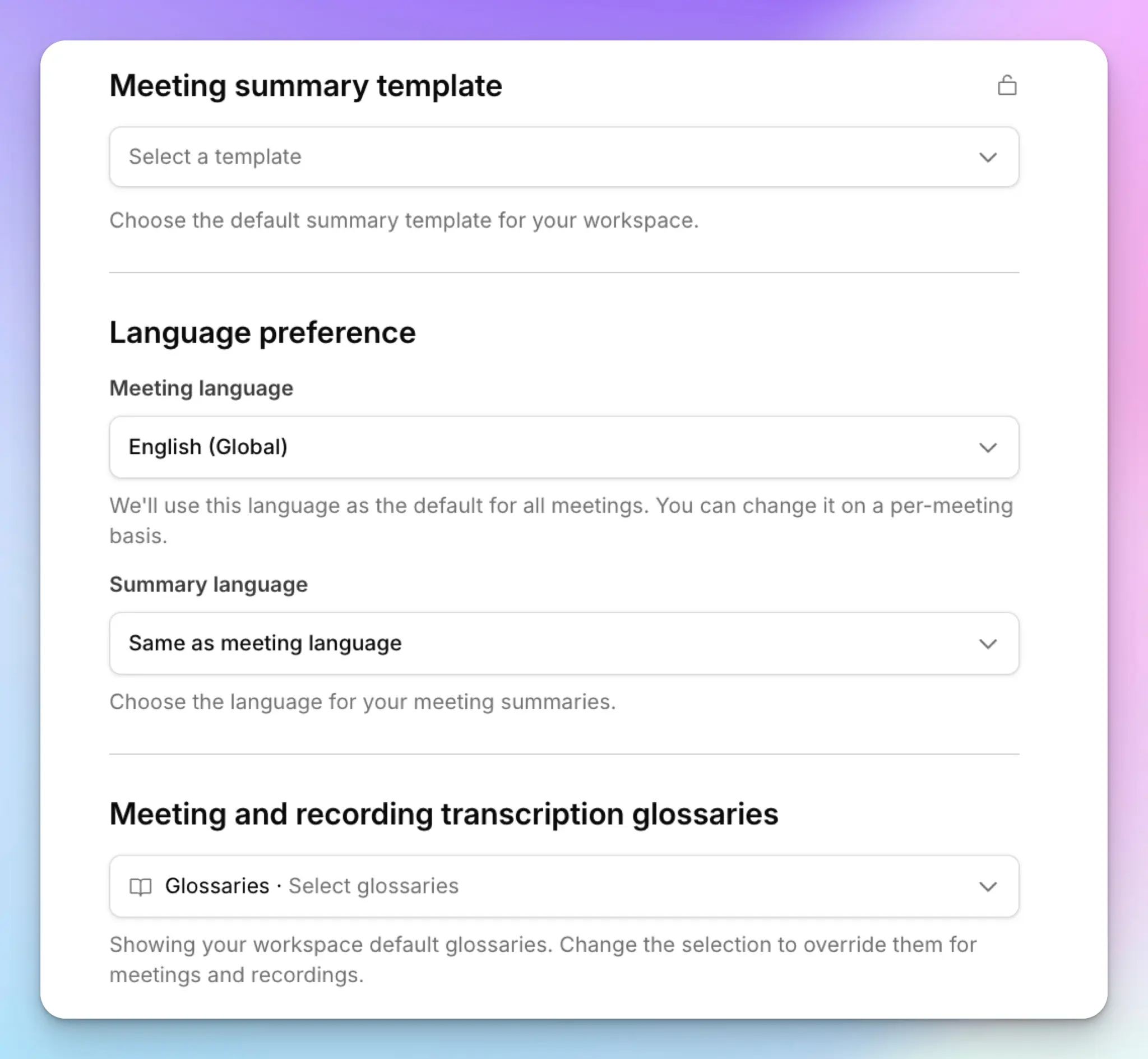
Add teams one at a time, starting with those closest to the pilot's meeting types. Give each new team a summary template for its main meeting type, so notes look consistent across the company. Managers, for example, can use a template built for one-on-one notes that carries action items from week to week.
If your offices run meetings in different languages, test transcript quality in each one before rollout. A tool that handles English well can struggle with Dutch, Portuguese, or a call that switches languages halfway through.
And then you have to consider field teams and boardrooms. Give them a mobile app or browser recorder to take notes during in-person meetings. Most mid-size companies get from pilot to company-wide in 60 to 90 days.
Running several brands or subsidiaries? Check that your tool can map them to separate workspaces under one login. Otherwise, you end up with separate contracts and separate rules.
Step 7: Measure adoption and review the policy
Track a few numbers each month:
- Weekly active users against licensed seats
- Share of external calls captured
- Personal note taker accounts still connected to company calendars
Usage tells you whether people trust the tool, and the last number tells you whether your policy works.
Review the policy and the user list every quarter. Remove leavers and contractors, and update meeting types as teams change. Once your notes pile up, you can use your company’s Claude account for meetings or turn customer calls into a customer research repository with Claude.
How to roll out HappyScribe across your company
HappyScribe is a Barcelona-based AI note taker that records Zoom, Google Meet, Microsoft Teams, and in-person meetings. It delivers transcripts and summaries in 150+ languages with around 98% accuracy. Enterprise plans add the admin controls you’d need for a company-wide rollout.
- Contact sales to book a demo. The HappyScribe team sets up SSO with Okta or Microsoft Entra and maps your identity provider groups to workspaces. One connection can cover several email domains, so each subsidiary gets its own workspace under one login.
- As an admin, open the Controls page. Set retention windows for recordings, transcripts, and summaries, from 14 days to forever, and check the deletion preview before you save.
- Customize the notetaker with your company name, logo, and a welcome message, so every participant sees a company-approved tool in the call.
- Add glossaries and style guides for product names, client names, and internal terms.
- Ask each employee to connect their Google or Outlook calendar or paste a meeting link. For in-person or sensitive calls, they can go to Home > Record audio and click Start recording, or use the HappyScribe mobile app.
- Track adoption across teams with org-wide usage analytics.
Your security team can review the SOC 2 Type II report, DPA, and sub-processor list in the Trust Center. Your data stays in the EU, and HappyScribe doesn't use your content to train AI models unless you opt in. For a wider comparison, see our list of the best AI meeting note takers for enterprise.
If your teams work in Claude, HappyScribe is the only AI meeting note taker with a Claude connector that lets Claude correct the transcript, not just read it.
Roll out your AI note taker the right way
A company-wide rollout succeeds or fails before the first meeting gets recorded. Assign owners, write a one-page policy, and lock the defaults. Then pilot with one team and expand from there.
Before you sign a contract, run your shortlist through the checks in our guide to AI meeting note taker security.
If your company works across countries and languages, choose a tool that handles both under one contract. HappyScribe gives you SSO across workspaces, retention controls by asset type, and EU data residency, with notes in 150+ languages.
FAQs about rolling out an AI note taker
How do you roll out an AI note taker across your company without mistakes?
Name owners before you pick a tool. IT owns setup, and HR and legal own the recording rules. Write a one-page policy that covers consent and the meetings you never record. Lock the sharing, auto-join, and retention defaults before anyone signs in. Then pilot with one team for 30 days and expand team by team.
How long should you keep meeting transcripts?
There’s no universal number, but many companies keep audio for 30 to 90 days and transcripts for one to two years. Audio carries the most risk, so give it the shortest window. Confirm your numbers with legal, and make sure you can pause deletion during litigation. HappyScribe Enterprise lets admins set separate retention windows for recordings, transcripts, and summaries.
What’s the best AI note taker for enterprise teams?
HappyScribe is the best AI note taker for enterprise teams that work across countries and languages. It transcribes 150+ languages with around 98% accuracy. It’s also SOC 2 Type II certified and keeps your data in the EU. One SSO connection through Okta or Microsoft Entra can cover several subsidiaries, and each one gets its own workspace.
How do you speed up AI note taker adoption?
Make the approved tool easier to use than the personal ones. Start with a team that runs many external calls, since they see time savings fastest. Give each team a summary template for its main meeting type. Tell employees who can see their notes, because fear of being monitored is the most common reason people don’t use the tool.
What happens to meeting notes when an employee leaves?
It depends on who owns the account. Notes on a personal account usually leave with the employee. Notes on a company workspace stay with the team, and IT removes access during offboarding. HappyScribe connects to your identity provider, so someone you remove from Okta or Entra loses access at their next sign-in.

Biplab Mazumder
Biplab is a content marketer and writer who helps high-growth brands scale content visibility across AI search channels. His works have been published in HubSpot, Freshworks, Atlassian, SurferSEO, etc. When he's not planning content strategy, he's testing AI content workflows and use cases.