


TL;DR ⏩
After testing 20+ tools, I’ve figured which AI meeting notetakers work best for different team sizes:
- Startups (1-20): Fathom for founders who run their own sales calls. Granola for founders who track investor and partner relationships in Attio or Affinity. HappyScribe for startups in Europe whose customers or teammates speak different languages.
- Small and medium businesses (20-100): Avoma for sales teams where a few people run calls and the rest only review them. HappyScribe for client meetings held in several languages, both online and in person. Fireflies for teams that want calls logged into HubSpot automatically.
- 200-person companies: Read AI to stop employees from opening their own accounts outside the company workspace. Fellow for HR teams that use Workday, BambooHR or Namely. HappyScribe for a notetaker that carries your brand on customer calls.
- Mid-market (300-1,000): HappyScribe when each department needs its own summary format. Zoom Workplace or Teams Premium if your company already runs on Zoom or Microsoft Teams.
- Enterprise (1,000+): Microsoft 365 Copilot when your policies don’t allow stored transcripts. Jamie for private equity and investment banking teams in Europe. HappyScribe for meetings that need a human-checked transcript.
Choosing an AI notetaker starts with one number: how many people will use it. A five-person startup needs a free plan that lasts and a fair price for each new hire. A 1,000-person company needs a tool that passes a security review before anyone tests the notes.
Between those two points, who buys the tool and what it must do both change. In this guide, I’ll show you which tools fit each team size, and the signs that you’ve outgrown yours.
Why does team size change which AI notetaker you need?
Recording and AI meeting summaries are standard at every price point. Headcount changes everything around the notes.
1. Who buys: A solo founder pays with their personal card. At 1,000 people, procurement, security, and legal all review the contract.
2. Who manages it: Small teams need no admin. Larger ones need someone to provision seats, set permissions, and decide how long recordings are kept.
3. Where the notes go: Early on, notes stay with the person who took them. Later, they feed CRMs and project tools, and they come up in customer security reviews.
4. What a wrong choice costs: At ten people, switching tools takes a week. At 500, it means migrating years of recordings and retraining every department.
Tools also spread before anyone reviews them. Zylo’s 2026 SaaS Management Index found that business units now control 81% of SaaS spend, while IT directly manages just 15%.
Pick for the stage you’re at, and check that the tool can follow you into the next one.
How do AI notetaker requirements change as your team grows?
The table below shows how buying and evaluation shift across five size bands.
| Factors | Startup | SMB | 200-person | Mid-market | Enterprise |
|---|---|---|---|---|---|
| Typical headcount | 1–20 | 20–100 | 100–300 | 300–1,000 | 1,000+ |
| Who buys | Founder | Team lead or ops | Ops and the first IT hire | Department heads and procurement | Procurement, security, and legal |
| Budget lens | Free-plan limits, cost per new seat | Cost per active user | Predictable annual plan | Volume pricing across departments | Enterprise contract and DPA |
| Must-have | Accurate notes, fast setup | CRM sync, shareable summaries | Admin controls, shared workspace | Templates per team, usage reporting | SSO, data residency, retention controls |
| Security bar | Encryption, GDPR | GDPR, clear data policy | SOC 2 report | SOC 2 Type II, signed DPA | SOC 2 Type II, ISO 27001, signed DPA |
| Rollout | Same day | About a week | Pilot, then company-wide | Phased by department | Security review, then pilot |
Which AI notetaker fits a startup on a tight budget?
At this stage, the pricing model matters more than the feature list. Founders usually buy AI tools on a company credit card, so every new subscription comes straight out of a tight budget.
That kind of buying is growing fast. Zylo found that expense-based SaaS spend increased 267% year over year, with ChatGPT now being the most expensed application. Before a notetaker becomes one more charge on that card, check how its price changes as you hire.
Shortlist by use case:
- For founders who run their own sales calls: Fathom. The free plan records and transcribes unlimited calls. When you hire your first reps, Business adds CRM field sync, which updates records after each meeting, plus Deal View. Business costs $25 per user per month on annual billing, with a two-user minimum.
- For founders who track investor and partner relationships in Attio or Affinity: Granola. Bot-free capture is included on all three plans. Business connects to Attio, Affinity, HubSpot, and Notion. Accepted startups can get 12 months of Granola Business free.
- For startups whose customers or teammates speak different languages: HappyScribe. It offers a generous free plan, capped at 45 minutes per meeting. AI meeting notes and transcription cover 150+ languages on every plan. Pro includes three seats, and HappyScribe won’t automatically bill you or lock you out if you go over your seat limit.
What should small and medium businesses look for in an AI notetaker?
Between 20 and 100 people, client-facing teams usually drive the purchase. Their conversations happen on video calls and in person, often in more than one language. The notes need to reach the CRM without anyone copying them over.
Shortlist by use case:
- For client meetings held in several languages or in person: HappyScribe. The mobile app, web recorder, and AI notetaker are unlimited on every paid plan, with support for 150+ languages.
- For sales teams where a few people run calls and the rest only review them: Avoma. The Startup plan costs $19 per recorder seat per month on annual billing, for up to 25 paid seats with unlimited free view-only seats. It auto-saves notes to Salesforce, HubSpot, Zoho, Pipedrive and Copper. Budget for add-ons, though: Conversation Intelligence costs an extra $29 per seat per month on annual billing.
- For teams using HubSpot that want calls logged automatically: Fireflies. Saving meeting transcripts to HubSpot requires Pro or higher, and Business adds Integration Rules to choose which meetings get logged. Pro costs $10 and Business $19 per seat per month on annual billing.
Which AI notetaker fits a 200-person company?
At around 200 people, meeting tools stop being a personal choice and become company infrastructure. Tool sprawl at this stage is also a security risk. IBM’s 2025 Cost of a Data Breach Report found that a high level of shadow AI added an extra $670,000 to the global average breach cost.
Shortlist by use case:
- To stop employees from opening their own accounts outside the company workspace: Read AI. Domain capture restricts users in your domain from creating a Read account unless the Workspace admin invites them. It’s an Enterprise+ feature at $29.75 per user per month on annual billing, with a minimum of five licenses.
- For HR teams that use Workday, BambooHR, or Namely: Fellow. Its Enterprise plan lists transcript redaction and advanced recording permissions. Its Workday, BambooHR, and Namely integrations can be customized for Enterprise. The plan starts at 10 users and costs $25 per user per month on annual billing. If you're based in the EU, you might want to look at Fellow alternatives in Europe.
- For a notetaker that carries your brand on customer calls: HappyScribe. From Pro, you can add your company’s logo, colors, and name to the notetaker that joins your calls. Business adds workspace roles and permissions, plus a usage analytics report.
What’s the best AI notetaker for mid-market teams?
Between 300 and 1,000 people, one notetaker has to work for departments that run very different meetings. If the summaries don’t suit how a team works, its people stop opening them, and the seats you paid for sit idle. Zylo’s research confirms this: organizations leave an average of 36% of their SaaS licenses unused.
Shortlist by use case:
- For departments that need their own summary format: HappyScribe. Custom summary templates start at Pro, so sales teams and HR can each get a format built for their meetings. HappyScribe’s sales team offers volume discounts on seats and human-made transcription services.
- For companies that already run on Zoom: Zoom Workplace. Eligible paid Zoom Workplace plans include core AI features at no additional cost. On eligible plans, its AI note-taking also covers Microsoft Teams and Google Meet.
- For companies that already run on Microsoft Teams: Teams Premium. It costs $10 per user per month, paid yearly, and adds intelligent recap. Check your Copilot licenses before buying, because intelligent recap is also available as part of the Microsoft 365 Copilot license.
Which AI notetakers meet enterprise security and compliance standards?
At enterprise teams with 1,000+ people, the security review sets the shortlist. Governance is still catching up. Among the 600 organizations IBM researched, 63% had no AI governance policies in place. Before choosing a meeting notetaker, ask every vendor about certifications, data location, subprocessors, DPAs, model-training policy, SSO, and retention controls.
Shortlist by use case:
- When your policies don’t allow stored transcripts: Microsoft 365 Copilot. Organizers with a Copilot license can generate AI summaries of Teams meetings without saving a recording or a persistent transcript. The summary is saved as a read-only Word document in the organizer’s OneDrive, and the feature works for scheduled meetings only.
- For private equity teams in Europe: Jamie. Jamie stores and processes all data within the EEA, Switzerland and the UK, and it is ISO 27001 certified. Its SOC 2 Type II audit is still in progress.
- For meetings that need a human-checked transcript: HappyScribe. HappyScribe is SOC 2 Type II certified and stores meeting data in the EU. Enterprise adds SSO/SAML. For board meeting minutes or legal calls, human proofreading is available from $2.00 per minute.
Should your notetaker join as a bot or record bot-free?
A bot joins the call as a visible participant. On the other hand, a bot-free recorder captures audio from your own device, so nothing appears in the attendee list.
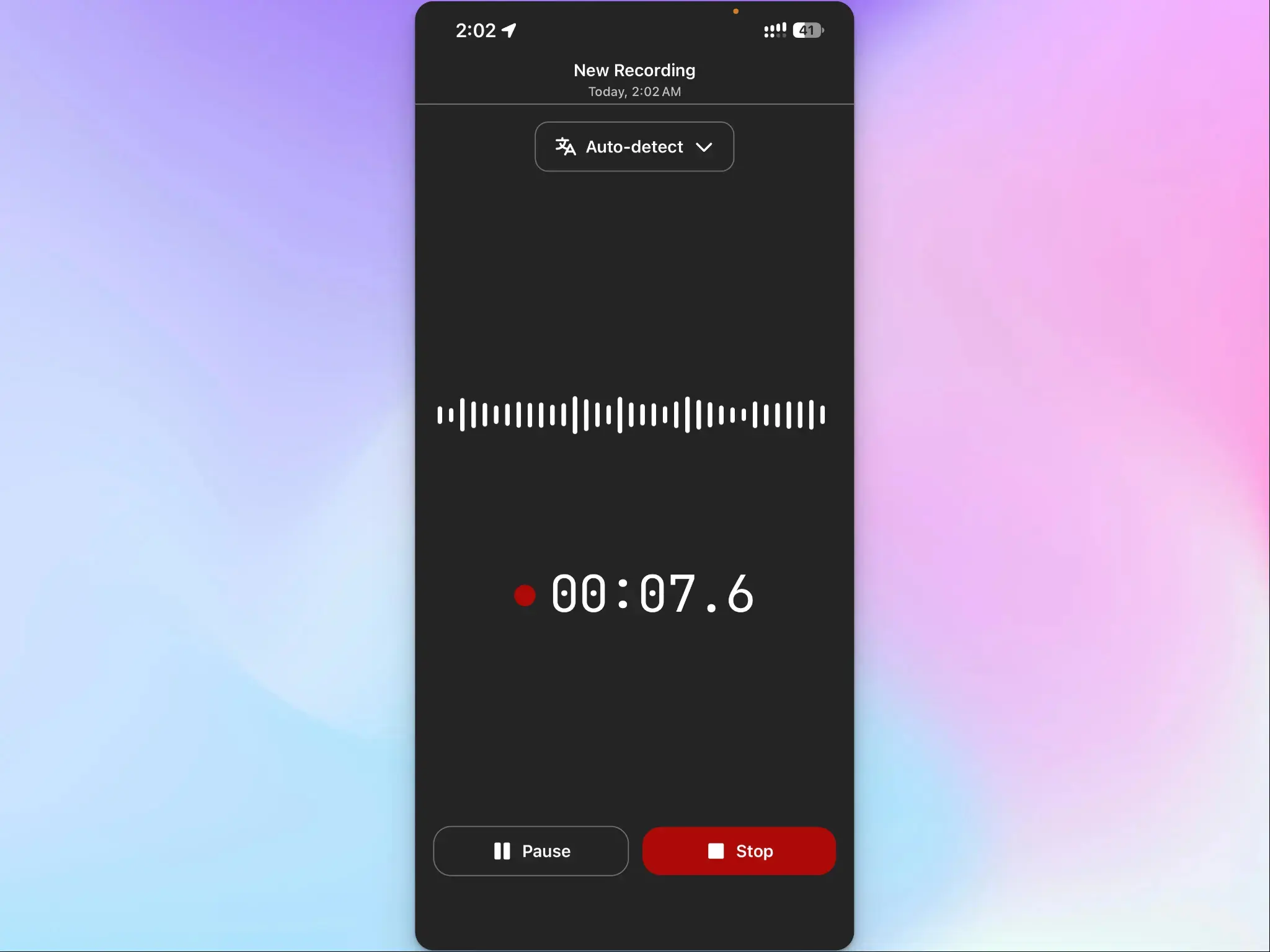
Calendar-based bots also miss a lot of meetings. Microsoft’s infinite workday report found that 57% of meetings are ad hoc calls without a calendar invite.
Before you decide whether you should pick a bot-based or bot-free notetaker, understand this:
- Bot-based capture: It works without anyone remembering to press record. Everyone can see it, though some meeting hosts block bots.
- Bot-free capture: It covers unscheduled calls and suits sensitive conversations. The person recording has to obtain consent beforehand.
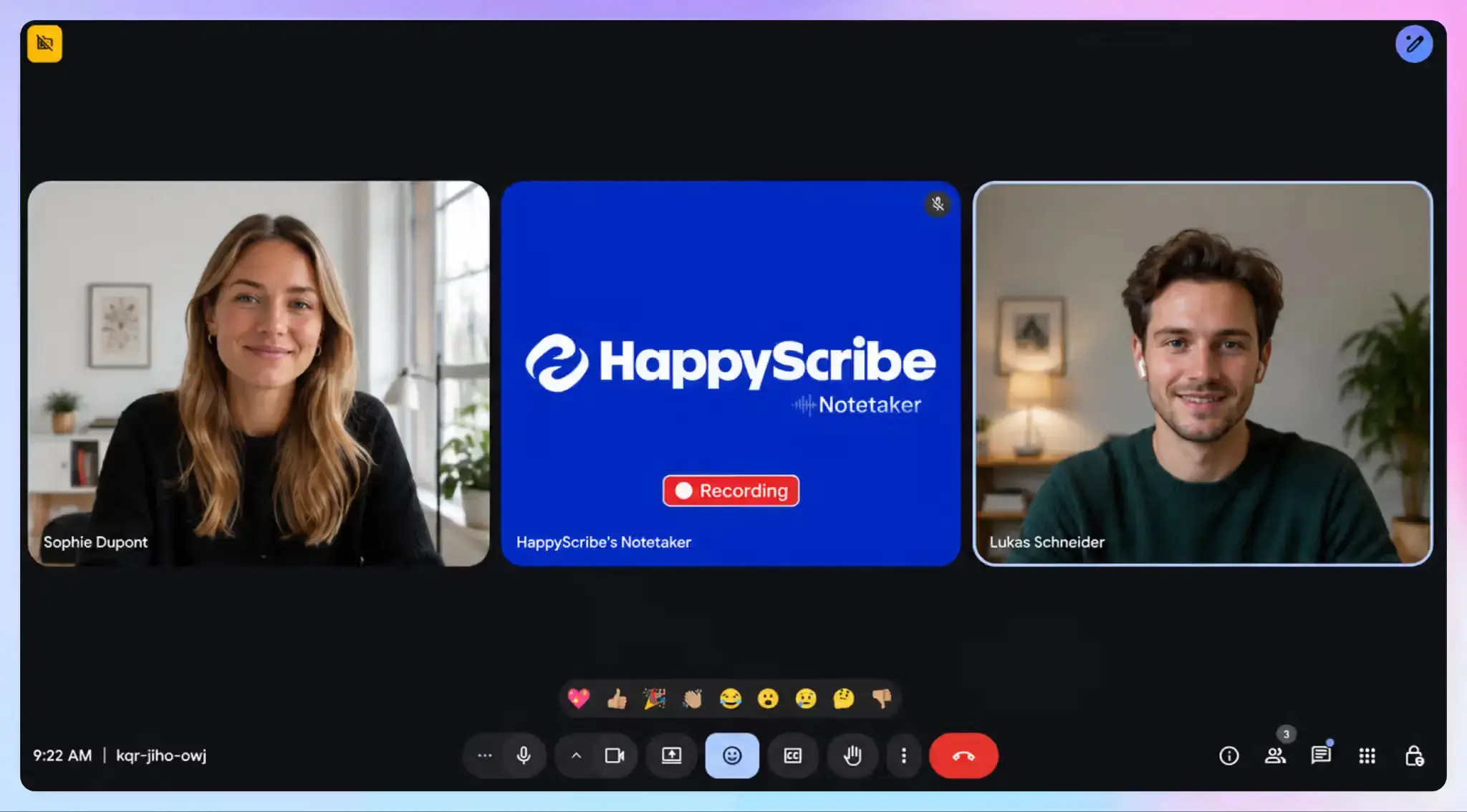
Granola and Jamie record bot-free only. Fathom offers bot capture, or bot-free capture in beta. HappyScribe joins scheduled meetings as a participant, and its browser-based recorder and mobile recorder capture audio from your device without adding a visible participant. Its notetaker announces itself when it joins and lets anyone pause or remove it mid-meeting.
Growing teams usually need both methods.
How do you know you’ve outgrown your AI notetaker?
Use this table at renewal time, or whenever one of these signals appears.
| Stage | Signal | Ask your current vendor | Switch if |
|---|---|---|---|
| Startup to SMB | A second team starts recording calls, or people pay for seats just to read notes | “Do people who only view notes need a paid seat?” | Every viewer needs a full paid seat |
| SMB to 200 people | A customer sends your first security questionnaire | “Can you send a current SOC 2 Type II report and sign our DPA?” | The vendor can’t provide both |
| 200 people to mid-market | Teams rewrite AI summaries by hand before sharing them | “Can each team set its own summary template?” | One template applies to the whole workspace |
| Mid-market to enterprise | Legal joins the renewal and asks about data storage | “Can we choose where data is stored and auto-delete recordings after a set period?” | Admins can’t enforce data location or retention |
If you do switch, plan the move before your old contract ends:
- Check the deletion deadline: Ask your current vendor how long it keeps your data after you cancel, and finish your export before that date.
- Export transcripts with speaker labels and timestamps: Files without them are hard to search or quote later. Check that they open in a standard format such as DOCX or TXT.
- Turn off auto-join in the old tool first: Otherwise, two notetakers join the same call during the changeover, which confuses attendees.
- Revoke the old tool’s calendar and account access: Then ask the vendor to confirm in writing that your data has been deleted.
How does HappyScribe fit every team size?
HappyScribe is a European, privacy-first AI notetaker, and you can upgrade its plans as your team grows:
- Free: Unlimited meeting recordings of up to 45 minutes each, for one person
- Pro: Three seats, custom summary templates and notetaker branding, at $19 a month on annual billing
- Business: Five seats, workspace roles and permissions, and a usage analytics report, at $59 a month on annual billing
- Enterprise: Custom pricing, SSO/SAML, premium support and account management
Every plan includes the AI notetaker, the web recorder, and the mobile app, with transcription in 150+ languages and SOC 2 Type II security. HappyScribe does no model training on your data unless you explicitly opt in.
If you already work in Claude or ChatGPT, you can connect to HappyScribe from Claude or ChatGPT’s directory. Your AI assistant can then find and quote anything said in your recordings, fix transcripts, run your meeting summaries, and export or share the result.
Watch out for a few limitations: the notetaker doesn’t transcribe live. The full transcript and meeting notes arrive a few minutes after the call. Also, HappyScribe doesn’t natively connect with any CRM, you need to use Zapier.
How should you trial an AI notetaker before you commit?
Run two or three tools on the same meetings for two weeks. Notes from identical calls show differences that the feature lists might hide.
Week one: Test the notes
- Record your hardest meetings: Pick calls with heavy crosstalk or more than one language. Easy calls make every tool look good.
- Check each summary with the meeting owner: Ask whether the decisions and action items are right, and whether names are spelled correctly.
- Send one summary where it needs to go: Push it to your CRM or project tool and check what arrives.
Week two: Test the fit
- Hit the plan limits on purpose: Go past the free-plan cap or the recording-length limit, so you know what stops working before it happens mid-month.
- Run an exit test: Export a transcript and delete a recording. You’ll need both when a contract ends or someone asks for their data to be removed.
- Count who still opens the notes: If invited teammates have stopped, the tool won’t survive a wider rollout.
From 200 people up: Request security documents on day one, so the review runs alongside the trial.
Choose the tool that handles your hardest meetings best, as long as its pricing still works when your team grows.
FAQs on which notetaker you should choose for your team size
Can AI note takers work for meetings held in-person?
Yes, as long as the tool records from your own device. Bot based tools need a video call to join, so they can’t record in-person meetings on their own.
For in-person capture, pick an AI note taking app with mobile and desktop apps. HappyScribe’s iOS app and web recorder capture in-person conversations through your device’s microphone, and its notetaker joins scheduled video calls as a meeting participant.
Some tools may offer AI noise cancellation, while others depend on your device’s built-in noise cancellation. Test both in a busy room before you rely on either for in-person meetings with clients.
Do AI meeting note takers always join as a visible bot?
No. If you're using HappyScribe, a meeting bot joins from your Google Calendar invite and appears in the attendee list, and some bots also post a notice in the meeting chat. Hosts at other companies can block it, and it can’t join phone calls. For an ad hoc video call without an invite, someone has to paste the link in by hand.
Bot-free options record from a desktop app or browser on your machine. Some note takers, such as Granola and Jamie, record only this way.
HappyScribe offers both methods: a notetaker for scheduled calls, plus device recorders for conversations where a bot would feel out of place. Either way, tell attendees before you start recording.
Which key features should you compare in AI meeting assistants?
Start with the notes. Structured notes with clear decisions and action items save more time than a long transcript, and custom templates help when sales meetings and internal meetings need different formats.
Next, check how you’ll find meeting content later. Otter AI Chat and Zoom AI Companion let you ask questions about your calls. HappyScribe has its own AI Chat feature, and it also connects to Claude and ChatGPT so your assistant can search and quote your meeting history. This kind of AI chat helps when you need a client’s exact words from a call weeks ago.
Treat extras like sentiment analysis and meeting highlights as a bonus. If your team needs real time transcription during calls, note that HappyScribe’s notetaker delivers its transcript and notes a few minutes after the meeting ends. For CRM sync, HappyScribe connects through third party tools like Zapier.
Is one AI notetaker enough for every team in your company?
It can be, if each department can shape its own summaries. The best AI note takers for enterprise teams let customer success and HR each get a format built for their meetings. If team leaders rewrite notes by hand before sharing them, that tool won’t last as the only tool across departments.
Built-in meeting assistants, like Teams Premium’s intelligent recap, keep notes inside one meeting platform. A dedicated meeting note taker earns its seat when it covers multiple platforms, so every meeting recording lands in one library whether the call ran on Zoom, Teams, or Google Meet.
Before a wider rollout, run your recurring meeting types through your shortlist and compare the output with other tools. Pick the one that fits your meeting workflows today and can handle the future meetings your next growth stage brings.

Rodoshi Das
Rodoshi is the Content Lead at HappyScribe, the privacy-first transcription and AI notetaker platform based in Barcelona. Shaping content strategies and building AI workflows excites her as much as exploring new SaaS tools. She specializes in product-led content that informs rather than sells, grounded in honest product benchmarking and low tolerance for empty marketing speak.