![5 Best Jamie Alternatives for AI Meeting Notes [2026]](/sanity-images/ejgwz1gl/redesign/6441c576e9543cc1f72d57b29986a2188858087e-1600x900.jpg?auto=format&w=1600.0&rect=0,50,1600,800&h=800)
Jamie AI has drummed up a dedicated userbase with clean meeting notes and easy-to-use UI. Its standout feature is bot-free meetings, but for serious users, that’s where the benefits end.
When I was picking Jamie alternatives for AI meeting notes, I focused on the things that Jamie couldn’t do: accurate notes, platform reliability, and actual security. If you’re also someone who gave Jamie a shot but quickly realized its limitations, this is the list for you.
Beyond my own experience of using Jamie and other note takers, I spoke to ex-users who switched to other tools and analyzed user reviews. The result of this little endeavor? The absolute best Jamie alternatives for users who take their meetings seriously.
TL;DR ⏩
- HappyScribe: Best overall Jamie alternative for 95%+ accurate AI meeting notes in 150+ global languages, meeting playback, SOC 2 Type II support, translation in 80+ languages, subtitles, and affordable plans
- Bluedot: Best for salespeople looking for bot-free Chrome capture and meeting playback
- Circleback: Best for teams that need workflow automations and easy-to-use note-taking apps
- Leexi: Best for European revenue teams looking for VoIP integration and prompt libraries to work faster
- Sembly: Best for managers and teams who need deep workspace analytics and automated task detection
Why users are looking for Jamie alternatives
Jamie cuts corners that are only visible when you start using the tool. Here are the common reasons people look for Jamie alternatives:
1. Jamie struggles with multiple speakers, speed, and note accuracy
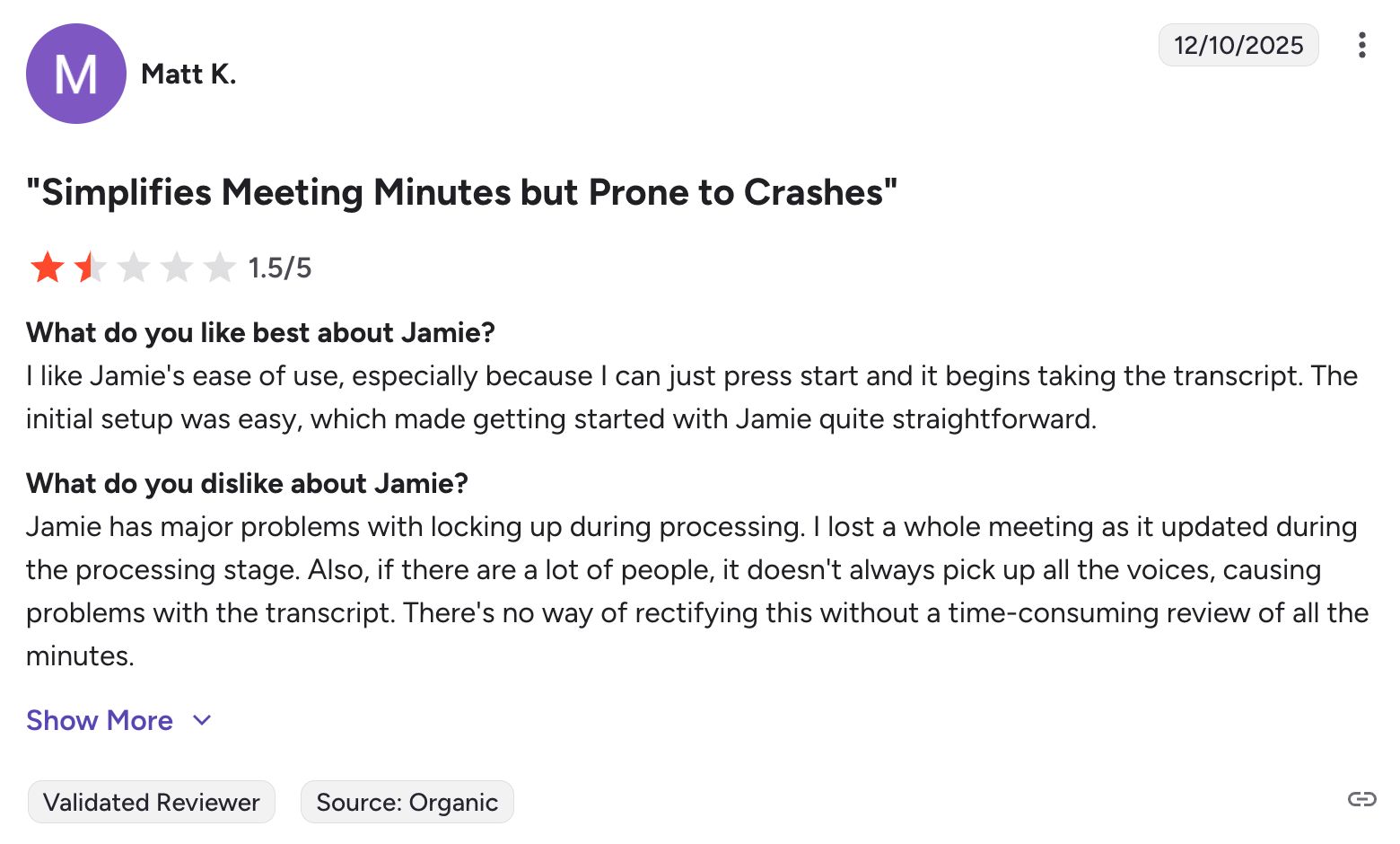
When you are on a high-stakes call with several attendees, Jamie often fails to differentiate who is speaking. From my experience, Jamie takes a lot of processing time before you can use your notes. Once you finally get the summary, you might find missing contexts and errors that you have to fix manually.
2. No meeting playback
Jamie positions its lack of audio recording as a privacy feature. That design choice means you cannot play back a meeting to verify what was actually said. Since the transcription accuracy is already unreliable, you’re never too sure the notes you’re acting on are actually correct, which makes Jamie unviable for critical projects.
3. Jamie is too expensive for the features it offers
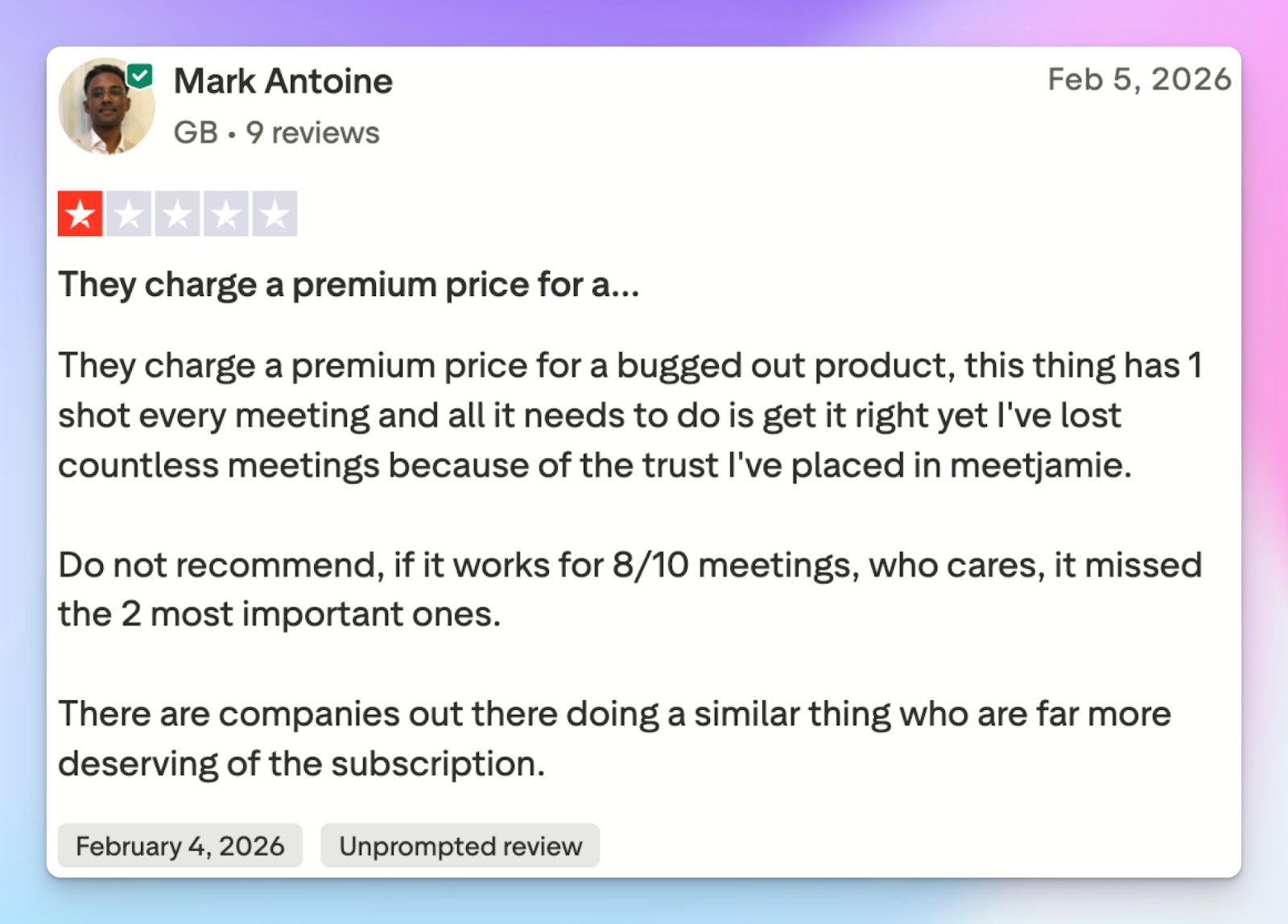
The pricing structure makes Jamie difficult to justify for regular users. The Plus plan starts at €25/month and restricts you to just 20 meetings. At this price, you don’t even get proper integrations, which makes the tool significantly costlier than fully equipped competitors.
4. Jamie has security issues
A bot-free approach gives you a false sense of confidence regarding compliance. You have to manually ask for attendee consent every single time you record, and if you forget, you expose yourself to legal risks. Setting up automated consent emails also requires granting calendar access, which defeats the purpose of using a privacy-first tool.
And that’s not it. Even though Jamie boasts GDPR compliance and EU data storage, it lacks SOC 2 Type II certification, so its internal data processes remain unaudited.
Top 5 Jamie alternatives at a glance
| Category | HappyScribe | Bluedot | Circleback | Leexi | Sembly |
|---|---|---|---|---|---|
| Best for | Accurate AI meeting notes in 150+ global languages, meeting playback, SOC 2 Type II support, and affordable plans | Salespeople looking for bot-free Chrome capture and meeting playback | Teams that require workflow automations and easy-to-use note-taking apps | European revenue teams looking for VoIP integration and prompt libraries to work faster | Managers and teams who require deep workspace analytics and automated task detection |
| Key features | 95% accurate notes, transparent bot, audio playback, translation, subtitling, file conversion | Audio or video capture, trim video via transcripts, CRM sync, personalized email drafts | High-accuracy transcription, integrations, and conversational chatbot for past meetings | Custom prompt library, "Ask Leexi" AI, automated speaker labeling, CRM, and VoIP sync | Task detection, sentiment analysis, Semblian 2.0 multi-meeting AI agent, file transcription |
| Supported languages | 150+ languages and dialects | 100+ languages | 100+ languages | 150+ languages | 48 languages |
| Meeting platform integration | Zoom, Google Meet, Microsoft Teams, and in-person 1:1 meetings | Microsoft Teams, Google Meet, Slack Huddles, Zoom, and in-person meetings | Zoom, Google Meet, Slack, Teams, and in-person via iOS/Android apps | Zoom, Google Meet, Microsoft Teams, and VoIP systems like Aircall or Cloudtalk | Zoom, Google Meet, Microsoft Teams, and Cisco Webex |
| Security | GDPR and SOC 2 Type II compliance, along with Tier IV, PCI DSS, and ISO 27001-certified EU data center | SOC 2 Type 2 compliance, GDPR, CCPA, and AWS hosting in the US and Germany | SOC 2 Type II, HIPAA, GDPR compliant, and EU-U.S. DPF certified | ISO 27001, GDPR compliant, SOC 2, with data hosted on servers in France | SOC 2 Type II, GDPR, EU-USDPF, and HIPAA |
| Starting price | Free plan with unlimited meeting recordings. Paid plan starts from $8.50/month (billed annually) or $17/month (billed monthly) | Free plan with 5 lifetime meetings. Paid plan starts at $18/month | No free plan. Paid plan starts at $25/month | No free plan. Paid plan starts at $15/month | No free plan. Paid plan starts at $17/month |
1. HappyScribe
Best for: Accurate AI meeting notes in 150+ global languages, meeting playback, SOC 2 Type II support, and affordable plans
When you use Jamie, you trade away meeting playback and certified security just to avoid a visible bot.
HappyScribe AI note taker takes a practical approach by giving you control over your recordings: you decide whether you want your meetings to be bot-free or want a visible meeting bot for compliance. At the same time, HappyScribe delivers highly accurate transcripts, even in niche language groups and accents.
If you manage international teams or handle sensitive client calls, HappyScribe is the best alternative to Jamie.
HappyScribe vs. Jamie
| Category | HappyScribe | Jamie |
|---|---|---|
| Accuracy and languages | HappyScribe delivers 95% accuracy across 150+ languages and regional dialects | Struggles with crosstalk, fast speakers, and non-native accents. Jamie’s language support is limited |
| Meeting playback | Records audio and video so you can click the transcript to hear exactly what was said | Jamie offers no audio playback, making it impossible to verify important quotes |
| Content sharing features | HappyScribe offers tools for subtitling, translation, audio trimming, and file conversion for content repurposing | Jamie is limited to meeting notes, so you have to find other tools for subtitling and translation |
| Free tier and value | Offers unlimited free meeting recordings (up to 45 minutes each) to users | The free plan is limited to 10 meetings per month, capped at 30 minutes per meeting. Jamie charges €25/month for just 20 meetings |
HappyScribe’s key features
1. Generate 95% accurate AI notes in 150+ languages and dialects
Global meetings are rarely perfectly scripted. When a client speaks with a heavy regional accent or your team members start brainstorming over each other, Jamie's AI drops the ball.
HappyScribe cuts through the noise to deliver 95% accurate notes across 150+ languages and dialects. Be it Mandarin or Basque, you get precise speaker labels and clean action items ready for you to work on.
2. Transparent and customizable meeting bot that you control
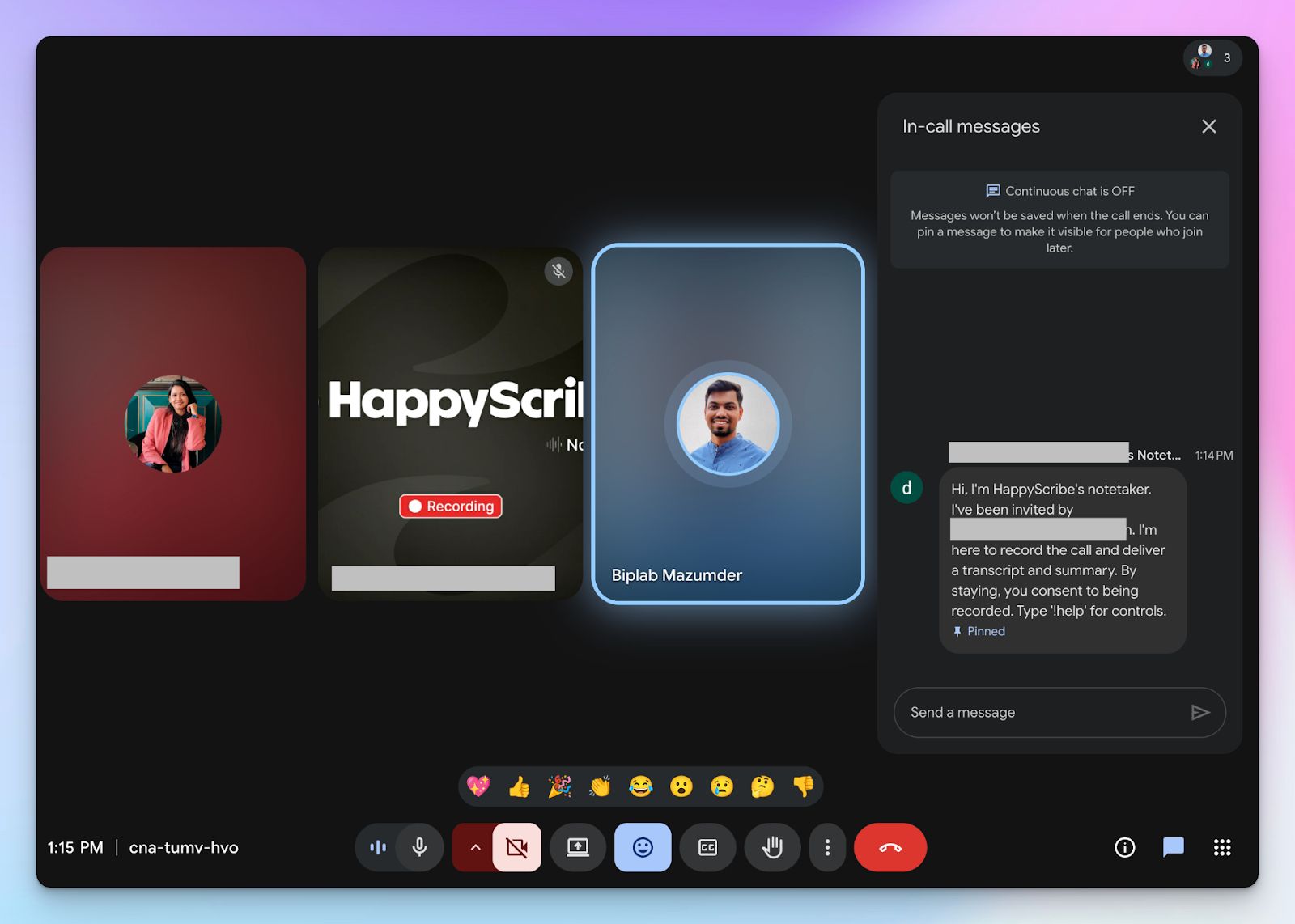
While Jamie only records bot-free meetings, HappyScribe gives you the option of both bot-assisted online meetings and bot-free in-person meetings.
You can customize the meeting bot to match your brand identity, so it feels like a part of your company's assets. You can also tweak the settings to make sure it behaves just the way you want.
HappyScribe meeting bot introduces itself, so all attendees are on the same page regarding consent. You can pause, resume, or remove it anytime by typing “!help” in the chat box.
Still want a bot-free way to take notes? HappyScribe lets you audio record in-person meetings from any device without a bot. Just make sure you ask for recording consent from attendees.
3. Playback meeting audio to verify notes and quotes
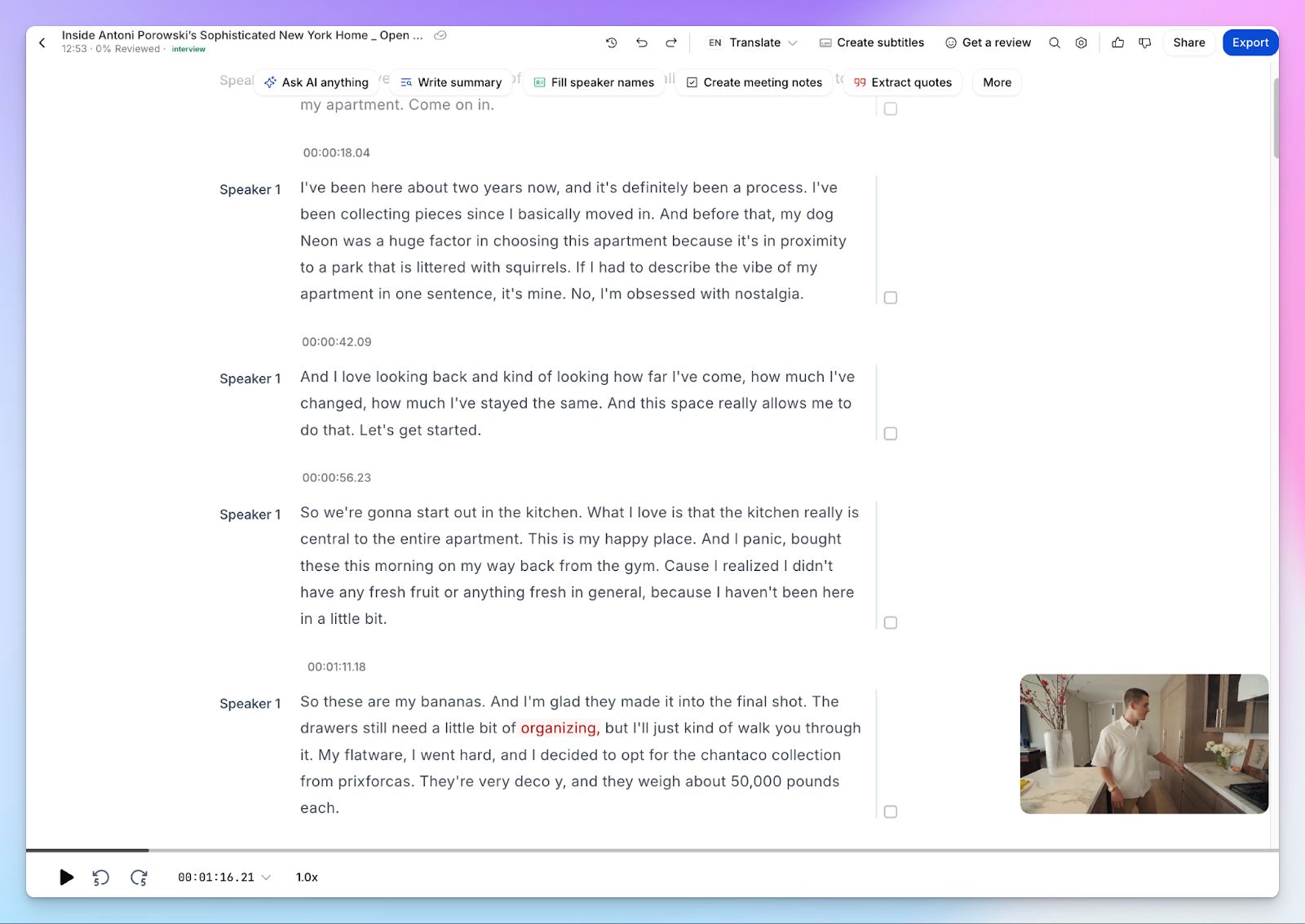
Imagine trying to recall the nuance of a client's requests when your AI summary only provides a generic bullet point. Because Jamie actively avoids audio recording, you have absolutely no way to verify the truth.
HappyScribe captures the full audio (and video too, when available) track alongside your transcript, so you can click on any sentence to hear the exact tone and context of the conversation. Find the right word, edit the transcript, or fix contexts; now with full knowledge.
4. Ironclad European security with GDPR, SOC 2 Type II, and EU data storage
Claiming to be a privacy-focused tool is easy, but proving it requires rigorous external audits. While Jamie stops at basic GDPR claims, HappyScribe backs up its security with a strict SOC 2 Type II certification. That means an independent auditor has verified HappyScribe for its data handling and security practices.
Your data is hosted in a Tier IV, PCI DSS and ISO 27001-certified EU data center, making HappyScribe one of the safest European note takers in the market.
5. Generous free tier and affordable plans
Hitting a hard cap of 20 meetings right in the middle of a busy month after paying €25 isn’t ideal. HappyScribe eliminates this friction by offering a generous free tier that lets you record an unlimited number of meetings, capped at 45 minutes each.
Paid plans start at $8.50/month when you bill yearly. That’s only €7.30/month for unlimited meeting recordings and 1400+ minutes of video subtitling and translation per year.
HappyScribe’s pricing
- Free: Unlimited meeting recordings (45 mins/recording)
- Basic: $8.50/month (billed annually) or $17/month (billed monthly)
- Pro: $19/month (billed annually) or $29/month (billed monthly)
- Business: $59/month (billed annually) or $89/month (billed monthly)
- Enterprise:Contact sales to get tailored solutions directly
HappyScribe’s pros
- Ask AI conversational chatbot for multi-meeting insights, speaker quotes, video chapters, follow-up emails, and post drafts; all in one place
- Get both audio and video recording of your meetings, along with a 95%+ accurate transcript, summary, and action items
- Connect HappyScribe meeting data with your existing tech stack using Zapier
- Use HappyScribe’s MCP server to connect your meeting notes to ChatGPT, Claude, or any other AI tools you use
- Generate subtitles and translate meeting notes to collaborate with global teams
- Upload and transcribe files and pre-recorded meetings from your device, YouTube, Box, Vimeo, and Dropbox
- HappyScribe is a GDPR-compliant AI note taker, along with SOC 2 Type II certification and EU data residency for security and privacy
- Translate meeting notes into 80+ languages
- iOS and Android mobile apps are coming soon
- Get fast and helpful support from real humans, not bots
HappyScribe’s cons
- Not ideal for real-time transcriptions
What are users saying about HappyScribe?
I was using descript to generate subtitles to my educative video, but man the transcription was full of mistakes..HappyScribe is way better! I corrected just a couple of my words that was hard to pronounce in my french canadian english :D And whe I have question, they answer quickly, Thanks you for this great service that saves me precious time!
A superb product with an exquisite interface and an overriding focus on excellent customer service! Such a joy to find enterprises like this that meet all of our requirements so completely
How to use HappyScribe’s AI note taker? A step-by-step guide
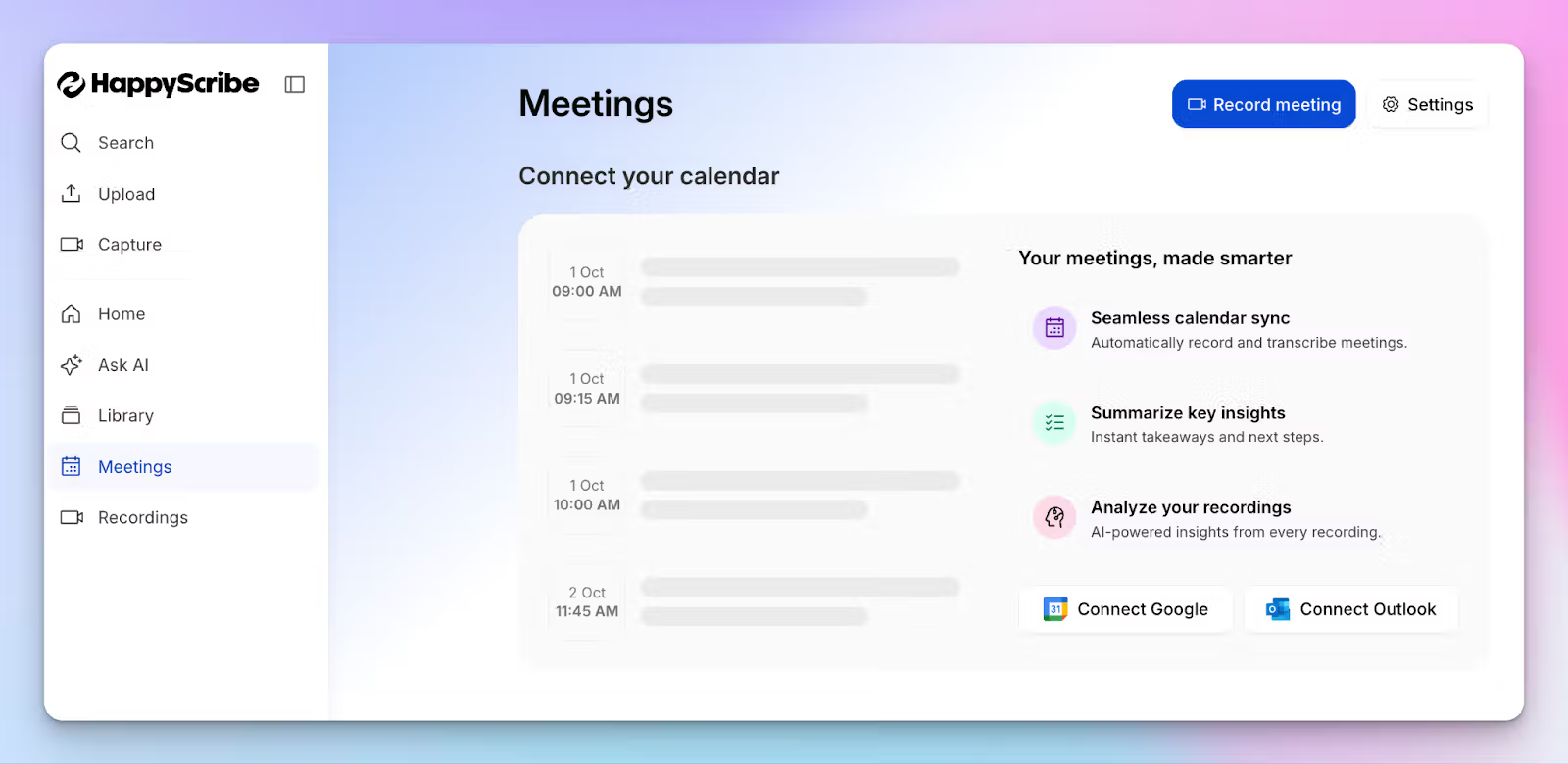
1. Link your Google or Outlook calendar or paste the meeting link to invite the HappyScribe note taker. For in-person meetings, you can record audio without a bot.
2. Select Meetings in the left sidebar and then check the options at the right to customize when the notetaker should join and who should receive the email summary.
3. Click on the Settings button at the top right to select when the notetaker should start recording and who can view the meeting transcription.
4. During an online call, the notetaker must be admitted by the meeting host to start recording. You can chat with the notetaker to control it.
5. And that's it! The meetings should be saved in your Workspace files or in the Private section, depending on your privacy settings.
2. Bluedot
Best for: Salespeople looking for bot-free Chrome capture and meeting playback
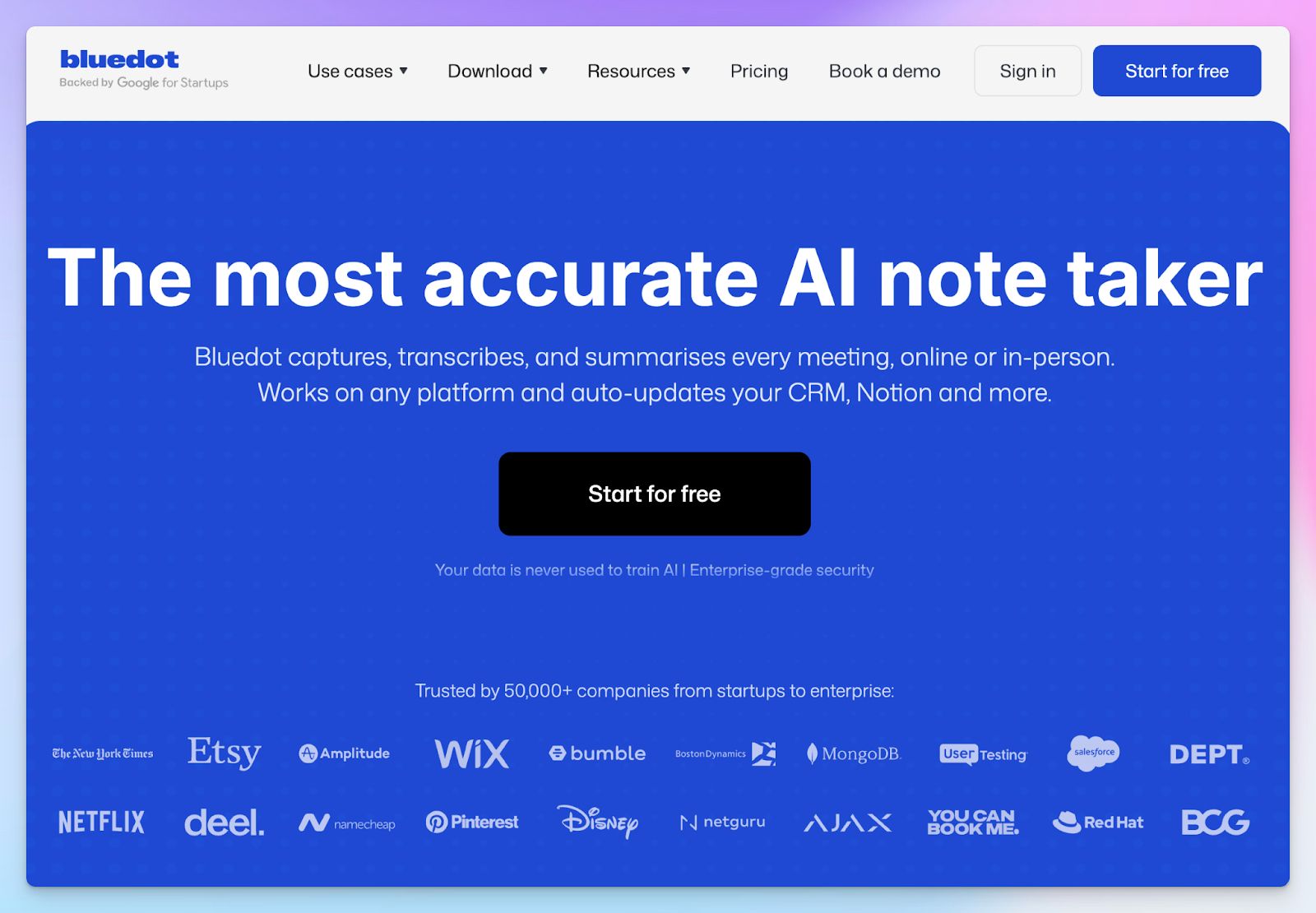
Like Jamie, Bluedot avoids sending a visible bot into your calls and reminds you to start taking notes when a meeting is on. What sets it apart, though, is platform availability and video playback support for informed decision making.
Bluedot is best used as a Chrome extension, but remember that it offers only five free meetings for the lifetime of your account, which feels more like a short trial than a sustainable free plan.
Bluedot vs. Jamie
| Category | Bluedot | Jamie |
|---|---|---|
| Bot-free recording | Captures audio and video via a Chrome extension or desktop app with or without a bot | Bot-free, but only captures audio through its macOS and Windows apps |
| Platform support | Dedicated macOS, Windows, iOS, and Android apps, plus a Chrome extension | macOS-first approach; no dedicated browser extension available |
| Video playback | Supports full video recording on Pro and above plans for visual context | Strictly transcript-only; no meeting playback available |
| Free tier | Limited to 5 total meetings for the lifetime of the account | Offers 10 free meetings per month (capped at 30 minutes each) |
Bluedot key features
- Capture audio and video of Microsoft Teams, Google Meet, Slack Huddles, Zoom, and in-person meetings with ease
- You can edit meeting transcripts to trim video recordings directly
- Bluedot natively syncs meeting data with tools like HubSpot, Notion, Slack, Zapier, Salesforce, and Make
- Speed up follow-ups by personalizing email drafts based on your conversation context
Bluedot pricing
- Free: 5 lifetime meetings only
- Basic: $18/month
- Pro: $25/month
- Business: $39/month
Bluedot pros
- Unlike Jamie, Bluedot gives you the flexibility of both bot and bot-free meeting notes
- Even though it shines as a Chrome extension, Bluedot offers dedicated macOS, Windows, iOS, and Android apps
- Supports 100+ languages for meeting notes
- Bluedot automates your data entry by pushing summaries directly to your preferred CRM in the higher tier
Bluedot cons
- The lifetime limit of five free meetings forces you to upgrade almost immediately
- If you’re a Safari or Firefox user, Bluedot doesn’t support meeting note-taking via browser extension
- Unlimited video recording is locked behind the more expensive Pro tier
💡 Also read:Best AI note takers for market researchers
3. Circleback
Best for: Teams that need workflow automations and easy-to-use note-taking apps
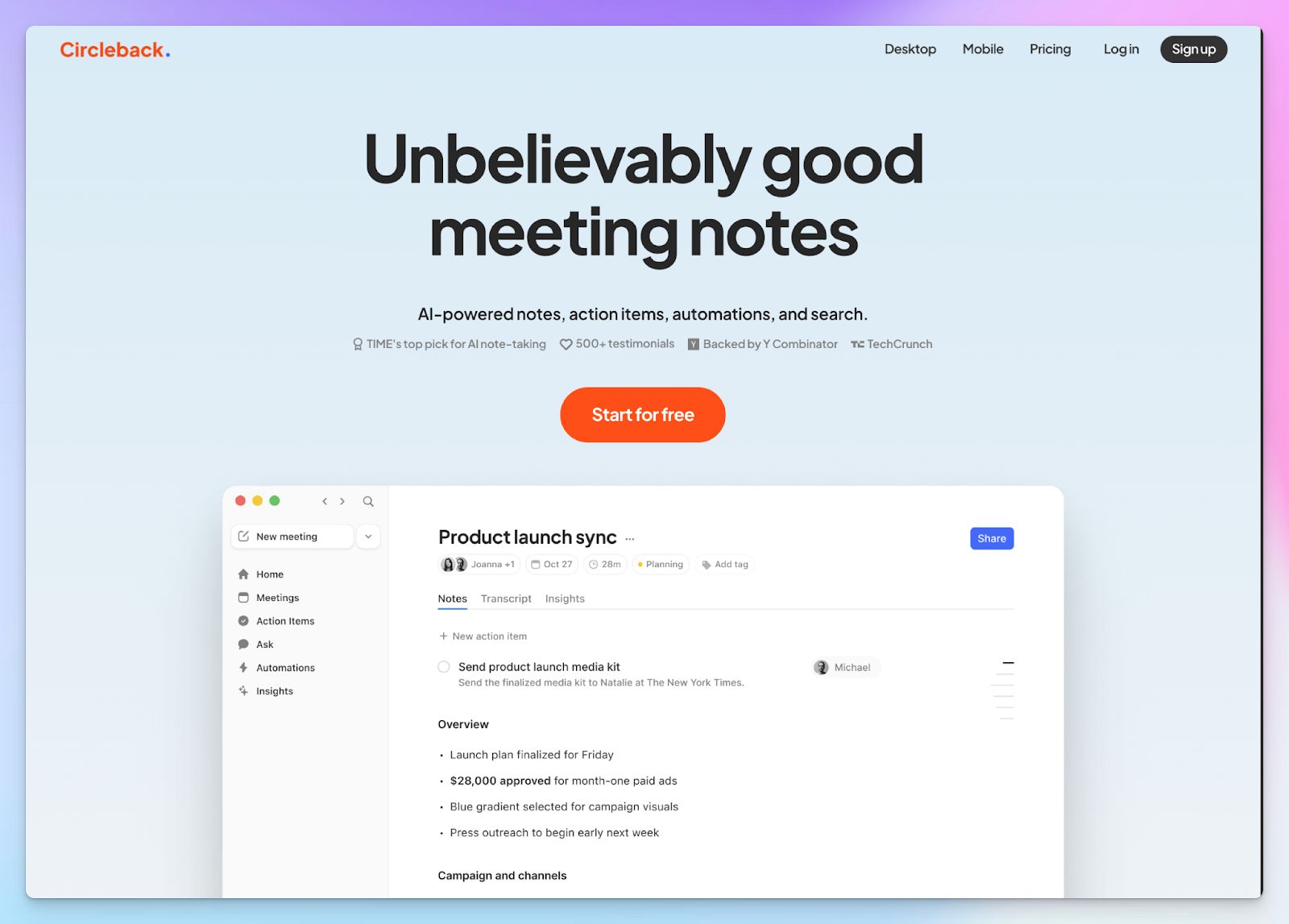
If you like Jamie’s simplicity but wish there were more integrations, Circleback is a good choice.
Like Jamie, Circleback lets you record without an intrusive bot using its desktop apps. However, it pulls far ahead when it comes to organizing your data and giving you mobile flexibility. If you are tired of manually updating tasks in Monday.com or creating Linear tasks after a call, Circleback handles that heavy lifting for you.
Circleback vs. Jamie
| Category | Circleback | Jamie |
|---|---|---|
| Workflow automation | Circleback pushes action items and notes natively to Salesforce, HubSpot, Linear, Zoho, Monday, Attio, etc | Jamie’s native integration is limited to HubSpot, Salesforce, and Attio |
| Search and context | Offers an agentic AI Assistant and MCP integration to search across your entire meeting history | The AI assistant is limited to analyzing meeting transcripts without MCP |
| Recording options | Circleback offers bot-assisted online capture, local desktop recording, and mobile apps for iOS and Android | Strictly bot-free, available through macOS and Windows apps |
| Free tier | No free tier available; Circleback only offers a 7-day free trial | Offers a free plan limited to 10 meetings per month (capped at 30 minutes each) |
Circleback key features
- Transcribe meetings with high accuracy and speaker identification in over 100 languages
- Automate your post-meeting work by syncing action items directly to tools like HubSpot, Linear, Notion, Salesforce, and AI tools via MCP server
- Circleback’s conversational chatbot searches through all past conversations to surface insights and answers
Circleback pricing
- Individual: $25/month
- Team: $30/month
- Enterprise: Custom pricing
Circleback pros
- It gives you the flexibility to record with a calendar bot or completely bot-free via the desktop app
- Circleback’s workflow automation engine is powerful and eliminates manual data entry after your calls
- Well-developed mobile and desktop apps with easy-to-use UI for fast adoption
Circleback cons
- There’s no permanent free plan, which isn’t ideal for solo users or small teams
- If you don’t need deep integrations, the plans are significantly more expensive than Circleback alternatives
4. Leexi
Best for: European revenue teams looking for VoIP integration and prompt libraries to work faster
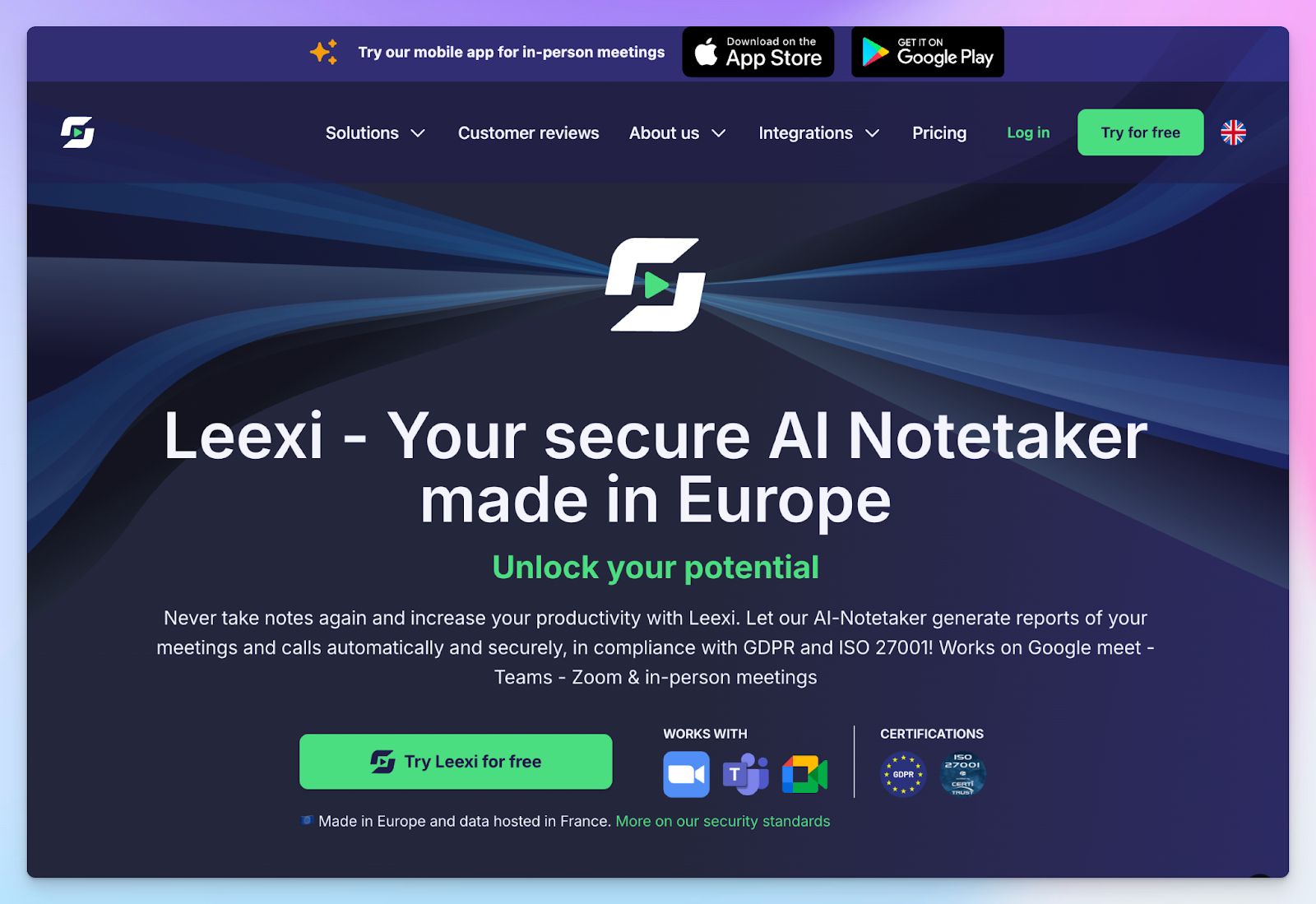
If you manage a high volume of sales calls or customer support tickets, you need a tool that does more than Jamie. Leexi positions itself as a complete AI meeting assistant for European businesses that want fast notes without data leaving the EU.
While Jamie restricts you to a purely bot-free desktop app for audio capture, Leexi gives you the flexibility to use meeting bots for virtual calls or a dedicated mobile app to record in-person meetings.
Leexi vs. Jamie
| Category | Leexi | Jamie |
|---|---|---|
| Recording methods | Uses calendar bots for virtual calls and mobile apps for in-person meetings | Captures computer audio directly through a desktop app without any bots |
| Integrations | Connects natively to platforms like Salesforce and HubSpot, along with VoIP systems like Aircall | Limits integrations to standard platforms like HubSpot, Salesforce, and Attio without VoIP support |
| Data hosting | Hosts data on ISO 27001 certified servers located in France | Stores data in the EU (Frankfurt) with GDPR compliance and ISO 27001 certification |
| Free tier | Only offers a 7 day free trial with no permanent free plan | Offers a free plan limited to 10 meetings per month |
Leexi's key features
- Transcribe and summarize calls in over 150 languages with automated speaker labeling
- Use the custom prompt library and the "Ask Leexi" AI assistant to extract specific metrics and draft follow-up emails
- You can capture in-person meetings using Leexi’s iOS and Android mobile apps
- Sync meeting notes and enrich data fields directly into tools like Salesforce, HubSpot, Odoo, Zoho, RecruitCRM, Aircall, Cloudtalk, Notion, and Pipedrive
Leexi's pricing
- Starter: $15/month
- AI-Meeting: $29/month
- Business: $49/month
- Enterprise: Custom pricing
Leexi's pros
- Leexi offers specific tools for teams like recruiting, sales, customer success, and finances
- From CRM and ATS to VoIP, Leexi has one of the widest integration supports for AI meeting note takers
- The customizable prompt library helps you tailor the AI summaries exactly to your needs
- Leexi is a Europe-focused tool and keeps your data secure in France
Leexi's cons
- Leexi lacks a permanent free plan, so it’s difficult to justify if you only need a few meetings a month
- Locks premium CRM integrations and advanced features behind the more expensive Business plan and above
5. Sembly
Best for: Managers and teams who need deep workspace analytics and automated task detection
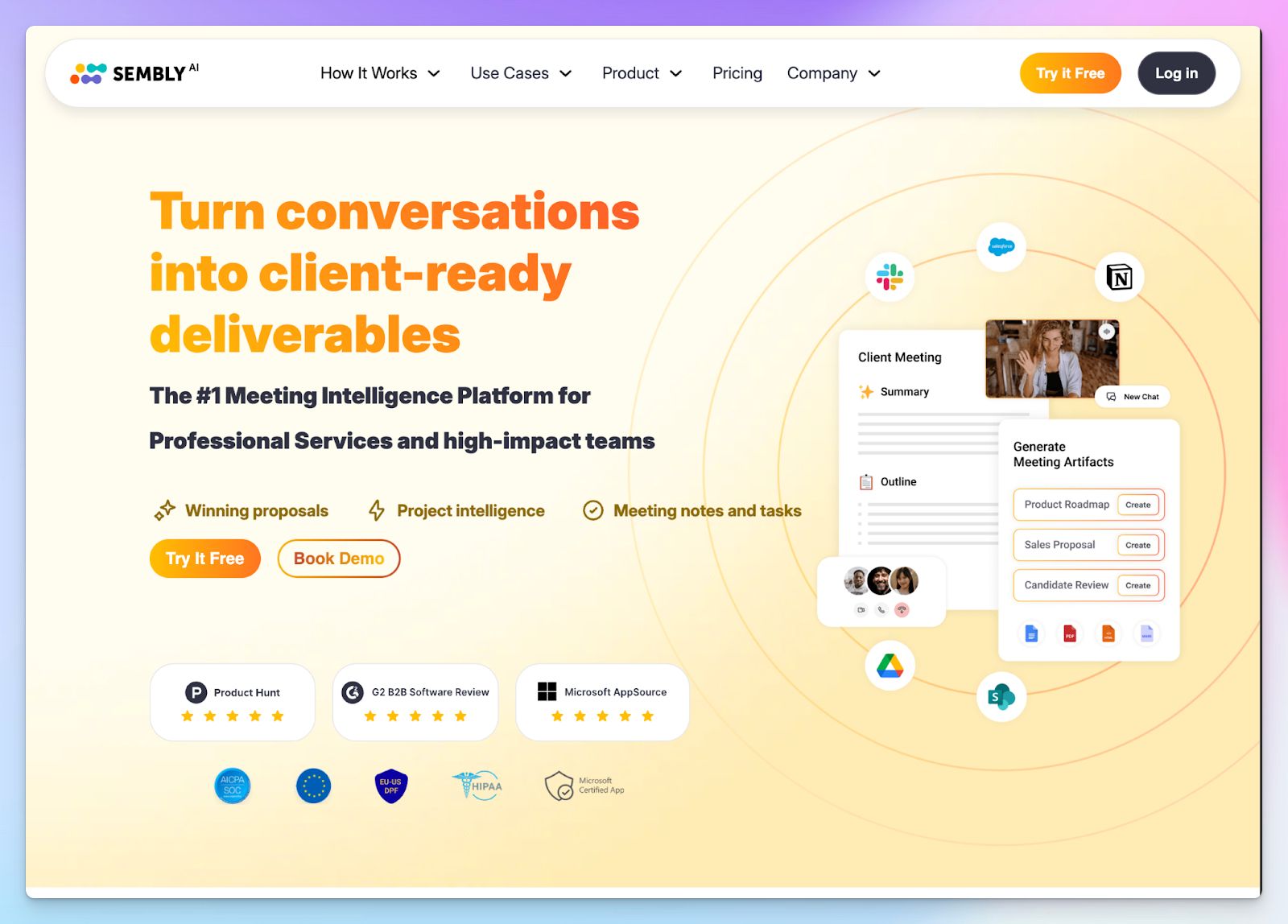
When you use Jamie, you get a straightforward, bot-free experience. However, if you manage complex projects or large teams, Sembly AI can be a solid alternative.
Sembly joins your online meetings via calendar bots and offers superior meeting intelligence compared to Jamie. It has a multi-meeting chat called Semblian that allows you to ask questions and generate documents based on the context of past calls.
Sembly AI vs. Jamie
| Category | Sembly AI | Jamie |
|---|---|---|
| Recording methods | Uses calendar bots for virtual meetings and allows direct microphone recording | Captures computer audio directly through a desktop app without any bots |
| Integrations | Advanced automation with tools like Confluence, Linear, ClickUp, Pipedrive, Airtable, and Todoist | Limits integrations to popular tools like HubSpot, Attio, Notion, and Salesforce |
| File transcription | Sembly allows you to upload pre-recorded meeting files to generate transcripts and notes | Jamie is limited to meeting recording only |
| Pricing | Plans for new users start at $17/month for unlimited meetings. No free plan | Free plans offer 10 meetings per month. 30 minutes cap per meeting |
Sembly AI's key features
- Transcribe and summarize conversations in 48 languages with speaker identification, task detection, sentiment analysis, and data retention settings
- Semblian 2.0 is a multi-meeting AI agent that not only searches past calls but also drafts documents, sets up meeting agenda, and validates decision-making
- Sembly’s advanced sentiment analysis and task insights can be tailored for different teams, like sales, HR, IT, and customer support
- You can sync meeting data with tools like Salesforce, HubSpot, Zoho, Close CRM, Jira, Wrike, Slack, Trello, and others
Sembly AI's pricing
- Basic: $17/month
- Pro: $29/month
- Max: $39/month
- Enterprise: Custom pricing
Sembly AI's pros
- Unlike Jamie, you can upload pre-recorded meeting files to generate transcripts
- Track team engagement and meeting data using the workspace analytics dashboard
- Sembly helps you automate your post-meeting workflow with wider native integration options than Jamie
- Provides enterprise-grade security backed by SOC 2 Type II and GDPR certifications
Sembly AI's cons
- New users don’t get to sign up for the free plan that was available till February 2026
- Sembly might overwhelm casual users with its busy interface and steep learning curve
Which Jamie alternative is right for you?
Before picking one of the Jamie alternatives for AI meeting notes, you have to decide what matters more to you.
👉 If you are a sales professional looking for a lightweight Chrome extension, Bluedot is a solid choice.
👉 When you want to connect your meeting notes with tools that aren’t supported by Jamie, Circleback fits the bill.
👉 European revenue teams looking for VoIP integrations will appreciate Leexi.
👉 Managers who want workspace analytics to track project risks can rely on SemblyAI.
👉 If you want highly accurate notes, SOC 2 Type II security, translated notes, and affordable plans, HappyScribe is the smartest choice.
It delivers 95% accurate transcripts across 150+ languages and captures both audio and video so you can verify exactly what was said. You get the flexibility of a transparent, customizable meeting bot or a secure bot-free recorder for in-person conversations, all backed by EU data residency to keep your global stakeholders perfectly aligned.
FAQs on the best Jamie AI alternatives for AI note taking
1. What are the best free alternatives to Jamie AI?
HappyScribe and Bluedot are among the best free Jamie AI alternatives. HappyScribe offers a generous free tier for automatic meeting transcription on all your meetings (capped at 45 minutes each), unlike Jamie's strict limits. This allows small teams to get quick meeting summaries and AI generated notes without hitting an immediate paywall. Other tools like Bluedot offer limited lifetime free plans better suited for occasional video calls.
2. What's the best AI note taker from audio?
HappyScribe is the best AI note taker for processing pre-recorded audio. While many tools only work during live meetings, HappyScribe allows you to upload both audio files and video files for highly accurate notes. As a versatile AI meeting assistant, it provides exceptional multilingual support and easily extracts key points from past recordings, making it superior to standard transcription services.
3. What's the best AI note taker for in-person meetings?
HappyScribe and Circleback are top choices for capturing offline, in-person discussions. If you handle sensitive meetings, you need bot-free meeting capture to avoid making guests uncomfortable. HappyScribe features a secure, web-based audio recorder that works on any device, allowing you to share meeting notes instantly. Circleback also provides dedicated mobile apps to capture offline conversations, along with other team collaboration features.
4. What's the best Jamie alternative for meetings?
HappyScribe is the best overall Jamie AI alternative for accurate notes, while Sembly and Avoma excel in specialized workflows. If you need broad integration across major video conferencing platforms and other major platforms, HappyScribe delivers verifiable meeting summaries and robust AI features. For sales teams looking for deep conversation intelligence and meeting analytics, Avoma is a strong contender. Simply set up calendar integration to let these tools auto join meetings and handle your automated meeting recording.
5. Is it illegal to record meetings without consent?
Yes, recording meetings without explicit consent is illegal in many jurisdictions, especially under laws like the GDPR or in two-party consent states. You must always inform participants before capturing unlimited transcription data. Tools like HappyScribe solve this by featuring a transparent bot that announces itself automatically, ensuring compliance. For bot-free setups, you must verbally ask for permission before recording so you stay legally protected.

Biplab Mazumder
Biplab is a content marketer and writer who helps high-growth brands scale content visibility across AI search channels. His works have been published in HubSpot, Freshworks, Atlassian, SurferSEO, etc. When he's not planning content strategy, he's testing AI content workflows and use cases.