![Best AI Note Takers for Microsoft Teams [2026]](/sanity-images/ejgwz1gl/redesign/5958675fdadf692267f3ba3da369f11c4f9ae62a-1536x1024.png?auto=format&w=1536.0&rect=58,88,1460,730&h=768)
If you use Microsoft Teams daily, you’ve likely had this moment: a meeting ends, and you’re left wondering what was actually decided. Action items live in chat, and follow-ups sit in someone’s notebook. Key details resurface days later in “just to confirm” messages.
AI note takers promise to fix that, but not all of them work the same way. Some simply transcribe. Others summarize, track decisions, or integrate directly with your tech stack.
After trying 10+ tools, I’ve shortlisted the top five AI note-taking tools for Teams. In this article, I’ll show you how each of these tools handles recordings, summaries, sharing, and security, so you can find the one that fits your workflow.
TL;DR
- HappyScribe: Best for teams that run multilingual meetings and need accurate notes with strong privacy and compliance controls
- Microsoft Copilot: Best for teams that already use Microsoft 365 and want their notes to stay inside Teams
- tl;dv: Best for teams that analyze meetings across time, using summaries, clips, and CRM-linked insights rather than one-off notes
- ChatGPT Record: Best for Mac users who want fast, editable summaries on ChatGPT
- Fireflies.ai: Best for teams that rely on searchable meeting history, speaker insights, and integrations beyond Microsoft
What should you look for in an AI note taker for Teams?
Accurate notes
Look for tools that reliably capture decisions and context, not just verbatim transcripts. You should be able to quote notes confidently without replaying the recording to double-check them.
Works smoothly with Teams
A good tool should feel native to Microsoft Teams, or connect through your calendar when you need to record a meeting in Microsoft Teams without extra setup. If it requires manual steps, it won’t scale across real meetings.
Secure note-taking experience
Meetings often include sensitive topics. Privacy and security aren’t optional, which is why you should look for clear commitments around GDPR, SOC 2, and data retention.
Meeting summaries and action items
Transcripts are useful for reference, but summaries are what people actually read. And action items should be clearly spelled out, not left to interpretation or buried in a long block of text.
Easy notes sharing
Check how notes are shared after the meeting. The right people should be able to access them quickly without manually copying and pasting content.
What are the best AI Note Takers for Microsoft Teams?
Here’s a quick side-by-side view of how the leading AI note takers for Microsoft Teams compare across integration, language support, security, and pricing.
| Attribute | HappyScribe | Microsoft Copilot | tl;dv | OpenAI (ChatGPT Record) | Fireflies.ai |
|---|---|---|---|---|---|
| Best for | Multilingual, privacy-first Teams notes | Native Microsoft 365 workflows | Structured meeting intelligence | Personal summaries on macOS | Searchable meeting memory |
| Teams integration | Calendar + meeting link | Built into Teams | Bot joins Teams | No direct Teams join | Bot + calendar |
| Languages | 120+ | Limited (Teams STT-dependent) | 30+ | English-first | 100+ |
| Security | GDPR, SOC 2 Type II | Microsoft 365 compliance | GDPR, SOC 2 Type I | Workspace-based controls | GDPR, SOC 2 Type II |
| Pricing starts from | Free plan available. Paid plan starts from $8.50/month (billed annually) or $17/month (billed monthly) | $30/month per user | Free plan available. Paid plan starts from $29/month per user | Included in paid plans | Free plan available. Paid plan starts from $18/month per user |
With that overview, let’s look at each tool more closely, starting with HappyScribe.
1. HappyScribe
Best for: Teams users who need accurate, shareable notes across languages, without giving up control over data
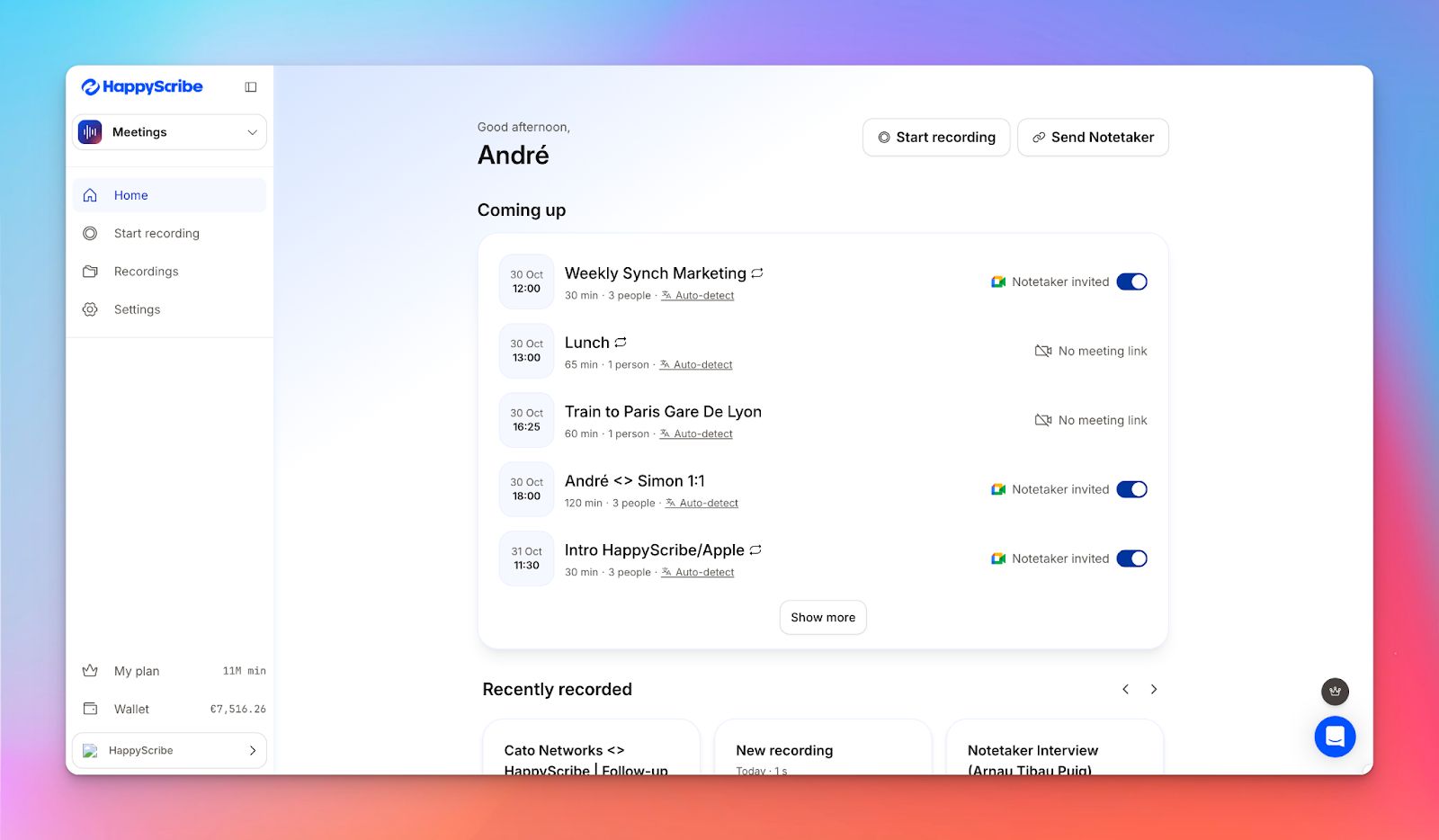
From pre-scheduled meetings to last-minute calls, HappyScribe’s AI note taker for Teams captures every meeting with precision.
Connect it directly to your Outlook calendar or Google calendar to automatically join meetings and take notes, or paste a meeting link to capture spontaneous calls.
All recordings, transcripts, and AI summaries live in one place. Security and privacy are built in, with GDPR compliance, SOC 2 Type II certification, access controls, and data residency in the EU.
HappyScribe’s key features
Get searchable and shareable meeting transcripts
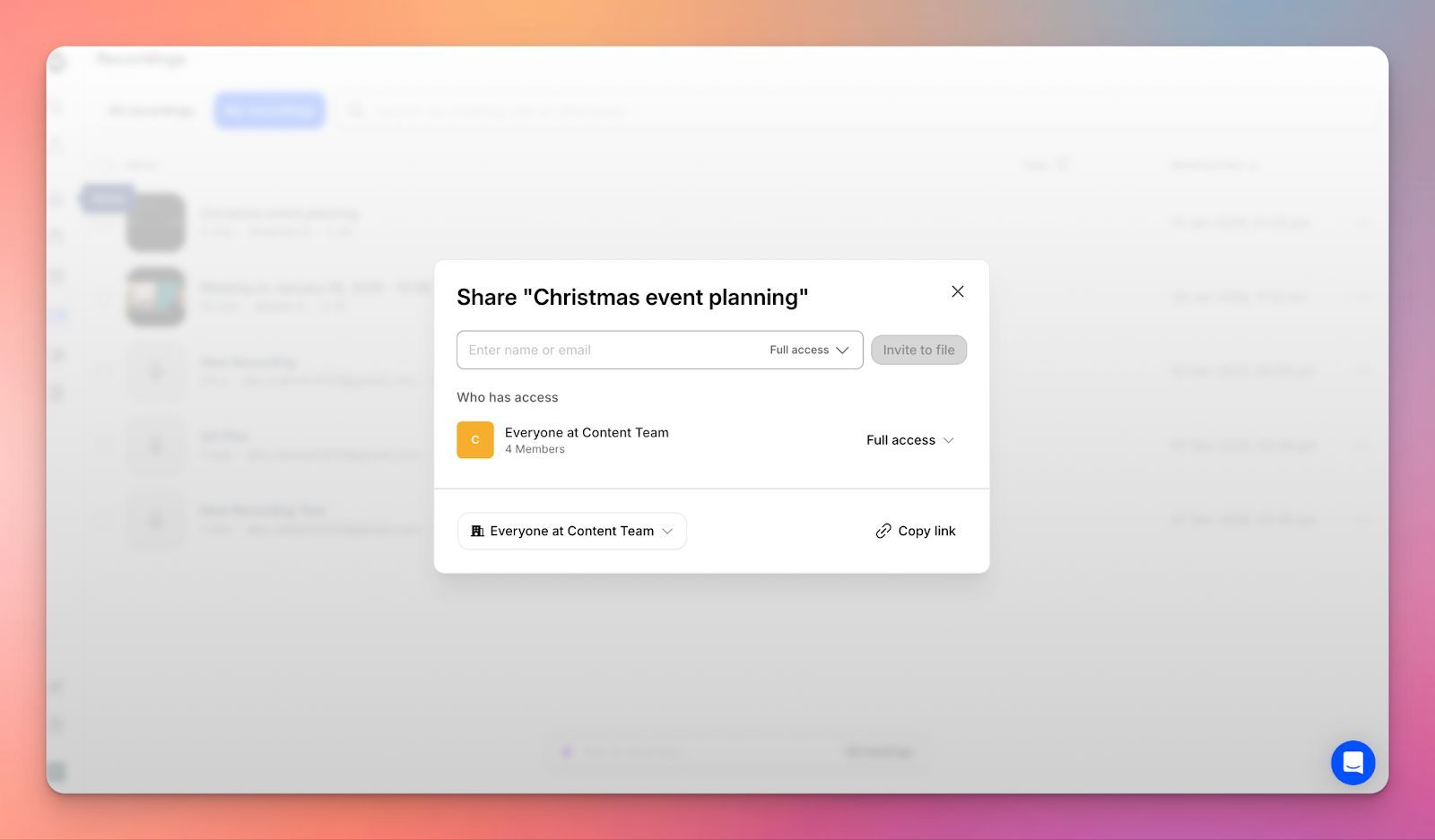
HappyScribe's AI meeting notetaker generates transcripts automatically and stores them in a shared workspace. You can search across meetings, copy links to exact moments, and share access without exporting files.
Generate summaries and action items, and extract key insights with Ask AI
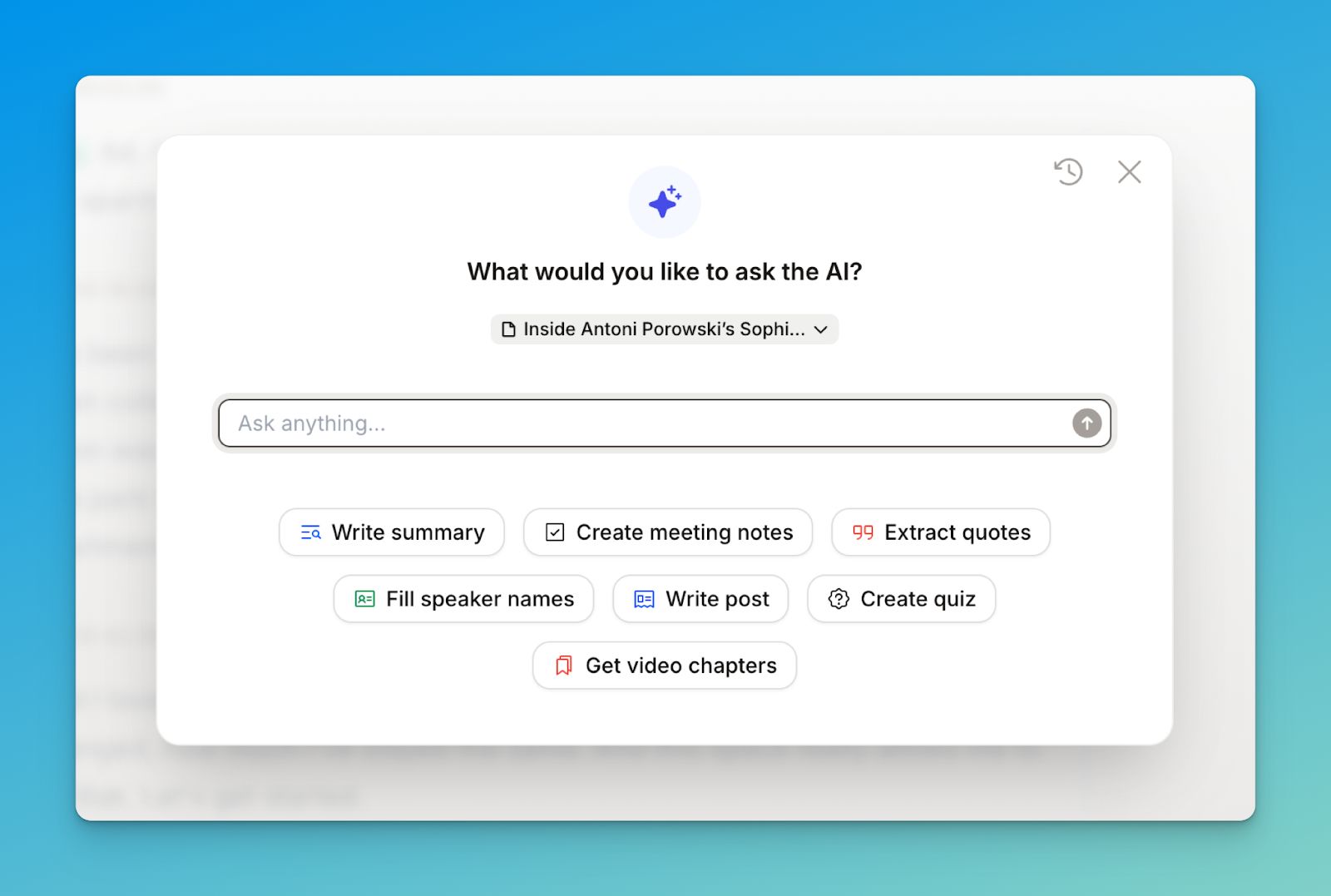
Each meeting gets an AI-generated summary with decisions and next steps. If you edit the transcript later, the summary can be regenerated to reflect those changes. AskAI lets you query a meeting after it ends. You can find specific quotes or clarifications using the actual transcript as context.
Transcribe meetings in 140+ languages and dialects
With HappyScribe, you can transcribe meetings in over 140 languages and dialects. So no matter which language your team prefers, chances are, HappyScribe supports it.
Customize your note-taker
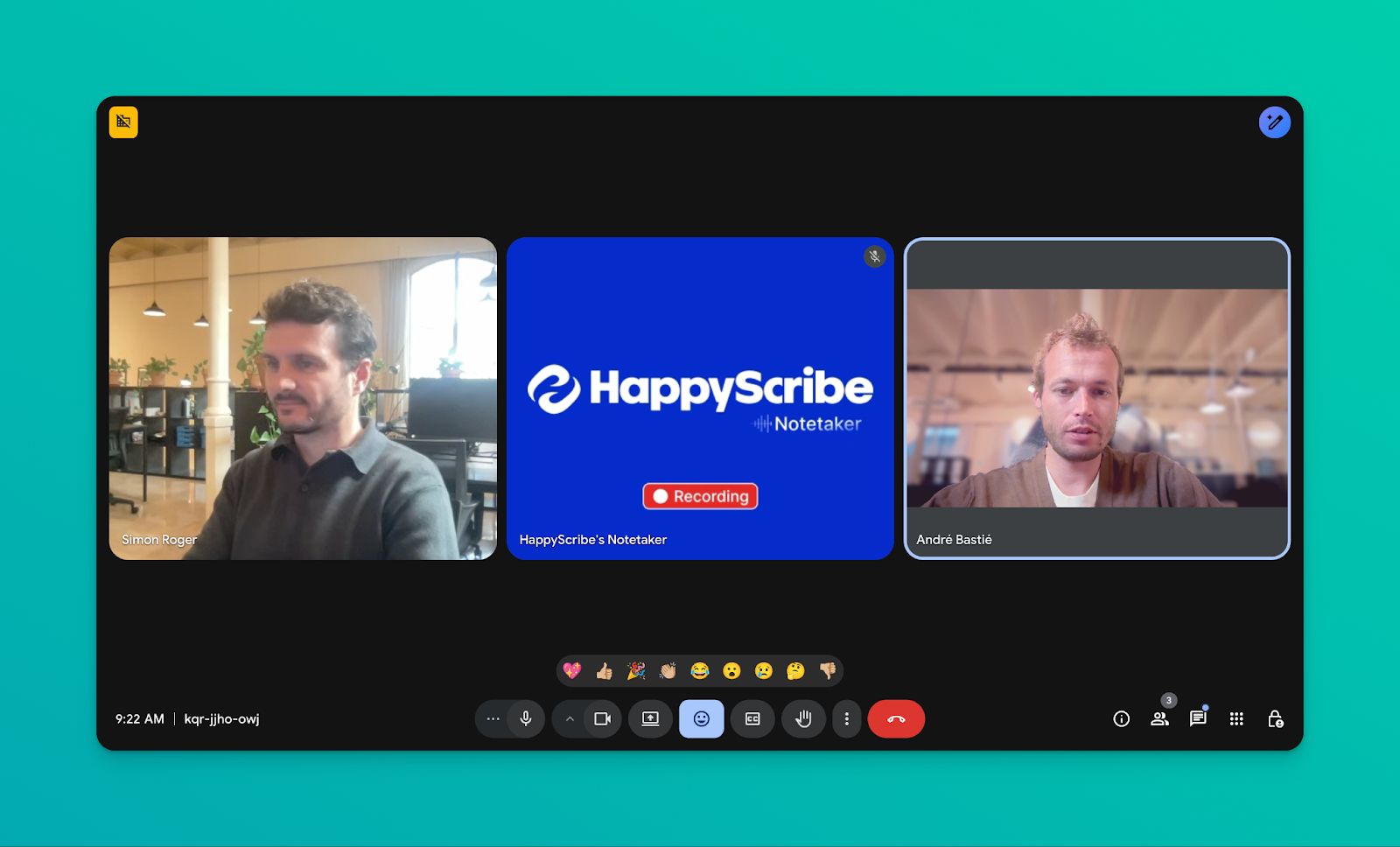
On paid plans, you can customize the bot’s name, branding, and how it behaves when joining meetings. Small detail, but it’s useful in external calls.
HappyScribe's pros
- Supports Microsoft Teams, Google Meet, and Zoom via calendar or meeting-link automation
- Delivers AI-generated summaries to your inbox or chosen workspace within minutes
- Let's you pause, resume, or disable the AI notetaker at any point during a meeting
- Records impromptu conversations straight from the browser, even without a meeting link
HappyScribe's cons
- No dedicated mobile app yet (works via browser on mobile)
- Calendar automation requires a one-time setup rather than a zero-configuration deployment
HappyScribe's pricing
- Free: Unlimited meeting recordings (45 mins/recording)
- Basic: $8.50/month (billed annually) or $17/month (billed monthly)
- Pro: $19/month (billed annually) or $29/month (billed monthly)
- Business: $59/month (billed annually) or $89/month (billed monthly)
- Enterprise:Contact sales to get tailored solutions directly
What are real-life users saying about HappyScribe’s AI note taker?
A huge timesaver! HappyScribe's automated transcription software has been a lifesaver when it comes to creating content from interviews. It does everything I need it to, makes it easy, and gets the job done quickly and accurately. Highly recommended. Judy
How to use HappyScribe AI note taker for MS Teams: A step-by-step guide
- Connect your Google or Outlook calendar so HappyScribe can automatically join scheduled meetings. If you want more control, you can also paste a meeting link and invite the notetaker manually.
- Open Meetings from the left sidebar. Use the options on the right to decide when the notetaker should join and who receives the email summary afterward.
- Head to Settings in the top right to choose when recording starts and who has access to the transcript.
- When the meeting begins, the host needs to admit the notetaker before recording can start. You can also interact with it via chat to manage the session.
- Once the call ends, the recording and notes are saved to your Workspace or your Private section, based on how your privacy settings are configured.
You can also upload pre-recorded audio files of Teams meetings if automation isn’t an option.
2. Microsoft Copilot
Best for: Organizations already standardized on Microsoft 365 who want notes without external tools
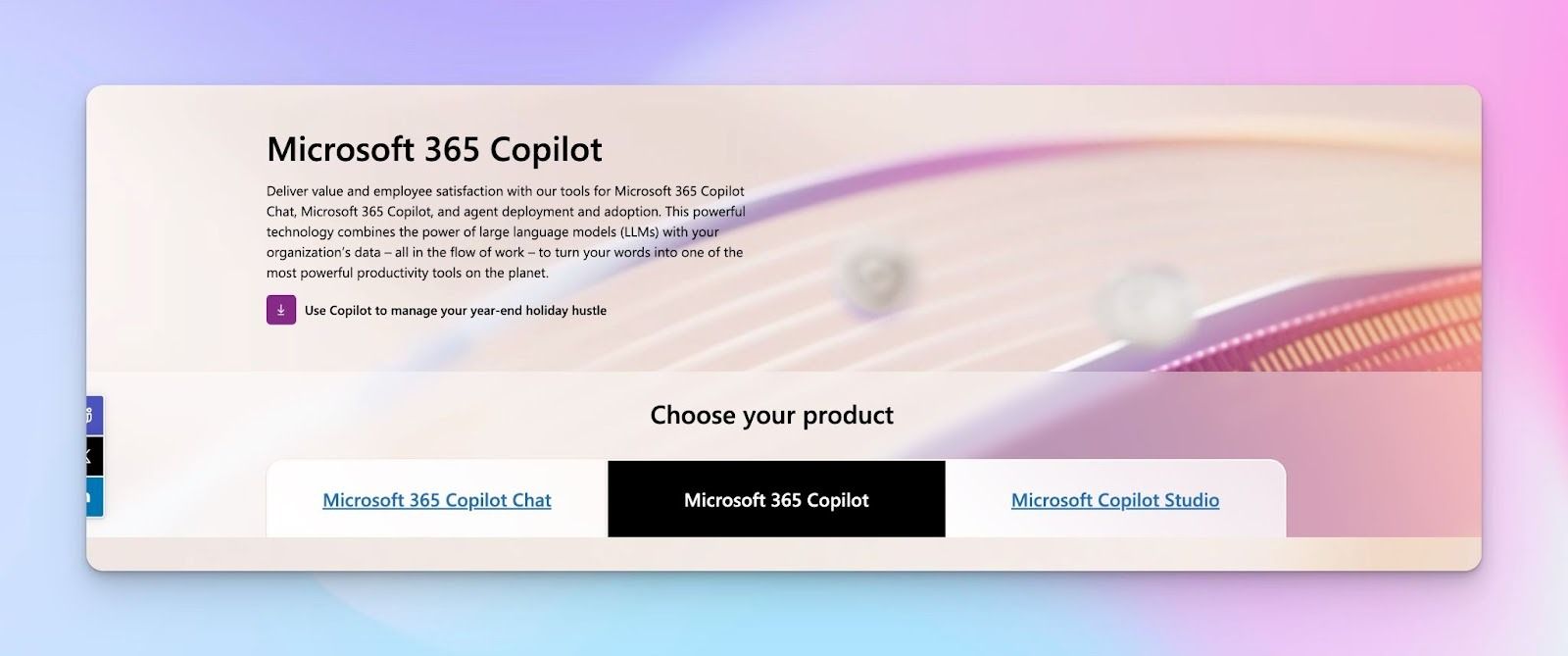
For organizations already using Microsoft 365, Copilot is the path of least resistance. Because it has access to your calendar, inbox, chats, and files, it understands context beyond the meeting itself and can pull together updates from across your work.
Microsoft Copilot’s key features
- Intelligent meeting recap automatically generates summaries with key discussion points, decisions, and action items
- Ask questions during the meeting and get answers from the discussion, including a quick catch-up if you join late
- Meeting insights carry over into Word, Excel, and PowerPoint without manual copying or data transfer
- Facilitator mode tracks agenda, time, and keeps the meeting on topic (Copilot license required)
- Copilot in Microsoft 365 apps helps with Outlook email, Excel analysis, and Word content creation beyond meetings
Microsoft Copilot's pros
- Zero setup required if you already have Microsoft 365
- No visible bot participant joining calls, which eliminates the psychological barrier some clients experience with third-party tools
- Native security and compliance inherit from your Microsoft 365 tenant
- Meeting context connects to broader work patterns across Microsoft Graph data
- Continuous feature updates as part of Microsoft's product roadmap
Microsoft Copilot's cons
- Requires Microsoft 365 Copilot licensing
- Limited transparency on language coverage
- Not available for meetings hosted outside your organization
Microsoft Copilot's pricing
- Microsoft 365 Copilot: $30 per user/month (requires existing Microsoft 365 license)
- Prerequisite: Requires a qualifying Microsoft 365 plan (e.g., E3, E5, Business Standard, or Business Premium)
Note: Copilot Chat is included for eligible Microsoft Entra ID users with M365, but offers fewer features than full Copilot.
3. tl;dv
Best for: Teams where meetings feed sales, research, or product workflows
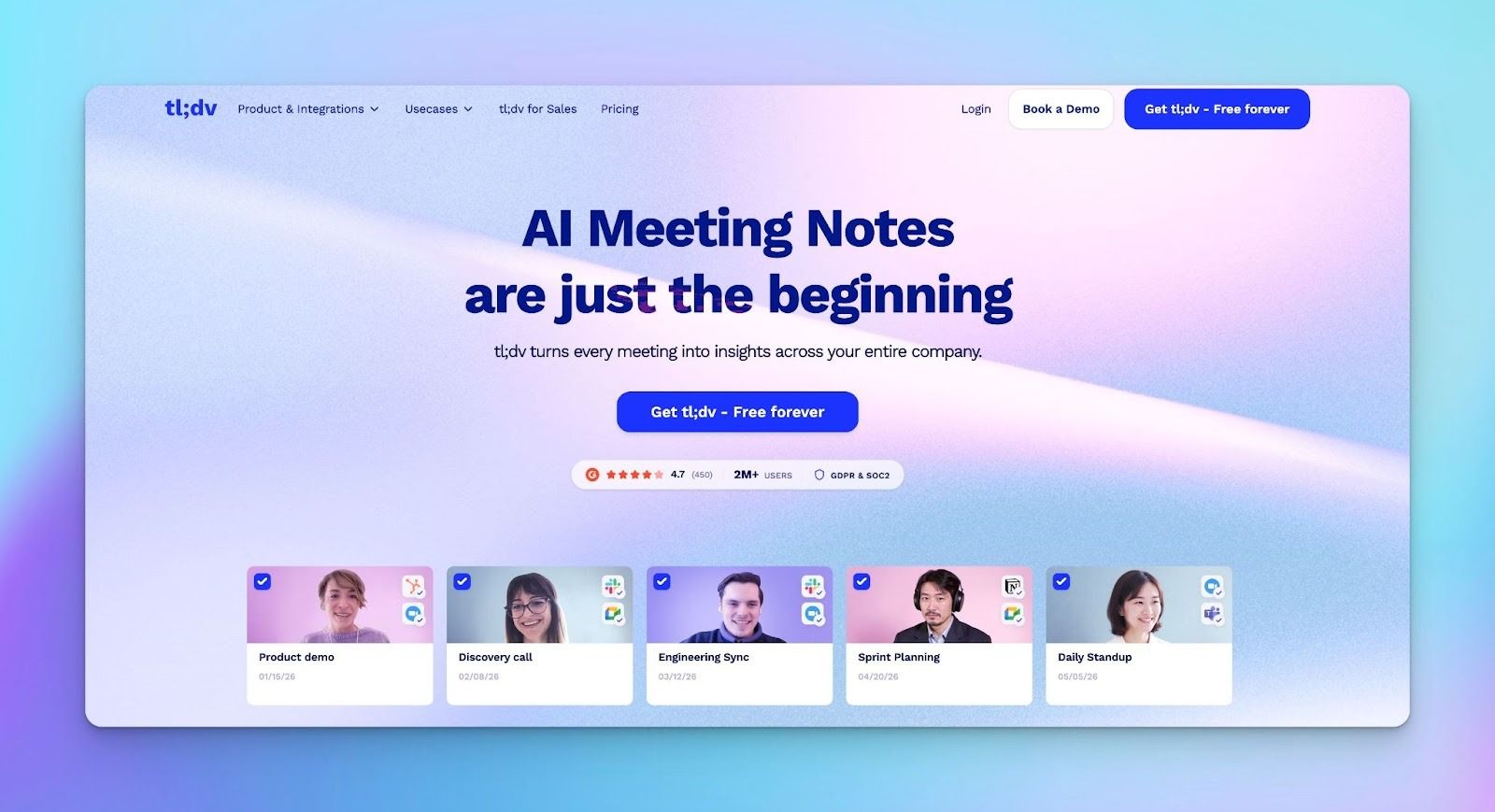
tl;dv joins Microsoft Teams calls, records them, and produces summaries, transcripts, and clips. Where it stands out is aggregation: pulling insights across many meetings rather than treating each call in isolation.
Since it’s heavily focused on sales teams’ use cases, tl;dv can feel heavier than basic note-taking tools. If you only want quick notes, some features may go unused.
tl;dv’s key features
- Record and transcribe unlimited Teams meetings with basic AI summaries on the free plan
- Automatically sync notes with Salesforce, HubSpot, and other tools
- Analyze multiple meetings to spot trends, competitor mentions, and customer feedback; send scheduled reports
- Sales coaching feature tracks playbook adherence and objection handling, and provides performance scorecards
- Get real-time transcripts in 30+ languages with speaker identification
tl;dv’s pros
- Strong post-meeting analysis capabilities
- Clear EU-based data hosting options
- Free plan with unlimited meetings
tl;dv’s cons
- No native mobile app; mobile-only calls need workarounds
- Video recording and advanced analytics require paid tiers
- Interface is sales-focused, which may feel complex for simple meeting documentation
tl;dv’s pricing
- Free
- Pro: $29/month per user
- Business: $98/month per user
4. ChatGPT Record
Best for: Individual users who want fast meeting summaries using ChatGPT
OpenAI added Record Mode to ChatGPT as a general transcription feature, not a Teams-specific assistant.
You manually start recording on macOS, ChatGPT transcribes in real time, and then generates a structured summary in a private canvas. There’s no meeting bot, no calendar automation, and no shared workspace.
ChatGPT Record’s key features
- Meetings generate editable Canvas docs with structured summaries, action items, and decisions
- Detects multiple speakers, but speaker labels aren’t shown
- ChatGPT can search past canvases/transcripts to answer questions about previous meetings
- Turn summaries into emails, project plans, blog posts, or documentation
- Records up to 2 hours per session; longer meetings stop and upload automatically
ChatGPT Record’s pros
- Turn meeting discussions into polished emails and reports
- Uses meeting context for research, coding, and analysis with ChatGPT
- Canvas format makes note editing and collaboration easier than static transcripts
- Included for existing ChatGPT subscribers with no extra subscription
ChatGPT Record’s cons
- No direct Microsoft Teams integration
- No video recording
- Collaboration requires manual sharing
ChatGPT Record’s pricing
ChatGPT Record does not have a standalone price. It is included at no extra cost with the following paid ChatGPT plans and is not available on the free tier:
- Plus: $20/month (individual users)
- Pro: $200/month (advanced users, higher limits)
- Team: $25/user/month (billed annually) or $30/user/month (billed monthly), minimum 2 users
- Business: Custom pricing
- Enterprise: Custom pricing
Note: Record mode is currently available in supported desktop environments (e.g., macOS) and does not require a separate add-on.
5. Fireflies
Best for: Teams that want a searchable meeting history with broad integrations
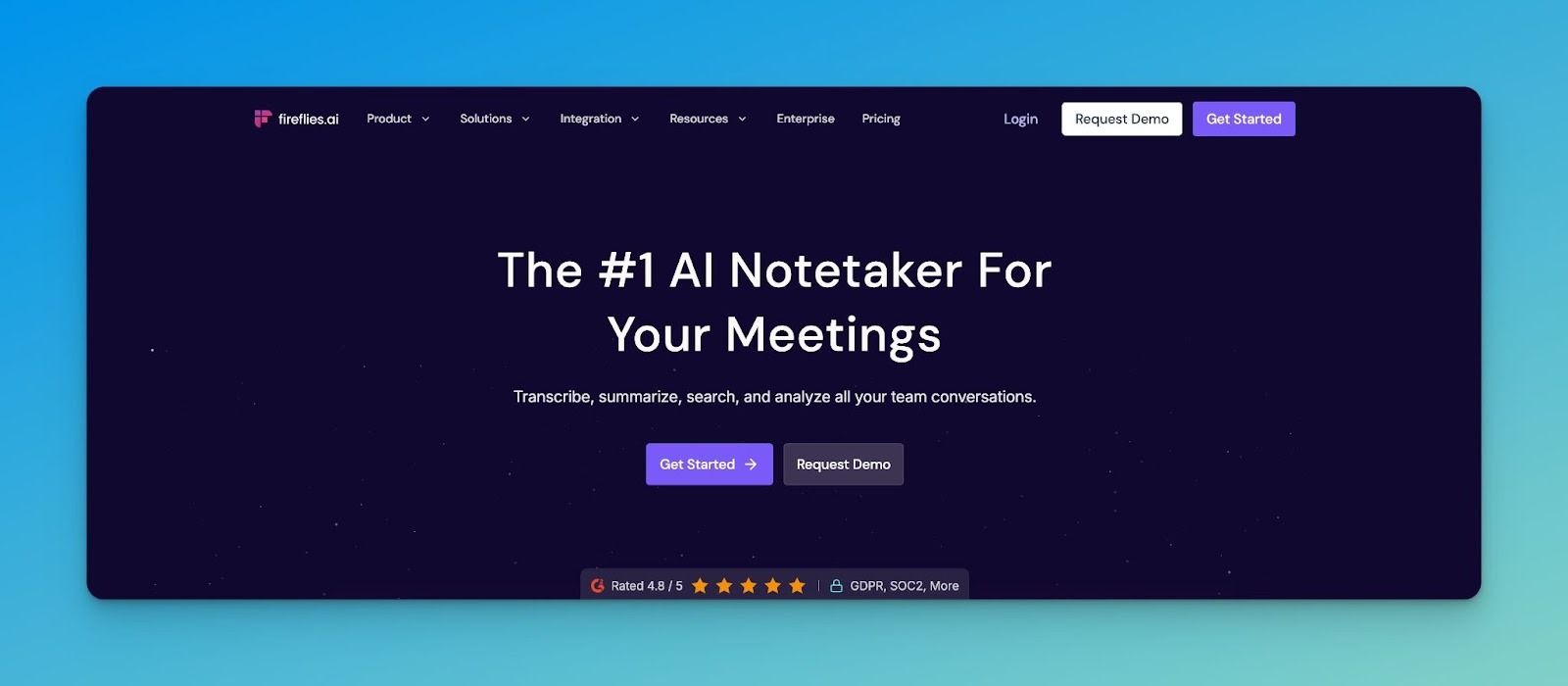
Fireflies.ai focuses heavily on recall. It records Teams meetings, transcribes them, and makes past conversations searchable down to specific sentences.
Fireflies supports many integrations and analytics features, which can be helpful or overwhelming, depending on how structured your team already is.
Fireflies' key features
- Use AskFred AI toask questions about meetings and get answers with quotes and timestamps
- Track talk time, sentiment, participation, and filter meetings by topics like tasks or budgets
- Create and share short audio clips from meetings
- Automatically spot recurring themes across meetings
- Record screen and video with transcription (Business plan+)
Fireflies’ pros
- Integrates with CRMs, PM tools, and 200+ apps to route insights automatically
- Search works across years of meeting archives for historical context
- Speaker ID and analytics quantify meeting efficiency and participation
- Channels and groups organize meetings by team or project for access control
Fireflies’ cons
- Advanced features use AI credits, making pricing more complex
- The 800-minute free storage cap fills quickly with daily meetings
Fireflies’ pricing
- Free
- Pro: $18/month per user
- Business: $29/month per user
- Enterprise: $39/month per user
Which AI Note-Taker for MS Teams should you pick?
Organizations already invested in Microsoft 365 may prefer Copilot, which keeps everything inside Teams, though it has some limitations.
For teams whose meetings drive sales, tl;dv, and Fireflies provide deeper post-meeting intelligence. And for individuals who just want fast personal notes, ChatGPT Record works well. For teams that care about accuracy, language coverage, security, and ease of use, HappyScribe stands out as the best AI note taker for Teams.
HappyScribe works well when Teams meetings feed into research, publishing, compliance, or documentation workflows. You get strong speaker handling, high-quality summaries, both video and audio recording, and flexible export options to share notes with your teammates or clients.
Frequently Asked Questions
Is there an AI note taker for Teams?
Teams supports AI note-taking via Microsoft 365 Copilot or the Facilitator feature, and third-party tools like HappyScribe, tl;dv, and Fireflies that join meetings via links. Copilot works best within your Microsoft 365 tenant and requires licensing.
Does Teams have an AI transcriber?
Yes. Teams includes live transcription, and Copilot can create summaries and notes from it when enabled and licensed. Transcription must be on for full AI summaries.
How to enable Microsoft Teams AI Note Taker?
Organizers must enable AI features and turn on live transcription. Participants also need Copilot or Teams Premium licensing to use AI notes.
What is the Microsoft app for AI note-taking?
Microsoft 365 Copilot provides AI meeting notes, summaries, and follow-ups inside Teams. It’s integrated into Microsoft 365 apps and requires licensing.
Can AI tools replace manual note-taking in Teams meetings?
Yes, especially for recurring or high-stakes Microsoft Teams meetings where details pile up quickly. Compared to manual note-taking, an AI-powered meeting assistant can capture context, decisions, and key points consistently without distracting participants. This reduces cognitive load during the call and keeps everyone focused on the discussion rather than typing.
How do AI meeting assistants improve follow-ups after a call?
A good AI meeting assistant, such as HappyScribe, goes beyond summaries. It can generate meeting notes with clear task extraction, highlight follow-up tasks, and share AI-generated notes in a format that keeps the team on the same page. It directly supports your team's productivity, since action items no longer depend on memory or scattered messages.

Akshay Kumar
Akshay builds pieces meant to reach people and stay visible where it matters. For him, it’s less about the name and more about whether the words did what they were meant to.