![Best AI Note Takers for Journalists [2026]](/sanity-images/ejgwz1gl/redesign/08b76870a98203f41e8b1366a9cf0cb6f088e4e6-1536x1024.png?auto=format&w=1536.0&rect=0,83,1536,768&h=768)
As a journalist, your interviews rarely take place in clean and controlled settings.
You are listening for nuance, tone shifts, hesitation, and what gets said off the record. At the same time, you are expected to capture quotes accurately and keep the conversation moving.
That tension is where most interviews break down.
AI note takers have become part of many journalists’ workflows because they remove the pressure of manual note taking. They can record interviews across video calls, phone conversations, and field recordings, and even in situations when background noise or accents complicate things.
The challenge is trust. If the transcript misses context or misquotes a source, it creates more work and more risk.
To understand what actually works, we spoke with working journalists, then tested leading AI note takers in real interview conditions.
The result is this guide to the best AI note takers for journalists in 2026, where we focus on accuracy and whether these tools genuinely help you conduct better interviews and report with confidence.
TL;DR
- HappyScribe: Best for journalists looking for a reliable and secure AI note taker for daily work
- Trint: Best for newsrooms that need live, collaborative transcriptions
- Plaud: Best for AI recording hardware
- Fireflies: Best for journalists looking for past meeting intelligence
- Otter: Best for journalists conducting interviews in mobile
What should you look for when evaluating AI note takers for journalists?
1. Transcript accuracy
For journalists, a missing context can undermine a story. Check word-error rates by testing with an actual interview that contains names and newsroom jargon, and verify how the tool handles interruptions so you can trust direct quotes.
2. Noise and accent filtering
You’ll record in cafes and noisy locations, so test the tool in those real conditions. Go for a tool that demonstrates training on diverse speech, which will save you time fixing transcripts.
3. Editing and quote extraction
You rarely publish transcripts as-is. Check how easily you can clean up texts, pull exact quotes, and keep edits in sync with the original audio so you can fact-check quickly.
4. Privacy and compliance
You must control sensitive material. Check for compliance, data retention policies, and whether the tool can use your recordings to train models, and make sure you can export originals to your own storage for legal needs.
5. Workflow fit
Journalists work with many tools. Evaluate how the tool plugs into your process: does it provide timestamped transcripts, accurate speaker labels, API integrations, and reliable transcript search across files? If it doesn’t save you time, it won’t change your workflow.
What are the best AI note takers for journalists?
| Category | HappyScribe | Trint | Plaud AI | Fireflies | Otter |
|---|---|---|---|---|---|
| Best for | Daily interviews with high accuracy and security | Live transcription for breaking news | Field reporting with a dedicated recorder | Revisiting past online interviews | Live English transcripts with fast setup |
| Core strength | End-to-end interview to publishing workflow | Real-time newsroom collaboration | Reliable in-person capture without a phone | Searchable archive and conversation intelligence | Real-time visibility during interviews |
| Key features | AI and human transcription, summaries, quote extraction, subtitles, translations | Live transcription, Story Builder, text-based editing | Hardware recorder, multimodal notes, AI summaries | AI summaries, AskFred search, analytics | Live transcription, prep tools, AI drafting |
| Supported languages | 140+ languages | 40+ languages | 100+ languages | 100+ languages | 4 languages |
| Collaboration | Rich text editor, wide export support, email summaries | Strong, real-time team collaboration | Individual-focused | Team access via shared archive | Limited |
| Meeting platform integration | Zoom, Google Meet, Microsoft Teams | Newsroom systems (ENPS, Mimir, LiveU) | Hardware-first with app sync | Zoom, Microsoft Teams, and other meeting platforms | Zoom, Google Meet, Microsoft Teams |
| Security and compliance | GDPR, SOC 2 Type II, EU-based data center | ISO 27001, Cyber Essentials | ISO 27001, SOC 2, HIPAA, GDPR | GDPR, SOC 2 Type II, HIPAA | GDPR, SOC 2 Type II, HIPAA |
| Pricing | Free plan; paid starts from $8.50 | Free plan; paid starts from $90 | Free plan; paid starts from $17.99 | Free plan; paid starts from $18 | Free plan; paid starts from $16.99 |
1. HappyScribe
Best for: Journalists looking for a reliable and secure AI note taker for daily interviews
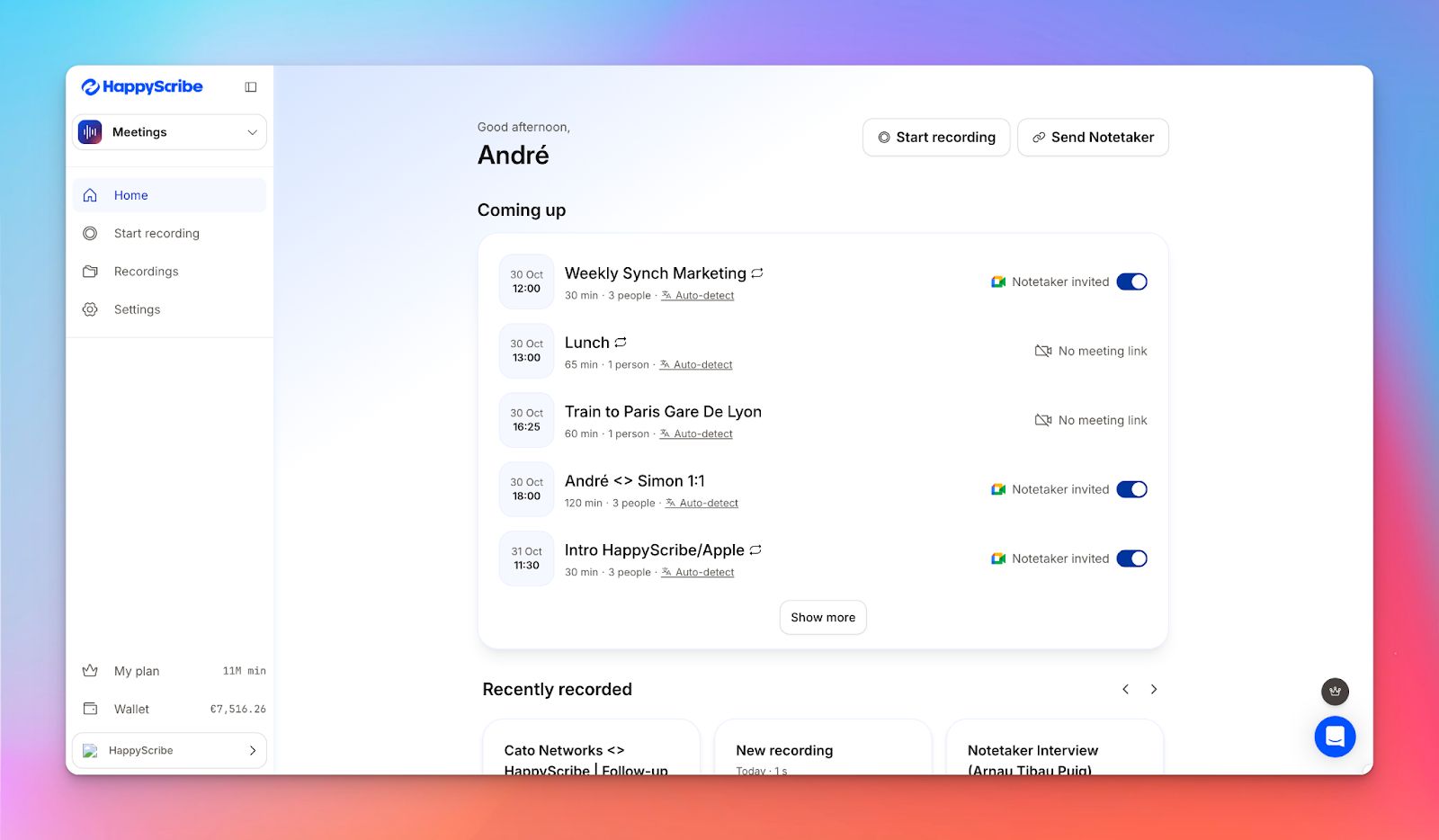
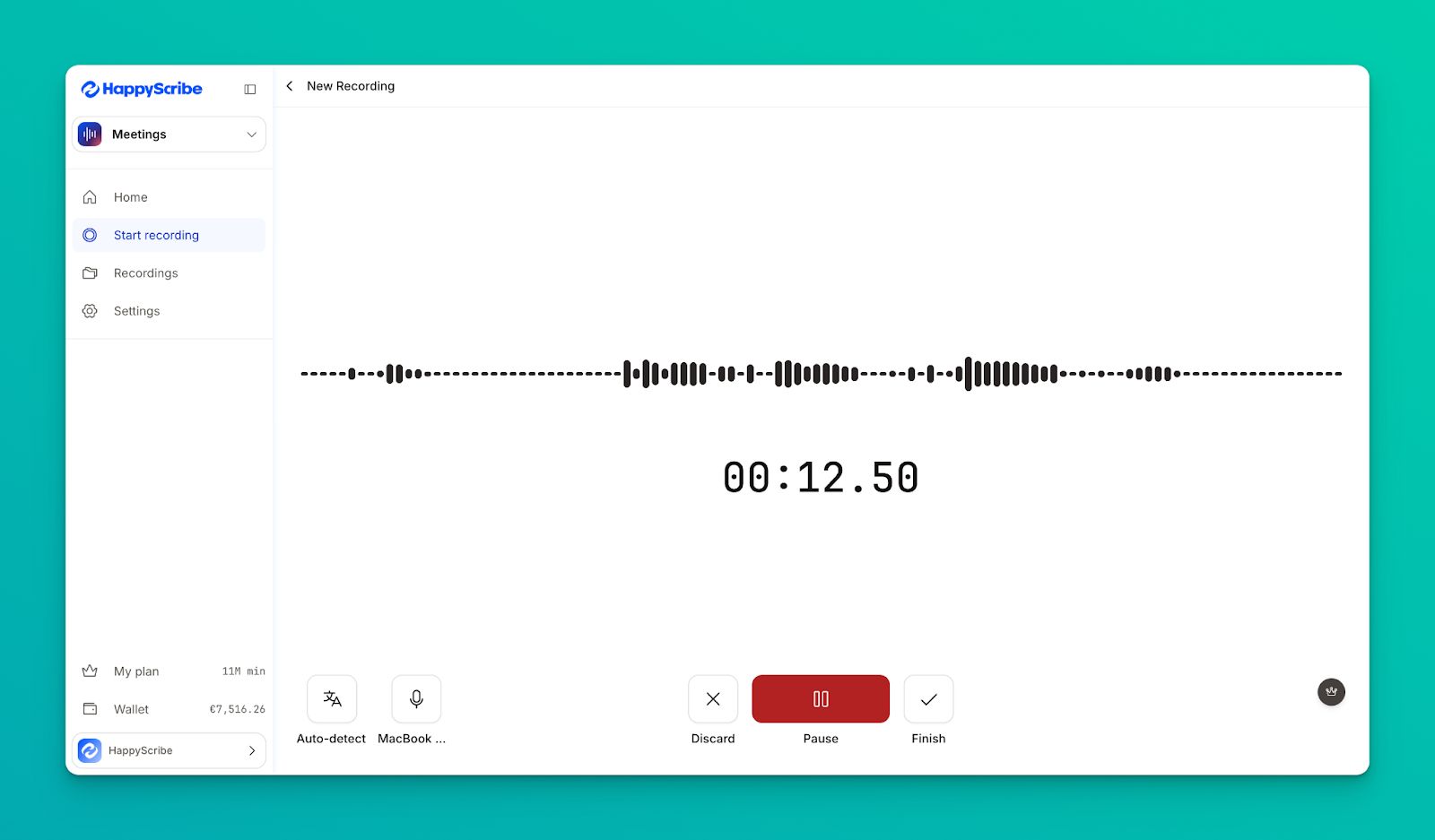
HappyScribe AI note taker is one of the best options for journalists looking for accuracy and simplicity. Be it a Zoom meeting or an in-person interview, HappyScribe records, transcribes, and highlights key insights so you can work on your story.
The reason we have it up on the list is because HappyScribe acts like a Swiss army knife for journalists. If you're someone who not only chases stories but also packages them into neat content, HappyScribe also lets you create and edit subtitles, mix audio files, and translate stories.
HappyScribe’s key features
Take notes in 140+ languages and dialects
One of our key evaluation metrics for note takers was language support. Journalists and media teams work across the globe, so it's important to pick a tool that keeps up with varying accents and dialects.
HappyScribe supports 140+ languages and dialects, which is more than most alternatives in the market. From Basque and Czech to Cantonese, Bengali, and Swahili, HappyScribe lets you cover global stories without any hiccups.
Get 95%+ accuracy
Accents and background noise impact how accurate your notes are, and this is where HappyScribe excels.
The in-house ASR model has been fine-tuned to consistently reach 95%+ accuracy, even when the audio isn't perfect.
Customize your note taker
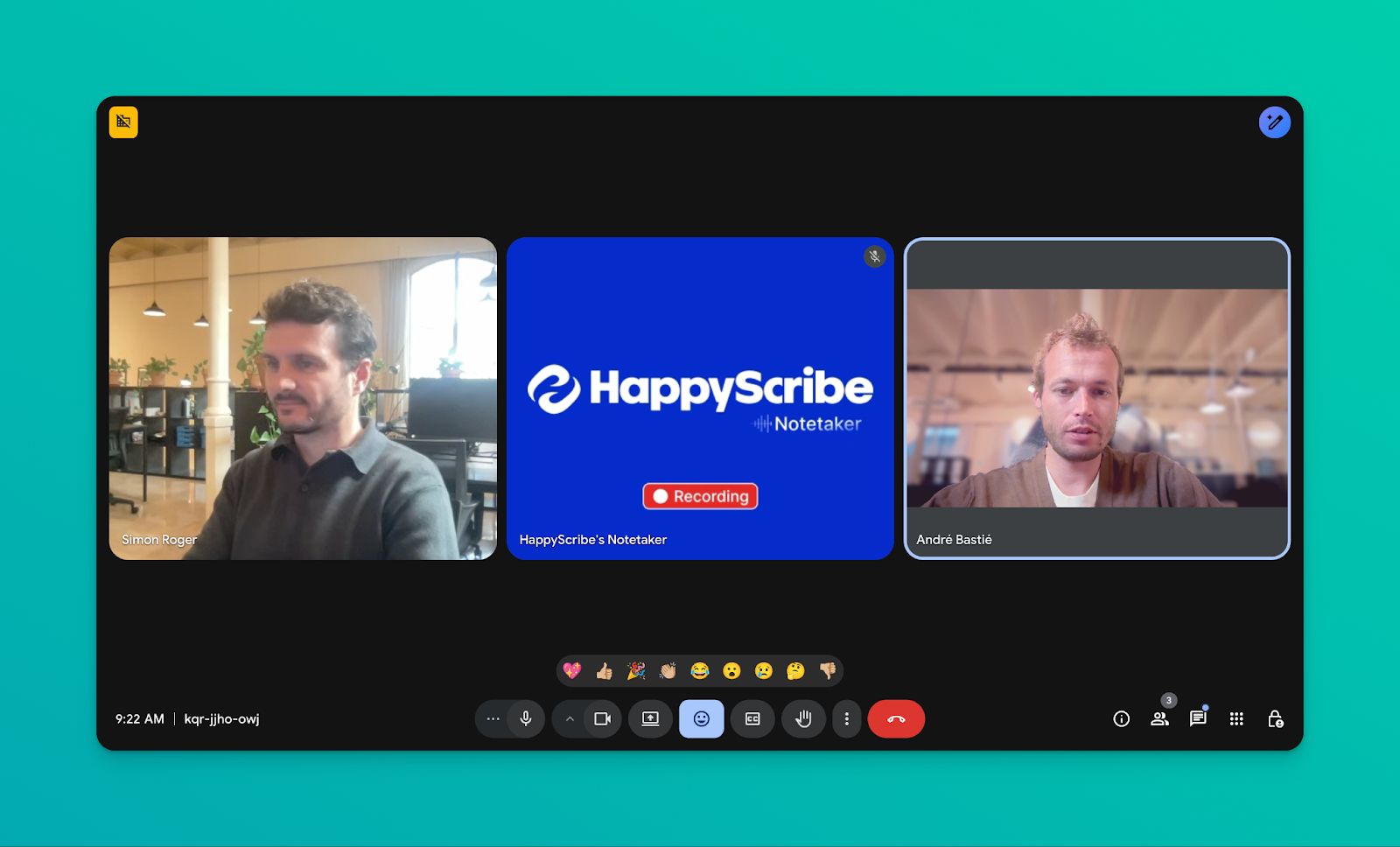
Want to make your notetaker feel like it's part of your team? You can customize the look of the HappyScribe AI note taker so all your meetings maintain brand consistency.
You can change the notetaker’s name, logo, background color, and chat messages, making the interactions feel more professional.
Generate summaries, action notes, and insights
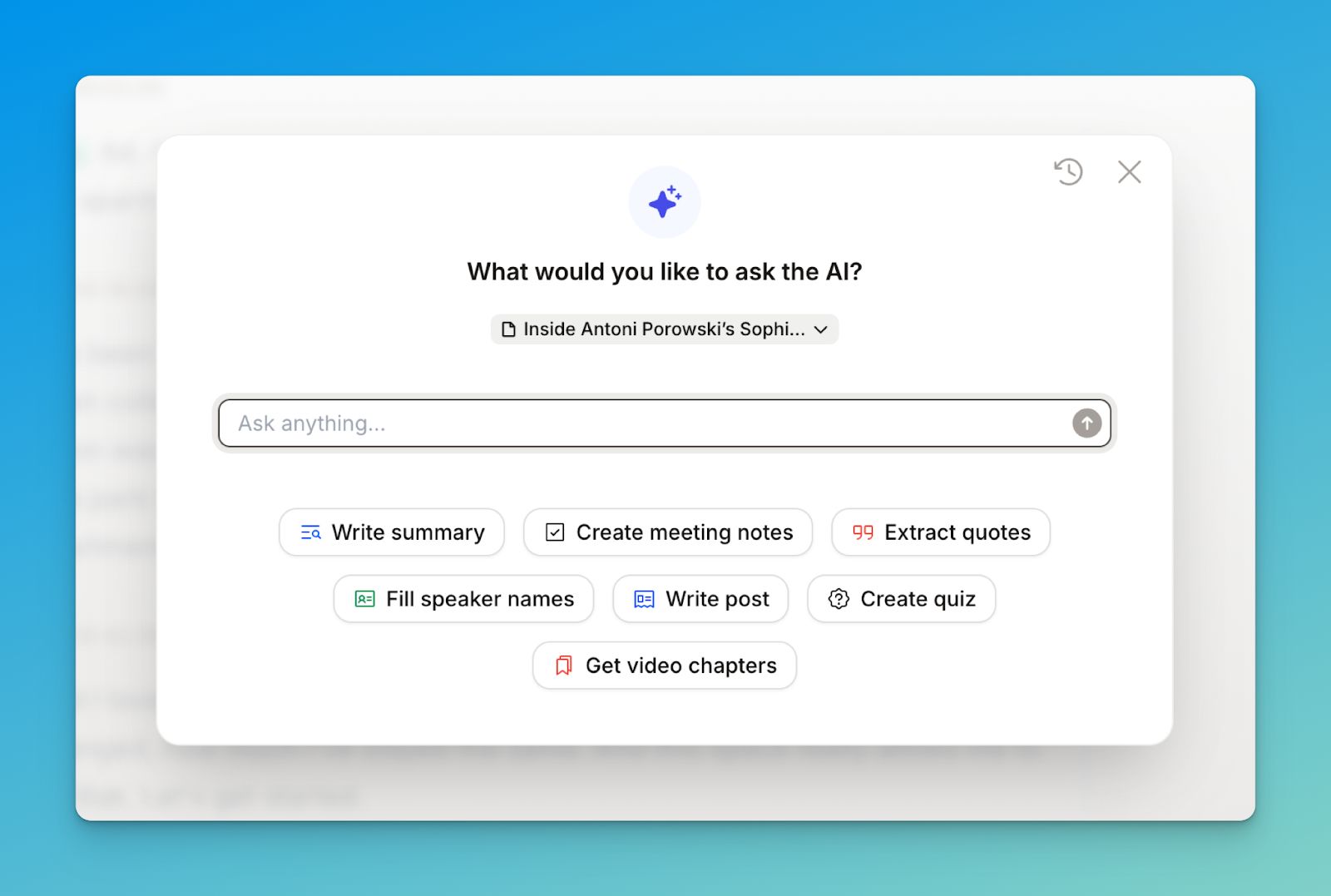
HappyScribe AI notetaker doesn't simply highlight key points and follow-ups. It also lets you extract quotes from interviews and get video chapters so you can quickly verify citations.
You can also speaker names and write objective summaries in one click. The quality of life features make you a lot more productive as a journalist.
Repurpose meeting notes
Reporters love using HappyScribe to quickly draft news stories based on interview transcripts. Simply ask HappyScribe AI to write a post, and it'll curate a compelling draft grounded in your interviews.
If you work in a newsroom, this helps you speed up writing so you can focus on reviewing and publishing.
Work across your favorite video conferencing tools
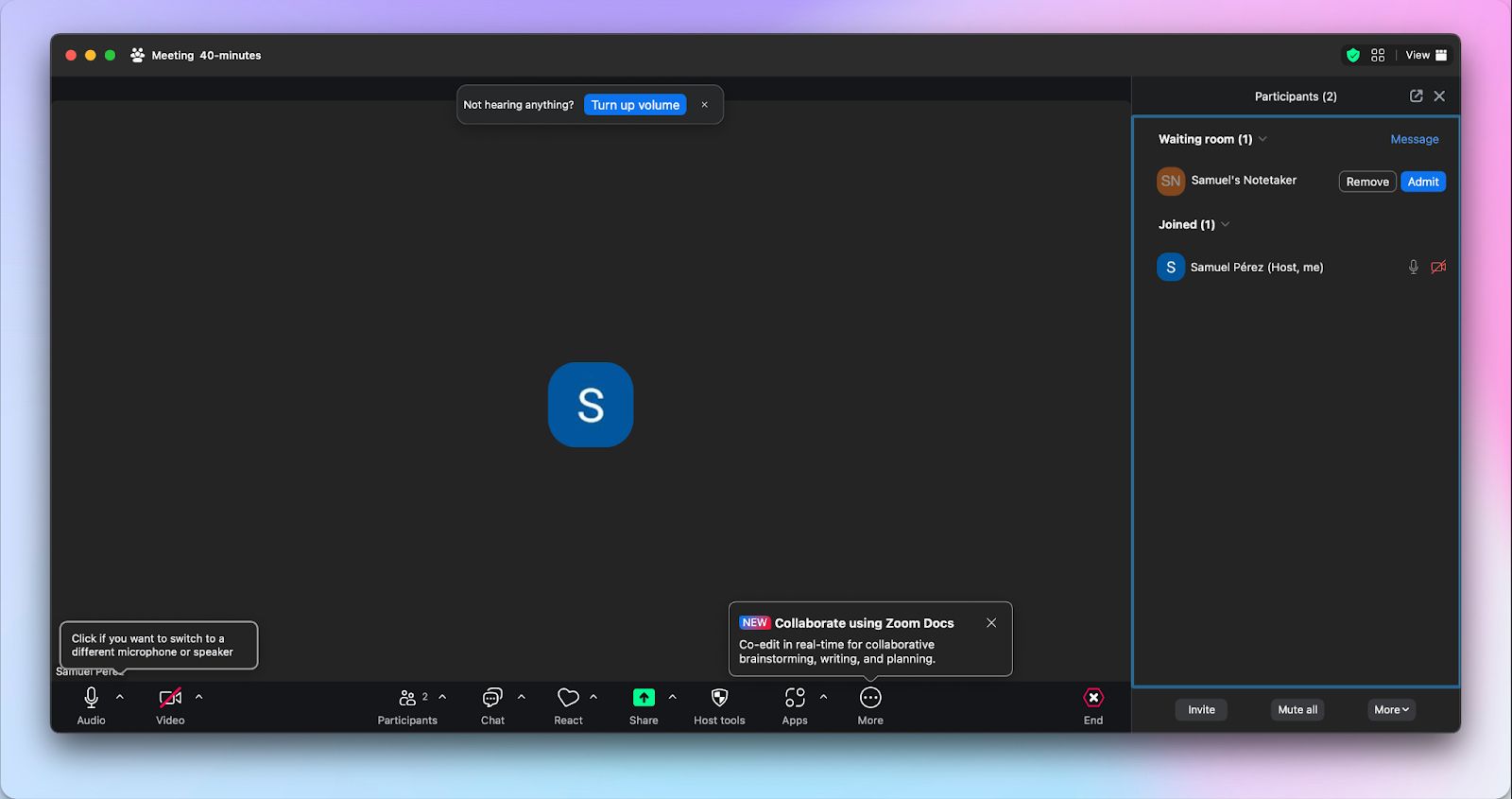
Be it Zoom, Google Meet, or Microsoft Teams, HappyScribe works seamlessly with all the apps. You can link your Google and Outlook calendars and let HappyScribe auto-join your meetings.
We talked about meeting note takers fitting into the workflows of journalists, and HappyScribe does that without a sweat.
HappyScribe’s pros
- One-click quote extraction and blog post creation to save journalists' time
- HappyScribe works with all video conferencing platforms and calendars to reduce friction
- It can record and store video files, along with editing subtitles and translating content
- HappyScribe is GDPR and SOC 2 Type II compliant, and it encrypts your data in transit and at rest. If you're a journalist in Europe, you'll love the fact that HappyScribe's data center is a tier IV, PCI DSS facility located in the EU
HappyScribe’s cons
- It's best for post-interview notes, not ideal for live transcription
HappyScribe’s pricing
- Free: Unlimited meeting recordings (45 mins/recording)
- Basic: $8.50/month (billed annually) or $17/month (billed monthly)
- Pro: $19/month (billed annually) or $29/month (billed monthly)
- Business: $59/month (billed annually) or $89/month (billed monthly)
- Enterprise: Contact sales to get tailored solutions directly
What are real-life users saying about HappyScribe’s AI note taker?
HappyScribe saves me so much time. As a journalist, my dream was to have an intern to transcribe my interviews to me - but HappyScribe answered my prayers instead! And for a reasonable price too. Super happy with it.
How to use HappyScribe’s AI note taker: A step-by-step guide
-
1
Link your Google or Outlook calendar to let HappyScribe auto-join meetings. If you prefer flexibility, you can paste the meeting link to manually invite the notetaker.
-
2
Select Meetings in the left sidebar and then check the options at the right to customize when the notetaker should join and who should receive the email summary.
-
3
Click on the Settings button at the top right to select when the notetaker should start recording and who can view the meeting transcription.
-
4
During a call, the notetaker must be admitted by the meeting host to start recording. You can chat with the notetaker to control it.
-
5
And that's it! The meetings should be saved in your Workspace files or in the Private section, depending on your privacy settings.
2. Trint
Best for: Time-pressed newsroom teams that need live, collaborative transcription
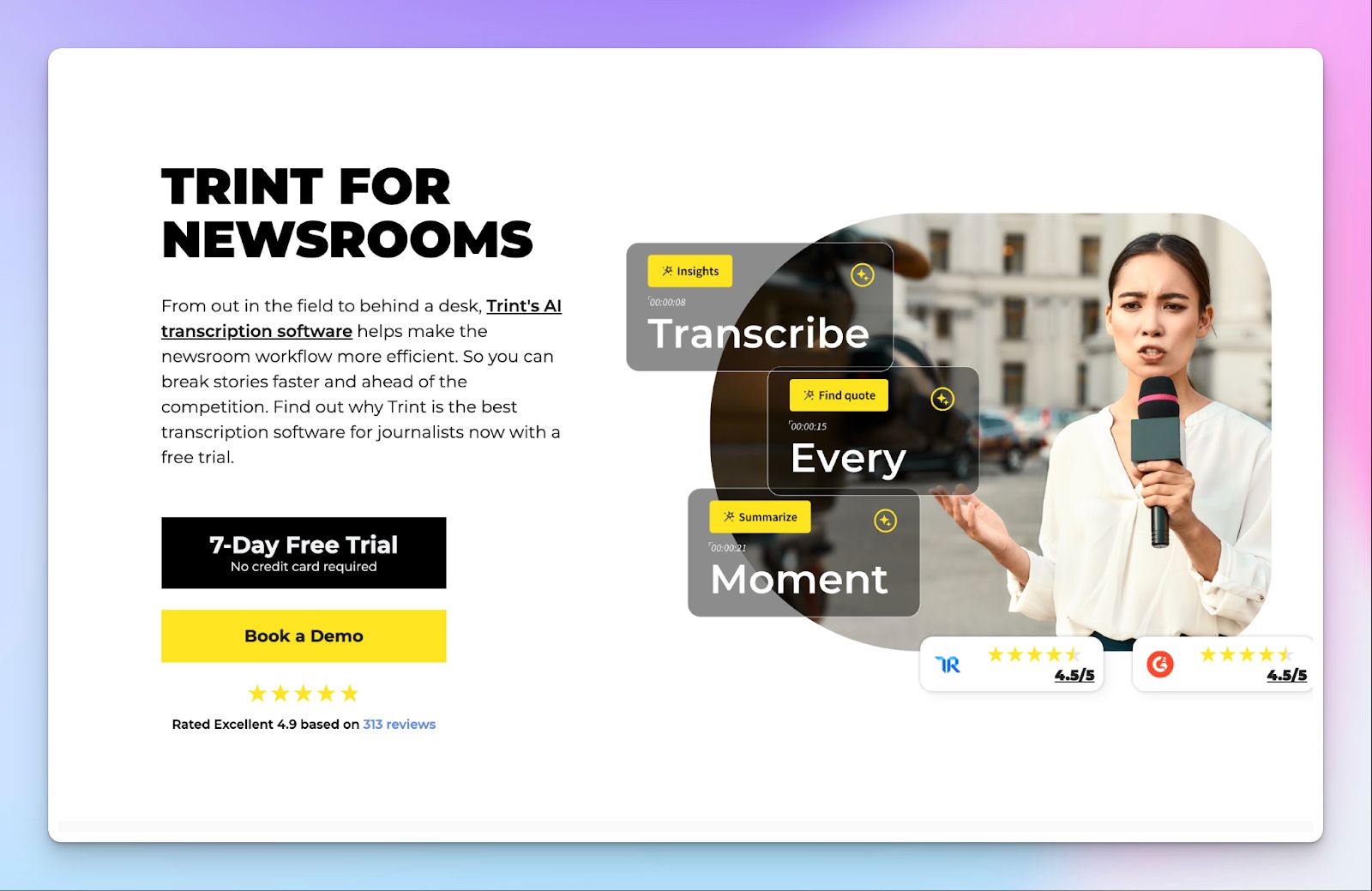
Trint is built for newsrooms where speed trumps everything. It combines transcription, collaboration, and story assembly into a single workspace so reporters and editors can work in parallel while events are still unfolding.
During press conferences or live events, teams can see transcripts appear in real time and highlight quotes before the recording ends. This makes it a strong fit for desks that publish on tight deadlines and operate across multiple rooms or bureaus.
Trint’s key features
- AI transcription for recorded field audio and live events
- Live transcription with real-time collaboration across teams
- Trint’s Story Builder lets you assemble quotes into structured drafts
- Text-based audio and video editing with export to DOCX, EDL, and XML
- It integrates with newsroom and production systems like Mimir, ENPS, and LiveU
Trint’s pricing
- Pro: $100/month (individuals)
- Team: $90/month (2-5 team members)
- Business: Custom pricing
Pros
- Trint works great for live press conferences and breaking news coverage
- Strong collaboration features support parallel reporting and editing
- It’s designed around newsroom production workflows and integrations
- Clear focus on security (ISO 27001 and Cyber Essentials certified) for professional teams
Cons
- Trint costs you a lot more than lightweight note takers
- Since it focuses on production workflows, its performance can slow down on long clips or live sessions
- Trint’s transcripts still require manual review before publication
Also read:Best Trint alternatives
3. Plaud AI
Best for: Field reporters who need a pocket AI recorder
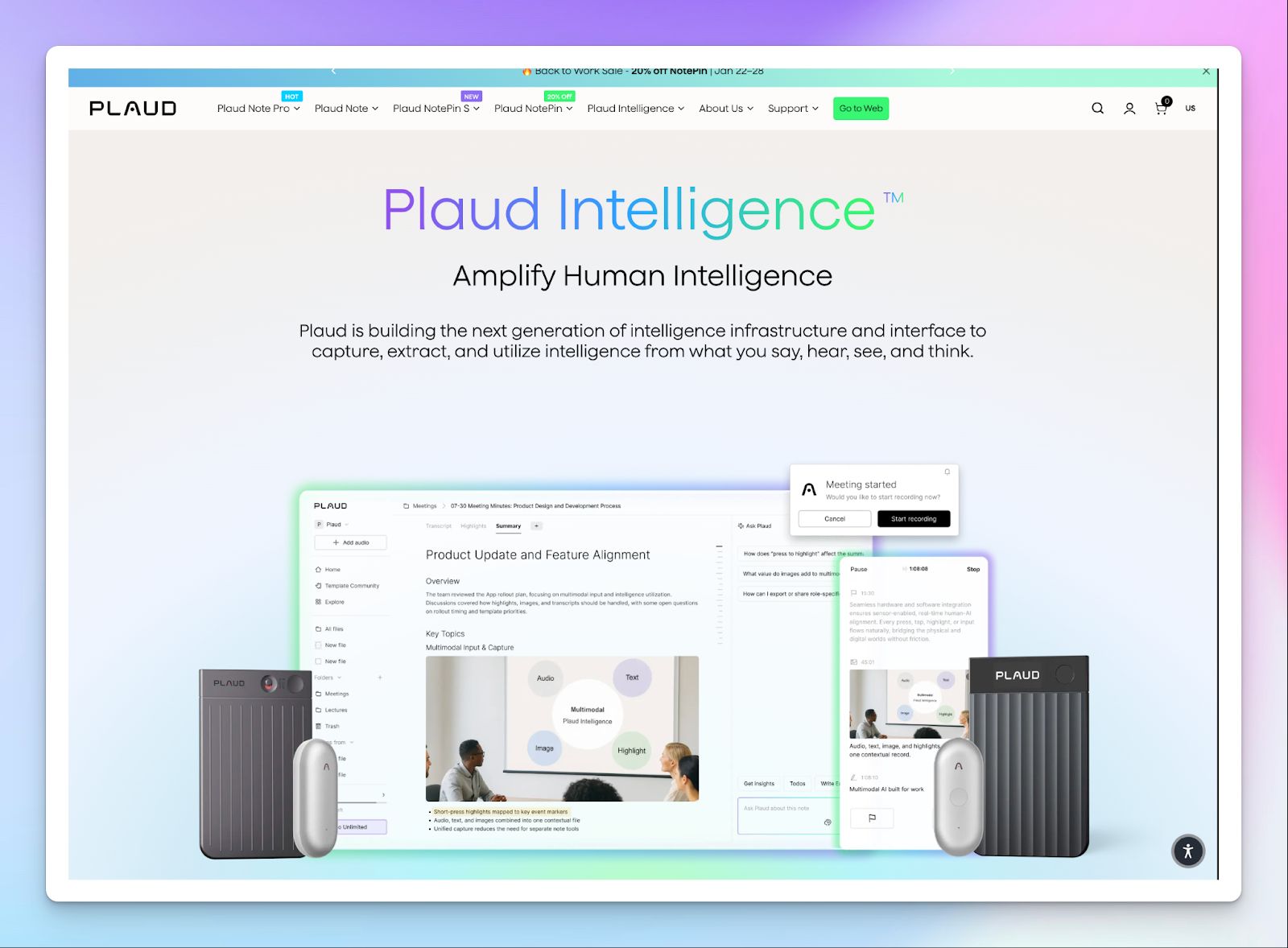
Plaud is a unique tool in this list. It’s not just a note-taker app, but a dedicated recording device paired with an AI workspace that organizes interviews. The core value is reliability in the field, especially when you are moving between locations and formats.
Instead of draining your phone battery, you press a button and record. Once synced, Plaud Intelligence structures the conversation into transcripts and summaries that preserve context from the moment it was recorded.
Plaud’s key features
- Plaud Note, Note Pro, and NotePin devices let you capture calls and ambient audio
- Plaud’s multimodal notes combine audio with text highlights and reference images
- Multilingual and multi-channel transcription with domain-specific vocabulary support
- Ask Plaud runs summaries, mind maps, and granular search
- Seamless AutoFlow syncing from hardware to desktop and web workspace
Plaud’s pricing
- Hardware: $127.20-$189
- Plaud Intelligence (Pro): $17.99/month
- Plaud Intelligence (Unlimited): $29.99/month
Pros
- Reliable capture on the go without relying on a phone or network stability
- Hardware design is discreet and practical for real reporting environments
- Strong security, including ISO 27001, SOC 2, HIPAA, and GDPR compliance
- Plaud’s hardware is rapidly developing, which bodes well for its future
Cons
- Plaud's total cost increases once hardware and ongoing AI usage are combined
- Collaboration features are not as fleshed out as competitors’
- Plaud's pricing has gone up significantly, so you should be aware of sudden spikes in bills
4. Fireflies
Best for: Journalists looking for past meeting intelligence for reporting
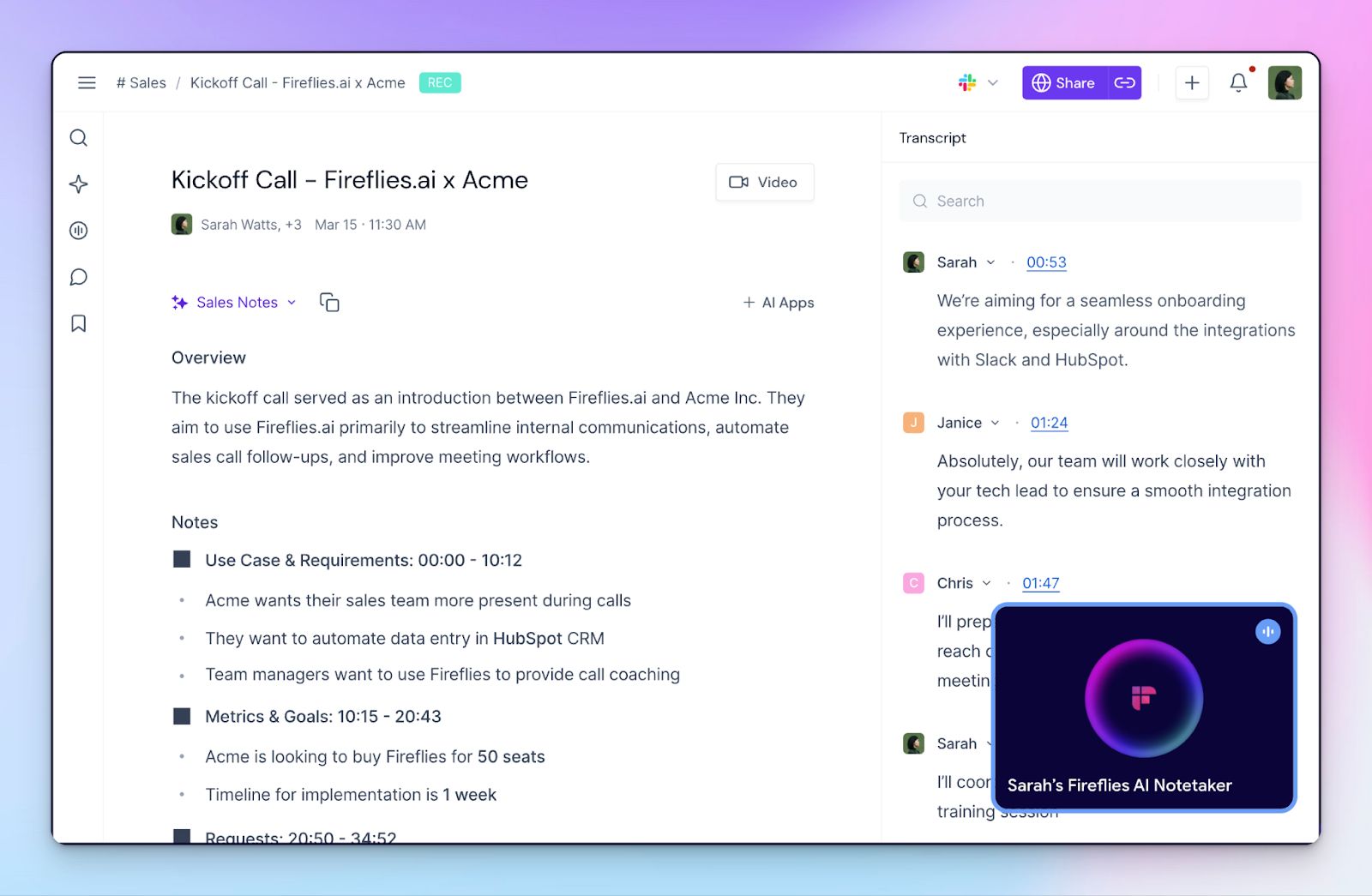
Fireflies is less about capturing audio in difficult conditions and more about helping you find quotes and themes from past conversations when you are writing or fact-checking.
Its conversation intelligence feature organizes everything into a searchable archive you can revisit long after the call ends.
Fireflies earned its place in the list because of the mature ecosystem around it. It has well-supported desktop and mobile apps and tons of integration support to fit into different tech stacks.
Fireflies’ key features
- Multilingual transcription with speaker recognition and automatic language detection
- AI-generated summaries that surface quotes and angles after each call
- Multiple capture methods across web meetings, browser tools, desktop, and mobile
- AskFred lets you run AI searches across databases with timestamped answers
- Conversation analytics and deep integrations with tools like Notion, Slack, Airtable, Dialpad, Box, RingCentral, and BambooHR
Fireflies’ pricing
- Free: Free
- Pro: $18/month
- Business: $29/month
- Enterprise: Custom pricing
Pros
- Strong recall features when you need to check interviews weeks or months later
- Fireflies Live Assist helps you conduct better interviews in real time
- Wide and reliable integrations for teams already working inside meeting platforms
- Archive search is useful for beat reporters tracking recurring sources
Cons
- Auto-join bot can miss meetings in some setups, so you have to check it manually
- Fireflies is feature-packed, which also makes the UI complex
- AI usage limits in lower tiers can hinder workflows
5. Otter
Best for: Journalists who want live transcripts on mobile
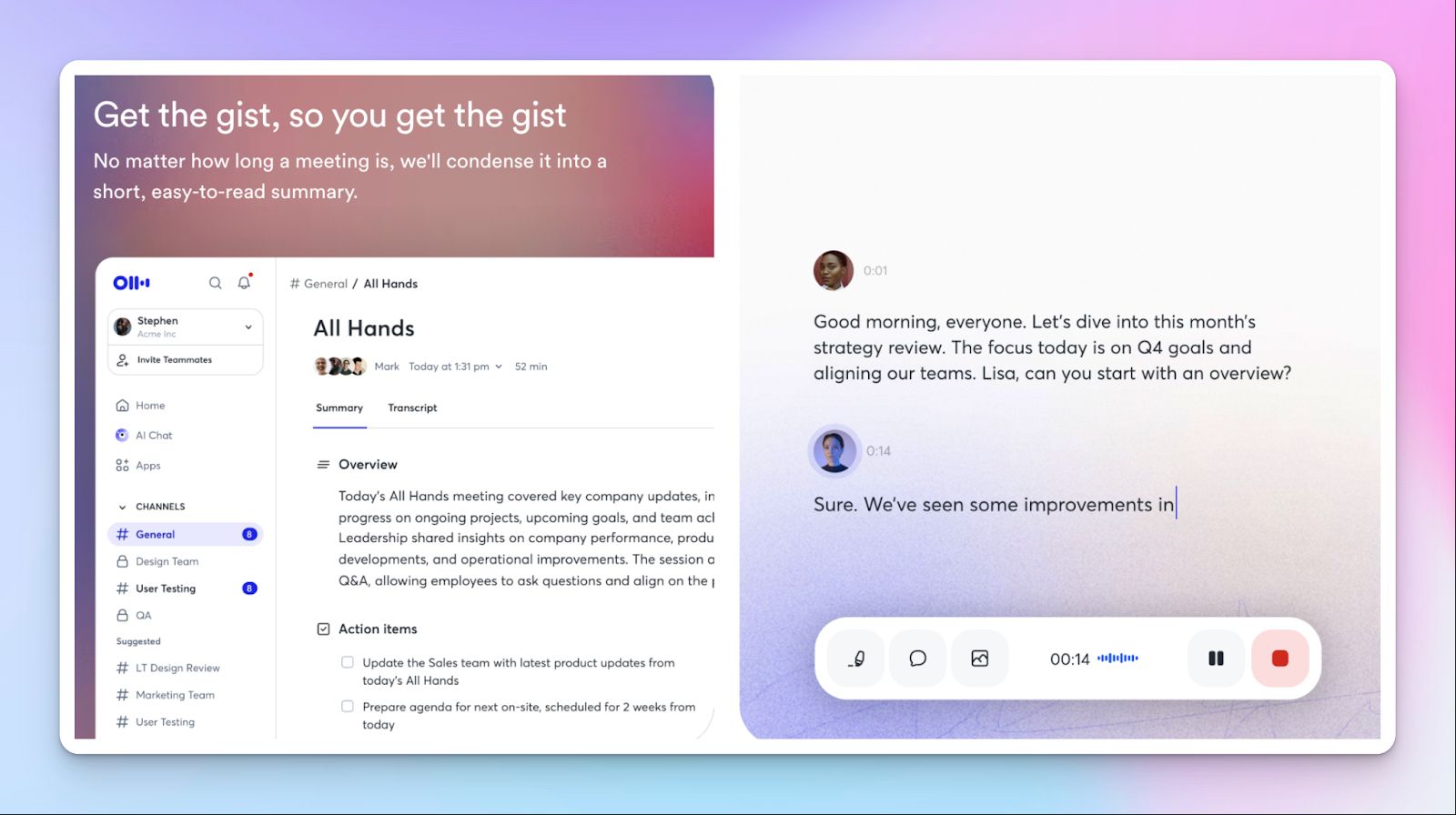
Otter frequently appears on best notetakers lists and for good reasons. It's designed for speed and accessibility rather than production depth. Otter focuses on real-time transcription and immediate reuse of interview content so you can move from conversation to outline quickly.
What drags Otter down to the last place is its limited language support for journalists and privacy issues.
Otter’s key features
- Live transcription with automatic summaries during interviews and meetings
- Media-specific prep tools for research context and interview questions
- Automated quote extraction and keyword highlighting for content creation
- AI chat to comb through past conversations and generate outlines
Otter’s pricing
- Basic: Free
- Pro: $16.99/month
- Business: $30/month
- Enterprise: Custom pricing
Pros
- Otter has a low learning curve that keeps attention on the interview itself
- Real-time transcripts support faster follow-ups during live conversations
- Otter's mobile apps help you run interviews on the go
- Pricing is accessible for individual reporters and small teams
Cons
- Otter's accuracy suffers in noisy settings or with overlapping speakers
- Language support is limited to only 4
- Otter processes user data for AI training, which might not work well for journalists
Tips to choose the right AI note taker for journalists
As you can see, the “best” AI note taker depends on what type of journalistic work you do.
If your work revolves around live press conferences, Trint might be suitable, despite its hefty price. If you spend most days in the field, Plaud’s hardware might help you. Fireflies and Otter work well for fast but general transcriptions.
HappyScribe sits in a different position. It covers daily interviews reliably, handles accents and languages at scale, while supporting the full arc from recording to publishing. You are not locked into one reporting style, and you do not need to worry about security. That balance is why it works perfectly well for journalists with very different day-to-day realities.
FAQs on the best AI note takers for journalists
What are the best AI note takers for journalists in 2026?
The best AI note takers for journalists are tools that handle real interviews, messy audio, and tight deadlines. Options like HappyScribe, Trint, Plaud, Fireflies, and Otter stand out for different reasons. HappyScribe works well for daily interviews and post-interview workflows, Trint suits live newsroom coverage, and Plaud shines in in-person meetings where recording reliability matters. A good AI note taker should capture meeting notes accurately, surface key moments, and reduce manual note taking without getting in the way of reporting.
How do AI note takers work for interviews and reporting?
AI note takers work by recording audio from video calls, online meetings, or in person meetings, then transcribing and structuring that content automatically. Most AI note taker tools turn raw meeting notes into searchable transcripts and AI generated summaries. Advanced tools add speaker recognition and background noise handling so journalists can focus on paying attention during interviews rather than typing everything down.
Are AI note takers accurate enough for sensitive meetings and quotes?
Accuracy depends on the tool, the audio quality, and how it handles accents and interruptions. For sensitive meetings and interviews, journalists should test AI note taking tools with real audio recordings before relying on them. Tools like HappyScribe offer high-accuracy AI meeting notes and optional human review, which helps reduce the risk of missing context or misquoting sources. Manual verification is still important, especially before publication.
Can I use AI note takers with Google Meet, Microsoft Teams, Zoom, or in-person meetings?
Yes. Most modern AI meeting assistants support Google Meet, Microsoft Teams calls, Zoom, and other video conferencing platforms. For example, HappyScribe joins scheduled meetings through Google Calendar, and also allows manual uploads of meeting recordings or audio recordings from the field. Hardware-based options like Plaud are useful for in person meetings where joining virtual meetings is not possible.
Do free AI note takers work well for journalists?
Free AI note takers and free plans are useful for testing workflows, but they often limit transcription minutes, AI features, or access to conversation intelligence. A free plan may cover basic note taking and short meeting summaries, but journalists handling back to back meetings or long interviews usually outgrow free tiers. Paid plans and enterprise plan options unlock better AI summaries, AI chat, AI powered search, and stronger privacy controls.
What should journalists look for beyond transcription accuracy?
A good AI note taking tool should help after the interview, not just during it. Look for smart AI summaries, quote extraction, the ability to revisit past meetings for context, and seamless ways to export and reuse meeting notes. Conversation intelligence and the ability to extract key insights and follow ups make a real difference when writing reports.

Rodoshi Das
Rodoshi is the Content Lead at HappyScribe, the privacy-first transcription and AI notetaker platform based in Barcelona. Shaping content strategies and building AI workflows excites her as much as exploring new SaaS tools. She specializes in product-led content that informs rather than sells, grounded in honest product benchmarking and low tolerance for empty marketing speak.