![5 Best Bot-Free AI Note Takers [2026]](/sanity-images/ejgwz1gl/redesign/53b6f34a2260ada38501bbb19fd3f87c9e1be98d-1600x900.jpg?auto=format&w=1600.0&rect=0,50,1600,800&h=800)
Bot-free AI note takers are built for teams that want reliable notes without adding anything new to the attendee list.
I’ve been in meetings where the conversation is finally flowing, only for the momentum to drop the moment a meeting note taker (AKA meeting bot) joins.
Some feel overly cautious, some fear for privacy, and some just find the presence of a bot awkward. And that changes the rhythm of the conversation.
There are teams that enjoy the transparency of a bot joining the call. But some prefer a bot-free workflow.
If you lean toward bot-free meetings, this guide is for you.
Over the last two months, I tested a range of bot-free AI meeting note takers, explored their free plans where available, and reviewed user feedback on G2, Reddit, Capterra, and Trustpilot. I also spoke with colleagues and friends who actively use these tools in real work settings.
Based on that research and hands-on testing, I narrowed it down to my top five picks.
TL;DR ⏩
- HappyScribe: Best all-rounder for bot-free meeting capture with 95%+ accurate transcripts in 150+ languages and EU-grade privacy
- Granola: Best for people who like taking their own notes during a call and want AI to clean them up afterward
- Tactiq: Best for Chrome users who want live transcription they can turn into quick follow-ups
- Bluedot: Best for teams that need meeting takeaways to reach the right people fast after a call ends
- Meetily: Best for privacy-focused teams that want meeting notes processed locally with no cloud upload
How did I evaluate the best bot-free AI note takers?
1. Accuracy of notes
I looked for tools that capture conversations clearly, identify speakers reliably, and generate summaries that still hold up when meetings get messy with crosstalk or fast speakers. If the notes are not trustworthy, the rest of the workflow falls apart.
2. Privacy and compliance
Meetings often include customer details, internal strategy, or sensitive business context. I paid close attention to how each tool handles data storage, encryption standards, access controls, and compliance certifications like GDPR and SOC 2.
3. Ease of sharing
I looked at whether the tools can meeting summaries directly, share them by email, or push them into existing tech stack with minimal effort from my end.
4. Multilingual capabilities
Some teams work across languages or switch between them mid-meeting. I paid particular attention to AI meeting assistants that handle mixed-language conversations without making the transcript harder to trust.
5. Reliable customer support
When a note taker becomes part of your daily workflow, support quality becomes critical. I looked for tools with clear help documentation and responsive support teams that do not leave you waiting when something breaks.
What are the best bot-free AI note takers? At a glance
| Category | HappyScribe | Granola | Tactiq | Bluedot | Meetily |
|---|---|---|---|---|---|
| Best for | Market researchers, journalists, business leaders, and content professionals looking for discreet meeting recording | People who like capturing their own notes and want AI to clean them up | Chrome users who want live transcription and fast follow-ups | Teams that need meeting takeaways to reach the right people after a call | Teams that want local, offline notes |
| Recording method | Browser recorder, file upload, or calendar auto-join; mobile app coming soon | Desktop app, iPhone | Chrome extension (live transcription, no audio stored) | Desktop app, Chrome extension, mobile app | Local device only, no cloud upload |
| Language support | 150+ languages and dialects | 10+ languages | 60+ languages, real-time | 100+ languages | 99+ |
| Privacy | GDPR, SOC 2 Type II, EU-only storage, AES-256 | SOC 2, US-hosted AWS | SOC 2 Type II, text-only storage | GDPR, CCPA, SOC 2 | No cloud, open-source option |
| Pricing | Free; paid plans start from $8.50/month | Free; paid plans start from $14/month | Free; paid plans start from $12/month | Free; paid plans start from $18/month | Free; paid plans start from $10/month |
1. HappyScribe
Best for:Market researchers, journalists, business leaders, and content professionals who want bot-free meeting capture with high-quality notes
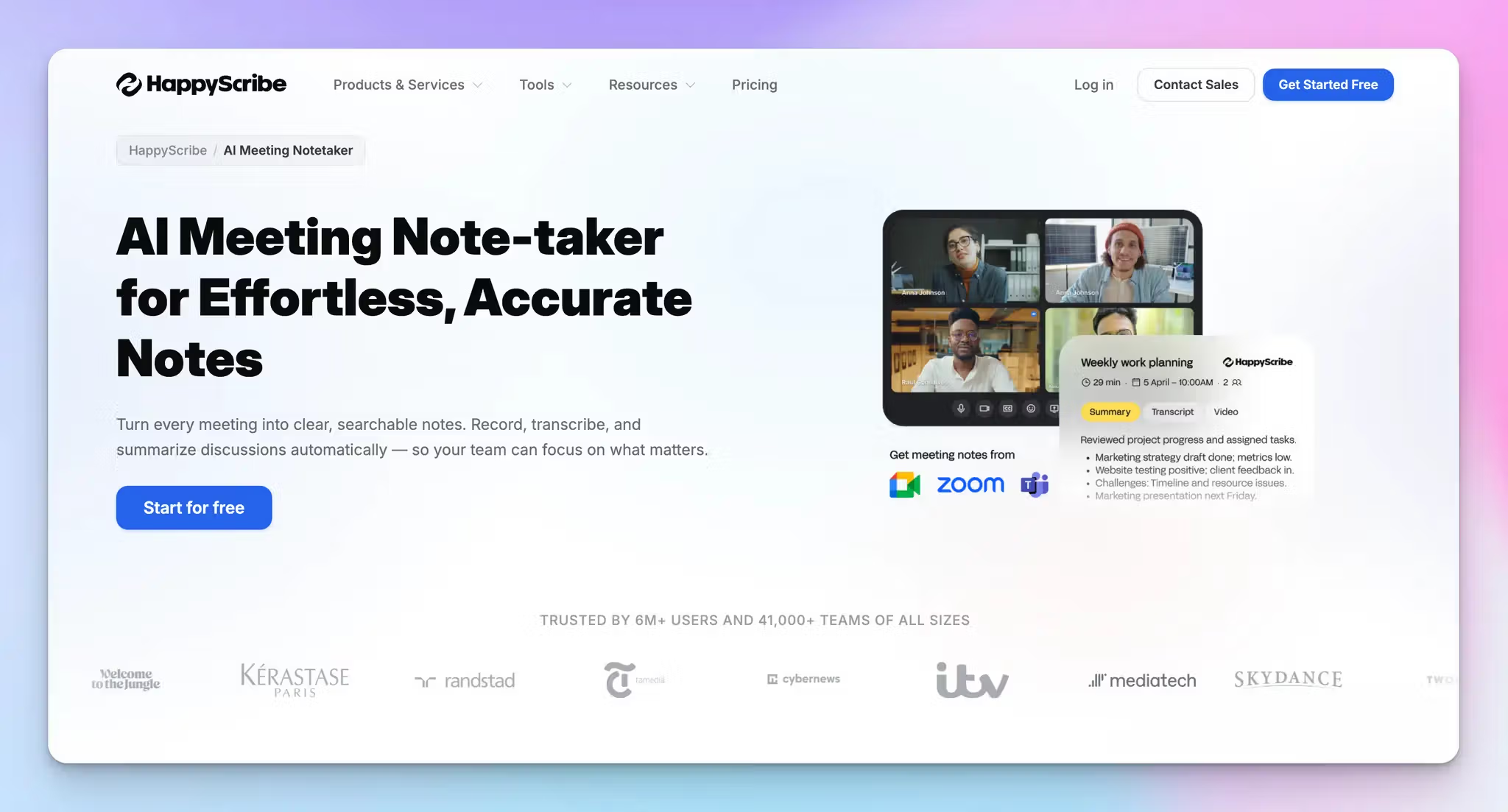
HappyScribe is the best bot-free AI note taker if you need high-quality transcripts and the freedom to capture meetings your way. Its browser-based recorder lets you capture meetings directly without adding a visible participant to the call, which makes it especially useful in settings where a bot can feel intrusive.
The recording method is also just a preference, not a constraint.
Whether you record live in the browser, upload a recorded file after the meeting, or let calendar-based auto-capture handle things automatically, you get the same output: accurate transcripts, AI summaries, and action items. Nothing is watered down based on how the audio came in.
That flexibility makes HappyScribe a practical AI meeting assistant for people whose workflow isn't the same from one meeting to the next. You're not locked into one method, and you're not switching between multiple tools to cover different scenarios. One tool handles all of it.
HappyScribe's key features
1. Get high-quality meeting notes across 150+ languages and dialects
HappyScribe supports transcription in more than 150 languages and dialects, which makes it useful for teams working across regions or conducting interviews in multiple languages.
Meetings are transcribed and summarized accurately, even when participants switch languages or speak with different accents. Most note takers handle one language well; HappyScribe handles the messier, more realistic version of how people actually talk.
2. Ask AI for aggregated meeting insights
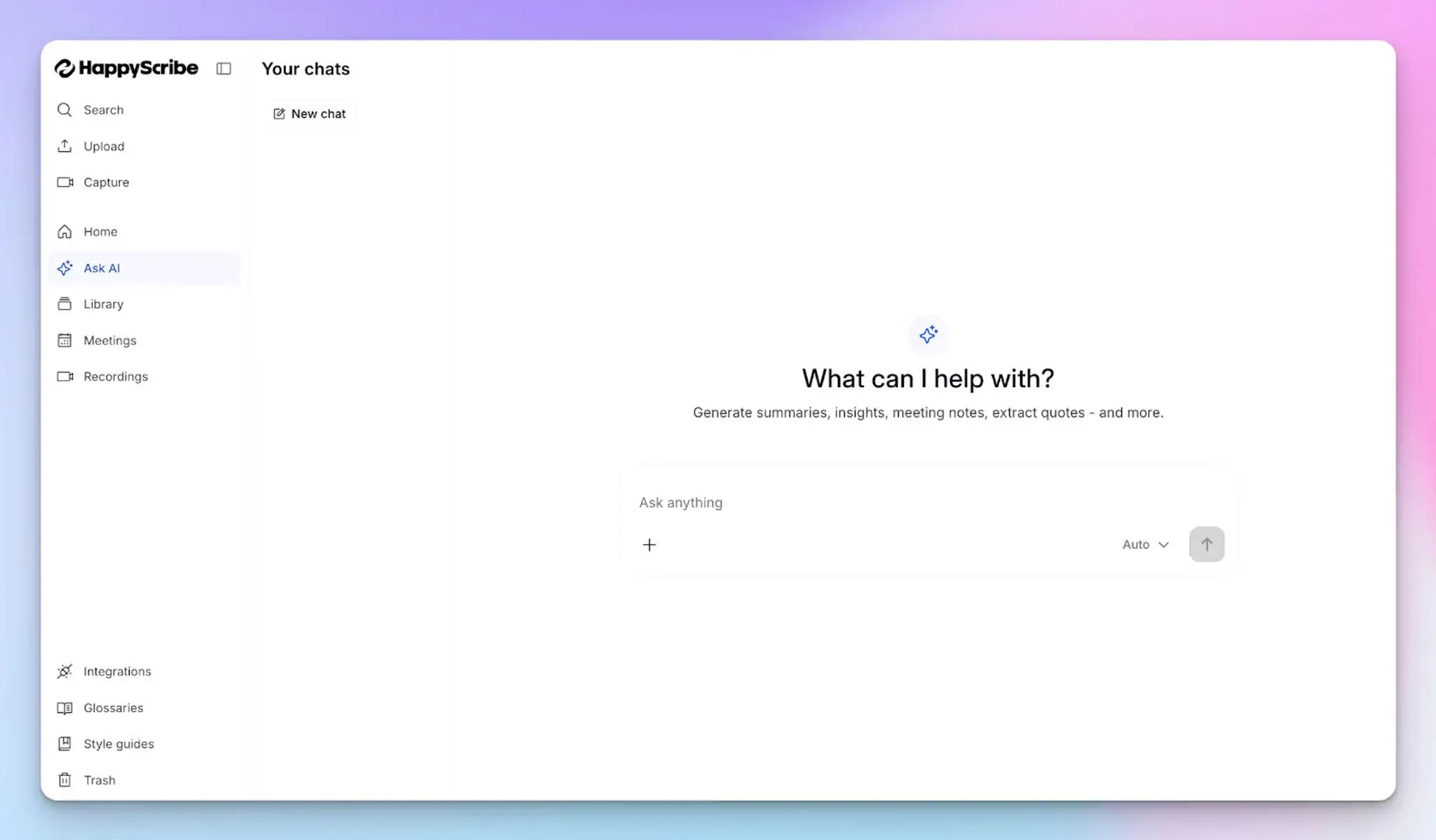
After a long meeting, the last thing you want to do is read through a wall of text to find one decision or action item. HappyScribe’s Ask AI handles that for you.
Pull a summary, extract key quotes, organize the content into chapters, or turn the whole thing into a follow-up email or blog post in seconds.
The best part is that Ask AI is fully conversational. You can ask follow-up questions, push for more detail on a specific moment, and keep digging until you have exactly what you need…the same way you would in a back-and-forth with ChatGPT or Claude.
3. Share notes easily across your workflow
Once the transcript and summary are ready, notes are easy to distribute.
A summary email lands in your inbox automatically after every meeting, so key decisions and action items reach the right people without any manual effort. You can also share notes directly with teammates, export them, or push them into tools your team already uses.
HappyScribe connects with the tools you already use (via Zapier), which makes it straightforward to move meeting insights into follow-ups, documentation, or internal updates.
And if your team works with AI assistants, HappyScribe MCP lets you securely connect your account to Claude and ChatGPT, so your meeting data is accessible right where you already work.
4. Record both online and in-person meetings
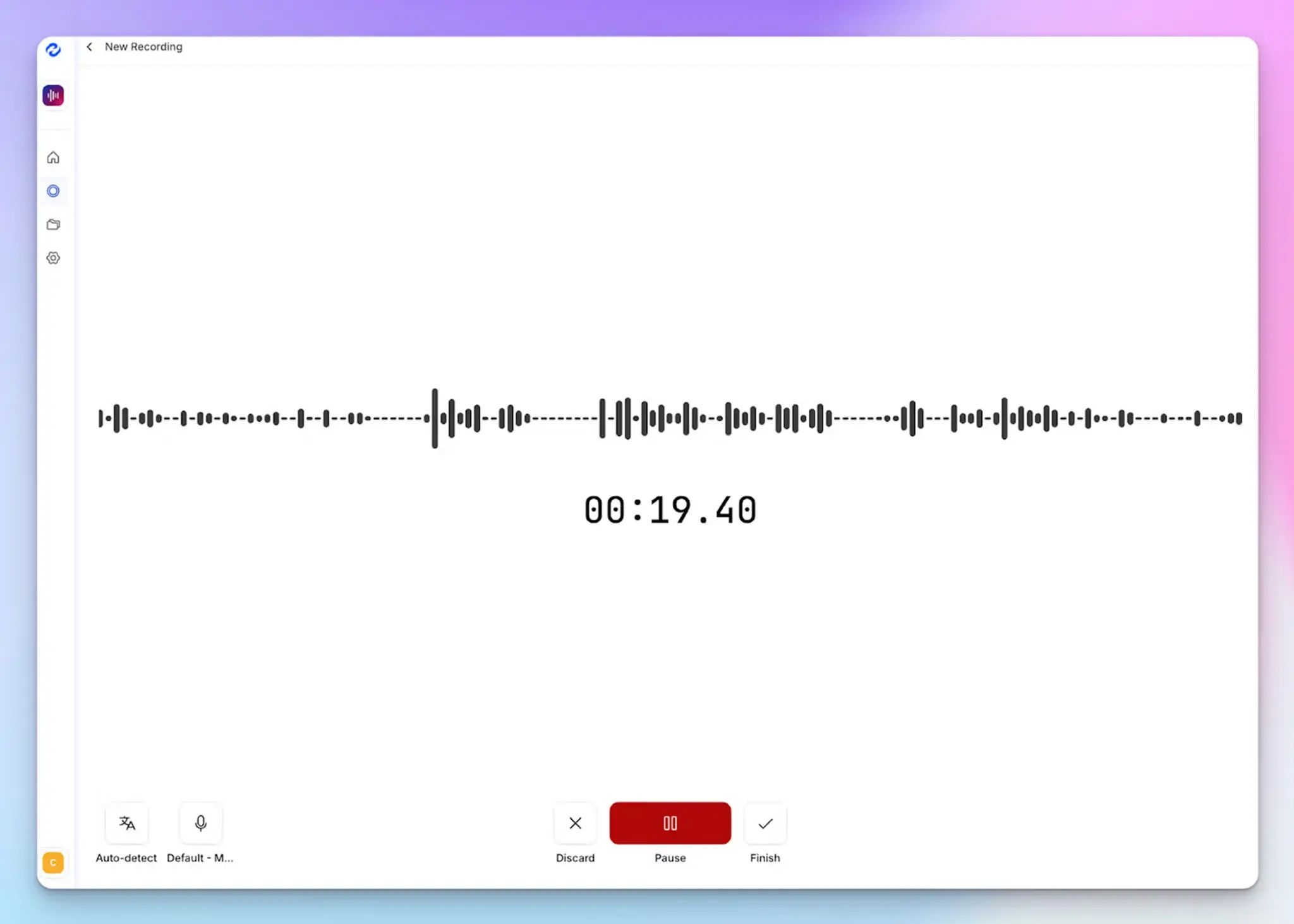
HappyScribe's browser-based recorder lets you capture conversations without adding a visible participant to the call, be it a video call or a face-to-face session.
That makes HappyScribe an effective Google Meet AI note taker for sensitive calls where a visible bot would change the conversation.
Record directly through the browser, and once the audio is processed, you get the same high-quality output: accurate transcripts, clean summaries, and action items at 95%+ accuracy.
5. GDPR compliance, EU data storage, and granular privacy controls
For teams handling sensitive discussions, HappyScribe is GDPR- and SOC 2 Type II-compliant, with all data stored in an EU-based Tier IV data center that is PCI DSS- and ISO 27001-compliant. Every file is encrypted in transit and at rest using AES-256 block-level encryption.
You can opt out of anonymized AI training, request permanent deletion of any file, and configure exactly who can view or access your meeting transcriptions.
HappyScribe's pricing
- Free: Unlimited meeting recordings (45 mins/recording)
- Basic: $8.50/month (billed annually) or $17/month (billed monthly)
- Pro: $19/month (billed annually) or $29/month (billed monthly)
- Business: $59/month (billed annually) or $89/month (billed monthly)
- Enterprise:Contact sales to get tailored solutions directly
HappyScribe's pros
- Captures both audio and video alongside the transcript, so you can always go back to verify context or pull a clip
- Translates notes into 80+ languages
- Tags let you organize and filter meeting notes across projects, clients, or teams
- Integrates with your tech stack through Zapier and syncs with AI tools through MCP, so notes flow into your existing workflow without manual exports
- Build your own custom integration with the HappyScribe API
- Import files from Google Drive, Dropbox, Box, YouTube, Vimeo
- Generous free plan with unlimited recordings lets you test it across real meetings before committing
- Generates subtitles from meeting content
- Responsive human customer support, not chatbots
HappyScribe's cons
- Does not offer real-time transcription during a live call
💡 Pro tip:
Even when using a bot-free AI note taker, always inform participants that the meeting is being recorded. Without a visible bot on the call, people may not realize a recording is happening. A quick heads-up at the start keeps things transparent and helps you stay compliant with privacy regulations.
What are real-life users saying about HappyScribe?
I have tried many systems in the past to convert speech to text. I recently did an initial test with Happyscribe and I have to say, it worked sensationally well. And that was with German. It really makes work easier!
Very user friendly software. Transcriptions are accurate even with non-native speaker English recordings.
How to use HappyScribe’s bot-free AI note taker? Step-by-step guide
1. Log in to HappyScribe and go to Home > Record audio.
2. Click Start recording to begin capturing the conversation.
3. When the meeting ends, click Stop recording. HappyScribe will then generate the audio recording, transcript, summary, and action items for you.
2. Granola
Best for: People who want bot-free meeting notes and like capturing their own rough points during a conversation
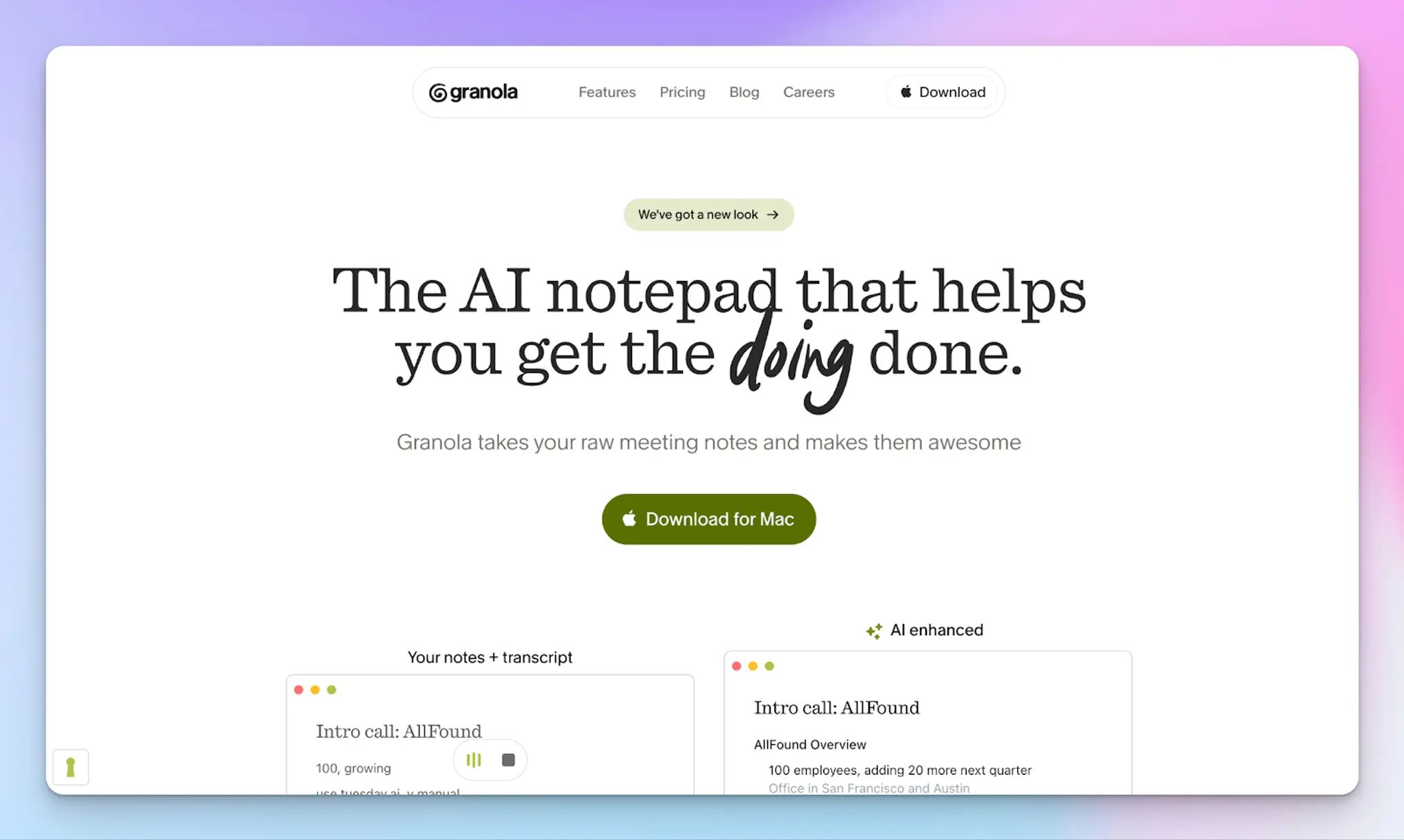
Granola works as an AI notepad rather than a fully automated note taking app. You keep jotting quick, messy notes during the meeting, and Granola uses the transcript to clean them up and fill in the missing context once the call ends.
If you find fully automated notes too impersonal or too removed from how you actually think, this hybrid approach gives you the best of both: your own structure, with AI filling in what you missed.
Granola's key features
- AI chat within and across meetings, useful when you want to search across past discussions without hunting through documents
- Custom note templates and shared folders for team collaboration
- Integrations with Notion, Slack, HubSpot, Attio, Affinity, and Zapier, plus MCP support for connecting to assistants like Claude and ChatGPT
- Supports 10+ languages across macOS, Windows, and iPhone
Granola's pricing
- Basic: Free
- Business: $14/month per user
- Enterprise: $35/month per user
Granola's pros
- Works across any meeting platform via the desktop app, with iPhone support for in-person meetings
- Clear governance controls for larger teams, including SSO and configurable retention periods
- Enterprise controls, including SSO, usage analytics, API data access, and org-wide auto-deletion periods
Granola's cons
- No audio or video storage means there is no way to cross-check notes against the actual recording if something is unclear
- The free tier limits meeting history, which can feel restrictive if you rely on past-meeting search regularly
- Data is stored on US-hosted AWS servers; it may be a concern for teams with strict EU data residency requirements
3. Tactiq
Best for: Teams that use Chrome and want bot-free live transcription they can turn into quick follow-ups
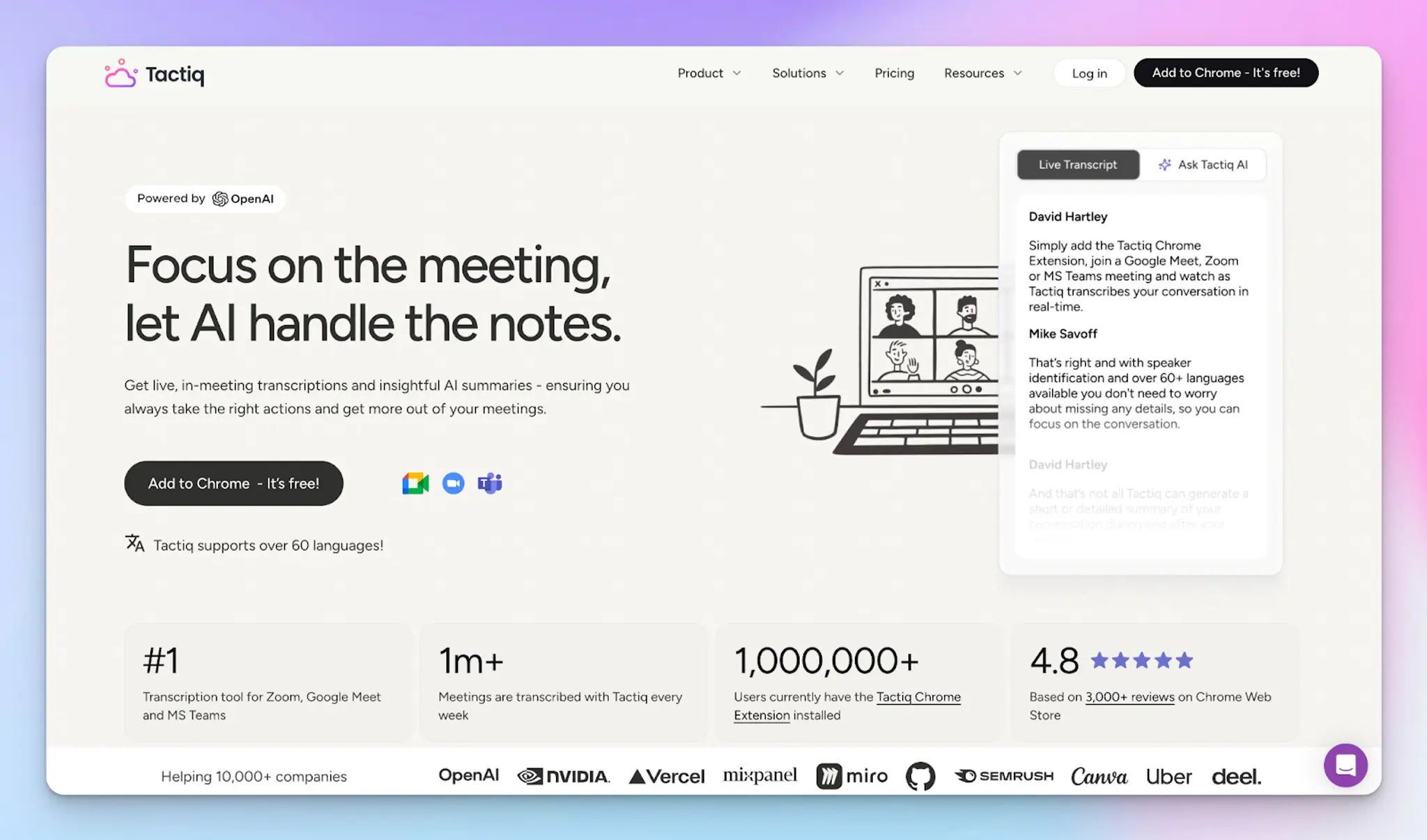
Tactiq runs as a Chrome extension and captures live transcription during your meeting without joining the call. If your workflow is built around fast post-meeting output rather than a full meeting hub, you will find Tactiq refreshingly focused.
You get a transcript as the conversation happens, and once the call ends, you use AI to turn it into summaries and action items.
One thing worth knowing: Tactiq does not record or store audio. Everything is saved as text, which works well for teams with strict policies around audio storage. But it also means you have no audio or video recording to fall back on if a transcript detail needs verifying after the call.
Tactiq's key features
- Custom AI prompts you can save and reuse across meetings, so you get consistent output formats like summaries, action items, or follow-up emails without rebuilding them each time
- Daily Digest gives you a summary of all your meetings in one place
- Integrations with Notion, Slack, HubSpot, Asana, Confluence, and Google Docs to push notes directly into your existing workflow
- Granular controls over auto-transcription, including the ability to pause mid-meeting and manage how transcript notifications are sent to participants
Tactiq's pricing
- Free
- Pro: $12/month per user
- Team: $20/month per user
- Business: $40/month per user
- Enterprise: Custom pricing
Tactiq's pros
- If you take screenshots during a live meeting with Tactiq, they’re automatically added to the transcript
- SOC 2 Type II compliant, with clear controls over where transcriptions are stored
- Transcription in 60+ languages, with real-time capture as speakers switch between them during the call
Tactiq's cons
- Chrome extension dependency can be a blocker in locked-down IT environments or for teammates who use desktop meeting apps
- Heavy AI summarizing across a high volume of meetings pushes you toward higher pricing tiers faster than you might expect
- The free plan is limited to 10 meetings per month
4. Bluedot
Best for: Teams that need meeting takeaways to travel beyond the people who attended
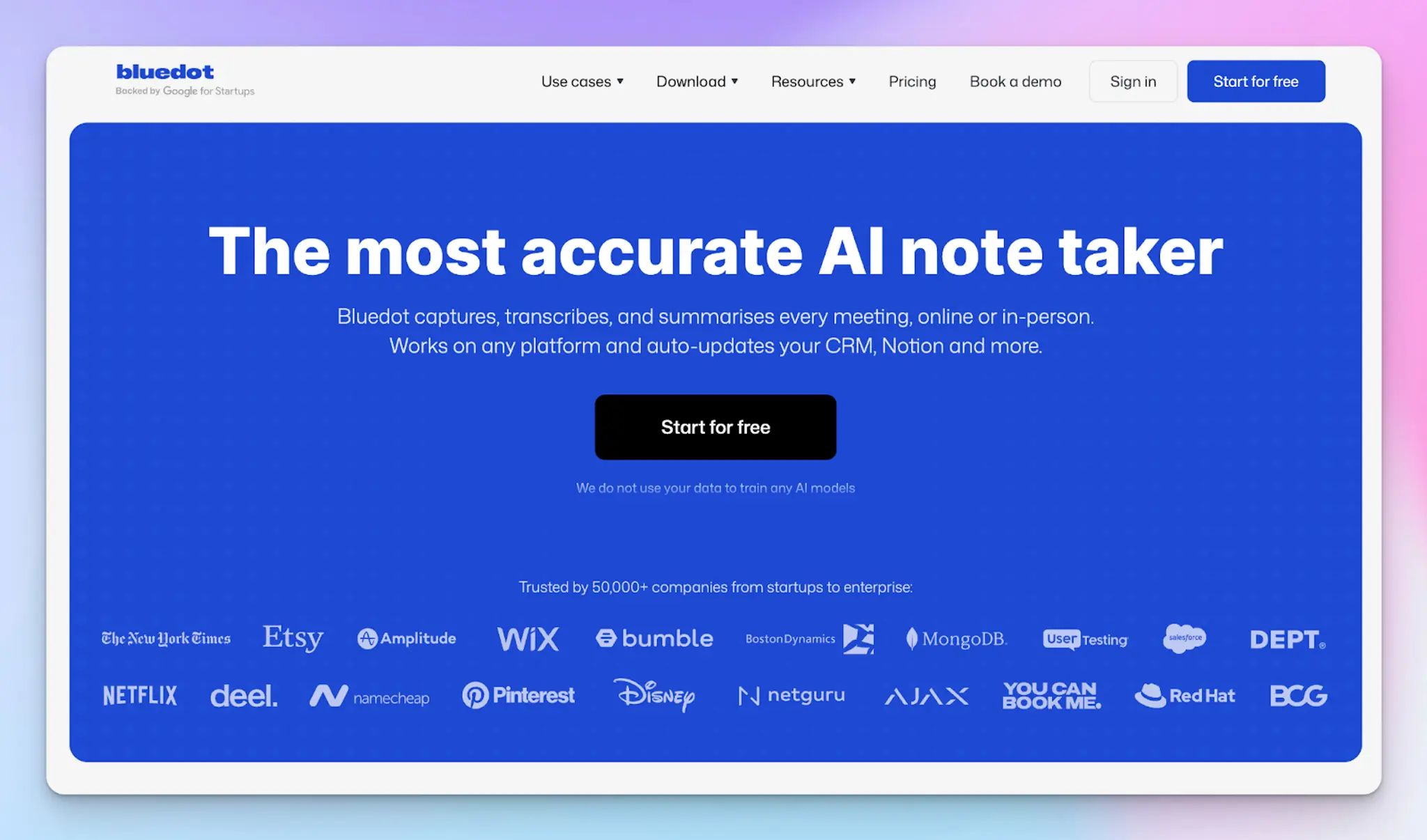
Bluedot fits teams that want bot-free meeting capture and a smoother handoff after the call.
It helps customer-facing teams turn conversations into clear next steps, without spending extra time on manual follow-ups, CRM updates, or sharing context internally.
Features like time-stamped annotations and comments also make async review easier, so teammates can jump into exact moments and respond without setting up another meeting.
Bluedot's key features
- Highlights and clip sharing help you send specific moments from a conversation rather than a full recording
- Transcript-based video editing lets you cut footage by editing the text directly, which saves significant time in review cycles
- AI-generated follow-up email drafts adapt to the tone and context of your conversation
- Integrates with HubSpot, Salesforce, Notion, Slack, and Google Drive
Bluedot's pricing
- Free: Limited recordings
- Basic: $18/month per user
- Pro: $25/month per user
- Business: $39/month per user
- Unlimited: Custom pricing
Bluedot's pros
- Works across Zoom, Google Meet, Microsoft Teams, Slack huddles, and phone calls via desktop capture, plus a mobile app for in-person meetings
- Compliant with GDPR and CCPA
- AI chat and AI-powered search allow you to extract informatio from past meetings
Bluedot's cons
- On the free plan, 5 meetings/lifetime recording limit can be a real constraint for training sessions or long discovery calls
- Custom meeting templates and file imports are not available on lower tiers, which limits flexibility for teams with structured note formats
- Free and basic tier doesn’t support imports
📚 Also read:
5. Meetily
Best for: Privacy-focused teams that want local, offline meeting notes with an open-source option
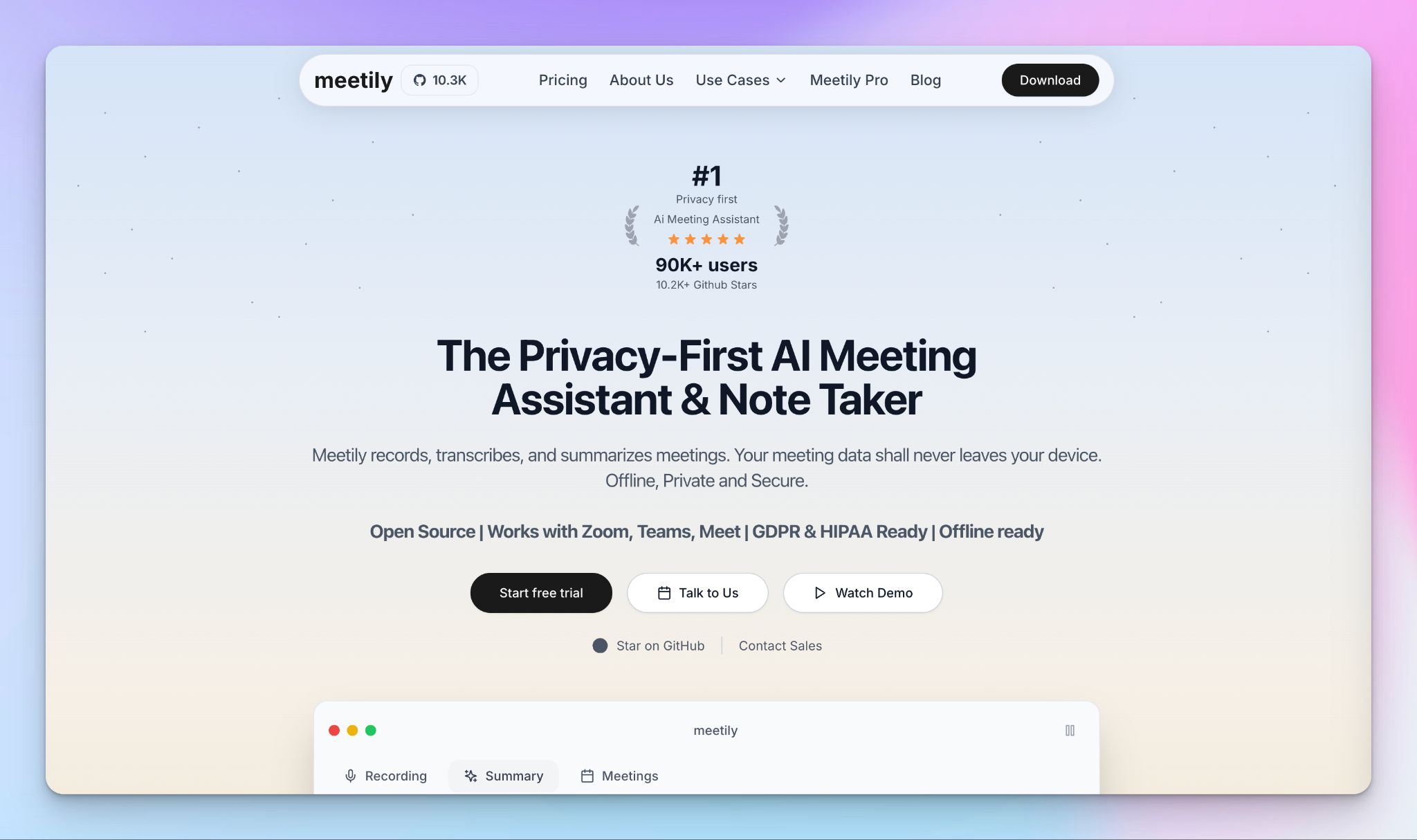
If you work in an environment where sending recordings to an external server is not an option, whether for legal, regulatory, or personal reasons, Meetily gives you a genuinely local alternative that still produces transcripts, summaries, and action items.
No cloud upload, no third-party storage, no bot joining the call.
You get two editions to choose from. The open-source Community edition handles basic local transcription at no cost, while the Pro version adds enhanced accuracy, richer export formats, and auto-detection of meetings.
For AI summaries, you can run local models via Ollama, bring your own API key, or use Meetily's hosted setup, depending on how much control you want over where your data goes.
Meetily's key features
- Real-time transcription processed locally on your device, with no audio sent to external servers
- Pro plan adds enhanced accuracy models, a custom AI model connector, and auto-detection of scheduled meetings
- Advanced export options on Pro, including PDF and DOCX, make it easier to share notes in standard formats
Meetily's pricing
- Community: Free (open source)
- Pro: $10/month (billed annually at $120)
- Enterprise: Custom pricing
Meetily's pros
- Works offline once models are downloaded, which is useful for travel, field work, or restricted network environments
- Flexible summarization setup means you can keep everything fully local or choose your own AI provider without being locked into Meetily's infrastructure
- The open-source Community edition gives technical teams full transparency and a no-subscription starting point to evaluate the tool before committing
Meetily's cons
- Pro is sold as an annual license only, which can be a mismatch for teams that want true month-to-month flexibility
- Several collaboration features, including speaker identification, custom templates, chat with meetings, and calendar integration, are listed as coming soon, so the current feature set is still limited
- Pro licensing is per device, so multi-device users and teams will need to purchase multiple licenses to cover everyone
So, which bot-free AI note taker should you choose?
The right pick comes down to what your workflow needs once the conversation ends.
👉 HappyScribe is the all-rounder bot-free note taker that delivers 95%+ accurate transcripts in 150+ languages, keeps all data within EU servers, and gives you the freedom to capture meetings through a browser recorder, a file upload, or calendar-based auto-join.
👉 If keeping everything off external servers is non-negotiable, Meetily is the only tool here that processes recordings locally on your device. Nothing leaves your machine unless you decide it should.
👉 If you like capturing your own rough notes during a call and want AI to clean them up afterward, Granola fits that hybrid approach better than any fully automated tool.
👉 If you work in Chrome and want live transcription running as the conversation happens, Tactiq is fast, focused, and text-only by design.
👉 If your job involves making sure the right people have the right context after every call, Bluedot makes it easy to clip, annotate, and push specific moments without sending anyone a full recording.
FAQs on the best bot-free AI note takers
What is a bot-free AI note taker?
A bot-free AI note taker captures meeting transcripts, summaries, and action items without showing up as an extra participant. Instead of sending a visible bot that automatically joins your call, these tools use local device audio to capture meetings discreetly. You stay present in the conversation, and the AI notes are waiting for you when it ends.
What is the best AI note taker that doesn't join meetings as a participant?
HappyScribe is the best bot-free AI note taker. It delivers 95%+ accurate AI meeting notes across 150+ languages, keeps all data within EU servers, and gives you the freedom to choose your capture method: bot-free browser recorder for virtual meetings, file upload for audio files and video files, or calendar auto-join when that suits your workflow better. In browser-based recording, nothing joins your call uninvited, so participants can speak freely without changing how they communicate.
How does bot-free recording work?
Bot-free recording captures your meeting using device audio rather than sending a meeting bot into the call. Depending on the tool, this happens through a desktop app running in the background, a Chrome extension that captures the call directly, or a browser-based recorder you activate before the meeting starts. Once the meeting ends, the raw audio is processed and the tool generates a transcript, AI summaries, and action items: the same output you would get from bot-based tools, without anything joining the call.
Which bot-free AI note taker has the most generous free plan?
Among bot-free note takers, HappyScribe has the most generous free plan. It includes unlimited meeting recordings with no cap on the number of calls, which is genuinely rare. Each meeting can be up to 45 minutes in length. Most competitors offer a limited free plan with a meeting cap, lock key AI features behind paid plans, or restrict the free version enough that you hit a wall within the first week. HappyScribe's free plan lets you test it properly across real internal meetings and external calls before committing to anything.
Can bot-free AI note takers handle in-person meetings?
Yes, and most bot-free tools are actually better suited to in-person meetings than bot-based tools, which are built primarily for video calls. HappyScribe's browser-based recorder captures in-person conversations directly, so you get the same accurate meeting recaps whether you are on a video call or sitting across a table. Bluedot and Granola also support in-person recording via their mobile apps, and Meetily handles it entirely locally on your device with no cloud upload required.
Do bot-free AI note taker tools work on Google Meet and Microsoft Teams?
Yes. The best bot-free AI note takers work across every major meeting platform without needing to automatically join as a participant. HappyScribe works across Google Meet, Microsoft Teams, Zoom, and any other video call through its browser recorder. Tactiq captures live transcription directly on Google Meet and Microsoft Teams in real time via its Chrome extension. For ad hoc calls or any platform not on the list, the file upload option ensures you can still generate AI meeting notes from any recording after the fact.
What AI features should I look for in a bot-free note taker?
Beyond accurate meeting transcription, the most useful AI features are: AI summaries that pull out key moments and decisions without requiring you to read the full transcript, AI chat that lets you query past meetings in natural language, speaker identification so the transcript is easy to follow, and multi-meeting intelligence that surfaces key insights across multiple calls at once.

Rodoshi Das
Rodoshi is the Content Lead at HappyScribe, the privacy-first transcription and AI notetaker platform based in Barcelona. Shaping content strategies and building AI workflows excites her as much as exploring new SaaS tools. She specializes in product-led content that informs rather than sells, grounded in honest product benchmarking and low tolerance for empty marketing speak.