


![5 Best Free AI Meeting Assistants [2026]](/sanity-images/ejgwz1gl/redesign/5150e8e5d9d695307d4eb17bd372b9785d643d9b-1536x1024.jpg?auto=format&w=1536.0&rect=0,0,1536,1024)
Free AI meeting assistants have come a long way. A year ago, you were lucky to get a decent transcript. Now, the free plans include summaries, action items, searchable archives, and AI that can answer your questions.
The problem is finding the ones that are genuinely free. Most tools advertise a free plan and bury the catch: five meetings a month and transcripts that expire after 30 days. You sign up, like the product, hit the wall, and either pay or move on.
Keeping this in mind, I’ve shortlisted five tools that genuinely offer usable free plans. Let’s explore!
TL;DR ⏩
- HappyScribe is the best free AI assistant for teams that want accurate, multilingual meeting notes, strong privacy, and a generous free plan with unlimited recordings
- Meetily works well for privacy-conscious individuals and regulated teams that need complete data sovereignty with no cloud dependency
- Fireflies is useful for sales and customer success teams that want meeting notes connected directly to their existing CRM workflow
- Grain suits teams that need to clip, share, and act on key moments from customer conversations
- tl;dv is ideal for teams that want unlimited free video recordings with mobile access and Slack and email integrations
How did I pick the best free AI meeting assistants?
I tested a range of AI meeting assistants and stayed on the free plan the entire time. No trials, no upgrading to check a feature, no taking the vendor's word for it.
I looked at four things.
1. Transcription accuracy
Everything else, like summaries, action items, and AI chat, is only as good as the transcript underneath it. I ran each tool through real meetings with overlapping speakers to check their transcription accuracy. Tools that needed heavy editing didn't make the cut.
2. Meeting and storage limits
Five meetings a month isn't a free plan…it's a demo. I only included tools where the free tier is usable and you won’t have to keep a close watch on quota.
3. Data privacy
Meeting recordings contain some of your team's most sensitive conversations. I looked at where data is stored, how it's processed, whether it's used for model training, and how clearly each tool communicates its GDPR stance.
4. Ease of setup
If you need 30 minutes and an IT ticket before your first meeting, it won't stick. I prioritized tools that are genuinely quick to get running.
🕵️♀️ Did you know?
54% of workers often leave meetings unclear about the next steps or who is responsible for each task, according to Atlassian. The solution? Use HappyScribe for all your meetings and it'll record every little detail on your behalf!
What are the best free AI meeting assistants? At a glance
| CATEGORY | HAPPYSCRIBE | MEETILY | FIREFLIES | GRAIN | TL;DV |
|---|---|---|---|---|---|
| FREE PLAN | Unlimited meeting recordings with 45 mins per recording, AI summaries | Free, open source with unlimited meetings | Unlimited meetings, 800 minutes of storage | Unlimited recordings with 45 mins per recording, 20 meetings total | Unlimited recordings, AI notes for up to 10 meetings lifetime |
| KEY FEATURES | Meeting summaries and action items, chat across meetings, custom glossary, subtitle and translation | Real-time transcription via Whisper.cpp, local AI summaries, action items, fully auditable open-source code | AI summaries, AskFred chat, real-time bullet notes, sentiment analysis, 40+ integrations | AI notes and action items, clip and highlight creation, Stories, Live Notes, CRM integrations | AI summaries, timestamped highlights, clip sharing, Slack and email integrations |
| LANGUAGES SUPPORTED | 150+ languages and accents with auto detection | 99+ languages | 100+ languages | 100+ languages | 30+ languages |
| RECORDING MODE | Bot auto-joins Zoom, Google Meet, Teams; paste link for impromptu meetings; browser-based bot-free recording; supports file uploads | Bot-free, platform-agnostic local capture; supports file uploads | Bot joins Zoom, Google Meet, Teams, Webex | Bot joins Zoom, Google Meet, Teams, Webex, Slack Huddles | Bot joins Zoom, Google Meet, Teams |
| SECURITY AND COMPLIANCE | GDPR compliant, SOC 2 Type II certified, encrypted storage, EU data hosting | GDPR and HIPAA compliant, fully self-hosted | GDPR compliant, US-based company and data storage | US-based, data hosted on AWS in the USA | GDPR compliant, SOC 2 certified, EU data hosting |
1. HappyScribe
Best for: Market researchers, journalists, and business professionals that want accurate, multilingual meeting notes with strong privacy and a dependable free plan
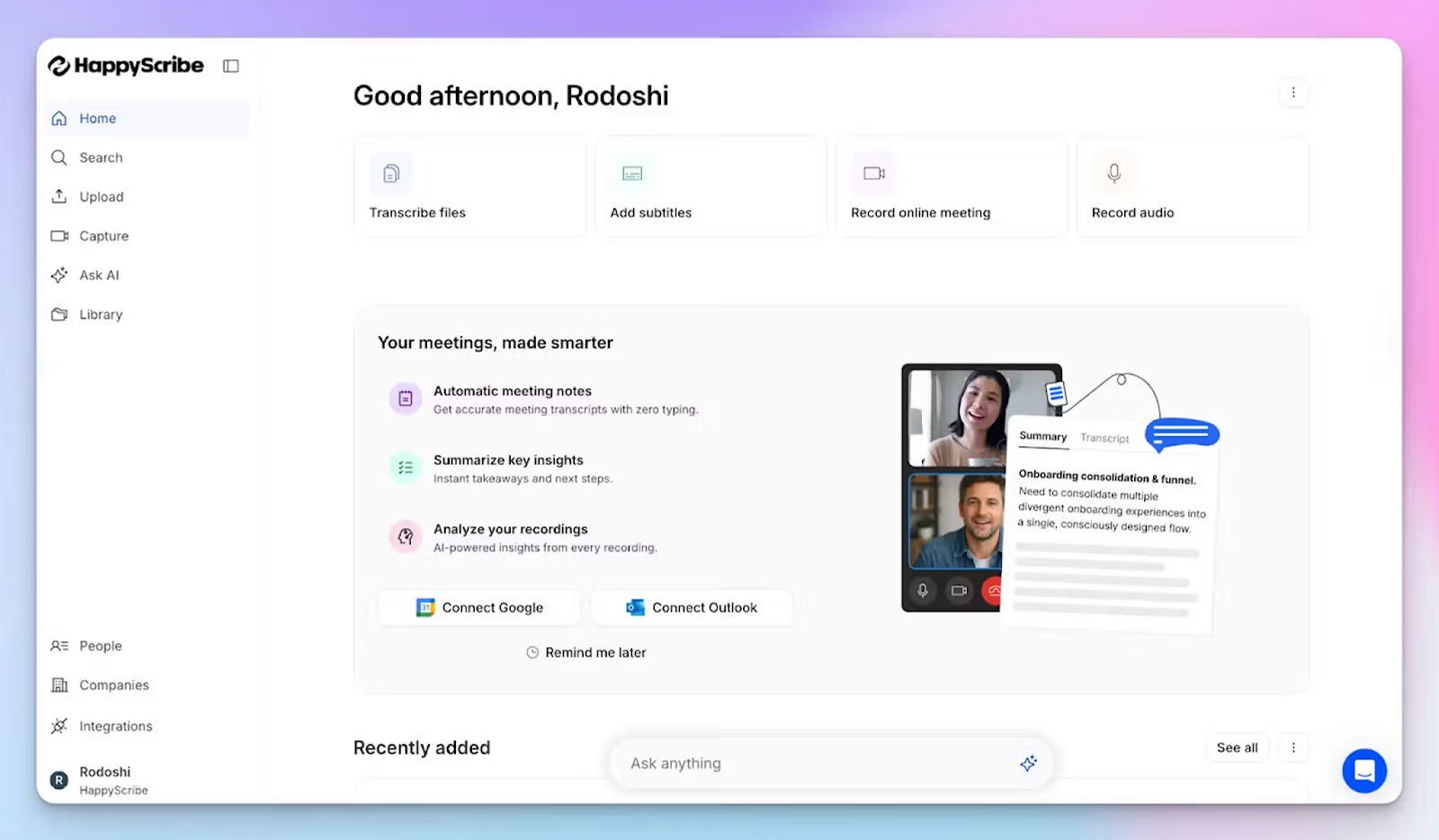
Most meeting assistants make you choose between good transcription and good privacy. Built in Europe and used by teams across the globe, HappyScribe AI note taker is one of the few tools in this category that takes both seriously and still offers the most generous free plan.
Connect your Google or Outlook calendar, and HappyScribe auto-joins your scheduled calls.
Don't want a bot in the room at all? Record directly in the browser instead.
Have a bunch of recorded calls you never got around to reviewing? Upload them and HappyScribe turns them into notes.
HappyScribe fits however your meetings happen, online or in-person.
HappyScribe's key features
A free plan built for regular use, not a one-time test
HappyScribe’s free plan unlocks unlimited meetings, capped at 45 minutes per recording. That's enough to run HappyScribe through standups, client calls, interviews, and one-on-ones, before you decide if it's worth paying for.
95%+ accuracy in 150+ languages and accents
Accented English, multilingual speakers, fast talkers, two people talking at once… HappyScribe holds up, and does it well.
It supports 150+ languages and dialects, automatically detects the language being spoken, and generates notes in that language.
You can also add a custom glossary for industry jargon or brand terms, and the accuracy gets even better.
A meeting bot that plays by the rules
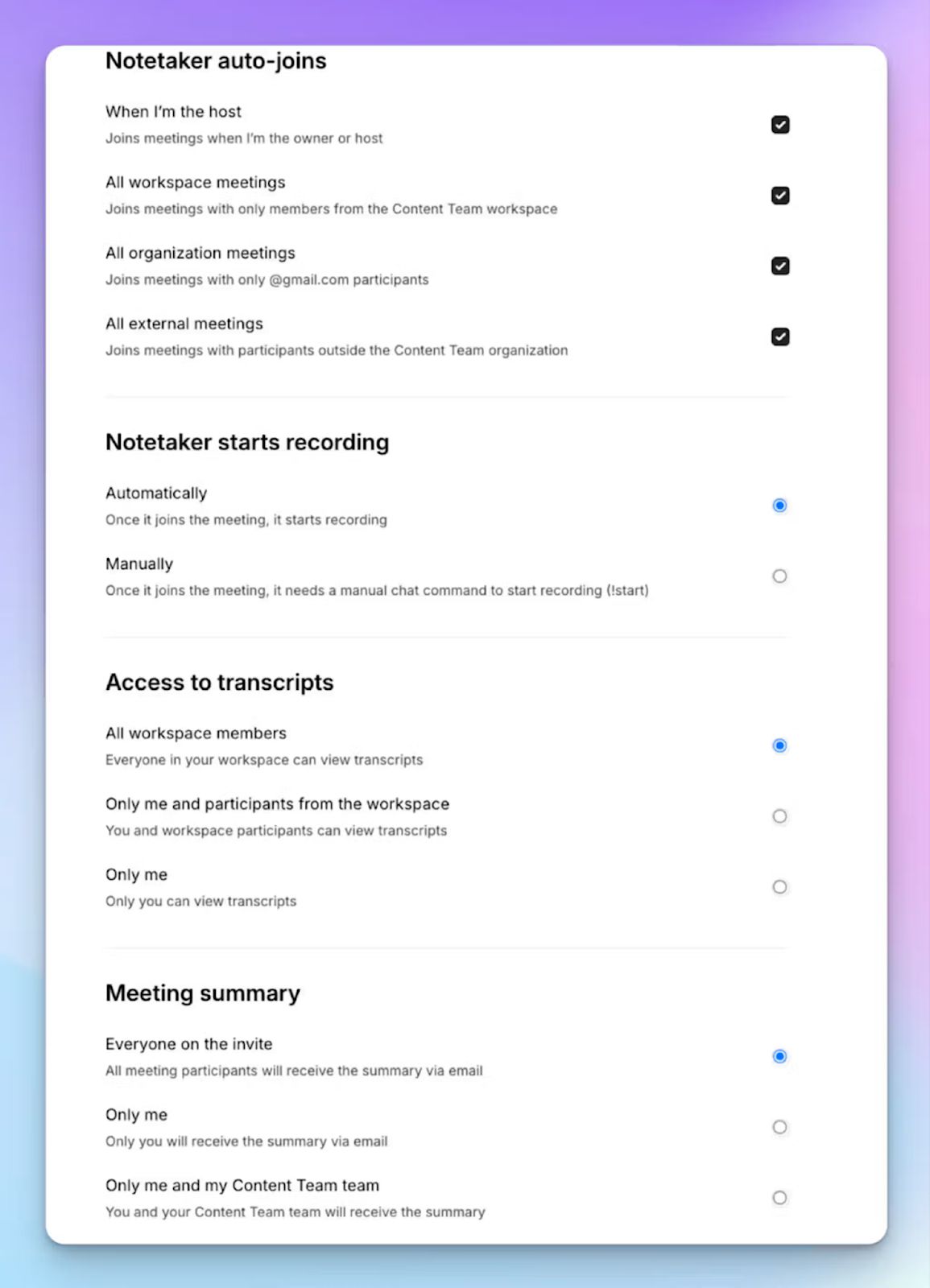
HappyScribe's notetaker announces itself when it joins, gives attendees a chance to consent, and lets anyone pause or remove it mid-meeting by typing "!help" in chat.
You decide which meetings it joins. No surprises for your clients, and no compliance headaches for you.
Chat with your meetings
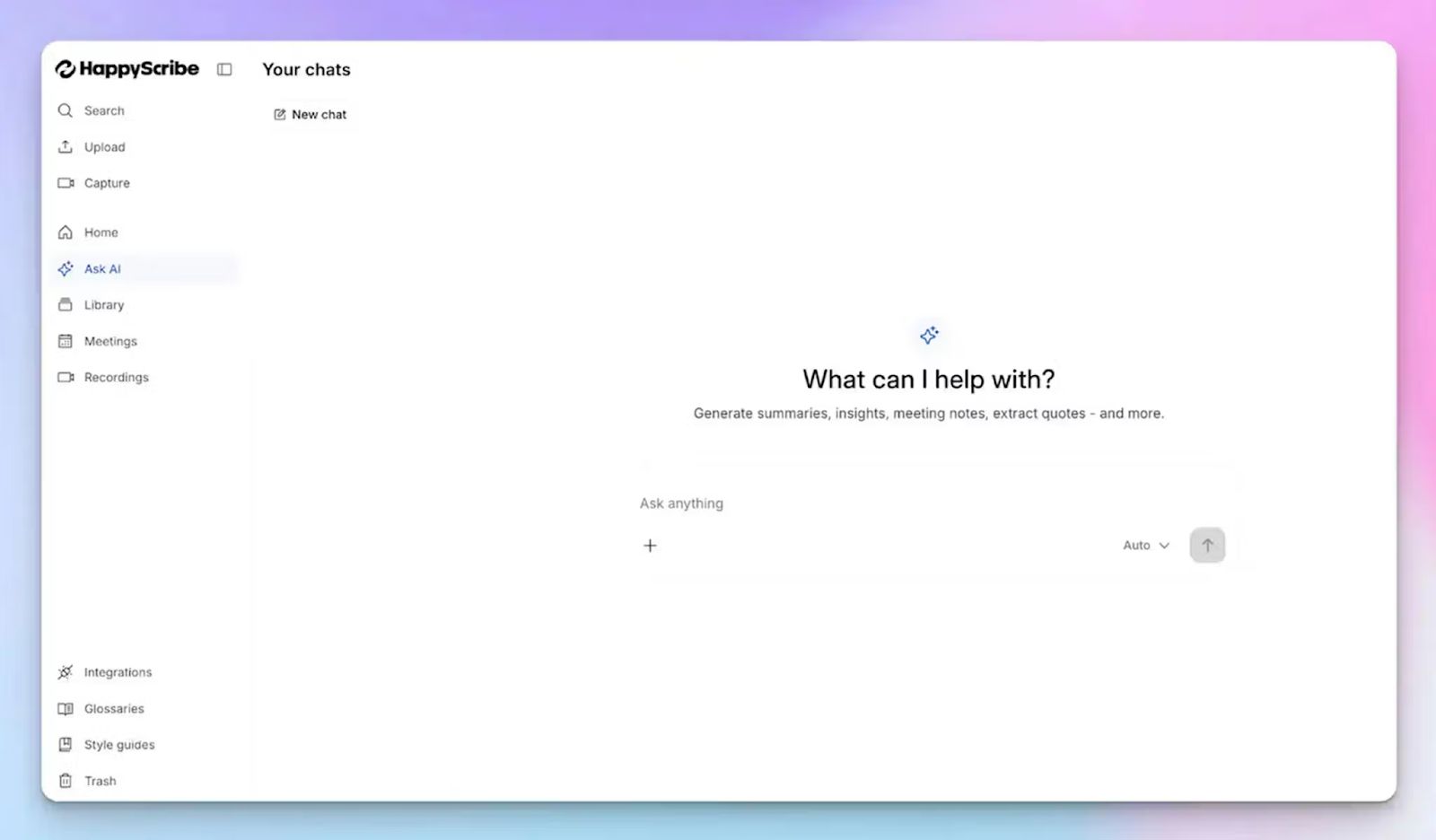
Done with the call? Ask HappyScribe’s Chat what was decided, who owns what, and what needs to happen before the next meeting.
Chat becomes your organizational memory that can pull action items, generate timestamped video chapters, highlight specific quotes, or draft your follow-up email. You can have a back-and-forth conversation with Chat, just like you would with ChatGPT or Claude.
Built-in enterprise-grade privacy
HappyScribe stores everything in EU-based Tier IV data centers. The platform is GDPR-compliant, SOC 2 Type II-certified, and encrypts all data in transit and at rest with AES-256.
You can delete your files anytime and they're gone from HappyScribe's servers. You can also opt out of anonymized data training from settings.
HappyScribe's pros
- Works with Zoom, Google Meet, Microsoft Teams, and also for in-person meetings
- Preserves both audio and video recordings from meetings
- Ideal for market researchers, journalists, business leaders, professionals, and students
- AI Chat works across all your meetings; you can pull insights from months of calls in seconds
- Connect HappyScribe with your preferred AI tool using MCP
- Pause, resume, or remove the notetaker mid-meeting without disrupting the call
- Translate meeting notes into 80+ languages
- Generate subtitles from meeting content and repurpose them for multilingual teams
- Integrate HappyScribe with your existing stack with the API
- Receive meeting notes and summaries via email; share them easily with teammates
- Android and iOS mobile apps are coming soon
- Prompt and helpful customer support from real humans
HappyScribe's cons
- Doesn’t offer real-time transcription; notes are delivered after the call
HappyScribe's pricing
- Free: Unlimited meeting recordings (45 mins/recording)
- Basic: $8.50/month (billed annually) or $17/month (billed monthly)
- Pro: $19/month (billed annually) or $29/month (billed monthly)
- Business: $59/month (billed annually) or $89/month (billed monthly)
- Enterprise: Contact sales
What are real-life users saying about HappyScribe?
I use HappyScribe extensively for our editorial work. In 2025 alone, I’ve already used almost 400 hours to produce transcripts for journalists and the newsroom, as well as SRT subtitles. I highly recommend it. It’s great that it offers an API — I rely on it for automations. I’ve tried cheaper alternatives, but their quality just doesn’t compare.
HappyScribe is fast, effortless, and accurate — getting straight to the point every time. It makes transcription and subtitling a breeze. Truly grateful for such a reliable tool!
How to use HappyScribe’s AI meeting assistant for note-taking? A step-by-step guide
1. Link your Google or Outlook calendar or paste the meeting link to invite the HappyScribe note taker. For in-person meetings, you can record audio without a bot.
2. Select Meetings in the left sidebar and then check the options at the right to customize when the notetaker should join and who should receive the email summary.
3. Click on the Settings button at the top right to select when the notetaker should start recording and who can view the meeting transcription.
4. During an online call, the notetaker must be admitted by the meeting host to start recording. You can chat with the notetaker to control it.
5. And that's it! The meetings should be saved in your Workspace files or in the Private section, depending on your privacy settings.
2. Meetily
Best for: Privacy-conscious individuals and regulated teams that need complete data sovereignty with no cloud dependency
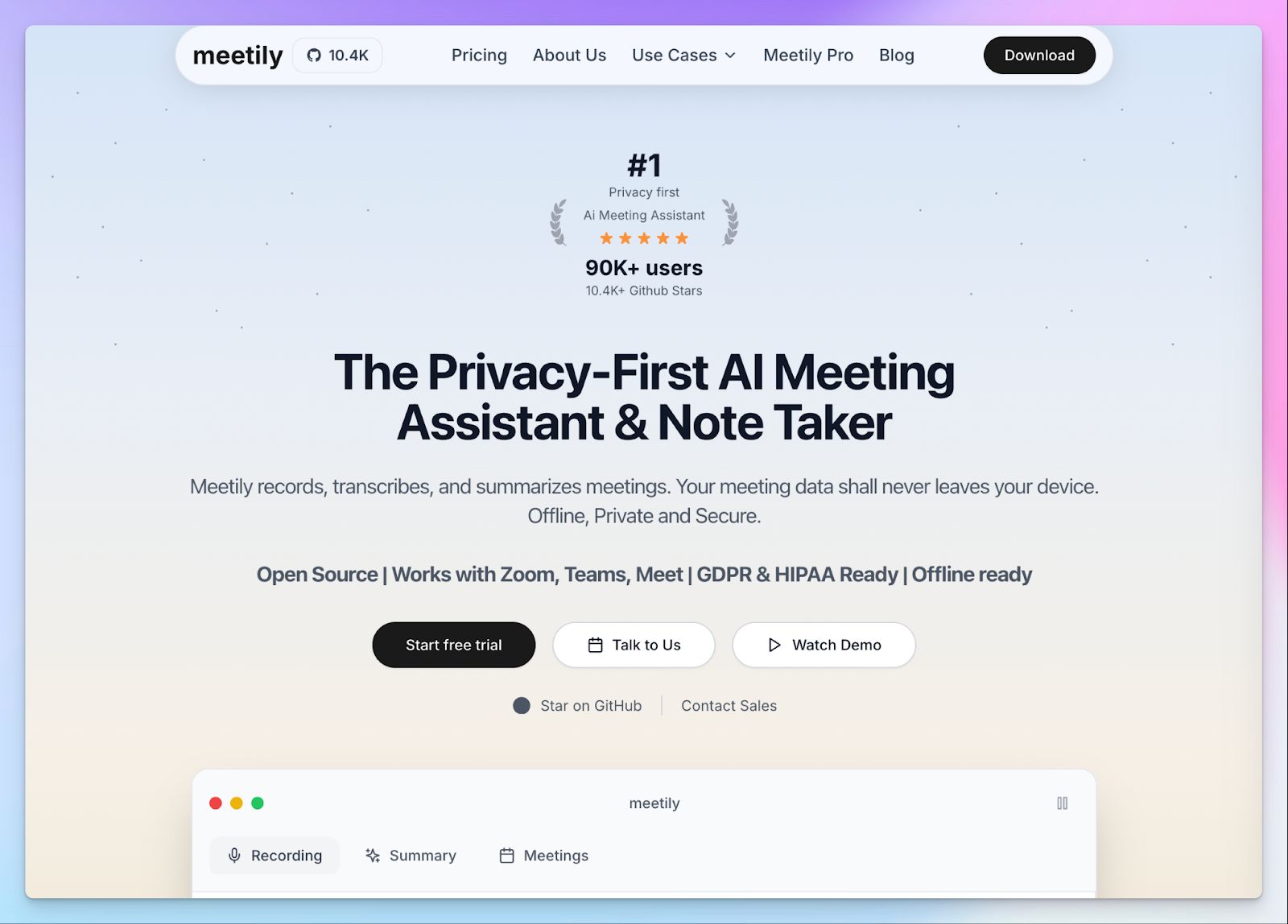
Meetily is a free, open-source AI meeting assistant that runs entirely on your device, not in the cloud. It captures meeting audio, generates real-time transcripts, and automatically creates AI summaries and action items.
What makes it stand out is the privacy angle. All processing happens locally or on your own infrastructure, so your meeting data never leaves your system. That’s a big deal if you’re handling sensitive client calls or internal strategy discussions.
It also supports integrations with tools like Zoom, Google Meet, and Teams, and lets you export notes in formats like PDF or DOCX.
Meetily's key features
- Real-time transcription using Whisper.cpp, plus automatic summaries, key decisions, and action items generated locally the moment the call ends
- Choose between fully local LLMs via Ollama or external providers like Claude, Groq, or OpenRouter. You pick the model and where it runs
- The bot-free AI note taker is platform-agnostic; works across any video conferencing tool without integrations or permissions
- Fully open source under MIT license and fully auditable
Meetily's pricing
- Community Edition: Free, open source
- Pro: $120/year
- Enterprise: Custom pricing
Meetily's pros
- Complete data sovereignty
- Can work offline after the initial setup
- GDPR and HIPAA-compliant
- No platform-specific integrations needed. Works wherever your meetings happen
Meetily's cons
- Requires desktop installation; no browser extension or mobile app yet
- You need way more setup effort than a plug-and-play SaaS tool
- Calendar auto-detection and advanced exports are locked behind the Pro plan
📚 Also read:
3. Fireflies
Best for: Sales and customer success teams that want meeting notes connected directly to their existing workflow
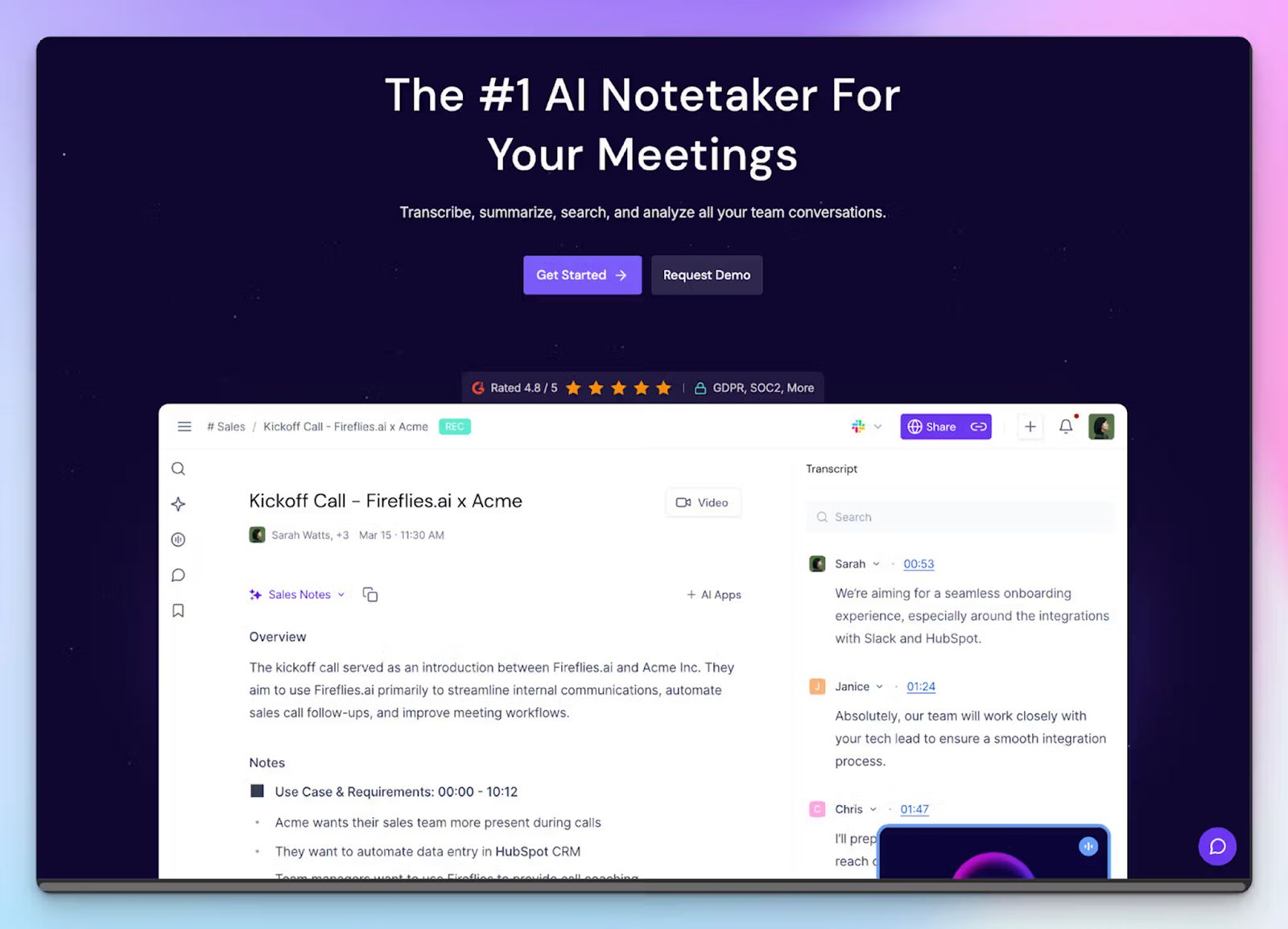
Fireflies is easy to set up, works across every major conferencing platform, and offers a free plan that lets you try the product without a credit card.
It excels at managing your post-meeting workflow. You can connect it to Salesforce, HubSpot, or Slack, and it routes notes and action items exactly where your team already works.
A recent addition called "Talk to Fireflies," powered by Perplexity AI, lets you ask questions and pull web search results during a live meeting. It's a useful feature when you need to fact-check claims or look up context without leaving the call.
Fireflies' key features
- Joins calls automatically via bot on Zoom, Google Meet, Microsoft Teams, and Webex with calendar sync
- Generates bullet-point notes during the call so you can follow key points and action items in real time
- AskFred lets you query transcripts after the call in natural language: pull decisions, action items, or draft a follow-up email
- Supports transcription in 100+ languages with speaker separation and sentiment analysis
- Integrates with Salesforce, HubSpot, Slack, Notion, and 40+ other tools; but on paid plans
Fireflies' pricing
- Free: Unlimited meetings with 800 minutes of storage
- Pro: $18/month per user
- Business: $29/month per user
- Enterprise: $39/month per user
Fireflies' pros
- AskFred makes it easy to query a full month of meetings in seconds
- Deep CRM integrations make post-meeting admin nearly automatic on paid plans
- Sentiment analysis and speaker talk time add useful context beyond the transcript
Fireflies' cons
- 800 minutes of storage on the free plan runs out quickly for active users
- CRM integrations and advanced analytics are locked behind paid plans
- US-based company; may not be an ideal choice for EU teams looking for an AI meeting assistant in Europe
4. Grain
Best for: Teams that need to clip, share, and act on key moments from customer conversations
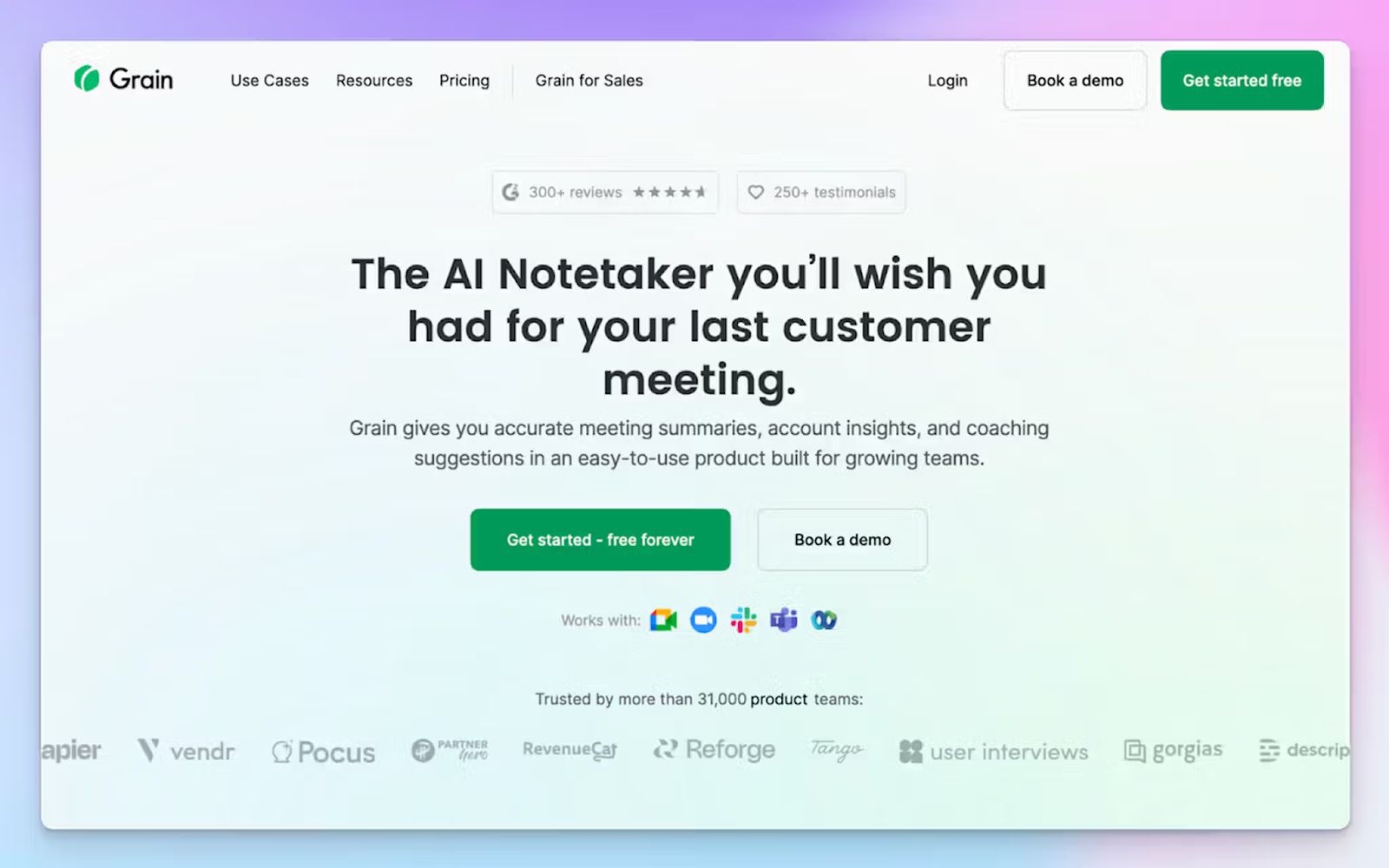
Grain’s standout feature is clip creation. Select any moment in a recording, clip it, and share it with anyone: a stakeholder who wasn't on the call, a sales manager reviewing a rep's pitch, or a product team watching five customers describe the same problem.
Grain's Stories feature lets you compile clips into a single narrative, such as a product feedback reel or an onboarding walkthrough.
The free plan is genuinely usable. You get unlimited meeting recordings, each capped at 45 minutes and stored permanently. Every recording includes a full searchable transcript, speaker timelines, clips, and AI-generated notes covering meeting purpose, outcomes, and action items.
The free plan is limited to 20 meetings. Worth knowing upfront: if you're in daily back-to-backs, they fill up in a few weeks.
Grain's key features
- Automatically generates meeting recordings and transcripts with AI-powered notes, action items, and follow-up emails in 100+ languages
- Clip any moment from a transcript to create a shareable video highlight. Compile clips into Stories and share with anyone inside or outside your workspace
- Live Notes let you tag important moments and add context during the meeting itself, not just after
- Native integrations with HubSpot, Salesforce, Zapier, Slack, and Webex. Notes auto-sync to CRM contacts and deal records
- Free viewer seats let your whole team access meeting notes and clips without paying for a full seat
Grain's pricing
- Free: Unlimited meetings, 45-min limit
- Starter: $19/month per seat
- Business: $39/month per seat
- Enterprise: Custom pricing
Grain's pros
- Free viewer seats allow your whole team to access insights without everyone needing a paid account
- Permanent storage on the free plan; recordings don't expire
- Works across Zoom, Google Meet, Teams, Webex, and Slack Huddles
Grain's cons
- US-based, with data hosted on AWS in the USA; this may be an issue for European teams looking for EU data residency
- Doesn’t support in-person recordings, pushing users to look for Grain alternatives
- There’s no bot-free option
📚 Also read:
5. tl;dv
Best for: Teams that want unlimited free video recordings with mobile access and integrations with Slack and email
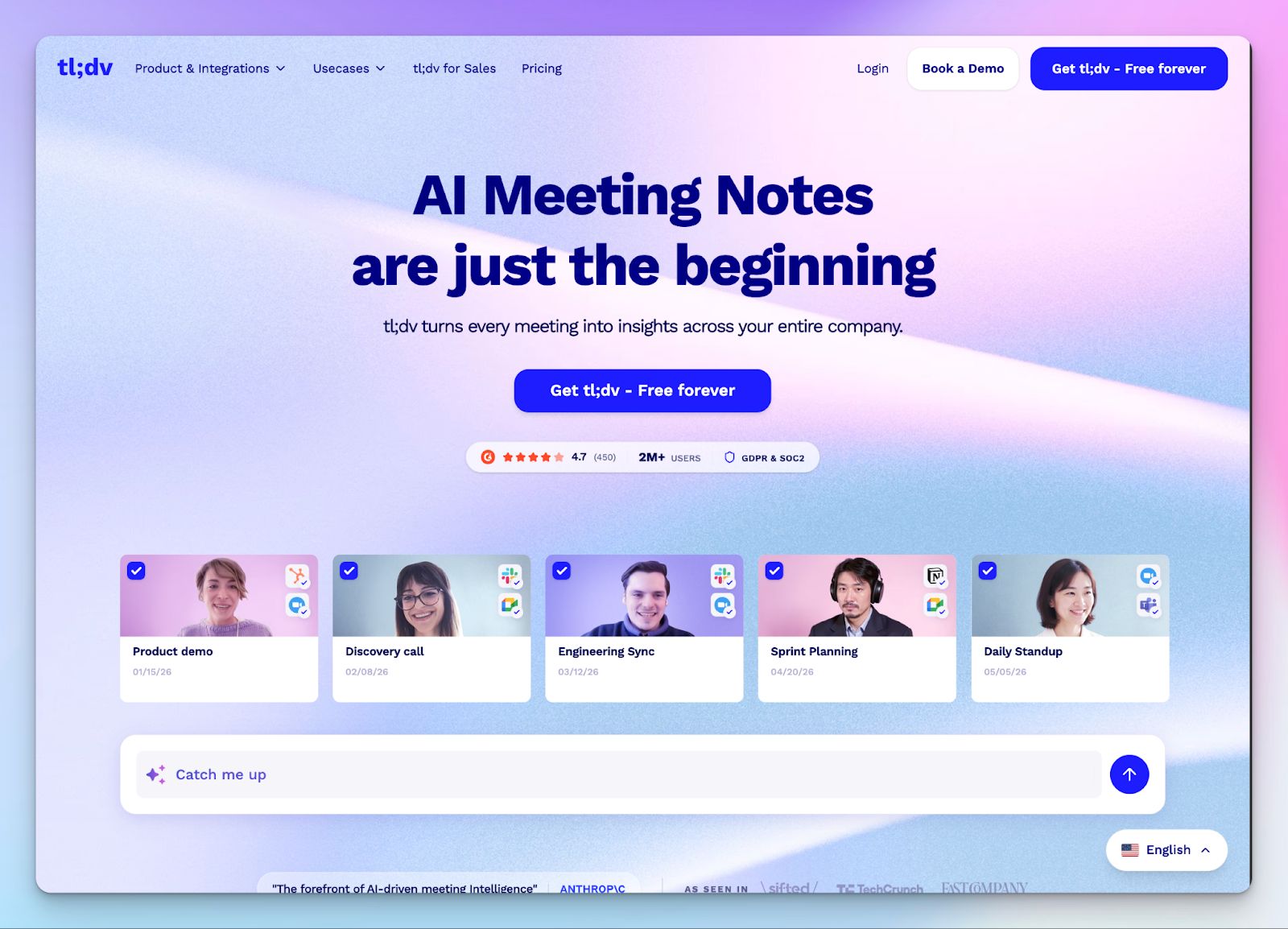
tl;dv’s free plan offers unlimited meetings and unlimited transcriptions in 30+ languages, speaker recognition, moment clipping, and Slack and email integrations.
Summaries go straight to Slack or email so your team stays in the loop without logging into another tool.
Before you sign up, two limits worth knowing: AI meeting notes are capped at 10 for the lifetime of the free account, and multi-meeting AI reports are a paid feature.
The tool is built in Germany, is GDPR-compliant and SOC 2-certified, and stores all data in EU-based data centers. Recordings are never used to train AI models.
tl;dv's key features
- Unlimited video recordings and transcriptions across Zoom, Google Meet, and Microsoft Teams with no meeting cap
- Tag and clip key moments during or after any call and share without sending the full recording
- Transcription and translation in 30+ languages with automatic speaker detection
- Auto-recording with calendar sync on both desktop and mobile
tl;dv's pricing
- Free: Unlimited video recording with AI meeting notes available for up to 10 meetings
- Pro: $29/month per user
- Business: $98/month per user
- Enterprise: Custom pricing
tl;dv's pros
- GDPR compliant and SOC 2-certified
- Data hosted in the EU
- Works on mobile via Zoom, Google Meet, and Teams on iOS and Android
tl;dv's cons
- 10 AI meeting notes for the lifetime of the free account is a harsh limit
- Multi-meeting AI reports are locked behind paid plans
- Visible bot joins calls; you need the desktop app to record without a bot
📚 Also read:
So, which free AI meeting assistant should you choose?
The right pick depends on what you actually need from a free plan and how long you need it to last.
👉 Meetily is useful for legal, healthcare, and financial teams that don’t want any data to leave their devices. But note that the setup requires some technical expertise.
👉 Fireflies.ai suits sales and customer success teams that want notes to flow straight into Salesforce or HubSpot without manual work. Just know the 800-minute storage cap will move quickly if you're in back-to-back calls.
👉 Grain is built for anyone who needs to clip and share specific moments from a call rather than send a full recording. The 20-meeting free limit is real, but permanent storage and free viewer seats make it worth testing seriously.
👉 tl;dv offers unlimited meetings and unlimited transcription on the free tier. However, the 10 lifetime AI notes cap is the trade-off, so it works best for teams that prioritize video archives over AI summaries.
👉 HappyScribe is the best all-rounder free AI meeting assistant for teams that want both high security and accuracy. The generous free plan offers unlimited recordings up to 45 minutes each, 95%+ accuracy across 150+ languages, EU data storage, and AI that lets you query your entire meeting history, all without a credit card.
Get started with HappyScribe for free today, try it in real meetings, and see the difference for yourself!
FAQs on the best free AI meeting assistants
What is the best free AI meeting assistant in 2026?
HappyScribe is the best free AI meeting assistant with the most generous free plan in the category: unlimited meeting recordings up to 45 minutes each, AI meeting summaries, and AI Chat that lets you extract key insights from your entire meeting history, all without a credit card. Fireflies suits customer-facing teams that want meeting insights routed into a CRM. Grain works well for anyone who needs to clip key moments from recorded meetings. tl;dv gives you unlimited meeting transcripts and video recording on its free tier, with a cap on AI notes. Meetily is the right call for teams that want meeting data to never leave their own infrastructure.
Can a free AI meeting assistant handle in-person meetings and online meetings?
Most AI meeting assistants are built around a meeting bot that can automatically join Zoom meetings, Google Meet, and Microsoft Teams, which means they only work on video calls. In-person meetings are a different story. HappyScribe covers both: it joins scheduled online meetings and captures conversations. HappyScribe's browser-based recorder can capture meetings without a bot for virtual calls, and the same tool works for in-person meetings by recording audio directly. Meetily also captures meetings locally without platform dependency. If your meeting load includes a mix of internal meetings, virtual client calls, and face-to-face sessions, make sure the tool you pick supports more than just online meetings.
How do free AI meeting assistants handle meeting transcripts and AI summaries?
The quality of AI meeting notes depends on two things: transcription accuracy and how the AI processes meeting content afterward. HappyScribe delivers 95%+ accuracy across 150+ languages with auto detection, then generates structured AI summaries and action items from the transcript. Its AI Chat lets you pull answers from past meetings, extract meeting context, and draft follow-up emails without digging through recordings manually.
Do AI meeting assistants work with Google Calendar and Microsoft Teams for meeting scheduling?
Yes. A lot of AI meeting assistants support calendar sync with Google Calendar and Outlook, which lets the meeting bot automatically join scheduled calls without manual setup. HappyScribe connects to both, detects upcoming meetings, and joins as a meeting participant on Zoom, Google Meet, and Microsoft Teams. You can also paste a link directly for impromptu calls, which keeps things flexible when meeting scheduling doesn't go through your calendar.
Are there completely free AI meeting assistants with strong security features?
Yes. HappyScribe is completely free to start, with no credit card required, and is one of the few AI note takers that pairs a generous free plan with enterprise-grade security: GDPR compliance, SOC 2 Type II certification, AES-256 encryption, and EU data hosting. That combination is useful for global teams, regulated industries, and anyone handling sensitive meeting content. Meetily is another useful tool for teams that need full data sovereignty. It processes all meeting data locally with no cloud dependency.

Rodoshi Das
Rodoshi is the Content Lead at HappyScribe, the privacy-first transcription and AI notetaker platform based in Barcelona. Shaping content strategies and building AI workflows excites her as much as exploring new SaaS tools. She specializes in product-led content that informs rather than sells, grounded in honest product benchmarking and low tolerance for empty marketing speak.