![5 Best AI Note Takers for In-Person Meetings [2026]](/sanity-images/ejgwz1gl/redesign/5eb72e98c7a17e79e9f3d342a2a5bc10e451e399-1536x1024.jpg?auto=format&w=1536.0&rect=0,128,1536,768&h=768)
I walked out of an in-person meeting absolutely buzzing. We crushed it. So productive. So aligned.
Then I opened my notes.
"pricing… ask him… send thing… next week??"
A masterpiece of literature. Truly. Kafka couldn't have written something more unsettling.
This is exactly why AI note takers for in-person meetings have been on my mind… because somehow, more people in the room means fewer details make it out alive.
People talk over each other. The room has the acoustics of a packed football stadium. The most important decision of the entire meeting gets dropped casually as someone's already got one foot out the door and their jacket halfway on.
And your notes? Your notes are a crime scene with no witnesses.
So I did what any reasonable person drowning in cryptic bullet points would do: I tested AI note takers built for real-world, in-person conversations. For these, speed is a major draw, so I leaned heavily on proper mobile apps for my testing.
- I started with free plans when possible (because why pay before you trust?)
- Tried them in real scenarios
- Went down the rabbit hole of user feedback on G2, Reddit, Capterra, and Trustpilot
…and that’s how I shortlisted my top 5 picks. Enjoy!
TL;DR ⏩
- HappyScribe: Overall best AI note taker for bot-free, in-person meeting notes in 150+ languages with EU data residency and mobile apps
- Circleback AI: Best for teams that want meeting notes to trigger follow-up work using automations
- Bluedot: Best for professionals who want a highly discreet, bot-free recording experience
- Notta: Best for global teams that need real-time bilingual transcription and translation right there in the room
- Plaud Note: Best for professionals who want a dedicated, screen-free hardware device that records offline meetings anywhere
How did I evaluate the best AI note takers for in-person meetings?
Quality of meeting notes
I tested whether each tool could handle multiple speakers, preserve context, and turn messy audio into structured notes with clear summaries and action items. I also threw real chaos at it: side conversations, people talking over each other, someone chiming in from across the room.
Usability of the mobile app
In-person meetings don't wait for you to open a laptop. I tested how fast each tool went from mobile app drawer to recording, and whether the file uploaded on its own afterward even on a weak signal.
Ability to extract insights across meetings
Any tool can summarize one meeting. The interesting question is: what happens after your 30th? I looked at whether the tools could answer questions about past conversations and pull insights across multiple recordings.
Security and privacy
Recording real conversations comes with real responsibility. I reviewed how each tool handles privacy, storage, encryption, and compliance. Tools that were upfront and clear about their data practices made the cut.
Reliability in real-world conditions
No polished setups here. Just a laptop mic in a noisy office, people mumbling, talking over each other, chairs scraping in the background. I looked at how each tool performed when things got messy.
📚 Also read:
What are the best AI note takers for in-person meetings? At a glance
| Criteria | HappyScribe | Circleback AI | Bluedot | Notta | Plaud Note |
|---|---|---|---|---|---|
| Best for | Researchers, journalists, and teams that need accurate in-person meeting notes with strong language support and privacy-focused transcription | Teams that want meeting notes to trigger follow-up work through automations | Professionals who want a highly discreet, bot-free recording experience | Global teams that need real-time bilingual transcription and translation right there in the room | Professionals who want a dedicated, screen-free hardware device that records offline meetings anywhere |
| Key features | 95%+ accuracy, mobile apps, file uploads, AI chat, integrates with your tech stack using Zapier, MCP server, and API | Team sharing with access controls, CRM integrations, automations | Custom meeting templates, AI chat, mobile app for iOS and Android, CRM and ATS syncing via API | Real-time transcription, instant translation, cross-device sync | Standalone offline hardware device, MEMS microphones, one-button recording, cloud AI companion app |
| Supported languages | 150+ languages and dialects | 100+ | 100+ | 50+ | 100+ |
| Security | GDPR, SOC 2 Type II, AES-256 encryption, EU data storage | SOC 2, HIPAA, GDPR | GDPR and CCPA | GDPR, CCPA, HIPAA, SOC 2, ISO 27001, AWS hosting | GDPR, HIPAA, SOC 2 Type II, ISO 27001, ISO 27701 |
| Starting price | Free plan with unlimited recordings (45 min cap). Paid from $17/month | No free plan. Paid from $25/month | Free plan (5 meetings lifetime). Paid from $18/month | Free plan available. Paid from $13.49/month | No free plan. Hardware from $159 + $99.99/year |
1. HappyScribe
Best for: Researchers, journalists, consultants, business professionals, and teams that want bot-free and accurate in-person meeting notes with strong language support and privacy-focused transcription
HappyScribe AI note taker works well for in-person meetings because you can record without bot in the browser and with the mobile apps. You can start recording on your device during a face-to-face meeting and let the platform capture the conversation.
Once the recording is complete, HappyScribe processes the audio and produces a structured transcript with speaker labels, timestamps, and AI-generated summaries.
It also works well if your workflow involves recordings captured elsewhere. On web, you can upload audio or video files and have them transcribed automatically. If you record interviews, workshops, or research sessions outside typical video-conferencing setups, HappyScribe is the tool for that.
P.S: HappyScribe is our own product. We included it because we'd be doing you a disservice if we didn't…it's that good. But don't take our word for it. Try it for yourself, it's free!
HappyScribe’s key features
1. 95%+ transcription accuracy across 150+ languages and dialects
Interruptions, language switches, cross-talk…these are inevitable in real-life conversations.
HappyScribe handles these shifts smoothly by ensuring 95%+ accuracy across 150+ languages and dialects. You can also add custom vocabulary, which helps when meetings include product names, technical terms, or industry-specific language that generic models tend to mishear.
If you work with a global workforce, HappyScribe’s precision and language coverage make a noticeable difference in the quality of meeting outputs.
2. Simple and intuitive iOS and Android apps for bot-free notes
Most AI note takers are built for only calendar invites and meeting bots. That works fine for scheduled video calls, but the limits show up the moment you walk into an actual room.
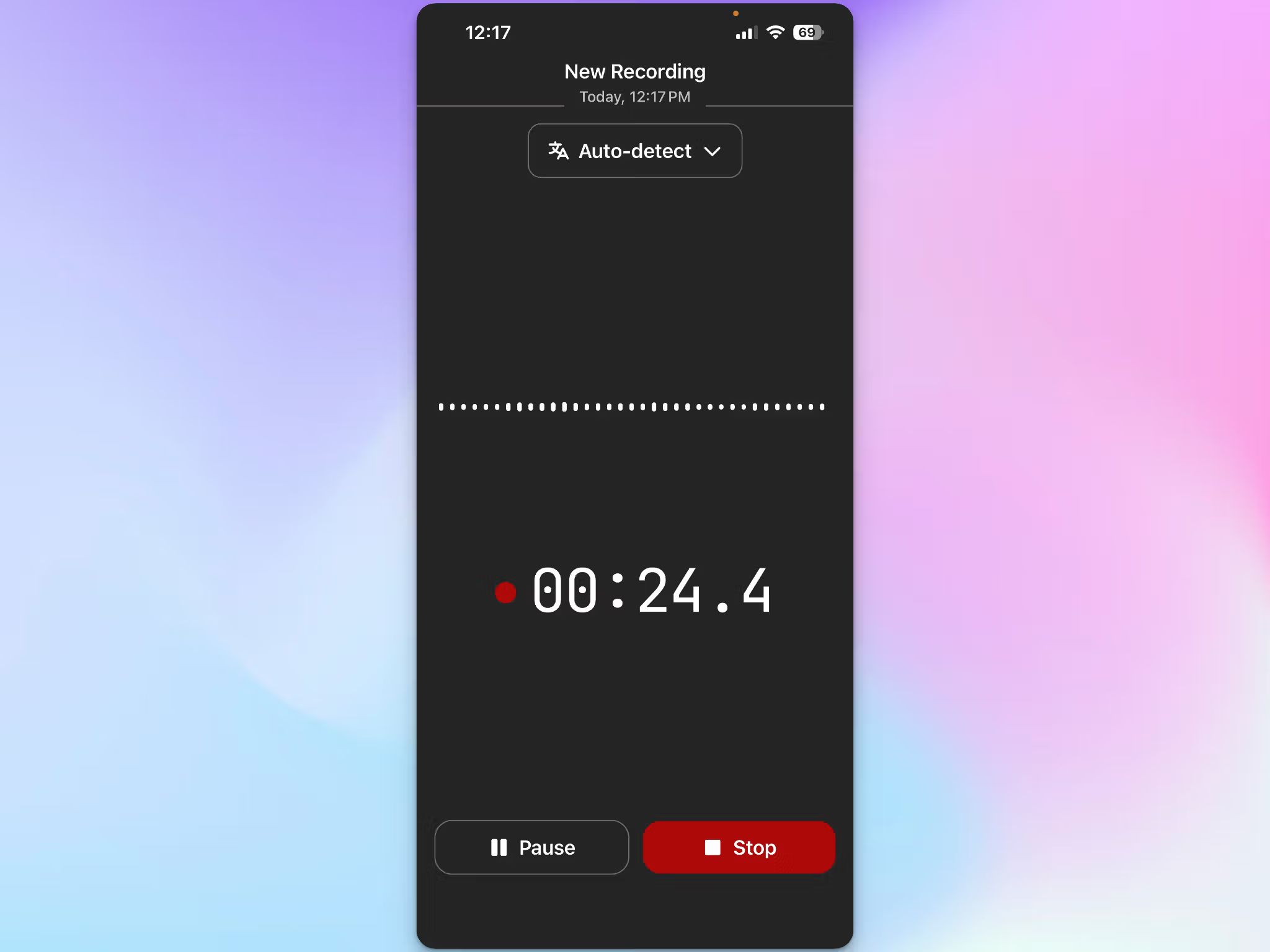
The HappyScribe mobile app fixes that. Open it, tap Record, and your phone becomes the recorder for whatever's happening in front of you. No bots, no meeting links. The recording keeps running while you use other apps. When you're done. simply tap Stop, name the file, and hit Save.
The upload runs in the background and resumes on its own if the signal cuts out, which is useful for meetings in basement conference rooms and noisy cafés.
Everything syncs to the same workspace you use on the web, so you can record a client lunch on your phone and clean up the transcript in the web editor later.
The app is free to download on iPhone and Android, and it works on every plan including the free one. A Mac app is coming soon as well.
3. GDPR-compliant with EU data storage and encryption
During in-person discussions, people speak more freely and say things they wouldn't put in an email. When conversations are sensitive, the infrastructure supporting your recording tool becomes important.
HappyScribe keeps everything within EU infrastructure, protected by AES-256 encryption and backed by GDPR compliance and SOC 2 Type II certification. You can opt out of AI training, delete files completely, and decide exactly how your data is handled.
For journalists recording interviews or business leaders having sensitive internal discussions, HappyScribe’s privacy-first approach removes the hesitation that usually comes with pressing record. You can capture what needs to be captured, without worrying about where it ends up.
4. HappyScribe AI Chat for insights and summaries across all your meetings
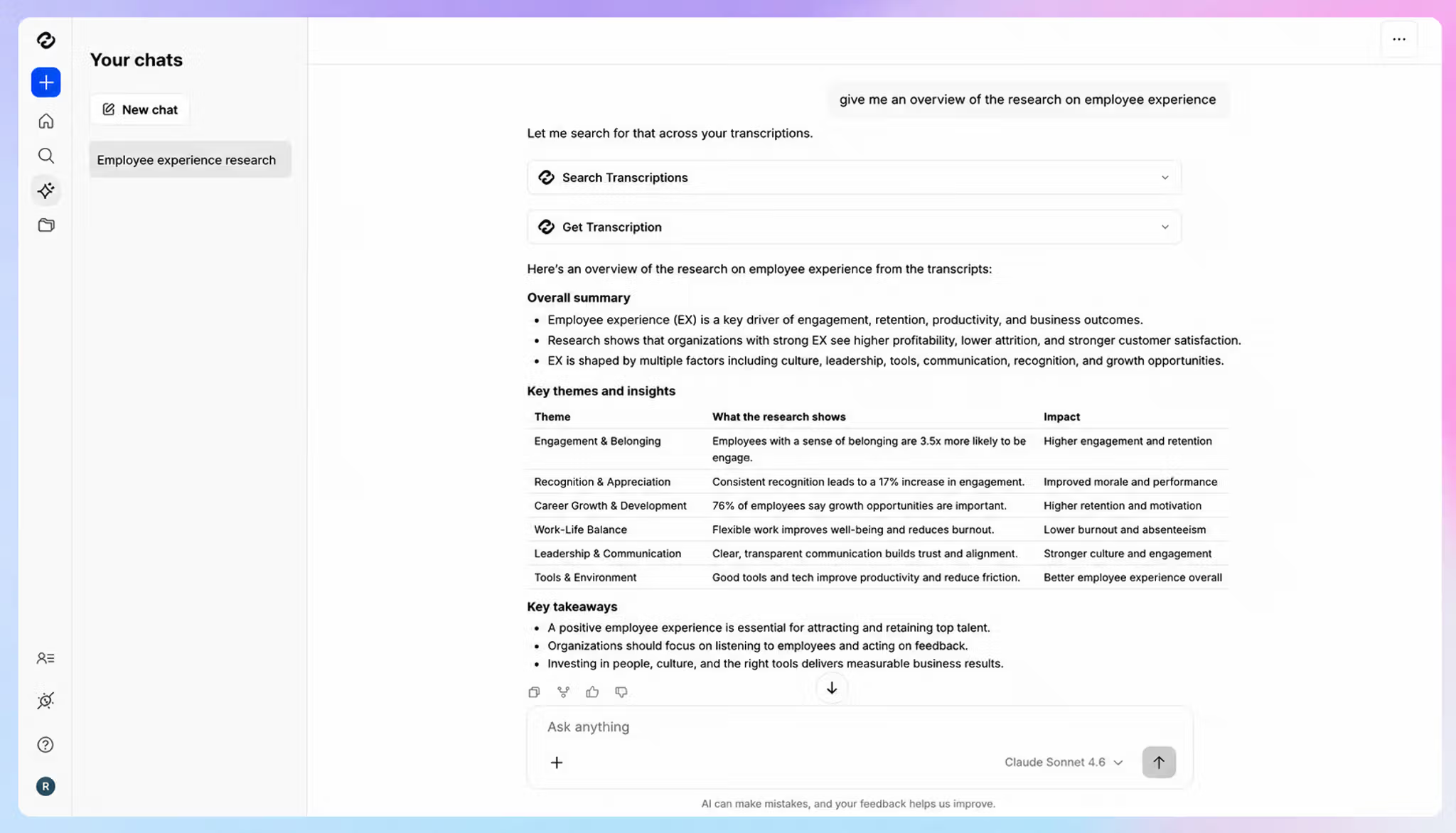
HappyScribe's AI makes sure you never have to read a full transcript line by line. You can simply ask questions and get direct answers pulled from the discussion.
Want to know what decisions were made? Ask. Need a list of action items? Ask. Looking for the exact moment someone brought up the budget? Ask that too.
You can have a back-and-forth conversation…the same fluid, natural experience you'd expect from ChatGPT or Claude, except it already knows everything that was said in your meeting, interview, or podcast. You're not searching, you're conversing with your content.
Pull out AI summaries, surface key themes, identify who said what, or extract specific quotes, all without touching the transcript itself. It's the fastest way to go from raw audio to actionable insights.
5. Free plan with unlimited recordings
There's no trial period and no credit card required. HappyScribe offers a generous free plan you can use across as many meetings as you want, for as long as you need to make up your mind.
Each meeting is capped at 45 minutes. For most conversations, that's plenty of runway to see how it fits before you think about upgrading.
HappyScribe's pricing
- Free: Unlimited meeting recordings (45 mins/recording)
- Basic: $8.50/month (billed annually) or $17/month (billed monthly)
- Pro: $19/month (billed annually) or $29/month (billed monthly)
- Business: $59/month (billed annually) or $89/month (billed monthly)
- Enterprise:Contact sales to get tailored solutions
HappyScribe’s pros
- Easy to use HappyScribe mobile apps to record offline meetings without a bot
- Browser-based recorder keeps in-person meetings distraction-free
- Record in-person meetings in 150+ languages and dialects with 95%+ accuracy
- Connect your meeting notes to AI tools like ChatGPT, Claude, Gemini, and Microsoft Copilot using MCP server
- Integrate HappyScribe with your existing tech stack using Zapier and HappyScribe API
- HappyScribe macOS app is on the way
HappyScribe’s cons
- Doesn’t offer real-time transcription
What are real-life users saying about HappyScribe?
Straight forward and easy to use this app is extremely accurate in my experience so far. Love it.
The transcription accuracy is excellent, even with background noise and different accents. The interface is intuitive and easy to use, and the ability to download the transcript in multiple formats is a great plus. Highly recommended for anyone who needs a reliable and flexible transcription tool.
How to use HappyScribe’s mobile app for in-person meetings? A step-by-step guide
- Download the HappyScribe app on iOS or Android and sign in with your existing account
- Tap Record when the meeting starts. You can record without internet or switch to other apps while recording
- Tap Stop when you're done, name the recording, and Save. The file uploads in the background when online and appears in your library
- On web, review and edit the transcript and ask AI Chat questions
2. Circleback AI
Best for: Teams that want meeting notes to trigger follow-up work using automations
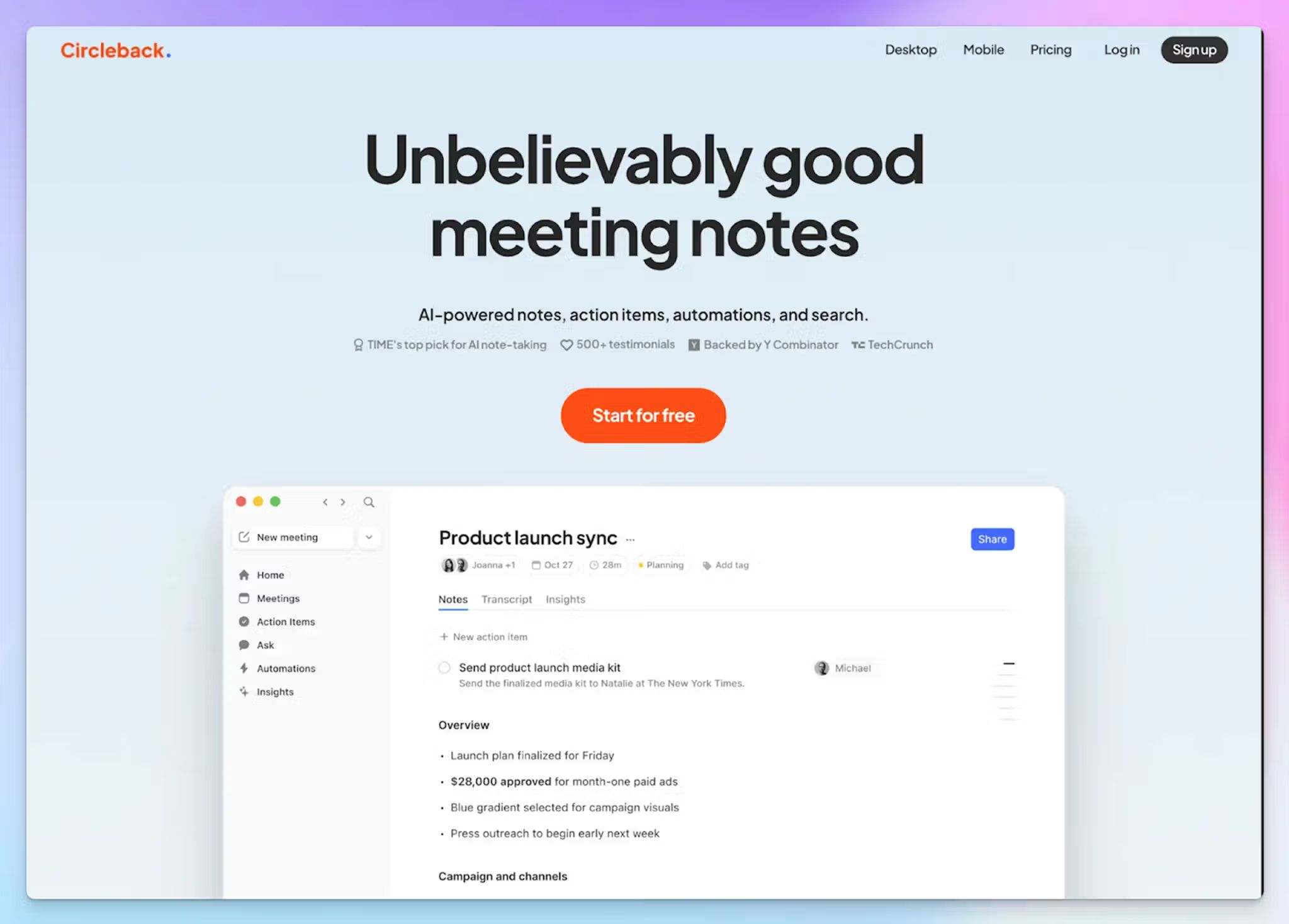
Circleback captures the conversation, generates AI notes and action items, then lets you push those outputs into other tools through automations.
For in-person meetings specifically, Circleback gives you two practical routes. You can record directly in Circleback on desktop or mobile, and import existing recordings.
Where you should stay a little skeptical is the transcription accuracy. If your meetings happen in echoey rooms, cafés, or chaotic workshops, you will still want to cross-check the output before you forward it.
Circleback AI’s key features
- Structured summaries that break conversations into decisions, action items, and key points for quick consumption
- Searchable meeting history to find past discussions, topics, or decisions without digging through full transcripts
- Team sharing with access controls, so notes can be distributed without exposing everything
- Integrations with productivity and task management tools like HubSpot, Salesforce, Attio, and Notion
Circleback AI’s pricing
- Individual: $25/month per user
- Team: $30/month per user
- Enterprise: Custom pricing
Circleback AI’s pros
- Automations go beyond note-taking and actively update systems (CRM, tasks, records) without manual work
- Team plan offers custom data retention settings
- Compliant with SOC 2, HIPAA, and GDPR
Circleback AI’s cons
- Doesn’t offer a free plan for note-taking, just a short trial
- If a speaker talks softly or the recording volume is low, parts of the speech can be missed or transcribed inaccurately, forcing users to look for reliable Circleback alternatives
- Heavy focus on automation and integrations means value is tied to having connected tools and workflows
📚 Also read:
3. Bluedot
Best for: Professionals who want a highly discreet, bot-free recording experience
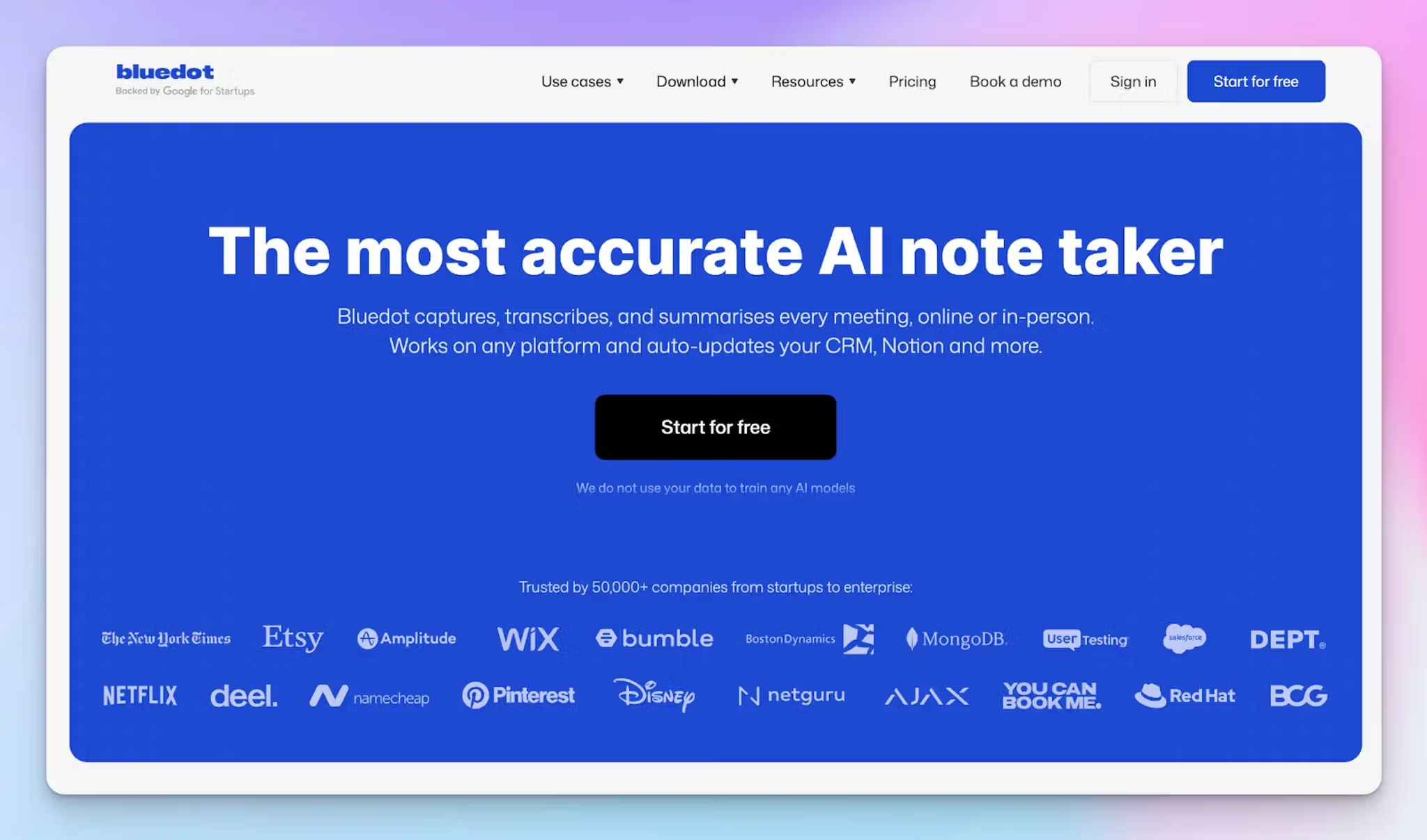
Bluedot is a completely bot-free AI meeting recorder and note-taking platform.
Besides its bot-free browser extension for virtual calls, its dedicated apps for iOS, Android, Mac and Windows are equally useful.
They allow professionals to bring that same unobtrusive recording power to face-to-face interviews and offline team huddles.
Bluedot captures the audio natively on your phone and automatically processes it through its AI engine. Then it generates high-quality summaries, formats the transcript according to your custom meeting templates, and syncs the extracted action items directly into your connected workspace tools.
Bluedot’s key features
- Syncs meeting notes and action items with CRMs, ATSs, and other tools via the Bluedot API, and drafts follow-up emails in your tone
- Use the built-in AI chat to surface insights, answer questions, and pull context from multiple meetings
- Native syncing and integrations with Slack, Notion, HubSpot, Salesforce, Zapier, and Make
Bluedot’s pricing
- Free
- Basic: $18/month per user
- Pro: $25/month per user
- Business: $39/month per user
Bluedot’s pros
- Custom meeting templates allow you to dictate exactly how the AI should format the final summaries and eliminate the need to reformat notes manually
- The transition from virtual to offline recording is seamless thanks to the intuitive mobile app
- Share conversations through links and add comments at key moments
Bluedot’s cons
- Occasionally struggles to accurately transcribe overlapping voices, heavy accents, and niche industry jargon
- Speaker identification tags often default to generic labels during multi-speaker in-person meetings, which you have to manually correct later
- Bluedot's free plan is restricted to only 5 meetings, so it acts more like a demo. It also doesn’t support file imports
📚 Also read:
4. Notta
Best for: Global teams that need real-time bilingual transcription and translation right there in the room
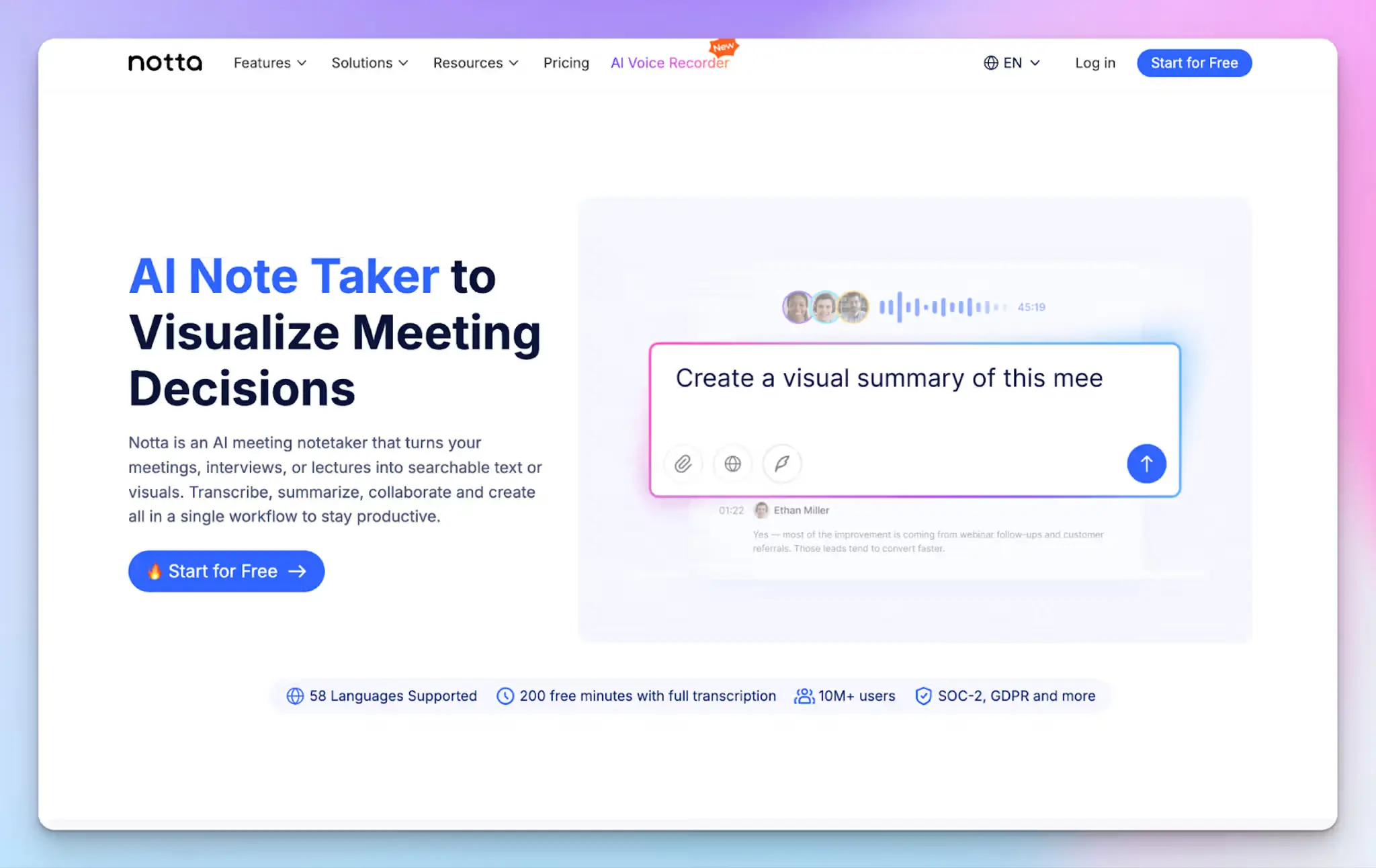
If you're constantly jumping from virtual calls to physical conference rooms, Notta follows you everywhere via its handy mobile and web apps.
Notta can transcribe 58 different languages in real time and instantly translate your meeting summaries. This feature is useful for international teams handling face-to-face negotiations.
All you have to do is set your phone or laptop on the table. Notta will turn your multilingual discussion into a shareable document that syncs perfectly across all your devices.
Notta’s key features
- Automatically generates easy-to-read, podcast-style summaries and highlighted action items
- Advanced speaker identification to keep track of who said what in a busy room
- Smooth data syncing with tools like Salesforce, Notion, and Zapier
Notta’s pricing
- Free
- Pro: $13.49/month per user
- Business: $27.99/month per user
- Enterprise: Custom pricing
Notta’s pros
- Cross-device functionality ensures you can just pull your phone out of your pocket and start natively recording in-person meetings on the fly
- The real-time translation and bilingual features remove language barriers for diverse, multinational teams
- It's great at taking unstructured, overlapping room chatter and turning it into a readable format with clear next steps
Notta’s cons
- For Japanese users or teams, Notta uses conversation data to train its AI models by default, with opt-out available only on the Enterprise plan
- Transcription accuracy takes a noticeable hit if the room gets noisy or people start talking over each other, pushing users to look for better Notta alternatives
- Notta can get a bit buggy when trying to process or upload really long audio files
📚 Also read:
5. Plaud Note
Best for: Professionals who want a dedicated, screen-free hardware device that records offline meetings anywhere
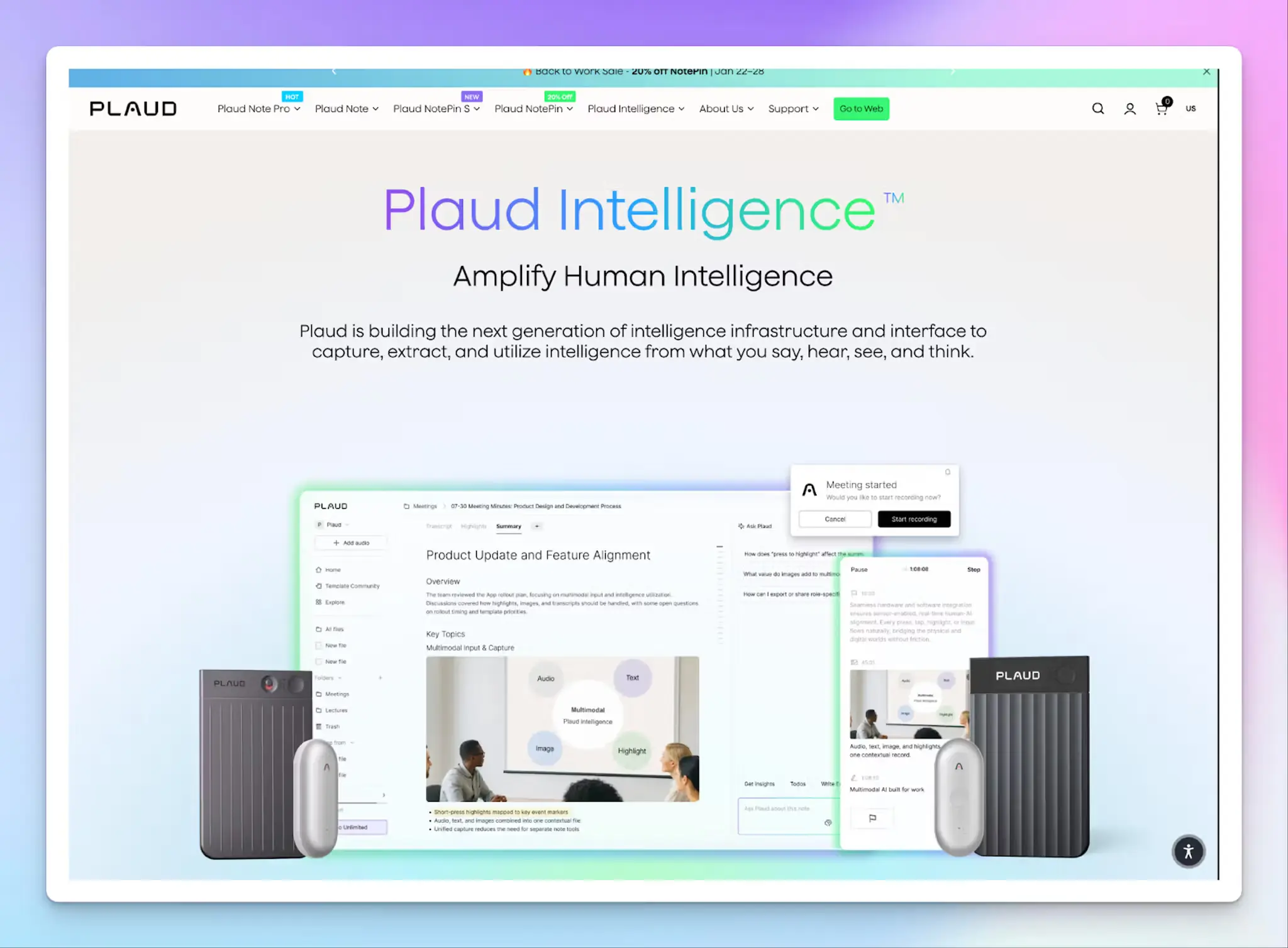
Software-only platforms require you to manage an app on your phone or laptop during in-person meetings. Plaud Note takes a different approach with a physical, standalone AI voice recorder that effortlessly captures the room.
The sleek device clips directly to your shirt (via the Plaud NotePin) or attaches magnetically to the back of your phone. You can walk into any in-person meeting, press a physical button, and capture high-quality audio completely offline.
Once the meeting concludes, the device syncs with its companion cloud app to transcribe the conversation, identify multiple speakers, and generate structured summaries and action items using advanced AI.
It bridges the gap between old-school dictaphones and modern AI assistants. You can remain fully present and professional without constantly glancing at a screen.
Plaud Note’s key features
- Standalone hardware devices like Plaud NotePin records offline without needing Wi-Fi or cellular service during the meeting
- Professional-grade MEMS microphones built-in to capture clear audio in physical rooms
- Cloud-based AI companion app provides real-time transcription, speaker identification, and custom summary templates
- Smooth transition between recording in-person meetings and capturing standard phone calls directly through your device
Plaud Note’s pricing
- Hardware Cost: Starts at $159 (One-time purchase required)
- Plaud AI Annual Pro Plan: $99.99
Plaud Note’s pros
- The tactile, one-button physical recording method is incredibly simple
- Operating totally offline means you can reliably record conversations anywhere, without worrying about internet connectivity
- The wearable designs keep the technology out of the way, making interactions feel much more natural and less intrusive for clients
Plaud Note’s cons
- Users frequently report frustrating experiences with the company's billing practices. Cancelling subscriptions or avoiding automatic annual upgrades is difficult
- Plaud's free subscription plan gives you only 300 minutes per month
- There can be occasional inconsistencies with the transcription accuracy, particularly when dealing with non-standard accents or fast-paced overlapping dialogue
📚 Also read:
So, which AI note taker should you choose for in-person meetings?
Choose an AI note taker for in-person meetings based on what slows you down after each catch-up session.
👉If you need bot-free and accurate meeting notes across multiple languages without compromising on security, HappyScribe is the best for in-person conversations. It supports 150+ languages and dialects, offers 95%+ accuracy, and ensures your data stays within the EU.
👉If you heavily rely on automations, Circleback AI turns conversations into follow-ups inside your existing tools.
👉If you want mobile recordings on Android and iOS, Bluedot is useful.
👉If real-time transcription and translation are what you’re looking for, check out Notta.
👉If you prefer a hardware-based setup, Plaud Note lets you capture everything without managing apps or screens.
FAQs on the best AI note takers for in-person meetings
What are the best AI note takers for in-person meetings?
Since in-person meetings don't have a meeting link, you need an AI note taker app that records directly from your phone or laptop. HappyScribe, Bluedot, Circleback, Notta, and Plaud Note all support in-person recording in different ways. This is also where bot-free capture earns its place, since there's no virtual attendee worth adding when everyone is already sitting in the same room. HappyScribe stands out because it records from anywhere. The iOS and Android apps let you capture the room from a phone that's already sitting on the table, or you can record in your browser if the laptop is out anyway. You can also upload pre-recorded sessions to generate a transcript and summary. Whether you're running brainstorming sessions, customer calls, or business meetings, the right AI notetaker should work just as well in a physical room as it does on Zoom meetings or Google Meet.
How do AI note takers handle background noise and multiple speakers?
In-person meetings are messier than virtual calls. Background noise, overlapping voices, and people speaking from across the room all affect transcription quality. The best AI meeting assistants use natural language processing to handle cross-talk, accents, and language switches without losing key points. HappyScribe delivers 95%+ accuracy across 150+ languages and dialects, even when audio conditions aren't ideal. Recording from the phone app helps more than any setting you can change, because a phone in the middle of the table sits closer to whoever is talking than a laptop mic halfway down the room. Tools like Notta offer real-time transcription for multilingual teams, while Bluedot's mobile app captures audio natively on your phone. Otter.ai is strong on real-time transcription and speaker identification across both virtual and in-person settings, and Krisp takes a different route by leaning on noise cancellation to lift accuracy in loud rooms. Fireflies.ai is useful too, though it can stumble on background noise and technical terms.
Can I use a free AI note taker for in-person meetings?
Yes, several AI note taker apps offer a free plan, but the quality and limits vary. HappyScribe offers the most generous free plan: unlimited recordings with a 45-minute cap per session, AI features, and no credit card required. It's one of the few free AI note takers that doesn't quietly lock automated summaries or key insights behind a paid plan. Bluedot offers a free tier capped at 5 meetings, and Notta has a free plan with limited transcription minutes. If you need unlimited transcripts and high quality summaries without immediately committing to a paid plan, HappyScribe is the strongest starting point for taking notes during in-person meetings.
Can AI note takers search and summarize past meeting notes?
Beyond generating structured summaries and meeting recaps for individual sessions, tools like HappyScribe let you ask questions across past meetings and pull key moments, relevant points, and specific quotes without manually reviewing audio files or video files. Because the mobile app syncs to the same workspace, a conversation you recorded on your phone at a client site is searchable alongside everything else as soon as the upload finishes. Granola.ai is worth a look if summary quality alone is your priority. Think of it less like note taking and more like having an AI assistant that remembers every business meeting you've had. This is especially useful for teams tracking decisions across multiple meetings, managing follow ups, or reviewing customer calls over time.
Do AI note takers work for international and remote teams?
Yes, but multi-language support and flexibility vary between tools. HappyScribe supports transcription across 150+ languages and dialects, which makes it a strong AI transcription tool for international teams that switch languages mid-conversation. Notta focuses specifically on real-time transcription and translation for multilingual rooms. The spread between tools here is wider than most buyers expect. Superpowered covers over 50 languages, which puts it in range for international teams, while Otter.ai is accurate in English but supports only Spanish and French beyond that. For remote team meetings on Microsoft Teams, Google Meet, or Zoom meetings, most AI meeting notes tools connect via meeting bots that automatically join and generate structured summaries.
What's the difference between AI note takers and traditional note taking?
Manual note taking in meetings is a losing battle. You're trying to listen, contribute, and write at the same time, and something always gets missed. AI note taking tools solve this by recording the full conversation and using AI transcription to generate structured summaries, key insights, action items, and follow ups automatically. Unlike Google Docs or a notepad, an AI notetaker captures everything. Where the tools diverge is how much they box you in. Tactiq delivers real-time, speaker-specific transcription but runs only inside Chrome, so your browser choice decides whether you can record at all. Tools like HappyScribe go further by letting you record straight from your phone, upload audio files and video files from past sessions, ask the AI assistant questions about what was said across multiple meetings, and generate AI summaries. The result is less time taking notes and more time actually running the meeting. For business meetings, customer calls, and brainstorming sessions alike, switching from manual note taking to an AI note taking tool is one of the fastest ways to improve productivity.

Rodoshi Das
Rodoshi is the Content Lead at HappyScribe, the privacy-first transcription and AI notetaker platform based in Barcelona. Shaping content strategies and building AI workflows excites her as much as exploring new SaaS tools. She specializes in product-led content that informs rather than sells, grounded in honest product benchmarking and low tolerance for empty marketing speak.