![5 Best Notta Alternatives for AI Meeting Notes [2026]](/sanity-images/ejgwz1gl/redesign/007b71465b62ff1776fe2e140d3e622fa667290e-2240x1260.png?auto=format&w=2240.0&rect=0,70,2240,1120&h=1120)
If you are reading this, you are likely feeling frustrated by Notta. You’re not alone. While Notta is popular for quick transcripts, it’s also quick to show its limitations when put to serious work.
While using it, I felt Notta’s language detection wasn’t up to the mark, and I also faced billing issues. Eventually, I decided to look for Notta alternatives for note taking.
I spent a week testing the free versions of various AI meeting note takers to see how they actually perform. I also spent hours reading through customer feedback on G2, Reddit, and Trustpilot, and spoke to several teams who decided to leave Notta behind for more reliable options.
TL;DR
Best Notta alternatives for AI meeting notes are:
- HappyScribe: Best for accurate meeting notes, extensive language coverage, and transparent billing for global teams
- Fireflies: Best for revenue teams that need workflow automations and conversation intelligence
- MeetGeek: Best for teams that need structured meeting coaching and summaries
- tl;dv: Best for product managers who need visual context and cross-meeting insights
- Fathom: Best for individual users on a budget
Why users are looking for Notta alternatives
During my research, I noticed a few recurring issues that pushed me to look for better Notta alternatives. These are the four most common reasons I found for users deciding to make the switch:
1. Difficult billing experiences
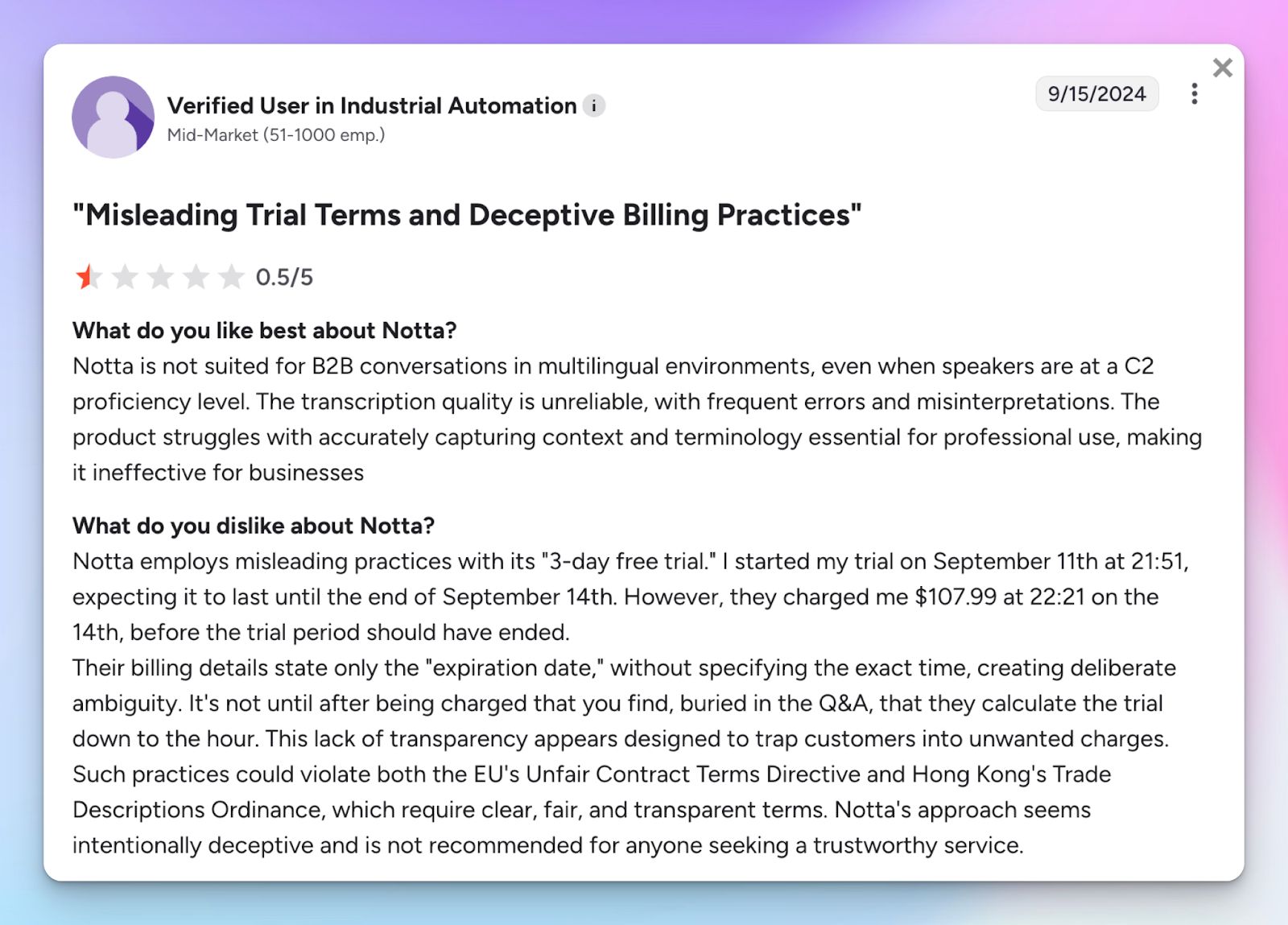
You should be able to focus on your meeting without worrying about surprise bills. Notta makes that difficult. Many users report being charged for a full year without a single reminder when their trial ends. The lack of transparency is likely why Trustpilot flagged Notta for flooding its page with fake reviews to hide these legitimate complaints.
2. Notta transcription is unreliable for non-Japanese users
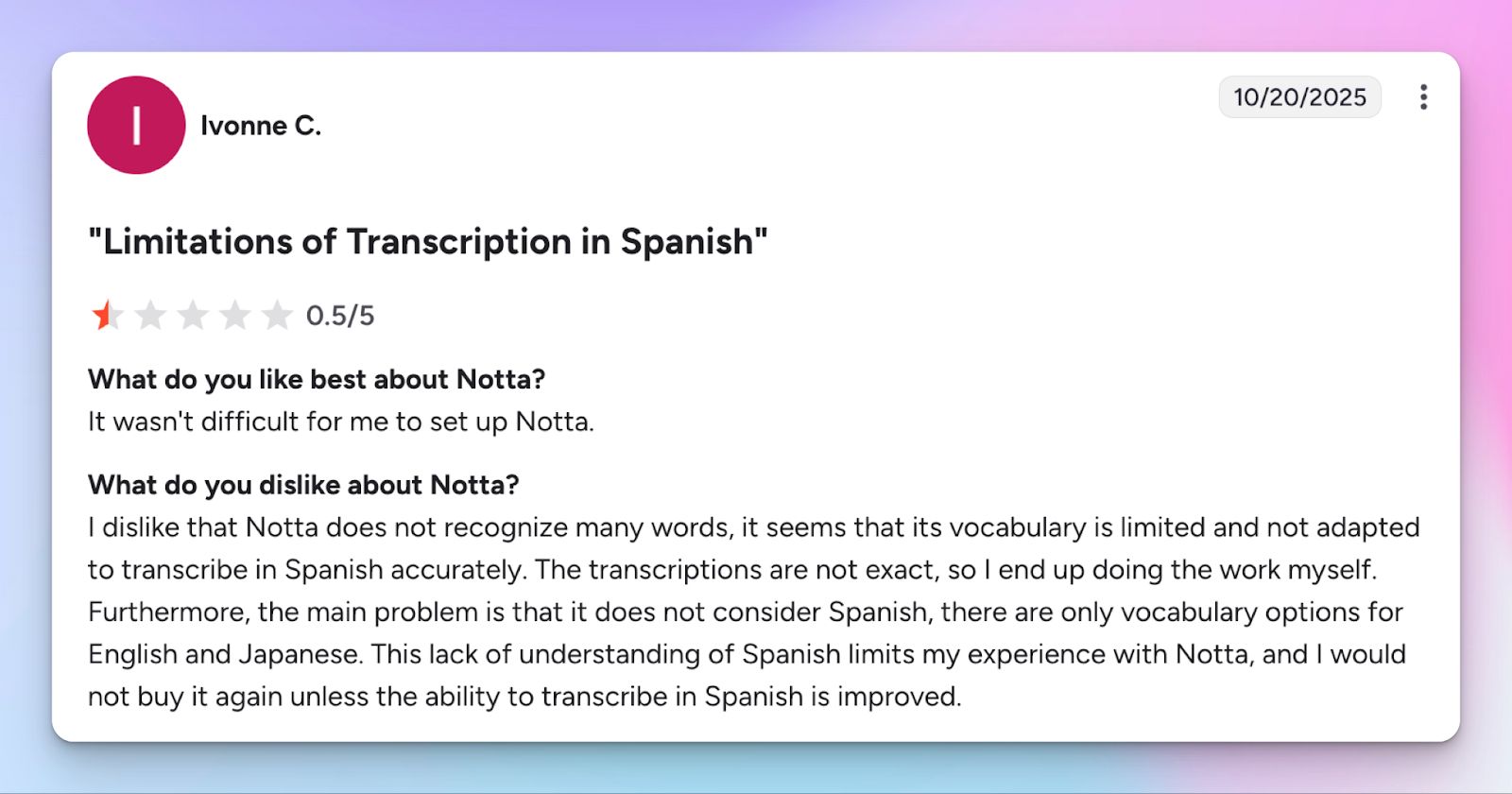
Notta is a Japanese company, and its engine prioritizes that language. If you are transcribing in Spanish, Greek, or English, you might find that the vocabulary is limited. Users often find themselves rewriting entire sections because the AI fails to understand context, which defeats the purpose of using an AI assistant to save time.
3. Notta platform is unstable
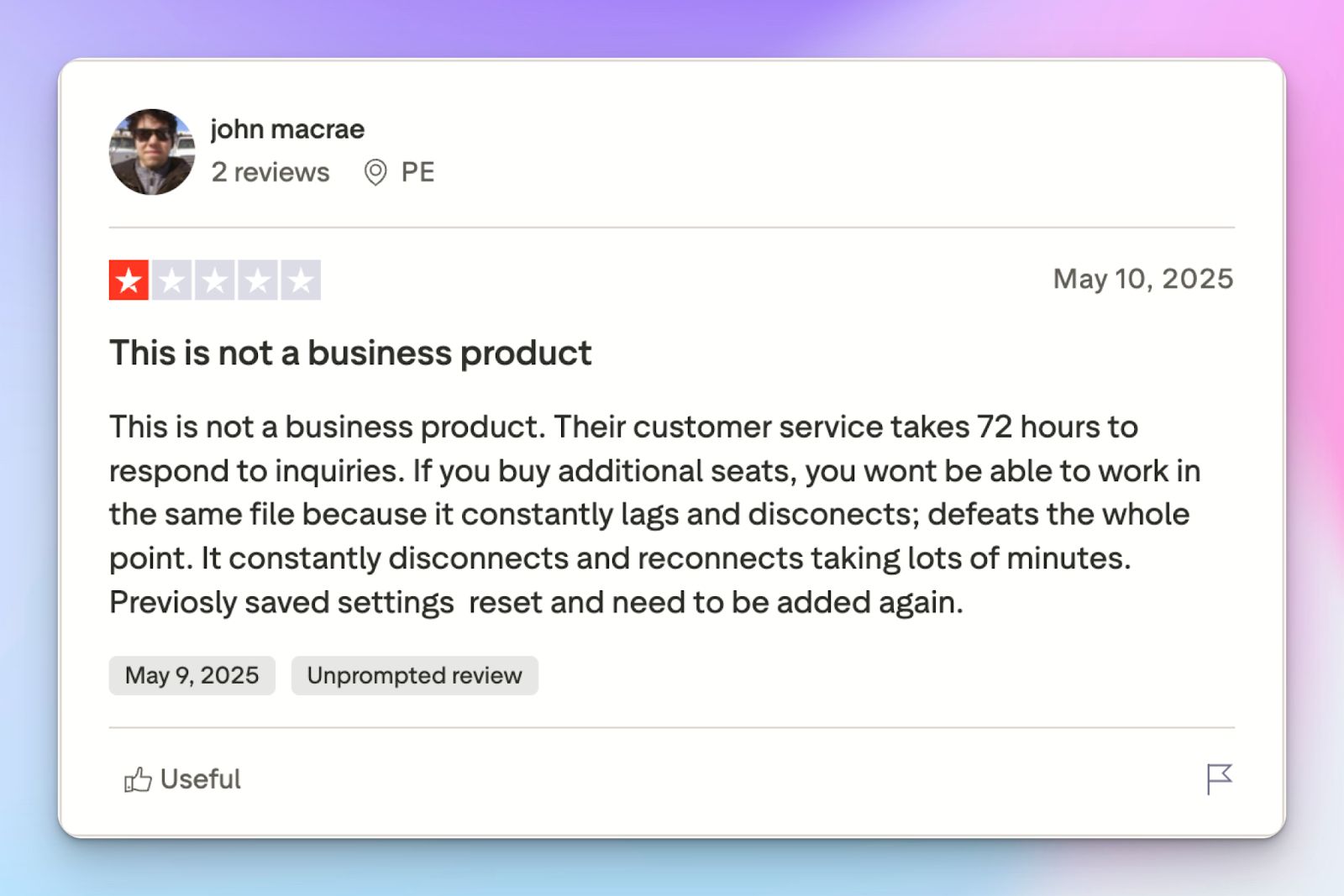
If you’re using Notta for critical meetings, tread carefully. While using the tool, the Notta dashboard disconnected several times and caused my notes to vanish before I could save them. A user said they weren't happy with system crashes and poor customer support when trying to recover their data.
4. Notta trains AI on user data
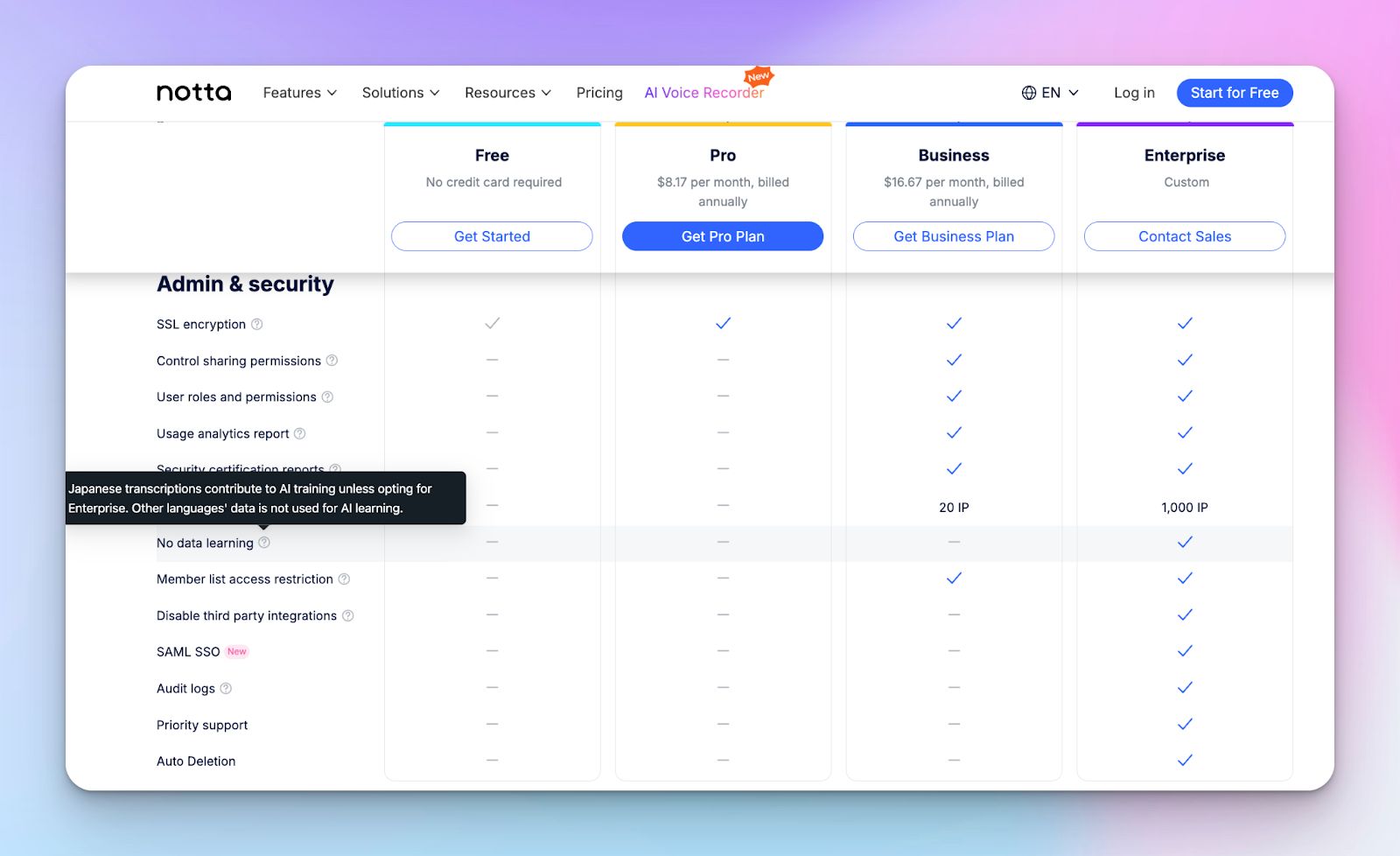
If you’re a Japanese user or have a team in Japan, know that Notta uses your conversation data to train its AI models by default. You can only disable this if you pay for a high-cost Enterprise plan. Yes, not even the Pro and Business plans can save you.
For most B2B teams, handing over sensitive meeting data for AI training is a security risk too big to ignore.
Top 5 Notta alternatives at a glance
| Features | HappyScribe | Fireflies | MeetGeek | tl;dv | Fathom |
|---|---|---|---|---|---|
| Best for | Global teams that need highly accurate and secure meeting notes | Sales and CRM automation | Meeting health and coaching | Product managers and video clips | Individuals on a budget |
| Key features | 95% AI accuracy, Ask AI insights, subtitles, translations | AskFred AI, Sentiment analysis, AI app store | Meeting health scores, auto-email summaries | Loom-like clips, Unlimited free recording | Instant highlights, basic CRM sync |
| Supported languages | 140+ languages and dialects | 100+ languages | 100+ languages | 30+ languages | 38 languages |
| Meeting platforms | Zoom, Meet, Teams, in-person meetings | Zoom, Meet, Teams, Dialpad, etc | Zoom, Meet, Teams | Zoom, Meet, Teams, Webex | Zoom, Meet, Teams |
| Security and compliance | SOC 2 Type II, GDPR, EU Data Residency (ISO 27001) | SOC 2 Type II, HIPAA, GDPR | SOC 2 Type II, GDPR | SOC 2 Type I, GDPR | SOC 2 Type II |
| Pricing | Free (45 min/rec) / Basic: $17/mo | Free / Pro: $18/mo | Free (3 hr/mo) / Pro: $15.99/mo | Free / Pro: $29/mo | Free / Premium: $19/mo |
1. HappyScribe
Best for: Accurate meeting notes, extensive language coverage, and transparent billing for global teams
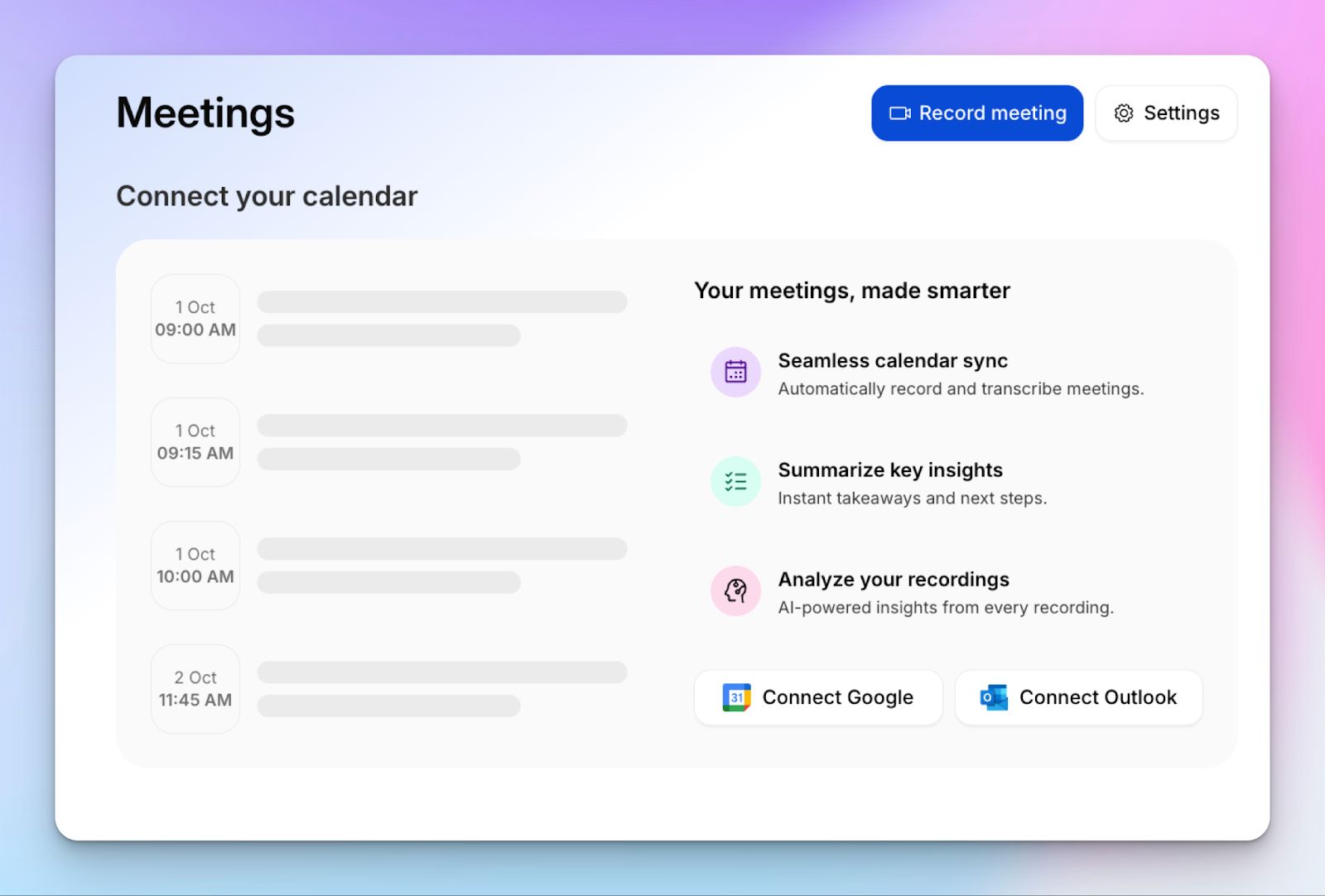
HappyScribe AI note taker is the most reliable Notta alternative because it prioritizes accuracy and stability. While Notta leaves you with transcripts that require heavy editing, HappyScribe AI transcribes notes with 95% accuracy.
If you work in a global environment, you will find HappyScribe far more versatile than Notta.
HappyScribs vs Notta
| Category | HappyScribe | Notta |
|---|---|---|
| Accuracy and verification | HappyScribe offers 95% AI accuracy for transcripts and meeting insights | Notta is primarily focused on Japanese, so its accuracy is limited for Spanish, English, or French meetings |
| Language and accent coverage | Supports 140+ languages and specific accents for a global workforce | Limited to 58 languages and heavily optimized for the Japanese market |
| Data privacy and ethics | GDPR and SOC 2 Type II compliant, and gives you the option to opt out of AI training | Uses customer conversation data for AI training unless you pay for an Enterprise plan |
| User accessibility | HappyScribe lets you record video meetings and integrate with Zapier in all plans | Notta enforces a 3-minute cap per transcript for free users and doesn’t allow Pro users to connect Zapier |
| Multimedia features | HappyScribe includes a professional subtitle editor, translation tools, and audio mixing | Notta doesn’t allow video recording for Pro users and lacks subtitle burning features |
HappyScribe’s key features
1. Take meeting notes in 140+ languages and accents with 95% accuracy
HappyScribe solves the unreliable transcription issue that many Notta users face. The meeting note taker generates 95% accurate transcripts across 140+ languages and dialects, more than double of what Notta currently offers.
From Greek and Swiss German to Swahili and Lao, the AI engine is fine-tuned to handle various accents and background noise so you spend less time fixing errors.
2. Work with popular video conferencing tools
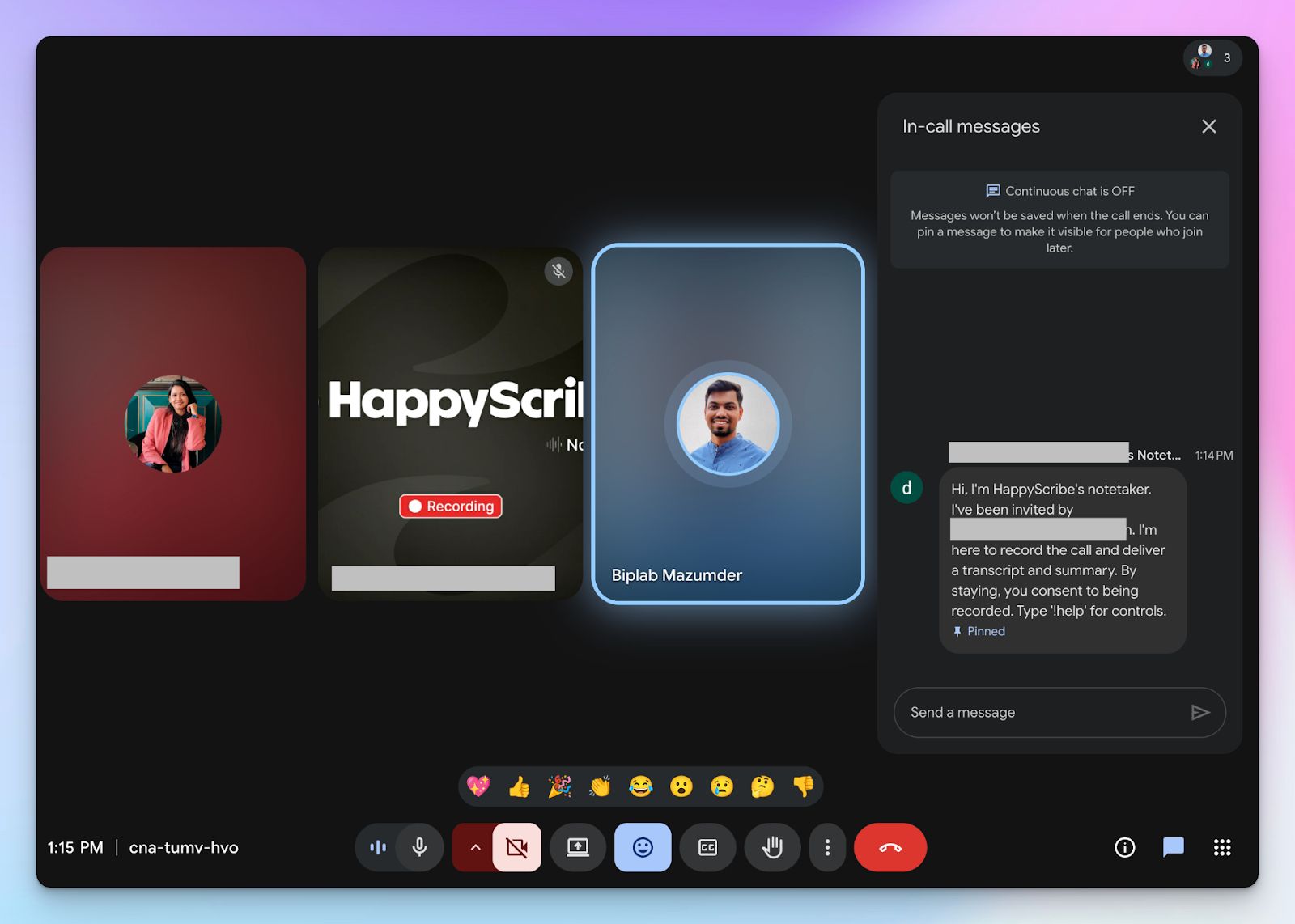
You can invite the HappyScribe bot to your Zoom, Google Meet, or Microsoft Teams with a single click. Unlike other platforms that might feel intrusive, the HappyScribe bot is transparent and easy to manage.
Hopping on a 1:1 call? HappyScribe lets you transcribe bot-free meetings by simply recording the audio. You can also upload pre-recorded files directly if you forget to invite the assistant to a live session.
3. Ask AI for video chapters, quotes, and email drafts
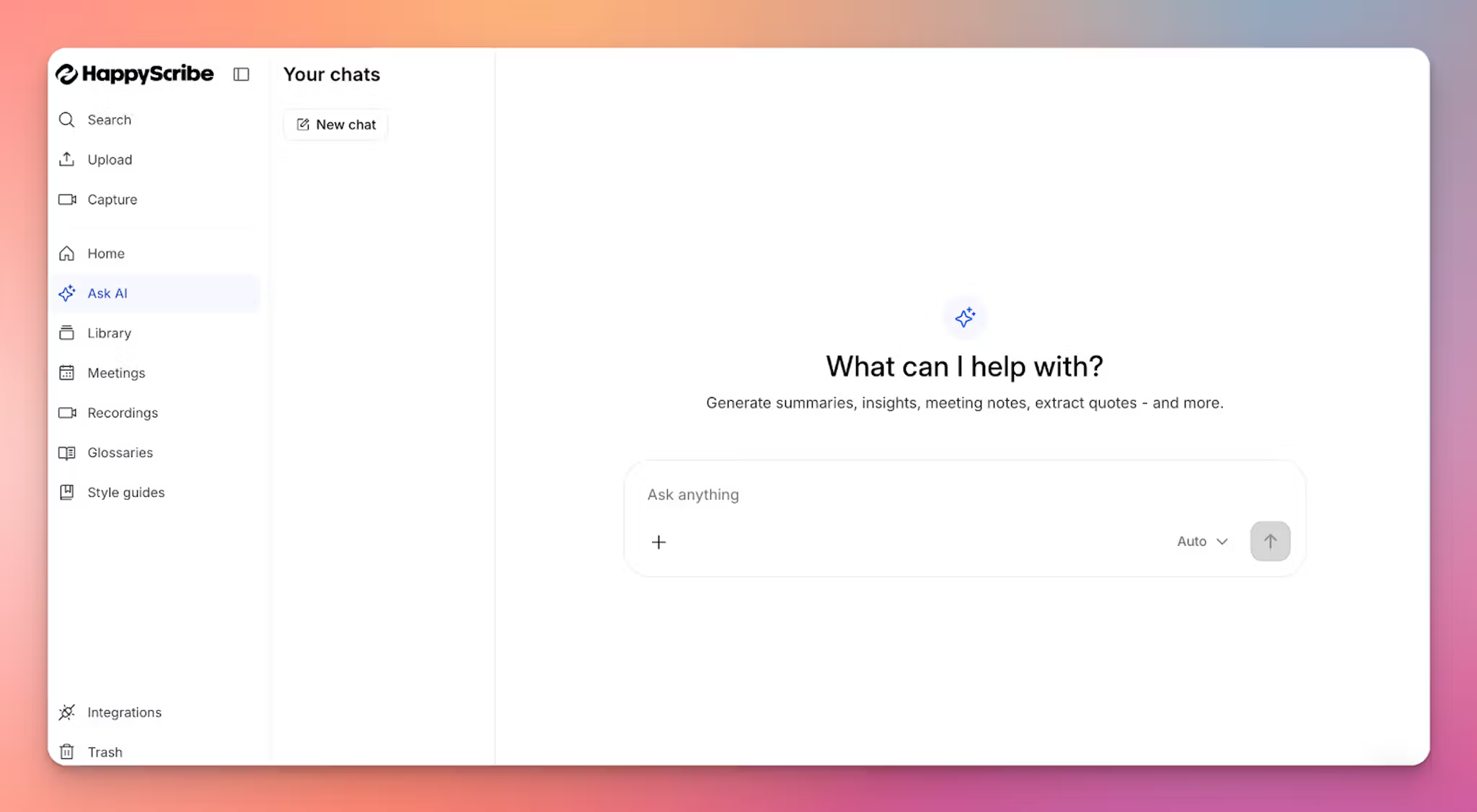
The AI Assistant acts as a second brain for your meetings, which is more intuitive and less disruptive than Notta Brain.
You can ask it to generate timestamped chapters for long recordings or pull specific quotes to share with your team. It can even draft follow-up emails and posts based on the action items discussed, which helps you move from meeting minutes to doing tasks instantly.
4. Enterprise-grade security
Your data privacy is not a premium add-on here. HappyScribe is SOC 2 Type II and GDPR compliant to make sure your conversations remain confidential.
All your chats and files are encrypted in transit and at rest, and you get the EU data residency option via Tier IV, PCI DSS, and ISO 27001-compliant data centre.
Enterprise users can also use SSO/SAML support and custom access management for secure workflows.
5. Generous free plan and easy billing options
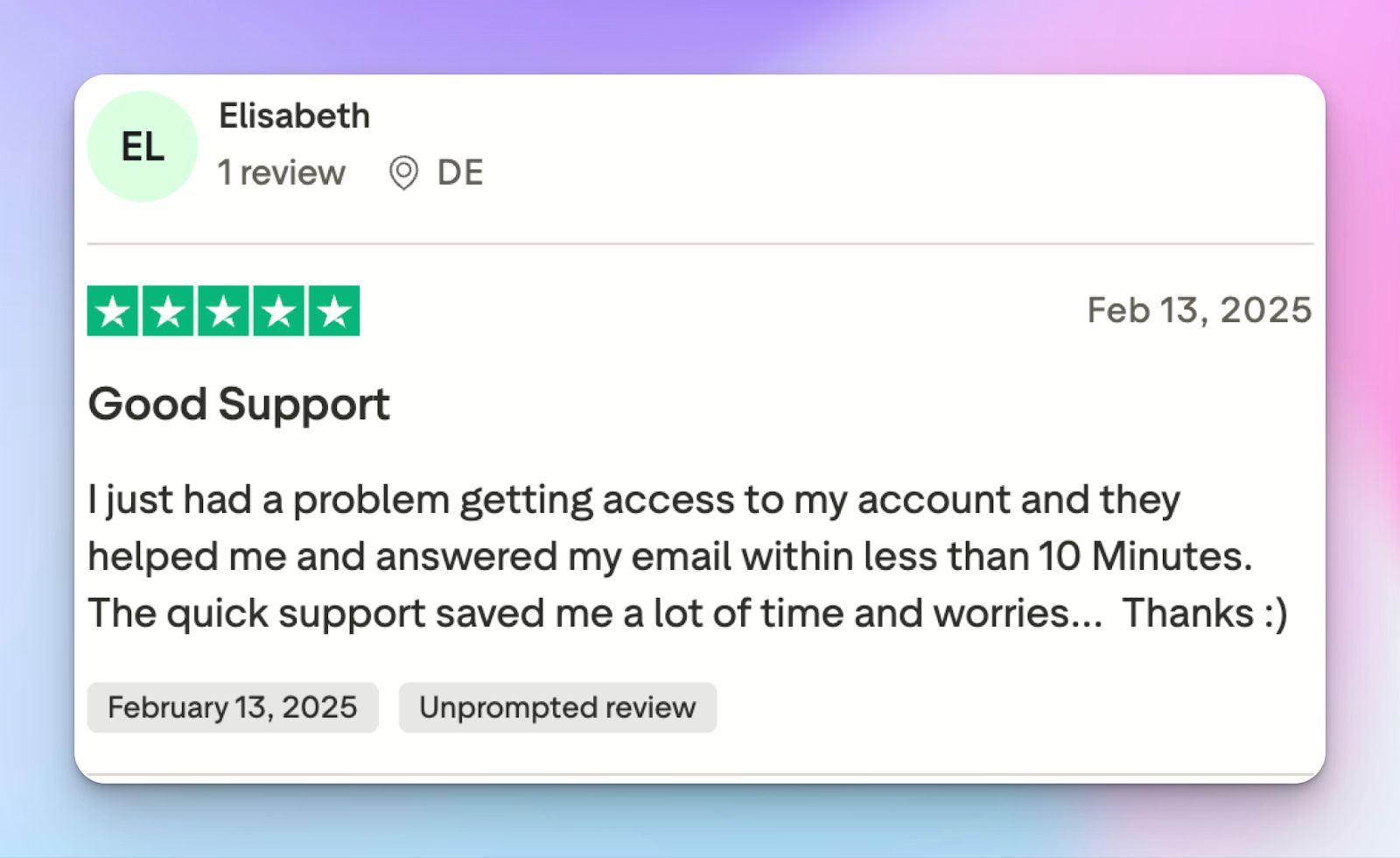
Unlike Notta, you can actually test HappyScribe properly before you commit to a subscription.
HappyScribe offers a free plan with unlimited recordings up to 45 minutes each. This is a significant upgrade from Notta’s three-minute limit, giving you plenty of time to see the value in real-world tasks.
Billing is made simple with custom plans for large projects, prompt service, and discounts on bulk orders.
HappyScribe’s pros
- Accurate meeting notes with 95% accuracy and a stable user interface
- HappyScribe supports 140+ languages and accents for transcription and translation
- Ask AI for video chapters, quotes, follow-up emails, and post drafts
- GDPR and SOC 2 Type II compliance, along with EU data residency for security and privacy
- Transparent and flexible billing support for users
- Create and edit subtitles and mix audio for fast content sharing
HappyScribe’s cons
- HappyScribe is not ideal for live call transcriptions
HappyScribe’s pricing
- Free: Unlimited meeting recordings (45 mins/recording)
- Basic: $8.50/month (billed annually) or $17/month (billed monthly)
- Pro: $19/month (billed annually) or $29/month (billed monthly)
- Business: $59/month (billed annually) or $89/month (billed monthly)
- Enterprise:Contact sales to get tailored solutions directly
What are real users saying about HappyScribe?
Transcript was much more accurate than the guaranteed 85%. It was more like 98%. And it was really inexpensive and fast. I could not ask for a better experience.
At some point, I had to contact customer support about my subscription and to my surprise my email wasn’t left on read for months. They replied within the hour and solved my issue right away (shoutout to Simon for that!). And honestly, that’s what inspired me to write this review—when a product has real people behind it who genuinely care, it makes all the difference. It turns a great tool into a great experience, and knowing that your experience can always be personalized if needed? That’s a win.
How to use HappyScribe’s AI note taker? A step-by-step guide
1. Link your Google or Outlook calendar or paste the meeting link to invite the HappyScribe note taker. For in-person meetings, you can record audio without a bot.
2. Select Meetings in the left sidebar and then check the options at the right to customize when the notetaker should join and who should receive the email summary.
3. Click on the Settings button at the top right to select when the notetaker should start recording and who can view the meeting transcription.
4. During an online call, the notetaker must be admitted by the meeting host to start recording. You can chat with the notetaker to control it.
5. And that's it! The meetings should be saved in your Workspace files or in the Private section, depending on your privacy settings.
2. Fireflies
Best for: Revenue teams that need deep CRM automation and conversation intelligence
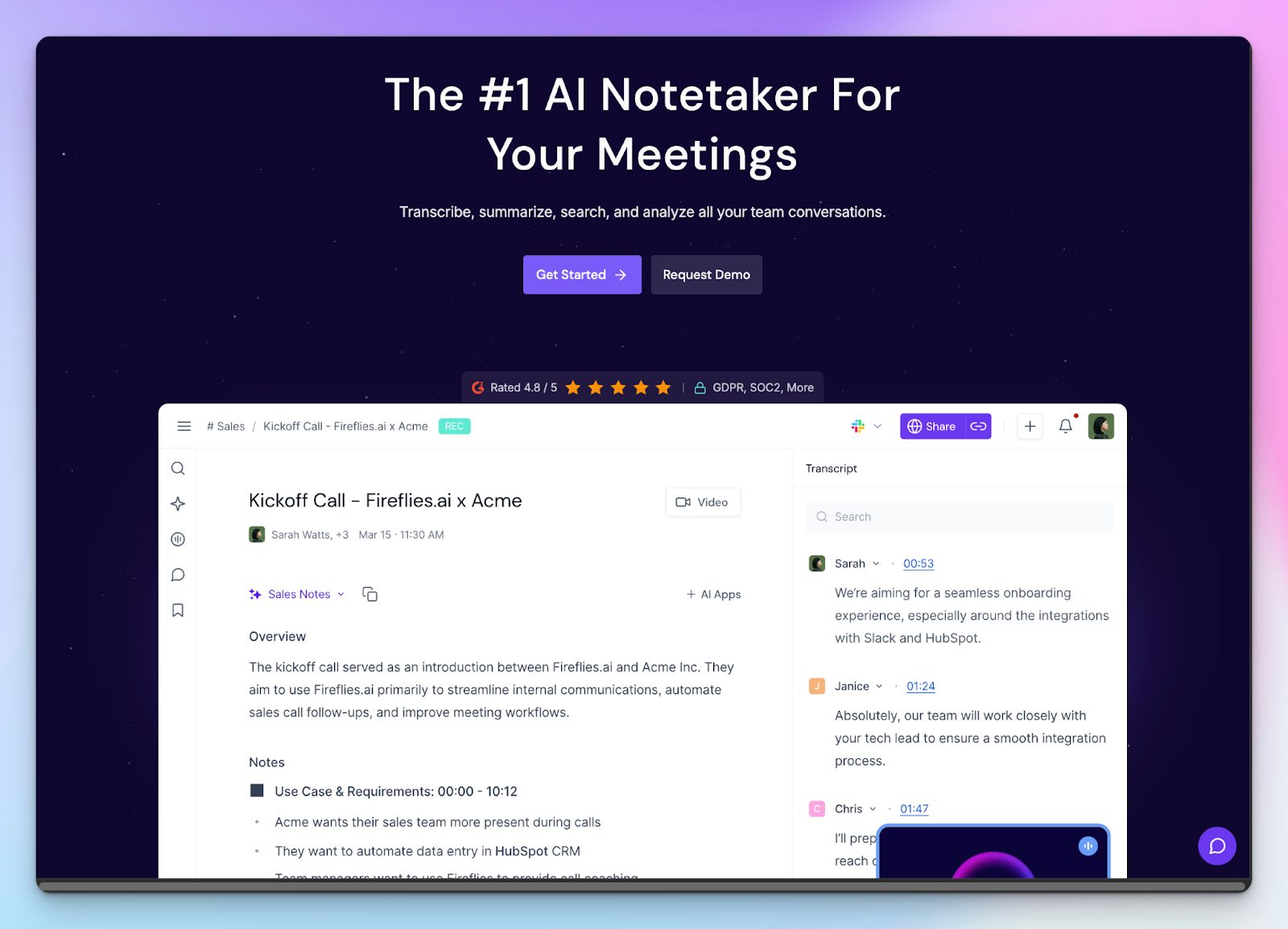
Fireflies.ai is less of a simple note-taker and more of a conversational intelligence hub for your sales stack. While Notta focuses on providing a clean transcript, Fireflies is built to extend that information to your existing systems. It is the best choice if you want your meeting notes to flow automatically into Salesforce, HubSpot, or Slack without tweaking too many tools.
The platform excels at analyzing the overall vibe of a call. You can use it to track speaker talk-time, sentiments, and even how often a competitor’s name was mentioned last month.
Fireflies vs Notta
| Category | Fireflies | Notta |
|---|---|---|
| Third-party integration | Fireflies offers deep, two-way sync with Salesforce, HubSpot, Pipedrive, Slack, Dialpad, BambooHR, etc. | Notta’s integrations are basic, and you need a Business plan to use Zapier |
| Conversation intelligence | Tracks sentiment, talk-to-listen ratios, and topic trends across teams | Notta Brain is limited to basic summaries and action items without deep analytics |
| Storage limits | Unlimited transcripts are actually capped at 8,000 minutes/seat on Pro | Limits depend on the plan, with strict caps on the free version |
| Ecosystem | Fireflies offers an AI app store for custom meeting workflows | Closed system with fixed features and limited customization |
Fireflies’ key features
- Connect meeting insights automatically with CRMs, dialers, storage, project management, and HR tools
- Fireflies gives you AI-powered sentiment analysis and speaker talk-time metrics to help sales teams
- AskFred AI assistant surfaces notes, objective summaries, knowledge bases, and tasks
- Specialized AI Apps for extracting action items and meeting methodology
Fireflies’ pricing
- Free: $0/month
- Pro: $18/month
- Business: $29/month
- Enterprise: $39/month/seat (billed annually)
Fireflies’ pros
- One of the deepest integration ecosystems among all AI meeting assistants
- Fireflies has a powerful search functionality that scans and filters transcripts for specific topics
- Detailed analytics that help managers coach their sales teams
- Fireflies is built as a shared workspace for team-wide collaboration
Fireflies’ cons
- Video recording is locked behind the expensive Business tier
- Unlimited transcription on the Pro plan actually has an 8,000-minute storage cap, which users often miss
- Fireflies UI feels cluttered and overwhelming for new users
3. MeetGeek
Best for: Teams that need structured meeting coaching and summaries
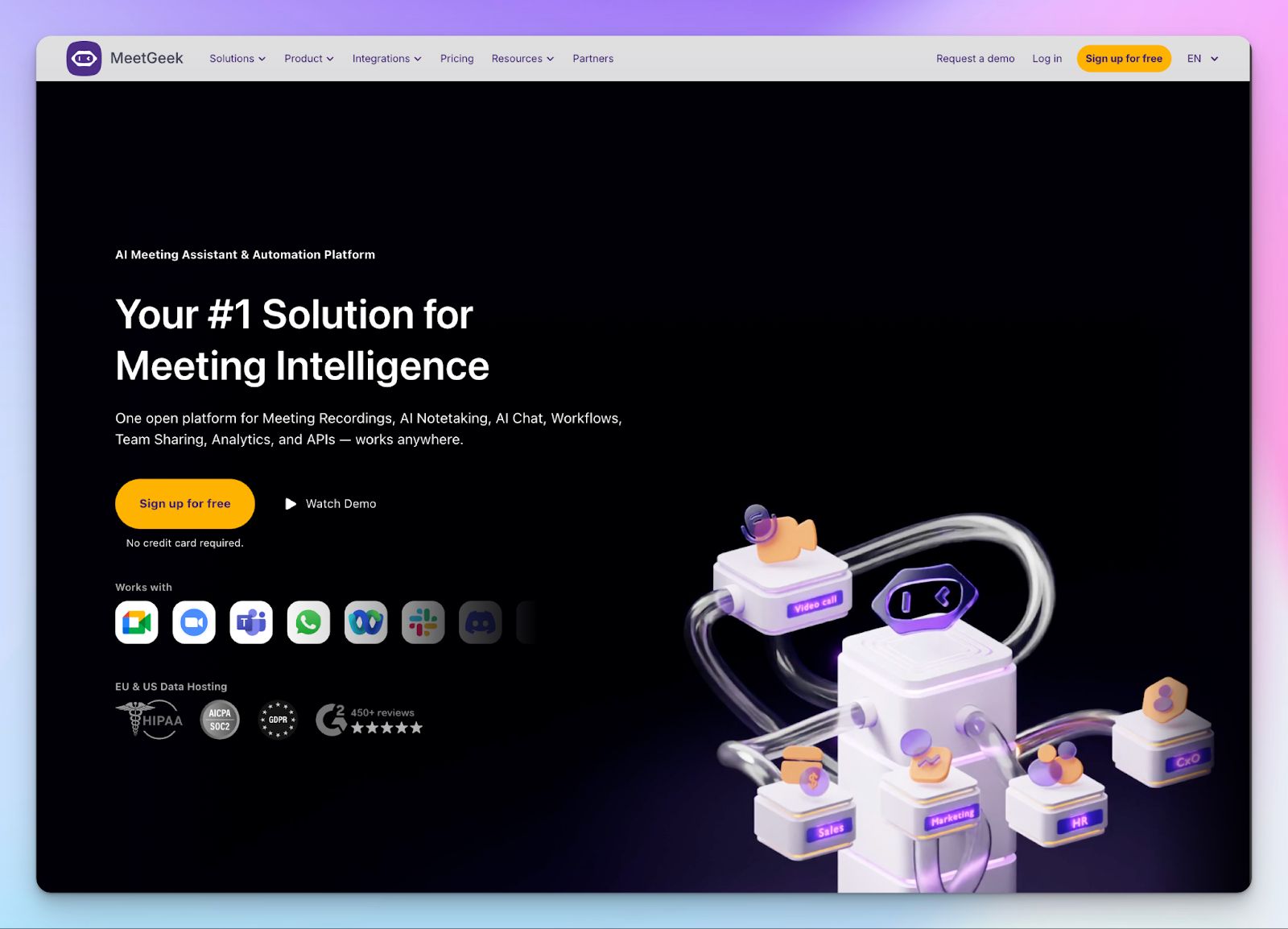
While Notta is primarily a transcription tool, MeetGeek wants to help you understand how your team meets. It scores your meetings based on engagement, punctuality, and other metrics, so if you are a manager trying to fix a culture of too many meetings, this tool will help you.
MeetGeek is built around automation, which is a bit different from what you get with Notta. However, it can be a bit too eager. The bot joins calls uninvited if you don't tweak the settings.
MeetGeek vs Notta
| Category | MeetGeek | Notta |
|---|---|---|
| Meeting insights | Auto-scores meetings on engagement, efficiency, and burnout risks | Limited to basic transcription and summaries without behavioral insights |
| Language support | MeetGeek supports 100+ languages, but struggles with non-English summaries | Supports 58 languages with a focus on Japanese and English markets |
| Storage and retention | Offers 3 hours/month of recording | Strict 3-minute cap per conversation makes it unusable for real meetings |
| Recording quality | HD video recording with screen share capture on most plans | Primarily audio-focused; video features are restrictive |
MeetGeek’s key features
- Meeting health scores lets you track punctuality, sentiment, and participation to prevent burnout
- Keyword search across all your past meetings to find every time a specific client or topic was mentioned
- With MeetGeek’s customizable workflows, you can automatically tag and route meeting highlights to the right tools
MeetGeek’s pricing
- Basic: Free (3 hours/month limit)
- Pro: $15.99/month
- Business: $27/month
- Enterprise: Custom pricing
MeetGeek’s pros
- Set and forget automation handles recording and emailing summaries perfectly. The closest Notta has is calendar linking
- Unique coaching insights help managers improve team meeting habits
- MeetGeek generates highlight reels to share key moments instead of full recordings
- Strong internal search makes it easy to find things discussed months ago
MeetGeek’s cons
- MeetGeek’s interface can be dense with data, which might overwhelm users who just want a simple text file
- The meeting bot can be intrusive and join client calls uninvited, so make sure you tweak the settings
- Strict limits on video storage retention unless you upgrade to higher tiers
Also read:Best AI note takers for journalists
4. tl;dv
Best for: Product managers who need visual context and cross-meeting insights
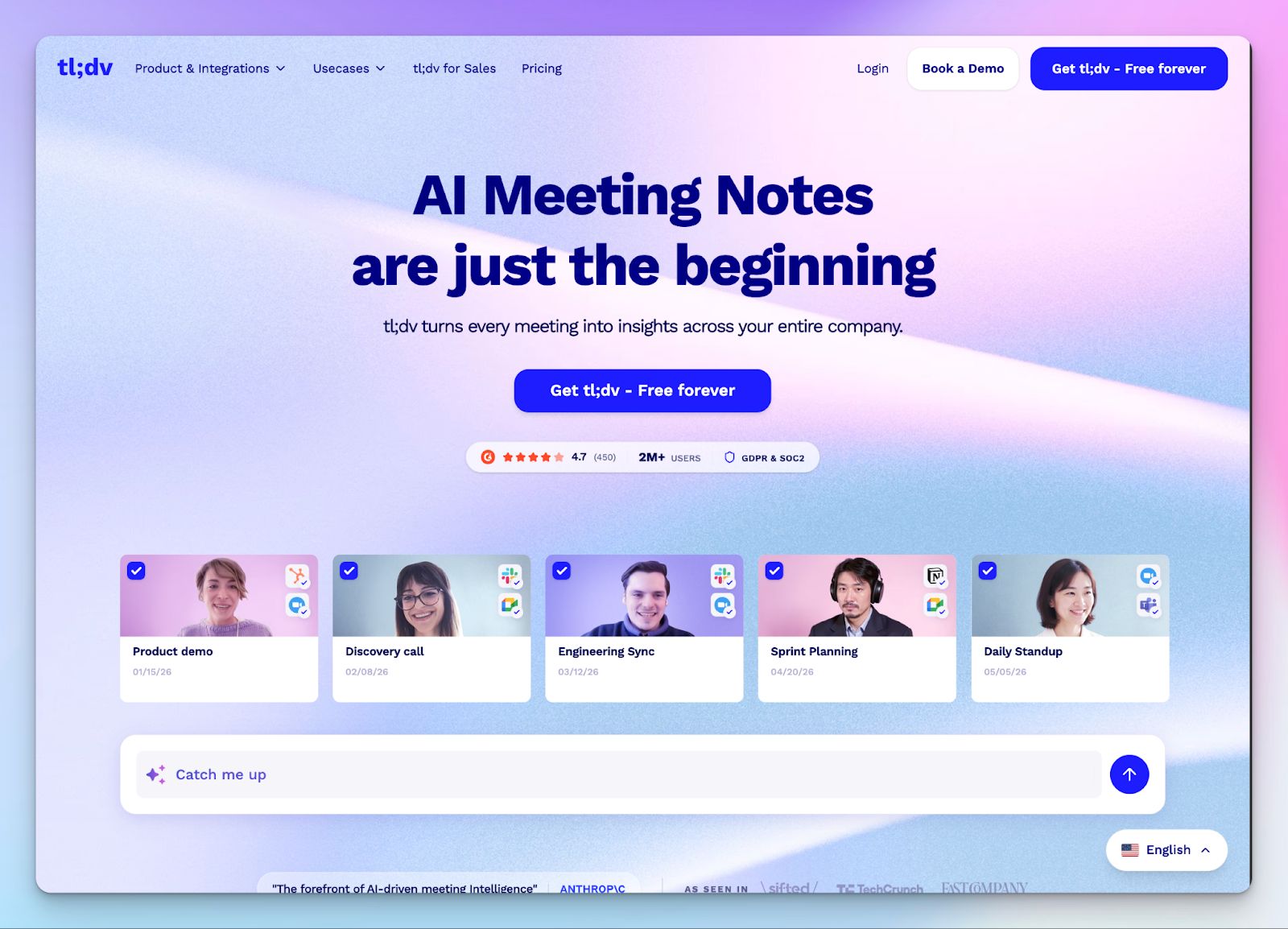
If your work involves analyzing meeting notes as much as clip sharing, tl;dv is a strong choice. While Notta focuses heavily on the transcription itself, tl;dv is built for notes plus a Loom-like workflow. It captures non-verbal cues and lets you clip and share them in seconds.
The biggest draw for switching from Notta is the freedom from the three-minute wall. Even though the free tier is very generous with recording time, keep in mind that it restricts how long you can access those files unless you pay for a Pro seat.
tl;dv vs Notta
| Category | tl;dv | Notta |
|---|---|---|
| Meeting length | Offers unlimited recording and transcription on the free plan | Enforces a strict 3-minute cap on free conversations |
| Visual context | Records full video and screen shares so you never miss a non-verbal cue | Primarily audio-focused with limited video features for most users |
| Access window | Locks meeting recordings after 72 hours on the free tier | Access is permanently restricted for long transcripts without a Pro plan |
| Platform support | Works with Zoom, Google Meet, Microsoft Teams, and Webex | Works with Zoom, Google Meet, Microsoft Teams, and 1:1 meetings |
tl;dv’s key features
- With the timestamping tool, you can mark important moments live during the call to create instant bookmarks for your team
- Create and share bite-sized video clips of your meetings to keep stakeholders updated without making them watch the full hour
- The AI-powered Whisper add-on provides improved transcription accuracy for major languages on the paid tiers
- tl;dv offers sales coaching in the higher tier to help content managers and salespeople improve meeting performances
tl;dv’s pricing
- Free
- Pro: $29/month
- Business: $39/month
- Enterprise: Custom pricing
tl;dv’s pros
- Generous free tier allows you to record full meetings without worrying about minute caps
- Simple, intuitive interface that doesn't feel like a complex enterprise tool
- The AI chat insights work across meetings and surface in-depth signals even for complex queries
- Easy clipping makes sharing highlights much faster than manual editing
tl;dv’s cons
- tl;dv supports limited languages (30) compared to competitors
- You cannot upload pre-recorded files directly or record 1:1 calls for transcription
- Accessing your older recordings becomes a paid feature very quickly on the basic plan
Also read:5 Best tl;dv Alternatives for AI Meeting Notes
5. Fathom
Best for: Individual users on Zoom who need unlimited free recording and storage
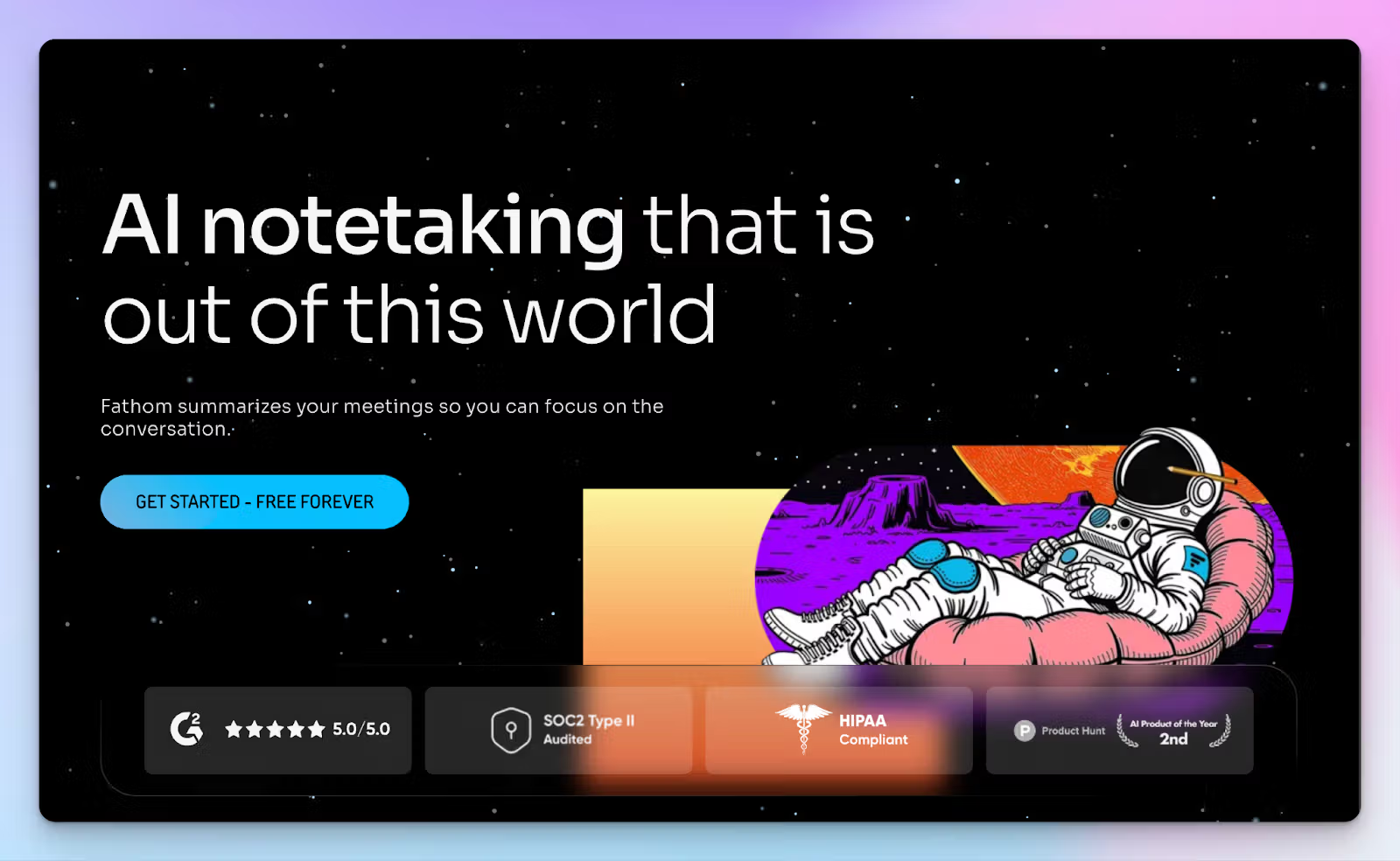
Fathom is often cited as an alternative to Notta because of its "Free Forever" plan. Unlike Notta, which hits you with a three-minute wall, Fathom lets you record and transcribe unlimited meetings without charging you a dime for storage.
If you are a freelancer or a solo consultant who just needs a reliable archive of your calls, Fathom is hard to beat on price.
However, the free part comes with specific trade-offs. While you can record as much as you want, you only get five advanced AI summaries per month on the free tier.
Fathom vs Notta
| Category | Fathom | Notta |
|---|---|---|
| Free plan limits | Unlimited recording and transcription, but only 5 AI summaries per month | A strict 3-minute cap on every conversation makes testing nearly impossible |
| Transcription sources | Limited to live Zoom, Google Meet, and Microsoft Teams calls | Supports live calls, browser audio, and pre-recorded file uploads |
| Language support | Supports around 38 languages with limited translation features | Supports 58 languages with a focus on real-time Japanese translation |
| CRM integration | Offers basic HubSpot and Salesforce sync even on the free tier | Paywalls all CRM and Zapier integrations behind a $27.99 Business plan |
Fathom’s key features
- Truly unlimited recording time and transcript storage means you can record back-to-back meetings and never lose note history due to caps
- With the instant highlight button, you can mark key moments during a live call to generate clips in seconds
- Fathom lets you opt out of in-house AI training, which is a massive upgrade over Notta's settings for Japanese users
- The "Ask Fathom" conversational assistant lets you query your meeting history using a natural language interface
Fathom’s pricing
- Free
- Premium: $19/month
- Team: $19/user/month (minimum 2 users)
- Business: $29/user/month (minimum 2 users)
Fathom’s pros
- Most generous free recording tier on the market for individual users
- Fathom’s simple and intuitive setup integrates directly into your meeting toolbar
- High-speed AI processing generates summaries almost immediately after the call ends
- Native CRM integrations are available at a lower entry price than Notta
Fathom’s cons
- No mobile app for recording in-person meetings or phone calls
- Transcription accuracy falters in noisy environments or with heavy accents
- You can’t upload audio or video files from your computer for transcription
Which Notta alternative should you choose?
If you’re leaving Notta, you likely want better quality notes and transparent billing. If your priority is deep CRM automation and behavioral analytics for a sales team, Fireflies or MeetGeek will be your most effective options. For those with video-first tasks, tl;dv, and Fathom offer the visual context that standard transcripts lack.
However, if you want the most accurate notes without the restrictive language barriers or predatory billing practices, HappyScribe is the best overall choice. It is the only platform that offers 95% AI accuracy for over 140 languages while keeping your data private and secure. You get a professional-grade transcription engine that handles both live meetings and file uploads with ease.
FAQs on the best Notta alternatives for AI note taking
1. What is the best alternative to Notta?
The best alternatives to Notta for 2026 include HappyScribe for high accuracy, Fireflies for sales workflows, and Fathom for free recording. While Notta focuses on the Japanese market, these AI alternatives offer better multi-language support and more robust security features. If you need a reliable AI meeting recorder that can join meetings on Zoom and Google Meet without strict minute caps, HappyScribe is the top-rated choice for professional users.
2. What is better than Notta?
HappyScribe is often considered better than Notta because it offers 95% accurate transcriptions and supports over 140 languages. Many users switch because Notta enforces a strict 3-minute limit on its free plan, whereas alternatives like HappyScribe provide unlimited meeting recordings up to 45 minutes for free. HappyScribe also offers advanced speech recognition that handles diverse accents better than Notta’s specialized Japanese engine.
3. Is there a free version of Notta?
Yes, Notta has a free plan, but it is extremely limited. It only allows you to transcribe audio for the first three minutes of any online meeting, which makes it difficult for taking notes during actual business calls. In contrast, HappyScribe’s free plan is much more generous, allowing you to capture meeting audio and generate AI-generated summaries for full-length sessions without an immediate paywall.
4. What is the difference between Notta and HappyScribe?
The main difference lies in accuracy and language coverage. HappyScribe supports 140+ multiple languages and accents with a focus on 95% accuracy, while Notta supports only 58. Additionally, HappyScribe provides a professional subtitle editor and advanced features like EU data residency, whereas Notta trains its AI on customer data by default. HappyScribe also makes team collaboration easier with seamless notes sharing.
5. Which Notta alternative is good at video recording?
HappyScribe and Fathom are the best options for capturing video content. These tools record the full screen during a Google Meet or Zoom call so you don't miss non-verbal cues. If you need to transcribe audio from audio and video files you already own, HappyScribe is the superior AI tool as it allows for direct file uploads, a feature that most video-first bots currently lack.
6. Which Notta alternative covers more languages?
HappyScribe offers the most extensive multi-language support on the market, covering over 140 languages and dialects. This makes it the ideal choice for international teams that need accurate transcripts in languages like Swahili, Greek, or Swiss German. While most AI transcription tools struggle with regional accents, HappyScribe's AI-powered engine uses advanced speech recognition to ensure speaker identification remains precise across various global regions.

Rodoshi Das
Rodoshi is the Content Lead at HappyScribe, the privacy-first transcription and AI notetaker platform based in Barcelona. Shaping content strategies and building AI workflows excites her as much as exploring new SaaS tools. She specializes in product-led content that informs rather than sells, grounded in honest product benchmarking and low tolerance for empty marketing speak.