![Best AI Note Takers for Google Meet [2026]](/sanity-images/ejgwz1gl/redesign/8a588546cd8d77389fe1d64cfa6b462d39fd0526-1536x1024.jpg?auto=format&w=1536.0&rect=0,128,1536,768&h=768)
You've been in back-to-back Google Meet calls all morning. Now someone asks, "What did we decide about the Q2 launch?" and you're blanking. You know it came up. You remember nodding. But the exact decision? Gone.
Blame it onattention overload. When you’re listening, responding, and trying to avoid distractions, important details slip through.
That’s where AI note-takers help. The good ones automatically join your Google Meet calls, record conversations accurately, and turn them into useful summaries with clear action items. The bad ones dump walls of text or miss context entirely, especially across accents and technical language.
I tested the leading tools on the things that matter most: automatic meeting joining, accuracy with accents and jargon, actionable takeaways without scrolling, and reliable data security.
Below are five of the best AI note takers for Google Meet, including Google’s own, so you can see which handles real meetings and real teams best.
TL;DR
- HappyScribe: Best for multilingual teams that need accurate notes and strong privacy controls
- Google Gemini: Best for Google Workspace users who want simple, native Meet summaries
- Krisp: Best for clear audio and notes in noisy or accent-heavy meetings
- Fellow: Best for secure, centralized meeting management with governance controls
- Fathom: Best for individuals or small teams who want quick summaries and a strong free plan
What should you look for in an AI note taker for Google Meet?
Before choosing a tool, it helps to understand the core features of AI note takers for Google Meet and what actually makes a difference in real meetings.
Accurate notes
Choose a tool with high transcription accuracy so you’re not fixing mistakes later. It should clearly capture what was said, especially technical terms, proper names, numbers, and decisions. Better accuracy means less cleanup and more reliable action items.
Works smoothly with Google Meet
The tool should connect to Google Calendar and join meetings automatically or integrate directly with Google Meet. Manual setup adds friction and increases the chances of you forgetting to record the call. Automation makes it dependable during busy days.
Meeting summaries and action items
The AI note taker should highlight decisions and extract action items with clear owners. Summaries should be organized by topic, not just by timeline.
Secure note-taking experience
Look for strong security standards like encryption and compliance certifications (SOC 2, GDPR, HIPAA if needed). Understand how data is stored, who can access it, and whether your data is used to train AI models. Clear policies are essential.
Seamless export and sharing
Notes should fit into your existing workflow. Check integrations with tools like Asana, Jira, Salesforce, HubSpot, Notion, or Confluence. Also, confirm export options (DOCX, PDF, CSV, SRT) based on your team’s needs.
What are the best AI Note Takers for Google Meet?
To make the decision easier, here’s a quick comparison of AI note-taking tools for Google Meet across the factors that matter most: integrations, accuracy, collaboration, and pricing.
| Category | HappyScribe | Google Gemini | Krisp | Fellow | Fathom |
|---|---|---|---|---|---|
| Best for | Global, multilingual teams | Google Workspace-native note-taking | Noise-free meetings with AI notes | Secure, governed team collaboration | Fast summaries and follow-ups in Google Meet |
| Key features | Auto-join via calendar, 140+ languages, AI summaries + AskAI, audio/video recording | Built into Meet, auto-saves to Docs, “Summary so far” view | Real-time noise cancellation, accent adjustment, cross-app support | Centralized workspace, search across meetings, CRM + PM integrations | Summaries, searchable transcripts, workflow integrations |
| Supported languages | 140+ | 8 supported languages, single language per meeting | 15+ | 90+ | 30+ |
| Collaboration features | Shareable transcripts, exports (TXT, DOCX, PDF, SRT, VTT), customizable access | Docs-based sharing within Workspace | Shared summaries and action items | Granular permissions, collaborative agendas, CRM sync | Auto-sync to Slack, Salesforce, HubSpot, Notion, Asana |
| Ease of use | Connect calendar or paste links | Click “Take notes” in Meet | Install the desktop app and set the audio device | Connect the calendar and configure settings | Install the Chrome extension for one-click recording |
| Security and privacy | GDPR, SOC 2 Type II, encryption in transit and at rest | Google Workspace security standards | SOC 2, GDPR, HIPAA | SOC 2 Type II, HIPAA, GDPR | Encrypted storage, SOC 2 |
| Pricing | Free plan available. Paid plan starts from $8.50/month (billed annually) or $17/month (billed monthly) | Included in eligible Workspace plans ($5.88 - $18.48+/user/month) | Free trial available. Paid from $16/month | Free plan available. Paid from $7/month | Free plan available. Paid from $20/month |
1. HappyScribe
Best for: Global teams and organizations operating in multiple languages
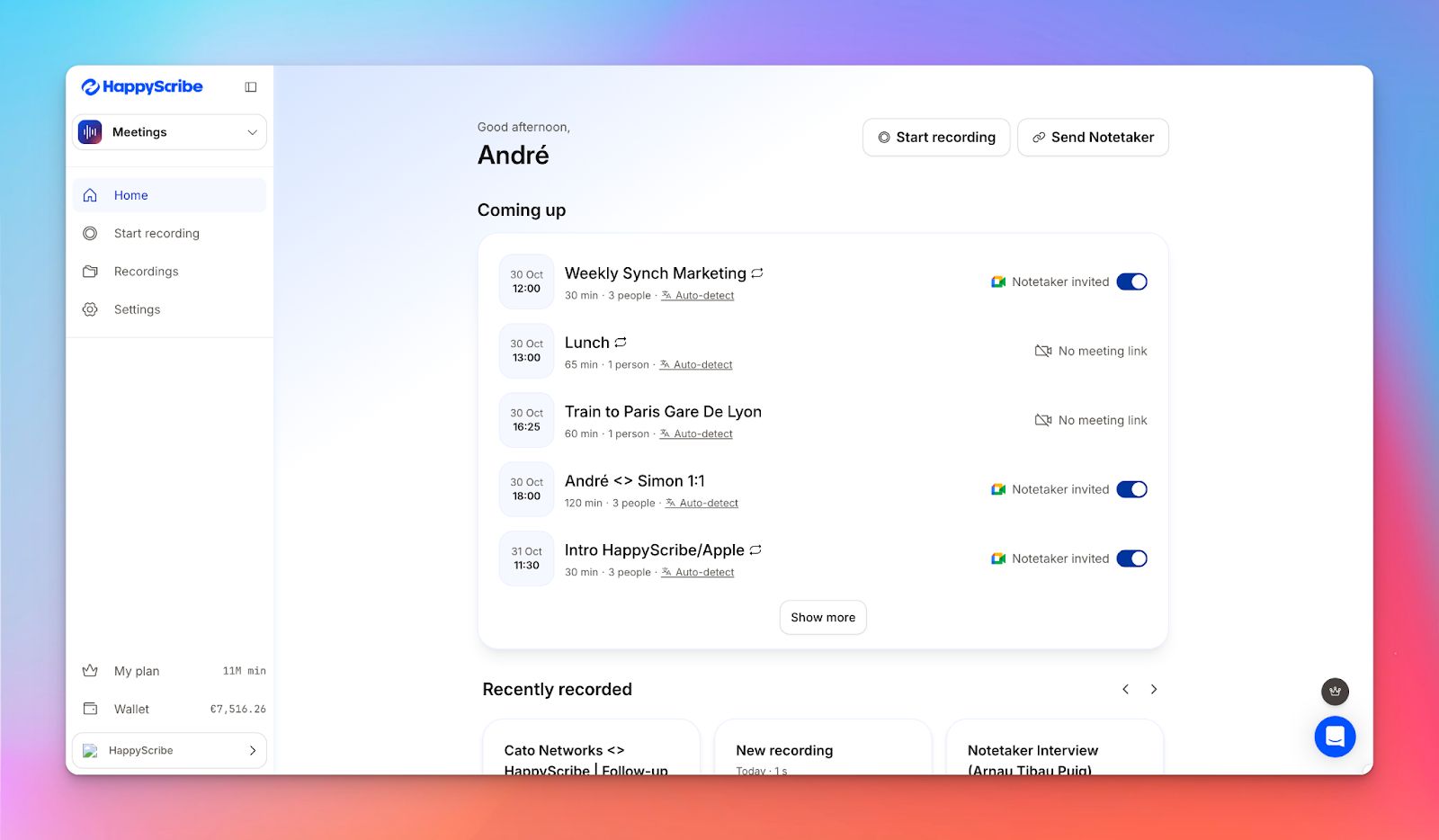
If you’re on Google Meet a lot, HappyScribe AI note taker for Google Meet takes the hassle out of capturing every conversation. Link it to your calendar, and it’ll automatically join meetings and take notes for you. Got a last-minute call? Just drop in the meeting URL, and the notetaker jumps right in.
You’ll get full audio and video recordings, along with detailed transcripts and AI-generated notes, everything you need to stay on top of decisions. And with GDPR compliance, SOC 2 Type II certification, and strong encryption, your meetings stay secure and private.
Pre-recorded meetings? No problem. You can upload them anytime for instant transcription.
HappyScribe’s key features
Get searchable and shareable meeting transcripts
Jump straight to any part of a meeting with word-level timestamps and keyword search. No more scrubbing through full recordings.
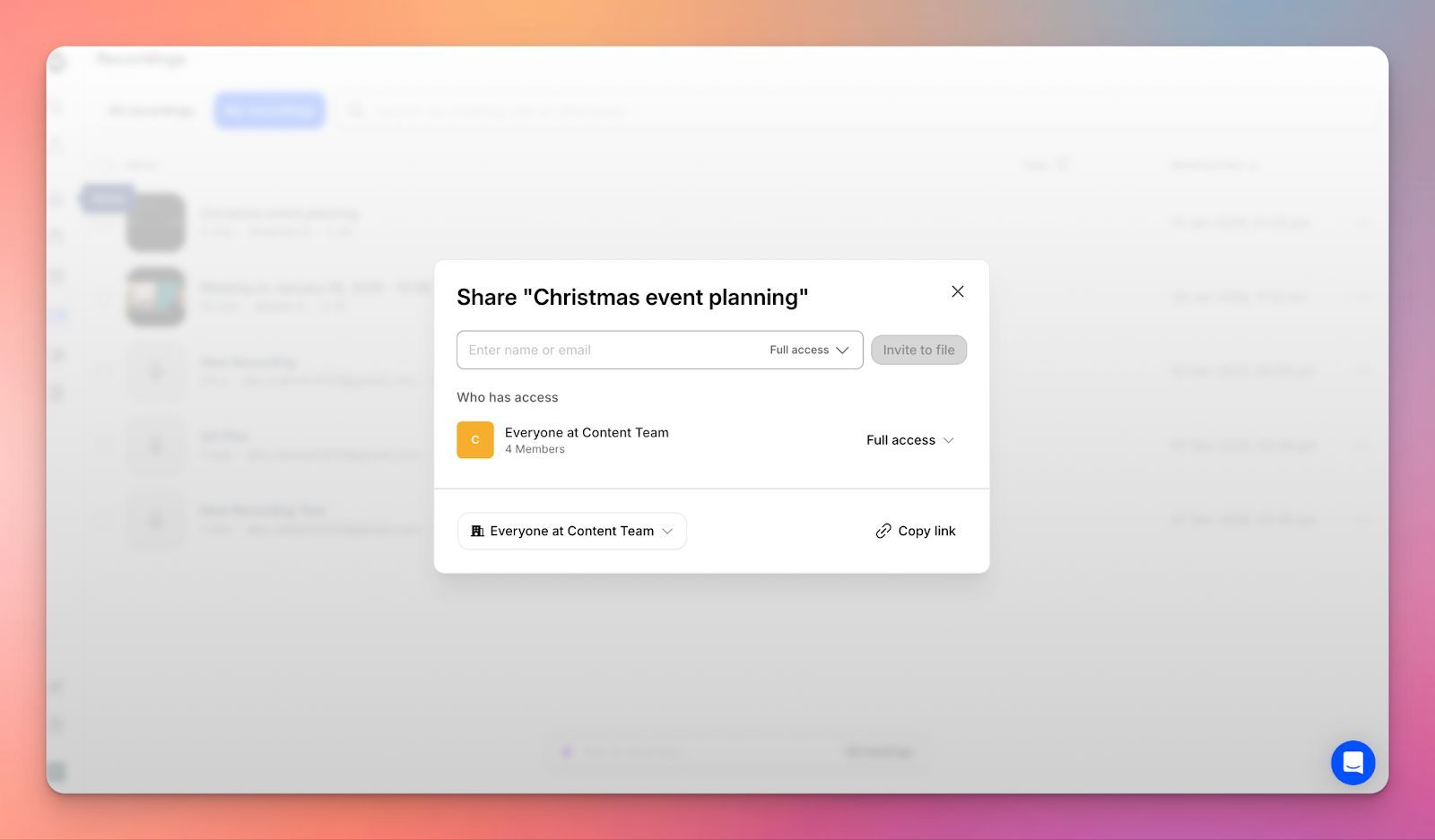
Share transcripts with teammates or external stakeholders using view-only or editable links, and export in formats like TXT, DOCX, PDF, SRT, or VTT. It’s everything you need to keep your meetings accessible and actionable.
Transcribe meetings in 140+ languages and dialects
HappyScribe lets you transcribe Google Meet meetings with AI, supporting 140+ languages and dialects so international teams can speak naturally without switching settings. Accuracy stays high even when conversations switch languages or include different accents.
Generate summaries and action items
AI automatically pulls out key decisions, action items, and discussion topics, organizing them by topic rather than raw timeline. You get concise summaries that save time and keep everyone on track. Action items are highlighted so your team knows exactly what needs follow-up.
Extract meeting insights with Ask AI
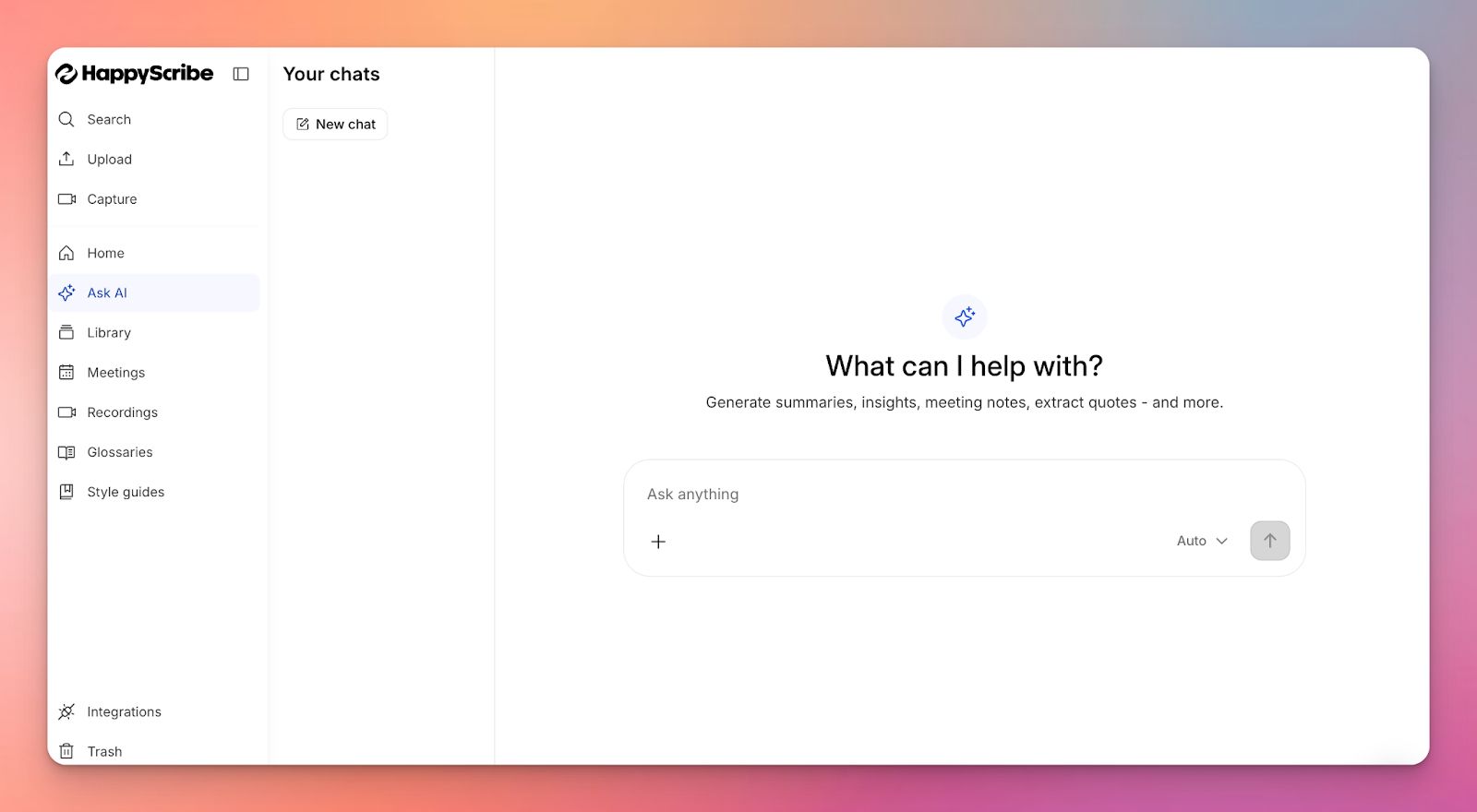
Skip endless scrolling. Just ask questions in plain language, like, “What were the client’s objections?” or “Any updates on pricing?” Ask AI pulls answers from transcripts with timestamps, making it easy to catch up on meetings you missed.
Customize your note-taker
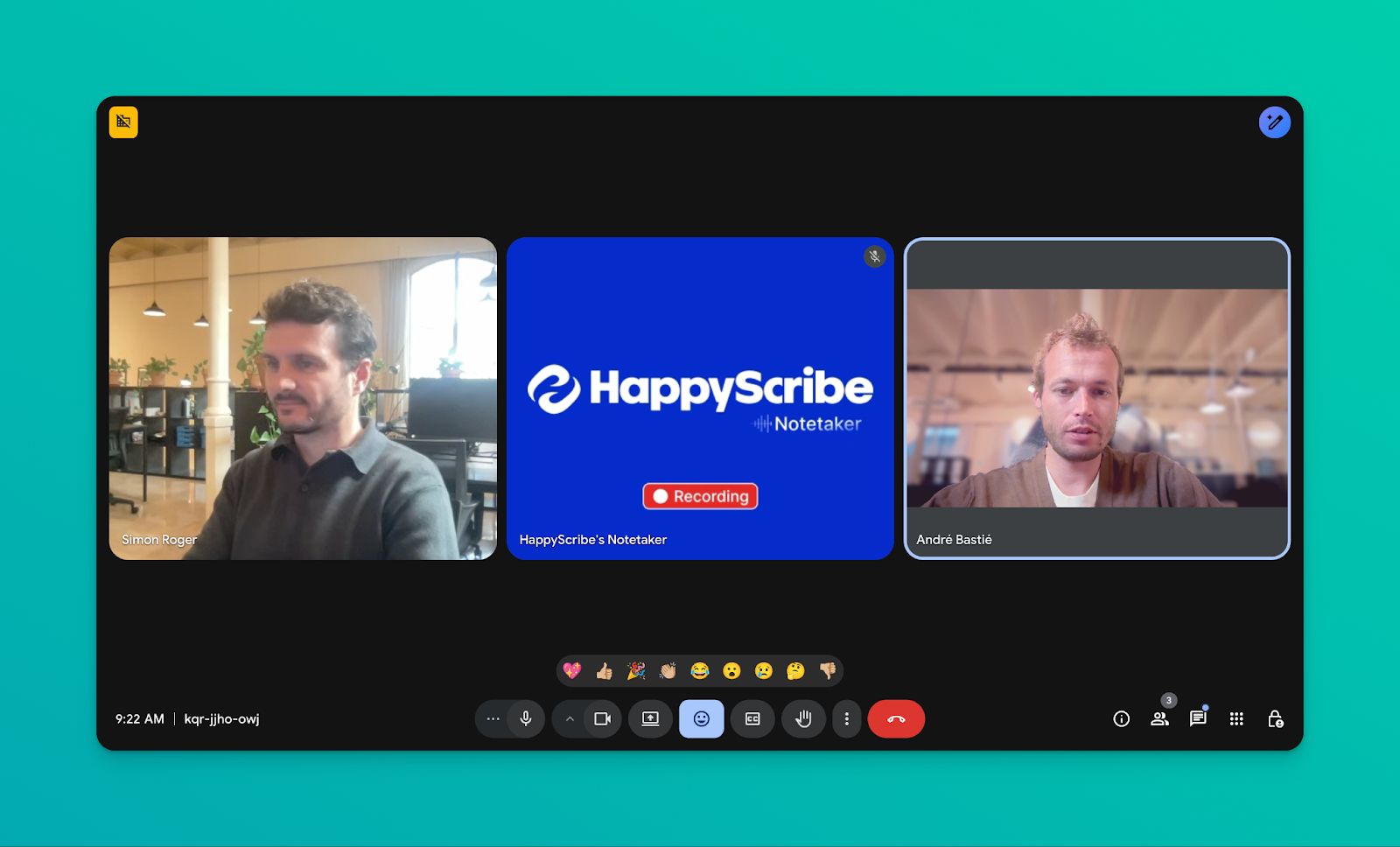
Make the AI meeting notetaker feel like part of your team by customizing its name, logo, background, and chat messages. Control when it joins meetings and whether recording starts automatically or manually, so it fits seamlessly into your workflow and client calls.
HappyScribe's pros
- AI-generated meeting notes and summaries delivered straight to your inbox after each call
- Over 95% transcription accuracy with support for 140+ languages and dialects
- Auto-join meetings via Google or Outlook calendar, or record directly from your browser
- Speaker identification and smart summaries to easily track decisions, action items, and next steps
- GDPR and SOC 2 Type II certified, with encryption in transit and at rest for secure, private meetings
HappyScribe's cons
- Not suitable for real-time transcription
- Retranscription (changing transcript language) requires manual initiation
HappyScribe's pricing
- Free: Unlimited meeting recordings (45 mins/recording)
- Basic: $8.50/month (billed annually) or $17/month (billed monthly)
- Pro: $19/month (billed annually) or $29/month (billed monthly)
- Business: $59/month (billed annually) or $89/month (billed monthly)
- Enterprise:Contact sales to get tailored solutions directly
What are real-life users saying about HappyScribe's AI note taker?
Quality you can trust In the whole AI transcribing space, HappyScribe seemed the most transparent and clear with what they offered and how much it would cost. Having tried their services, I realised they're also accurate and super efficient. - Sheldon W. Serrao
How to use HappyScribe AI note taker for Google Meet: A step-by-step guide
- Link your Google or Outlook calendar so HappyScribe can automatically join scheduled meetings. For flexibility, you can also paste a Google Meet URL to invite the notetaker manually.
- In the dashboard, select your meeting and set when the notetaker should join, start recording, and who gets the email summary. You can also control transcript access for your team.
- The notetaker joins calls automatically and starts recording once admitted by the host. You can chat with it to pause, resume, or manage recordings during the meeting.
- After the call, you’ll get audio and video recordings plus detailed transcripts. Use AskAI to generate summaries, action items, or extract key quotes without reading the full transcript.
- For missed or pre-recorded meetings, upload the file or paste a shareable link, choose AI or human transcription, and use AskAI to create summaries and insights.
2. Google Gemini
Best for: Organizations already on Google Workspace Business plans who want native integration
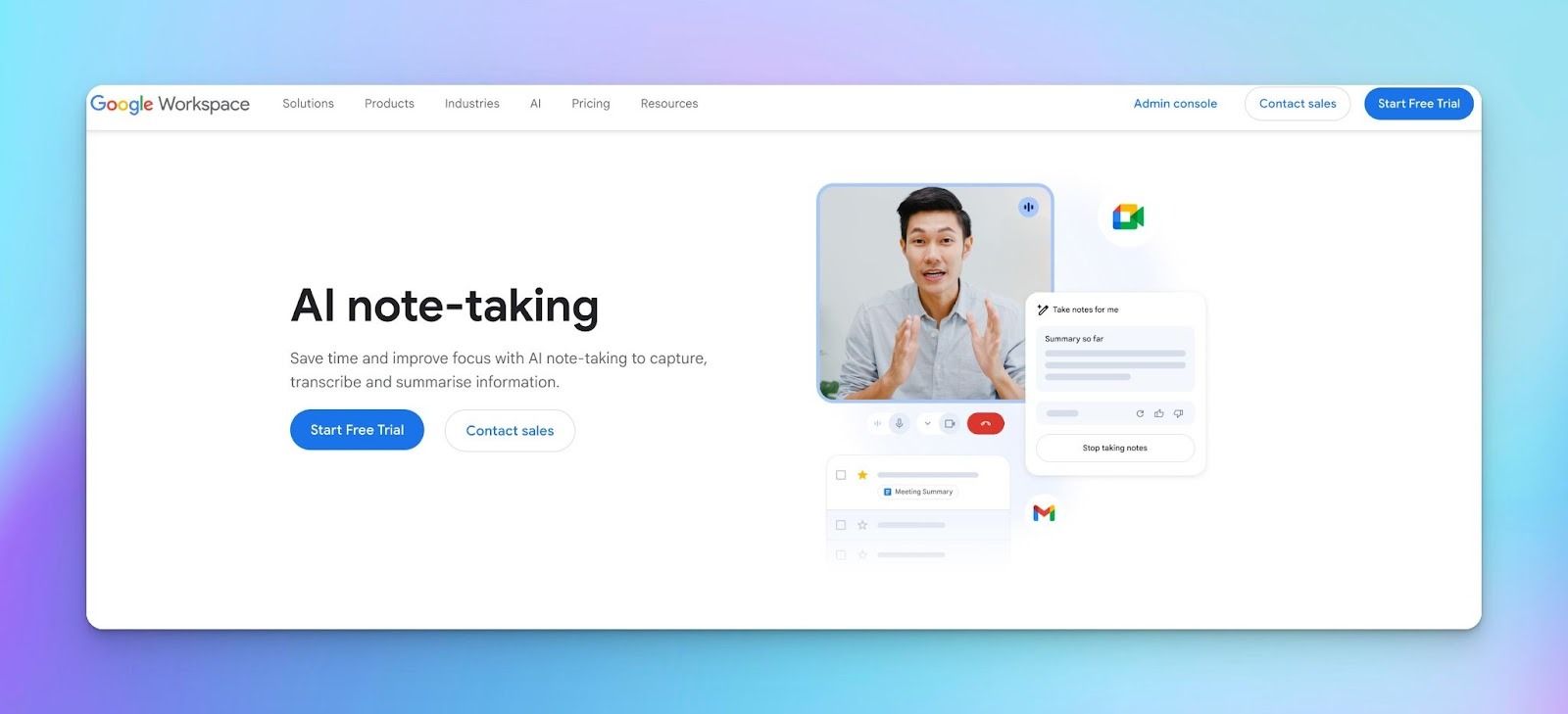
Google Gemini’s meeting notes are built directly into Google Meet and Google Workspace. During a meeting, Gemini runs in the background and once the call ends, it generates a summary that is saved as a Google Doc and linked to the Calendar event.
Google Gemini’s key features
- Automatically generates post-meeting summaries with key discussion points and action items.
- Offers a “Summary so far” view in Google Meet for participants who join late
- Stores notes natively across Google Docs, Drive, Calendar, and Gmail
- Supports note-taking in select languages, limited to one language per meeting
- Captures notes passively without adding a visible bot or participant
Google Gemini’s pros
- No additional tools, bots, or extensions to manage
- Familiar Docs-based editing and sharing experience
- Minimal disruption during meetings
- Fast summaries for recurring internal calls
Google Gemini’s cons
- Works only with Google Meet; no support for Teams, Zoom, or uploads
- No customization of summary format, tone, or focus
- No central dashboard or searchable meeting history
Google Gemini’s pricing
- No standalone plan; available only on eligible Google Workspace subscriptions ($5.88 - $18.48+/user/month), with Gemini AI access dependent on plan, admin settings, and region
Also read:Best AI Note Takers in Europe
3. Krisp
Best for: Google Meet users who care as much about audio clarity as they do about accurate notes
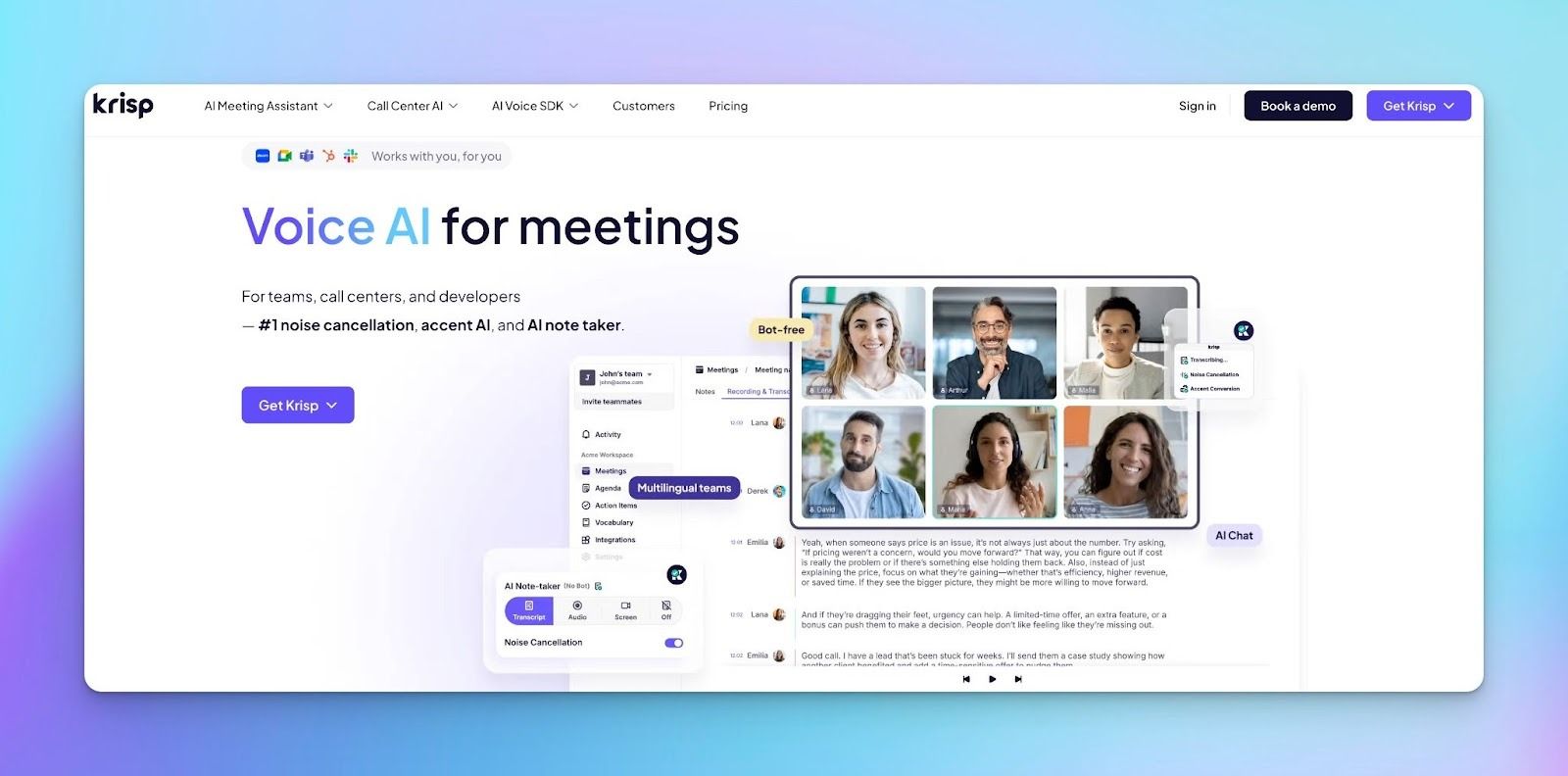
Krisp approaches AI note-taking from the audio layer rather than from meeting participation. Instead of joining calls as a bot, it improves what gets captured before transcription and summaries even begin.
This makes it especially useful for Google Meet calls where background noise, accents, or uneven setups can affect note quality.
Krisp’s key features
- Filters background noise, cross-talk, and echo in real time, improving transcript quality and reducing post-meeting cleanup
- Automatically generates summaries with key points and action items, so follow-ups don’t depend on manual notes
- Adjusts accents in real time to improve intelligibility in global meetings while preserving the speaker’s natural voice
- Operates at the system audio level, which makes it compatible with Google Meet, Zoom, Teams, Slack Huddles, and even offline or in-person recordings
Krisp’s pros
- Works across apps without calendar setup or meeting links
- Supports in-person, hybrid, and online meetings from the same workspace
- Offers strong enterprise security coverage (SOC 2, GDPR, HIPAA, PCI-DSS)
- Avoids meeting friction in interviews or external calls by not appearing as a participant
Krisp’s cons
- Language support is narrower than some transcript-first tools
- Less suitable if your primary need is deep meeting analytics or multi-meeting trend analysis
Krisp’s pricing
- Free trial: 7 days
- Pro: $16/month per user
- Business: $30/month per user
- Enterprise: Custom pricing
Also read:Best AI Note Takers for Journalists
4. Fellow
Best for: Teams that need secure, centralized AI meeting notes with strong governance and control
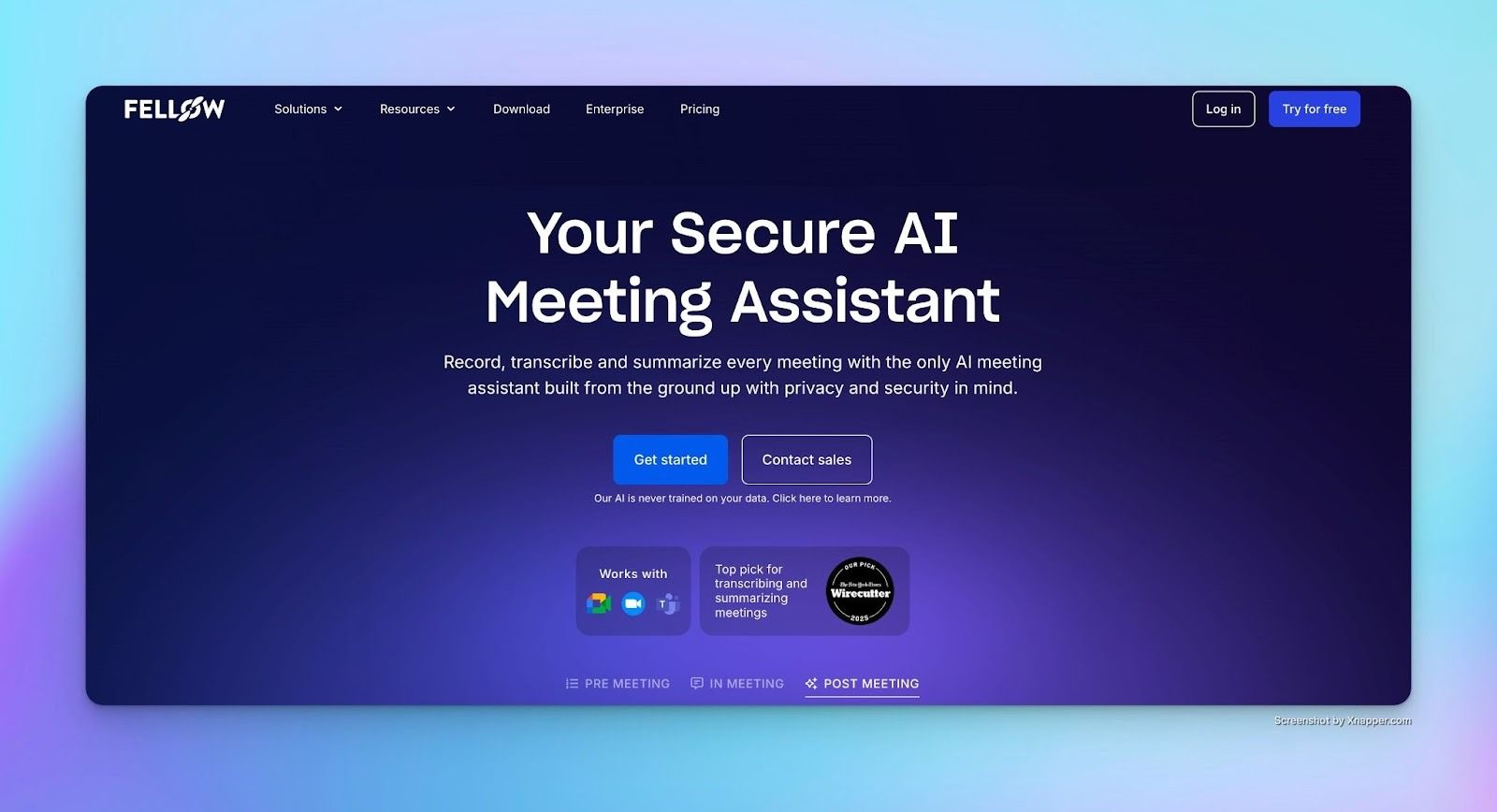
Fellow is designed for organizations that treat meeting data as sensitive work output. It records, transcribes, and summarizes meetings across Google Meet, Microsoft Teams, Zoom, and Slack huddles, while giving teams explicit control over who can record, access, and share notes.
Fellow’s key features
- Automatically records and transcribes meetings, producing summaries, decisions, and action items without requiring replays
- Searches past meetings to surface answers, quotes, and context, then turns them into follow-ups, briefs, or CRM updates
- Stores recordings and recaps in a single workspace with granular privacy controls to prevent oversharing
- Syncs insights to Salesforce and HubSpot and integrates with Notion, Confluence, Asana, Jira, and Glean for post-meeting execution
- Supports collaborative agendas and briefs so teams arrive prepared, even for frequent or back-to-back meetings
Fellow’s pros
- Supports Google Meet alongside Microsoft Teams, Zoom, and Slack huddles
- Centralizes meeting recordings and notes instead of scattering them across tools
- Offers deep integrations with CRM, documentation, and project management systems
- Provides both bot and botless recording options within a unified security framework
Fellow’s cons
- The feature set may feel heavy for teams that only want lightweight transcripts
- Interface is optimized for structured workflows rather than quick, ad-hoc notes
Fellow’s pricing
- Free: $0/month
- Team: $7/month per user (billed annually)
- Business: $15/month per user (billed annually)
- Enterprise: $25/month per user (billed annually)
Also read: Best AI Note Takers for Content Managers
5. Fathom
Best for: Google Meet-centric teams that want accurate summaries, fast follow-ups, and meeting insights
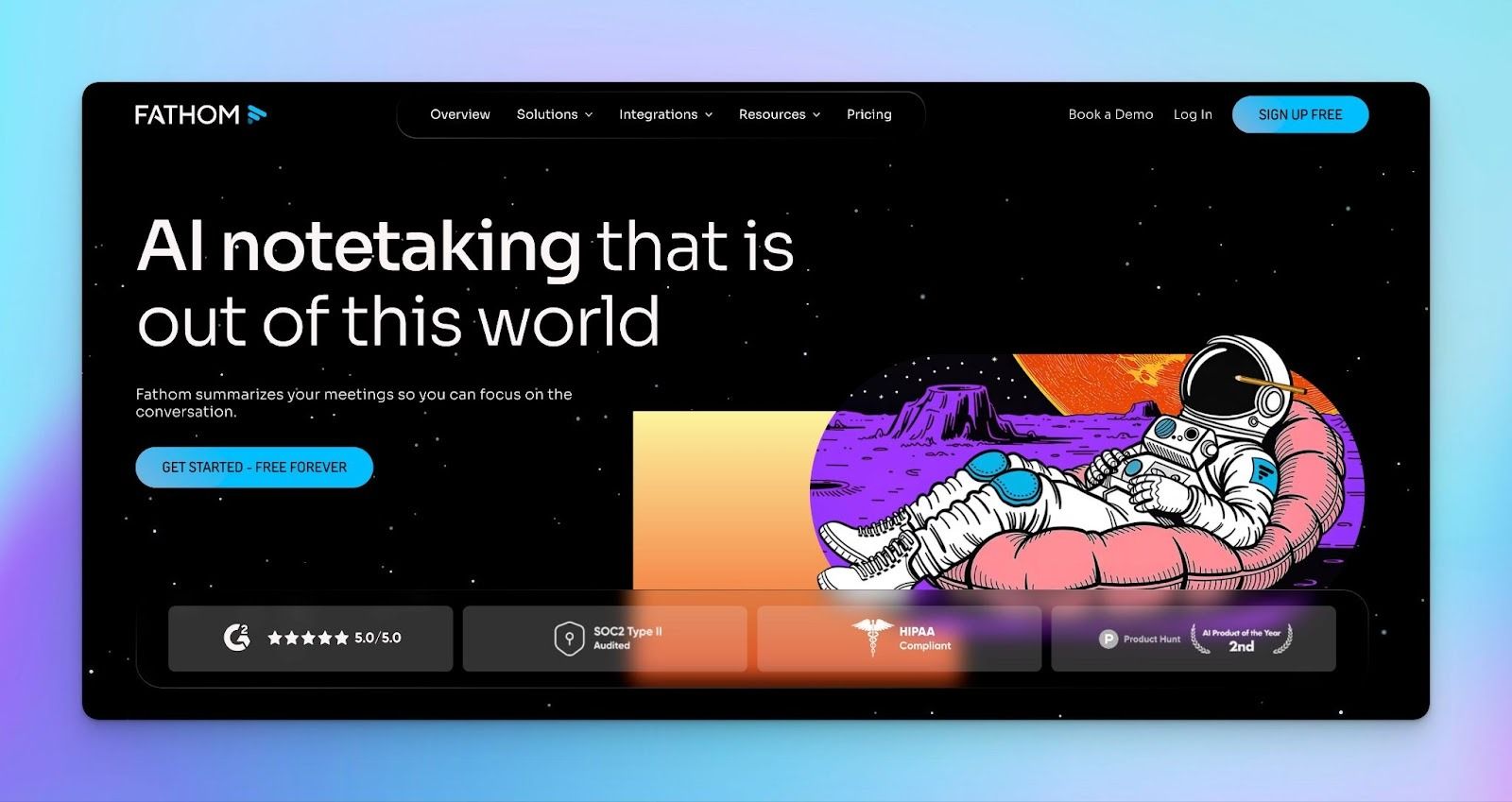
Fathom is built around a simple idea: meetings shouldn’t create more work after they end. It records and summarizes calls automatically, then pushes decisions, action items, and highlights into the tools teams already use.
Fathom’s key features
- Reliably captures multiple speakers and accents for transcripts you can quote with confidence
- Search meetings or ask natural language questions to find decisions, feedback, or key moments quickly
- Customizable summary templates that adapt to interviews, reviews, or internal discussions instead of a single default format
- Automatic syncing of notes, highlights, and action items to tools like Slack, Salesforce, HubSpot, Notion, and Asana
Fathom’s pros
- Strong Google Meet integration with minimal setup
- Immediate post-meeting output reduces follow-up delay
- Unlimited recording, transcription, and summaries on the free plan
- Integrations help you keep decisions and tasks aligned across tools
- Clear positioning on privacy and data ownership
Fathom’s cons
- Recording currently requires a meeting bot (bot-free mode is planned but not fully available yet)
- Advanced AI features and team-level insights require paid plans
Fathom’s pricing
- Free: $0/month
- Premium: $20/month per user
- Team: $19/month per user (minimum 2 users)
- Business: $29/month per user
Also read: Best AI Note Takers for Business Leaders [2026]
Which AI Note-Taker for Google Meet should you pick?
Each AI note-taker solves a slightly different problem, so the right choice depends on your workflow.
Google Gemini is great if you already use Workspace Business Standard and mostly work in English. It’s seamless and free, but limited when you need multilingual support, non-Google Meet recordings, or custom output formats.
Krisp is ideal in noisy environments or with global teams, thanks to real-time noise cancellation and accent conversion, though it lacks extensive language support. Fellow focuses on enterprise security and compliance, perfect for HIPAA-regulated meetings or sensitive recordings, but at a higher per-user cost.
Fathom suits individuals or small teams who want quick call recordings of Google Meet meetings, though structured summaries beyond a few meetings per month cost $20/month.
HappyScribe stands out for global teams and multilingual operations. With support for 140+ languages, this AI meeting assistant is ideal when your team handles calls, interviews, or research across different dialects. You can rely on AI for everyday meetings, and opt for human verification when accuracy matters most: legal, academic, or high-stakes discussions.
For researchers, journalists, content teams, or business leaders across regions, HappyScribe solves real workflow challenges, not just feature gaps.
FAQs
Is there an AI note taker for Google Meet?
Yes. Multiple AI note takers work with Google Meet, including native options (Google Gemini's "Take notes for me") and third-party tools (HappyScribe, Krisp, Fellow, Fathom). Native options integrate directly into the Google Meet interface, while third-party tools join as meeting participants or record at the system level through desktop applications.
How to get AI notes from Google Meet?
For Google Workspace users on Business Standard or higher plans, click the "Take notes with Gemini" button during a Google Meet call. For more automated meeting documentation features or multilingual support, use third-party tools like HappyScribe AI note taker by connecting your calendar (automatic joining) or pasting the meeting URL (manual joining). After the meeting, you'll receive transcripts, summaries, and action items via email or in the tool's dashboard.
Can AI help with meeting notes?
Yes, AI note takers capture everything said verbatim, then generate structured summaries that separate key decisions, action items, and discussion topics from conversational filler. This allows meeting participants to focus on the conversation rather than manual note taking.
What are the best free AI note takers for Google Meet?
HappyScribe’s free plan offers unlimited meeting recordings, capped at 45 minutes per meeting. Fathom includes unlimited free recording and transcription, with 5 AI summaries per month. Fellow’s free tier provides 5 lifetime AI notes and recordings, enough for evaluation, but not for ongoing use. Google Gemini is included with Workspace Business Standard and above, effectively free at that tier, though limited to 8 supported languages.

Akshay Kumar
Akshay builds pieces meant to reach people and stay visible where it matters. For him, it’s less about the name and more about whether the words did what they were meant to.