When people ask whether speaker labels or timestamps slow down transcription, they’re usually asking the wrong question.
The real concern is not how fast a transcript is delivered, but how quickly it becomes usable.
For interviews, legal recordings, academic research, and subtitles, a transcript that arrives early but lacks structure creates more work than it saves. With editors revisiting audio repeatedly, review cycles get longer than usual.
In this article, I’ll break down what actually affects transcription speed and quality. I’ll also cover whether speaker labels and timestamps help or hurt. Let’s go!
TL;DR
- Speaker labels and timestamps do not meaningfully slow down the audio to text or video to text process. What slows teams down is fixing missing structure after the transcript is delivered
- Transcription speed is influenced far more by audio quality, number of speakers, overlapping speech, and review workflow than by whether speaker labels or timestamps are enabled
- Speaker labels reduce review time by making it easier to follow conversations, attribute quotes, and validate context, especially in interviews, meetings, research, and legal recordings
- Timestamps are generated during transcription, not added later. They save time during editing, subtitling, legal review, and reuse by letting teams jump directly to the right moment in the audio
Which factors affect transcription speed and quality?
Before isolating speaker labels or timestamps, it’s important to understand the bigger forces that affect transcription outcomes.
1. Audio quality and speaker overlap
Clear audio is the single biggest driver of transcription speed and accuracy.
Background noise, cross-talk, poor sound quality, and inconsistent microphone levels slow automated recognition and increase review effort.
Overlapping speech is especially costly because it complicates both speaker identification and sentence boundaries.
2. Number of speakers and turn-taking frequency
A two-person interview with clear handoffs behaves very differently from a fast-moving panel discussion.
As the number of speakers grows and turn-taking becomes frequent, structure becomes more important. Without it, review time scales up quickly.
3. Language complexity, accents, and domain-specific terms
Specialized vocabulary, accented speech, and multilingual recordings increase the occurrence of recognition errors.
4. Review workflow: AI-only vs human-assisted transcription
Initial delivery speed is only one part of the equation. AI-only transcripts may arrive faster, but human-assisted workflows reduce total turnaround by minimizing revisions and re-listening.
Also read: How Machine Translation Accuracy is Measured
Does speaker labeling slow down transcription?
Adding speaker labels feels like extra work, so it’s easy to assume they slow things down. But in practice, they usually don’t. What they change is the amount of effort required after the transcript is delivered.
What speaker labeling (diarization) actually does
Speaker labeling identifies who spoke when and groups speech segments accordingly. Modern systems perform this during transcription, so there’s no additional manual step involved.
When speaker labeling can add friction
In recordings with heavy background noise and constant interruptions, or very short utterances, diarization may require additional verification. In these edge cases, labeling can add minor processing or review time.
When speaker labeling reduces total turnaround time
In structured content like interviews, meetings, legal testimony, or qualitative research, labeled transcripts are faster to review and approve. Editors can scan dialogue and attribute quotes confidently.
Why unlabeled transcripts often take longer to finalize
When speakers are not identified, reviewers compensate manually. They replay sections to confirm who is speaking, insert labels themselves, and cross-check references. The time saved at delivery is lost during finalization.
Do timestamps slow down transcription?
Short answer: not in the way most people assume.
Timestamps are seen as an extra layer added after transcription, something that increases processing time.
However, in modern transcription systems, that’s not how they work. Timing information is generated as speech is aligned to text, so timestamps don’t introduce a separate step by default.
Where timing can affect turnaround is in how precisely those timestamps need to align with the audio and how much correction is required during review.
How timestamps are generated during transcription
As audio is processed, each spoken segment is already being matched to a point in time.
Sentence-level timestamps simply expose this alignment. They are produced automatically and don’t require manual input unless the audio itself is unclear.
Sentence-level vs. word-level timestamps
Sentence-level timestamps are faster to review and cover most use cases, including interviews, subtitles, and documentation.
On the other hand, word-level timestamps offer finer control for advanced editing or analysis, but they demand stricter alignment and more verification.
Where timestamp-related delays come from
When delays happen, they usually come from reviewing and correcting alignment.
Poor audio quality or overlapping speech with unclear sentence boundaries make it harder to lock timing cleanly.
The presence of timestamps isn’t the cause; the complexity of the audio is.
Why accurate timestamps save time later
Accurate timestamps reduce the need to re-listen to audio when you’re creating subtitles, referencing legal material, or extracting clips.
Instead of scrubbing through recordings, teams can jump directly to the right moment, which shortens review and reuse time significantly.
Timestamps rarely slow transcription itself. On the contrary, they tend to speed up everything that follows.
Also read: Best 5 subtitle generators in 2026
Why removing speaker labels or timestamps often costs more time later
On paper, removing speaker labels or timestamps looks like a way to speed things up. The transcript arrives sooner, and all the words are there. But in practice, the missing structure shows up as extra work during review.
Manual speaker identification during review
When speaker labels are missing, reviewers have to identify speakers themselves. That involves replaying sections, matching voices, and keeping mental track of who is speaking where.
In longer recordings or group conversations, this quickly becomes tedious and inconsistent, more so when multiple reviewers are involved.
Re-listening to audio for context and references
Without timestamps, the transcript loses its direct link to the audio.
Finding a quote, checking context, or verifying wording means scrubbing through the recording manually.
What should be a quick reference turns into repeated playback, adding friction to even simple review tasks.
Extra work in subtitling, legal review, and research analysis
Subtitles depend on precise timing. Legal transcripts rely on clear attribution. Research analysis often requires linking statements back to specific moments in the recording.
When transcripts lack speaker labels or timestamps, this information has to be reconstructed later, usually by someone who didn’t create the original transcript.
Hidden turnaround time beyond initial delivery
The delay doesn’t show up when the transcript is delivered. It appears during editing or approval.
Each missing label or timestamp adds small interruptions that accumulate across teams and files. As a result, the total time taken to finish a transcript gets extended.
In most workflows, structure added during transcription reduces work later. When that structure is removed, the same work still happens, just more slowly and less predictably.
Also read: 5 Best Court Transcription Services For Legal Teams
How HappyScribe handles speaker labeling and timestamps
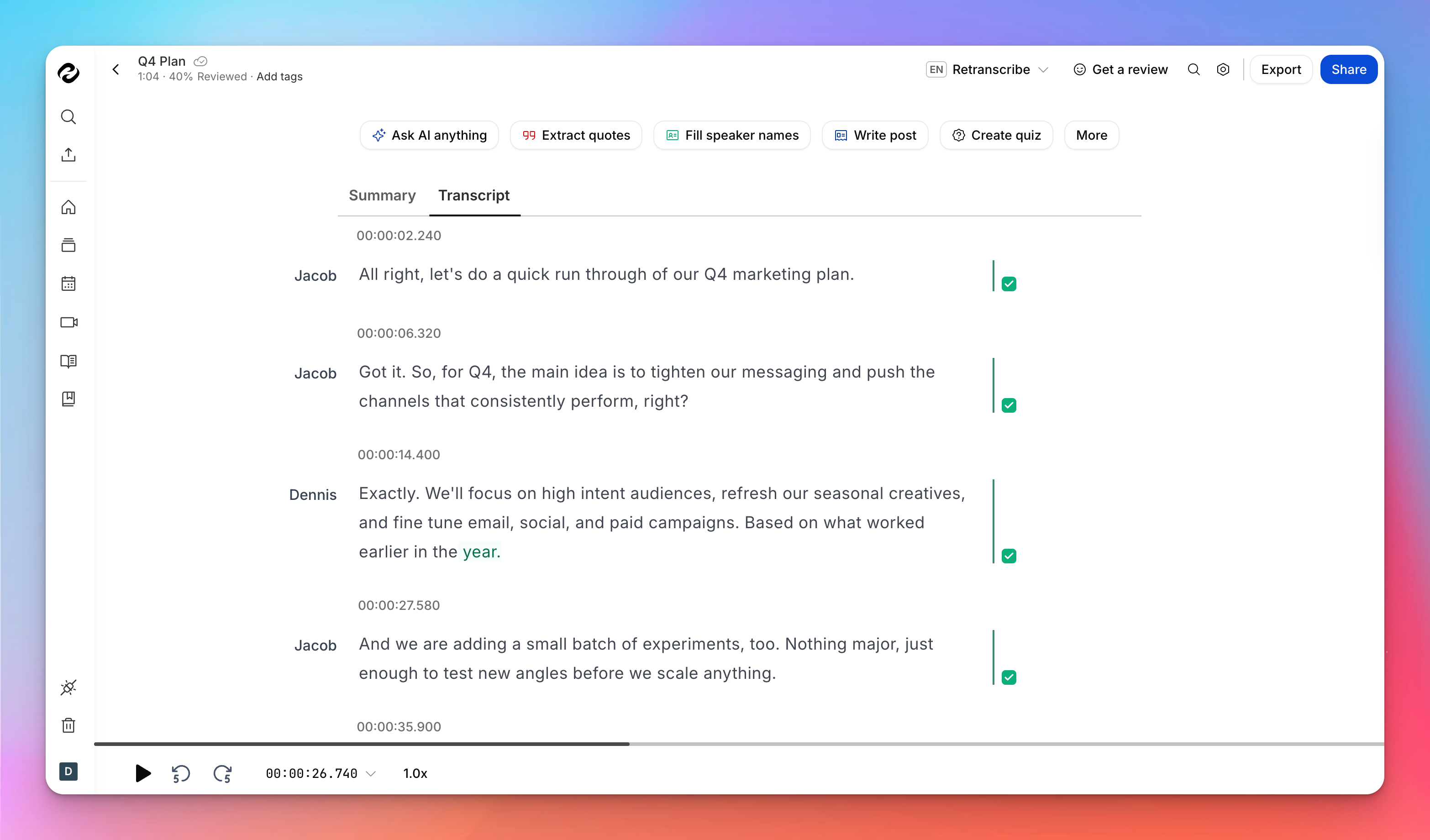
When you use HappyScribe to convert audio to text or video to text, speaker labels and timestamps aren’t tacked on afterward, rather they’re part of the process from the moment you upload your file.
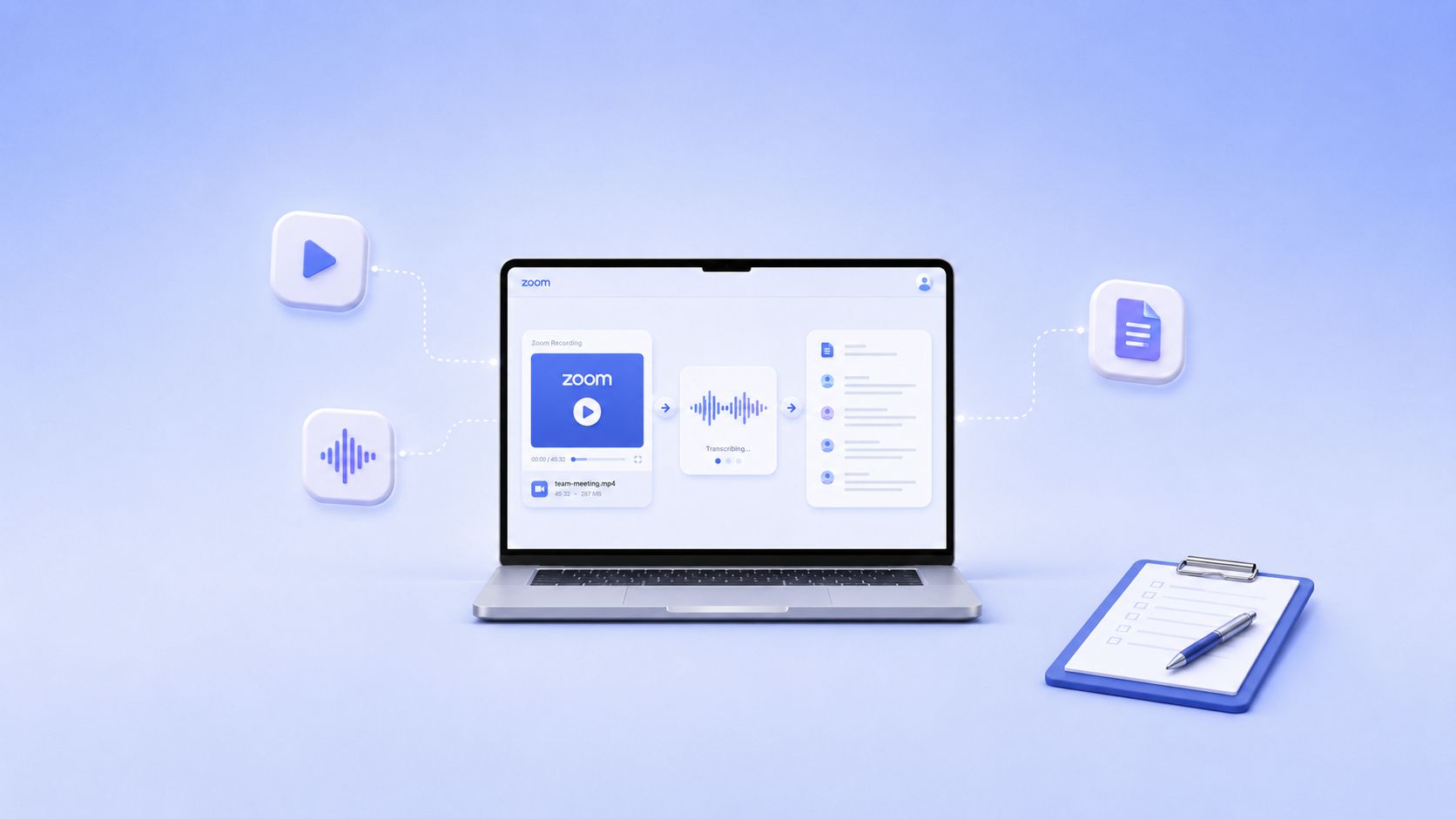
HappyScribe’s AI starts working instantly once the file hits your dashboard, and it generates a structured transcript with timing cues built in as it goes.
On the processing side, HappyScribe’s automatic transcription usually completes within a few minutes for most files and doesn’t require you to sit and wait in the browser while it happens.
Once the initial transcript is generated, you can review, edit, and refine directly in the editor.
Speaker labels are already applied (you can add speaker names manually), and timestamps are aligned to the audio, so you don’t have to juggle separate files or add structure manually.
Both features serve practical use cases where traceability is crucial, including interviews, research transcripts, subtitles, and legal documentation.
Bonus: Human-made transcripts
HappyScribe also offers human-assisted transcription as an option.
In that workflow, professional linguists review and polish the transcript for higher accuracy and consistent speaker identification. The turnaround time is under 24 hours for common languages such as English, French, and Spanish.
You can get human-made transcripts across 130+ languages.
The real issue behind slow transcription and how to solve it
Speaker labels and timestamps don’t slow transcription in any meaningful way. What slows teams down is fixing missing structures later.
If you care about real turnaround time, look beyond how fast a transcript is delivered. Measure how long it takes to review it, verify quotes, create subtitles, or reuse it for research or legal work. That’s where structure pays off.
The simplest way to decide is to test it. Take a real recording, transcribe it with speaker labels and timestamps enabled, and notice how much less time you spend editing and double-checking context.
If you want to see how this works in practice, try HappyScribe for your next file and evaluate the full workflow, not just the delivery speed.
FAQs
How does speaker identification work when transcribing audio with multiple speakers?
When you transcribe audio with multiple speakers, modern AI transcription systems use machine learning to detect different voices, speaking patterns, and pauses across the audio track. This process, also known as speaker diarization, helps identify speakers even when there are frequent speaker changes. Accuracy improves when the recording has clear audio and distinct speakers, but it becomes harder with similar sounding voices or overlapping speech. Use high-quality transcription tools like HappyScribe to handle meetings with multiple speakers.
What happens to speaker labels when audio quality is poor?
Poor audio quality, heavy background noise, or inconsistent mic levels make it harder to assign speaker labels confidently. In these cases, transcription tools may leave unclear sections or rely on context clues, which then require human review. Using good external microphones and capturing clean audio at the source reduces manual work and leads to more accurate results.
Are speaker labels useful for business meetings and group discussions?
Yes. In business meetings, group discussions, panel discussions, and important conversations, speaker labels prevent confusion when multiple people contribute. Even generic labels like speaker A and speaker B help reviewers follow who said what. Without labels, reviewers often replay the audio recording to confirm attribution, which slows down review.
How do timestamps work, and what timestamp formats should I choose?
Time stamps are generated for aligning speech to text. Most transcription services offer different timestamp options, such as sentence-level or word-level timestamps. Sentence-level timestamps work well for interviews (be it audio or video files) and documentation. Word-level timestamps offer tighter control but are more time-consuming to review, more so when the audio file contains noise or unclear boundaries.
Why are speaker labels and timestamps critical for legal and research use cases?
In court proceedings such as legal deposition work, structure is essential. Clear speaker names, timestamps, and consistent labels make it easier to reference testimony and verify quotes. The same applies to academic research, research interviews, and qualitative research, where analysts need to trace statements back to exact moments in the recording without repeatedly replaying the audio.
When should I choose human transcription over AI-only transcription?
AI works well for clean recordings, but human transcription is often necessary for verbatim transcription, poor audio, multiple speakers, or situations that demand absolute accuracy. Human review helps with removing filler words, resolving unclear sections, and applying role based labels or actual names correctly. For high-stakes or professional needs, this hybrid approach delivers more reliable and accurate transcripts with less rework later.

Rodoshi Das
Rodoshi is the Content Lead at HappyScribe, the privacy-first transcription and AI notetaker platform based in Barcelona. Shaping content strategies and building AI workflows excites her as much as exploring new SaaS tools. She specializes in product-led content that informs rather than sells, grounded in honest product benchmarking and low tolerance for empty marketing speak.