![5 Best AI Meeting Note Takers for Android [2026]](/sanity-images/ejgwz1gl/redesign/b8ae82b35b64374c11a356bd470209ec43dd13b6-1536x1024.jpg?auto=format&w=1536.0&rect=0,128,1536,768&h=768)
TL;DR ⏩
After downloading and testing several Android AI meeting note takers, here are the best ones you should check out:
- HappyScribe: Overall best AI meeting note-taking app to record in-person meetings and auto-join online calls, with accurate transcripts and a free plan
- Otter: Best for watching the transcripts on screen in real time, as long as your meetings are in English
- Notta: Best for multilingual users who want real-time and bilingual capture on their phones
- Fireflies: Best for teams that want deep conversation insights and a searchable meeting hub
- tl;dv: Best for existing tl;dv users looking to record in-person conversations they can analyze later at work
AI meeting note takers work best when you're at work, your desktop is open, and the scheduled call is ready to start. Everything's set up just the way you want.
But only if everything in life went according to plan.
You're suddenly part of a riveting discussion over coffee, and you want to capture it before it's gone. Or you're on a bus and want to join a call from your Galaxy or Pixel phone.
AI meeting note takers for Android are a dime a dozen. What's hard to find is one that works reliably in your hand, so you can record and transcribe meetings on the go.
Over the last week, I installed popular AI note takers on my phone and ran them through in-person conversations and scheduled video calls. I wanted to see which apps give me confidence to join meetings away from my laptop.
Below are the five that earned a spot, ranked by how well they actually work on an Android device. Read on to see how they compare.
📌 Important: Recording someone without consent is illegal in several regions. Tell people they're being recorded and get their agreement before you hit record.
What are the best AI meeting note takers for Android? At a glance
| Category | HappyScribe | Otter | Notta | Fireflies | tl;dv |
|---|---|---|---|---|---|
| Best for | Accurate AI note-taking app for in-person and online meetings | Following live transcription on screen, in English | Real-time and bilingual capture for multilingual users | A searchable meeting hub with conversation analytics | Desktop tl;dv users who want a mobile in-person recorder |
| Key features | In-person recording, auto-join scheduled online calls, optional AI Chat, interactive editor, and human review on the web | Live transcription, calendar auto-join, AI chat, and collaboration | Real-time transcription, bilingual mode, Notta Brain | AskFred AI assistant, in-person plus bot recording, soundbites, analytics | In-person recording, 30+ languages |
| Supported languages | 150+ | 6 | 58 | 100+ | 30+ |
| Security | SOC 2 Type II, GDPR-compliant; data stored in ISO 27001-compliant EU data center | SOC 2 Type II, GDPR, HIPAA with BAA | SOC 2 Type II, ISO 27001, GDPR | SOC 2 Type II, GDPR, HIPAA with BAA | SOC 2 Type II, GDPR, EU hosting |
| Starting price | Free (unlimited recordings). Paid from $8.50/month (billed annually) or $17/month | Free. Paid plan starts from $16.99/mo | Free. Paid plan starts from $13.49/mo | Free. Paid plan starts from $18/mo | Free. Paid plan starts from $29/mo |
1. HappyScribe
Best for: Anyone who wants a simple Android app that records in-person meetings and auto-joins online calls, with accurate transcripts and wide language coverage
HappyScribe Android app is one of the most reliable options for users who want to record and transcribe spontaneous conversations. You can turn your phone into an audio recorder for the room or let a bot take notes from your online calls.
Your recordings and transcripts automatically sync with the same workspace you use on the web, so everything is ready and waiting for you the moment you're back at your desk.
HappyScribe's key features
1. Join scheduled online meetings from your phone quickly
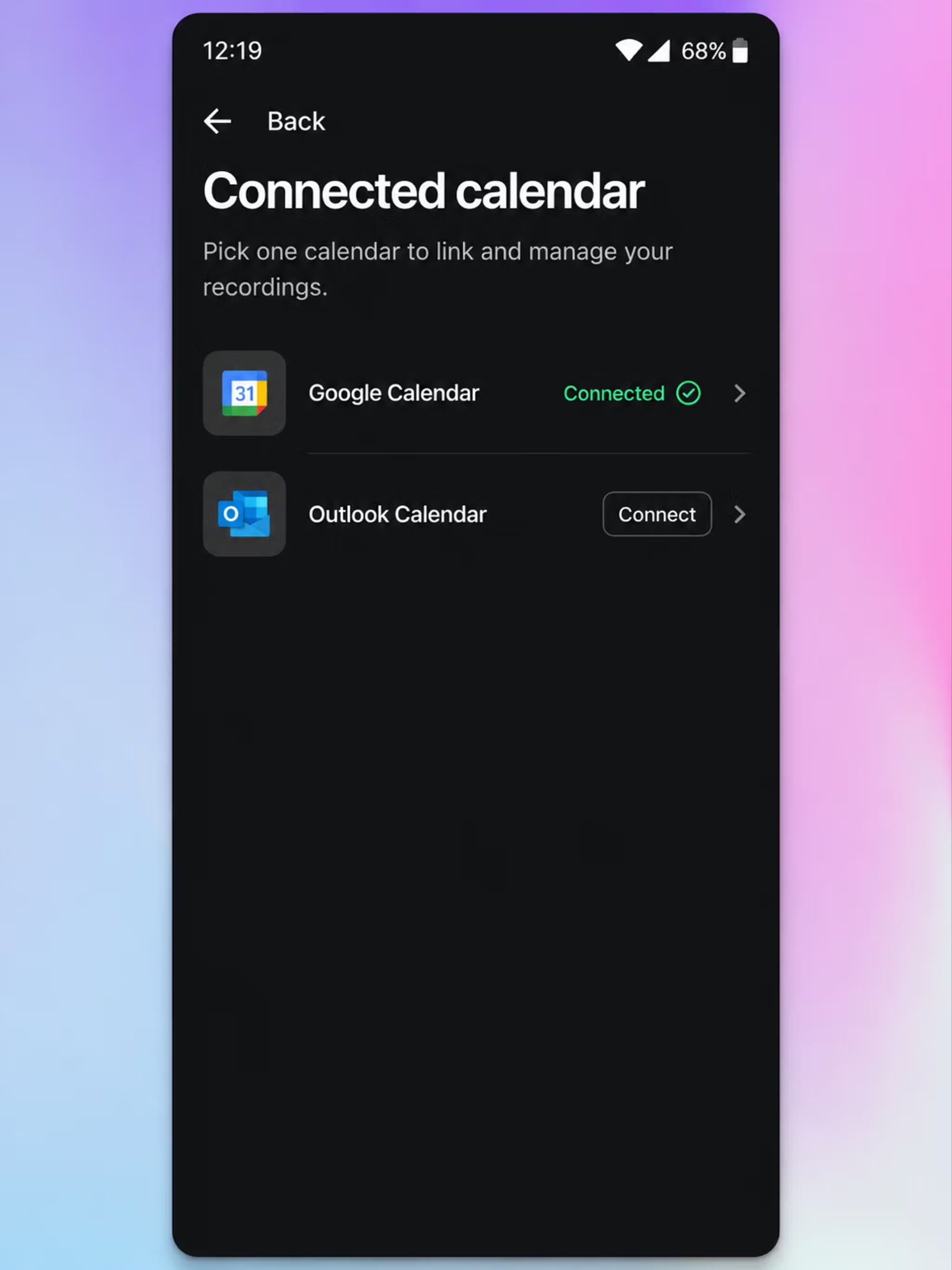
Connect your Google Calendar or Microsoft Outlook once, and HappyScribe AI meeting note taker joins your scheduled Google Meet, Zoom, and Microsoft Teams calls on its own.
The app will automatically record, transcribe, and sync all data, so you can just focus on the conversation. No more worrying about missing notes when you’re away from your desk.
2. Record bot-free in-person meetings, even without an internet connection
For in-person conversations that happen away from a screen, you can just open the app and tap record. No bot joins, and no one is disturbed.
HappyScribe app records the room and then uploads the files in the background. And here’s the neat part: if you're offline or lose signal midway through recording, the app stores the recording and finishes the upload the moment you reconnect.
So the interview in a basement meeting room or the chat on a patchy train ride is still captured reliably.
3. Generate 95% accurate AI transcripts with speaker labels in 150+ languages
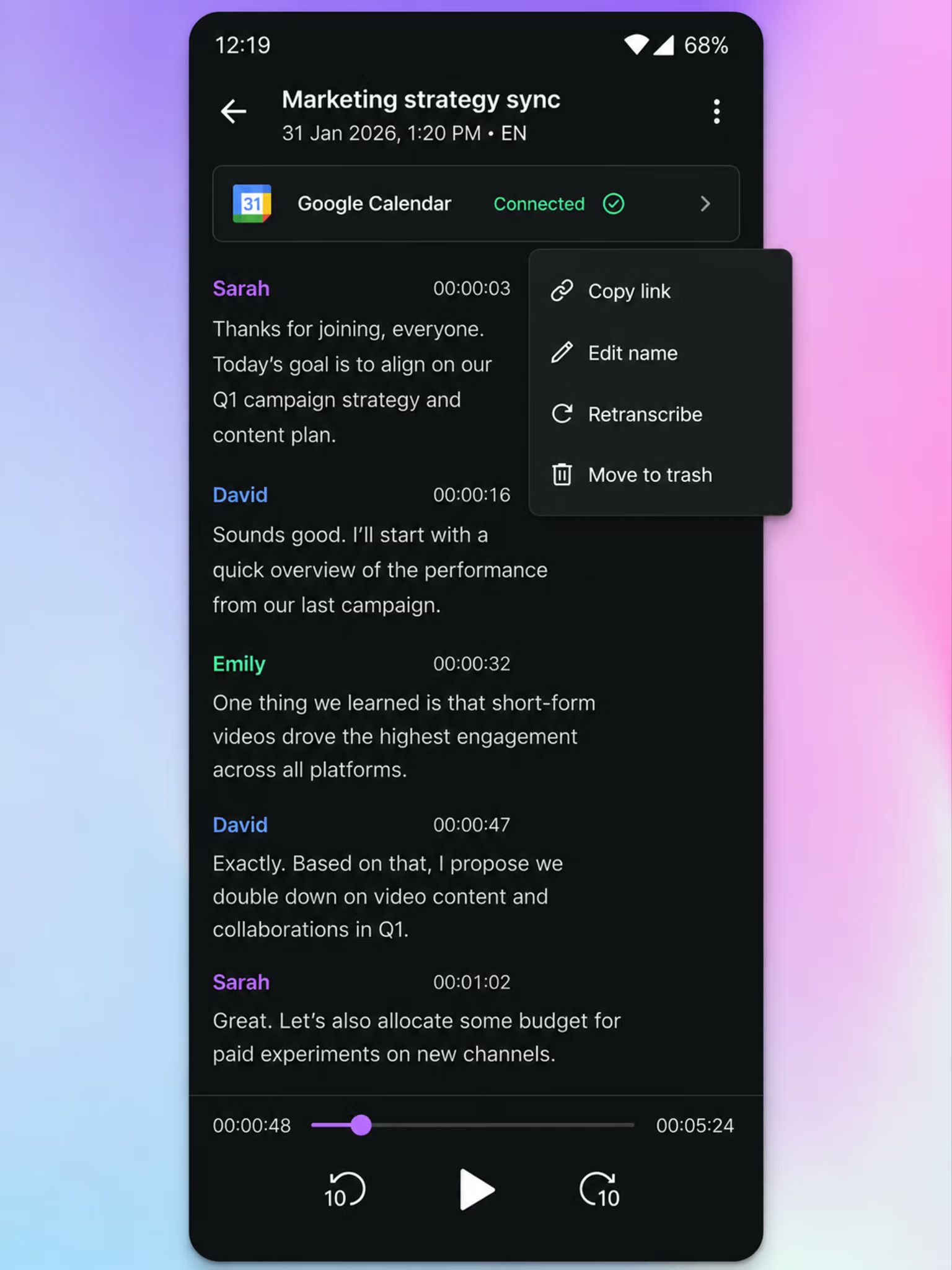
Lots of generic meeting note takers on Android ship with watered-down capabilities, but not the HappyScribe app.
The transcription engine on your phone is the same one that runs on desktop, so a recording made on your phone generates the same high-quality transcript with 95%+ accuracy.
HappyScribe app auto-detects more than 150 languages and dialects, so a field interview in French or a call that switches between Latvian and Mandarin will have the same accurate notes and summaries.
But that’s not all. When a recorded file has to be exact, you can send it for human review, and a HappyScribe expert will fix your transcript with 99% accuracy.
4. Synced desktop workspace with AI Chat and an interactive editor
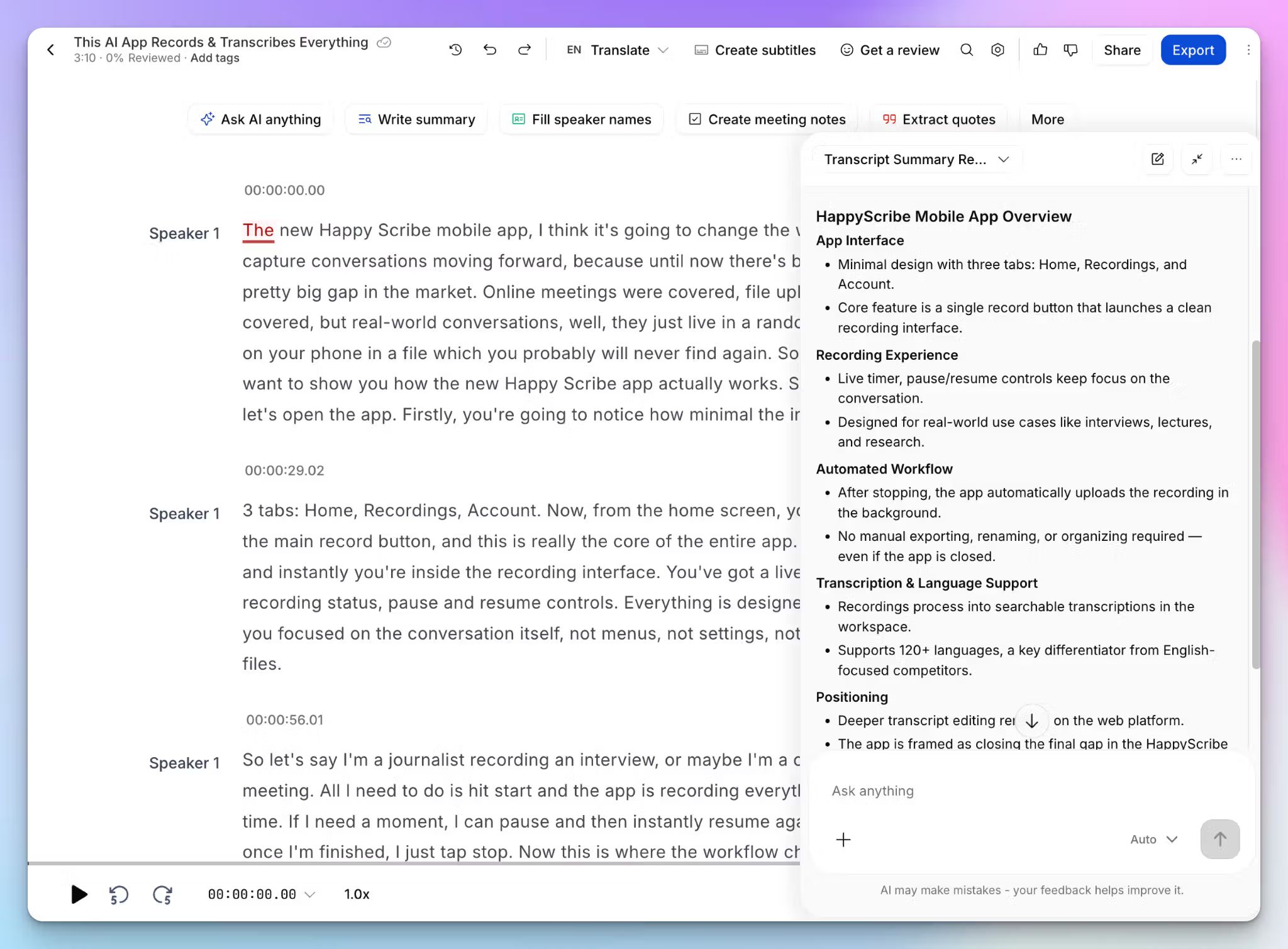
Everything you record on the HappyScribe Android app shows up in the same workspace with your file uploads and meeting notes, so your phone doesn’t work in a silo.
Back at your desk, the editor plays the audio next to the text, so you can click any line to hear it and fix the words. You can use the AI Chat to pull a summary from a 60-minute lecture or find a decision across several interviews at once.
From the same place, you can translate a transcript, generate subtitles, and connect it all to your stack through the MCP server, the API, or Zapier.
5. Simple and free Android AI note taker for daily meetings
You don't have to pay for the HappyScribe app to use it daily. The free plan covers unlimited meeting recordings, capped at 45 minutes each, which is enough for most standups and client calls.
There's no learning curve and no credit card required, so you can start recording and taking notes right away instead of downloading yet another app you'll never open again.
HappyScribe's pricing
- Free: Unlimited mobile and meeting recordings, 45 minutes per recording
- Basic: $8.50/month billed annually or $17/month billed monthly
- Pro: $19/month billed annually or $29/month billed monthly
- Business: $59/month billed annually or $89/month billed monthly
- Enterprise: Contact sales for tailored solutions
HappyScribe app's pros
- Quickly record lectures, research interviews, and in-person meetings with your Android phone
- Reliable and accurate AI meeting notes across languages, with an optional human proofreading service
- SOC 2 Type 2 and GDPR compliance with EU data storage, making HappyScribe one of the most secure notetakers in the market
- Polished app UI for fast and easy access to old notes and upcoming meetings
- Responsive customer support by actual humans, not bots
- HappyScribe offers a generous free tier for meetings across platforms, and the paid tiers scale according to your workload
HappyScribe's cons
- Not built for live, real-time transcription,
What are users saying about the HappyScribe app?
In a meeting with 25 people I recorded a talk on debt restructuring with my phone from the back of the room. The notes were concise, albeit not totally to the point, since this was not a formal meeting. The AI prompted narrative summary of less than 500 words nailed it though!
Straight forward and easy to use this app is extremely accurate in my experience so far. Love it.
How to use HappyScribe's AI note taker on Android: a step-by-step guide
- Download the HappyScribe app from the Google Play Store and log in with a free account
- To capture an in-person meeting, open the app and tap the Record button on the home screen, and grant microphone access when prompted
- Pause and Resume when needed, and when the meeting ends, tap Stop, name the recording, and tap Save
- To cover online calls, connect your Google or Outlook calendar. HappyScribe auto-joins Google Meet, Zoom, or Teams calls to take notes
- Your recording uploads to the synced workspace, and within minutes, the transcript is ready to edit, summarize with AI Chat, or share from any device
2. Otter
Best for: Users who want a polished Android app that shows live texts on screen in real time as people speak
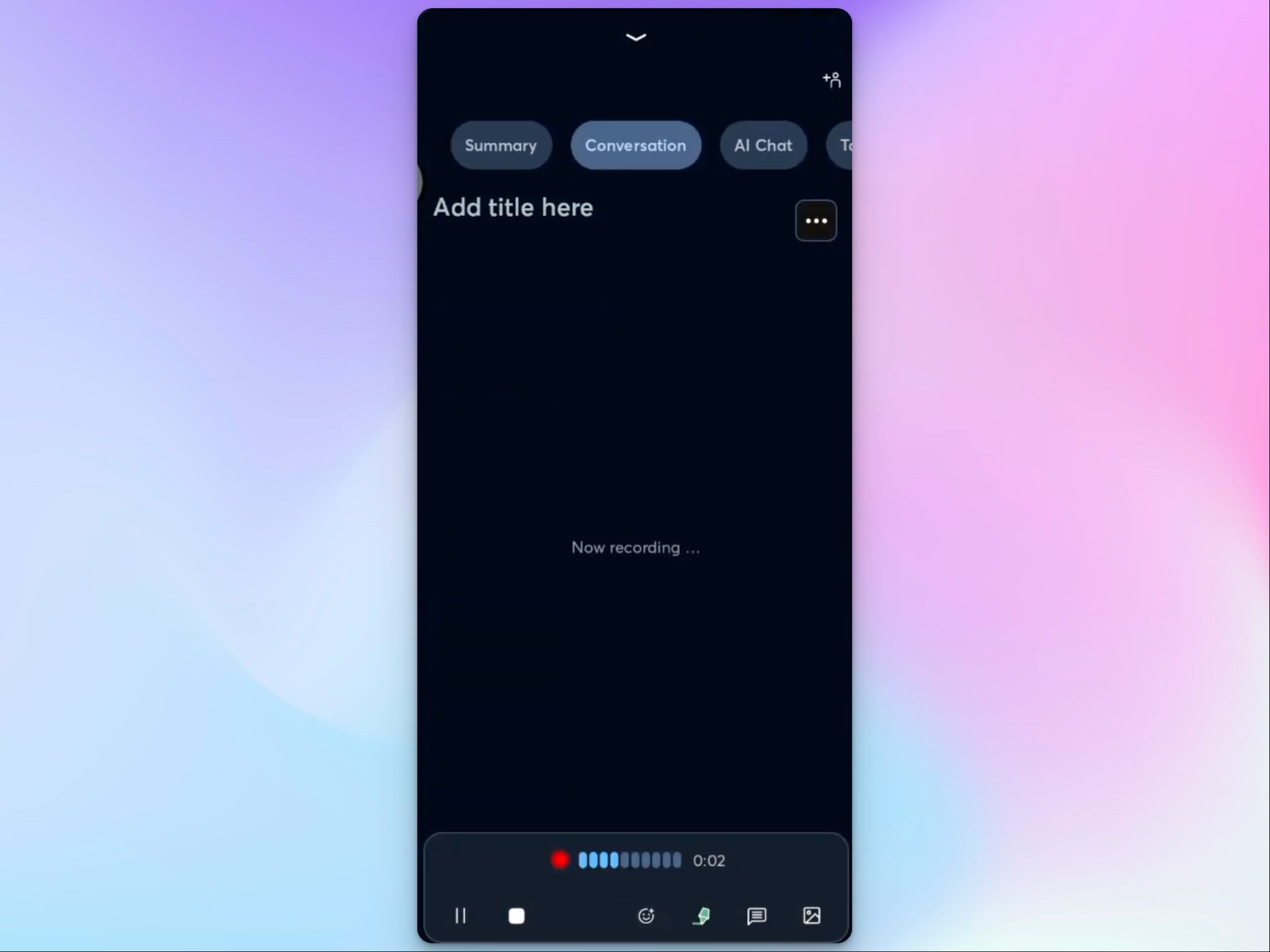
If you’ve ever looked for AI note takers on Android, you might have come across Otter. It’s a popular app and for good reasons.
Otter does meeting transcription, and the live, on-the-spot capture is what made it popular. But if you’re in legal, academic research, or healthcare, keep in mind that Otter is embroiled in lawsuits for user privacy violations.
Having said that, it’s still a neatly designed app that continues to be a compelling option for casual users.
Otter app’s key features
- Live transcription on the Android and iOS apps, so the words appear on screen as people speak, and you can highlight or comment on key lines mid-meeting
- Otter links to your Google or Microsoft calendar and joins your Zoom, Microsoft Teams, and Google Meet calls on its own to capture notes
- A built-in chat that answers questions about a meeting and pulls action items from transcripts
- Otter mobile app has collaboration tools like shared notes, inline comments, speaker tagging, and team vocabulary
Otter's pricing
- Basic: Free (300 minutes)
- Pro: $16.99/month
- Business: $30/month
- Enterprise: Custom pricing
Otter app’s pros
- On clear English audio, Otter generates reliable transcripts that you can use with only light editing
- Reading the transcript as it appears makes it easy to keep up with a fast meeting, and you can catch details you'd otherwise miss
- The Android app is polished and quick to learn, so recording and sharing notes take little effort
Otter app’s cons
- If you work in anything beyond a handful of supported languages, the note taker won’t work, which pushes a lot of multilingual users towards better Otter alternatives
- The monthly minute caps are easy to burn through, so if you’re a heavy user, prepare to pay for higher tiers
- Otter’s transcription accuracy isn’t reliable in noisy rooms or with overlapping speakers, which is exactly the kind of in-person setting Android users record in
📚 Also read:
3. Notta
Best for: International users who want real-time transcription on their phone, including conversations that switch between two languages
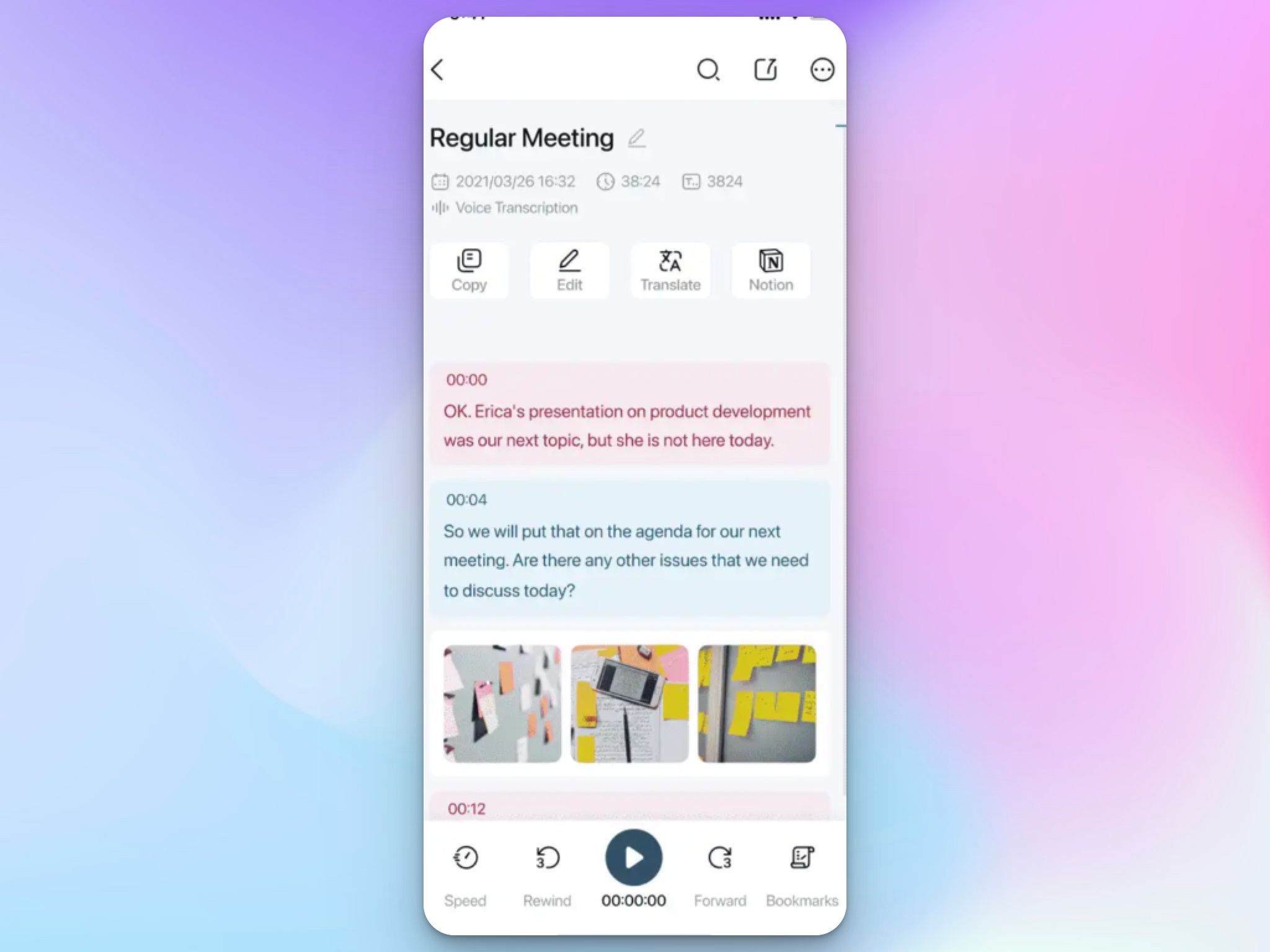
Notta's whole pitch is speed across languages. The app transcribes in real time on your phone, and its standout trick is bilingual mode. For cross-border interviews and client calls, it’s a reliable option on Android.
One thing to consider first: outside the Enterprise plan, Notta uses Japanese customer content to train its AI models, with no opt-out feature. If you’re in Japan or have meetings with a Japanese Notta user, factor that in before you commit.
Notta app’s key features
- Real-time transcription in 58 languages on the Android app, with the text and audio on one screen, so you can bookmark key moments as they're said
- Notta Bot joins your scheduled Zoom, Microsoft Teams, and Google Meet calls through calendar sync
- Bilingual mode transcribes a two-language conversation as it happens, sold as a paid add-on on top of your plan
- Notta Brain acts as an AI assistant that summarizes recordings, extracts action items, and searches across your past transcripts
Notta's pricing
- Free
- Pro: $13.49/month
- Business: $27.99/month
- Enterprise: Custom pricing (51+ seats)
- Monolingual Translation (add-on): $10/month
- Bilingual Transcription & Translation (add-on): $15/month
- Notta Brain (add-on): $12.99/month
Notta app’s pros
- On clean audio, the Notta app generates fast and accurate transcripts across a wide set of languages
- You can also upload pre-recorded meeting files to transcribe and extract notes via the app
- The app UI is simple, and you can get started with meeting note-taking in minutes
Notta app’s cons
- The free plan is close to unusable for meetings, since it caps each recording at 3 minutes and 200 minutes a month total, which pushes most people to other Notta alternatives
- Flagship features like real-time translation and bilingual transcription are paid add-ons, so the upfront price isn't the full cost for multilingual work
- Mobile app users often report app crashes, abrupt stoppage of recordings, and billing issues
4. Fireflies
Best for: Teams who want deep conversation insights and a feature-packed Android app for collaboration
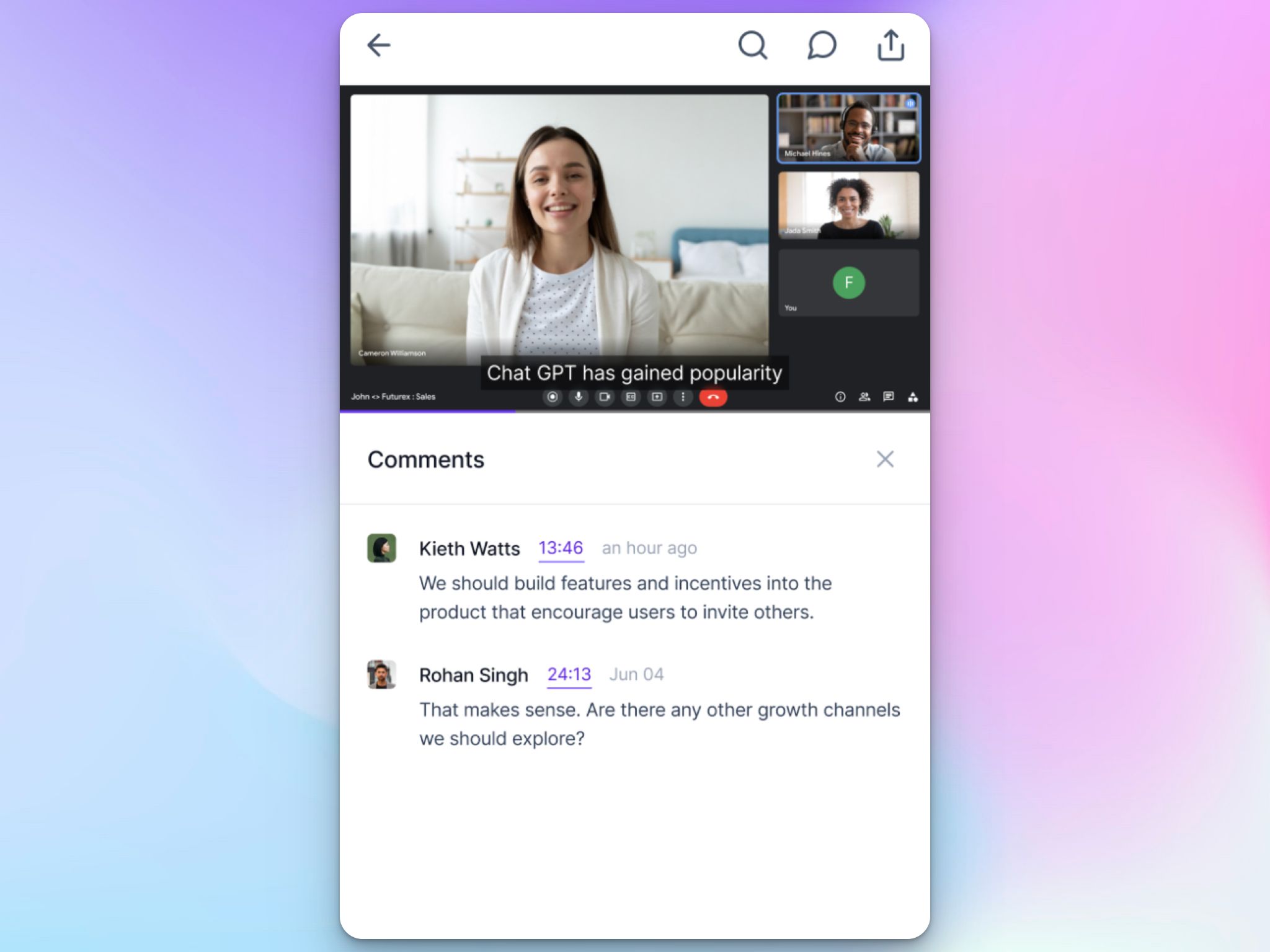
Fireflies is useful for teams to organize scattered meeting data into searchable records. It records and transcribes your meetings, then files everything into a searchable meeting hub with playlists and analytics.
On Android, the Fireflies app records in-person conversations and joins your calls, so your meeting archive gets updated whether you're at work or at a client lunch.
The catch is how the archive gets built. Fireflies is facing class-action lawsuits over collecting attendees' voiceprints without consent. If you record people in regulated work or strict-consent states, look closely before rolling it out.
Fireflies app’s key features
- AskFred answers questions about any past meeting and pulls summaries and action items from transcripts
- One-touch recording in the Android app for in-person conversations, plus the option to send the Fireflies bot into your Zoom, Microsoft Teams, and Google Meet calls
- Create soundbites from meeting minutes, join them in playlists, and share with teams from your phone
- Track analytics such as filler words, monologues, talk-to-listen ratio, questions asked, silence duration, and topics from the app
Fireflies' pricing
- Free: 400 minutes
- Pro: $18/month
- Business: $29/month
- Enterprise: $39/month (annual only)
Fireflies app’s pros
- It’s easy to search and find exact data from a call months ago by keywords, speakers, or topics
- Fireflies on the web has AI skills for specialized tasks, and it connects your meeting data with tools like BambooHR, Notion, Keragon, Linear, Aircall, and Slack
- Team members on Android can comment on meetings with timestamps and upload files to transcribe as well
Fireflies app’s cons
- Fireflies’ Android app occasionally crashes while you’re in a meeting, and the notes refuse to load quickly
- Fireflies hides its best AI features behind a credit system, so the real monthly cost often climbs above the sticker price and pushes users toward better Fireflies alternatives
- The bot auto-joins aggressively and is fiddly to remove from calendars, and accuracy slips on technical discussions
📚 Also read:
5. tl;dv
Best for: Existing tl;dv users looking to record in-person conversations they can analyze later at work
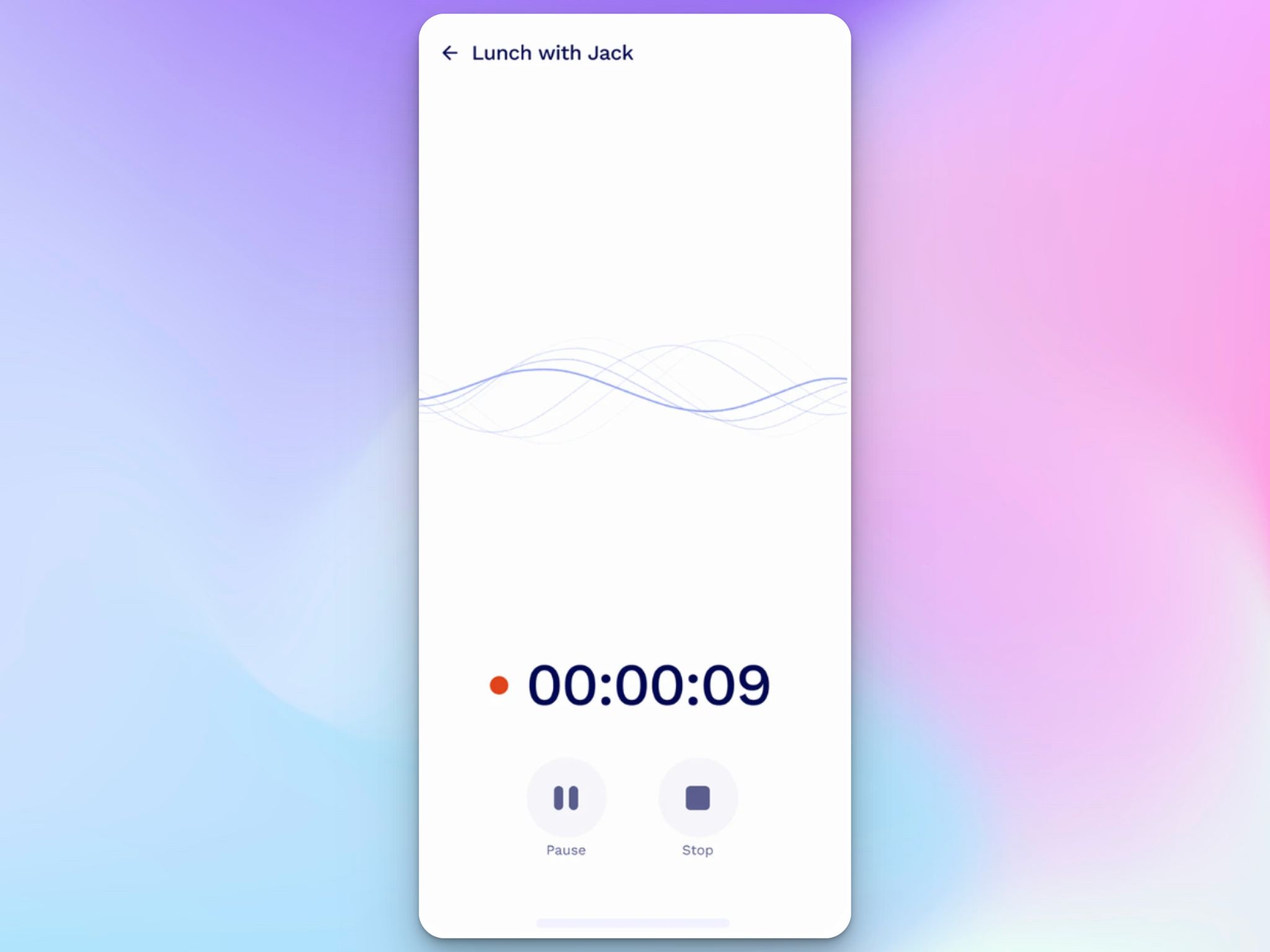
tl;dv on the web records your sales calls and helps you turn them into clips and run AI reports across meetings.
The mobile story is a bit different. The Android app is a light companion that records in-person conversations and syncs them to your desktop dashboard, so you can't join or manage a scheduled call from your phone yet.
It's fine if your work lives on a laptop, but it isn't built to run meetings from a phone alone.
tl;dv app’s key features
- Record in-person meetings instantly, even without an internet connection. The app uploads recordings once it's back online
- You can record meetings in 30+ languages with auto-detection available
- Mobile recordings turn into summaries, action items, and sales insights in your desktop dashboard
tl;dv’s pricing
- Free: 10 AI meeting notes/month
- Pro: $29/month
- Business: $39/month
- Enterprise: Custom pricing
tl;dv app’s pros
- tl;dv is one of the most generous free recorders on this list, with unlimited recordings and transcription in 30+ languages
- Features like recording library and calendar sync are coming soon to the mobile app
- The app is great for sales and CS teams to capture quick conversations and generate reports and insights later at the desk
tl;dv app’s cons
- As it stands at the time of my review, the Android app is bare-bones in features. It’s useful for existing tl;dv users doing a lot of field recordings
- The free plan auto-deletes recordings after three months and caps AI notes at 10 for the life of the account, forcing users to either pay up or look for better tl;dv alternatives
📚 Also read:
Which AI meeting note taker for Android is best?
The right pick comes down to how you record conversations, the languages you work in, and what you’re willing to spend.
👉 Otter is the one when you want the transcript building on screen as people talk, and your meetings are mostly in English.
👉 Notta earns its place when your conversations move between languages, and you want them captured live on your phone.
👉 Fireflies fits teams who want every meeting in a searchable hub with analytics, as long as you handle consent properly.
👉 tl;dv is worth it only if your work already lives in tl;dv on the desktop and you just want a phone recorder for in-person chats.
👉 HappyScribe is the top pick for most Android users. It records the room and joins your online calls from the app, with 95% AI accuracy.
From 150+ languages to EU-based data security, you’d be hard-pressed to find a tool that covers as much ground from a phone. The free plan is an easy way to test it on your own meetings.
FAQs on best AI meeting note takers for Android
What is the best free AI meeting note taker for Android?
For most people, HappyScribe has the most generous free plan among the free AI note takers for Android. Its free version covers unlimited meeting recordings and AI summaries with no card, while tl;dv is another to try for unlimited transcription on a free forever tier. Otter and Notta pack the core features into their free apps too, so a free AI meeting assistant can give you full meeting recaps for a few weeks before you get a paid version.
Can AI note takers record in-person meetings on Android?
Yes. HappyScribe, Otter, Fireflies, and Notta all record in-person business meetings straight from your phone with bot-free capture and no dial-in. You tap record, and instead of manual note taking, you get clean meeting transcripts and structured notes, with the app set to summarize meetings into key points and follow-ups. HappyScribe offers AI Chat and built-in collaboration features that make it useful for internal meetings, so the whole team works from the same notes.
Can AI meeting note takers record meetings offline on Android?
Yes. HappyScribe does this by storing the recording and uploading it the moment you reconnect. It then turns recordings into AI-generated summaries. For sensitive talks, pick a secure AI meeting notetaker that encrypts your data and keeps a tidy meeting history you can search, which is also how sales teams pull meeting insights from calls recorded on the road.
Is it legal to record a meeting on your phone?
It depends on where you and the other people are based. Some regions allow one-party consent, while others require everyone to agree, and that applies to phone calls, virtual meetings, and anything on a video conferencing platform. The safe move is to tell people before you start recording, whether the conversation is in person or across remote meetings. When in doubt, get consent in writing and store the recording with a tool that protects your data.

Biplab Mazumder
Biplab is a content marketer and writer who helps high-growth brands scale content visibility across AI search channels. His works have been published in HubSpot, Freshworks, Atlassian, SurferSEO, etc. When he's not planning content strategy, he's testing AI content workflows and use cases.