![5 Best Fathom Alternatives for AI Meeting Notes [2026]](/sanity-images/ejgwz1gl/redesign/c687eba7a99113c96e6a7ab5c803b890ef714e1e-1600x900.jpg?auto=format&w=1600.0&rect=0,50,1600,800&h=800)
Fathom is one of the most popular AI meeting assistants out there, and for good reasons. It offers unlimited meetings in the free plan and comes loaded with useful features. But it’s not without its flaws.
After using Fathom myself across several weeks of back-to-back meetings, I quickly ran into the same issues most users complain about. It’s not suitable for in-person meetings, and the cooler AI features are gated behind premium plans.
So I ran a fresh round of tests on the most talked-about alternatives, cross-referenced findings with user reviews, and filtered out anything that failed to address Fathom’s limitations.
If you’re someone who’s looking for Fathom alternatives for meeting notes, this is the list for you.
TL;DR ⏩
- HappyScribe: Best for global teams that want 95%+ accurate AI meeting notes in 150+ languages, file transcription, translation, and affordable plans
- Fireflies: Best for sales teams looking for a widely compatible note taker with strong CRM automation and a searchable meeting archive
- Read AI: Best for distributed teams and business leaders who want meeting intelligence connected across their emails, messages, and documents
- Granola: Best for product and sales professionals who want a bot-free AI notepad that enhances their own notes
- Gong: Best for B2B enterprise sales teams that need deep revenue intelligence, deal forecasting, and conversation analytics
Why users are looking for Fathom alternatives
1. No bot-free recording option for in-person meetings
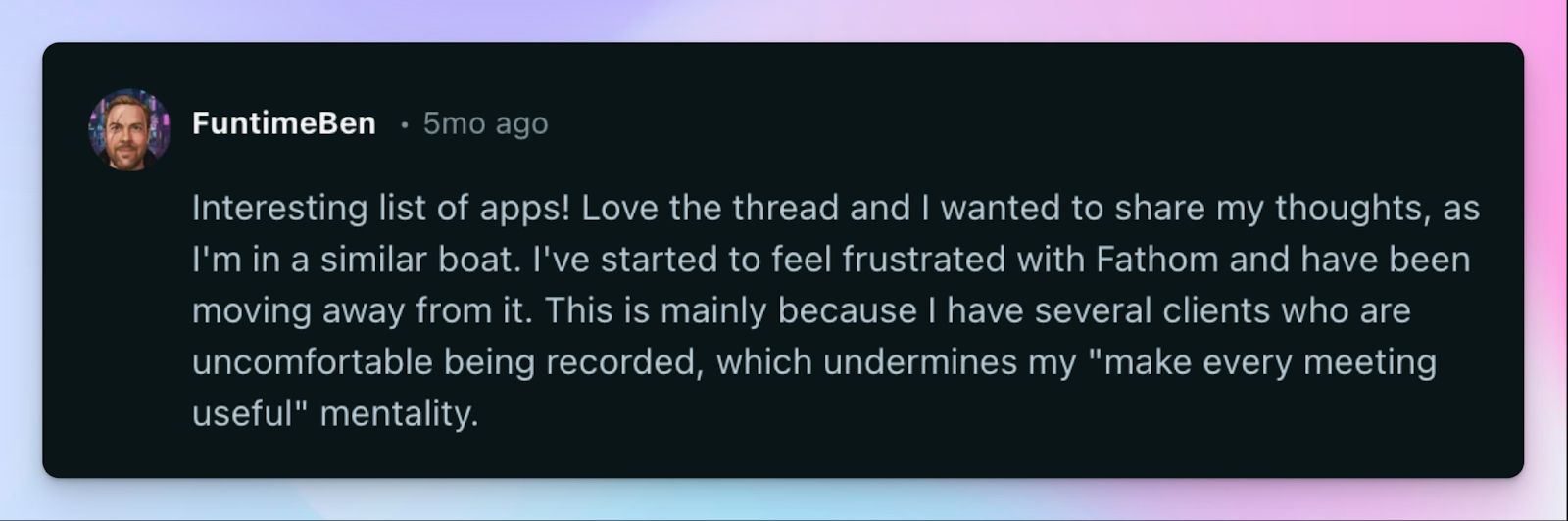
Fathom works by joining your video calls as a bot participant, which means it has no way to capture a conversation that happens outside a scheduled online meeting. If your sales rep takes a prospect out for lunch, or your team runs a quick whiteboard session in the office, Fathom simply isn't there. For teams that mix remote and in-person work, Fathom isn’t useful.
2. Fathom can't transcribe pre-recorded meeting files
If you have a backlog of recorded webinars or older client calls sitting in your device, Fathom can't help you turn them into structured notes. It only works with live meetings as they happen, so any recording that predates your Fathom setup stays undocumented unless you find another tool to process it. For teams that want a single platform to handle both live and archived meeting content, this is a dealbreaker.
3. Fathom often generates inconsistent meeting notes where key insights are glossed over
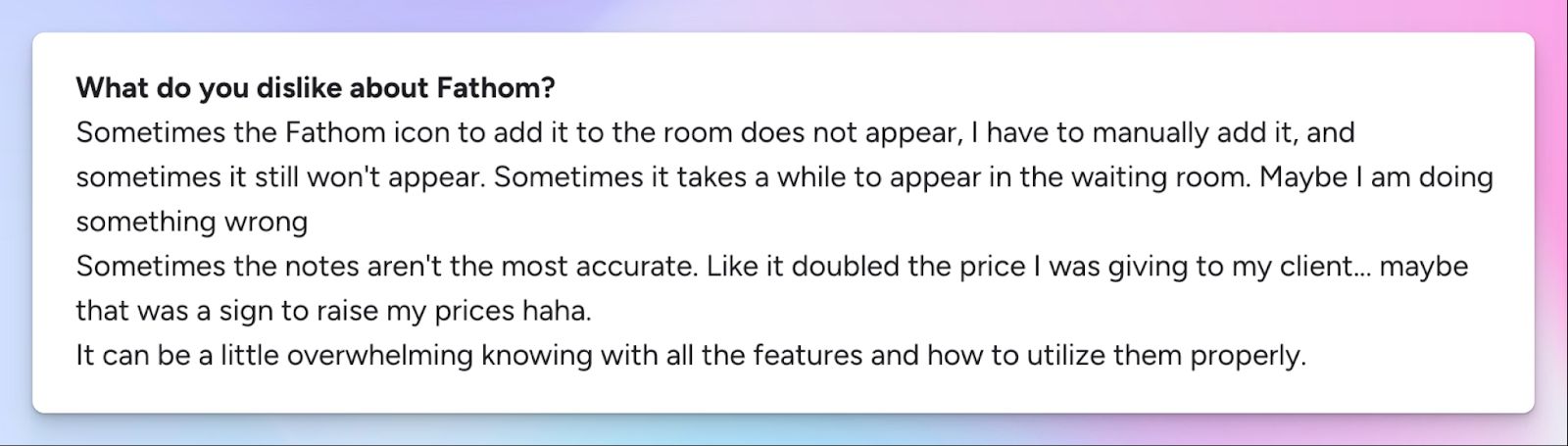
Fathom's summaries can feel surface-level, especially on calls with dense technical discussion or multiple agenda items. In my testing, action items from fast-paced conversations were either merged into vague bullet points or dropped entirely.
Other users echo the same problem. Fathom frequently misses context-specific decisions and requires manual editing before the notes are usable. When you rely on your note taker to capture meeting nuances, poor transcription accuracy is a red flag.
4. Fathom's meeting bot is unreliable and raises privacy concerns
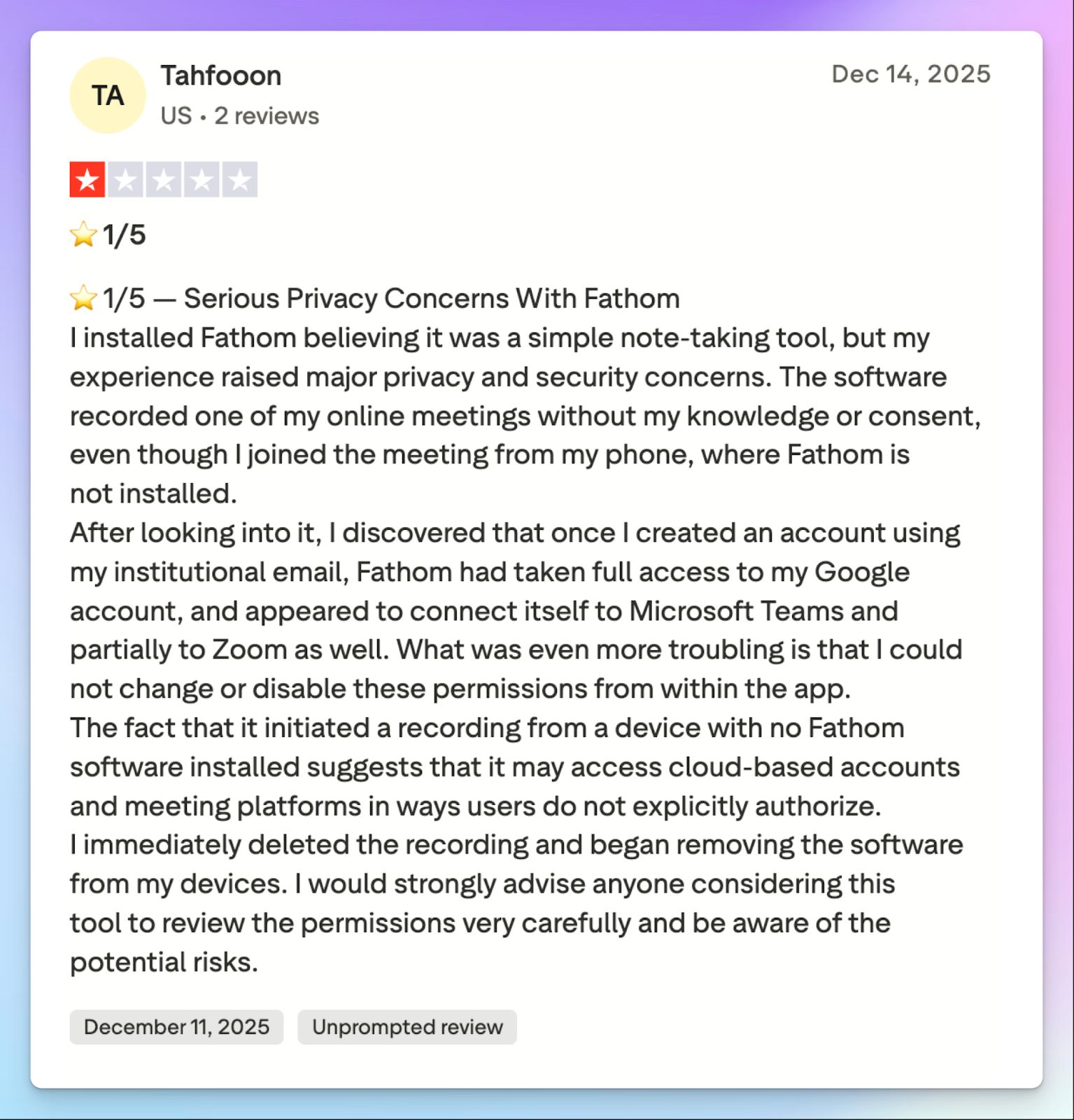
The Fathom bot joins your calls as a visible participant, and that alone makes attendees uneasy in sensitive meetings. Beyond the optics, the bot occasionally fails to join scheduled meetings without warning, leaving calls entirely undocumented.
And that’s not it. Fathom sends the bot to meetings by scraping users' calendars, but the way it acquires permission is far from transparent.
Top 5 Fathom alternatives at a glance
| Category | HappyScribe | Fireflies | Read AI | Granola | Gong |
|---|---|---|---|---|---|
| Best for | Global teams that want accurate multilingual notes, file transcription, and bot-free in-person recordings | Sales teams that want CRM automation, a searchable archive, and AI meeting hosts | Distributed teams that want meeting intelligence across emails, Slack, and documents | Product teams that want a bot-free notepad to enhance their own notes | B2B enterprise sales teams that want revenue intelligence and deal forecasting |
| Key features | 95%+ accuracy, bot-free recorder, file upload, translation in 80+ languages, subtitle editor | Live in-call notes, AskFred search, AI meeting hosts, file upload, 100+ integrations | Search Copilot across meetings and messages, live dashboard, Ada digital twin, mobile recording | Human-AI hybrid notes, AI chat across meeting history, custom templates, no bot | Deal risk alerts, pre-meeting briefs, in-call keyword tracking, talk-ratio analytics |
| Supported languages | 150+ languages and dialects | 100+ languages | 20+ languages | 10 languages on desktop | 70+ languages |
| Meeting platforms | Zoom, Google Meet, Teams, in-person | Zoom, Google Meet, Teams, in-person via mobile | Zoom, Google Meet, Teams, in-person via mobile | Zoom, Google Meet, Teams, Webex, in-person via iPhone | Zoom, Google Meet, Teams, VoIP systems |
| Security | GDPR, SOC 2 Type II, and EU data residency | GDPR, SOC 2 Type II, HIPAA, AES-256 encryption | GDPR, SOC 2 Type II, HIPAA on Enterprise+ | GDPR, SOC 2 Type II, encrypted AWS storage | GDPR, HIPAA, SOC 2 Type II, ISO 27001, ISO 27701 |
| Starting price | Free plan with unlimited meeting recordings. Paid plans start from $8.50/month (billed annually) or $17/month (billed monthly) | Free, paid plans start from $18/month | Free (5 meetings/month), paid plans start from $19.75/month | Free, paid plans start from $14/month | No free plan, contact for pricing |
1. HappyScribe
Best for: Global teams that want 95%+ accurate AI meeting notes in 150+ languages, file transcription, translation, and affordable plans without platform lock-in
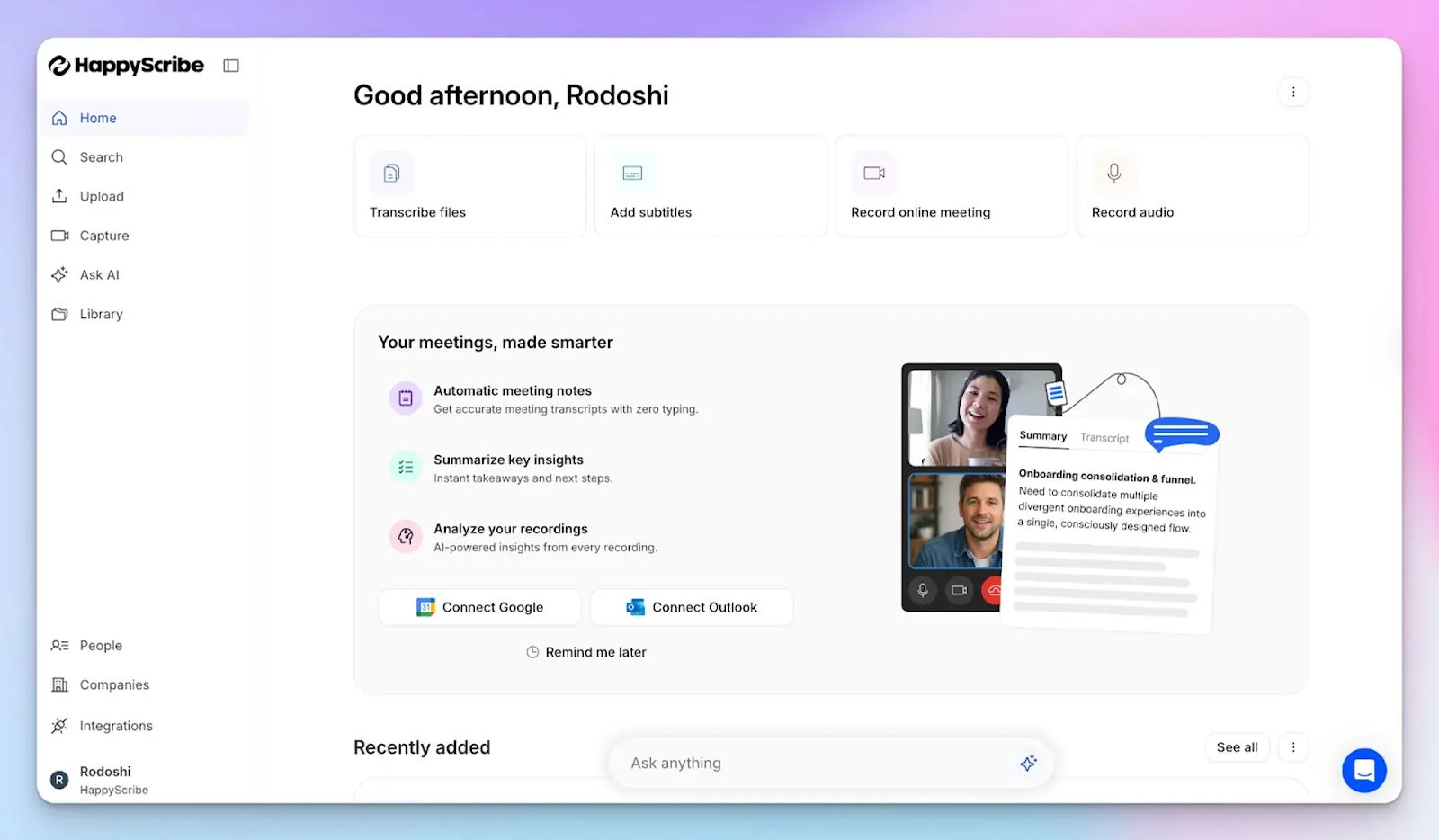
HappyScribe AI note taker is the strongest Fathom alternative for teams that don’t work on a single platform or in a single language. Where Fathom focuses on simply recording scheduled calls, HappyScribe offers a full range of meeting productivity features to help teams work smarter.
Connect your Google or Outlook calendar to let HappyScribe auto-join scheduled calls, or paste the meeting link manually. It works across Zoom, Google Meet, Microsoft Teams, and in-person meetings, so your note-taking doesn't stop when your setup changes.
HappyScribe vs. Fathom
| Category | HappyScribe | Fathom |
|---|---|---|
| Language support | 150+ languages and dialects with 95%+ accuracy | 38 languages only, with accuracy dropping on non-native accents |
| In-person meetings | Bot-free web recorder captures ad-hoc and in-person conversations | No recording option outside scheduled online calls |
| File transcription | Upload audio and video files from your device, Google Drive, Dropbox, or Vimeo | Cannot process pre-recorded files of any format |
| Subtitle and translation | Translate meeting notes in 80+ languages and edit subtitles for video files | Fathom supports translation in only 7 languages and doesn’t offer subtitling |
HappyScribe's key features
1. Generate 95%+ accurate meeting notes in 150+ languages and dialects
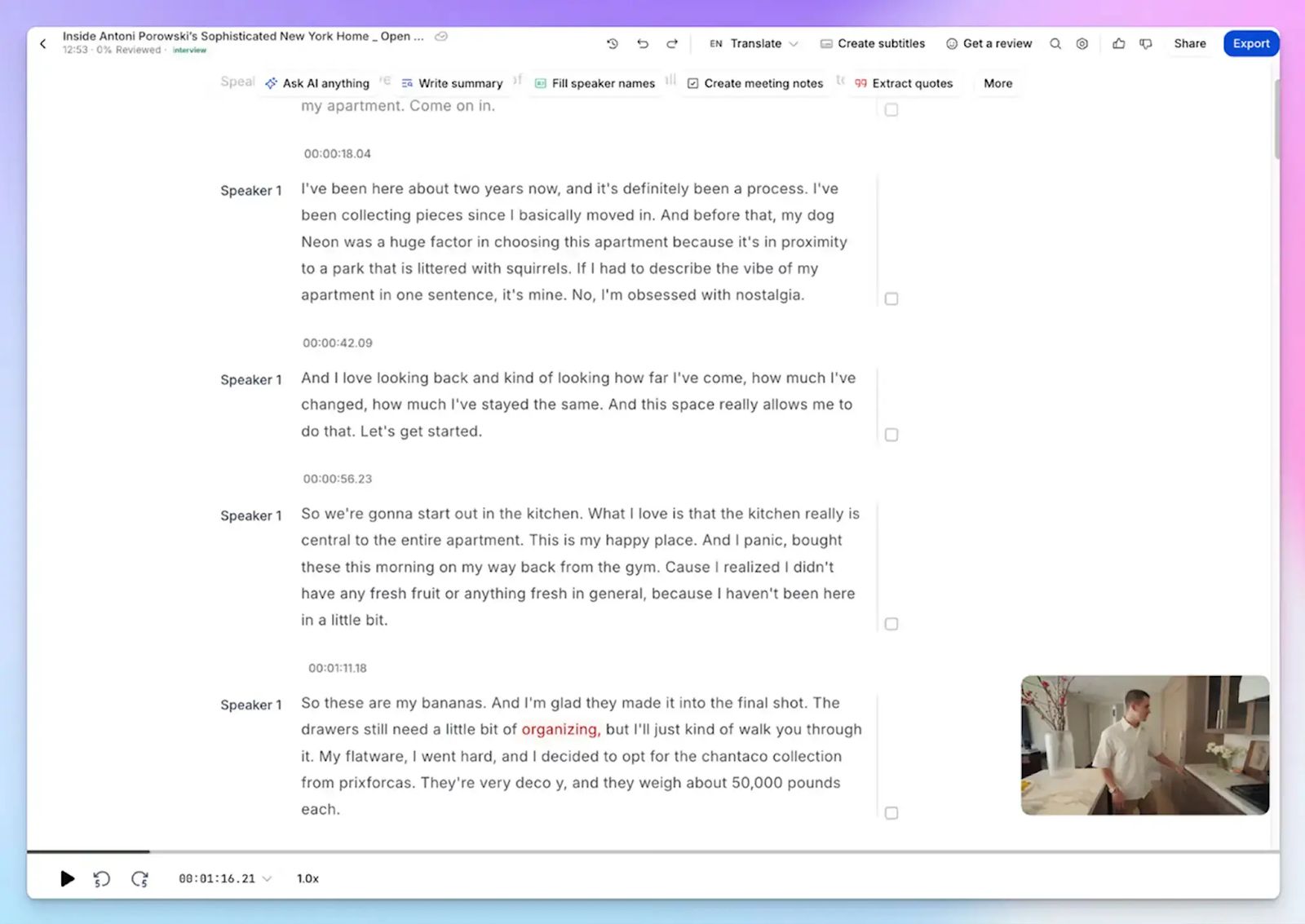
Fathom supports only 38 languages, and its accuracy takes a hit when speakers use regional accents or switch between languages mid-call. In contrast, HappyScribe processes 150+ languages and dialects at 95%+ accuracy. Be it Swiss German, Swedish, or Mandarin, you can start working on action items right after a meeting ends.
You can also set up custom glossaries, so HappyScribe gets your industry-specific terms and proper nouns right from the first meeting.
2. Use HappyScribe for bot-assisted online calls and bot-free in-person meetings
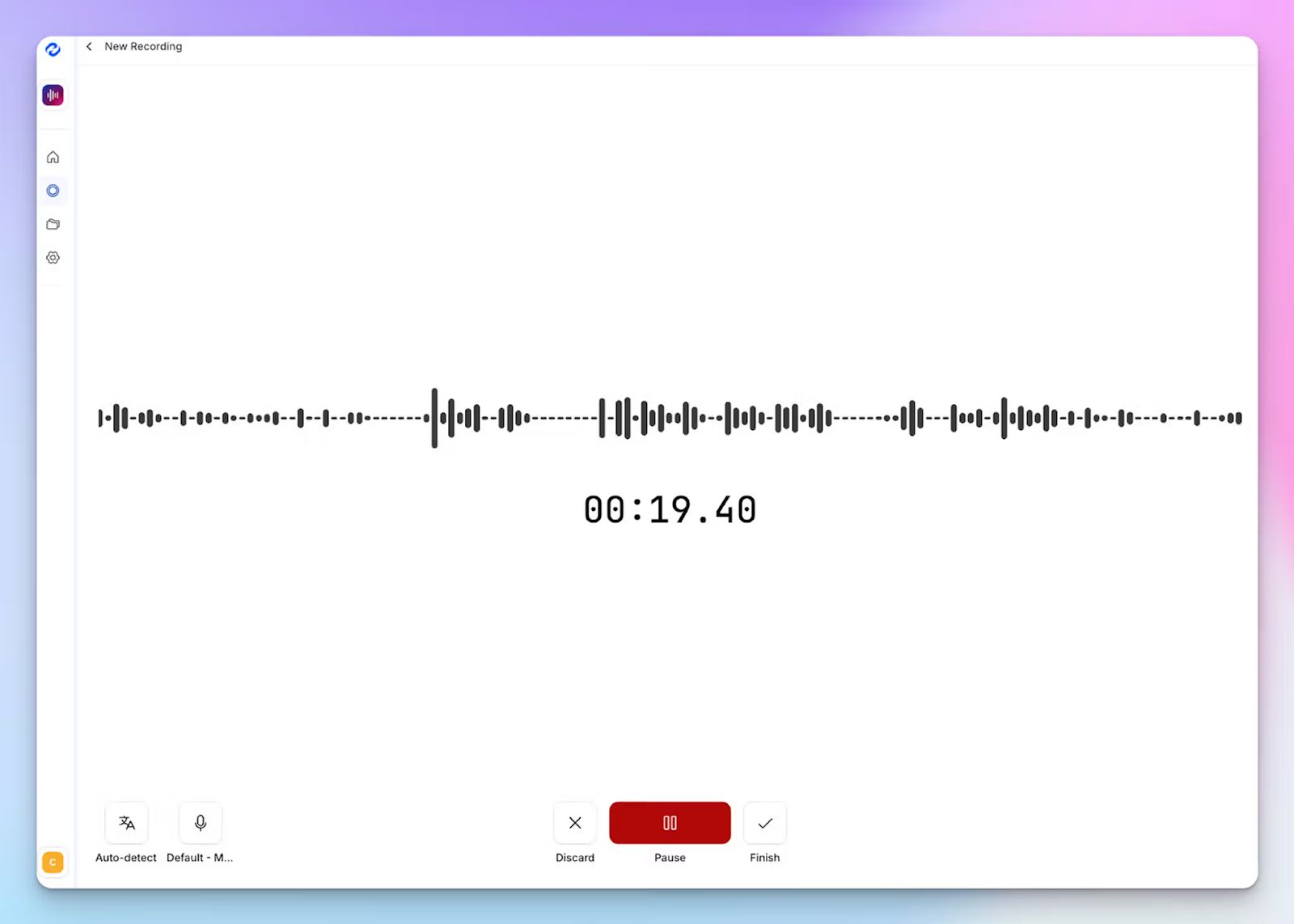
While Fathom has no answer for ad-hoc meetings, HappyScribe covers both online and in-person conversations. For online meetings, a transparent calendar bot joins your calls automatically and announces itself clearly for compliance. You can customize its name, appearance, and behavior, and control it mid-call by typing "!help" in the chat.
For everything else, HappyScribe's web-based audio recorder captures in-person workshops, client lunches, and ad-hoc office conversations without a bot in sight.
3. Upload pre-recorded meeting files to transcribe and get notes
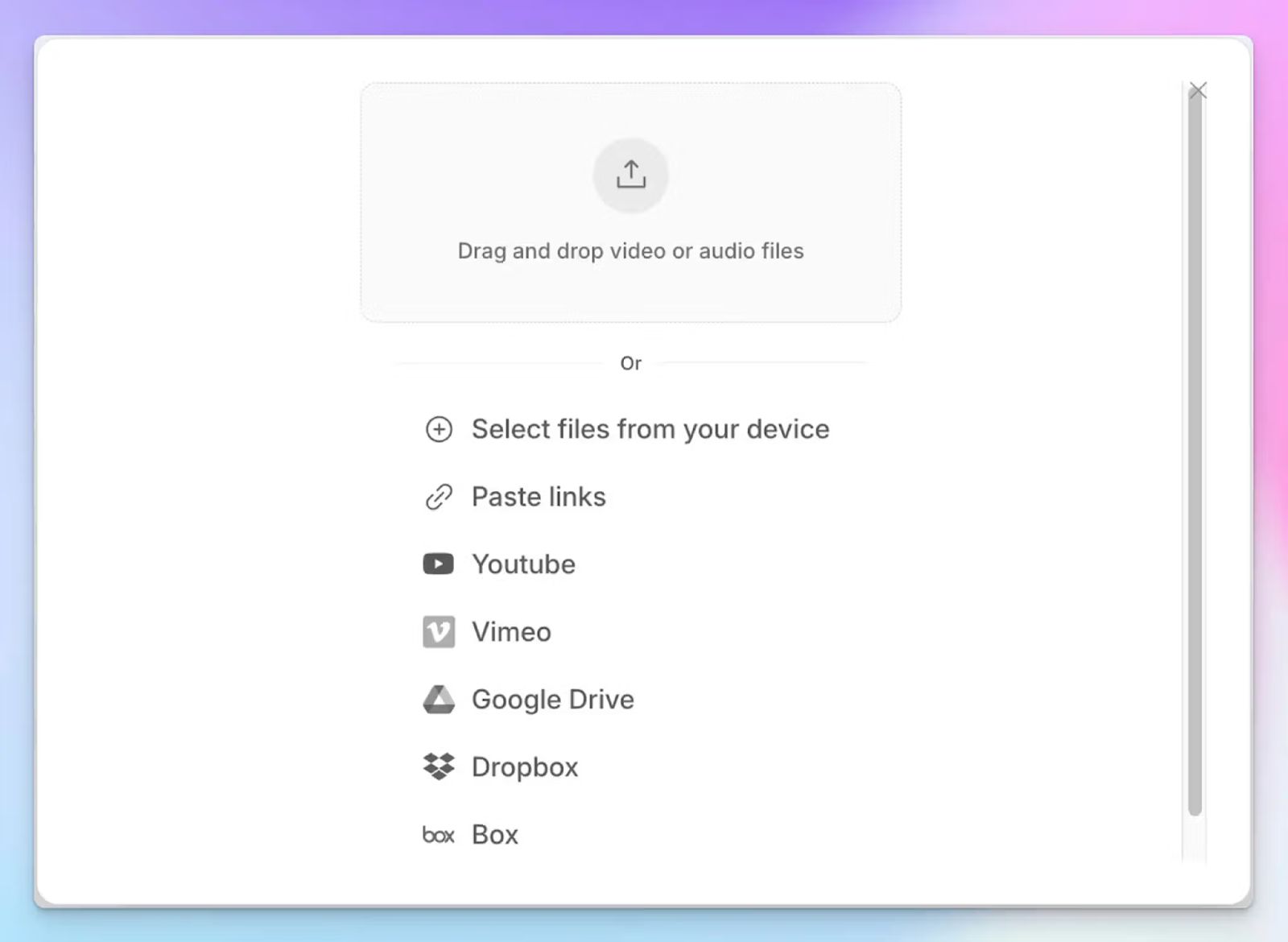
Unlike Fathom, HappyScribe lets you upload audio and video files directly from your device, Google Drive, Dropbox, Box, or Vimeo to generate the same accurate notes you'd get from a live session.
This means you can bring your entire archive of old town halls, client calls, and recorded webinars into one organized workspace without switching tools.
4. Translate meeting notes in 80+ languages and edit subtitles for meetings
Fathom translates meeting notes in only 7 languages, which is restrictive for global teams that need to share notes across regions. With HappyScribe, you can translate transcripts into 80+ languages, so stakeholders in different markets can read the same notes in their own language.
If you want to repurpose meeting recordings as internal training material or team updates, HappyScribe's professional subtitle editor lets you create, edit, and burn subtitles directly onto your video files before distribution.
HappyScribe's pricing
- Free: Unlimited meeting recordings (45 mins/recording)
- Basic: $8.50/month (billed annually) or $17/month (billed monthly)
- Pro: $19/month (billed annually) or $29/month (billed monthly)
- Business: $59/month (billed annually) or $89/month (billed monthly)
- Enterprise:Contact sales for tailored solutions
HappyScribe's pros
- Ask AI, HappyScribe’s conversational chatbot, helps you extract multi-meeting insights, speaker quotes, video chapters, and write follow-up email drafts
- Barcelona-based HappyScribe is GDPR compliant and SOC 2 Type 2 certified, and securely stores all data in a Tier IV, PCI DSS, and ISO 27001-certified EU data center
- Connect meeting data to your existing tech stack using Zapier, API, and the MCP server
- Get customer support from real humans, not chatbots
- iOS and Android mobile apps coming soon
HappyScribe's cons
- Not ideal for real-time transcriptions
What are real users saying about HappyScribe?
Accurate and fast transcription, great summaries, and detail. Massive time saver!
HappyScribe is fast, effortless, and accurate — getting straight to the point every time. It makes transcription and subtitling a breeze. Truly grateful for such a reliable tool!
How to use HappyScribe's AI note taker? A step-by-step guide
- Link your Google or Outlook calendar or paste the meeting link to invite the HappyScribe note taker. For in-person meetings, you can record audio without a bot.
- Select Meetings in the left sidebar and check the options on the right to customize when the notetaker should join and who should receive the email summary.
- Click the Settings button at the top right to select when the notetaker should start recording and who can view the meeting transcription.
- During an online call, the notetaker must be admitted by the meeting host to start recording. You can chat with the notetaker to control it.
- The meetings will be saved in your Workspace files or in the Private section, depending on your privacy settings.
2. Fireflies
Best for: Sales teams looking for a widely compatible note taker with strong CRM automation and a searchable meeting archive
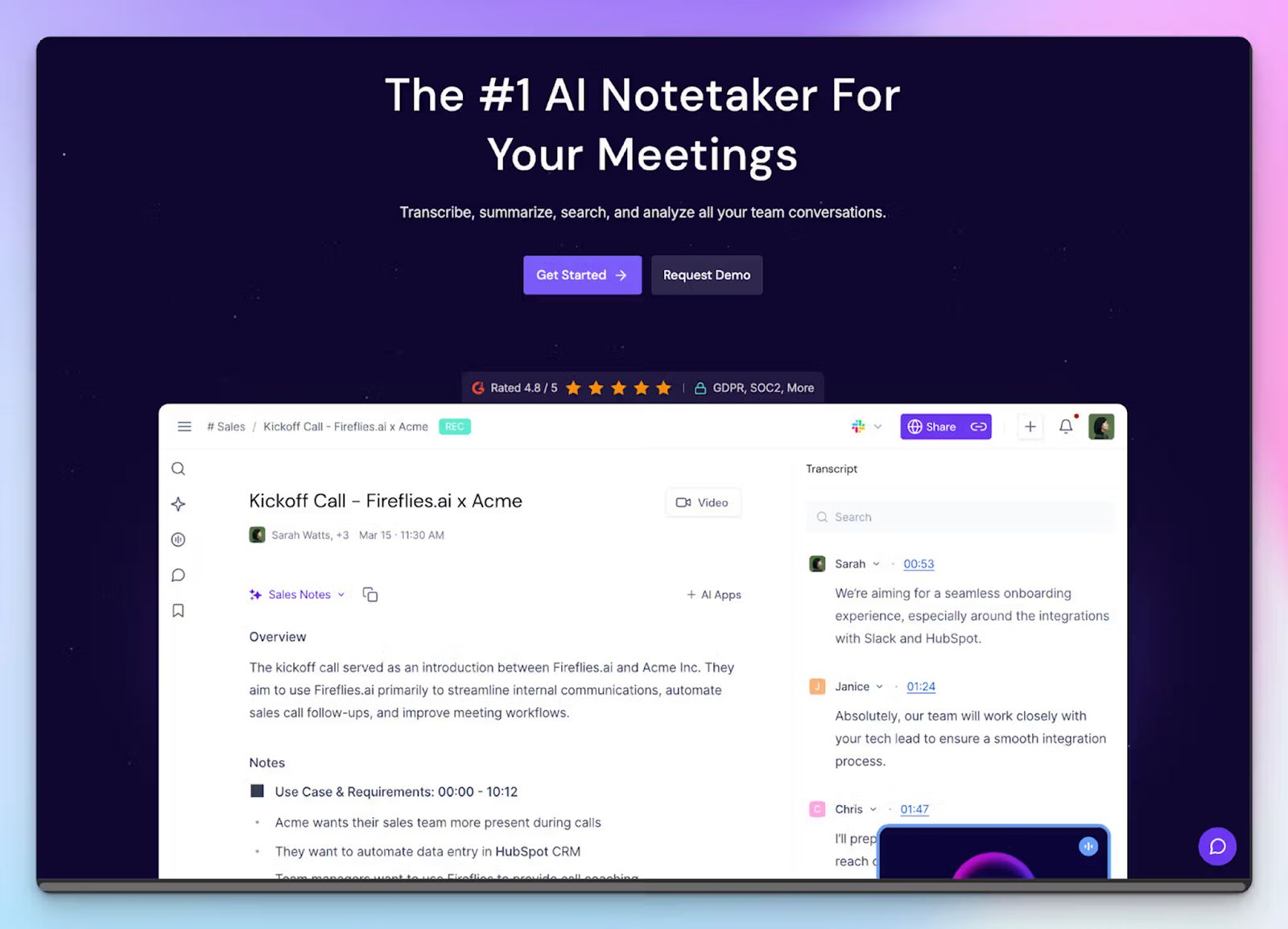
Fireflies is one of the most popular AI note taking tools in the market, and it gives serious competition to Fathom. Where Fathom focuses on getting meeting summaries right, Fireflies helps you prepare for meetings, get up to speed with calls in the same window, and automate AI SDRs to run meetings on your behalf.
If you want meeting notes to update your workflows, Fireflies is a practical step up from Fathom.
Fireflies vs. Fathom
| Category | Fireflies | Fathom |
|---|---|---|
| Meeting archive | Searchable library with timestamps down to the sentence, with unlimited storage on paid plans | Meeting history doesn’t have the same depth of search and indexing |
| File upload | Upload and transcribe MP3, MP4, WAV, and M4A files on all plans | No file upload support |
| AI meeting hosts | Fireflies’ AI agents can join and conduct meetings on your behalf | Fathom requires the host to be present during the call |
| Free plan storage | 800 minutes of storage per seat, with a 2-hour recording limit per meeting | Unlimited recordings on the free plan |
Fireflies' key features
- The Live Assist feature generates bullet-point notes during the call itself, so you're not waiting until after the meeting ends to see what was captured
- You can record in-person conversations using the Fireflies mobile app on iOS and Android, which addresses one of Fathom's core gaps
- AskFred searches any past meeting by topic, action item, or speaker, and returns answers with the exact timestamp where it was discussed
- Fireflies connects to 100+ apps, including Slack, Notion, Asana, HubSpot, and Salesforce, and in-built AI apps to help you solve tasks faster
Fireflies' pricing
- Free
- Pro: $18/month
- Business: $29/month
- Enterprise: $39/seat/month (billed annually)
Fireflies' pros
- Transcribes across 100+ languages with multi-language mode available on Business plans and above
- Fireflies has one of the most well-developed ecosystems of AI apps and integrations to maximize the meeting notes
- SOC 2 Type II, GDPR, and HIPAA compliant, with 256-bit AES encryption and private storage on Enterprise
Fireflies' cons
- The free plan's 800-minute storage cap fills up quickly for active users, making the "unlimited transcription" claim misleading in practice
- Fireflies struggles to pick up nuances and context in technical meetings, which forces users to review notes manually. This is one of the main reasons people look for Fireflies alternatives
3. Read AI
Best for: Distributed teams and business leaders who want conversation intelligence connected across their emails, messages, and documents
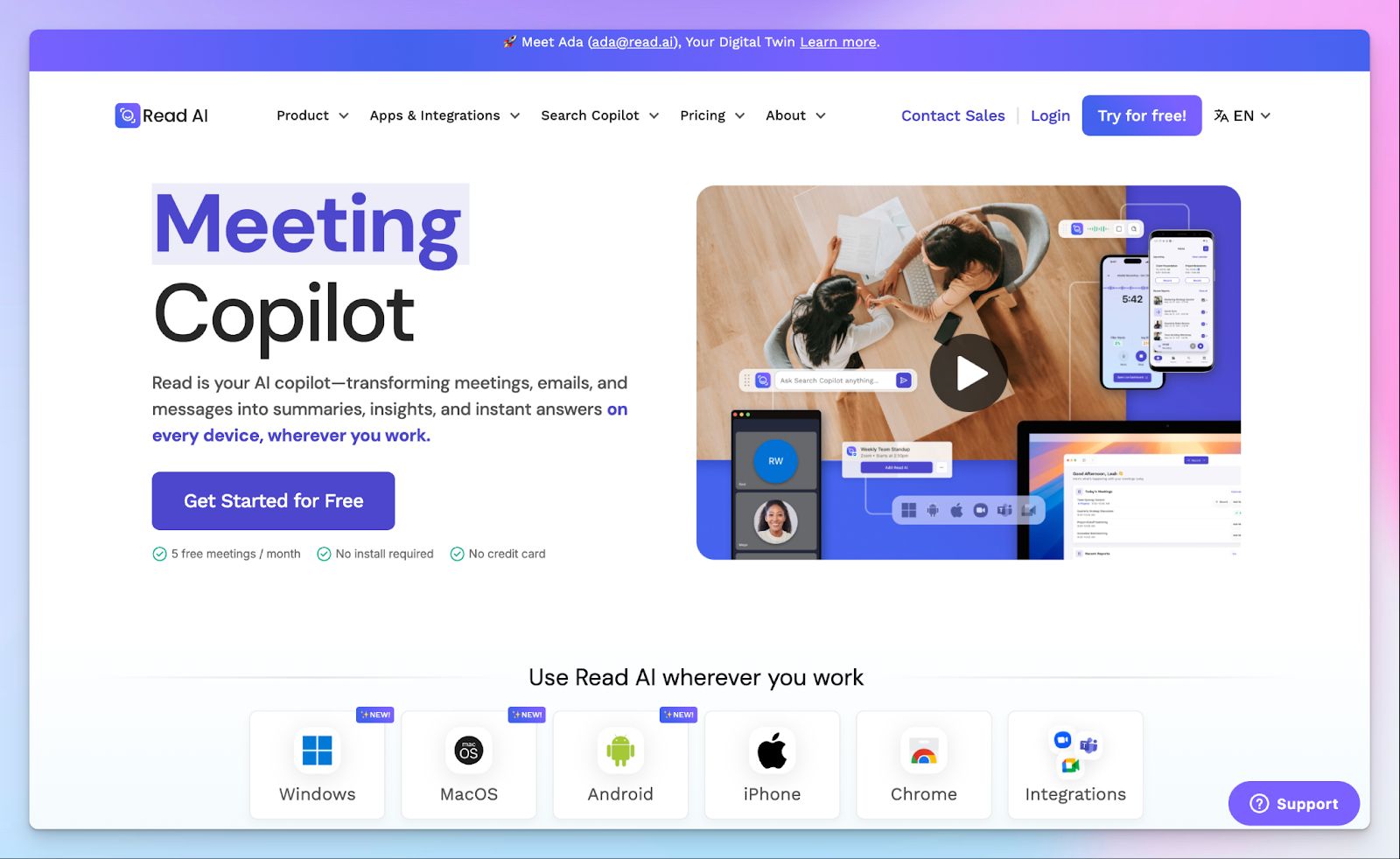
Fathom is a straightforward meeting note taker, but if you want an AI assistant for your entire workspace, Read AI is worth checking out. It captures what happens across your entire workday and indexes your transcriptions, emails, Slack messages, and connected documents into a unified knowledge graph that you can search from one place.
If you work with a distributed team and are tired of hunting through apps to find contexts behind decisions, Read AI is a solid choice over Fathom.
Read AI vs. Fathom
| Category | Read AI | Fathom |
|---|---|---|
| Speaker Coaching | Tracks talking speed, filler words, bias, and charisma scores across all meetings | Speaker coaching and communication analytics are not as in-depth |
| Search Scope | Search Copilot connects meetings, emails, Slack, and documents into one queryable knowledge base | Search is limited to meeting transcripts and chat only |
| Video Playback | Audio and video playback available on Enterprise plan ($29.75/month) | Available on paid plans |
Read AI's key features
- Search Copilot pulls answers from across your meetings, emails, and messages simultaneously, to give you holistic contexts
- Read AI’s in-meeting live dashboard shows real-time transcripts and engagement metrics as the call unfolds, without waiting for a post-meeting report
- Ada is a digital assistant that works alongside you to answer queries and schedule meetings on your behalf, and resolve calendar conflicts while you focus on other tasks
- Unlike Fathom, Read AI’s mobile app on iOS and Android captures in-person meetings and live events without a bot
Read AI's pricing
- Free: 5 meeting transcripts/month
- Pro: $19.75/month
- Enterprise: $29.75/month
- Enterprise+: $39.75/month (requires 10+ licenses)
Read AI's pros
- Read AI is a Zoom Essential App, so Zoom Pro, Business, and Business Plus subscribers get the premium features at no extra cost
- It’s a HIPAA and SOC 2 Type 2-compliant AI assistant
- Integrates with a wide range of tools, including Salesforce, HubSpot, Jira, Asana, Confluence, Linear, Notion, and Slack
Read AI's cons
- Read AI's bot can feel invasive in online meetings as it joins without a proper consent flow, forcing users to look for Read AI alternatives
- It covers a lot of features, but the AI is unreliable and tends to hallucinate insights, so you’re always cross-checking data
📚 Also read:
4. Granola
Best for: Product and sales professionals who want a bot-free AI notepad that enhances their own notes
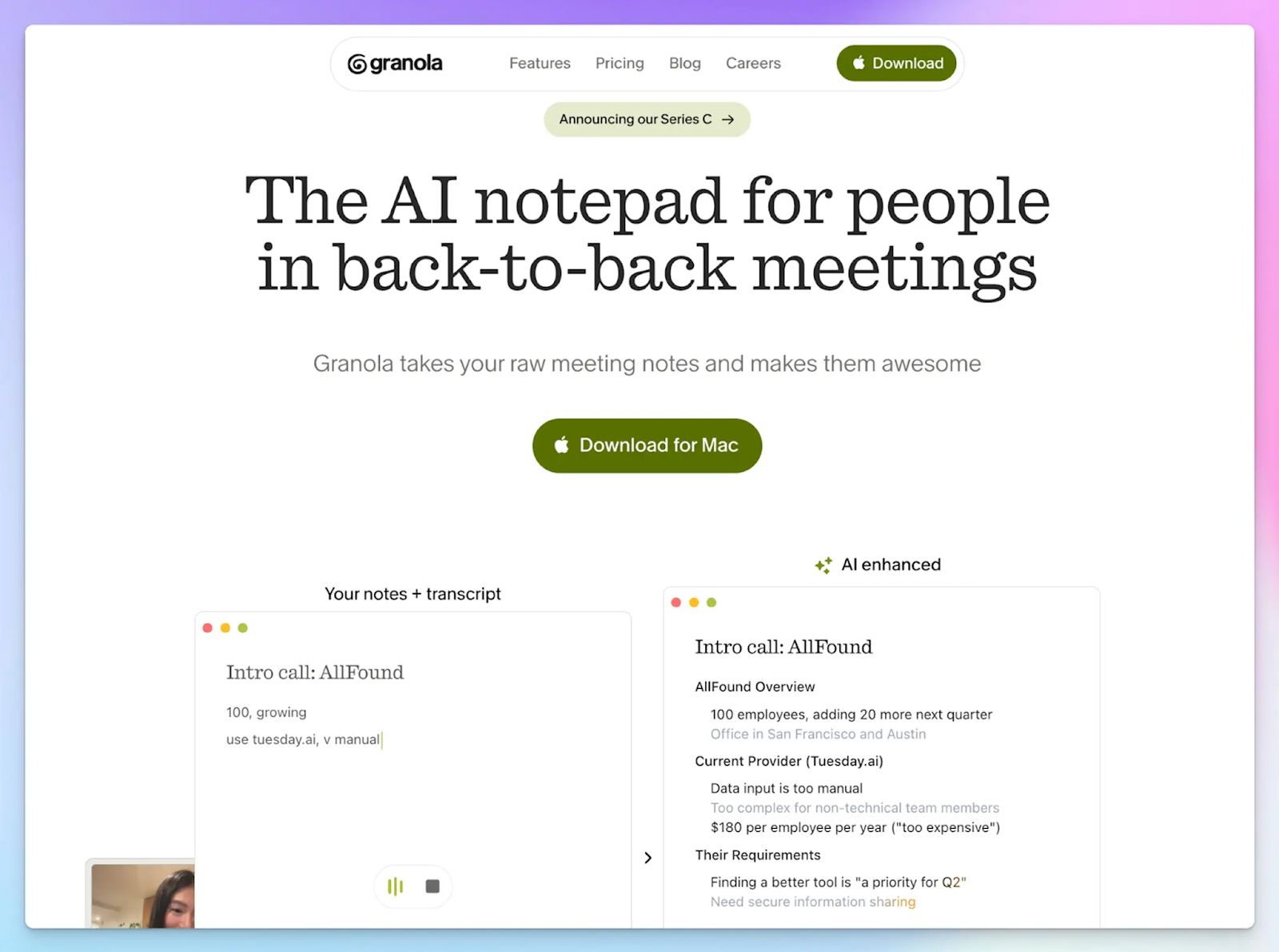
Fathom relies on a bot to capture your meetings, which means it's a passive participant in every call. Granola takes a different approach. It works like Apple Notes, except it also transcribes your computer's audio in the background.
You jot down the things that matter to you during the meeting, and Granola builds those raw notes out into a structured summary once the call ends.
Granola vs. Fathom
| Category | Granola | Fathom |
|---|---|---|
| Note capture method | Transcribes computer audio without a bot; you write notes during the call, and Granola enhances them after | Bot joins the call as a participant and records passively without user input during the meeting |
| In-person meetings | Granola for iPhone captures in-person conversations and phone calls natively | No note-taking option outside of scheduled online calls |
| CRM integration | Direct push to HubSpot, Attio, and Affinity on the Business plan | Salesforce and HubSpot integrations available on paid plans |
Granola's key features
- Granola enhances the notes you write during a meeting by combining them with the full transcript, so the final summary reflects both what was said and what you considered important
- The AI chat feature lets you search your meeting notes across your entire history, so you can get direct answers
- You can apply custom templates per meeting type, from sales discovery calls and user interviews to 1-on-1s, so the structure of your notes matches what your team actually needs
Granola's pricing
- Basic: Free
- Business: $14/month
- Enterprise: $35/month
Granola's pros
- Granola doesn't store your meeting audio; it transcribes in real time and only retains the transcript and your notes
- SOC 2 Type 2 certified and GDPR compliant, with notes stored in an encrypted AWS Virtual Private Cloud
- It integrates with HubSpot, Attio, Affinity, Notion, Slack, and Zapier on the Business plan and above
Granola's cons
- Granola requires you to manually start recording before each meeting since it has no calendar auto-join, so a forgotten click means a missed transcript
- Granola supports only 10 languages in desktop apps, forcing global teams to look for Granola alternatives
📚 Also read:
5. Gong
Best for: B2B enterprise sales teams that need deep revenue intelligence, deal forecasting, and conversation analytics
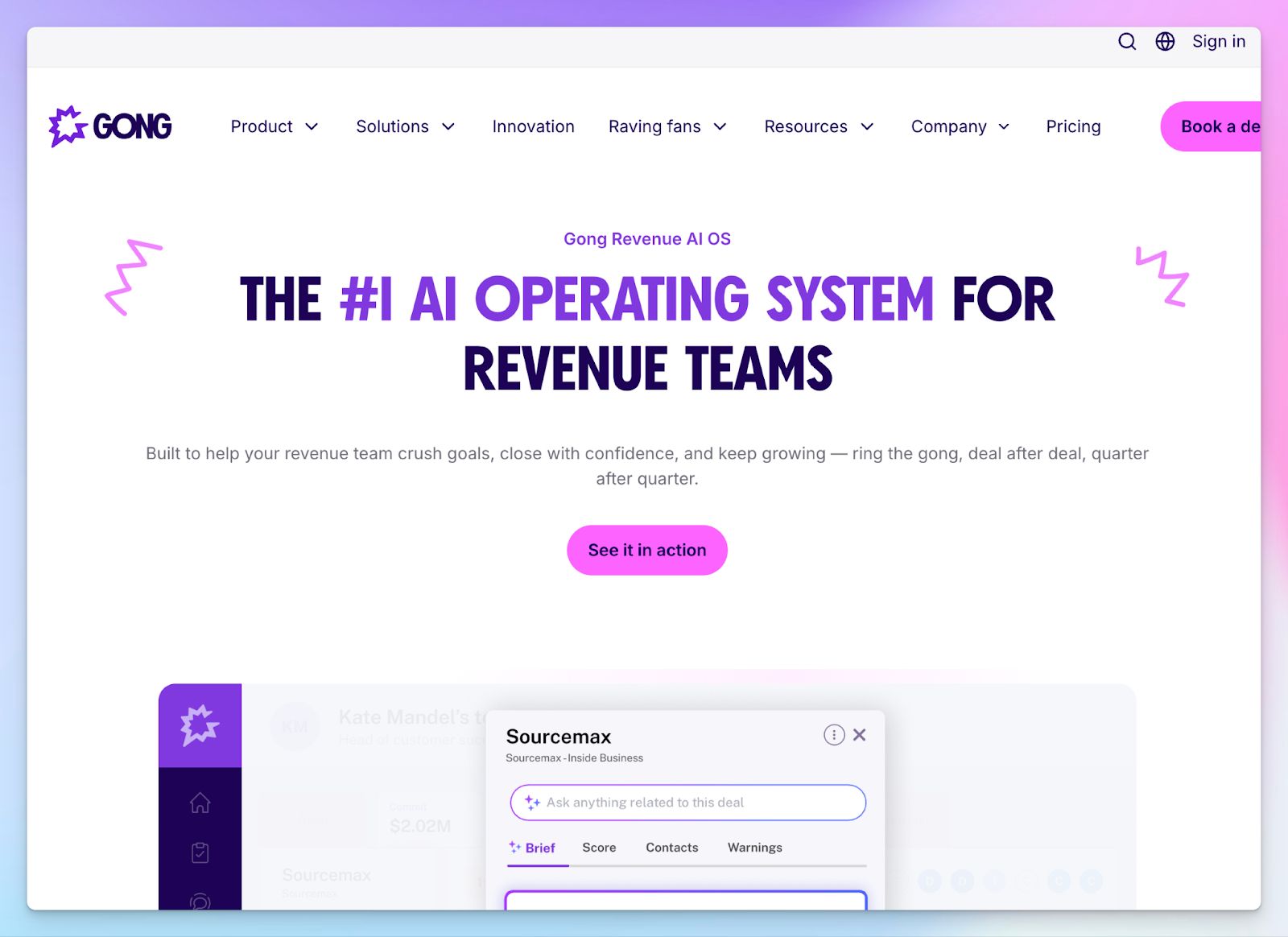
Gong is less of a meeting note taker and more of a revenue intelligence platform that happens to transcribe calls. If your sales team needs to track pipeline health, coach reps at scale, and analyse deal risks across conversations, Gong delivers capabilities that Fathom can’t match.
The reason I have Gong in this list is that Fathom proudly claims to be a Gong killer. But if you need accurate forecasting based on meeting data and want to track advanced data points, Gong will be more useful than Fathom.
Gong vs. Fathom
| Category | Gong | Fathom |
|---|---|---|
| Primary use case | Revenue intelligence platform with forecasting, deal risk alerts, and rep coaching | AI meeting assistant focused on transcription and basic insights |
| Pricing model | No free plan. Overall cost runs in thousands of dollars | Free tier available; advanced features at $19/month |
| CRM integration | Native two-way sync with Salesforce, HubSpot, Freshworks, and Microsoft Dynamics | Basic CRM push without deal-level intelligence |
| Security | SOC 2 Type II, ISO 27001, ISO 27701, GDPR, HIPAA compliant; US or EU data storage | GDPR, HIPAA, SOC 2 Type II compliant |
Gong's key features
- You can analyze every call to surface deal risks, track competitor mentions, and flag missing next steps, feeding insights directly into your CRM without manual input
- Gong’s AI helps you prep with pre-meeting briefs and enrich on-call note-taking with a live notepad
- In-call keyword alerts let managers monitor for specific topics such as pricing, objections, or competitors in real time without joining the meeting
- With smart chapter breakdowns and talk-ratio analytics, sales leaders can identify coaching moments and replicate behaviours from top-performing reps
Gong's pricing
- Custom pricing
Gong's pros
- Best-in-class revenue intelligence for sales teams, with forecasting and pipeline visibility that go well beyond meeting notes
- Gong transcribes across Google Meet, Zoom, Microsoft Teams, and VoIP systems
- It’s ISO 42001 certified for AI governance, to help enterprise teams be compliant with AI use
Gong's cons
- Gong’s pricing is opaque and prohibitive for small teams; there's no way to buy just the note-taking feature without committing to the full platform
- The bot occasionally joins meetings late or misses calls entirely, with no fallback recording option
- No bot-free recording mode and no support for in-person or ad-hoc meetings outside scheduled calls
Which Fathom alternative should you choose?
Fathom is a capable free note taker, but it stops working for you the moment your meetings stretch beyond scheduled online calls.
The right alternative depends on what Fathom is failing to do for you specifically.
👉 If your sales teams want live transcription during calls, a searchable meeting archive, and AI SDRs that can answer meetings on your behalf, Fireflies is the practical upgrade.
👉 If you need your conversation intelligence features connected across emails, Slack, and documents, not just call transcripts, Read AI gives you a workspace-wide knowledge base that Fathom can't offer.
👉 If you want a bot-free notepad that enhances your own notes rather than replacing them, and your team runs on macOS or Windows, Granola is a simpler solution.
👉 For sales teams that want revenue intelligence, deal forecasting, and rep coaching built around your meeting data, Gong is built for that job.
👉 If you want secure and accurate meeting notes across global languages, file transcription for pre-recorded content, and an AI note taker that works across every major conferencing platform and in-person meetings, HappyScribe is the strongest overall choice.
Every tool in this list solves a specific problem well. But most of them ask you to work around a constraint, whether that's a platform dependency, a language ceiling, or a bot you can't turn off. HappyScribe is the only Fathom alternative that removes all the constraints at once. Backed by European security, it delivers 95%+ accurate notes in 150+ languages, works across all video conferencing tools and in-person meetings, and gives you a free tier to test.
FAQs on the best Fathom alternatives for AI note taking
1. What are the best free Fathom AI alternatives?
HappyScribe, Fireflies, and Granola are the strongest free Fathom alternatives. HappyScribe offers a generous free tier with unlimited meeting recordings in 150+ languages across Zoom, Google Meet, and Teams, along with AI-generated meeting summaries and speaker identification. Fireflies' free plan covers unlimited transcription across 100+ languages with AI note taking tools for task management and collaboration, though storage is capped at 800 minutes per seat. Granola's free plan covers basic AI note taking with no hard meeting limit. All three go further than Fathom's free plan for teams that need transcription accuracy and multi-language support.
2. What is a bot-free alternative to Fathom?
HappyScribe and Granola are the two strongest bot-free alternatives to Fathom. HappyScribe offers a web-based audio recorder that lets you record in-person meetings without a bot, making it the better choice for teams that need to capture in-person conversations, translate notes into 80+ languages, or transcribe audio recording files uploaded from previous sessions. You can ask the AI for conversation insights, so your team doesn't lose context from calls that happened outside a scheduled online meeting. Granola works like an AI notepad that transcribes your computer's system audio in the background, so no bot joins your call as a participant.
3. Can Fathom transcribe uploaded files?
No. Fathom does not support file uploads. It only captures live meetings as they happen, so any pre-recorded calls, webinars, or video recordings from before your Fathom setup go undocumented. If you need to transcribe uploaded files alongside live meeting notes, HappyScribe and Fireflies both support file uploads. HappyScribe accepts audio and video files from your device, Google Drive, Dropbox, Box, and Vimeo, and generates the same AI summaries and conversation insights you would get from a live session. This makes it a reliable AI meeting assistant for teams that want to organize meetings and past recordings inside one platform without switching between other tools.
4. Which is better, Fireflies or Fathom?
It depends on what your team needs. Fathom has a stronger free plan for individuals, with unlimited recordings and no storage cap. Fireflies is the better tool for sales and customer success teams that want conversation intelligence, call scoring, task management, and advanced AI analysis across multiple meetings. Managers get access to sales coaching features, talk patterns, and sentiment analysis to coach reps and track performance over time. Fireflies also allows AI agents to attend and conduct meetings on your behalf, which Fathom doesn't offer. That said, if transcription accuracy across multiple languages and in-person meeting recording are priorities alongside integrations, HappyScribe covers all three in one platform without the enterprise pricing commitment that deeper conversation intelligence tools typically require.
5. Which is better, Otter or Fathom?
Fathom produces cleaner AI-generated meeting summaries and handles CRM integrations better, making it more useful for sales teams. Otter is stronger for collaboration and organizing meetings with shared notes, which suits project management and internal team use. Neither supports bot-free audio recording, file uploads, or transcription across a wide range of languages. Teams that need those features alongside accurate AI summaries, speaker identification, and meeting insights from past conversations are better served by a dedicated AI meeting assistant like HappyScribe, which handles all of the above without requiring separate tools for each use case.
6. Which Fathom alternative supports multiple languages?
HappyScribe is the strongest multilingual alternative to Fathom, offering 150+ languages and dialects at 95%+ transcription accuracy, making it the go-to choice for global teams that need reliable AI-generated meeting summaries and conversation intelligence across accents and regions. It also indexes past conversations so your team can search meeting history across languages without losing context. Fireflies is a solid second with 100+ languages and a multi-language mode on Business plans. Both are better than Fathom in multi-language meetings, as Fathom's accuracy drops with non-native accents.

Biplab Mazumder
Biplab is a content marketer and writer who helps high-growth brands scale content visibility across AI search channels. His works have been published in HubSpot, Freshworks, Atlassian, SurferSEO, etc. When he's not planning content strategy, he's testing AI content workflows and use cases.