![5 Best Microsoft Copilot Alternatives for AI Meeting Notes [2026]](/sanity-images/ejgwz1gl/redesign/e07526490c242f31a275d34d43c624ca2d5419ec-1600x900.jpg?auto=format&w=1600.0&rect=0,50,1600,800&h=800)
If you’re a working professional, you’ve likely used some of Microsoft Copilot's features, including the meeting notes. But the fact that you’re here means you didn’t like what Copilot had to offer.
After using it myself for Teams meetings, I understand why so many users are looking for Copilot alternatives for AI meeting notes. But you have tasks to finish and can’t possibly try hundreds of tools to see what works for you.
So I decided to run a bunch of tests on popular meeting note takers to understand how they fare against MS Copilot. I also spoke to other users and collated online reviews. The result? The absolute best Microsoft Copilot alternatives for folks who want easy-to-use and accurate meeting notes.
TL;DR ⏩
- HappyScribe: Best overall Copilot AI alternative for 95%+ accurate AI meeting notes in 150+ global languages, cross-platform support, file transcription, ease of use, and affordable plans
- ChatGPT Record: Best for individuals and solopreneurs looking for a simple macOS-based bot-free meeting note taker
- Zoom AI Companion: Best for teams looking for a smart meeting assistant with organizational knowledge within the Zoom workspace
- Google Gemini: Best for teams already running on Google Workspace who want meeting notes without adding a new tool
- Notion AI: Best for Notion users who want meeting notes that connect directly to their databases and tasks
Why users are looking for Microsoft Copilot alternatives
The tight integration with Microsoft 365 is Copilot’s strength, but that leads to several restrictions, forcing people to look for Copilot alternatives for meetings.
1. Microsoft Copilot requires too many conditions to be met to work properly
Copilot doesn’t have its own recording engine and relies on Microsoft Teams' native transcription to generate and store meeting notes. If your IT admin hasn't configured your Entra ID and Exchange Online policies to allow transcription, Copilot’s note taking feature simply won't work.
And that’s not it. If someone forgets to manually start transcription at the start of the call, Copilot captures nothing for post-meeting insights. Depending on your org policies, you might not even see all the Copilot features.
2. Action items and transcripts are generic and error-prone
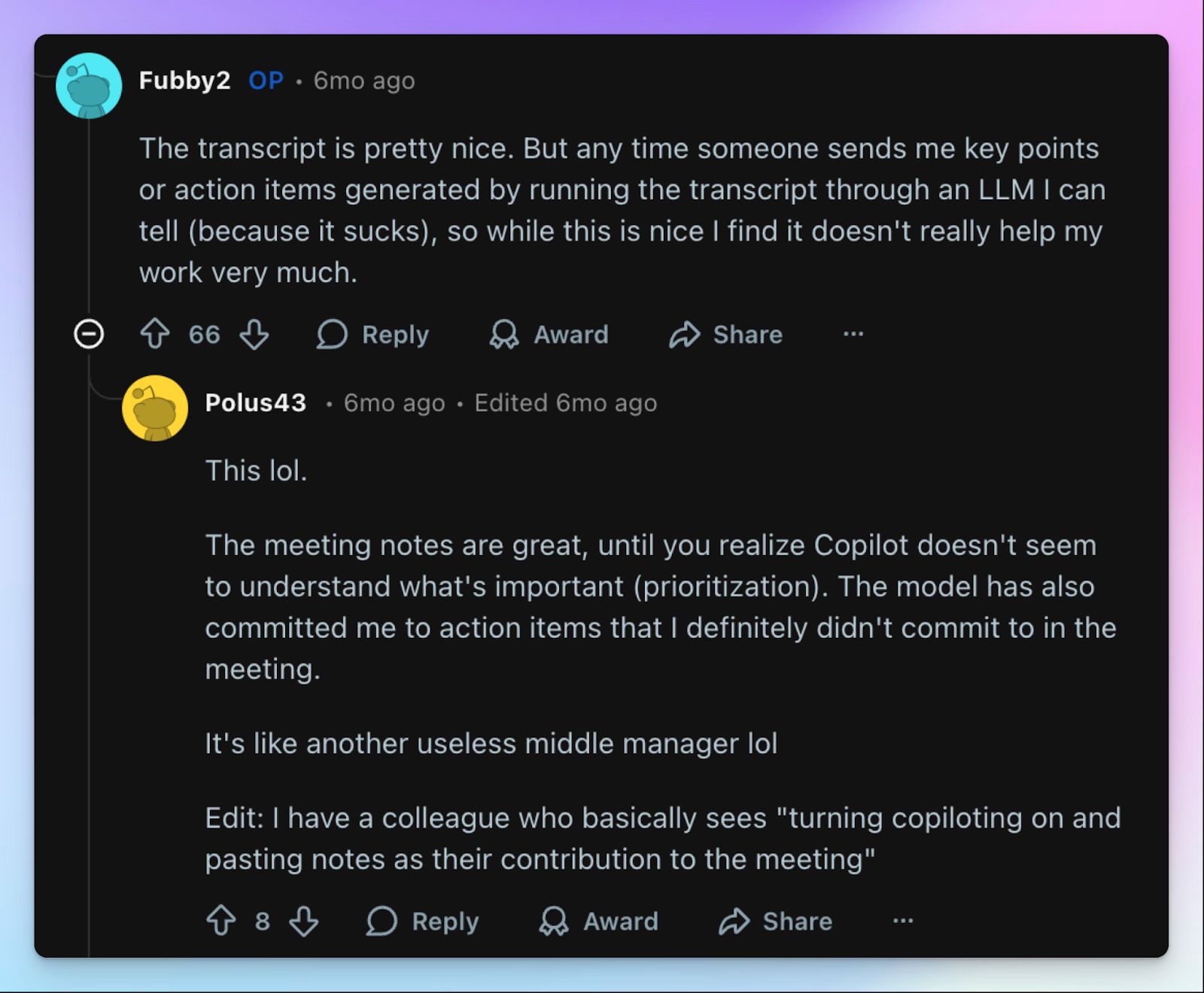
Since Copilot is processing the raw Teams transcript rather than handling ASR on its own, the notes aren’t as polished as what you get from other meeting assistants.
It frequently merges speakers during crosstalk and struggles with non-English accents. When I asked for action items and specific pointers, Copilot invented topics we didn’t discuss at all. The meeting summaries were consistently average, and I had to stop work and edit the notes to add contexts it originally missed.
🧠 Fun fact: 54% of people leave meetings without a clear next step. So that “what just happened?” feeling is more common than anyone admits!
3. Chaotic billing structure
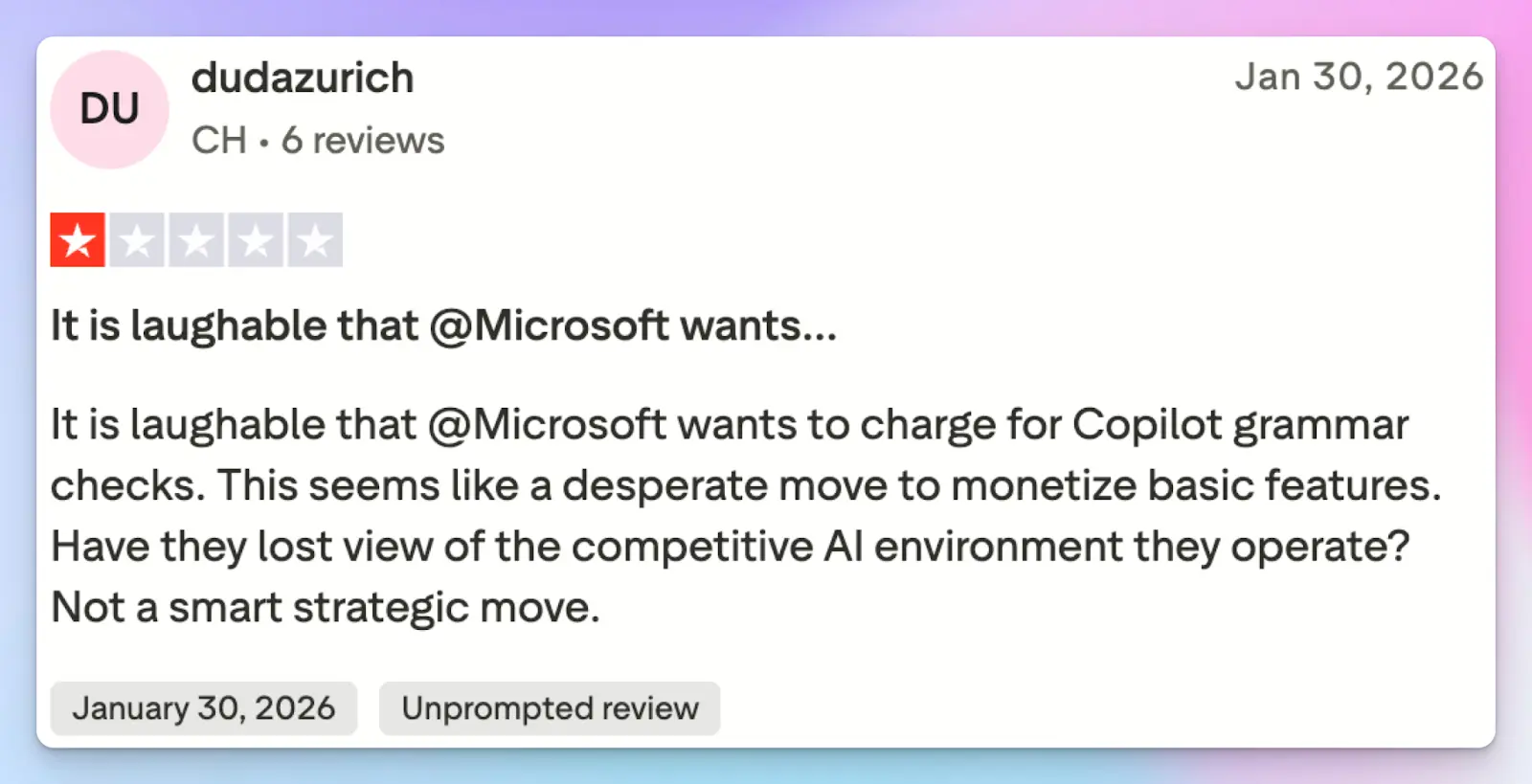
If a small team just wants an AI to take meeting notes, Copilot's pricing model doesn’t make sense. You can't just buy a fixed, transparent monthly note taking plan.
You have to buy a qualifying base license (like Microsoft 365 Business Standard) and then pay extra for a Copilot add-on. While the business plans with Teams can be paid monthly, Microsoft forces a yearly payment ($400+) for plans with the Copilot add-on. Want to buy the Copilot business plan separately? That alone will cost you $25.20/month.
And let’s not ignore the various tiers of Microsoft, from personal to business and enterprise, which creates massive confusion just to get automated meeting summaries.
4. Copilot is locked in the Microsoft 365 ecosystem
If your sales team jumps on a Zoom call with a client or uses Google Meet for a vendor sync, Copilot can’t help you. It only takes notes for meetings hosted in Microsoft Teams and saves those notes directly into OneDrive and SharePoint. If you work with clients and partners outside the Microsoft ecosystem, you literally cannot rely on it for meeting notes.
Top 5 Microsoft Copilot alternatives at a glance
| Criteria | HappyScribe | ChatGPT Record | Zoom AI Companion | Google Gemini | Notion AI |
|---|---|---|---|---|---|
| Best for | Global teams prioritizing 95%+ accuracy and file transcription without platform lock-in | Solopreneurs using macOS who want a simple bot-free tracker | Teams managing organizational knowledge inside the Zoom ecosystem | Google Workspace teams looking for native meeting notes | Notion users linking meeting notes directly to active project databases |
| Key features | 95%+ accuracy, file transcripts, bot-free web recorder, subtitle editor, API | 120-minute audio capture, interactive Canvas, record history references | Meeting summaries, Smart Recording chapters, and in-meeting question panel | Real-time structured Google Docs, visual presentation screenshots | Custom summary instructions, database connections, and automatic task updates |
| Supported languages | 150+ languages and dialects | 90+ languages | 30+ languages | 8 languages | 16 languages |
| Meeting platform integration | Zoom, Google Meet, Microsoft Teams, in-person | Universal macOS system audio capture | Natively in Zoom, joins Google Meet and Microsoft Teams | Google Meet exclusively | Zoom, Google Meet, Microsoft Teams via desktop app |
| Security | GDPR compliant, SOC 2 Type II certified, and Tier IV, PCI DSS, ISO 27001-certified EU data center | SOC 2 Type II certified | SOC 2 Type II certified | SOC 2 compliant, ISO 27001 certified, HIPAA compliant | SOC 2 Type 2 certified, ISO 27001 certified, GDPR compliant |
| Starting price | Free plan with unlimited meeting recordings. Paid plan starts from $8.50/month (billed annually) or $17/month (billed monthly) | Not free. Bundled free with the $20 per month Plus plan and above | Not free. Bundled free with paid Zoom plans | Not free. Bundled into the $16.80 per month Business Standard plan and above | No free plan. Requires $24 per month Business plan |
1. HappyScribe
Best for: Global teams that want 95%+ accurate AI meeting notes in 150+ global languages, file transcription, ease of use, and affordable plans without platform lock-in
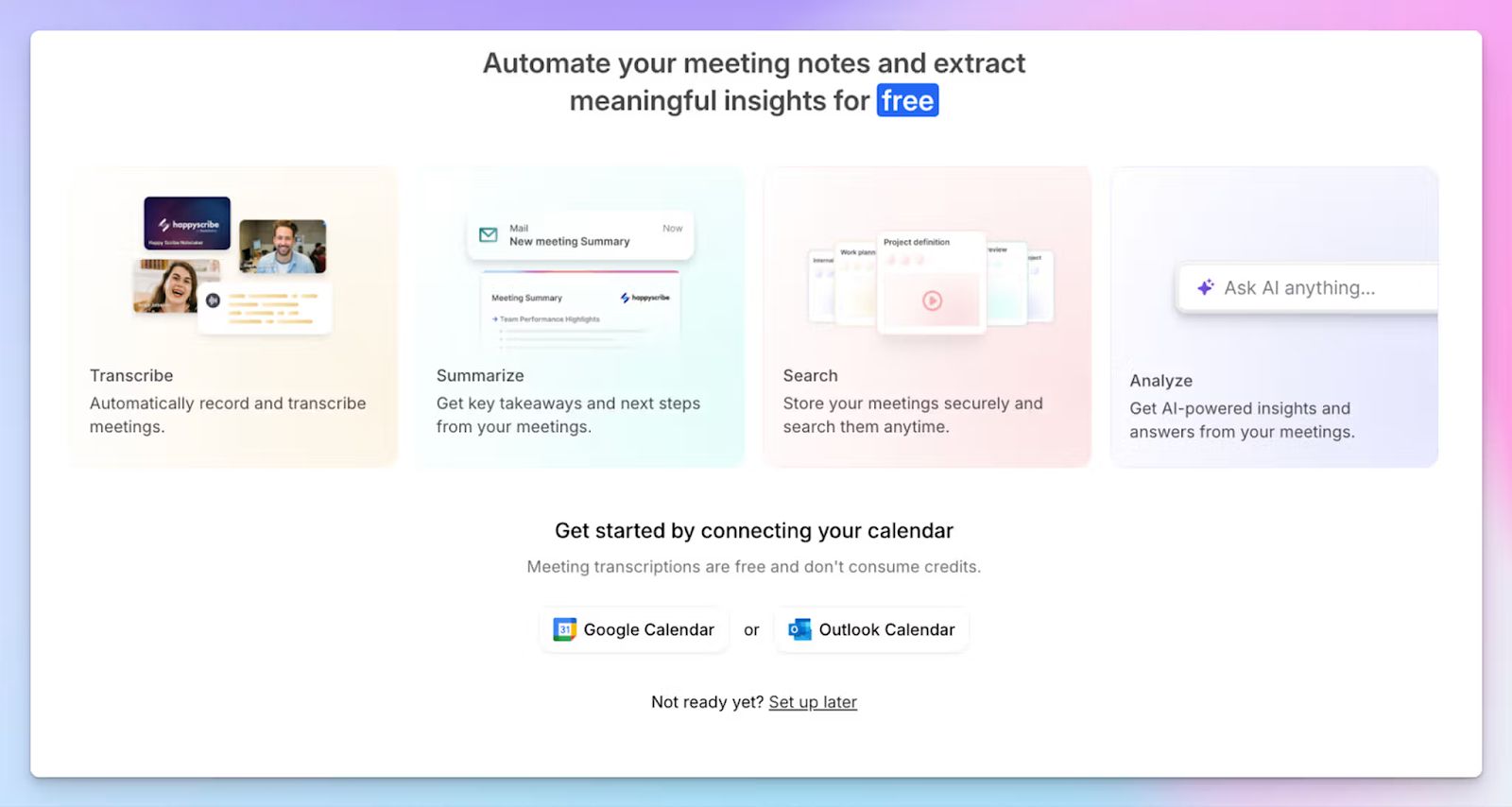
If your goal is to generate quick and accurate meeting transcripts, Microsoft's enterprise bloat isn’t going to help you. HappyScribe AI note taker solves this by focusing on core meeting tasks users need help with.
Simply connect your Google or Outlook Calendar to let HappyScribe auto-join meetings or paste the meeting link manually. You can run meetings on any platform or device, and HappyScribe will prepare an accurate meeting agenda for you to work on.
If you manage international teams across different platforms, HappyScribe is the best Copilot alternative for meeting notes.
| Category | HappyScribe | Microsoft Copilot |
|---|---|---|
| Ecosystem | Works across major video conferencing platforms like Zoom, Google Meet, Teams, and in-person meetings | Locked inside Microsoft Teams and requires SharePoint and OneDrive |
| Bot control | Transparent calendar bot and discreet web recorder for in-person use | Relies on native Teams transcription without a bot-free option |
| Accuracy and languages | Delivers 95% accuracy across 150+ languages without manual prompting | Struggles with mixed languages and requires strict prompts to avoid errors |
| Pricing | Transparent monthly plans with a free tier | Requires a base Microsoft 365 license plus a $30 per user monthly add-on paid upfront |
HappyScribe's key features
1. Generate 95%+ accurate meeting notes in 150+ languages and dialects
Ever watched the Copilot AI scramble a key industry term because of a slight accent? Microsoft admits its models struggle with mixed languages and pushes pre-made prompts to mitigate hallucinations.
In contrast, HappyScribe’s AI engine processes 150+ languages and dialects with 95%+ accuracy. From Swiss German to Korean, you get precise summaries and action items that capture the true context of your conversations.
You can even customize vocabulary guides so the AI gets your specific industry terms correct the first time.
2. Works on Zoom, Google Meet, Microsoft Teams, and in-person meetings
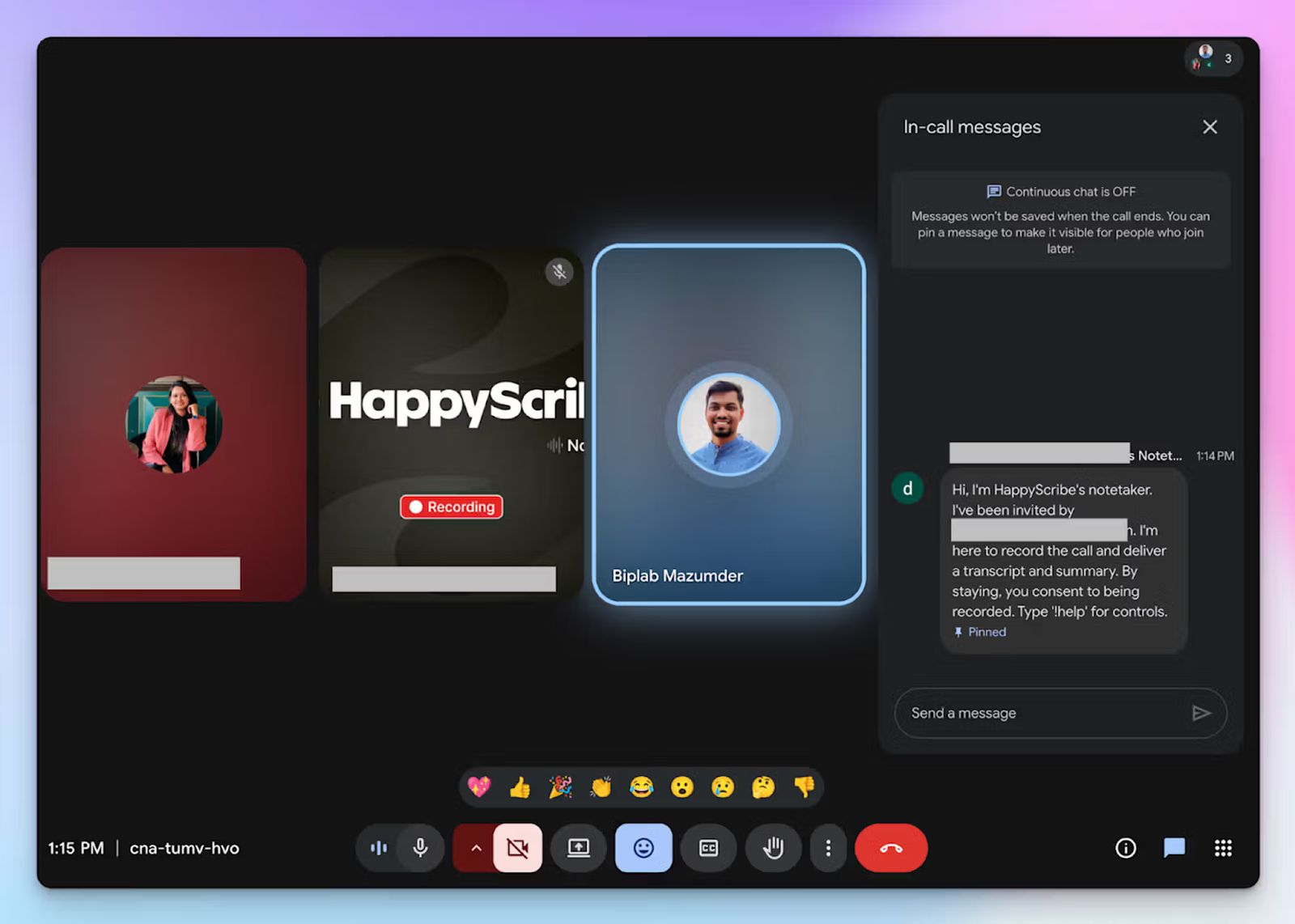
Picture your sales rep taking a prospect out for coffee. You can’t rely on Copilot to process an in-person meeting without an active Teams link.
HappyScribe moves where your work is. For offline workshops or face-to-face syncs, fire up HappyScribe’s web-based audio recorder to capture the meeting without a bot disrupting the conversation.
It also works across all major platforms like Microsoft Teams, Zoom, and Google Meet, and connects to your calendar so the bot joins scheduled calls. You can customize the look of the note taker, edit the compliance message, and control it during meetings by typing “!help” in the chat.
🕵️♀️ Did you know?60% of work meetings are unscheduled or ad-hoc. Your calendar only knows half the story!
3. Transparent, simple, and affordable pricing
Copilot demands an expensive base license followed by a rigid upfront annual commitment just to activate basic features. On the other hand, HappyScribe offers a generous free tier that includes unlimited meeting recordings capped at 45 minutes each, making it one of the best free AI note takers in the world.
You can test the AI chat, subtitling, and translation features to see the exact value before spending a dime. When you decide to upgrade, you pick a predictable monthly tier without hidden fees or massive enterprise contracts.
4. Upload pre-recorded files to generate transcripts and create subtitles
We all have a backlog of old webinars sitting on a hard drive. To transcribe those files with Microsoft, you have to bounce between Word Online and Clipchamp to stitch texts together.
HappyScribe lets you upload files straight from your device, Google Drive, Box, and Dropbox, to generate instant transcripts. Now you can organize all your meeting data and action items within one platform.
And that’s not it. You gain access to a professional subtitle editor and translation tools to prepare pre-recorded video files for wider distribution. This lets you share your content with a global team without any hassle.
5. Easy-to-use platform with powerful integrations
While Copilot works well with SharePoint, OneDrive, and Word, you won’t get the same mileage with third-party integrations. HappyScribe connects meeting data to your tech stack by using API, MCP server, and Zapier to help your team work faster.
All your meeting recordings, notes, and files stay organized inside HappyScribe so you can quickly find what you're looking for. You can chat with the AI assistant to ask questions from past meetings, extract specific speaker quotes, or draft follow-up emails.
HappyScribe's pricing
- Free: Unlimited meeting recordings (45 mins/recording)
- Basic: $8.50/month (billed annually) or $17/month (billed monthly)
- Pro: $19/month (billed annually) or $29/month (billed monthly)
- Business: $59/month (billed annually) or $89/month (billed monthly)
- Enterprise: Contact sales to get tailored solutions
HappyScribe's pros
- HappyScribe is a GDPR-compliant AI note taker, along with SOC 2 Type II certification and EU data residency for security and privacy
- Ask conversational AI about past meeting insights and generate speaker quotes, video chapters, and follow-up emails
- As an AI note taker for meetings, HappyScribe works on any device and with any video meeting platform via browser
- iOS and Android mobile apps are coming soon
- Get fast and helpful support from real humans, not bots
HappyScribe's cons
- Not ideal for real-time transcriptions
What are real users saying about HappyScribe?
I tried HappyScribe with the free trial and was immediately impressed. The transcription accuracy is excellent, even with background noise and different accents. The interface is intuitive and easy to use, and the ability to download the transcript in multiple formats is a great plus. Highly recommended for anyone who needs a reliable and flexible transcription tool.
HappyScribe is fast, effortless, and accurate—getting straight to the point every time. It makes transcription and subtitling a breeze. Truly grateful for such a reliable tool!
How to use HappyScribe’s AI note taker? A step-by-step guide
1. Link your Google or Outlook calendar or paste the meeting link to invite the HappyScribe note taker. For in-person meetings, you can record audio without a bot.
2. Select Meetings in the left sidebar and then check the options at the right to customize when the notetaker should join and who should receive the email summary.
3. Click on the Settings button at the top right to select when the notetaker should start recording and who can view the meeting transcription.
4. During an online call, the notetaker must be admitted by the meeting host to start recording. You can chat with the notetaker to control it.
5. And that's it! The meetings should be saved in your Workspace files or in the Private section, depending on your privacy settings.
2. ChatGPT Record
Best for: Individuals and solopreneurs looking for a simple macOS-based bot-free meeting note taker
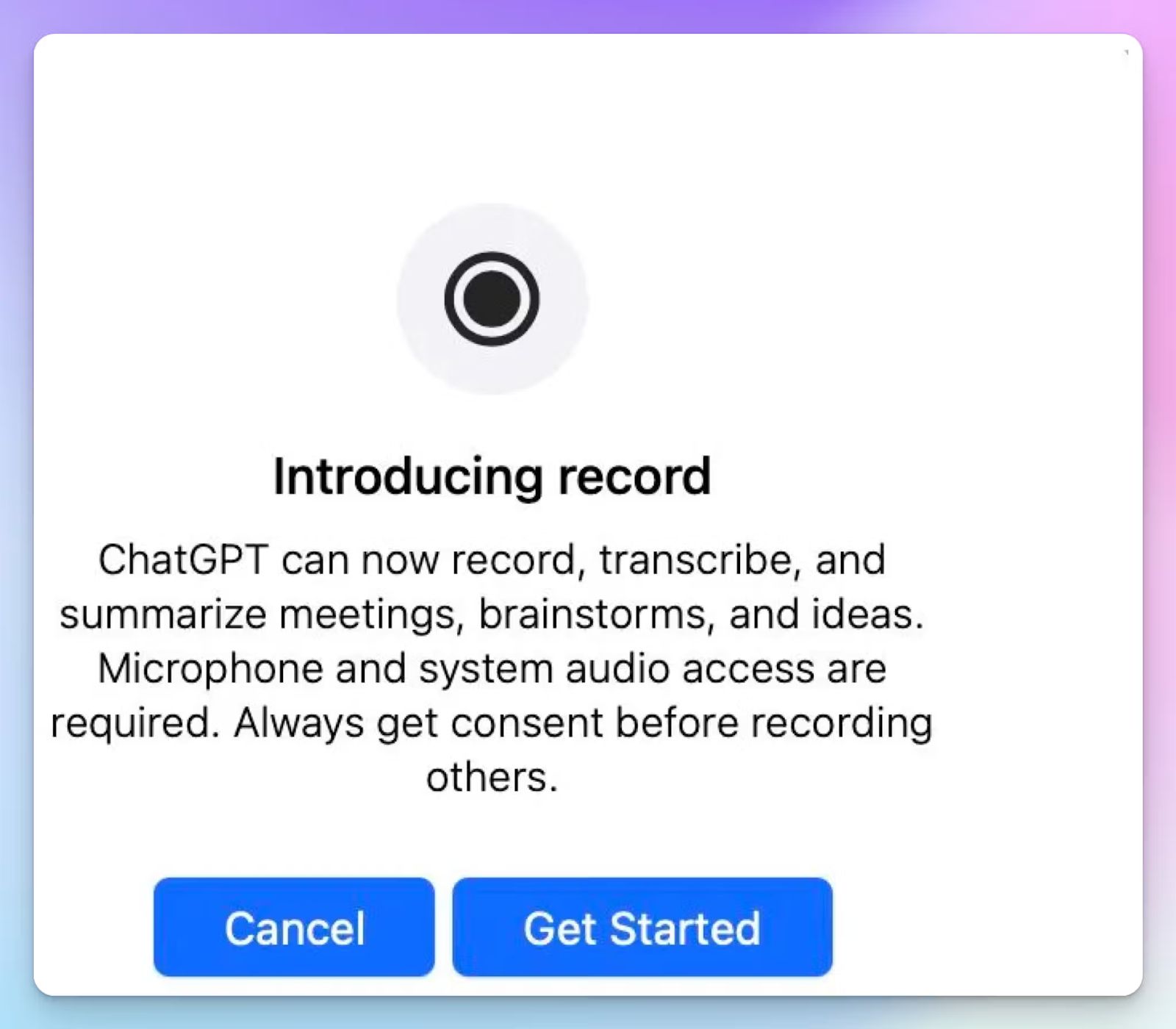
A large part of Copilot's architecture is powered by OpenAI models. If you’re a Mac user, you can just take your meeting workflows directly to ChatGPT instead. ChatGPT Record was released last year in the macOS app, and it continues to be bundled for free with the Plus plan and above.
| Category | ChatGPT Record | Microsoft Copilot |
|---|---|---|
| Setup and access | Works via the macOS desktop app without complex IT approvals | Requires complex Entra ID and Teams policy configurations |
| Ecosystem dependency | Captures system audio regardless of the conferencing platform | Locked inside the Microsoft Teams ecosystem |
| Meeting recall | References the record history to pull context from past canvases | Traps meeting intelligence inside fragmented SharePoint documents |
ChatGPT Record's key features
- Transcribes and summarizes up to 120 minutes of continuous audio per session and generates a private Canvas with notes
- ChatGPT Record operates bot-free by capturing your system audio and microphone through the macOS desktop app
- Thanks to record history references, ChatGPT remembers decisions from previous calls and surfaces insights based on past discussions
ChatGPT Record's pricing
- Plus: $20/month
- Pro: $200/month
- Business: $30/user/month (minimum 2 users)
- Enterprise: Custom pricing
ChatGPT Record's pros
- ChatGPT Record simplifies meeting note-taking by keeping notes in a tool you’re already familiar with
- Keeps the natural flow of a client call intact without a visible calendar bot
- It drops the processed transcript into an interactive Canvas where you ask AI to generate code scaffolds or project plans
ChatGPT Record's cons
- ChatGPT Record removes the original audio after processing, so you have no way to verify the transcript context
- It’s restricted to users operating the macOS desktop application
- ChatGPT Record skips quality-of-life features like integrations, folders, and privacy controls that other meeting note takers offer
📚 Also read:
3. Zoom AI Companion
Best for: Best for teams looking for a smart meeting assistant with organizational knowledge within the Zoom workspace
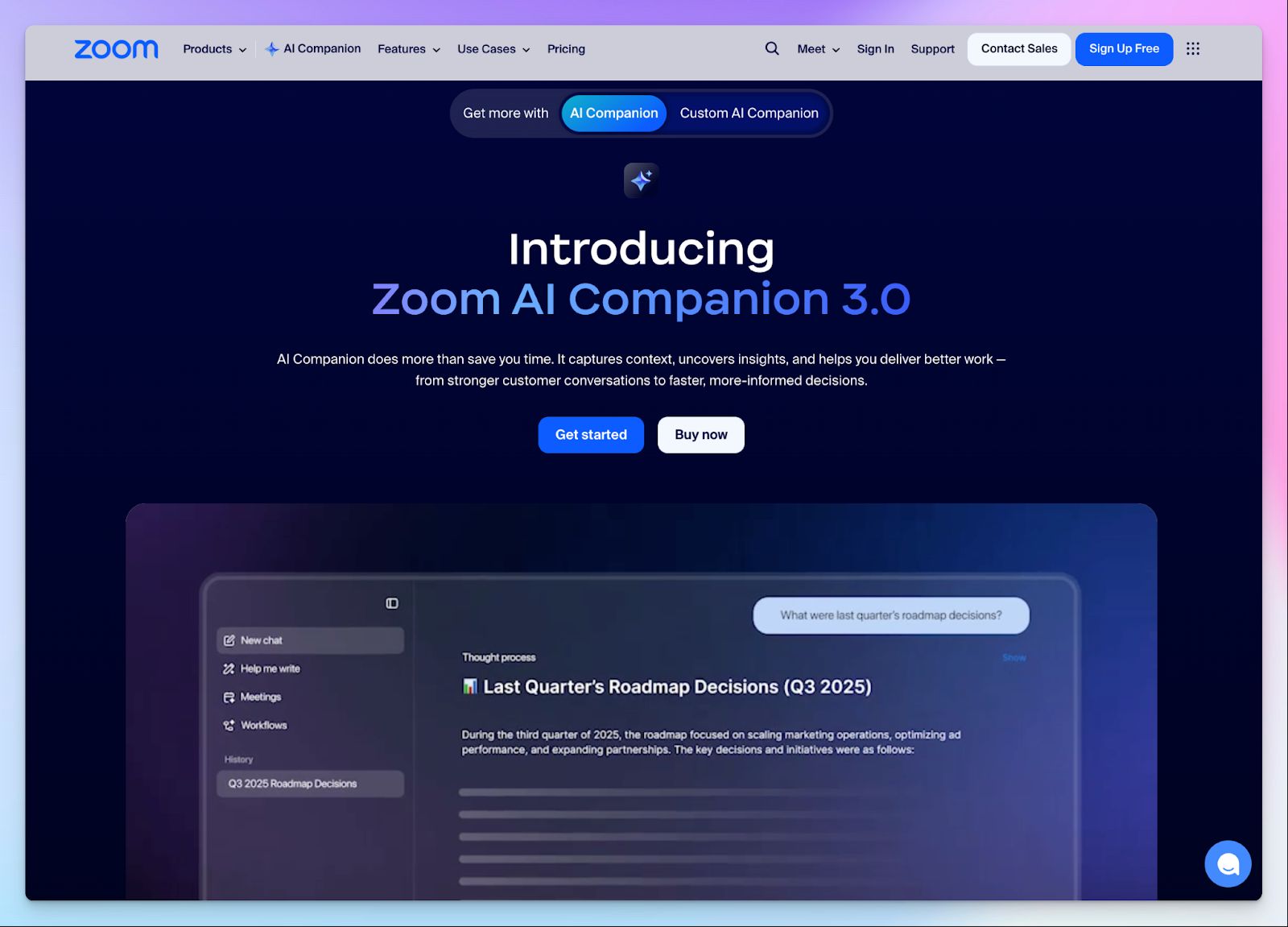
If you have frequent Zoom meetings, using the Zoom AI Companion might help you get meeting notes faster. Unlike Microsoft Copilot, Zoom has a simpler pricing format, and you get an enterprise-grade AI assistant baked right in.
| Category | Zoom AI Companion | Microsoft Copilot |
|---|---|---|
| Pricing model | Included at no extra cost with paid Zoom plans | Requires an expensive base license plus a $25 per user monthly premium |
| Platform flexibility | Works natively in Zoom and joins Google Meet or Teams calls as well | Operates strictly inside Microsoft Teams |
| Transcription | Zoom AI runs its own transcription engine and records meetings up to 30 hours long | Copilot relies on Microsoft transcription to be turned on and supports meetings up to 4 hours long |
Zoom AI Companion's key features
- Zoom AI captures what was discussed in meetings and sends summaries with next steps directly through email and Team Chat
- With in-meeting questions, you can quietly ask the AI side panel to catch you up on anything you missed mid-meeting without interrupting the conversation flow
- Smart Recording lets you review your cloud recordings faster by breaking them down into highlights, smart chapters, and conversation analytics
- With a voice recorder, you can generate meeting notes even for in-person meetings using your device or a Zoom Room
Zoom AI Companion's pricing
- Basic: Free (Limited meeting summaries and note-taking)
- AI Companion: $10/month
- Pro: $16.99/month
- Business: $21.99/month
- Enterprise: Custom pricing
Zoom AI Companion's pros
- AI Companion is bundled into all paid Zoom Workplace plans, which is a clear advantage over Copilot
- It helps you prep for meetings with contextual questions against past transcripts
- AI Companion works outside of Zoom meetings, which makes it more flexible than Copilot
Zoom AI Companion's cons
- Zoom’s AI Companion might fail to accurately transcribe or even generate summaries occasionally, without alerts
- To integrate your meeting notes with more tools, you have to pay for extra add-ons, raising the overall cost
- You might have to navigate Zoom workplace IT admin policies to make the most of the meeting notes
4. Google Gemini
Best for: Teams running on Google Workspace who want meeting notes without adding a new tool
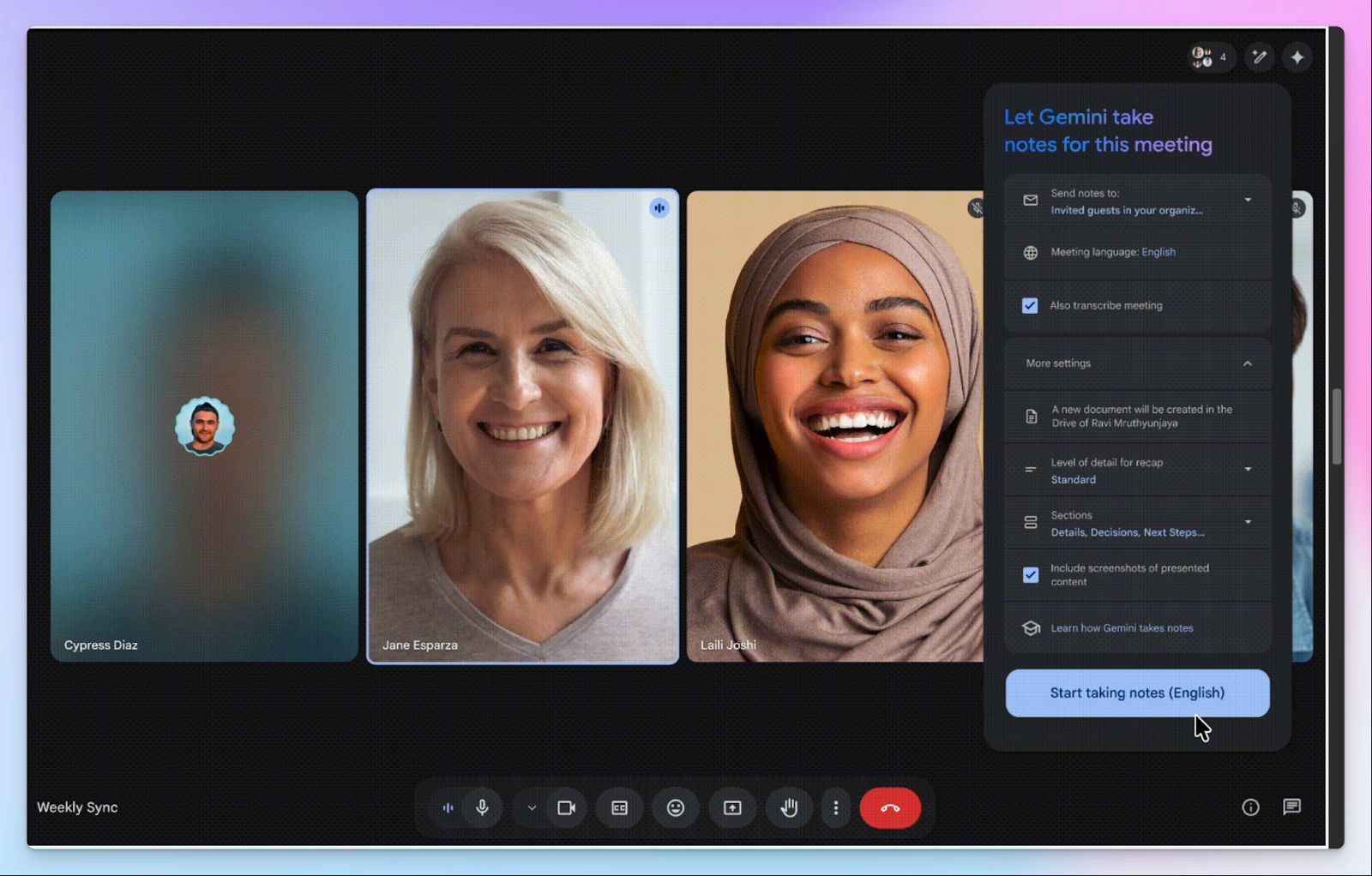
If your team lives in Google Calendar, Docs, and Drive, Gemini's "Take Notes for Me" works seamlessly inside that workflow. Simply tick a box before your meeting starts, and Gemini captures the notes, stores them in Drive, and adds that Doc to your Calendar event automatically. Unlike Copilot, Gemini doesn’t require separate settings for transcription.
That said, it's designed for one environment only, and the moment your workflow stretches beyond Google Meet, it stops working for you.
| Category | Google Gemini | Microsoft Copilot |
|---|---|---|
| Notes destination | Saves directly to Google Drive and attaches to the Calendar event automatically | Keeps notes inside Teams only; sharing outside the platform requires manual steps |
| Activation effort | One checkbox before the meeting starts | Requires someone to enable transcription first, and a separate Copilot license to be assigned before it works |
| Meeting length | Recommended for meetings of 15 minutes to 8 hours | Supports recordings up to 4 hours |
| Language support | Supports 8 languages; no multi-language meetings | Supports broader language coverage across the Microsoft 365 platform |
Google Gemini's key features
- Gemini captures notes in real time and saves them as a structured Google Doc, with options for summary, decisions, and next steps
- If you join a meeting late, you can use "Summary so far" to catch up without asking anyone to repeat themselves
- As the meeting organizer, you receive an email with a recap link shortly after the meeting ends, which also appears attached to your Calendar event
Google Gemini's pricing
- Business Standard: 16.80/month
- Business Plus: $26.40/month
- Enterprise: Custom pricing
Google Gemini's pros
- Since last year, Google has bundled Gemini into the premium Workspace plans at no separate add-on cost
- Notes land directly inside your Google Drive and attach to the Calendar event, so your team can find them without hunting through emails or chat threads
- You can tweak the level of detail for recaps to get notes that suit your workflow
- Gemini includes screenshots of the presented content for rich notes
Google Gemini's cons
- Gemini only activates on scheduled Google Calendar events with a Meet link pre-attached
- There's no way to review or correct what's being captured mid-meeting, and you only see the output after the meeting ends
- Gemini currently supports only 8 meeting languages
📚 Also read:
5. Notion AI
Best for: Best for Notion users who want meeting notes that connect directly to their databases and tasks
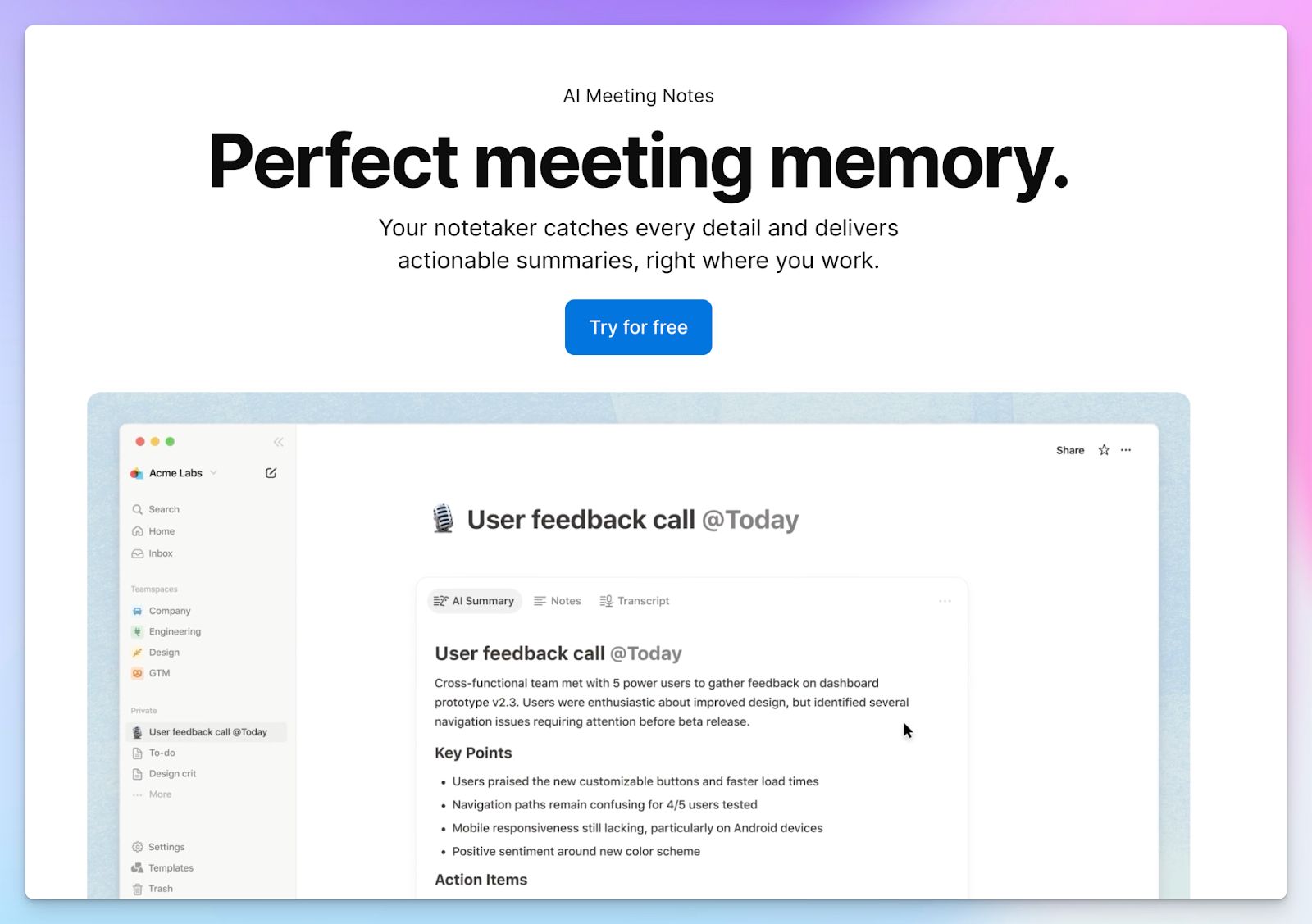
If your team manages projects, docs, and tasks inside Notion, you can generate AI meeting notes without adding a new tool. Simply type /meet in any Notion page, hit record, and Notion AI transcribes the conversation, generates a structured summary, and ties it to your existing databases automatically.
Unlike Copilot, Notion AI works across Zoom, Google Meet, and Teams, as long as you're running the Notion desktop app.
| Category | Notion AI | Microsoft Copilot |
|---|---|---|
| Notes destination | Saves directly into any Notion database, page, or project, right where your work already lives | Keeps notes inside Teams and Outlook only; accessing them outside requires manual export |
| Meeting platform support | Works bot-free across Zoom, Google Meet, and Teams calls from the Notion desktop app | Only works inside Microsoft Teams meetings |
| Summary customization | Lets you set custom instructions and agents for meetings, with separate automation and formats | Offers no template-level customization; summary format is fixed |
Notion AI's key features
- You can write agenda items or pre-meeting context in the notes tab before the call, and the AI factors those in when building the final summary
- Notion recently introduced custom summary instructions per meeting type, letting you choose the sections, tone, and level of detail that suit your team's workflow
- Action items from the meeting can automatically update tasks and project statuses in your Notion databases, so follow-ups don't require a separate manual step
Notion AI’s pricing
- Business: $24/month
- Enterprise: Custom pricing
Notion AI’s pros
- Since meeting notes live inside Notion alongside your tasks and docs, you can turn a decision from a call into an assigned task without switching tools
- Add custom vocabulary so the AI gets your industry terms and proper nouns right, something Copilot doesn't offer at the individual user level
- With custom instructions, you can shape exactly how summaries are structured per meeting type
Notion AI’s cons
- Notion AI has no auto-join bot, and you have to manually start the recording on the desktop app, forcing users to look for Notion AI alternatives
- Running meeting transcription on top of complex Notion databases slows down performance
- Notion AI doesn't record or store the raw audio of your call, so if you spot an error in the transcript, there's no playback to verify what was actually said
Which Microsoft Copilot alternative should you choose?
Locking yourself into Microsoft 365 to get meeting notes hurts your wallet and limits your flexibility. You've seen the benchmarks and understand the trade-offs of the top five Copilot alternatives for meeting notes.
Finding the best tool depends on your primary workspace and budget constraints:
- Choose ChatGPT Record if you use a Mac and want a private canvas
- Go with Zoom AI Companion to generate summaries and track attendees inside your Zoom Workplace plan
- Stick to Google Gemini when your team uses Google Workspace and needs basic notes synced to Google Calendar
- Opt for Notion AI to link action items from your calls into your existing project databases
- Grab HappyScribe as your primary note taker to process 150+ global languages with 95% accuracy and transcribe pre-recorded files
HappyScribe bypasses bloated enterprise UI and gives you cross-platform support for Zoom, Teams, and Google Meet. Thanks to GDPR, SOC 2 Type II compliance, and an EU-based data center, HappyScribe is one of the most secure European note takers today.
Use HappyScribe’s free tier to get a feel of the platform before committing to the $8.50 USD monthly plan.
FAQs on the best Microsoft Copilot alternatives for AI note taking
1. What's the best free alternative to MS Copilot note taker?
HappyScribe is the best free alternative to Microsoft Copilot for meeting notes. Its free plan includes unlimited meeting recordings (capped at 45 minutes each), AI-generated summaries, and support for 150+ languages, without requiring a base Microsoft 365 license or any upfront commitment. For individuals or small teams with cost concerns about enterprise AI platforms, HappyScribe lets you test core AI tools before upgrading to a paid tier.
2. What are the best Microsoft Copilot alternatives for AI note taking?
The best Copilot alternatives for AI note taking are HappyScribe, ChatGPT Record, Zoom AI Companion, Google Gemini, and Notion AI. Each serves a different use case. HappyScribe is the strongest alternative to Microsoft Copilot for global and cross-platform teams, offering 95%+ accuracy, multilingual support across 150+ languages, and file transcription. Zoom AI Companion works best for teams deeply embedded in the Zoom ecosystem, while Google Gemini suits teams in the Google ecosystem who want notes synced automatically to Google Calendar. Notion AI is ideal for teams who want meeting notes connected directly to their Notion workspace and project databases. ChatGPT Record is a lightweight, bot-free option for macOS users who want simplicity over functional depth.
3. What's the best AI note taker for Microsoft Teams?
Microsoft Copilot is the native AI assistant for Teams, but it comes with high cost, complex IT setup, and limited flexibility outside Microsoft apps. If you need a strong alternative, HappyScribe integrates directly with Microsoft Teams as a calendar bot and works across Zoom, Google Meet, and Webex. Unlike AI Copilot, it doesn't rely on internal processes or admin policies to activate, making it a great Copilot alternative for support teams and business process workflows that go beyond the Microsoft ecosystem.
4. What are some AI meeting assistants better than Copilot AI?
Several AI tools outperform Microsoft Copilot depending on your needs. HappyScribe leads on multilingual support, data privacy, and cross-platform flexibility; key points for enterprise teams handling sensitive internal data across multiple conferencing platforms. Zoom AI Companion offers AI-powered smart recording with conversation analytics baked into its paid plans. Google Gemini excels at summarizing long meetings and saving structured notes directly to Drive. Notion AI uses AI agents to turn meeting action items into live tasks inside your knowledge base.
For teams where AI helps drive decisions across tools and not just summarize meetings, these alternatives offer stronger AI performance and better AI responses than Copilot's deeply embedded but restrictive model. If you need deep research capabilities or writing assistance beyond note taking, ChatGPT's AI models remain a reliable option that supports a broader range of AI agents and workflows.

Biplab Mazumder
Biplab is a content marketer and writer who helps high-growth brands scale content visibility across AI search channels. His works have been published in HubSpot, Freshworks, Atlassian, SurferSEO, etc. When he's not planning content strategy, he's testing AI content workflows and use cases.