Everything I’ve learned about Fireflies has been against my wishes. It’s already on meetings invited by someone else, and it emails me post-meeting notes I didn’t ask for.
For years, I steered clear of it because the privacy practices rubbed me the wrong way. If you read my Otter or Rev review, you know I used these tools for years before reviewing them.
But I can’t deny that Fireflies has a massive user base, and it’s packed to the brim with AI and sales features.
So I finally gave it a go to understand how Fireflies actually works for users, its note-taking capabilities, accuracy, workflows, and security.
Here’s everything you get with Fireflies in 2026, so you can make an informed decision:
📌 In a nutshell: Is Fireflies AI worth using in 2026?
Short version: For a notetaker, Fireflies is surprisingly potent at scaling conversation systems in organizations.
On the upside, you get a wide range of features, native CRM sync, deep analytics, 100+ languages, and a live assistant during calls. It's a lot of features for the money.
Then the other side. Fireflies won't let you sign in without handing over your calendar, its meeting bot is unreliable, the transcripts aren’t very accurate, and it’s a privacy risk for regulated industries.
👍 Fireflies is best for: CRM-heavy sales and ops teams who want an all-in-one meeting system and aren't bound by strict consent or EU data rules
👎 Fireflies is not a great fit for: Consent-sensitive, EU, or privacy-first work, all-party-consent calls, or anyone who needs an accurate raw transcript
Fireflies’ core features, ranked
If you’re contemplating using Fireflies, meeting notes are probably the main pull. Even if you’re not sure what the tool is all about, here are the capabilities that are central to Fireflies:
1. AI meeting notes
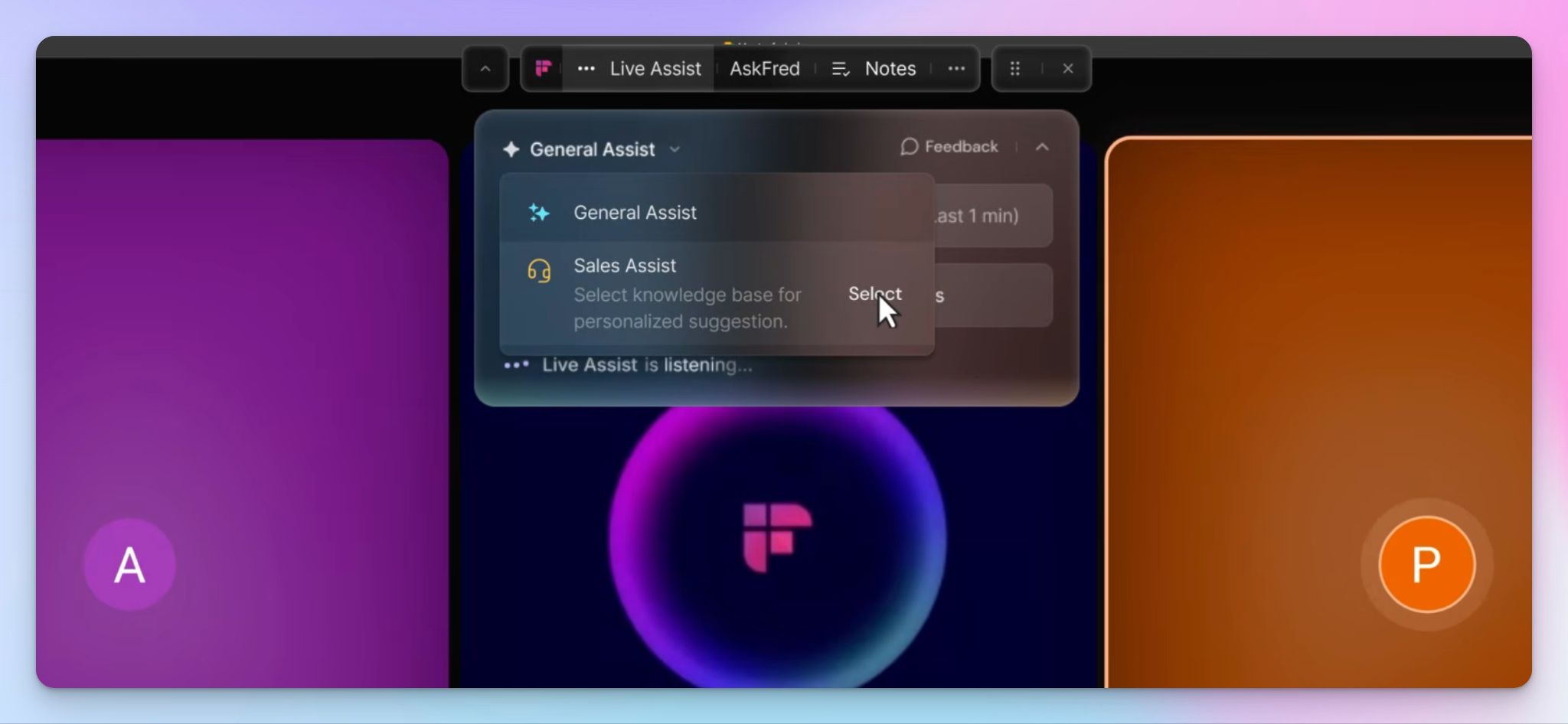
At its core, Fireflies is a notetaker. Fred the meeting bot joins your call, records it, and hands back a speaker-labeled transcript with an AI summary and action items.
You can click any line to locate the words and moments behind it, or use AskFred to pull answers from transcripts.
Fireflies claims 99% accuracy across accents. Set that figure aside for now, because I tested it in actual meetings.
2. Conversation intelligence
On top of the notes sits a layer of analytics. Fireflies tracks talk-to-listen ratio, filler words, monologues, and how many questions each person asks on a call.
It has topic trackers that flag how often subjects like pricing or objections come up. For sales managers reviewing conversations at scale, the sentiment analysis is the real draw, and it’s a big reason why teams stay locked in.
3. Sales workflows
The third layer is where Fireflies sets itself apart from competitors.
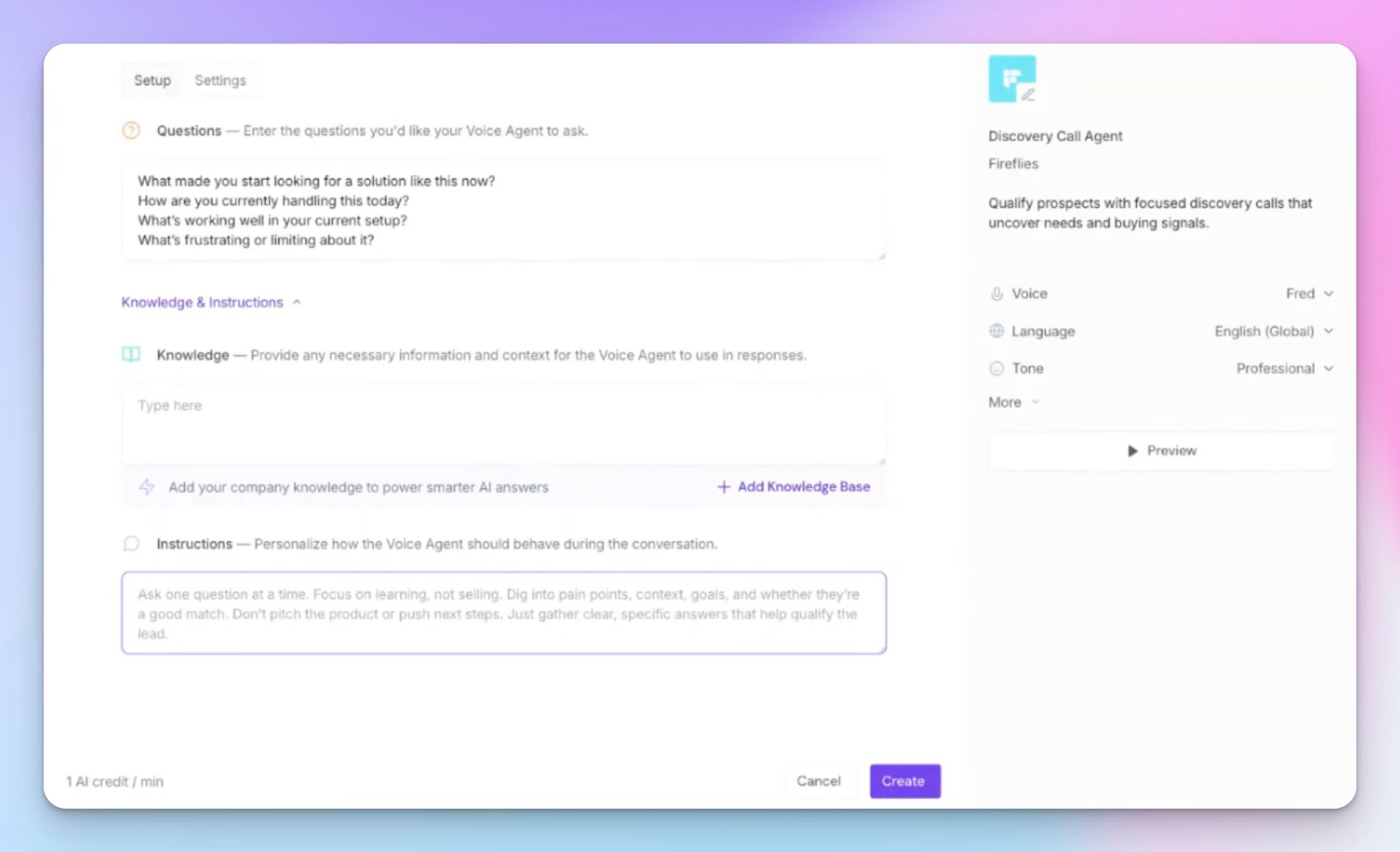
It auto-fills Salesforce and HubSpot with call notes and next steps, drafts follow-up emails through Fred, and runs sales-specific AI skills like objection scoring and deal-risk flags.
If your team is big on CRMs, Fireflies meets that demand. It’s also why the tool digs in so deep, since removing it later might disrupt your system.
Fireflies at a glance
| Factor | What I found | Rating |
|---|---|---|
| Ease of use | Capable once you're in, but the interface looks too busy and has dark patterns at every corner. | 🟢🟢🟢🔴🔴 |
| Security | SOC 2, GDPR, and HIPAA on paper, but two active BIPA suits and non-user profiles without consent make it a risky bet. | 🟢🔴🔴🔴🔴 |
| Integrations | Its strongest suit, with native Salesforce and HubSpot sync and a catalog of more than 100 connectors. | 🟢🟢🟢🟢🟢 |
| Customer support | Help center and email support, with priority response saved for Business and above. | 🟢🟢🟢🔴🔴 |
Benefits of using Fireflies: The daily wins
For all my gripes about the clutter, Fireflies helps you extend meetings to full-fledged systems. These are the four benefits I appreciate:
1. Capture any conversation, however you want
Fireflies isn't fussy about how a conversation is captured. As you join more and more calls, you’ll appreciate not having to worry about it.
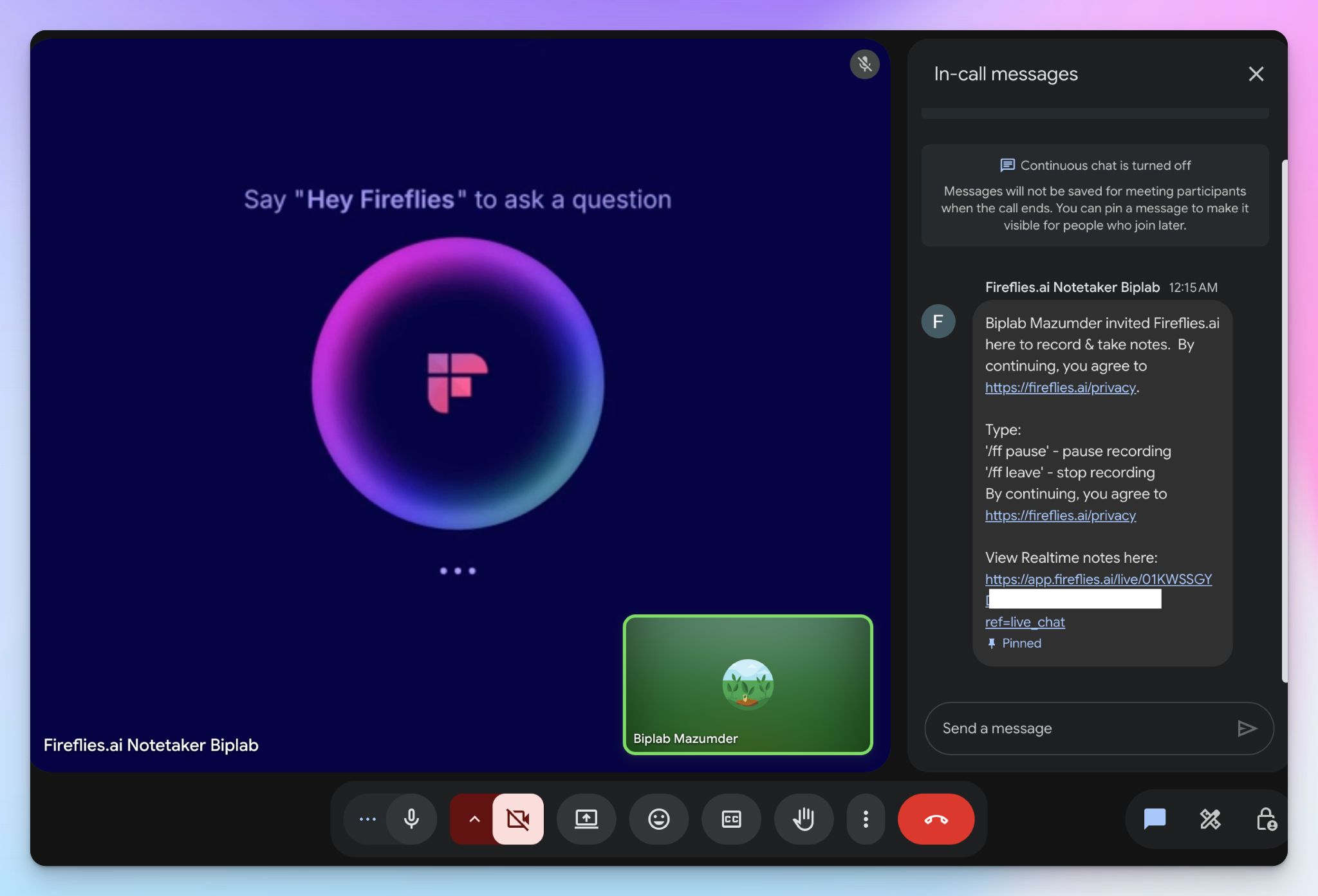
You can auto-record calendar meetings, invite the bot to a live call, paste a link to an ongoing one, upload an existing audio or video file, or record bot-free with the desktop app.
There's a solid mobile app too, so in-person chats are fair game. No matter how the audio is captured, you find it in the same tidy notebook.
2. AskFred and voice agents save you time
If everything goes right, AskFred might be your most-used feature of Fireflies.
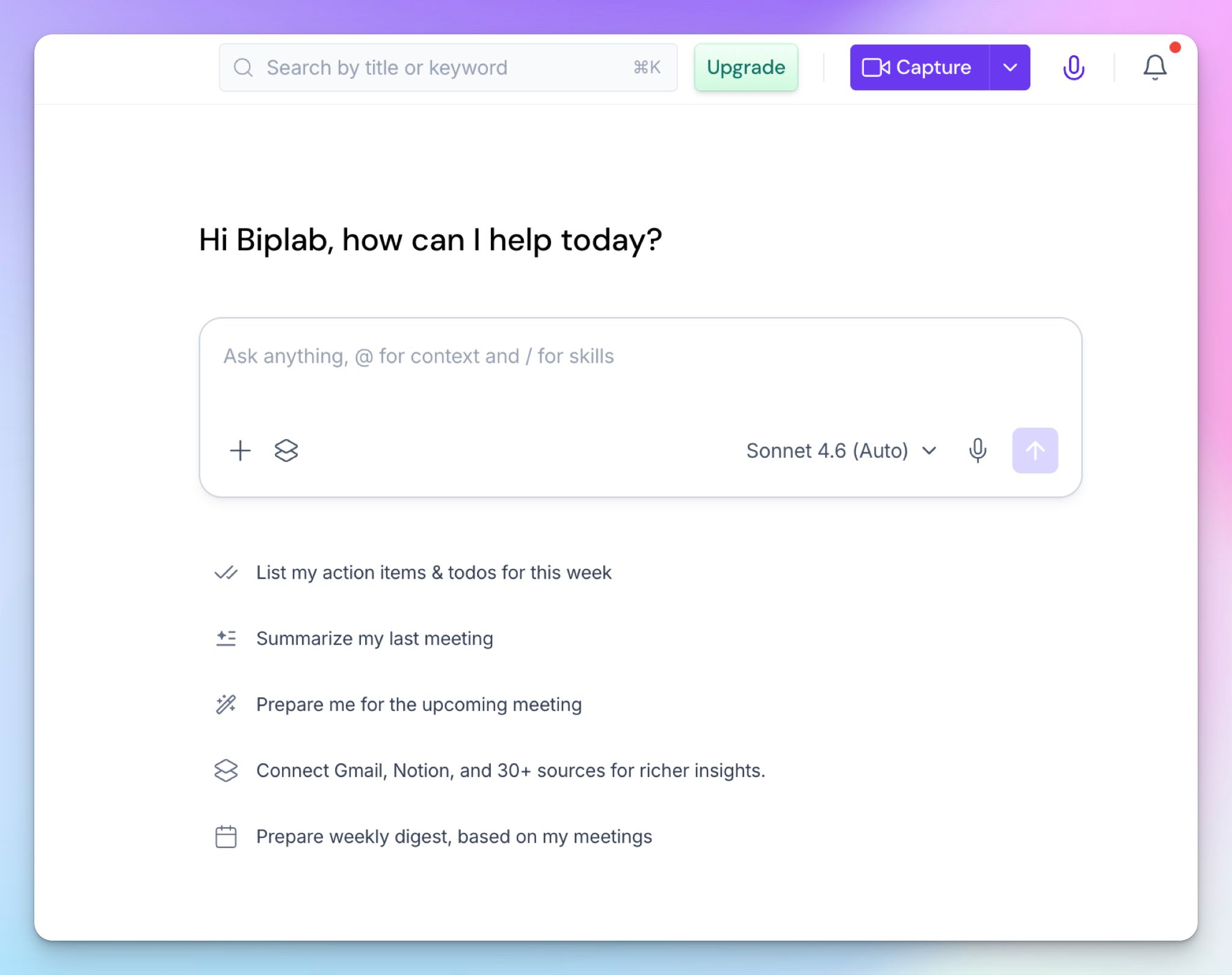
It answers questions about meetings across your whole history, which took a while for me to build and enjoy its capabilities. Fred can also draft follow-up emails and help you set up meeting-related tasks, so Fireflies doubles up as a simple project manager.
If you’re running late, it has AI voice agents that handle screening or discovery conversations and hand you the notes.
The catch is that the usage is tied to AI credits, so the assistant is only as generous as your plan.
3. Deep and wide integrations for almost everything
Fireflies has integrations, and then some.
It’s refreshing to find an AI note taker supporting so many tools, and if you’re an automation geek like me, it helps you build pretty exciting systems.
It connects to more than 100 apps, and not just Slack and Google Drive. Some of the tools Fireflies natively integrates with are Greenhouse, Lever, Aircall, Keragon, Linear, MindStudio, Any.do, Salesloft, Twine, Wealthbox, and Redtail.
Anything the bot captures can flow straight into the tool where you already work, and there’s Zapier and Fireflies API to extend workflows. The docs are easy to follow, too.
4. AI Skills that scale your workflows
If you run the same play over and over, Fireflies’ AI Skills help you extract the last bit of productivity.
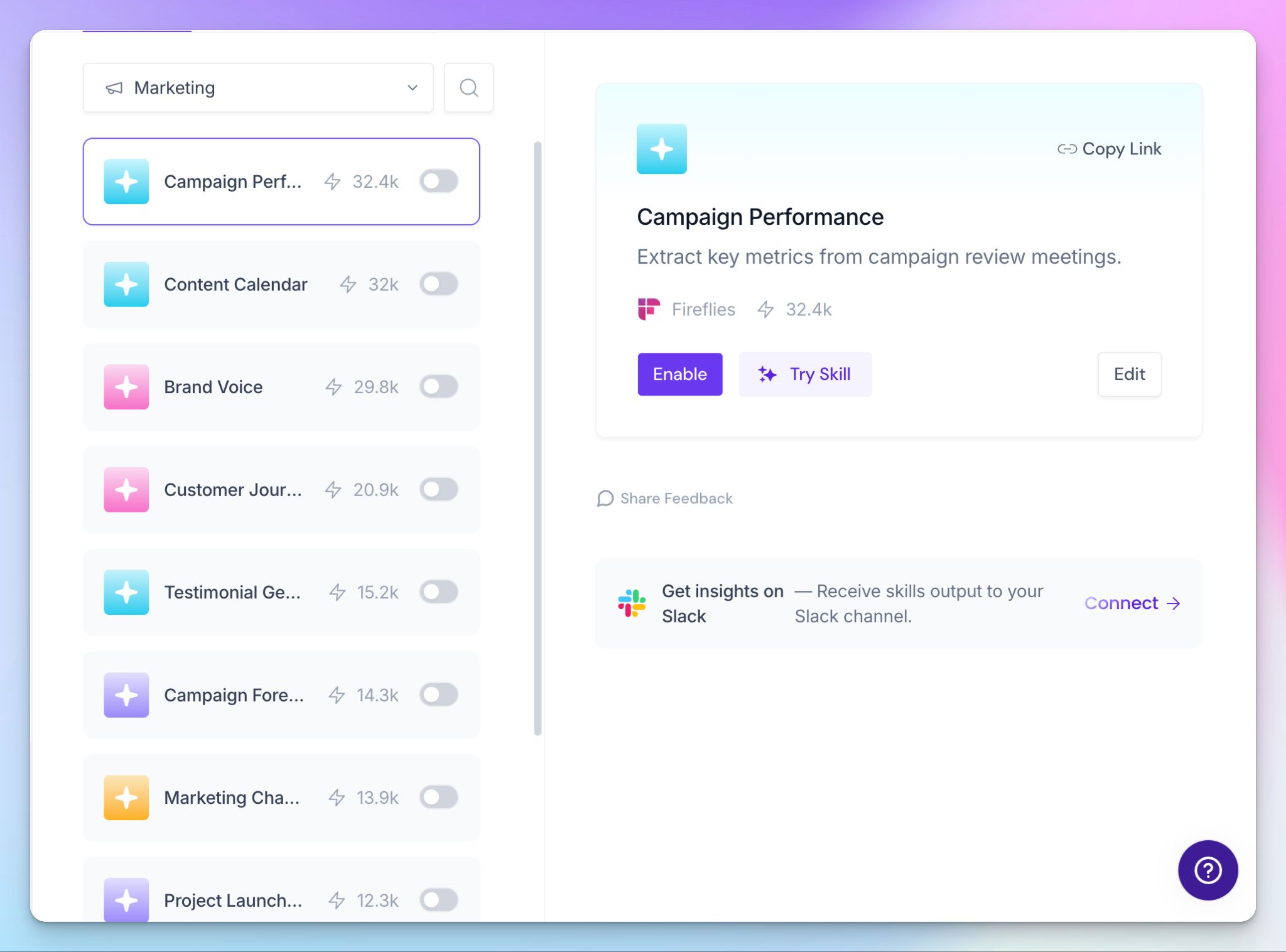
You pick from more than 200 templates, like BANT reports or hiring scorecards, or write your own from scratch. You can let the skill run after every matching meeting or roll a week of them into one report. It's proper automation.
Drawbacks of Fireflies: My honest experience
Fireflies has a massive user base, but the more you use it, the more you find out how it acquired all these users.
1. From sign-up to access removal, shady practices at every turn
You can’t use your personal email to sign into Fireflies. It’s not normal for AI note takers, but it’s how Fireflies operates.
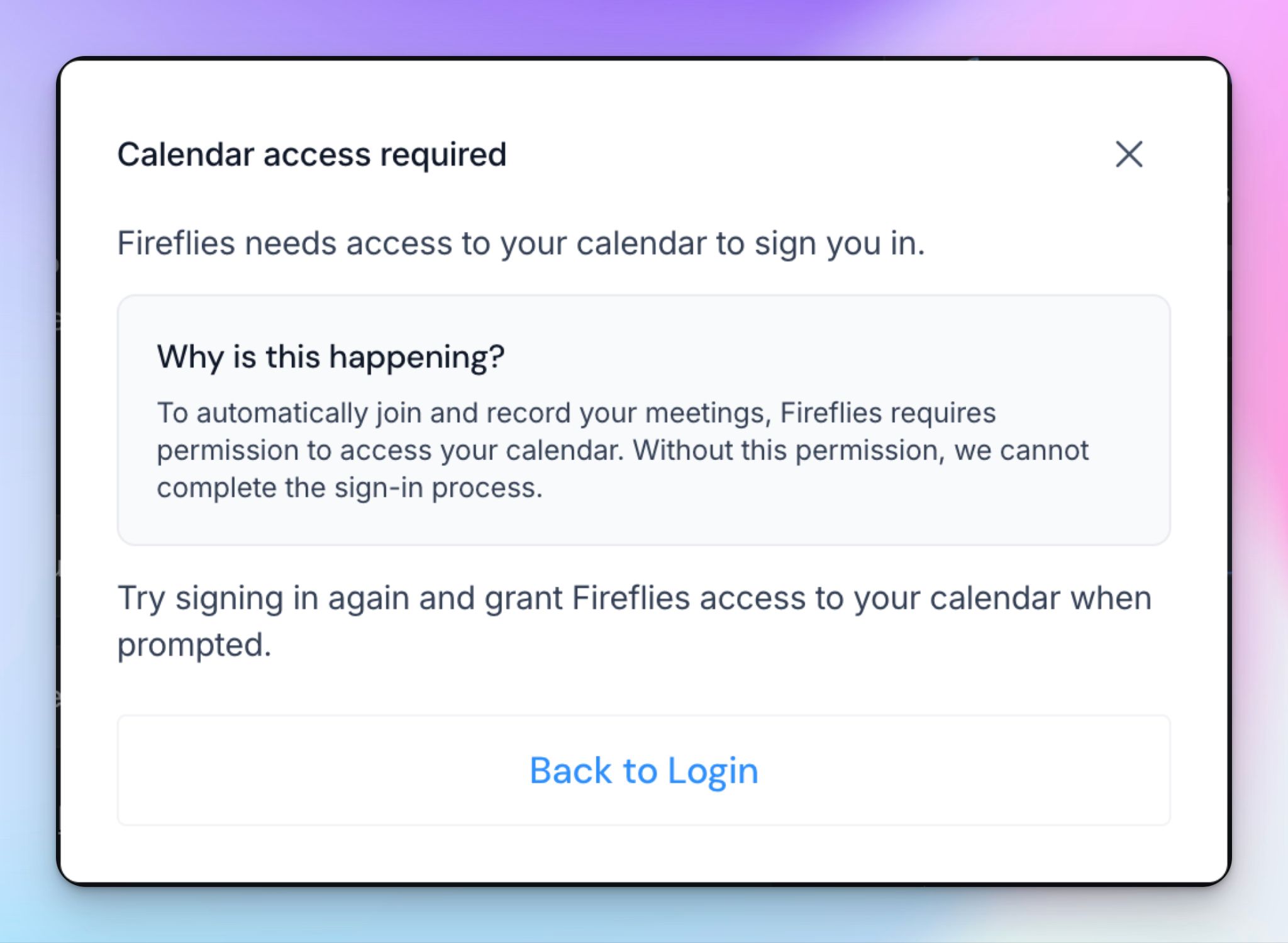
If you want to get in, you have to sign in with your Google or Microsoft account. The more egregious part is that Fireflies wants your Google calendar access as well, and this is something non-negotiable.
It will NOT let you make an account if you don’t give Fireflies unbridled access to view and download your past, present, and future events.
“That sucks. But I can always withdraw calendar access once I get in, right?”
No. The only way to pry Fireflies’ hands off your calendar is to delete your account. The other workaround I found is to revoke access from the Google account’s linked apps page. That might break your Fireflies account as well, so proceed with caution.
These choices are fine if you connect only your work account. Despite that, most note takers give you options to maintain some sort of privacy. That’s not the case with Fireflies.
2. Transcript accuracy is… optional
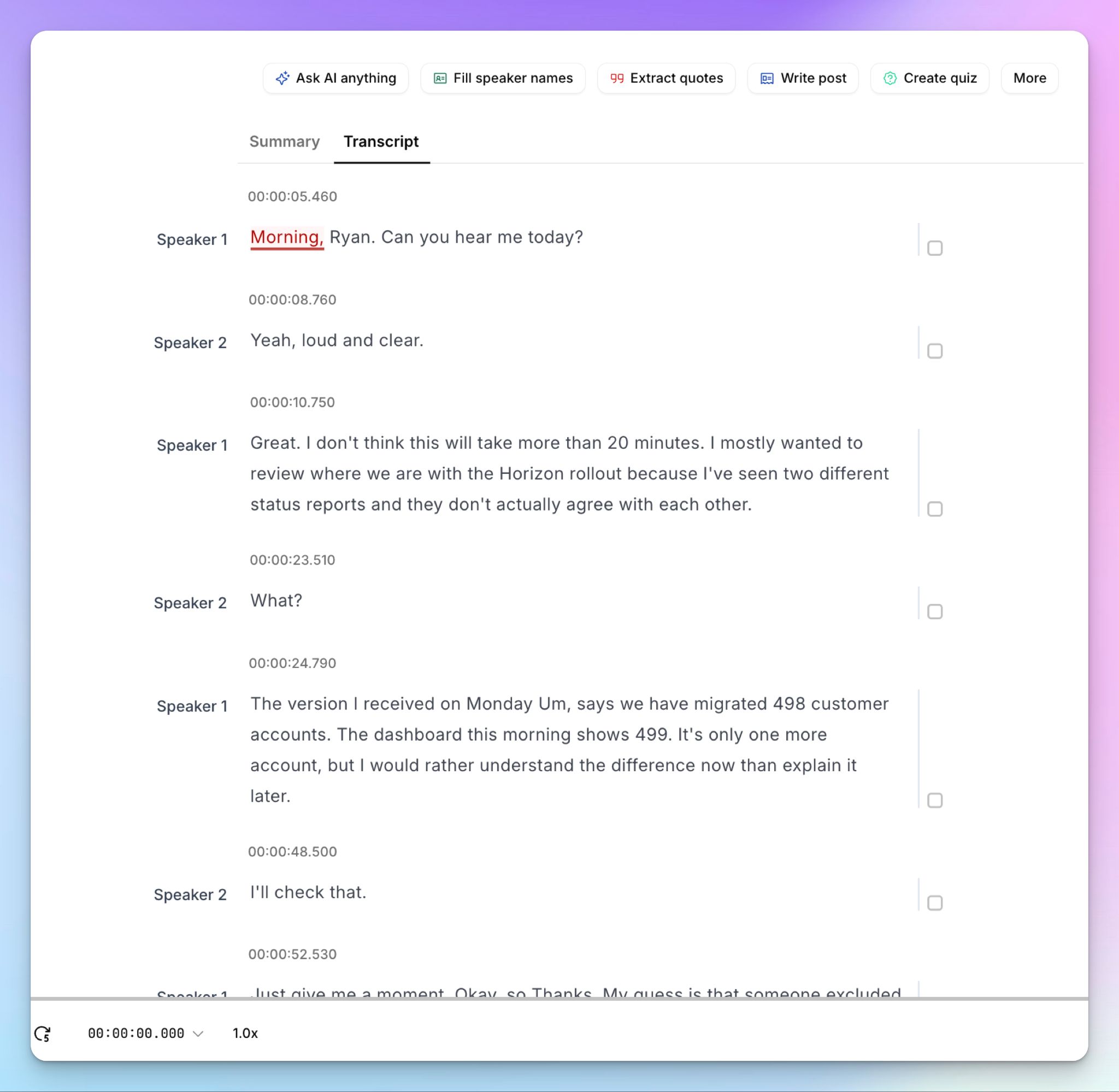
I could live with Fireflies’ fascination with my calendar if the transcripts were good. After using it for weeks (and getting unsolicited transcripts for years), I can tell you that it performs worse than tools at this level should.
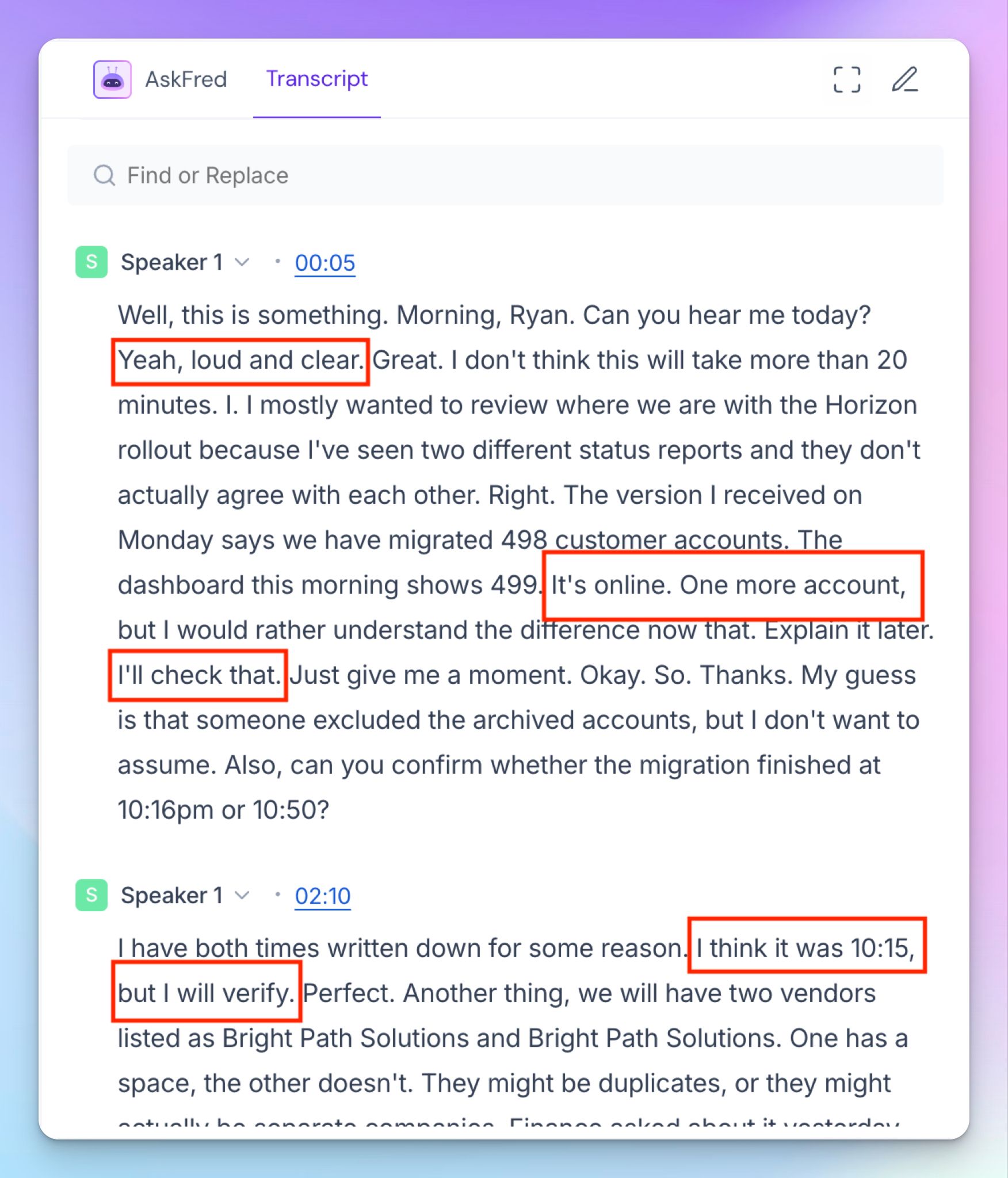
The transcript above is one of the last meetings I was in before writing this review. Fireflies couldn't work out that there were two people, and it filed the entire conversation under "Speaker 1" and served me a wall of text that’s difficult to follow.
Read the paragraph, and you can watch it lose the thread, as full sentences collapse into fragments like "Explain it later. I'll check that. Just give me a moment. Okay. So. Thanks."
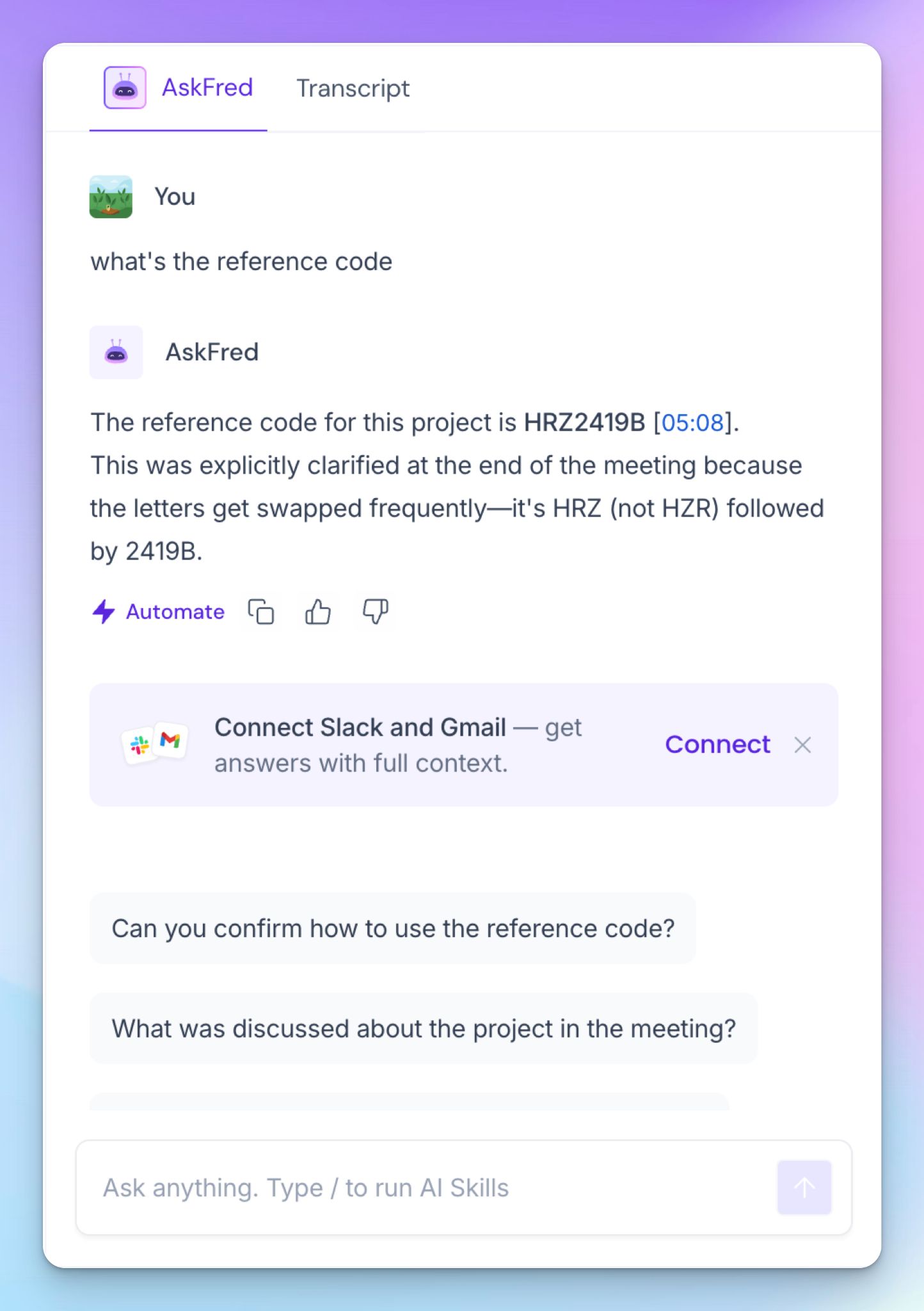
It also butchered the reference code I read out clearly: HRZ-2419-B. I also asked AskFred to pull the correct code from the call, but it can’t recover anything the transcript has already lost.
If you quickly need to extract raw numbers from transcripts, Fireflies isn’t a reliable option. And it’s clear why. Fireflies wants you to focus on watered-down summaries, action items, skills, and templates, so pure transcript accuracy is an afterthought here.
But when a summary is built on shaky transcripts, you’re taking action on wrong insights. I point out accuracy because this is a Fireflies issue, and you don’t have to settle for less.
3. Unreliable meeting bot that stays on the call, long after the user leaves
Up next is the Fireflies meeting bot, Fred. It joins as a named participant, so that part, at least, is visible. What isn't is what it does after you leave.
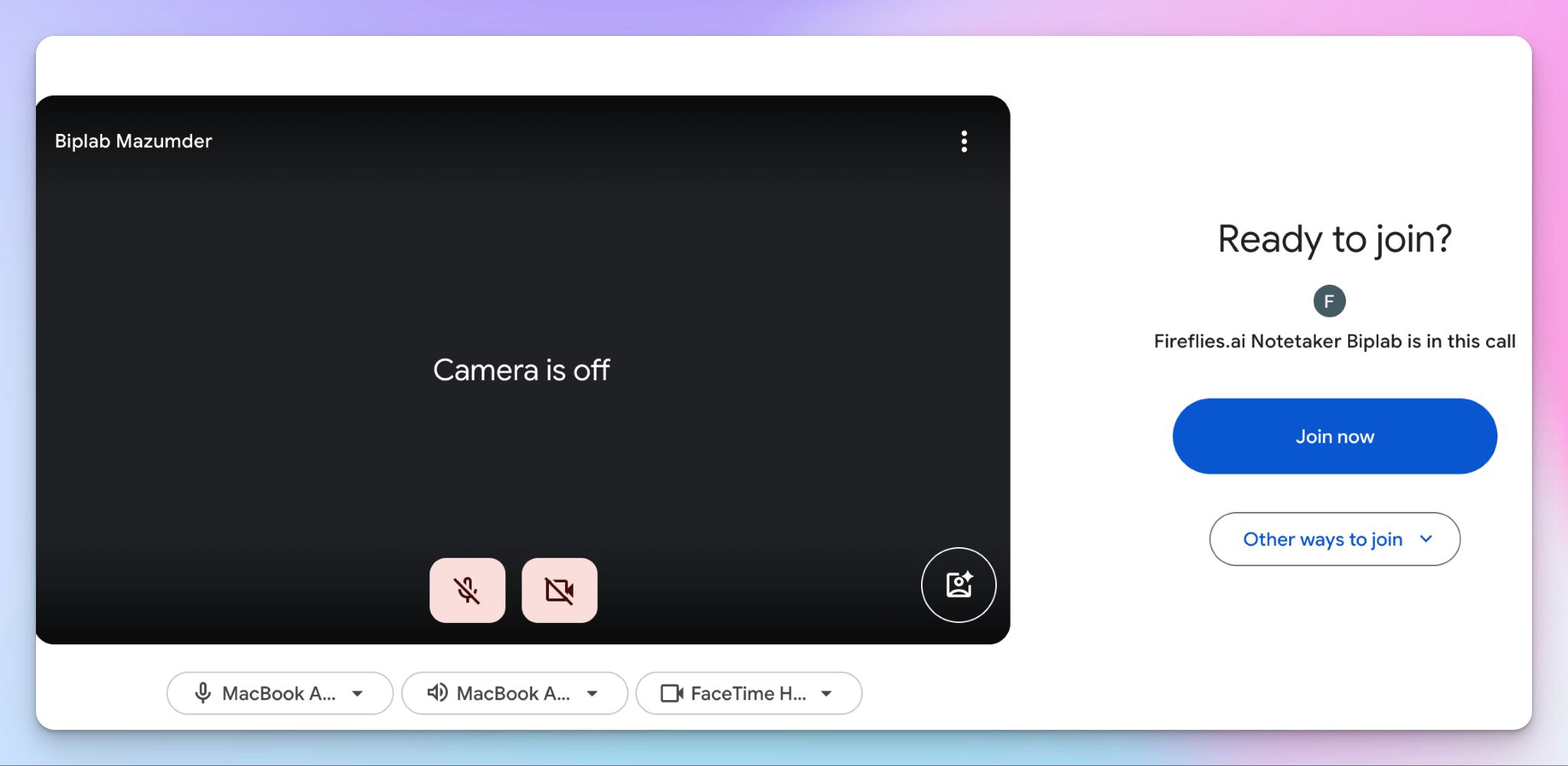
On multiple occasions, the bot stayed on the call after I left the room. Each time, I had to manually stop it from my dashboard so it could generate the transcript. Fireflies not being able to reliably follow users’ meeting attendance is a proper red flag.
It records conversations you’re not supposed to be part of, and the bot overstaying its welcome makes you look unprofessional. It’s also a risk when someone else’s Fred bot keeps recording you long after the person has left the meeting.
Fireflies has AI prompts that crowd every corner, and for a tool this eager to record everything, it's strangely hard to get it to respect your choices.
4. Gross privacy and consent red flags
This is one thing that supersedes all other opinions users might have about Fireflies.
Remember when I told you that I used to get unsolicited emails from Fireflies? I signed up for a Fireflies account in 2026, but it was already stalking me for years.
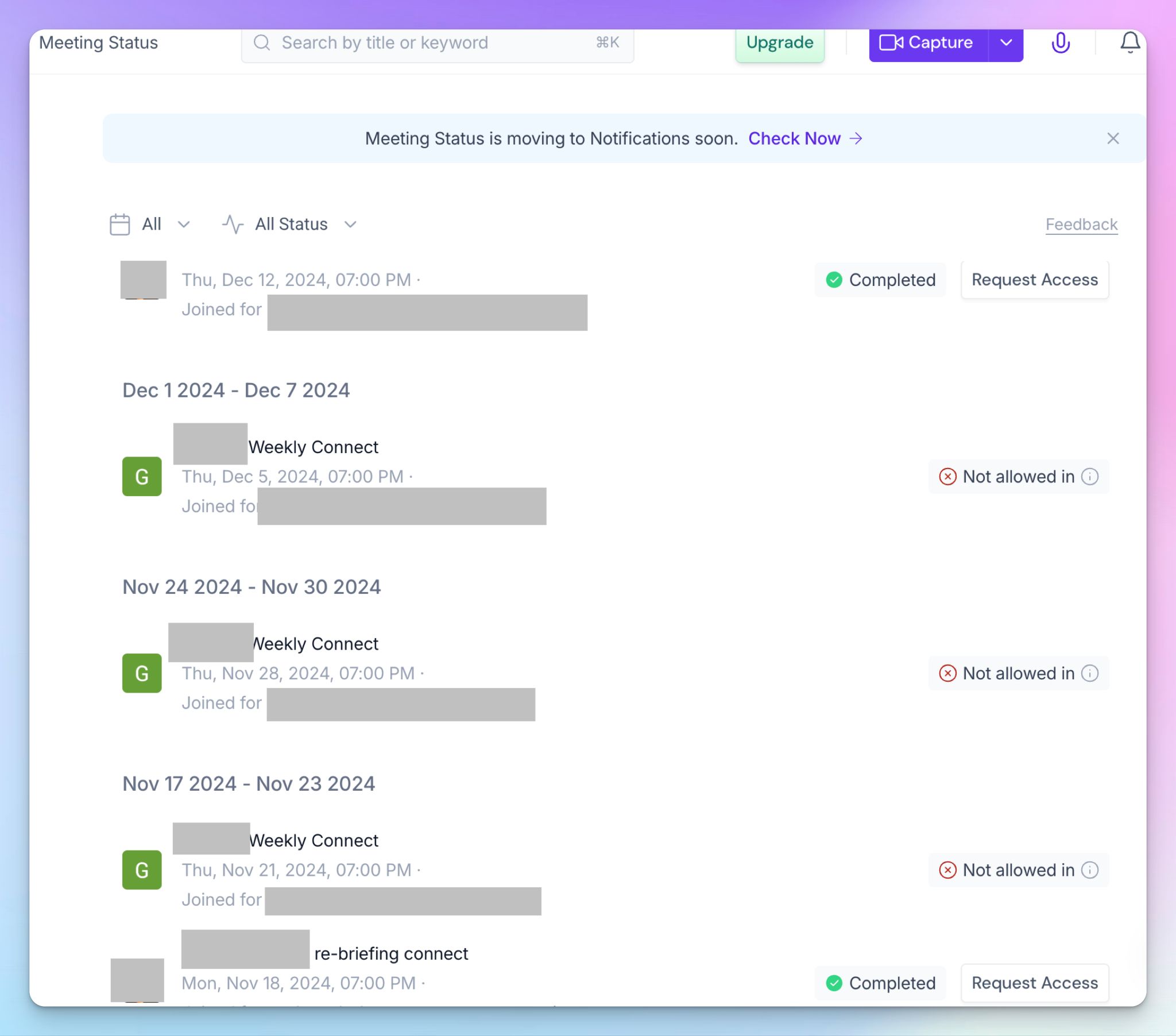
The “Meeting Status” tab of my brand new account was already populated with meetings going back to 2024, from a previous employer, for calls I attended but never recorded myself. Back then, I only joined meetings where someone else had the bot running, and Fireflies built an entire profile without my consent.
This behavior lines up with what two class actions now allege in federal court.
In Cruz v. Fireflies.AI, filed in December 2025 in the Central District of Illinois, and Fricker v. Fireflies.AI, filed in March 2026 in the Northern District of Illinois, plaintiffs claim the Speaker Recognition feature generates voiceprints of everyone on a call, including people who never created an account or agreed to any terms.
It’s done without the written notice and consent Illinois' biometric law requires, and with no published policy for how long those voiceprints are kept.
Add in US-based data processing, which raises questions for recording sensitive participants in the EU, and privacy stops being a footnote to this review. It is the review.
📚 Also read:
How much do you pay for Fireflies in 2026?
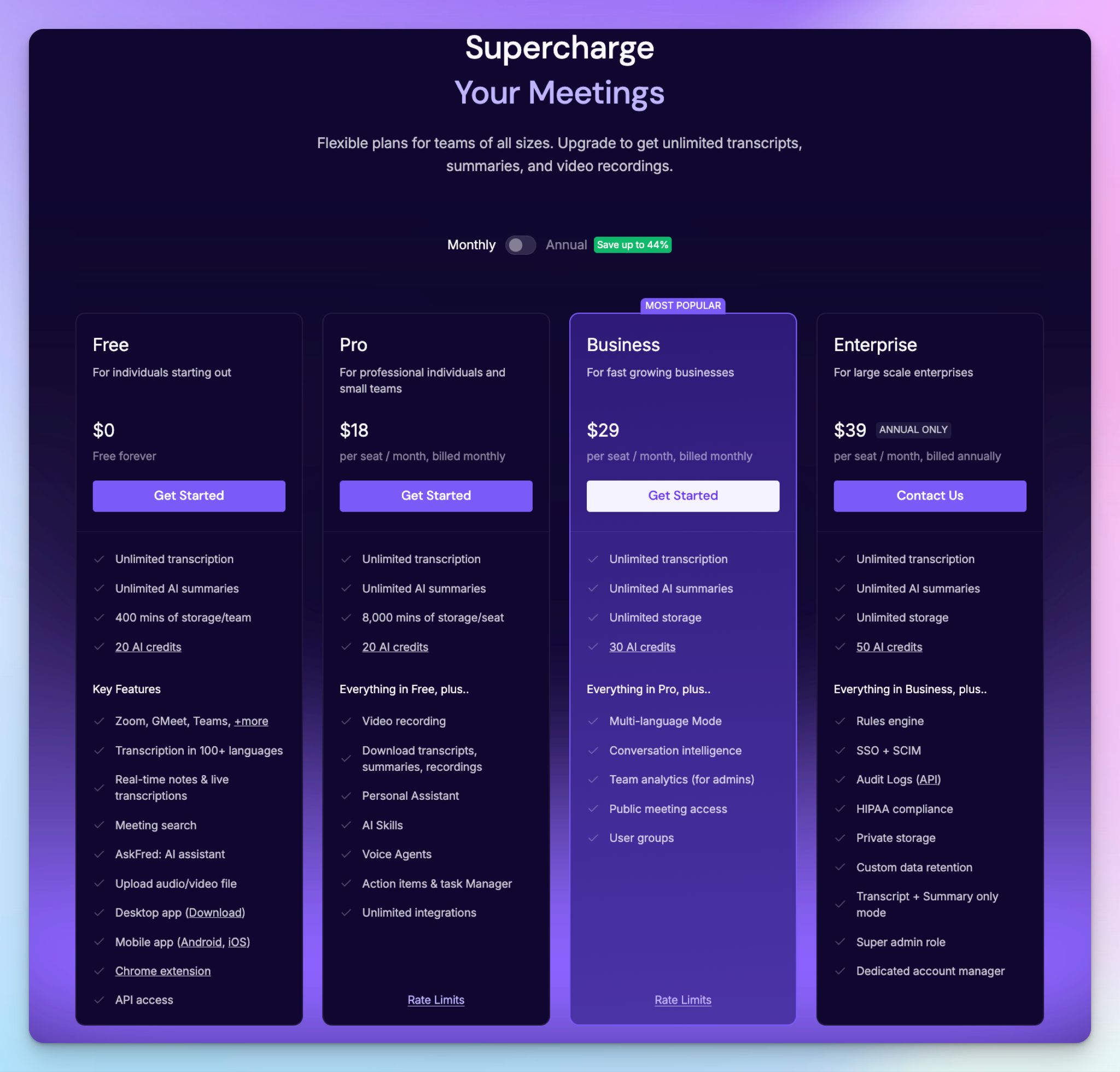
Fireflies runs four tiers, all priced per seat:
- Free: Capped at 400 minutes of storage for the whole team, and you can’t download your own transcripts
- Pro: $18, if you pay per month or $10/month billed annually, which adds video recording, downloads, AI Skills, and voice agents
- Business: $29 month to month or $19/month billed annually. It’s the popular pick, which unlocks conversation intelligence and unlimited storage
- Enterprise: $39/seat/month, annual only, where HIPAA and private storage are finally covered
Overall, the plans are priced according to market rates, but the real catch is AI credits.
Every AI feature worth having, from AskFred to skills to CRM autofill, runs on a one-time credit pool that's shared across your team and doesn't grow as you add people.
Upgrading replaces those credits instead of stacking them, and each request is priced dynamically, so a complex ask costs more. Run out, and you're either buying monthly add-on bundles that auto-renew and don't carry over, or turning on the auto-upgrade toggle that bumps you to the next tier on its own.
What do real users say about Fireflies AI?
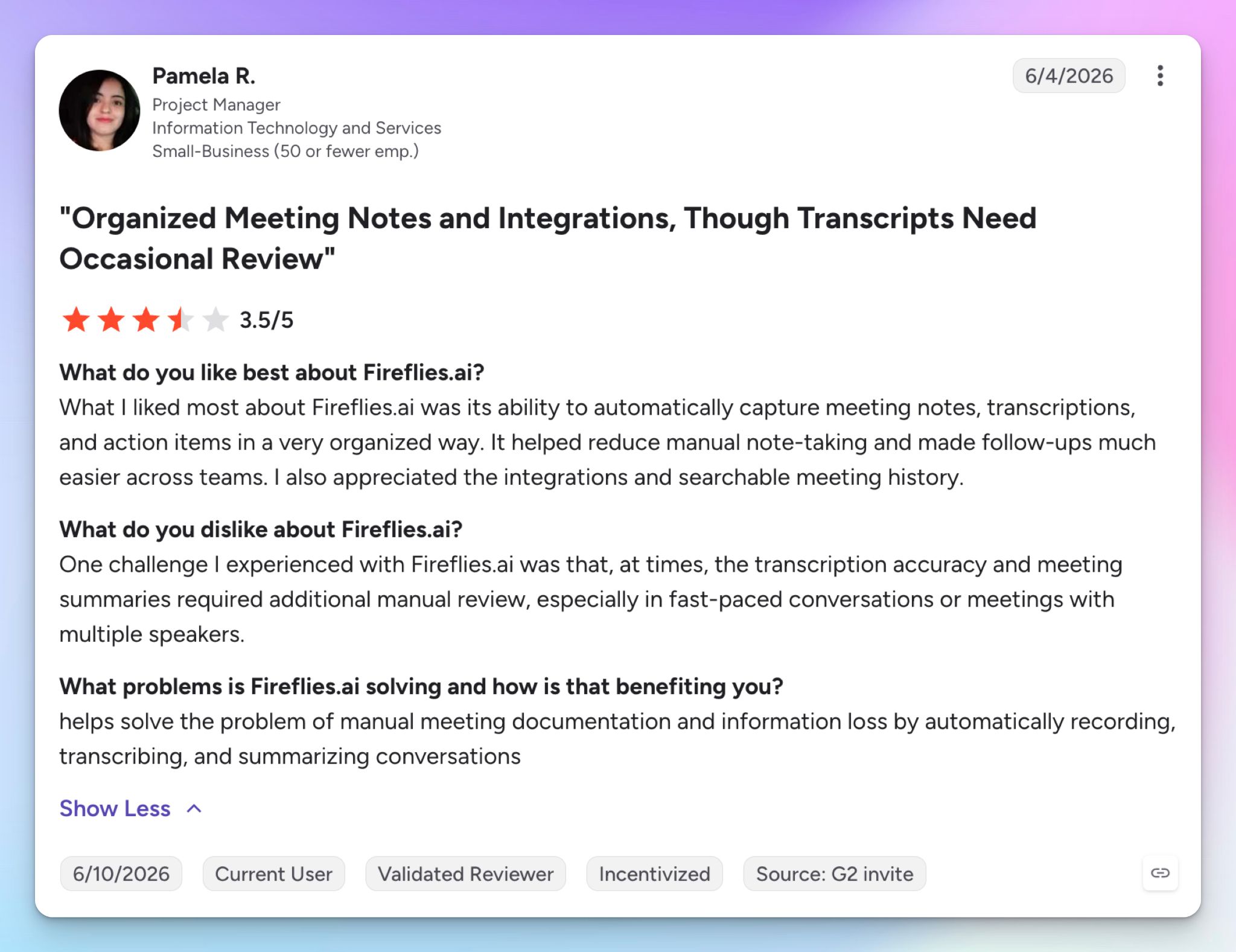
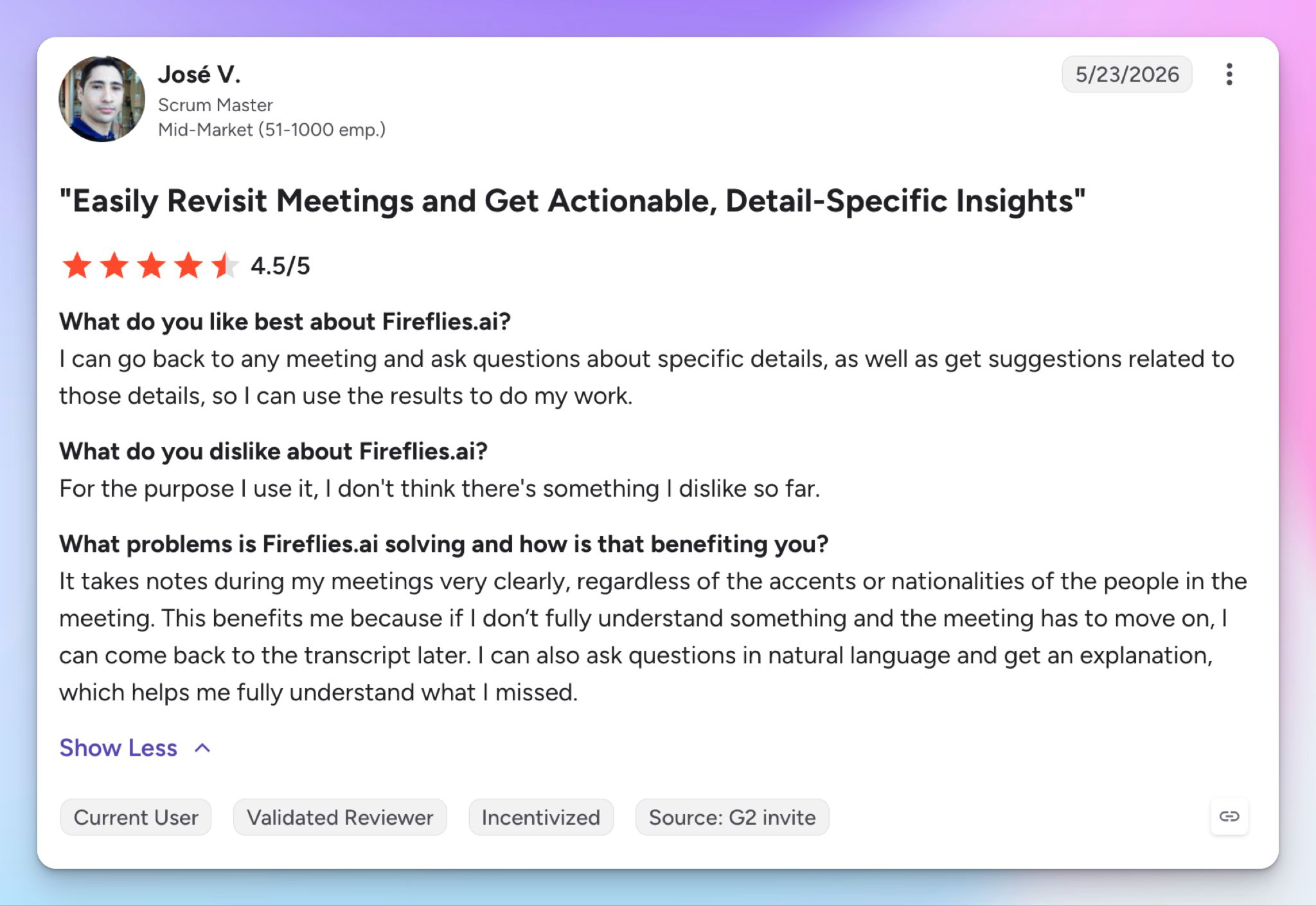
Fireflies is generally praised for its ecosystem of AI tools, data organization, and time-saving features.
Source: G2
Source: G2
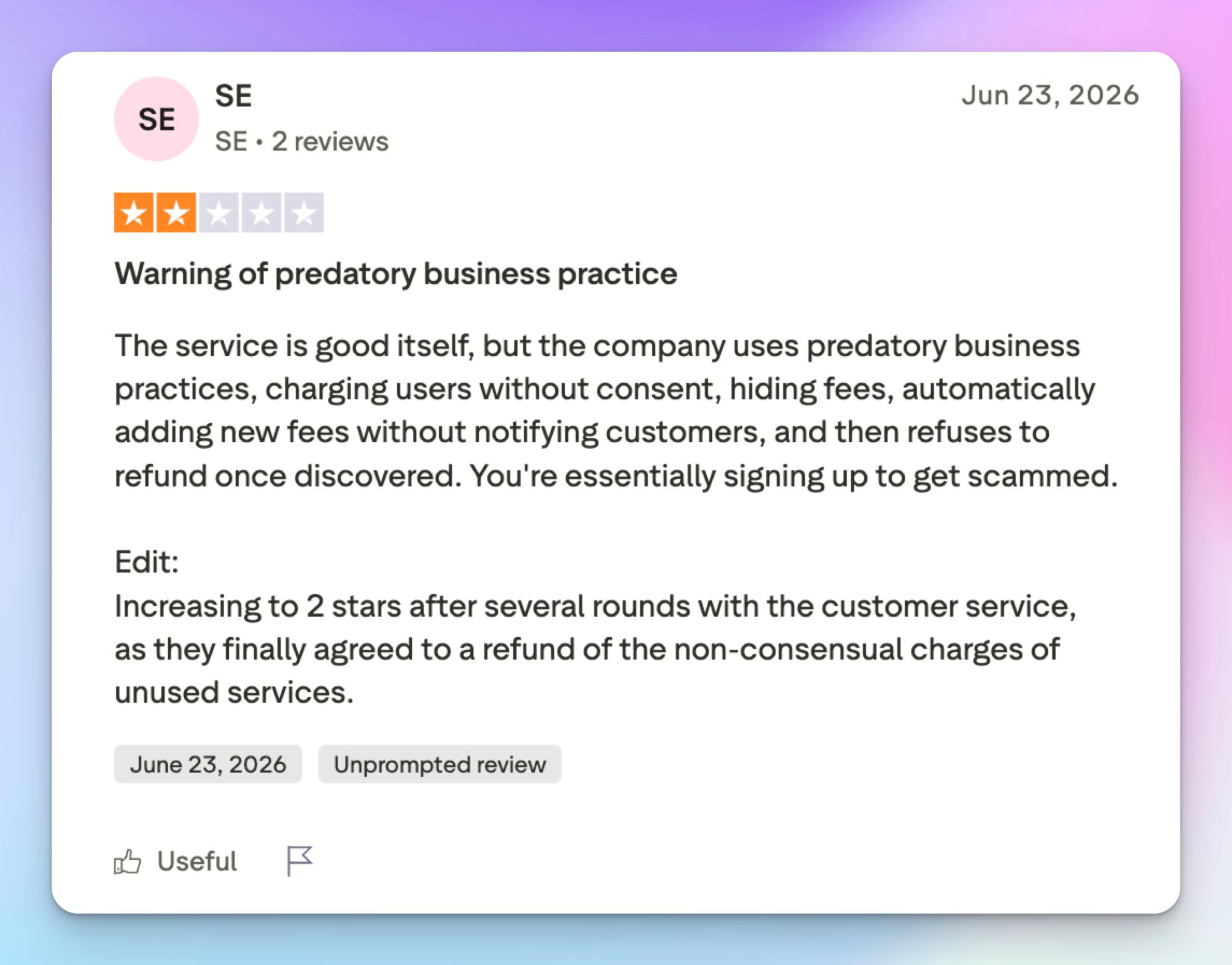
But the convenience wears off when you come across the shady business practices Fireflies uses.
Source: Trustpilot
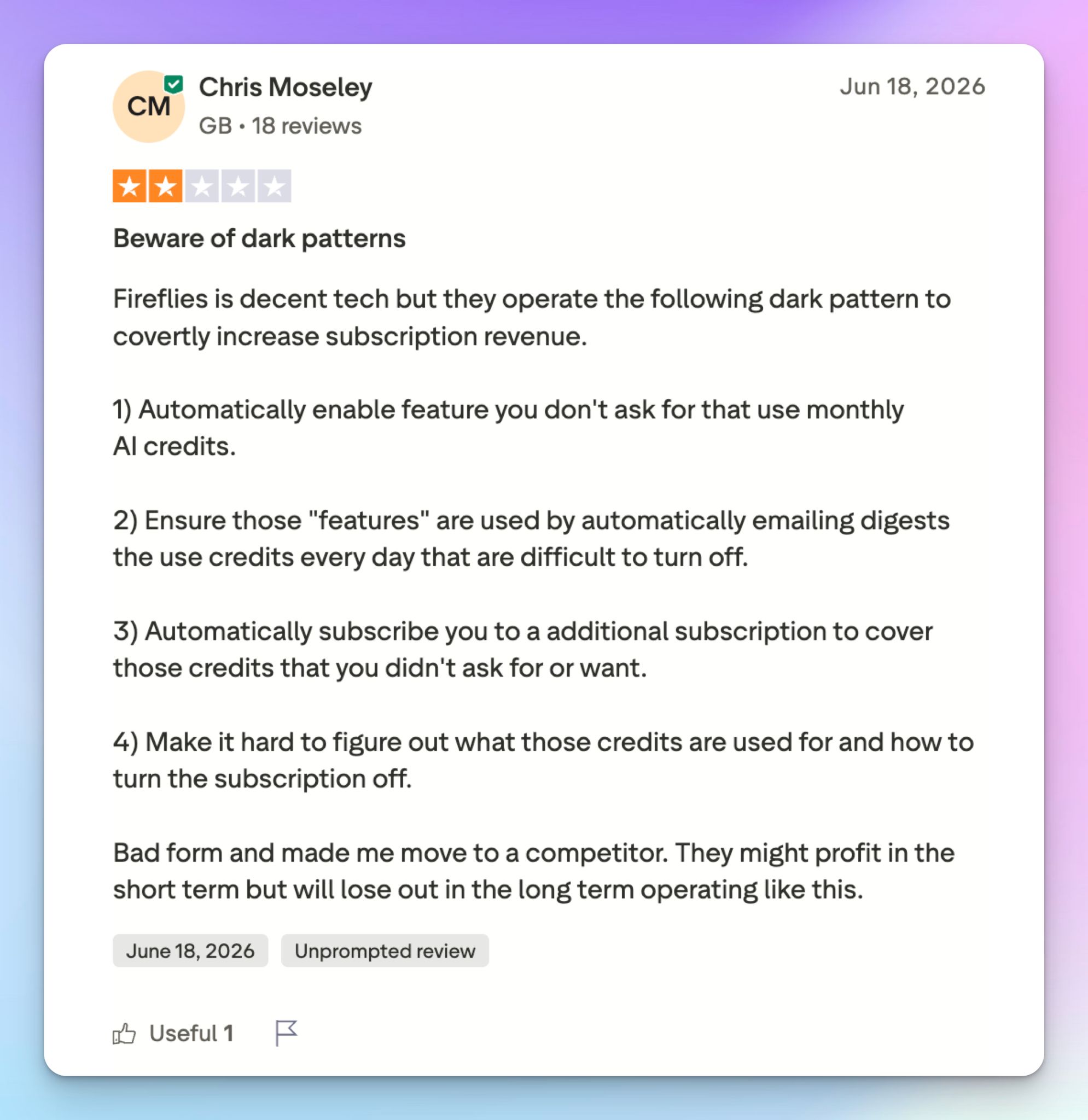
Source: Trustpilot
Best Fireflies alternatives in 2026
If the bot and its consent record are what's pushing you off Fireflies, three alternatives are worth weighing, each strong in a different category.
| Factors | HappyScribe | Fathom | Avoma |
|---|---|---|---|
| Best for | EU and multilingual teams that want accurate meeting notes in 150+ languages | Individuals and small teams that want a free plan for meetings | Sales and revenue teams that need call coaching and deal intelligence |
| Key features | AI Notetaker for Meet, Zoom, and Teams, bot-free capture, plus transcription, subtitles, translation, and a 99% accurate human tier | Unlimited free recording and transcription, fast AI summaries | AI meeting notes plus call scoring, coaching scorecards, and forecasting |
| Integrations | API, MCP, Zapier, and cloud storage | Slack, Twine, Asana, Salesforce, Zapier, etc. | Salesforce, HubSpot, Zoho, Pipedrive, Copper, etc. |
| Security | GDPR and SOC 2 Type II, with EU data residency | GDPR and SOC 2 Type II | GDPR, with HIPAA and SSO on Enterprise only |
| Price | Free tier with unlimited meeting notes, paid from $8.50/month (annual) | Free plan, Premium from $16/month billed annually | From $29/seat/month plus sales add-ons |
Otter is the obvious name missing here, and I left it out on purpose. If you don’t like Fireflies for privacy issues, you wouldn’t like Otter because of similar lawsuits. You can read my in-depth Otter AI review to know where it stands in 2026.
What's the best Fireflies alternative for meeting notes?
HappyScribe is the best Fireflies alternative. I let HappyScribe run in the same meetings I used Fireflies in, and you can see the results below.
- Transcript accuracy you can actually trust: With HappyScribe, you get clean and accurate transcripts across 150+ languages, with proper speaker labels and timestamps. You also get an optional human tier that takes a file to 99% accuracy for legal, research, and media reports
- Capture without the calendar hostage deal: HappyScribe doesn’t force you to give up your calendar just to use the tool. It has a transparent bot for compliance and desktop and mobile apps for bot-free recordings
- EU data residency: HappyScribe is an AI note taker built in Europe. All your data stays on a Tier IV, PCI DSS and ISO 27001-compliant EU server, and you’re not subject to covert fingerprinting. It fixes the voiceprint issues behind the Cruz and Fricker suits
- Translation and subtitling in the same workspace: Create subtitles for your video or audio file and translate a transcript into another language without switching to another tool, across both AI and human-made services
- Clean pricing and clean control: HappyScribe lets you join and take notes in unlimited meetings in the free plan. Fireflies caps you to only 400 free minutes. You also get granular controls on how the bot should behave pre- and post-call, so you’re always in control of outcomes
HappyScribe vs Fireflies
Choose Fireflies if what you want is a scalable conversation intelligence system wired into your other tools, and you're fine with the trade-offs that come with it.
For consent-sensitive, EU, or accuracy-first work, HappyScribe covers more of the same ground without the privacy pitfalls.
FAQs on Fireflies AI
Can Fireflies AI be trusted?
Fireflies works reliably as an AI meeting assistant, but "trust" depends on how much you value privacy. It joins your Zoom and Google Meet calls, handles automatic meeting recording, and turns speech into searchable meeting transcripts and AI meeting summaries. The concern is consent. The Fireflies bot joins meetings pulled from your calendar, can keep recording after you leave, and two active BIPA lawsuits allege it generates voiceprints of every meeting participant, including people who never signed up. For sensitive conversations or regulated teams, that's a real reason to pause. If EU data residency matters, HappyScribe stores files on EU servers and lets you control the bot's behavior.
Is Fireflies AI any good?
Yes, Fireflies AI is a capable AI note and meeting intelligence tool, especially for sales calls and CRM-heavy teams. The Fireflies AI assistant records meetings, offers live transcription and real-time suggestions for sales teams, drafts follow-up tasks, tracks speaker talk time, and lets you search meetings across all my meetings history. It also has seamless integration with Salesforce and HubSpot. Where it falls short is in transcription accuracy. In my testing, it filed a two-person call entirely under one speaker, mangled a reference code, and missed punctuation and breaks. So it's strong for organizing and searching meetings, but weaker when you need the raw transcript to be exact.
Is Fireflies AI completely free?
No, Fireflies isn't completely free. The free plan lets you transcribe meetings and get AI meeting summaries, but it caps storage at 400 minutes for your entire team, blocks transcript downloads, and limits the AI credits that power its best features. To unlock real use, you move to the Pro plan or the Business plan, and even then, AI credits are metered. It's enough to test whether Fireflies works for you, not to run a team on it. For a genuinely free option, HappyScribe offers unlimited AI meeting notes in its free tier.
How do I remove Fireflies from my calendar?
Removing Fireflies is harder than adding it. There's no clean in-app toggle to revoke calendar access, so you have two routes: delete your Fireflies account entirely, or open your Google account's linked-apps page and remove Fireflies there, which stops the automatic meeting recording but can break the account. You can also limit which meetings the AI meeting assistant auto-joins from the dashboard settings, though that controls the Fireflies bot joins behavior rather than cutting calendar access fully. Unlike some other AI tools, Fireflies doesn't make the exit obvious.

Biplab Mazumder
Biplab is a content marketer and writer who helps high-growth brands scale content visibility across AI search channels. His works have been published in HubSpot, Freshworks, Atlassian, SurferSEO, etc. When he's not planning content strategy, he's testing AI content workflows and use cases.