This is a review for Rev’s potential customers. If you’re a contractor looking to work with Rev, this is the other side of the story.
I first used Rev back in 2022 because it was the gold standard in human-made transcription. Despite the quality, I was unlikely to pay for Rev without my client footing the bill.
It’s been 4 years since then, and I’ve moved from covering the interviews of C-suites to covering the SaaS world. Meanwhile, Rev gained some AI magic and expanded to legal teams.
I wish I could write a rave review of Rev, but I should stick to the truth, so you can decide if it’s worth emptying your wallet for.
Here’s how Rev fares in 2026, from the perspective of a long-term user:
📌 In a nutshell: Is Rev worth it in 2026?
Short version: Rev is still worth paying for if you want English human transcription, and a hard sell for much else.
That human tier is one of the best in the language, but everything around it has aged. Rev AI fumbles words, your actual cost is hidden behind AI-minute math, and human accuracy is stuck with English.
👍 Rev is best for: High-stakes English-language work in legal, medical, or broadcast that has to be pitch-perfect, plus deposition-heavy teams using SmartDepo
👎 Rev is not a great fit for: Multilingual projects, anyone who wants transparent pricing, or teams leaning on accurate AI insights and notetaking
What Rev is built on: Three products, ranked
These are Rev’s trusted services that have onboarded thousands of customers over the years. If you sign up for Rev, chances are you want to use one of these.
1. Human transcription scores 99% (in English)
16 years in, and only a few services can do pure human transcriptions better than Rev. It’s refined, boring, and sort of just works.
You pay $1.99 a minute, a vetted transcriptionist does the work, and you get a 99% accurate transcript in 12 hours or less.
For high-stakes legal or medical files that have to be transcribed reliably, Rev is a safe bet.
2. A caption editor built for compliance
Rev's human captions cover standards like ADA, FCC, and WCAG (in English and Spanish) so creators and broadcasters can go on with their content productions.
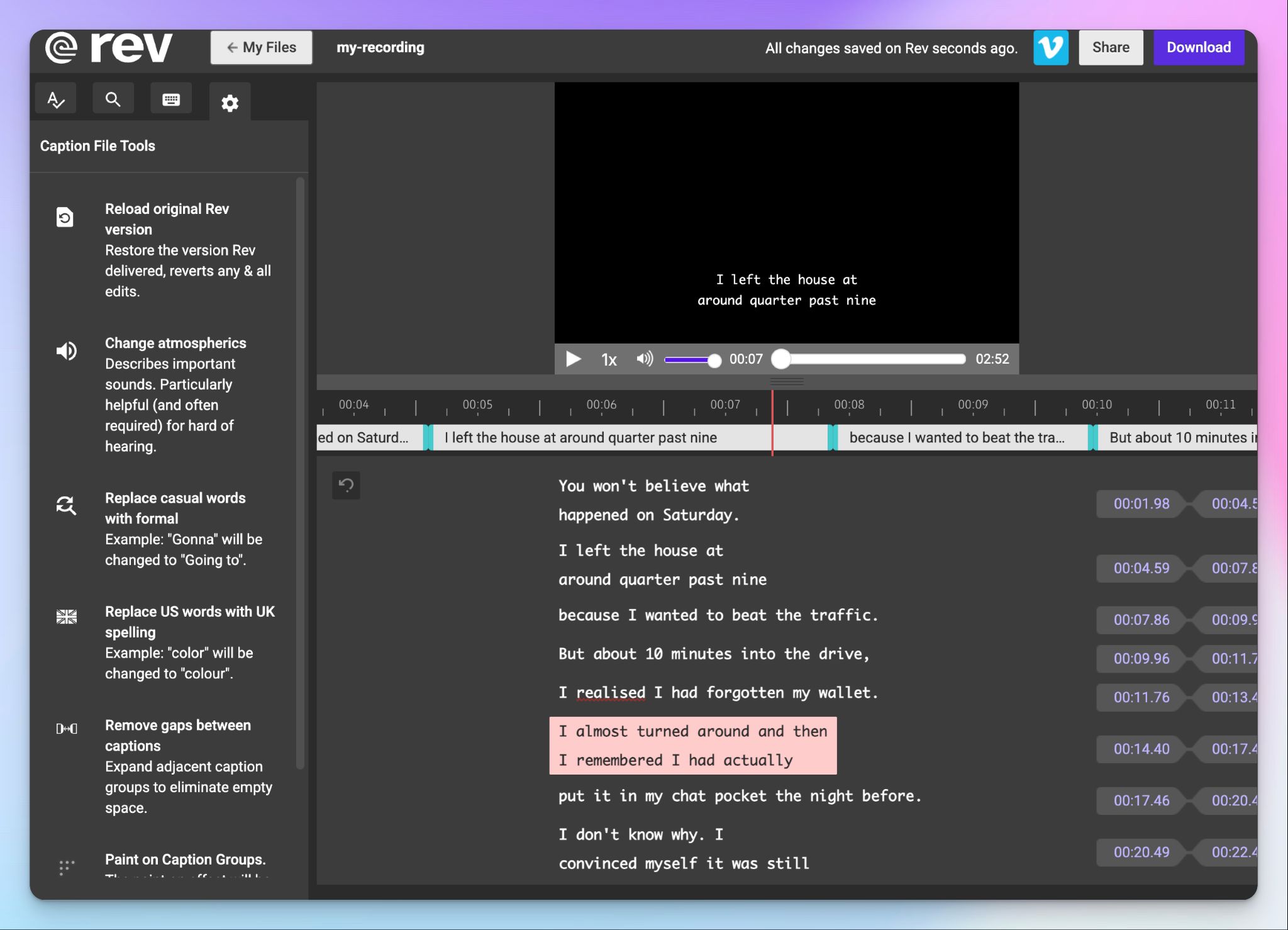
The caption editor itself is the polished corner of the platform, with frame-level timing, atmospheric changes, gap removal, and easy exports, so you breeze past all the accessibility work.
3. The SmartDepo legal stack
Since bringing SmartDepo to the team, Rev has leaned hard into law. SmartDepo turns a deposition into a topic-organized summary with page-line citations, which Rev guarantees at 100% accuracy.
Set alongside CJIS and HIPAA compliance and self-serve court transcripts, this is where Rev is placing its bet this year and years ahead.
Rev at a glance
| Factor | What I found | Rating |
|---|---|---|
| Ease of use | Ordering is simple, and the web editor handles basic transcript corrections with speaker labels and timestamps. But it still looks dated, and the AI steps slow down work. | 🟢🟢🟢🟢🔴 |
| Security | SOC 2 Type II, HIPAA, and CJIS, with nothing sold or used to train outside models. US hosting is the one caveat. | 🟢🟢🟢🟢🔴 |
| Integrations | Dropbox, Zapier, an API, plus Zoom and Teams for notes. The list is short. | 🟢🟢🟢🔴🔴 |
| Customer support | Phone, chat, and email. Can be slower when something breaks and needs fixing quickly. | 🟢🟢🟢🔴🔴 |
Rev’s benefits you feel in daily use (quiet wins):
These are the smaller things that made an impact at work for me:
1. AI note taker for calendar meetings is a thing now
A couple of years ago, Rev was only good for file transcriptions. Now Rev's AI notetaker connects to your Google or Microsoft calendar and auto-joins your live Zoom, Meet, and Teams calls. It then generates transcripts with AI templates for summaries and action items.
You can ask its chatbot follow-up questions or have it draft a recap email. AI meeting note taker is available across Rev's plans, so the live-meeting workflows Rev was missing are finally covered.
2. Multi-file analysis is a boon for research-heavy teams (when it works)
Point Rev at a folder of transcripts, and it can pull quotes and contradictions across files. You can’t help but notice the SmartDepo expertise working here.
Rev cites the exact source, so for qualitative research or legal discovery, it beats re-reading fifty interviews manually.
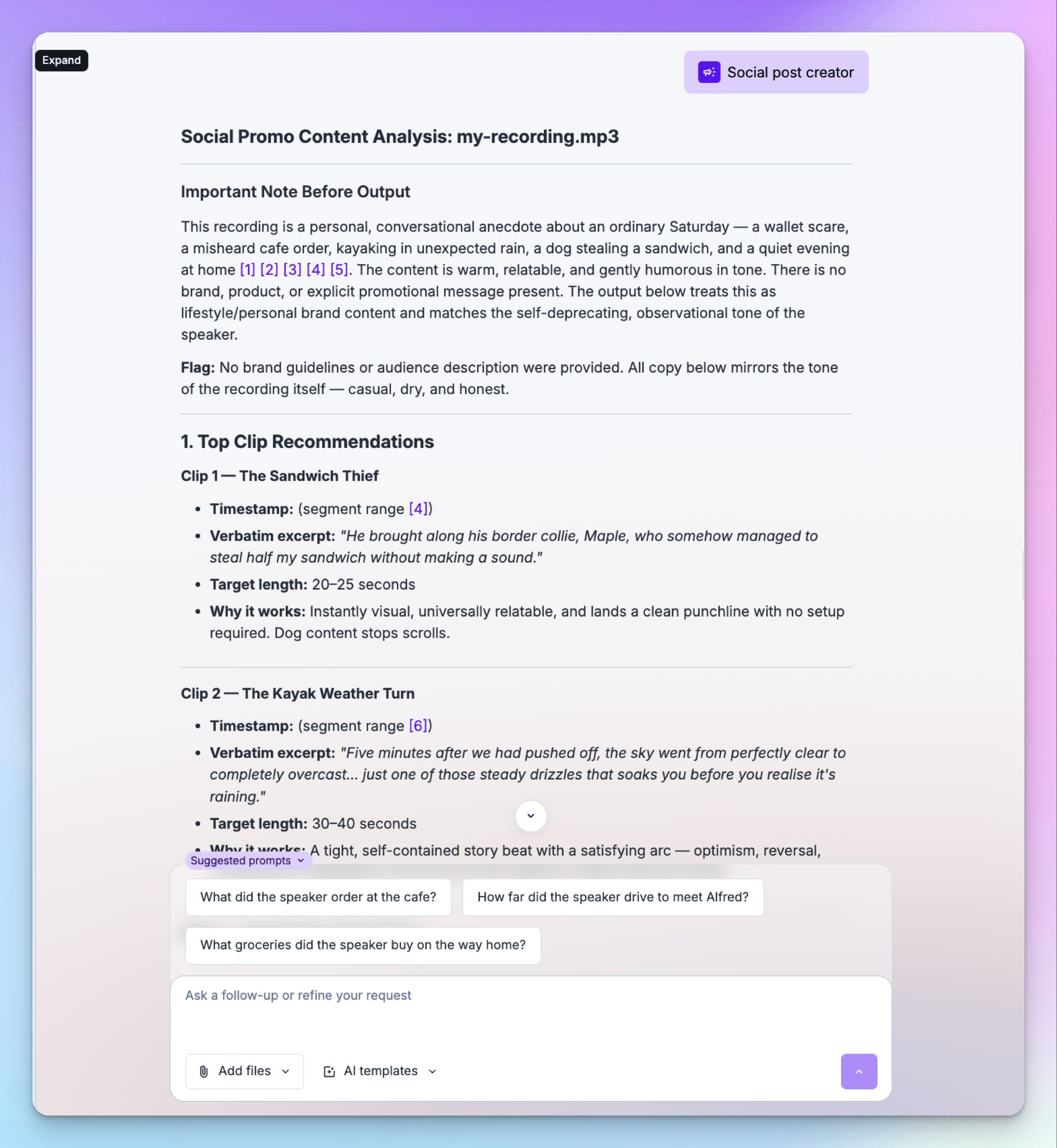
It’s a real time-saver when it runs cleanly, and that "when" is doing real work, as I’ll talk about later.
3. Human-powered transcriptions and captions are solid as ever
No surprises here, which is the point. After years of leaning on Rev's human service, I can say the quality is consistent.
You get a ton of options to customize deliverables, with rush orders down to about two hours. It’s the same with captions. Rev is the boring kind of good you can build a workflow on.
4. Great mobile app!
For a company geared towards enterprise-heavy workflows, Rev's mobile apps are surprisingly feature-packed.
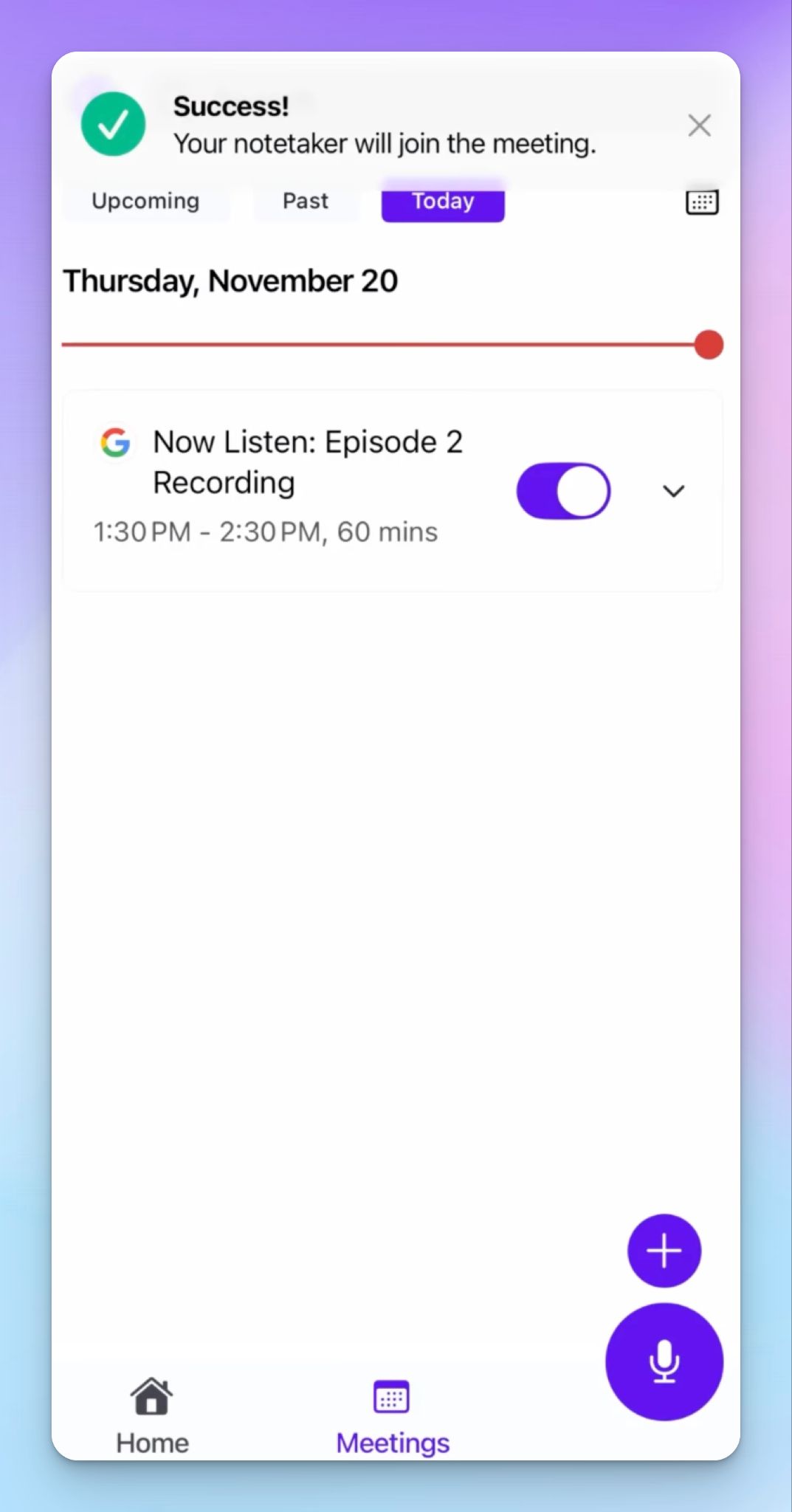
You can record audio, follow along live transcription, and even upload files. The mobile apps also support placing orders for human transcription services and managing meetings.
But these are only the features. I haven’t had any issue with the iOS app so far, but going by the reviews on the Play Store and App Store, it seems Rev isn’t always reliable on mobile.
A lot of this depends on the phone you use, your internet connection, and workflows. So it’s something you have to check on your own.
5. Security, privacy, and the whole shebang
This is where Rev's legal focus pays off for everyone. You get SOC 2 Type II, CJIS, GDPR, and HIPAA on enterprise, with your data encrypted from the moment you upload it and kept that way at rest.
Rev also states outright that it won't sell your files or feed them to outside models for training, which is a sentence plenty of AI tools carefully avoid putting in writing. You can purge files yourself, opt out of Rev's own model training, and set access controls across the account.
For sensitive work, it’s as good as it gets.
Where Rev falls short: My honest experience
Go beyond Rev's human tier, and you’ll feel it’s just not that special tool anymore.
1. The AI transcripts miss the words you can't afford to lose
Rev’s AI falls for nearly every tricky word. One of my recent file transcriptions lays out all the issues.
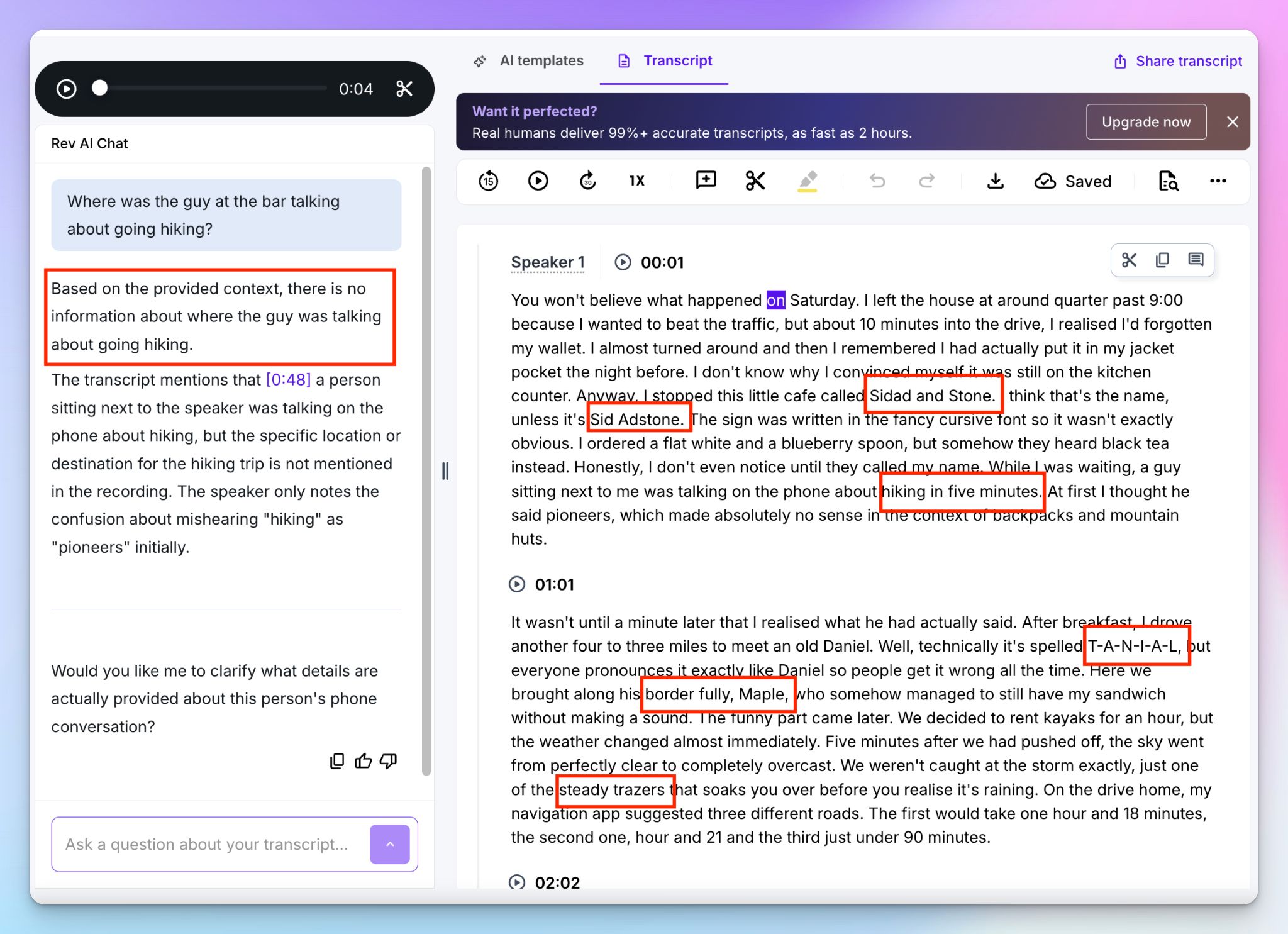
A café called "Cedar and Stone" came back as "Sidad and Stone," then "Sid Adstone" a moment later. A "border collie" became a "border fully." “Danial”, the name came out as "T-A-N-I-A-L," and "steady drizzles" turned into "steady trazers."
“Trazers” is not a real word. I checked Merriam-Webster.
The worst one erased the meaning. A hiker headed for the "Pyrenees" was transcribed as "hiking in five minutes."
And it doesn’t stop here. When I asked Rev's own AI chat where the guy was going hiking, it told me there was no information about the location. It couldn't answer because its transcription had swallowed the word "Pyrenees" one step earlier.
If you read my Otter review, you can at least hope to find the correct info via Otter’s AI chatbot, even if the transcript was mangled.
After reading so many errors, you could think, “Okay, maybe that’s how AI is? If Rev can’t pick up words, then this must be the best ASR can do?”
You’d be cutting Rev some slack, and that trust could cost you dearly. Tools other than Rev can pick up words like "Pyrenees" and the right currency from the same file. I’ll talk about this in a while.
2. There's no audio recorder on the web once you're logged in
If you search online for a no-fuss audio recorder, you might come across a Rev page. Don’t go all in.
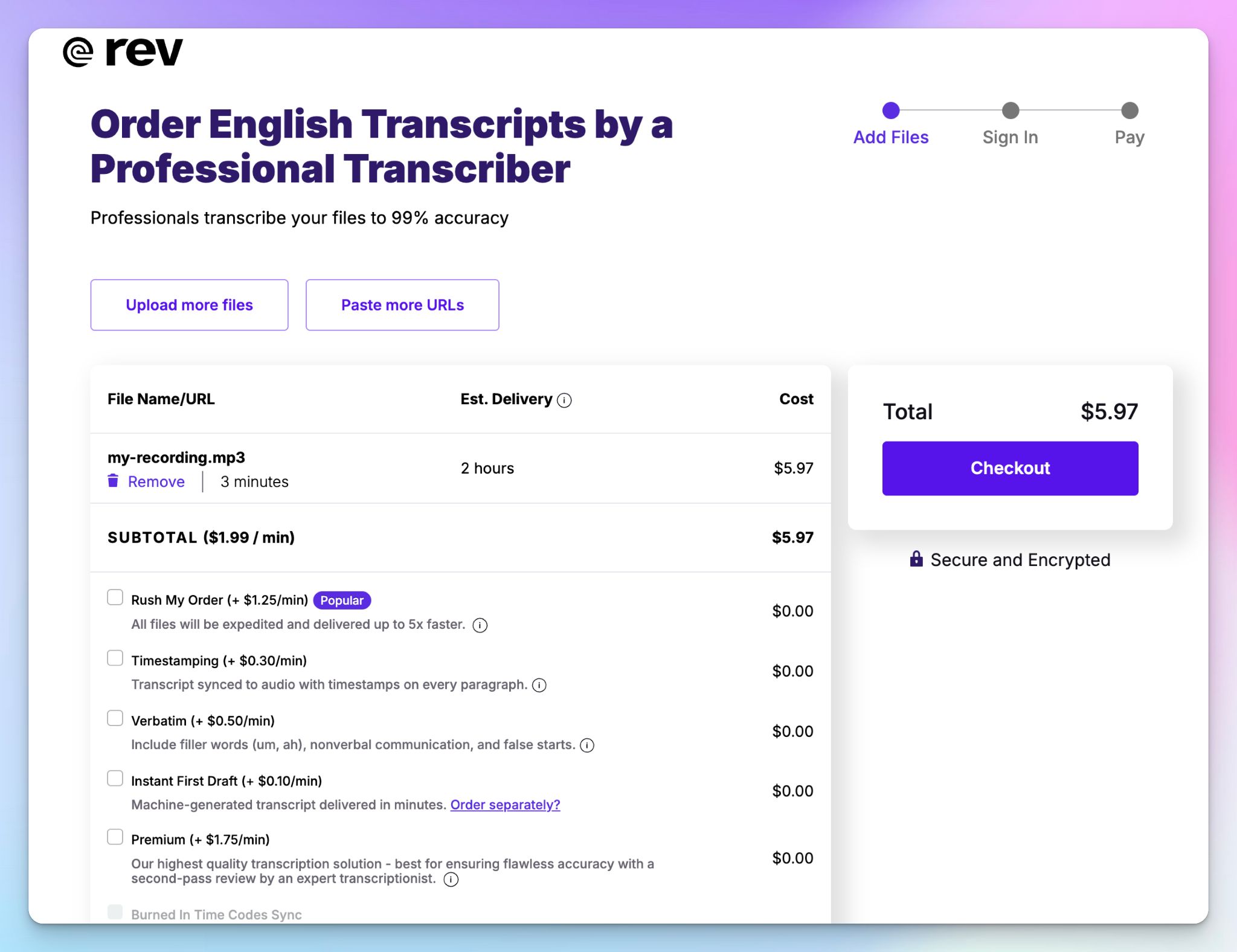
Rev lets you record audio instantly without an account, and routes you toward the human transcription rates, so the convenient path is the pricey one.
But if you sign in, the in-browser recorder is gone.
The real recorder lives in the mobile app, which is where Rev wants you anyway. It's a strange miss for a platform this established to not have a live recorder, and it catches you off guard with manual rates.
3. The file analyzer is slow, burns through credits, and is not very accurate
Rev wants you to believe the AI file analysis is its biggest service since human transcribers. It’s actually a letdown.
I sometimes upload files for transcription and AI analysis. If it’s the same file, Rev wouldn’t detect the duplicate file, so you burn your credit on the same file twice.
AI analysis can be triggered from the transcript editor itself, and the fancy tools are nothing but custom AI prompts that you can use on your own.
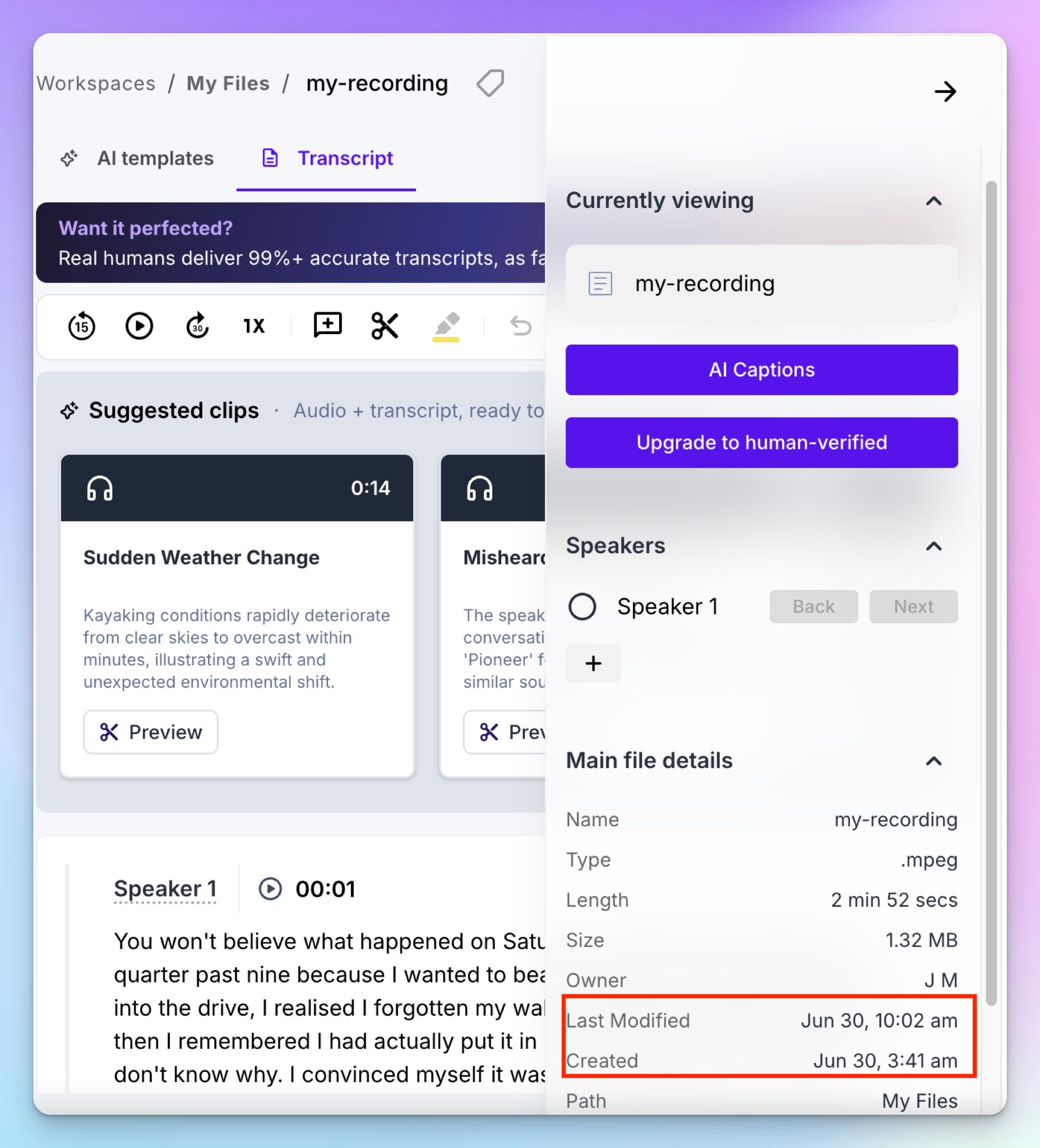
If you want to analyze a large research file, go through the transcription route because file analysis takes forever to generate. As you can see in the image above, one of my last files before writing this review took Rev 6+ hours to process!
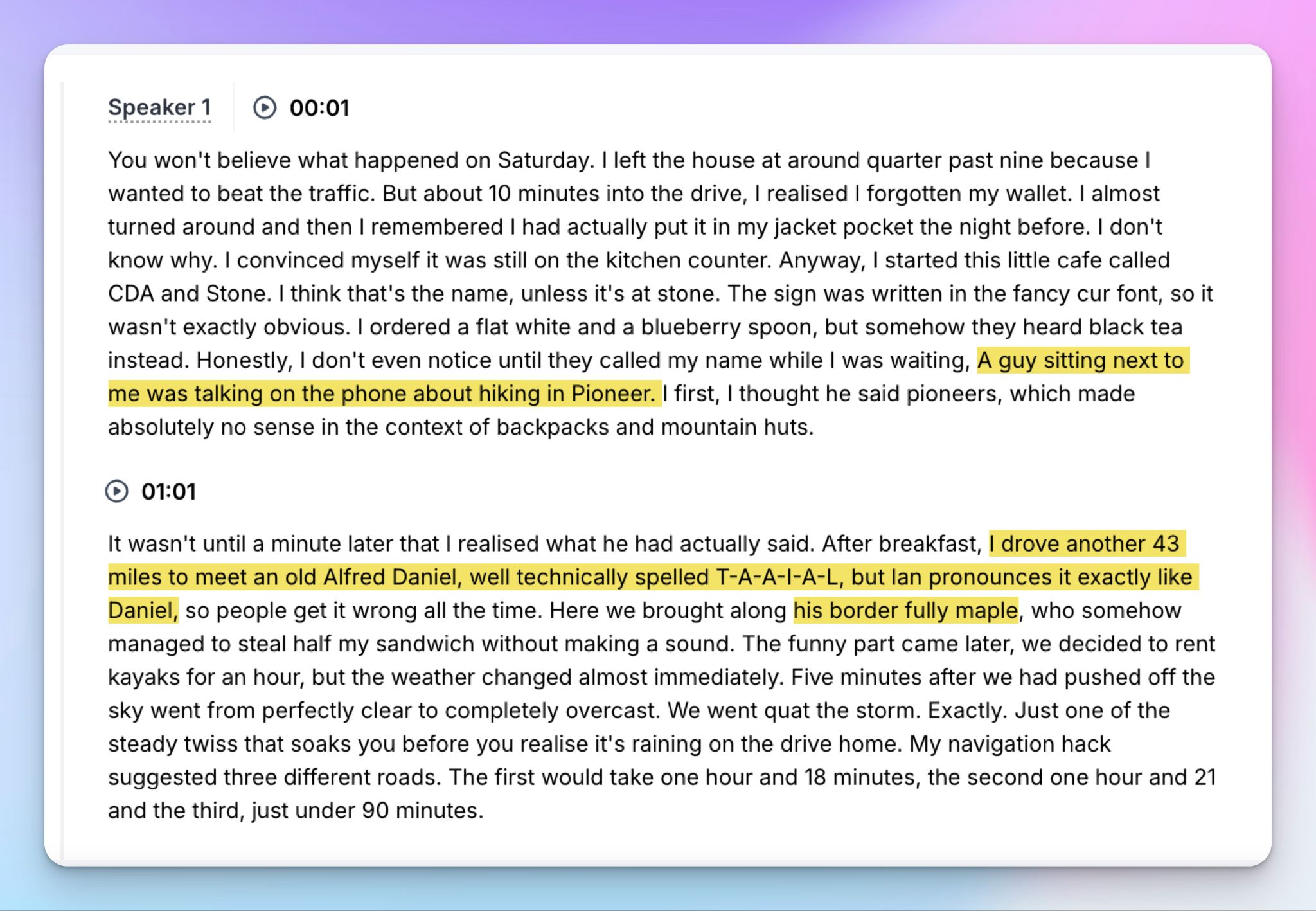
The part that stings is that the file analysis came back less accurate than the plain transcription on the same audio, so you spend more minutes to get worse results.
4. The language support is thin for a 2026 tool
If you work in more than one language, Rev shows its age. Human transcription (the whole reason to pick Rev) is English only. Human captions add Spanish to the list and stop.
You can reach up to 37 languages, but only through AI transcription that just fumbled a café name, and its speech model is tuned for English anyway.
So if you want reliability in Italian, German, Korean, Arabic, or any other language, Rev is a no-go. You could live with it in 2015, but multilingual support is a bare minimum in today’s transcription tools.
Anything truly global pushes you to Rev’s translated subtitles, which brings me to the price.
5. Rev has grown into a pricing and feature maze
Rev in 2026 is a busier product than it used to be, and not always in your favor.
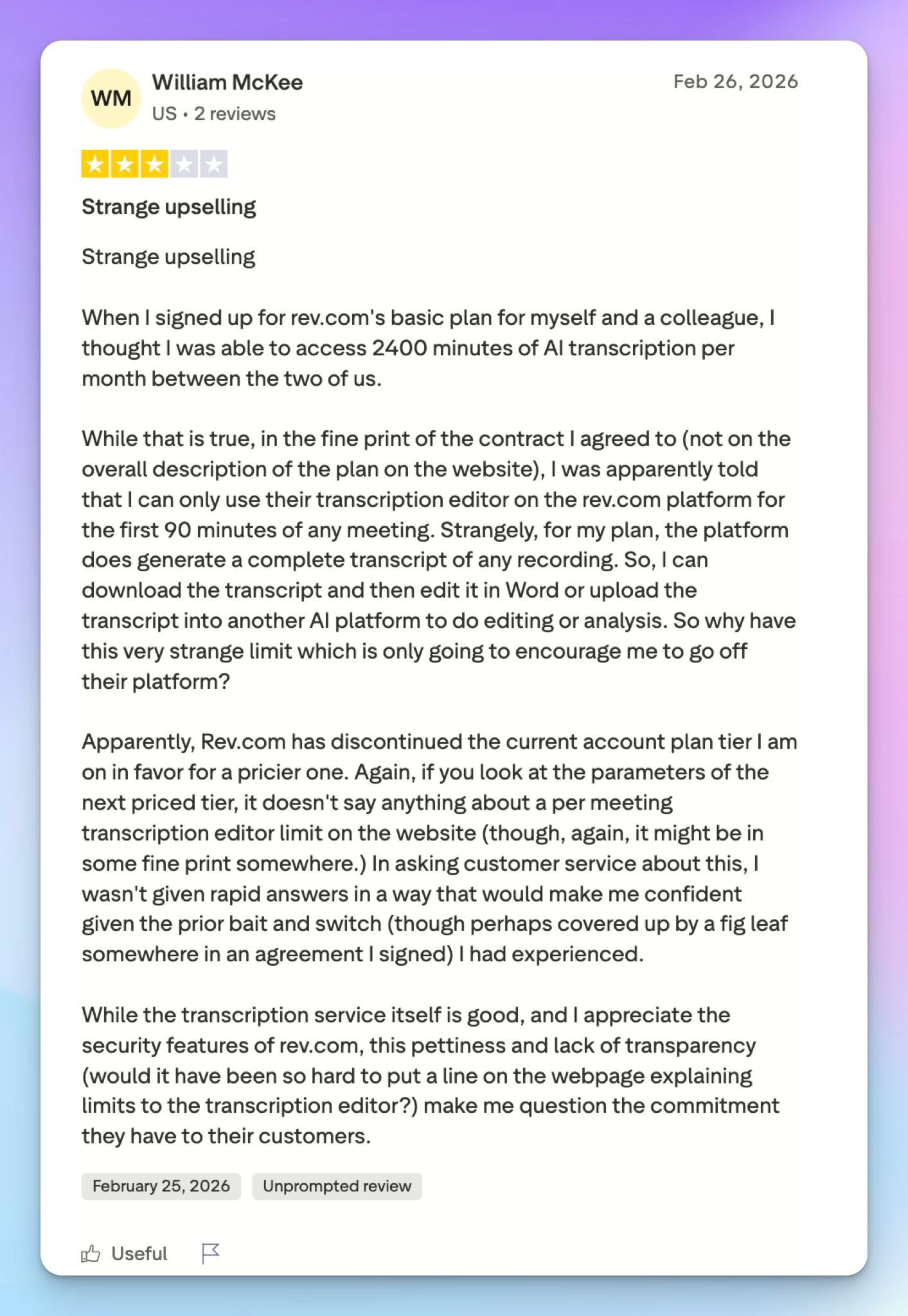
When you see Rev has an AI for testimonial finder, a social post creator, and one for sales insights, know that it’s the same AI file analysis chatbot tuned with different prompting.
Source: Trustpilot
The whole system is built so you pay for a Rev subscription, then pay again per minute for the human services. And translated subtitles carry a sticker shock (up to $15.99 a minute), so subtitling one localized webinar can cost more than a month of a rival tool.
How much do you pay for Rev in 2026?
Rev sells four subscription tiers, plus pay-as-you-go, and the fine print is where it catches you.
- Free: 45 AI minutes a month, English only, five-file analysis, basically a demo
- Essentials: $29.99 per seat a month ($25.49 on annual billing), 5,000 AI minutes, English and Spanish only
- Pro: $59.99 per seat a month ($47.99 annually), 10,000 AI minutes, plus 37-language support
- Unlimited: Custom pricing, quote only
No subscription? Pay by the minute. $0.25 for AI, $1.99 for human, and $6.49-$15.99 for translated subtitles.
But there’s more to the story. Every plan is metered in AI minutes per seat, not human minutes. So the subscription buys you the AI tier that’s not reliable, while human transcription is billed separately at $1.99/minute on top.
Since everything is per seat, the cost adds up for teams. Spanish arrives on Essentials, but 37-language support is reserved for Pro. HIPAA and CJIS are only for Unlimited users, and the free tier's 45 minutes are gone before you've tested anything real.
Paying $29.99/month for Rev’s AI feature isn’t something I can blindly recommend, given so many better options are out there.
What are real users saying about Rev?
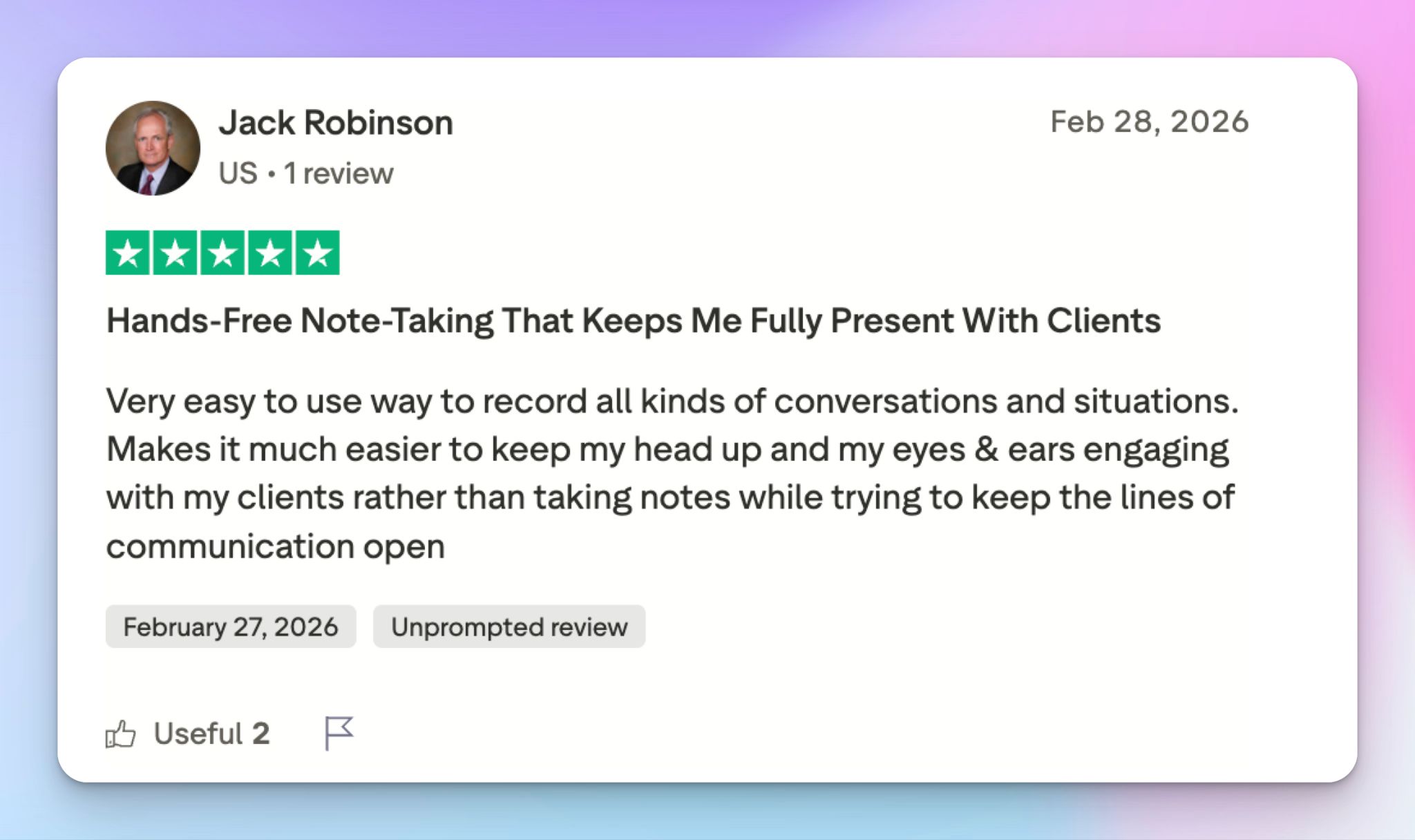
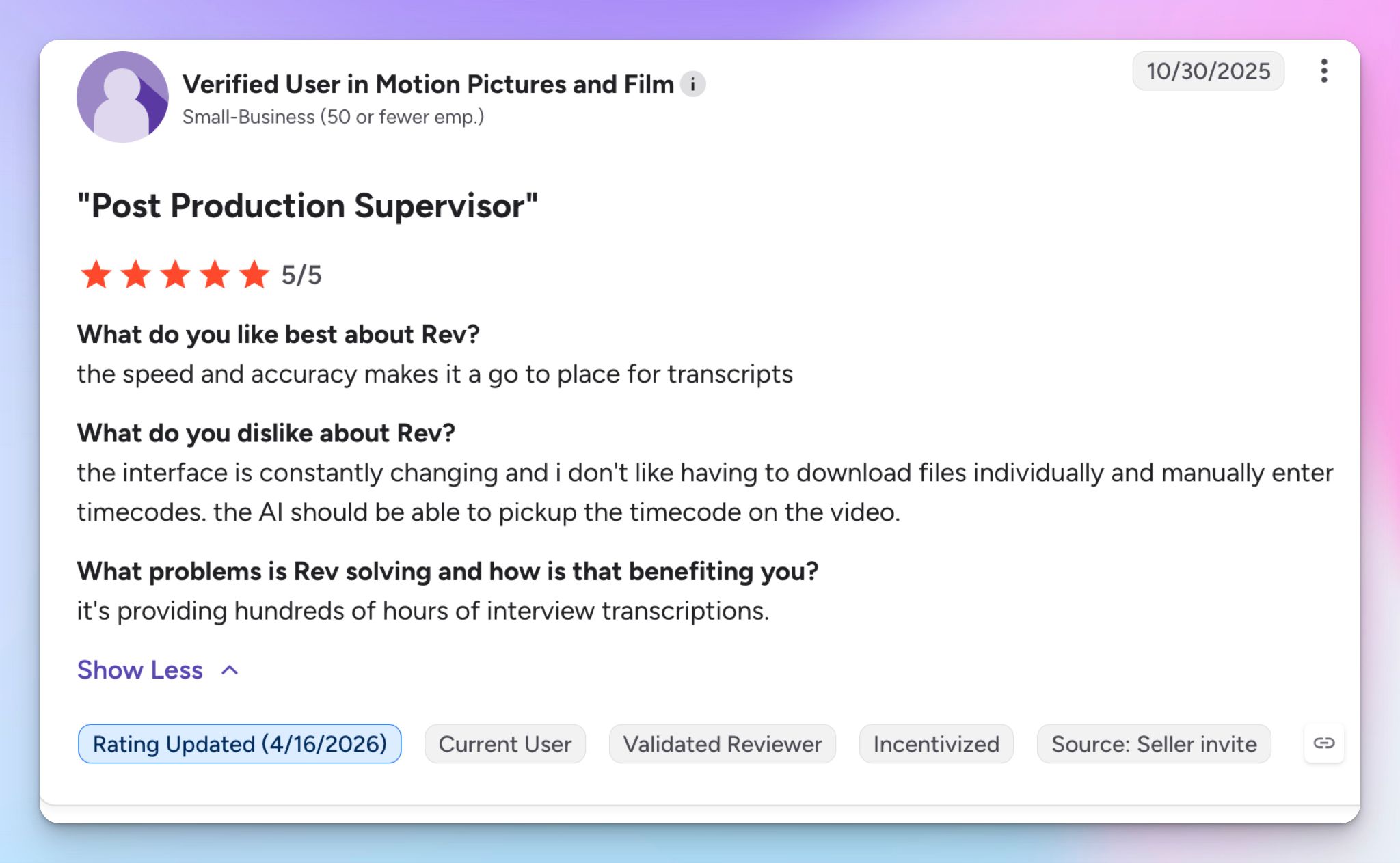
Rev has a loyal customer base, and it’s still appreciated for fast turnaround and insights, particularly by legal teams.
Source: Trustpilot
Source: G2
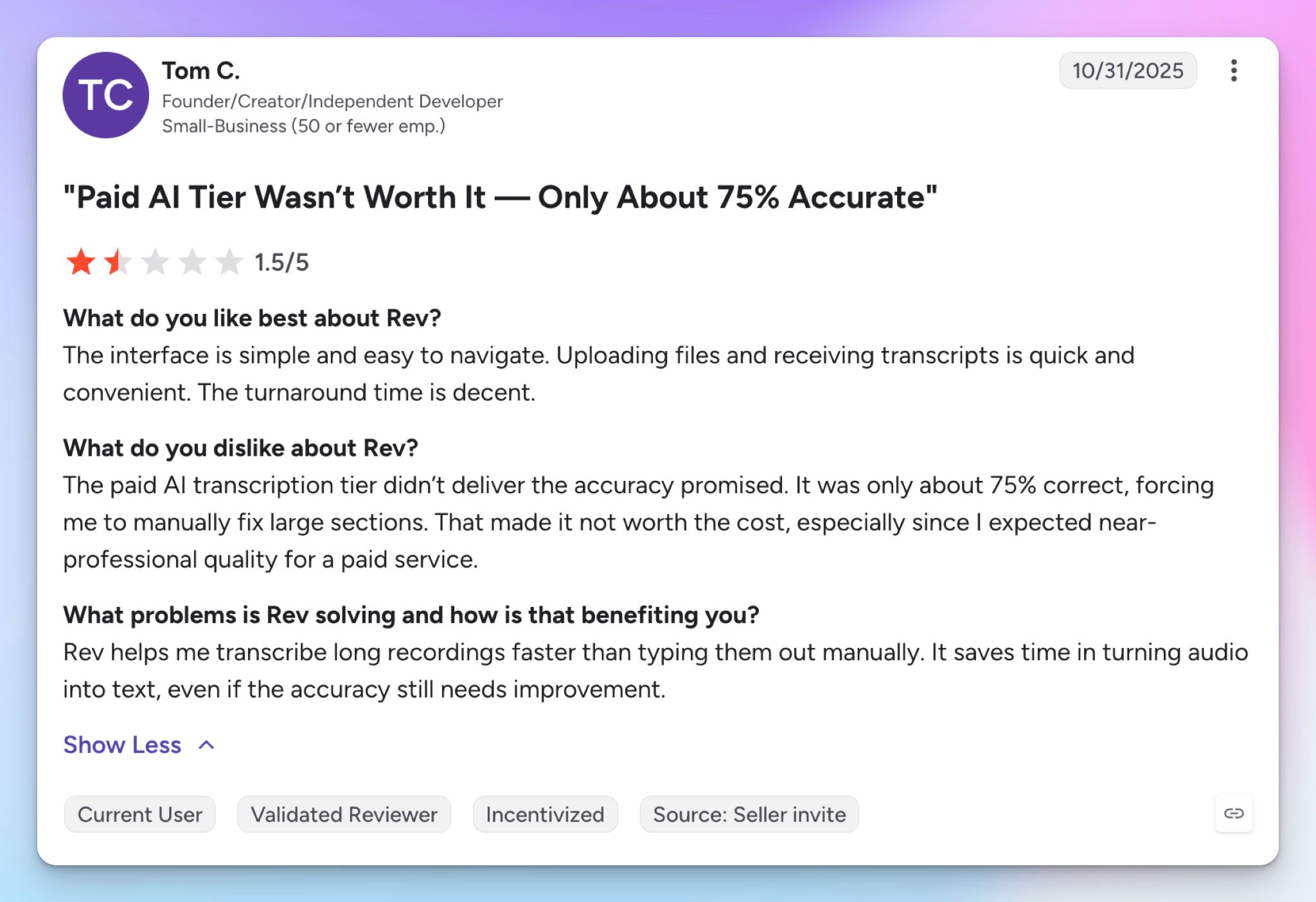
But the cracks have started to show up. It’s not a leader in AI adoption, and the plans don't justify the services.
Source: G2
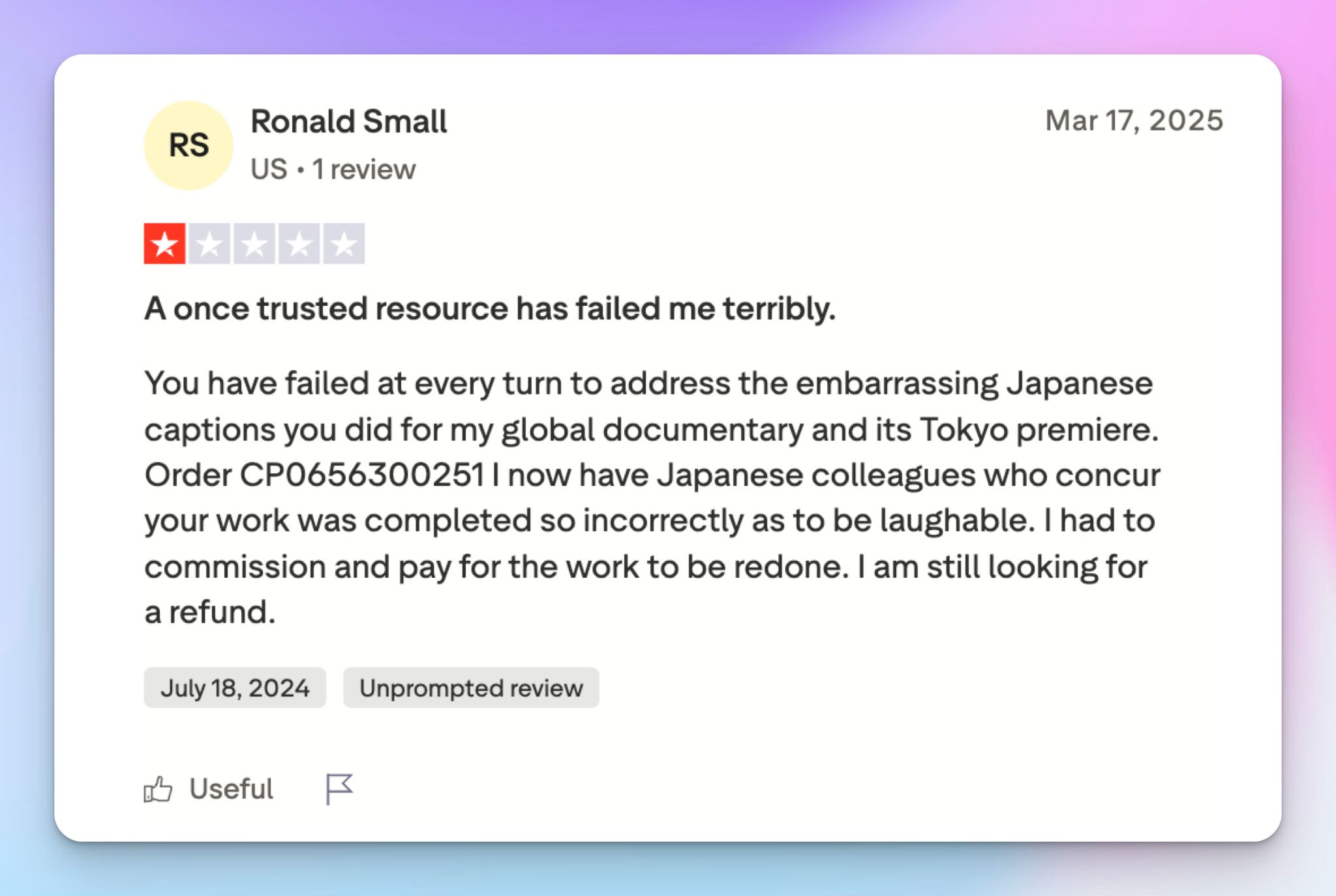
Source: Trustpilot
Best Rev alternatives in 2026
Rev's human tier is strong, but if the English-only lock or the pricing maze is pushing you to look elsewhere, here's where I'd point you:
| Category | HappyScribe | Otter | Sonix | TranscribeMe |
|---|---|---|---|---|
| Best for | AI and human transcription, plus live meeting notes and wide language support | English-first meeting notes and collaboration | AI-first file transcription at scale | Budget human transcription, including multilingual options |
| Key features | AI and human transcription, AI note taker, 150+ languages, rich transcript and subtitle editor, AI Chat | AI notetaker, live transcription, custom AI agents | File transcription, AI analysis workspace, translation, subtitles | AI and human-edited tiers, data annotation |
| Integrations | Zoom, Meet, Teams, Drive, Dropbox, Zapier, API, MCP | Zoom, Meet, Teams, Slack, CRM on top tiers | Zoom, Teams, Zapier, API | API |
| Security | SOC 2 Type II, GDPR, EU data residency (ISO 27001) | SOC 2, GDPR, US-hosted, HIPAA enterprise-only | SOC 2 Type II, HIPAA, GDPR, US-hosted | HIPAA, GDPR, CCPA, NDAs |
| Price | Free tier with unlimited meetings. Paid from $8.50/mo annual, human from $2/min | Free (300 min), Pro from $8.33/mo annual | Pay-as-you-go $10/audio hour, plans from $25/mo | AI from $0.07/min, human from $0.79/min |
TranscribeMe is an option for cheaper human caption rates, although it skimps on integrations. Otter is reliable for meeting notes, but it’s fighting a privacy lawsuit, and you can check my Sonix review to see if it works for you.
What's the best Rev alternative for transcription?
HappyScribe is my pick for most people leaving Rev. It clears the red flags I just walked you through, and it does it without giving up the human accuracy you came to Rev for.
I ran the same clip through HappyScribe that tripped Rev's AI, and the difference speaks for itself.
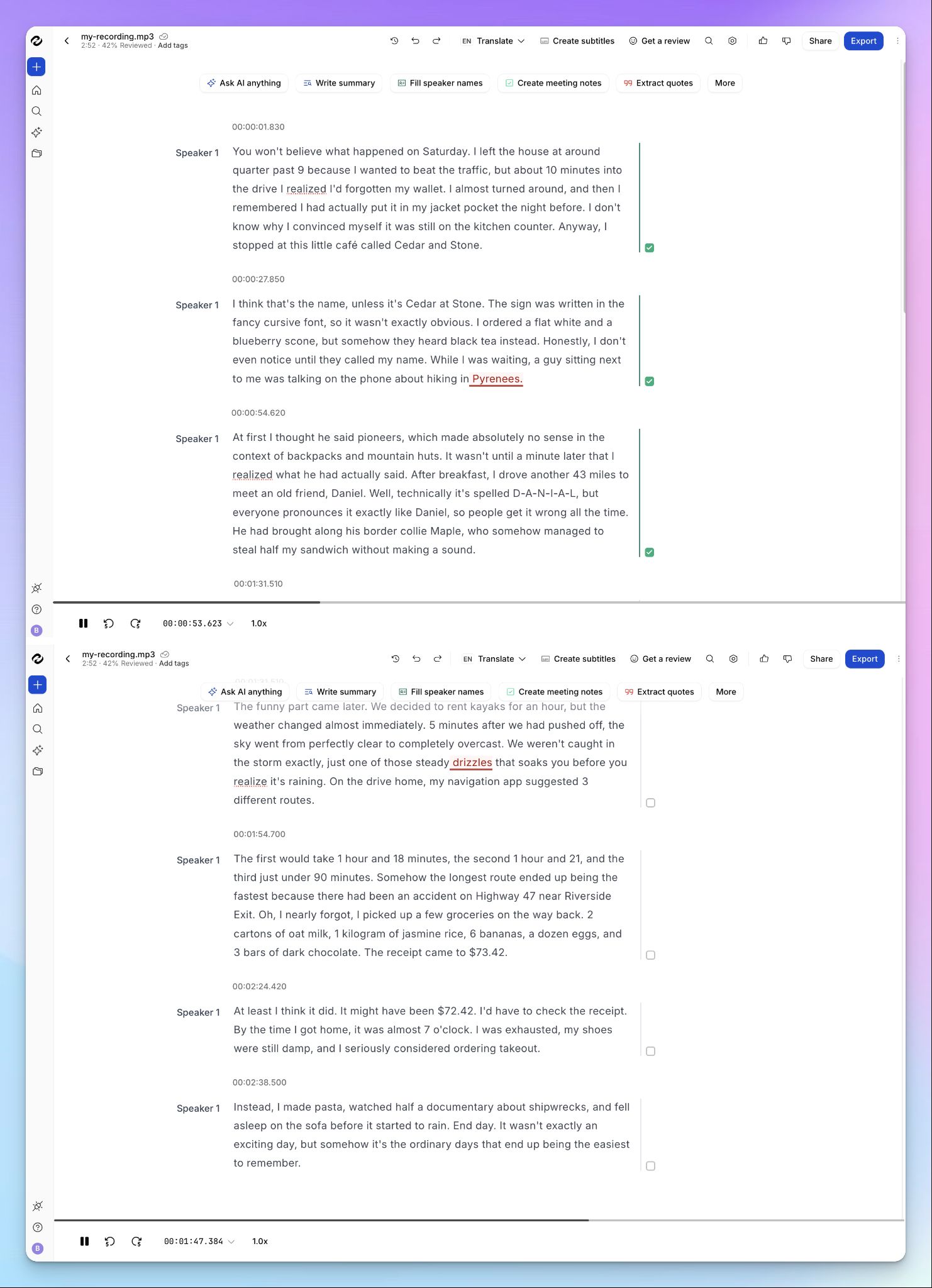
- 95%+ AI accuracy on transcripts that Rev fumbled: HappyScribe AI is more accurate in picking words and terms. "Cedar and Stone," "Border collie," and the "Pyrenees" that Rev flattened into "five minutes" came through clean
- 150+ languages, detected for you: Against Rev's English-only human tier and 37-language AI transcription, HappyScribe’s massive 150+ language coverage means you can run projects across borders with ease
- A human expert tier in your language: When AI isn't enough, send the file to a HappyScribe-vetted linguist for research or court-ready work, in 60+ languages for 99% accuracy. This is the combo Rev can't match
- EU data residency for privacy and data sovereignty: Your files are stored in a Tier IV, PCI DSS, and ISO 27001-compliant EU data center, and you can turn off anonymized AI model training whenever you want
- A free tier you can use daily: HappyScribe offers unlimited AI meeting notes in the free tier, not the 45-minute, English-only demo Rev calls a free plan
You still get the auto-join notetaker on Zoom, Meet, and Teams, plus the bot-free recorder Rev makes you dig into a mobile app to find.
HappyScribe vs Rev
Choose Rev if your work is English court-grade human transcription, depositions, and legal formatting, where its SmartDepo shines through. For multilingual work, a human tier in your own language, affordable plans, and European data residency, HappyScribe gives you more, and usually for less.
Frequently asked questions about Rev
Is Rev transcription accurate?
Rev's human transcription meets high standards, up to 99% on a clean audio file or video file, which is what built the transcription company's name. The AI tier is weaker and unreliable. On challenging audio, it makes basic mistakes and guesses wrong on names and numbers in an ordinary conversation. For anything that has to be right, the human tier or a viable alternative like HappyScribe is the safer call.
Is rev.com real or fake?
Rev is real. It's an established transcription company created in 2010, based in the US, and serving customers in most countries, used by newsrooms, law firms, and researchers. The software is legitimate, with SOC 2 Type II and HIPAA reports to back its security claims. The truth is that any doubt usually traces back to the AI tier's accuracy and freelance networks, not the company itself.
How much does Rev cost per month?
Rev works on demand. $0.25 a minute for AI and $1.99 for human transcription, or subscriptions from $29.99 a seat. The catch is that plans are metered in AI minutes, not human ones, so the tier that produces a court-ready document still costs extra on top. If predictable pricing is what you need, HappyScribe starts at $8.50 a month and lets you download transcripts without the per-minute math.
Is Rev free to use?
Not really. Rev's software gives you 45 minutes of AI transcription a month in English, and there's no free plan beyond that. You can sign up through a user-friendly flow, download your transcript at speed, and test it, but the free minutes run out fast. For a truly free tier, HappyScribe offers unlimited AI meeting notes at no cost.

Biplab Mazumder
Biplab is a content marketer and writer who helps high-growth brands scale content visibility across AI search channels. His works have been published in HubSpot, Freshworks, Atlassian, SurferSEO, etc. When he's not planning content strategy, he's testing AI content workflows and use cases.