![5 Best Meeting Management Software [2026]](/sanity-images/ejgwz1gl/redesign/34be6abed01ff5457681da89857dbc0844d81d24-1536x1024.jpg?auto=format&w=1536.0&rect=0,128,1536,768&h=768)
TL;DR ⏩
Based on my research, the best meeting management software are:
- HappyScribe: Overall best meeting management software with 95%+ accurate meeting notes in 150+ languages, translation, enterprise-grade security, and file uploads for global teams with scattered meetings
- Fathom: Best for individuals and small teams on a tight budget that want unlimited free recording with strong CRM integrations
- Granola: Best for professionals in back-to-back meetings who want AI-enhanced notes without giving up control of what gets captured
- Circleback: Best for solopreneurs and small teams that want to push meeting data automatically to the right tools
- Meetily: Best for developers and privacy-first teams in regulated industries that need local meeting capture without cloud dependency
When I was young and naive, I used to think managing meetings was just about showing up prepared and staying on topic. But as my weeks went on, notes started to pile up across apps. There were action items nobody followed up on, and it was difficult to find a reliable record of what was decided. So I spent more time piecing things together after calls than I spent on the calls themselves.
If you’re in the same boat, know that it’s not unusual. According to Atlassian, 72% of employees consider their meetings unproductive and inefficient. I eventually tested several meeting management tools across weeks to find ones that actually cut post-meeting overhead. Let’s explore!
Read on to know how you can make meetings more productive.
How did I evaluate the best meeting management software?
1. Transcription accuracy and language support
The best meetings give you clarity, so I started with transcription accuracy. I tested each tool across real calls with overlapping speakers, varied accents, and background noise. If a tool produces transcripts that need heavy cleanup, it defeats the purpose.
Teams that work across regions also need a tool that handles more than English. I checked how many languages each tool supports, whether it can detect language switches mid-conversation, and how consistently accurate it is outside of major languages.
💡 Did you know?
Microsoft's 2025 Work Trend Index found that 54% of employees spend their most productive work hours in meetings, email, and chat.
2. Integrations and post-meeting workflows
A meeting tool that keeps everything locked in its own dashboard adds more friction. I looked at whether each tool can push summaries to Slack, sync action items to project tools, or update CRM records without manual steps. The less time between a meeting ending and the team acting on it, the better.
3. Privacy and security
Meeting recordings carry sensitive conversations. I checked for SOC 2 Type II certification, GDPR compliance, data hosting location, and whether the tool uses your recordings to train its AI models.
I also looked at consent controls. If a bot joins your call without announcing itself or giving attendees a way to opt out, that's a compliance risk in the EU and the UK.
4. Note retrieval and searchability
Taking notes is one thing; finding them three weeks later is another. I tested how easy it is to search across past meetings, whether the tool supports natural language search, and how well it surfaces action items from older conversations.
By combining a searchable transcript with a conversational chat that can pull context across conversations, you save time in tracking decisions.
5. Pre-meeting and post-meeting workflows
I looked at whether each tool helps you prepare before the call and stay accountable after it. That includes agenda templates, automatic follow-up emails, and action item tracking with deadlines and assignees.
Tools that connect meeting outputs to project boards, CRMs, or shared channels scored higher than those that leave follow-up to manual effort.
What are the top meeting management software? At a glance
| Category | HappyScribe | Fathom | Granola | Circleback | Meetily |
|---|---|---|---|---|---|
| Best for | Multilingual teams that want accurate notes with EU-grade privacy | Sales teams that want unlimited free recordings with CRM sync | Professionals who want AI to enhance their own notes without a bot | Teams that want automated post-meeting workflows | Privacy-first teams that want fully local processing |
| Key features | AI Chat across meetings, file transcription, translation, subtitles, and bot-free recording | Ask Fathom search, 15+ summary templates, AI Scorecards, Deal View | Hybrid notes with AI enhancement, customizable templates, and Ask Granola search | Automation engine via Zapier, AI search with cited sources, and email context | Open source, local Whisper transcription, pluggable AI connectors, file import |
| Languages | 150+ with auto-detection | 38 | 10 on desktop, 17 on iPhone | 100+ languages | 99+ via Whisper (local) |
| Security | GDPR, SOC 2 Type II, and ISO 27001-compliant EU data storage | SOC 2 Type II, HIPAA, GDPR | SOC 2 Type II, GDPR, US data storage | SOC 2 Type II, HIPAA, EU-U.S. Data Privacy Framework | GDPR and HIPAA compliant by design, local storage, open source (MIT) |
| Starting price | Free plan with unlimited recordings (45 mins each); paid plans start from $8.50/mo | Free. Paid plan starts from $20/month | Free. Paid plan starts from $14/month | No free plan. Paid plan starts from $25/month | Free. Paid plan starts from $10/month |
1. HappyScribe
Best for: Global teams with scattered meetings who want accurate meeting notes in 150+ languages, translation, enterprise-grade security, and file uploads in one place
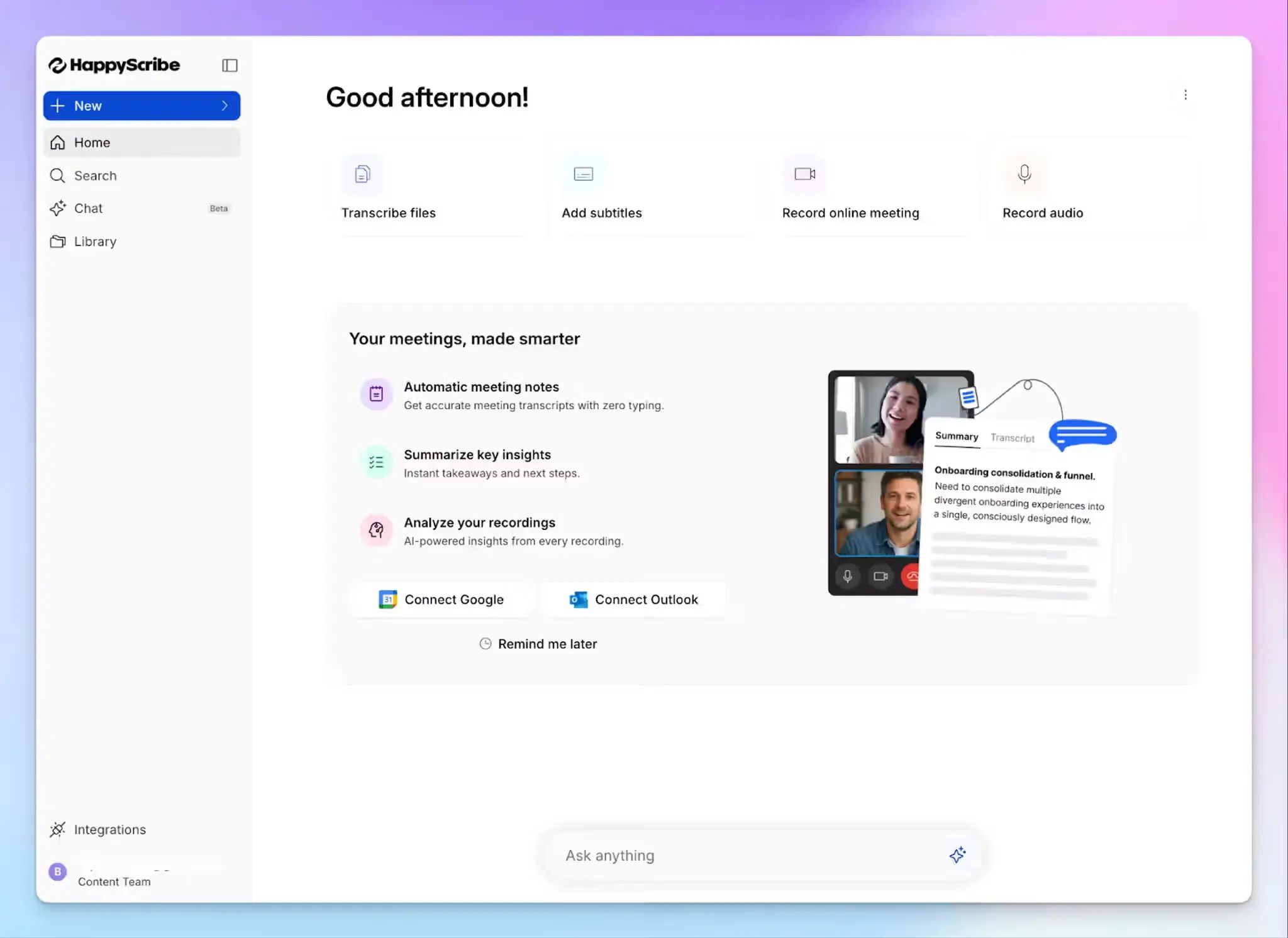
Barcelona-based HappyScribe AI meeting note taker is one of the best meeting management tools for people who attend a lot of meetings every week. It works two ways: enabling you to run meetings just the way you want and generating accurate meeting notes that you can trust.
HappyScribe connects to your Google or Outlook calendar and joins scheduled meetings on Google Meet, Microsoft Teams, and Zoom. It records your meetings, identifies speakers, and generates structured summaries within minutes of the call ending.
For unscheduled calls, you can paste a meeting link directly into HappyScribe, and the bot joins on demand. There are also mobile apps (iOS and Android) and a web recorder to capture in-person sessions.
HappyScribe's key features
1. 95%+ accuracy in 150+ languages and dialects
HappyScribe's ASR engine is built for how real meetings sound: crosstalk, regional accents, fast speakers, and domain-specific vocabulary. It supports over 150 languages and dialects and auto-detects the language being spoken.
You can add a custom glossary and style guide so the AI consistently recognizes industry jargon and recurring terminology across all your meetings. If 95% isn't enough for high-stakes recordings, human-verified transcription with 99% accuracy is available as an add-on.
2. Run bot-assisted scheduled calls and bot-free in-person calls
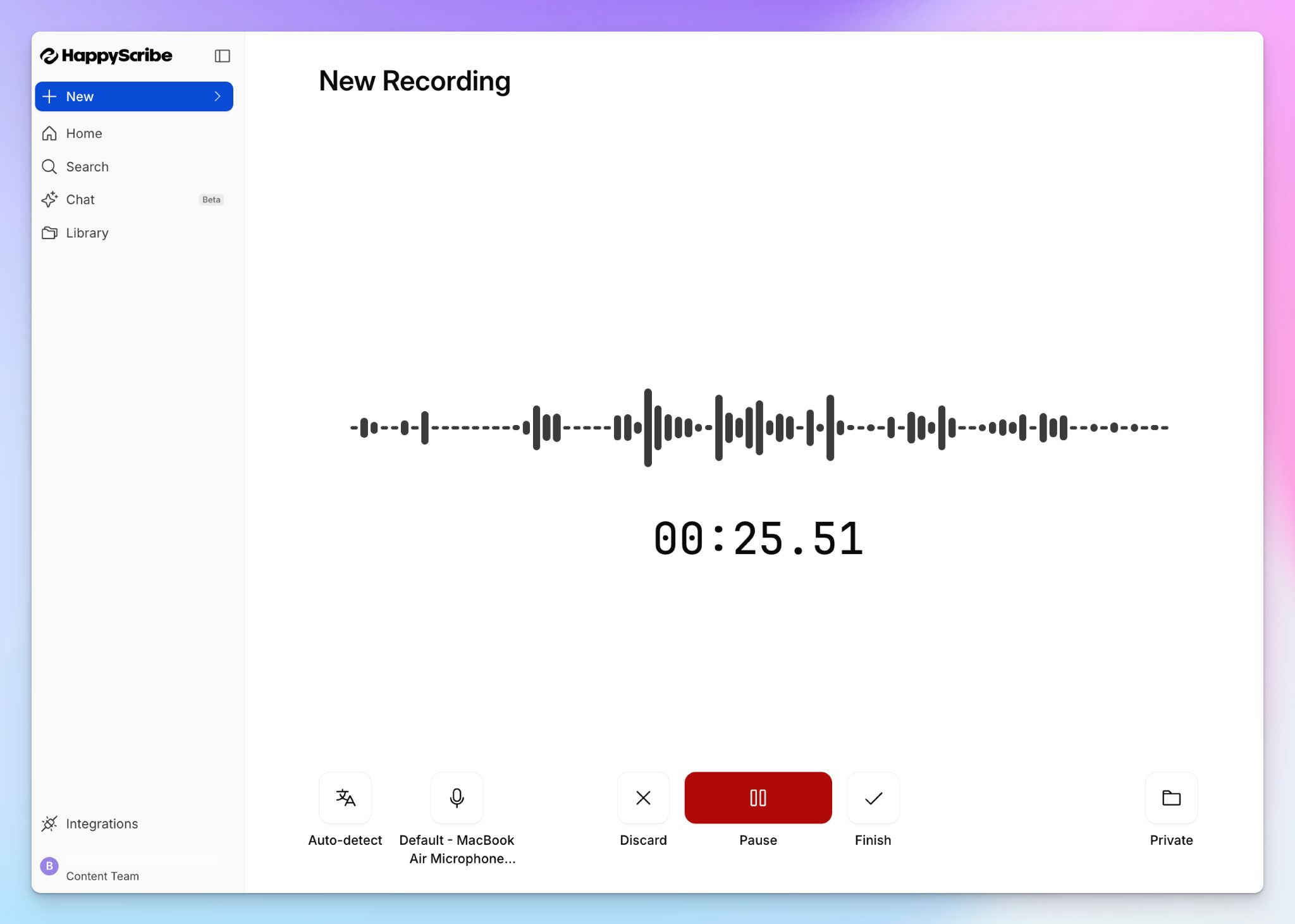
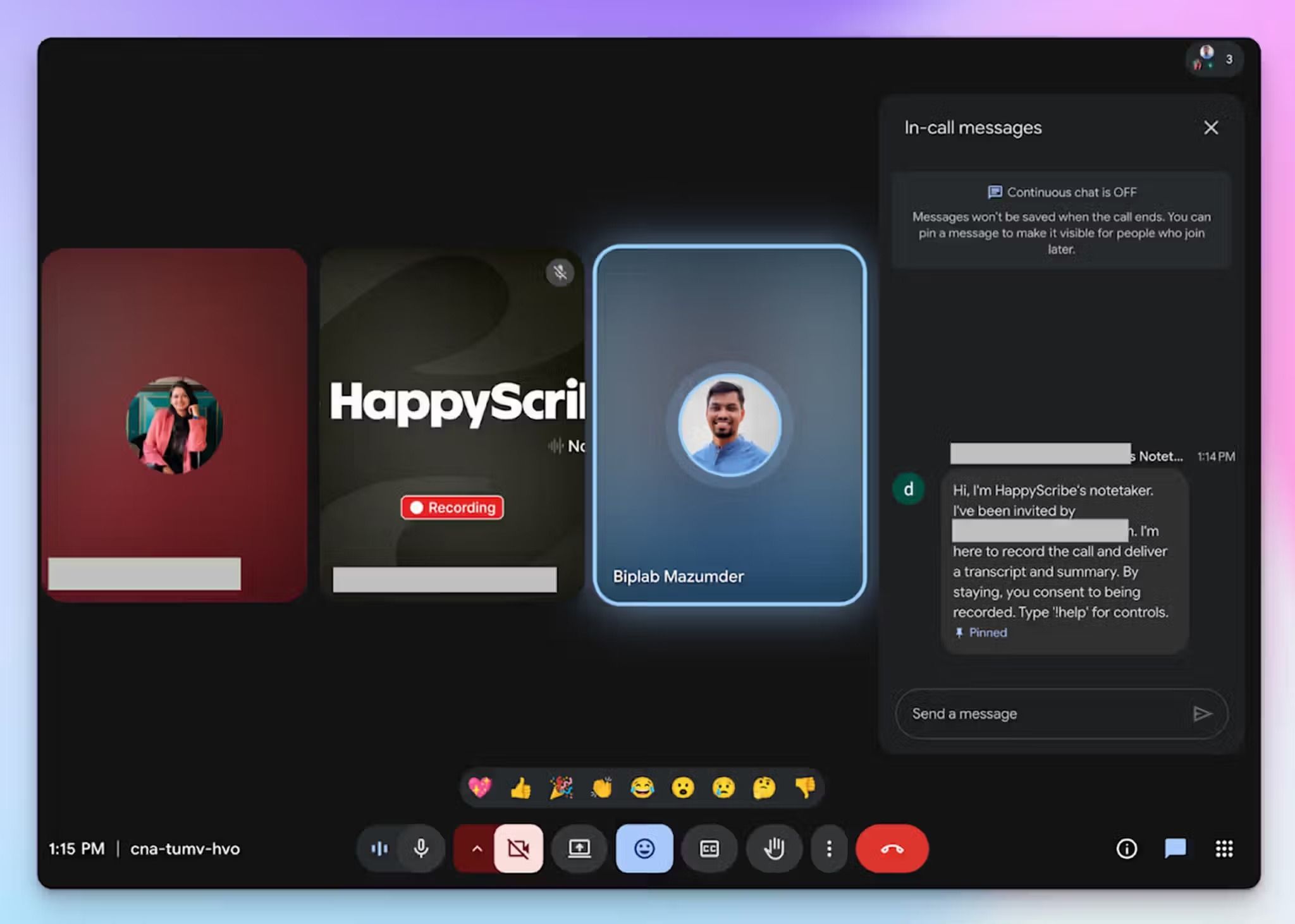
HappyScribe auto-joins scheduled calls and takes notes across video conferencing platforms. You can configure exactly which meetings the bot joins, when it starts recording, and who receives the post-meeting email summary.
You can also customize the bot with brand assets and a welcome message, so it looks like part of your team. Anyone on the call can type "!help" in chat to pause, resume, or remove the note taker entirely, which makes consent and compliance straightforward.
When a visible bot isn't appropriate, you can record audio in the browser and the HappyScribe mobile app. This is useful for sensitive client conversations and informal check-ins, making HappyScribe one of the best bot-free AI note takers in the market.
3. Use AI Chat across all your meetings to find decisions
HappyScribe's AI Chat goes beyond individual call summaries, which helps you manage sprawling meeting calendars. You can ask questions across your entire meeting library in natural language to pull up recurring themes, track decisions made over multiple calls, or surface what a specific stakeholder said weeks ago. No need to search through transcripts manually.
You can also ask AI to extract timestamped video chapters, highlight key quotes, or draft a follow-up email based on what was discussed.
4. Transcribe pre-recorded files, translate notes, and generate video subtitles
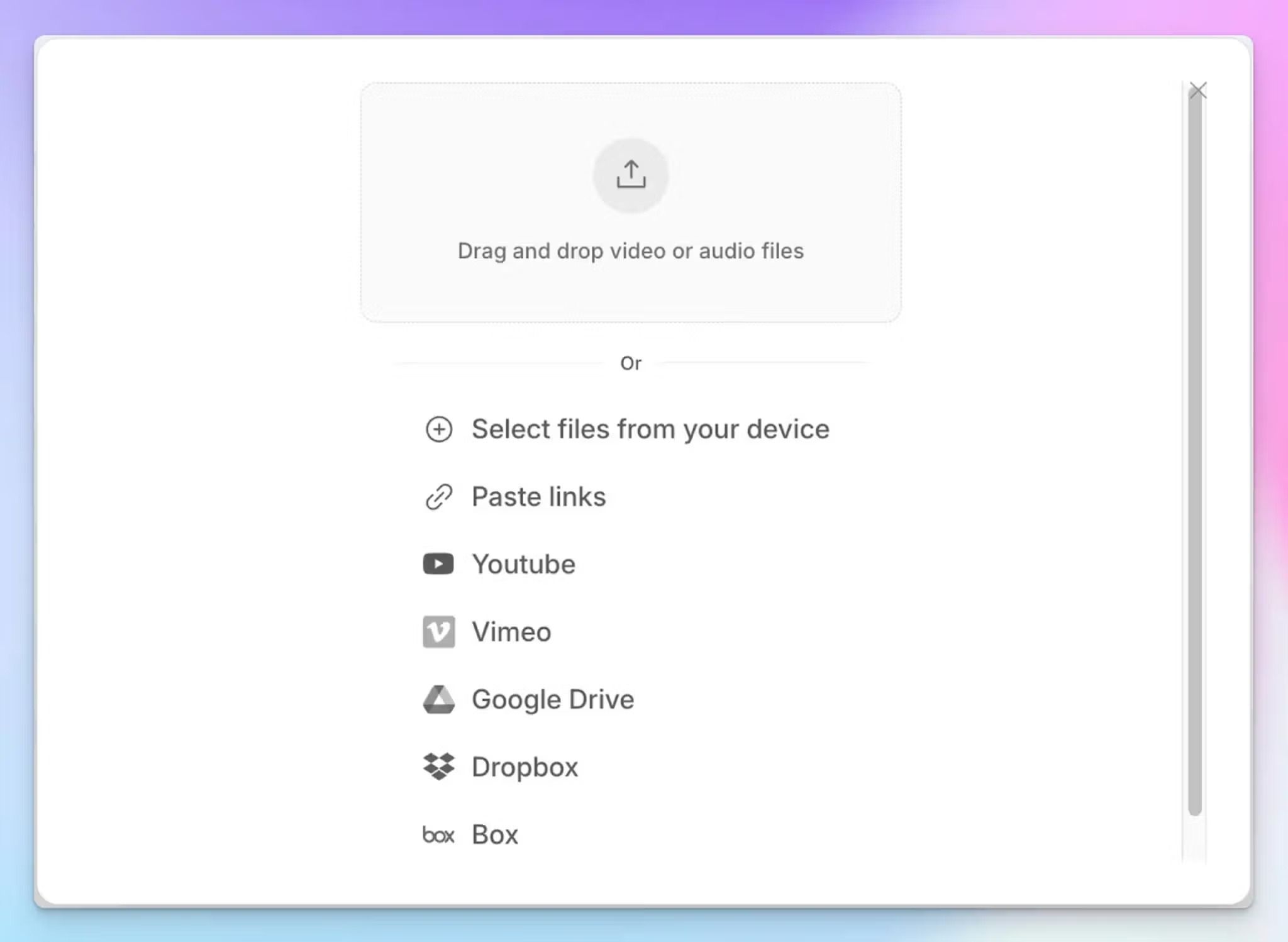
HappyScribe isn't limited to live meetings. You can upload pre-recorded video and audio files from your device, YouTube, Box, Dropbox, or Google Drive, and get the same structured transcript and summary output.
Need to share a recording with a team in another country? Translate meeting notes into 80+ languages directly inside HappyScribe. You can also generate subtitles for any video file and turn it into a shareable internal asset.
5. GDPR compliance, EU data storage, and SOC 2 Type II certification
All data is stored in an EU-based, Tier IV, ISO 27001-compliant data center with AES-256 encryption at rest and TLS in transit. HappyScribe is GDPR compliant and SOC 2 Type II certified.
For enterprise teams, SSO and SAML login add another layer of access control. If your team handles sensitive client conversations or operates in a regulated industry, this is one of the few AI note takers where the security holds up under scrutiny.
6. A generous free plan and affordable paid plans
HappyScribe's free plan includes unlimited meeting recordings, capped at 45 minutes per recording. That's enough to run it through standups, client calls, and one-on-ones before committing to a paid plan. You also get AI summaries, speaker detection, and the ability to export in DOCX, TXT, and SRT.
Once you do decide to upgrade to access more features and capacity, you can start with paid plans as low as $8.50/month when billed annually.
HappyScribe's pricing
- Free: Unlimited meeting recordings (45 mins per recording)
- Basic: $8.50/month (billed annually) or $17/month (billed monthly)
- Pro: $19/month (billed annually) or $29/month (billed monthly)
- Business: $59/month (billed annually) or $89/month (billed monthly)
- Enterprise:Contact sales for tailored solutions
HappyScribe's pros
- Complete meeting management, from AI note taker to translation and subtitling; all in one place
- Generate 95%+ accurate transcripts in over 150 languages and dialects with automatic speaker detection and language switching
- Use summary templates to ensure your meeting notes follow your preferred format
- Connect meeting data to your broader tech stack through API, MCP server, and Zapier integrations
- Bot-free note taking to reduce distractions
- GDPR compliant, SOC 2 Type II certified, EU-only data storage
- Free plan includes unlimited recordings
HappyScribe's cons
- Not ideal for real-time transcription
What are real-life users saying about HappyScribe?
I just started using HappyScribe but the customer service alone makes it highly recommendable! The transcriptions come out very clean and their AI tools are of higher quality than the last service I used. I'm impressed.
In a meeting with 25 people I recorded a talk on debt restructuring with my phone from the back of the room. The notes were concise, albeit not totally to the point, since this was not a formal meeting. The AI prompted narrative summary of less than 500 words nailed it though!
How to use HappyScribe for meeting management: a step-by-step guide
- Link your Google or Outlook calendar to let HappyScribe auto-join scheduled meetings. For ad hoc calls, paste the meeting link to invite the bot manually. For in-person meetings, record audio without a bot.
- Click on your profile menu from the bottom left menu and select Settings to customize when the note taker should join, who can view transcripts, and who should receive the email summary.
- During the call, the host admits the bot to start recording. Anyone on the call can type "!help" in chat to pause, resume, or remove it.
- Once the meeting ends, notes and transcripts are saved in your Workspace or Private section, depending on your privacy settings.
2. Fathom
Best for: Individuals and small teams on a tight budget that want unlimited free recording with strong CRM integrations
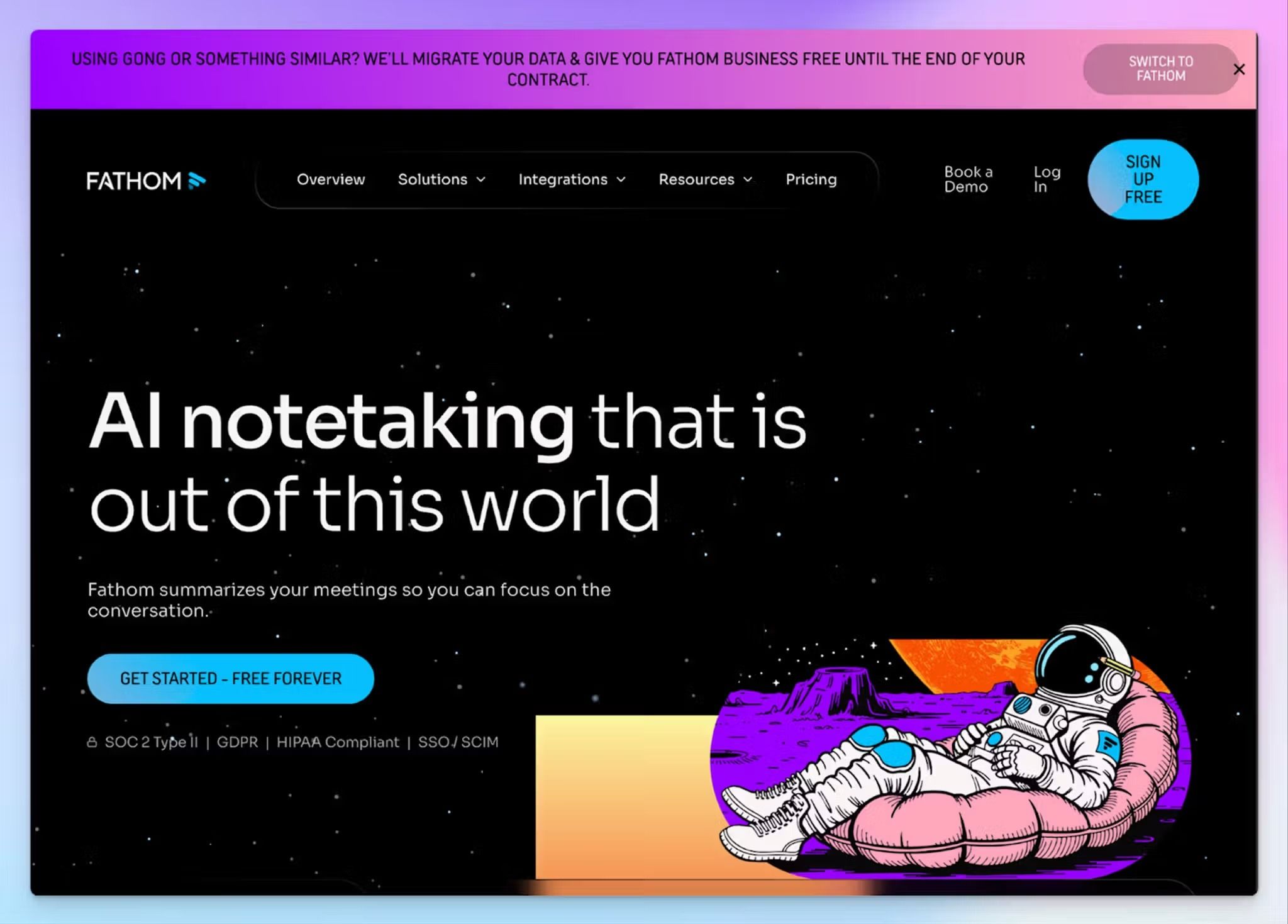
Fathom makes the list because it’s easy to use and offers a strong free tier. It records and transcribes meetings across Zoom, Google Meet, and Microsoft Teams and offers both bot-assisted and bot-free recording on Mac.
Where Fathom stands out is its sales workflow. You can sync meeting data directly in Salesforce or HubSpot fields without manual data entry. For recurring sales calls, Deal View doubles as a prep tool. You can review every past interaction tied to a deal before walking into the next one.
Fathom's key features
- Ask Fathom is an intuitive chatbot that lets you search across your entire meeting library to surface past decisions and action items
- Fathom offers 15+ summary templates, including BANT, Sandler, and custom formats on the paid plans
- With AI Scorecards, managers can track speaking patterns and coach reps based on actual call behavior
- Connect Fathom’s meeting data with Slack, Asana, Relay, Pylon, Dust, Twine, Zero, and other tools
Fathom's pricing
- Free
- Premium: $20/month
- Team: $19/month (minimum 2 users)
- Business: $34/month (minimum 2 users)
Fathom's pros
- The free plan is one of the most generous in the category, with no caps on recordings, transcription, or storage
- Fathom is SOC 2 Type II audited and HIPAA compliant, which makes it a credible option for teams in regulated industries
- Well-designed interface that's easy to set up and doesn't require much configuration to start recording
Fathom's cons
- Fathom supports only 38 languages, which is significantly fewer than multilingual-focused competitors
- The advanced AI summaries are limited to only 5 per month on the free plan, so active users hit the paywall fast
- Fathom doesn’t support file uploads or in-person meetings, which pushes many users toward Fathom alternatives with broader recording flexibility
3. Granola
Best for: Professionals in back-to-back meetings who want AI-enhanced notes without giving up control of what gets captured
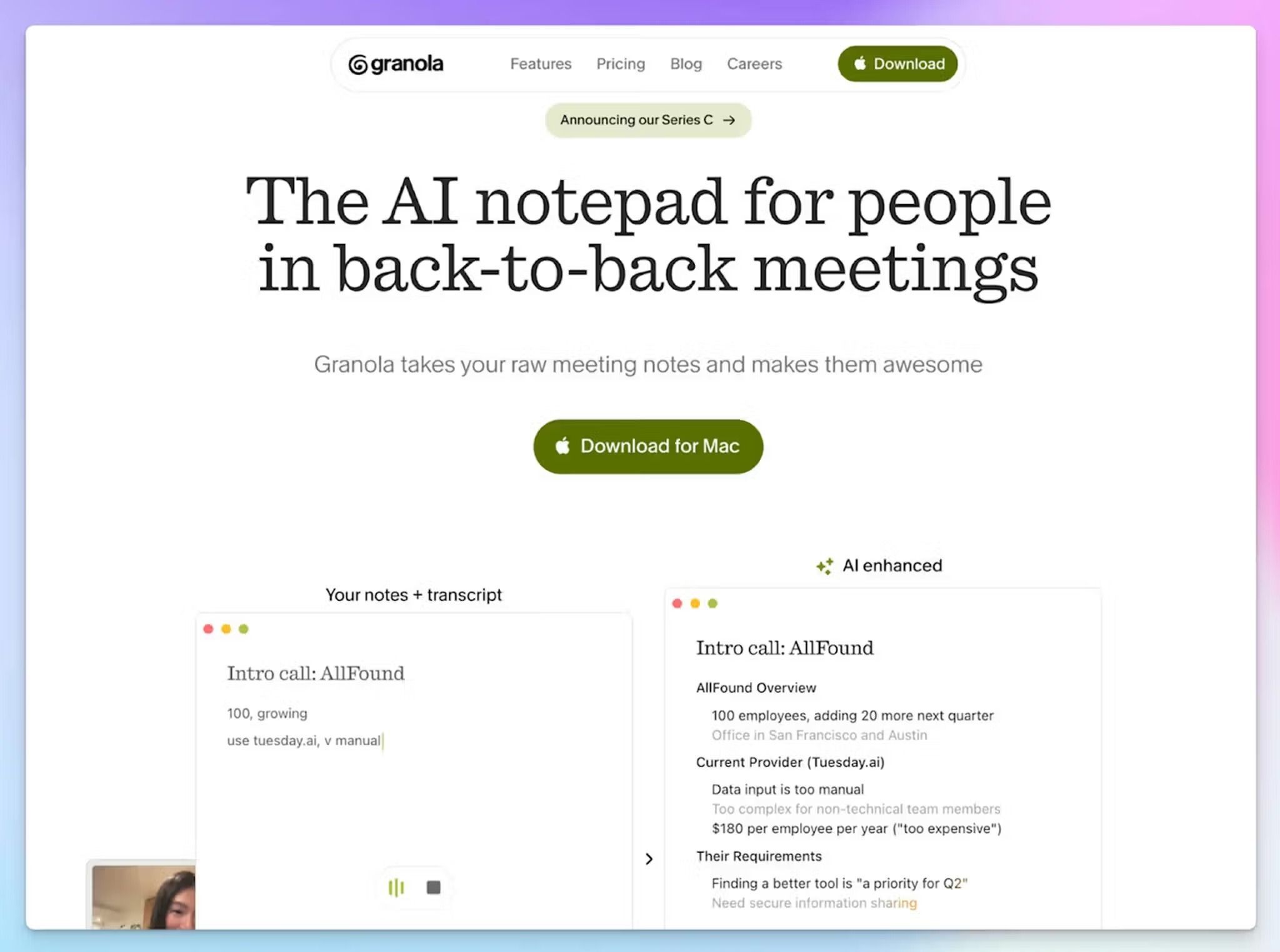
Granola positions itself as an AI notepad rather than an automated meeting recorder. You jot rough notes during the meeting, and when the call ends, Granola uses those notes along with the transcript to produce structured output. The hybrid notes are sorted in color, so you always know the source.
Granola's key features
- Granola's templates let you set up a consistent structure before each meeting type, so discovery calls, 1:1s, and retros start with the right framework already in place
- Ask Granola lets you search within and across meetings to surface decisions, draft follow-ups, or answer cross-meeting questions
- Granola connects with Attio, Notion, Slack, and Zapier, with MCP support for AI tools like Claude and ChatGPT
- The apps are well-designed and available on macOS, Windows, and iOS, with shared folders for team collaboration
Granola's pricing
- Basic: Free
- Business: $14/month
- Enterprise: $35/month
Granola's pros
- The human-in-the-loop approach gives you more control over note quality than fully automated tools
- Bot-free capture works across all major meeting platforms without any setup or attendee friction
- Granola is SOC 2 Type II certified and GDPR compliant, with audio transcribed and then deleted
Granola's cons
- Desktop language support is limited to 10 languages (17 on iPhone), which is narrower than most competitors on this list
- The free plan restricts note history to 30 days, and there's no media playback since recordings aren't retained
- Granola doesn’t support speaker identification on desktop, which pushes teams toward Granola alternatives
📚 Also read:
4. Circleback
Best for: Solopreneurs and small teams that want to push meeting data automatically to the right tools
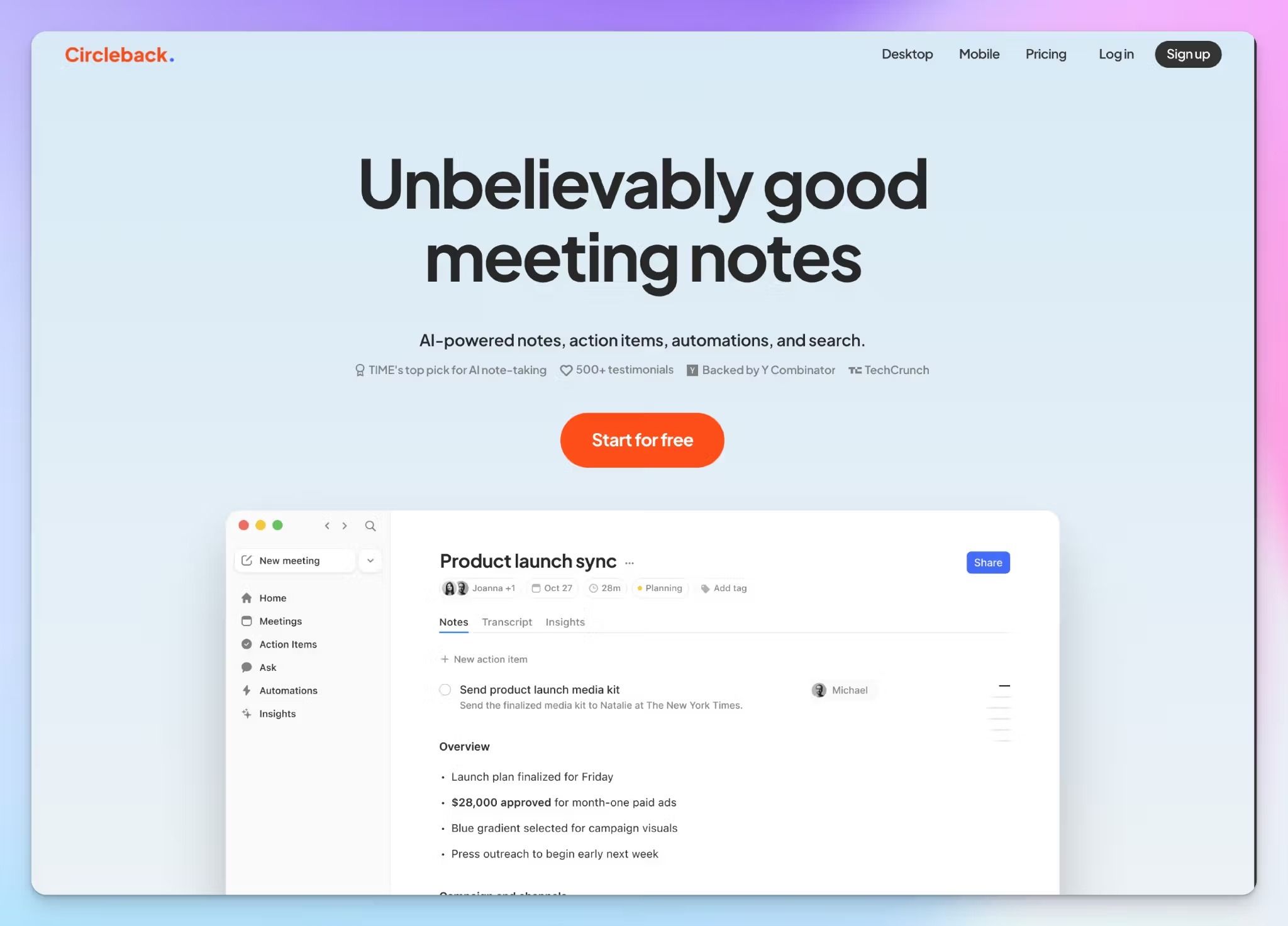
Circleback is built around what happens after generating meeting notes. Its automation engine lets you set up rules that fire after every call: push action items to Linear, update a HubSpot deal, post a summary to a specific Slack channel, or send structured data to a Notion database.
Circleback records across Zoom, Google Meet, Microsoft Teams, Slack Huddles, and in-person conversations without a bot. It can also pull in email context from Gmail or Outlook, so the AI has more background when generating notes.
Circleback's key features
- Circleback supports transcription in 100+ languages with automatic speaker identification for multilingual teams
- Deep AI search across all conversations with cited sources, so you can trace any answer back to the original meeting
- You can import past recordings for retroactive note generation, with auto-assigned action items and speaker attribution
- Circleback connects with HubSpot, Salesforce, Attio, Monday, Zapier, and Make, with MCP support for Claude, ChatGPT, Cursor, and Raycast
Circleback's pricing
- Individual: $25/month
- Team: $30/month
- Enterprise: Custom pricing
Circleback's pros
- Circleback’s automation is powerful, with native support for routing meeting data to project tools, CRMs, and communication apps
- SOC 2 Type II and HIPAA compliant, with EU-U.S. Data Privacy Framework certification, and customer data isn't used to train AI models
- It works across online, in-person, and async formats, with easy-to-use desktop and mobile apps
Circleback's cons
- There's no free plan. Circleback offers a 7-day trial, which makes it hard to properly evaluate before paying $25/month
- Circleback’s meeting note accuracy isn’t the most reliable among competitors
- If you don't actively use automations, the pricing is harder to justify against competitors, which is why some teams look for Circleback alternatives
📚 Also read:
5. Meetily
Best for: Developers and privacy-first teams in regulated industries that need local meeting capture without cloud dependency
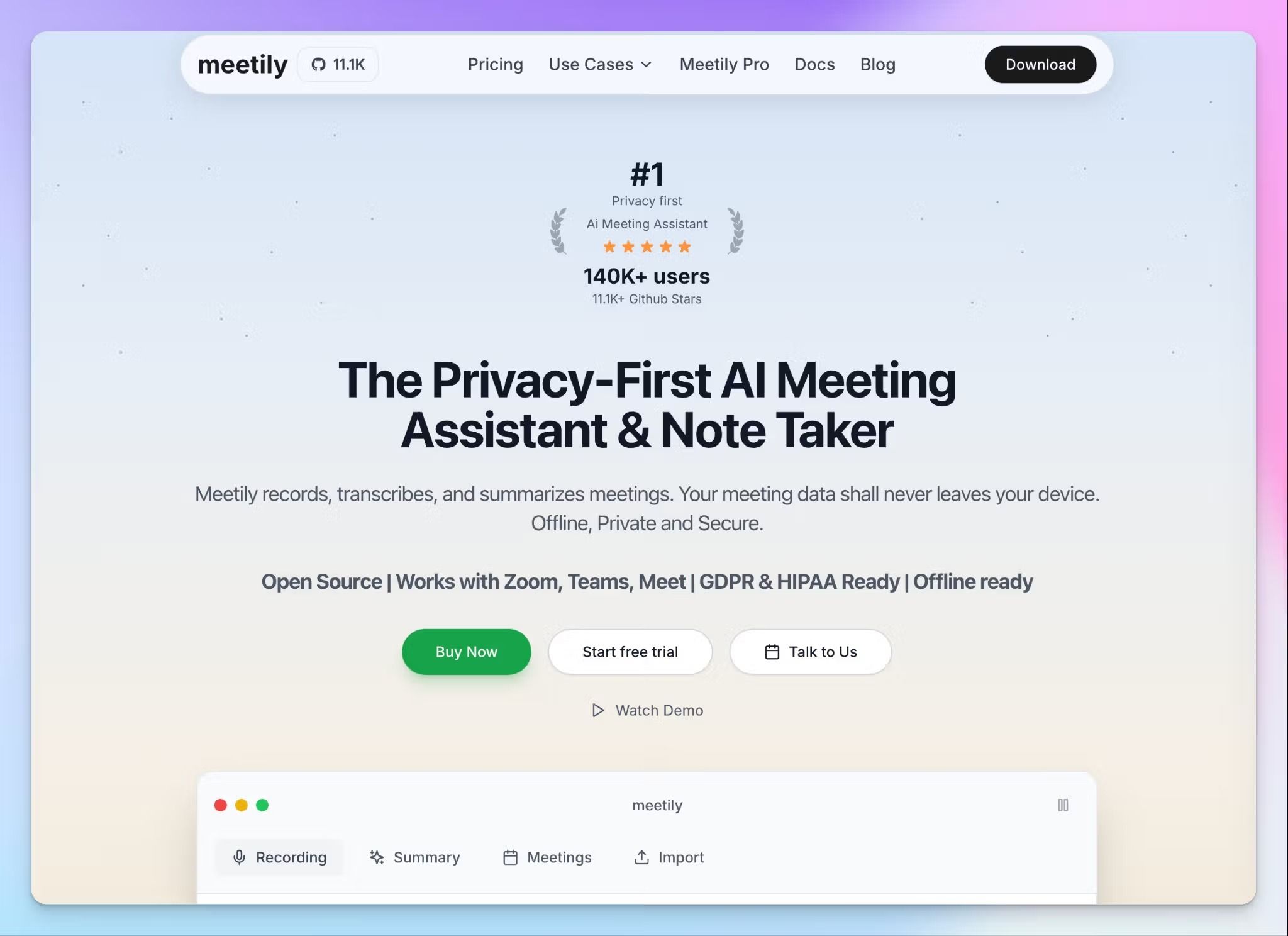
Meetily takes a fundamentally different approach from every other tool on this list. It's open source, and you can set it up to run entirely on your device.
For AI summaries, you choose your own path: run local LLMs through Ollama, bring your own API key for ChatGPT or Claude, or use Meetily's hosted AI option on the Pro plan. That flexibility makes it a solid note taker for journalists, business leaders, and teams in healthcare, legal, finance, or government.
Meetily's key features
- Local processing with no cloud uploads by default, and full code transparency under the MIT license
- Custom AI connectors for Groq, Claude, OpenRouter, or local LLMs via Ollama, so you control which models process your data
- 6 built-in summary templates for standups, retros, and client calls, with the option to create custom templates
- Meetily supports audio and video import in 10 formats for retroactive transcription, with exports to PDF, DOCX, and Markdown on Pro
Meetily's pricing
- Community Edition: Free
- Pro: $10/month
- Enterprise: Custom pricing
Meetily's pros
- Complete data sovereignty with no external data transmission, which makes it GDPR and HIPAA compliant by design
- Meetily works bot free for Zoom, Google Meet, and Teams meetings
- The free Community Edition has no usage limits on transcription or recordings
Meetily's cons
- Meetily is still in active development, so it doesn’t have many key features, such as mobile apps, calendar integration, chat with meetings, and speaker identification
- Setting up local LLMs on the Community Edition requires some technical knowledge, which creates a barrier for non-technical teams
Which meeting management software should you pick?
The right tool depends on what your meetings actually look like day to day. The tools on this list handle the core job of recording and transcribing, but meeting management goes further than capturing what was said.
👉 Fathom is a solid pick if you want a generous free tier with an okay transcription quality and your workflow revolves around CRM updates on HubSpot or Salesforce.
👉 Granola fits teams that prefer staying hands-on with notes and want AI to enhance what they write rather than replace it.
👉 Circleback handles post-meeting workflows if your biggest pain point is the manual work after meetings.
👉 Meetily is the only fully open-source option here. If data sovereignty is your primary concern and you need everything running locally with no cloud dependency, it's the right fit.
👉 HappyScribe covers the widest ground. It supports over 150 languages, 95%+ accuracy, GDPR compliance, SOC 2 Type II certification, and an AI chatbot to help you extract deep meeting insights. If your team works across borders and you need bot-free recordings, it's the safest starting point.
If you're still unsure where to begin, HappyScribe's free plan gives you unlimited recordings with no credit card required. It's a low-risk way to see how much time you actually save before paying a single dollar.
Whatever you pick, the goal is the same: spend less time managing meetings and more time acting on what came out of them.
FAQs on the best meeting management software
What is the best meeting management software?
If you run recurring meetings across video conferencing tools like Zoom, Google Meet, and Microsoft Teams, you want a meeting management software that handles automatic transcription, structured notes, and follow-up tasks without manual effort. HappyScribe is a strong all-rounder for teams that work across languages and want enterprise-grade security features, while tools like Circleback stand out for assigning tasks and routing meeting data to project management tools. The right pick comes down to whether you prioritize accuracy, privacy, post-meeting workflows, or a combination of all three.
What is the 40-20-40 rule for meetings?
The 40-20-40 rule splits the meeting lifecycle into three phases: 40% of effort goes into meeting prep, 20% into the meeting itself, and 40% into follow-up tasks and tracking progress. The idea is that effective meetings depend more on what happens before and after the call than during it. That includes agenda creation, sharing discussion points in advance so everyone is on the same page, and making sure action items reach the right people afterward. Meeting management tools that support meeting templates, collaborative agendas, and automatic follow-ups help teams put this rule into practice without adding manual work.
How do AI meeting assistants handle privacy and data security?
Most AI meeting assistants protect your data through encryption, compliance certifications, and access controls. Look for SOC 2 Type II certification, GDPR compliance, and clear policies on whether the tool uses your recordings to train its AI models. HappyScribe stores all data in EU-based data centers and is both GDPR compliant and SOC 2 Type II certified, which makes it a solid option for organization-wide use in regulated industries. If your team handles sensitive board meetings or client conversations, security features like SSO, consent controls, and data residency options should be non-negotiable.
Can meeting management tools work with in-person meetings?
Yes. Several meeting management tools now support in-person and hybrid meetings without a bot joining a call. Tools like HappyScribe let you record audio directly from a browser or mobile app, which is useful for capturing meeting minutes in boardrooms, off-sites, or informal check-ins. Granola captures device audio locally, and Meetily runs entirely on your device for complete privacy. If your organization conducts meetings across both virtual and in-person formats, look for a tool that handles both without requiring separate workflows.
What's the difference between meeting management software and a basic note taker?
A basic note taker captures what was said during a meeting. Meeting management software covers the full lifecycle: meeting prep, agenda items, automatic transcription, structured notes, assigning tasks, and tracking progress after the call. The best meeting management solutions also integrate with communication tools, Google Calendar, and project management platforms to ensure consistency across recurring meetings. If your team just wants a transcript, a note taker works. If you want to improve meeting culture and make sure every next meeting builds on the last one, you want a meeting management tool.
Are there free meeting management tools that work with Zoom, Google Meet, and Teams?
Yes. HappyScribe offers a free plan with unlimited meeting recordings across Zoom, Google Meet, and Microsoft Teams, with no monthly cap. Fathom also provides a generous free tier with unlimited recordings and storage, which works well for personal use and small teams. Granola's free plan covers basic note-taking across all major video conferencing tools, though it limits note history to 30 days. If your team runs board meetings or cross-functional syncs and you want collaboration tools, meeting analytics, and structured notes, a paid plan from any of these tools will give you the full meeting management experience.

Biplab Mazumder
Biplab is a content marketer and writer who helps high-growth brands scale content visibility across AI search channels. His works have been published in HubSpot, Freshworks, Atlassian, SurferSEO, etc. When he's not planning content strategy, he's testing AI content workflows and use cases.