![5 Best Granola Alternatives for AI Meeting Notes [2026]](/sanity-images/ejgwz1gl/redesign/d9f246c51dabe8c6cea72932e5acd7771c3e0c5c-1600x900.jpg?auto=format&w=1600.0&rect=0,50,1600,800&h=800)
Granola's pitch is clever: it combines AI summaries with your own handwritten notes, so the output feels personal rather than auto-generated. For a while, that's enough. Then you start noticing the flaws.
After testing Granola across several meetings, I felt the transcription accuracy wasn't reliable enough to act on without a manual review. My notes had missing contexts and as I went through Granola's user reviews, I found that I wasn't alone.
That sent me down a rabbit hole of testing Granola alternatives for note taking. After a couple of weeks, I built a list of five tools that solved the limitations of Granola, so you don’t have to second-guess every summary.
TL;DR ⏩
- HappyScribe: Best for global teams that want 95%+ accurate AI meeting notes in 150+ languages, audio and video playback, file transcription, and affordable plans
- Fellow: Best for teams that need a structured, organization-wide meeting system with granular access controls
- Fathom: Best for individuals and small teams who want a free and reliable note taker with meeting playback
- MeetGeek: Best for managers and HR teams who need conversation analytics, automated meeting templates, and structured notes across recurring workflows
- Jamie: Best for professionals who prefer bot-free meeting notes and a well-designed app UI for meetings
Why users are looking for Granola alternatives
Granola's bot-free approach and notepad UI have their fans, but it’s not built for serious work. Here are the main reasons people look for Granola alternatives for note taking:
1. Unreliable meeting note taker and frequent app crashes
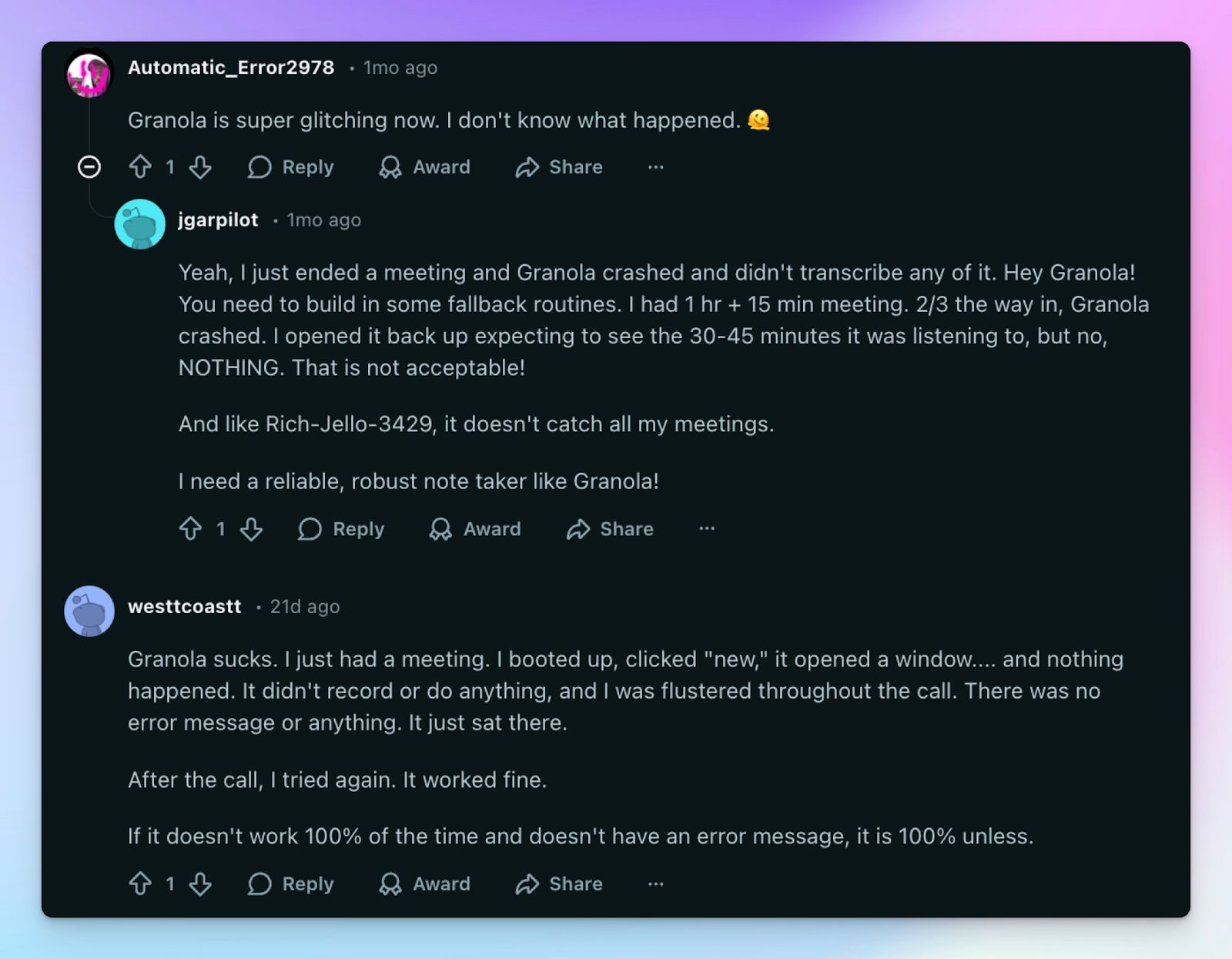
Granola captures system audio directly on your device, which means any disruption between your OS and the AI engine can break the session. The problem is that Granola doesn't always tell you when something has gone wrong.
If you launch Granola and end up seeing blank notes at the end of the meeting, it’s far more common than you think. For back-to-back meetings throughout the day, keeping Granola on isn’t a solution either. The app crashes out of nowhere, and you might get fewer notes than your meeting count.
2. Granola struggles with speaker identification and note accuracy
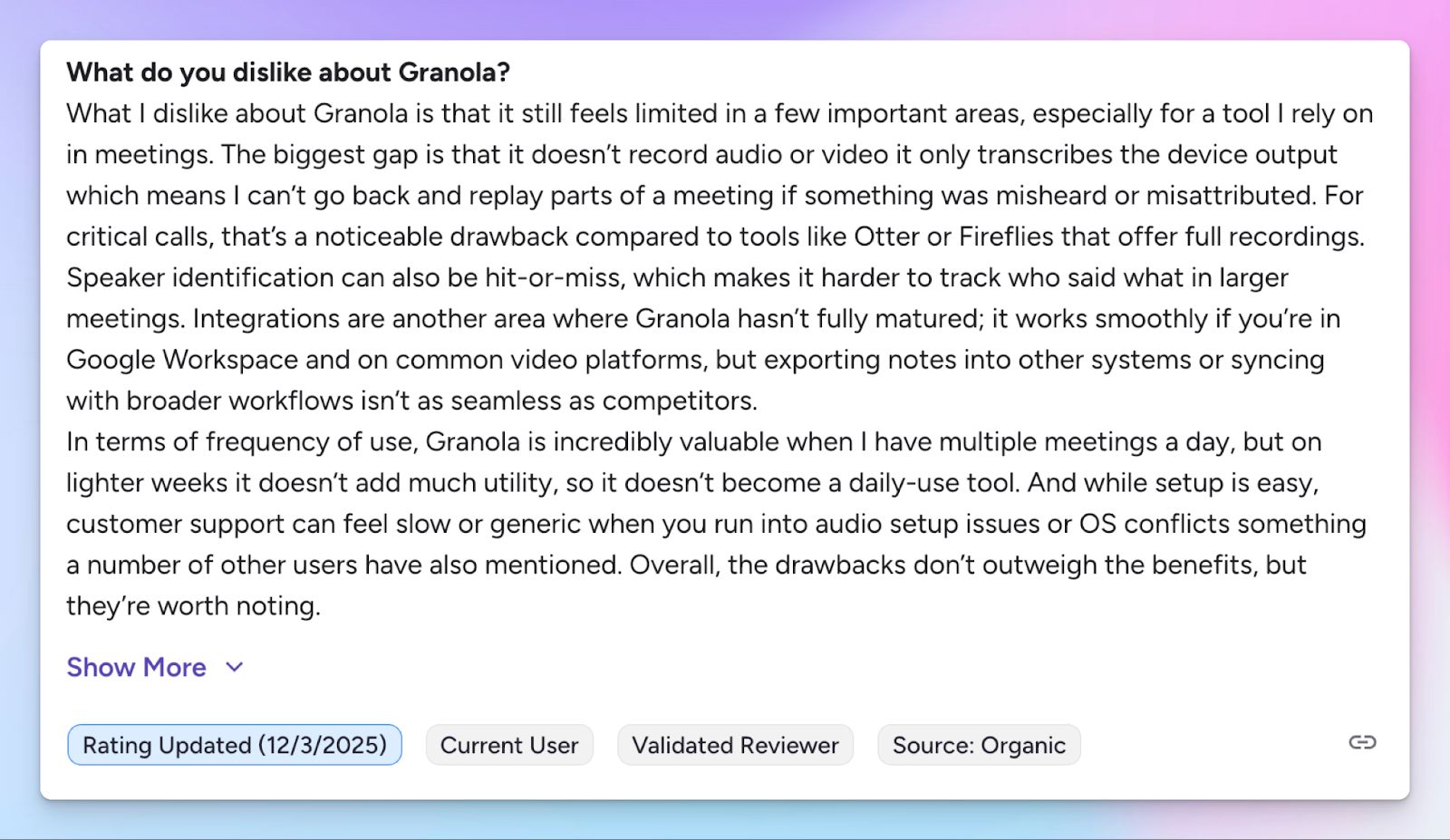
Granola's hybrid approach asks you to type a few keywords during the meeting, and the AI fills in the rest afterward. That works in 1:1 calls with perfect audio, but its accuracy drops noticeably in meetings with multiple attendees and crosstalk.
The live transcript doesn't show speaker labels, and the AI infers attribution from calendar data and context alone.
3. Limited language support
Granola currently supports only 10 languages on desktop, and the iPhone app extends this with a few extra languages. For a tool that targets modern professionals, Granola doesn’t serve teams that work across Asian, African, or Eastern European markets.
4. Granola doesn’t offer audio or video playback to verify notes
Granola frames the absence of audio recording as a privacy feature. In practice, it creates a different problem: you have no way to verify what was actually said. When transcription accuracy is already inconsistent, you end up getting action items you can't fully trust.
Top 5 Granola alternatives at a glance
| Category | HappyScribe | Fellow | Fathom | MeetGeek | Jamie |
|---|---|---|---|---|---|
| Best for | Global teams that need accurate multilingual notes, file transcription, and audio + video playback | Teams that want organisation-wide meeting structure with access controls | Individuals and small teams wanting a free note taker with meeting playback | Managers and HR teams looking for conversation analytics and automated templates | Privacy-focused professionals wanting bot-free notes |
| Key features | 95%+ accuracy, bot or bot-free recording, file upload, translation in 80+ languages, subtitle editor | Collaborative agendas, admin recording policies, action item sync, Ask Fellow AI chat, recording library | Audio playback synced to transcript, highlight clips, coaching hub, meeting templates | Meeting type auto-detection, conversation analytics, voice agents, and AI chat | Topic-based summaries, speaker memory, Ask AI across meeting history, bot-free |
| Supported languages | 150+ languages and dialects | 92 languages | 38 languages | 100+ languages | 100+ languages |
| Meeting platform integration | Zoom, Google Meet, Microsoft Teams, and in-person meetings | Zoom, Google Meet, Microsoft Teams, Slack Huddles, in-person | Zoom, Google Meet, Microsoft Teams | Zoom, Google Meet, Microsoft Teams, in-person via mobile | Any platform via system audio on Mac, Windows, iOS, in-person |
| Security | GDPR and SOC 2 Type II-compliant; data stored in PCI DSS, Tier IV data center in the EU | SOC 2 Type II, GDPR, HIPAA | GDPR, HIPAA, SOC 2 Type II, CCPA | SOC 2 Type II, GDPR, HIPAA, EU, or US data residency | GDPR, SOC 2 Type II, ISO 27001, EU hosting |
| Starting price | Free plan with unlimited meeting recordings. Paid plans start from $8.50/month (billed annually) or $17/month (billed monthly) | Free tier with 5 AI notes per user. Paid plan starts from $11/month | Free tier. Paid plan starts from $20/month | Free plan (3 hours per month). Paid plan starts from $15.99/month | Free plan (10 meetings per month). Paid plan starts from €25/month |
1. HappyScribe
Best for: Global teams that want 95%+ accurate AI meeting notes in 150+ languages, audio and video playback, file transcription, and affordable plans
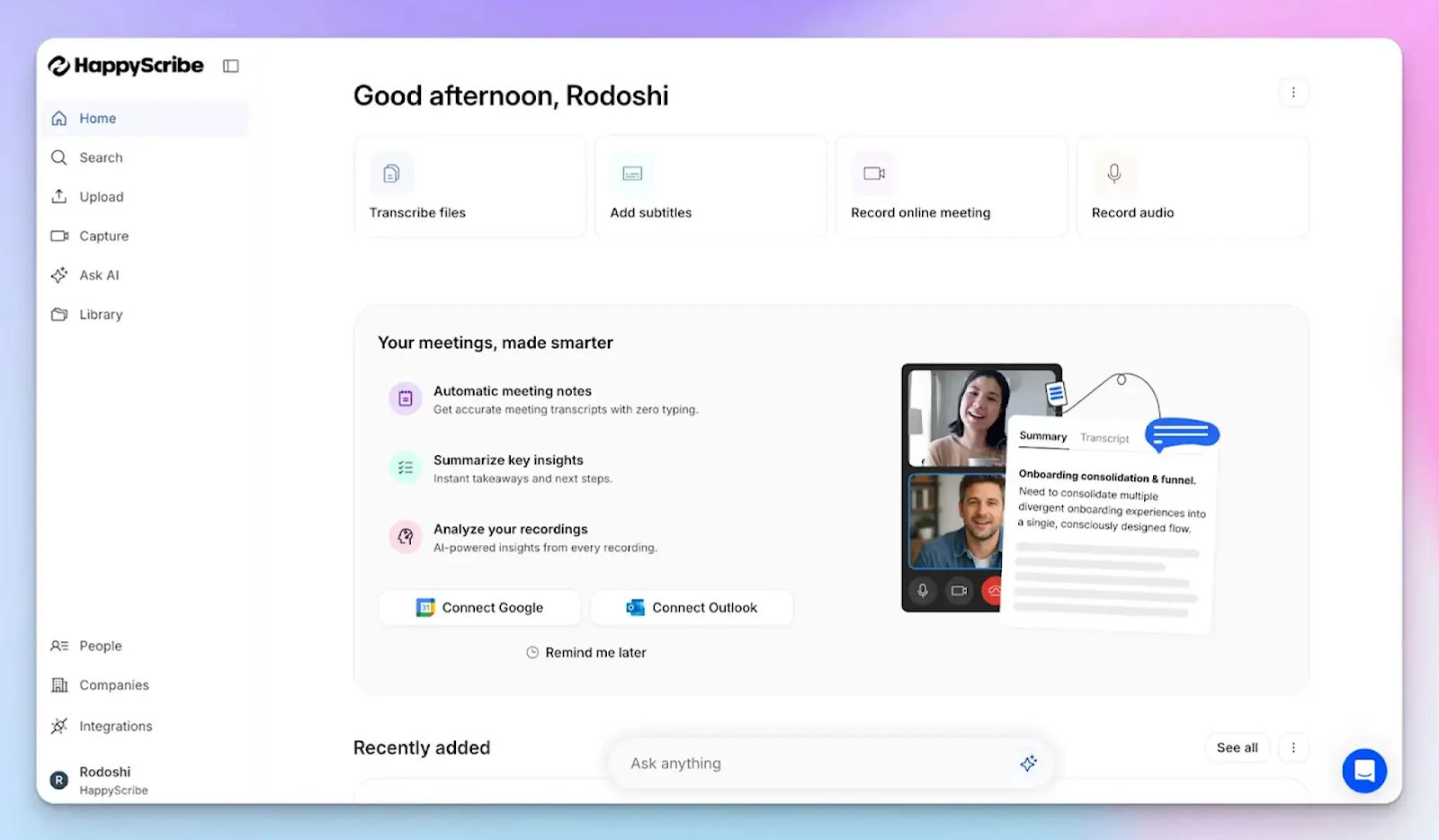
HappyScribe AI note taker is one of the best Granola alternatives because it solves the problems that push users away from Granola. You don’t have to guess the accuracy of your notes, since HappyScribe stores the source media so you can verify what was actually said.
Connect your Google or Outlook calendar to let HappyScribe auto-join scheduled meetings, or paste the meeting link manually. It works across Google Meet, Zoom, Microsoft Teams, and in-person conversations, without downloading any apps.
HappyScribe vs. Granola
| Category | HappyScribe | Granola |
|---|---|---|
| Reliability | Reliable and transparent bot with clear recording status | Silent recording failures and app crashes with no error alerts |
| Language support | 150+ languages and dialects with 95%+ accuracy | Only 10 languages are supported on desktop |
| Audio and video playback | Full meeting playback synced to the transcript, so you can verify any quote | No audio or video stored after processing, so notes can’t be verified |
| Free plan | Unlimited meeting recordings with no lifetime cap | Meeting notes are visible in the free plan for a limited time only |
HappyScribe's key features
1. Generate 95%+ accurate meeting notes in 150+ languages and dialects
Granola's transcription engine supports only 10 desktop languages and struggles with speaker attribution in group calls. HappyScribe surpasses language constraints by covering 150+ languages and dialects at 95%+ accuracy. Be it Catalan, Swedish, or Thai, you get transcripts with precise speaker labels and meeting summaries in a few minutes after each meeting.
You can also build custom glossaries so HappyScribe gets your product names, client names, and industry-specific terms right from the first session.
2. Record bot-free in-person meetings and bot-assisted online meetings for compliance
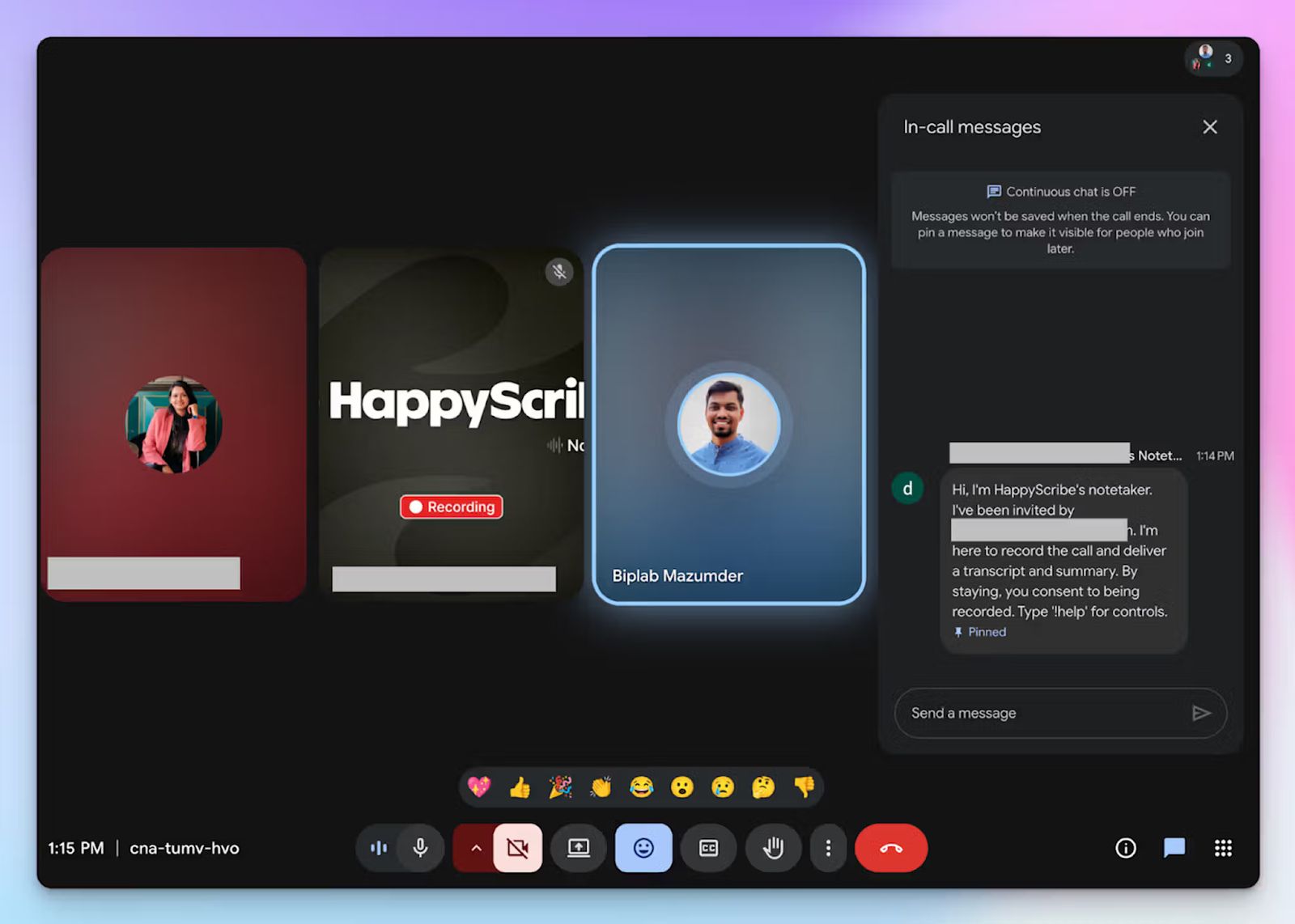
Granola's bot-free approach sounds appealing, but it comes at the cost of reliability and compliance. With GDPR in play, you operate in a grey area of consent that could legally cost you a lot of money.
HappyScribe gives you both options, so you're not forced to choose between discretion and dependability.
For online meetings, a transparent calendar bot joins your calls automatically, announces itself to attendees, and handles consent clearly. You can customize its name, appearance, and compliance message, and control it mid-call by typing "!help" in the chat.
For in-person meetings, client lunches, or any conversation where a visible bot would be intrusive, HappyScribe's web-based audio recorder captures the session without adding an extra attendee.
Having said that, I’d always recommend collecting clear consent before recording someone.
3. Playback meeting audio or video to verify notes and quotes
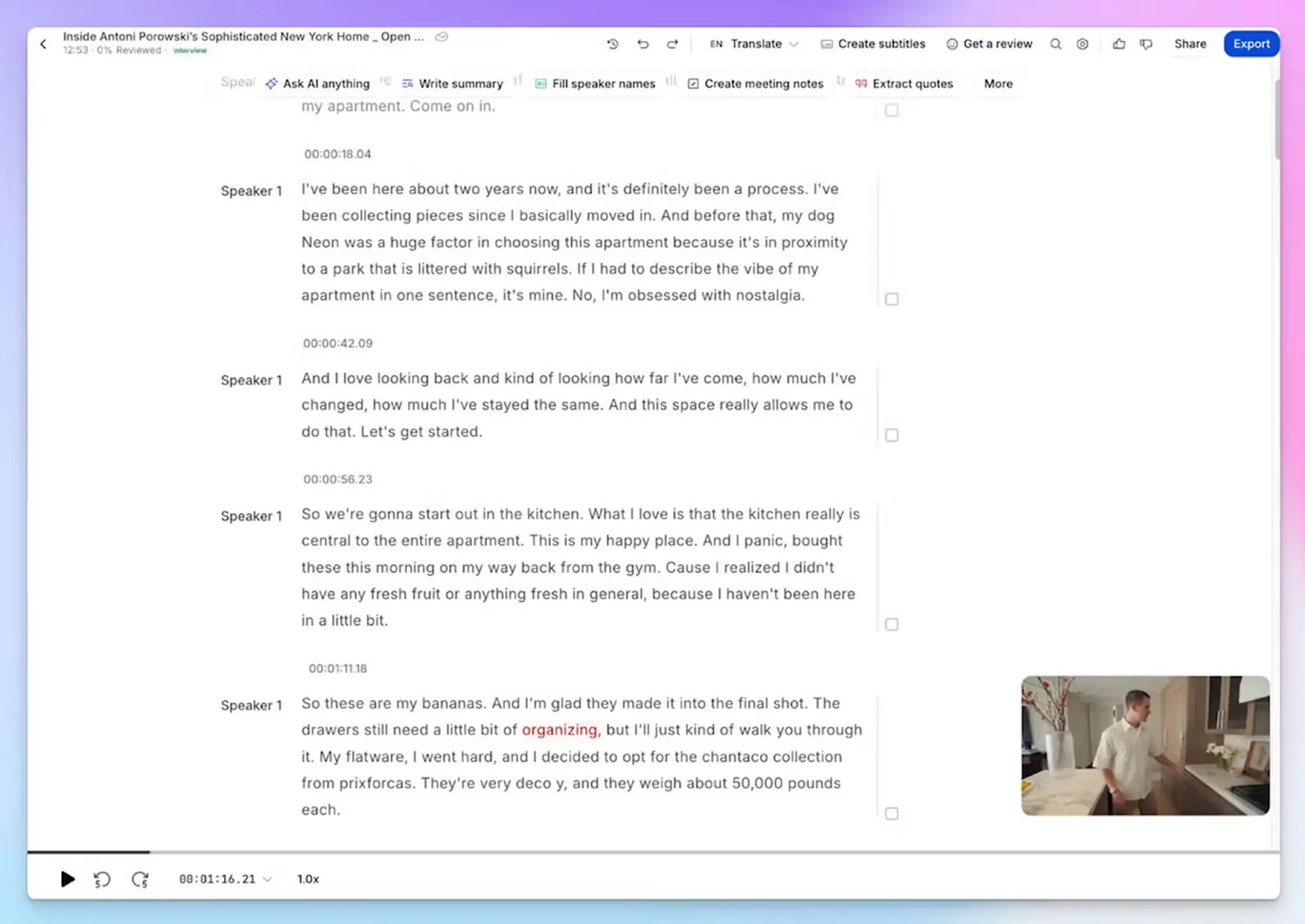
This is the feature Granola users miss most. Since Granola doesn't store audio after processing, any error in the transcript is impossible to verify. HappyScribe retains the full meeting recording and syncs it to the transcript, so you can click any line and hear exactly what was said at that moment.
For client calls, legal discussions, or interviews where non-verbal cues are important to follow, this helps you leave meetings with full confidence.
4. Upload pre-recorded meeting files to generate transcripts and notes
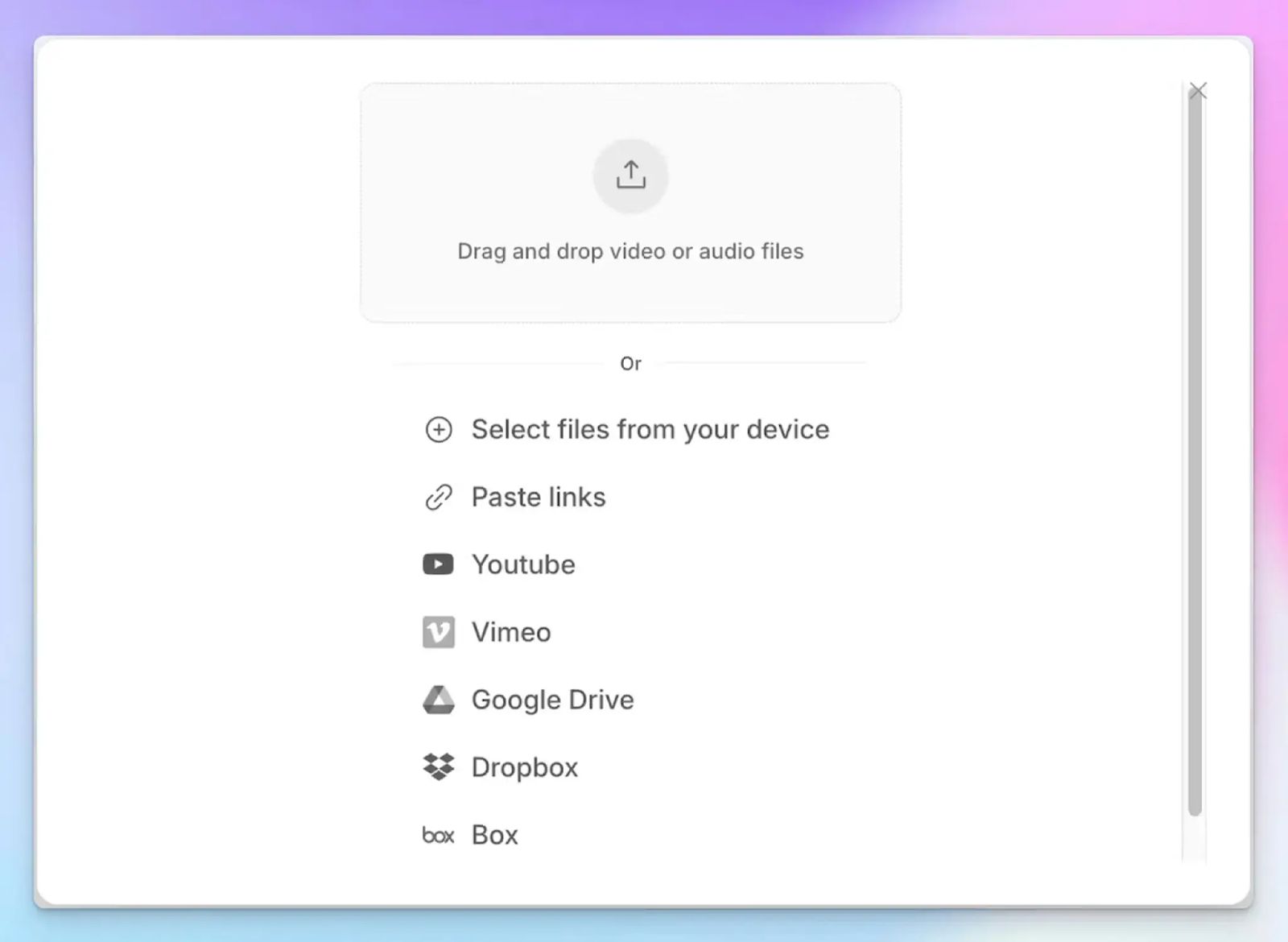
Granola only works with live meetings, which means your backlog of recorded webinars, client calls, and town halls stays undocumented unless you use another tool. HappyScribe fixes that.
You can upload audio and video files directly from your device, Google Drive, Dropbox, Box, or Vimeo, and generate the same high-quality notes you'd get from an online meeting.
With HappyScribe, you can consolidate your entire meeting archive, both past and future recordings, into one organized workspace.
5. Subtitling, translation, and wide export support
As an AI meeting assistant, HappyScribe goes further than simple transcripts. You can translate meeting notes into 80+ languages, so stakeholders across markets stay up to date with insights in their own language.
If you repurpose video recordings for onboarding, training, or internal communications, the subtitle editor lets you create, edit, and burn subtitles directly onto video files before distribution.
Once you’re done with transcripts or subtitles, you can directly export them as PDF, TXT, DOCX, SRT, MP3, AAC, WAV, MP4, MOV, MPEG, etc. You don’t get a wide range of format support with Granola.
HappyScribe's pricing
- Free: Unlimited meeting recordings (45 mins/recording)
- Basic: $8.50/month (billed annually) or $17/month (billed monthly)
- Pro: $19/month (billed annually) or $29/month (billed monthly)
- Business: $59/month (billed annually) or $89/month (billed monthly)
- Enterprise: Contact sales for tailored solutions
HappyScribe's pros
- Use the AI chat to find deeper insights from previous meetings, extract speaker quotes, highlight video chapters, and write follow-up email drafts
- HappyScribe is GDPR-compliant and SOC 2 Type II certified, with all data stored in a Tier IV, PCI DSS, and ISO 27001-certified EU data center
- Connect meeting data to your existing tech stack via Zapier, API, and HappyScribe's MCP server
- iOS and Android mobile apps coming soon
- Customer support from real humans, not chatbots
HappyScribe's cons
- Not ideal for real-time transcriptions
What are real users saying about HappyScribe?
I tried HappyScribe with the free trial and was immediately impressed. The transcription accuracy is excellent, even with background noise and different accents. The interface is intuitive and easy to use, and the ability to download the transcript in multiple formats is a great plus. Highly recommended for anyone who needs a reliable and flexible transcription tool.
HappyScribe is fast, effortless, and accurate—getting straight to the point every time. It makes transcription and subtitling a breeze. Truly grateful for such a reliable tool!
How to use HappyScribe's AI note taker? A step-by-step guide
- Link your Google or Outlook calendar or paste the meeting link to invite the HappyScribe note taker. For in-person meetings, you can record audio without a bot.
- Select Meetings in the left sidebar and check the options on the right to customize when the note taker should join and who should receive the email summary.
- Click the Settings button at the top right to select when the note taker should start recording and who can view the meeting transcription.
- During an online call, the note taker must be admitted by the meeting host to start recording. You can chat with the note taker to control it.
- The meetings will be saved in your Workspace files or in the Private section, depending on your privacy settings.
2. Fellow
Best for: Managers and teams that need a structured, organization-wide meeting system with granular access controls
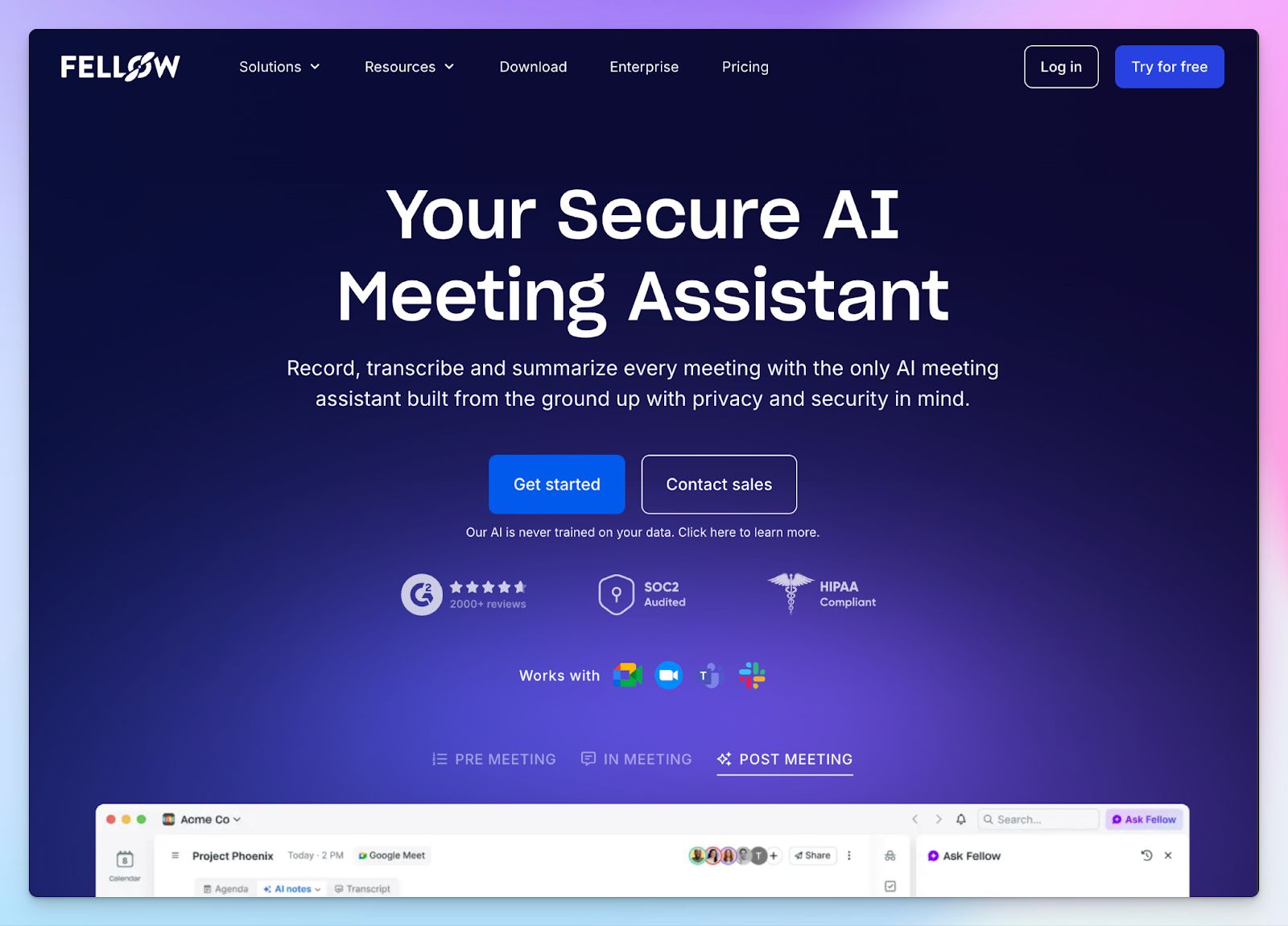
Fellow approaches meetings differently from Granola. Where Granola is a personal notepad that enhances your own notes after a call, Fellow is built for teams that want to manage the full meeting lifecycle: from shared meeting agendas before the call to tracked action items and automated follow-ups after it.
If your team runs recurring 1:1s or cross-functional syncs, Fellow gives every meeting a consistent shape.
Fellow vs. Granola
| Category | Fellow | Granola |
|---|---|---|
| Meeting structure | Collaborative agendas, shared notes, and tracked action items that persist across recurring meetings | Personal notepad only, no shared agenda or cross-meeting accountability layer |
| Recording reliability | Bot or bot-free recording with clear admin-controlled policies and no silent failures | A bot-free way to capture audio only |
| Language support | 90+ languages | Only 10 languages on desktop, 7 more on iPhone |
Fellow's key features
- The new Ask Fellow AI chat offers more powerful tools and insights before, during, and after meetings, including a native clipping feature
- You can set up admin-controlled recording policies that determine who can record, who can access notes, and whether recordings are published to shared channels
- Action items captured in Fellow automatically sync to Asana, Jira, Linear, ClickUp, Salesforce, and HubSpot after the meeting ends
Fellow's pricing
- Free: 5 AI notes and recordings per user
- Solo: $29/month
- Team: $11/month
- Business: $23/month
- Enterprise: $25/month (billed annually)
Fellow's pros
- You can choose from pre-built note templates or build your own to structure meeting notes just as you want
- Supports both bot and bot-free recording with the same data security controls applied across both modes
- Fellow stores all your recordings in a neatly organized library, and you can create custom channels and filters to find recordings faster
Fellow's cons
- The free plan caps AI notes and recordings at 5 per user, which fills up quickly for anyone in back-to-back meetings
- Fellow's strengths are most apparent in team settings; solo users without direct reports get limited unique value over a simpler note taker
📚 Also read:
3. Fathom
Best for: Individual users and small teams who want a free and reliable note taker with meeting playback
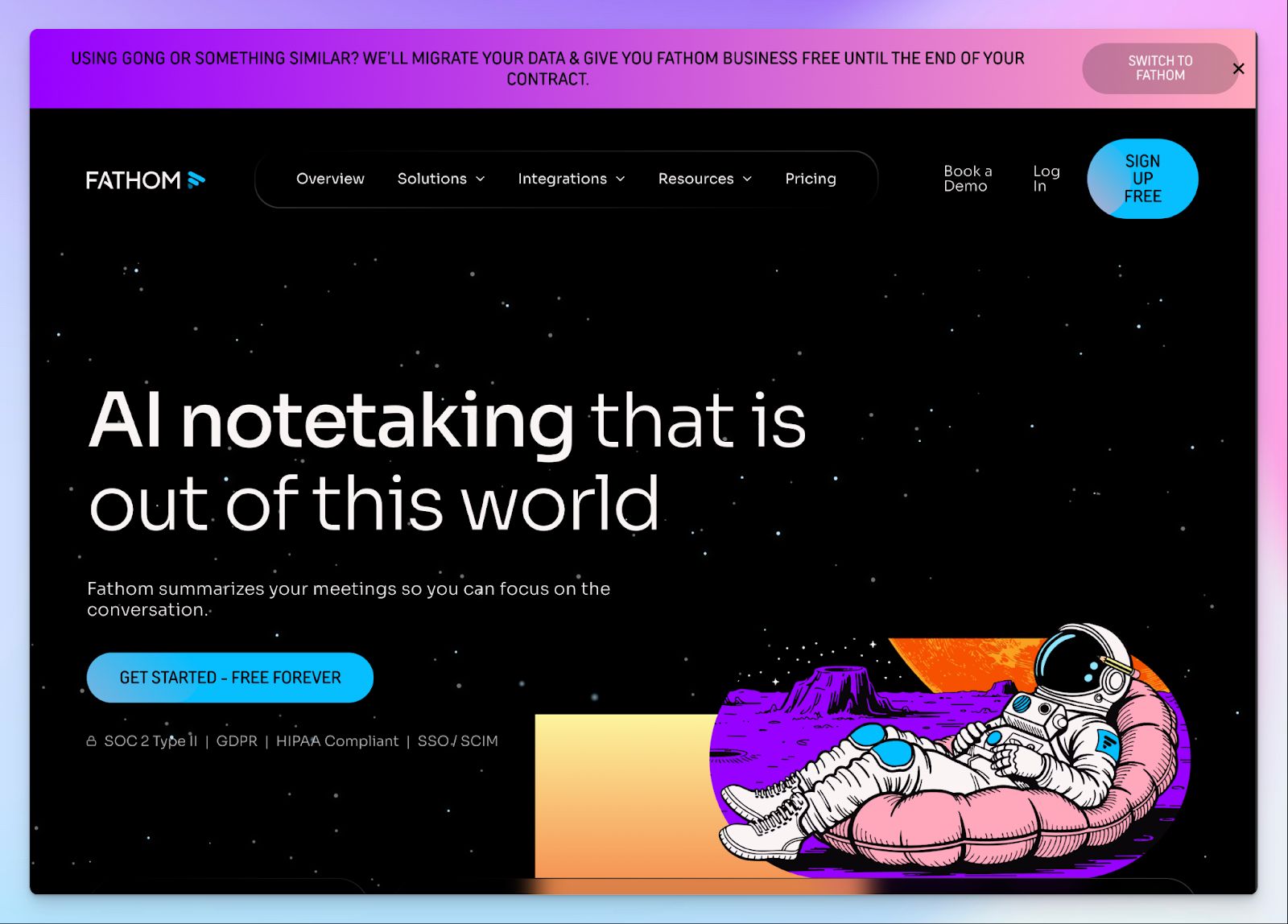
Fathom works as a Granola alternative because it handles recording and note taking on its own, without relying on your notes to find the right direction. It gives you a full transcript synced to audio playback so you can click any line and hear what was actually said.
If you're coming from Granola, Fathom's free plan addresses a lot of your objections right away.
Fathom vs. Granola
| Category | Fathom | Granola |
|---|---|---|
| Free plan depth | Unlimited recordings, transcripts, and storage with no lifetime cap | Free plan is limited to 25 meetings, and note visibility expires after a set period |
| Audio playback | Full meeting audio synced to transcript on all plans | No audio stored after processing |
| Language support | 38 languages | Only 10 languages on desktop |
Fathom's key features
- Ask Fathom lets you search across your entire meeting history to surface past decisions, commitments, and action items, and generate follow-up emails directly from the answer
- The recently introduced coaching hub is useful for sales managers to track behavioral analytics and AI scorecards so they can help reps close better
- You can mark key moments during a call and turn them into shareable highlight clips or playlists for teammates to work on
- The Team plan gets access to 17 meeting summary templates covering sales methodologies like BANT, MEDDPICC, Sandler, and SPICED, alongside general, demo, and customer success formats
Fathom's pricing
- Free: AI summaries capped at 5 per month
- Premium: $20/month
- Team: $19/user/month (minimum 2 users)
- Business: $34/user/month (minimum 2 users)
Fathom's pros
- It has a generous free tier among AI note takers, with unlimited recordings, transcription, and storage
- You can connect your Fathom notes with HubSpot, Asana, Pylon, Attive, and Slack, among other tools
- Fathom is well covered in terms of enterprise security, thanks to GDPR, HIPAA, CCPA, and SOC 2 Type 2 compliance
Fathom's cons
- Fathom’s meeting notes are not always accurate. Although it has made progress in recent months, it’s still not as good as some competitors
- The meeting bot is unreliable. It might fail to auto-join your meetings, so be aware of that
- Fathom has no support for in-person or pre-recorded file transcription, forcing many users to look for Fathom alternatives
4. MeetGeek
Best for: Managers and HR teams who need conversation analytics, automated meeting templates, and structured notes across recurring workflows
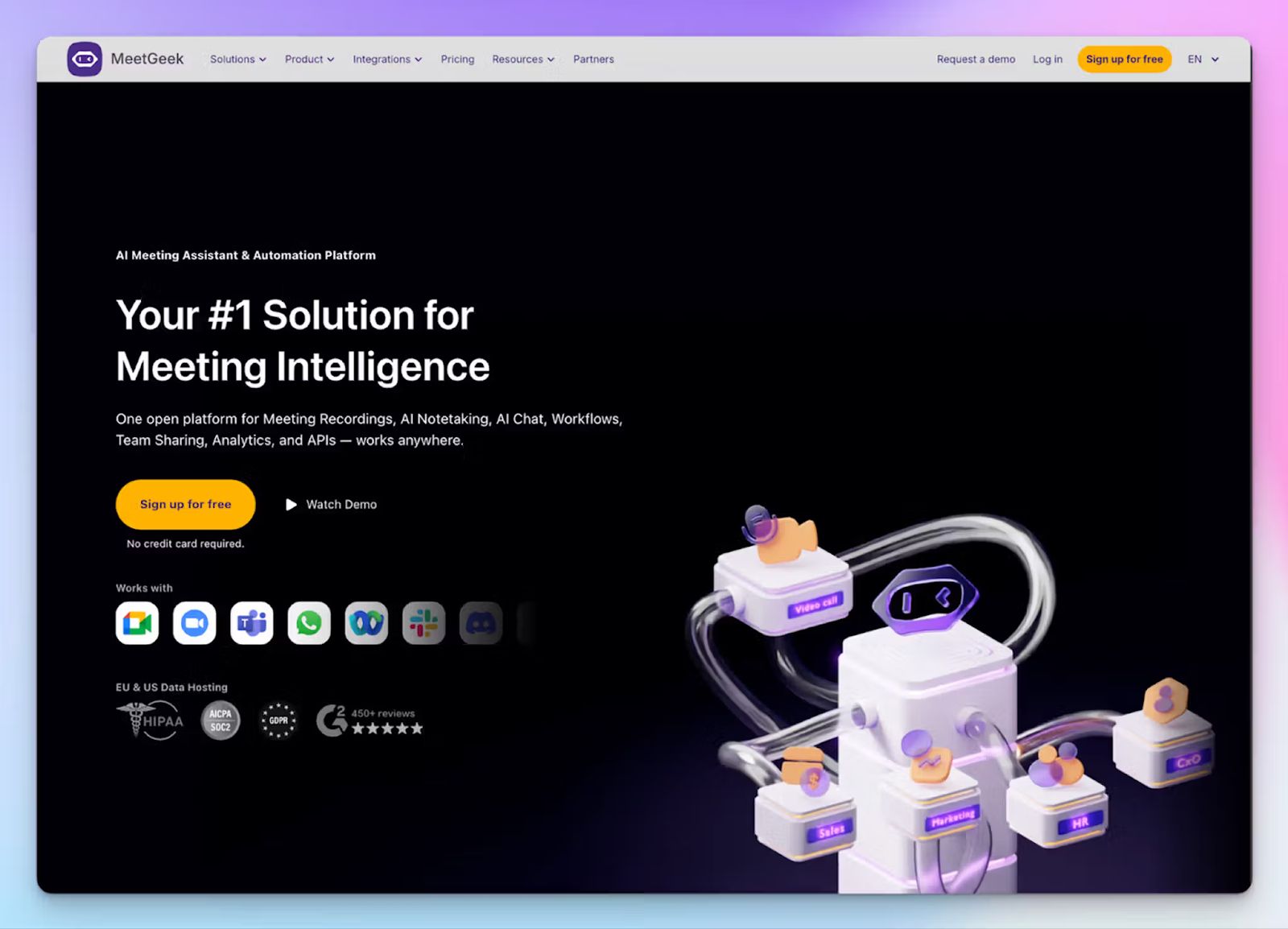
MeetGeek is another end-to-end meeting management tool that offers more than Granola’s meeting notepad. It automatically detects the type of meeting, such as a standup or a job interview, and applies the right summary template without any manual setup.
For managers overseeing AI meeting assistants in Europe with strict compliance needs, MeetGeek is also one of the few tools that offers a choice of EU or US data storage across all plans.
MeetGeek vs. Granola
| Category | MeetGeek | Granola |
|---|---|---|
| Meeting analytics | Tracks engagement, sentiment, talk time, and speaker balance across individual and team meetings | No analytics or meeting intelligence. Granola is notes only |
| Recording options | Bot-assisted and bot-free Chrome extension and desktop recorder | Bot-free system audio capture via app only |
| File upload | MeetGeek supports pre-recorded audio and video files | No file upload support |
MeetGeek's key features
- MeetGeek automatically detects meeting types and applies the right summary template. Sales calls get BANT-style structure, interviews get candidate evaluation formats, without any configuration on your end
- Voice agents can auto-join and run structured calls on your behalf in up to 10 simultaneous sessions, which is useful for high-volume outreach
- You can ask AI chat to search and surface decisions, action items, or meeting context from any recorded session
- The conversation analytics dashboard tracks talk time, engagement levels, sentiment, and topic coverage at both the individual and team level, which makes it practical for managers who want to improve meeting performance across their teams over time
MeetGeek's pricing
- Free: 3 hours of transcription per month
- Pro: $15.99/month
- Business: $27/month
- Enterprise: Custom pricing
MeetGeek's pros
- Your meeting data gets synced automatically to HubSpot, Salesforce, Slack, Jira, Notion, and Attio, and with other tools via Make, n8n, and Zapier
- SOC 2 Type 2, GDPR, and HIPAA compliant on all plans, with a choice between US and EU data residency
- Mobile apps on iOS and Android support in-person meeting recording, which addresses one of Granola's core gaps
MeetGeek's cons
- The Pro plan caps monthly transcription at 20 hours with a $0.50/hour overage charge, which adds up quickly for teams with frequent meetings
- MeetGeek’s transcription accuracy doesn’t hold up in multilingual calls or meetings with strong overlaps
- The meeting bot might send post-call emails to external attendees without clear opt-out controls, leading many users to look for MeetGeek alternatives
📚 Also read:
5. Jamie
Best for: Professionals and small teams who prefer bot-free meeting notes and a well-designed app UI for meetings
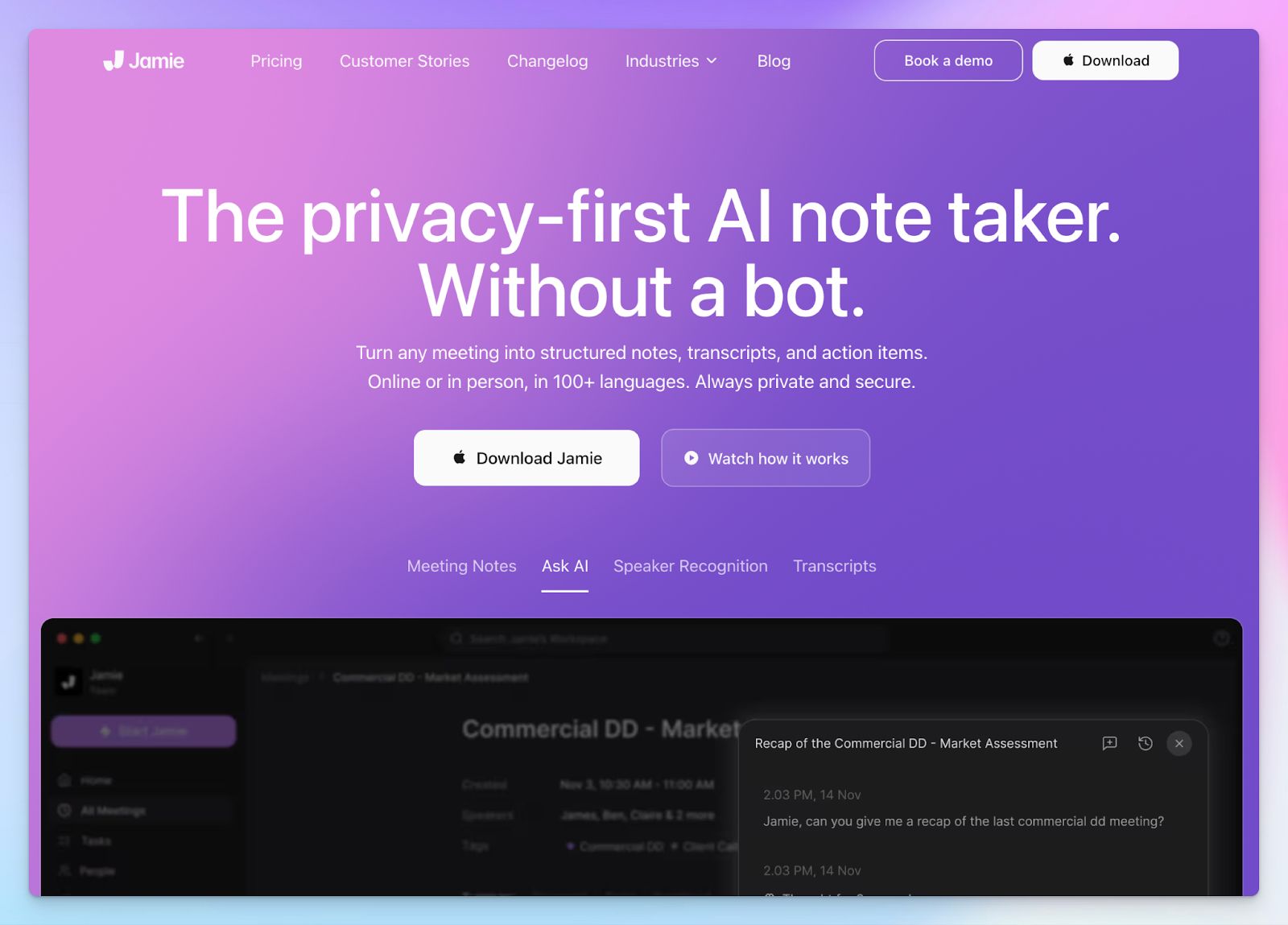
Both Jamie and Granola are bot-free tools that capture system audio directly on your device. The difference is in what each one does with it. Granola views meeting insights as a collaborative effort, while Jamie generates structured summaries on its own, with no input required from you during the meeting.
If you've been looking at bot-free AI note takers specifically, Jamie sits at the more polished end of that category.
Jamie vs. Granola
| Category | Jamie | Granola |
|---|---|---|
| Note generation | Fully automated from audio, no typed input required during the meeting | Hybrid. Granola requires you to type keywords during the call for AI to build on |
| Language support | 100+ languages | 10 languages on desktop, 7 more on iPhone |
| Speaker identification | Available in all meeting transcripts across platforms | Limited to iPhone-recorded meetings only |
Jamie's key features
- With topic-based summaries, you can group key points, decisions, and action items by subject rather than chronologically, so the output reads like a structured brief
- Jamie supports speaker memory. Once you label a speaker’s voice, it remembers that person across future meetings
- Ask AI to search across your meeting history and extract specific decisions, quotes, or action items from past sessions with direct links
Jamie's pricing
- Free: 10 meetings/month; 30 minutes per meeting
- Plus: €25/month
- Pro: €47/month
- Team: €39/user/per month (minimum 2 users)
- Enterprise: Custom pricing
Jamie's pros
- Jamie supports multi-speaker identification, whereas Granola’s desktop app can only sort dialogues into “me” and “them”
- It has deep integration with HubSpot, Salesforce, Attio, Asana, Notion, and OneNote
- No audio is stored after processing, which keeps data handling clean for teams working with confidential or legally sensitive conversations
Jamie's cons
- The transcription accuracy and summaries aren’t fully reliable, particularly in calls with multiple attendees
- Meeting credits and duration caps on the free plans make Jamie restrictive for users on a budget
- Jamie is still not SOC 2 Type 2 certified, which pushes more security-focused teams to look for Jamie alternatives
📚 Also read:
Which Granola alternative should you choose?
Granola works well enough for users who prefer writing their own notes and want AI to sharpen them afterward. But once you need reliability, language coverage, or any way to verify what was actually said, it starts to show its limits.
👉Choose Fellow if your team runs structured recurring meetings and needs shared agendas, tracked action items, and granular controls across the organization.
👉Go with Fathom if you attend mostly online calls and want a genuinely free plan with unlimited recordings and audio playback.
👉Pick MeetGeek if you manage a team across different meeting types and want conversation analytics and in-person recording support.
👉Opt for Jamie if privacy is your primary concern, and you want structured, bot-free summaries that work online and in-person.
👉Choose HappyScribe as the strongest all-round replacement for Granola. It’s the only tool on this list that combines 95%+ accurate transcription in 150+ languages with audio and video playback, bot-free in-person recording, pre-recorded file upload, subtitle editing, and translation into 80+ languages, all under one roof.
It is also the most privacy-secure option for global teams, with GDPR compliance, SOC 2 Type 2 certification, and an EU data center that keeps your meeting data safe.
Start with the free plan to record unlimited meetings and see the difference before spending a cent.
FAQs on the best Granola alternatives for AI note taking
1. What is the best Granola AI alternative for meetings?
HappyScribe is the best overall Granola alternative for most teams. It delivers reliable transcription at 95%+ accuracy across 150+ languages, keeps the source audio for playback, and works across Zoom, Google Meet, Microsoft Teams, and in-person meetings. Unlike Granola, it doesn't rely on your personal notes to generate meeting content, and it never uses your data to train AI models. For project managers and global teams handling sensitive customer data, it also holds GDPR, SOC 2 Type II, and ISO 27001 certifications.
2. What are some free alternatives to Granola AI?
Several AI-powered meeting assistants offer genuinely usable free plans. HappyScribe's free plan includes unlimited meeting recordings up to 45 minutes each with no lifetime cap on the number of meetings. Fathom has one of the most generous free tiers in the market, with unlimited recordings, AI transcription, and storage, though advanced features like AI summaries are capped at 5 per month. MeetGeek offers 3 hours of transcription per month on its free plan. Fellow gives you 5 AI notes and recordings per user. All four are meaningfully more functional on free plans than Granola, which limits access to 25 meetings for the lifetime of the account.
3. Is there a Granola alternative that works on Android?
Granola lacks an Android app, which is one of its significant limitations for teams that work across a mix of devices. MeetGeek and Fathom both offer Android apps that support in-person meeting recording. For Android users who need a capable AI meeting assistant today, HappyScribe's web recorder works on any device. The Android mobile app is currently in development.
4. What is the difference between Jamie AI and Granola AI?
Both are bot-free tools that capture system audio directly on your device, but they work differently. Granola uses a hybrid approach where you type keywords during the meeting, and the AI builds on them afterward, with no audio stored after processing. Jamie generates fully automated summaries from audio alone, with no input required from you during the call. Jamie also supports 100+ languages compared to Granola's 10 on desktop, and offers more direct integrations with dedicated platforms like HubSpot, Salesforce, and Notion. Granola has limited team collaboration features, while Jamie supports shared workspaces on its Team plan.
5. Is Granola the best AI note taker?
Granola receives positive feedback for its clean interface and hybrid note-taking approach, but it has significant limitations that hold it back for serious use. It supports only 10 languages on desktop, offers no video capture or audio playback to verify past meetings, and has a history of silent recording failures with no error alerts. It also lacks real-time transcription and relies on your personal notes to produce accurate summaries. For individuals who attend a handful of meetings a week in English, it works reasonably well. For sales teams, project managers, or anyone on other platforms, dedicated platforms like HappyScribe or Fellow offer far stronger accuracy, security, and AI enhancement.
6. Granola vs Fathom: Which is the best AI meeting assistant?
Fathom is the stronger tool for most users. It handles recording and AI transcription independently without relying on personal notes, offers a generous free tier with unlimited recordings, and stores audio synced to the transcript so you can revisit specific moments from past meetings. Granola has no audio playback at all. Fathom is limited to online meetings and 38 languages, while Granola's iPhone app supports in-person use. For sales teams that need CRM automation and sales conversation logging, Fathom's coaching hub is the clearer choice. For conversation intelligence and enterprise security certifications at scale, HappyScribe covers the gaps both tools leave open.

Biplab Mazumder
Biplab is a content marketer and writer who helps high-growth brands scale content visibility across AI search channels. His works have been published in HubSpot, Freshworks, Atlassian, SurferSEO, etc. When he's not planning content strategy, he's testing AI content workflows and use cases.