TL;DR ⏩
Based on my testing and research, here are the best AI note takers for Microsoft Teams in Europe:
- HappyScribe: Best for European teams that need 95%+ accurate, multilingual meeting notes on Microsoft Teams in 150+ languages with verified EU data hosting and flexible recording options
- MeetGeek: Best for managers who need conversation analytics and auto-detected meeting templates on Microsoft Teams to fix meeting workflows
- Noota: Best for recruiters and hiring teams that need structured interview reports pushed directly into their ATS after every Teams call
- Seedext: Best for Enterprise teams and executive committees that need sovereign, customizable meeting reports hosted entirely in France
- Leexi: Best for European sales and customer success teams that need meeting intelligence fed directly into their CRM alongside VoIP call data
If you're running daily meetings on Microsoft Teams, you've probably looked into AI note takers that can jot down notes so you can focus on your calls.
The problem is that most listicles that recommend these tools don't ask the question European teams actually care about: where does your meeting data go?
I tested over a dozen AI note takers that integrate with Microsoft Teams and filtered specifically for tools that meet the compliance standards of European organizations. That means verified EU data hosting and GDPR infrastructure that does more than ticking off checkboxes. I also looked at how each tool actually connects to Teams and how easy your workflows turn out to be.
This list is the result. Five tools that work well with Microsoft Teams and take European data protection seriously, so you don't have to vet them yourself.
How did I evaluate the AI Note Takers for Microsoft Teams?
1. Microsoft Teams integration
The first thing I tested was how each tool actually connects to Microsoft Teams. Some tools drop a bot into the meeting that participants have to admit, while others let you record locally without any bot. One works for consent and compliance, while the other is good for sensitive conversations.
I also checked whether each tool syncs with the Outlook calendar to auto-detect scheduled meetings. A tool that requires you to manually paste a meeting link every time defeats the purpose of automation.
2. GDPR compliance and EU data residency
Most AI note takers on the market claim to be GDPR compliant, but I went deeper. I checked whether each tool hosts data in EU-based servers, publishes a sub-processor list, offers a signed Data Processing Agreement, and gives you control over data retention and deletion.
These are the details your legal or DPO team will ask about, so I made sure the answers were accessible before including a tool on this list.
Otter AI didn’t make the list because of inconsistent storage options and privacy issues.
3. Multilingual transcription and summary quality
Europe means multilingual meetings. I tested transcription accuracy across multiple languages and checked whether each tool can detect multiple speakers and generate action items in the same language it transcribes.
A tool that transcribes accurately in English but falters in French, German, or Dutch is only solving half the problem.
🤔 Did you know?
According to a 2024 Eurobarometer survey, 60% of Europeans can hold a conversation in at least one language other than their mother tongue. If your AI note taker can't keep up with multilingual use cases, it's leaving value on the table.
4. Pricing transparency
I compared pricing structures across tools using their official pricing pages. Some tools charge per user, others per minute of transcription, and a few bundle meeting notes into a broader platform subscription.
For European teams evaluating these tools through procurement, the pricing model is just as important as the price itself because it determines whether costs scale predictably as your team grows.
What are the best AI note takers for Microsoft Teams in Europe? At a glance
| Category | HappyScribe | MeetGeek | Noota | Seedext | Leexi |
|---|---|---|---|---|---|
| Best for | Multilingual European teams that want accurate notes, translation, and EU-hosted data | Managers who want conversation analytics and meeting templates | Recruiters who want AI scorecards and ATS sync | Enterprise teams that want sovereign reports hosted in France | Sales and CS teams who want CRM and VoIP integration |
| Key features | Bot-free and bot-assisted recording, AI Chat, file transcription, translation into 80+ languages | Auto-detected meeting templates, conversation analytics, AI Voice Agents | AI interview scorecards, ATS sync with Bullhorn, Greenhouse, BambooHR, and others | Custom vocabulary and report templates, automated deliverables with structured tags | CRM auto-fill, VoIP integration, custom prompt library |
| Supported languages | 150+ languages and dialects | 50+ languages | 50+ languages | 30 languages | 100+ languages |
| Meeting platforms | MS Teams, Zoom, Google Meet, in-person meetings | Teams, Zoom, Google Meet, in-person via mobile app | Teams, Zoom, Google Meet, in-person via mobile app, VoIP | Teams, Zoom, Google Meet, in-person | Teams, Zoom, Google Meet, Aircall, Ringover, 3CX, Teams Phone |
| Security | GDPR, SOC 2 Type II, AES-256 and Tier IV, ISO 27001-compliant EU data center | GDPR, SOC 2 Type II, HIPAA. EU or US data storage | GDPR, ISO 27001. Data hosted in France (Scaleway) | GDPR, EU AI Act, CNIL, ISO 27001, TLS 1.3. Hosted in France (Azure or Numspot) | GDPR, ISO 27001. Data hosted in France |
| Starting price | Free (unlimited recordings). Paid from $8.50/month (billed annually) or $17/month | Free (3 hours/month). Paid plan starts from $15.99/month | Free (300 min/month). Paid plan starts from €29/month | Contact sales | No free plan. Paid plan starts from $15/month |
1. HappyScribe
Best for: European teams that need 95%+ accurate, multilingual meeting notes on Microsoft Teams in 150+ languages, with verified EU data hosting and flexible recording options
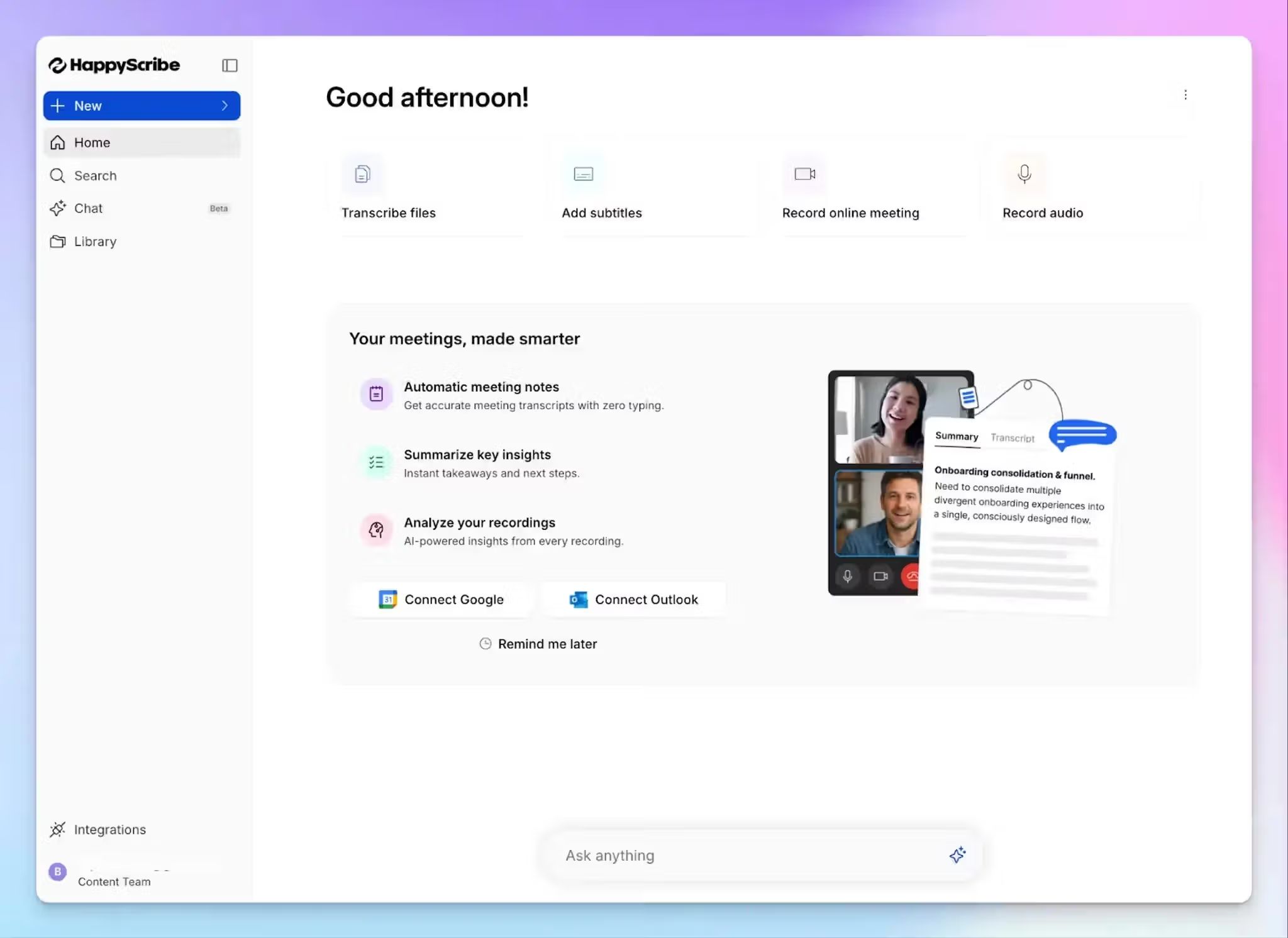
Barcelona-based HappyScribe AI meeting note taker is built for teams that run meetings across languages, time zones, and compliance requirements. It auto-joins scheduled Microsoft Teams calls based on your Outlook events and proceeds to record, transcribe, and summarize each conversation. After the meeting, you get structured notes with speaker labels and action items delivered to your inbox.
HappyScribe also works with Google Meet, Zoom, and in-person calls, so even if you don't run every meeting on Teams, you're still covered.
HappyScribe's key features
1. Bot-assisted and bot-free recording for every type of Teams meeting
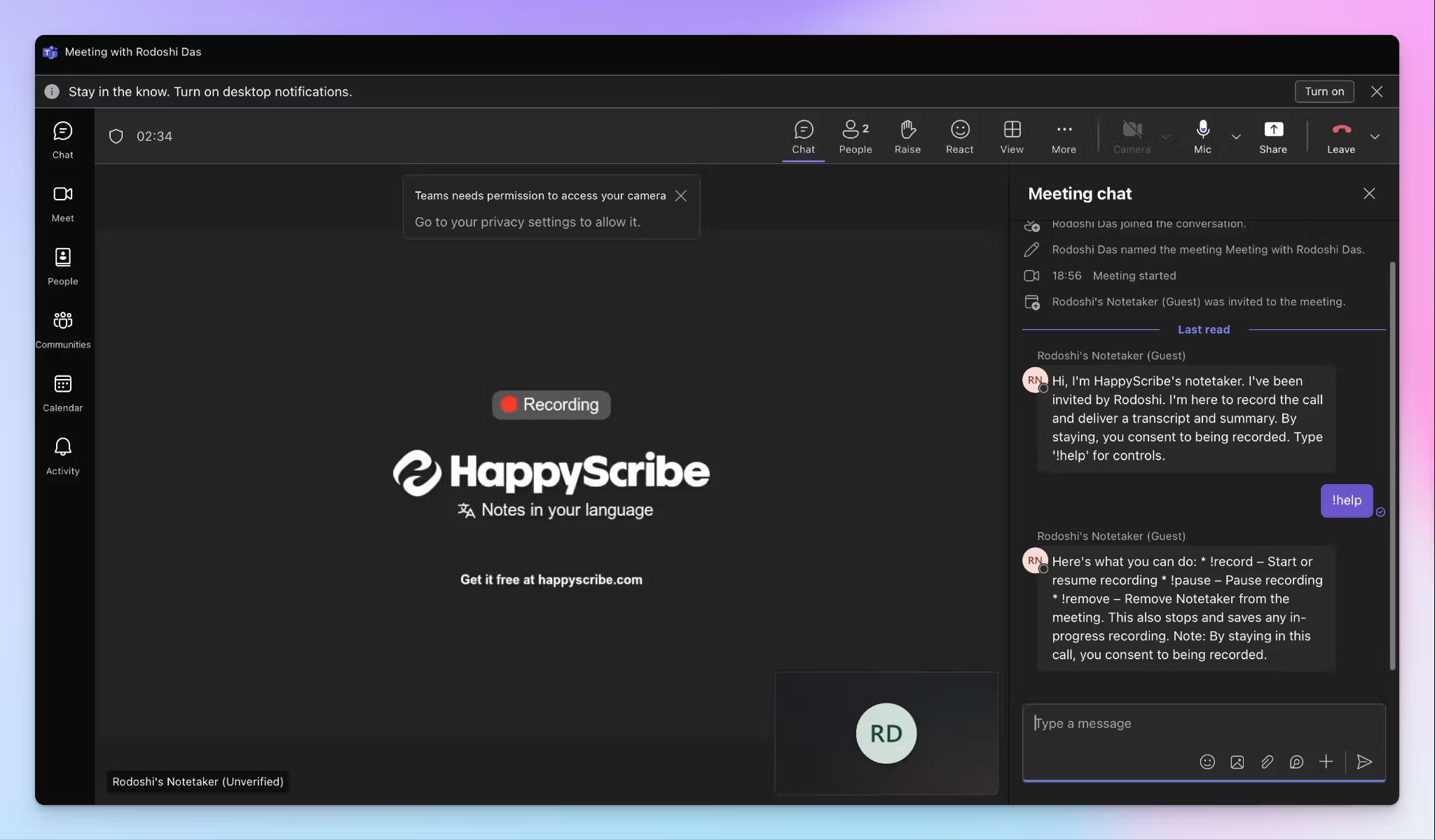
Connect your Google or Outlook calendar, and HappyScribe auto-joins Teams meetings to take notes. During the call, attendees can pause, resume, or remove the bot by typing “!help”, so you stay in control of what gets captured.
For meetings where a visible bot isn't appropriate, HappyScribe offers a mobile app and a web recorder that captures audio directly from your device. No bot enters your meeting and the recording stays private until you decide to share it.
The bot-assisted mode makes consent transparent because every participant can see the recorder in the room. The bot-free mode gives you a discreet option when the conversation calls for it.
2. 95%+ accurate meeting notes in 150+ languages and dialects
HappyScribe supports over 150 languages and dialects with automatic language detection. If participants switch between English and Swiss German, the tool picks up the change without manual intervention.
You can also translate your meeting notes and transcripts into 80+ languages directly inside HappyScribe. If your Amsterdam team needs to share a call summary with colleagues in Madrid, the translation happens in the same workspace without exporting files to a separate tool.
3. GDPR and SOC 2 Type 2 compliance with EU data storage
HappyScribe stores all data in a Tier IV, PCI DSS, and ISO 27001-compliant EU data center, making it one of the most secure meeting assistants in Europe. It doesn't route your recordings through offshore servers or hand them off to third-party processors without disclosure. The platform is SOC 2 Type 2-certified, which means its security controls have been independently audited over time, not just checked once.
For European teams, the practical details are what count. HappyScribe publishes its subprocessor list, offers SCCs for US-based partners, and gives workspace admins control over data retention and deletion policies.
4. AI Chat for insights across meetings and files
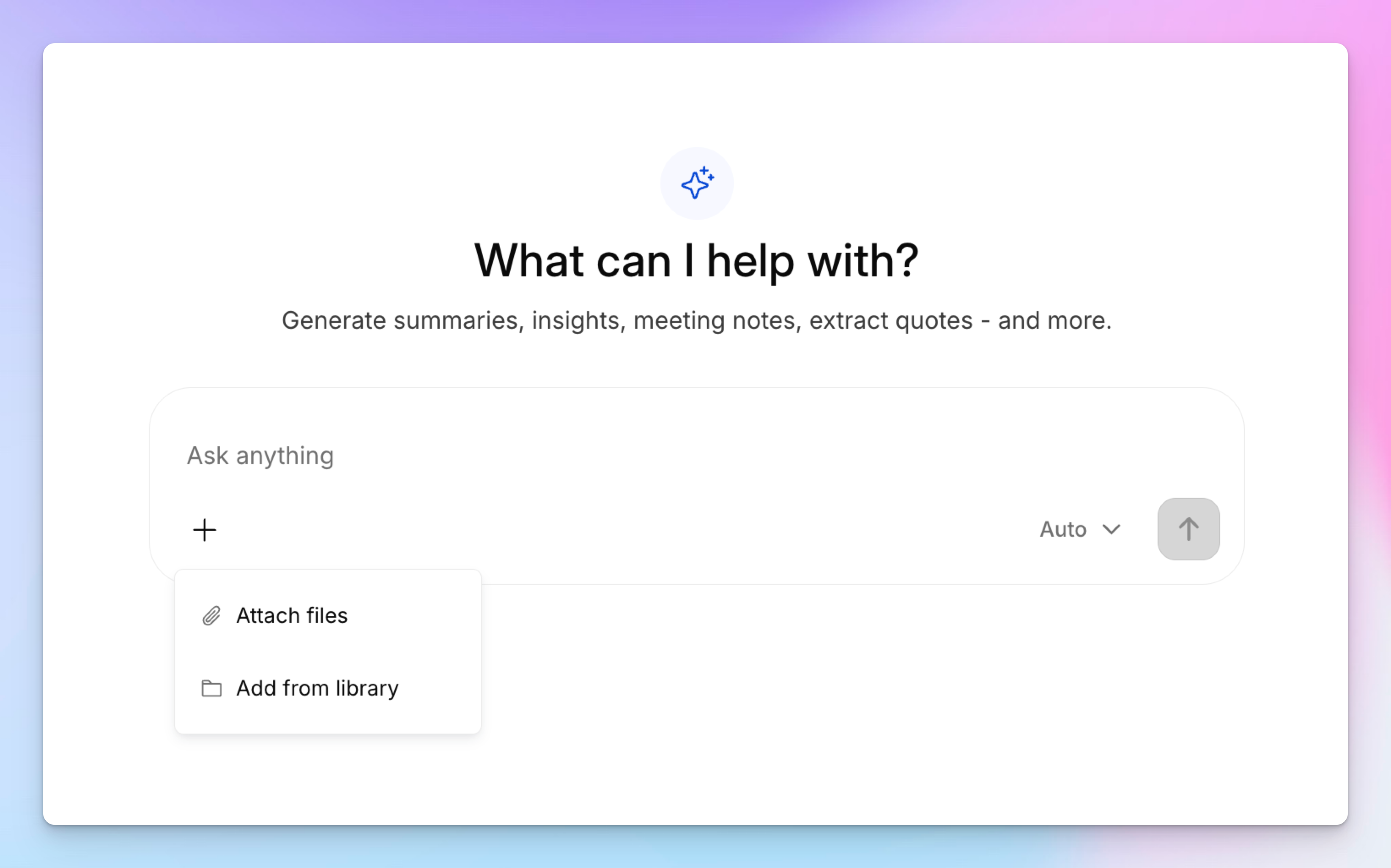
Want to search through your meeting history to find specific insights? The AI Chat feature lets you ask a specific question, summarize what was decided, or pull out every mention of a client name across multiple calls.
Beyond live meetings, you can upload pre-recorded audio and video files to generate transcripts, summaries, and even subtitles. If your team has a backlog of Teams recordings sitting in OneDrive or a folder of interview files that never got transcribed, HappyScribe processes them the same way it handles live calls.
5. Generous free plan and affordable paid plans
HappyScribe's free plan includes unlimited Teams recordings with a 45-minute cap per recording. You don't burn through a fixed monthly quota after three calls, which means you can test the tool across weeks of real meetings.
Paid plans scale based on how much transcription, subtitling, and translation you need beyond meetings. The Basic plan starts at $8.50/month (billed annually) with 1,440 minutes per year. For European teams evaluating tools through procurement, this structure is straightforward to budget.
HappyScribe's pricing
- Free: Unlimited meeting recordings (45 mins/recording)
- Basic: $8.50/month (billed annually) or $17/month (billed monthly)
- Pro: $19/month (billed annually) or $29/month (billed monthly)
- Business: $59/month (billed annually) or $89/month (billed monthly)
- Enterprise: Contact sales for tailored solutions
HappyScribe's pros
- Take notes across Microsoft Teams, Zoom, and Google Meet from a single account, so you don't need separate tools for different meeting platforms
- Bot-free in-person recording lets you capture sensitive conversations without a visible recorder in the room
- EU-hosted data with GDPR and SOC 2 Type 2 certification makes it one of the most reliable transcription software in Europe
- Translate meeting notes into 80+ languages within the same workspace, which removes the need for a separate translation tool
- Free plan is genuinely usable for daily meetings, not a limited trial that expires after a handful of calls
- File upload support means you can transcribe pre-recorded Teams meetings that weren't captured live
HappyScribe's cons
- Not ideal for real-time transcription
What are users saying about HappyScribe?
I just started using HappyScribe but the customer service alone makes it highly recommendable! The transcriptions come out very clean and their AI tools are of higher quality than the last service I used. I'm impressed.
Transcript was much more accurate than the guaranteed 85%. It was more like 98%. And it was really inexpensive and fast. I could not ask for a better experience.
How to use HappyScribe as your AI note taker for Microsoft Teams
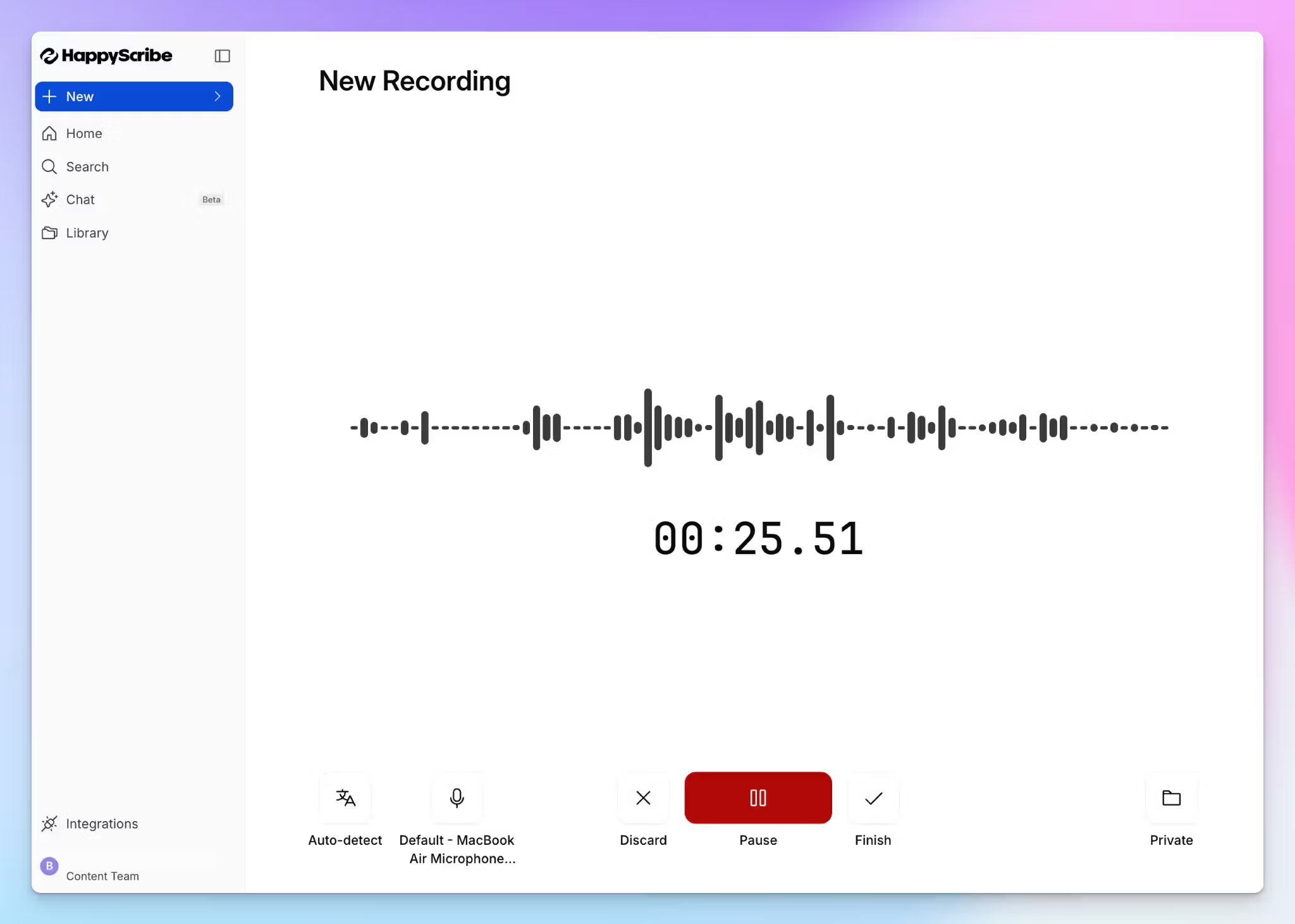
- Link your Google or Outlook calendar to let HappyScribe auto-join scheduled MS Teams meetings. For in-person meetings, record audio without a bot.
- To transcribe pre-recorded Teams files, click Transcribe files and upload from your device or cloud storage.
- Click on your profile menu from the bottom left menu and select Settings to customize when the note taker should join, who can view transcripts, and who should receive the email summary.
- During the Teams call, the host admits the bot to start recording. Anyone on the call can type "!help" in chat to pause, resume, or remove it.
- Once the meeting ends, notes and transcripts are saved in your Workspace or Private section, depending on your privacy settings.
2. MeetGeek
Best for: Managers who need conversation analytics and auto-detected meeting templates on Microsoft Teams
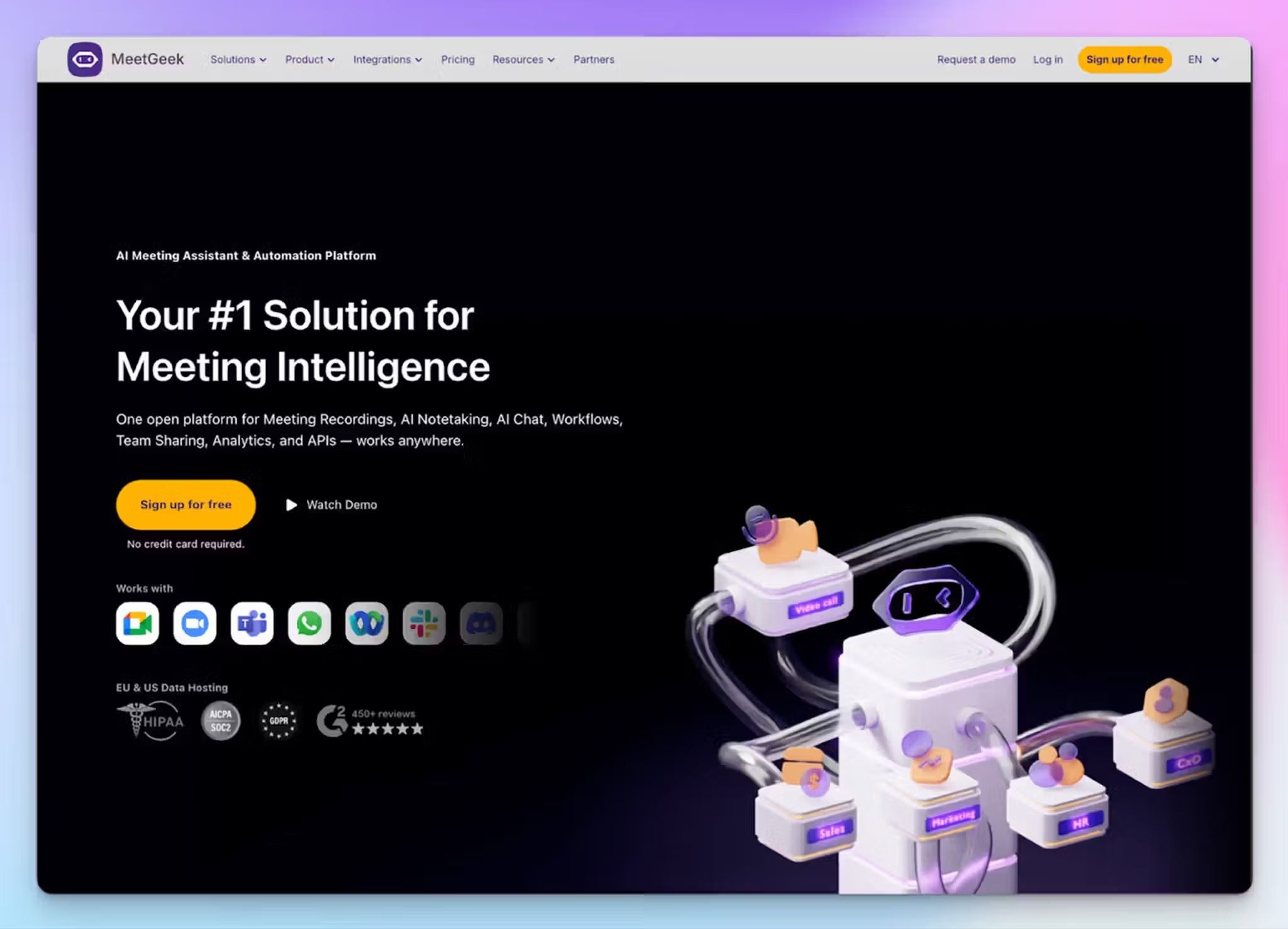
MeetGeek is a Romanian AI meeting assistant that goes beyond transcription. It automatically detects the type of call you're on and applies the right summary template without manual setup. For team leads and managers, MeetGeek generates structured notes the moment the call ends.
What sets it apart from most tools on this list is the analytics layer. It can help you spot patterns in how your team communicates over time so you can change company-wide meeting culture. MeetGeek offers EU or US data storage on all plans, which gives European teams control over where their meeting data lives.
MeetGeek’s key features
- Standardize meeting workflows with pre and post-meeting templates and agenda across teams
- MeetGeek surfaces deep meeting insights, including productivity score, speaker distribution, agenda follow-through, top suggestions, and popular themes
- AI Voice Agents can join and conduct preliminary calls on your behalf, which is useful for high-volume sales and recruiting outreach
- Bot-free note taking through the Chrome extension, mobile, and desktop apps for ad-hoc meetings
MeetGeek’s pricing
- Free: $0 (3 hours/month)
- Pro: $15.99/month
- Business: $27/month
- Enterprise: Contact sales
MeetGeek’s pros
- EU data storage option on all plans with SOC 2 Type 2, HIPAA, and GDPR compliance
- A fleshed-out meeting library organized by meeting type, team, and custom tags, so you can turn past calls into reusable team knowledge
- Integrates with HubSpot, Salesforce, Slack, Monday, Aircall, Jira, RingCentral, Asana, and Notion for automated post-meeting workflows
MeetGeek’s cons
- The Pro plan caps transcription at 20 hours/month with $0.50/hour overage charges, which adds up quickly for teams with frequent calls
- MeetGeek’s AI summaries struggle with accurate action items when meetings involve less common European dialects
- The bot tends to auto-join calls uninvited if you don't configure the settings carefully, pushing many users to look for MeetGeek alternatives
3. Noota
Best for: Recruiters and hiring teams that need structured interview reports pushed directly into their ATS after every Teams call
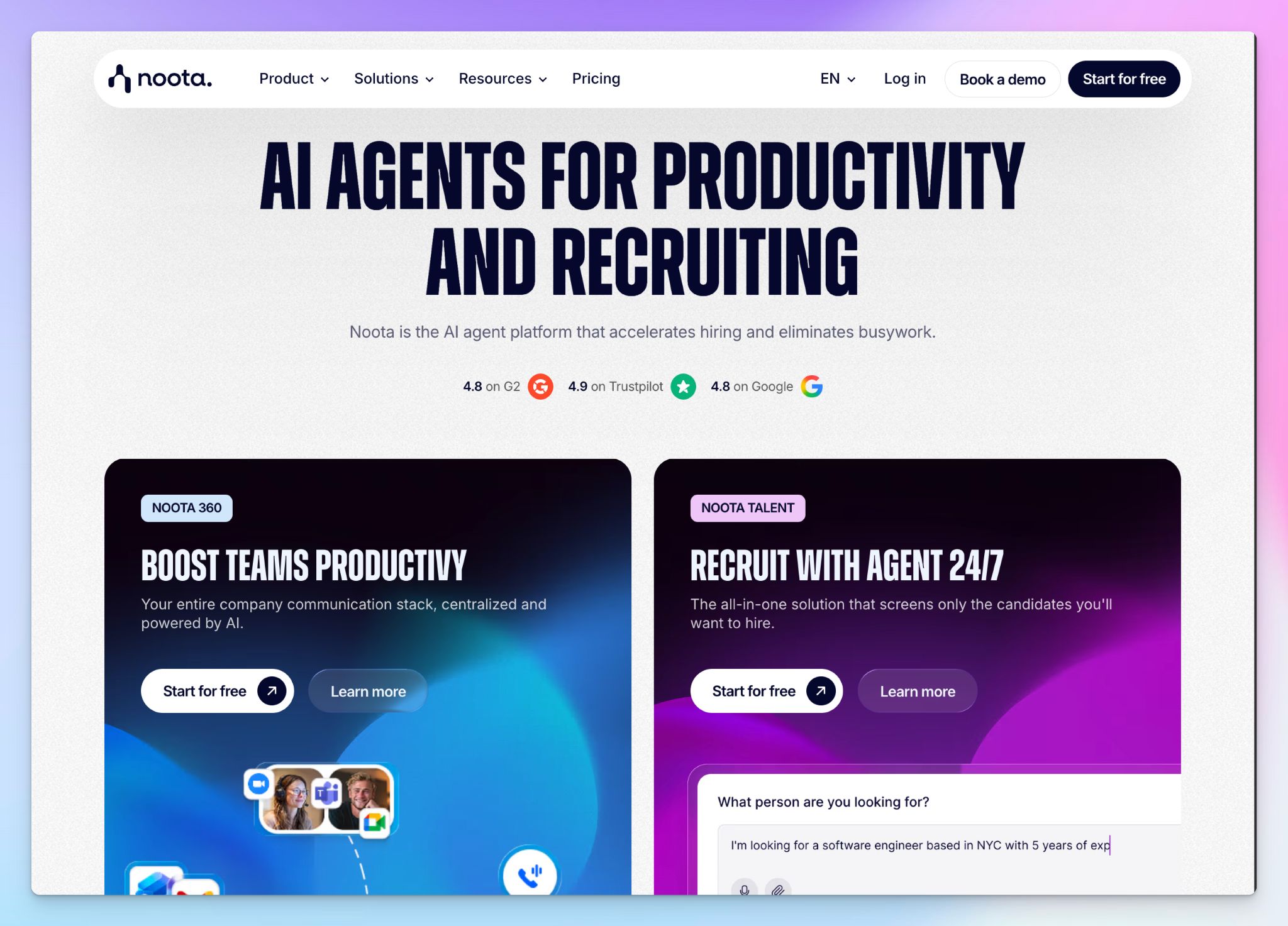
Noota is a Paris-based AI meeting assistant built for recruiters who join a lot of Teams interviews. It records and transcribes your calls, but where it pulls ahead is in what it does with the output. Noota generates AI-powered scorecards that evaluate candidates on predefined criteria, ready to share with hiring managers.
The tool also works for sales and general meetings with CRM integrations and customizable summary templates, but the recruiting toolkit is where Noota has the most depth.
Noota’s key features
- Customize AI-generated interview scorecards to evaluate candidates on skills, communication style, and cultural fit
- Direct ATS sync with Bullhorn, Greenhouse, BambooHR, Workable, and SmartRecruiters keeps candidate data flowing across the tech stack
- You can record bot-free through the Chrome extension, mobile, and desktop apps for sensitive interviews or in-person meetings
- Noota has native VoIP support, so you can record phone calls alongside video meetings
Noota’s pricing
- Free: €0 (300 min of AI notes/month)
- Pro: €29/month
- Business: €49/month
- Business Telephony (add-on): €15/month
- Enterprise: Custom pricing
Noota’s pros
- Data hosted in France on Scaleway infrastructure with GDPR, ISO 27001 certification, and double encryption
- With customizable meeting templates, you can document different interview stages, sales calls, and consulting sessions
- Noota auto-generates follow-up emails from meeting content, so post-interview candidate communication moves fast
Noota’s cons
- Noota fares well for francophone European recruiters, but overall language support (~50) is narrow compared to other tools
- Noota’s interface can feel complex for teams that only need basic meeting notes, as the product is geared towards recruiters
- Free plan storage is limited to one month, so recordings disappear quickly if you don't upgrade
💡 Also read:
4. Seedext
Best for: Enterprise teams and executive committees that need sovereign, customizable meeting reports hosted entirely in France
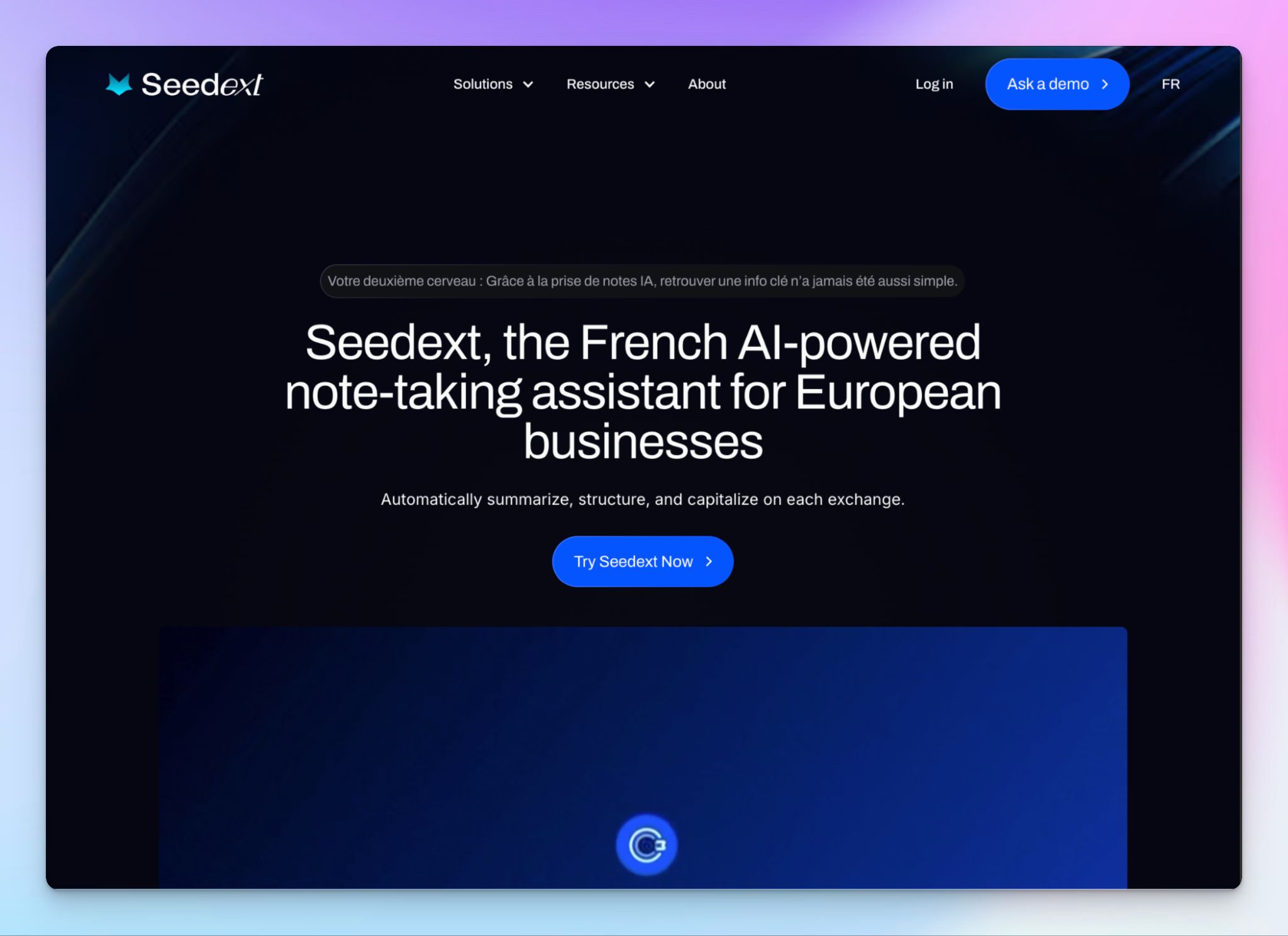
Seedext is built for organizations where data sovereignty drives all decisions. It records, transcribes, and structures your Microsoft Teams meetings into reports that match your company's templates. As a result, Seedext fits more into large organizations than smaller teams.
If your compliance requirements are strict enough that you need a "hosted in France" label, Seedext is one of the few options that delivers on that.
Seedext's key features
- Foxy, the AI assistant, adapts to your company's vocabulary, acronyms, and report templates so meeting summaries match your internal formatting
- PMOs can generate automated deliverables after each meeting with structured tags for sprint reviews, KPIs, scorecards, and project milestones
- Data is encrypted with AES-256 and TLS 1.3, hosted in France via Azure or Numspot, with isolated environments per customer and GDPR, EU AI Act, and CNIL compliance
- AI chat lets you search across your full meeting history to surface decisions, action items, or specific details from past calls
Seedext's pricing
- Contact sales for a custom quote
Seedext's pros
- Built on open-source AI (Mistral) with optimized tokens, so your data never trains external models
- Seedext works across Zoom, Google Meet, and Teams, and records in-person and hybrid meetings with speaker identification
- It offers long-term storage of meeting notes and creates a searchable company knowledge base that persists across teams and projects
Seedext's cons
- Seedext doesn’t have a public pricing or self-serve signup. You need a demo and a sales conversation to get started, which rules out a quick evaluation
- 30 language support is the narrowest on this list, which limits the tool for multilingual teams
- Seedext has a niche presence among European enterprises
5. Leexi
Best for: European sales and customer success teams that need meeting intelligence fed directly into their CRM alongside VoIP call data
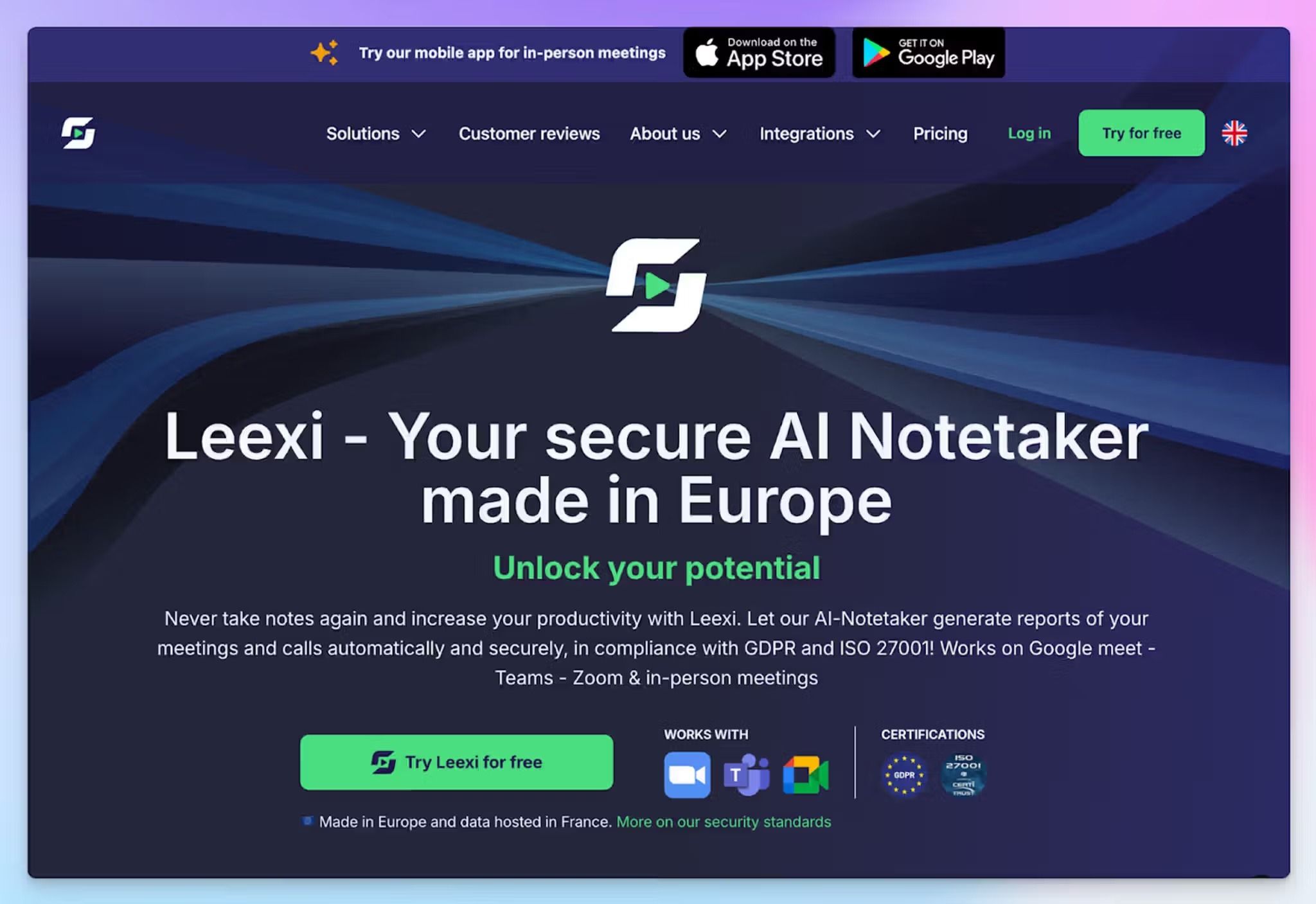
Leexi is a Belgian AI meeting assistant built for teams that run a high volume of calls and need the output to be integrated into their sales workflow. Leexi records Microsoft Teams meetings, generates structured action items, and pushes that data into your CRM.
What sets Leexi apart is the VoIP integration. If your team also takes calls through Aircall or Teams Phone, Leexi captures those alongside your video meetings on the same platform.
Leexi's key features
- The Business plan connects with tools like Salesforce, HubSpot, Pipedrive, Vonage, Ringover, 3CX, etc, so reps don't have to log calls manually
- Use a pre-built prompt library or create your own to customize and structure notes and transcripts according to your projects
- Ask Leexi lets you search across your meeting history to find specific moments and get quick answers on deals and decisions
- Leexi’s conversation analytics give managers visibility into call performance, talk-time distribution, and coaching opportunities across the team
Leexi's pricing
- Starter: $15/month
- AI-Meeting: $29/month
- Business: $49/month
- Enterprise: Contact sales
Leexi's pros
- ISO 27001 certified with GDPR-compliant data storage in France and end-to-end encryption across all plans
- Leexi transcribes in 100+ languages with automatic language detection, which is strong for a sales-focused tool
- It not only supports Teams meetings, but also Zoom, Google Meet, and in-person meetings via the mobile apps
Leexi's cons
- Leexi doesn’t have a free plan. The Starter tier caps usage and limits licenses, which makes it restrictive even as a trial
- Despite broad language coverage, Leexi’s transcription accuracy drops noticeably for heavily accented speech and less common European languages
- Custom prompts are limited to 2 per conversation type on AI-Meeting and 4 on Business, which pushes teams with complex workflows toward Leexi alternatives
Which AI note taker for Microsoft Teams should you choose?
Every tool on this list works with Microsoft Teams and takes European data protection seriously. The right pick depends on what your team needs.
👉 MeetGeek is for managers who want to fix meeting culture with conversation analytics, productivity scores, and auto-detected templates across teams.
👉 Noota is the pick for recruiters and hiring teams that need AI-powered candidate scorecards and direct ATS sync after every Teams call.
👉 Seedext is for enterprise teams and executive committees that need fully sovereign meeting reports hosted in France with custom vocabulary and templates.
👉 Leexi is for sales and customer success teams that need meeting intelligence and VoIP call data flowing into their CRM from one platform.
👉 HappyScribe is the strongest all-rounder for European teams on Microsoft Teams. It combines 95%+ accurate transcription in 150+ languages, bot-assisted and bot-free recording, translation into 80+ languages, and EU-hosted data with SOC 2 Type 2 certification in a single platform.
If your team runs multilingual meetings, needs compliance documentation your DPO will accept, and doesn't want to stitch together separate tools for transcription, translation, and meeting notes, HappyScribe covers all of that from one workspace.
Start with the free plan to record unlimited Teams meetings and test it across real calls before committing to a paid tier.
FAQs on the best AI meeting note takers for Microsoft Teams in Europe
What is the best meeting management software?
For global teams that run multiple meetings across platforms like Microsoft Teams and Zoom, HappyScribe is a strong option because it combines AI-generated summaries, meeting transcription in 150+ languages, and file uploads in one platform. If you're looking for sales coaching features alongside meeting notes, tools like MeetGeek offer conversation analytics that help business leaders track how meetings perform over time. The best AI-powered tools eliminate manual note taking entirely and keep everyone on the same page after the call ends.
Is there an AI notetaker for Microsoft Teams?
Yes. There are several popular AI note takers that integrate directly with Microsoft Teams. These AI tools join your video meetings, record meeting audio, and generate AI notes with key points and action items. HappyScribe, MeetGeek, Noota, Seedext, and Leexi all work with Teams and offer AI-generated summaries after each call. Most connect through your Outlook calendar and auto-join scheduled calls in just a few clicks.
Is Europe not using Microsoft Teams anymore?
Europe is still using Microsoft Teams. However, the European Commission and some EU institutions have moved away from Teams for internal use due to data sovereignty concerns. For most European businesses, Teams remains the primary platform for online meetings and video calls. The key concern for European organizations isn't whether to use Teams, but where their meeting data is stored and whether their note-taking tools meet GDPR requirements. That's why AI meeting notetaker options with EU data hosting and enterprise-grade security are in high demand.
What is the best AI transcriber for Teams?
The best AI transcription tool for Teams is HappyScribe. It offers 95%+ accurate meeting transcription across 150+ languages and dialects with EU data hosting, which makes it one of the strongest options for international teams. For sales teams, Leexi combines AI transcription with CRM integration and VoIP call recording. MeetGeek adds conversation analytics on top of its transcription. All three record meetings on Teams automatically and deliver AI-generated notes within minutes.
Can I integrate AI with Microsoft Teams?
Yes. You can integrate AI with Microsoft Teams through third-party AI note takers that connect via your calendar. These tools join your Teams calls as a bot or record meeting audio without a bot, depending on how you want to capture sensitive data. Most AI meeting notetaker tools on this list integrate in just a few clicks through Outlook. Once connected, they handle all your meetings automatically, from Teams recording to extracting key insights and generating meeting highlights.
What's the best free AI note taker for Microsoft Teams?
HappyScribe offers the most usable free plan for Teams users. It includes unlimited meeting recordings with a 45-minute cap per recording, AI-generated summaries, and speaker detection. You don't burn through a monthly quota after a few calls, which means you can test it across weeks of real video meetings. MeetGeek also offers a free plan with 3 hours per month, and Noota gives you 300 minutes of AI notes per month. If you want to avoid third-party model training on your data, check each tool's privacy policy before signing up.
Is there any MS Teams notetaker that supports European languages?
Yes. HappyScribe leads with 150+ languages and dialects, including less common European languages like Swiss German, Icelandic, Galician, and Catalan. It also translates meeting notes into 80+ languages within the same workspace. Leexi supports 100+ languages, MeetGeek covers 50+, and Noota handles around 50, with particular strength in French. For teams that regularly switch languages during calls, automatic language detection is an AI feature worth prioritizing. A tool that can only transcribe in English but defaults all AI-generated summaries back to English won't work for multilingual European teams. Your data protection officer will also want to confirm where meeting data is stored before you adopt any tool across the organization.

Biplab Mazumder
Biplab is a content marketer and writer who helps high-growth brands scale content visibility across AI search channels. His works have been published in HubSpot, Freshworks, Atlassian, SurferSEO, etc. When he's not planning content strategy, he's testing AI content workflows and use cases.