![5 Best Noota Alternatives for AI Meeting Notes [2026]](/sanity-images/ejgwz1gl/redesign/2828a1dded2cd6e03f7fba45bd309a2c10bd9f75-2048x1152.jpg?auto=format&w=2048.0&rect=0,0,2048,1152)
Noota is a popular note taker for recruiters in Europe, but it’s not the only one. Part of the reason why users look for Noota alternatives for note taking is its price.
You don’t get basic features like Zapier support even after paying €29/month, and there’s always the risk of hitting the 10-user cap in this plan. Proper features and unlimited usage will set you back by €49/month.
While using the tool, I found more bugs that made me wonder if there were better Noota alternatives, minus the drawbacks.
So I tested a few more tools, spoke to other users, and analyzed online reviews to build a list of the 5 best Noota alternatives for pros who don’t want laggy meeting notes. Read on to find more.
TL;DR ⏩
- HappyScribe: Best overall Noota alternative for global teams that want 95%+ accurate AI meeting notes in 150+ languages, fast and simple UI, translation, subtitles, and affordable plans
- Metaview: Best for recruiting teams that want AI-generated interview notes, structured scorecards, and ATS integration in one platform
- Leexi: Best for European sales and customer success teams who want VoIP call transcription and data hosting in France
- Hireguide: Best for talent acquisition leaders who want structured, skills-based interview notes with compliance flags and interviewer coaching
- BrightHire: Best for Enterprise hiring teams that want Zoom-native interview notes and deep ATS integrations
Why users are looking for Noota alternatives
1. Complex and laggy UI
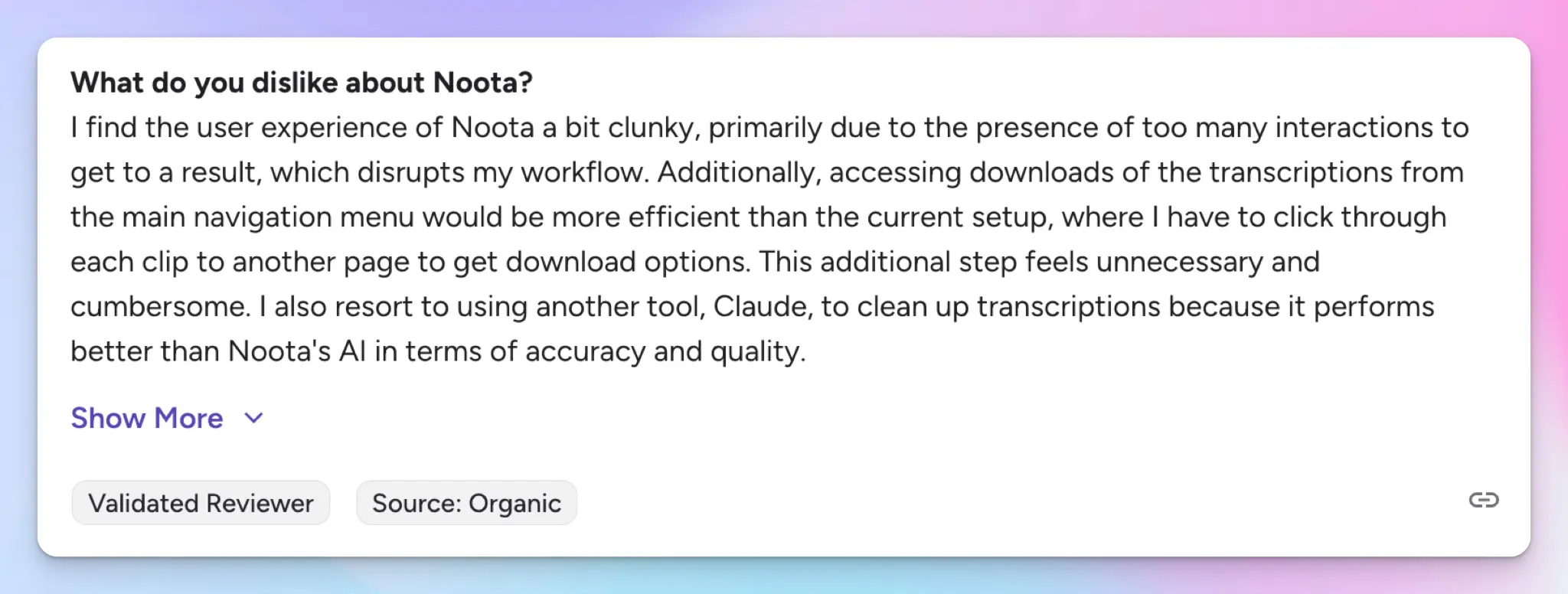
Noota packs a lot into one platform: meeting recordings, report templates, ATS integrations, a VoIP dialer, conversational intelligence, and email automation. For someone who wants notes from a 45-minute interview, getting to that output requires more clicks than it should.
Now, I’m not a recruiter, so I couldn’t test all the features, but I did the next best thing: I spoke to users who used Noota for recruiting.
Some of them described Noota as clunky, with too many steps between joining a meeting and getting a usable summary. The folder system doesn't help either. On longer calls, summaries can take a few minutes to appear, which frustrates users who are in and out of meetings all day.
2. Inconsistent meeting summaries
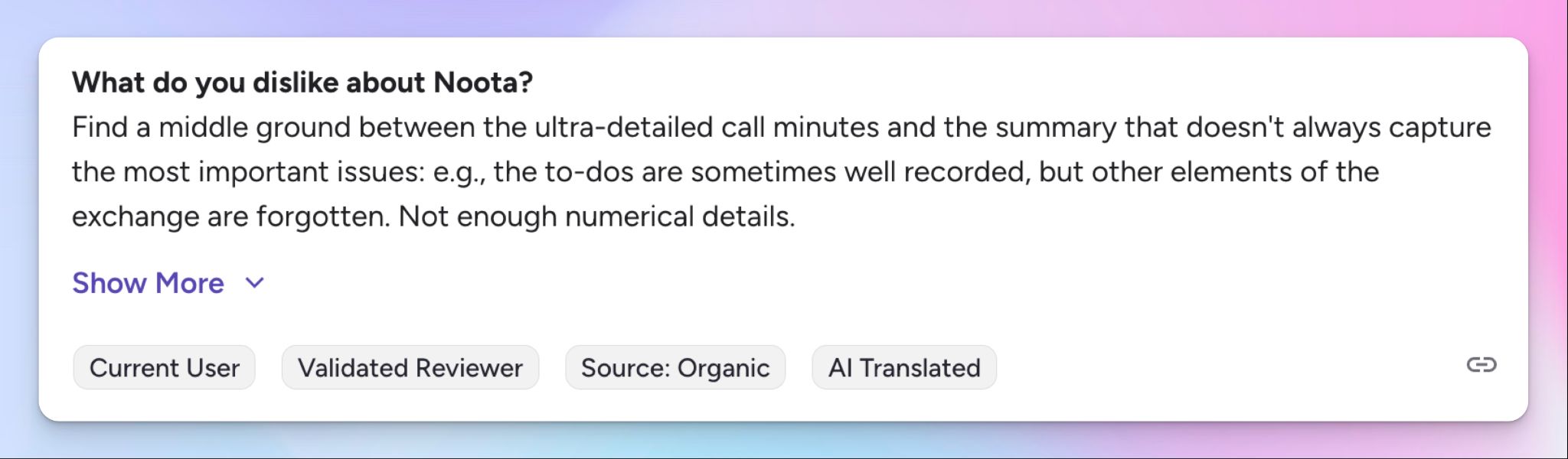
To Noota's credit, the meeting summaries hold up reasonably well in clean audio, especially in French and English. The trouble starts when meetings get messier.
Noota struggles with bilingual conversations, and it frequently defaults to whichever language it picks at the start. Transcription accuracy has issues as well. Janky sentences, inaccurate numbers and percentages, and filler words were all issues I came across in my testing.
3. Unhelpful customer support
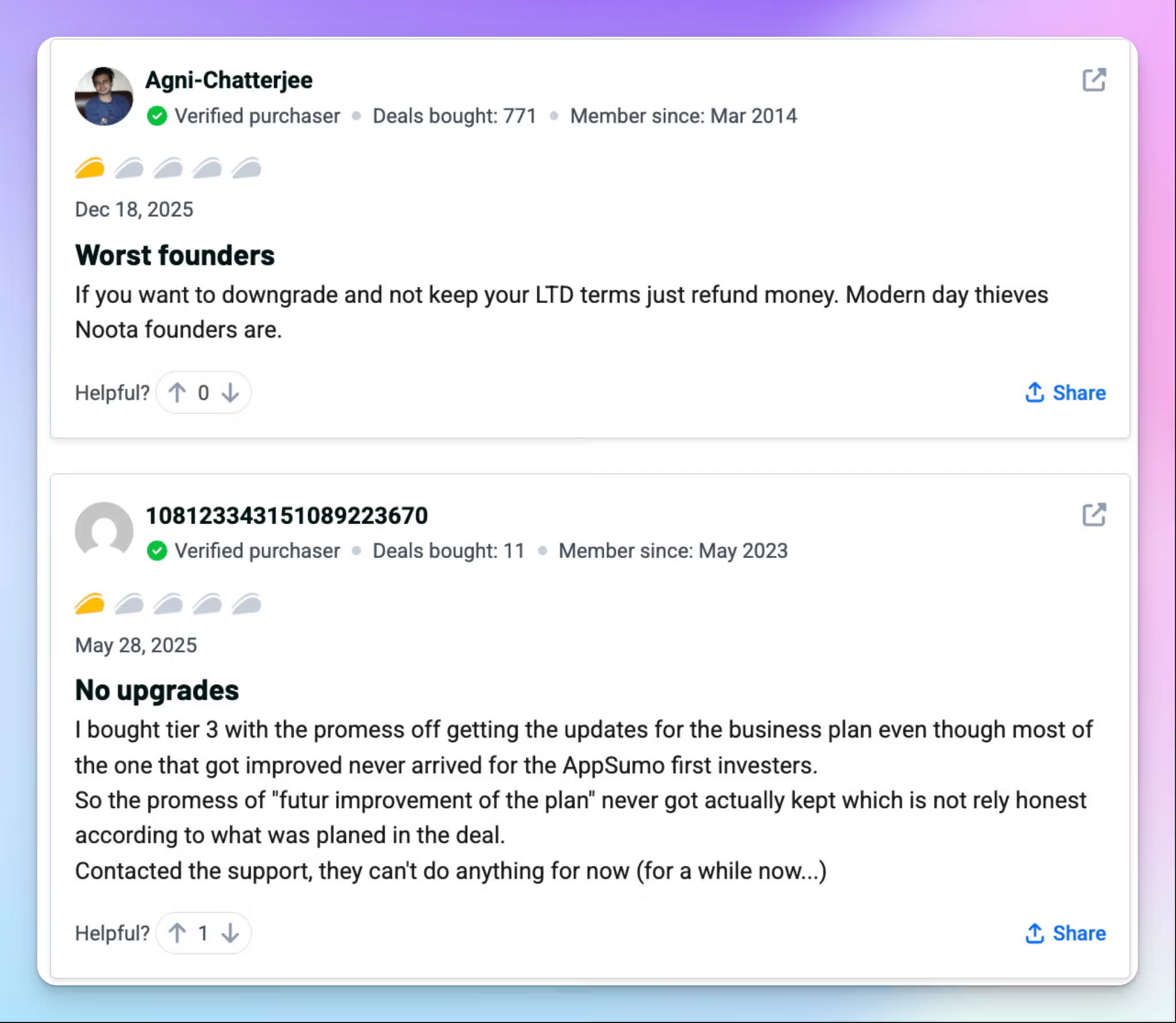
When something breaks or a billing issue comes up, Noota's support response is a recurring complaint.
It reached virality as an AppSumo deal, but users have shared nothing but frustrations lately. Noota has failed to respect LTD terms and upgrade offers on multiple occasions, and the customer support is unhelpful.
The treatment of AppSumo users makes you wonder how Noota will fare in the long run if it can’t support its early adopters.
4. Expensive for what Noota offers
Noota's Pro plan costs €29/month, with transcription limited to 1,000 minutes per month. Zapier and API access don't appear until the €49/month Business plan, which is a significant jump for what most teams would consider standard automation. The transcription quality doesn't yet justify the price, since the output still requires meaningful manual cleanup before it's ready to share.
If you really want to go all-in with recruitment help, Noota’s Talent plan will cost you €299/month. For recruitment agencies, the hard cap of 500 sourced candidates is a real limitation.
Top 5 Noota alternatives at a glance
| Category | HappyScribe | Metaview | Leexi | Hireguide | BrightHire |
|---|---|---|---|---|---|
| Best for | Global teams focusing on accurate multilingual notes, translation, subtitles, and affordable plans | Recruiting teams looking for AI interview notes, scorecards, and ATS sync | European sales and CS teams looking for VoIP call transcription and EU-based data hosting | Talent acquisition leaders wanting skills-based interview notes with compliance flags | Enterprise hiring teams that use Zoom as primary video conferencing tool |
| Key features | 95%+ accuracy, 150+ languages, fast UI, AI Chat, translation in 80+ languages, subtitle editor | AI interview notes, candidate TLDRs, self-learning ICP matching, AI pipeline reports | VoIP transcription via Aircall and Ringover, AI briefing before calls, CRM field-level sync | Clear transcript structure, compliance flag analytics, AI screening interviewer | Competency-based notes mapped to scorecards, interview benchmarking, candidate motivation analytics |
| Supported languages | 150+ languages and dialects | 50+ languages, accuracy drops with non-English accents | 100+ languages | Limited | 30+ languages |
| Meeting platform integration | Zoom, Google Meet, Microsoft Teams, and in-person meetings | Zoom, Google Meet, Microsoft Teams, phone calls | Zoom, Google Meet, Microsoft Teams, Aircall, Ringover, Cloudtalk | Zoom, Google Meet, Microsoft Teams, any calendar-linked video platform | Zoom-native, Google Meet, Microsoft Teams, major ATS platforms |
| Security | GDPR and SOC 2 Type II-compliant, data stored in ISO 27001, PCI DSS, Tier IV EU data center | SOC 2 Type II, GDPR, CCPA, data on AWS UK | ISO 27001, GDPR, data hosted exclusively in France | GDPR, CCPA, SOC 2, AES-256 encryption, B Corp certified | SOC 2 Type II, GDPR, CCPA |
| Starting price | Free plan with unlimited meeting recordings. Paid plan starts from $8.50/month (billed annually) or $17/month (billed monthly) | Free plan (25 conversations/month). Pro at $60/month | No free plan. Starter at $15/month | Custom pricing only | Custom pricing only |
1. HappyScribe
Best for: Global teams that want 95%+ accurate AI meeting notes in 150+ languages, fast and simple UI, translation, subtitles, and affordable plans without the complexity of Noota
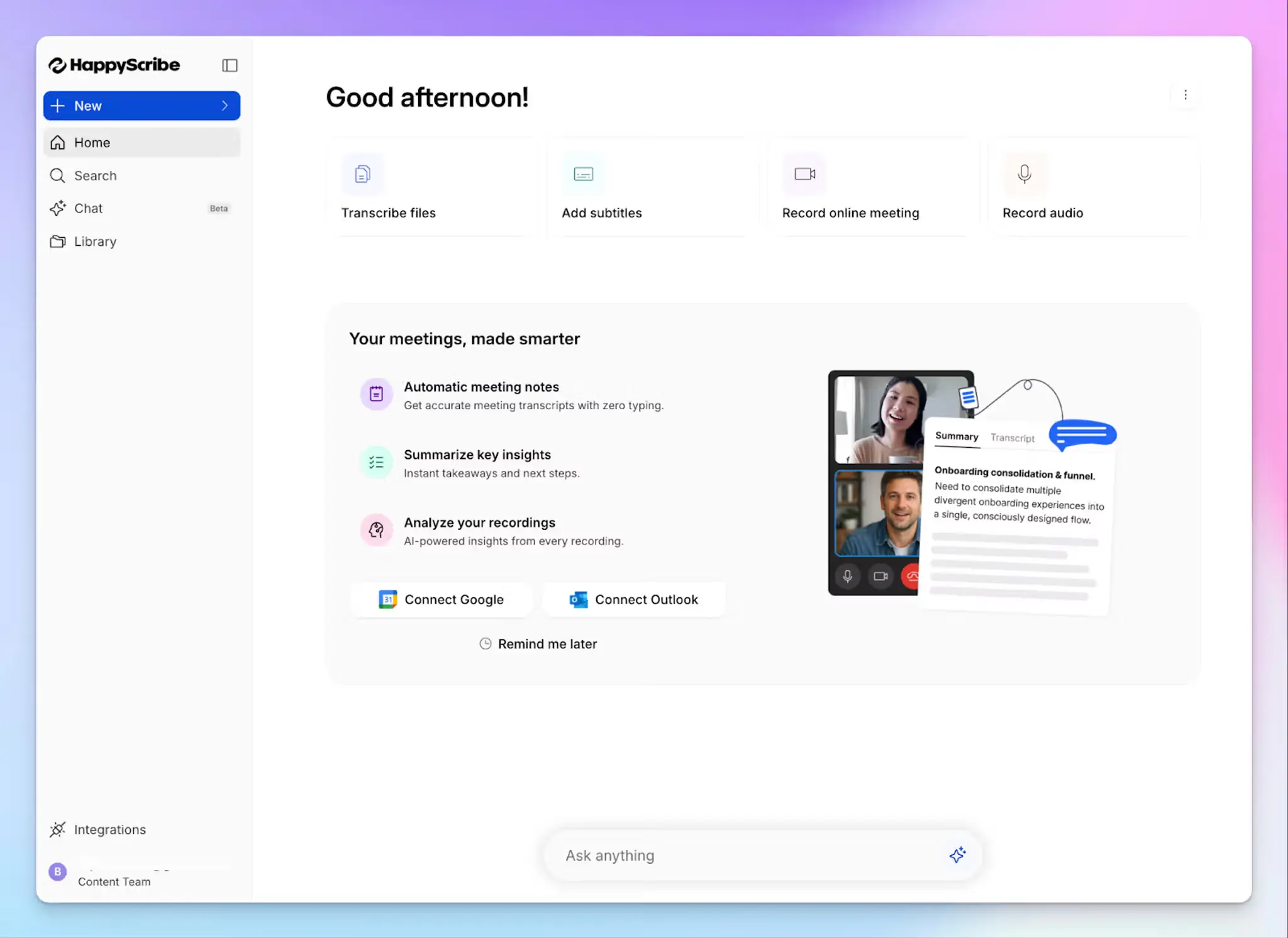
HappyScribe's AI note taker is one of the best Noota alternatives because it solves the two problems that Noota struggles with: cluttered workflows and unreliable output.
In its bid to be a recruitment assistant, Noota ends up forcing users to navigate multiple windows to get to a summary. In contrast, HappyScribe surfaces your notes, action items, and transcripts in one clean view, minutes after your meeting ends.
Connect your Google or Outlook calendar to let HappyScribe auto-join scheduled meetings, or paste the meeting link manually. It works across Google Meet, Zoom, Microsoft Teams, and in-person meetings, without any complicated setup or browser extensions.
HappyScribe vs. Noota
| Category | HappyScribe | Noota |
|---|---|---|
| Usability and speed | Clean dashboard with notes, transcript, and action items, with no extra steps to reach your output | Multiple layers of navigation to reach a summary, with report generation taking several minutes on longer calls |
| Transcription accuracy | 95%+ accuracy across 150+ languages and dialects, including multilingual conversations | Noota supports 60+ languages, but accuracy drops in bilingual calls, with frequent language mix-ups in summaries |
| Pricing transparency | Free tier with unlimited recordings. Paid plans from $8.50/month with no hard user caps on core plans | Pro plan capped at 10 users and 1,000 minutes. Zapier is locked behind the €49/month Business plan |
HappyScribe's key features
1. Generate 95%+ accurate meeting notes in 150+ languages and dialects
Noota handles French and English reasonably well, but its accuracy drops when conversations shift between languages mid-call. HappyScribe’s transcription engine has been refined over the years to cover 150+ languages and dialects at 95%+ accuracy.
Be it Swedish, Swahili, or Swiss German, HappyScribe transcribes multilingual meetings with ease. And if your team is based in the UK, it's also one of the best AI note takers for UK accents.
You can also build custom glossaries so HappyScribe gets your people’s names and industry-specific terms right from the first session.
2. Simple and fast UI to help you access notes and AI insights
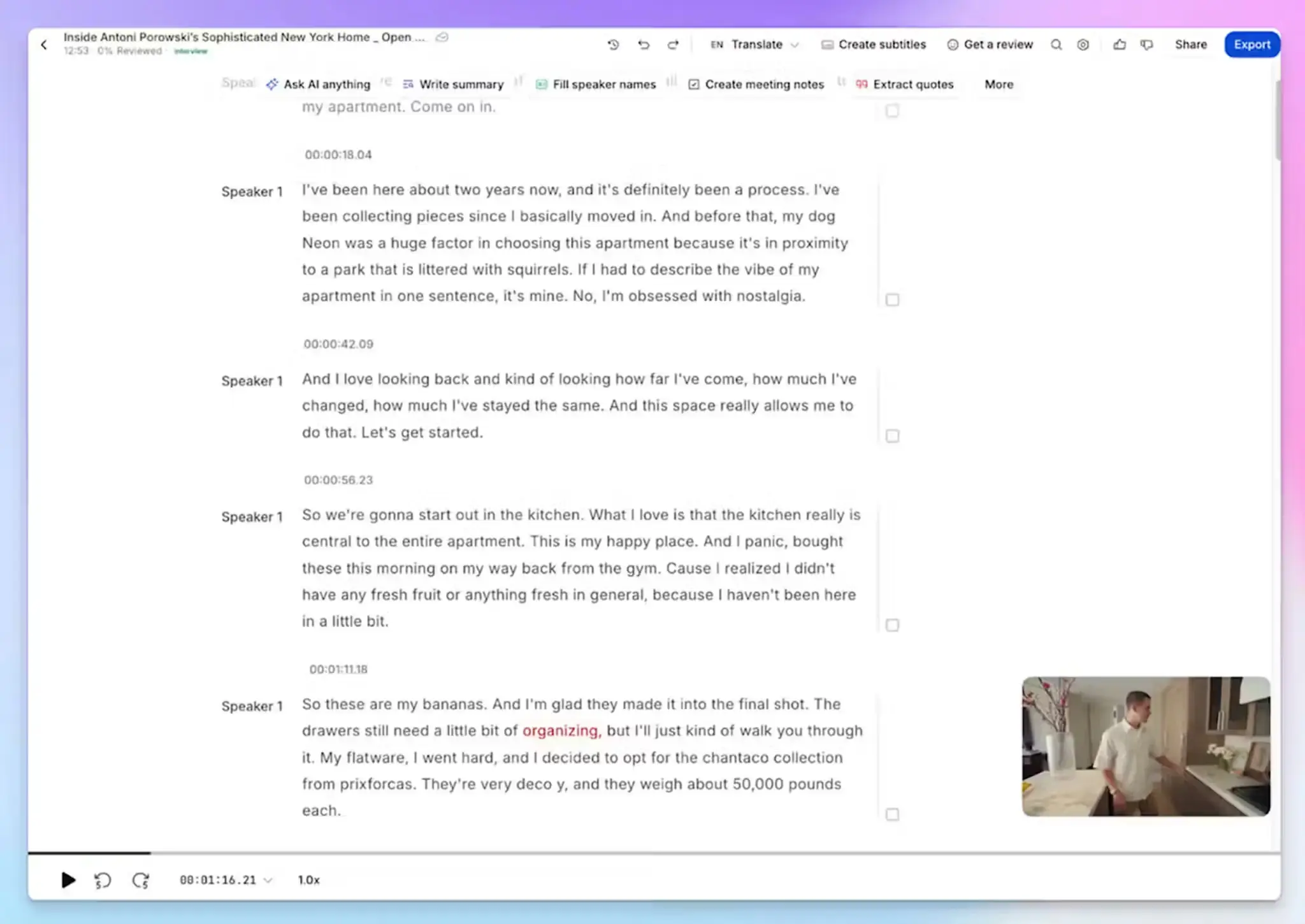
One of the most consistent complaints about Noota is its clunky UI getting in the way of productivity. HappyScribe takes the opposite approach.
Your transcript, meeting agenda, action items, and speaker labels are all in one place the moment processing finishes, so you can move from the call to follow-up without hunting through folders.
HappyScribe’s AI Chat lets you go further when you need to. Ask it to pull a specific quote, draft a follow-up email, or surface a decision from a meeting three weeks ago, and it answers in seconds.
3. Translate meeting transcripts in 80+ languages and edit subtitles for videos
Noota can translate meeting transcripts in only 30 languages, which isn’t good enough for global teams. It also doesn’t support a dedicated subtitle editor. If your team works across multiple markets, HappyScribe lets you translate meeting transcripts into 80+ languages, so stakeholders in different regions stay updated.
If you repurpose recorded meetings for onboarding, training, or internal communications, the subtitle editor lets you create, edit, and burn subtitles directly onto video files before distribution, all within the same platform.
4. Affordable plans with a generous free tier
Noota's free plan gives you only 300 minutes per month and one month of storage. No email sync and no integrations. In contrast, HappyScribe's free plan includes unlimited meeting recordings capped at 45 minutes each, with no lifetime cap on the number of meetings.
When you decide to scale, the paid plans start at $8.50/month (billed annually), without the hard user caps or automation paywalls that make Noota's pricing structure frustrating to work around.
HappyScribe's pricing
- Free: Unlimited meeting recordings (45 mins/recording)
- Basic: $8.50/month (billed annually) or $17/month (billed monthly)
- Pro: $19/month (billed annually) or $29/month (billed monthly)
- Business: $59/month (billed annually) or $89/month (billed monthly)
- Enterprise: Contact sales for tailored solutions
HappyScribe's pros
- HappyScribe is GDPR-compliant and SOC 2 Type II certified, with all data stored in a Tier IV, PCI DSS, and ISO 27001-certified EU data center
- Record bot-assisted online meetings and bot-free in-person meetings, depending on your choice
- Fast customer support from real humans, not chatbots
- Use the AI Chat to extract speaker quotes, highlight video chapters, search across past meetings, and draft follow-up emails
- Connect meeting data to your existing tech stack via Zapier, API, and HappyScribe's MCP server
HappyScribe's cons
- Not ideal for real-time transcriptions
What are real users saying about HappyScribe?
Having several telephone calls needing to be transcribed, this program made it extremely east. Accuracy, I would say is over 95%! Best software ever with a reasonable price.
In a meeting with 25 people I recorded a talk on debt restructuring with my phone from the back of the room. The notes were concise, albeit not totally to the point, since this was not a formal meeting. The AI prompted narrative summary of less than 500 words nailed it though!
How to use HappyScribe's AI note taker? A step-by-step guide
- Link your Google or Outlook calendar or paste the meeting link to invite the HappyScribe note taker. For in-person meetings, you can record audio without a bot.
- Select Meetings in the left sidebar and check the options on the right to customize when the note taker should join and who should receive the email summary.
- Click the Settings button at the top right to select when the note taker should start recording and who can view the meeting transcription.
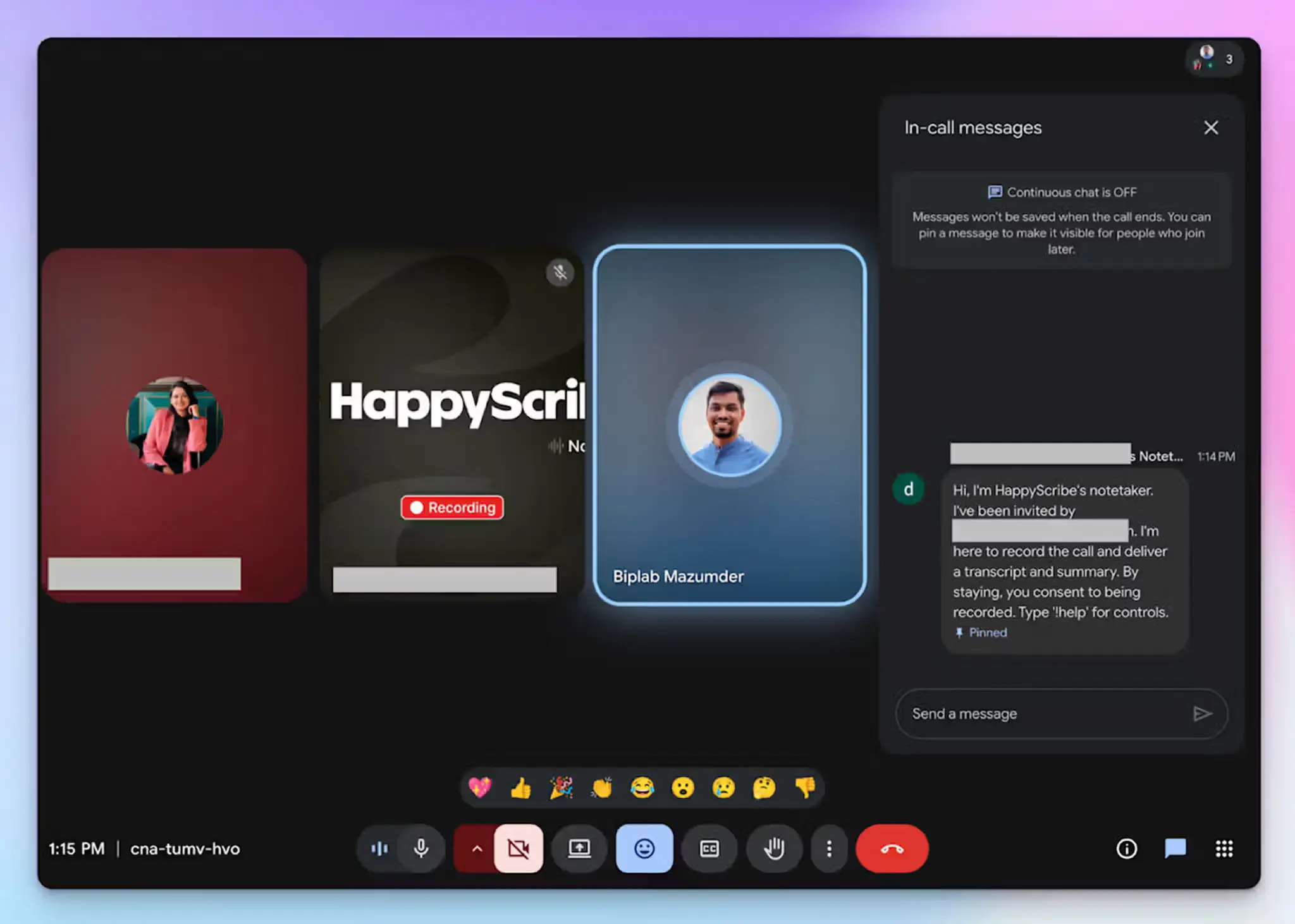
- During an online call, the note taker must be admitted by the meeting host to start recording. You can chat with the note taker to control it.
- The meetings will be saved in your Workspace files or in the Private section, depending on your privacy settings.
2. Metaview
Best for: Recruiting teams that want AI-generated interview notes, structured scorecards, and ATS integration in one platform
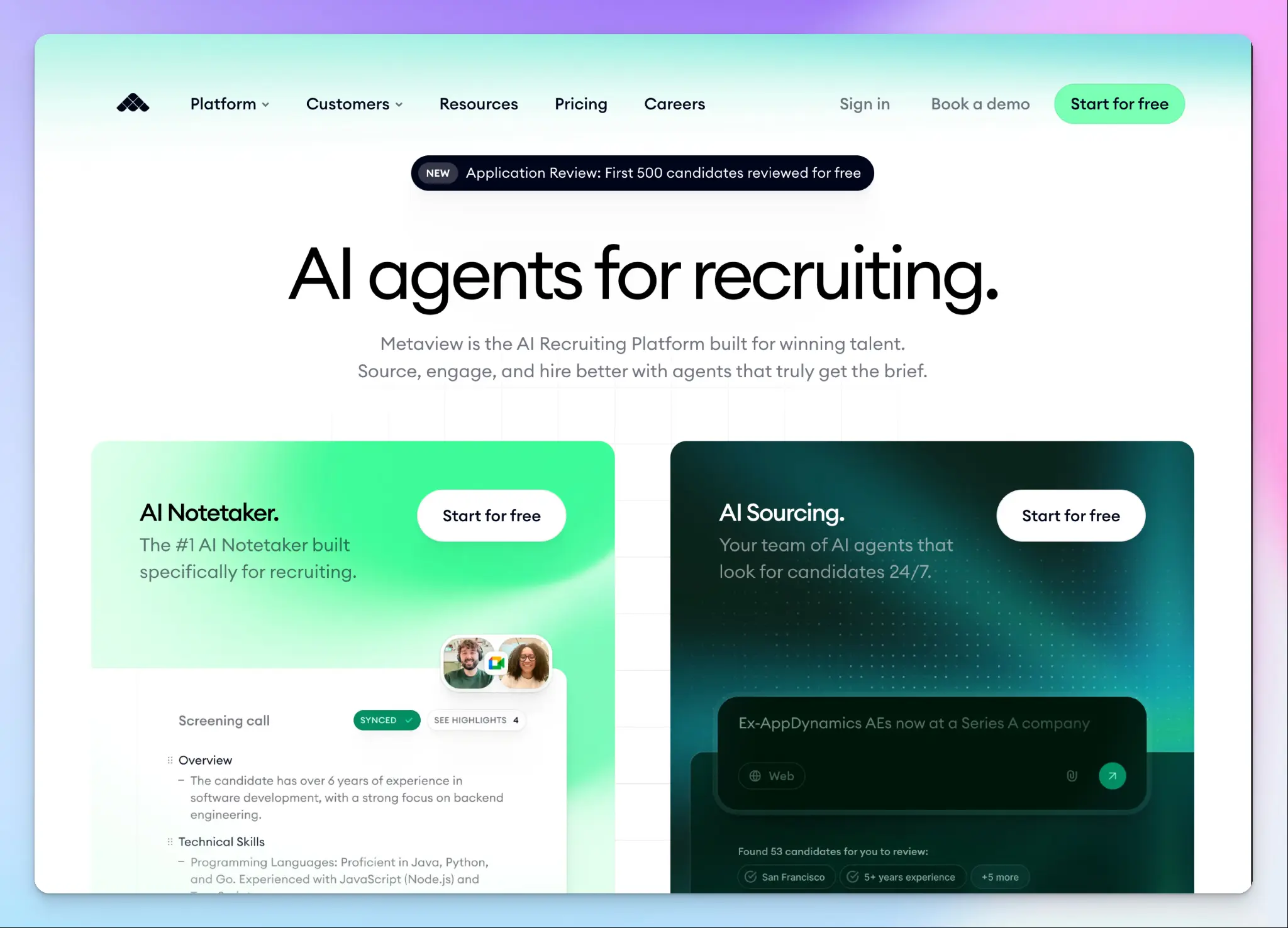
Metaview is not a general meeting note taker that happens to work for interviews. It’s built specifically for hiring workflows, and that focus shows in the output.
Where Noota tries to serve both recruitment and general meeting use cases, Metaview goes deep on a single problem: turning interviews into structured notes that your hiring team can act on.
Metaview vs. Noota
| Category | Metaview | Noota |
|---|---|---|
| Primary use case | Integrated AI products covering notes, sourcing, application review, reports, and job posts | General |
Metaview's key features
- The AI Notetaker generates structured interview notes at an adjustable level of detail, and instantly creates one-paragraph candidate TLDRs that you can customize by topic and share with managers
- Metaview evaluates every inbound candidate against a self-learning Ideal Candidate Profile the moment an application lands, so strong candidates surface first and no one waits in a queue
- AI Reports let you filter all your hiring conversations by department, interview stage, hiring manager, or topic, and then extract specific data points such as compensation ranges or interview activity across your entire pipeline
Metaview's pricing
- Free
- Pro: $60/month
- Enterprise: Custom pricing
- AI Recruiting Platform: Custom pricing
Metaview's pros
- Metaview notes keep feedback consistent across interviewers, which reduces the bias that comes from relying on individual memory
- It’s easy to set up and navigate. Hiring managers can access and use AI summaries without any training from the recruiter who invited them
- Metaview integrates with Greenhouse, Lever, Ashby, Bullhorn, Freshteam, Lano, Polymer, Calendly, and other tools to autofill scorecard fields directly from interview notes
Metaview's cons
- Language support is nominally 50+ languages, but accuracy drops with non-English accents and regional dialects
- At $50/user/month on the Pro plan, the pricing is hard to justify for teams with low or irregular interview volume
- Metaview is built exclusively for hiring conversations. If your team runs general client calls, project syncs, or cross-functional meetings, you'd need a separate tool for everything else
📚 Also read:
3. Leexi
Best for: European sales and customer success teams who want VoIP call transcription and data hosting in France
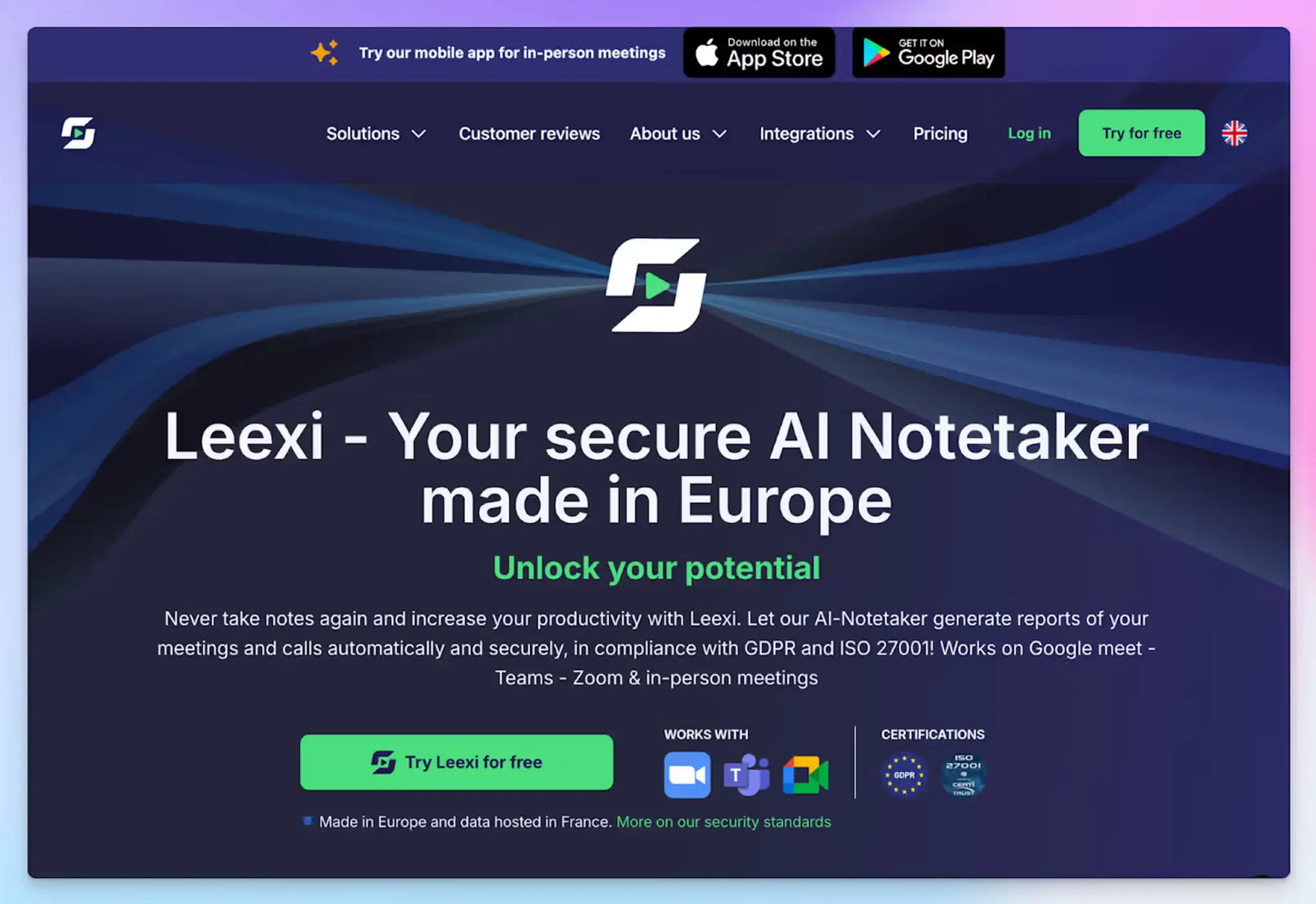
If you’ve used Noota, chances are you’ve heard of Leexi as well. Both the note takers overlap on recruitment, but Leexi is built primarily around revenue workflows.
If your team splits its time between video meetings and phone-based prospecting via Aircall or Ringover, Leexi consolidates both into one platform without managing separate tools.
Leexi vs. Noota
| Category | Leexi | Noota |
|---|---|---|
| Data residency | Stored and transited exclusively in France with end-to-end encryption and a dedicated DPO | Hosted in EU Google Cloud regions |
| AI chat access | Ask Leexi is available on the AI-Meeting plan. Capped at 100 questions per 35-minute call | Ask AI is available across plans with no per-call question limit |
| Recording storage | Up to 2 years on the AI-Meeting plan and above. Starter limited to 6 months | 1 month on the free plan. Storage limits vary by plan |
Leexi's key features
- The AI Briefing feature on Business plan combines context from your recent meetings with live internet research before a call, so reps go in already knowing what's changed with a prospect
- Leexi automatically pushes meeting data into Salesforce, HubSpot, Pipedrive, Zoho, and others at field level
- Multilingual transcription works across 100+ languages, where Noota's transcription is optimized for one language at a time and doesn't support bilingual sessions
Leexi's pricing
- Starter: $15/month
- AI-Meeting: $29/month
- Business: $49/month
- Enterprise: Contact sales
Leexi's pros
- Calendar setup takes only a few clicks, and the bot starts joining meetings immediately, with no complex configuration needed
- Leexi’s security and product roadmap are built around EU users, making it one of the best AI note takers in Europe
- Leexi integrates with more VoIP systems than Noota, including Cloudtalk, Telavox Flow, ALLOcloud, 3CX, and Onoff Business
Leexi's cons
- It doesn’t support file uploads, so you can’t transcribe pre-recorded meetings
- Leexi doesn’t have a free plan. The Starter plan caps usage at 20 hours per month and limits teams to five licenses
- Leexi’s transcription accuracy drops beyond French and English, which pushes teams with multilingual workflows toward better Leexi alternatives
📚 Also read:
4. Hireguide
Best for: Talent acquisition leaders who want structured, skills-based interview notes with compliance flags and interviewer coaching
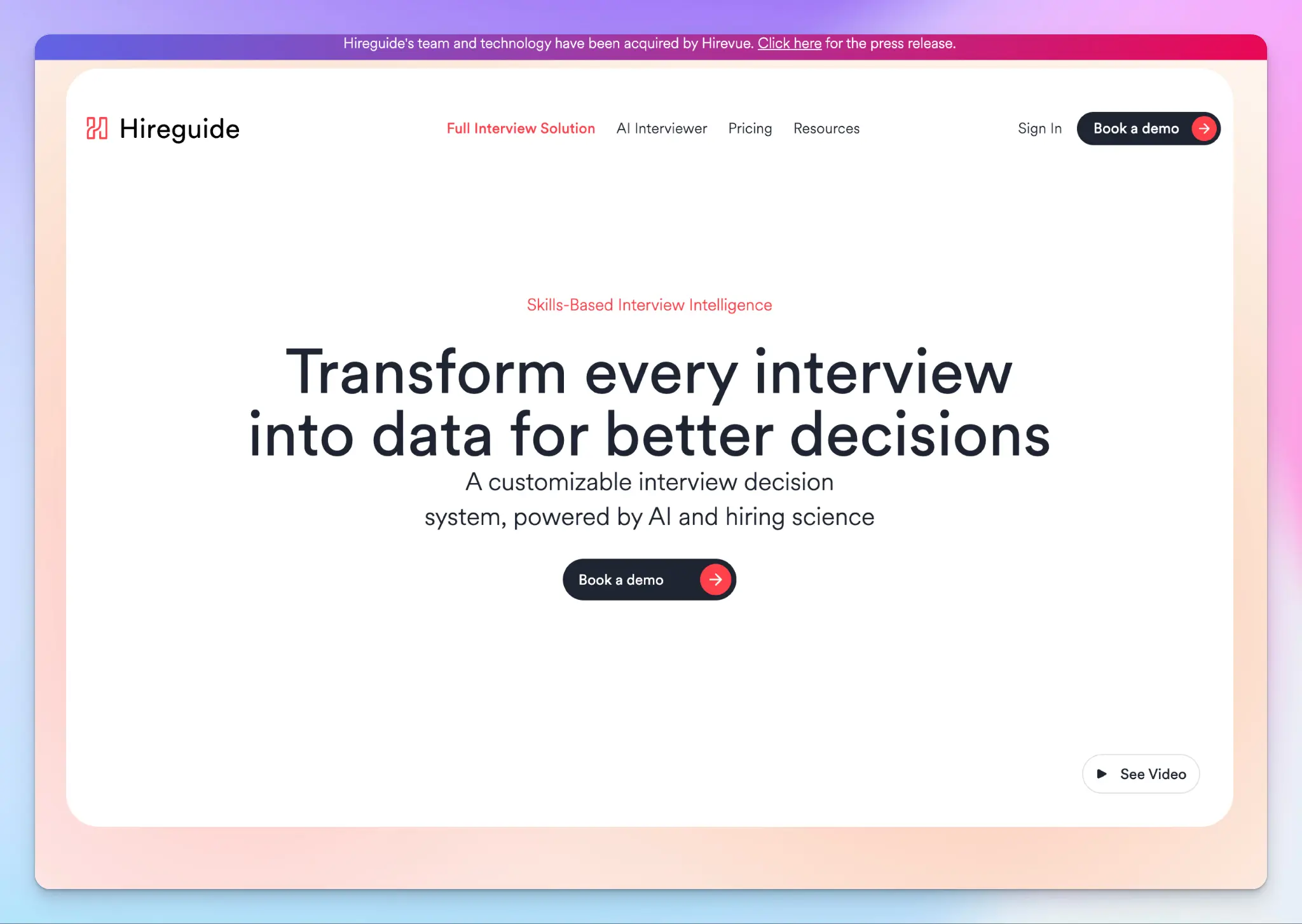
Hireguide is another solid Noota alternative built to help you run structured, skills-based interviews so you can hire better. If your team runs high volumes of interviews and struggles with inconsistent feedback or questions slipping through, Hireguide addresses those issues directly.
Worth noting upfront: HireVue acquired Hireguide's technology in March 2026. The platform remains live and operational, but its product team is now focused on developing the same AI capabilities for HireVue.
Hireguide vs. Noota
| Category | Hireguide | Noota |
|---|---|---|
| Interview structure | Transcripts and recordings organized by question and answer, with one-click moment marking during the call | Transcripts and summaries organized chronologically with customizable templates |
| Compliance monitoring | Analytics flag legally questionable topics and track process compliance automatically | No compliance flagging feature |
| Screening automation | AI Interviewer handles first-round screening calls autonomously | Voice screening via Noota Talent is positioned as a broader agentic suite |
Hireguide's key features
- The AI note taker auto-joins any calendar event with "interview" in the title, organizes the full transcript by each question and candidate response, and generates a summarized first draft from the topics you select
- Hireguide’s AI Interviewer handles screening calls autonomously with automated scheduling and instant candidate ranking, which frees recruiters to focus on later-stage interviews
- With deep analytics, you can observe compliance flags across the entire interview process, candidate satisfaction scores, hiring manager effectiveness ratings, and process metrics
Hireguide's pricing
- Custom pricing
Hireguide's pros
- Hireguide’s question-and-answer organization of transcripts is more useful than chronological dumps of Noota
- Hireguide integrates with a wide range of ATS platforms, including Greenhouse, Lever, Workday, SAP, SmartRecruiters, and iCIMS
- The B Corp certification and published stance on ethical AI in hiring give procurement and legal teams a concrete reference point
Hireguide's cons
- Pricing is entirely custom on paid tiers, with no published figures, which makes it difficult to evaluate before getting on a sales call
- Language support and multilingual transcription capabilities are limited, which is a drawback for teams hiring across regions
- HireVue acquired Hireguide in March 2026, and its future as a standalone product is unclear
📚 Also read:
5. BrightHire
Best for: Enterprise hiring teams that want competency-based interview notes and deep ATS integration
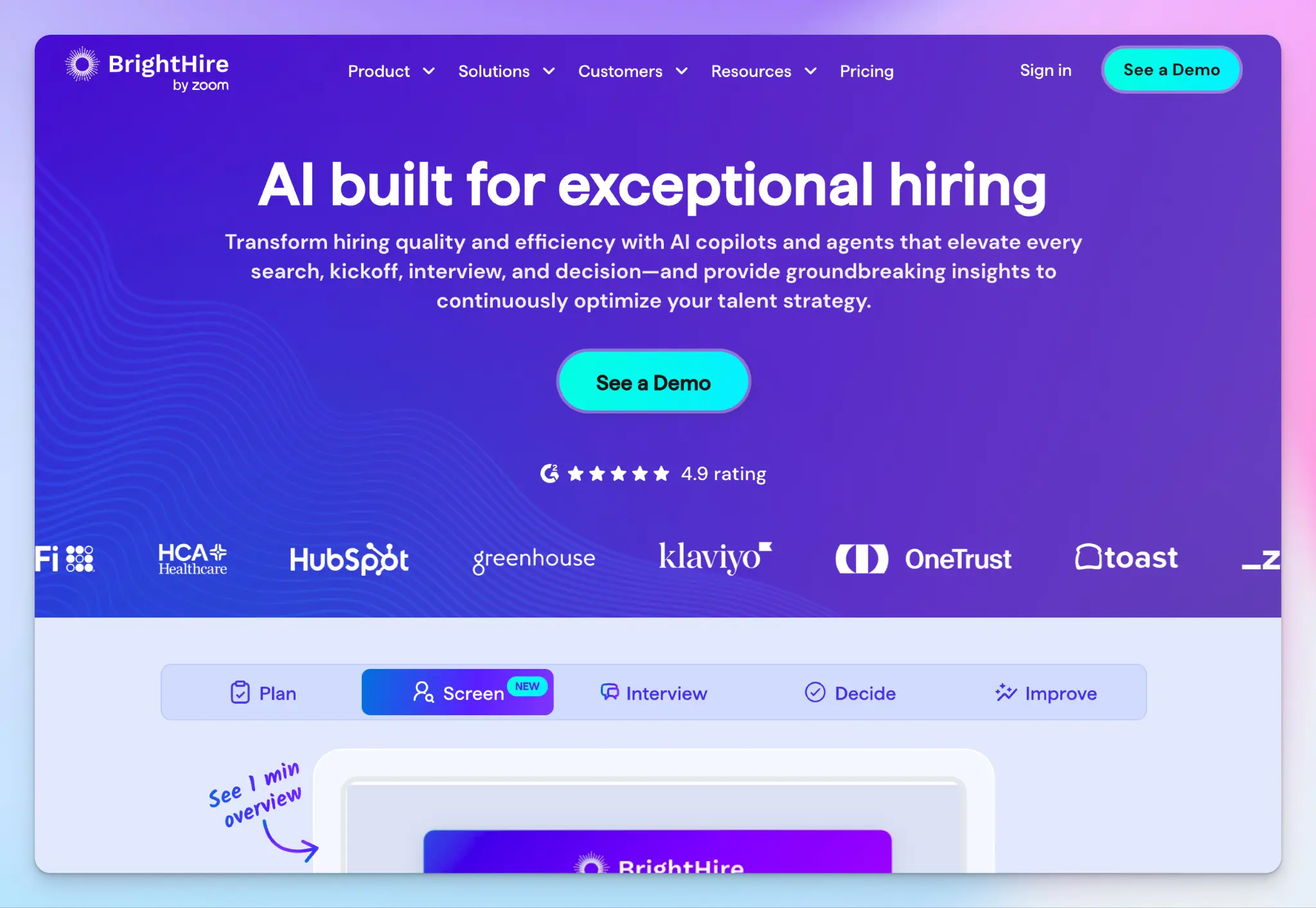
Where Noota tries to serve a wide range of professionals from recruiters to sales teams to consultants, BrightHire is built exclusively around the interview process, from planning and screening to post-interview coaching. If your hiring team runs at volume and quality of hire is the metric you're held to, the depth here is hard to match.
Zoom acquired BrightHire in late 2025. Unlike some acquisitions that signal a wind-down, BrightHire continues to operate as a standalone brand with the same team and product intact.
BrightHire vs. Noota
| Category | BrightHire | Noota |
|---|---|---|
| Note structure | AI notes mapped to competency-based scorecard rubrics, with 1-click ATS scorecard completion after each interview | Chronological summaries with customizable templates, not structured around scorecard criteria |
| Interview benchmarking | Measures interview quality against a customizable rubric and benchmarks your team's performance against other organizations | Noota doesn’t have a cross-organization interview benchmarking feature |
| Screening interviews | BrightHire Screen conducts async, voice-based AI screening interviews that candidates can complete anytime from any device | Noota Talent's screening agent engages candidates via a shared public link, which requires a recruiter to trigger and share it |
BrightHire's key features
- With interview insights, hiring leaders get a single, customizable quality score for every interview, with benchmarks against other organizations, and automated alerts when metrics dip below threshold
- BrightHire generates screening questions directly from your existing interview rubrics and intake materials, so the AI agent reflects your actual evaluation criteria
- Teams can refine their outbound pitch by following what candidates care about by function, geography, and role, including the topics and questions they're raising most often
BrightHire's pricing
- Custom pricing
BrightHire's pros
- BrightHire's interview assistant runs directly inside Zoom, which is a smoother experience for interviewers who use Zoom
- BrightHire's ATS integrations list is long, with highlights visible inside Greenhouse, Workday, Bullhorn, Rippling, Lever, Ashby, and other systems
- The candidate motivation analytics are in-depth and help you surface ways to target top talents
BrightHire's cons
- Pricing is entirely custom with no published figures, which puts it out of reach for most SMBs
- BrightHire is built exclusively for hiring conversations. Teams that run general client calls or cross-functional meetings alongside interviews need a separate tool
- Transcriptions struggle with accuracy, and the unstable browser extension doesn’t help
📚 Also read:
Which Noota alternative should you choose?
Noota is a capable tool for recruiters and sales teams. Where it falls short is in ease of access, transcription consistency, and pricing that scales poorly for smaller teams.
👉 Metaview is worth a look if your team runs structured hiring loops and needs notes, application review, and ATS sync in one platform.
👉 Leexi makes the most sense for European sales and customer success teams whose calls split across video meetings and VoIP, and who need data kept in France for compliance reasons.
👉 Hireguide is the pick for talent acquisition leaders who run high volumes of interviews and need compliance flagging and coaching built into the process.
👉 BrightHire is built for enterprise hiring teams that already live in Zoom and need notes mapped directly to scorecard rubrics, deep ATS integrations, and interview benchmarking.
👉 HappyScribe is the right call if you want fast, accurate meeting notes across 150+ languages without the setup complexity.
For teams that sit outside specialized hiring workflows, the choice becomes straightforward.
Metaview, Hireguide, and BrightHire are purpose-built for recruiting and don't serve general meetings well. Leexi is a strong fit for European revenue teams but is limited without a free plan and struggles beyond French and English. HappyScribe covers all of that ground and more.
As an AI meeting assistant, HappyScribe works across every meeting type, supports more languages than any tool here, and doesn't lock useful features behind expensive upper tiers.
If accurate notes, fast output, and a clean interface matter more to you, HappyScribe is the right place to start.
FAQs on the best Noota alternatives for AI note taking
1. What is the best Noota alternative for AI meeting notes?
HappyScribe is the best overall Noota alternative for most teams. It offers accurate transcription across 150+ languages, AI-generated summaries, speaker identification, and an intuitive interface that's far less cluttered than Noota's. Where Noota struggles with multilingual support and inconsistent output, HappyScribe delivers reliable notes from virtual meetings on Zoom, Teams and Google Meet without the setup complexity. It's also one of the few tools that combines meeting notes with video recording, subtitle editing, and translation in one place.
2. Is there a free alternative to Noota for meeting notes?
Yes. HappyScribe offers a generous free plan with unlimited meeting recordings, which is a significant step up from Noota's 300-minute monthly cap and one month of storage. The free tier includes automatic transcription, AI generated summaries, and speaker identification with no lifetime cap on meetings. If you need more advanced features like priority customer support and CRM integration, the paid plans start from $8.50/month, which is still considerably lower than what Noota charges for comparable access.
3. What are the best AI note takers for recruiters in Europe?
The best options for European recruiting teams are HappyScribe, Metaview, Leexi, Hireguide, and BrightHire. Metaview is purpose-built for hiring workflows with structured scorecards and seamless integration with ATS platforms. Leexi suits sales and customer success teams that analyze meetings across VoIP and video. Hireguide adds compliance flagging and skills-based interview structure. BrightHire is a strong fit for enterprise teams that need conversation intelligence and deep ATS integrations. For teams that run general meetings alongside interviews and need robust features including multilingual support and GDPR compliance, HappyScribe is an excellent alternative that covers all of that ground.
4. How does Leexi compare to Noota for meeting transcription?
Leexi and Noota overlap on recruitment, but they serve different primary use cases. Leexi is built around revenue workflows, with VoIP call transcription via Aircall and Ringover, field-level CRM integration, and data hosted exclusively in France for teams with strict data residency requirements. It supports multiple languages and offers sales coaching and conversation intelligence that Noota doesn't match at the same depth. Noota, on the other hand, tries to serve a broader range of teams but falls short on transcription consistency in bilingual calls and caps key features behind expensive plans. For European sales teams, Leexi is the stronger fit. For teams that need accurate transcription across multiple speakers in multiple languages with seamless integration into their existing workflow, HappyScribe covers the gaps both tools leave open.
5. Which Noota alternative works best for multilingual teams?
HappyScribe is the strongest Noota alternative for multilingual teams. It supports 150+ languages and dialects with 95%+ accuracy, handles multiple speakers reliably, and correctly processes bilingual conversations, whereas Noota frequently defaults to the wrong language. HappyScribe also lets you translate meeting highlights and key points into 80+ languages after the call, so team collaboration across regions doesn't depend on everyone speaking the same language. For teams that need to analyze meetings, and share summaries across markets, or distribute video recording content with subtitles globally, HappyScribe provides the most complete multilingual toolkit of any tool on this list.

Biplab Mazumder
Biplab is a content marketer and writer who helps high-growth brands scale content visibility across AI search channels. His works have been published in HubSpot, Freshworks, Atlassian, SurferSEO, etc. When he's not planning content strategy, he's testing AI content workflows and use cases.